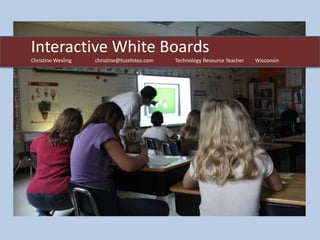
Interactive White Boards
Christine Wesling   christine@fuzefotos.com   Technology Resource Teacher   Wisconsin
Goal & Objectives
1.   Detailing how the IWB is a transformative
     technology and centerpiece of the 21st Century
     Digital Classroom
2.   Defining the benefits the IWB will have to student
     learning and interacting in new innovative ways
3.   Sharing the many ways you can bring software to life
     for whole group learning
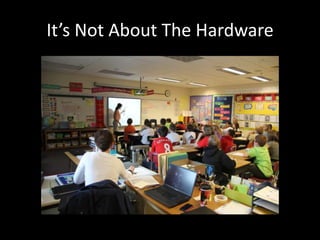
It’s Not About The Hardware
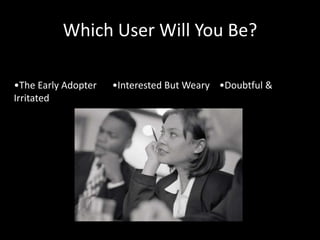
Which User Will You Be?

•The Early Adopter   •Interested But Weary •Doubtful &
Irritated
Overcoming the Challenge

A visionary principal is vital

Acknowledge that this is will complex and not easy

We all react differently to new concepts – respect each
other’s enthusiasm or apprehension

Listen to the perspectives of others – gain understanding

Provide opportunities for staff to see the boards in use – take
a field trip
What Teachers Must Know to Gain
    Acceptance of IWB Technology
 We must work together to achieve success with implementation and ideally adopt
 these beliefs:


Believe IWB use will enhance your teaching and improve student
learning

Feel comfortable using technology

Be able to use the technology integrally in your everyday
teaching

Have technology readily available in each room
To Gain Acceptance

Leadership must embrace the adoption and show
enthusiasm and share expectations.

The right kind of training is essential

Make a sound investment

Patience is key - know that full adoption will take time
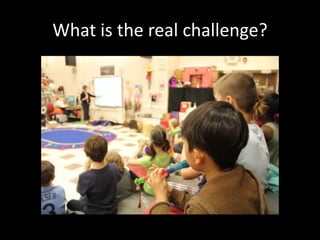
What is the real challenge?
It’s a cultural shift that is necessary – moving to technological
interactive environment

Developing a new mind set will to take advantages of new
possibilities of ways for students to learn

Utimately it will be less on the “how” and more time on the
“why”
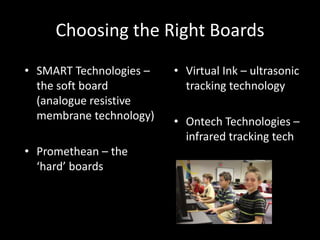
Choosing the Right Boards
• SMART Technologies –   • Virtual Ink – ultrasonic
  the soft board           tracking technology
  (analogue resistive
  membrane technology)   • Ontech Technologies –
                           infrared tracking tech
• Promethean – the
  ‘hard’ boards
What is the magic of the software?
• Similar to Microsoft’s     • Virtual pens and
  PowerPoint, it let’s the     highlighters allow
  user create a notebook       magnification for
  or a flipchart.              focusing on parts of the
                               page.
• Dragability is the
  function that makes this   • Images, interactive tools
  technology interactive       and background add to
  and revolutionary.           the experience.
Installation Factors for Consideration

•Clear the Clutter – It will be important to have room on either side

•Design It For Student Use – student accessibility is essential, hang it low

•Have the Job Done By a Professional – specialized knowledge makes a
difference with these products

•Additional Equipment – SPEAKERS, PROJECTORS

•Proximity of Computer to the Board is Important

•Consider Glare From Windows

•Cabling for power, USB, computer and associated devices
A Quality Projector is Key
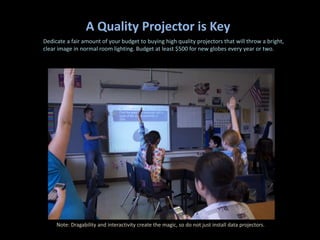
Dedicate a fair amount of your budget to buying high quality projectors that will throw a bright,
clear image in normal room lighting. Budget at least $500 for new globes every year or two.


     Note: Dragability and interactivity create the magic, so do not just install data projectors.
What is eTeaching?
• eTeaching – lessons infused ith rich media, digital
  resources and engaging communication
  technologies.

• Benefits to eTeaching? The nature of teaching
  that takes place in a technology-rich environment
  starts the change of moving away from content
  delivery to a more personal deeper approach to
  learning new concepts.
Phases of eTeaching
• Doing Old Things In Old Ways

• Doing Old Things, But In New Ways

• Doing New Things In New Ways
Doing Old Things In Old Ways
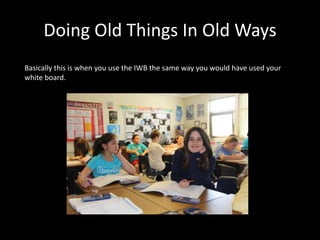
Basically this is when you use the IWB the same way you would have used your
white board.
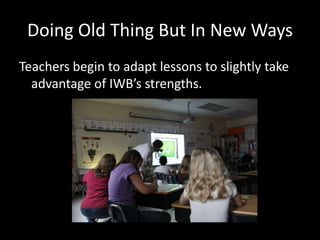
Doing Old Thing But In New Ways
Teachers begin to adapt lessons to slightly take
  advantage of IWB’s strengths.
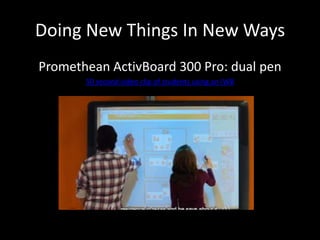
Doing New Things In New Ways
Promethean ActivBoard 300 Pro: dual pen
       50 second video clip of students using an IWB
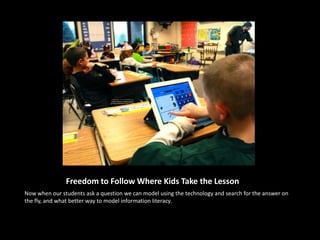
Freedom to Follow Where Kids Take the Lesson
Now when our students ask a question we can model using the technology and search for the answer on
the fly, and what better way to model information literacy.
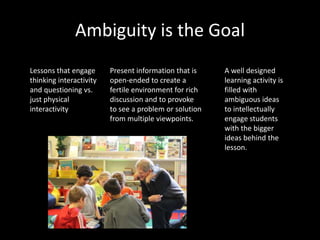
Ambiguity is the Goal
Lessons that engage      Present information that is    A well designed
thinking interactivity   open-ended to create a         learning activity is
and questioning vs.      fertile environment for rich   filled with
just physical            discussion and to provoke      ambiguous ideas
interactivity            to see a problem or solution   to intellectually
                         from multiple viewpoints.      engage students
                                                        with the bigger
                                                        ideas behind the
                                                        lesson.
And the Research Says…
Independent research has shown that, when used wisely, IWBs can produce a
significant improvement to student learning.
 
As teachers make the move towards e-teaching through the implementation of
IWB technology, they should bear in mind that IWBs do need to be "used wisely,"
and this primarily means ensuring that the pedagogy underlying the technology is
implemented soundly.

The ERNIST ICT study found that IWBs were often the catalyst for teachers to
replace existing practice with more interactive, constructivist approaches.

Contributors to this study noted that the interactive technology tended to help
teachers become even more innovative in the resources they were able to bring to
students, and that students appeared to learn more effectively when presented
with the wide range of stimuli that IWBs were able to bring before them.
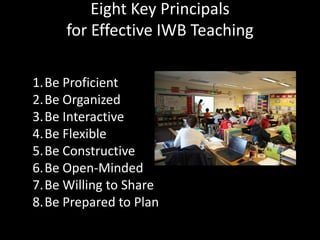
Eight Key Principals
     for Effective IWB Teaching

1.Be Proficient
2.Be Organized
3.Be Interactive
4.Be Flexible
5.Be Constructive
6.Be Open-Minded
7.Be Willing to Share
8.Be Prepared to Plan
Designing Lessons
The Role of the 21st Century Teacher

In many ways, the role of a teacher in the
twenty-first century has evolved away from
being the "source of all knowledge" to being
more of an "information architect" charged
with the task of designing engaging learning
pathways for their students. for their
students.

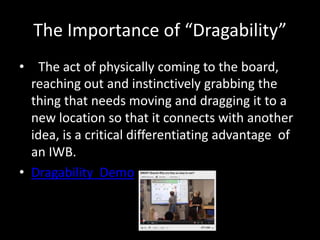
The Importance of “Dragability”
• 
The act of physically coming to the board,
  reaching out and instinctively grabbing the
  thing that needs moving and dragging it to a
  new location so that it connects with another
  idea, is a critical differentiating advantage of
  an IWB.
• Dragability Demo
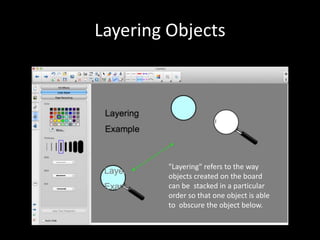
Layering Objects


         "Layering" refers to the way
         objects created on the board
         can be stacked in a particular
         order so that one object is able
         to obscure the object below.
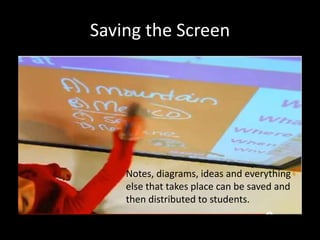
Saving the Screen


    Notes, diagrams, ideas and everything
    else that takes place can be saved and
    then distributed to students.
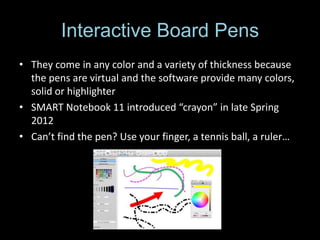
Interactive Board Pens
• They come in any color and a variety of thickness because
  the pens are virtual and the software provide many colors,
  solid or highlighter
• SMART Notebook 11 introduced “crayon” in late Spring
  2012
• Can’t find the pen? Use your finger, a tennis ball, a ruler…
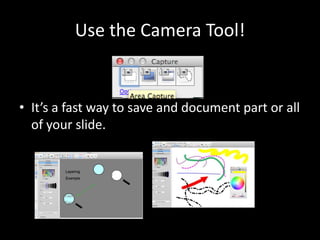
Use the Camera Tool!


• It’s a fast way to save and document part or all
  of your slide.
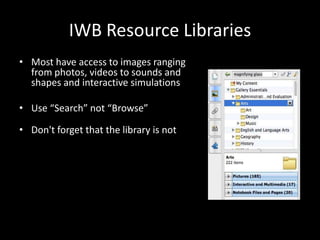
IWB Resource Libraries
• Most have access to images ranging
  from photos, videos to sounds and
  shapes and interactive simulations

• Use “Search” not “Browse”

• Don't forget that the library is not
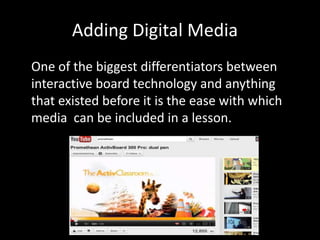
Adding Digital Media
One of the biggest differentiators between
interactive board technology and anything
that existed before it is the ease with which
media can be included in a lesson.
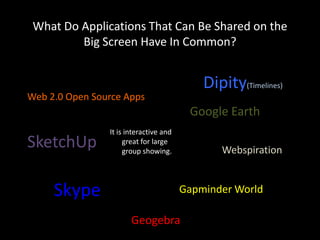
What Do Applications That Can Be Shared on the
         Big Screen Have In Common?


                                            Dipity(Timelines)
Web 2.0 Open Source Apps
                                         Google Earth
                It is interactive and
SketchUp             great for large
                     group showing.            Webspiration


     Skype                              Gapminder World

                       Geogebra

IWB Presentation Assignment 4

  • 1.
    Interactive White Boards ChristineWesling christine@fuzefotos.com Technology Resource Teacher Wisconsin
  • 2.
    Goal & Objectives 1. Detailing how the IWB is a transformative technology and centerpiece of the 21st Century Digital Classroom 2. Defining the benefits the IWB will have to student learning and interacting in new innovative ways 3. Sharing the many ways you can bring software to life for whole group learning
  • 3.
    It’s Not AboutThe Hardware
  • 4.
    Which User WillYou Be? •The Early Adopter •Interested But Weary •Doubtful & Irritated
  • 5.
    Overcoming the Challenge Avisionary principal is vital Acknowledge that this is will complex and not easy We all react differently to new concepts – respect each other’s enthusiasm or apprehension Listen to the perspectives of others – gain understanding Provide opportunities for staff to see the boards in use – take a field trip
  • 6.
    What Teachers MustKnow to Gain Acceptance of IWB Technology We must work together to achieve success with implementation and ideally adopt these beliefs: Believe IWB use will enhance your teaching and improve student learning Feel comfortable using technology Be able to use the technology integrally in your everyday teaching Have technology readily available in each room
  • 7.
    To Gain Acceptance Leadershipmust embrace the adoption and show enthusiasm and share expectations. The right kind of training is essential Make a sound investment Patience is key - know that full adoption will take time
  • 8.
    What is thereal challenge?
  • 9.
    It’s a culturalshift that is necessary – moving to technological interactive environment Developing a new mind set will to take advantages of new possibilities of ways for students to learn Utimately it will be less on the “how” and more time on the “why”
  • 10.
    Choosing the RightBoards • SMART Technologies – • Virtual Ink – ultrasonic the soft board tracking technology (analogue resistive membrane technology) • Ontech Technologies – infrared tracking tech • Promethean – the ‘hard’ boards
  • 11.
    What is themagic of the software? • Similar to Microsoft’s • Virtual pens and PowerPoint, it let’s the highlighters allow user create a notebook magnification for or a flipchart. focusing on parts of the page. • Dragability is the function that makes this • Images, interactive tools technology interactive and background add to and revolutionary. the experience.
  • 12.
    Installation Factors forConsideration •Clear the Clutter – It will be important to have room on either side •Design It For Student Use – student accessibility is essential, hang it low •Have the Job Done By a Professional – specialized knowledge makes a difference with these products •Additional Equipment – SPEAKERS, PROJECTORS •Proximity of Computer to the Board is Important •Consider Glare From Windows •Cabling for power, USB, computer and associated devices
  • 13.
    A Quality Projectoris Key Dedicate a fair amount of your budget to buying high quality projectors that will throw a bright, clear image in normal room lighting. Budget at least $500 for new globes every year or two. Note: Dragability and interactivity create the magic, so do not just install data projectors.
  • 14.
    What is eTeaching? •eTeaching – lessons infused ith rich media, digital resources and engaging communication technologies. • Benefits to eTeaching? The nature of teaching that takes place in a technology-rich environment starts the change of moving away from content delivery to a more personal deeper approach to learning new concepts.
  • 15.
    Phases of eTeaching •Doing Old Things In Old Ways • Doing Old Things, But In New Ways • Doing New Things In New Ways
  • 16.
    Doing Old ThingsIn Old Ways Basically this is when you use the IWB the same way you would have used your white board.
  • 17.
    Doing Old ThingBut In New Ways Teachers begin to adapt lessons to slightly take advantage of IWB’s strengths.
  • 18.
    Doing New ThingsIn New Ways Promethean ActivBoard 300 Pro: dual pen 50 second video clip of students using an IWB
  • 20.
    Freedom to FollowWhere Kids Take the Lesson Now when our students ask a question we can model using the technology and search for the answer on the fly, and what better way to model information literacy.
  • 21.
    Ambiguity is theGoal Lessons that engage Present information that is A well designed thinking interactivity open-ended to create a learning activity is and questioning vs. fertile environment for rich filled with just physical discussion and to provoke ambiguous ideas interactivity to see a problem or solution to intellectually from multiple viewpoints. engage students with the bigger ideas behind the lesson.
  • 22.
    And the ResearchSays… Independent research has shown that, when used wisely, IWBs can produce a significant improvement to student learning. 
As teachers make the move towards e-teaching through the implementation of IWB technology, they should bear in mind that IWBs do need to be "used wisely," and this primarily means ensuring that the pedagogy underlying the technology is implemented soundly. 
The ERNIST ICT study found that IWBs were often the catalyst for teachers to replace existing practice with more interactive, constructivist approaches. 
Contributors to this study noted that the interactive technology tended to help teachers become even more innovative in the resources they were able to bring to students, and that students appeared to learn more effectively when presented with the wide range of stimuli that IWBs were able to bring before them.
  • 23.
    Eight Key Principals for Effective IWB Teaching 1.Be Proficient 2.Be Organized 3.Be Interactive 4.Be Flexible 5.Be Constructive 6.Be Open-Minded 7.Be Willing to Share 8.Be Prepared to Plan
  • 24.
  • 25.
    The Role ofthe 21st Century Teacher In many ways, the role of a teacher in the twenty-first century has evolved away from being the "source of all knowledge" to being more of an "information architect" charged with the task of designing engaging learning pathways for their students. for their students.

  • 26.
    The Importance of“Dragability” • 
The act of physically coming to the board, reaching out and instinctively grabbing the thing that needs moving and dragging it to a new location so that it connects with another idea, is a critical differentiating advantage of an IWB. • Dragability Demo
  • 27.
    Layering Objects "Layering" refers to the way objects created on the board can be stacked in a particular order so that one object is able to obscure the object below.
  • 28.
    Saving the Screen Notes, diagrams, ideas and everything else that takes place can be saved and then distributed to students.
  • 29.
    Interactive Board Pens •They come in any color and a variety of thickness because the pens are virtual and the software provide many colors, solid or highlighter • SMART Notebook 11 introduced “crayon” in late Spring 2012 • Can’t find the pen? Use your finger, a tennis ball, a ruler…
  • 30.
    Use the CameraTool! • It’s a fast way to save and document part or all of your slide.
  • 31.
    IWB Resource Libraries •Most have access to images ranging from photos, videos to sounds and shapes and interactive simulations • Use “Search” not “Browse” • Don't forget that the library is not
  • 32.
    Adding Digital Media Oneof the biggest differentiators between interactive board technology and anything that existed before it is the ease with which media can be included in a lesson.
  • 33.
    What Do ApplicationsThat Can Be Shared on the Big Screen Have In Common? Dipity(Timelines) Web 2.0 Open Source Apps Google Earth It is interactive and SketchUp great for large group showing. Webspiration Skype Gapminder World Geogebra

Editor's Notes

  • #4 While choosing the products is an important step, the ultimate success of IWBs our classrooms is dependent on quality teaching and learning.
  • #5 As we embark on this adoption we are looking for success with all staff and will provide the training and staff development to get everyone to see the potential of this technology.
  • #17 Lessons are not prepared ahead of time – Limited use of the tool set – diagrams are still written – not taking adv or using interactive features – lessons are not saved at the end of class
  • #18 Characteristics include: modifications of paper based activities to work on IWB – Greater use of notebook/flipchart lessons prepared in adv. – greater reliance on resources found in the gallery – greater use of dragability, layered objects – all lessons are saved and reused – lessons are shared with other teachers - noticeable increased engagement of students
  • #19 http://www.youtube.com/watch?v=Xf0fgolX3cc CHARACTERISTICS INCLUDE: using short snippets of video or animation – inclusion of high resolution photos images – tapping into the enormous libraries of interactive objects – greater use of software to manipulate ideas to produce varying outcomes – demoing experiments - showing virtual worlds and simulated environments – students asking unexpected question for deeper understanding –real-time video use – using the voting or SMART response to real time answers to gauge understanding in real time
  • #26 This idea of the teacher as a designer of learning makes the job of teaching much more than simply managing the flow of pre-made information from textbook to student.
  • #27 The notion of dragability  is a key to IWB use.Without dragability, an IWB is just a very expensive conventional teaching board.
  • #28 
Thenumber of ways this simple idea of hide-and-reveal can be used are almost limitless – Above is an example of layer 3 objects: text, a circle and the magnifying glass. After changing order, grouping and changing text color, layer produces a “magical” effect with the magnifier exposing the hidden text.
  • #29 It’s a simple option that was never available with conventional teaching boards. The uses are many, perhaps endless: Examples: Lessons can be kept and reused for other classes, student’s interactions can be saved and retained for record keeping. Great Ideas can be easily captured mid-lesson.
  • #30 IWB pens  are used to write over other sources, annotating images and maps, highlighting text on web pages, calling out important sentences of using arrows to explain the flow of an idea.
Many IWBs also offer some form of handwriting recognition tool  capable of transforming handwritten script into fully editable font-based text.
  • #31 If you can see it on your screen, the camera tool  can grab it and bring it into your lesson immediately for showing, sharing and discussing.On most interactive boards, the same sort of access to a large library of  clip-art type images also exists, but this usually extends to include photos, background images, videos, sounds, shapes, lines and interactive simulations.
  • #32 A word of advice: learn to use the search  function. The best method is to use "Search," not   Browse One of the biggest differentiators between interactive board technology and anything that existed before it is the ease with which media  can be included in a lesson.
  • #33 It isn’t new, but now you can zoom in on photos and just narrow down the clip of video that is best. You can easily rewind, pause and replay and ANNOTATE – show 2 and contrast and compare.
  • #34 There is plenty of standard personal computer software that can in fact be even more effective when used in a group situation  on an IWB. The list of what software works on an interactive whiteboard is almost endless, since anything that works on your computer will work on the board.