electronicportfolios.org/
slideshare.net/eportfolios/
Email:
eportfolios@gmail.com
Twitter hashtag:
#eportfolios
Twitter:
@eportfolios
with
ISTE Workshop
June 22, 2013
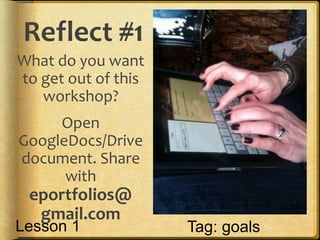
Reflect #1
What do you want
to get out of this
workshop?
Open
GoogleDocs/Drive
document. Share
with
eportfolios@
gmail.com
Tag: goalsLesson 1
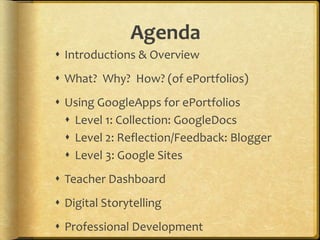
Agenda
 Introductions & Overview
 What? Why? How? (of ePortfolios)
 Using GoogleApps for ePortfolios
 Level 1: Collection: GoogleDocs
 Level 2: Reflection/Feedback: Blogger
 Level 3: Google Sites
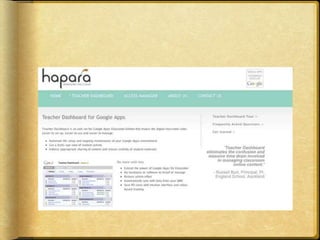
 Teacher Dashboard
 Digital Storytelling
 Professional Development
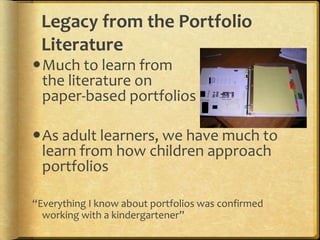
Legacy from the Portfolio
Literature
Much to learn from
the literature on
paper-based portfolios
As adult learners, we have much to
learn from how children approach
portfolios
“Everything I know about portfolios was confirmed
working with a kindergartener”
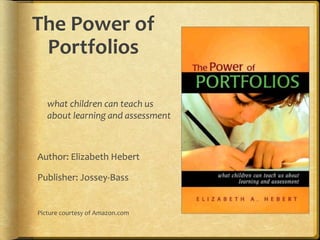
The Power of
Portfolios
what children can teach us
about learning and assessment
Author: Elizabeth Hebert
Publisher: Jossey-Bass
Picture courtesy of Amazon.com
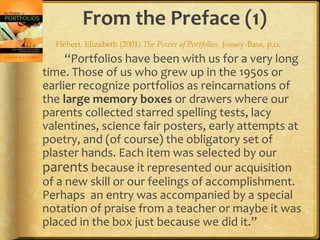
The Power of Portfolios
Author:
Dr. Elizabeth
Hebert, Principal
Crow Island School,
Winnetka, Illinois
Picture taken by Helen Barrett at
AERA, Seattle, April, 2001
From the Preface (1)
“Portfolios have been with us for a very long
time. Those of us who grew up in the 1950s or
earlier recognize portfolios as reincarnations of
the large memory boxes or drawers where our
parents collected starred spelling tests, lacy
valentines, science fair posters, early attempts at
poetry, and (of course) the obligatory set of
plaster hands. Each item was selected by our
parents because it represented our acquisition
of a new skill or our feelings of accomplishment.
Perhaps an entry was accompanied by a special
notation of praise from a teacher or maybe it was
placed in the box just because we did it.”
Hebert, Elizabeth (2001) The Power of Portfolios. Jossey-Bass, p.ix
From the Preface (2)
“We formed part of our identity from the
contents of these memory boxes. We
recognized each piece and its association with a
particular time or experience. We shared these
collections with grandparents to reinforce
feelings of pride and we reexamined them on
rainy days when friends were unavailable for
play. Reflecting on the collection allowed us to
attribute importance to these artifacts, and by
extension to ourselves, as they gave witness to
the story of our early school experiences.”
Hebert, Elizabeth (2001) The Power of Portfolios. Jossey-Bass, p.ix
From the Preface (3)
“Our parents couldn’t possibly envision
that these memory boxes would be the
inspiration for an innovative way of thinking
about children’s learning. These collections,
lovingly stored away on our behalf, are the
genuine exemplar for documenting children’s
learning over time. But now these memory
boxes have a different meaning. It’s not purely
private or personal, although the personal is
what gives power to what they can mean.”
Hebert, Elizabeth (2001) The Power of Portfolios. Jossey-Bass, p.ix-x
Let’s get personal…
Think for a minute about:
Something about your COLLECTIONS:
Suggested topics:
 If you are a parent, what you saved for your
children
 What your parents saved for you
 What you collect…
 Why you collect…
Some issues to consider
 What do your collections say about what you
value?
 Is there a difference between what you
purposefully save and what you can’t throw
away?
 How can we use our personal collections
experiences to help learners as they develop
their portfolios?
The power of portfolios [to support deep
learning] is personal.
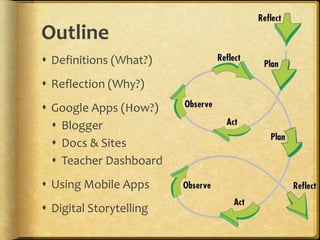
Outline
 Definitions (What?)
 Reflection (Why?)
 Google Apps (How?)
 Blogger
 Docs & Sites
 Teacher Dashboard
 Using Mobile Apps
 Digital Storytelling
Twitter hashtag:
#mportfolios
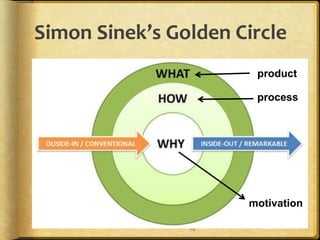
Simon Sinek’s Golden Circle
15
motivation
process
product
Context
Why…
Electronic Portfolios Now?
National
Educational
Technology Plan
(2010)
 Technology also gives students opportunities for taking
ownership of their learning. Student-managed electronic
learning portfolios can be part of a persistent learning
record and help students develop the self-awareness
required to set their own learning goals, express their
own views of their strengths, weaknesses, and
achievements, and take responsibility for them.
Educators can use them to gauge students’ development,
and they also can be shared with peers, parents, and
others who are part of students’ extended network. (p.12)
National
Educational
Technology Plan
(2010) - Assessment
 Many schools are using electronic portfolios and other digital
records of students’ work as a way to demonstrate what they
have learned. Although students’ digital products are often
impressive on their face, a portfolio of student work should be
linked to an analytic framework if it is to serve assessment
purposes. The portfolio reviewer needs to know what
competencies the work is intended to demonstrate, what the
standard or criteria for competence are in each area, and what
aspects of the work provide evidence of meeting those criteria.
Definitions of desired outcomes and criteria for levels of
accomplishment can be expressed in the form of rubrics. (p.34)
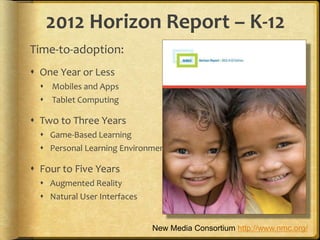
2012 Horizon Report – K-12
Time-to-adoption:
 One Year or Less
 Mobiles and Apps
 Tablet Computing
 Two to Three Years
 Game-Based Learning
 Personal Learning Environments
 Four to Five Years
 Augmented Reality
 Natural User Interfaces
New Media Consortium http://www.nmc.org/
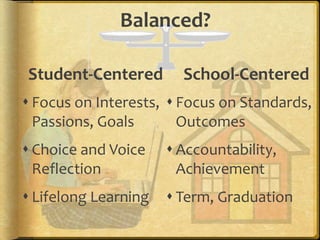
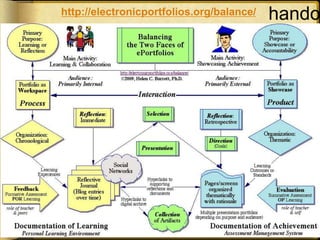
Balanced?
Student-Centered
 Focus on Interests,
Passions, Goals
 Choice and Voice
Reflection
 Lifelong Learning
School-Centered
 Focus on Standards,
Outcomes
 Accountability,
Achievement
 Term, Graduation
handohttp://electronicportfolios.org/balance/
Student examples
 ASB Google Sites portfolios & Victoria
example
 Explore:
 Hunter Park Kindergarten & Abigail's E-
Profile (NZ) – Blogger
 Kim Cofino’s 6th graders (Japan) - Blogger
 Pt. England School (NZ) – Blogger
See links on 1-AM Agenda page
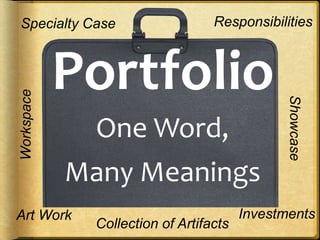
Portfolio
One Word,
Many Meanings
Specialty Case Responsibilities
InvestmentsArt Work
Collection of Artifacts
Workspace
Showcase
What is a Portfolio?
 Dictionary definition:
a flat, portable case
for carrying loose
papers, drawings, etc.
 Financial portfolio: document
accumulation of fiscal capital
 Educational portfolio: document
development of human capital
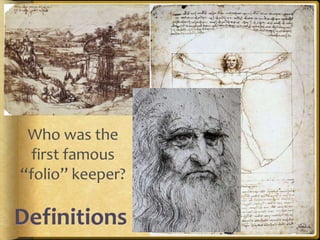
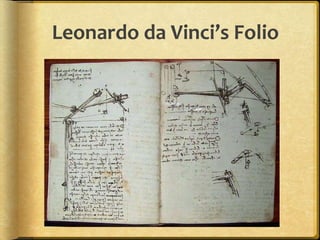
Leonardo da Vinci’s Folio
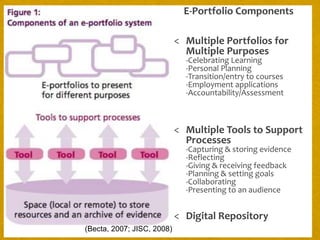
E-Portfolio Components
< Multiple Portfolios for
Multiple Purposes
-Celebrating Learning
-Personal Planning
-Transition/entry to courses
-Employment applications
-Accountability/Assessment
< Multiple Tools to Support
Processes
-Capturing & storing evidence
-Reflecting
-Giving & receiving feedback
-Planning & setting goals
-Collaborating
-Presenting to an audience
< Digital Repository
(Becta, 2007; JISC, 2008)
Reflect #2
What is your prior
experience with
portfolios/ social
networks?
-Personal?
-Professional?
-Students? Tag: Experience
Lesson 1
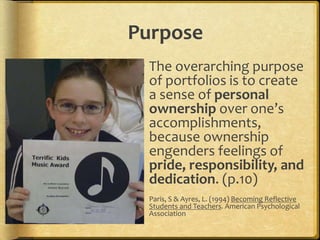
Purpose
 The overarching purpose
of portfolios is to create
a sense of personal
ownership over one’s
accomplishments,
because ownership
engenders feelings of
pride, responsibility, and
dedication. (p.10)
 Paris, S & Ayres, L. (1994) Becoming Reflective
Students and Teachers. American Psychological
Association
Begin Planning Process
 Online course website:
 https://sites.google.com/site/k12eportf
olioapps/planning
 Open Google Doc, share with school
team partners, begin developing plan.
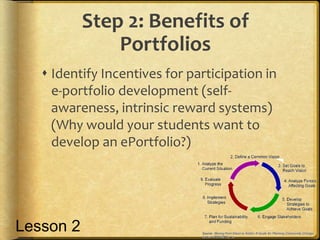
Step 2: Benefits of
Portfolios
 Identify Incentives for participation in
e-portfolio development (self-
awareness, intrinsic reward systems)
(Why would your students want to
develop an ePortfolio?)
Lesson 2
Benefits…from the PROCESS:
 They will discover a valuable exercise in self assessment
through the reflection process
 Learning will take on a new depth through the reflection
process
 Their self esteem and self-confidence will be enhanced as
they take control of their learning.
 They may develop their own goals for their learning.
 Assessment of their learning may become more student
centered; the learner is involved and authorized to make
decisions about will be evaluated.
 They will receive more recognition for individual learning
abilities and preferences.
 They will learn and begin to practice a process that will be
used in life long and life wide learning pursuits.
Benefits…from the PRODUCT:
 They will have a tool for personal development.
 They will have a personal learning record.
 They may receive credit for informal and non-formal learning as well
as formal learning.
 They will have direction for career planning.
 They will have a tool for feedback from teachers and peers; feedback
in the form of comments, as opposed to marks.
 They will have a concrete way of showcasing strengths to teachers
or future employers.
 They may have needed documentation for prior learning assessment
or program credits.
 They may receive credit towards a course completion or towards
graduation
 They will have an extremely portable tool to use no matter where
they are in the world.
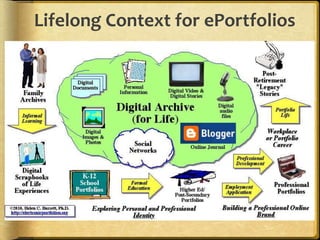
Lifelong Context for ePortfolios
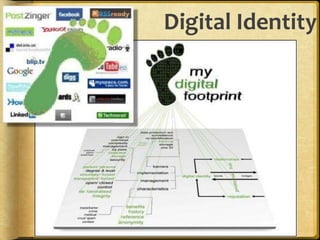
Digital Identity
 Creating a positive digital footprint
Passion and Self-Directed
Learning
Lisa Nielsen’s “The Innovative Educator” blog entries:
 Preparing Students for Success
by Helping Them Discover and
Develop Their Passions
(Renzulli’s Total Talent Portfolio)
 10 Ways Technology Supports
21st Century Learners in Being Self Directed
http://theinnovativeeducator.blogspot.com/
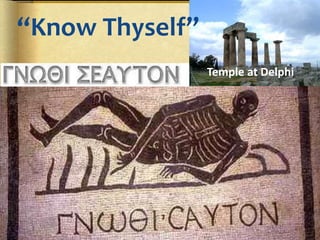
“Know Thyself”
Temple at Delphi
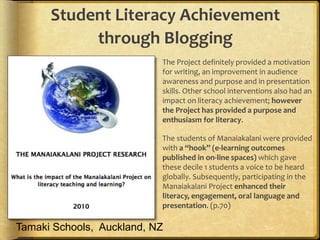
Student Literacy Achievement
through Blogging
 The Project definitely provided a motivation
for writing, an improvement in audience
awareness and purpose and in presentation
skills. Other school interventions also had an
impact on literacy achievement; however
the Project has provided a purpose and
enthusiasm for literacy.
 The students of Manaiakalani were provided
with a “hook” (e-learning outcomes
published in on-line spaces) which gave
these decile 1 students a voice to be heard
globally. Subsequently, participating in the
Manaiakalani Project enhanced their
literacy, engagement, oral language and
presentation. (p.70)
Tamaki Schools, Auckland, NZ
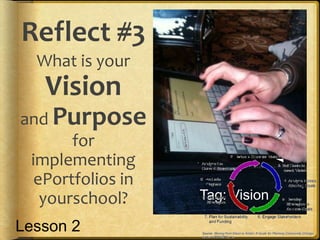
Reflect #3
What is your
Vision
and Purpose
for
implementing
ePortfolios in
yourschool? Tag: Vision
Lesson 2
United #7 ePortfolio Vision
Statement (Draft)
 By implementing e-portfolios, United#7
will empower students to become
active participants in their own
personalized education. Through use
of reflection, technology, and
collaboration, students and teachers
will develop skills that will lead them to
achieve their lifelong goals.
From Mead School District’s Student
Portfolio Handbook:
Remember, you are telling us a
story, and not just any story.
Your portfolio is meant to be
your story of your life over the
last four years as well as the
story of where your life might
be going during the next four
years: tell it with pride!
1 paragraph!
What is your
“elevator
Speech”
describing
your Vision for
ePortfolios?
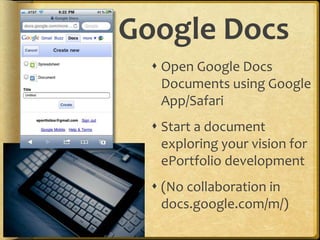
Google Docs
 Open Google Docs
Documents using Google
App/Safari
 Start a document
exploring your vision for
ePortfolio development
 (No collaboration in
docs.google.com/m/)
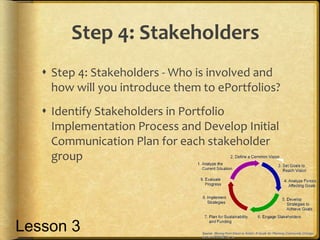
Step 4: Stakeholders
 Step 4: Stakeholders - Who is involved and
how will you introduce them to ePortfolios?
 Identify Stakeholders in Portfolio
Implementation Process and Develop Initial
Communication Plan for each stakeholder
group
Lesson 3
Your Team’s Task
 Brainstorm Vision using GoogleDoc
 What is your vision for e-portfolios?
(“your elevator speech”)
 Brainstorm Action Plan Steps
 What is on your “to do” list?
 What changes need to happen?
 What support do you need?
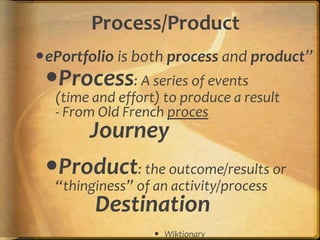
Process/Product
ePortfolio is both process and product”
Process: A series of events
(time and effort) to produce a result
- From Old French proces
Journey
Product: the outcome/results or
“thinginess” of an activity/process
Destination
 Wiktionary
54
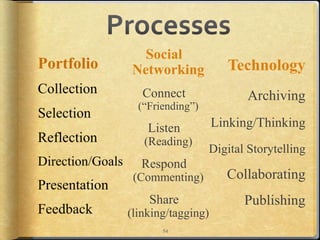
Technology
Archiving
Linking/Thinking
Digital Storytelling
Collaborating
Publishing
Social
Networking
Connect
(“Friending”)
Listen
(Reading)
Respond
(Commenting)
Share
(linking/tagging)
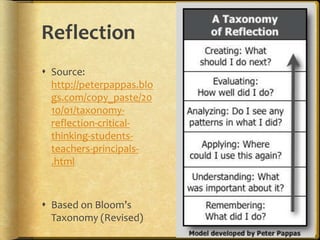
Reflection
 Source:
http://peterpappas.blo
gs.com/copy_paste/20
10/01/taxonomy-
reflection-critical-
thinking-students-
teachers-principals-
.html
 Based on Bloom’s
Taxonomy (Revised)
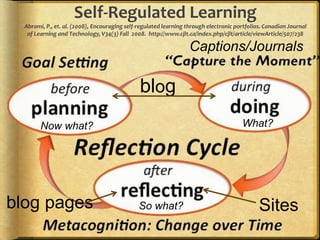
blog
Sites
Self-Regulated Learning
Abrami, P., et. al. (2008), Encouraging self-regulated learning through electronic portfolios. Canadian Journal
of Learning and Technology, V34(3) Fall 2008. http://www.cjlt.ca/index.php/cjlt/article/viewArticle/507/238
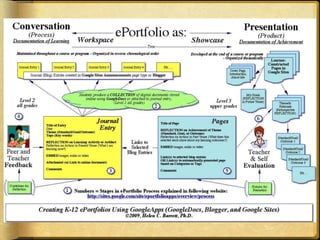
blog pages
Captions/Journals
Now what?
So what?
What?
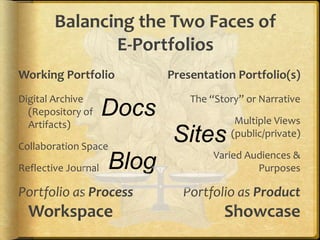
Balancing the Two Faces of
E-Portfolios
Working Portfolio
Digital Archive
(Repository of
Artifacts)
Collaboration Space
Reflective Journal
Portfolio as Process
Workspace
Presentation Portfolio(s)
The “Story” or Narrative
Multiple Views
(public/private)
Varied Audiences &
Purposes
Portfolio as Product
Showcase
Blog
Sites
Docs
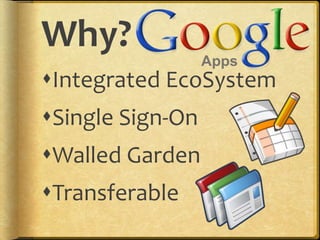
Why?
Integrated EcoSystem
Single Sign-On
Walled Garden
Transferable
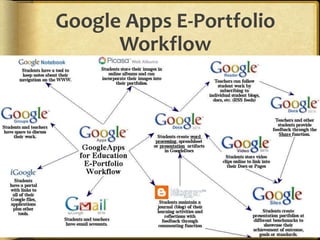
Google Apps E-Portfolio
Workflow
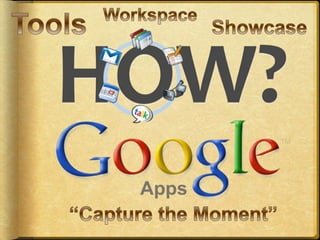
Using Google Apps
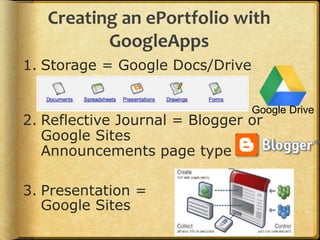
Creating an ePortfolio with
GoogleApps
1. Storage = Google Docs/Drive
2. Reflective Journal = Blogger or
Google Sites
Announcements page type
3. Presentation =
Google Sites
Google Drive
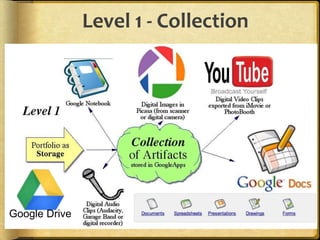
Level 1 - Collection
Google Drive
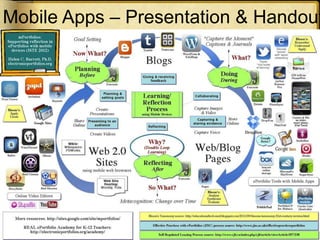
Mobile Apps – Presentation & Handout
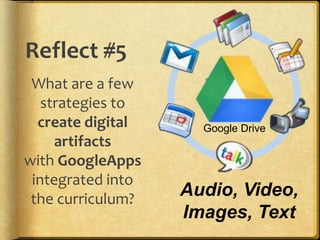
Reflect #5
What are a few
strategies to
create digital
artifacts
with GoogleApps
integrated into
the curriculum?
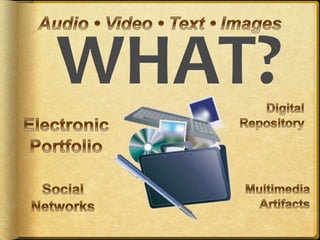
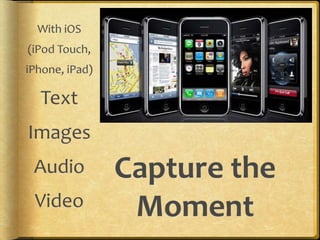
Audio, Video,
Images, Text
Google Drive
Step #5.1
What type of
evidence do you
want to capture?
How would you
“capture the
moment”?
Where will you store
these artifacts? Tag: Evidence
Lesson 3
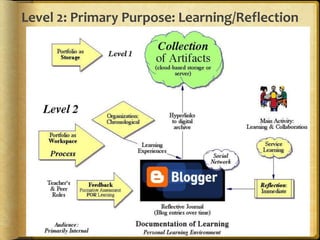
Level 2: Primary Purpose: Learning/Reflection
Step #5.2
How will your
students set goals,
reflect on their
learning and create a
reflective journal as
part of a personal
learning record or
working portfolio? Tag: Evidence
Lesson 4
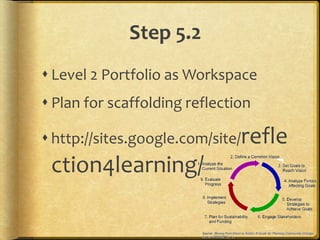
Step 5.2
 Level 2 Portfolio as Workspace
 Plan for scaffolding reflection
 http://sites.google.com/site/refle
ction4learning/
70
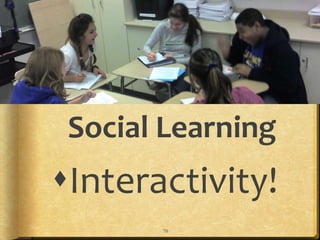
Social Learning
Interactivity!
ePortfolios should be
more Conversation
than Presentation
(or Checklist)
Because Conversation transforms!
Post to from Mobile
 Send email to pre-arranged email address
 Use new Blogger app (free) or
BlogPress iOS app ($2.99) or
Blogsy for iPad ($4.99)
 Set up Blogger Mobile and
send SMS
73
Student Engagement!
CQ + PQ > IQ (Friedman, 2006)
[Curiosity + Passion > Intelligence]
Find voice and passions through choice
and personalization!
Portfolio as Story
Positive Digital Identity
Development - Branding
“Academic MySpace”
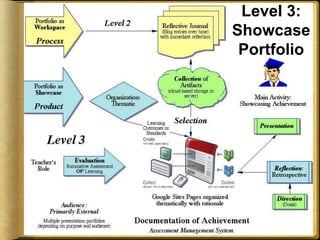
Level 3: Primary Purpose:
Showcase/Accountability
Level 3:
Showcase
Portfolio
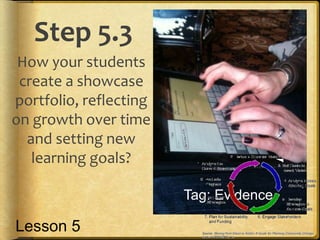
Step 5.3
How your students
create a showcase
portfolio, reflecting
on growth over time
and setting new
learning goals?
Tag: Evidence
Lesson 5
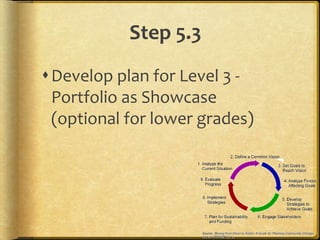
Step 5.3
Develop plan for Level 3 -
Portfolio as Showcase
(optional for lower grades)
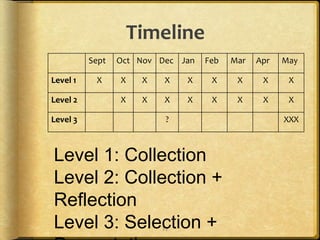
Timeline
77
Sept Oct Nov Dec Jan Feb Mar Apr May
Level 1 X X X X X X X X X
Level 2 X X X X X X X X
Level 3 ? XXX
Level 1: Collection
Level 2: Collection +
Reflection
Level 3: Selection +
Developmental Plans
 K-2– no individual student accounts & Class
Portfolios [Blogger]
 Grades 3-5 – Individual student accounts & Level 1
portfolios with introduction to Reflection
[Blogger & Docs]
 Grades 6-8 – Individual student accounts & Level 2
portfolios (Collection + Reflection) [All tools]
 Grades 9-12 – Individual student accounts & Level 3
portfolios (Selection & Presentation) [All tools]
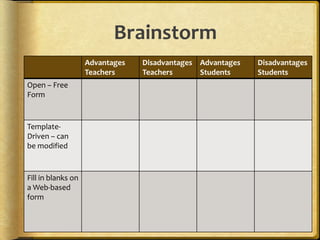
Brainstorm
Advantages
Teachers
Disadvantages
Teachers
Advantages
Students
Disadvantages
Students
Open – Free
Form
Template-
Driven – can
be modified
Fill in blanks on
a Web-based
form
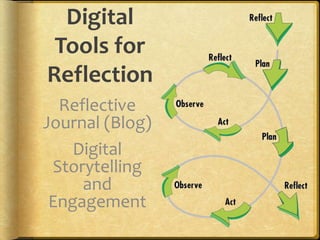
Digital
Tools for
Reflection
Reflective
Journal (Blog)
Digital
Storytelling
and
Engagement
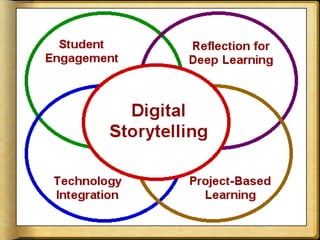
Convergence
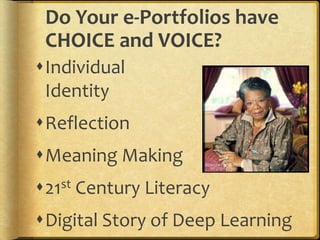
Do Your e-Portfolios have
CHOICE and VOICE?
Individual
Identity
Reflection
Meaning Making
21st Century Literacy
Digital Story of Deep Learning
Voice
6+1 Trait® Definition
Voice is the writer coming through the
words, the sense that a real person is
speaking to us and cares about the
message. It is the heart and soul of the
writing, the magic, the wit, the feeling,
the life and breath. When the writer is
engaged personally with the topic,
he/she imparts a personal tone and
flavor to the piece that is unmistakably
his/hers alone. And it is that individual
something–different from the mark of all
other writers–that we call Voice.
http://educationnorthwest.org/resource/503#Voice
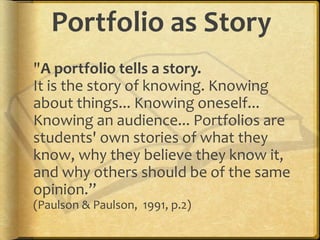
Portfolio as Story
"A portfolio tells a story.
It is the story of knowing. Knowing
about things... Knowing oneself...
Knowing an audience... Portfolios are
students' own stories of what they
know, why they believe they know it,
and why others should be of the same
opinion.”
(Paulson & Paulson, 1991, p.2)
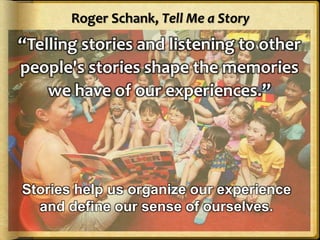
Roger Schank, Tell Me a Story
“Telling stories and listening to other
people's stories shape the memories
we have of our experiences.”
Stories help us organize our experience
and define our sense of ourselves.
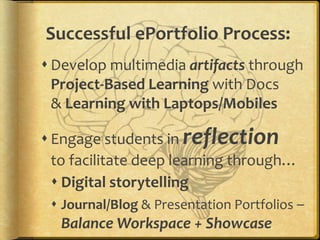
Successful ePortfolio Process:
 Develop multimedia artifacts through
Project-Based Learning with Docs
& Learning with Laptops/Mobiles
 Engage students in reflection
to facilitate deep learning through…
 Digital storytelling
 Journal/Blog & Presentation Portfolios –
Balance Workspace + Showcase
Digital Storytelling Process
 Create a 2-to-4 minute digital video clip
 First person narrative
[begins with a written script ~ 400 words]
 Told in their own voice [record script]
 Illustrated (mostly) by still images
 Music track to add emotional tone
88
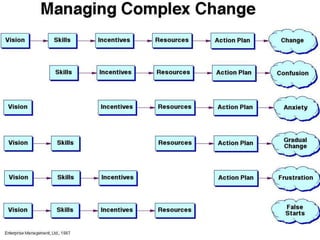
Managing Complex Change graphic
1 paragraph!
What is your
“elevator
Speech”
describing
your Vision for
ePortfolios?
A California School District K-
12 Vision
Electronic portfolios foster
meaningful learning by allowing
all students to evaluate their
growth over time, to share their
achievements and strengths with
others, and to improve their own
skills through reflection and goal
setting.
One NYC school’s Vision
 An electronic portfolio will allow students
to create a collaborative, portable, personal
space that fosters self-reflection, promotes
academic accomplishments, and highlights
individual growth. Through the integration
of technology and the collection of digital
artifacts, students will be able to showcase
their achievements to peers and educators,
while helping envision their future goals.
Dual Skill Development
Students
 Collecting/ Digitizing
 Selecting/ Organizing
 Reflecting
 Goal-Setting
 Presenting
Teacher/Faculty/Mentor
 Pedagogy – Facilitate
portfolio processes
 Role of Reflection
 Assessment/ Feedback
 Model own Portfolio
Learning
+ Technology Skills
Portfolio Skills
REAL*
ePortfolio
Academy
for K-12
Teachers
*Reflection
Engagement
Assessment for
Learning
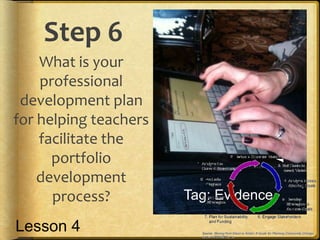
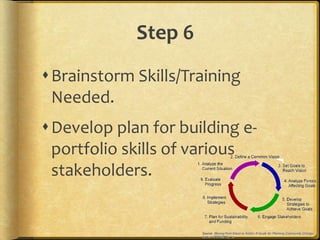
Step 6
What is your
professional
development plan
for helping teachers
facilitate the
portfolio
development
process? Tag: Evidence
Lesson 4
Step 6
Brainstorm Skills/Training
Needed.
Develop plan for building e-
portfolio skills of various
stakeholders.
Initial Online Courses Planned
1. Overview of Student-Centered Electronic Portfolios
in K-12 Education (tool-neutral – focus on “Portfolio”
Reflection Process & Feedback) – online NOW
2. Supplemental courses:
 Implement Electronic Portfolios with K-12 Students using
Google Apps (Docs, Sites, Blogger, YouTube, Picasa,
Digication, Teacher Dashboard) (Focus on “Electronic”)
 Implement Electronic Portfolios with K-12 Students using
Mobile Devices (iOS, Android)
 Create Your Professional Portfolio (tool neutral)
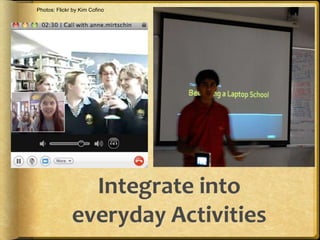
Photos: Flickr by Kim Cofino
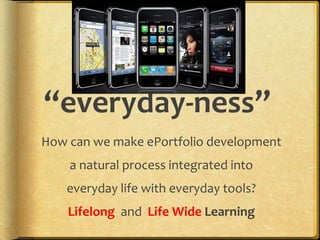
“everyday-ness”
How can we make ePortfolio development
a natural process integrated into
everyday life with everyday tools?
Lifelong and Life Wide Learning
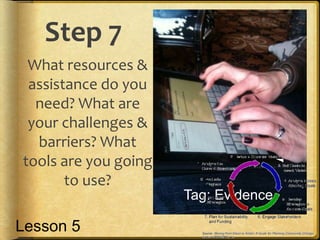
Step 7
What resources &
assistance do you
need? What are
your challenges &
barriers? What
tools are you going
to use?
Tag: Evidence
Lesson 5
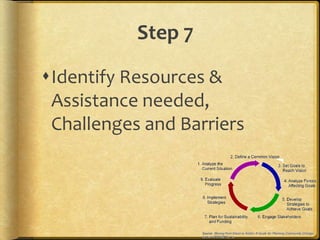
Step 7
Identify Resources &
Assistance needed,
Challenges and Barriers
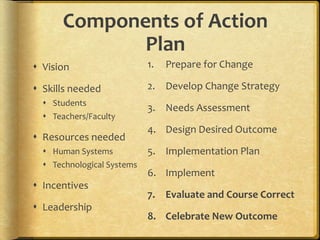
Components of Action
Plan
 Vision
 Skills needed
 Students
 Teachers/Faculty
 Resources needed
 Human Systems
 Technological Systems
 Incentives
 Leadership
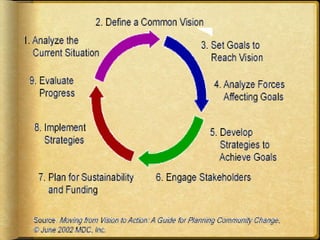
1. Prepare for Change
2. Develop Change Strategy
3. Needs Assessment
4. Design Desired Outcome
5. Implementation Plan
6. Implement
7. Evaluate and Course Correct
8. Celebrate New Outcome
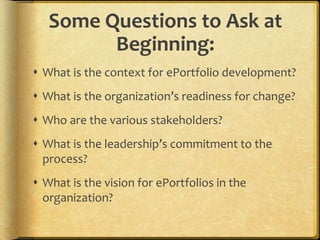
Some Questions to Ask at
Beginning:
 What is the context for ePortfolio development?
 What is the organization’s readiness for change?
 Who are the various stakeholders?
 What is the leadership’s commitment to the
process?
 What is the vision for ePortfolios in the
organization?
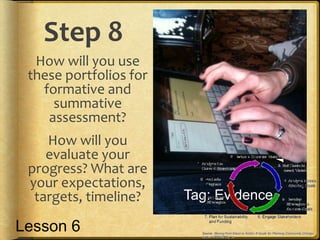
Step 8
How will you use
these portfolios for
formative and
summative
assessment?
How will you
evaluate your
progress? What are
your expectations,
targets, timeline? Tag: Evidence
Lesson 6
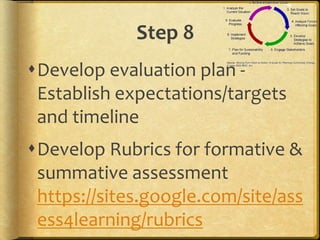
Step 8
Develop evaluation plan -
Establish expectations/targets
and timeline
Develop Rubrics for formative &
summative assessment
https://sites.google.com/site/ass
ess4learning/rubrics
Add-ons
 Managing IMAGES in Google Apps with PicasaWeb
Albums, Aviary Tools
 Managing VIDEO in Google Apps with YouTube and
Google Docs
 Add-ons to GoogleApps to support portfolio
development: Teacher Dashboard, Aviary, others
Lessons 7,8
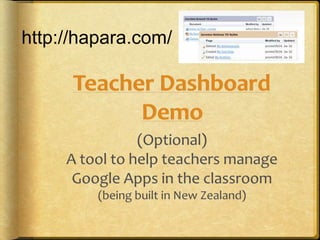
http://hapara.com/
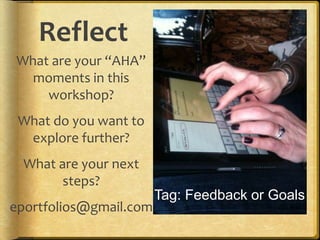
Reflect
What are your “AHA”
moments in this
workshop?
What do you want to
explore further?
What are your next
steps?
eportfolios@gmail.com
Tag: Feedback or Goals
115
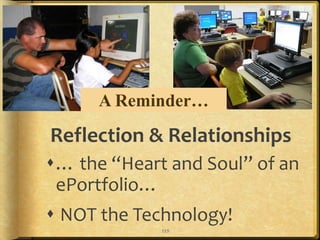
Reflection & Relationships
… the “Heart and Soul” of an
ePortfolio…
 NOT the Technology!
A Reminder…
117
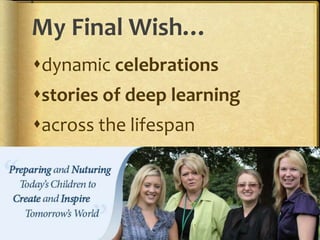
My Final Wish…
dynamic celebrations
stories of deep learning
across the lifespan
Google appsiste2013workshop

Google appsiste2013workshop

  • 1.
  • 2.
    Reflect #1 What doyou want to get out of this workshop? Open GoogleDocs/Drive document. Share with eportfolios@ gmail.com Tag: goalsLesson 1
  • 4.
    Agenda  Introductions &Overview  What? Why? How? (of ePortfolios)  Using GoogleApps for ePortfolios  Level 1: Collection: GoogleDocs  Level 2: Reflection/Feedback: Blogger  Level 3: Google Sites  Teacher Dashboard  Digital Storytelling  Professional Development
  • 5.
    Legacy from thePortfolio Literature Much to learn from the literature on paper-based portfolios As adult learners, we have much to learn from how children approach portfolios “Everything I know about portfolios was confirmed working with a kindergartener”
  • 6.
    The Power of Portfolios whatchildren can teach us about learning and assessment Author: Elizabeth Hebert Publisher: Jossey-Bass Picture courtesy of Amazon.com
  • 7.
    The Power ofPortfolios Author: Dr. Elizabeth Hebert, Principal Crow Island School, Winnetka, Illinois Picture taken by Helen Barrett at AERA, Seattle, April, 2001
  • 8.
    From the Preface(1) “Portfolios have been with us for a very long time. Those of us who grew up in the 1950s or earlier recognize portfolios as reincarnations of the large memory boxes or drawers where our parents collected starred spelling tests, lacy valentines, science fair posters, early attempts at poetry, and (of course) the obligatory set of plaster hands. Each item was selected by our parents because it represented our acquisition of a new skill or our feelings of accomplishment. Perhaps an entry was accompanied by a special notation of praise from a teacher or maybe it was placed in the box just because we did it.” Hebert, Elizabeth (2001) The Power of Portfolios. Jossey-Bass, p.ix
  • 9.
    From the Preface(2) “We formed part of our identity from the contents of these memory boxes. We recognized each piece and its association with a particular time or experience. We shared these collections with grandparents to reinforce feelings of pride and we reexamined them on rainy days when friends were unavailable for play. Reflecting on the collection allowed us to attribute importance to these artifacts, and by extension to ourselves, as they gave witness to the story of our early school experiences.” Hebert, Elizabeth (2001) The Power of Portfolios. Jossey-Bass, p.ix
  • 10.
    From the Preface(3) “Our parents couldn’t possibly envision that these memory boxes would be the inspiration for an innovative way of thinking about children’s learning. These collections, lovingly stored away on our behalf, are the genuine exemplar for documenting children’s learning over time. But now these memory boxes have a different meaning. It’s not purely private or personal, although the personal is what gives power to what they can mean.” Hebert, Elizabeth (2001) The Power of Portfolios. Jossey-Bass, p.ix-x
  • 11.
    Let’s get personal… Thinkfor a minute about: Something about your COLLECTIONS: Suggested topics:  If you are a parent, what you saved for your children  What your parents saved for you  What you collect…  Why you collect…
  • 12.
    Some issues toconsider  What do your collections say about what you value?  Is there a difference between what you purposefully save and what you can’t throw away?  How can we use our personal collections experiences to help learners as they develop their portfolios? The power of portfolios [to support deep learning] is personal.
  • 13.
    Outline  Definitions (What?) Reflection (Why?)  Google Apps (How?)  Blogger  Docs & Sites  Teacher Dashboard  Using Mobile Apps  Digital Storytelling
  • 14.
  • 15.
    Simon Sinek’s GoldenCircle 15 motivation process product
  • 16.
  • 17.
    National Educational Technology Plan (2010)  Technologyalso gives students opportunities for taking ownership of their learning. Student-managed electronic learning portfolios can be part of a persistent learning record and help students develop the self-awareness required to set their own learning goals, express their own views of their strengths, weaknesses, and achievements, and take responsibility for them. Educators can use them to gauge students’ development, and they also can be shared with peers, parents, and others who are part of students’ extended network. (p.12)
  • 18.
    National Educational Technology Plan (2010) -Assessment  Many schools are using electronic portfolios and other digital records of students’ work as a way to demonstrate what they have learned. Although students’ digital products are often impressive on their face, a portfolio of student work should be linked to an analytic framework if it is to serve assessment purposes. The portfolio reviewer needs to know what competencies the work is intended to demonstrate, what the standard or criteria for competence are in each area, and what aspects of the work provide evidence of meeting those criteria. Definitions of desired outcomes and criteria for levels of accomplishment can be expressed in the form of rubrics. (p.34)
  • 19.
    2012 Horizon Report– K-12 Time-to-adoption:  One Year or Less  Mobiles and Apps  Tablet Computing  Two to Three Years  Game-Based Learning  Personal Learning Environments  Four to Five Years  Augmented Reality  Natural User Interfaces New Media Consortium http://www.nmc.org/
  • 21.
    Balanced? Student-Centered  Focus onInterests, Passions, Goals  Choice and Voice Reflection  Lifelong Learning School-Centered  Focus on Standards, Outcomes  Accountability, Achievement  Term, Graduation
  • 22.
  • 24.
    Student examples  ASBGoogle Sites portfolios & Victoria example  Explore:  Hunter Park Kindergarten & Abigail's E- Profile (NZ) – Blogger  Kim Cofino’s 6th graders (Japan) - Blogger  Pt. England School (NZ) – Blogger See links on 1-AM Agenda page
  • 26.
    Portfolio One Word, Many Meanings SpecialtyCase Responsibilities InvestmentsArt Work Collection of Artifacts Workspace Showcase
  • 27.
    What is aPortfolio?  Dictionary definition: a flat, portable case for carrying loose papers, drawings, etc.  Financial portfolio: document accumulation of fiscal capital  Educational portfolio: document development of human capital
  • 29.
  • 30.
    E-Portfolio Components < MultiplePortfolios for Multiple Purposes -Celebrating Learning -Personal Planning -Transition/entry to courses -Employment applications -Accountability/Assessment < Multiple Tools to Support Processes -Capturing & storing evidence -Reflecting -Giving & receiving feedback -Planning & setting goals -Collaborating -Presenting to an audience < Digital Repository (Becta, 2007; JISC, 2008)
  • 31.
    Reflect #2 What isyour prior experience with portfolios/ social networks? -Personal? -Professional? -Students? Tag: Experience Lesson 1
  • 33.
    Purpose  The overarchingpurpose of portfolios is to create a sense of personal ownership over one’s accomplishments, because ownership engenders feelings of pride, responsibility, and dedication. (p.10)  Paris, S & Ayres, L. (1994) Becoming Reflective Students and Teachers. American Psychological Association
  • 34.
    Begin Planning Process Online course website:  https://sites.google.com/site/k12eportf olioapps/planning  Open Google Doc, share with school team partners, begin developing plan.
  • 36.
    Step 2: Benefitsof Portfolios  Identify Incentives for participation in e-portfolio development (self- awareness, intrinsic reward systems) (Why would your students want to develop an ePortfolio?) Lesson 2
  • 37.
    Benefits…from the PROCESS: They will discover a valuable exercise in self assessment through the reflection process  Learning will take on a new depth through the reflection process  Their self esteem and self-confidence will be enhanced as they take control of their learning.  They may develop their own goals for their learning.  Assessment of their learning may become more student centered; the learner is involved and authorized to make decisions about will be evaluated.  They will receive more recognition for individual learning abilities and preferences.  They will learn and begin to practice a process that will be used in life long and life wide learning pursuits.
  • 38.
    Benefits…from the PRODUCT: They will have a tool for personal development.  They will have a personal learning record.  They may receive credit for informal and non-formal learning as well as formal learning.  They will have direction for career planning.  They will have a tool for feedback from teachers and peers; feedback in the form of comments, as opposed to marks.  They will have a concrete way of showcasing strengths to teachers or future employers.  They may have needed documentation for prior learning assessment or program credits.  They may receive credit towards a course completion or towards graduation  They will have an extremely portable tool to use no matter where they are in the world.
  • 39.
  • 40.
    Digital Identity  Creatinga positive digital footprint
  • 41.
    Passion and Self-Directed Learning LisaNielsen’s “The Innovative Educator” blog entries:  Preparing Students for Success by Helping Them Discover and Develop Their Passions (Renzulli’s Total Talent Portfolio)  10 Ways Technology Supports 21st Century Learners in Being Self Directed http://theinnovativeeducator.blogspot.com/
  • 42.
  • 43.
    Student Literacy Achievement throughBlogging  The Project definitely provided a motivation for writing, an improvement in audience awareness and purpose and in presentation skills. Other school interventions also had an impact on literacy achievement; however the Project has provided a purpose and enthusiasm for literacy.  The students of Manaiakalani were provided with a “hook” (e-learning outcomes published in on-line spaces) which gave these decile 1 students a voice to be heard globally. Subsequently, participating in the Manaiakalani Project enhanced their literacy, engagement, oral language and presentation. (p.70) Tamaki Schools, Auckland, NZ
  • 44.
    Reflect #3 What isyour Vision and Purpose for implementing ePortfolios in yourschool? Tag: Vision Lesson 2
  • 46.
    United #7 ePortfolioVision Statement (Draft)  By implementing e-portfolios, United#7 will empower students to become active participants in their own personalized education. Through use of reflection, technology, and collaboration, students and teachers will develop skills that will lead them to achieve their lifelong goals.
  • 47.
    From Mead SchoolDistrict’s Student Portfolio Handbook: Remember, you are telling us a story, and not just any story. Your portfolio is meant to be your story of your life over the last four years as well as the story of where your life might be going during the next four years: tell it with pride!
  • 48.
    1 paragraph! What isyour “elevator Speech” describing your Vision for ePortfolios?
  • 49.
    Google Docs  OpenGoogle Docs Documents using Google App/Safari  Start a document exploring your vision for ePortfolio development  (No collaboration in docs.google.com/m/)
  • 50.
    Step 4: Stakeholders Step 4: Stakeholders - Who is involved and how will you introduce them to ePortfolios?  Identify Stakeholders in Portfolio Implementation Process and Develop Initial Communication Plan for each stakeholder group Lesson 3
  • 51.
    Your Team’s Task Brainstorm Vision using GoogleDoc  What is your vision for e-portfolios? (“your elevator speech”)  Brainstorm Action Plan Steps  What is on your “to do” list?  What changes need to happen?  What support do you need?
  • 53.
    Process/Product ePortfolio is bothprocess and product” Process: A series of events (time and effort) to produce a result - From Old French proces Journey Product: the outcome/results or “thinginess” of an activity/process Destination  Wiktionary
  • 54.
  • 55.
  • 56.
    blog Sites Self-Regulated Learning Abrami, P.,et. al. (2008), Encouraging self-regulated learning through electronic portfolios. Canadian Journal of Learning and Technology, V34(3) Fall 2008. http://www.cjlt.ca/index.php/cjlt/article/viewArticle/507/238 blog pages Captions/Journals Now what? So what? What?
  • 57.
    Balancing the TwoFaces of E-Portfolios Working Portfolio Digital Archive (Repository of Artifacts) Collaboration Space Reflective Journal Portfolio as Process Workspace Presentation Portfolio(s) The “Story” or Narrative Multiple Views (public/private) Varied Audiences & Purposes Portfolio as Product Showcase Blog Sites Docs
  • 58.
  • 59.
  • 60.
  • 61.
    Creating an ePortfoliowith GoogleApps 1. Storage = Google Docs/Drive 2. Reflective Journal = Blogger or Google Sites Announcements page type 3. Presentation = Google Sites Google Drive
  • 62.
    Level 1 -Collection Google Drive
  • 64.
    Mobile Apps –Presentation & Handout
  • 65.
    Reflect #5 What area few strategies to create digital artifacts with GoogleApps integrated into the curriculum? Audio, Video, Images, Text Google Drive
  • 66.
    Step #5.1 What typeof evidence do you want to capture? How would you “capture the moment”? Where will you store these artifacts? Tag: Evidence Lesson 3
  • 67.
    Level 2: PrimaryPurpose: Learning/Reflection
  • 68.
    Step #5.2 How willyour students set goals, reflect on their learning and create a reflective journal as part of a personal learning record or working portfolio? Tag: Evidence Lesson 4
  • 69.
    Step 5.2  Level2 Portfolio as Workspace  Plan for scaffolding reflection  http://sites.google.com/site/refle ction4learning/
  • 70.
  • 71.
    ePortfolios should be moreConversation than Presentation (or Checklist) Because Conversation transforms!
  • 72.
    Post to fromMobile  Send email to pre-arranged email address  Use new Blogger app (free) or BlogPress iOS app ($2.99) or Blogsy for iPad ($4.99)  Set up Blogger Mobile and send SMS
  • 73.
    73 Student Engagement! CQ +PQ > IQ (Friedman, 2006) [Curiosity + Passion > Intelligence] Find voice and passions through choice and personalization! Portfolio as Story Positive Digital Identity Development - Branding “Academic MySpace”
  • 74.
    Level 3: PrimaryPurpose: Showcase/Accountability Level 3: Showcase Portfolio
  • 75.
    Step 5.3 How yourstudents create a showcase portfolio, reflecting on growth over time and setting new learning goals? Tag: Evidence Lesson 5
  • 76.
    Step 5.3 Develop planfor Level 3 - Portfolio as Showcase (optional for lower grades)
  • 77.
    Timeline 77 Sept Oct NovDec Jan Feb Mar Apr May Level 1 X X X X X X X X X Level 2 X X X X X X X X Level 3 ? XXX Level 1: Collection Level 2: Collection + Reflection Level 3: Selection +
  • 78.
    Developmental Plans  K-2–no individual student accounts & Class Portfolios [Blogger]  Grades 3-5 – Individual student accounts & Level 1 portfolios with introduction to Reflection [Blogger & Docs]  Grades 6-8 – Individual student accounts & Level 2 portfolios (Collection + Reflection) [All tools]  Grades 9-12 – Individual student accounts & Level 3 portfolios (Selection & Presentation) [All tools]
  • 79.
  • 80.
  • 81.
  • 82.
    Do Your e-Portfolioshave CHOICE and VOICE? Individual Identity Reflection Meaning Making 21st Century Literacy Digital Story of Deep Learning
  • 83.
    Voice 6+1 Trait® Definition Voiceis the writer coming through the words, the sense that a real person is speaking to us and cares about the message. It is the heart and soul of the writing, the magic, the wit, the feeling, the life and breath. When the writer is engaged personally with the topic, he/she imparts a personal tone and flavor to the piece that is unmistakably his/hers alone. And it is that individual something–different from the mark of all other writers–that we call Voice. http://educationnorthwest.org/resource/503#Voice
  • 84.
    Portfolio as Story "Aportfolio tells a story. It is the story of knowing. Knowing about things... Knowing oneself... Knowing an audience... Portfolios are students' own stories of what they know, why they believe they know it, and why others should be of the same opinion.” (Paulson & Paulson, 1991, p.2)
  • 85.
    Roger Schank, TellMe a Story “Telling stories and listening to other people's stories shape the memories we have of our experiences.” Stories help us organize our experience and define our sense of ourselves.
  • 86.
    Successful ePortfolio Process: Develop multimedia artifacts through Project-Based Learning with Docs & Learning with Laptops/Mobiles  Engage students in reflection to facilitate deep learning through…  Digital storytelling  Journal/Blog & Presentation Portfolios – Balance Workspace + Showcase
  • 87.
    Digital Storytelling Process Create a 2-to-4 minute digital video clip  First person narrative [begins with a written script ~ 400 words]  Told in their own voice [record script]  Illustrated (mostly) by still images  Music track to add emotional tone
  • 88.
  • 90.
    1 paragraph! What isyour “elevator Speech” describing your Vision for ePortfolios?
  • 91.
    A California SchoolDistrict K- 12 Vision Electronic portfolios foster meaningful learning by allowing all students to evaluate their growth over time, to share their achievements and strengths with others, and to improve their own skills through reflection and goal setting.
  • 92.
    One NYC school’sVision  An electronic portfolio will allow students to create a collaborative, portable, personal space that fosters self-reflection, promotes academic accomplishments, and highlights individual growth. Through the integration of technology and the collection of digital artifacts, students will be able to showcase their achievements to peers and educators, while helping envision their future goals.
  • 94.
    Dual Skill Development Students Collecting/ Digitizing  Selecting/ Organizing  Reflecting  Goal-Setting  Presenting Teacher/Faculty/Mentor  Pedagogy – Facilitate portfolio processes  Role of Reflection  Assessment/ Feedback  Model own Portfolio Learning + Technology Skills Portfolio Skills
  • 95.
  • 96.
    Step 6 What isyour professional development plan for helping teachers facilitate the portfolio development process? Tag: Evidence Lesson 4
  • 97.
    Step 6 Brainstorm Skills/Training Needed. Developplan for building e- portfolio skills of various stakeholders.
  • 98.
    Initial Online CoursesPlanned 1. Overview of Student-Centered Electronic Portfolios in K-12 Education (tool-neutral – focus on “Portfolio” Reflection Process & Feedback) – online NOW 2. Supplemental courses:  Implement Electronic Portfolios with K-12 Students using Google Apps (Docs, Sites, Blogger, YouTube, Picasa, Digication, Teacher Dashboard) (Focus on “Electronic”)  Implement Electronic Portfolios with K-12 Students using Mobile Devices (iOS, Android)  Create Your Professional Portfolio (tool neutral)
  • 101.
  • 102.
    “everyday-ness” How can wemake ePortfolio development a natural process integrated into everyday life with everyday tools? Lifelong and Life Wide Learning
  • 103.
    Step 7 What resources& assistance do you need? What are your challenges & barriers? What tools are you going to use? Tag: Evidence Lesson 5
  • 104.
    Step 7 Identify Resources& Assistance needed, Challenges and Barriers
  • 107.
    Components of Action Plan Vision  Skills needed  Students  Teachers/Faculty  Resources needed  Human Systems  Technological Systems  Incentives  Leadership 1. Prepare for Change 2. Develop Change Strategy 3. Needs Assessment 4. Design Desired Outcome 5. Implementation Plan 6. Implement 7. Evaluate and Course Correct 8. Celebrate New Outcome
  • 108.
    Some Questions toAsk at Beginning:  What is the context for ePortfolio development?  What is the organization’s readiness for change?  Who are the various stakeholders?  What is the leadership’s commitment to the process?  What is the vision for ePortfolios in the organization?
  • 109.
    Step 8 How willyou use these portfolios for formative and summative assessment? How will you evaluate your progress? What are your expectations, targets, timeline? Tag: Evidence Lesson 6
  • 110.
    Step 8 Develop evaluationplan - Establish expectations/targets and timeline Develop Rubrics for formative & summative assessment https://sites.google.com/site/ass ess4learning/rubrics
  • 111.
    Add-ons  Managing IMAGESin Google Apps with PicasaWeb Albums, Aviary Tools  Managing VIDEO in Google Apps with YouTube and Google Docs  Add-ons to GoogleApps to support portfolio development: Teacher Dashboard, Aviary, others Lessons 7,8
  • 112.
  • 114.
    Reflect What are your“AHA” moments in this workshop? What do you want to explore further? What are your next steps? eportfolios@gmail.com Tag: Feedback or Goals
  • 115.
    115 Reflection & Relationships …the “Heart and Soul” of an ePortfolio…  NOT the Technology! A Reminder…
  • 117.
    117 My Final Wish… dynamiccelebrations stories of deep learning across the lifespan