SOFTWARE FOR
EDUCATORSAND
STUDENTS
EDUCATIONAL TECHNOLOGY 2
ERWIN MARLON R. SARIO
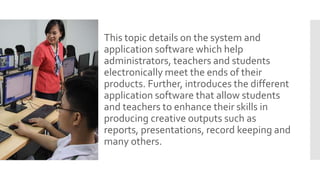
This topic details on the system and
application software which help
administrators, teachers and students
electronically meet the ends of their
products. Further, introduces the different
application software that allow students
and teachers to enhance their skills in
producing creative outputs such as
reports, presentations, record keeping and
many others.
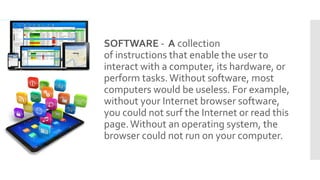
SOFTWARE - A collection
of instructions that enable the user to
interact with a computer, its hardware, or
perform tasks.Without software, most
computers would be useless. For example,
without your Internet browser software,
you could not surf the Internet or read this
page.Without an operating system, the
browser could not run on your computer.
TWOTYPES OF SOFTWARE:
SYSTEM SOFTWARE – Consist of
programs that control the operations of
the computer and its devices. System
software serve as the interface between
the users, the application software and the
hardware.
APPLICATION SOFTWARE – Application
software or application programs allow
users to perform specific tasks like writing
documents, making project presentations
video recording and many others.
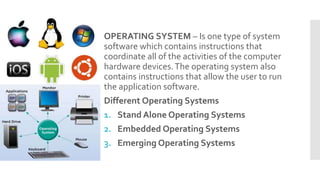
OPERATING SYSTEM – Is one type of system
software which contains instructions that
coordinate all of the activities of the computer
hardware devices.The operating system also
contains instructions that allow the user to run
the application software.
Different Operating Systems
1. Stand Alone Operating Systems
2. Embedded Operating Systems
3. Emerging Operating Systems
 STAND ALONE OPERATING SYSTEM – this is a
complete operating system that works on a
desktop computer, notebook computer or
mobile computing devices. Examples of which
are Microsoft Windows and MAC OS X
 EMBEDDED OPERATING SYSTEM – Kind of
operating system resides in an internal chip
rather than a hard drive.This is the operating
system used on mobile devices and other
consumer electronics.
 EMERGING OPERATING SYSTEM – like that of
Google’s Chrome OS has the potential to
revolutionize computing.This are designed to
work exclusively with web based and cloud
based applications and to run on specific
computers.
APPLICATION SOFTWARE can be used for
the following purposes:
As a productivity/ business tool
Create graphics and multimedia projects
Support schools and professional
activities
Help individuals with home and personal
activities
Facilitates communications
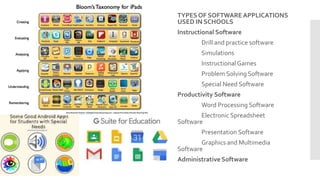
TYPES OF SOFTWARE APPLICATIONS
USED IN SCHOOLS
Instructional Software
Drill and practice software
Simulations
InstructionalGames
Problem Solving Software
Special Need Software
Productivity Software
Word Processing Software
Electronic Spreadsheet
Software
Presentation Software
Graphics and Multimedia
Software
Administrative Software

Software for educators and students

  • 1.
  • 2.
    This topic detailson the system and application software which help administrators, teachers and students electronically meet the ends of their products. Further, introduces the different application software that allow students and teachers to enhance their skills in producing creative outputs such as reports, presentations, record keeping and many others.
  • 3.
    SOFTWARE - Acollection of instructions that enable the user to interact with a computer, its hardware, or perform tasks.Without software, most computers would be useless. For example, without your Internet browser software, you could not surf the Internet or read this page.Without an operating system, the browser could not run on your computer.
  • 4.
    TWOTYPES OF SOFTWARE: SYSTEMSOFTWARE – Consist of programs that control the operations of the computer and its devices. System software serve as the interface between the users, the application software and the hardware. APPLICATION SOFTWARE – Application software or application programs allow users to perform specific tasks like writing documents, making project presentations video recording and many others.
  • 5.
    OPERATING SYSTEM –Is one type of system software which contains instructions that coordinate all of the activities of the computer hardware devices.The operating system also contains instructions that allow the user to run the application software. Different Operating Systems 1. Stand Alone Operating Systems 2. Embedded Operating Systems 3. Emerging Operating Systems
  • 6.
     STAND ALONEOPERATING SYSTEM – this is a complete operating system that works on a desktop computer, notebook computer or mobile computing devices. Examples of which are Microsoft Windows and MAC OS X  EMBEDDED OPERATING SYSTEM – Kind of operating system resides in an internal chip rather than a hard drive.This is the operating system used on mobile devices and other consumer electronics.  EMERGING OPERATING SYSTEM – like that of Google’s Chrome OS has the potential to revolutionize computing.This are designed to work exclusively with web based and cloud based applications and to run on specific computers.
  • 7.
    APPLICATION SOFTWARE canbe used for the following purposes: As a productivity/ business tool Create graphics and multimedia projects Support schools and professional activities Help individuals with home and personal activities Facilitates communications
  • 8.
    TYPES OF SOFTWAREAPPLICATIONS USED IN SCHOOLS Instructional Software Drill and practice software Simulations InstructionalGames Problem Solving Software Special Need Software Productivity Software Word Processing Software Electronic Spreadsheet Software Presentation Software Graphics and Multimedia Software Administrative Software