Smart Classroom Aysha Al_mushrafi /65492 Zakiya AL _Ajmi /61773
outline Definition. Types of Multimedia Equipment . The Advantages of using smart classroom: Disadvantages of using smart classroom  .  Tips of using equipments in smart classroom: Teachers role.
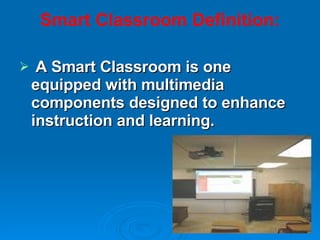
Smart Classroom Definition:   A Smart Classroom is one equipped with multimedia components designed to enhance instruction and learning.
Types of Multimedia Equipment Although some classrooms may have slight variations, most Smart Classrooms contain the following devices:
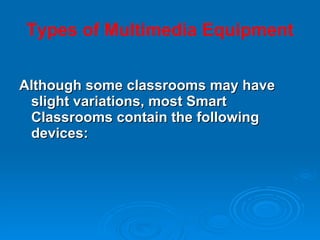
•  Networked computer, complete with monitor, keyboard, mouse, and other accessories.
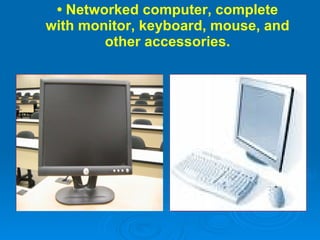
overhead projector
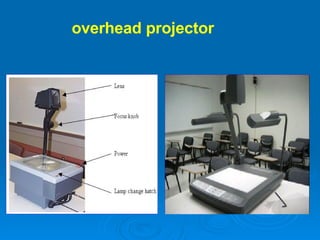
Projector and screen.
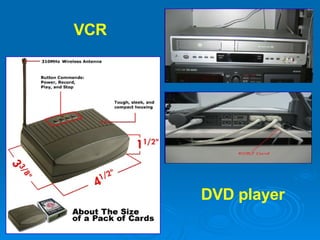
DVD player  VCR
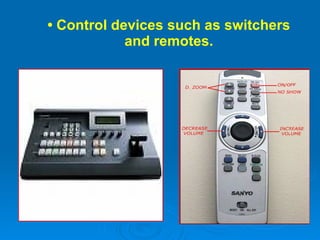
•  Control devices such as switchers and remotes.
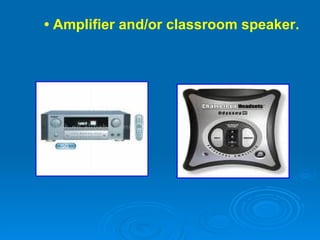
•  Amplifier and/or classroom speaker.
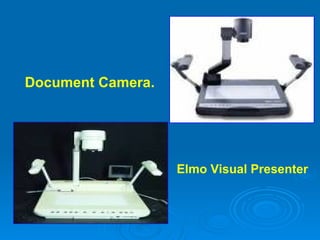
Document Camera.  Elmo Visual Presenter
Advantages of smart classroom lets teachers simultaneously instruct remote and local students. It provides a pen-based user interface on a projected display.  lets the teacher control the presentation of lecture materials.  informs the teacher of classroom events. The computers enable participant to apply the subject matter during the courses.
Disadvantages of smart classroom Technical problems may occur during the lecture. Some teachers had not understood the purpose of smart classrooms or what they were expected to do there.
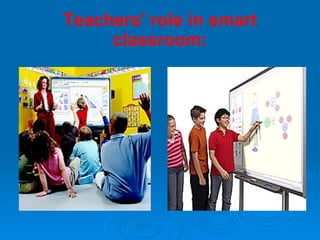
Teachers' role in smart classroom:
1)  Sharing knowledge :  Teachers have to  give  background  about the course content, skills, and instruction  to students. The teachers also  build  upon the knowledge, personal experiences, language and culture that students bring to the learning situational. 2)  Sharing ability: the teachers encourage students' use of their  own knowledge , ensures that students share their knowledge and their learning strategies.
3)  Mediation:  In smart  classrooms, teachers act as mediators to  adjust  the level of information and helps students discover what to do when they are stumped, and helps them learn how to learn.
Tips of   using equipments in smart classroom: 1- Users have the responsibility to safeguard the equipment. Make sure to lock all equipment cabinets and the classroom door before you leave. Procedures for turning on and off equipment vary, so please check the instructions for your specific classroom. Classroom computers should remain ON, however; users should “log off” or “restart” when finished. 2- Handle and operate equipment correctly and carefully. Electronic devices are delicate. If something goes wrong, pushing buttons at random is seldom a good solution.
 

Smart Classroom

  • 1.
    Smart Classroom AyshaAl_mushrafi /65492 Zakiya AL _Ajmi /61773
  • 2.
    outline Definition. Typesof Multimedia Equipment . The Advantages of using smart classroom: Disadvantages of using smart classroom . Tips of using equipments in smart classroom: Teachers role.
  • 3.
    Smart Classroom Definition:  A Smart Classroom is one equipped with multimedia components designed to enhance instruction and learning.
  • 4.
    Types of MultimediaEquipment Although some classrooms may have slight variations, most Smart Classrooms contain the following devices:
  • 5.
    • Networkedcomputer, complete with monitor, keyboard, mouse, and other accessories.
  • 6.
  • 7.
  • 8.
  • 9.
    • Controldevices such as switchers and remotes.
  • 10.
    • Amplifierand/or classroom speaker.
  • 11.
    Document Camera. Elmo Visual Presenter
  • 12.
    Advantages of smartclassroom lets teachers simultaneously instruct remote and local students. It provides a pen-based user interface on a projected display. lets the teacher control the presentation of lecture materials. informs the teacher of classroom events. The computers enable participant to apply the subject matter during the courses.
  • 13.
    Disadvantages of smartclassroom Technical problems may occur during the lecture. Some teachers had not understood the purpose of smart classrooms or what they were expected to do there.
  • 14.
    Teachers' role insmart classroom:
  • 15.
    1) Sharingknowledge : Teachers have to give background about the course content, skills, and instruction to students. The teachers also build upon the knowledge, personal experiences, language and culture that students bring to the learning situational. 2) Sharing ability: the teachers encourage students' use of their own knowledge , ensures that students share their knowledge and their learning strategies.
  • 16.
    3) Mediation: In smart classrooms, teachers act as mediators to adjust the level of information and helps students discover what to do when they are stumped, and helps them learn how to learn.
  • 17.
    Tips of using equipments in smart classroom: 1- Users have the responsibility to safeguard the equipment. Make sure to lock all equipment cabinets and the classroom door before you leave. Procedures for turning on and off equipment vary, so please check the instructions for your specific classroom. Classroom computers should remain ON, however; users should “log off” or “restart” when finished. 2- Handle and operate equipment correctly and carefully. Electronic devices are delicate. If something goes wrong, pushing buttons at random is seldom a good solution.
  • 18.