Smart Classroom Design Principles Robert R. Heinrich Associate Director of Computer Services The Richard Stockton College of NJ
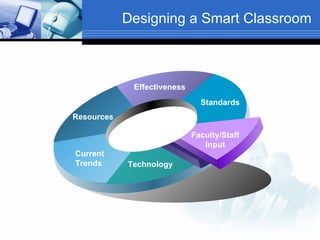
Designing a Smart Classroom Standards Resources Effectiveness Current Trends Technology Faculty/Staff Input
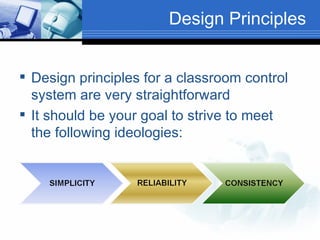
Design Principles Design principles for a classroom control system are very straightforward It should be your goal to strive to meet the following ideologies:
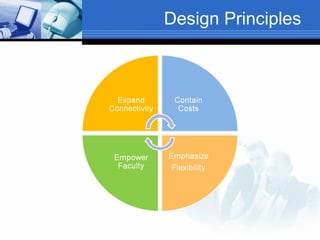
Design Principles
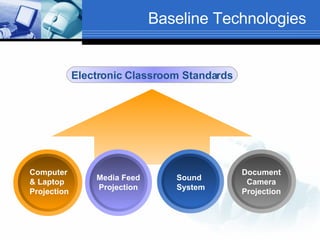
Baseline Technologies Electronic Classroom Standards Computer & Laptop Projection Sound System Media Feed Projection Document Camera Projection
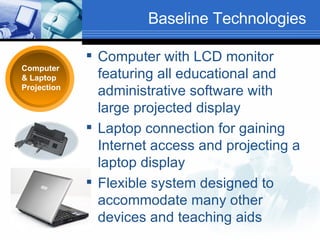
Baseline Technologies Computer & Laptop Projection Computer with LCD monitor featuring all educational and administrative software with large projected display Laptop connection for gaining Internet access and projecting a laptop display Flexible system designed to accommodate many other devices and teaching aids
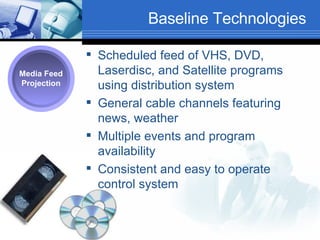
Baseline Technologies Scheduled feed of VHS, DVD, Laserdisc, and Satellite programs using distribution system General cable channels featuring news, weather Multiple events and program availability Consistent and easy to operate control system Media Feed Projection
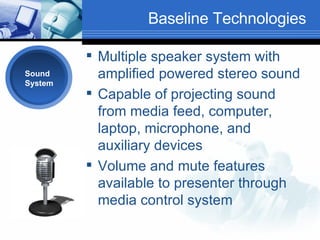
Baseline Technologies Multiple speaker system with amplified powered stereo sound Capable of projecting sound from media feed, computer, laptop, microphone, and auxiliary devices Volume and mute features available to presenter through media control system Sound System
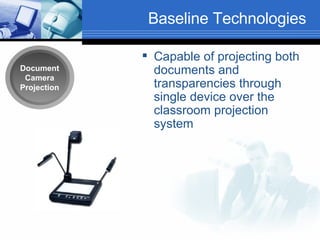
Baseline Technologies Capable of projecting both documents and transparencies through single device over the classroom projection system Document Camera Projection
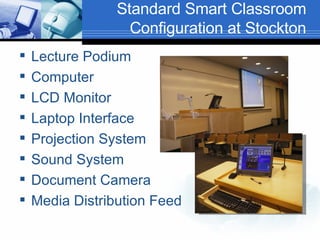
Standard Smart Classroom Configuration at Stockton Lecture Podium Computer LCD Monitor Laptop Interface Projection System Sound System Document Camera Media Distribution Feed
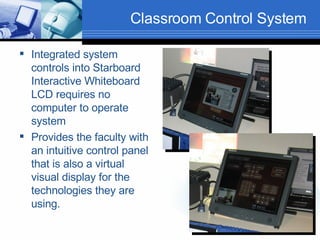
Classroom Control System Integrated system controls into Starboard Interactive Whiteboard LCD requires no computer to operate system Provides the faculty with an intuitive control panel that is also a virtual visual display for the technologies they are using.
Interactive Touch Panel
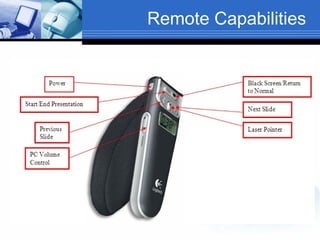
Remote Capabilities
Thumb Drive Access External Port on lectern minimizes faculty leaving removable storage behind
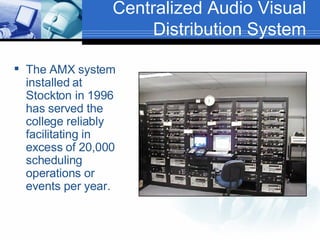
Centralized Audio Visual Distribution System The AMX system installed at Stockton in 1996 has served the college reliably facilitating in excess of 20,000 scheduling operations or events per year.
AMX – PHOENIX The system is the central management system for all classroom and special events using media support.  Phoenix32 by Xolutionz replaced the Synergy32 product line and is currently our control system providing media management, retrieval, and control capabilities for all classes at both our Pomona and Atlantic City campuses.
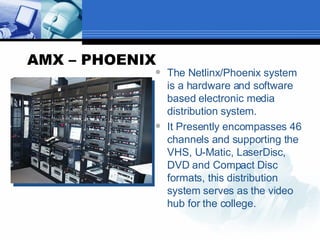
AMX – PHOENIX The Netlinx/Phoenix system is a hardware and software based electronic media distribution system. It Presently encompasses 46 channels and supporting the VHS, U-Matic, LaserDisc, DVD and Compact Disc formats, this distribution system serves as the video hub for the college.
XGEN CONTROL SYSTEM As part of our control system, we have the ability to control any classroom in the college from a single location.  We are using the system to be more proactive in identifying problems before the users find them with a goal of 100% uptime operations. A great benefit for faculty is the ability to schedule events using the web from their office or at home.
Remote Technical Support Phoenix Technical Client  Remote Desktop Connection Network Monitoring  of Projectors Successful Model for Campus-Wide Technology Management
Control System
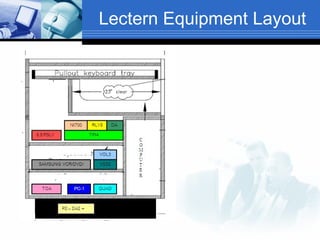
Lectern Equipment Layout
 
Further Questions Successful Model for Campus-Wide Technology Management         For more information pl ease address all correspondence to: Robert R. Heinrich Associate Director of Computer Services The Richard Stockton College of NJ PO Box 195, Pomona, NJ 08240  609-626-6039 Email:  [email_address]

Smart Classroom Design Principles

  • 1.
    Smart Classroom DesignPrinciples Robert R. Heinrich Associate Director of Computer Services The Richard Stockton College of NJ
  • 2.
    Designing a SmartClassroom Standards Resources Effectiveness Current Trends Technology Faculty/Staff Input
  • 3.
    Design Principles Designprinciples for a classroom control system are very straightforward It should be your goal to strive to meet the following ideologies:
  • 4.
  • 5.
    Baseline Technologies ElectronicClassroom Standards Computer & Laptop Projection Sound System Media Feed Projection Document Camera Projection
  • 6.
    Baseline Technologies Computer& Laptop Projection Computer with LCD monitor featuring all educational and administrative software with large projected display Laptop connection for gaining Internet access and projecting a laptop display Flexible system designed to accommodate many other devices and teaching aids
  • 7.
    Baseline Technologies Scheduledfeed of VHS, DVD, Laserdisc, and Satellite programs using distribution system General cable channels featuring news, weather Multiple events and program availability Consistent and easy to operate control system Media Feed Projection
  • 8.
    Baseline Technologies Multiplespeaker system with amplified powered stereo sound Capable of projecting sound from media feed, computer, laptop, microphone, and auxiliary devices Volume and mute features available to presenter through media control system Sound System
  • 9.
    Baseline Technologies Capableof projecting both documents and transparencies through single device over the classroom projection system Document Camera Projection
  • 10.
    Standard Smart ClassroomConfiguration at Stockton Lecture Podium Computer LCD Monitor Laptop Interface Projection System Sound System Document Camera Media Distribution Feed
  • 11.
    Classroom Control SystemIntegrated system controls into Starboard Interactive Whiteboard LCD requires no computer to operate system Provides the faculty with an intuitive control panel that is also a virtual visual display for the technologies they are using.
  • 12.
  • 13.
  • 14.
    Thumb Drive AccessExternal Port on lectern minimizes faculty leaving removable storage behind
  • 15.
    Centralized Audio VisualDistribution System The AMX system installed at Stockton in 1996 has served the college reliably facilitating in excess of 20,000 scheduling operations or events per year.
  • 16.
    AMX – PHOENIXThe system is the central management system for all classroom and special events using media support. Phoenix32 by Xolutionz replaced the Synergy32 product line and is currently our control system providing media management, retrieval, and control capabilities for all classes at both our Pomona and Atlantic City campuses.
  • 17.
    AMX – PHOENIXThe Netlinx/Phoenix system is a hardware and software based electronic media distribution system. It Presently encompasses 46 channels and supporting the VHS, U-Matic, LaserDisc, DVD and Compact Disc formats, this distribution system serves as the video hub for the college.
  • 18.
    XGEN CONTROL SYSTEMAs part of our control system, we have the ability to control any classroom in the college from a single location. We are using the system to be more proactive in identifying problems before the users find them with a goal of 100% uptime operations. A great benefit for faculty is the ability to schedule events using the web from their office or at home.
  • 19.
    Remote Technical SupportPhoenix Technical Client Remote Desktop Connection Network Monitoring of Projectors Successful Model for Campus-Wide Technology Management
  • 20.
  • 21.
  • 22.
  • 23.
    Further Questions SuccessfulModel for Campus-Wide Technology Management         For more information pl ease address all correspondence to: Robert R. Heinrich Associate Director of Computer Services The Richard Stockton College of NJ PO Box 195, Pomona, NJ 08240 609-626-6039 Email: [email_address]