Educational Technology
Nathaniel Crider, Shelby Lindstrom, & Jacqueline
                                         Pickard
Where is Technology taking us?
 Smart boards are being used in many schools today.
 Smart boards are used by teachers and students, as
  young as five years old.
 Some teachers even allow their students to lead the
  class for the day. The lessons are loaded and the
  students simply point and learn.
What exactly is a Smart Board?
All teachers benefit from the smart
board
 Teachers have the accessibility of their computer with
    them, front of the class.
   Lessons can be recorded for easier reflection and
    lesson changes.
   Should the teacher be absent, a substitute can easily
    teach the lesson.
   If students are absent, the recorded lessons can be
    provided for them.
   Also…
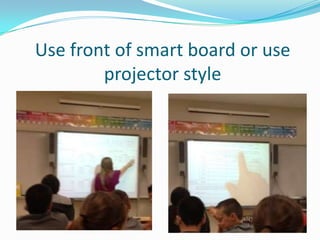
Use front of smart board or use
        projector style
All Students benefit from the smart
board
 Smart boards allow students to learn on all levels.
 Visual learners are able to connect with the graphics and
  text shown on the board, along with many other programs .
 Kinesthetic learners are able to use the interactive
  whiteboard by physically following the lesson.
 Auditory learners benefit from the amplification system and
  the ability to record the lessons.
Physical Features
How to get a Smart Board
 In order to purchase a Smart board a consumer can go
  to www.smarttech.com and type in the area they are
  from; the site will provide a list of retailers for the
  person.
 Also, scholarships are available for assistance in
  obtaining this technology.
 The website above also provides many other resources
  for the Smart board.
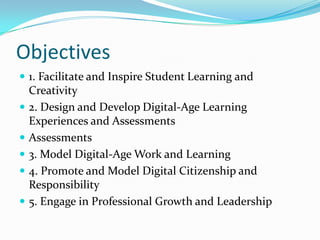
Objectives
 1. Facilitate and Inspire Student Learning and
    Creativity
   2. Design and Develop Digital-Age Learning
    Experiences and Assessments
   Assessments
   3. Model Digital-Age Work and Learning
   4. Promote and Model Digital Citizenship and
    Responsibility
   5. Engage in Professional Growth and Leadership
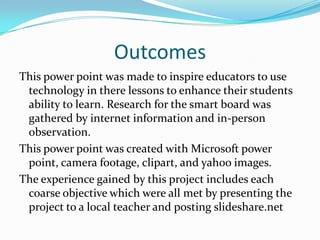
Outcomes
This power point was made to inspire educators to use
 technology in there lessons to enhance their students
 ability to learn. Research for the smart board was
 gathered by internet information and in-person
 observation.
This power point was created with Microsoft power
 point, camera footage, clipart, and yahoo images.
The experience gained by this project includes each
 coarse objective which were all met by presenting the
 project to a local teacher and posting slideshare.net

Smart board project

  • 1.
    Educational Technology Nathaniel Crider,Shelby Lindstrom, & Jacqueline Pickard
  • 2.
    Where is Technologytaking us?  Smart boards are being used in many schools today.  Smart boards are used by teachers and students, as young as five years old.  Some teachers even allow their students to lead the class for the day. The lessons are loaded and the students simply point and learn.
  • 3.
    What exactly isa Smart Board?
  • 4.
    All teachers benefitfrom the smart board  Teachers have the accessibility of their computer with them, front of the class.  Lessons can be recorded for easier reflection and lesson changes.  Should the teacher be absent, a substitute can easily teach the lesson.  If students are absent, the recorded lessons can be provided for them.  Also…
  • 5.
    Use front ofsmart board or use projector style
  • 6.
    All Students benefitfrom the smart board  Smart boards allow students to learn on all levels.  Visual learners are able to connect with the graphics and text shown on the board, along with many other programs .  Kinesthetic learners are able to use the interactive whiteboard by physically following the lesson.  Auditory learners benefit from the amplification system and the ability to record the lessons.
  • 7.
  • 8.
    How to geta Smart Board  In order to purchase a Smart board a consumer can go to www.smarttech.com and type in the area they are from; the site will provide a list of retailers for the person.  Also, scholarships are available for assistance in obtaining this technology.  The website above also provides many other resources for the Smart board.
  • 9.
    Objectives  1. Facilitateand Inspire Student Learning and Creativity  2. Design and Develop Digital-Age Learning Experiences and Assessments  Assessments  3. Model Digital-Age Work and Learning  4. Promote and Model Digital Citizenship and Responsibility  5. Engage in Professional Growth and Leadership
  • 10.
    Outcomes This power pointwas made to inspire educators to use technology in there lessons to enhance their students ability to learn. Research for the smart board was gathered by internet information and in-person observation. This power point was created with Microsoft power point, camera footage, clipart, and yahoo images. The experience gained by this project includes each coarse objective which were all met by presenting the project to a local teacher and posting slideshare.net

Editor's Notes

  • #4 http://images.search.yahoo.com/search/images?_adv_prop=image&fr=fptb-tyc8-s&sz=all&va=smart+board
  • #7 Information found on this web site: http://smarttech.com/
  • #8 http://images.search.yahoo.com/search/images?_adv_prop=image&fr=fptb-tyc8-s&sz=all&va=smart+board
  • #9 Information found on this web site: http://downloads01.smarttech.com/media/research/whitepapers/tcowhitepaper.pdf