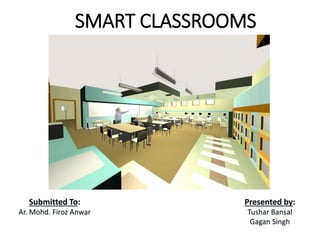
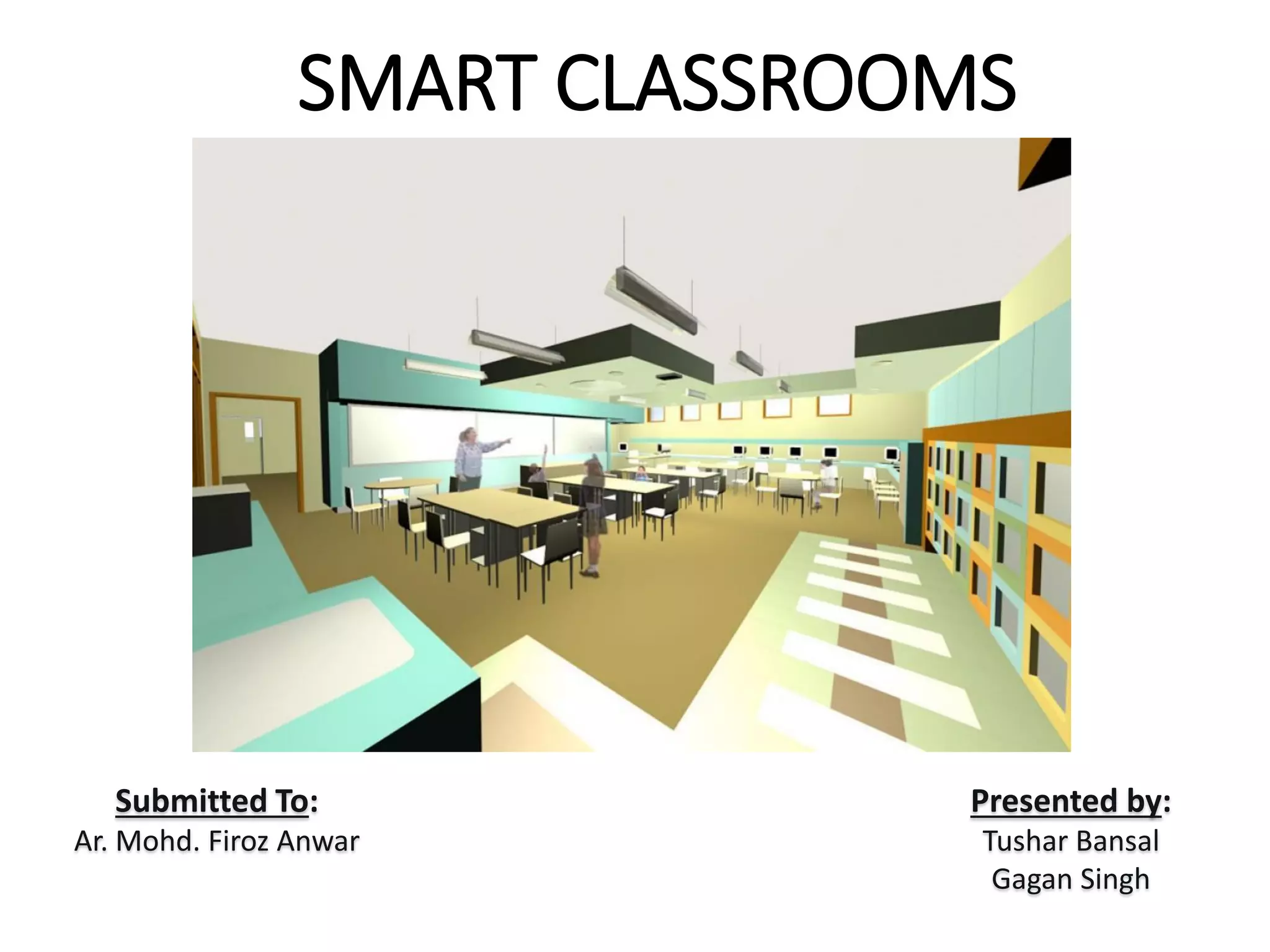
SMART CLASSROOMS
Presented by:
Tushar Bansal
Gagan Singh
Submitted To:
Ar. Mohd. Firoz Anwar
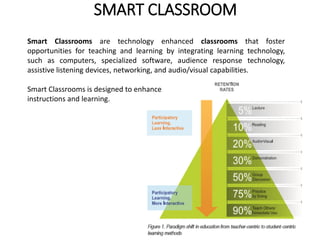
Smart Classrooms are technology enhanced classrooms that foster
opportunities for teaching and learning by integrating learning technology,
such as computers, specialized software, audience response technology,
assistive listening devices, networking, and audio/visual capabilities.
Smart Classrooms is designed to enhance
instructions and learning.
SMART CLASSROOM
Need Of Smart Classrooms
•This new system is just like a revolution.
Total infrustracture attracts students.
•They will do their task online in a smart
environment and can send their query to
their teacher.
•The digital contents as a tool for the
students to come out of memorising
knowledge ending a more than a century
old traditional teacher centered learning
system.
•It will check the students whether they
really utilize their time & energy by doing
study or not.
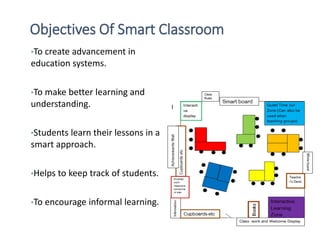
Objectives Of Smart Classroom
•To create advancement in
education systems.
•To make better learning and
understanding.
•Students learn their lessons in a
smart approach.
•Helps to keep track of students.
•To encourage informal learning.
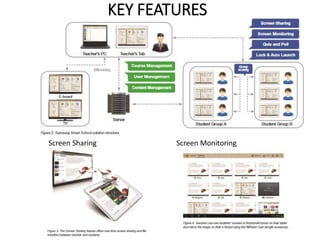
KEY FEATURES
Screen MonitoringScreen Sharing
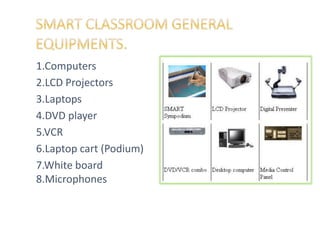
1.Computers
2.LCD Projectors
3.Laptops
4.DVD player
5.VCR
6.Laptop cart (Podium)
7.White board
8.Microphones
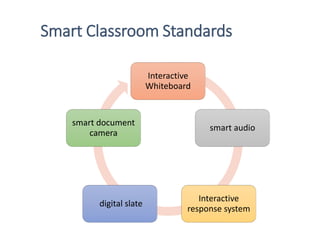
Smart Classroom Standards
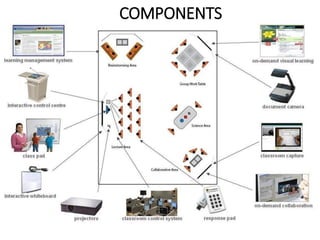
Interactive
Whiteboard
smart audio
Interactive
response system
digital slate
smart document
camera
COMPONENTS
COMPONENTS
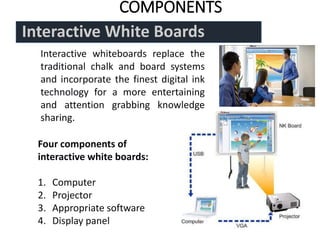
Interactive White Boards
Interactive whiteboards replace the
traditional chalk and board systems
and incorporate the finest digital ink
technology for a more entertaining
and attention grabbing knowledge
sharing.
Four components of
interactive white boards:
1. Computer
2. Projector
3. Appropriate software
4. Display panel
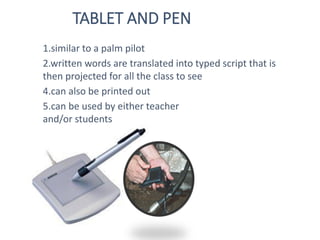
1.similar to a palm pilot
2.written words are translated into typed script that is
then projected for all the class to see
4.can also be printed out
5.can be used by either teacher
and/or students
TABLET AND PEN
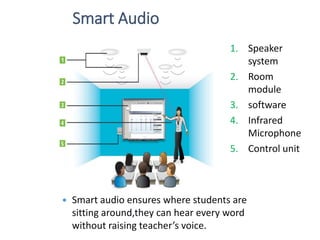
Smart Audio
1. Speaker
system
2. Room
module
3. software
4. Infrared
Microphone
5. Control unit
 Smart audio ensures where students are
sitting around,they can hear every word
without raising teacher’s voice.
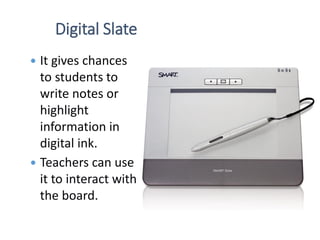
Digital Slate
 It gives chances
to students to
write notes or
highlight
information in
digital ink.
 Teachers can use
it to interact with
the board.
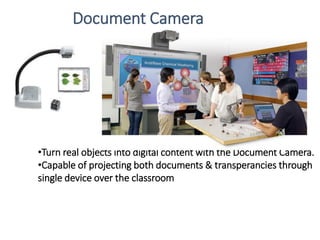
•Turn real objects into digital content with the Document Camera.
•Capable of projecting both documents & transperancies through
single device over the classroom
Document Camera
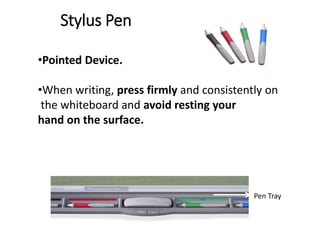
Stylus Pen
•Pointed Device.
•When writing, press firmly and consistently on
the whiteboard and avoid resting your
hand on the surface.
Pen Tray
Student tracking management
Any student tracking & management web-based
(STM) system consists of several tracking devices
(inserted in critical spots inside the facility and
outside the facility) and a Web-Based server .
Tracking devices consist of two main parts:
•The first part is the identification system which is
necessary to identify a specific student.
•The second important part is the device transceiver
which provides the ability for the tracking device to
communicate with the web- based server by using of
a certain protocol or standard.
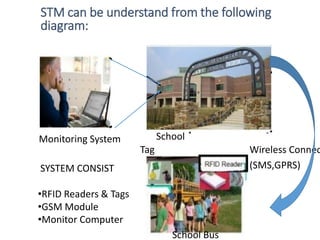
STM can be understand from the following
diagram:
Monitoring System
Wireless Connec
(SMS,GPRS)
School Bus
Tag
School
SYSTEM CONSIST
•RFID Readers & Tags
•GSM Module
•Monitor Computer
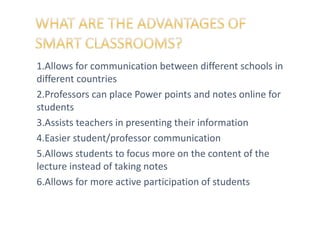
1.Allows for communication between different schools in
different countries
2.Professors can place Power points and notes online for
students
3.Assists teachers in presenting their information
4.Easier student/professor communication
5.Allows students to focus more on the content of the
lecture instead of taking notes
6.Allows for more active participation of students
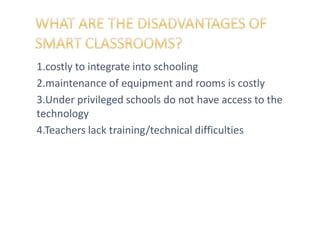
1.costly to integrate into schooling
2.maintenance of equipment and rooms is costly
3.Under privileged schools do not have access to the
technology
4.Teachers lack training/technical difficulties
• Doon Public School, New delhi - First school in India to have
Computer Aided Teaching and Learning through Smart Class using
Plasma Screens with Smart Assessment System (SAS ) in all the
classes.
• The Millennium Schools – an EduComp Product.
Awarded ‘Best Innovative K 12 School (2012)’.
PRESCHOOLS-
•Little MillenniumTM
• Euro Kids chain of Preschools
Companies offering smart classes in India:
• Pearson education services ltd
• Educomp technologies
• Tata interactive
• Next education
• Elearn india
• HCL
THANK YOU

smart classroom

  • 1.
    SMART CLASSROOMS Presented by: TusharBansal Gagan Singh Submitted To: Ar. Mohd. Firoz Anwar
  • 2.
    Smart Classrooms aretechnology enhanced classrooms that foster opportunities for teaching and learning by integrating learning technology, such as computers, specialized software, audience response technology, assistive listening devices, networking, and audio/visual capabilities. Smart Classrooms is designed to enhance instructions and learning. SMART CLASSROOM
  • 3.
    Need Of SmartClassrooms •This new system is just like a revolution. Total infrustracture attracts students. •They will do their task online in a smart environment and can send their query to their teacher. •The digital contents as a tool for the students to come out of memorising knowledge ending a more than a century old traditional teacher centered learning system. •It will check the students whether they really utilize their time & energy by doing study or not.
  • 4.
    Objectives Of SmartClassroom •To create advancement in education systems. •To make better learning and understanding. •Students learn their lessons in a smart approach. •Helps to keep track of students. •To encourage informal learning.
  • 5.
  • 6.
  • 7.
    Smart Classroom Standards Interactive Whiteboard smartaudio Interactive response system digital slate smart document camera
  • 8.
  • 9.
    COMPONENTS Interactive White Boards Interactivewhiteboards replace the traditional chalk and board systems and incorporate the finest digital ink technology for a more entertaining and attention grabbing knowledge sharing. Four components of interactive white boards: 1. Computer 2. Projector 3. Appropriate software 4. Display panel
  • 10.
    1.similar to apalm pilot 2.written words are translated into typed script that is then projected for all the class to see 4.can also be printed out 5.can be used by either teacher and/or students TABLET AND PEN
  • 11.
    Smart Audio 1. Speaker system 2.Room module 3. software 4. Infrared Microphone 5. Control unit  Smart audio ensures where students are sitting around,they can hear every word without raising teacher’s voice.
  • 12.
    Digital Slate  Itgives chances to students to write notes or highlight information in digital ink.  Teachers can use it to interact with the board.
  • 13.
    •Turn real objectsinto digital content with the Document Camera. •Capable of projecting both documents & transperancies through single device over the classroom Document Camera
  • 14.
    Stylus Pen •Pointed Device. •Whenwriting, press firmly and consistently on the whiteboard and avoid resting your hand on the surface. Pen Tray
  • 15.
    Student tracking management Anystudent tracking & management web-based (STM) system consists of several tracking devices (inserted in critical spots inside the facility and outside the facility) and a Web-Based server . Tracking devices consist of two main parts: •The first part is the identification system which is necessary to identify a specific student. •The second important part is the device transceiver which provides the ability for the tracking device to communicate with the web- based server by using of a certain protocol or standard.
  • 16.
    STM can beunderstand from the following diagram: Monitoring System Wireless Connec (SMS,GPRS) School Bus Tag School SYSTEM CONSIST •RFID Readers & Tags •GSM Module •Monitor Computer
  • 17.
    1.Allows for communicationbetween different schools in different countries 2.Professors can place Power points and notes online for students 3.Assists teachers in presenting their information 4.Easier student/professor communication 5.Allows students to focus more on the content of the lecture instead of taking notes 6.Allows for more active participation of students
  • 18.
    1.costly to integrateinto schooling 2.maintenance of equipment and rooms is costly 3.Under privileged schools do not have access to the technology 4.Teachers lack training/technical difficulties
  • 19.
    • Doon PublicSchool, New delhi - First school in India to have Computer Aided Teaching and Learning through Smart Class using Plasma Screens with Smart Assessment System (SAS ) in all the classes. • The Millennium Schools – an EduComp Product. Awarded ‘Best Innovative K 12 School (2012)’. PRESCHOOLS- •Little MillenniumTM • Euro Kids chain of Preschools Companies offering smart classes in India: • Pearson education services ltd • Educomp technologies • Tata interactive • Next education • Elearn india • HCL
  • 20.