MICROTEACHING ON-SLIDE
PROJECTOR
CONTENT
• Explain Projector
• Enlist the types of projector
• Describe the slide projector
• Explain the advantages of slide projector
• What are the limitations of slide projector
• Explain the principles of making of slides
• Describe the different parts of slide projector
• Explain how to use the slide projector.
•
•
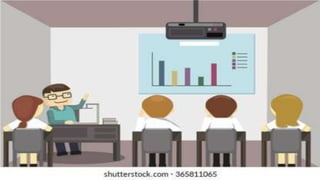
Projector
•Best media to share information through
presentations and also for watching movies and other
videos at a backyard home theater
•Optical device that projects an image onto a surface,
commonly a projection screen.
Kinds of Projectors
1 Filmstrip Projector
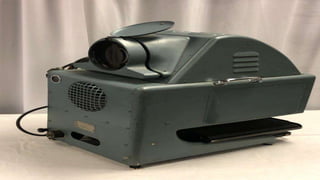
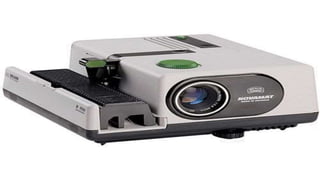
2. Slide Projector
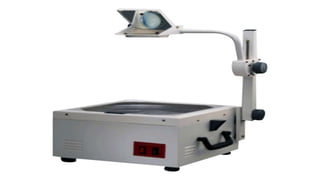
3. Overhead Projector
4. Opaque Projector
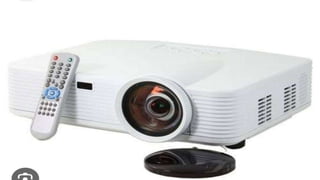
5. LCD (Liquid Crystal Display) Projector
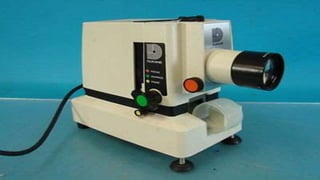
Slide Projector
•Device used to view photographic slides
• Refers to a small format photographic
transparency individually mounted for one at a
time projection.
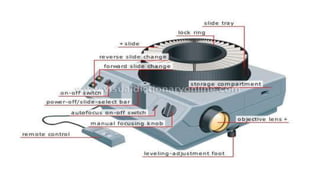
Parts of Slide Projector
•Lens
•Focus
•On/off switch
•Slide tray
•Remote control
•Manual focus knob
Cont…
•Objective lens
•Storage compartment
•Levelling adjustment foot
•Lock ring
•Forward /Reverse slide changer
Advantages of Slide Projector
•Slides can be rearranged into different sequences
•Automatic projectors can hold sets of slides in trays
•There are even remote control and timer
•Can be integrated into individualized instruction
program
• Audio may accompany the slide show.
Limitation of Slide Projector
•Easily disorganized
•Jamming of slides in the slide-changing mechanism
•Dust or fingerprints may accumulate on the slide if
not stored well
• Not effective in a fully lighted room
•No face to face contact with the learner.
Principles of making Slides
•Slide is small piece of transparent material on
which single pictorial image or graphic image
has been photographed
•Slides range in size-2 x 2 or 4.5 x 4 inches
Cont…
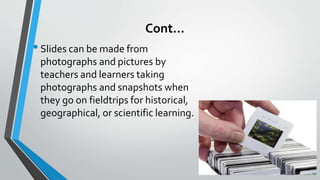
•Slides can be made from
photographs and pictures by
teachers and learners taking
photographs and snapshots when
they go on fieldtrips for historical,
geographical, or scientific learning.
Tips on using the slide projector
•Use a special camera for making slides
•Not only images, can be graphics or charts
•Prepare an outline for talk
•Prepare a good program for the voice enable type
•Rehearse alone, and be prepared for jams
Cont…
•While Using Slide Projectors, position image
correctly
•Insure slides are inserted correctly
•Preview slides before use.
Summary
•Today we studied about-
1. Projector and types of Projector
2. Slides projector
3. Advantages and Limitations of Slide projector
4. Parts of slide projector.
Conclusion
•Slide projector is an optomechanical device for
showing the photographic slides
•Slides can be projected on the screen or the
wall before the class
• Has many advantages and limitations too.
References
1.Neeraja KPTextbook of communication and education technology for nurses
Jaypee brothers publication Edition-1 page no. 383
2.Bhatia and BhatiaThe principles and method of teaching Doada house
bookers and publishers page no. 109
3.R Pramila Nursing communication and educational technology jaypee
brothers medical publishers edition-1 page no. 370
INTERNET- 1.https://www.scribd.com>doc>research
2.https://www.slideshare.net>shiva58.
SLIDE PROJECTOR-1.pptx power point presentation

SLIDE PROJECTOR-1.pptx power point presentation

  • 1.
  • 3.
    CONTENT • Explain Projector •Enlist the types of projector • Describe the slide projector • Explain the advantages of slide projector • What are the limitations of slide projector • Explain the principles of making of slides • Describe the different parts of slide projector • Explain how to use the slide projector. • •
  • 4.
    Projector •Best media toshare information through presentations and also for watching movies and other videos at a backyard home theater •Optical device that projects an image onto a surface, commonly a projection screen.
  • 5.
    Kinds of Projectors 1Filmstrip Projector 2. Slide Projector 3. Overhead Projector 4. Opaque Projector 5. LCD (Liquid Crystal Display) Projector
  • 11.
    Slide Projector •Device usedto view photographic slides • Refers to a small format photographic transparency individually mounted for one at a time projection.
  • 12.
    Parts of SlideProjector •Lens •Focus •On/off switch •Slide tray •Remote control •Manual focus knob
  • 13.
    Cont… •Objective lens •Storage compartment •Levellingadjustment foot •Lock ring •Forward /Reverse slide changer
  • 15.
    Advantages of SlideProjector •Slides can be rearranged into different sequences •Automatic projectors can hold sets of slides in trays •There are even remote control and timer •Can be integrated into individualized instruction program • Audio may accompany the slide show.
  • 16.
    Limitation of SlideProjector •Easily disorganized •Jamming of slides in the slide-changing mechanism •Dust or fingerprints may accumulate on the slide if not stored well • Not effective in a fully lighted room •No face to face contact with the learner.
  • 17.
    Principles of makingSlides •Slide is small piece of transparent material on which single pictorial image or graphic image has been photographed •Slides range in size-2 x 2 or 4.5 x 4 inches
  • 18.
    Cont… •Slides can bemade from photographs and pictures by teachers and learners taking photographs and snapshots when they go on fieldtrips for historical, geographical, or scientific learning.
  • 19.
    Tips on usingthe slide projector •Use a special camera for making slides •Not only images, can be graphics or charts •Prepare an outline for talk •Prepare a good program for the voice enable type •Rehearse alone, and be prepared for jams
  • 20.
    Cont… •While Using SlideProjectors, position image correctly •Insure slides are inserted correctly •Preview slides before use.
  • 21.
    Summary •Today we studiedabout- 1. Projector and types of Projector 2. Slides projector 3. Advantages and Limitations of Slide projector 4. Parts of slide projector.
  • 22.
    Conclusion •Slide projector isan optomechanical device for showing the photographic slides •Slides can be projected on the screen or the wall before the class • Has many advantages and limitations too.
  • 23.
    References 1.Neeraja KPTextbook ofcommunication and education technology for nurses Jaypee brothers publication Edition-1 page no. 383 2.Bhatia and BhatiaThe principles and method of teaching Doada house bookers and publishers page no. 109 3.R Pramila Nursing communication and educational technology jaypee brothers medical publishers edition-1 page no. 370 INTERNET- 1.https://www.scribd.com>doc>research 2.https://www.slideshare.net>shiva58.