Computer Security Basics
Ms. Amrit
Assistant Professor
Computer Security Basics
Amrit Kaur
Assistant Professor
Malicious Software
• Malicious software or Malware
used to
– disrupt computer operations,
– gather sensitive information,
– gain access to private computer
– display unwanted advertising
• Malicious software was called
the term malware was coined
Malicious Software
Malware, is any software
operations,
information,
computer systems, or
advertising
called computer virus before
coined in 1990 by Yisrael Rada
Malicious Software
• Types of Malware
– Virus
– Adware
• Software that is financially
when you're connected
– Spyware
• Programs designed to
display unsolicited advertisements,
marketing revenues are
• Spyware programs do not
Malicious Software
financially supported by displaying ads
connected to the Internet.
monitor users' web browsing,
advertisements, or redirect affiliate
are called spyware.
not spread like viruses
Malicious Software
• Types of Malware
– Browser hijacking software
• advertising software
settings like default home
• creates desktop shortcuts,
• displays intermittent advertising
• Once a browser is hijacked,
redirect links to other sites
collect Web usage information
Malicious Software
software
that modifies your browser
home page, search bars, toolbars),
shortcuts, and
advertising pop-ups.
hijacked, the software may also
sites that advertise, or sites that
information.
Virus
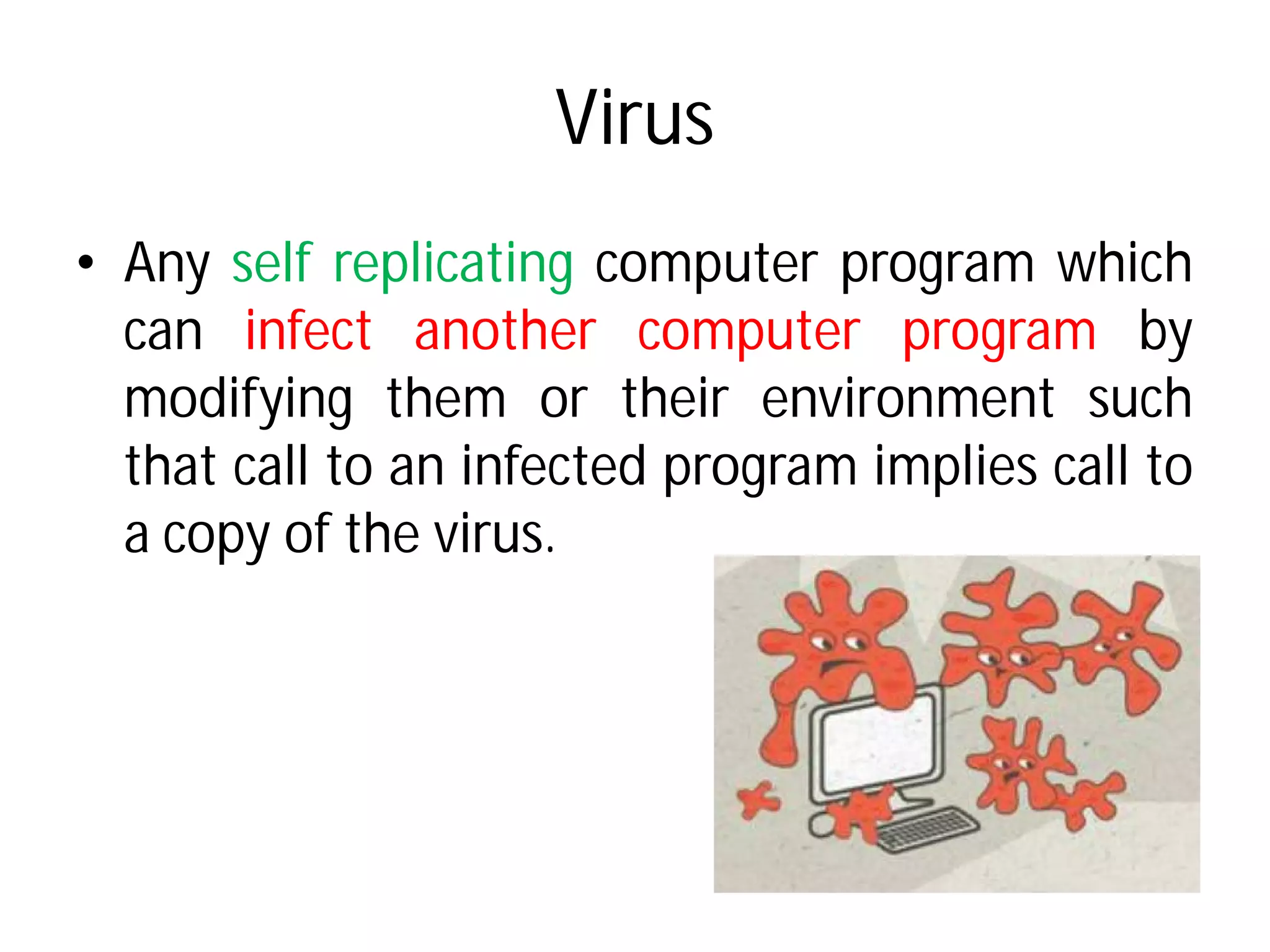
• Any self replicating computer
can infect another
modifying them or their
that call to an infected
a copy of the virus.
Virus
computer program which
computer program by
their environment such
infected program implies call to
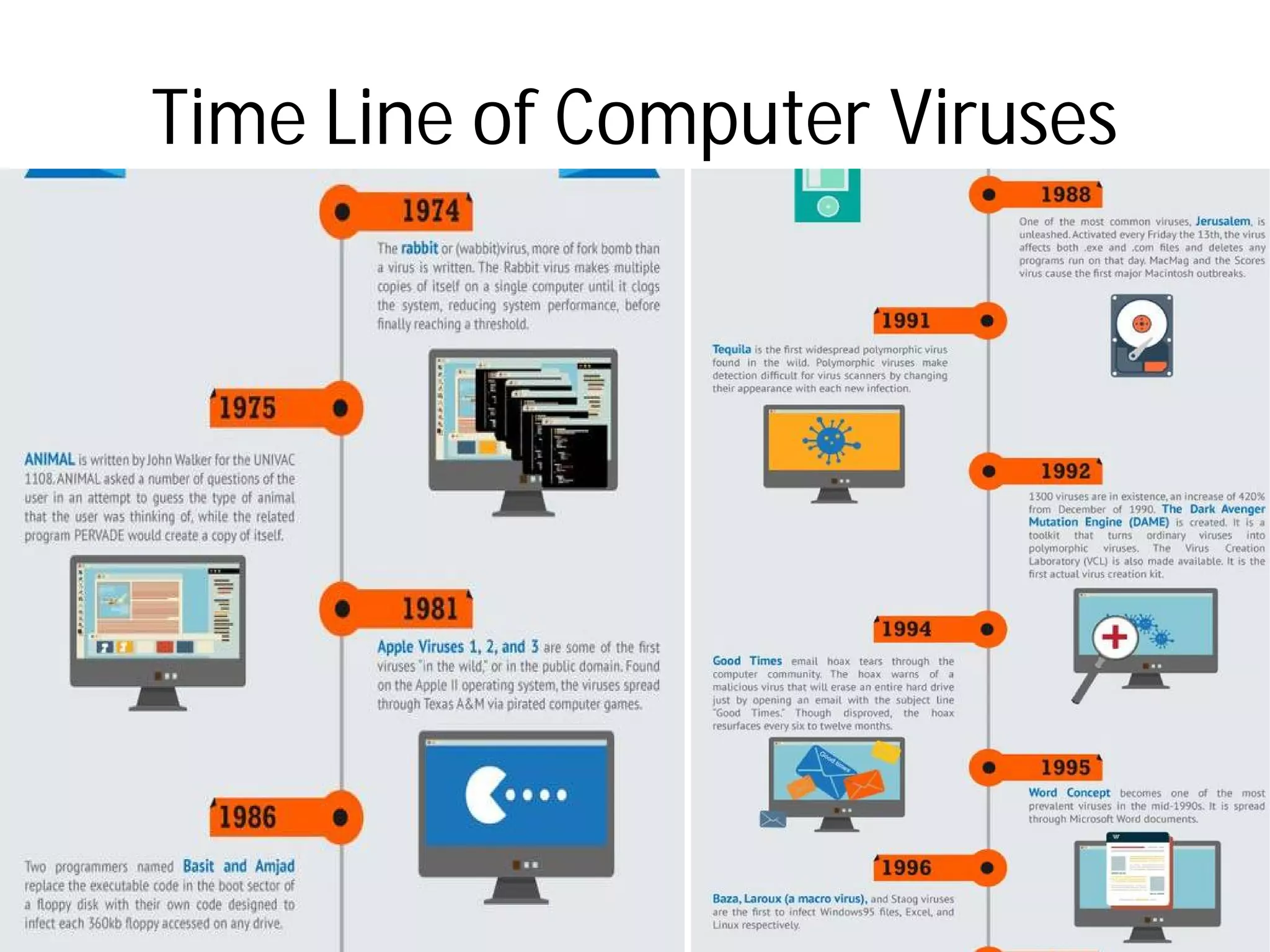
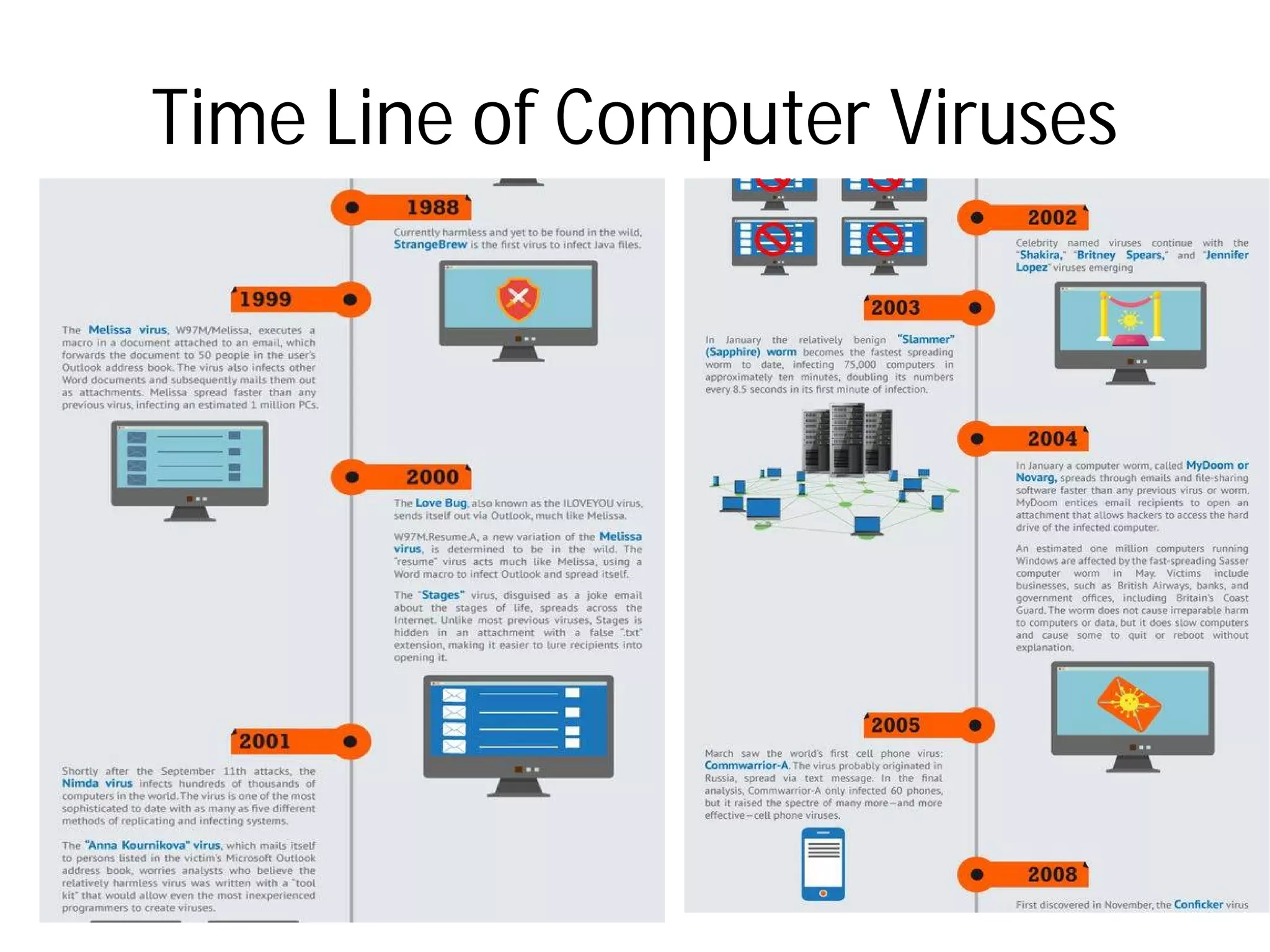
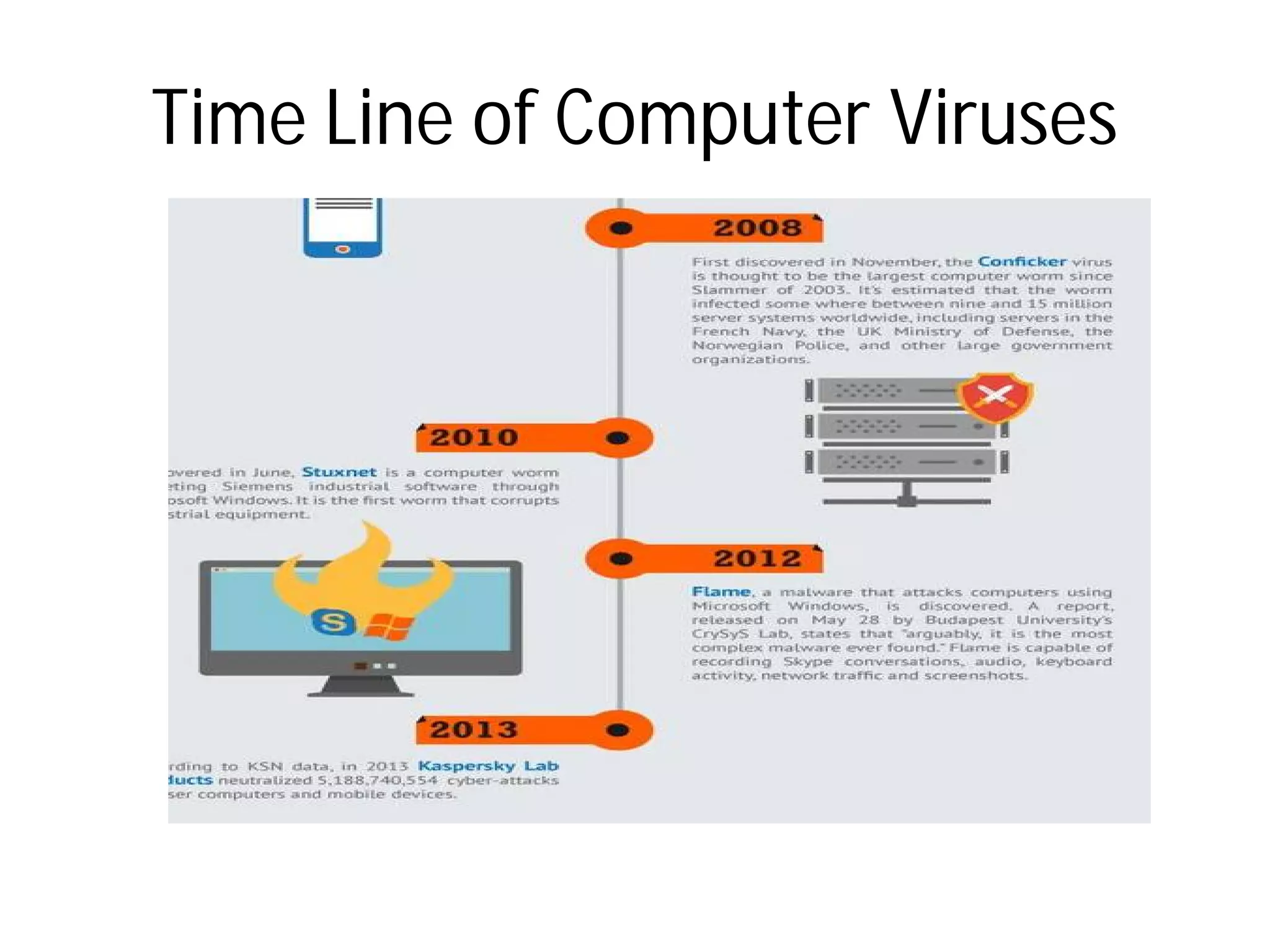
Time Line of Computer VirusesTime Line of Computer Viruses
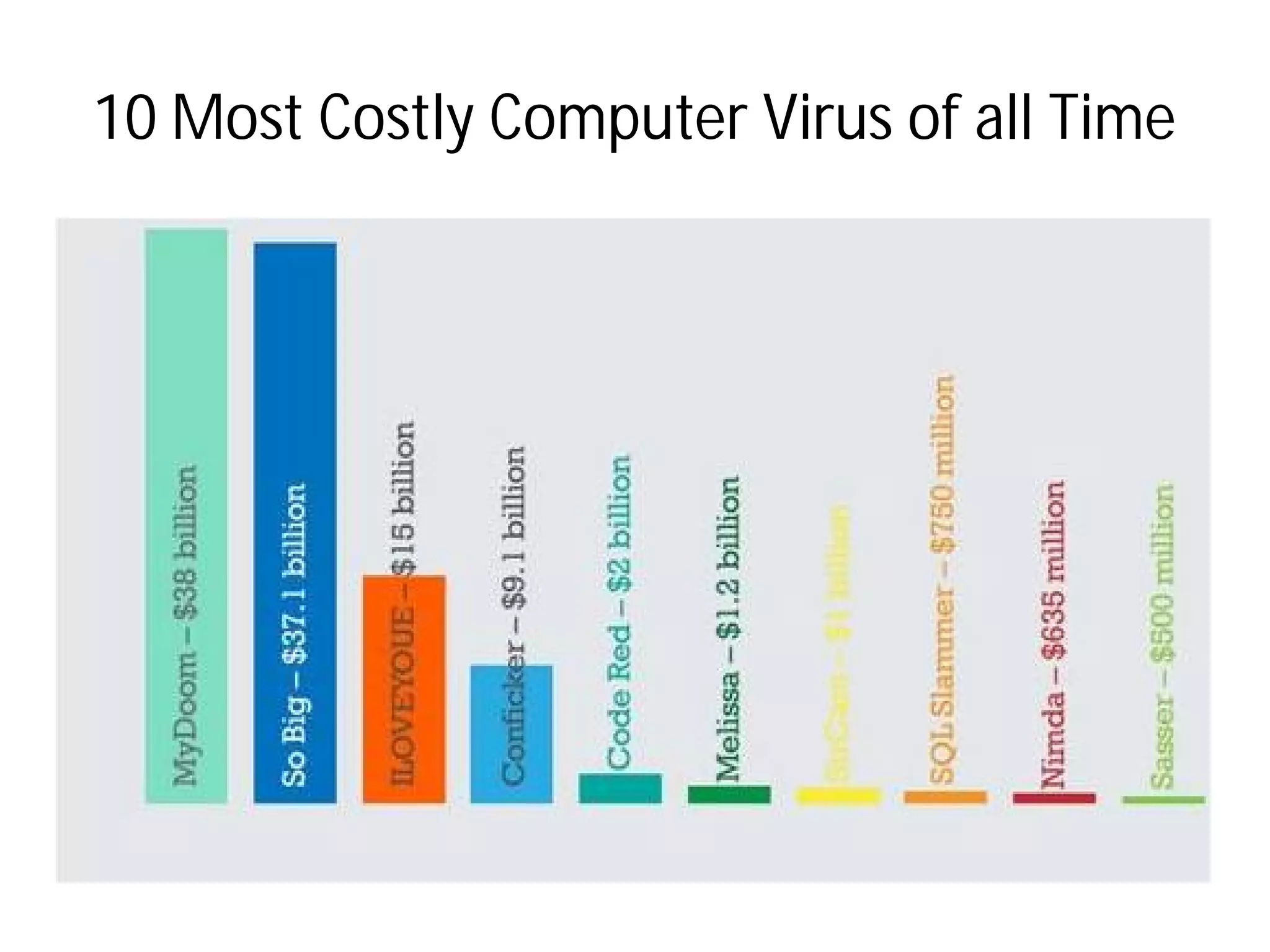
10 Most Costly Computer Virus of all Time10 Most Costly Computer Virus of all Time
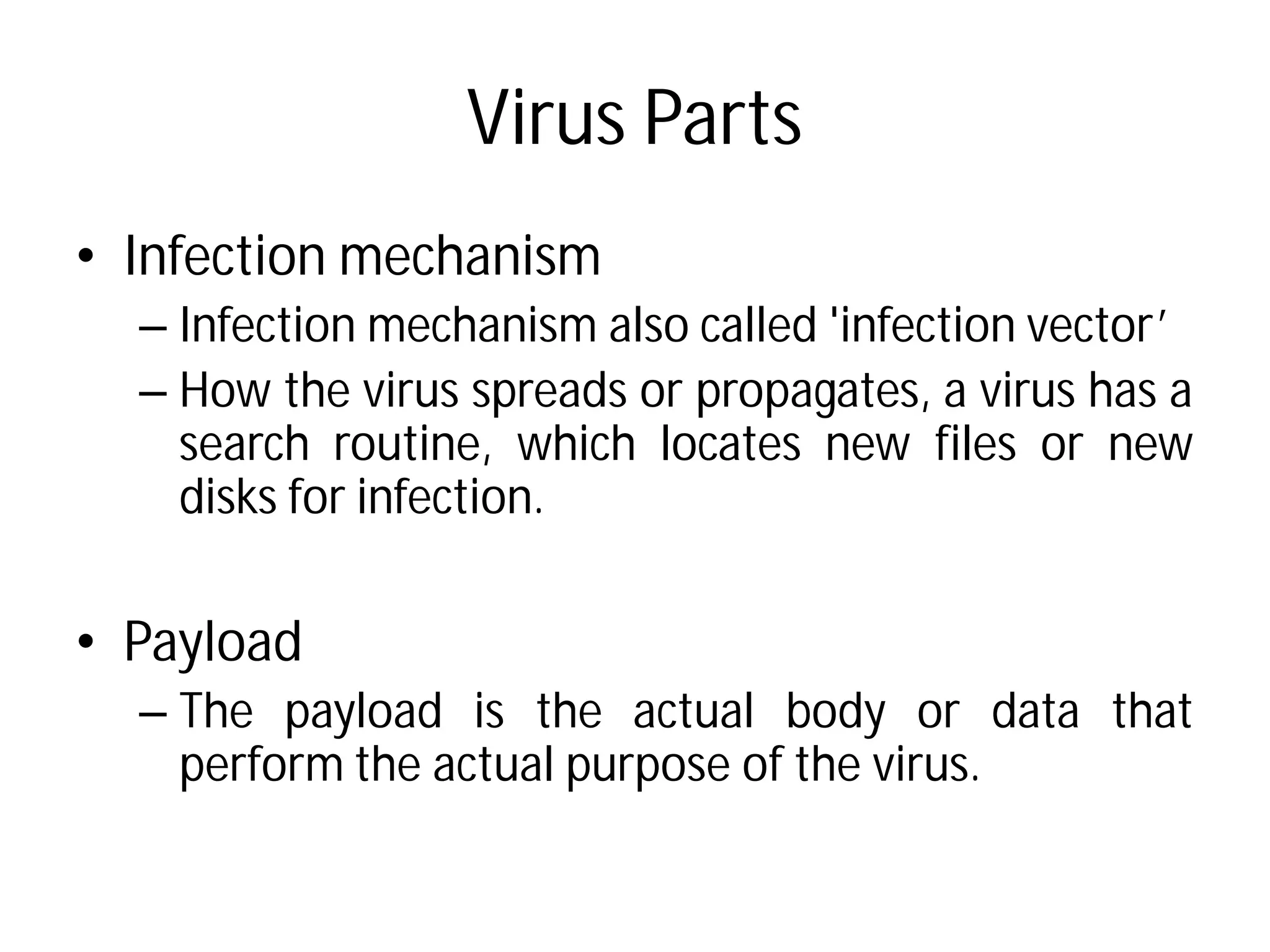
Virus Parts
• Infection mechanism
– Infection mechanism also
– How the virus spreads
search routine, which
disks for infection.
• Payload
– The payload is the actual
perform the actual purpose
Virus Parts
also called 'infection vector’
or propagates, a virus has a
which locates new files or new
actual body or data that
purpose of the virus.
Virus Parts
• Trigger
– determines the event or
to be activated or delivered
– such as a particular
particular presence of
of the disk exceeding some
that opens a particular
Virus Parts
or condition for the payload
delivered
date, a particular time,
another program, capacity
some limit, or a double-click
file.
Life Cycle of Computer Virus
• Dormant Phase
– The virus is idle.
– The virus will eventually be
states which event will execute
– Not all virus have this stage
• Propagation Phase
– The virus starts propagating,
– The virus places a copy of itself
certain system areas on the
– Each infected program will
virus, which will itself enter
Life Cycle of Computer Virus
be activated by the trigger which
execute the virus.
stage.
propagating, that is multiplying itself.
itself into other programs or into
the disk.
will now contain a clone of the
enter a propagation phase.
Life Cycle of Computer Virus
• Triggering Phase
– A dormant virus moves into this phase when it gets
activated, it will now perform the function for which it
was intended.
• Execution Phase
– This is the actual work of the virus, where the payload
will be released.
– It can be destructive such as deleting files on disk or
harmless such as popping messages on screen.
Life Cycle of Computer Virus
A dormant virus moves into this phase when it gets
activated, it will now perform the function for which it
This is the actual work of the virus, where the payload
It can be destructive such as deleting files on disk or
harmless such as popping messages on screen.
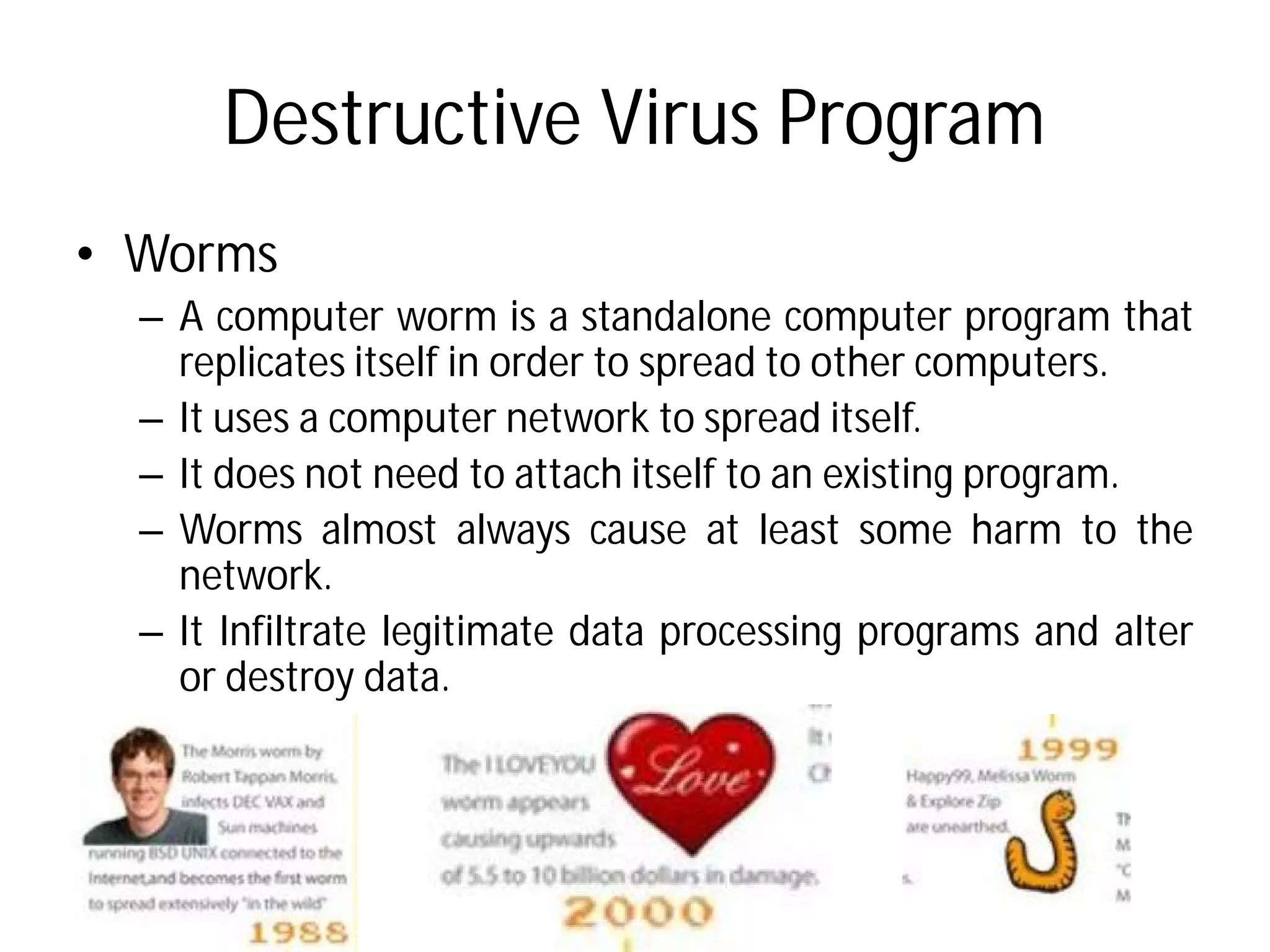
Destructive Virus Program
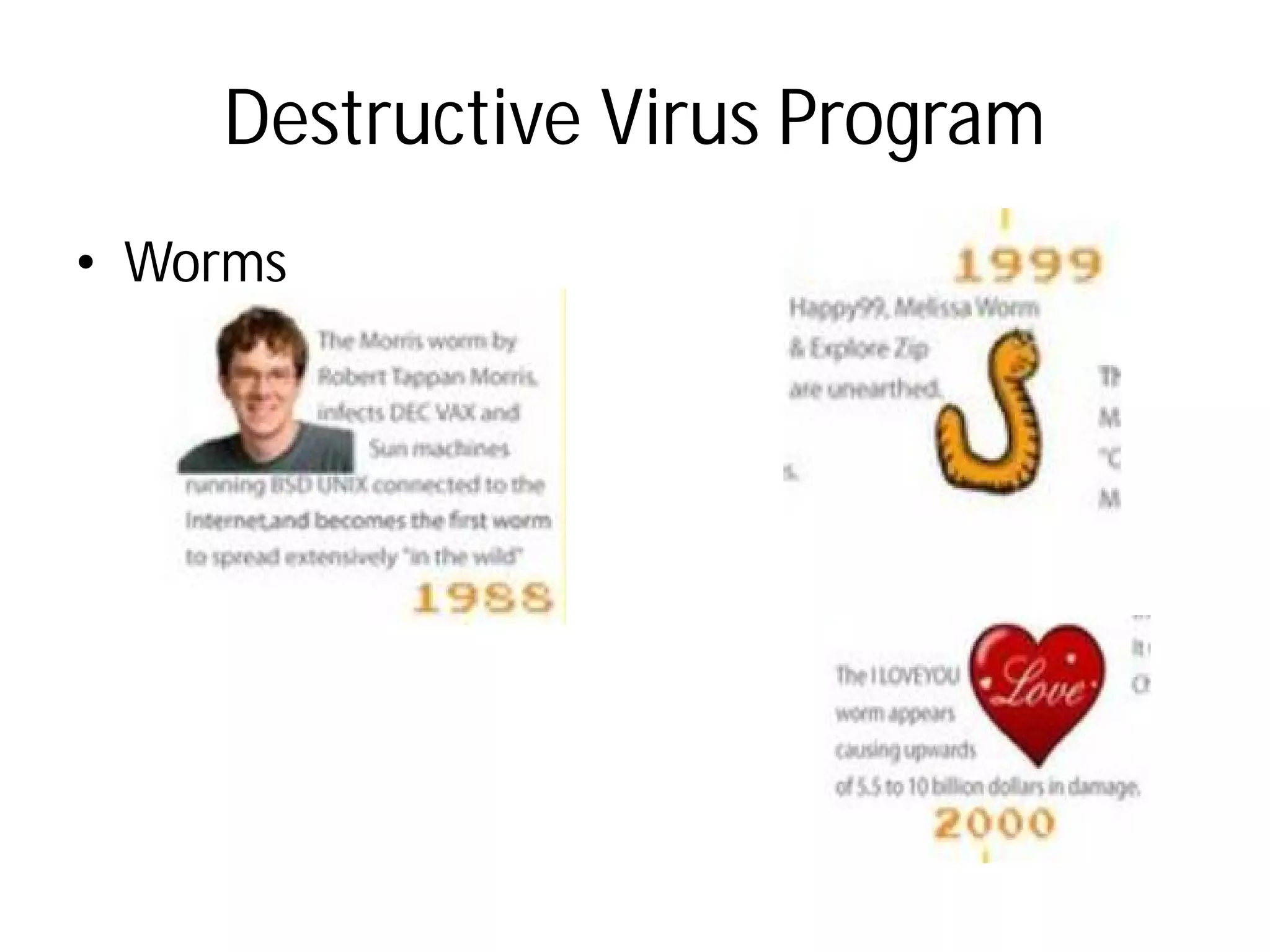
• Worms
– A computer worm is a standalone
replicates itself in order to
– It uses a computer network
– It does not need to attach itself
– Worms almost always cause
network.
– It Infiltrate legitimate data
or destroy data.
Destructive Virus Program
standalone computer program that
spread to other computers.
network to spread itself.
itself to an existing program.
cause at least some harm to the
data processing programs and alter
Destructive Virus Program
• Worms
Destructive Virus Program
• Trojan Horses
– It is a destructive computer
masquerade itself as
file or application, inviting
or download it.
– It opens a “backdoor”
without your knowledge
– They don’t replicate themselves.
Destructive Virus Program
computer program that
an attractive and innocent
inviting computer user to copy
“backdoor” or access to your PC
knowledge.
They don’t replicate themselves.
Destructive Virus Program
• Logic Bombs-
– It is a destructive computer
masquerade itself as
file or application, inviting
or download it.
– It opens a “backdoor”
without your knowledge
– They don’t replicate themselves.
Destructive Virus Program
computer program that
an attractive and innocent
inviting computer user to copy
“backdoor” or access to your PC
knowledge.
They don’t replicate themselves.
Security and Attacks
• A system is secure if its
accessed as intended under
• Threats is the potential for
• An Attack is an attempt
– Breach of confidentiality
data
– Breach of integrity – unauthorized
data
– Breach of availability –
data
– Theft of services – unauthorised
Security and Attacks
its resources are used and
under all circumstances.
for a security violation.
to break security. That is
confidentiality – unauthorized reading of
unauthorized modification of
unauthorized destruction of
unauthorised used of resources
Attacks - Money laundering
• Money laundering is the
gained proceeds (i.e. "dirty
"clean").
• Money laundering involves three steps:
– the first involves introducing cash into the financial system
by some means ("placement");
– the second involves carrying out complex financial
transactions to camouflage the illegal source of the cash
("layering");
– and finally, acquiring wealth generated from the
transactions of the illicit funds ("integration").
Money laundering
process of making illegally-
"dirty money") appear legal (i.e.
Money laundering involves three steps:
the first involves introducing cash into the financial system
by some means ("placement");
the second involves carrying out complex financial
transactions to camouflage the illegal source of the cash
and finally, acquiring wealth generated from the
transactions of the illicit funds ("integration").
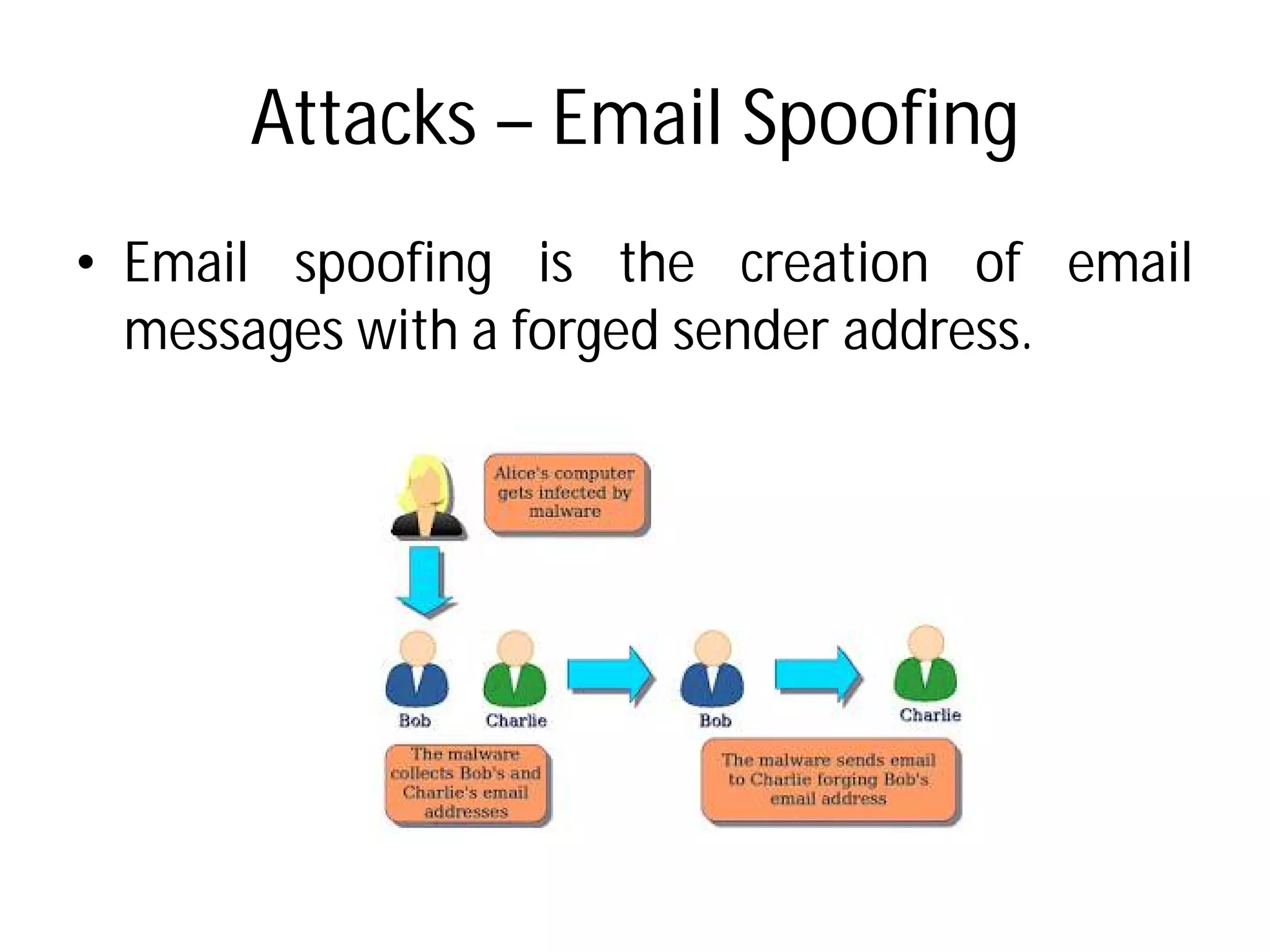
Attacks – Email Spoofing
• Email spoofing is the
messages with a forged
Email Spoofing
the creation of email
forged sender address.
Attack – Denial of Services
• A denial-of-service (DoS
make a machine or network
its intended users.
• Symptoms
– Unusually slow network performance
– Unavailability of a particular
– Inability to access any web
– Dramatic increase in the number
– Disconnection of a wireless
Denial of Services
DoS) attack is an attempt to
network resource unavailable to
performance
particular web site
site
number of spam emails received
wireless or wired internet connection
Attack - Cyber Stalking
• Cyberstalking is the use
other electronic means
individual, a group, or
• Key Factors
– Attempts to gather information
• Cyberstalkers may approach
family and work colleagues
information.
Cyber Stalking
use of the Internet or
means to stalk or harass an
an organization.
information about the victim.
approach their victim's friends,
colleagues to obtain personal
Attack - Cyber Stalking
• Monitoring their target's
attempting to trace their
• Encouraging others to harass
• False accusations
– They post false information
They may set up their
pages for this purpose.
• Attacks on data and equipment
• Ordering goods and services
Cyber Stalking
target's online activities and
their IP address.
harass the victim.
information about them on websites.
own websites, blogs or user
equipment by sending virus.
services.
Attack - Spamming
• Spamming is the use of electronic
send unsolicited messages (spam),
as well as sending messages
• Email Spam
– also known as unsolicited
unsolicited commercial email
unwanted email messages, frequently
– It is sent via "zombie networks",
infected personal computers
globe.
Spamming
electronic messaging systems to
(spam), especially advertising,
messages repeatedly on the same site.
bulk email (UBE), junk mail, or
email (UCE), is the practice of sending
frequently with commercial content.
networks", networks of virus- or worm-
computers in homes and offices around the
Security Measure
• a firewall is a network security
and controls the incoming
traffic based on predetermined
• A firewall typically establishes
trusted, secure internal network
network, such as the Internet,
be secure or trusted.
Security Measure - Firewall
security system that monitors
incoming and outgoing network
predetermined security rules.
establishes a barrier between a
network and another outside
Internet, that is assumed not to
Security Measure
• Firewalls are often
network firewalls or host
– Network firewalls are
running on general
hardware-based firewall
filter traffic between two
– Host-based firewalls provide
on one host that controls
out of that single machine
Security Measure - Firewall
categorized as either
host-based firewalls.
are a software appliance
general purpose hardware or
firewall computer appliances that
two or more networks.
provide a layer of software
controls network traffic in and
machine.
Good Practices
• Lock your computer when
– Even if you are away from
few moments, your data
your computer and make
• Boot setup password protection
– along with the computer
password at the boot setup
sure that none of the
reinstall the computer system
Good Practices
when you are not using it.
from your computer for just a
data could be compromised. Close
make sure the screen locks.
protection
computer password always apply the
setup of your system to make
other person can format or
system except you.
Good Practices
• Disconnect from the
your router.
– Most broadband connections
permanently connected
convenience comes with
– Your home Wi-Fi router
sensitive Internet connection
home is where you're
bank accounts and other
online
Good Practices
the Internet. Lock down
connections allow us to stay
connected to the Internet, but this
with risks.
router is probably the most
connection in your life, since
you're most likely to view your
other sensitive information
Good Practices
• Enable firewall (recommended)
• Disable Java
• Encrypt everything
– Don't stop at websites,
personal data on a USB
– Encrypt your external hard
your backups.
Good Practices
(recommended)
websites, though. If you carry
USB stick, encrypt it
hard drives, too—especially
Good Practices
• Back up your data.
– Set aside a few minutes a week to back up your files and
personal data.
• Supplement your antivirus
malware scanner
• Change your passwords
– Change your passwords
financially sensitive accounts
– Don’t use the same password
– Do not keep a copy of
computer.
Good Practices
Set aside a few minutes a week to back up your files and
antivirus with an on-demand anti-
passwords regularly, particularly for
accounts and web sites.
password for multiple accounts.
of all your passwords on your

Security and Viruses

  • 1.
    Computer Security Basics Ms.Amrit Assistant Professor Computer Security Basics Amrit Kaur Assistant Professor
  • 2.
    Malicious Software • Malicioussoftware or Malware used to – disrupt computer operations, – gather sensitive information, – gain access to private computer – display unwanted advertising • Malicious software was called the term malware was coined Malicious Software Malware, is any software operations, information, computer systems, or advertising called computer virus before coined in 1990 by Yisrael Rada
  • 3.
    Malicious Software • Typesof Malware – Virus – Adware • Software that is financially when you're connected – Spyware • Programs designed to display unsolicited advertisements, marketing revenues are • Spyware programs do not Malicious Software financially supported by displaying ads connected to the Internet. monitor users' web browsing, advertisements, or redirect affiliate are called spyware. not spread like viruses
  • 4.
    Malicious Software • Typesof Malware – Browser hijacking software • advertising software settings like default home • creates desktop shortcuts, • displays intermittent advertising • Once a browser is hijacked, redirect links to other sites collect Web usage information Malicious Software software that modifies your browser home page, search bars, toolbars), shortcuts, and advertising pop-ups. hijacked, the software may also sites that advertise, or sites that information.
  • 5.
    Virus • Any selfreplicating computer can infect another modifying them or their that call to an infected a copy of the virus. Virus computer program which computer program by their environment such infected program implies call to
  • 6.
    Time Line ofComputer VirusesTime Line of Computer Viruses
  • 7.
    Time Line ofComputer VirusesTime Line of Computer Viruses
  • 8.
    Time Line ofComputer VirusesTime Line of Computer Viruses
  • 9.
    Time Line ofComputer VirusesTime Line of Computer Viruses
  • 10.
    10 Most CostlyComputer Virus of all Time10 Most Costly Computer Virus of all Time
  • 12.
    Virus Parts • Infectionmechanism – Infection mechanism also – How the virus spreads search routine, which disks for infection. • Payload – The payload is the actual perform the actual purpose Virus Parts also called 'infection vector’ or propagates, a virus has a which locates new files or new actual body or data that purpose of the virus.
  • 13.
    Virus Parts • Trigger –determines the event or to be activated or delivered – such as a particular particular presence of of the disk exceeding some that opens a particular Virus Parts or condition for the payload delivered date, a particular time, another program, capacity some limit, or a double-click file.
  • 14.
    Life Cycle ofComputer Virus • Dormant Phase – The virus is idle. – The virus will eventually be states which event will execute – Not all virus have this stage • Propagation Phase – The virus starts propagating, – The virus places a copy of itself certain system areas on the – Each infected program will virus, which will itself enter Life Cycle of Computer Virus be activated by the trigger which execute the virus. stage. propagating, that is multiplying itself. itself into other programs or into the disk. will now contain a clone of the enter a propagation phase.
  • 15.
    Life Cycle ofComputer Virus • Triggering Phase – A dormant virus moves into this phase when it gets activated, it will now perform the function for which it was intended. • Execution Phase – This is the actual work of the virus, where the payload will be released. – It can be destructive such as deleting files on disk or harmless such as popping messages on screen. Life Cycle of Computer Virus A dormant virus moves into this phase when it gets activated, it will now perform the function for which it This is the actual work of the virus, where the payload It can be destructive such as deleting files on disk or harmless such as popping messages on screen.
  • 16.
    Destructive Virus Program •Worms – A computer worm is a standalone replicates itself in order to – It uses a computer network – It does not need to attach itself – Worms almost always cause network. – It Infiltrate legitimate data or destroy data. Destructive Virus Program standalone computer program that spread to other computers. network to spread itself. itself to an existing program. cause at least some harm to the data processing programs and alter
  • 17.
    Destructive Virus Program •Worms Destructive Virus Program
  • 18.
    Destructive Virus Program •Trojan Horses – It is a destructive computer masquerade itself as file or application, inviting or download it. – It opens a “backdoor” without your knowledge – They don’t replicate themselves. Destructive Virus Program computer program that an attractive and innocent inviting computer user to copy “backdoor” or access to your PC knowledge. They don’t replicate themselves.
  • 19.
    Destructive Virus Program •Logic Bombs- – It is a destructive computer masquerade itself as file or application, inviting or download it. – It opens a “backdoor” without your knowledge – They don’t replicate themselves. Destructive Virus Program computer program that an attractive and innocent inviting computer user to copy “backdoor” or access to your PC knowledge. They don’t replicate themselves.
  • 20.
    Security and Attacks •A system is secure if its accessed as intended under • Threats is the potential for • An Attack is an attempt – Breach of confidentiality data – Breach of integrity – unauthorized data – Breach of availability – data – Theft of services – unauthorised Security and Attacks its resources are used and under all circumstances. for a security violation. to break security. That is confidentiality – unauthorized reading of unauthorized modification of unauthorized destruction of unauthorised used of resources
  • 21.
    Attacks - Moneylaundering • Money laundering is the gained proceeds (i.e. "dirty "clean"). • Money laundering involves three steps: – the first involves introducing cash into the financial system by some means ("placement"); – the second involves carrying out complex financial transactions to camouflage the illegal source of the cash ("layering"); – and finally, acquiring wealth generated from the transactions of the illicit funds ("integration"). Money laundering process of making illegally- "dirty money") appear legal (i.e. Money laundering involves three steps: the first involves introducing cash into the financial system by some means ("placement"); the second involves carrying out complex financial transactions to camouflage the illegal source of the cash and finally, acquiring wealth generated from the transactions of the illicit funds ("integration").
  • 22.
    Attacks – EmailSpoofing • Email spoofing is the messages with a forged Email Spoofing the creation of email forged sender address.
  • 23.
    Attack – Denialof Services • A denial-of-service (DoS make a machine or network its intended users. • Symptoms – Unusually slow network performance – Unavailability of a particular – Inability to access any web – Dramatic increase in the number – Disconnection of a wireless Denial of Services DoS) attack is an attempt to network resource unavailable to performance particular web site site number of spam emails received wireless or wired internet connection
  • 24.
    Attack - CyberStalking • Cyberstalking is the use other electronic means individual, a group, or • Key Factors – Attempts to gather information • Cyberstalkers may approach family and work colleagues information. Cyber Stalking use of the Internet or means to stalk or harass an an organization. information about the victim. approach their victim's friends, colleagues to obtain personal
  • 25.
    Attack - CyberStalking • Monitoring their target's attempting to trace their • Encouraging others to harass • False accusations – They post false information They may set up their pages for this purpose. • Attacks on data and equipment • Ordering goods and services Cyber Stalking target's online activities and their IP address. harass the victim. information about them on websites. own websites, blogs or user equipment by sending virus. services.
  • 26.
    Attack - Spamming •Spamming is the use of electronic send unsolicited messages (spam), as well as sending messages • Email Spam – also known as unsolicited unsolicited commercial email unwanted email messages, frequently – It is sent via "zombie networks", infected personal computers globe. Spamming electronic messaging systems to (spam), especially advertising, messages repeatedly on the same site. bulk email (UBE), junk mail, or email (UCE), is the practice of sending frequently with commercial content. networks", networks of virus- or worm- computers in homes and offices around the
  • 27.
    Security Measure • afirewall is a network security and controls the incoming traffic based on predetermined • A firewall typically establishes trusted, secure internal network network, such as the Internet, be secure or trusted. Security Measure - Firewall security system that monitors incoming and outgoing network predetermined security rules. establishes a barrier between a network and another outside Internet, that is assumed not to
  • 28.
    Security Measure • Firewallsare often network firewalls or host – Network firewalls are running on general hardware-based firewall filter traffic between two – Host-based firewalls provide on one host that controls out of that single machine Security Measure - Firewall categorized as either host-based firewalls. are a software appliance general purpose hardware or firewall computer appliances that two or more networks. provide a layer of software controls network traffic in and machine.
  • 29.
    Good Practices • Lockyour computer when – Even if you are away from few moments, your data your computer and make • Boot setup password protection – along with the computer password at the boot setup sure that none of the reinstall the computer system Good Practices when you are not using it. from your computer for just a data could be compromised. Close make sure the screen locks. protection computer password always apply the setup of your system to make other person can format or system except you.
  • 30.
    Good Practices • Disconnectfrom the your router. – Most broadband connections permanently connected convenience comes with – Your home Wi-Fi router sensitive Internet connection home is where you're bank accounts and other online Good Practices the Internet. Lock down connections allow us to stay connected to the Internet, but this with risks. router is probably the most connection in your life, since you're most likely to view your other sensitive information
  • 31.
    Good Practices • Enablefirewall (recommended) • Disable Java • Encrypt everything – Don't stop at websites, personal data on a USB – Encrypt your external hard your backups. Good Practices (recommended) websites, though. If you carry USB stick, encrypt it hard drives, too—especially
  • 32.
    Good Practices • Backup your data. – Set aside a few minutes a week to back up your files and personal data. • Supplement your antivirus malware scanner • Change your passwords – Change your passwords financially sensitive accounts – Don’t use the same password – Do not keep a copy of computer. Good Practices Set aside a few minutes a week to back up your files and antivirus with an on-demand anti- passwords regularly, particularly for accounts and web sites. password for multiple accounts. of all your passwords on your