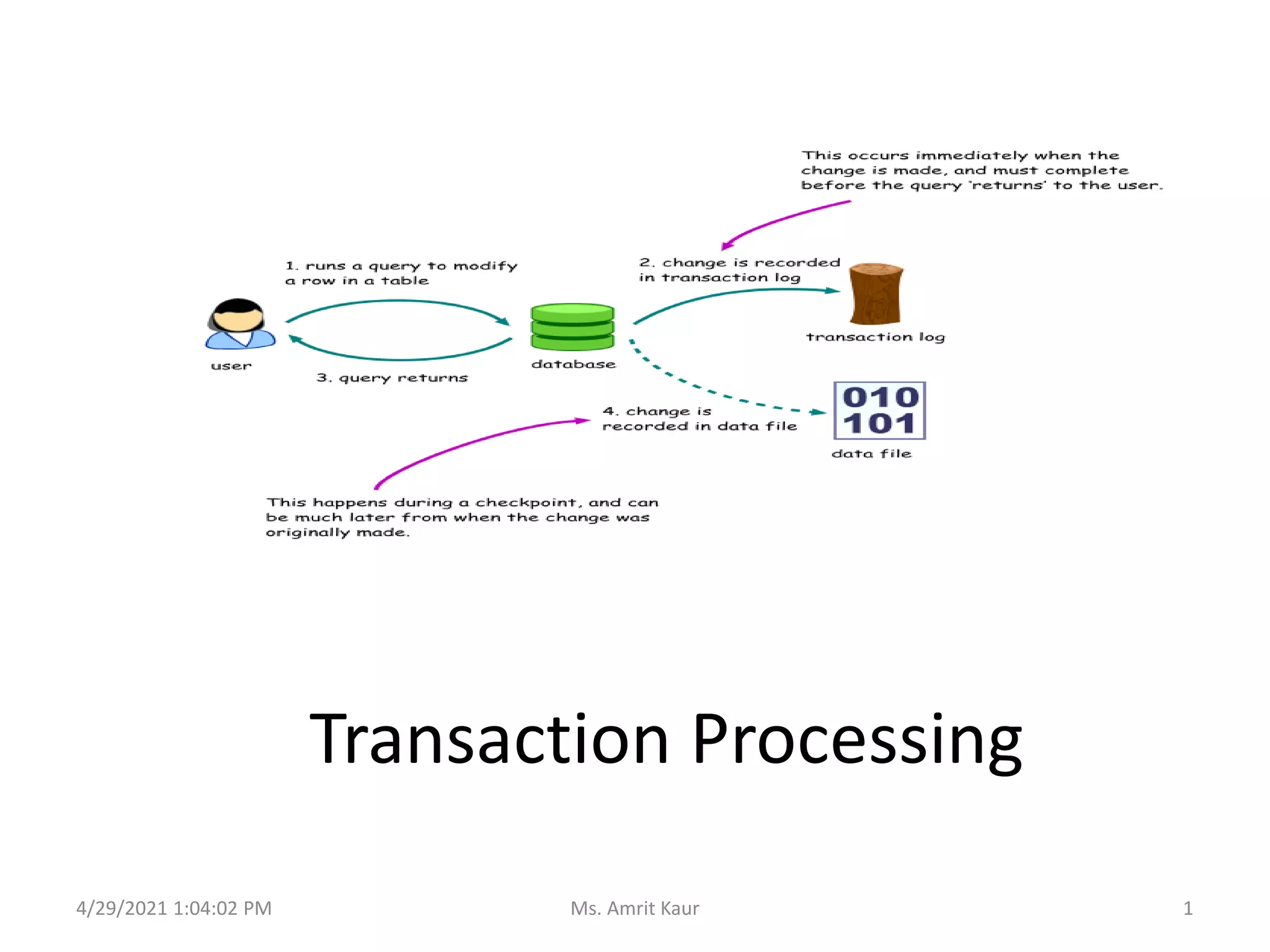
Transaction Processing
4/29/2021 1:04:02 PM 1
Ms. Amrit Kaur
Topics Covered
• Introduction to Transaction
• Transaction Control Language
• ACID Properties
• Schedules
• Testing of Serializability
• Recoverability
• Concurrency Control Technique
4/29/2021 1:04:02 PM 2
Ms. Amrit Kaur
INTRODUCTION TO
TRANSACTION PROCESSING
1
4/29/2021 1:04:02 PM 3
Ms. Amrit Kaur
1.1 What is a Transaction?
• One or more database access operations like
insertion, deletion, modification and retrieval
• Defined as unit of work that must be
completely processed or not at all processed.
• A transaction is the smallest unit of work
which leaves the database in a consistent
state.
4/29/2021 1:04:02 PM 4
Ms. Amrit Kaur
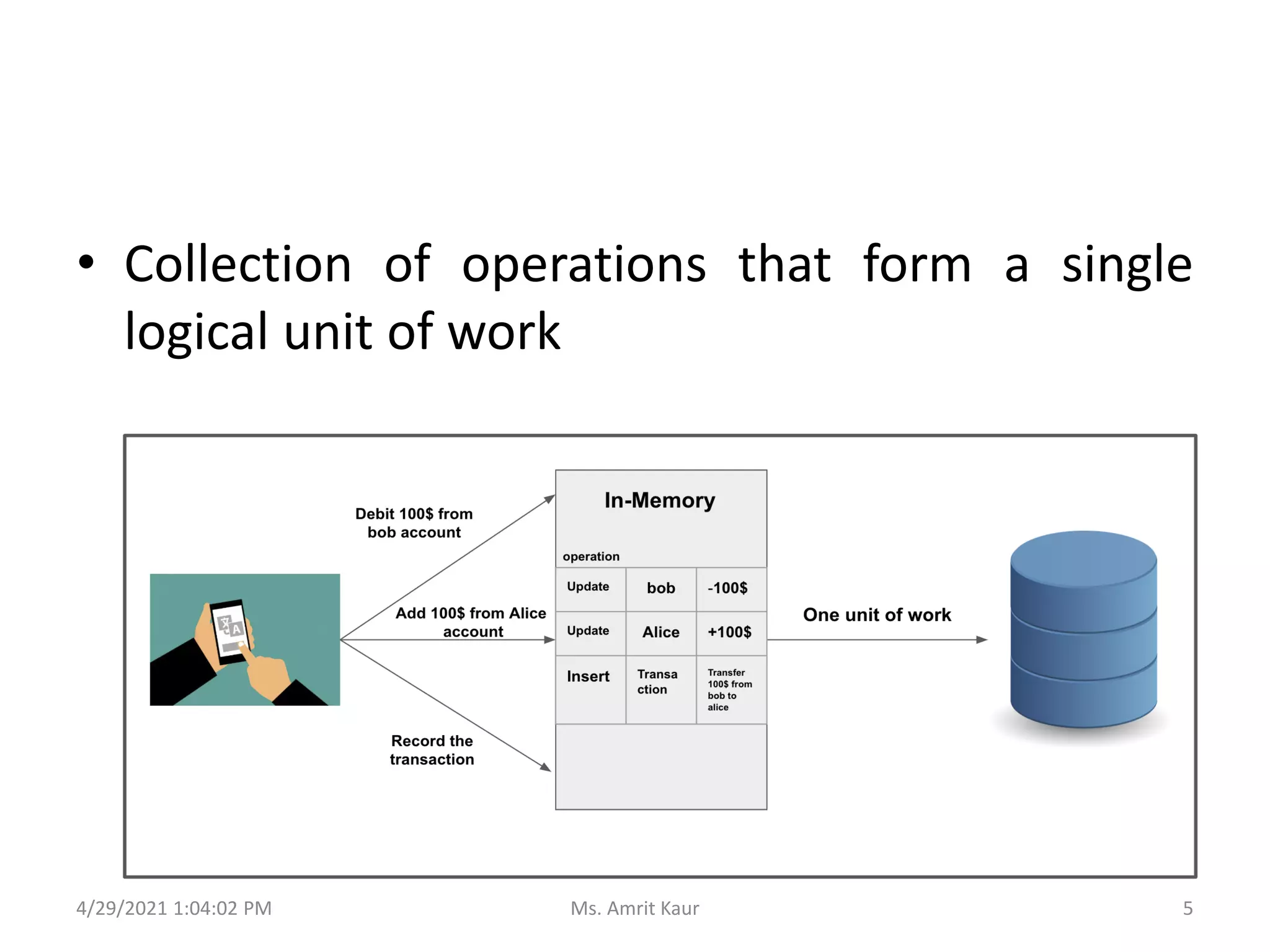
• Collection of operations that form a single
logical unit of work
4/29/2021 1:04:02 PM 5
Ms. Amrit Kaur
• A transaction begins
with the first executable
SQL statement.
• A transaction ends
– explicitly with
a COMMIT or ROLLBACK
statement
– implicitly when a DDL is
used to manage table
statement is issued.
4/29/2021 1:04:02 PM 6
Ms. Amrit Kaur
TRANSACTION CONTROL
LANGUAGE
2
4/29/2021 1:04:02 PM 7
Ms. Amrit Kaur
4/29/2021 1:04:02 PM
8
Ms. Amrit Kaur
2.1 TCL - Commands
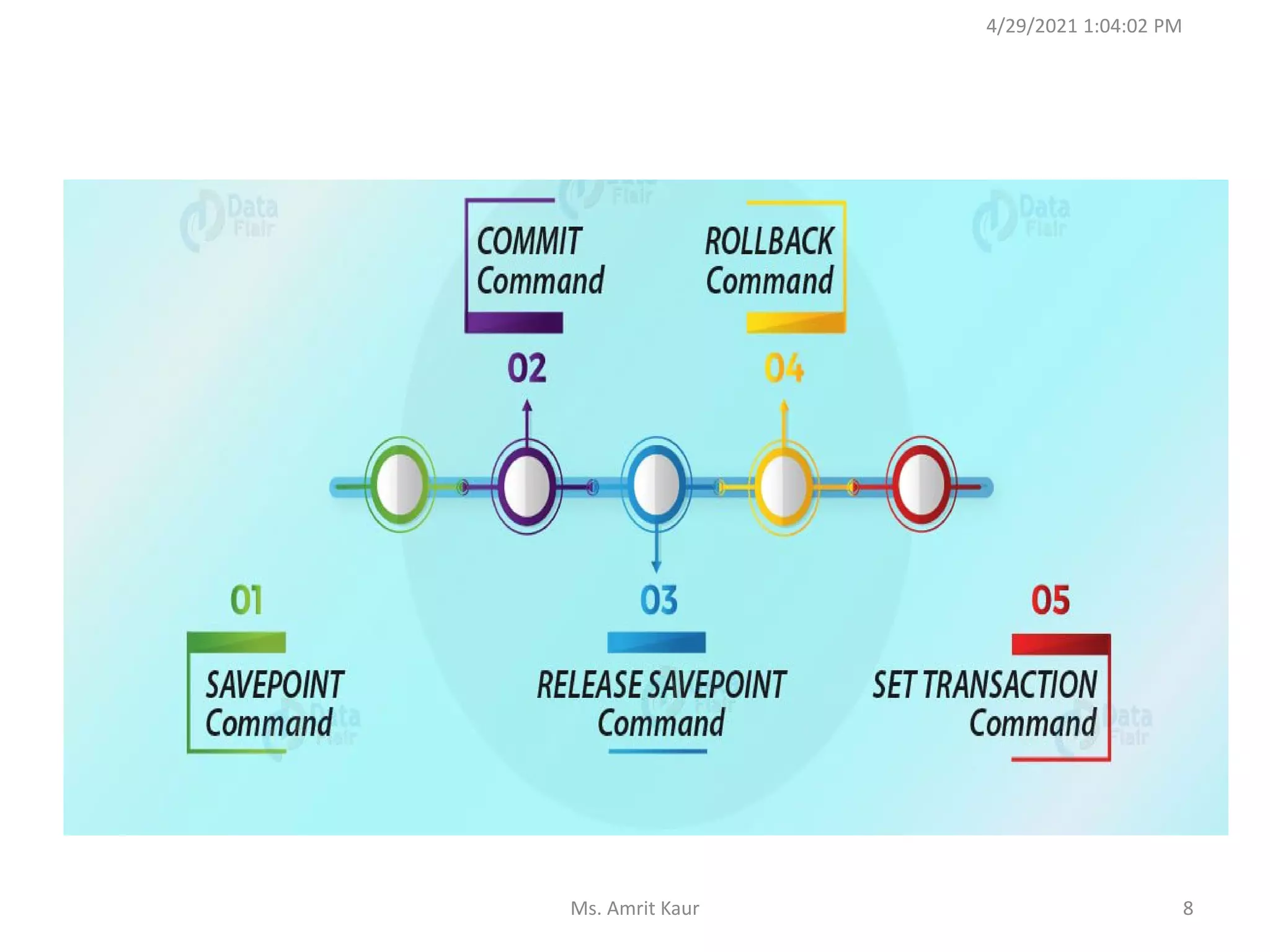
• START TRANSACTION
– begins a new transaction.
– BEGIN statement can also be used.
– SYNTAX: START TRANSACTION trans_char;
• SET TRANSACTION
– specifies transaction characteristics like
• Isolation level
• Access mode
4/29/2021 1:04:02 PM 9
Ms. Amrit Kaur
….contd….
• COMMIT
– saves all the transactions to the database .
– makes changes permanent
– SYNTAX: COMMIT
• ROLLBACK
– undo / cancel transactions since the last COMMIT
or ROLLBACK command was issued.
– SYNTAX: ROLLBACK [TO SAVEPOINT];
4/29/2021 1:04:02 PM 10
Ms. Amrit Kaur
….contd….
• SAVEPOINT
– certain point in a transaction you can roll back to a
certain point without roll back to the entire
transaction.
– SYNTAX: SAVEPOINT savepointname;
RELEASE savepointname;
4/29/2021 1:04:02 PM 11
Ms. Amrit Kaur
ACID PROPERTIES
3
4/29/2021 1:04:02 PM 12
Ms. Amrit Kaur
Desirable Properties of Transactions
• Atomicity: A transaction is an atomic unit. It is
either perform all operations of transactions
or none.
• How to Achieve?
– Autocommit setting.
– COMMIT statement.
– ROLLBACK statement.
4/29/2021 1:04:02 PM 13
Ms. Amrit Kaur
Desirable Properties of Transactions
• Consistency: Complete execution of
transaction takes the database from one
consistent(stable) state to another.
• How to Achieve?
– InnoDB doublewrite buffer.
– InnoDB crash recovery.
4/29/2021 1:04:02 PM 14
Ms. Amrit Kaur
Desirable Properties of Transactions
• Isolation: Execution of transaction should not
be interfered with any other transactions
executing concurrently.
• How to Achieve?
– Autocommit setting.
– SET ISOLATION LEVEL statement.
4/29/2021 1:04:02 PM 15
Ms. Amrit Kaur
Desirable Properties of Transactions
• Isolation: Execution of transaction should not
be interfered with any other transactions
executing concurrently.
• How to Achieve?
– Autocommit setting.
– SET ISOLATION LEVEL statement.
4/29/2021 1:04:02 PM 16
Ms. Amrit Kaur
Desirable Properties of Transactions
• Durability: The changes applied to the
database by a committed transaction must be
persist (permanent) in the database.
• How to Achieve?
– Configure option of InnoDB
– Configure logs
4/29/2021 1:04:02 PM 17
Ms. Amrit Kaur
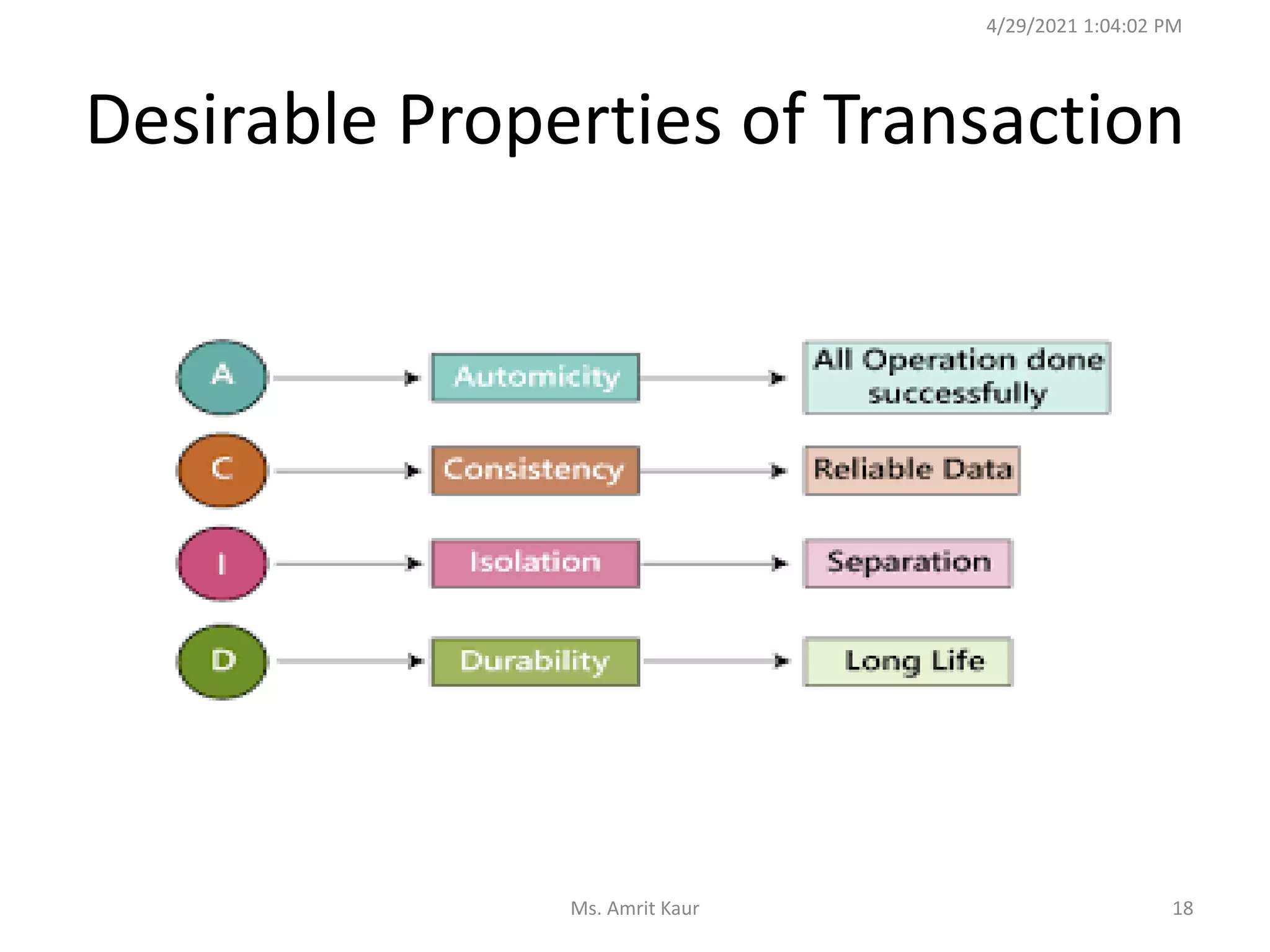
Desirable Properties of Transaction
4/29/2021 1:04:02 PM
18
Ms. Amrit Kaur
Example 1:
A transaction to Transfer Rs.50 from
account A t0 B
4/29/2021 1:04:02 PM
19
Ms. Amrit Kaur
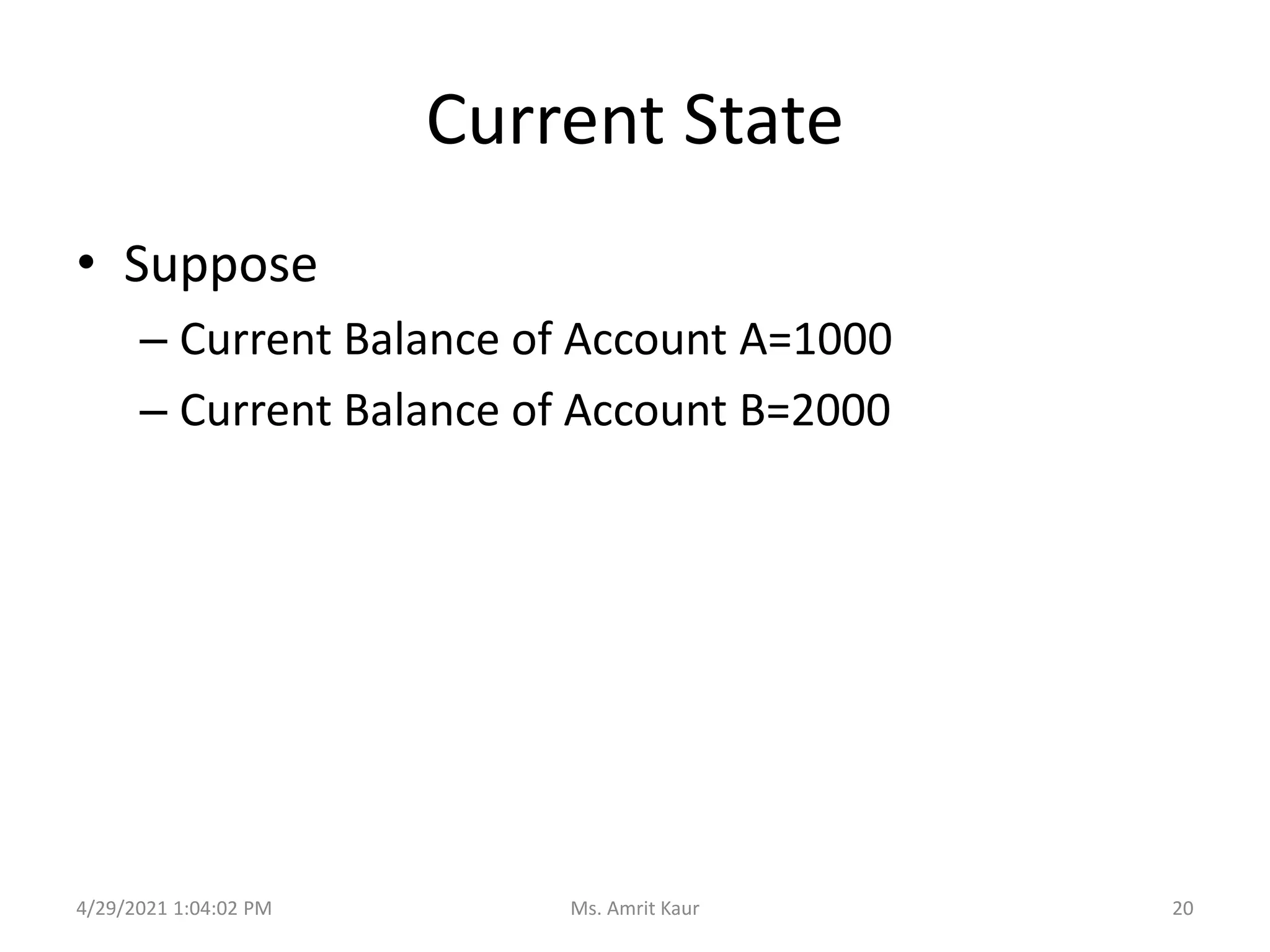
Current State
• Suppose
– Current Balance of Account A=1000
– Current Balance of Account B=2000
4/29/2021 1:04:02 PM 20
Ms. Amrit Kaur
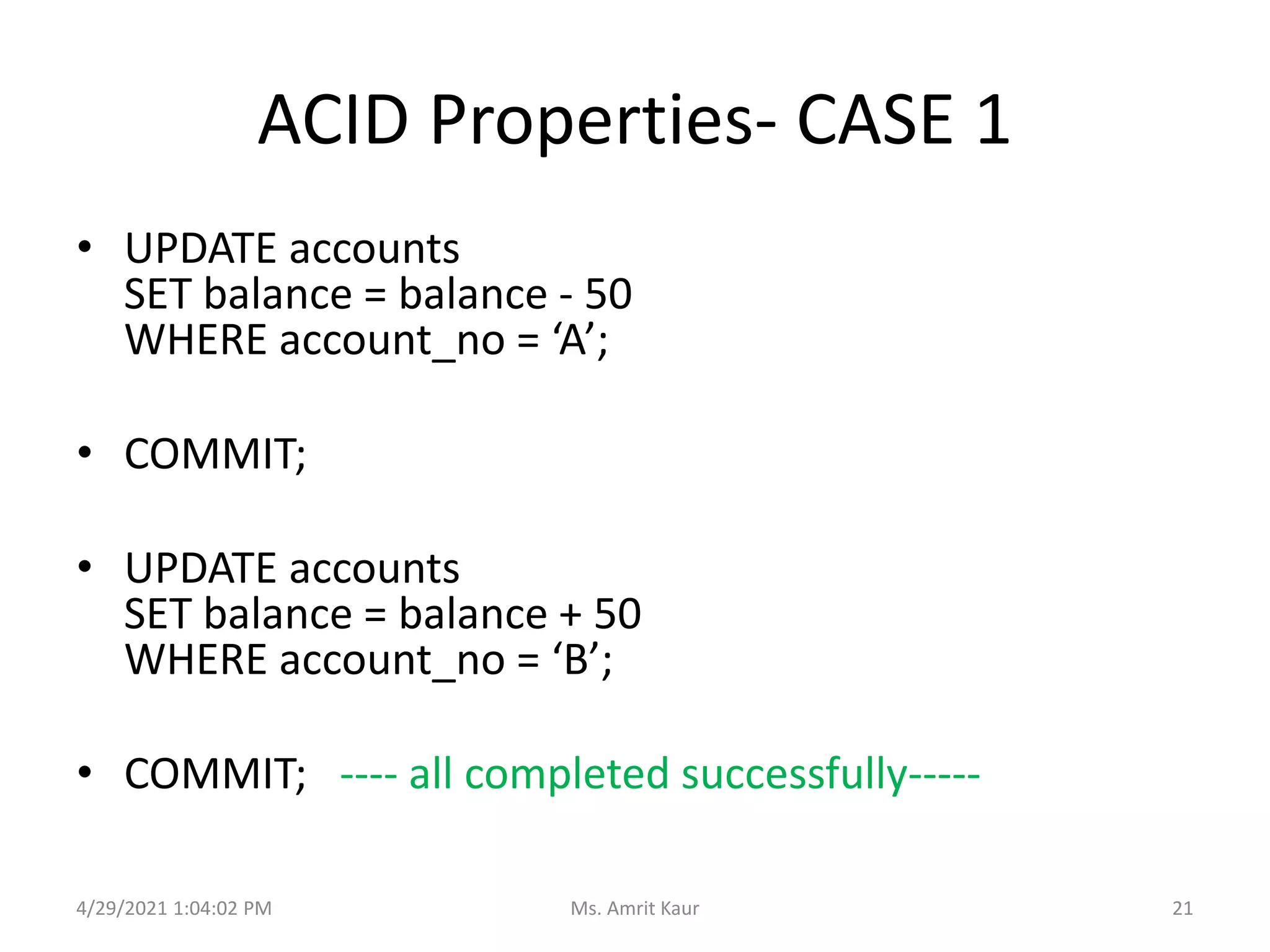
ACID Properties- CASE 1
• UPDATE accounts
SET balance = balance - 50
WHERE account_no = ‘A’;
• COMMIT;
• UPDATE accounts
SET balance = balance + 50
WHERE account_no = ‘B’;
• COMMIT; ---- all completed successfully-----
4/29/2021 1:04:02 PM 21
Ms. Amrit Kaur
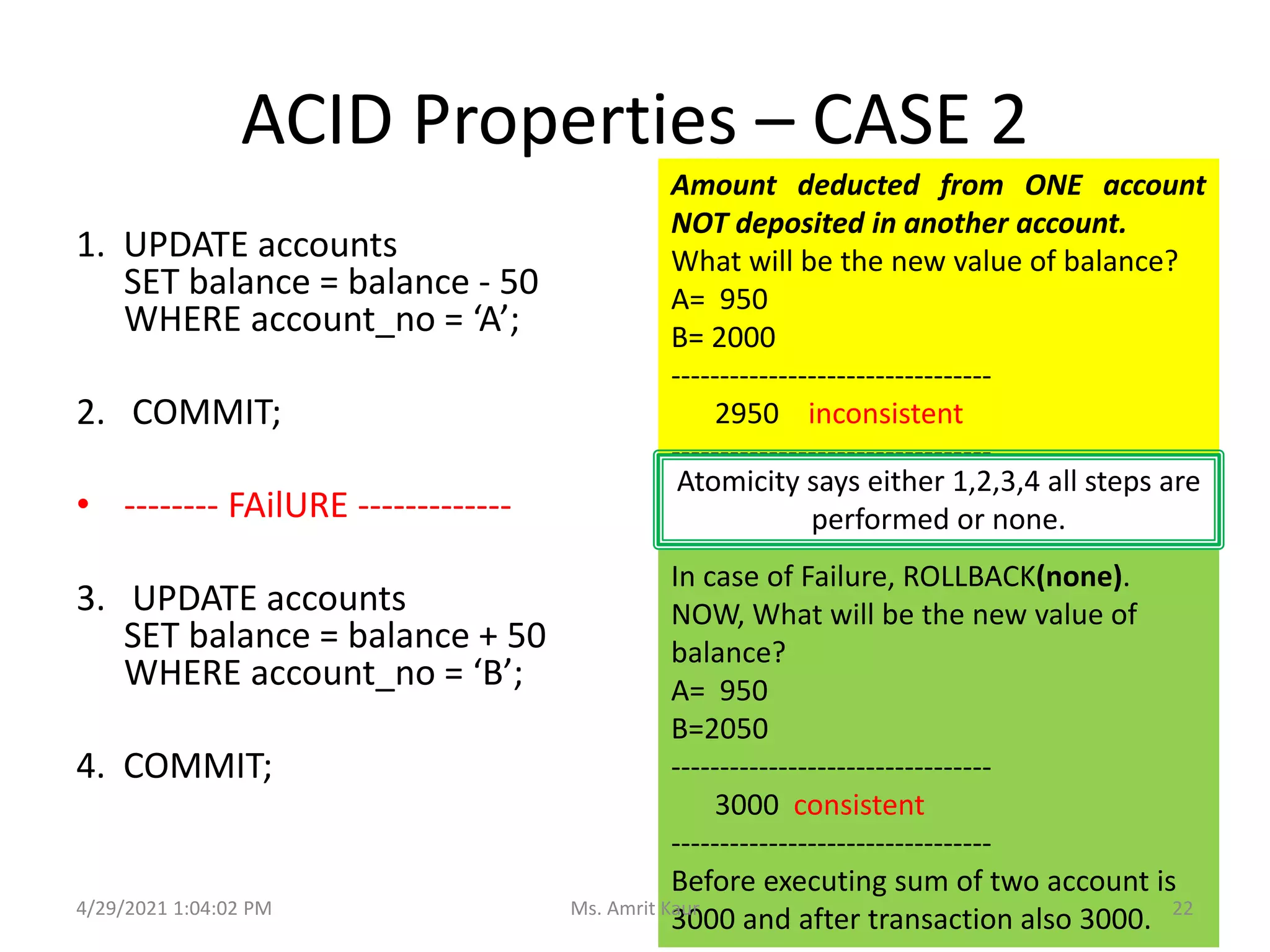
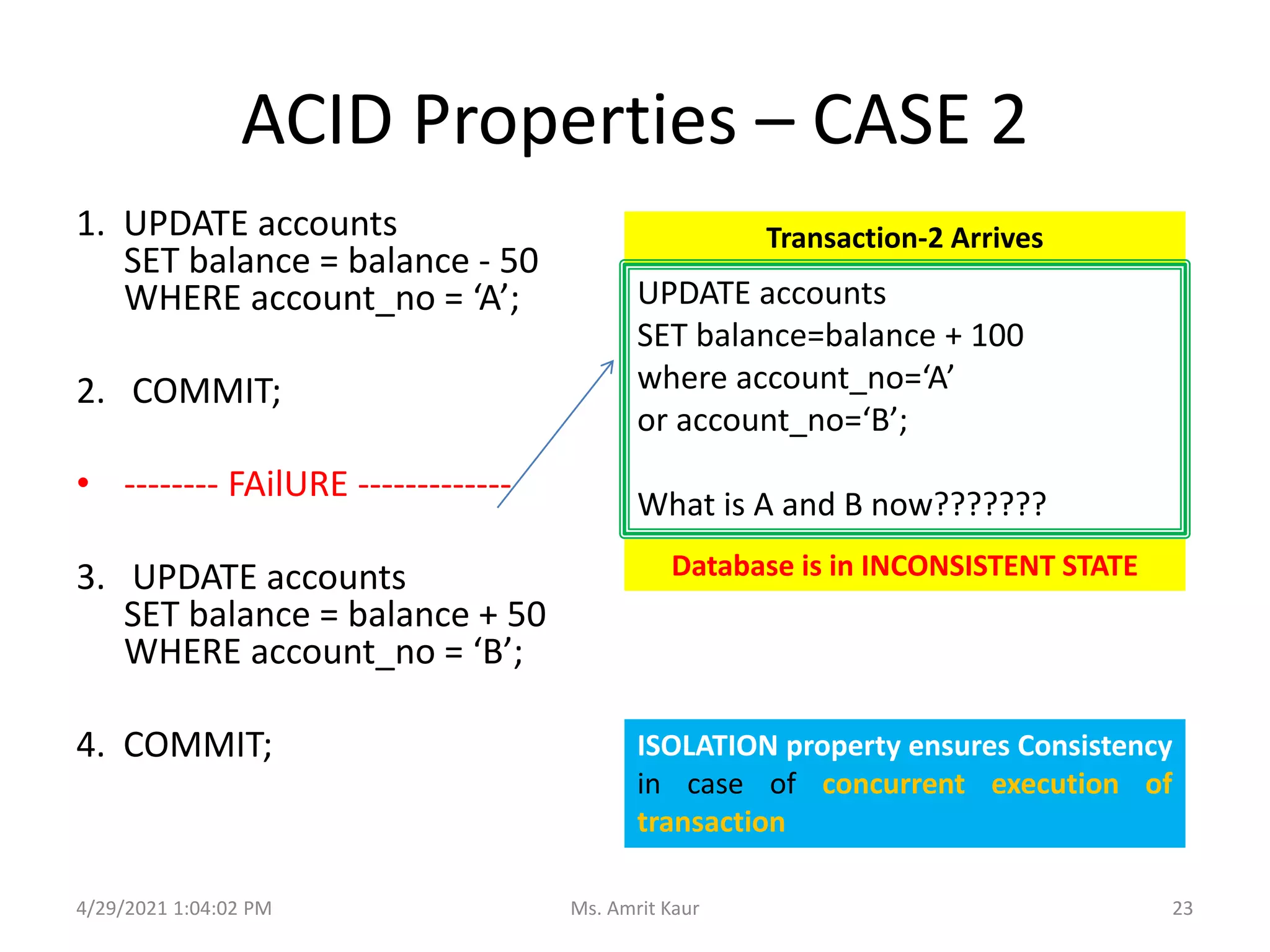
ACID Properties – CASE 2
1. UPDATE accounts
SET balance = balance - 50
WHERE account_no = ‘A’;
2. COMMIT;
• -------- FAilURE -------------
3. UPDATE accounts
SET balance = balance + 50
WHERE account_no = ‘B’;
4. COMMIT;
Amount deducted from ONE account
NOT deposited in another account.
What will be the new value of balance?
A= 950
B= 2000
---------------------------------
2950 inconsistent
---------------------------------
Atomicity says either 1,2,3,4 all steps are
performed or none.
In case of Failure, ROLLBACK(none).
NOW, What will be the new value of
balance?
A= 950
B=2050
---------------------------------
3000 consistent
---------------------------------
Before executing sum of two account is
3000 and after transaction also 3000.
4/29/2021 1:04:02 PM 22
Ms. Amrit Kaur
ACID Properties – CASE 2
1. UPDATE accounts
SET balance = balance - 50
WHERE account_no = ‘A’;
2. COMMIT;
• -------- FAilURE -------------
3. UPDATE accounts
SET balance = balance + 50
WHERE account_no = ‘B’;
4. COMMIT;
Transaction-2 Arrives
ISOLATION property ensures Consistency
in case of concurrent execution of
transaction
UPDATE accounts
SET balance=balance + 100
where account_no=‘A’
or account_no=‘B’;
What is A and B now???????
Database is in INCONSISTENT STATE
4/29/2021 1:04:02 PM 23
Ms. Amrit Kaur
SCHEDULES
4.
4/29/2021 1:04:02 PM 24
Ms. Amrit Kaur
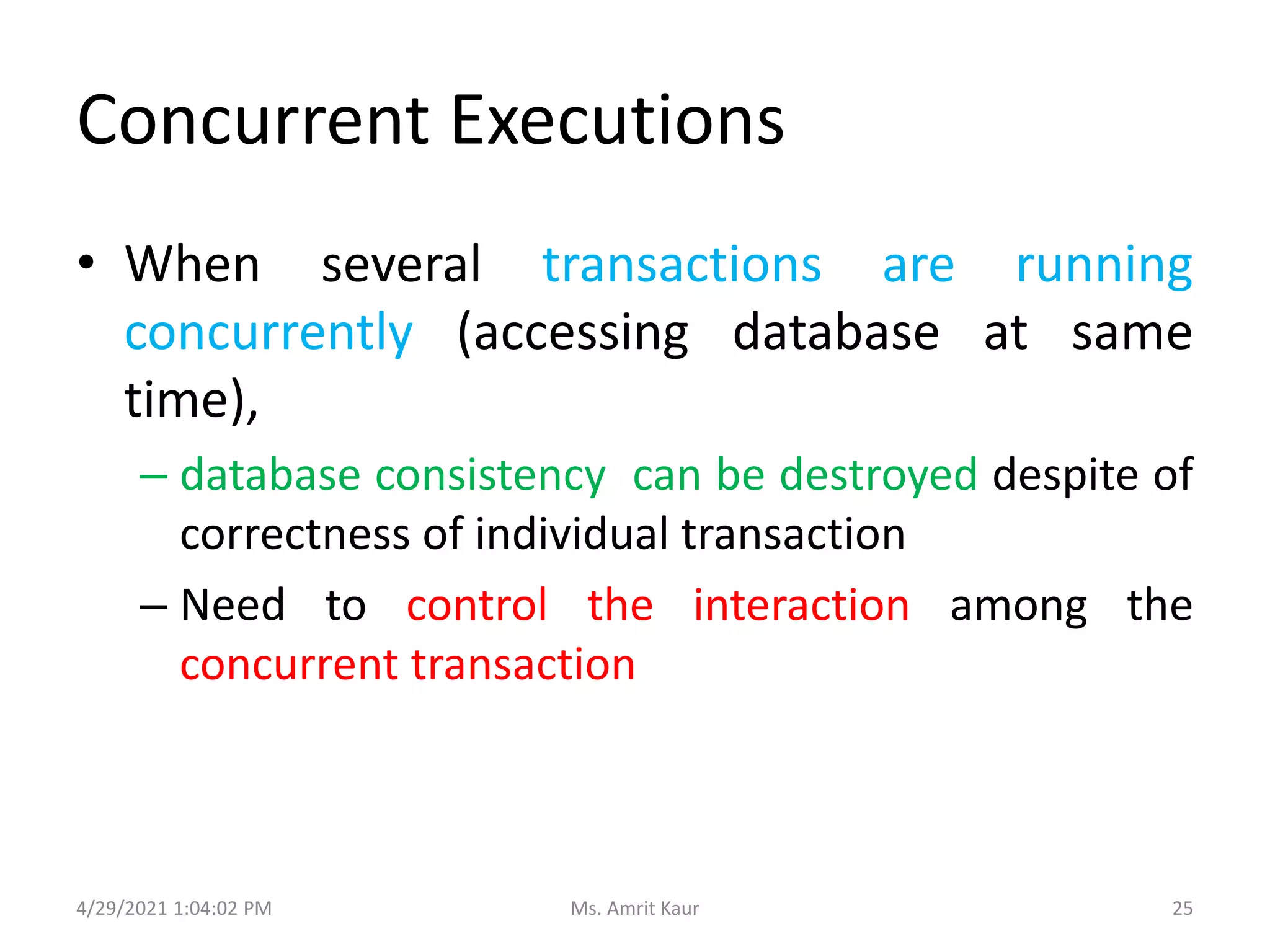
Concurrent Executions
• When several transactions are running
concurrently (accessing database at same
time),
– database consistency can be destroyed despite of
correctness of individual transaction
– Need to control the interaction among the
concurrent transaction
4/29/2021 1:04:02 PM 25
Ms. Amrit Kaur
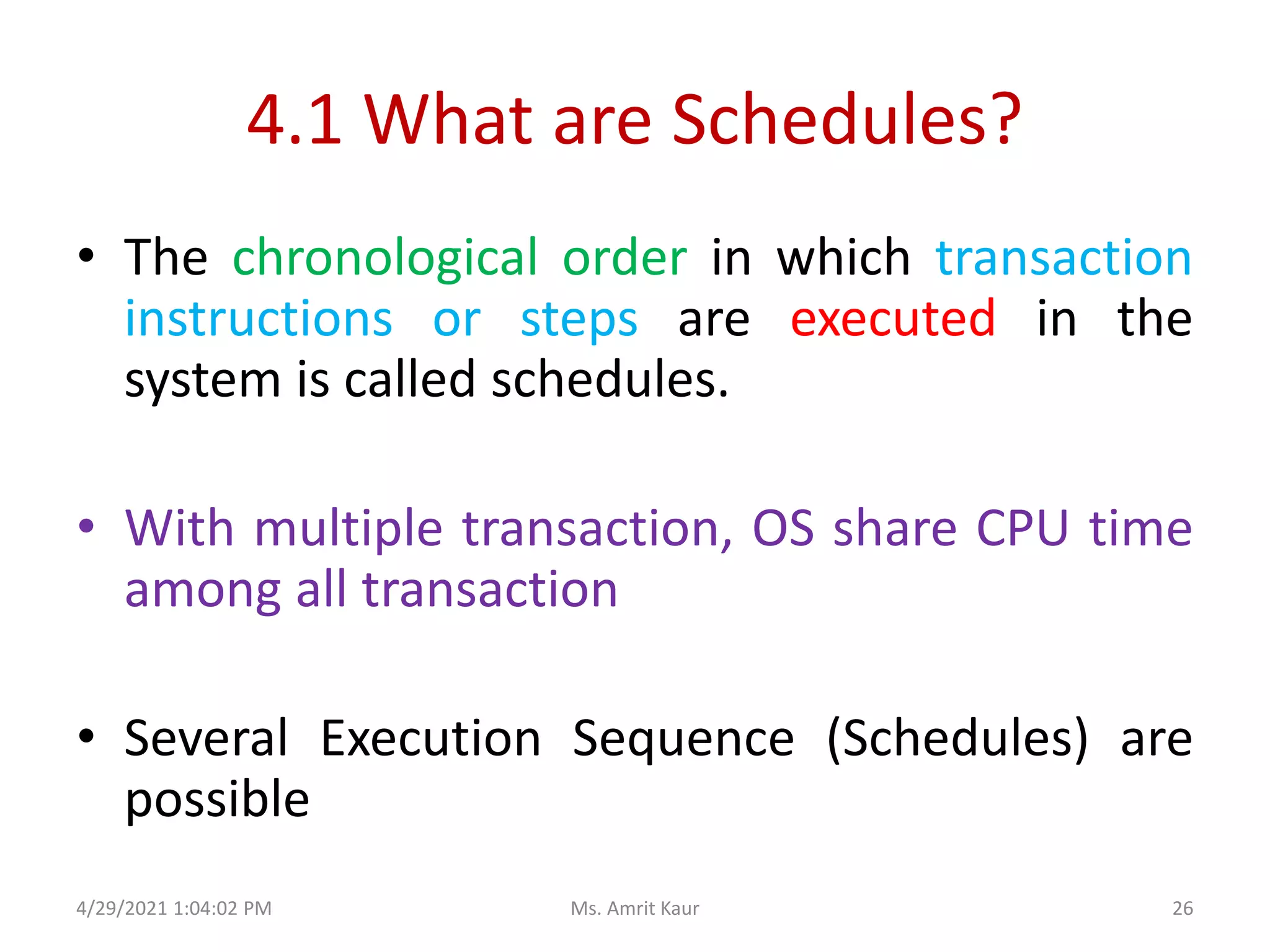
4.1 What are Schedules?
• The chronological order in which transaction
instructions or steps are executed in the
system is called schedules.
• With multiple transaction, OS share CPU time
among all transaction
• Several Execution Sequence (Schedules) are
possible
4/29/2021 1:04:02 PM 26
Ms. Amrit Kaur
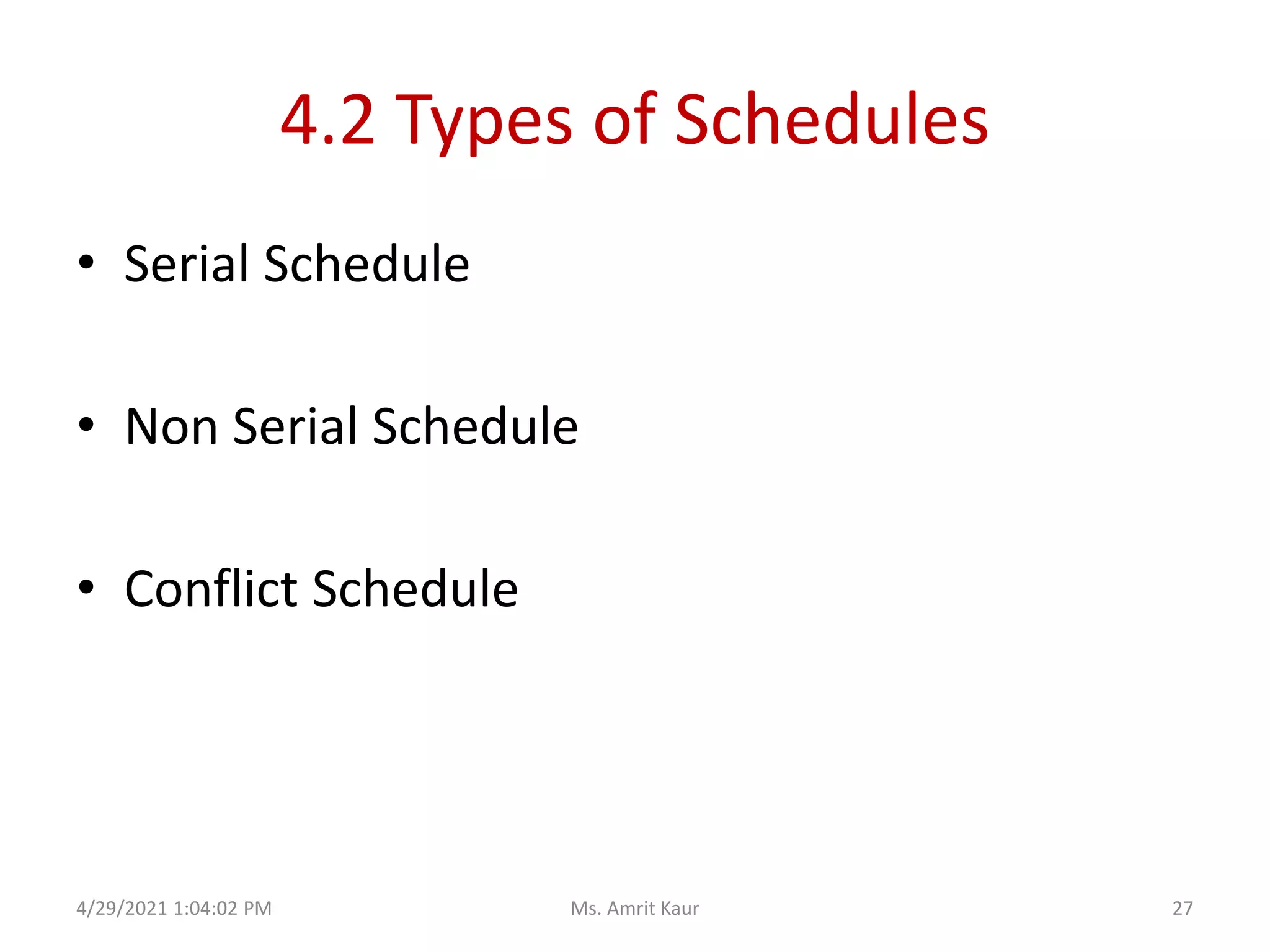
4.2 Types of Schedules
• Serial Schedule
• Non Serial Schedule
• Conflict Schedule
4/29/2021 1:04:02 PM 27
Ms. Amrit Kaur
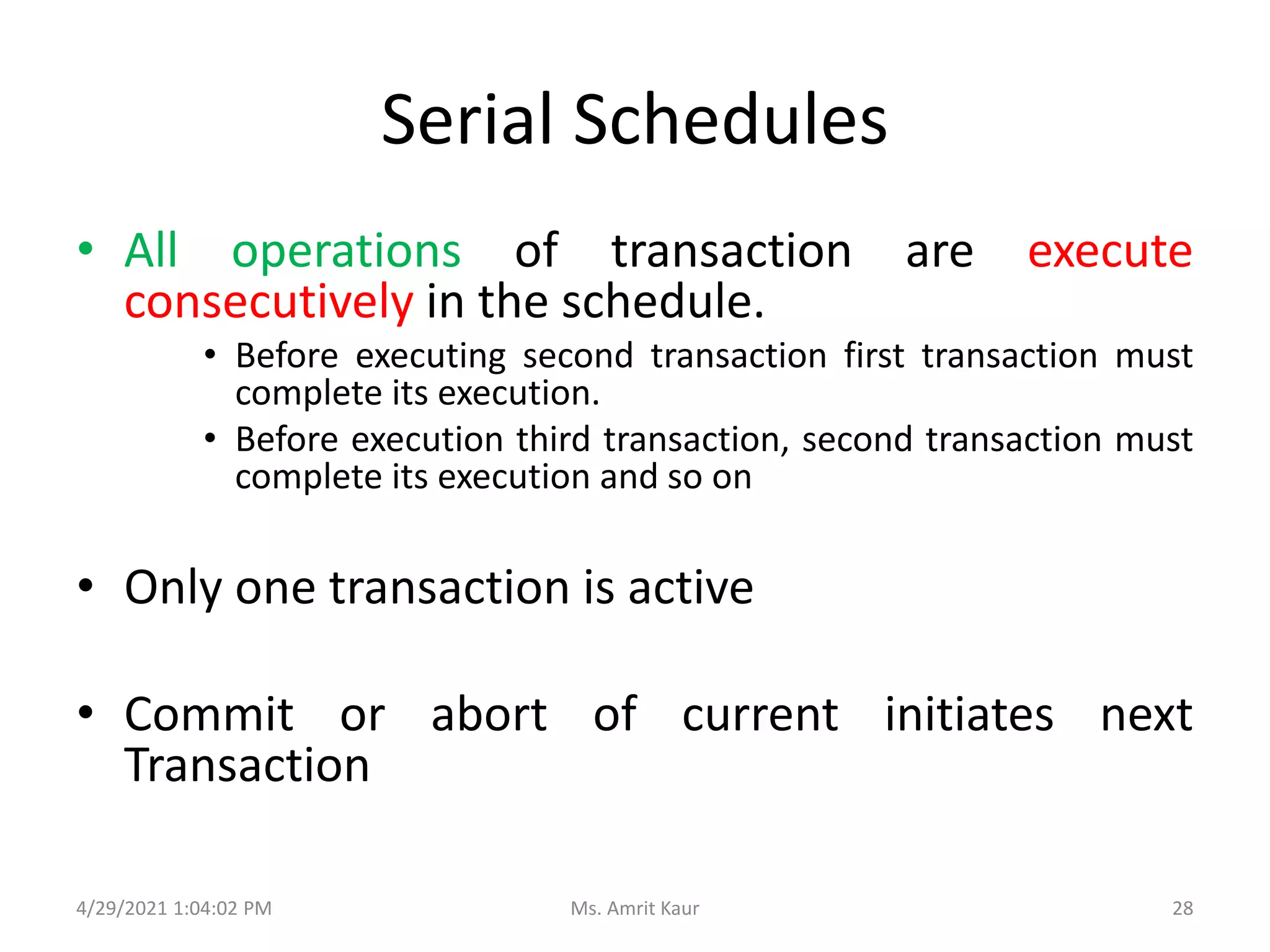
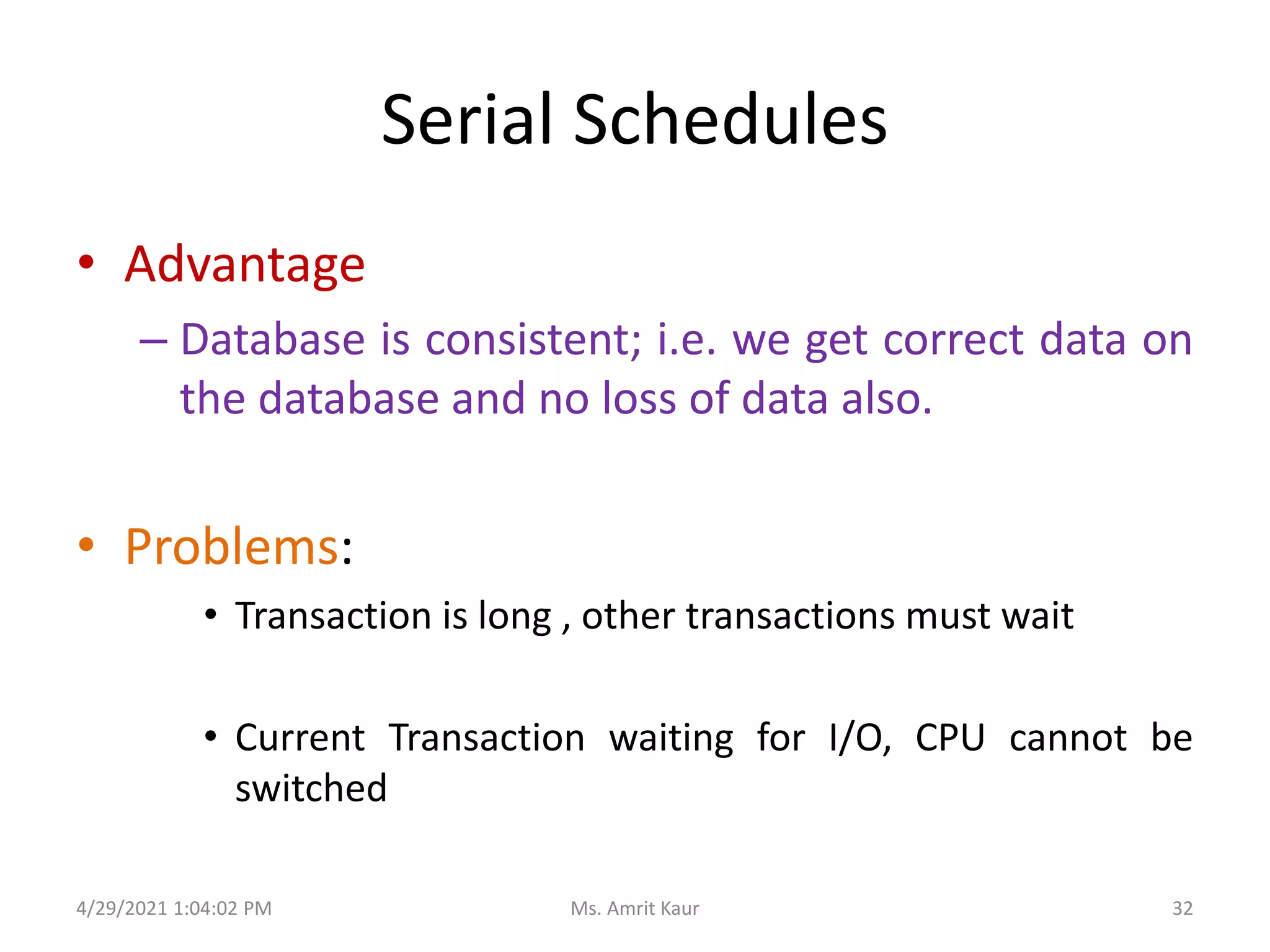
Serial Schedules
• All operations of transaction are execute
consecutively in the schedule.
• Before executing second transaction first transaction must
complete its execution.
• Before execution third transaction, second transaction must
complete its execution and so on
• Only one transaction is active
• Commit or abort of current initiates next
Transaction
4/29/2021 1:04:02 PM 28
Ms. Amrit Kaur
4/29/2021 1:04:02 PM
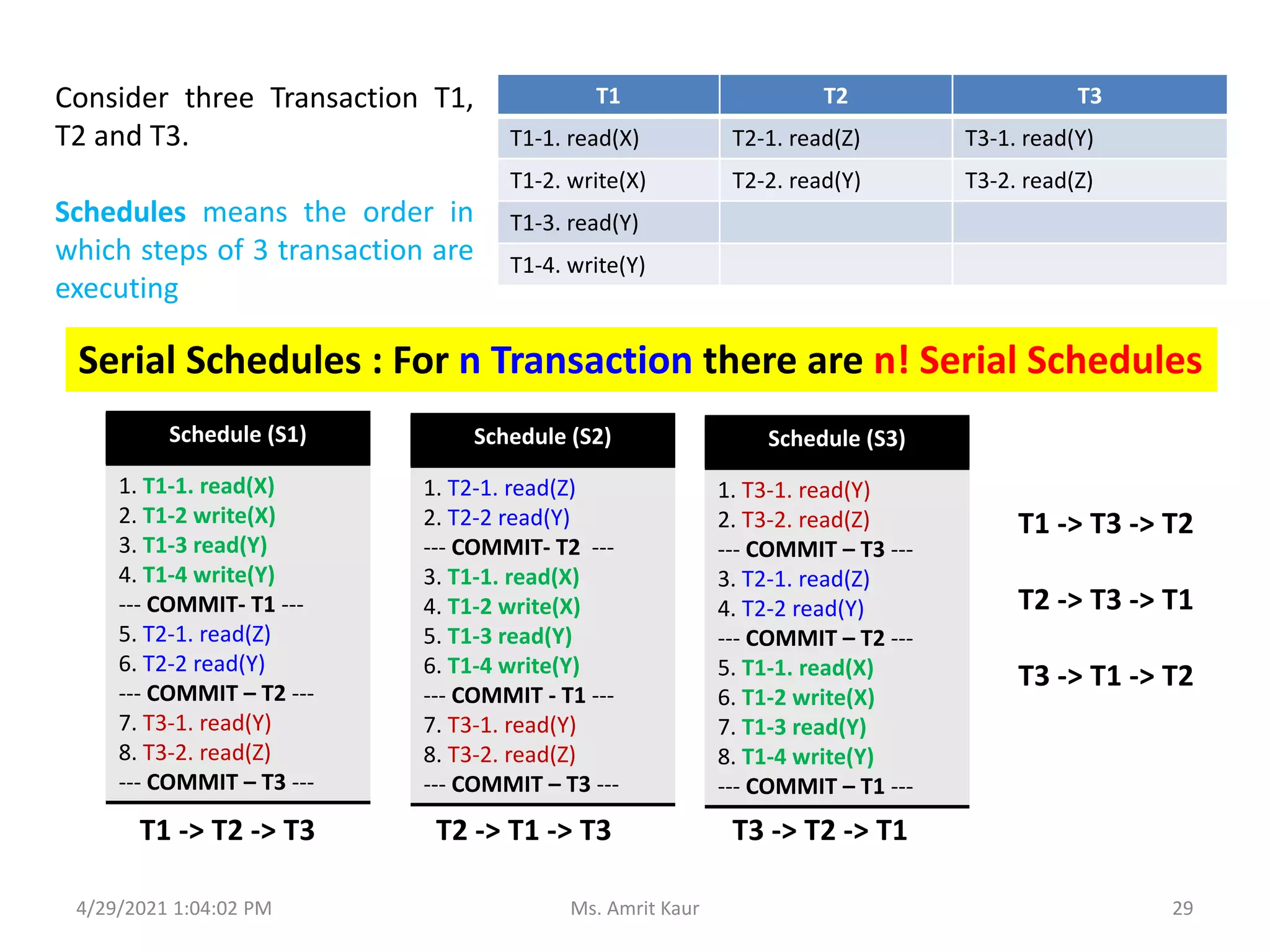
T1 T2 T3
T1-1. read(X) T2-1. read(Z) T3-1. read(Y)
T1-2. write(X) T2-2. read(Y) T3-2. read(Z)
T1-3. read(Y)
T1-4. write(Y)
Schedule (S1)
1. T1-1. read(X)
2. T1-2 write(X)
3. T1-3 read(Y)
4. T1-4 write(Y)
--- COMMIT- T1 ---
5. T2-1. read(Z)
6. T2-2 read(Y)
--- COMMIT – T2 ---
7. T3-1. read(Y)
8. T3-2. read(Z)
--- COMMIT – T3 ---
Schedule (S2)
1. T2-1. read(Z)
2. T2-2 read(Y)
--- COMMIT- T2 ---
3. T1-1. read(X)
4. T1-2 write(X)
5. T1-3 read(Y)
6. T1-4 write(Y)
--- COMMIT - T1 ---
7. T3-1. read(Y)
8. T3-2. read(Z)
--- COMMIT – T3 ---
Schedule (S3)
1. T3-1. read(Y)
2. T3-2. read(Z)
--- COMMIT – T3 ---
3. T2-1. read(Z)
4. T2-2 read(Y)
--- COMMIT – T2 ---
5. T1-1. read(X)
6. T1-2 write(X)
7. T1-3 read(Y)
8. T1-4 write(Y)
--- COMMIT – T1 ---
Consider three Transaction T1,
T2 and T3.
Schedules means the order in
which steps of 3 transaction are
executing
Serial Schedules : For n Transaction there are n! Serial Schedules
T1 -> T2 -> T3 T2 -> T1 -> T3 T3 -> T2 -> T1
T1 -> T3 -> T2
T2 -> T3 -> T1
T3 -> T1 -> T2
29
Ms. Amrit Kaur
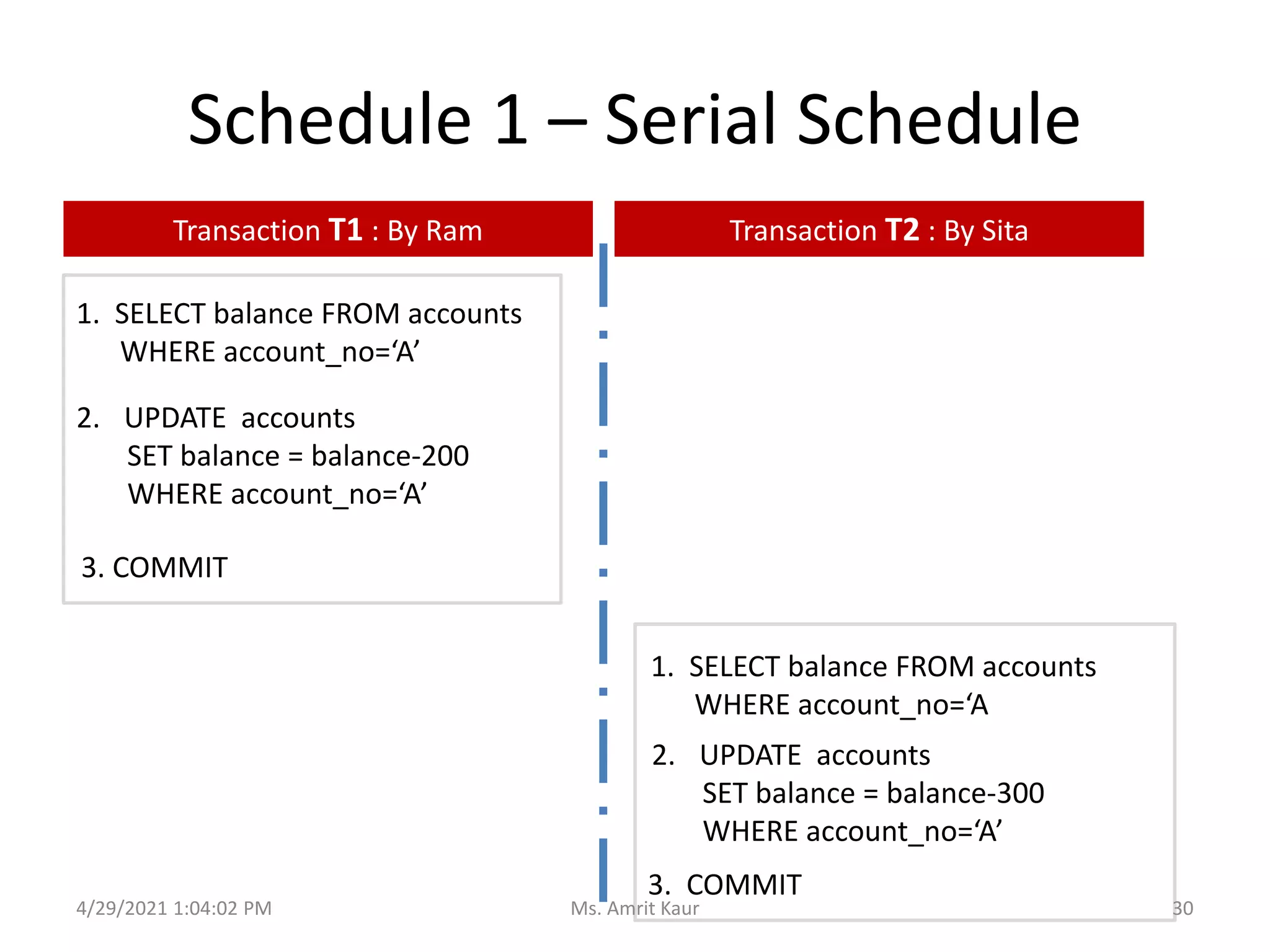
Schedule 1 – Serial Schedule
1. SELECT balance FROM accounts
WHERE account_no=‘A’
1. SELECT balance FROM accounts
WHERE account_no=‘A
2. UPDATE accounts
SET balance = balance-200
WHERE account_no=‘A’
2. UPDATE accounts
SET balance = balance-300
WHERE account_no=‘A’
3. COMMIT
3. COMMIT
Transaction T1 : By Ram Transaction T2 : By Sita
4/29/2021 1:04:02 PM 30
Ms. Amrit Kaur
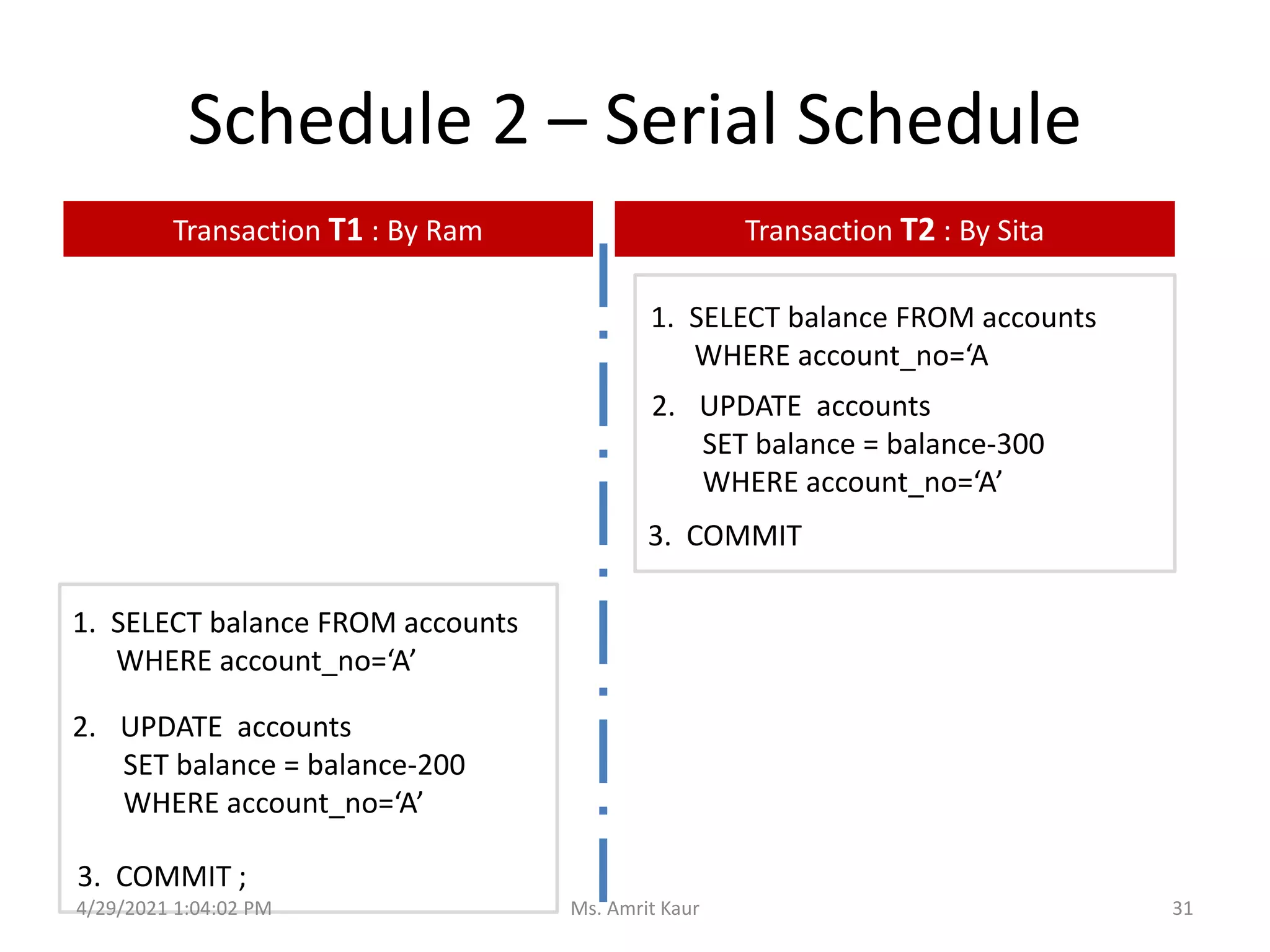
Schedule 2 – Serial Schedule
Transaction T1 : By Ram Transaction T2 : By Sita
1. SELECT balance FROM accounts
WHERE account_no=‘A’
2. UPDATE accounts
SET balance = balance-200
WHERE account_no=‘A’
3. COMMIT ;
1. SELECT balance FROM accounts
WHERE account_no=‘A
2. UPDATE accounts
SET balance = balance-300
WHERE account_no=‘A’
3. COMMIT
4/29/2021 1:04:02 PM 31
Ms. Amrit Kaur
Serial Schedules
• Advantage
– Database is consistent; i.e. we get correct data on
the database and no loss of data also.
• Problems:
• Transaction is long , other transactions must wait
• Current Transaction waiting for I/O, CPU cannot be
switched
4/29/2021 1:04:02 PM 32
Ms. Amrit Kaur
4.2 Types of Schedules
• Serial Schedule
• Non Serial Schedule
• Conflict Schedule
4/29/2021 1:04:02 PM 33
Ms. Amrit Kaur
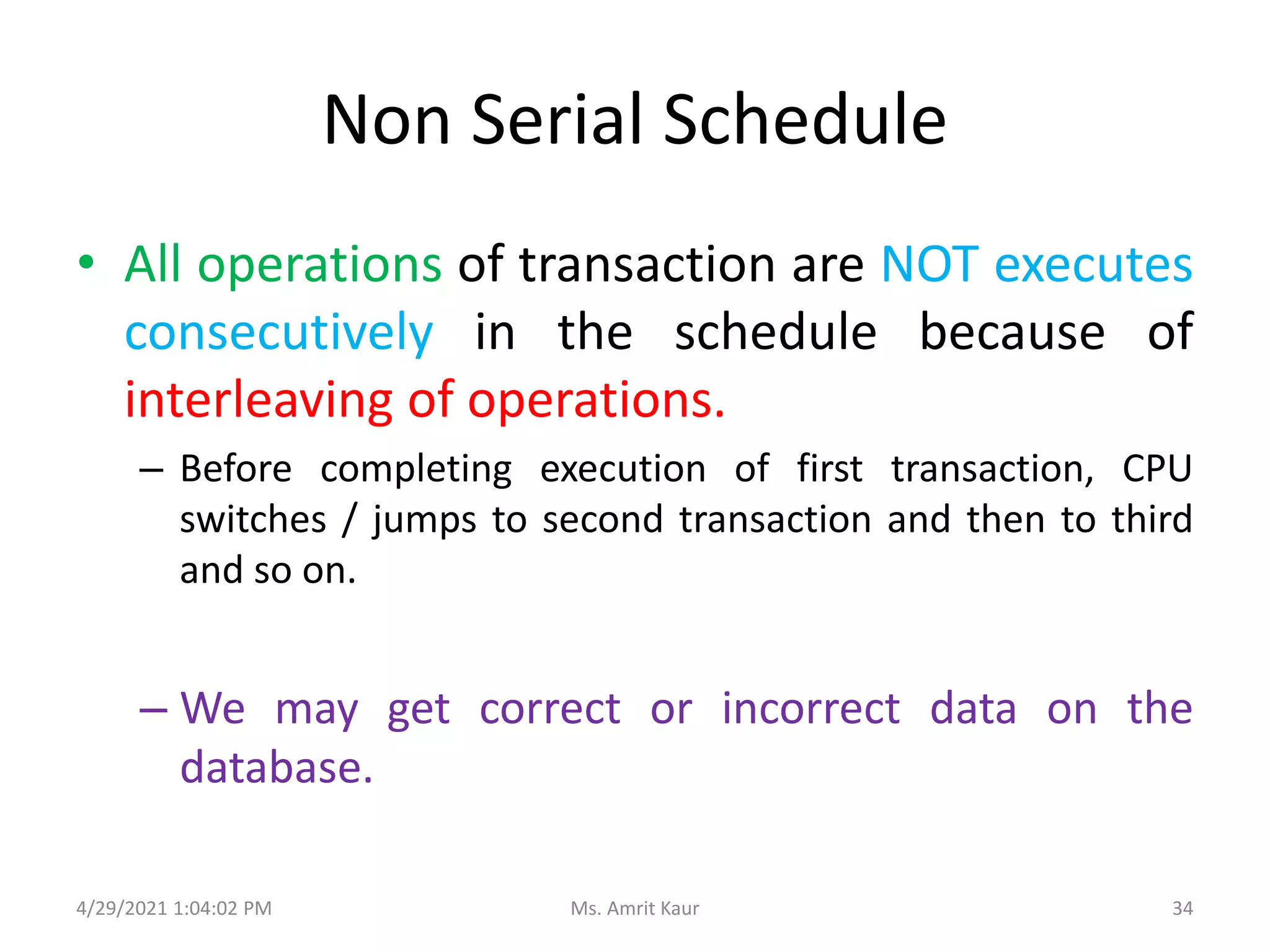
Non Serial Schedule
• All operations of transaction are NOT executes
consecutively in the schedule because of
interleaving of operations.
– Before completing execution of first transaction, CPU
switches / jumps to second transaction and then to third
and so on.
– We may get correct or incorrect data on the
database.
4/29/2021 1:04:02 PM 34
Ms. Amrit Kaur
4/29/2021 1:04:02 PM
T1 T2 T3
T1-1. read(X) T2-1. read(Z) T3-1. read(Y)
T1-2. write(X) T2-2. read(Y) T3-2. read(Z)
T1-3. read(Y)
T1-4. write(Y)
Schedule (S1)
1. T1-1. read(X)
2. T2-1. read(Z)
3. T3-1. read(Y)
4. T1-2 write(X)
5. T2-2 read(Y)
6. T2-2. read(Z)
7. T1-3 read(Y)
8. T1-4 write(Y)
Schedule (S2)
1. T2-1. read(Z)
2. T1-1. read(X)
3. T1-2 write(X)
4. T3-1. read(Y)
5. T1-3 read(Y)
6. T2-2 read(Y)
7. T1-4 write(Y)
8. T2-2. read(Z)
Schedule (S3)
1. T3-1. read(Y)
2. T2-1. read(Z)
3. T1-1. read(X)
4. T1-2 write(X)
5. T2-2 read(Y)
6. T2-2. read(Z)
7. T1-3 read(Y)
8. T1-4 write(Y)
Consider three Transaction T1,
T2 and T3.
Schedules means the order in
which steps of 3 transaction are
executing
For n Transaction there are MANY Non Serial Schedules
and many more
combination
Which schedule will leave database in consistent state?
In which schedule, recovery from failure is safe and proper?
35
Ms. Amrit Kaur
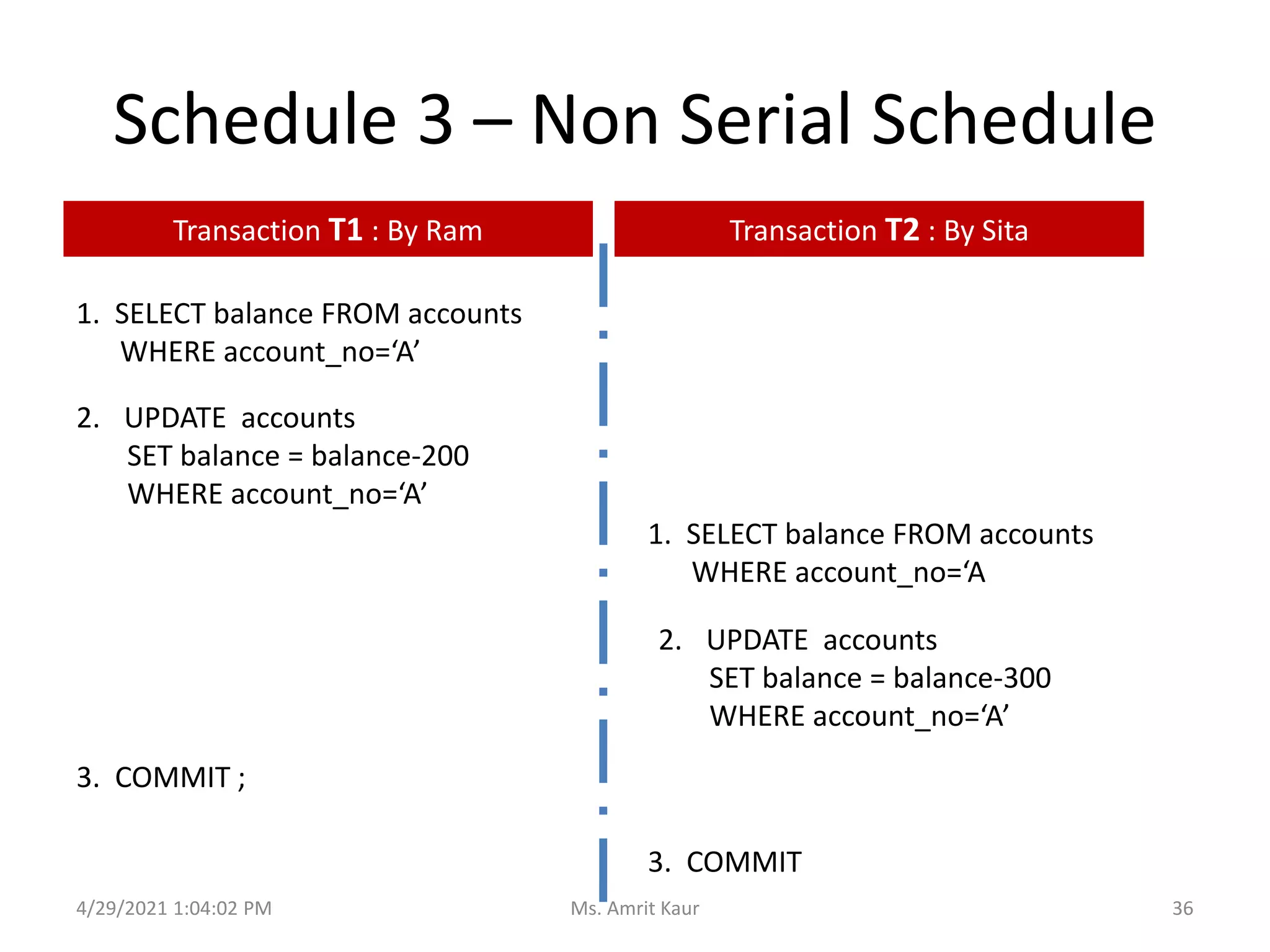
Schedule 3 – Non Serial Schedule
1. SELECT balance FROM accounts
WHERE account_no=‘A’
1. SELECT balance FROM accounts
WHERE account_no=‘A
2. UPDATE accounts
SET balance = balance-200
WHERE account_no=‘A’
2. UPDATE accounts
SET balance = balance-300
WHERE account_no=‘A’
3. COMMIT ;
3. COMMIT
Transaction T1 : By Ram Transaction T2 : By Sita
4/29/2021 1:04:02 PM 36
Ms. Amrit Kaur
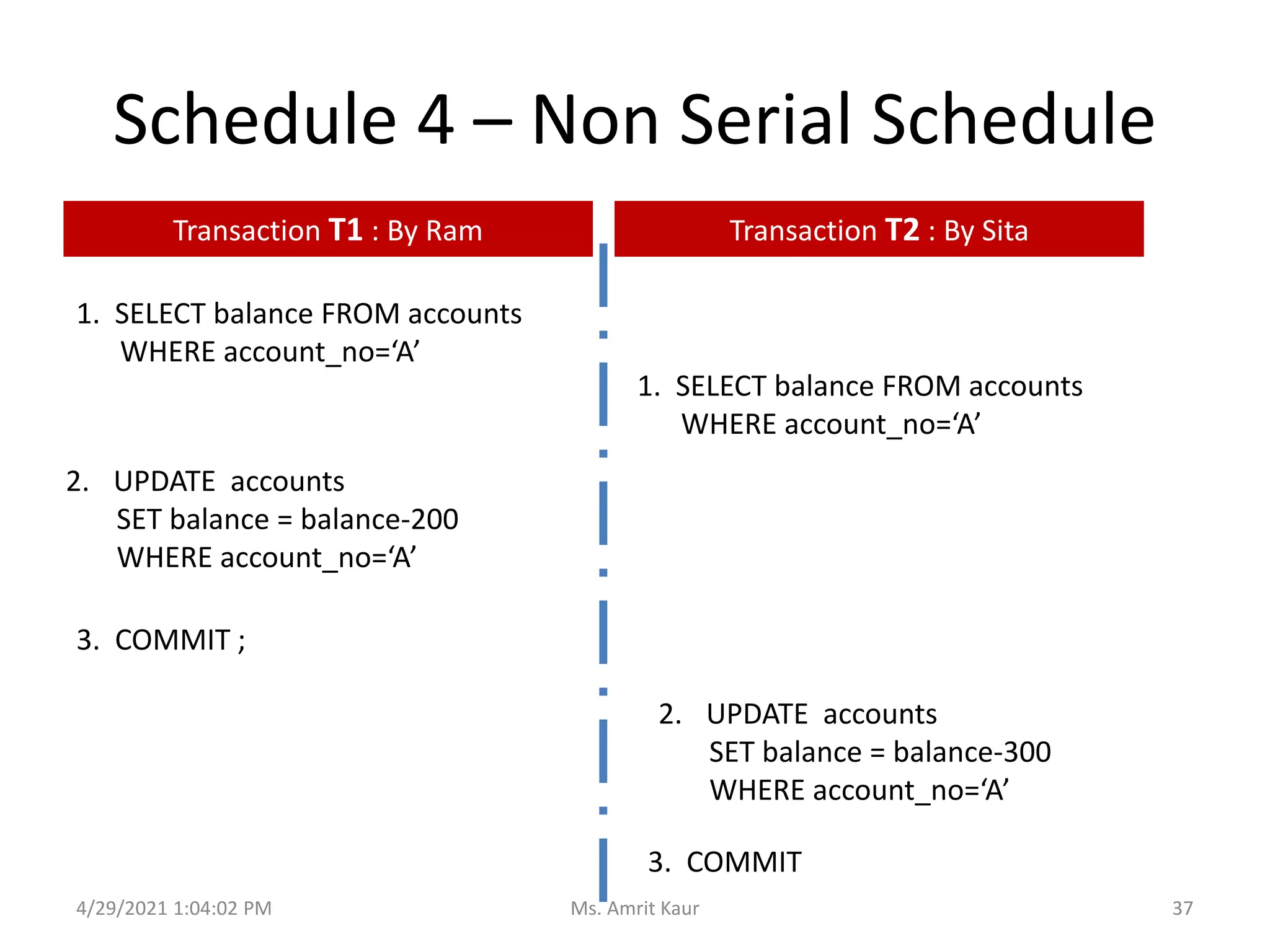
Schedule 4 – Non Serial Schedule
1. SELECT balance FROM accounts
WHERE account_no=‘A’
1. SELECT balance FROM accounts
WHERE account_no=‘A’
2. UPDATE accounts
SET balance = balance-200
WHERE account_no=‘A’
2. UPDATE accounts
SET balance = balance-300
WHERE account_no=‘A’
3. COMMIT ;
3. COMMIT
Transaction T1 : By Ram Transaction T2 : By Sita
4/29/2021 1:04:02 PM 37
Ms. Amrit Kaur
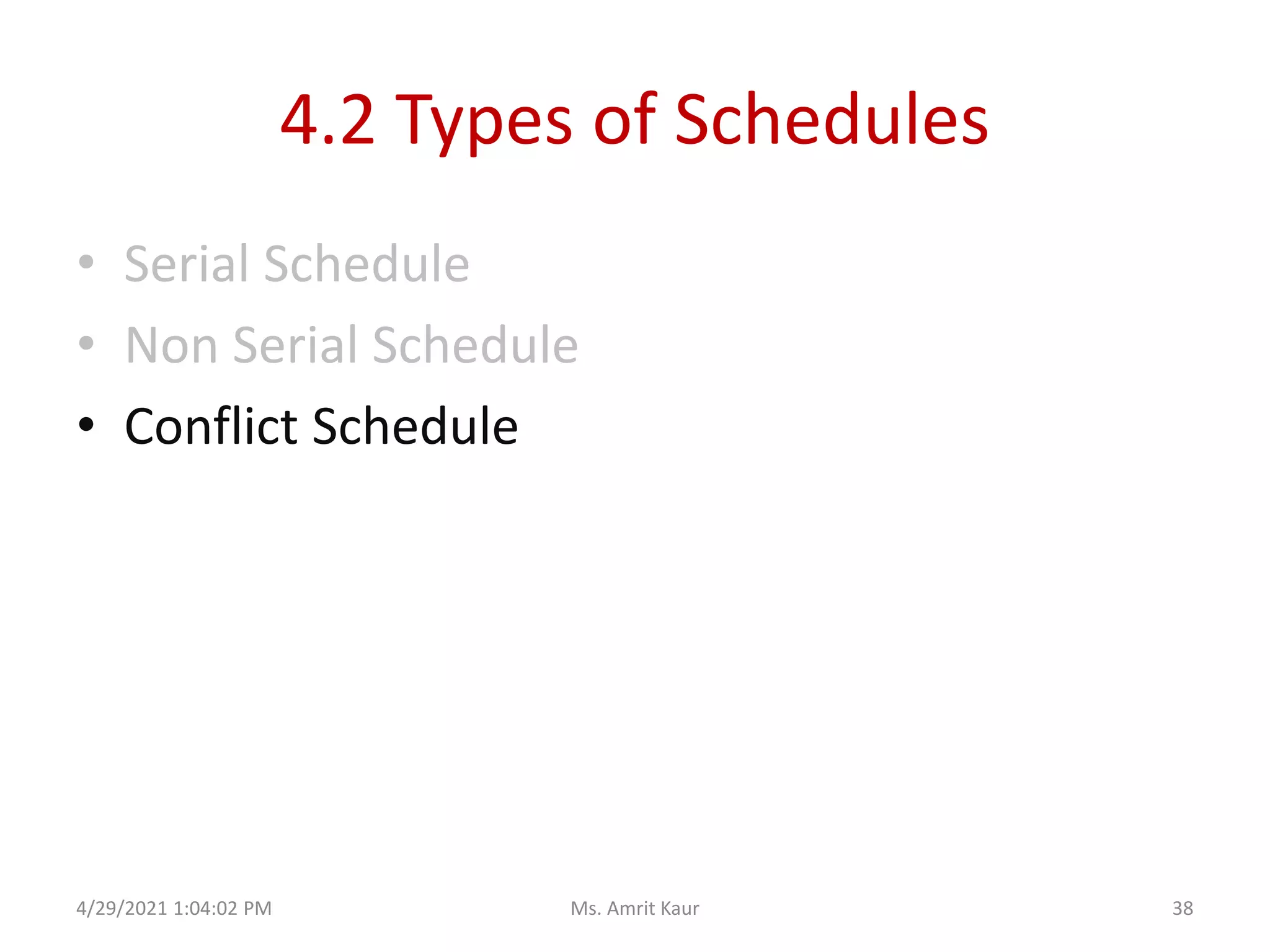
4.2 Types of Schedules
• Serial Schedule
• Non Serial Schedule
• Conflict Schedule
4/29/2021 1:04:02 PM 38
Ms. Amrit Kaur
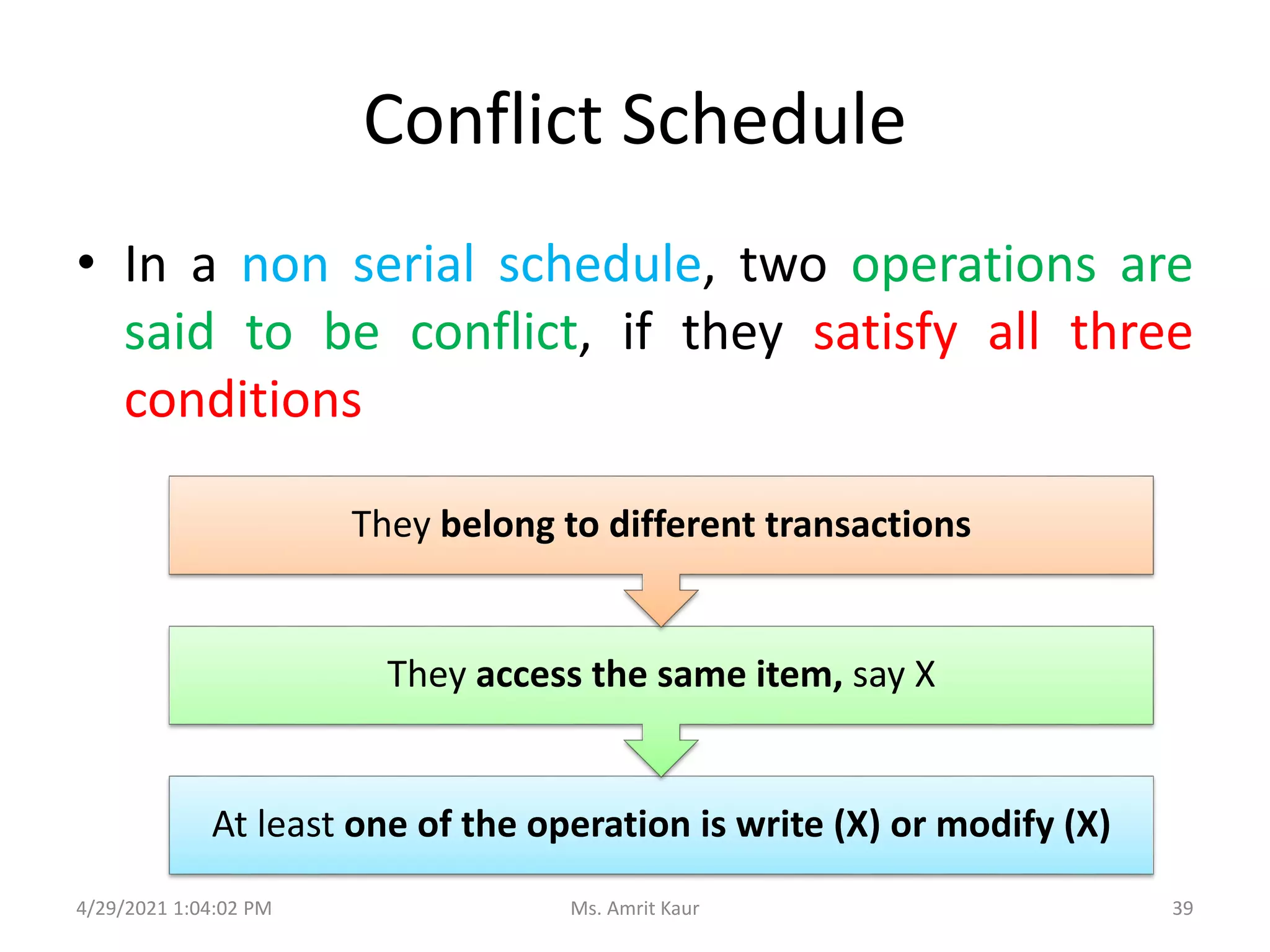
Conflict Schedule
• In a non serial schedule, two operations are
said to be conflict, if they satisfy all three
conditions
4/29/2021 1:04:02 PM
At least one of the operation is write (X) or modify (X)
They access the same item, say X
They belong to different transactions
39
Ms. Amrit Kaur
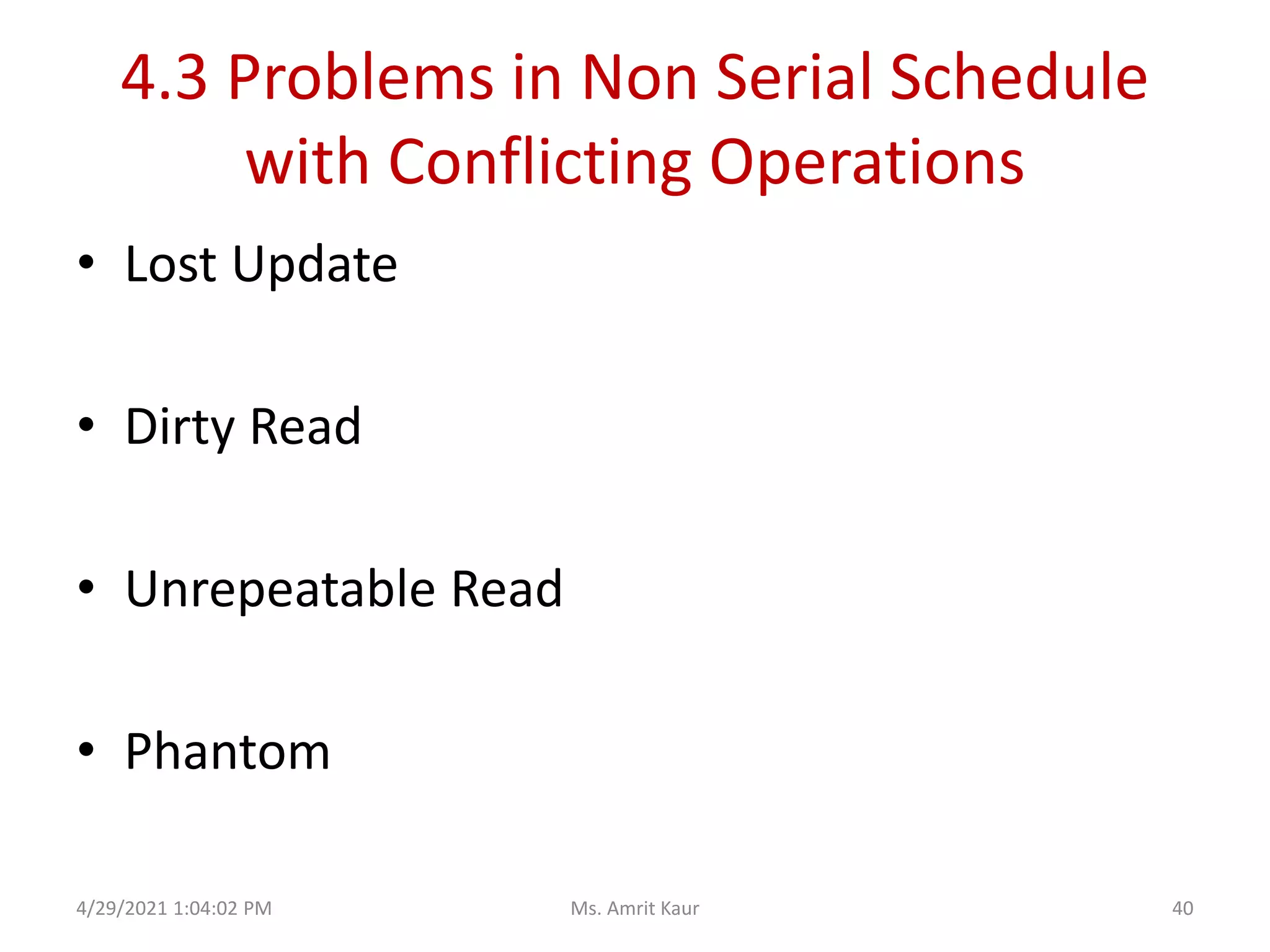
4.3 Problems in Non Serial Schedule
with Conflicting Operations
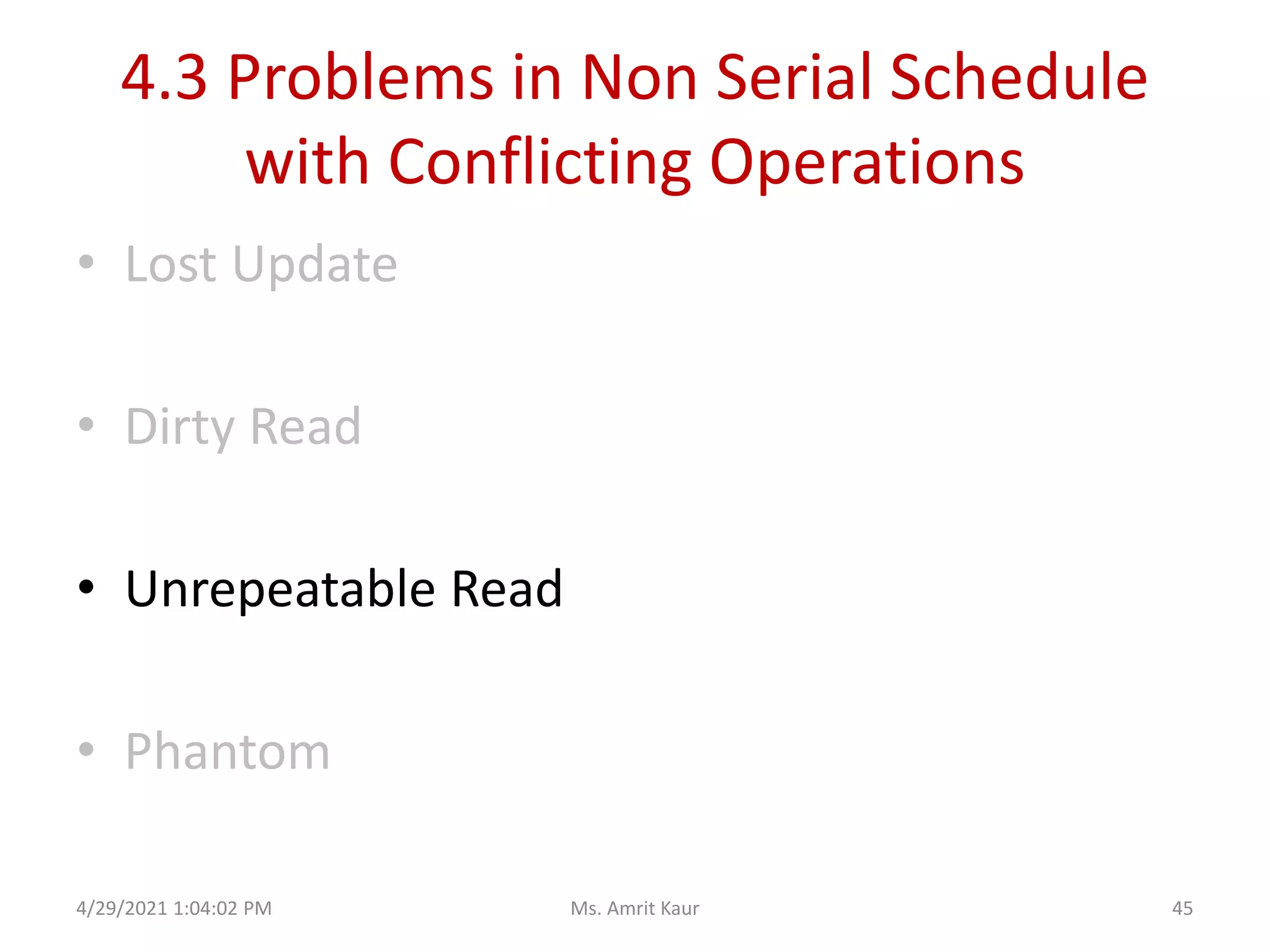
• Lost Update
• Dirty Read
• Unrepeatable Read
• Phantom
4/29/2021 1:04:02 PM 40
Ms. Amrit Kaur
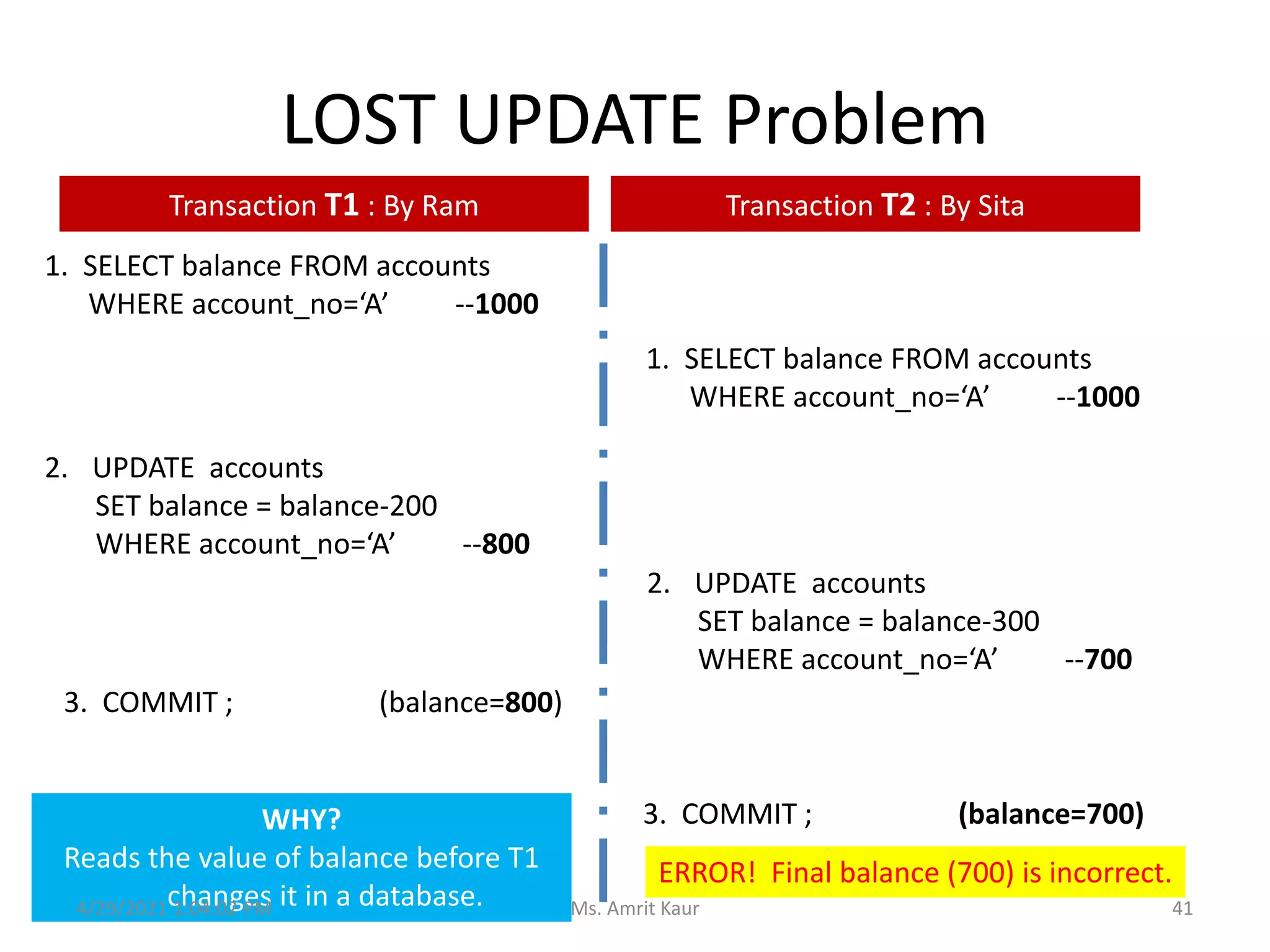
LOST UPDATE Problem
1. SELECT balance FROM accounts
WHERE account_no=‘A’ --1000
1. SELECT balance FROM accounts
WHERE account_no=‘A’ --1000
2. UPDATE accounts
SET balance = balance-200
WHERE account_no=‘A’ --800
2. UPDATE accounts
SET balance = balance-300
WHERE account_no=‘A’ --700
3. COMMIT ; (balance=800)
3. COMMIT ; (balance=700)
ERROR! Final balance (700) is incorrect.
WHY?
Reads the value of balance before T1
changes it in a database.
Transaction T1 : By Ram Transaction T2 : By Sita
4/29/2021 1:04:02 PM 41
Ms. Amrit Kaur
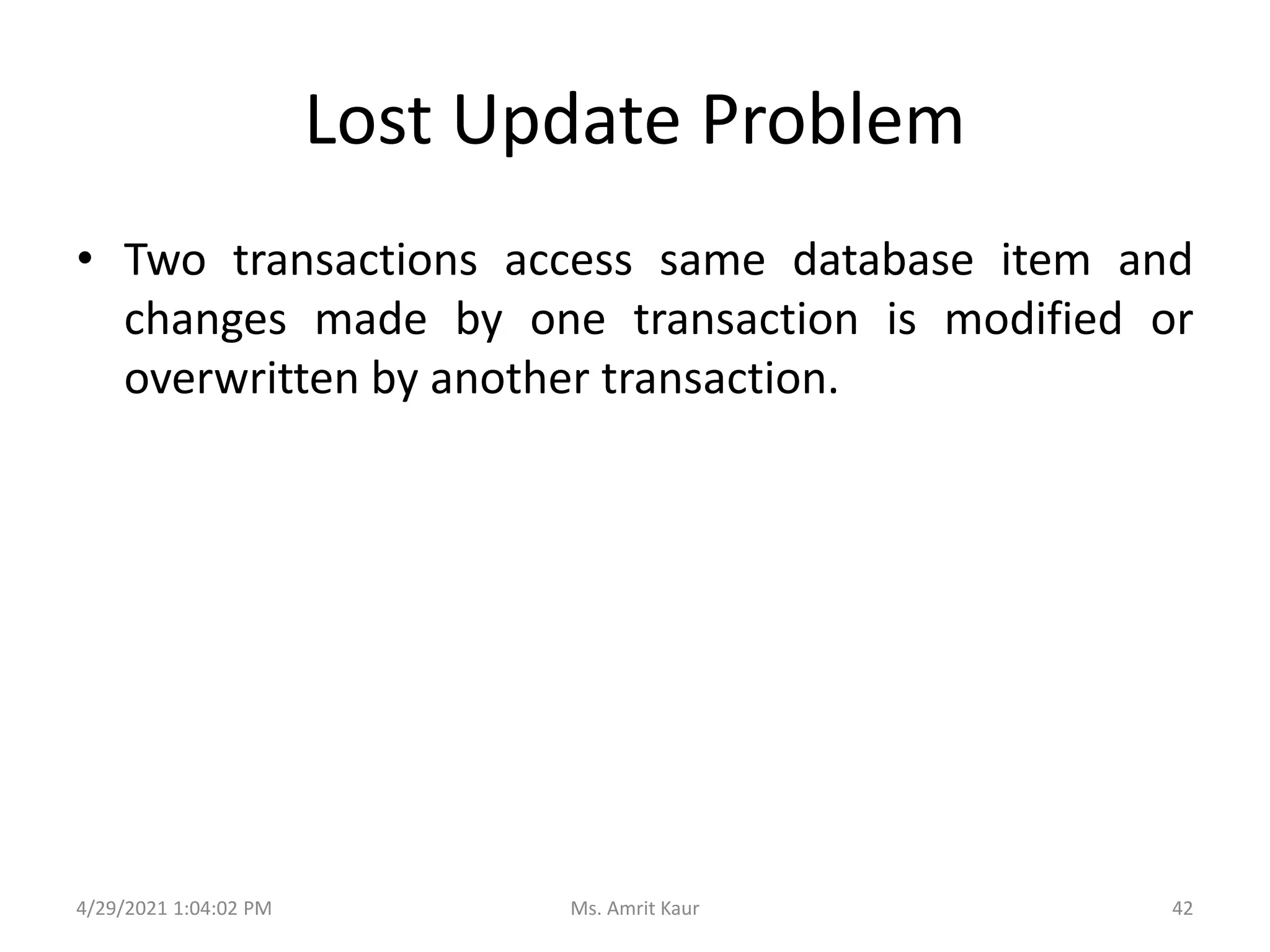
Lost Update Problem
• Two transactions access same database item and
changes made by one transaction is modified or
overwritten by another transaction.
4/29/2021 1:04:02 PM 42
Ms. Amrit Kaur
4.3 Problems in Non Serial Schedule
with Conflicting Operations
• Lost Update
• Dirty Read
• Unrepeatable Read
• Phantom
4/29/2021 1:04:02 PM 43
Ms. Amrit Kaur
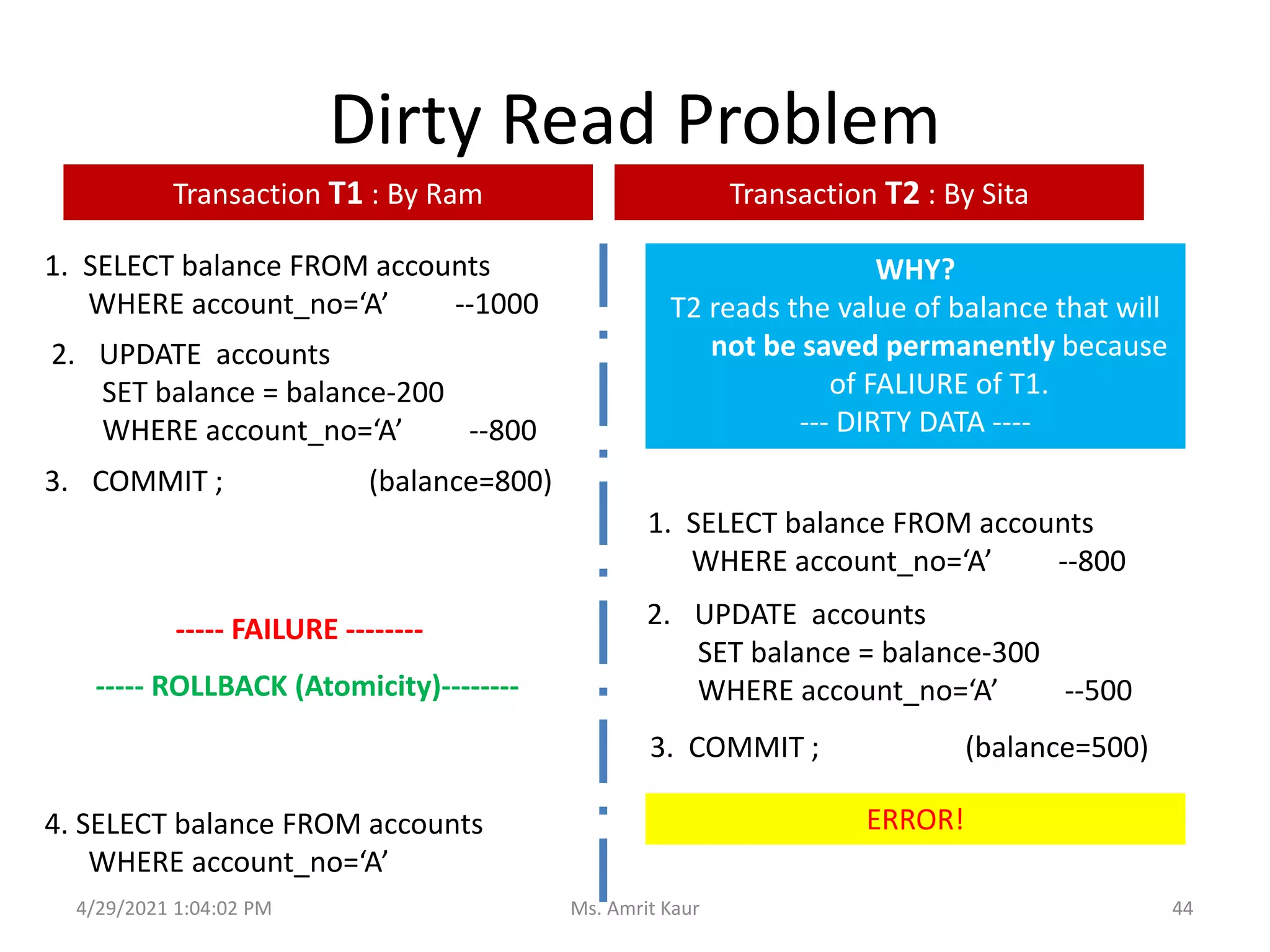
Dirty Read Problem
1. SELECT balance FROM accounts
WHERE account_no=‘A’ --1000
1. SELECT balance FROM accounts
WHERE account_no=‘A’ --800
2. UPDATE accounts
SET balance = balance-200
WHERE account_no=‘A’ --800
2. UPDATE accounts
SET balance = balance-300
WHERE account_no=‘A’ --500
3. COMMIT ; (balance=800)
4. SELECT balance FROM accounts
WHERE account_no=‘A’
3. COMMIT ; (balance=500)
ERROR!
WHY?
T2 reads the value of balance that will
not be saved permanently because
of FALIURE of T1.
--- DIRTY DATA ----
----- FAILURE --------
----- ROLLBACK (Atomicity)--------
Transaction T1 : By Ram Transaction T2 : By Sita
4/29/2021 1:04:02 PM 44
Ms. Amrit Kaur
4.3 Problems in Non Serial Schedule
with Conflicting Operations
• Lost Update
• Dirty Read
• Unrepeatable Read
• Phantom
4/29/2021 1:04:02 PM 45
Ms. Amrit Kaur
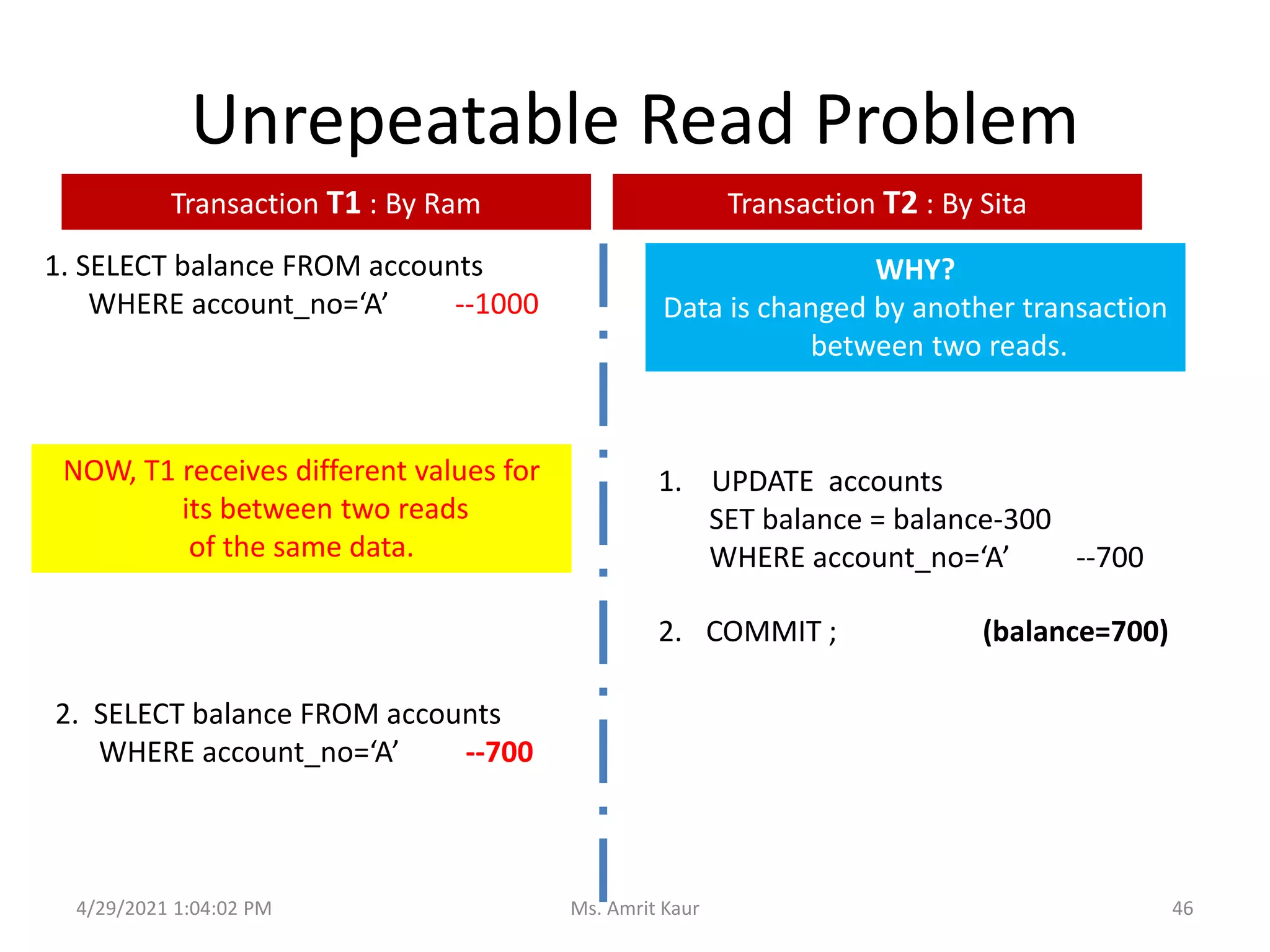
Unrepeatable Read Problem
1. SELECT balance FROM accounts
WHERE account_no=‘A’ --1000
1. UPDATE accounts
SET balance = balance-300
WHERE account_no=‘A’ --700
2. COMMIT ; (balance=700)
NOW, T1 receives different values for
its between two reads
of the same data.
WHY?
Data is changed by another transaction
between two reads.
2. SELECT balance FROM accounts
WHERE account_no=‘A’ --700
Transaction T1 : By Ram Transaction T2 : By Sita
4/29/2021 1:04:02 PM 46
Ms. Amrit Kaur
Unrepeatable Reads
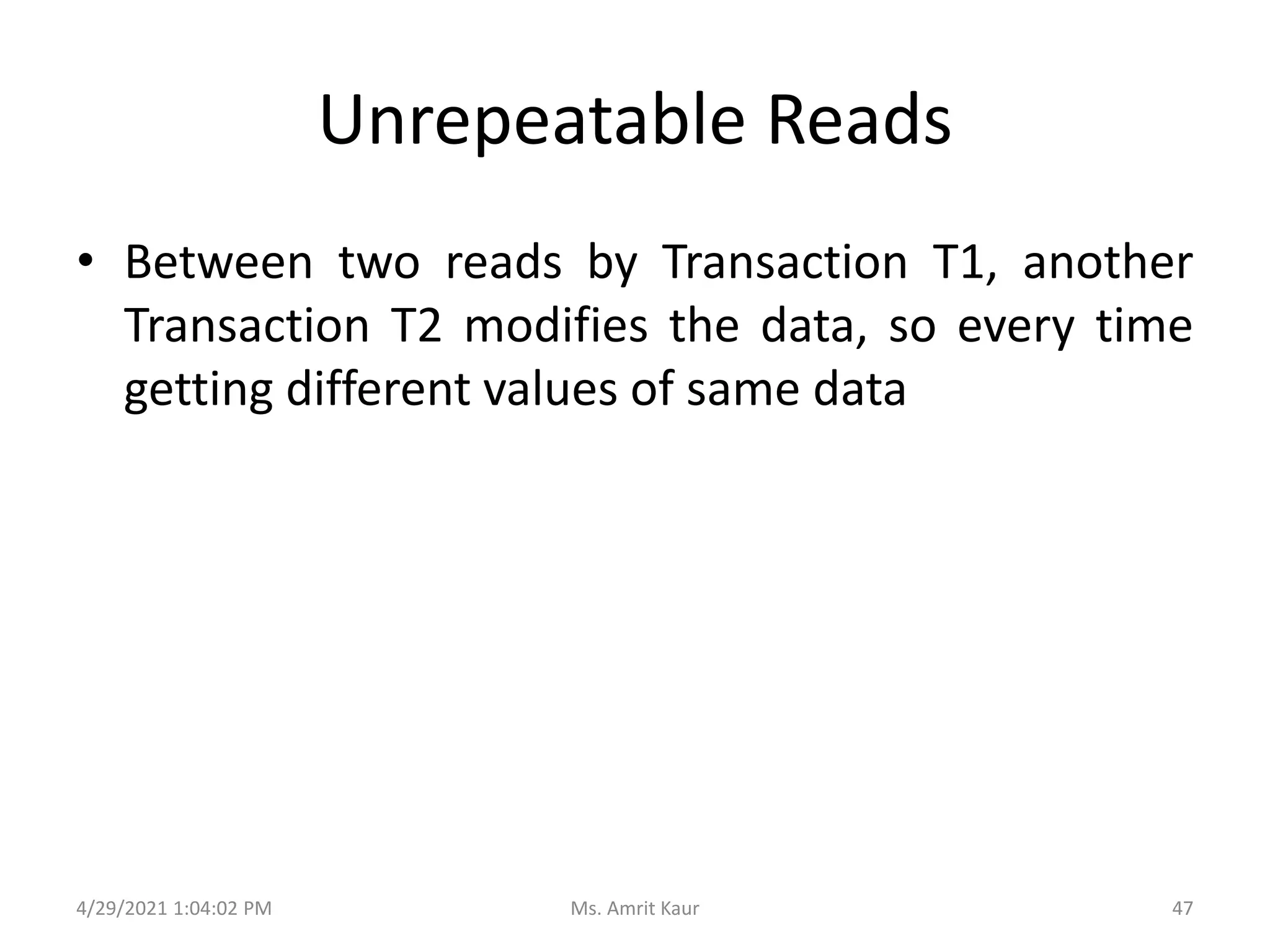
• Between two reads by Transaction T1, another
Transaction T2 modifies the data, so every time
getting different values of same data
4/29/2021 1:04:02 PM 47
Ms. Amrit Kaur
4.3 Problems in Non Serial Schedule
with Conflicting Operations
• Lost Update
• Dirty Read
• Unrepeatable Read
• Phantom
4/29/2021 1:04:02 PM 48
Ms. Amrit Kaur
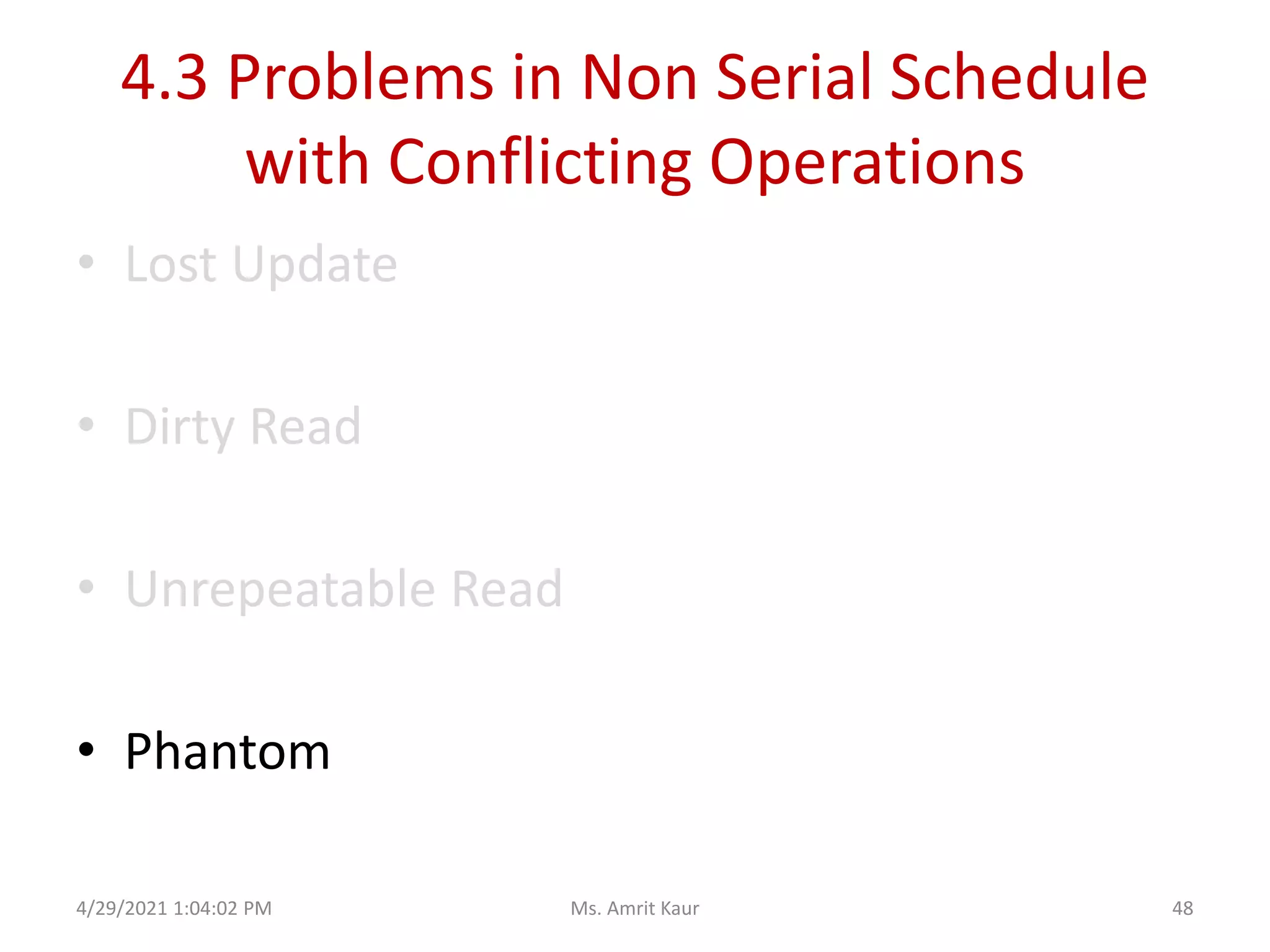
Phantoms
1. SELECT balance FROM accounts
WHERE account_type=‘saving’
--- 10 rows
1. INSERT INTO accounts VALUES
(,,,,’saving’);
2. COMMIT ;
SEE a Phantom.
2. SELECT balance FROM accounts
WHERE account_type=‘saving’
--- 11 rows
Transaction T1 : By Ram Transaction T2 : By Sita
A row that previously did not exist
4/29/2021 1:04:02 PM 49
Ms. Amrit Kaur
Phantoms
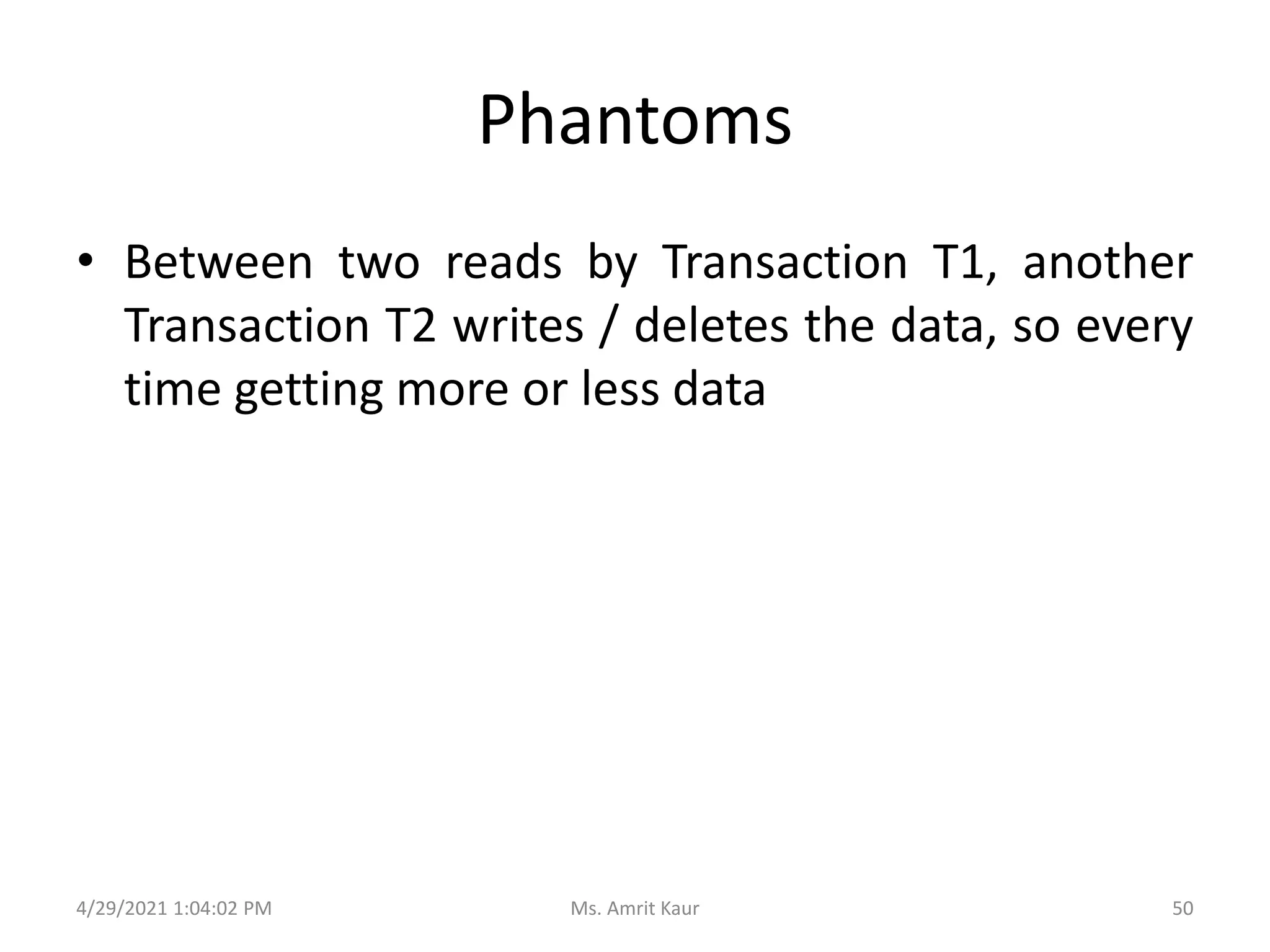
• Between two reads by Transaction T1, another
Transaction T2 writes / deletes the data, so every
time getting more or less data
4/29/2021 1:04:02 PM 50
Ms. Amrit Kaur
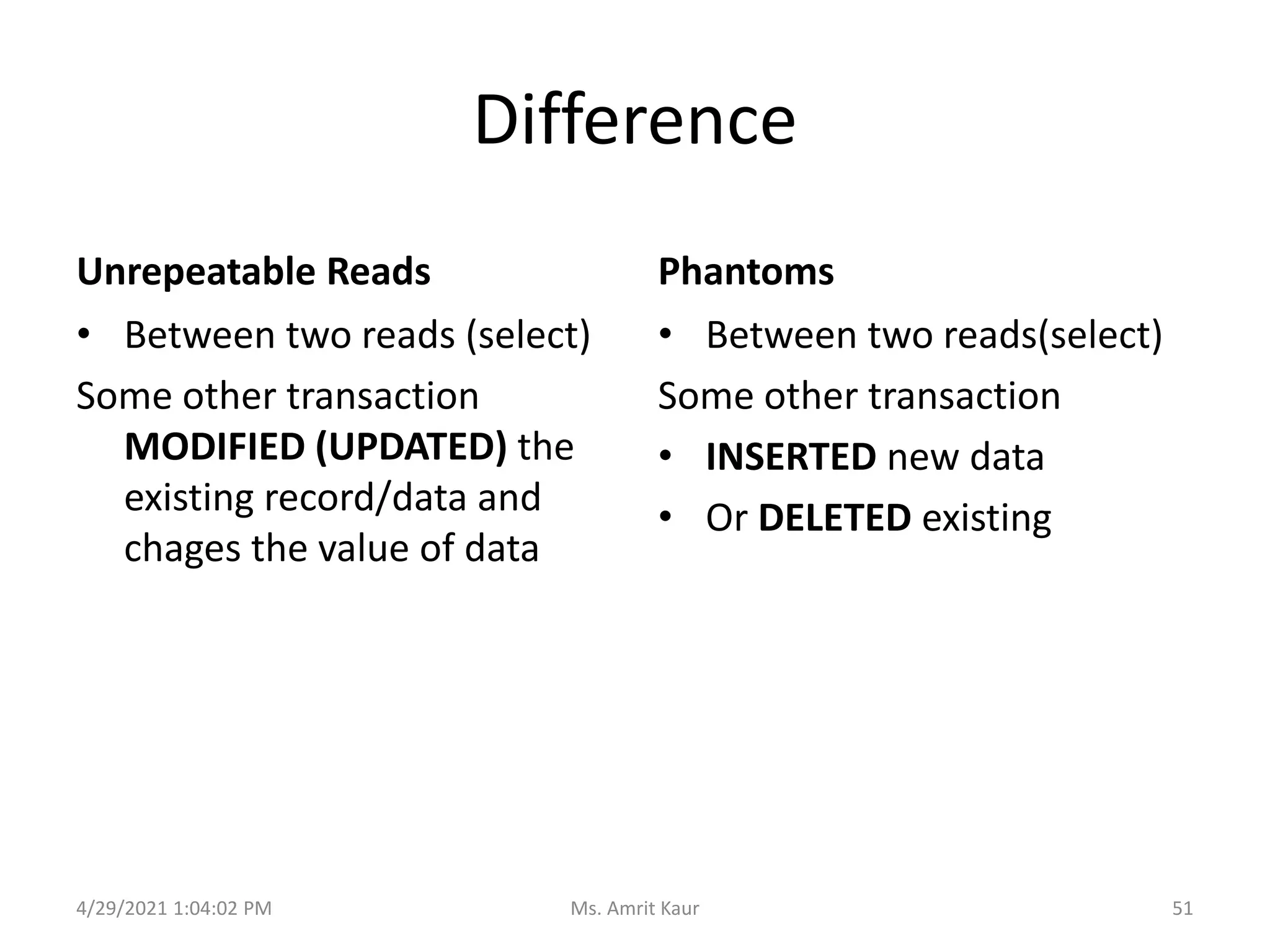
Difference
Unrepeatable Reads
• Between two reads (select)
Some other transaction
MODIFIED (UPDATED) the
existing record/data and
chages the value of data
Phantoms
• Between two reads(select)
Some other transaction
• INSERTED new data
• Or DELETED existing
4/29/2021 1:04:02 PM 51
Ms. Amrit Kaur
TESTING FOR SERIALIZABILITY
5
4/29/2021 1:04:02 PM 52
Ms. Amrit Kaur
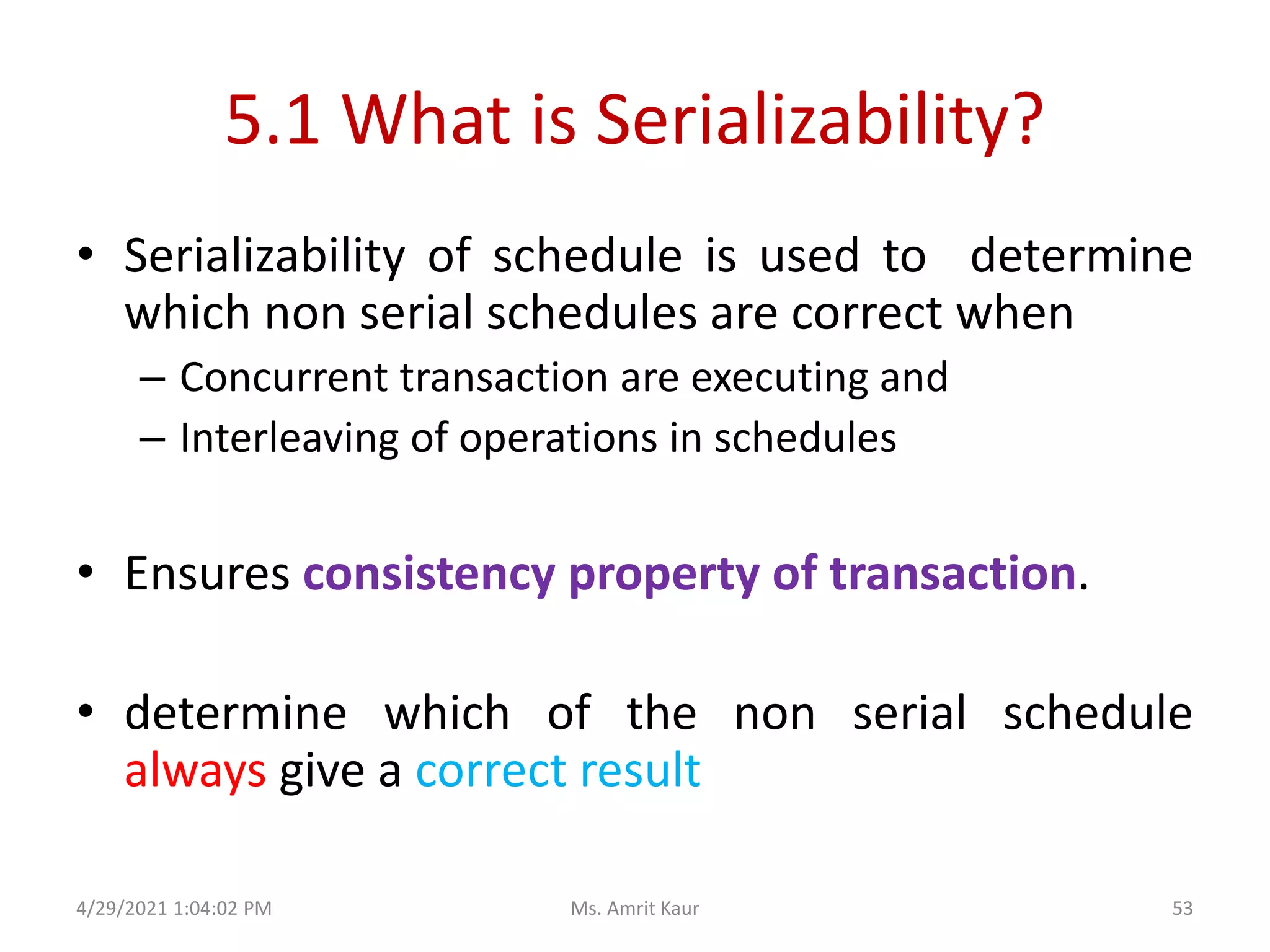
5.1 What is Serializability?
• Serializability of schedule is used to determine
which non serial schedules are correct when
– Concurrent transaction are executing and
– Interleaving of operations in schedules
• Ensures consistency property of transaction.
• determine which of the non serial schedule
always give a correct result
4/29/2021 1:04:02 PM 53
Ms. Amrit Kaur
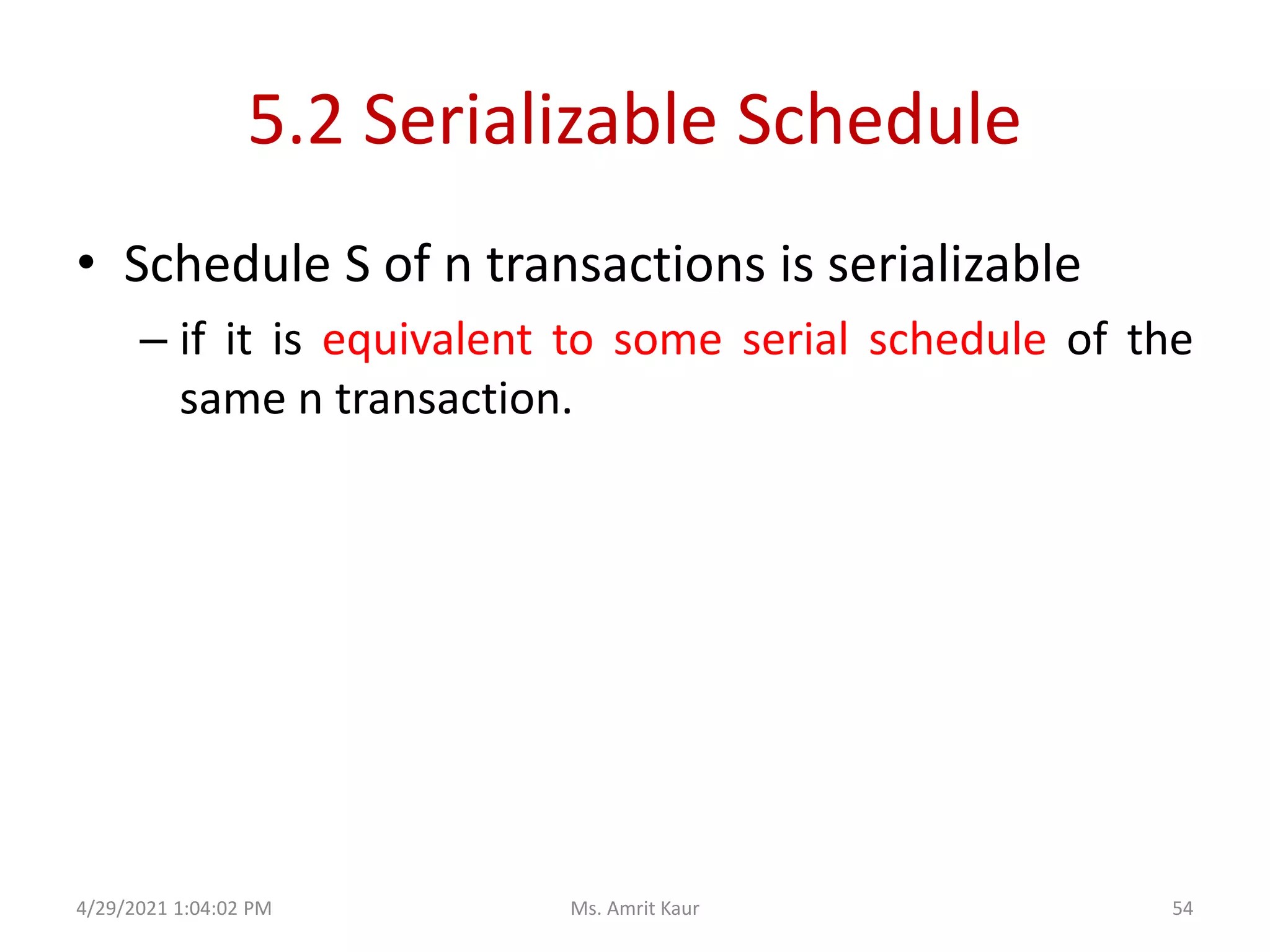
5.2 Serializable Schedule
• Schedule S of n transactions is serializable
– if it is equivalent to some serial schedule of the
same n transaction.
4/29/2021 1:04:02 PM 54
Ms. Amrit Kaur
5.3 Algorithm to Test Serializability
• Algorithm construct a precedence graph
which is directed graph G=(V,E) where
– V is vertex set consist of all transaction
participating in the schedule
– E is edge set in the for Ti -> Tj
4/29/2021 1:04:02 PM 55
Ms. Amrit Kaur
…. contd (Algorithm)
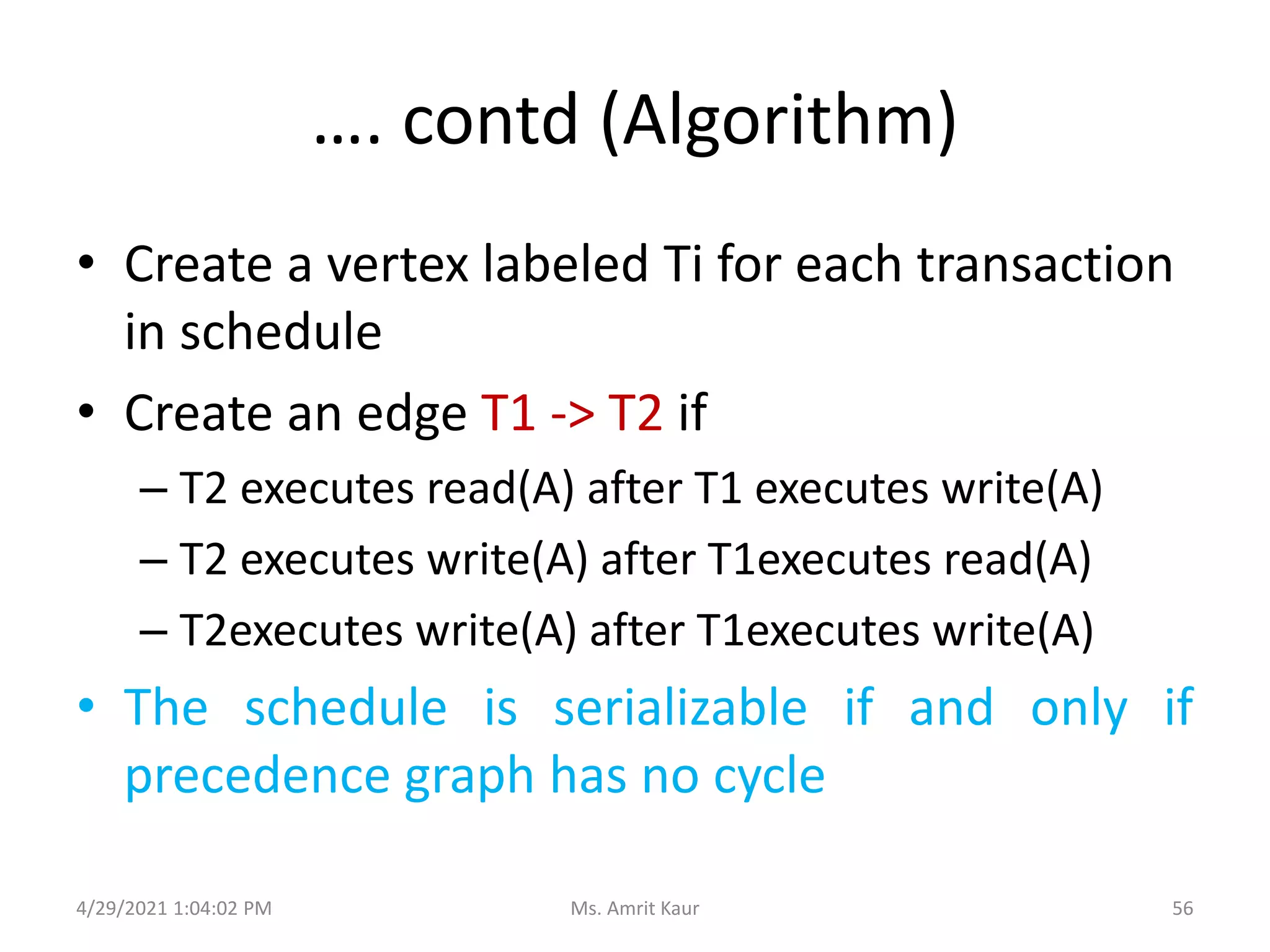
• Create a vertex labeled Ti for each transaction
in schedule
• Create an edge T1 -> T2 if
– T2 executes read(A) after T1 executes write(A)
– T2 executes write(A) after T1executes read(A)
– T2executes write(A) after T1executes write(A)
• The schedule is serializable if and only if
precedence graph has no cycle
4/29/2021 1:04:02 PM 56
Ms. Amrit Kaur
Example (B) – Draw Precedence Graph
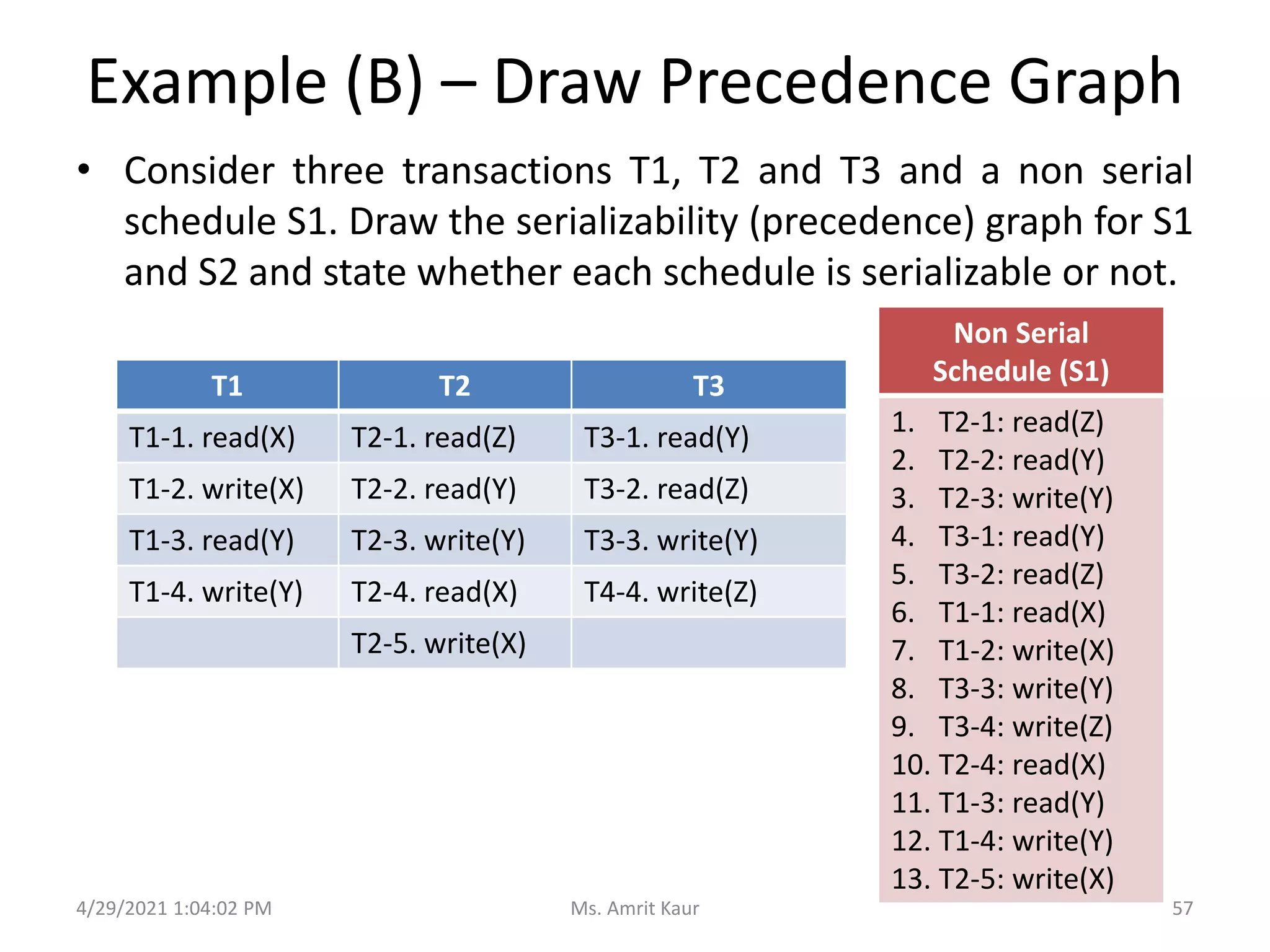
• Consider three transactions T1, T2 and T3 and a non serial
schedule S1. Draw the serializability (precedence) graph for S1
and S2 and state whether each schedule is serializable or not.
4/29/2021 1:04:02 PM
T1 T2 T3
T1-1. read(X) T2-1. read(Z) T3-1. read(Y)
T1-2. write(X) T2-2. read(Y) T3-2. read(Z)
T1-3. read(Y) T2-3. write(Y) T3-3. write(Y)
T1-4. write(Y) T2-4. read(X) T4-4. write(Z)
T2-5. write(X)
Non Serial
Schedule (S1)
1. T2-1: read(Z)
2. T2-2: read(Y)
3. T2-3: write(Y)
4. T3-1: read(Y)
5. T3-2: read(Z)
6. T1-1: read(X)
7. T1-2: write(X)
8. T3-3: write(Y)
9. T3-4: write(Z)
10. T2-4: read(X)
11. T1-3: read(Y)
12. T1-4: write(Y)
13. T2-5: write(X)
57
Ms. Amrit Kaur
Example B contd….
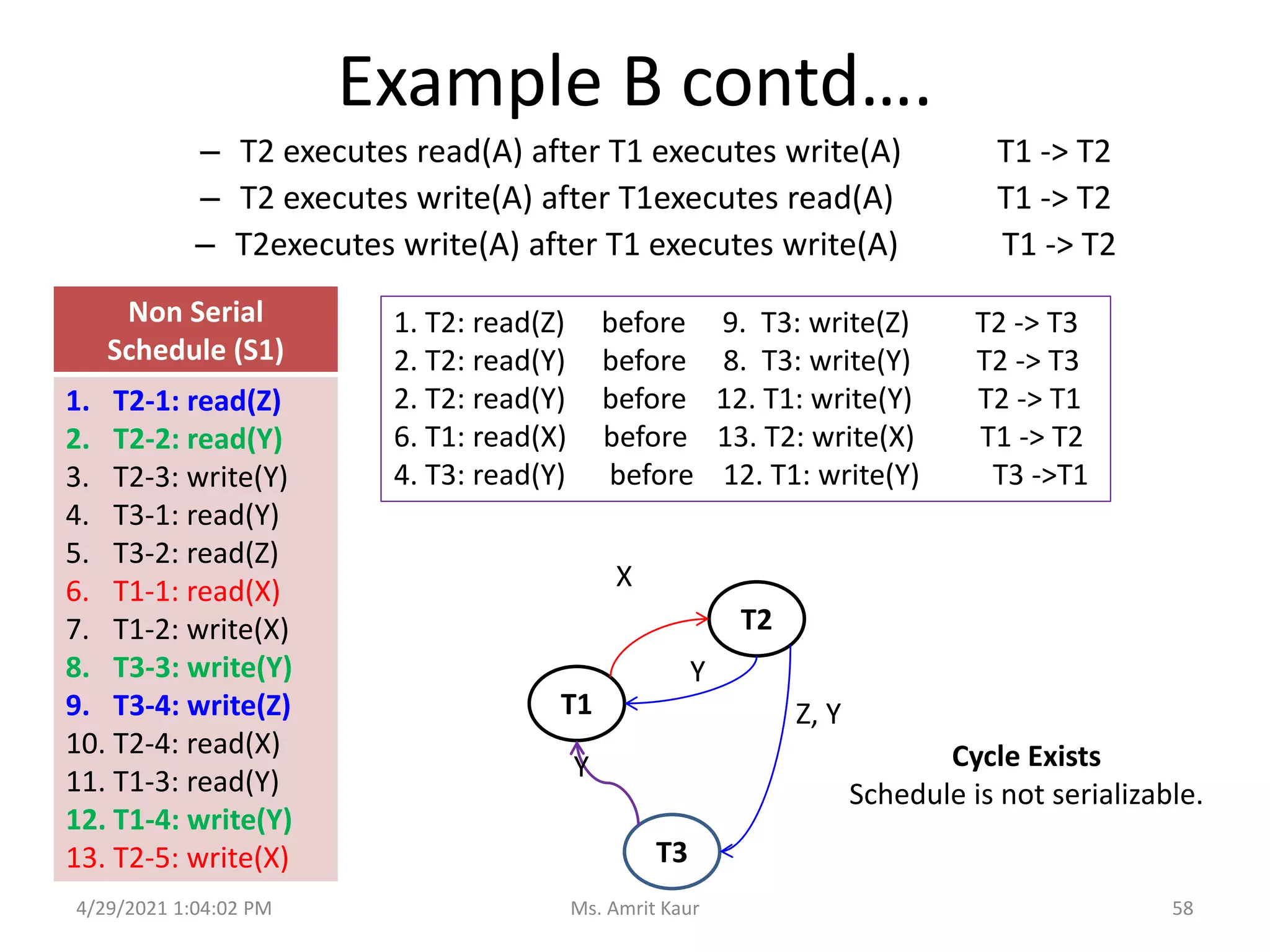
– T2 executes read(A) after T1 executes write(A) T1 -> T2
– T2 executes write(A) after T1executes read(A) T1 -> T2
– T2executes write(A) after T1 executes write(A) T1 -> T2
4/29/2021 1:04:02 PM
Non Serial
Schedule (S1)
1. T2-1: read(Z)
2. T2-2: read(Y)
3. T2-3: write(Y)
4. T3-1: read(Y)
5. T3-2: read(Z)
6. T1-1: read(X)
7. T1-2: write(X)
8. T3-3: write(Y)
9. T3-4: write(Z)
10. T2-4: read(X)
11. T1-3: read(Y)
12. T1-4: write(Y)
13. T2-5: write(X)
T1
T2
T3
1. T2: read(Z) before 9. T3: write(Z) T2 -> T3
2. T2: read(Y) before 8. T3: write(Y) T2 -> T3
2. T2: read(Y) before 12. T1: write(Y) T2 -> T1
6. T1: read(X) before 13. T2: write(X) T1 -> T2
4. T3: read(Y) before 12. T1: write(Y) T3 ->T1
X
Y
Z, Y
Y Cycle Exists
Schedule is not serializable.
58
Ms. Amrit Kaur
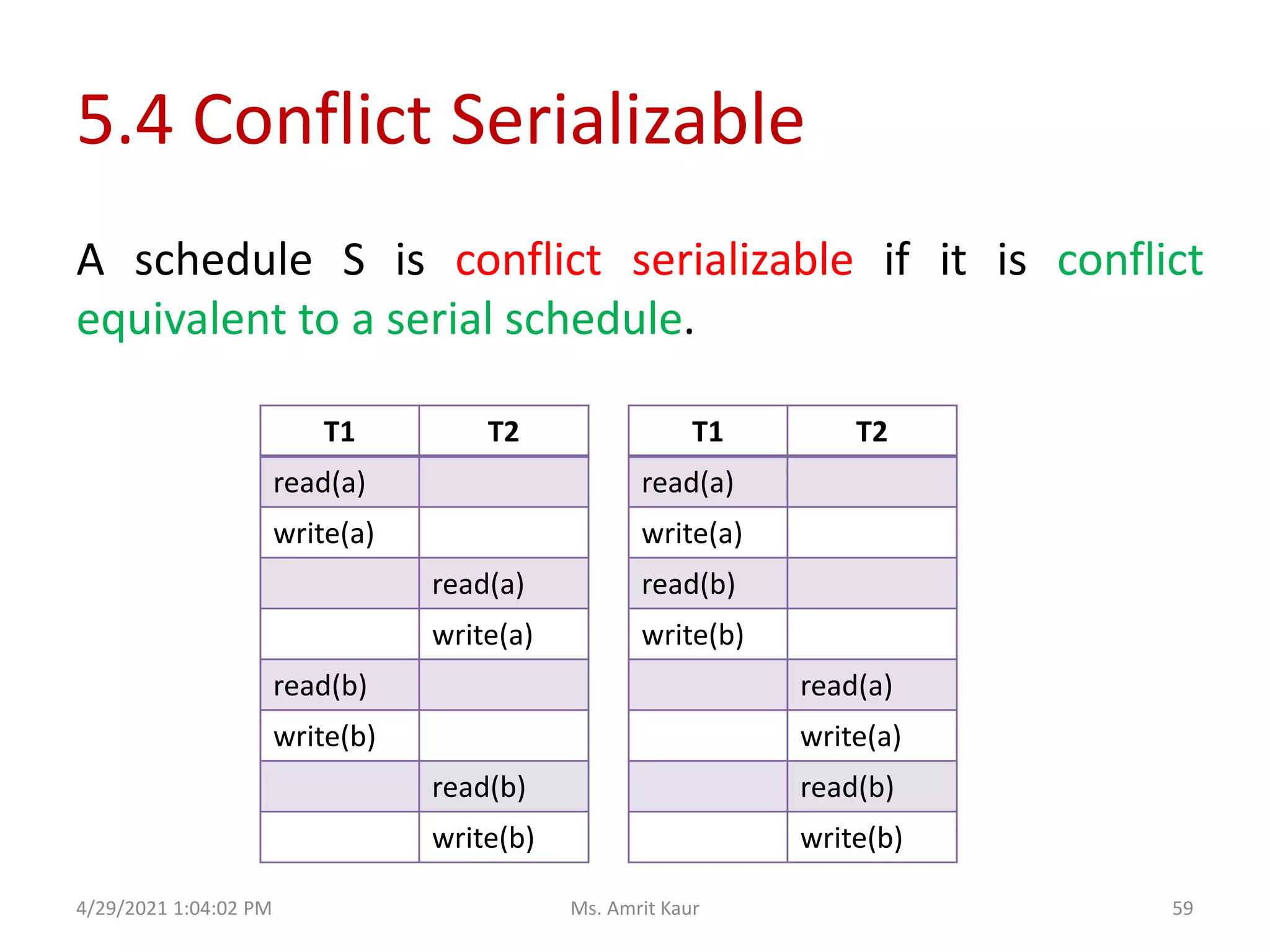
5.4 Conflict Serializable
T1 T2
read(a)
write(a)
read(b)
write(b)
read(a)
write(a)
read(b)
write(b)
A schedule S is conflict serializable if it is conflict
equivalent to a serial schedule.
T1 T2
read(a)
write(a)
read(a)
write(a)
read(b)
write(b)
read(b)
write(b)
4/29/2021 1:04:02 PM 59
Ms. Amrit Kaur
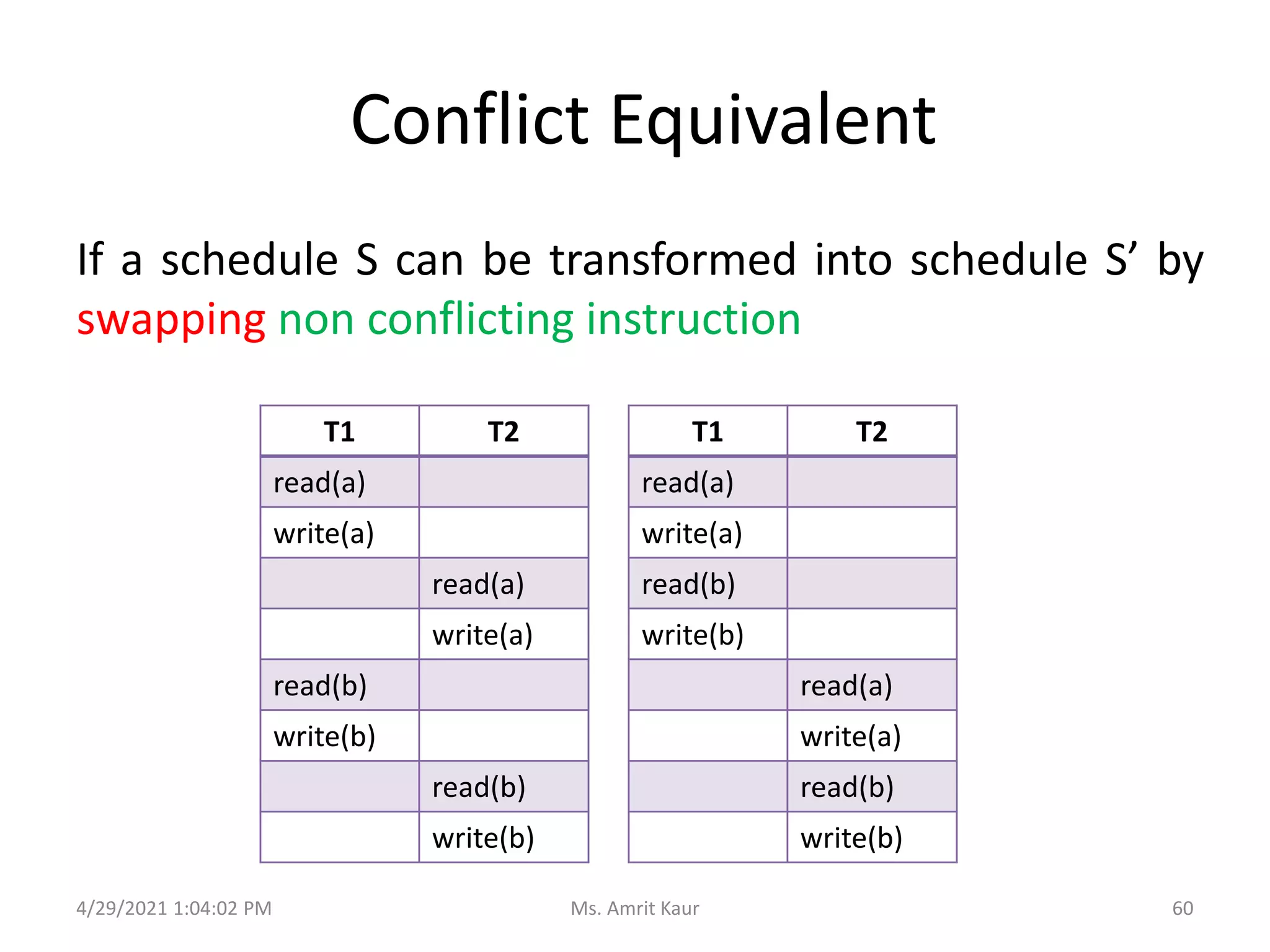
Conflict Equivalent
T1 T2
read(a)
write(a)
read(b)
write(b)
read(a)
write(a)
read(b)
write(b)
If a schedule S can be transformed into schedule S’ by
swapping non conflicting instruction
T1 T2
read(a)
write(a)
read(a)
write(a)
read(b)
write(b)
read(b)
write(b)
4/29/2021 1:04:02 PM 60
Ms. Amrit Kaur
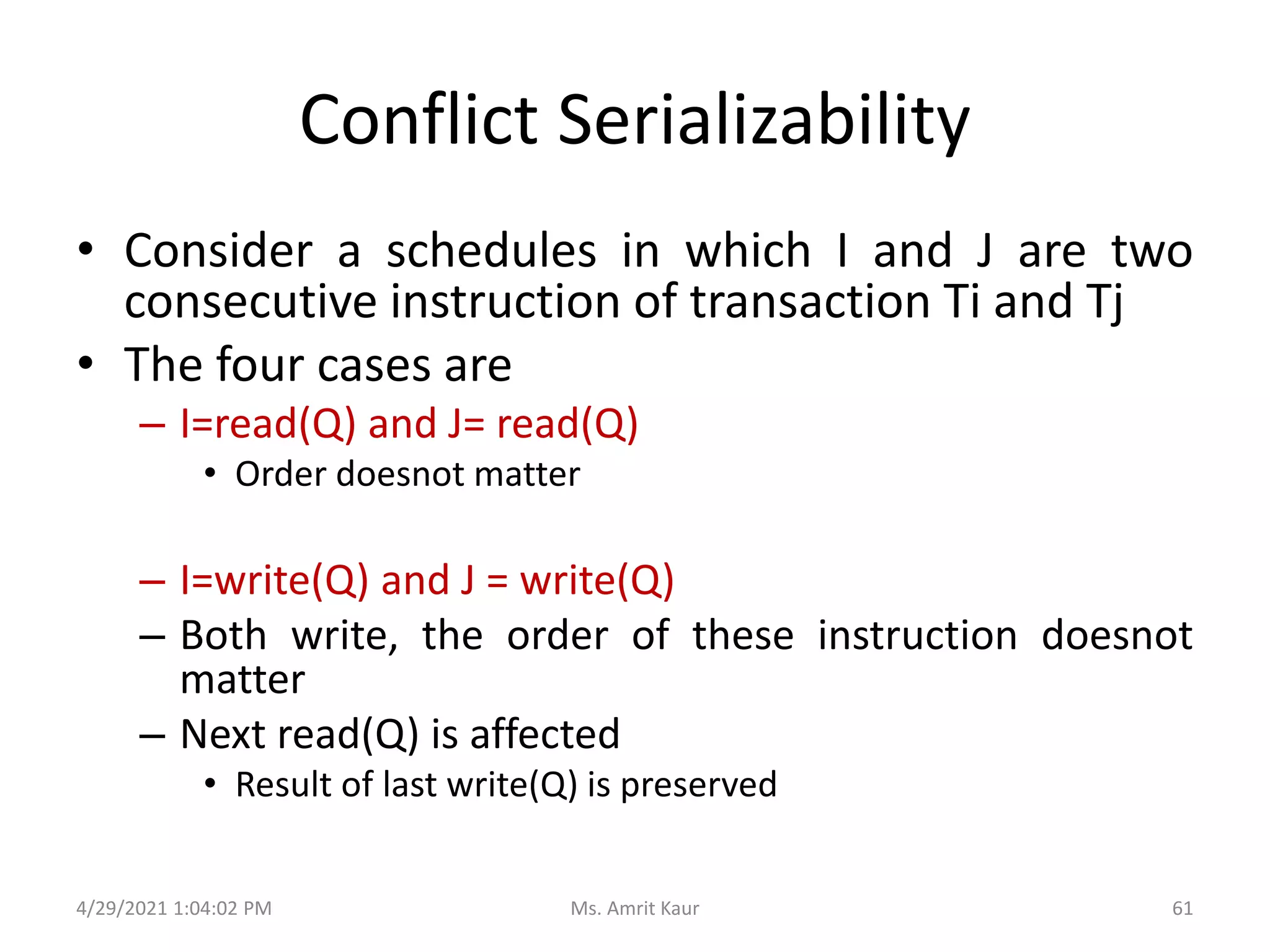
Conflict Serializability
• Consider a schedules in which I and J are two
consecutive instruction of transaction Ti and Tj
• The four cases are
– I=read(Q) and J= read(Q)
• Order doesnot matter
– I=write(Q) and J = write(Q)
– Both write, the order of these instruction doesnot
matter
– Next read(Q) is affected
• Result of last write(Q) is preserved
4/29/2021 1:04:02 PM 61
Ms. Amrit Kaur
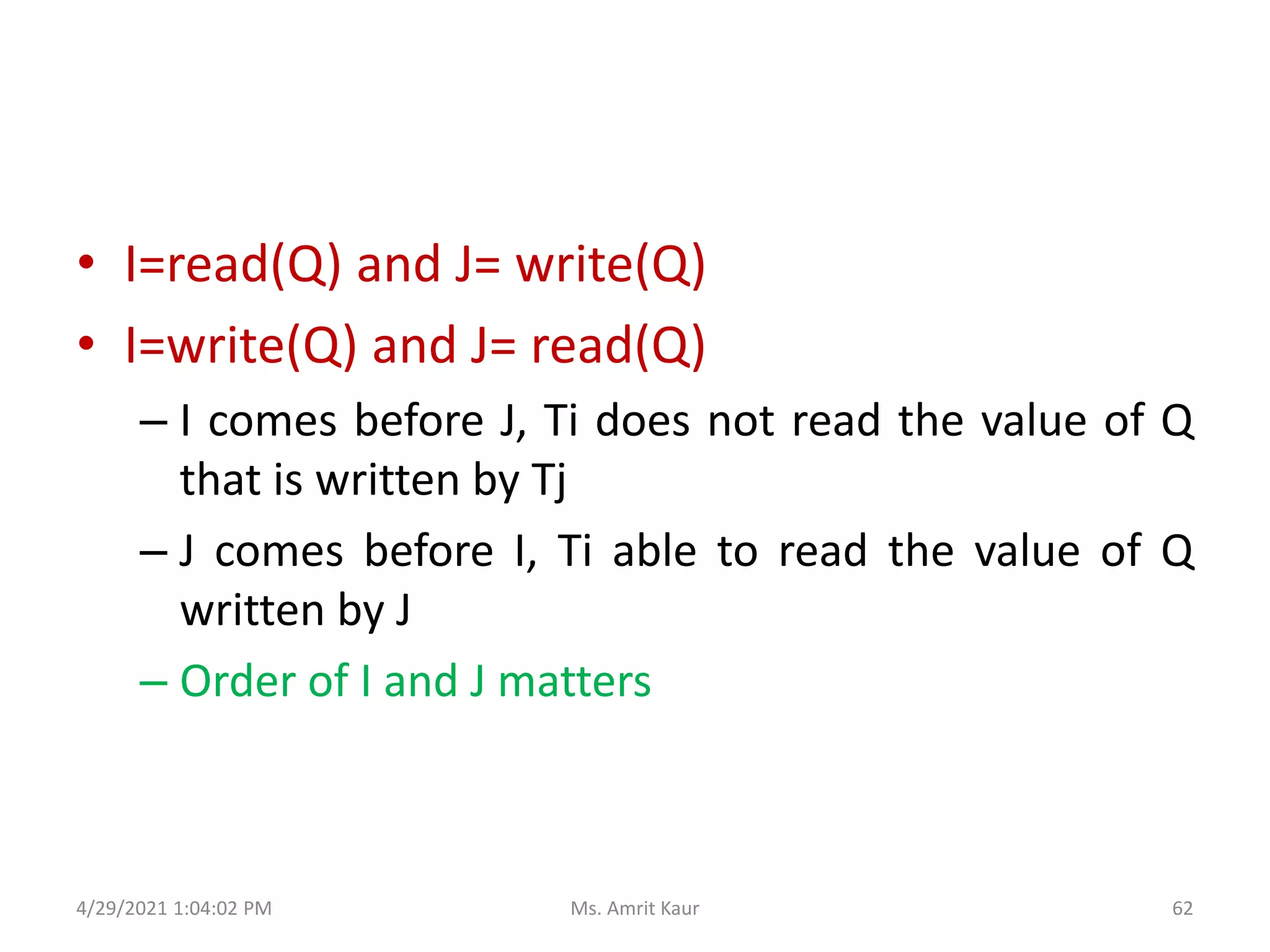
• I=read(Q) and J= write(Q)
• I=write(Q) and J= read(Q)
– I comes before J, Ti does not read the value of Q
that is written by Tj
– J comes before I, Ti able to read the value of Q
written by J
– Order of I and J matters
4/29/2021 1:04:02 PM 62
Ms. Amrit Kaur
5.4.2 How to convert to Conflict
Serializable Schedule
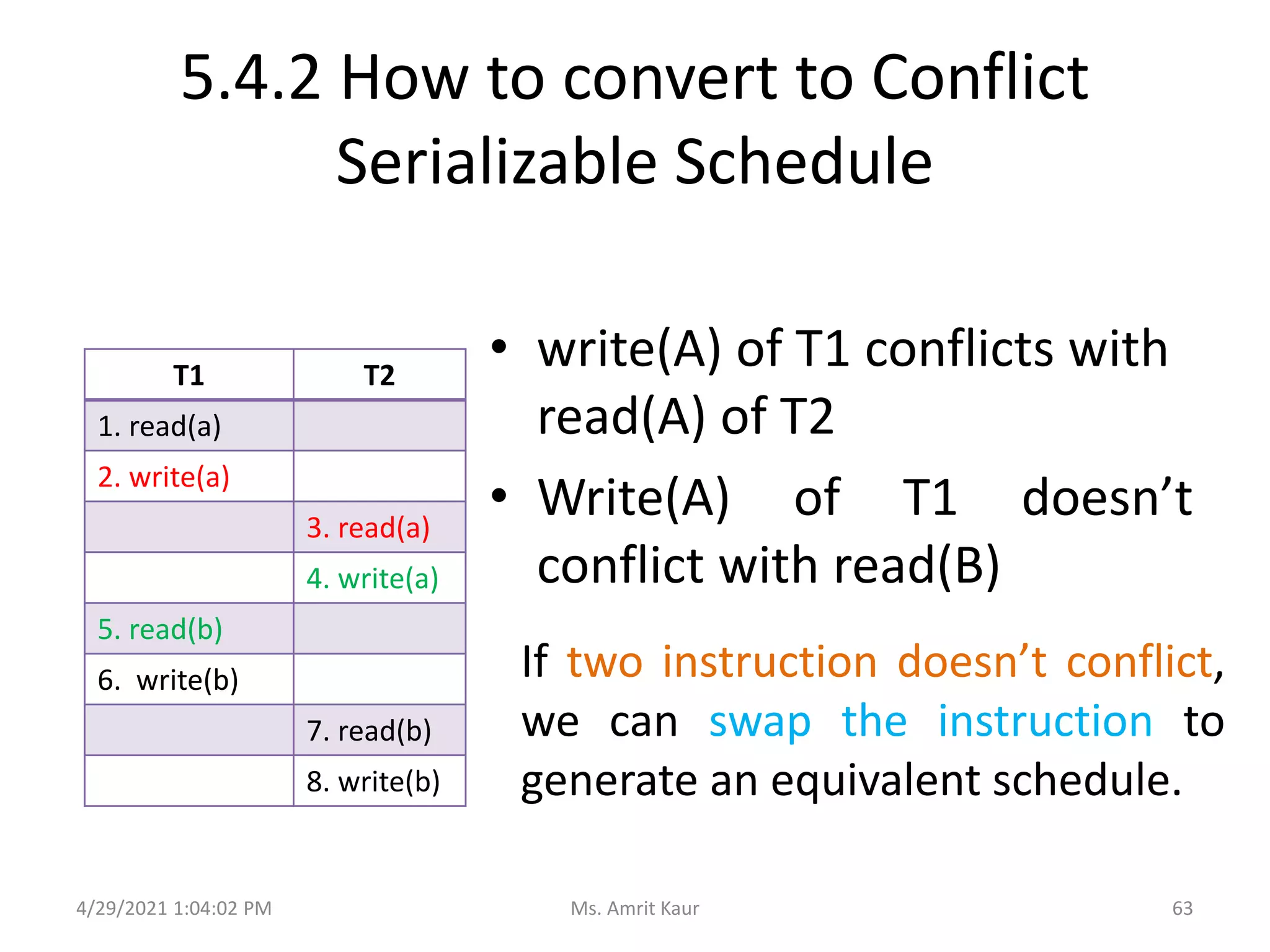
• write(A) of T1 conflicts with
read(A) of T2
• Write(A) of T1 doesn’t
conflict with read(B)
T1 T2
1. read(a)
2. write(a)
3. read(a)
4. write(a)
5. read(b)
6. write(b)
7. read(b)
8. write(b)
If two instruction doesn’t conflict,
we can swap the instruction to
generate an equivalent schedule.
4/29/2021 1:04:02 PM 63
Ms. Amrit Kaur
Example (C)-
Swapping Non Conflicting Instructions to convert to
Conflict Serializable Schedule
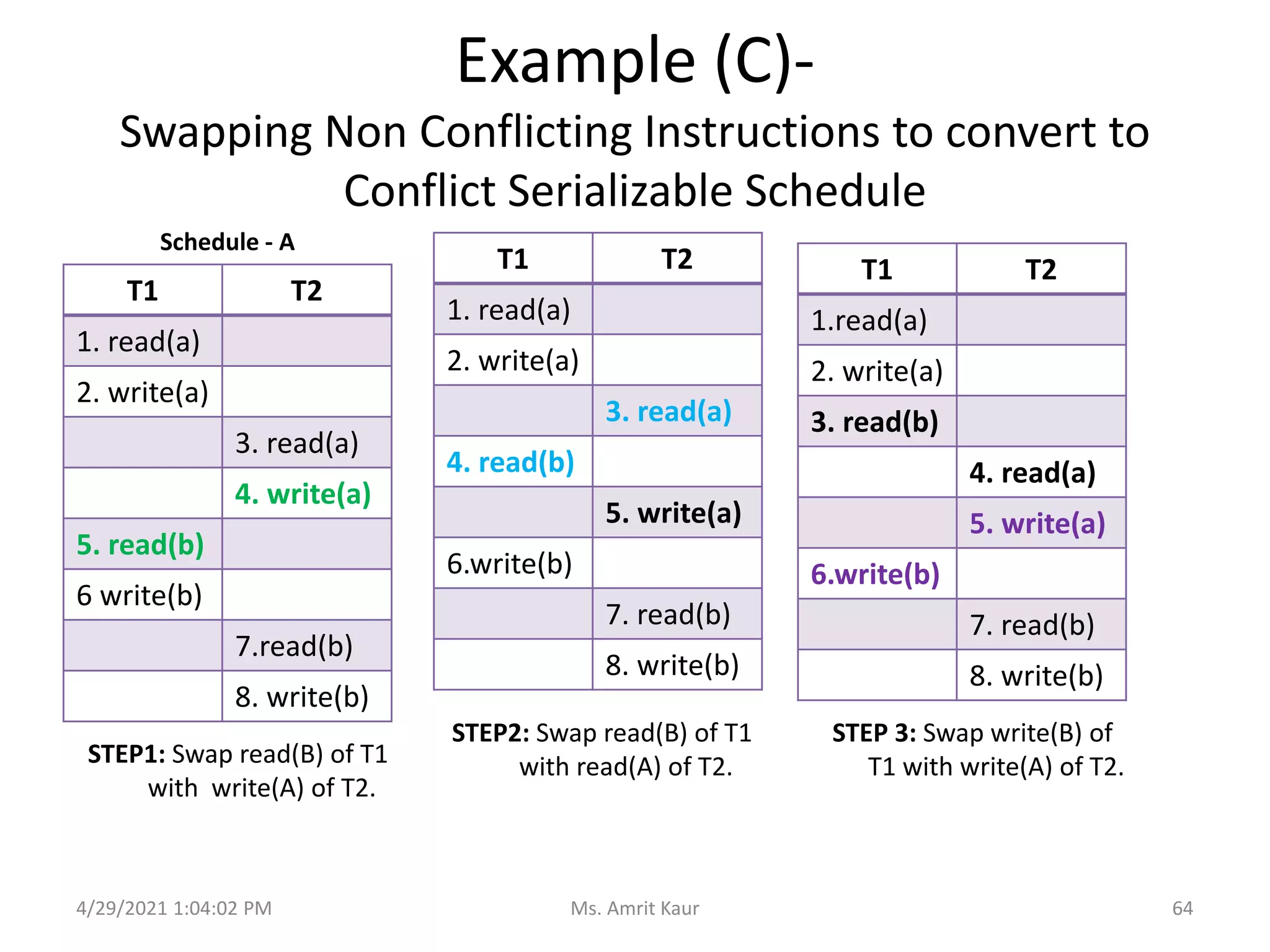
STEP1: Swap read(B) of T1
with write(A) of T2.
T1 T2
1. read(a)
2. write(a)
3. read(a)
4. write(a)
5. read(b)
6 write(b)
7.read(b)
8. write(b)
T1 T2
1. read(a)
2. write(a)
3. read(a)
4. read(b)
5. write(a)
6.write(b)
7. read(b)
8. write(b)
STEP2: Swap read(B) of T1
with read(A) of T2.
T1 T2
1.read(a)
2. write(a)
3. read(b)
4. read(a)
5. write(a)
6.write(b)
7. read(b)
8. write(b)
STEP 3: Swap write(B) of
T1 with write(A) of T2.
4/29/2021 1:04:02 PM 64
Ms. Amrit Kaur
Schedule - A
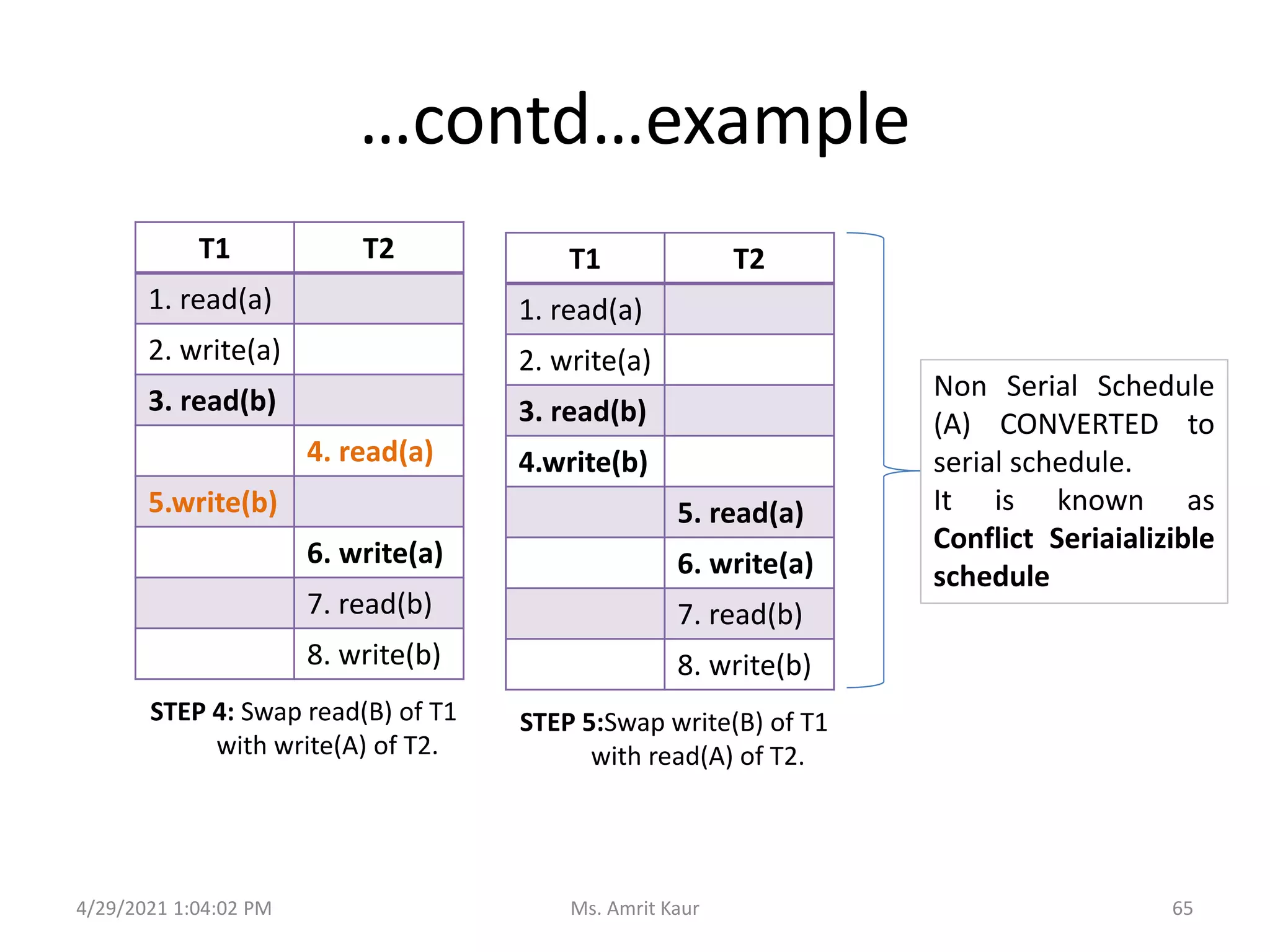
…contd…example
STEP 4: Swap read(B) of T1
with write(A) of T2.
T1 T2
1. read(a)
2. write(a)
3. read(b)
4. read(a)
5.write(b)
6. write(a)
7. read(b)
8. write(b)
STEP 5:Swap write(B) of T1
with read(A) of T2.
T1 T2
1. read(a)
2. write(a)
3. read(b)
4.write(b)
5. read(a)
6. write(a)
7. read(b)
8. write(b)
4/29/2021 1:04:02 PM 65
Ms. Amrit Kaur
Non Serial Schedule
(A) CONVERTED to
serial schedule.
It is known as
Conflict Seriaializible
schedule
RECOVERABILITY
6.
4/29/2021 1:04:02 PM 66
Ms. Amrit Kaur
6.1 What is Recoverability?
• Mechanism for restoring database quickly and
accurately after failure, loss or damage.
• Ensures atomicity and durability properties of
transaction.
4/29/2021 1:04:02 PM 67
Ms. Amrit Kaur
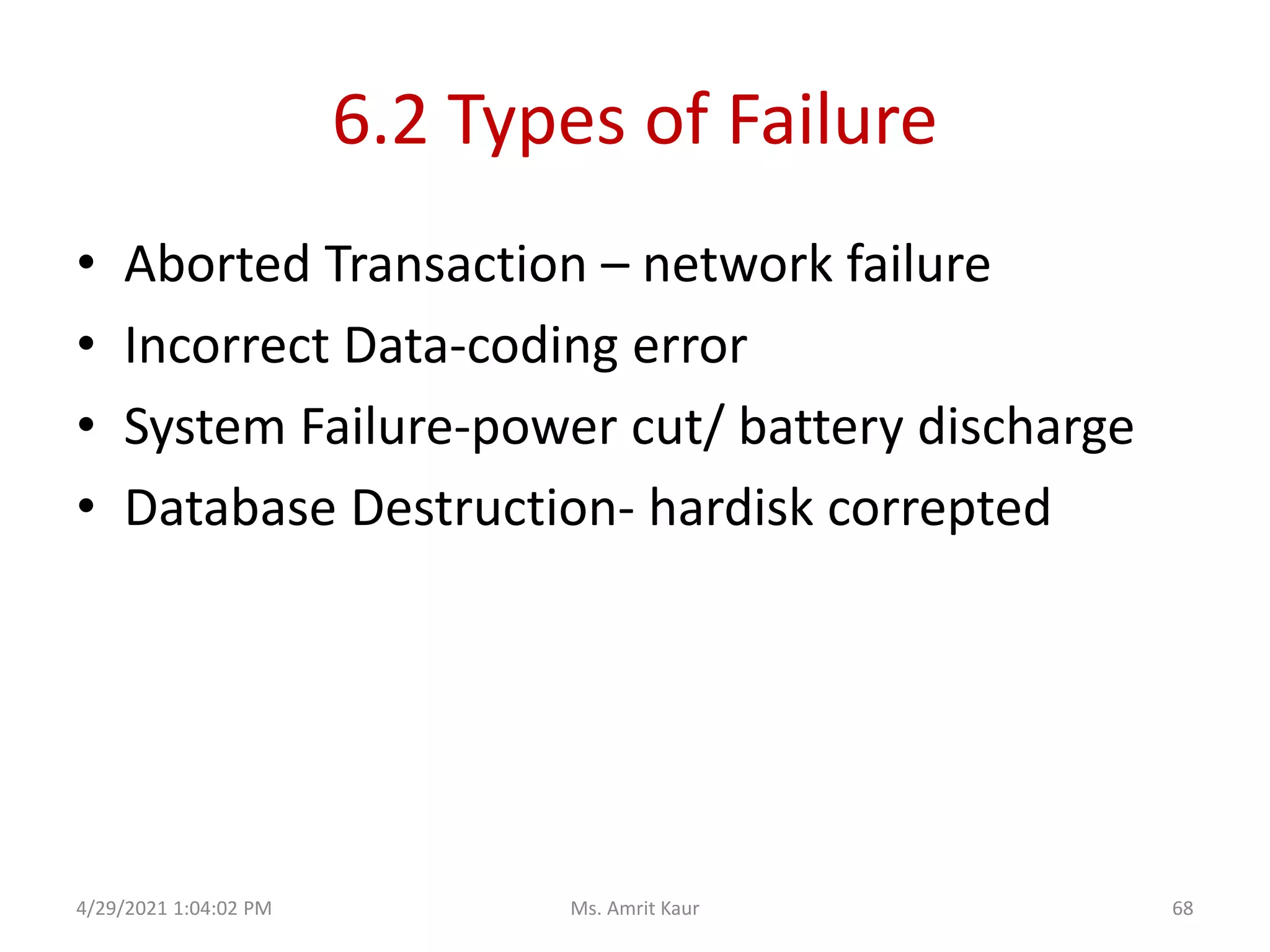
6.2 Types of Failure
• Aborted Transaction – network failure
• Incorrect Data-coding error
• System Failure-power cut/ battery discharge
• Database Destruction- hardisk correpted
4/29/2021 1:04:02 PM 68
Ms. Amrit Kaur
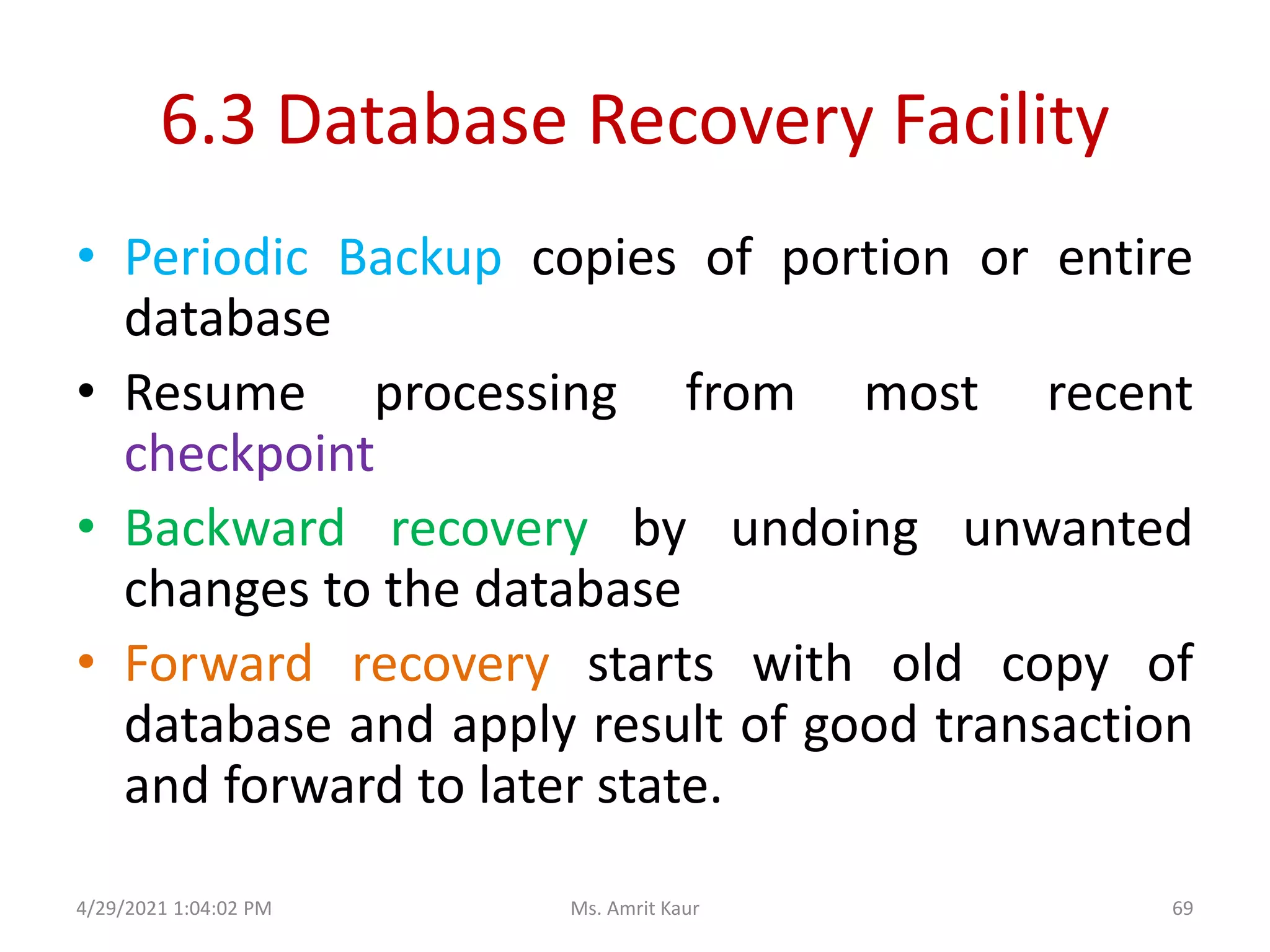
6.3 Database Recovery Facility
• Periodic Backup copies of portion or entire
database
• Resume processing from most recent
checkpoint
• Backward recovery by undoing unwanted
changes to the database
• Forward recovery starts with old copy of
database and apply result of good transaction
and forward to later state.
4/29/2021 1:04:02 PM 69
Ms. Amrit Kaur
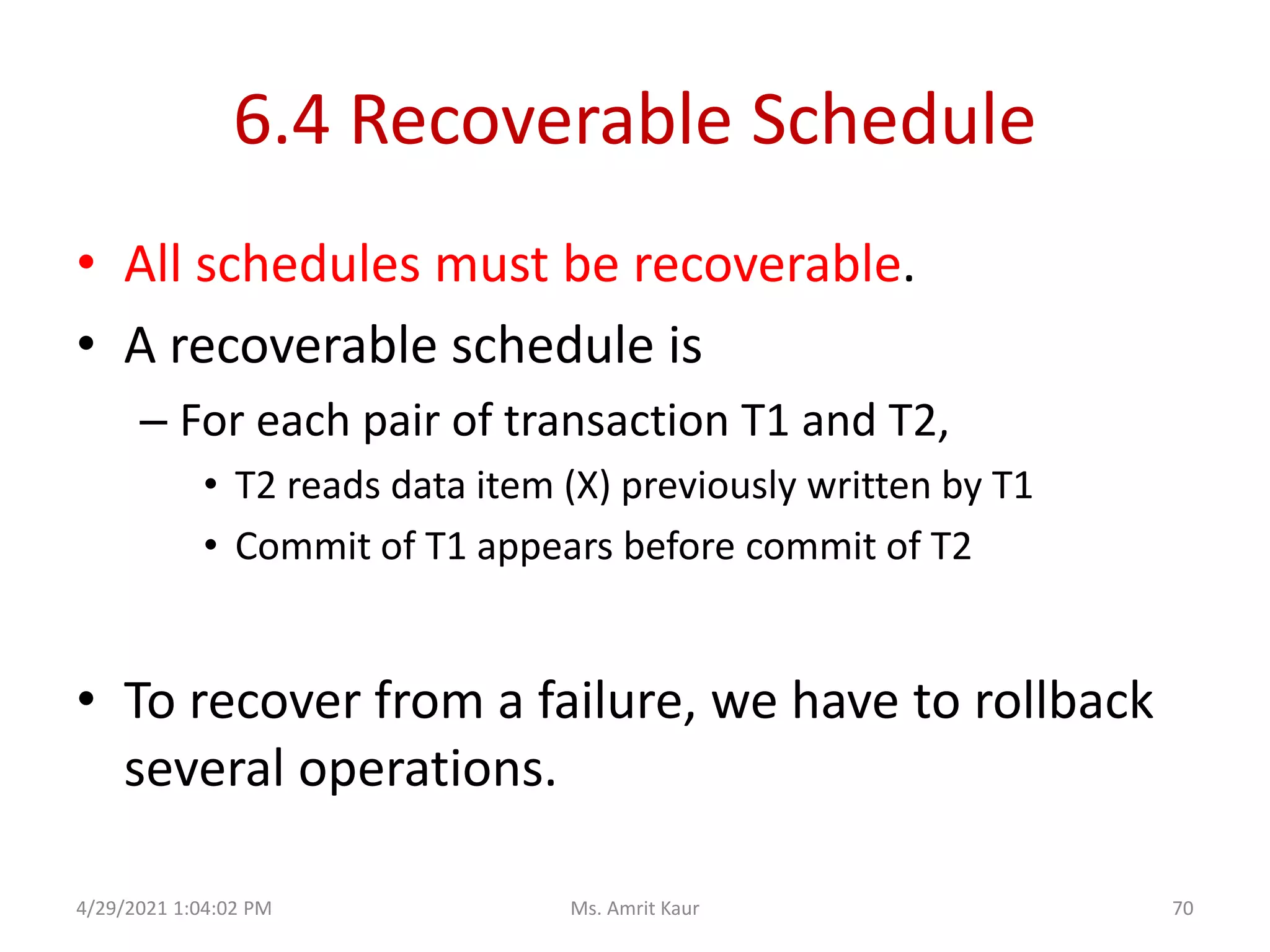
6.4 Recoverable Schedule
• All schedules must be recoverable.
• A recoverable schedule is
– For each pair of transaction T1 and T2,
• T2 reads data item (X) previously written by T1
• Commit of T1 appears before commit of T2
• To recover from a failure, we have to rollback
several operations.
4/29/2021 1:04:02 PM 70
Ms. Amrit Kaur
6.5 Non Recoverable Schedule
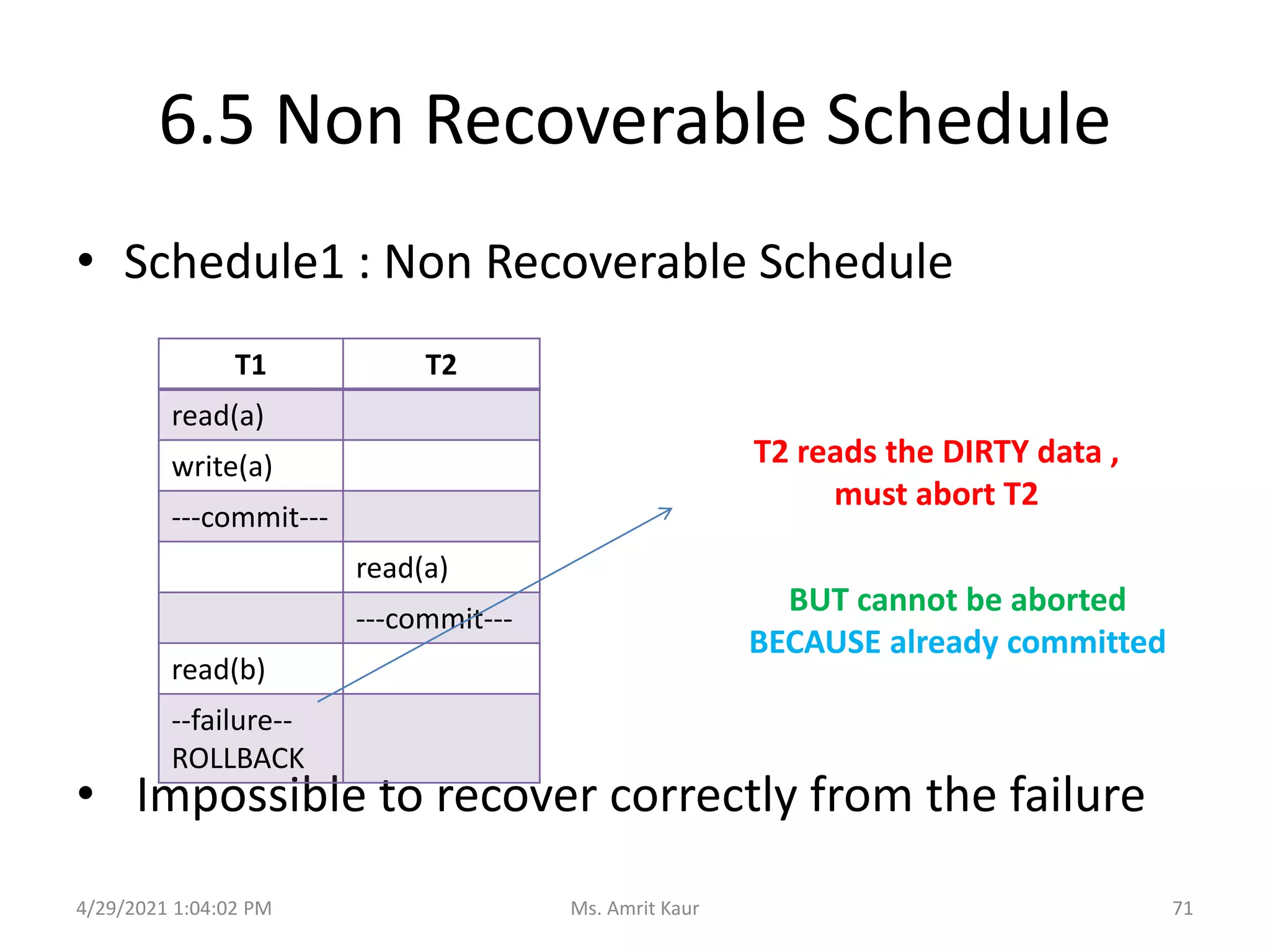
• Schedule1 : Non Recoverable Schedule
• Impossible to recover correctly from the failure
T1 T2
read(a)
write(a)
---commit---
read(a)
---commit---
read(b)
--failure--
ROLLBACK
BUT cannot be aborted
BECAUSE already committed
T2 reads the DIRTY data ,
must abort T2
4/29/2021 1:04:02 PM 71
Ms. Amrit Kaur
6.5 Characterizing Schedules based on
Recoverability
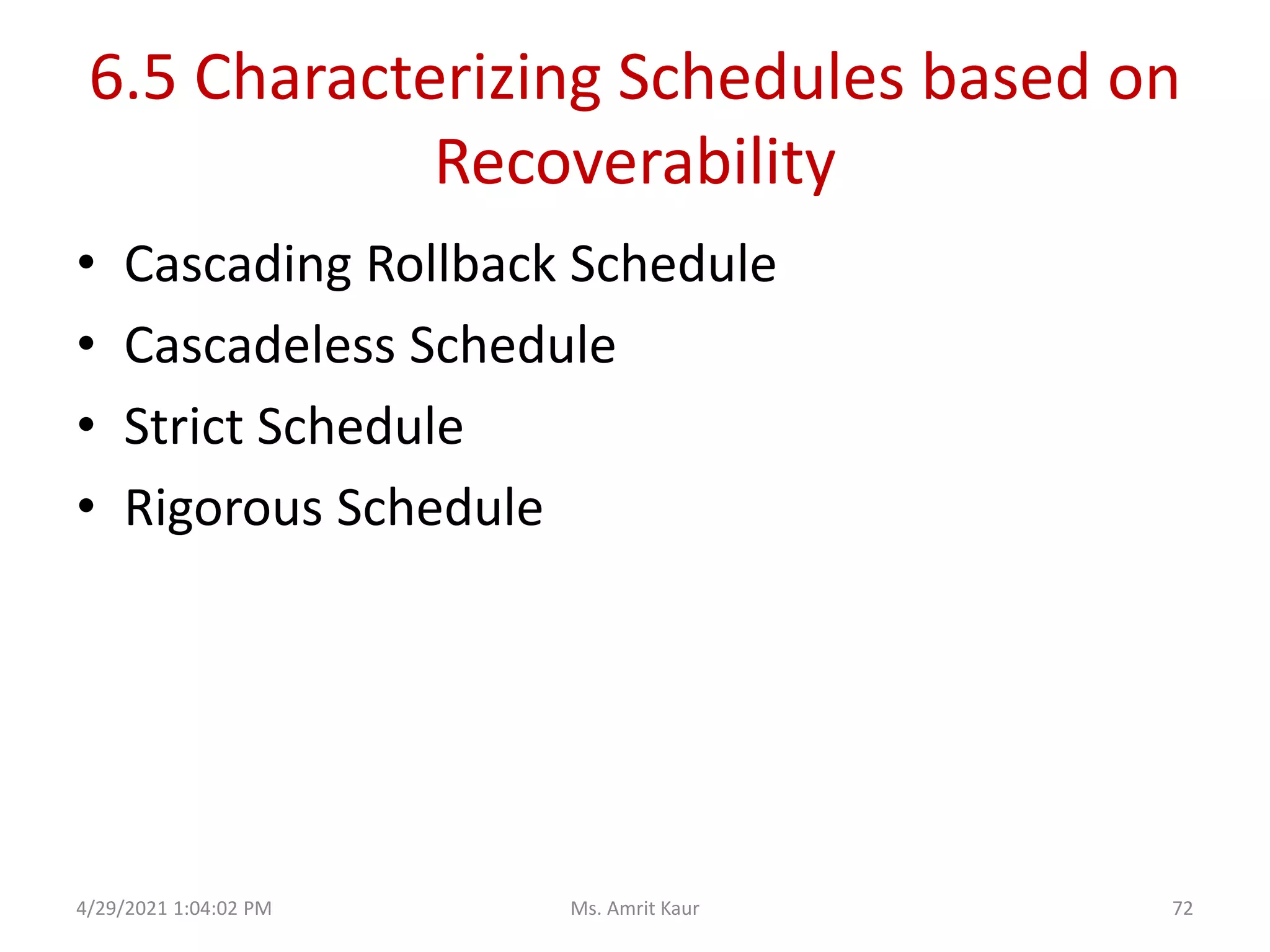
• Cascading Rollback Schedule
• Cascadeless Schedule
• Strict Schedule
• Rigorous Schedule
4/29/2021 1:04:02 PM 72
Ms. Amrit Kaur
Cascading Rollback Schedule
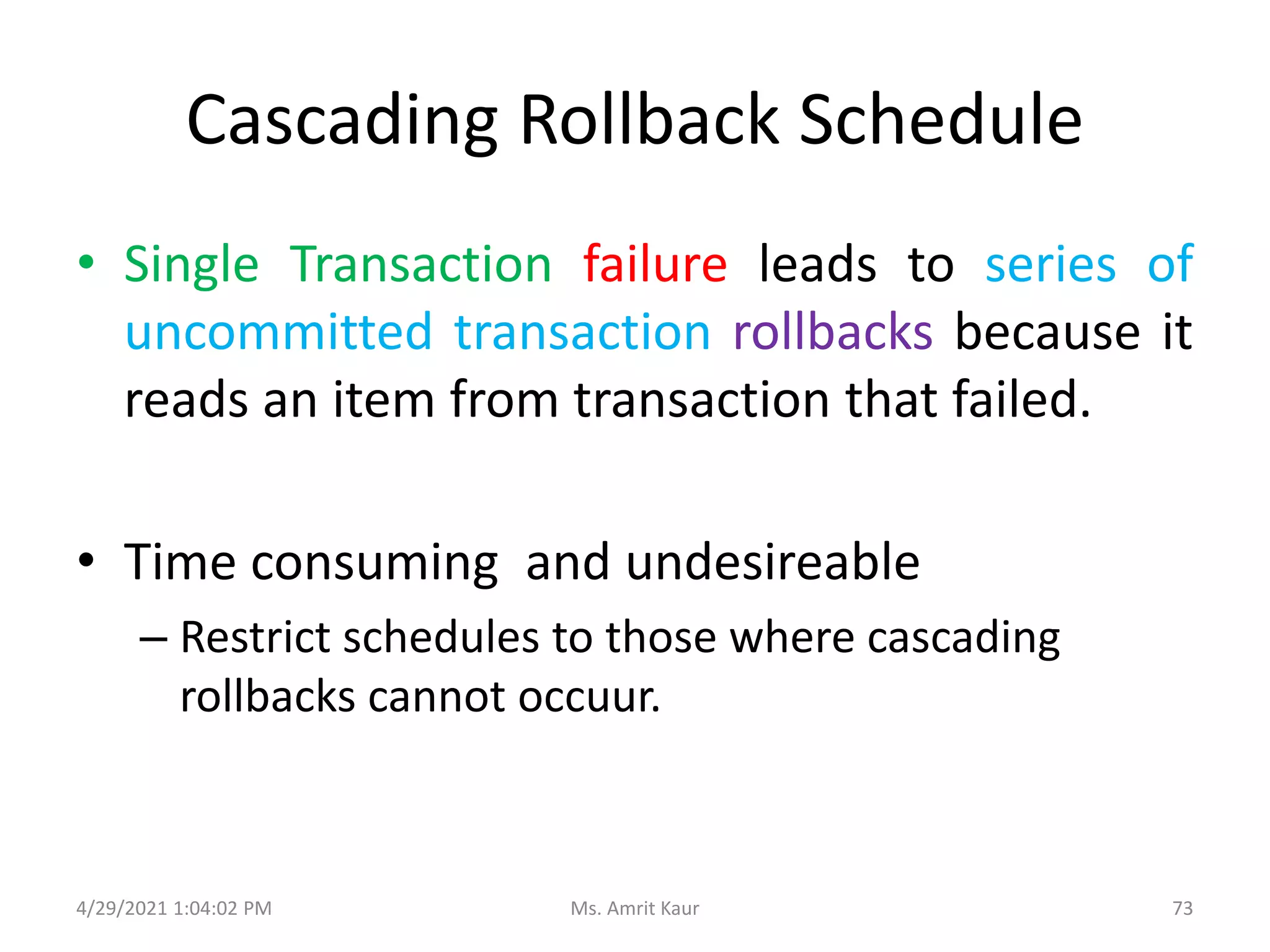
• Single Transaction failure leads to series of
uncommitted transaction rollbacks because it
reads an item from transaction that failed.
• Time consuming and undesireable
– Restrict schedules to those where cascading
rollbacks cannot occuur.
4/29/2021 1:04:02 PM 73
Ms. Amrit Kaur
Cascadeless Schedule
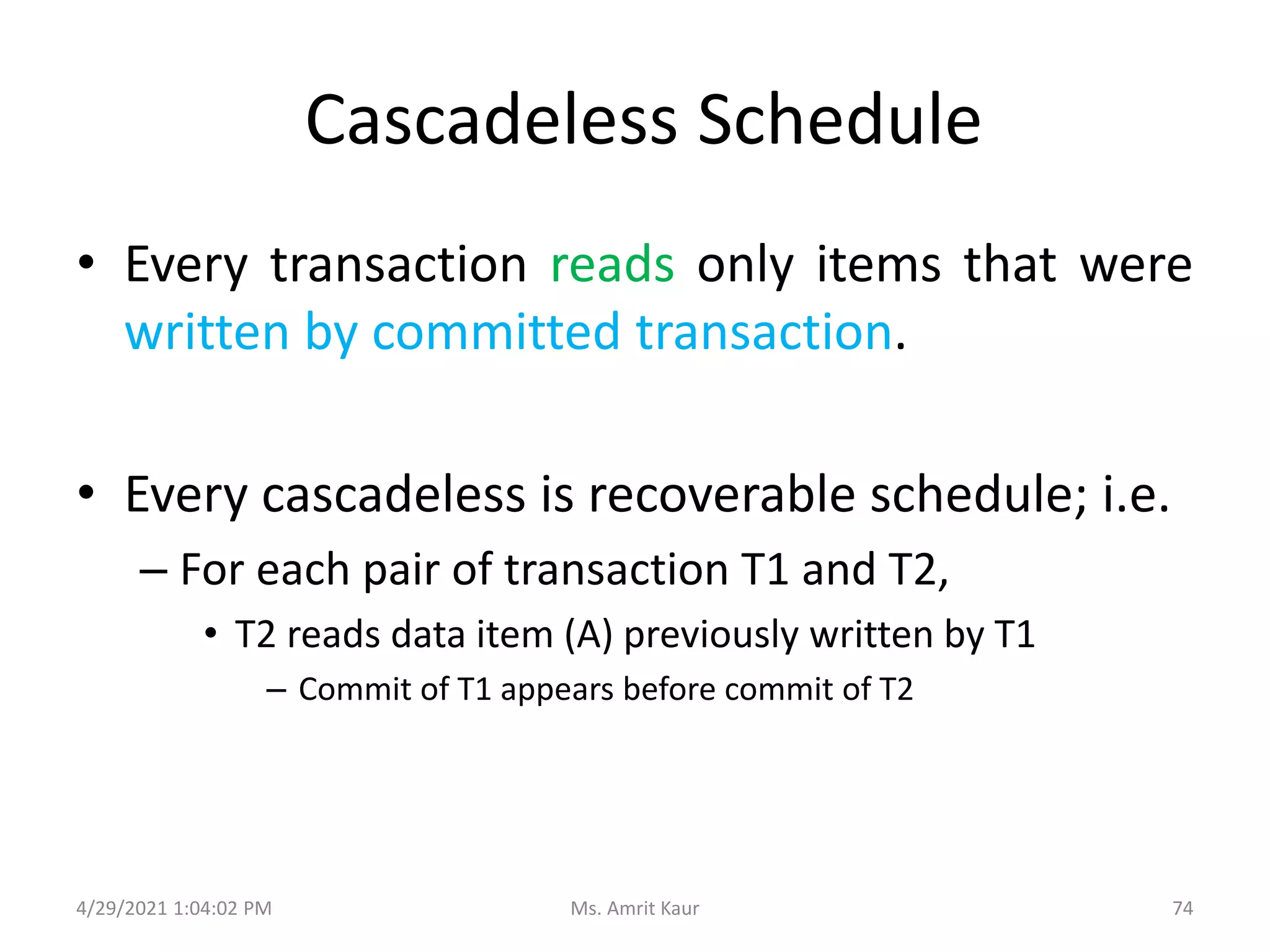
• Every transaction reads only items that were
written by committed transaction.
• Every cascadeless is recoverable schedule; i.e.
– For each pair of transaction T1 and T2,
• T2 reads data item (A) previously written by T1
– Commit of T1 appears before commit of T2
4/29/2021 1:04:02 PM 74
Ms. Amrit Kaur
Strict Schedule
• Every transaction can neither read nor write a
data item (A) until the last transaction that
wrote (A) has committed or aborted.
4/29/2021 1:04:02 PM 75
Ms. Amrit Kaur
Ideal and Acceptable Schedule
• Regardless of how operating system share CPU
time among transactions, an ideal and
acceptable schedule MUST
– leave the database in Consistent state and
– allow transaction failure handled in safe manner
• Acceptable Schedule
– Conflict Serializable
– Cascadeless / Strict Schedule
4/29/2021 1:04:02 PM 76
Ms. Amrit Kaur
CONCURRENCY CONTROL
TECHNIQUES
7.
4/29/2021 1:04:02 PM 77
Ms. Amrit Kaur
Recap
• Fundamental properties of transaction is
Isolation.
• When several transactions execute
concurrently, isolation property no longer be
preserved.
4/29/2021 1:04:02 PM 78
Ms. Amrit Kaur
Concurrency Control Techniques?
• Ensures
– only acceptable schedules are
generated(SERIALIZABILITY and ATOMICITY)
– No interaction among concurrent transaction to
preserve ISOLATION.
4/29/2021 1:04:02 PM 79
Ms. Amrit Kaur
Concurrency Control Techniques
• basic-Lock Based Protocol
• Two Phase Locking Protocol (2PL)
• Multiple Granularity
• Timestamp Ordering
4/29/2021 1:04:02 PM 80
Ms. Amrit Kaur
7.1 Locking Mechanism
4/29/2021 1:04:02 PM
81
Ms. Amrit Kaur
Locking Based Protocol
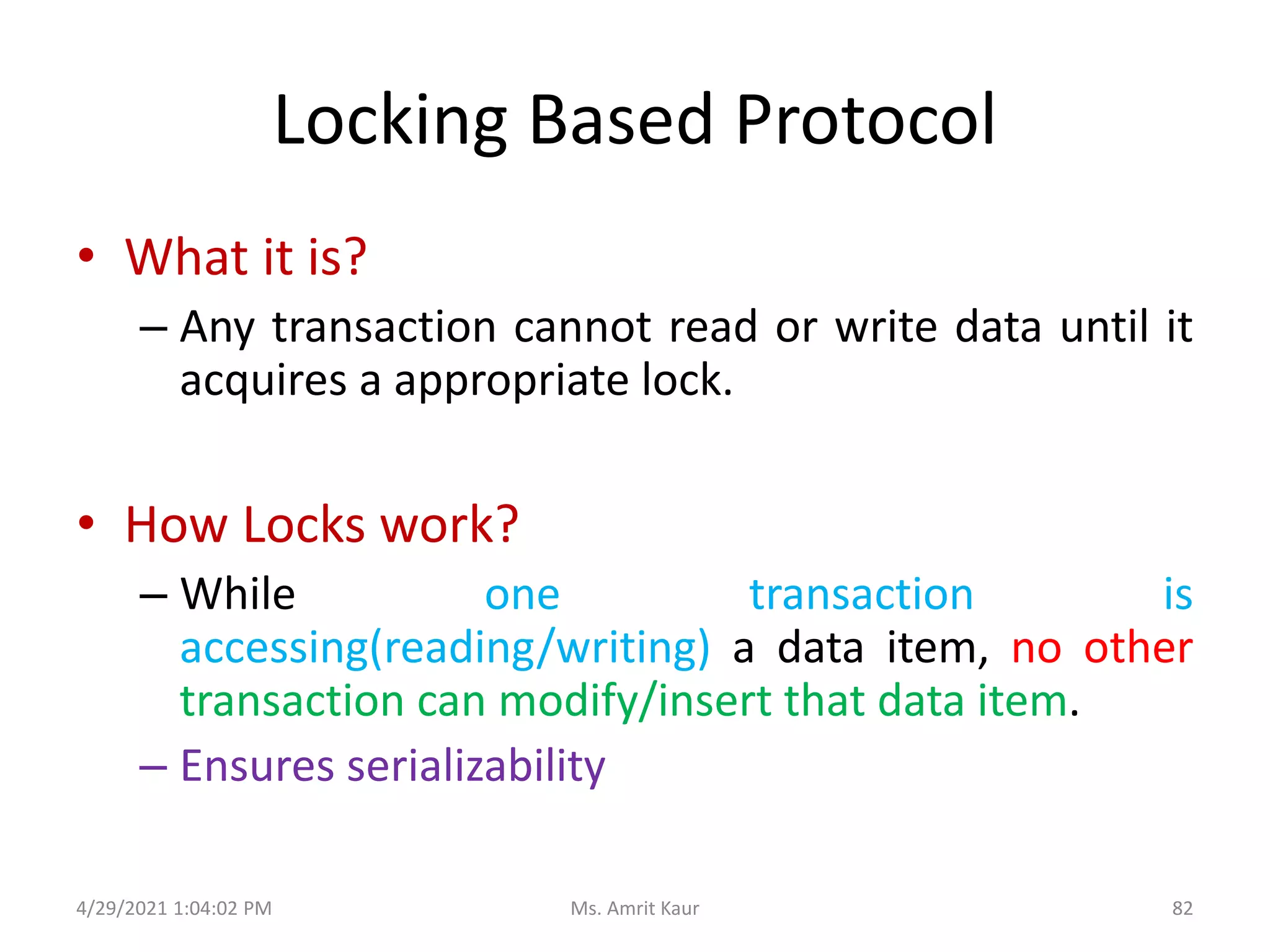
• What it is?
– Any transaction cannot read or write data until it
acquires a appropriate lock.
• How Locks work?
– While one transaction is
accessing(reading/writing) a data item, no other
transaction can modify/insert that data item.
– Ensures serializability
4/29/2021 1:04:02 PM 82
Ms. Amrit Kaur
Types of Lock
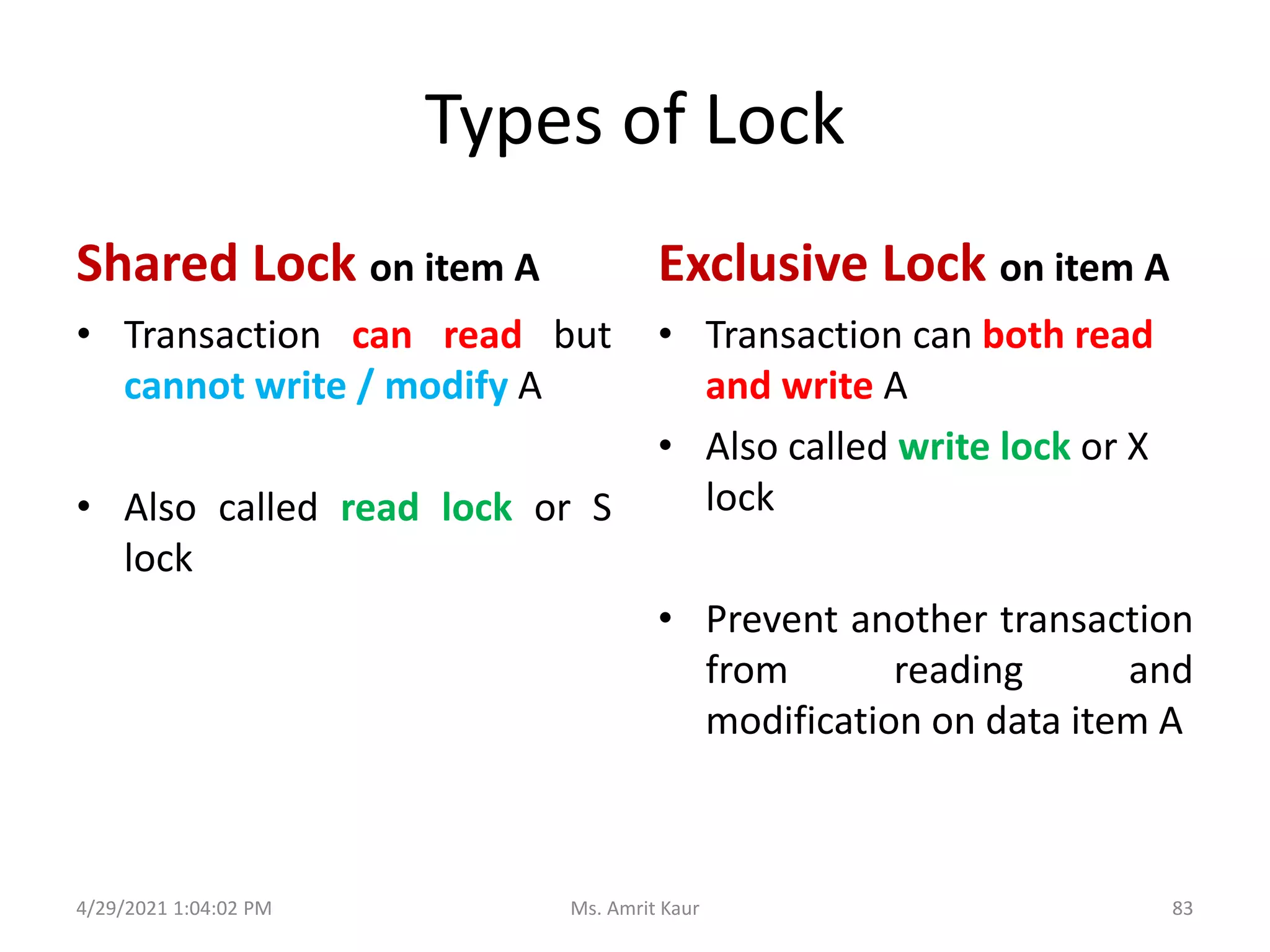
Shared Lock on item A
• Transaction can read but
cannot write / modify A
• Also called read lock or S
lock
Exclusive Lock on item A
• Transaction can both read
and write A
• Also called write lock or X
lock
• Prevent another transaction
from reading and
modification on data item A
4/29/2021 1:04:02 PM 83
Ms. Amrit Kaur
Granting of Locks
4/29/2021 1:04:02 PM
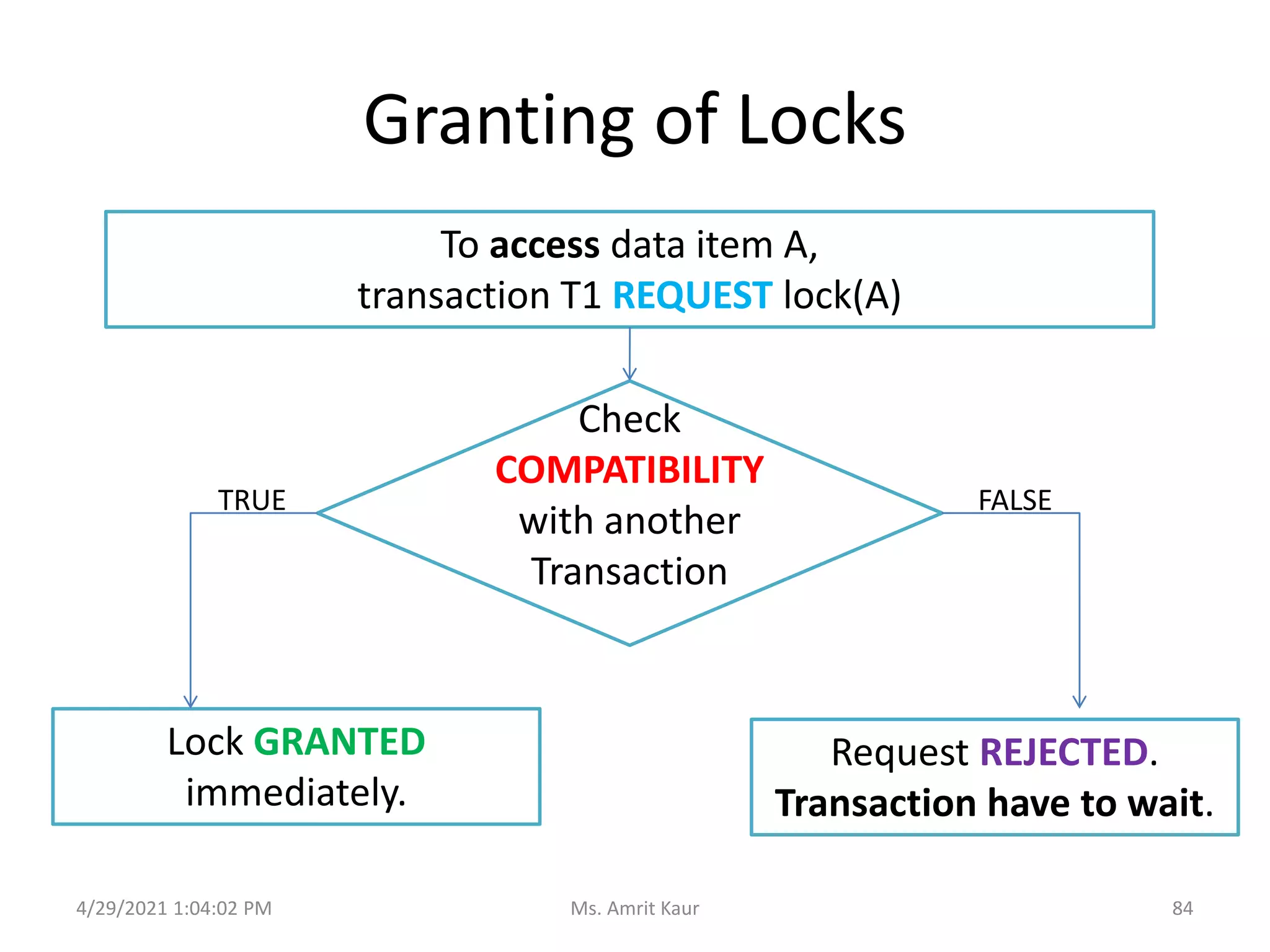
To access data item A,
transaction T1 REQUEST lock(A)
Check
COMPATIBILITY
with another
Transaction
Lock GRANTED
immediately.
Request REJECTED.
Transaction have to wait.
TRUE FALSE
84
Ms. Amrit Kaur
Lock Compatibility Matrix
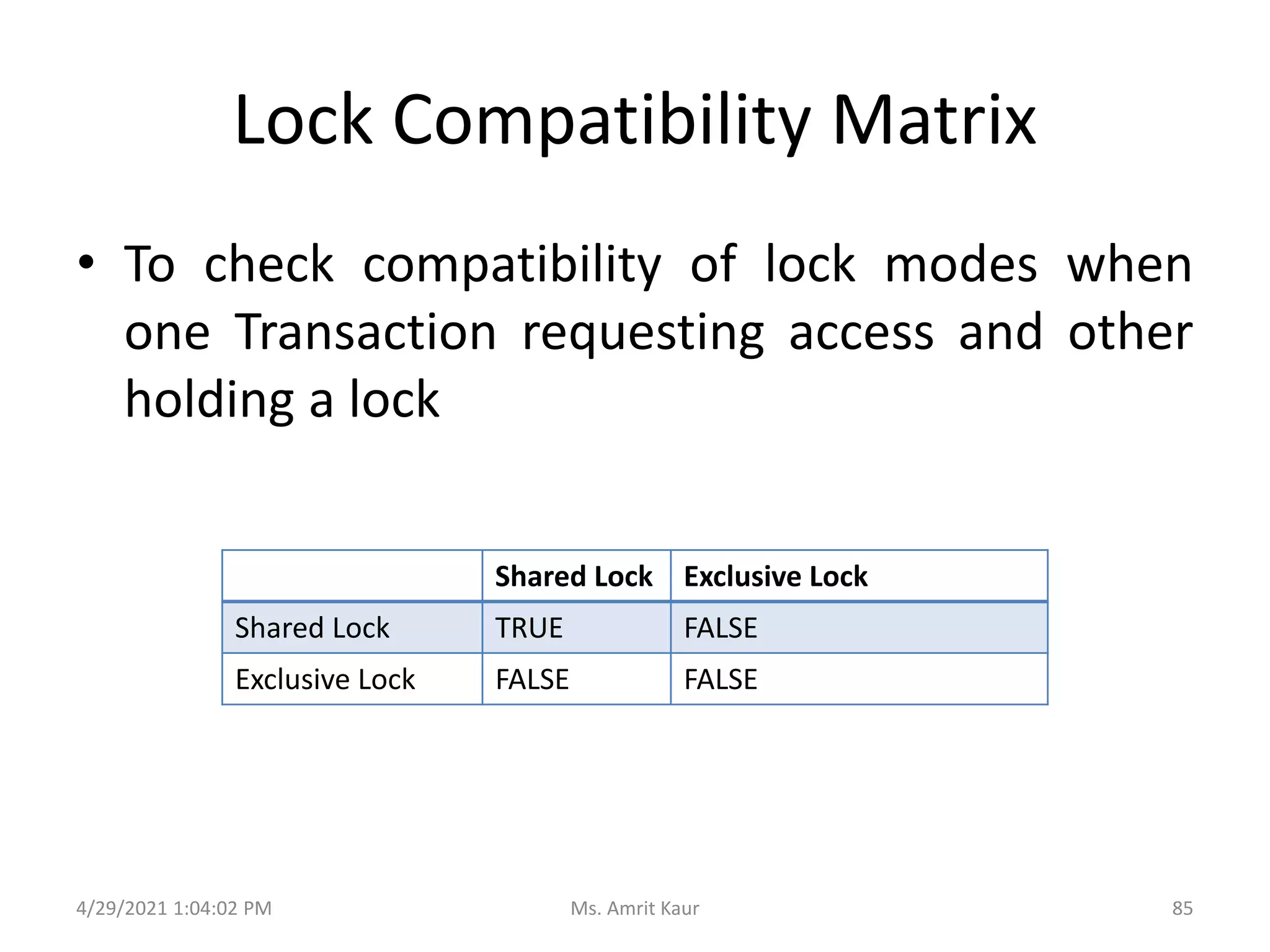
• To check compatibility of lock modes when
one Transaction requesting access and other
holding a lock
Shared Lock Exclusive Lock
Shared Lock TRUE FALSE
Exclusive Lock FALSE FALSE
4/29/2021 1:04:02 PM 85
Ms. Amrit Kaur
Locking Protocol
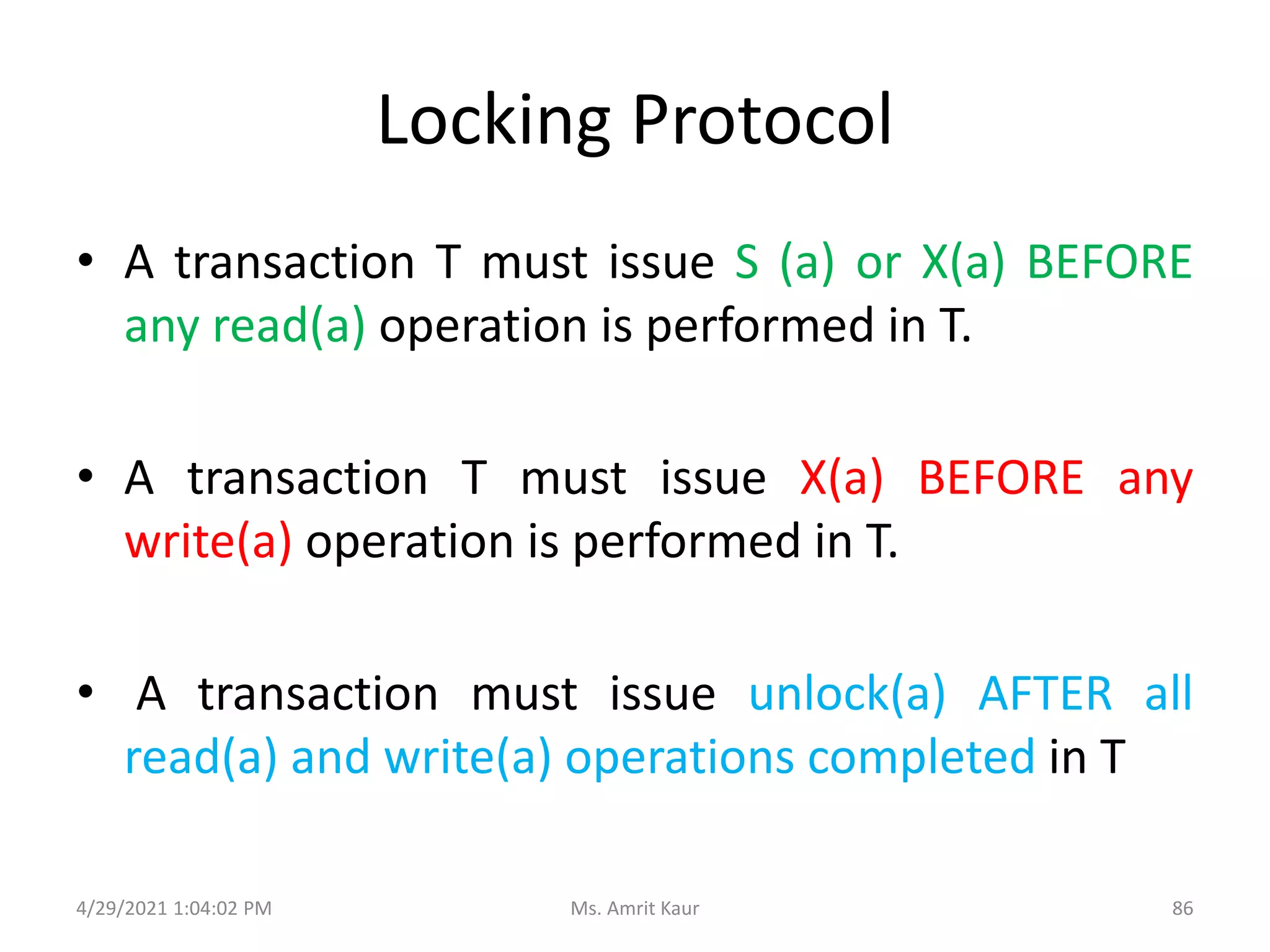
• A transaction T must issue S (a) or X(a) BEFORE
any read(a) operation is performed in T.
• A transaction T must issue X(a) BEFORE any
write(a) operation is performed in T.
• A transaction must issue unlock(a) AFTER all
read(a) and write(a) operations completed in T
4/29/2021 1:04:02 PM 86
Ms. Amrit Kaur
Locking Protocol
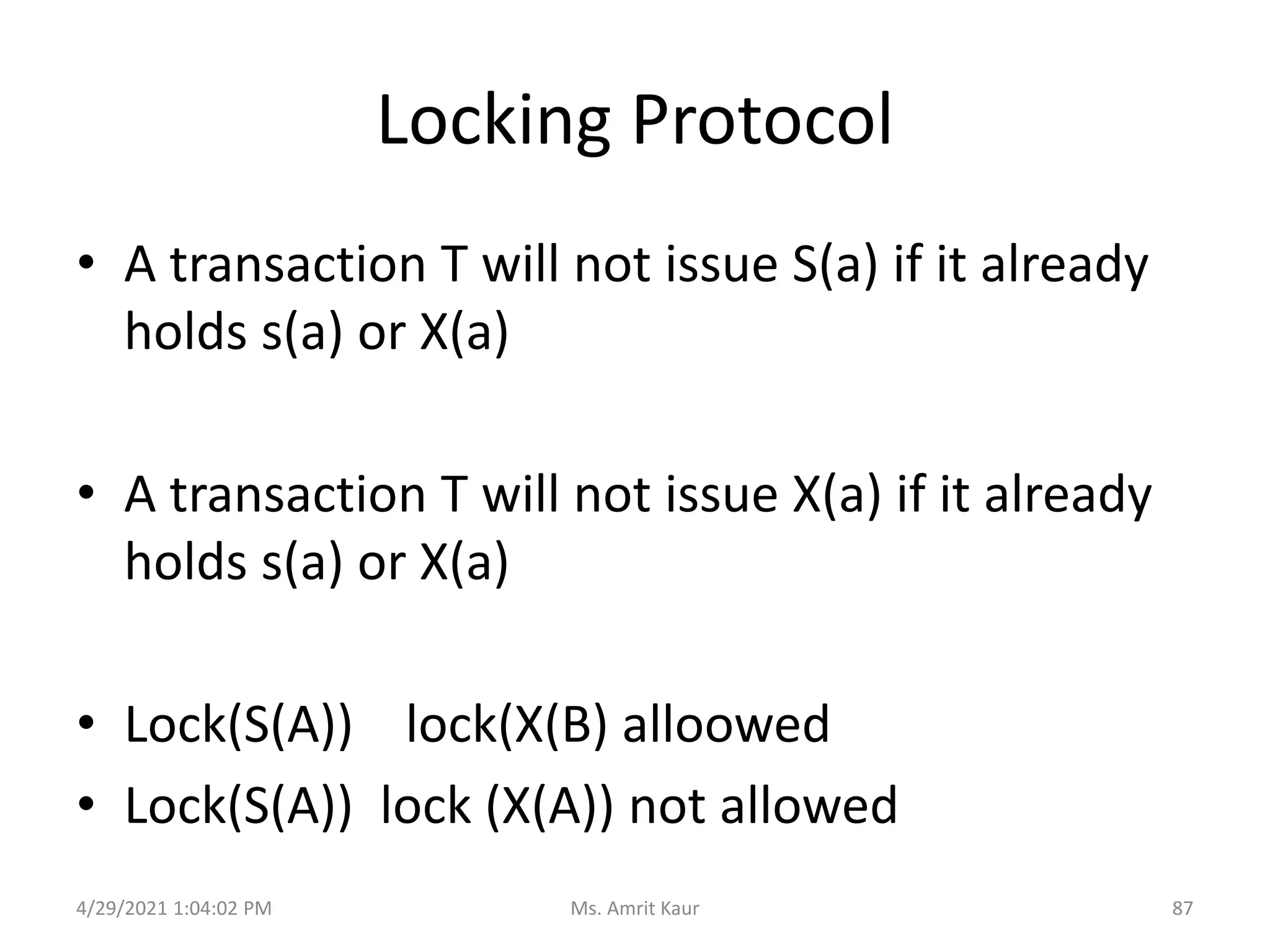
• A transaction T will not issue S(a) if it already
holds s(a) or X(a)
• A transaction T will not issue X(a) if it already
holds s(a) or X(a)
• Lock(S(A)) lock(X(B) alloowed
• Lock(S(A)) lock (X(A)) not allowed
4/29/2021 1:04:02 PM 87
Ms. Amrit Kaur
7.2 Two Phase Locking Protocol (2PL)
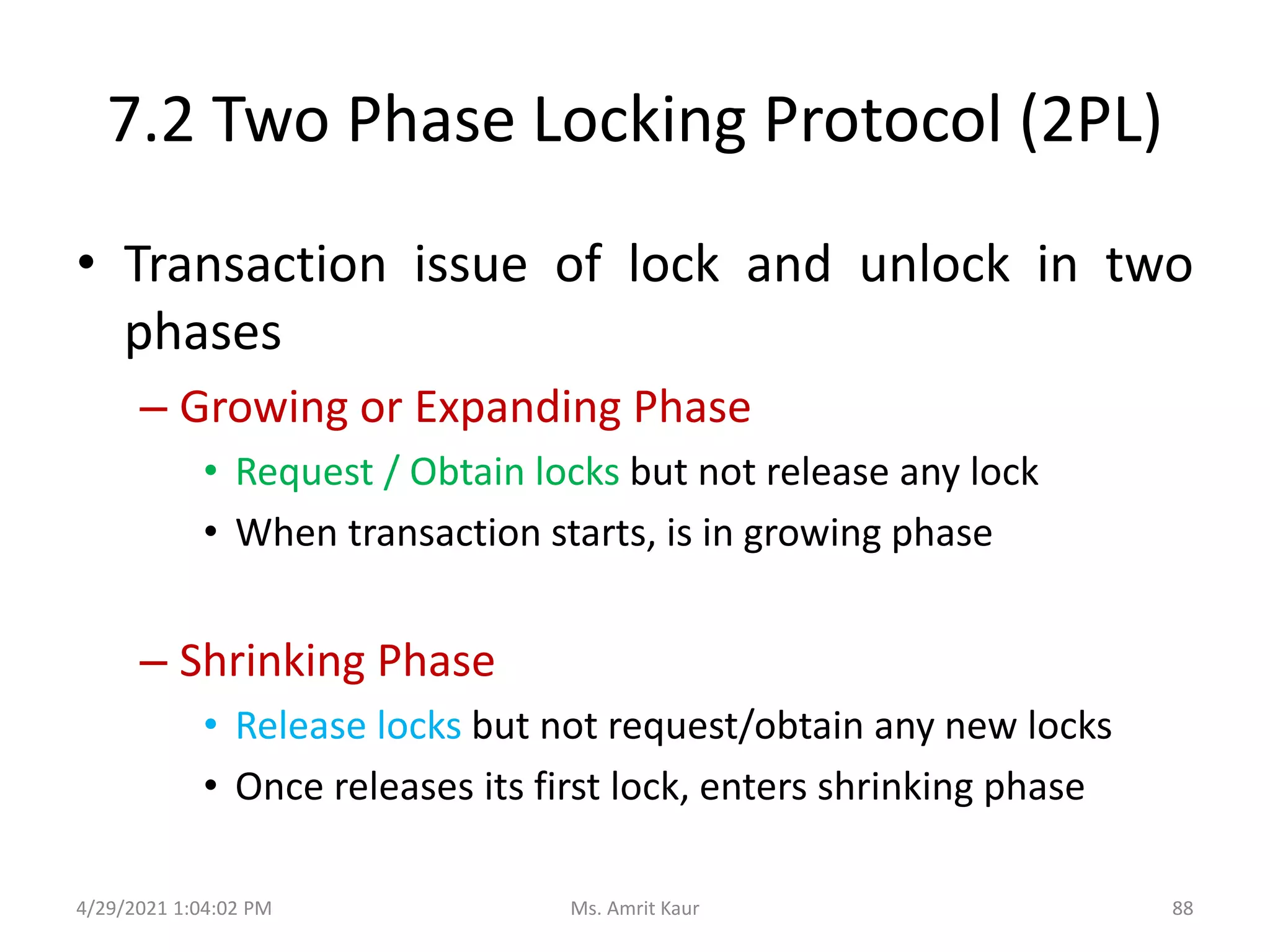
• Transaction issue of lock and unlock in two
phases
– Growing or Expanding Phase
• Request / Obtain locks but not release any lock
• When transaction starts, is in growing phase
– Shrinking Phase
• Release locks but not request/obtain any new locks
• Once releases its first lock, enters shrinking phase
4/29/2021 1:04:02 PM 88
Ms. Amrit Kaur
Two Phase Locking Protocol (2PL)
• Lock point is point when transaction has
obtained its final lock.
• End of growing phase
4/29/2021 1:04:02 PM 89
Ms. Amrit Kaur
Variations of 2PL
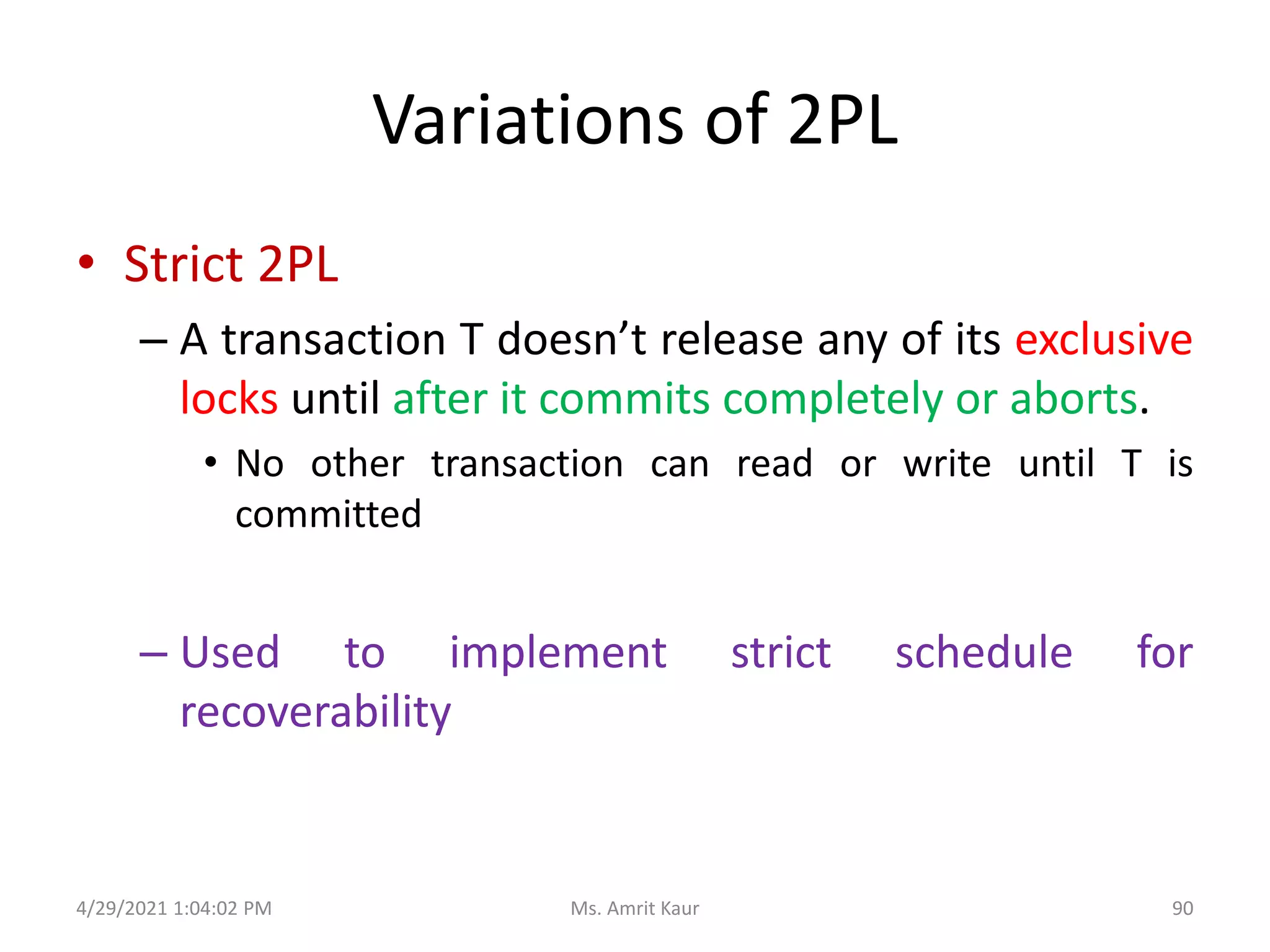
• Strict 2PL
– A transaction T doesn’t release any of its exclusive
locks until after it commits completely or aborts.
• No other transaction can read or write until T is
committed
– Used to implement strict schedule for
recoverability
4/29/2021 1:04:02 PM 90
Ms. Amrit Kaur
Variations of 2PL
• rigorous 2PL
– A transaction T doesn’t release any of its exclusive
or shared locks until after it commits completely
or aborts.
– Used to implement strict schedule for
recoverability
4/29/2021 1:04:02 PM 91
Ms. Amrit Kaur
7.3 Multiple Granularity
4/29/2021 1:04:02 PM
92
Ms. Amrit Kaur
What is granularity?
• The extent of the database resources that is
included with each lock is called granularity
(also called locking level)
• Locking Levels
– Database
• The entire database is locked and becomes unavailable
for other users.
• Preferred using backups
4/29/2021 1:04:02 PM 93
Ms. Amrit Kaur
Locking Level
• Table
– The entire table containing a requested record is
locked.
– Preferred for bulk updates such as giving each
employee 10% bonus
• Block or Page
– The physical storage block or page containing a
requested record is locked.
4/29/2021 1:04:02 PM 94
Ms. Amrit Kaur
Locking Level
• Record
– Only the requested record or row is locked.
– All other records within table are available to
other user
• Field
– Only the particular field or column in a requested
record is locked
4/29/2021 1:04:02 PM 95
Ms. Amrit Kaur
Granularity Hierarchy
4/29/2021 1:04:02 PM
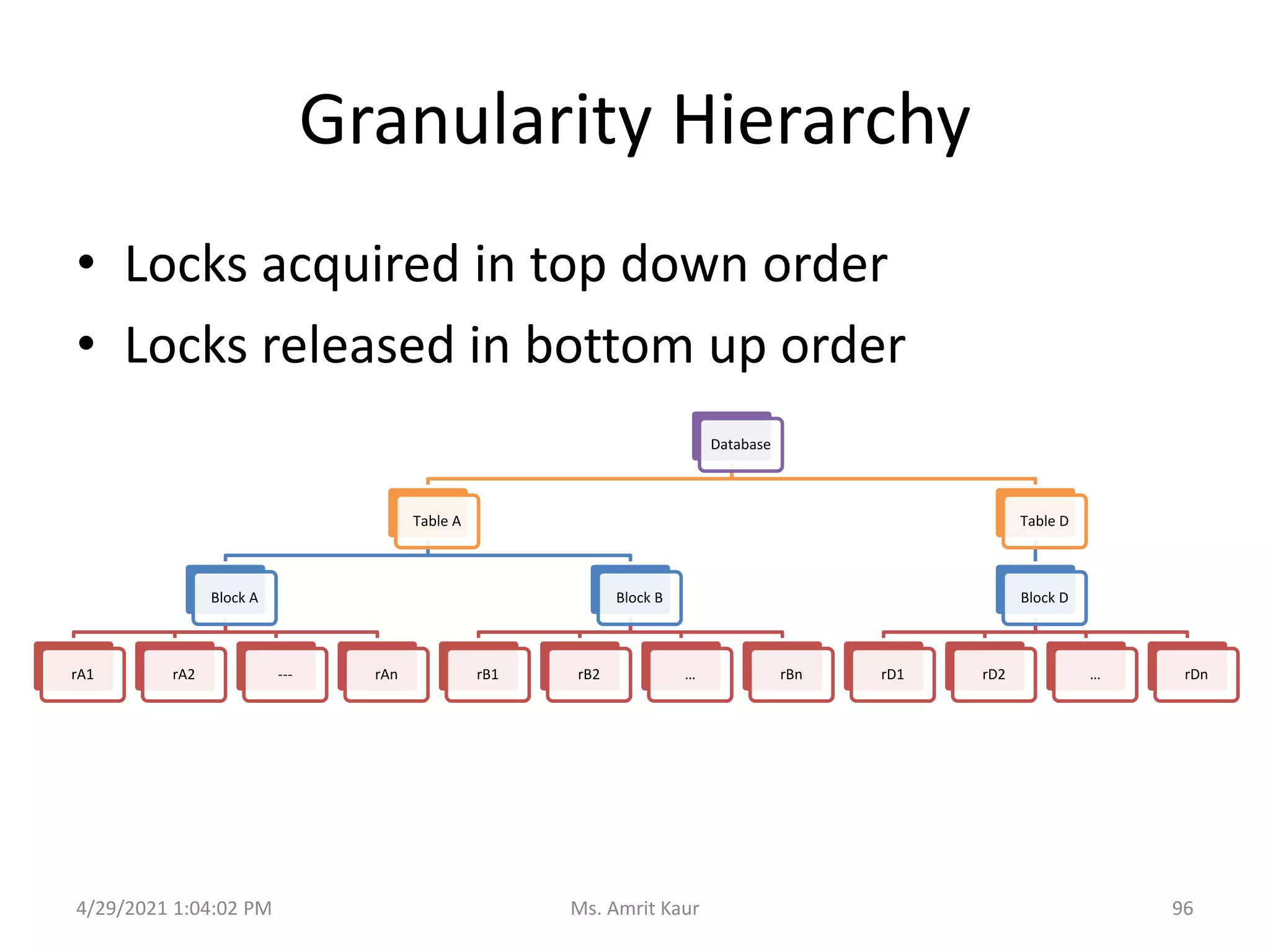
• Locks acquired in top down order
• Locks released in bottom up order
Database
Table A
Block A
rA1 rA2 --- rAn
Block B
rB1 rB2 … rBn
Table D
Block D
rD1 rD2 … rDn
96
Ms. Amrit Kaur
New Intention Lock Modes
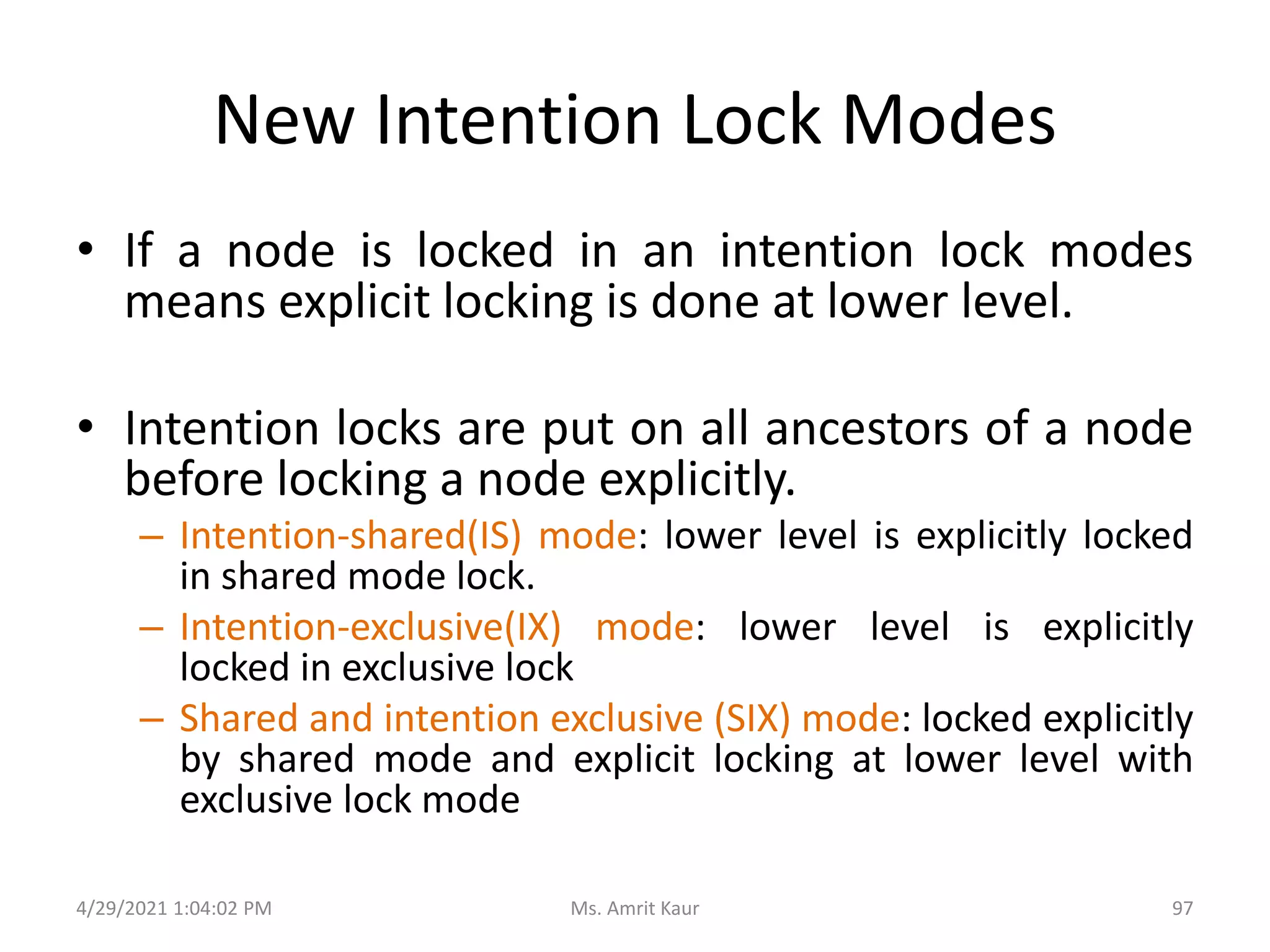
• If a node is locked in an intention lock modes
means explicit locking is done at lower level.
• Intention locks are put on all ancestors of a node
before locking a node explicitly.
– Intention-shared(IS) mode: lower level is explicitly locked
in shared mode lock.
– Intention-exclusive(IX) mode: lower level is explicitly
locked in exclusive lock
– Shared and intention exclusive (SIX) mode: locked explicitly
by shared mode and explicit locking at lower level with
exclusive lock mode
4/29/2021 1:04:02 PM 97
Ms. Amrit Kaur
Compatibility Matrix
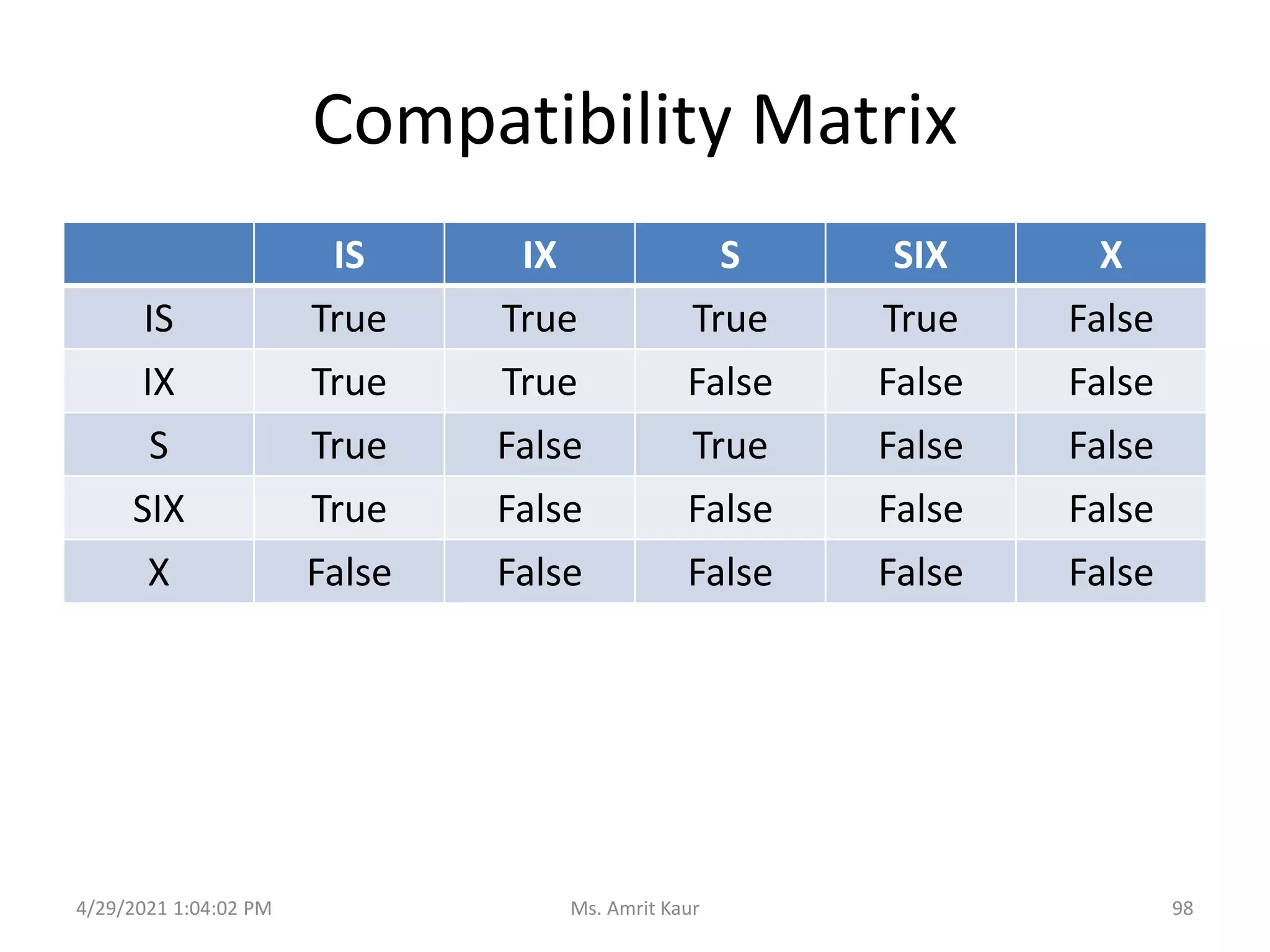
IS IX S SIX X
IS True True True True False
IX True True False False False
S True False True False False
SIX True False False False False
X False False False False False
4/29/2021 1:04:02 PM 98
Ms. Amrit Kaur
Multiple Granularity Locking Protocol
• Each Transaction T can lock a node Q
following rules
– Observe compatibility matrix
– Must lock the root first and can lock it in any
mode
– Lock Q in S or IS only if currently has the parent of
Q locked in either IX or IS mode
– Lock Q in X, SIX or IX mode only if currently has
the parent of Q locked in either IX or SIX mode
4/29/2021 1:04:02 PM 99
Ms. Amrit Kaur
Multiple Granularity Locking Protocol
• Each Transaction T can lock a node Q
following rules
– It can lock node only if it has not previously
unlocked any node(not in shrinking phase)
– It can unlock a node Q only if it currently has non
at the lower level of Q locked
4/29/2021 1:04:02 PM 100
Ms. Amrit Kaur
7.4 Timestamp ordering
4/29/2021 1:04:02 PM
101
Ms. Amrit Kaur
What is timestamp?
• Timestamp is unique identifier created by
DBMS to identify the transaction.
– Assigned in order in which transactions entered
the system and before it start execution
– Timestamp of transaction T is referred as TS(T)
4/29/2021 1:04:02 PM 102
Ms. Amrit Kaur
How to generate Timestamp
• Transaction’s timestamp is equal to value of
system clock when transaction enters the system
• Use a logical counter that is incremented after
new timestamp has been assigned
• If transaction T1 timestamp is TS(T1) and new
transaction T2 enters the system, then TS(T1) <
TS(T2)
4/29/2021 1:04:02 PM 103
Ms. Amrit Kaur
Timestamp Protocol
• W-timestamp(Q)
– Largest timestamp of any transaction that
executes write(Q) successfully
• R-timestamp(Q)
• Largest timestamp of any transaction that
executes read(Q) successfully
4/29/2021 1:04:02 PM 104
Ms. Amrit Kaur
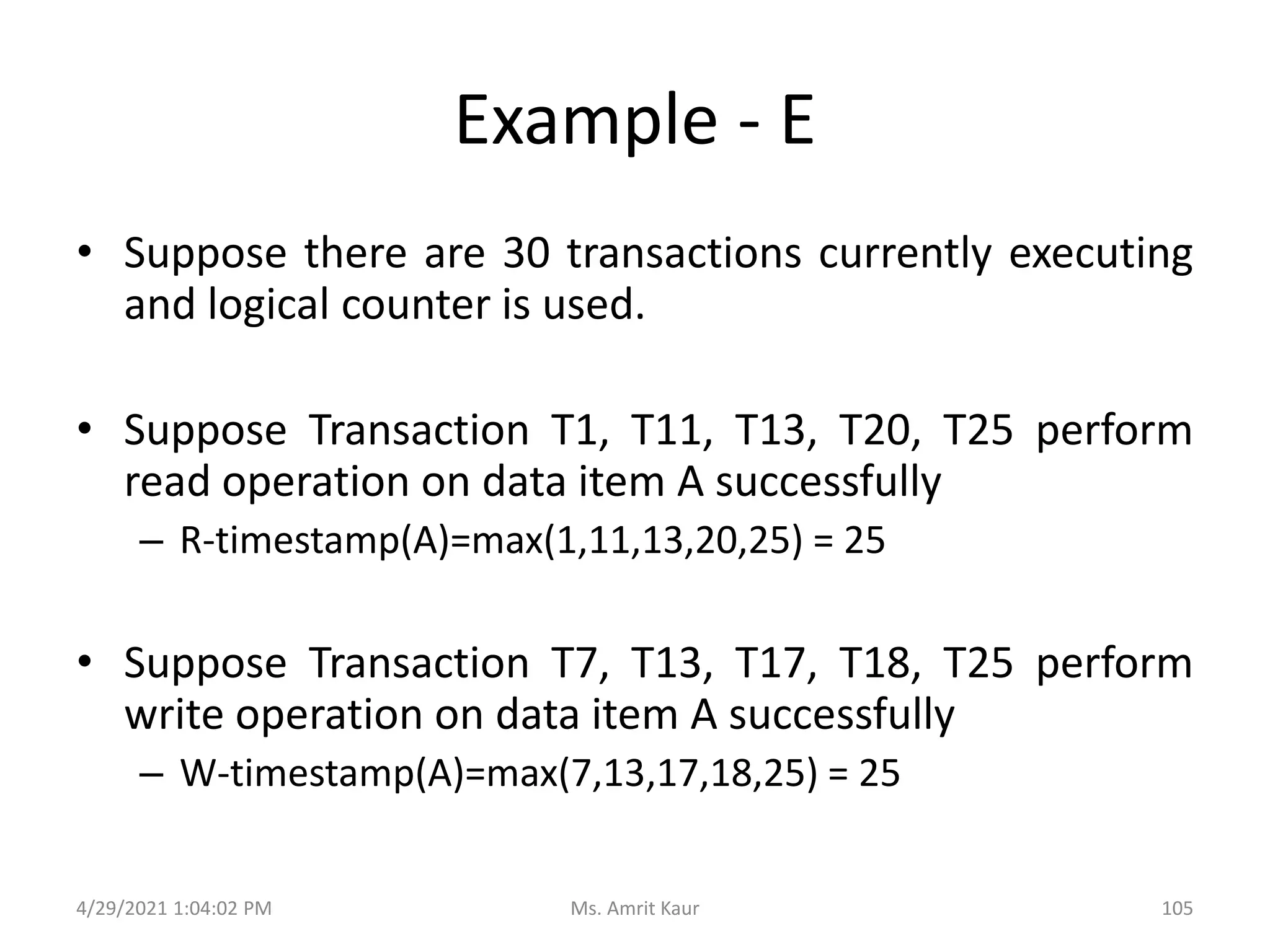
Example - E
• Suppose there are 30 transactions currently executing
and logical counter is used.
• Suppose Transaction T1, T11, T13, T20, T25 perform
read operation on data item A successfully
– R-timestamp(A)=max(1,11,13,20,25) = 25
• Suppose Transaction T7, T13, T17, T18, T25 perform
write operation on data item A successfully
– W-timestamp(A)=max(7,13,17,18,25) = 25
4/29/2021 1:04:02 PM 105
Ms. Amrit Kaur
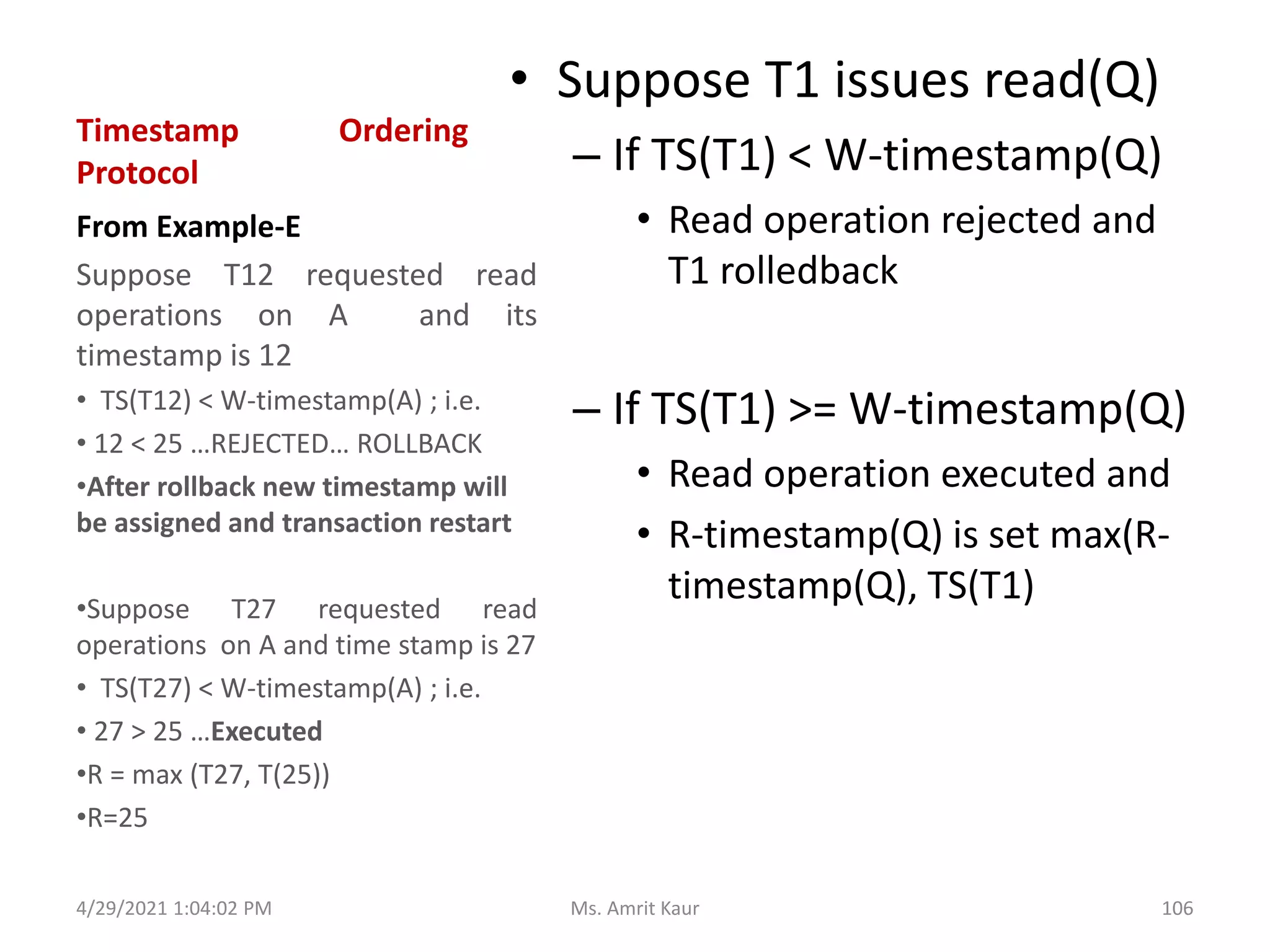
Timestamp Ordering
Protocol
• Suppose T1 issues read(Q)
– If TS(T1) < W-timestamp(Q)
• Read operation rejected and
T1 rolledback
– If TS(T1) >= W-timestamp(Q)
• Read operation executed and
• R-timestamp(Q) is set max(R-
timestamp(Q), TS(T1)
From Example-E
Suppose T12 requested read
operations on A and its
timestamp is 12
• TS(T12) < W-timestamp(A) ; i.e.
• 12 < 25 …REJECTED… ROLLBACK
•After rollback new timestamp will
be assigned and transaction restart
•Suppose T27 requested read
operations on A and time stamp is 27
• TS(T27) < W-timestamp(A) ; i.e.
• 27 > 25 …Executed
•R = max (T27, T(25))
•R=25
4/29/2021 1:04:02 PM 106
Ms. Amrit Kaur
Timestamp Ordering
Protocol
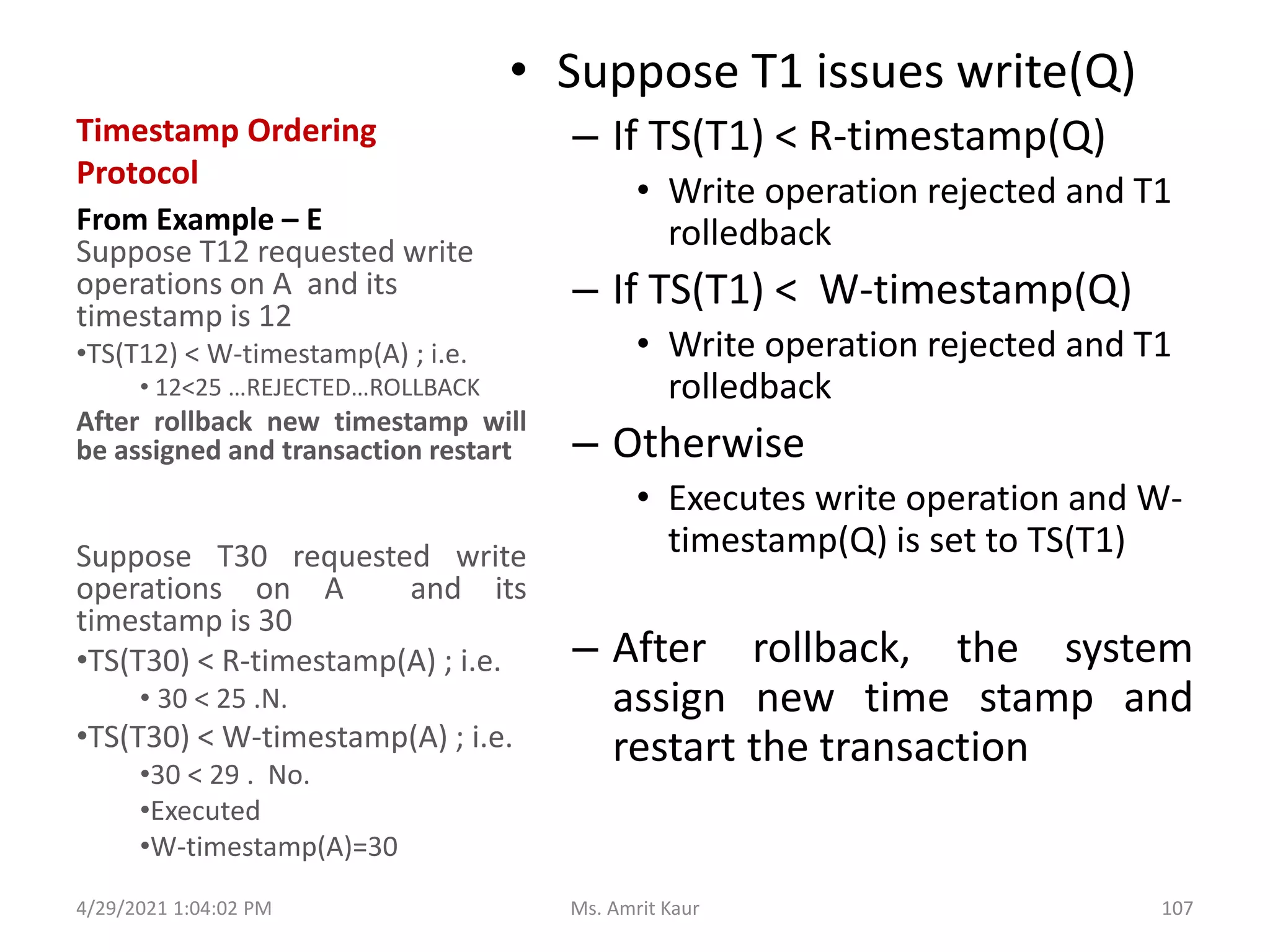
• Suppose T1 issues write(Q)
– If TS(T1) < R-timestamp(Q)
• Write operation rejected and T1
rolledback
– If TS(T1) < W-timestamp(Q)
• Write operation rejected and T1
rolledback
– Otherwise
• Executes write operation and W-
timestamp(Q) is set to TS(T1)
– After rollback, the system
assign new time stamp and
restart the transaction
From Example – E
Suppose T12 requested write
operations on A and its
timestamp is 12
•TS(T12) < W-timestamp(A) ; i.e.
• 12<25 …REJECTED…ROLLBACK
After rollback new timestamp will
be assigned and transaction restart
Suppose T30 requested write
operations on A and its
timestamp is 30
•TS(T30) < R-timestamp(A) ; i.e.
• 30 < 25 .N.
•TS(T30) < W-timestamp(A) ; i.e.
•30 < 29 . No.
•Executed
•W-timestamp(A)=30
4/29/2021 1:04:02 PM 107
Ms. Amrit Kaur
Timestamp Ordering Protocol
• Ensures conflict serializability
– conflict read and write operations are executed in
time stamp order
• No locks it means no transaction ever waits
• Ensures Cascade Rollback recoverability
– Generate schedules that are not recoverable
therefore
4/29/2021 1:04:02 PM 108
Ms. Amrit Kaur
Thank You
4/29/2021 1:04:02 PM 109
Ms. Amrit Kaur

Introduction to transaction processing

  • 1.
  • 2.
    Topics Covered • Introductionto Transaction • Transaction Control Language • ACID Properties • Schedules • Testing of Serializability • Recoverability • Concurrency Control Technique 4/29/2021 1:04:02 PM 2 Ms. Amrit Kaur
  • 3.
  • 4.
    1.1 What isa Transaction? • One or more database access operations like insertion, deletion, modification and retrieval • Defined as unit of work that must be completely processed or not at all processed. • A transaction is the smallest unit of work which leaves the database in a consistent state. 4/29/2021 1:04:02 PM 4 Ms. Amrit Kaur
  • 5.
    • Collection ofoperations that form a single logical unit of work 4/29/2021 1:04:02 PM 5 Ms. Amrit Kaur
  • 6.
    • A transactionbegins with the first executable SQL statement. • A transaction ends – explicitly with a COMMIT or ROLLBACK statement – implicitly when a DDL is used to manage table statement is issued. 4/29/2021 1:04:02 PM 6 Ms. Amrit Kaur
  • 7.
  • 8.
  • 9.
    2.1 TCL -Commands • START TRANSACTION – begins a new transaction. – BEGIN statement can also be used. – SYNTAX: START TRANSACTION trans_char; • SET TRANSACTION – specifies transaction characteristics like • Isolation level • Access mode 4/29/2021 1:04:02 PM 9 Ms. Amrit Kaur
  • 10.
    ….contd…. • COMMIT – savesall the transactions to the database . – makes changes permanent – SYNTAX: COMMIT • ROLLBACK – undo / cancel transactions since the last COMMIT or ROLLBACK command was issued. – SYNTAX: ROLLBACK [TO SAVEPOINT]; 4/29/2021 1:04:02 PM 10 Ms. Amrit Kaur
  • 11.
    ….contd…. • SAVEPOINT – certainpoint in a transaction you can roll back to a certain point without roll back to the entire transaction. – SYNTAX: SAVEPOINT savepointname; RELEASE savepointname; 4/29/2021 1:04:02 PM 11 Ms. Amrit Kaur
  • 12.
  • 13.
    Desirable Properties ofTransactions • Atomicity: A transaction is an atomic unit. It is either perform all operations of transactions or none. • How to Achieve? – Autocommit setting. – COMMIT statement. – ROLLBACK statement. 4/29/2021 1:04:02 PM 13 Ms. Amrit Kaur
  • 14.
    Desirable Properties ofTransactions • Consistency: Complete execution of transaction takes the database from one consistent(stable) state to another. • How to Achieve? – InnoDB doublewrite buffer. – InnoDB crash recovery. 4/29/2021 1:04:02 PM 14 Ms. Amrit Kaur
  • 15.
    Desirable Properties ofTransactions • Isolation: Execution of transaction should not be interfered with any other transactions executing concurrently. • How to Achieve? – Autocommit setting. – SET ISOLATION LEVEL statement. 4/29/2021 1:04:02 PM 15 Ms. Amrit Kaur
  • 16.
    Desirable Properties ofTransactions • Isolation: Execution of transaction should not be interfered with any other transactions executing concurrently. • How to Achieve? – Autocommit setting. – SET ISOLATION LEVEL statement. 4/29/2021 1:04:02 PM 16 Ms. Amrit Kaur
  • 17.
    Desirable Properties ofTransactions • Durability: The changes applied to the database by a committed transaction must be persist (permanent) in the database. • How to Achieve? – Configure option of InnoDB – Configure logs 4/29/2021 1:04:02 PM 17 Ms. Amrit Kaur
  • 18.
    Desirable Properties ofTransaction 4/29/2021 1:04:02 PM 18 Ms. Amrit Kaur
  • 19.
    Example 1: A transactionto Transfer Rs.50 from account A t0 B 4/29/2021 1:04:02 PM 19 Ms. Amrit Kaur
  • 20.
    Current State • Suppose –Current Balance of Account A=1000 – Current Balance of Account B=2000 4/29/2021 1:04:02 PM 20 Ms. Amrit Kaur
  • 21.
    ACID Properties- CASE1 • UPDATE accounts SET balance = balance - 50 WHERE account_no = ‘A’; • COMMIT; • UPDATE accounts SET balance = balance + 50 WHERE account_no = ‘B’; • COMMIT; ---- all completed successfully----- 4/29/2021 1:04:02 PM 21 Ms. Amrit Kaur
  • 22.
    ACID Properties –CASE 2 1. UPDATE accounts SET balance = balance - 50 WHERE account_no = ‘A’; 2. COMMIT; • -------- FAilURE ------------- 3. UPDATE accounts SET balance = balance + 50 WHERE account_no = ‘B’; 4. COMMIT; Amount deducted from ONE account NOT deposited in another account. What will be the new value of balance? A= 950 B= 2000 --------------------------------- 2950 inconsistent --------------------------------- Atomicity says either 1,2,3,4 all steps are performed or none. In case of Failure, ROLLBACK(none). NOW, What will be the new value of balance? A= 950 B=2050 --------------------------------- 3000 consistent --------------------------------- Before executing sum of two account is 3000 and after transaction also 3000. 4/29/2021 1:04:02 PM 22 Ms. Amrit Kaur
  • 23.
    ACID Properties –CASE 2 1. UPDATE accounts SET balance = balance - 50 WHERE account_no = ‘A’; 2. COMMIT; • -------- FAilURE ------------- 3. UPDATE accounts SET balance = balance + 50 WHERE account_no = ‘B’; 4. COMMIT; Transaction-2 Arrives ISOLATION property ensures Consistency in case of concurrent execution of transaction UPDATE accounts SET balance=balance + 100 where account_no=‘A’ or account_no=‘B’; What is A and B now??????? Database is in INCONSISTENT STATE 4/29/2021 1:04:02 PM 23 Ms. Amrit Kaur
  • 24.
  • 25.
    Concurrent Executions • Whenseveral transactions are running concurrently (accessing database at same time), – database consistency can be destroyed despite of correctness of individual transaction – Need to control the interaction among the concurrent transaction 4/29/2021 1:04:02 PM 25 Ms. Amrit Kaur
  • 26.
    4.1 What areSchedules? • The chronological order in which transaction instructions or steps are executed in the system is called schedules. • With multiple transaction, OS share CPU time among all transaction • Several Execution Sequence (Schedules) are possible 4/29/2021 1:04:02 PM 26 Ms. Amrit Kaur
  • 27.
    4.2 Types ofSchedules • Serial Schedule • Non Serial Schedule • Conflict Schedule 4/29/2021 1:04:02 PM 27 Ms. Amrit Kaur
  • 28.
    Serial Schedules • Alloperations of transaction are execute consecutively in the schedule. • Before executing second transaction first transaction must complete its execution. • Before execution third transaction, second transaction must complete its execution and so on • Only one transaction is active • Commit or abort of current initiates next Transaction 4/29/2021 1:04:02 PM 28 Ms. Amrit Kaur
  • 29.
    4/29/2021 1:04:02 PM T1T2 T3 T1-1. read(X) T2-1. read(Z) T3-1. read(Y) T1-2. write(X) T2-2. read(Y) T3-2. read(Z) T1-3. read(Y) T1-4. write(Y) Schedule (S1) 1. T1-1. read(X) 2. T1-2 write(X) 3. T1-3 read(Y) 4. T1-4 write(Y) --- COMMIT- T1 --- 5. T2-1. read(Z) 6. T2-2 read(Y) --- COMMIT – T2 --- 7. T3-1. read(Y) 8. T3-2. read(Z) --- COMMIT – T3 --- Schedule (S2) 1. T2-1. read(Z) 2. T2-2 read(Y) --- COMMIT- T2 --- 3. T1-1. read(X) 4. T1-2 write(X) 5. T1-3 read(Y) 6. T1-4 write(Y) --- COMMIT - T1 --- 7. T3-1. read(Y) 8. T3-2. read(Z) --- COMMIT – T3 --- Schedule (S3) 1. T3-1. read(Y) 2. T3-2. read(Z) --- COMMIT – T3 --- 3. T2-1. read(Z) 4. T2-2 read(Y) --- COMMIT – T2 --- 5. T1-1. read(X) 6. T1-2 write(X) 7. T1-3 read(Y) 8. T1-4 write(Y) --- COMMIT – T1 --- Consider three Transaction T1, T2 and T3. Schedules means the order in which steps of 3 transaction are executing Serial Schedules : For n Transaction there are n! Serial Schedules T1 -> T2 -> T3 T2 -> T1 -> T3 T3 -> T2 -> T1 T1 -> T3 -> T2 T2 -> T3 -> T1 T3 -> T1 -> T2 29 Ms. Amrit Kaur
  • 30.
    Schedule 1 –Serial Schedule 1. SELECT balance FROM accounts WHERE account_no=‘A’ 1. SELECT balance FROM accounts WHERE account_no=‘A 2. UPDATE accounts SET balance = balance-200 WHERE account_no=‘A’ 2. UPDATE accounts SET balance = balance-300 WHERE account_no=‘A’ 3. COMMIT 3. COMMIT Transaction T1 : By Ram Transaction T2 : By Sita 4/29/2021 1:04:02 PM 30 Ms. Amrit Kaur
  • 31.
    Schedule 2 –Serial Schedule Transaction T1 : By Ram Transaction T2 : By Sita 1. SELECT balance FROM accounts WHERE account_no=‘A’ 2. UPDATE accounts SET balance = balance-200 WHERE account_no=‘A’ 3. COMMIT ; 1. SELECT balance FROM accounts WHERE account_no=‘A 2. UPDATE accounts SET balance = balance-300 WHERE account_no=‘A’ 3. COMMIT 4/29/2021 1:04:02 PM 31 Ms. Amrit Kaur
  • 32.
    Serial Schedules • Advantage –Database is consistent; i.e. we get correct data on the database and no loss of data also. • Problems: • Transaction is long , other transactions must wait • Current Transaction waiting for I/O, CPU cannot be switched 4/29/2021 1:04:02 PM 32 Ms. Amrit Kaur
  • 33.
    4.2 Types ofSchedules • Serial Schedule • Non Serial Schedule • Conflict Schedule 4/29/2021 1:04:02 PM 33 Ms. Amrit Kaur
  • 34.
    Non Serial Schedule •All operations of transaction are NOT executes consecutively in the schedule because of interleaving of operations. – Before completing execution of first transaction, CPU switches / jumps to second transaction and then to third and so on. – We may get correct or incorrect data on the database. 4/29/2021 1:04:02 PM 34 Ms. Amrit Kaur
  • 35.
    4/29/2021 1:04:02 PM T1T2 T3 T1-1. read(X) T2-1. read(Z) T3-1. read(Y) T1-2. write(X) T2-2. read(Y) T3-2. read(Z) T1-3. read(Y) T1-4. write(Y) Schedule (S1) 1. T1-1. read(X) 2. T2-1. read(Z) 3. T3-1. read(Y) 4. T1-2 write(X) 5. T2-2 read(Y) 6. T2-2. read(Z) 7. T1-3 read(Y) 8. T1-4 write(Y) Schedule (S2) 1. T2-1. read(Z) 2. T1-1. read(X) 3. T1-2 write(X) 4. T3-1. read(Y) 5. T1-3 read(Y) 6. T2-2 read(Y) 7. T1-4 write(Y) 8. T2-2. read(Z) Schedule (S3) 1. T3-1. read(Y) 2. T2-1. read(Z) 3. T1-1. read(X) 4. T1-2 write(X) 5. T2-2 read(Y) 6. T2-2. read(Z) 7. T1-3 read(Y) 8. T1-4 write(Y) Consider three Transaction T1, T2 and T3. Schedules means the order in which steps of 3 transaction are executing For n Transaction there are MANY Non Serial Schedules and many more combination Which schedule will leave database in consistent state? In which schedule, recovery from failure is safe and proper? 35 Ms. Amrit Kaur
  • 36.
    Schedule 3 –Non Serial Schedule 1. SELECT balance FROM accounts WHERE account_no=‘A’ 1. SELECT balance FROM accounts WHERE account_no=‘A 2. UPDATE accounts SET balance = balance-200 WHERE account_no=‘A’ 2. UPDATE accounts SET balance = balance-300 WHERE account_no=‘A’ 3. COMMIT ; 3. COMMIT Transaction T1 : By Ram Transaction T2 : By Sita 4/29/2021 1:04:02 PM 36 Ms. Amrit Kaur
  • 37.
    Schedule 4 –Non Serial Schedule 1. SELECT balance FROM accounts WHERE account_no=‘A’ 1. SELECT balance FROM accounts WHERE account_no=‘A’ 2. UPDATE accounts SET balance = balance-200 WHERE account_no=‘A’ 2. UPDATE accounts SET balance = balance-300 WHERE account_no=‘A’ 3. COMMIT ; 3. COMMIT Transaction T1 : By Ram Transaction T2 : By Sita 4/29/2021 1:04:02 PM 37 Ms. Amrit Kaur
  • 38.
    4.2 Types ofSchedules • Serial Schedule • Non Serial Schedule • Conflict Schedule 4/29/2021 1:04:02 PM 38 Ms. Amrit Kaur
  • 39.
    Conflict Schedule • Ina non serial schedule, two operations are said to be conflict, if they satisfy all three conditions 4/29/2021 1:04:02 PM At least one of the operation is write (X) or modify (X) They access the same item, say X They belong to different transactions 39 Ms. Amrit Kaur
  • 40.
    4.3 Problems inNon Serial Schedule with Conflicting Operations • Lost Update • Dirty Read • Unrepeatable Read • Phantom 4/29/2021 1:04:02 PM 40 Ms. Amrit Kaur
  • 41.
    LOST UPDATE Problem 1.SELECT balance FROM accounts WHERE account_no=‘A’ --1000 1. SELECT balance FROM accounts WHERE account_no=‘A’ --1000 2. UPDATE accounts SET balance = balance-200 WHERE account_no=‘A’ --800 2. UPDATE accounts SET balance = balance-300 WHERE account_no=‘A’ --700 3. COMMIT ; (balance=800) 3. COMMIT ; (balance=700) ERROR! Final balance (700) is incorrect. WHY? Reads the value of balance before T1 changes it in a database. Transaction T1 : By Ram Transaction T2 : By Sita 4/29/2021 1:04:02 PM 41 Ms. Amrit Kaur
  • 42.
    Lost Update Problem •Two transactions access same database item and changes made by one transaction is modified or overwritten by another transaction. 4/29/2021 1:04:02 PM 42 Ms. Amrit Kaur
  • 43.
    4.3 Problems inNon Serial Schedule with Conflicting Operations • Lost Update • Dirty Read • Unrepeatable Read • Phantom 4/29/2021 1:04:02 PM 43 Ms. Amrit Kaur
  • 44.
    Dirty Read Problem 1.SELECT balance FROM accounts WHERE account_no=‘A’ --1000 1. SELECT balance FROM accounts WHERE account_no=‘A’ --800 2. UPDATE accounts SET balance = balance-200 WHERE account_no=‘A’ --800 2. UPDATE accounts SET balance = balance-300 WHERE account_no=‘A’ --500 3. COMMIT ; (balance=800) 4. SELECT balance FROM accounts WHERE account_no=‘A’ 3. COMMIT ; (balance=500) ERROR! WHY? T2 reads the value of balance that will not be saved permanently because of FALIURE of T1. --- DIRTY DATA ---- ----- FAILURE -------- ----- ROLLBACK (Atomicity)-------- Transaction T1 : By Ram Transaction T2 : By Sita 4/29/2021 1:04:02 PM 44 Ms. Amrit Kaur
  • 45.
    4.3 Problems inNon Serial Schedule with Conflicting Operations • Lost Update • Dirty Read • Unrepeatable Read • Phantom 4/29/2021 1:04:02 PM 45 Ms. Amrit Kaur
  • 46.
    Unrepeatable Read Problem 1.SELECT balance FROM accounts WHERE account_no=‘A’ --1000 1. UPDATE accounts SET balance = balance-300 WHERE account_no=‘A’ --700 2. COMMIT ; (balance=700) NOW, T1 receives different values for its between two reads of the same data. WHY? Data is changed by another transaction between two reads. 2. SELECT balance FROM accounts WHERE account_no=‘A’ --700 Transaction T1 : By Ram Transaction T2 : By Sita 4/29/2021 1:04:02 PM 46 Ms. Amrit Kaur
  • 47.
    Unrepeatable Reads • Betweentwo reads by Transaction T1, another Transaction T2 modifies the data, so every time getting different values of same data 4/29/2021 1:04:02 PM 47 Ms. Amrit Kaur
  • 48.
    4.3 Problems inNon Serial Schedule with Conflicting Operations • Lost Update • Dirty Read • Unrepeatable Read • Phantom 4/29/2021 1:04:02 PM 48 Ms. Amrit Kaur
  • 49.
    Phantoms 1. SELECT balanceFROM accounts WHERE account_type=‘saving’ --- 10 rows 1. INSERT INTO accounts VALUES (,,,,’saving’); 2. COMMIT ; SEE a Phantom. 2. SELECT balance FROM accounts WHERE account_type=‘saving’ --- 11 rows Transaction T1 : By Ram Transaction T2 : By Sita A row that previously did not exist 4/29/2021 1:04:02 PM 49 Ms. Amrit Kaur
  • 50.
    Phantoms • Between tworeads by Transaction T1, another Transaction T2 writes / deletes the data, so every time getting more or less data 4/29/2021 1:04:02 PM 50 Ms. Amrit Kaur
  • 51.
    Difference Unrepeatable Reads • Betweentwo reads (select) Some other transaction MODIFIED (UPDATED) the existing record/data and chages the value of data Phantoms • Between two reads(select) Some other transaction • INSERTED new data • Or DELETED existing 4/29/2021 1:04:02 PM 51 Ms. Amrit Kaur
  • 52.
    TESTING FOR SERIALIZABILITY 5 4/29/20211:04:02 PM 52 Ms. Amrit Kaur
  • 53.
    5.1 What isSerializability? • Serializability of schedule is used to determine which non serial schedules are correct when – Concurrent transaction are executing and – Interleaving of operations in schedules • Ensures consistency property of transaction. • determine which of the non serial schedule always give a correct result 4/29/2021 1:04:02 PM 53 Ms. Amrit Kaur
  • 54.
    5.2 Serializable Schedule •Schedule S of n transactions is serializable – if it is equivalent to some serial schedule of the same n transaction. 4/29/2021 1:04:02 PM 54 Ms. Amrit Kaur
  • 55.
    5.3 Algorithm toTest Serializability • Algorithm construct a precedence graph which is directed graph G=(V,E) where – V is vertex set consist of all transaction participating in the schedule – E is edge set in the for Ti -> Tj 4/29/2021 1:04:02 PM 55 Ms. Amrit Kaur
  • 56.
    …. contd (Algorithm) •Create a vertex labeled Ti for each transaction in schedule • Create an edge T1 -> T2 if – T2 executes read(A) after T1 executes write(A) – T2 executes write(A) after T1executes read(A) – T2executes write(A) after T1executes write(A) • The schedule is serializable if and only if precedence graph has no cycle 4/29/2021 1:04:02 PM 56 Ms. Amrit Kaur
  • 57.
    Example (B) –Draw Precedence Graph • Consider three transactions T1, T2 and T3 and a non serial schedule S1. Draw the serializability (precedence) graph for S1 and S2 and state whether each schedule is serializable or not. 4/29/2021 1:04:02 PM T1 T2 T3 T1-1. read(X) T2-1. read(Z) T3-1. read(Y) T1-2. write(X) T2-2. read(Y) T3-2. read(Z) T1-3. read(Y) T2-3. write(Y) T3-3. write(Y) T1-4. write(Y) T2-4. read(X) T4-4. write(Z) T2-5. write(X) Non Serial Schedule (S1) 1. T2-1: read(Z) 2. T2-2: read(Y) 3. T2-3: write(Y) 4. T3-1: read(Y) 5. T3-2: read(Z) 6. T1-1: read(X) 7. T1-2: write(X) 8. T3-3: write(Y) 9. T3-4: write(Z) 10. T2-4: read(X) 11. T1-3: read(Y) 12. T1-4: write(Y) 13. T2-5: write(X) 57 Ms. Amrit Kaur
  • 58.
    Example B contd…. –T2 executes read(A) after T1 executes write(A) T1 -> T2 – T2 executes write(A) after T1executes read(A) T1 -> T2 – T2executes write(A) after T1 executes write(A) T1 -> T2 4/29/2021 1:04:02 PM Non Serial Schedule (S1) 1. T2-1: read(Z) 2. T2-2: read(Y) 3. T2-3: write(Y) 4. T3-1: read(Y) 5. T3-2: read(Z) 6. T1-1: read(X) 7. T1-2: write(X) 8. T3-3: write(Y) 9. T3-4: write(Z) 10. T2-4: read(X) 11. T1-3: read(Y) 12. T1-4: write(Y) 13. T2-5: write(X) T1 T2 T3 1. T2: read(Z) before 9. T3: write(Z) T2 -> T3 2. T2: read(Y) before 8. T3: write(Y) T2 -> T3 2. T2: read(Y) before 12. T1: write(Y) T2 -> T1 6. T1: read(X) before 13. T2: write(X) T1 -> T2 4. T3: read(Y) before 12. T1: write(Y) T3 ->T1 X Y Z, Y Y Cycle Exists Schedule is not serializable. 58 Ms. Amrit Kaur
  • 59.
    5.4 Conflict Serializable T1T2 read(a) write(a) read(b) write(b) read(a) write(a) read(b) write(b) A schedule S is conflict serializable if it is conflict equivalent to a serial schedule. T1 T2 read(a) write(a) read(a) write(a) read(b) write(b) read(b) write(b) 4/29/2021 1:04:02 PM 59 Ms. Amrit Kaur
  • 60.
    Conflict Equivalent T1 T2 read(a) write(a) read(b) write(b) read(a) write(a) read(b) write(b) Ifa schedule S can be transformed into schedule S’ by swapping non conflicting instruction T1 T2 read(a) write(a) read(a) write(a) read(b) write(b) read(b) write(b) 4/29/2021 1:04:02 PM 60 Ms. Amrit Kaur
  • 61.
    Conflict Serializability • Considera schedules in which I and J are two consecutive instruction of transaction Ti and Tj • The four cases are – I=read(Q) and J= read(Q) • Order doesnot matter – I=write(Q) and J = write(Q) – Both write, the order of these instruction doesnot matter – Next read(Q) is affected • Result of last write(Q) is preserved 4/29/2021 1:04:02 PM 61 Ms. Amrit Kaur
  • 62.
    • I=read(Q) andJ= write(Q) • I=write(Q) and J= read(Q) – I comes before J, Ti does not read the value of Q that is written by Tj – J comes before I, Ti able to read the value of Q written by J – Order of I and J matters 4/29/2021 1:04:02 PM 62 Ms. Amrit Kaur
  • 63.
    5.4.2 How toconvert to Conflict Serializable Schedule • write(A) of T1 conflicts with read(A) of T2 • Write(A) of T1 doesn’t conflict with read(B) T1 T2 1. read(a) 2. write(a) 3. read(a) 4. write(a) 5. read(b) 6. write(b) 7. read(b) 8. write(b) If two instruction doesn’t conflict, we can swap the instruction to generate an equivalent schedule. 4/29/2021 1:04:02 PM 63 Ms. Amrit Kaur
  • 64.
    Example (C)- Swapping NonConflicting Instructions to convert to Conflict Serializable Schedule STEP1: Swap read(B) of T1 with write(A) of T2. T1 T2 1. read(a) 2. write(a) 3. read(a) 4. write(a) 5. read(b) 6 write(b) 7.read(b) 8. write(b) T1 T2 1. read(a) 2. write(a) 3. read(a) 4. read(b) 5. write(a) 6.write(b) 7. read(b) 8. write(b) STEP2: Swap read(B) of T1 with read(A) of T2. T1 T2 1.read(a) 2. write(a) 3. read(b) 4. read(a) 5. write(a) 6.write(b) 7. read(b) 8. write(b) STEP 3: Swap write(B) of T1 with write(A) of T2. 4/29/2021 1:04:02 PM 64 Ms. Amrit Kaur Schedule - A
  • 65.
    …contd…example STEP 4: Swapread(B) of T1 with write(A) of T2. T1 T2 1. read(a) 2. write(a) 3. read(b) 4. read(a) 5.write(b) 6. write(a) 7. read(b) 8. write(b) STEP 5:Swap write(B) of T1 with read(A) of T2. T1 T2 1. read(a) 2. write(a) 3. read(b) 4.write(b) 5. read(a) 6. write(a) 7. read(b) 8. write(b) 4/29/2021 1:04:02 PM 65 Ms. Amrit Kaur Non Serial Schedule (A) CONVERTED to serial schedule. It is known as Conflict Seriaializible schedule
  • 66.
  • 67.
    6.1 What isRecoverability? • Mechanism for restoring database quickly and accurately after failure, loss or damage. • Ensures atomicity and durability properties of transaction. 4/29/2021 1:04:02 PM 67 Ms. Amrit Kaur
  • 68.
    6.2 Types ofFailure • Aborted Transaction – network failure • Incorrect Data-coding error • System Failure-power cut/ battery discharge • Database Destruction- hardisk correpted 4/29/2021 1:04:02 PM 68 Ms. Amrit Kaur
  • 69.
    6.3 Database RecoveryFacility • Periodic Backup copies of portion or entire database • Resume processing from most recent checkpoint • Backward recovery by undoing unwanted changes to the database • Forward recovery starts with old copy of database and apply result of good transaction and forward to later state. 4/29/2021 1:04:02 PM 69 Ms. Amrit Kaur
  • 70.
    6.4 Recoverable Schedule •All schedules must be recoverable. • A recoverable schedule is – For each pair of transaction T1 and T2, • T2 reads data item (X) previously written by T1 • Commit of T1 appears before commit of T2 • To recover from a failure, we have to rollback several operations. 4/29/2021 1:04:02 PM 70 Ms. Amrit Kaur
  • 71.
    6.5 Non RecoverableSchedule • Schedule1 : Non Recoverable Schedule • Impossible to recover correctly from the failure T1 T2 read(a) write(a) ---commit--- read(a) ---commit--- read(b) --failure-- ROLLBACK BUT cannot be aborted BECAUSE already committed T2 reads the DIRTY data , must abort T2 4/29/2021 1:04:02 PM 71 Ms. Amrit Kaur
  • 72.
    6.5 Characterizing Schedulesbased on Recoverability • Cascading Rollback Schedule • Cascadeless Schedule • Strict Schedule • Rigorous Schedule 4/29/2021 1:04:02 PM 72 Ms. Amrit Kaur
  • 73.
    Cascading Rollback Schedule •Single Transaction failure leads to series of uncommitted transaction rollbacks because it reads an item from transaction that failed. • Time consuming and undesireable – Restrict schedules to those where cascading rollbacks cannot occuur. 4/29/2021 1:04:02 PM 73 Ms. Amrit Kaur
  • 74.
    Cascadeless Schedule • Everytransaction reads only items that were written by committed transaction. • Every cascadeless is recoverable schedule; i.e. – For each pair of transaction T1 and T2, • T2 reads data item (A) previously written by T1 – Commit of T1 appears before commit of T2 4/29/2021 1:04:02 PM 74 Ms. Amrit Kaur
  • 75.
    Strict Schedule • Everytransaction can neither read nor write a data item (A) until the last transaction that wrote (A) has committed or aborted. 4/29/2021 1:04:02 PM 75 Ms. Amrit Kaur
  • 76.
    Ideal and AcceptableSchedule • Regardless of how operating system share CPU time among transactions, an ideal and acceptable schedule MUST – leave the database in Consistent state and – allow transaction failure handled in safe manner • Acceptable Schedule – Conflict Serializable – Cascadeless / Strict Schedule 4/29/2021 1:04:02 PM 76 Ms. Amrit Kaur
  • 77.
  • 78.
    Recap • Fundamental propertiesof transaction is Isolation. • When several transactions execute concurrently, isolation property no longer be preserved. 4/29/2021 1:04:02 PM 78 Ms. Amrit Kaur
  • 79.
    Concurrency Control Techniques? •Ensures – only acceptable schedules are generated(SERIALIZABILITY and ATOMICITY) – No interaction among concurrent transaction to preserve ISOLATION. 4/29/2021 1:04:02 PM 79 Ms. Amrit Kaur
  • 80.
    Concurrency Control Techniques •basic-Lock Based Protocol • Two Phase Locking Protocol (2PL) • Multiple Granularity • Timestamp Ordering 4/29/2021 1:04:02 PM 80 Ms. Amrit Kaur
  • 81.
    7.1 Locking Mechanism 4/29/20211:04:02 PM 81 Ms. Amrit Kaur
  • 82.
    Locking Based Protocol •What it is? – Any transaction cannot read or write data until it acquires a appropriate lock. • How Locks work? – While one transaction is accessing(reading/writing) a data item, no other transaction can modify/insert that data item. – Ensures serializability 4/29/2021 1:04:02 PM 82 Ms. Amrit Kaur
  • 83.
    Types of Lock SharedLock on item A • Transaction can read but cannot write / modify A • Also called read lock or S lock Exclusive Lock on item A • Transaction can both read and write A • Also called write lock or X lock • Prevent another transaction from reading and modification on data item A 4/29/2021 1:04:02 PM 83 Ms. Amrit Kaur
  • 84.
    Granting of Locks 4/29/20211:04:02 PM To access data item A, transaction T1 REQUEST lock(A) Check COMPATIBILITY with another Transaction Lock GRANTED immediately. Request REJECTED. Transaction have to wait. TRUE FALSE 84 Ms. Amrit Kaur

  • 85.
    Lock Compatibility Matrix •To check compatibility of lock modes when one Transaction requesting access and other holding a lock Shared Lock Exclusive Lock Shared Lock TRUE FALSE Exclusive Lock FALSE FALSE 4/29/2021 1:04:02 PM 85 Ms. Amrit Kaur
  • 86.
    Locking Protocol • Atransaction T must issue S (a) or X(a) BEFORE any read(a) operation is performed in T. • A transaction T must issue X(a) BEFORE any write(a) operation is performed in T. • A transaction must issue unlock(a) AFTER all read(a) and write(a) operations completed in T 4/29/2021 1:04:02 PM 86 Ms. Amrit Kaur
  • 87.
    Locking Protocol • Atransaction T will not issue S(a) if it already holds s(a) or X(a) • A transaction T will not issue X(a) if it already holds s(a) or X(a) • Lock(S(A)) lock(X(B) alloowed • Lock(S(A)) lock (X(A)) not allowed 4/29/2021 1:04:02 PM 87 Ms. Amrit Kaur
  • 88.
    7.2 Two PhaseLocking Protocol (2PL) • Transaction issue of lock and unlock in two phases – Growing or Expanding Phase • Request / Obtain locks but not release any lock • When transaction starts, is in growing phase – Shrinking Phase • Release locks but not request/obtain any new locks • Once releases its first lock, enters shrinking phase 4/29/2021 1:04:02 PM 88 Ms. Amrit Kaur
  • 89.
    Two Phase LockingProtocol (2PL) • Lock point is point when transaction has obtained its final lock. • End of growing phase 4/29/2021 1:04:02 PM 89 Ms. Amrit Kaur
  • 90.
    Variations of 2PL •Strict 2PL – A transaction T doesn’t release any of its exclusive locks until after it commits completely or aborts. • No other transaction can read or write until T is committed – Used to implement strict schedule for recoverability 4/29/2021 1:04:02 PM 90 Ms. Amrit Kaur
  • 91.
    Variations of 2PL •rigorous 2PL – A transaction T doesn’t release any of its exclusive or shared locks until after it commits completely or aborts. – Used to implement strict schedule for recoverability 4/29/2021 1:04:02 PM 91 Ms. Amrit Kaur
  • 92.
    7.3 Multiple Granularity 4/29/20211:04:02 PM 92 Ms. Amrit Kaur
  • 93.
    What is granularity? •The extent of the database resources that is included with each lock is called granularity (also called locking level) • Locking Levels – Database • The entire database is locked and becomes unavailable for other users. • Preferred using backups 4/29/2021 1:04:02 PM 93 Ms. Amrit Kaur
  • 94.
    Locking Level • Table –The entire table containing a requested record is locked. – Preferred for bulk updates such as giving each employee 10% bonus • Block or Page – The physical storage block or page containing a requested record is locked. 4/29/2021 1:04:02 PM 94 Ms. Amrit Kaur
  • 95.
    Locking Level • Record –Only the requested record or row is locked. – All other records within table are available to other user • Field – Only the particular field or column in a requested record is locked 4/29/2021 1:04:02 PM 95 Ms. Amrit Kaur
  • 96.
    Granularity Hierarchy 4/29/2021 1:04:02PM • Locks acquired in top down order • Locks released in bottom up order Database Table A Block A rA1 rA2 --- rAn Block B rB1 rB2 … rBn Table D Block D rD1 rD2 … rDn 96 Ms. Amrit Kaur
  • 97.
    New Intention LockModes • If a node is locked in an intention lock modes means explicit locking is done at lower level. • Intention locks are put on all ancestors of a node before locking a node explicitly. – Intention-shared(IS) mode: lower level is explicitly locked in shared mode lock. – Intention-exclusive(IX) mode: lower level is explicitly locked in exclusive lock – Shared and intention exclusive (SIX) mode: locked explicitly by shared mode and explicit locking at lower level with exclusive lock mode 4/29/2021 1:04:02 PM 97 Ms. Amrit Kaur
  • 98.
    Compatibility Matrix IS IXS SIX X IS True True True True False IX True True False False False S True False True False False SIX True False False False False X False False False False False 4/29/2021 1:04:02 PM 98 Ms. Amrit Kaur
  • 99.
    Multiple Granularity LockingProtocol • Each Transaction T can lock a node Q following rules – Observe compatibility matrix – Must lock the root first and can lock it in any mode – Lock Q in S or IS only if currently has the parent of Q locked in either IX or IS mode – Lock Q in X, SIX or IX mode only if currently has the parent of Q locked in either IX or SIX mode 4/29/2021 1:04:02 PM 99 Ms. Amrit Kaur
  • 100.
    Multiple Granularity LockingProtocol • Each Transaction T can lock a node Q following rules – It can lock node only if it has not previously unlocked any node(not in shrinking phase) – It can unlock a node Q only if it currently has non at the lower level of Q locked 4/29/2021 1:04:02 PM 100 Ms. Amrit Kaur
  • 101.
    7.4 Timestamp ordering 4/29/20211:04:02 PM 101 Ms. Amrit Kaur
  • 102.
    What is timestamp? •Timestamp is unique identifier created by DBMS to identify the transaction. – Assigned in order in which transactions entered the system and before it start execution – Timestamp of transaction T is referred as TS(T) 4/29/2021 1:04:02 PM 102 Ms. Amrit Kaur
  • 103.
    How to generateTimestamp • Transaction’s timestamp is equal to value of system clock when transaction enters the system • Use a logical counter that is incremented after new timestamp has been assigned • If transaction T1 timestamp is TS(T1) and new transaction T2 enters the system, then TS(T1) < TS(T2) 4/29/2021 1:04:02 PM 103 Ms. Amrit Kaur
  • 104.
    Timestamp Protocol • W-timestamp(Q) –Largest timestamp of any transaction that executes write(Q) successfully • R-timestamp(Q) • Largest timestamp of any transaction that executes read(Q) successfully 4/29/2021 1:04:02 PM 104 Ms. Amrit Kaur
  • 105.
    Example - E •Suppose there are 30 transactions currently executing and logical counter is used. • Suppose Transaction T1, T11, T13, T20, T25 perform read operation on data item A successfully – R-timestamp(A)=max(1,11,13,20,25) = 25 • Suppose Transaction T7, T13, T17, T18, T25 perform write operation on data item A successfully – W-timestamp(A)=max(7,13,17,18,25) = 25 4/29/2021 1:04:02 PM 105 Ms. Amrit Kaur
  • 106.
    Timestamp Ordering Protocol • SupposeT1 issues read(Q) – If TS(T1) < W-timestamp(Q) • Read operation rejected and T1 rolledback – If TS(T1) >= W-timestamp(Q) • Read operation executed and • R-timestamp(Q) is set max(R- timestamp(Q), TS(T1) From Example-E Suppose T12 requested read operations on A and its timestamp is 12 • TS(T12) < W-timestamp(A) ; i.e. • 12 < 25 …REJECTED… ROLLBACK •After rollback new timestamp will be assigned and transaction restart •Suppose T27 requested read operations on A and time stamp is 27 • TS(T27) < W-timestamp(A) ; i.e. • 27 > 25 …Executed •R = max (T27, T(25)) •R=25 4/29/2021 1:04:02 PM 106 Ms. Amrit Kaur
  • 107.
    Timestamp Ordering Protocol • SupposeT1 issues write(Q) – If TS(T1) < R-timestamp(Q) • Write operation rejected and T1 rolledback – If TS(T1) < W-timestamp(Q) • Write operation rejected and T1 rolledback – Otherwise • Executes write operation and W- timestamp(Q) is set to TS(T1) – After rollback, the system assign new time stamp and restart the transaction From Example – E Suppose T12 requested write operations on A and its timestamp is 12 •TS(T12) < W-timestamp(A) ; i.e. • 12<25 …REJECTED…ROLLBACK After rollback new timestamp will be assigned and transaction restart Suppose T30 requested write operations on A and its timestamp is 30 •TS(T30) < R-timestamp(A) ; i.e. • 30 < 25 .N. •TS(T30) < W-timestamp(A) ; i.e. •30 < 29 . No. •Executed •W-timestamp(A)=30 4/29/2021 1:04:02 PM 107 Ms. Amrit Kaur
  • 108.
    Timestamp Ordering Protocol •Ensures conflict serializability – conflict read and write operations are executed in time stamp order • No locks it means no transaction ever waits • Ensures Cascade Rollback recoverability – Generate schedules that are not recoverable therefore 4/29/2021 1:04:02 PM 108 Ms. Amrit Kaur
  • 109.
    Thank You 4/29/2021 1:04:02PM 109 Ms. Amrit Kaur