DCIT 101
INTRODUCTION TO COMPUTER SCIENCE
WEEK 7 –COMPUTER SECURITY AND SAFETY, ETHICS,AND PRIVACY
Lecturer: Prof. Ferdinand Katsriku, CSD
Contact Information: fkatsriku@ug.edu.gh
LECTURE OVERVIEW
• History and examples of computer crimes
• their types, costs on society, and strategies of detection and prevention.
• Types of ethical decisions that IT professionals must make
• Classification of computer crimes and their perpetrators,
• How to implement trustworthy computing
• Management of security vulnerabilities
• How to respond to specific security incidents
• to fix problems quickly and improve ongoing security measures.
LECTURE OBJECTIVES
Data security
 Explain the difference between the terms security, privacy and integrity of data
 Show appreciation of the need for both the security of data and the security of the computer system
 Describe security measures designed to protect computer systems, ranging from the stand-alone PC
to a network of computers, including:
 user accounts
 firewalls
 General authentication techniques
 including the use of passwords and digital signatures
 Describe security measures designed to protect the security of data, including:
 data backup
 disk-mirroring strategy
 Encryption
 access rights to data (authorization)
 Show awareness of what kind of errors can occur and what can be done about them
LECTURE OBJECTIVES
Data integrity
 Describe error detection and correction measures designed to protect the
integrity of data, including:
 data validation
 data verification for data entry
 data verification during data transfer, including
 parity check
 checksum check
LECTURE OBJECTIVES
Ethics and the computing professional
• Show a basic understanding of ethics
• Explain how ethics may impact on the job role of the computing
professional
• Show understanding of the eight principles listed in the ACM/IEEE Software
Engineering Code of Ethics
• Demonstrate the relevance of these principles to some typical software
developer workplace scenarios
• Show understanding of the need for a professional code of conduct for a
computer system developer
LECTURE OBJECTIVES
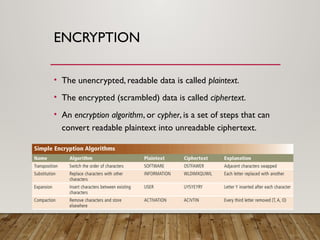
Ownership of software and data
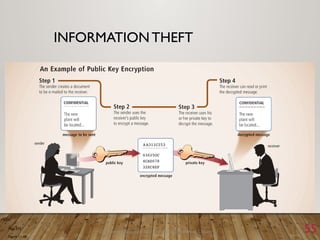
• show understanding of the concept of ownership and copyright
• describe the need for legislation to protect ownership, usage and copyright
• discuss measures to restrict access to data made available through the Internet and World
Wide Web
• show understanding of the implications of different types of software licensing:
Free Software Foundation, the Open Source Initiative, shareware and commercial
software
COMPUTER SECURITY RISKS
Computer Security
Protecting your computer system
and the information it contains
against unwanted access, damage,
destruction or modification
COMPUTER SECURITY RISKS
 A computer security risk
 Any event or action that could cause a loss of or damage to
computer hardware, software, data, information, or processing
capability.
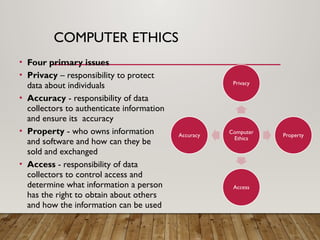
COMPUTER SECURITY RISKS
Computer Security Threats and Risks includes:
1.Internet and Network Attacks
2.Unauthorized access and use
3.Hardware Theft
4.Software Theft
5.Information Theft
6.System Failure
COMPUTER SECURITY RISKS
 Computer crime
 Any illegal act involving a computer
 Cybercrime
 Online or Internet-based illegal acts
 Crimeware
 Software used by cybercriminals som
COMPUTER SECURITY RISKS
 Perpetrators of cybercrime fall into seven basic categories:
 Hacker
 Cracker
 script kiddie
 corporate spy
 unethical employee
 Cyberextortionist
 cyberterrorist.
COMPUTER SECURITY RISKS
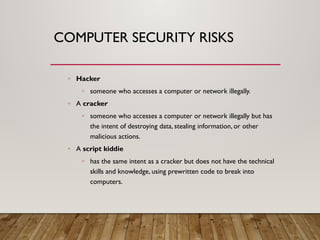
◦ Hacker
◦ someone who accesses a computer or network illegally.
◦ A cracker
◦ someone who accesses a computer or network illegally but has
the intent of destroying data, stealing information, or other
malicious actions.
◦ A script kiddie
◦ has the same intent as a cracker but does not have the technical
skills and knowledge, using prewritten code to break into
computers.
COMPUTER SECURITY RISKS
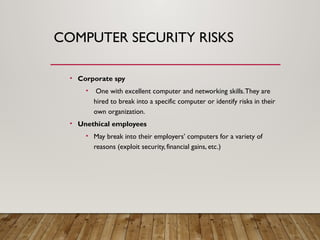
• Corporate spy
• One with excellent computer and networking skills.They are
hired to break into a specific computer or identify risks in their
own organization.
• Unethical employees
• May break into their employers’ computers for a variety of
reasons (exploit security, financial gains, etc.)
COMPUTER SECURITY RISKS
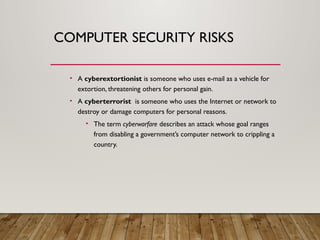
• A cyberextortionist is someone who uses e-mail as a vehicle for
extortion, threatening others for personal gain.
• A cyberterrorist is someone who uses the Internet or network to
destroy or damage computers for personal reasons.
• The term cyberwarfare describes an attack whose goal ranges
from disabling a government’s computer network to crippling a
country.
Discovering Computers 2011: Living in a Digital World Chapter 11 15
INTERNET AND NETWORK
ATTACKS
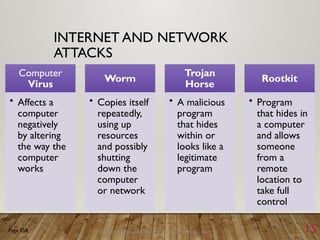
Computer
Virus
• Affects a
computer
negatively
by altering
the way the
computer
works
Worm
• Copies itself
repeatedly,
using up
resources
and possibly
shutting
down the
computer
or network
Trojan
Horse
• A malicious
program
that hides
within or
looks like a
legitimate
program
Rootkit
• Program
that hides in
a computer
and allows
someone
from a
remote
location to
take full
control
Page 558
COMPUTERVIRUSES,WORMS,
TROJAN HORSES,AND ROOTKITS
• A computer virus is a potentially damaging computer
program that affects, or infects, a computer negatively by
altering the way the computer works without the user’s
knowledge.
• A worm is a program that copies itself repeatedly, in
memory or on a network, using up resources and shutting
down the computer or network.
COMPUTERVIRUSES,WORMS,
TROJAN HORSES,AND ROOTKITS
• A Trojan horse (named after the Greek myth) is a
program that hides within or looks like a legitimate
program and causes a condition or action when triggered.
• A rootkit is a program that hides in a computer and allows
someone from a remote location to take full control of the
computer.
• Execute programs, change settings, etc.
COMPUTERVIRUSES,WORMS,
TROJAN HORSES,AND ROOTKITS
• Malware (malicious software)
• Computer viruses, worms,Trojan horses, and rootkits are all
classified as malware
• The payload is the destructive event or prank the
program is intended to deliver.
19
INTERNET AND NETWORK
ATTACKS
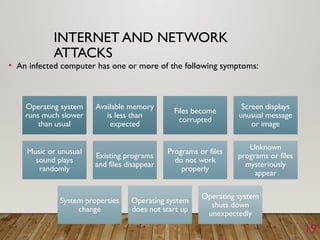
• An infected computer has one or more of the following symptoms:
Operating system
runs much slower
than usual
Available memory
is less than
expected
Files become
corrupted
Screen displays
unusual message
or image
Music or unusual
sound plays
randomly
Existing programs
and files disappear
Programs or files
do not work
properly
Unknown
programs or files
mysteriously
appear
System properties
change
Operating system
does not start up
Operating system
shuts down
unexpectedly
COMPUTERVIRUSES,WORMS,
TROJAN HORSES,AND ROOTKITS
 Malware delivers its payload on a computer when a user
◦ Opens an infected file
◦ Runs an infected program
◦ Boots the computer with infected removable media inserted
◦ Connects to an unprotected computer or network
◦ When a certain condition or event occurs, such as the clock changing
to a specific date
Discovering Computers 2011: Living in a Digital World Chapter 11 21
INTERNET AND NETWORK
ATTACKS
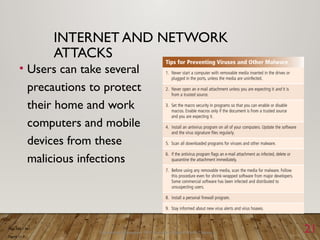
• Users can take several
precautions to protect
their home and work
computers and mobile
devices from these
malicious infections
Page 560 – 561
Figure 11-7
SAFEGUARDS AGAINST COMPUTER
VIRUSES AND OTHER MALWARE
 Some viruses are hidden in macros, which are instructions
saved in software such as a word processing or
spreadsheet program.
 Users should install an antivirus program and update it
frequently.
 An antivirus program protects a computer against
viruses by identifying and removing any computer virus
found in memory, storage, or incoming files.
SAFEGUARDS AGAINST COMPUTER
VIRUSES AND OTHER MALWARE
• An antivirus program scans for programs that attempt to
modify the boot program, the operating system, and other
programs that normally are read from but not modified.
• One technique used to identify a virus is to look for virus
signatures, also called virus definitions, which are a
known specific pattern of virus code.
SAFEGUARDS AGAINST COMPUTER
VIRUSES AND OTHER MALWARE
• Another technique that antivirus programs use to detect
viruses is to inoculate existing program files.
• To inoculate a program file, the antivirus program records
information such as the file size and creation date in a
separate inoculation file, thus enabling it to tell if a file has
been tampered with.
SAFEGUARDS AGAINST COMPUTER
VIRUSES AND OTHER MALWARE
• If an antivirus program identifies an infected file, it attempts
to remove the malware.
• If it cannot remove the infected file, it will attempt to
quarantine it.
• A quarantine is a separate area of a hard disk that holds
infected files until the infection can be removed, ensuring
other files will not become infected.
SAFEGUARDS AGAINST COMPUTER
VIRUSES AND OTHER MALWARE
 In extreme cases, you may need to reformat the hard disk
to remove malware from an infected computer.
 Stay informed about new virus alerts and virus hoaxes.
 A virus hoax is an e-mail message that warns users of a
nonexistent virus or other malware.
◦ They come in the form of chain mail and inform users to delete an
important system file claiming it is malware.
BOTNETS
 A botnet is a group of compromised computers connected to
a network such as the Internet that are used as part of a
network that attacks other networks.
 A compromised computer, known as a zombie, is one whose
owner is unaware the computer is being controlled remotely by
an outsider.
 A bot is a program that performs a repetitive task on a network.
 Cybercriminals install malicious bots on unprotected computers
to create a botnet, also called a zombie army.
DENIAL OF SERVICE ATTACKS
 A denial of service attack, or DoS attack, is an assault
whose purpose is to disrupt computer access to an
Internet service such as theWeb or e-mail.
 This is done by flooding a victim computer with confusing
data messages, thus making it unresponsive.
 A DDoS (distributed DoS) attack, is more devastating, in
which a zombie army is used to attack computers or
computer networks.
BACK DOORS
• A back door is a program or set of instructions in a
program that allow users to bypass security controls when
accessing a program, computer, or network.
• Some malware will install a back door once it infects the
victim computer.
SPOOFING
 Spoofing is a technique intruders use to make their network
or Internet transmission appear legitimate to a victim
computer or network.
 E-mail spoofing occurs when the sender’s address or other
components of the e-mail header are altered so that it
appears the e-mail originated from a different sender.
 IP spoofing occurs when an intruder computer fools a network
into believing its IP address is associated with a trusted
source.
SAFEGUARDS AGAINST
BOTNETS, DOS/DDOS
ATTACKS, BACK DOORS,AND
SPOOFING
• Some of the latest antivirus programs include provisions to
protect a computer form DoS and DDoS attacks.
• Users can also implement firewall solutions, install intrusion
detection software, and set up honeypots.
FIREWALLS
 A firewall is a hardware and/or software that protects a
network’s resources from intrusion by users on another
network such as the Internet.
 A proxy server is a server outside the organization’s network
that controls which communications pass into the
organization’s network.
 A personal firewall is a utility program that detects and
protects a personal computer and its data from unauthorized
intrusions.
INTRUSION DETECTION
SOFTWARE
• Intrusion detection software automatically analyzes all
network traffic, assesses system vulnerabilities, identifies
any unauthorized intrustions, and notifies network admins.
HONEYPOTS
• A honeypot is a vulnerable computer that is set up to entice
an intruder to break into it.
• They appear real to the intruder but are separated from
the organization’s network.
• They are used to learn how intruders are exploiting their
network.
Discovering Computers 2011: Living in a Digital World Chapter 11 35
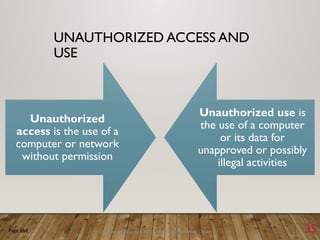
UNAUTHORIZED ACCESS AND
USE
Unauthorized
access is the use of a
computer or network
without permission
Unauthorized use is
the use of a computer
or its data for
unapproved or possibly
illegal activities
Page 564
IDENTIFYING AND
AUTHENTICATING USERS
 An access control is a security measure that defines who can
access a computer, when, and what actions they can take.
 The computer should maintain an audit trail that records
in a file both successful and unsuccessful access attempts.
 Identification verifies that an individual is a valid user.
 Authentication verifies that the individual is the person he or
she claims to be.
USER NAMES AND PASSWORDS
 A user name, or user ID, is a unique combination of characters
(letters, numbers) that identifies a specific user.
 A password is a private combination of characters associated with the
user name that allows access to certain computer resources.
 A CAPTCHA, which stands for Completely Automated Public Turing test
to tell Computers and Humans Apart, is a program developed at CMU
to verify that user input is not computer generated.
 A passphrase is a private combination of words, often containing mixed
capitalization and punctuation, associated with a user name, to be used
in place of a password.
POSSESSED OBJECTS
• A possessed object is any item that you must carry to gain
access to a computer or computer facility (badges, cards,
keys).
• A personal identification number (PIN) is a numeric
password, either assigned by a company or selected by a
user.
BIOMETRIC DEVICES
 A biometric device authenticates a person’s identity by
translating a personal characteristic, such as a fingerprint,
into digital code that is compared with a digital code
stored in the computer verifying a physical or behavioral
characteristic.
◦ Ex. Biometric payment is used, where a customer’s fingerprint is read
and their account is charged.
 Biometric devices have disadvantages.
◦ Ex. Cut finger for fingerprint readers.
ZERO KNOWLEDGE PROOF
• https://m.youtube.com/watch?v=fOGdb1CTu5c
Discovering Computers 2011: Living in a Digital World Chapter 11 41
UNAUTHORIZED ACCESS AND
USE
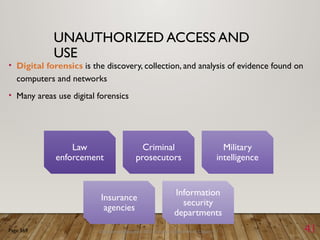
• Digital forensics is the discovery, collection, and analysis of evidence found on
computers and networks
• Many areas use digital forensics
Page 569
Law
enforcement
Criminal
prosecutors
Military
intelligence
Insurance
agencies
Information
security
departments
Discovering Computers 2011: Living in a Digital World Chapter 11 42
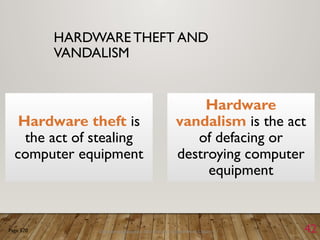
HARDWARE THEFT AND
VANDALISM
Hardware theft is
the act of stealing
computer equipment
Hardware
vandalism is the act
of defacing or
destroying computer
equipment
Page 570
43
HARDWARE THEFT AND
VANDALISM
• To help reduce the of chances of theft, companies and schools use a variety of
security measures
Page 570
Figure 11-15
Physical access controls Alarm systems
Cables to lock
equipment
Real time location
system
Passwords, possessed
objects, and biometrics
44
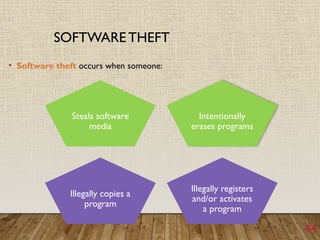
SOFTWARE THEFT
• Software theft occurs when someone:
Steals software
media
Intentionally
erases programs
Illegally copies a
program
Illegally registers
and/or activates
a program
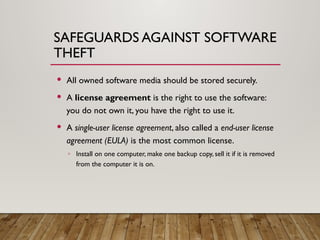
SAFEGUARDS AGAINST SOFTWARE
THEFT
 All owned software media should be stored securely.
 A license agreement is the right to use the software:
you do not own it, you have the right to use it.
 A single-user license agreement, also called a end-user license
agreement (EULA) is the most common license.
◦ Install on one computer, make one backup copy, sell it if it is removed
from the computer it is on.
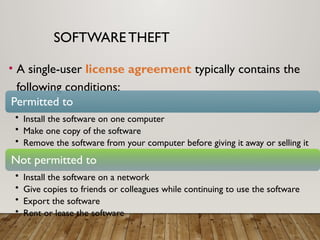
SOFTWARE THEFT
• A single-user license agreement typically contains the
following conditions:
Permitted to
• Install the software on one computer
• Make one copy of the software
• Remove the software from your computer before giving it away or selling it
Not permitted to
• Install the software on a network
• Give copies to friends or colleagues while continuing to use the software
• Export the software
• Rent or lease the software
47
SOFTWARE THEFT
• Copying, loaning,
borrowing, renting, or
distributing software can
be a violation of
copyright law
• Some software requires
product activation to
function fully
• During product activation,
which is conducted either
online or by telephone, users
provide the software
product’s identification
number to receive an
installation identification
number unique to the
computer on which the
software is installed.
INFORMATION THEFT
• Information theft occurs when someone steals personal
or confidential information.
• It has potential of causing more damage than hardware or
software theft.
• Information transmitted over networks offers a higher
degree of risk.
SAFEGUARDS AGAINST
INFORMATION THEFT
• Most organizations attempt to prevent information theft by
implementing the user identification and authentication
controls discussed earlier.
• Encryption is a process of converting readable data into
unreadable characters to prevent unauthorized access
ENCRYPTION
• Encryption is a process of converting readable data into
unreadable characters to prevent unauthorized access.
• It is treated like any other data (it can be stored, sent, etc.)
• To read the data, the recipient must decrypt, or decipher,
it into a readable form.
ENCRYPTION
• The unencrypted, readable data is called plaintext.
• The encrypted (scrambled) data is called ciphertext.
• An encryption algorithm, or cypher, is a set of steps that can
convert readable plaintext into unreadable ciphertext.
ENCRYPTION
 An encryption key is a set of characters that the originator of the
data uses to encrypt the plaintext and the recipient of the data
uses to decrypt the ciphertext.
 With private key encryption, also called symmetric key encryption, both
the originator and the recipient use the same secret key to encrypt
and decrypt the data.
 Public key encryption, also called asymmetric key encryption, uses two
encryption keys, a public and a private.
◦ A message generated with a public key can be decrypted only with the private
key.
ENCRYPTION
 Some operating systems and e-mail programs allow you to
encrypt the contents of files.
 Programs such as pretty Good Privacy (PGP) can be used as well.
 A digital signature is an encrypted code that a person,Web
site, or organization attaches to an electronic message to verify
the identity of the message sender.
 It consists of the user’s name and a hash of all or part of the
message, which is a mathematical formula that generates a code
from the contents of the message.
ENCRYPTION
• Many Web browsers offer 40-bit, 128-bit, and even 1024-bit
encryption, which are even higher levels of protection since
they have longer keys.
• AWeb site that uses encryption techniques is known as a
secure site, which use digital certificates along with a
security protocol.
Discovering Computers 2011: Living in a Digital World Chapter 11 55
INFORMATION THEFT
Page 573
Figure 11-18
INFORMATION THEFT
• A digital signature is an encrypted code that a person,Web site, or
organization attaches to an electronic message to verify the identity of the
sender
• Often used to ensure that an impostor is not participating in an Internet transaction
• Web browsers andWeb sites use encryption techniques
INFORMATION THEFT
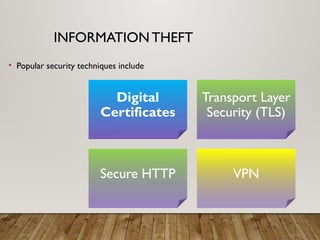
• Popular security techniques include
Digital
Certificates
Transport Layer
Security (TLS)
Secure HTTP VPN
DIGITAL CERTIFICATES
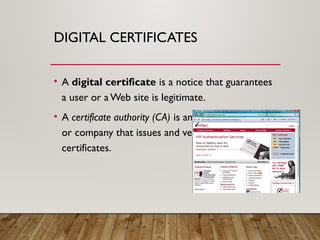
• A digital certificate is a notice that guarantees
a user or aWeb site is legitimate.
• A certificate authority (CA) is an authorized person
or company that issues and verifies digital
certificates.
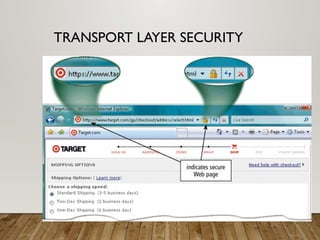
TRANSPORT LAYER SECURITY
• Transport Layer Security (TLS) a successor to Secure Sockets
Layer (SSL), provides encryption of all data that passes
between a client and an Internet server.
• Both ends require a certificate and prevents perpetrators
from accessing or tampering with communications
• TLS protected websites typically begin with https, instead
of http.
TRANSPORT LAYER SECURITY
SECURE HTTP
• Secure HTTP (S-HTTP) allows users to choose an encryption
scheme for data that passes between a client and server.
• It is more difficult than TLS to use, but it is also more
secure.
VPN
• When a mobile user connects to a main office using a
standard Internet connection, a virtual private network (VPN)
provides the mobile user with a secure connection to the
company network server, as if the user has a private line.
• They help ensure that data is safe from being intercepted
by unauthorized people by encrypting.
Discovering Computers 2011: Living in a Digital World Chapter 11 63
SYSTEM FAILURE
• A system failure is the prolonged malfunction of a computer
• A variety of factors can lead to system failure, including:
• Aging hardware
• Natural disasters
• Electrical power problems
• Noise, undervoltages, and overvoltages
• Errors in computer programs
Page 575
Discovering Computers 2011: Living in a Digital World Chapter 11 64
SYSTEM FAILURE
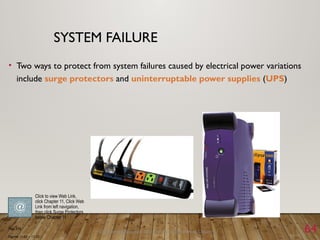
• Two ways to protect from system failures caused by electrical power variations
include surge protectors and uninterruptable power supplies (UPS)
Page 576
Figures 11-21 – 11-22
Click to view Web Link,
click Chapter 11, Click Web
Link from left navigation,
then click Surge Protectors
below Chapter 11
Discovering Computers 2011: Living in a Digital World Chapter 11 65
BACKING UP – THE ULTIMATE
SAFEGUARD
• A backup is a duplicate of a file, program, or disk that can be used if the original
is lost, damaged, or destroyed
• To back up a file means to make a copy of it
• Offsite backups are stored in a location separate from the computer site
Page 577
Cloud
Storage
Discovering Computers 2011: Living in a Digital World Chapter 11 66
WIRELESS SECURITY
• Wireless access poses additional security risks
• About 80 percent of wireless networks have no security
protection
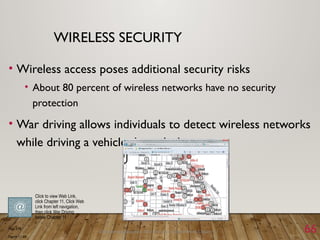
• War driving allows individuals to detect wireless networks
while driving a vehicle through the area
Page 578
Figure 11-23
Click to view Web Link,
click Chapter 11, Click Web
Link from left navigation,
then click War Driving
below Chapter 11
ETHICS
• Ethics are standards of moral conduct
• Standards of right and wrong behavior
• A gauge of personal integrity
• The basis of trust and cooperation in
relationships with others
ETHICAL PRINCIPLSS
• Ethical principles are tools which are used to think through difficult
situations.
• Three useful ethical principals:
• An act is ethical if all of society benefits from the act.
• An act is ethical if people are treated as an end and not as a means to an end.
• An act is ethical if it is fair to all parties involved.
COMPUTER ETHICS
• Computer ethics are
the moral guidelines that
govern the use of
computers and
information systems
• Information accuracy is a
concern
• Not all information on the
Web is correct
COMPUTER ETHICS
• Four primary issues
• Privacy – responsibility to protect
data about individuals
• Accuracy - responsibility of data
collectors to authenticate information
and ensure its accuracy
• Property - who owns information
and software and how can they be
sold and exchanged
• Access - responsibility of data
collectors to control access and
determine what information a person
has the right to obtain about others
and how the information can be used
Computer
Ethics
Privacy
Property
Access
Accuracy
ETHICS FOR COMPUTER
PROFESSIONALS
Computer Professionals:
• Are experts in their field,
• Know customers rely on their knowledge, expertise, and
honesty,
• Understand their products (and related risks) affect many
people,
• Follow good professional standards and practices,
• Maintain an expected level of competence and are up-to-
date on current knowledge and technology, and
• Educate the non-computer professional
COMPUTER ETHICS
FOR COMPUTER PROFESSIONALS
• Competence– Professionals keep up with the latest
knowledge in their field and perform services only in
their area of competence.
• Responsibility– Professionals are loyal to their
clients or employees, and they won’t disclose
confidential information.
• Integrity– Professionals express their opinions based
on facts, and they are impartial in their judgments.
THE ACM CODE OF CONDUCT
• According to the Association for Computing Machinery
(ACM) code, a computing professional:
• Contributes to society and human well-being
• Avoids harm to others
• Is honest and trustworthy
• Is fair and takes action not to discriminate
• Honors property rights, including copyrights and
patents
• Gives proper credit when using the intellectual
property of others
• Respects other individuals’ rights to privacy
• Honors confidentiality
QUALITY OF LIFE ISSUES
 Rapid Change:
 Reduced response time to competition
 Maintaining Boundaries:
 Family, work, leisure
 Dependence AndVulnerability
 Employment:
 Re-engineering job loss
 Equity & Access:
 Increasing gap between haves and have nots
 Health Issues
ERGONOMICS
• Ergonomics:
• helps computer users to avoid
• physical and mental health risks
• and to increase
• productivity
PHYSICAL HEALTH ISSUES
• Avoid eyestrain and headache
• Take regular breaks every couple of hours
• Control ambient light and insure adequate monitor
brightness
• Avoid back and neck pain
• Have adjustable equipment with adequate back
support
• Keep monitor at, or slightly below eye level
PHYSICAL HEALTH ISSUES
• Avoid effects of electromagnetic fields (VDT radiation)
• Possible connection to miscarriages and cancers, but no
statistical support yet
• Use caution if pregnant
• Avoid repetitive strain injury (RSI)
• Injuries from fast, repetitive work
• Carpal tunnel syndrome (CTS) - nerve and tendon
damage in hands and wrists
THE ENVIRONMENT
• Microcomputers are the greatest user of
electricity in the workplace
• “Green” PCs
• System unit and display - minimize unnecessary
energy consumption and power down when not in
use
• Manufacturing - avoids harmful chemicals in
production, focus on chlorofluorocarbons (CFC’s)
which some blame for ozone layer depletion
PERSONAL RESPONSIBILITY
OF USERS
• Conserve
• Turn computers off at end of work day
• Use screen savers
• Recycle
• Most of the paper we use is eligible
• Dispose of old parts via recycling programs – most computer parts are dangerous
in landfills
• Educate
• Know the facts about ecological issues
QUESTIONS
All material presented in this course is based on the book by D. Dalcher a
nd L. Brodie Successful IT projects
END
• Thank you

Week_7.pptx Computer science topic 7 Notes

  • 1.
    DCIT 101 INTRODUCTION TOCOMPUTER SCIENCE WEEK 7 –COMPUTER SECURITY AND SAFETY, ETHICS,AND PRIVACY Lecturer: Prof. Ferdinand Katsriku, CSD Contact Information: fkatsriku@ug.edu.gh
  • 2.
    LECTURE OVERVIEW • Historyand examples of computer crimes • their types, costs on society, and strategies of detection and prevention. • Types of ethical decisions that IT professionals must make • Classification of computer crimes and their perpetrators, • How to implement trustworthy computing • Management of security vulnerabilities • How to respond to specific security incidents • to fix problems quickly and improve ongoing security measures.
  • 3.
    LECTURE OBJECTIVES Data security Explain the difference between the terms security, privacy and integrity of data  Show appreciation of the need for both the security of data and the security of the computer system  Describe security measures designed to protect computer systems, ranging from the stand-alone PC to a network of computers, including:  user accounts  firewalls  General authentication techniques  including the use of passwords and digital signatures  Describe security measures designed to protect the security of data, including:  data backup  disk-mirroring strategy  Encryption  access rights to data (authorization)  Show awareness of what kind of errors can occur and what can be done about them
  • 4.
    LECTURE OBJECTIVES Data integrity Describe error detection and correction measures designed to protect the integrity of data, including:  data validation  data verification for data entry  data verification during data transfer, including  parity check  checksum check
  • 5.
    LECTURE OBJECTIVES Ethics andthe computing professional • Show a basic understanding of ethics • Explain how ethics may impact on the job role of the computing professional • Show understanding of the eight principles listed in the ACM/IEEE Software Engineering Code of Ethics • Demonstrate the relevance of these principles to some typical software developer workplace scenarios • Show understanding of the need for a professional code of conduct for a computer system developer
  • 6.
    LECTURE OBJECTIVES Ownership ofsoftware and data • show understanding of the concept of ownership and copyright • describe the need for legislation to protect ownership, usage and copyright • discuss measures to restrict access to data made available through the Internet and World Wide Web • show understanding of the implications of different types of software licensing: Free Software Foundation, the Open Source Initiative, shareware and commercial software
  • 7.
    COMPUTER SECURITY RISKS ComputerSecurity Protecting your computer system and the information it contains against unwanted access, damage, destruction or modification
  • 8.
    COMPUTER SECURITY RISKS A computer security risk  Any event or action that could cause a loss of or damage to computer hardware, software, data, information, or processing capability.
  • 9.
    COMPUTER SECURITY RISKS ComputerSecurity Threats and Risks includes: 1.Internet and Network Attacks 2.Unauthorized access and use 3.Hardware Theft 4.Software Theft 5.Information Theft 6.System Failure
  • 10.
    COMPUTER SECURITY RISKS Computer crime  Any illegal act involving a computer  Cybercrime  Online or Internet-based illegal acts  Crimeware  Software used by cybercriminals som
  • 11.
    COMPUTER SECURITY RISKS Perpetrators of cybercrime fall into seven basic categories:  Hacker  Cracker  script kiddie  corporate spy  unethical employee  Cyberextortionist  cyberterrorist.
  • 12.
    COMPUTER SECURITY RISKS ◦Hacker ◦ someone who accesses a computer or network illegally. ◦ A cracker ◦ someone who accesses a computer or network illegally but has the intent of destroying data, stealing information, or other malicious actions. ◦ A script kiddie ◦ has the same intent as a cracker but does not have the technical skills and knowledge, using prewritten code to break into computers.
  • 13.
    COMPUTER SECURITY RISKS •Corporate spy • One with excellent computer and networking skills.They are hired to break into a specific computer or identify risks in their own organization. • Unethical employees • May break into their employers’ computers for a variety of reasons (exploit security, financial gains, etc.)
  • 14.
    COMPUTER SECURITY RISKS •A cyberextortionist is someone who uses e-mail as a vehicle for extortion, threatening others for personal gain. • A cyberterrorist is someone who uses the Internet or network to destroy or damage computers for personal reasons. • The term cyberwarfare describes an attack whose goal ranges from disabling a government’s computer network to crippling a country.
  • 15.
    Discovering Computers 2011:Living in a Digital World Chapter 11 15 INTERNET AND NETWORK ATTACKS Computer Virus • Affects a computer negatively by altering the way the computer works Worm • Copies itself repeatedly, using up resources and possibly shutting down the computer or network Trojan Horse • A malicious program that hides within or looks like a legitimate program Rootkit • Program that hides in a computer and allows someone from a remote location to take full control Page 558
  • 16.
    COMPUTERVIRUSES,WORMS, TROJAN HORSES,AND ROOTKITS •A computer virus is a potentially damaging computer program that affects, or infects, a computer negatively by altering the way the computer works without the user’s knowledge. • A worm is a program that copies itself repeatedly, in memory or on a network, using up resources and shutting down the computer or network.
  • 17.
    COMPUTERVIRUSES,WORMS, TROJAN HORSES,AND ROOTKITS •A Trojan horse (named after the Greek myth) is a program that hides within or looks like a legitimate program and causes a condition or action when triggered. • A rootkit is a program that hides in a computer and allows someone from a remote location to take full control of the computer. • Execute programs, change settings, etc.
  • 18.
    COMPUTERVIRUSES,WORMS, TROJAN HORSES,AND ROOTKITS •Malware (malicious software) • Computer viruses, worms,Trojan horses, and rootkits are all classified as malware • The payload is the destructive event or prank the program is intended to deliver.
  • 19.
    19 INTERNET AND NETWORK ATTACKS •An infected computer has one or more of the following symptoms: Operating system runs much slower than usual Available memory is less than expected Files become corrupted Screen displays unusual message or image Music or unusual sound plays randomly Existing programs and files disappear Programs or files do not work properly Unknown programs or files mysteriously appear System properties change Operating system does not start up Operating system shuts down unexpectedly
  • 20.
    COMPUTERVIRUSES,WORMS, TROJAN HORSES,AND ROOTKITS Malware delivers its payload on a computer when a user ◦ Opens an infected file ◦ Runs an infected program ◦ Boots the computer with infected removable media inserted ◦ Connects to an unprotected computer or network ◦ When a certain condition or event occurs, such as the clock changing to a specific date
  • 21.
    Discovering Computers 2011:Living in a Digital World Chapter 11 21 INTERNET AND NETWORK ATTACKS • Users can take several precautions to protect their home and work computers and mobile devices from these malicious infections Page 560 – 561 Figure 11-7
  • 22.
    SAFEGUARDS AGAINST COMPUTER VIRUSESAND OTHER MALWARE  Some viruses are hidden in macros, which are instructions saved in software such as a word processing or spreadsheet program.  Users should install an antivirus program and update it frequently.  An antivirus program protects a computer against viruses by identifying and removing any computer virus found in memory, storage, or incoming files.
  • 23.
    SAFEGUARDS AGAINST COMPUTER VIRUSESAND OTHER MALWARE • An antivirus program scans for programs that attempt to modify the boot program, the operating system, and other programs that normally are read from but not modified. • One technique used to identify a virus is to look for virus signatures, also called virus definitions, which are a known specific pattern of virus code.
  • 24.
    SAFEGUARDS AGAINST COMPUTER VIRUSESAND OTHER MALWARE • Another technique that antivirus programs use to detect viruses is to inoculate existing program files. • To inoculate a program file, the antivirus program records information such as the file size and creation date in a separate inoculation file, thus enabling it to tell if a file has been tampered with.
  • 25.
    SAFEGUARDS AGAINST COMPUTER VIRUSESAND OTHER MALWARE • If an antivirus program identifies an infected file, it attempts to remove the malware. • If it cannot remove the infected file, it will attempt to quarantine it. • A quarantine is a separate area of a hard disk that holds infected files until the infection can be removed, ensuring other files will not become infected.
  • 26.
    SAFEGUARDS AGAINST COMPUTER VIRUSESAND OTHER MALWARE  In extreme cases, you may need to reformat the hard disk to remove malware from an infected computer.  Stay informed about new virus alerts and virus hoaxes.  A virus hoax is an e-mail message that warns users of a nonexistent virus or other malware. ◦ They come in the form of chain mail and inform users to delete an important system file claiming it is malware.
  • 27.
    BOTNETS  A botnetis a group of compromised computers connected to a network such as the Internet that are used as part of a network that attacks other networks.  A compromised computer, known as a zombie, is one whose owner is unaware the computer is being controlled remotely by an outsider.  A bot is a program that performs a repetitive task on a network.  Cybercriminals install malicious bots on unprotected computers to create a botnet, also called a zombie army.
  • 28.
    DENIAL OF SERVICEATTACKS  A denial of service attack, or DoS attack, is an assault whose purpose is to disrupt computer access to an Internet service such as theWeb or e-mail.  This is done by flooding a victim computer with confusing data messages, thus making it unresponsive.  A DDoS (distributed DoS) attack, is more devastating, in which a zombie army is used to attack computers or computer networks.
  • 29.
    BACK DOORS • Aback door is a program or set of instructions in a program that allow users to bypass security controls when accessing a program, computer, or network. • Some malware will install a back door once it infects the victim computer.
  • 30.
    SPOOFING  Spoofing isa technique intruders use to make their network or Internet transmission appear legitimate to a victim computer or network.  E-mail spoofing occurs when the sender’s address or other components of the e-mail header are altered so that it appears the e-mail originated from a different sender.  IP spoofing occurs when an intruder computer fools a network into believing its IP address is associated with a trusted source.
  • 31.
    SAFEGUARDS AGAINST BOTNETS, DOS/DDOS ATTACKS,BACK DOORS,AND SPOOFING • Some of the latest antivirus programs include provisions to protect a computer form DoS and DDoS attacks. • Users can also implement firewall solutions, install intrusion detection software, and set up honeypots.
  • 32.
    FIREWALLS  A firewallis a hardware and/or software that protects a network’s resources from intrusion by users on another network such as the Internet.  A proxy server is a server outside the organization’s network that controls which communications pass into the organization’s network.  A personal firewall is a utility program that detects and protects a personal computer and its data from unauthorized intrusions.
  • 33.
    INTRUSION DETECTION SOFTWARE • Intrusiondetection software automatically analyzes all network traffic, assesses system vulnerabilities, identifies any unauthorized intrustions, and notifies network admins.
  • 34.
    HONEYPOTS • A honeypotis a vulnerable computer that is set up to entice an intruder to break into it. • They appear real to the intruder but are separated from the organization’s network. • They are used to learn how intruders are exploiting their network.
  • 35.
    Discovering Computers 2011:Living in a Digital World Chapter 11 35 UNAUTHORIZED ACCESS AND USE Unauthorized access is the use of a computer or network without permission Unauthorized use is the use of a computer or its data for unapproved or possibly illegal activities Page 564
  • 36.
    IDENTIFYING AND AUTHENTICATING USERS An access control is a security measure that defines who can access a computer, when, and what actions they can take.  The computer should maintain an audit trail that records in a file both successful and unsuccessful access attempts.  Identification verifies that an individual is a valid user.  Authentication verifies that the individual is the person he or she claims to be.
  • 37.
    USER NAMES ANDPASSWORDS  A user name, or user ID, is a unique combination of characters (letters, numbers) that identifies a specific user.  A password is a private combination of characters associated with the user name that allows access to certain computer resources.  A CAPTCHA, which stands for Completely Automated Public Turing test to tell Computers and Humans Apart, is a program developed at CMU to verify that user input is not computer generated.  A passphrase is a private combination of words, often containing mixed capitalization and punctuation, associated with a user name, to be used in place of a password.
  • 38.
    POSSESSED OBJECTS • Apossessed object is any item that you must carry to gain access to a computer or computer facility (badges, cards, keys). • A personal identification number (PIN) is a numeric password, either assigned by a company or selected by a user.
  • 39.
    BIOMETRIC DEVICES  Abiometric device authenticates a person’s identity by translating a personal characteristic, such as a fingerprint, into digital code that is compared with a digital code stored in the computer verifying a physical or behavioral characteristic. ◦ Ex. Biometric payment is used, where a customer’s fingerprint is read and their account is charged.  Biometric devices have disadvantages. ◦ Ex. Cut finger for fingerprint readers.
  • 40.
    ZERO KNOWLEDGE PROOF •https://m.youtube.com/watch?v=fOGdb1CTu5c
  • 41.
    Discovering Computers 2011:Living in a Digital World Chapter 11 41 UNAUTHORIZED ACCESS AND USE • Digital forensics is the discovery, collection, and analysis of evidence found on computers and networks • Many areas use digital forensics Page 569 Law enforcement Criminal prosecutors Military intelligence Insurance agencies Information security departments
  • 42.
    Discovering Computers 2011:Living in a Digital World Chapter 11 42 HARDWARE THEFT AND VANDALISM Hardware theft is the act of stealing computer equipment Hardware vandalism is the act of defacing or destroying computer equipment Page 570
  • 43.
    43 HARDWARE THEFT AND VANDALISM •To help reduce the of chances of theft, companies and schools use a variety of security measures Page 570 Figure 11-15 Physical access controls Alarm systems Cables to lock equipment Real time location system Passwords, possessed objects, and biometrics
  • 44.
    44 SOFTWARE THEFT • Softwaretheft occurs when someone: Steals software media Intentionally erases programs Illegally copies a program Illegally registers and/or activates a program
  • 45.
    SAFEGUARDS AGAINST SOFTWARE THEFT All owned software media should be stored securely.  A license agreement is the right to use the software: you do not own it, you have the right to use it.  A single-user license agreement, also called a end-user license agreement (EULA) is the most common license. ◦ Install on one computer, make one backup copy, sell it if it is removed from the computer it is on.
  • 46.
    SOFTWARE THEFT • Asingle-user license agreement typically contains the following conditions: Permitted to • Install the software on one computer • Make one copy of the software • Remove the software from your computer before giving it away or selling it Not permitted to • Install the software on a network • Give copies to friends or colleagues while continuing to use the software • Export the software • Rent or lease the software
  • 47.
    47 SOFTWARE THEFT • Copying,loaning, borrowing, renting, or distributing software can be a violation of copyright law • Some software requires product activation to function fully • During product activation, which is conducted either online or by telephone, users provide the software product’s identification number to receive an installation identification number unique to the computer on which the software is installed.
  • 48.
    INFORMATION THEFT • Informationtheft occurs when someone steals personal or confidential information. • It has potential of causing more damage than hardware or software theft. • Information transmitted over networks offers a higher degree of risk.
  • 49.
    SAFEGUARDS AGAINST INFORMATION THEFT •Most organizations attempt to prevent information theft by implementing the user identification and authentication controls discussed earlier. • Encryption is a process of converting readable data into unreadable characters to prevent unauthorized access
  • 50.
    ENCRYPTION • Encryption isa process of converting readable data into unreadable characters to prevent unauthorized access. • It is treated like any other data (it can be stored, sent, etc.) • To read the data, the recipient must decrypt, or decipher, it into a readable form.
  • 51.
    ENCRYPTION • The unencrypted,readable data is called plaintext. • The encrypted (scrambled) data is called ciphertext. • An encryption algorithm, or cypher, is a set of steps that can convert readable plaintext into unreadable ciphertext.
  • 52.
    ENCRYPTION  An encryptionkey is a set of characters that the originator of the data uses to encrypt the plaintext and the recipient of the data uses to decrypt the ciphertext.  With private key encryption, also called symmetric key encryption, both the originator and the recipient use the same secret key to encrypt and decrypt the data.  Public key encryption, also called asymmetric key encryption, uses two encryption keys, a public and a private. ◦ A message generated with a public key can be decrypted only with the private key.
  • 53.
    ENCRYPTION  Some operatingsystems and e-mail programs allow you to encrypt the contents of files.  Programs such as pretty Good Privacy (PGP) can be used as well.  A digital signature is an encrypted code that a person,Web site, or organization attaches to an electronic message to verify the identity of the message sender.  It consists of the user’s name and a hash of all or part of the message, which is a mathematical formula that generates a code from the contents of the message.
  • 54.
    ENCRYPTION • Many Webbrowsers offer 40-bit, 128-bit, and even 1024-bit encryption, which are even higher levels of protection since they have longer keys. • AWeb site that uses encryption techniques is known as a secure site, which use digital certificates along with a security protocol.
  • 55.
    Discovering Computers 2011:Living in a Digital World Chapter 11 55 INFORMATION THEFT Page 573 Figure 11-18
  • 56.
    INFORMATION THEFT • Adigital signature is an encrypted code that a person,Web site, or organization attaches to an electronic message to verify the identity of the sender • Often used to ensure that an impostor is not participating in an Internet transaction • Web browsers andWeb sites use encryption techniques
  • 57.
    INFORMATION THEFT • Popularsecurity techniques include Digital Certificates Transport Layer Security (TLS) Secure HTTP VPN
  • 58.
    DIGITAL CERTIFICATES • Adigital certificate is a notice that guarantees a user or aWeb site is legitimate. • A certificate authority (CA) is an authorized person or company that issues and verifies digital certificates.
  • 59.
    TRANSPORT LAYER SECURITY •Transport Layer Security (TLS) a successor to Secure Sockets Layer (SSL), provides encryption of all data that passes between a client and an Internet server. • Both ends require a certificate and prevents perpetrators from accessing or tampering with communications • TLS protected websites typically begin with https, instead of http.
  • 60.
  • 61.
    SECURE HTTP • SecureHTTP (S-HTTP) allows users to choose an encryption scheme for data that passes between a client and server. • It is more difficult than TLS to use, but it is also more secure.
  • 62.
    VPN • When amobile user connects to a main office using a standard Internet connection, a virtual private network (VPN) provides the mobile user with a secure connection to the company network server, as if the user has a private line. • They help ensure that data is safe from being intercepted by unauthorized people by encrypting.
  • 63.
    Discovering Computers 2011:Living in a Digital World Chapter 11 63 SYSTEM FAILURE • A system failure is the prolonged malfunction of a computer • A variety of factors can lead to system failure, including: • Aging hardware • Natural disasters • Electrical power problems • Noise, undervoltages, and overvoltages • Errors in computer programs Page 575
  • 64.
    Discovering Computers 2011:Living in a Digital World Chapter 11 64 SYSTEM FAILURE • Two ways to protect from system failures caused by electrical power variations include surge protectors and uninterruptable power supplies (UPS) Page 576 Figures 11-21 – 11-22 Click to view Web Link, click Chapter 11, Click Web Link from left navigation, then click Surge Protectors below Chapter 11
  • 65.
    Discovering Computers 2011:Living in a Digital World Chapter 11 65 BACKING UP – THE ULTIMATE SAFEGUARD • A backup is a duplicate of a file, program, or disk that can be used if the original is lost, damaged, or destroyed • To back up a file means to make a copy of it • Offsite backups are stored in a location separate from the computer site Page 577 Cloud Storage
  • 66.
    Discovering Computers 2011:Living in a Digital World Chapter 11 66 WIRELESS SECURITY • Wireless access poses additional security risks • About 80 percent of wireless networks have no security protection • War driving allows individuals to detect wireless networks while driving a vehicle through the area Page 578 Figure 11-23 Click to view Web Link, click Chapter 11, Click Web Link from left navigation, then click War Driving below Chapter 11
  • 67.
    ETHICS • Ethics arestandards of moral conduct • Standards of right and wrong behavior • A gauge of personal integrity • The basis of trust and cooperation in relationships with others
  • 68.
    ETHICAL PRINCIPLSS • Ethicalprinciples are tools which are used to think through difficult situations. • Three useful ethical principals: • An act is ethical if all of society benefits from the act. • An act is ethical if people are treated as an end and not as a means to an end. • An act is ethical if it is fair to all parties involved.
  • 69.
    COMPUTER ETHICS • Computerethics are the moral guidelines that govern the use of computers and information systems • Information accuracy is a concern • Not all information on the Web is correct
  • 70.
    COMPUTER ETHICS • Fourprimary issues • Privacy – responsibility to protect data about individuals • Accuracy - responsibility of data collectors to authenticate information and ensure its accuracy • Property - who owns information and software and how can they be sold and exchanged • Access - responsibility of data collectors to control access and determine what information a person has the right to obtain about others and how the information can be used Computer Ethics Privacy Property Access Accuracy
  • 71.
    ETHICS FOR COMPUTER PROFESSIONALS ComputerProfessionals: • Are experts in their field, • Know customers rely on their knowledge, expertise, and honesty, • Understand their products (and related risks) affect many people, • Follow good professional standards and practices, • Maintain an expected level of competence and are up-to- date on current knowledge and technology, and • Educate the non-computer professional
  • 72.
    COMPUTER ETHICS FOR COMPUTERPROFESSIONALS • Competence– Professionals keep up with the latest knowledge in their field and perform services only in their area of competence. • Responsibility– Professionals are loyal to their clients or employees, and they won’t disclose confidential information. • Integrity– Professionals express their opinions based on facts, and they are impartial in their judgments.
  • 73.
    THE ACM CODEOF CONDUCT • According to the Association for Computing Machinery (ACM) code, a computing professional: • Contributes to society and human well-being • Avoids harm to others • Is honest and trustworthy • Is fair and takes action not to discriminate • Honors property rights, including copyrights and patents • Gives proper credit when using the intellectual property of others • Respects other individuals’ rights to privacy • Honors confidentiality
  • 74.
    QUALITY OF LIFEISSUES  Rapid Change:  Reduced response time to competition  Maintaining Boundaries:  Family, work, leisure  Dependence AndVulnerability  Employment:  Re-engineering job loss  Equity & Access:  Increasing gap between haves and have nots  Health Issues
  • 75.
    ERGONOMICS • Ergonomics: • helpscomputer users to avoid • physical and mental health risks • and to increase • productivity
  • 76.
    PHYSICAL HEALTH ISSUES •Avoid eyestrain and headache • Take regular breaks every couple of hours • Control ambient light and insure adequate monitor brightness • Avoid back and neck pain • Have adjustable equipment with adequate back support • Keep monitor at, or slightly below eye level
  • 77.
    PHYSICAL HEALTH ISSUES •Avoid effects of electromagnetic fields (VDT radiation) • Possible connection to miscarriages and cancers, but no statistical support yet • Use caution if pregnant • Avoid repetitive strain injury (RSI) • Injuries from fast, repetitive work • Carpal tunnel syndrome (CTS) - nerve and tendon damage in hands and wrists
  • 78.
    THE ENVIRONMENT • Microcomputersare the greatest user of electricity in the workplace • “Green” PCs • System unit and display - minimize unnecessary energy consumption and power down when not in use • Manufacturing - avoids harmful chemicals in production, focus on chlorofluorocarbons (CFC’s) which some blame for ozone layer depletion
  • 79.
    PERSONAL RESPONSIBILITY OF USERS •Conserve • Turn computers off at end of work day • Use screen savers • Recycle • Most of the paper we use is eligible • Dispose of old parts via recycling programs – most computer parts are dangerous in landfills • Educate • Know the facts about ecological issues
  • 80.
  • 81.
    All material presentedin this course is based on the book by D. Dalcher a nd L. Brodie Successful IT projects END • Thank you

Editor's Notes

  • #1 Computers and the internet have become integral to our daily lives. It is difficult to now imagine the world without computers or the internet. As in any society, there is bound to be some people who are not very honest and would like to exploit weaknesses to steal and cheat. Given this, it is imperative for us to discuss these concepts right from the onset. You off course will have a whole course on computer security or information security at a later stage of your studies. What we want to do here is to introduce the concepts. So we will talk about computer security and what it means. We will try to define what is meant by computer ethics or ethical use of computers and finally about privacy/
  • #2 This session surveys the history and examples of computer crimes, their types, costs on society, and strategies of detection and prevention. The session also describes the types of ethical decisions that IT professionals must make, as well as the business needs they must balance when dealing with security issues. In addition to providing a useful classification of computer crimes and their perpetrators, the session explains both how to implement trustworthy computing to manage security vulnerabilities and how to respond to specific security incidents to fix problems quickly and improve ongoing security measures
  • #7 Today, people rely on computers to create, store, and manage critical information. It is crucial to take measures to protect their computers and data from loss, damage, and misuse Computer Security means protecting your computer system and the information it contains against unwanted access, damage, destruction or modification This means the protection that is set up for computer systems that keeps critical information from unauthorized access, theft, or misuse.
  • #8 While some breaches are accidental, many are intentional. Some intruders do no damage, and merely access data. Others may leave messages or alter or damage data. An intentional breach of computer security often involves a deliberate act that is against the law.
  • #9 Computer Security Threats and Risks includes
  • #10 It is important to make a distinction between computer crime and cyber crime Any illegal act involving a computer is referred to as a computer crime. The term cybercrime refers to online or Internet-based illegal acts. Software used by cybercriminals sometimes is called crimeware.
  • #12 The term hacker, although originally a complimentary word for a computer enthusiast, now has a derogatory meaning and refers to someone who accesses a computer or network illegally.
  • #13 Employees – disgruntled or dishonest --the largest category
  • #15 Information transmitted over networks has a higher degree of security risk than information kept on an organization’s premises. To determine if your computer is vulnerable to an Internet or network attack, you could use an online security service, which is a Web site that evaluates your computer to check for Internet and e-mail vulnerabilities. A computer virus is a potentially damaging computer program that affects, or infects, a computer negatively by altering the way the computer works without the user’s knowledge
  • #18 Computer viruses, worms, Trojan horses, and rootkits are all classified as malware. These are programs that act without a user’s knowledge and deliberately alter the computer’s operations.
  • #19 Infected computers can suffer from one or more of the following symptoms: OS running slower Less available memory Corrupted files Unusual messages or images Unusual sounds playing Existing programs and files disappear Programs or files not working properly Unusual programs or files appear OS does not start up or unexpectedly shuts down
  • #21 Methods that guarantee a computer or network is safe from computer viruses and other malware simply do not exist. Do not start a computer with removable media inserted in the drives. If you must start the computer with removable media, be certain it is from a trusted source, which is an organization or person you believe will not send a virus. Never open an e-mail attachment unless you are expecting the attachment and it is from a trusted source.
  • #24 To inoculate a program file, the antivirus program records information such as the file size and creation date in a separate inoculation file, thus enabling it to tell if a file has been tampered with.
  • #35 Unauthorized access is the use of a computer or network without permission. Unauthorized use is the use of a computer or its data for unapproved or possibly illegal activities. Organizations take several measures to help prevent unauthorized access and use Acceptable use policy Disable file and printer sharing Firewalls Intrusion detection software At a minimum, organizations should have a written acceptable use policy (AUP) that outlines the computer activities for which the computer and network may and may not be used.
  • #36 An access control is a security measure that defines who can access a computer, when, and what actions they can take, normally this is a two-phase processes called identification and authentication
  • #41 Digital forensics, also called computer forensics, network forensics, or cyberforensics, is the discovery, collection, and analysis of evidence found on computers and networks.
  • #42 Hardware theft is the act of stealing computer equipment. Hardware vandalism is the act of defacing or destroying computer equipment.
  • #43 Some labs attach physical security devices such as cables that lock the equipment to a desk. Some businesses use real time location system (RTLS) to track and identify the location of high-risk or high-value items. Mobile devices require extra security, such as logon passwords, encrypted data, and even software to photograph the thief.
  • #44 Software theft occurs when someone steals software media, intentionally erases programs, illegally copies a program, or illegally registers and/or activates a program. Software piracy is the unauthorized and illegal duplication of copyrighted software. Illegally obtaining registration numbers can be done with keygens, short for key generators.
  • #67 Computers are involved to some extent in almost every aspect of our lives They often perform life-critical tasks Computer science is not regulated to the extent of medicine, air travel, or construction zoning Therefore, we need to carefully consider the issues of ethics
  • #69 Computer ethics are morally acceptable use of computers i.e. using computers appropriately Standards or guidelines are important in this industry, because technology changes are outstripping the legal system’s ability to keep up
  • #81 I hope you have enjoyed the session. In the next session we will begin to look are the whole concept of projects and how to manage them