Chapter 1 Introduction to Computers and  C++ Programming Copyright © 2008 Pearson Addison-Wesley.  All rights reserved.
Overview 1.1  Computer Systems  1.2  Programming and Problem Solving 1.3  Introduction to C++ 1.4  Testing and Debugging Slide 1-
1.1 Computer Systems Copyright © 2008 Pearson Addison-Wesley.  All rights reserved.
Computer Systems A  computer program is… A set of instructions for a computer to follow Computer software is … The collection of programs used by a computer Includes: Editors Translators System Managers Slide 1-
Hardware Three main classes of computers PCs  (Personal Computer) Relatively small used by one person at a time Workstation Larger and more powerful than a PC Mainframe Still larger Requires support staff Shared by multiple users Slide 1-
Networks A number of computers connected to  share resources Share printers and other devices Share information Slide 1-
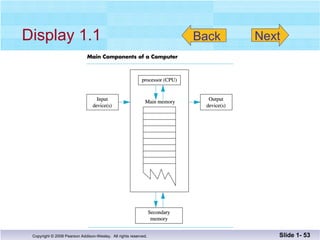
Five main components Input devices Allows communication to the computer Output devices Allows communication to the user Processor (CPU) Main memory Memory locations containing the running program Secondary memory Permanent record of data often on a disk Computer Organization Slide 1-  Display 1.1
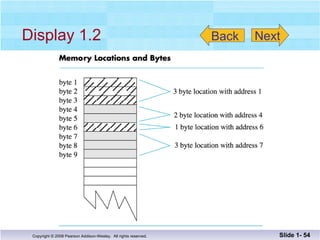
Computer Memory Main Memory Long list of memory locations Each contains zeros and ones Can change during program execution Binary Digit or Bit A digit that can only be zero or one Byte Each memory location has eight bits Address  Number that identifies a memory location Slide 1-
Some data is too large for a single byte Most integers and real numbers are too large Address refers to the first byte  Next few consecutive bytes can store the  additional bits for larger data Larger Data Items Slide 1-  Display 1.2
Data or Code? ‘ A’ may look like 01000001 65 may look like  01000001 An instruction may look like 01000001 How does the computer know the meaning of 01000001? Interpretation depends on the current instruction Programmers rarely need to be concerned with  this problem. Reason as if memory locations contain letters and  numbers rather than zeroes and ones Slide 1-
Secondary Memory Main memory stores instructions and  data while a program is running. Secondary memory Stores instructions and data between sessions A file stores data or instructions in  secondary memory Slide 1-
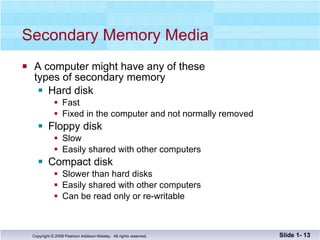
Secondary Memory Media A computer might have any of these types of secondary memory Hard disk Fast Fixed in the computer and not normally removed Floppy disk Slow Easily shared with other computers Compact disk Slower than hard disks Easily shared with other computers Can be read only or re-writable Slide 1-
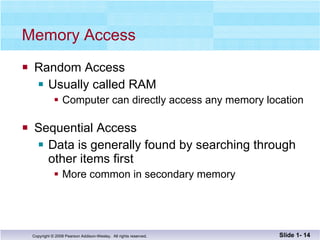
Memory Access Random Access  Usually called RAM Computer can directly access any memory location Sequential Access Data is generally found by searching through other items first More common in secondary memory Slide 1-
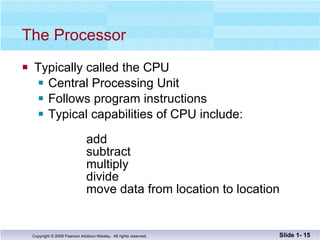
The Processor Typically called the CPU Central Processing Unit Follows program instructions  Typical capabilities of CPU include:   add subtract multiply divide move data from location to location Slide 1-
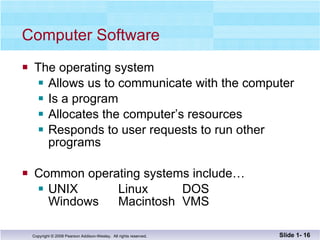
Computer Software The operating system  Allows us to communicate with the computer Is a program  Allocates the computer’s resources Responds to user requests to run other programs Common operating systems include… UNIX  Linux  DOS Windows Macintosh VMS Slide 1-
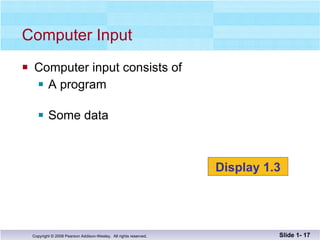
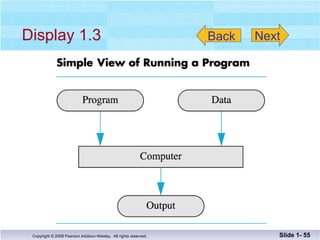
Computer input consists of  A program Some data Computer Input Slide 1-  Display 1.3
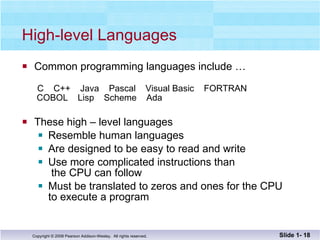
High-level Languages Common programming languages include …   C  C++  Java  Pascal  Visual Basic  FORTRAN  COBOL  Lisp  Scheme  Ada These high – level languages  Resemble human languages Are designed to be easy to read and write Use more complicated instructions than   the CPU can follow Must be translated to zeros and ones for the CPU  to execute a program Slide 1-
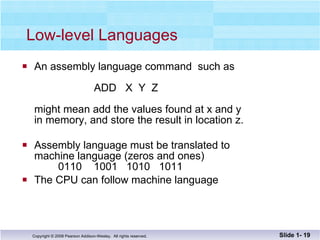
Low-level Languages An assembly language command  such as   ADD  X  Y  Z might mean add the values found at x and y  in memory, and store the result in location z. Assembly language must be translated to  machine language (zeros and ones)    0110  1001  1010  1011 The CPU can follow machine language Slide 1-
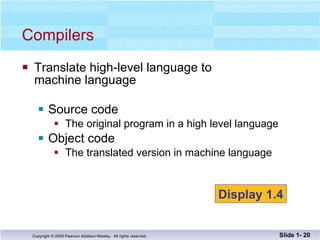
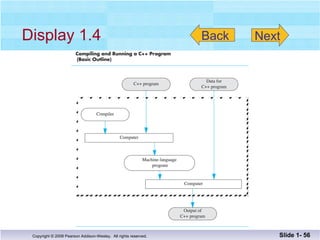
Translate high-level language to  machine language Source code The original program in a high level language Object code The translated version in machine language Compilers Slide 1-  Display 1.4
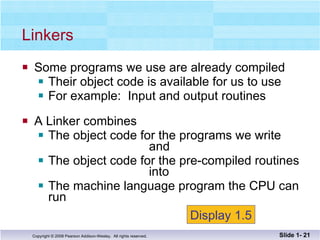
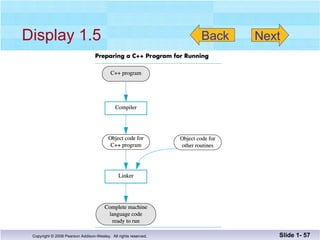
Some programs we use are already compiled Their object code is available for us to use For example:  Input and output routines A Linker combines The object code for the programs we write    and The object code for the pre-compiled routines   into The machine language program the CPU can run Linkers Slide 1-  Display 1.5
History Note First programmable computer Designed by Charles Babbage Began work in 1822 Not completed in Babbage’s life time First programmer Ada Augusta, Countess of Lovelace Colleague of Babbage Slide 1-
Section 1.1 Conclusion Can you… List the five main components of a computer? List the data for a program that adds two numbers? Describe the work of a compiler? Define source code?  Define object code? Describe the purpose of the operating system? Slide 1-
1.2 Programming and Problem-Solving Copyright © 2008 Pearson Addison-Wesley.  All rights reserved.
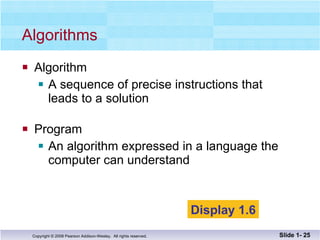
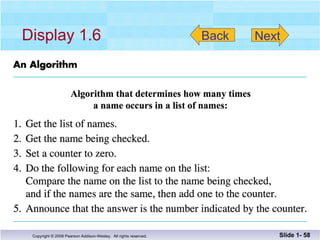
Algorithms  Algorithm A sequence of precise instructions that leads to a solution Program An algorithm expressed in a language the  computer can understand Slide 1-  Display 1.6
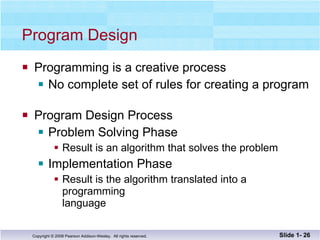
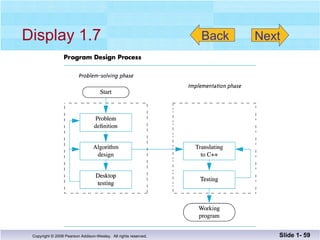
Program Design Programming is a creative process No complete set of rules for creating a program Program Design Process Problem Solving Phase Result is an algorithm that solves the problem Implementation Phase Result is the algorithm translated into a programming language Slide 1-
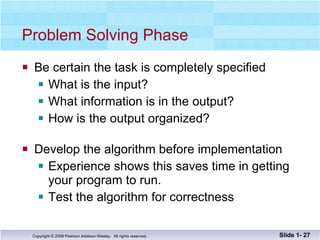
Problem Solving Phase Be certain the task is completely specified What is the input?  What information is in the output?  How is the output organized? Develop the algorithm before implementation Experience shows this saves time in getting your program to run. Test the algorithm for correctness Slide 1-
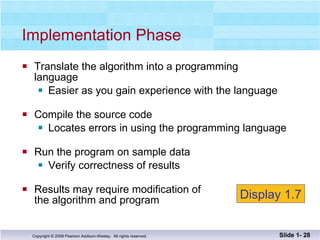
Translate the algorithm into a programming  language Easier as you gain experience with the language Compile the source code Locates errors in using the programming language Run the program on sample data Verify correctness of results  Results may require modification of  the algorithm and program Implementation Phase Slide 1-  Display 1.7
Object Oriented Programming Abbreviated OOP Used for many modern programs Program is viewed as interacting objects Each object contains algorithms to describe  its behavior Program design phase involves designing  objects and their algorithms Slide 1-
OOP Characteristics Encapsulation Information hiding Objects contain their own data and algorithms Inheritance Writing reusable code Objects can inherit characteristics from other objects Polymorphism A single name can have multiple meanings depending  on its context Slide 1-
Software Life Cycle Analysis and specification of the task  (problem definition) Design of the software  (object and algorithm design) Implementation (coding) Maintenance and evolution of the system Obsolescence Slide 1-
Section 1.2 Conclusion Can you… Describe the first step to take when creating  a program? List the two main phases of the program  design process? Explain the importance of the problem-solving phase? List the steps in the software life cycle? Slide 1-
1.3 Introduction to C++ Copyright © 2008 Pearson Addison-Wesley.  All rights reserved.
Introduction to C++ Where did C++ come from? Derived from the C language C was derived from the B language B was derived from the BCPL language Why the ‘++’? ++ is an operator in C++ and results in a cute pun Slide 1-
C++ History C developed by Dennis Ritchie at AT&T Bell Labs in the 1970s. Used to maintain UNIX systems Many commercial applications written in c C++ developed by Bjarne Stroustrup at AT&T Bell Labs in the 1980s. Overcame several shortcomings of C Incorporated object oriented programming C remains a subset of C++ Slide 1-
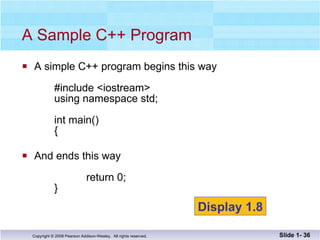
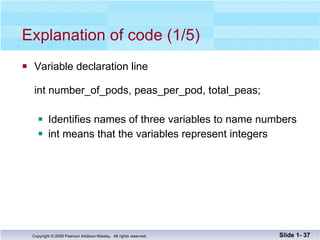
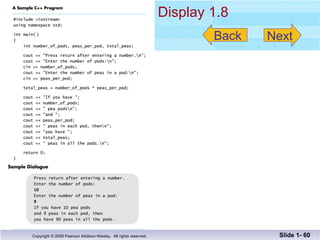
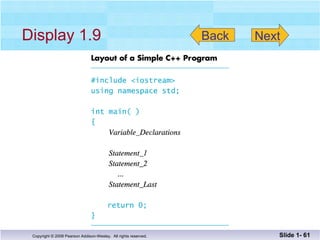
A simple C++ program begins this way #include <iostream> using namespace std; int main() { And ends this way   return 0; } A Sample C++ Program Slide 1-  Display 1.8
Explanation of code (1/5) Variable declaration line  int number_of_pods, peas_per_pod, total_peas; Identifies names of three variables to name numbers int means that the variables represent integers Slide 1-
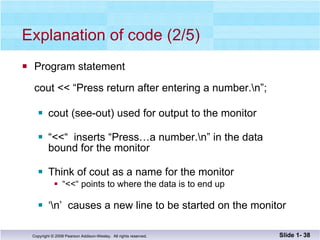
Explanation of code (2/5) Program statement cout << “Press return after entering a number.\n”; cout (see-out) used for output to the monitor “ <<“  inserts “Press…a number.\n” in the data bound for the monitor Think of cout as a name for the monitor “ <<“ points to where the data is to end up ‘ \n’  causes a new line to be started on the monitor Slide 1-
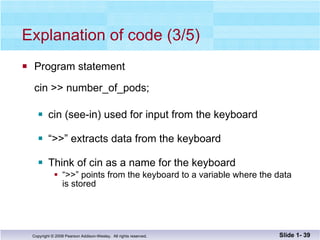
Explanation of code (3/5) Program statement cin >> number_of_pods; cin (see-in) used for input from the keyboard “ >>” extracts data from the keyboard  Think of cin as a name for the keyboard “ >>” points from the keyboard to a variable where the data  is stored Slide 1-
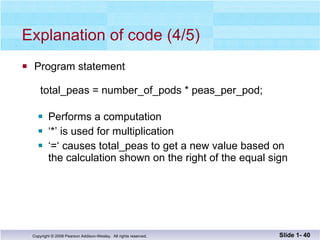
Explanation of code (4/5) Program statement   total_peas = number_of_pods * peas_per_pod; Performs a computation ‘ *’ is used for multiplication ‘ =‘ causes total_peas to get a new value based on the calculation shown on the right of the equal sign Slide 1-
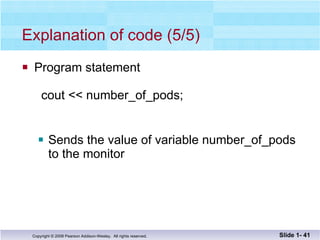
Explanation of code (5/5) Program statement   cout << number_of_pods; Sends the value of variable number_of_pods to the monitor Slide 1-
Program Layout (1/3) Compiler accepts almost any pattern of line breaks and indentation Programmers format programs so they  are easy to read Place opening brace ‘{‘ and closing brace ‘}’  on a line by themselves Indent statements  Use only one statement per line Slide 1-
Program Layout (2/3) Variables are declared before they are used Typically variables are declared at the beginning of  the program Statements (not always lines) end with a semi-colon Include Directives #include <iostream> Tells compiler where to find information about items  used in the program iostream is a library containing definitions of cin and cout Slide 1-
Program Layout (3/3) using namespace std; Tells the compiler to use names in iostream in a “standard” way   To begin the main function of the program int main()   {  To end the main function   return 0;   } Main function ends with a return statement Slide 1-
Running a C++ Program C++ source code is written with a text  editor The compiler on your system converts  source code to object code. The linker combines all the object code into an executable program. Slide 1-
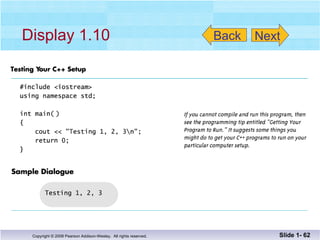
Obtain code in Display 1.10 Compile the code Fix any errors the compiler indicates and  re-compile the code Run the program  Now you know how to run a program on  your system Run a Program  Slide 1-  Display 1.10
Section 1.3 Conclusion Can you… Describe the output of this line? cout << “C++ is easy to understand.”; Explain what this line does? cin >> peas_per_pod; Explain this?  #include <iostream> Slide 1-
1.4 Testing and Debugging Copyright © 2008 Pearson Addison-Wesley.  All rights reserved.
Testing and Debugging Bug A mistake in a program Debugging Eliminating mistakes in programs Term used when a moth caused a failed relay on the Harvard Mark 1 computer.  Grace Hopper  and other programmers taped the moth in logbook  stating:    “First actual case of a bug being found.” Slide 1-
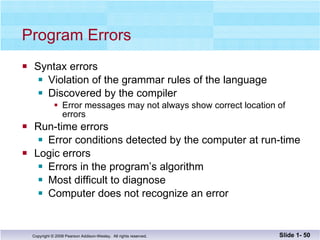
Program Errors Syntax errors Violation of the grammar rules of the language Discovered by the compiler Error messages may not always show correct location of  errors Run-time errors Error conditions detected by the computer at run-time Logic errors Errors in the program’s algorithm Most difficult to diagnose Computer does not recognize an error Slide 1-
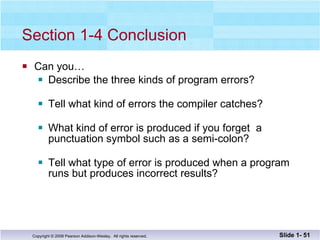
Section 1-4 Conclusion Can you… Describe the three kinds of program errors? Tell what kind of errors the compiler catches? What kind of error is produced if you forget  a  punctuation symbol such as a semi-colon? Tell what type of error is produced when a program  runs but produces incorrect results? Slide 1-
Chapter 1 -- End Slide 1-
Display 1.1 Slide 1-  Back Next
Display 1.2 Slide 1-  Back Next
Display 1.3 Slide 1-  Back Next
Display 1.4 Slide 1-  Back Next
Display 1.5 Slide 1-  Back Next
Display 1.6 Slide 1-  Back Next
Display 1.7 Slide 1-  Back Next
Display 1.8 Slide 1-  Next Back
Display 1.9 Slide 1-  Back Next
Display 1.10 Slide 1-  Next Back

Savitch Ch 01

  • 1.
  • 2.
    Chapter 1 Introductionto Computers and C++ Programming Copyright © 2008 Pearson Addison-Wesley. All rights reserved.
  • 3.
    Overview 1.1 Computer Systems 1.2 Programming and Problem Solving 1.3 Introduction to C++ 1.4 Testing and Debugging Slide 1-
  • 4.
    1.1 Computer SystemsCopyright © 2008 Pearson Addison-Wesley. All rights reserved.
  • 5.
    Computer Systems A computer program is… A set of instructions for a computer to follow Computer software is … The collection of programs used by a computer Includes: Editors Translators System Managers Slide 1-
  • 6.
    Hardware Three mainclasses of computers PCs (Personal Computer) Relatively small used by one person at a time Workstation Larger and more powerful than a PC Mainframe Still larger Requires support staff Shared by multiple users Slide 1-
  • 7.
    Networks A numberof computers connected to share resources Share printers and other devices Share information Slide 1-
  • 8.
    Five main componentsInput devices Allows communication to the computer Output devices Allows communication to the user Processor (CPU) Main memory Memory locations containing the running program Secondary memory Permanent record of data often on a disk Computer Organization Slide 1- Display 1.1
  • 9.
    Computer Memory MainMemory Long list of memory locations Each contains zeros and ones Can change during program execution Binary Digit or Bit A digit that can only be zero or one Byte Each memory location has eight bits Address Number that identifies a memory location Slide 1-
  • 10.
    Some data istoo large for a single byte Most integers and real numbers are too large Address refers to the first byte Next few consecutive bytes can store the additional bits for larger data Larger Data Items Slide 1- Display 1.2
  • 11.
    Data or Code?‘ A’ may look like 01000001 65 may look like 01000001 An instruction may look like 01000001 How does the computer know the meaning of 01000001? Interpretation depends on the current instruction Programmers rarely need to be concerned with this problem. Reason as if memory locations contain letters and numbers rather than zeroes and ones Slide 1-
  • 12.
    Secondary Memory Mainmemory stores instructions and data while a program is running. Secondary memory Stores instructions and data between sessions A file stores data or instructions in secondary memory Slide 1-
  • 13.
    Secondary Memory MediaA computer might have any of these types of secondary memory Hard disk Fast Fixed in the computer and not normally removed Floppy disk Slow Easily shared with other computers Compact disk Slower than hard disks Easily shared with other computers Can be read only or re-writable Slide 1-
  • 14.
    Memory Access RandomAccess Usually called RAM Computer can directly access any memory location Sequential Access Data is generally found by searching through other items first More common in secondary memory Slide 1-
  • 15.
    The Processor Typicallycalled the CPU Central Processing Unit Follows program instructions Typical capabilities of CPU include: add subtract multiply divide move data from location to location Slide 1-
  • 16.
    Computer Software Theoperating system Allows us to communicate with the computer Is a program Allocates the computer’s resources Responds to user requests to run other programs Common operating systems include… UNIX Linux DOS Windows Macintosh VMS Slide 1-
  • 17.
    Computer input consistsof A program Some data Computer Input Slide 1- Display 1.3
  • 18.
    High-level Languages Commonprogramming languages include … C C++ Java Pascal Visual Basic FORTRAN COBOL Lisp Scheme Ada These high – level languages Resemble human languages Are designed to be easy to read and write Use more complicated instructions than the CPU can follow Must be translated to zeros and ones for the CPU to execute a program Slide 1-
  • 19.
    Low-level Languages Anassembly language command such as ADD X Y Z might mean add the values found at x and y in memory, and store the result in location z. Assembly language must be translated to machine language (zeros and ones) 0110 1001 1010 1011 The CPU can follow machine language Slide 1-
  • 20.
    Translate high-level languageto machine language Source code The original program in a high level language Object code The translated version in machine language Compilers Slide 1- Display 1.4
  • 21.
    Some programs weuse are already compiled Their object code is available for us to use For example: Input and output routines A Linker combines The object code for the programs we write and The object code for the pre-compiled routines into The machine language program the CPU can run Linkers Slide 1- Display 1.5
  • 22.
    History Note Firstprogrammable computer Designed by Charles Babbage Began work in 1822 Not completed in Babbage’s life time First programmer Ada Augusta, Countess of Lovelace Colleague of Babbage Slide 1-
  • 23.
    Section 1.1 ConclusionCan you… List the five main components of a computer? List the data for a program that adds two numbers? Describe the work of a compiler? Define source code? Define object code? Describe the purpose of the operating system? Slide 1-
  • 24.
    1.2 Programming andProblem-Solving Copyright © 2008 Pearson Addison-Wesley. All rights reserved.
  • 25.
    Algorithms AlgorithmA sequence of precise instructions that leads to a solution Program An algorithm expressed in a language the computer can understand Slide 1- Display 1.6
  • 26.
    Program Design Programmingis a creative process No complete set of rules for creating a program Program Design Process Problem Solving Phase Result is an algorithm that solves the problem Implementation Phase Result is the algorithm translated into a programming language Slide 1-
  • 27.
    Problem Solving PhaseBe certain the task is completely specified What is the input? What information is in the output? How is the output organized? Develop the algorithm before implementation Experience shows this saves time in getting your program to run. Test the algorithm for correctness Slide 1-
  • 28.
    Translate the algorithminto a programming language Easier as you gain experience with the language Compile the source code Locates errors in using the programming language Run the program on sample data Verify correctness of results Results may require modification of the algorithm and program Implementation Phase Slide 1- Display 1.7
  • 29.
    Object Oriented ProgrammingAbbreviated OOP Used for many modern programs Program is viewed as interacting objects Each object contains algorithms to describe its behavior Program design phase involves designing objects and their algorithms Slide 1-
  • 30.
    OOP Characteristics EncapsulationInformation hiding Objects contain their own data and algorithms Inheritance Writing reusable code Objects can inherit characteristics from other objects Polymorphism A single name can have multiple meanings depending on its context Slide 1-
  • 31.
    Software Life CycleAnalysis and specification of the task (problem definition) Design of the software (object and algorithm design) Implementation (coding) Maintenance and evolution of the system Obsolescence Slide 1-
  • 32.
    Section 1.2 ConclusionCan you… Describe the first step to take when creating a program? List the two main phases of the program design process? Explain the importance of the problem-solving phase? List the steps in the software life cycle? Slide 1-
  • 33.
    1.3 Introduction toC++ Copyright © 2008 Pearson Addison-Wesley. All rights reserved.
  • 34.
    Introduction to C++Where did C++ come from? Derived from the C language C was derived from the B language B was derived from the BCPL language Why the ‘++’? ++ is an operator in C++ and results in a cute pun Slide 1-
  • 35.
    C++ History Cdeveloped by Dennis Ritchie at AT&T Bell Labs in the 1970s. Used to maintain UNIX systems Many commercial applications written in c C++ developed by Bjarne Stroustrup at AT&T Bell Labs in the 1980s. Overcame several shortcomings of C Incorporated object oriented programming C remains a subset of C++ Slide 1-
  • 36.
    A simple C++program begins this way #include <iostream> using namespace std; int main() { And ends this way return 0; } A Sample C++ Program Slide 1- Display 1.8
  • 37.
    Explanation of code(1/5) Variable declaration line int number_of_pods, peas_per_pod, total_peas; Identifies names of three variables to name numbers int means that the variables represent integers Slide 1-
  • 38.
    Explanation of code(2/5) Program statement cout << “Press return after entering a number.\n”; cout (see-out) used for output to the monitor “ <<“ inserts “Press…a number.\n” in the data bound for the monitor Think of cout as a name for the monitor “ <<“ points to where the data is to end up ‘ \n’ causes a new line to be started on the monitor Slide 1-
  • 39.
    Explanation of code(3/5) Program statement cin >> number_of_pods; cin (see-in) used for input from the keyboard “ >>” extracts data from the keyboard Think of cin as a name for the keyboard “ >>” points from the keyboard to a variable where the data is stored Slide 1-
  • 40.
    Explanation of code(4/5) Program statement total_peas = number_of_pods * peas_per_pod; Performs a computation ‘ *’ is used for multiplication ‘ =‘ causes total_peas to get a new value based on the calculation shown on the right of the equal sign Slide 1-
  • 41.
    Explanation of code(5/5) Program statement cout << number_of_pods; Sends the value of variable number_of_pods to the monitor Slide 1-
  • 42.
    Program Layout (1/3)Compiler accepts almost any pattern of line breaks and indentation Programmers format programs so they are easy to read Place opening brace ‘{‘ and closing brace ‘}’ on a line by themselves Indent statements Use only one statement per line Slide 1-
  • 43.
    Program Layout (2/3)Variables are declared before they are used Typically variables are declared at the beginning of the program Statements (not always lines) end with a semi-colon Include Directives #include <iostream> Tells compiler where to find information about items used in the program iostream is a library containing definitions of cin and cout Slide 1-
  • 44.
    Program Layout (3/3)using namespace std; Tells the compiler to use names in iostream in a “standard” way To begin the main function of the program int main() { To end the main function return 0; } Main function ends with a return statement Slide 1-
  • 45.
    Running a C++Program C++ source code is written with a text editor The compiler on your system converts source code to object code. The linker combines all the object code into an executable program. Slide 1-
  • 46.
    Obtain code inDisplay 1.10 Compile the code Fix any errors the compiler indicates and re-compile the code Run the program Now you know how to run a program on your system Run a Program Slide 1- Display 1.10
  • 47.
    Section 1.3 ConclusionCan you… Describe the output of this line? cout << “C++ is easy to understand.”; Explain what this line does? cin >> peas_per_pod; Explain this? #include <iostream> Slide 1-
  • 48.
    1.4 Testing andDebugging Copyright © 2008 Pearson Addison-Wesley. All rights reserved.
  • 49.
    Testing and DebuggingBug A mistake in a program Debugging Eliminating mistakes in programs Term used when a moth caused a failed relay on the Harvard Mark 1 computer. Grace Hopper and other programmers taped the moth in logbook stating: “First actual case of a bug being found.” Slide 1-
  • 50.
    Program Errors Syntaxerrors Violation of the grammar rules of the language Discovered by the compiler Error messages may not always show correct location of errors Run-time errors Error conditions detected by the computer at run-time Logic errors Errors in the program’s algorithm Most difficult to diagnose Computer does not recognize an error Slide 1-
  • 51.
    Section 1-4 ConclusionCan you… Describe the three kinds of program errors? Tell what kind of errors the compiler catches? What kind of error is produced if you forget a punctuation symbol such as a semi-colon? Tell what type of error is produced when a program runs but produces incorrect results? Slide 1-
  • 52.
    Chapter 1 --End Slide 1-
  • 53.
    Display 1.1 Slide1- Back Next
  • 54.
    Display 1.2 Slide1- Back Next
  • 55.
    Display 1.3 Slide1- Back Next
  • 56.
    Display 1.4 Slide1- Back Next
  • 57.
    Display 1.5 Slide1- Back Next
  • 58.
    Display 1.6 Slide1- Back Next
  • 59.
    Display 1.7 Slide1- Back Next
  • 60.
    Display 1.8 Slide1- Next Back
  • 61.
    Display 1.9 Slide1- Back Next
  • 62.
    Display 1.10 Slide1- Next Back