Connecting Windows to Linux March 4,2001 Professor Tom Mavroidis
Integrating Linux with Windows There are two methods for integrating Linux into Windows You can: Load  SMB  on Linux or Load  NFS  on Windows
What is Samba? Samba is a suite of Linux applications that speak the  SMB  (Server Message Block) protocol. Many operating systems, including Windows and OS/2, use  SMB  to perform client-server networking.
Why use SAMBA? Samba allows Linux servers to  communicate with the same networking protocol as Microsoft Windows products.
What does SAMBA do? A Samba-enabled Unix machine can masquerade as a server on your Microsoft network and offer windows services.
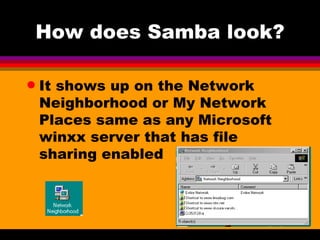
How does Samba look? It shows up on the Network Neighborhood or My Network Places same as any Microsoft winxx server that has file sharing enabled
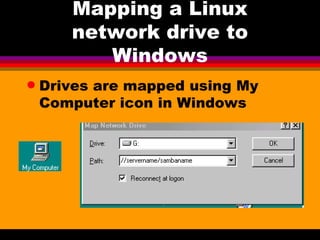
Mapping a Linux network drive to Windows Drives are mapped using My Computer icon in Windows
Where can I get SAMBA? The latest product can be downloaded from  www.samba.org You should learn to download and compile the latest version of Samba since it changes regularly
Two parts to Samba The  client  and the  server Linux can access an NT or 2000 share (client) A Microsoft Machine can see your Linux box as a file server
SMB - Server Message Block Many server products are built around  SMB ’s SMB  is not a documented protocol, it is Microsoft proprietary Samba  was constructed by two main architects Andrew Tridgell and Jeremy Allison
SMB Clients & Servers All windows networked computers communicate with each other via Server Message Blocks ( SMB ) SMB  looks at nodes as both client and server simultaneously making them  peer to peer  networks
Workgroup Names Windows machines know each other by a  unique workgroup and name  combination A workgroup is a collection of SMB computers that all reside on a subnet and subscribe to the same SMB group
NetBios Named pairs must resolve to a  unique hardware address This scheme is known as  NetBios  or Network Basic Input/Output System
Netbios Designed primarily for  local networks No routing information is carried in the packet headers To communicate across lan segments packets must be encapsulated within a routable protocol I.e.  TCP/IP
NetBT or TCPBEUI Are the network protocols that supports the encapsulation You must have  TCP/IP  installed to use  SAMBA Samba  also supports  WINS  (Windows Internet Name Service) with  DNS  to provide  IP to Hardware address resolution
Daemons Two server daemons  nmbd  and  smdb  make up SAMBA smbd  handles resource sharing and user authentication nmbd  is responsible for resource advertising and communicating with other SMB machines
Samba Components Smbclient  - client side tool smbmount  - for mounting shares smbprint  - for printing sbmstatus  - displays connections smbpasswd  - authenticates users nmblookup  - handles NetBios name queries testparms  - verify SAMBA configuration file testprns  - tests printer shares swat  - inetd service which allows web based admin of SAMBA
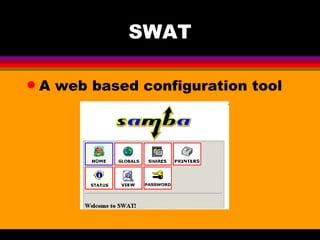
SWAT A web based configuration tool
History May 1985 IBM Publishes a specification for a local network based on NetBios Late 1980’s IBM & Microsoft develop a peer networking program, LAN Manager 1.0 released as LAN Manager for DOS
History continued Microsoft & IBM part ways Microsoft becomes bearer of of  SMB  protocol IBM develops  OS2  with limited DOS compatibility Microsoft continues enhancing  SMB
Precautions You should have administration rights in the Windows NT domain Misconfigured  SAMBA  can cause problems for everyone in the domain
Parameters needed Name of the Windows NT domain or the name of the local workgroup if peer to peer IP addresses of any  WINS  servers on this domain Names of users and groups in the Windows NT domain that will access services in  SAMBA
Enable the swat service Find the service listed in the /etc/inetd.conf file Uncomment the line for  swat Restart  inetd $ killall _HUP inetd swat runs on port 901
Configuration File /etc/smb.conf Two overall sections global parameters share definitions
Assumptions Windows will handle browsing Windows will handle name resolution issues
Browsing Unless specified the computer name is assumed to be the same as the  TCP/IP  host name Explicitly specify the  domain  or  workgroup  name in the smb.conf file [global] netbios name = SENECANODE workgroup = SENECADOMAIN comment = Seneca SAMBA share 750
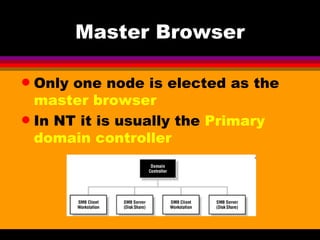
Master Browser Only one node is elected as the  master browser In NT it is usually the  Primary domain controller
Nodes The first node on line is deemed the  master browser Subsequent nodes look for the  master browser
Agreeing on the master browser NetBios  nodes agree on who should be handling browsing issues Any  NetBios  machine may act as the master browser If the master goes off line another  master browser  is elected
Source of Problems During an election every node announces its  NetBios  name and hardware address A thousand node network can generate tremendous network traffic called a  packet storm
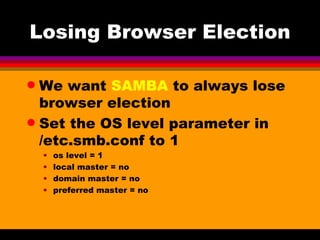
Losing Browser Election We want  SAMBA  to always lose browser election Set the OS level parameter in /etc.smb.conf to 1 os level = 1 local master = no domain master = no preferred master = no
Do not attempt browser synchronization  Do not announce to the network Comment or delete the following lines ; remote browse sync = ; remote announce =
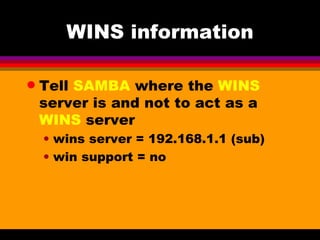
WINS information Tell  SAMBA  where the  WINS  server is and not to act as a  WINS  server wins server = 192.168.1.1 (sub) win support = no
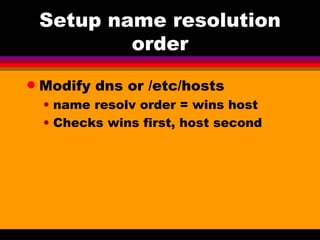
Setup name resolution order Modify dns or /etc/hosts name resolv order = wins host Checks wins first, host second
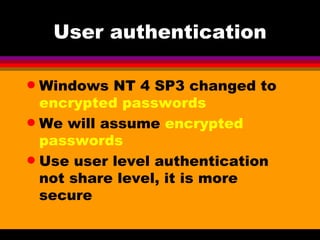
User authentication Windows NT 4 SP3 changed to  encrypted passwords We will assume  encrypted passwords Use user level authentication not share level, it is more secure
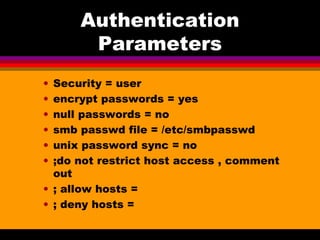
Authentication Parameters Security = user encrypt passwords = yes null passwords = no smb passwd file = /etc/smbpasswd unix password sync = no ;do not restrict host access , comment out ; allow hosts = ; deny hosts =
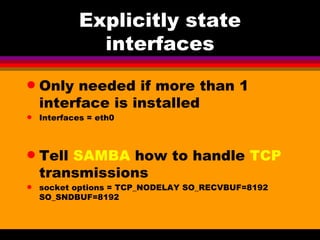
Explicitly state interfaces Only needed if more than 1 interface is installed Interfaces = eth0 Tell  SAMBA  how to handle  TCP  transmissions socket options = TCP_NODELAY SO_RECVBUF=8192 SO_SNDBUF=8192
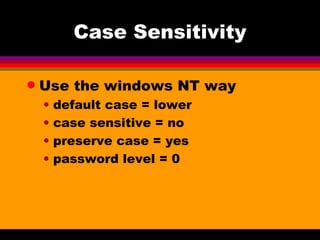
Case Sensitivity Use the windows NT way default case = lower case sensitive = no preserve case = yes password level = 0
Testing the config Testparm  tests the configuration and reports any syntax errors Only syntax is tested not context
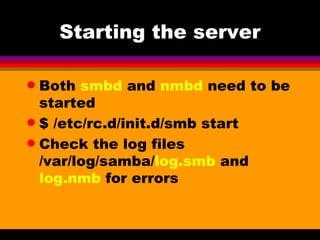
Starting the server Both  smbd  and  nmbd  need to be started $ /etc/rc.d/init.d/smb start Check the log files /var/log/samba/ log.smb  and  log.nmb  for errors
Adding Samba users Use the perl script  smbadduser $smbadduser linuxid:ntid The linux and NT user must already exist
Defining File Shares [sharename] comment = Seneca Share path = /senecadir guest ok = yes browseable = yes writable = yes read list = usernames write list = usernames admin list = usernames
Defining Printer Shares  [global] Printing - bsd printcap name = /etc/printcap load printers = yes Printcap is the printer config file
Printer definitions [printers] comment = All Printers browseable = no printable = yes public = no read only = yes create mode = 0700 directory = /tmp
Regarding Printing SAMBA  routes printing by default through LPD specified using printing = bsd Printers can be directly configured with printtool
Client Setup Three main client programs smbclient smbmount smbprint Print requests must be sent through the local print filters
Connecting to an SMB share Mounting $ smbmount //servername/sharename /localpath -o options username= ?user?  password= ?password?
SAMBA 2.0 Has more concrete support for NT Domains  a user can log in to a Windows NT domain and use all the computers in the domain without logging into them individually
Performance Name/browsing service now supports 35,000 simultaneous clients File and print services support many concurrent users without noticeable performance degradation.
Performance Linux/Samba on identical hardware now consistently performs better than NT Server Improved locking allows client machines to cache entire files locally, improving speed and many more
End of Presentation

Samba

  • 1.
    Connecting Windows toLinux March 4,2001 Professor Tom Mavroidis
  • 2.
    Integrating Linux withWindows There are two methods for integrating Linux into Windows You can: Load SMB on Linux or Load NFS on Windows
  • 3.
    What is Samba?Samba is a suite of Linux applications that speak the SMB (Server Message Block) protocol. Many operating systems, including Windows and OS/2, use SMB to perform client-server networking.
  • 4.
    Why use SAMBA?Samba allows Linux servers to communicate with the same networking protocol as Microsoft Windows products.
  • 5.
    What does SAMBAdo? A Samba-enabled Unix machine can masquerade as a server on your Microsoft network and offer windows services.
  • 6.
    How does Sambalook? It shows up on the Network Neighborhood or My Network Places same as any Microsoft winxx server that has file sharing enabled
  • 7.
    Mapping a Linuxnetwork drive to Windows Drives are mapped using My Computer icon in Windows
  • 8.
    Where can Iget SAMBA? The latest product can be downloaded from www.samba.org You should learn to download and compile the latest version of Samba since it changes regularly
  • 9.
    Two parts toSamba The client and the server Linux can access an NT or 2000 share (client) A Microsoft Machine can see your Linux box as a file server
  • 10.
    SMB - ServerMessage Block Many server products are built around SMB ’s SMB is not a documented protocol, it is Microsoft proprietary Samba was constructed by two main architects Andrew Tridgell and Jeremy Allison
  • 11.
    SMB Clients &Servers All windows networked computers communicate with each other via Server Message Blocks ( SMB ) SMB looks at nodes as both client and server simultaneously making them peer to peer networks
  • 12.
    Workgroup Names Windowsmachines know each other by a unique workgroup and name combination A workgroup is a collection of SMB computers that all reside on a subnet and subscribe to the same SMB group
  • 13.
    NetBios Named pairsmust resolve to a unique hardware address This scheme is known as NetBios or Network Basic Input/Output System
  • 14.
    Netbios Designed primarilyfor local networks No routing information is carried in the packet headers To communicate across lan segments packets must be encapsulated within a routable protocol I.e. TCP/IP
  • 15.
    NetBT or TCPBEUIAre the network protocols that supports the encapsulation You must have TCP/IP installed to use SAMBA Samba also supports WINS (Windows Internet Name Service) with DNS to provide IP to Hardware address resolution
  • 16.
    Daemons Two serverdaemons nmbd and smdb make up SAMBA smbd handles resource sharing and user authentication nmbd is responsible for resource advertising and communicating with other SMB machines
  • 17.
    Samba Components Smbclient - client side tool smbmount - for mounting shares smbprint - for printing sbmstatus - displays connections smbpasswd - authenticates users nmblookup - handles NetBios name queries testparms - verify SAMBA configuration file testprns - tests printer shares swat - inetd service which allows web based admin of SAMBA
  • 18.
    SWAT A webbased configuration tool
  • 19.
    History May 1985IBM Publishes a specification for a local network based on NetBios Late 1980’s IBM & Microsoft develop a peer networking program, LAN Manager 1.0 released as LAN Manager for DOS
  • 20.
    History continued Microsoft& IBM part ways Microsoft becomes bearer of of SMB protocol IBM develops OS2 with limited DOS compatibility Microsoft continues enhancing SMB
  • 21.
    Precautions You shouldhave administration rights in the Windows NT domain Misconfigured SAMBA can cause problems for everyone in the domain
  • 22.
    Parameters needed Nameof the Windows NT domain or the name of the local workgroup if peer to peer IP addresses of any WINS servers on this domain Names of users and groups in the Windows NT domain that will access services in SAMBA
  • 23.
    Enable the swatservice Find the service listed in the /etc/inetd.conf file Uncomment the line for swat Restart inetd $ killall _HUP inetd swat runs on port 901
  • 24.
    Configuration File /etc/smb.confTwo overall sections global parameters share definitions
  • 25.
    Assumptions Windows willhandle browsing Windows will handle name resolution issues
  • 26.
    Browsing Unless specifiedthe computer name is assumed to be the same as the TCP/IP host name Explicitly specify the domain or workgroup name in the smb.conf file [global] netbios name = SENECANODE workgroup = SENECADOMAIN comment = Seneca SAMBA share 750
  • 27.
    Master Browser Onlyone node is elected as the master browser In NT it is usually the Primary domain controller
  • 28.
    Nodes The firstnode on line is deemed the master browser Subsequent nodes look for the master browser
  • 29.
    Agreeing on themaster browser NetBios nodes agree on who should be handling browsing issues Any NetBios machine may act as the master browser If the master goes off line another master browser is elected
  • 30.
    Source of ProblemsDuring an election every node announces its NetBios name and hardware address A thousand node network can generate tremendous network traffic called a packet storm
  • 31.
    Losing Browser ElectionWe want SAMBA to always lose browser election Set the OS level parameter in /etc.smb.conf to 1 os level = 1 local master = no domain master = no preferred master = no
  • 32.
    Do not attemptbrowser synchronization Do not announce to the network Comment or delete the following lines ; remote browse sync = ; remote announce =
  • 33.
    WINS information Tell SAMBA where the WINS server is and not to act as a WINS server wins server = 192.168.1.1 (sub) win support = no
  • 34.
    Setup name resolutionorder Modify dns or /etc/hosts name resolv order = wins host Checks wins first, host second
  • 35.
    User authentication WindowsNT 4 SP3 changed to encrypted passwords We will assume encrypted passwords Use user level authentication not share level, it is more secure
  • 36.
    Authentication Parameters Security= user encrypt passwords = yes null passwords = no smb passwd file = /etc/smbpasswd unix password sync = no ;do not restrict host access , comment out ; allow hosts = ; deny hosts =
  • 37.
    Explicitly state interfacesOnly needed if more than 1 interface is installed Interfaces = eth0 Tell SAMBA how to handle TCP transmissions socket options = TCP_NODELAY SO_RECVBUF=8192 SO_SNDBUF=8192
  • 38.
    Case Sensitivity Usethe windows NT way default case = lower case sensitive = no preserve case = yes password level = 0
  • 39.
    Testing the configTestparm tests the configuration and reports any syntax errors Only syntax is tested not context
  • 40.
    Starting the serverBoth smbd and nmbd need to be started $ /etc/rc.d/init.d/smb start Check the log files /var/log/samba/ log.smb and log.nmb for errors
  • 41.
    Adding Samba usersUse the perl script smbadduser $smbadduser linuxid:ntid The linux and NT user must already exist
  • 42.
    Defining File Shares[sharename] comment = Seneca Share path = /senecadir guest ok = yes browseable = yes writable = yes read list = usernames write list = usernames admin list = usernames
  • 43.
    Defining Printer Shares [global] Printing - bsd printcap name = /etc/printcap load printers = yes Printcap is the printer config file
  • 44.
    Printer definitions [printers]comment = All Printers browseable = no printable = yes public = no read only = yes create mode = 0700 directory = /tmp
  • 45.
    Regarding Printing SAMBA routes printing by default through LPD specified using printing = bsd Printers can be directly configured with printtool
  • 46.
    Client Setup Threemain client programs smbclient smbmount smbprint Print requests must be sent through the local print filters
  • 47.
    Connecting to anSMB share Mounting $ smbmount //servername/sharename /localpath -o options username= ?user? password= ?password?
  • 48.
    SAMBA 2.0 Hasmore concrete support for NT Domains a user can log in to a Windows NT domain and use all the computers in the domain without logging into them individually
  • 49.
    Performance Name/browsing servicenow supports 35,000 simultaneous clients File and print services support many concurrent users without noticeable performance degradation.
  • 50.
    Performance Linux/Samba onidentical hardware now consistently performs better than NT Server Improved locking allows client machines to cache entire files locally, improving speed and many more
  • 51.