Installing Active Directory and
Configuring Domain
Controller
Some Setups before beginning
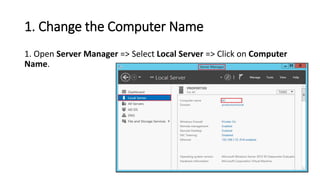
1. Change the Computer Name
1. Open Server Manager => Select Local Server => Click on Computer
Name.
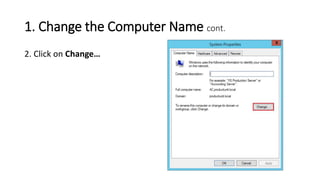
1. Change the Computer Name cont.
2. Click on Change…
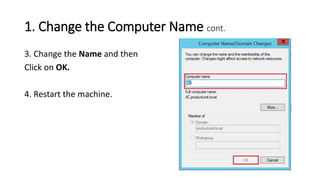
1. Change the Computer Name cont.
3. Change the Name and then
Click on OK.
4. Restart the machine.
2. Giving the machine a static IP Address
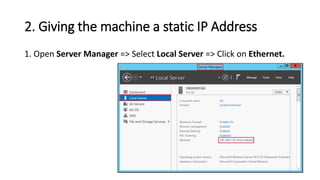
1. Open Server Manager => Select Local Server => Click on Ethernet.
2. Giving the machine a static IP Address cont.
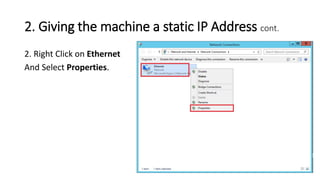
2. Right Click on Ethernet
And Select Properties.
2. Giving the machine a static IP Address cont.
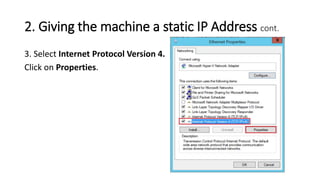
3. Select Internet Protocol Version 4.
Click on Properties.
2. Giving the machine a static IP Address cont.
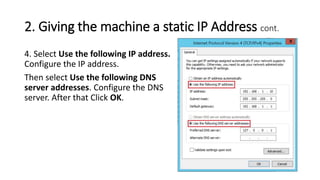
4. Select Use the following IP address.
Configure the IP address.
Then select Use the following DNS
server addresses. Configure the DNS
server. After that Click OK.
3. The machine has to be connected to the
Internet.
1. If you are using Hyper-V, your machine network has to be External
Virtual Switch.
2. If you are using VMWare Workstation, your machine network has to
be Bridged.
Now Let’s begin to install the Active Directory
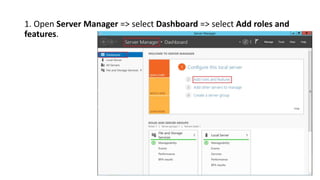
1. Open Server Manager => select Dashboard => select Add roles and
features.
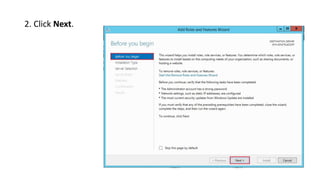
2. Click Next.
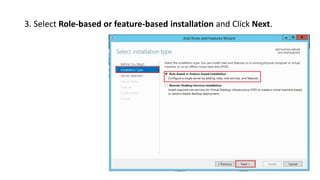
3. Select Role-based or feature-based installation and Click Next.
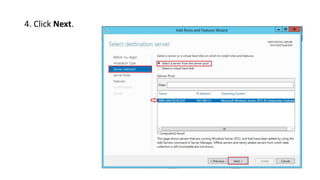
4. Click Next.
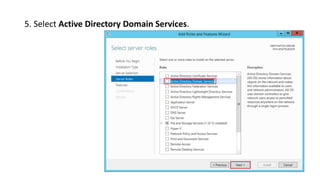
5. Select Active Directory Domain Services.
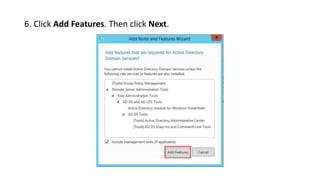
6. Click Add Features. Then click Next.
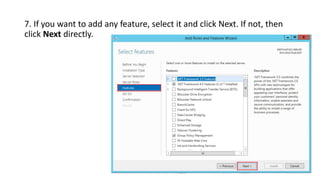
7. If you want to add any feature, select it and click Next. If not, then
click Next directly.
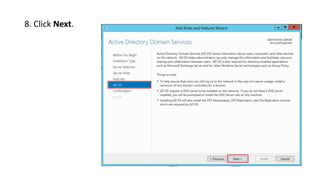
8. Click Next.
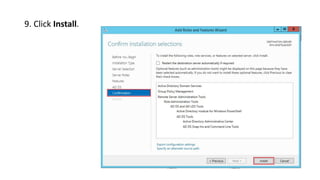
9. Click Install.
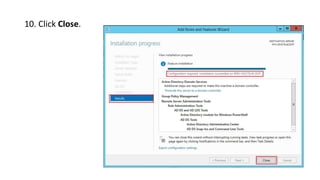
10. Click Close.
Configuring the Domain
Controller
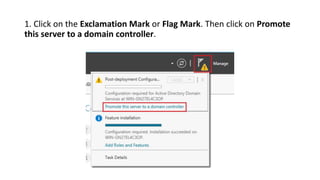
1. Click on the Exclamation Mark or Flag Mark. Then click on Promote
this server to a domain controller.
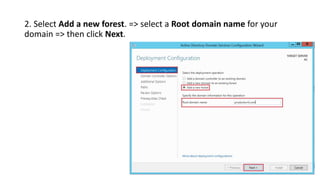
2. Select Add a new forest. => select a Root domain name for your
domain => then click Next.
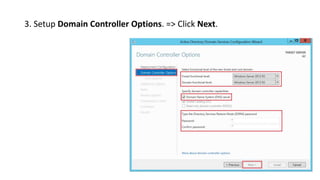
3. Setup Domain Controller Options. => Click Next.
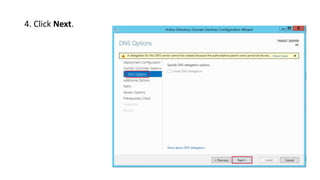
4. Click Next.
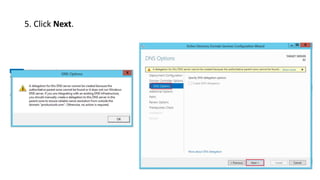
5. Click Next.
6. Click Next.
the NetBIOS domain name:
is the subdomain of the DNS
domain name. For example,
if the DNS domain name
is productunit.com,
the NetBIOS domain name
is productunit.
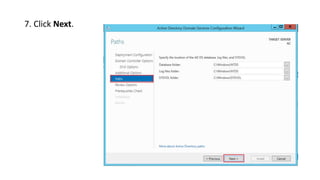
7. Click Next.
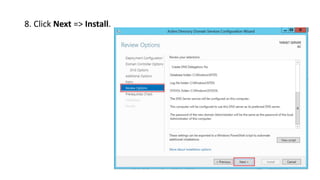
8. Click Next => Install.
Thanks

install active directory and configure domain controller