SAMBA SERVER
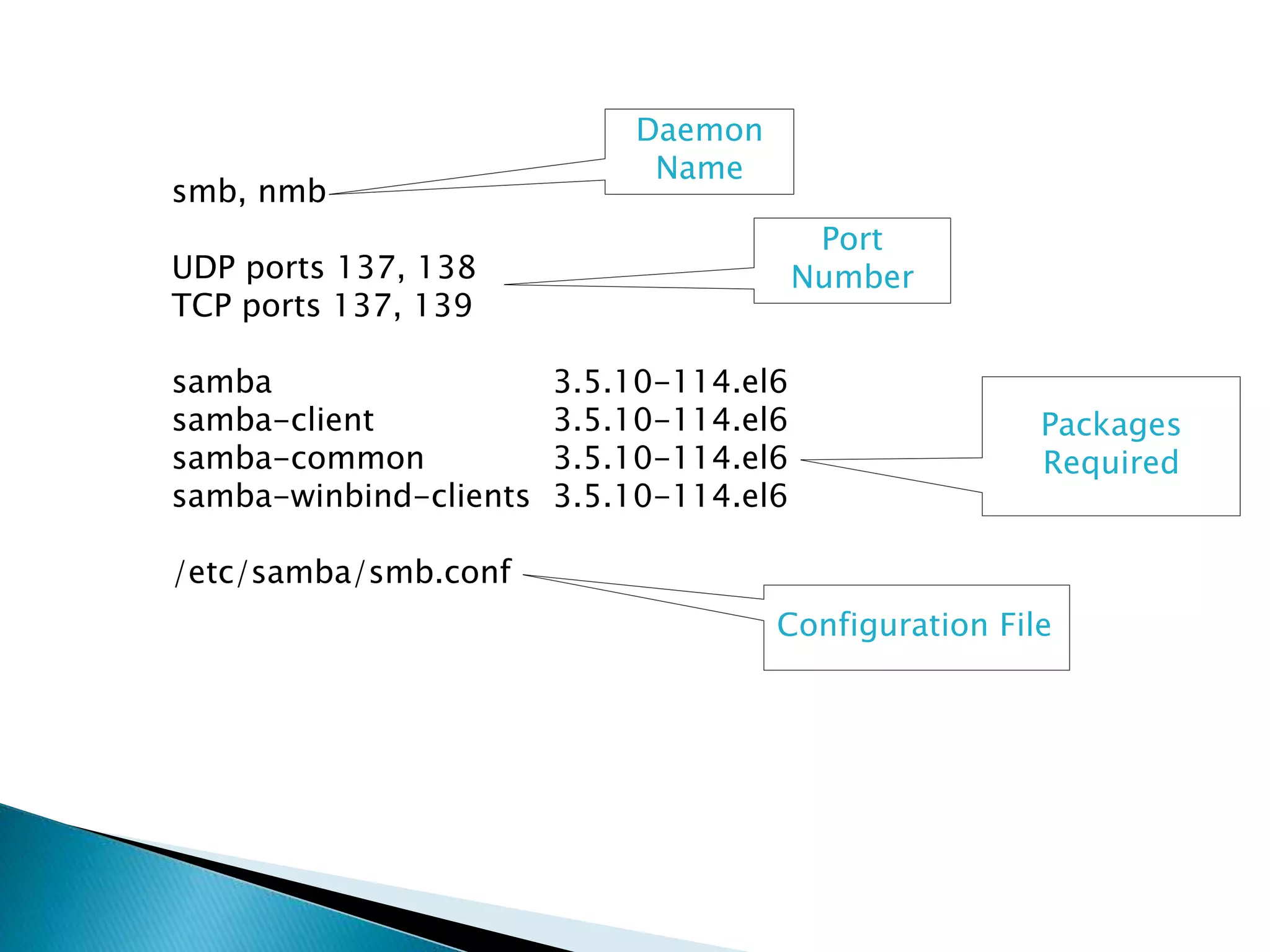
smb, nmb
UDP ports 137, 138
TCP ports 137, 139
samba 3.5.10-114.el6
samba-client 3.5.10-114.el6
samba-common 3.5.10-114.el6
samba-winbind-clients 3.5.10-114.el6
/etc/samba/smb.conf
Daemon
Name
Port
Number
Packages
Required
Configuration File
Introduction Of Samba
Samba is a suite of open-source applications that support the Server
Message Block (SMB) and Common Internet File System (CIFS)
protocols used by Microsoft operating Systems. This allows the
Samba applications to interface into Microsoft networks to provide
inter operability across normally different networking systems.
In other words, Samba enabled UNIX machine can masquerade as a
server on your Microsoft network and offer the services. The package
required for samba server is “samba”.
Three prime reasons to use samba server
File and Printer Sharing Services:-
Using the Server Message Block (SMB) protocol to facilitate the sharing
of files, folders, volumes, and the sharing of printers through out the
network.
Directory Services:-
Sharing vital information about the computers and users of the network
with such technologies as the Light weight Directory Access Protocol
(LDAP) and Microsoft Active Directory®.
Authentication and Access:-
Establishing the identity of a computer or user of the network and
determining the information the computer or user is authorized to
access using such principles and technologies as file permissions, group
policies, and the Kerberos authentication service
How samba actually works?
Samba server simulates a window domain server; how ever as
seen it actually works just as a workgroup .As a matter off act, it
is defaulted to a workgroup.
NIS SERVER
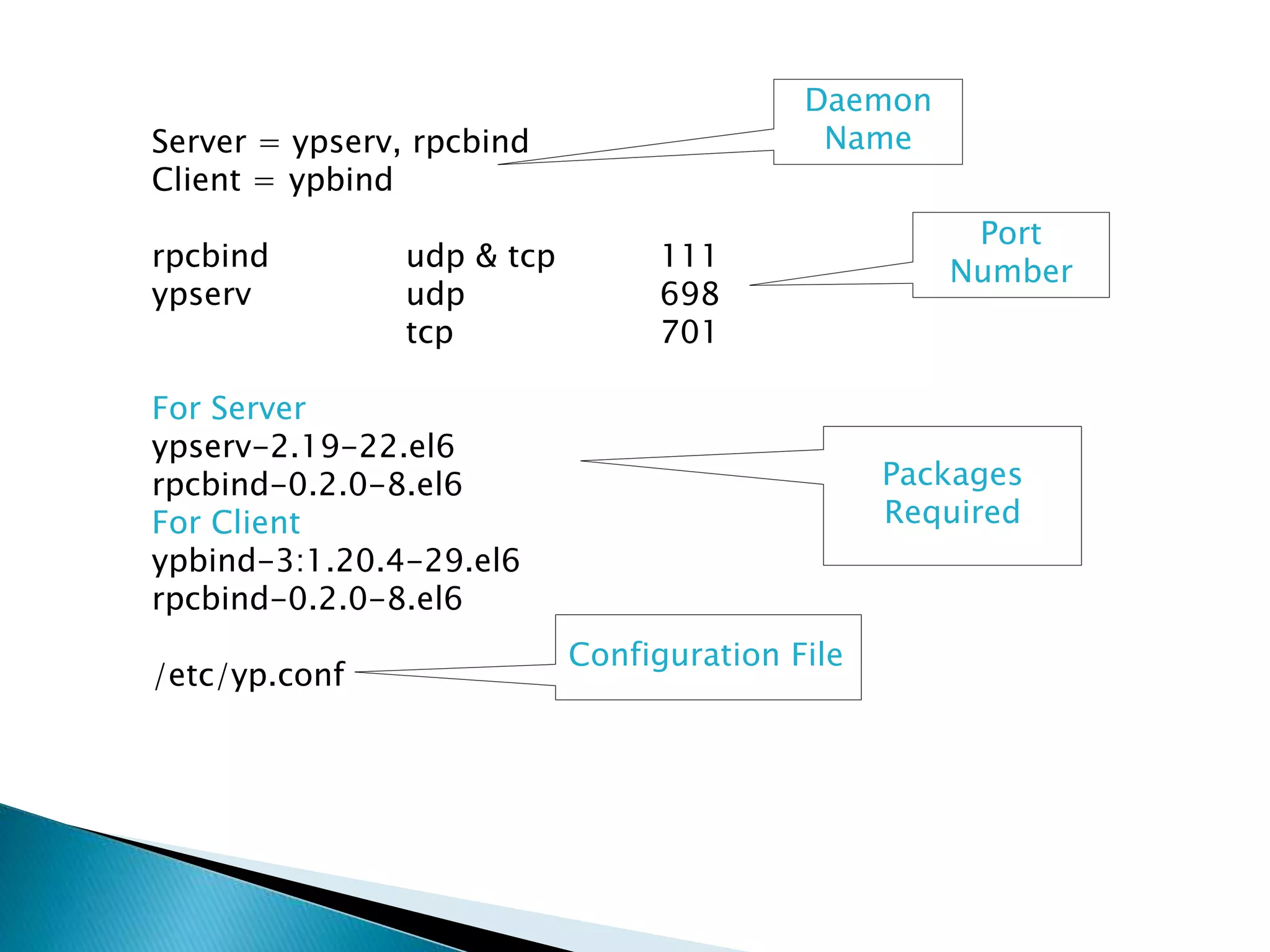
Server = ypserv, rpcbind
Client = ypbind
rpcbind udp & tcp 111
ypserv udp 698
tcp 701
For Server
ypserv-2.19-22.el6
rpcbind-0.2.0-8.el6
For Client
ypbind-3:1.20.4-29.el6
rpcbind-0.2.0-8.el6
/etc/yp.conf
Daemon
Name
Port
Number
Packages
Required
Configuration File
Purpose of NIS
•This enables centralized user logins across networks.
•The centralized database allows users to login and change
passwords in one location and have the changes reflected
across all involved systems.
Background Information
NIS was originally developed by Sun Microsystems under the
name Yellow Pages. However, we are not allowed to use
that trademarked name.
 $ yum install ypserv
 $ domainname tested.domain
 $ nisdomainname tested.domain
 $ service ypserv start
 For the master
◦ $ /usr/lib/yp/ypinit -m
 For the slaves
◦ $ /usr/lib/yp/ypinit -s <ip_address_of_master>
 $ cat /etc/yp.conf
◦ domain tested.domain server 10.0.0.1
◦ service ypserv start
NIS server
daemon
NIS client
daemon. Need
to be run on
the server too.
Will prompt you
to add the slave
servers.
^D to end.
DHCP SERVER
dhcpd
UDP 67,68
dhcp 12:4.1.1-25.P1.el6
dhcp-common 12:4.1.1-25.P1.el6
/etc/dhcpd/conf/dhcpd.conf
Daemon
Name
Port
Number
Packages
Required
Configuration File
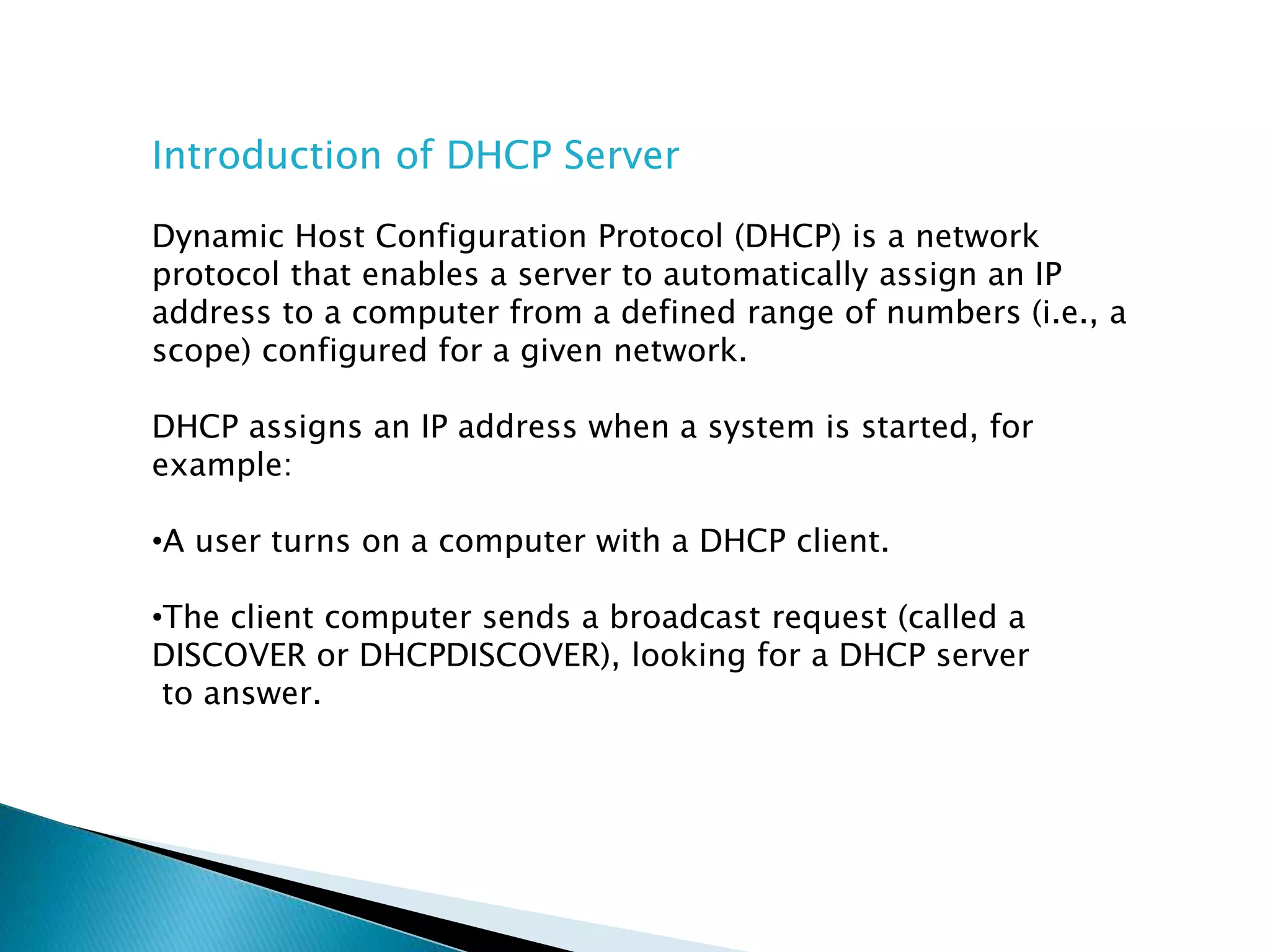
Introduction of DHCP Server
Dynamic Host Configuration Protocol (DHCP) is a network
protocol that enables a server to automatically assign an IP
address to a computer from a defined range of numbers (i.e., a
scope) configured for a given network.
DHCP assigns an IP address when a system is started, for
example:
•A user turns on a computer with a DHCP client.
•The client computer sends a broadcast request (called a
DISCOVER or DHCPDISCOVER), looking for a DHCP server
to answer.
•The router directs the DISCOVER packet to the correct DHCP
server.
•The server receives the DISCOVER packet. Based on availability
and usage policies set on the server, the server determines an
appropriate address (if any) to give to the client. The server then
temporarily reserves that address for the client and sends back
to the client an OFFER (or DHCPOFFER) packet, with that address
information. The server also configures the client's DNS servers,
WINS servers, NTP servers, and sometimes other services as well.
•The client sends a REQUEST (or DHCPREQUEST) packet, letting
the server know that it intends to use the address.
•The server sends an ACK (or DHCPACK) packet, confirming that
the client has a been given a lease on the address for a server-
specified period of time.
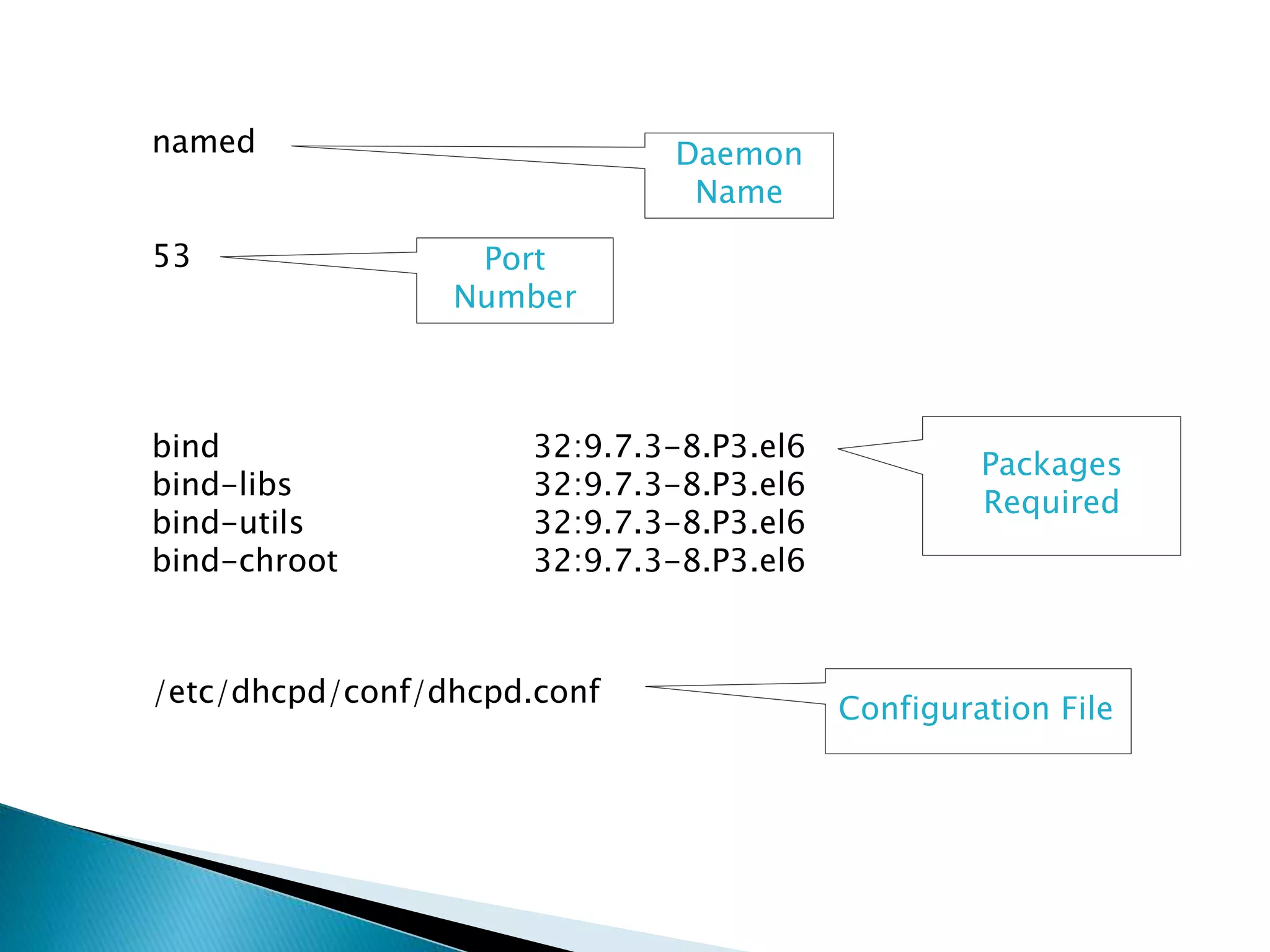
DNS SERVER
named
53
bind 32:9.7.3-8.P3.el6
bind-libs 32:9.7.3-8.P3.el6
bind-utils 32:9.7.3-8.P3.el6
bind-chroot 32:9.7.3-8.P3.el6
/etc/dhcpd/conf/dhcpd.conf
Daemon
Name
Port
Number
Packages
Required
Configuration File
Introduction of DNS
Short for Domain Name System (or Service or Server), an Internet
service that translates domain names into IP addresses. Because
domain names are alphabetic, they're easier to remember. The
Internet however, is really based on IP addresses. Every time you
use a domain name, therefore, a DNS service must translate the
name into the corresponding IP address. For example, the domain
name www.example.com might translate to 198.105.232.4.
The DNS system is, in fact, its own network. If one DNS server
doesn't know how to translate a particular domain name, it asks
another one, and so on, until the correct IP address is returned.
APACHE SERVER
httpd
80
httpd 2.2.15-15.el6
httpd-devel 2.2.15-15.el6
httpd-manual 2.2.15-15.el6
httpd-tools 2.2.15-15.el6
/etc/dhcpd/conf/dhcpd.conf
Daemon
Name
Port
Number
Packages
Required
Configuration File
Introduction of DNS
The primary function of a web server is to deliver web pages
on the request to clients using the Hypertext Transfer Protocol
(HTTP). This means delivery of HTML documents and any
additional content that may be included by a document, such
as images, style sheets and scripts

Rhel4

  • 1.
  • 2.
    smb, nmb UDP ports137, 138 TCP ports 137, 139 samba 3.5.10-114.el6 samba-client 3.5.10-114.el6 samba-common 3.5.10-114.el6 samba-winbind-clients 3.5.10-114.el6 /etc/samba/smb.conf Daemon Name Port Number Packages Required Configuration File
  • 3.
    Introduction Of Samba Sambais a suite of open-source applications that support the Server Message Block (SMB) and Common Internet File System (CIFS) protocols used by Microsoft operating Systems. This allows the Samba applications to interface into Microsoft networks to provide inter operability across normally different networking systems. In other words, Samba enabled UNIX machine can masquerade as a server on your Microsoft network and offer the services. The package required for samba server is “samba”.
  • 4.
    Three prime reasonsto use samba server File and Printer Sharing Services:- Using the Server Message Block (SMB) protocol to facilitate the sharing of files, folders, volumes, and the sharing of printers through out the network. Directory Services:- Sharing vital information about the computers and users of the network with such technologies as the Light weight Directory Access Protocol (LDAP) and Microsoft Active Directory®. Authentication and Access:- Establishing the identity of a computer or user of the network and determining the information the computer or user is authorized to access using such principles and technologies as file permissions, group policies, and the Kerberos authentication service
  • 5.
    How samba actuallyworks? Samba server simulates a window domain server; how ever as seen it actually works just as a workgroup .As a matter off act, it is defaulted to a workgroup.
  • 6.
  • 7.
    Server = ypserv,rpcbind Client = ypbind rpcbind udp & tcp 111 ypserv udp 698 tcp 701 For Server ypserv-2.19-22.el6 rpcbind-0.2.0-8.el6 For Client ypbind-3:1.20.4-29.el6 rpcbind-0.2.0-8.el6 /etc/yp.conf Daemon Name Port Number Packages Required Configuration File
  • 8.
    Purpose of NIS •Thisenables centralized user logins across networks. •The centralized database allows users to login and change passwords in one location and have the changes reflected across all involved systems. Background Information NIS was originally developed by Sun Microsystems under the name Yellow Pages. However, we are not allowed to use that trademarked name.
  • 9.
     $ yuminstall ypserv  $ domainname tested.domain  $ nisdomainname tested.domain  $ service ypserv start  For the master ◦ $ /usr/lib/yp/ypinit -m  For the slaves ◦ $ /usr/lib/yp/ypinit -s <ip_address_of_master>  $ cat /etc/yp.conf ◦ domain tested.domain server 10.0.0.1 ◦ service ypserv start NIS server daemon NIS client daemon. Need to be run on the server too. Will prompt you to add the slave servers. ^D to end.
  • 10.
  • 11.
    dhcpd UDP 67,68 dhcp 12:4.1.1-25.P1.el6 dhcp-common12:4.1.1-25.P1.el6 /etc/dhcpd/conf/dhcpd.conf Daemon Name Port Number Packages Required Configuration File
  • 12.
    Introduction of DHCPServer Dynamic Host Configuration Protocol (DHCP) is a network protocol that enables a server to automatically assign an IP address to a computer from a defined range of numbers (i.e., a scope) configured for a given network. DHCP assigns an IP address when a system is started, for example: •A user turns on a computer with a DHCP client. •The client computer sends a broadcast request (called a DISCOVER or DHCPDISCOVER), looking for a DHCP server to answer.
  • 13.
    •The router directsthe DISCOVER packet to the correct DHCP server. •The server receives the DISCOVER packet. Based on availability and usage policies set on the server, the server determines an appropriate address (if any) to give to the client. The server then temporarily reserves that address for the client and sends back to the client an OFFER (or DHCPOFFER) packet, with that address information. The server also configures the client's DNS servers, WINS servers, NTP servers, and sometimes other services as well. •The client sends a REQUEST (or DHCPREQUEST) packet, letting the server know that it intends to use the address. •The server sends an ACK (or DHCPACK) packet, confirming that the client has a been given a lease on the address for a server- specified period of time.
  • 14.
  • 15.
    named 53 bind 32:9.7.3-8.P3.el6 bind-libs 32:9.7.3-8.P3.el6 bind-utils32:9.7.3-8.P3.el6 bind-chroot 32:9.7.3-8.P3.el6 /etc/dhcpd/conf/dhcpd.conf Daemon Name Port Number Packages Required Configuration File
  • 16.
    Introduction of DNS Shortfor Domain Name System (or Service or Server), an Internet service that translates domain names into IP addresses. Because domain names are alphabetic, they're easier to remember. The Internet however, is really based on IP addresses. Every time you use a domain name, therefore, a DNS service must translate the name into the corresponding IP address. For example, the domain name www.example.com might translate to 198.105.232.4. The DNS system is, in fact, its own network. If one DNS server doesn't know how to translate a particular domain name, it asks another one, and so on, until the correct IP address is returned.
  • 17.
  • 18.
    httpd 80 httpd 2.2.15-15.el6 httpd-devel 2.2.15-15.el6 httpd-manual2.2.15-15.el6 httpd-tools 2.2.15-15.el6 /etc/dhcpd/conf/dhcpd.conf Daemon Name Port Number Packages Required Configuration File
  • 19.
    Introduction of DNS Theprimary function of a web server is to deliver web pages on the request to clients using the Hypertext Transfer Protocol (HTTP). This means delivery of HTML documents and any additional content that may be included by a document, such as images, style sheets and scripts