DNS CONFIGARATION
SUBMITTED BY:
Vinod Gour
CONTENTS:
 Overview
 History
 DNS-Name Space & Working
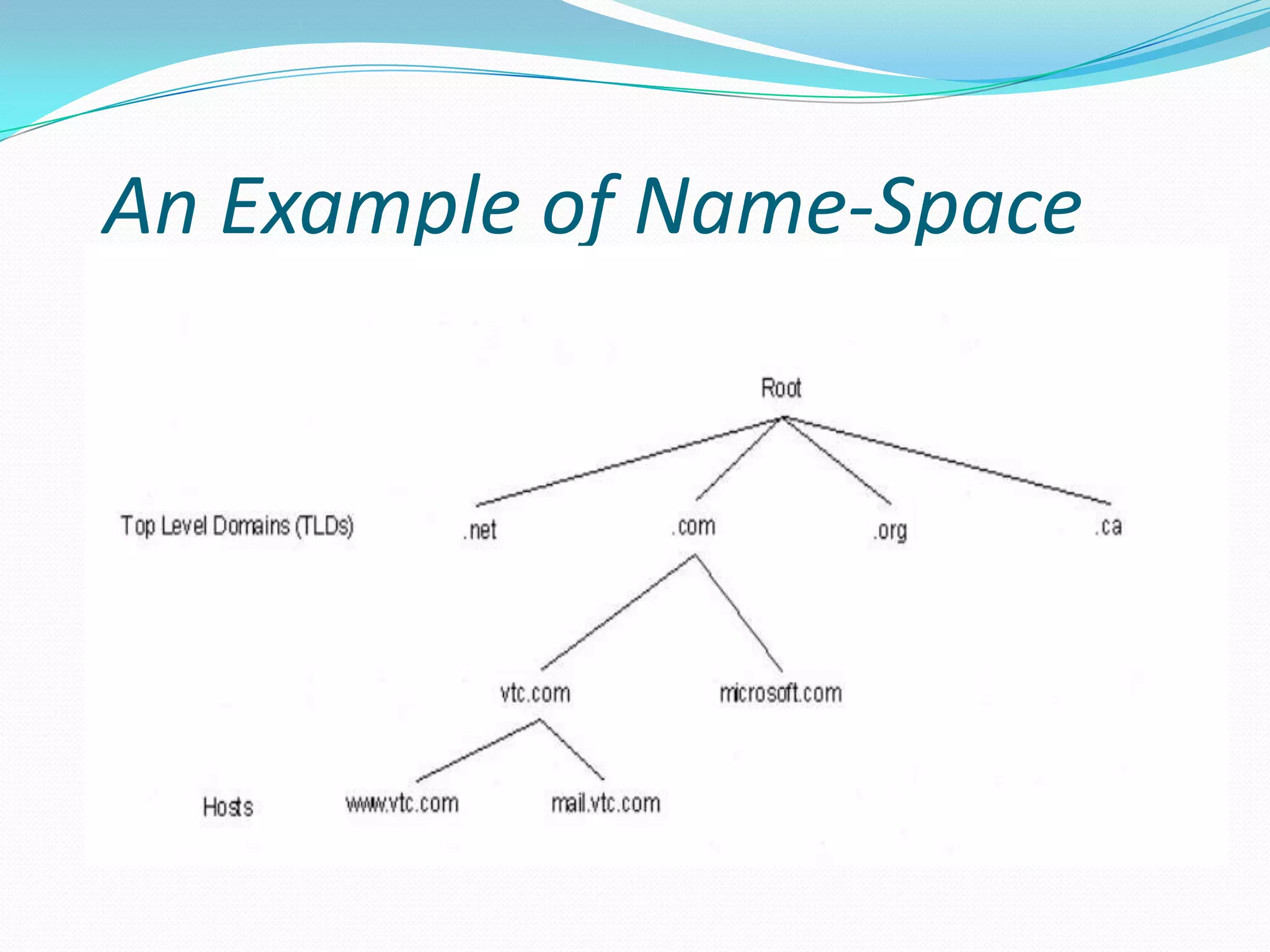
 Example of DNS Name Space
 DNS-Name Server
 DNS-Zone
 DNS-Configuration
DNS-Overview
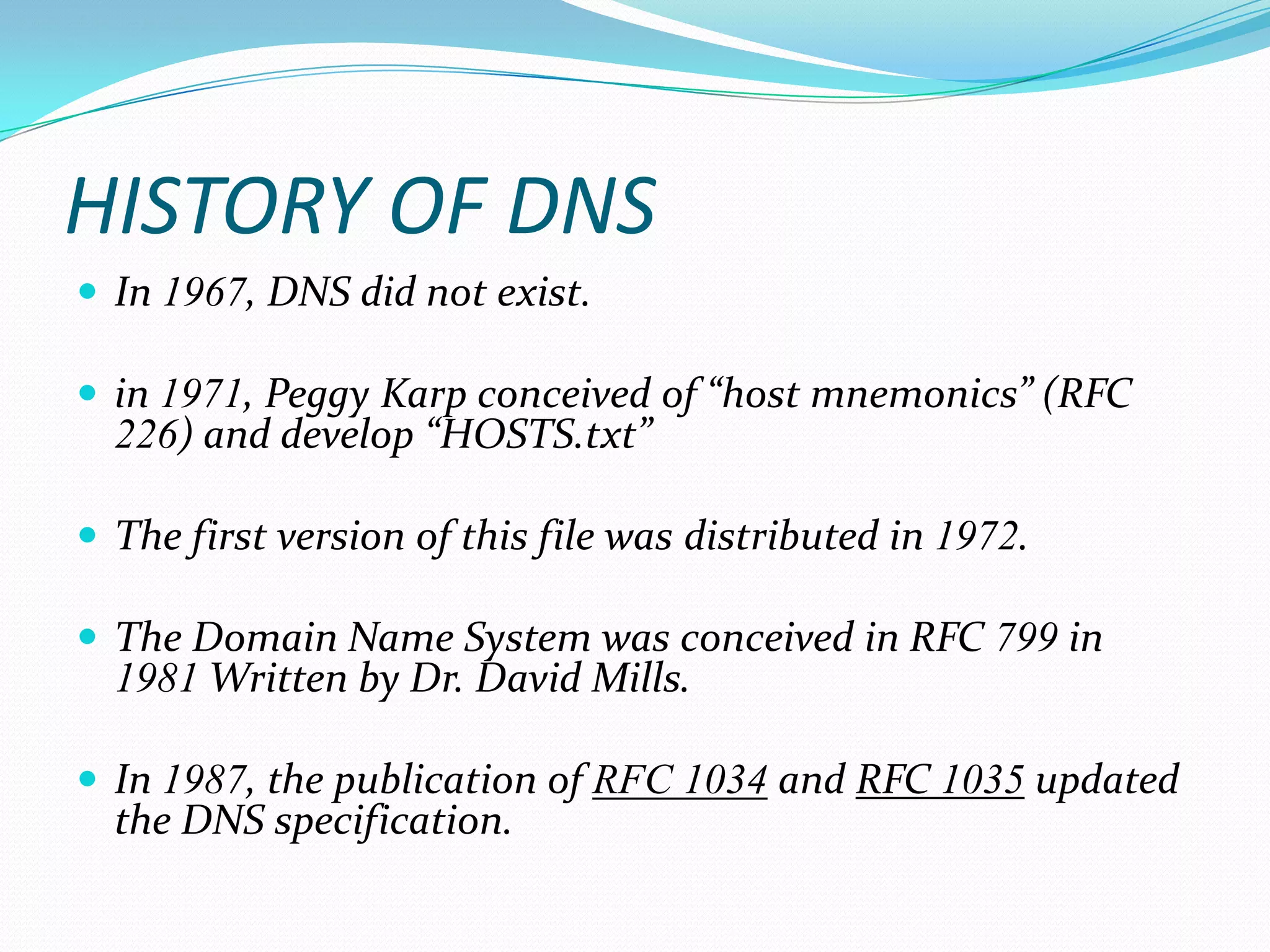
 Domain Name System (DNS) is a database system
that translates a computer's fully qualified domain
name into an IP address.
 For example Domain name www.amazon.com
corresponding to IP address (207.171.166.48).
 DNS serves as an electronic telephone book for a
computer network.
HISTORY OF DNS
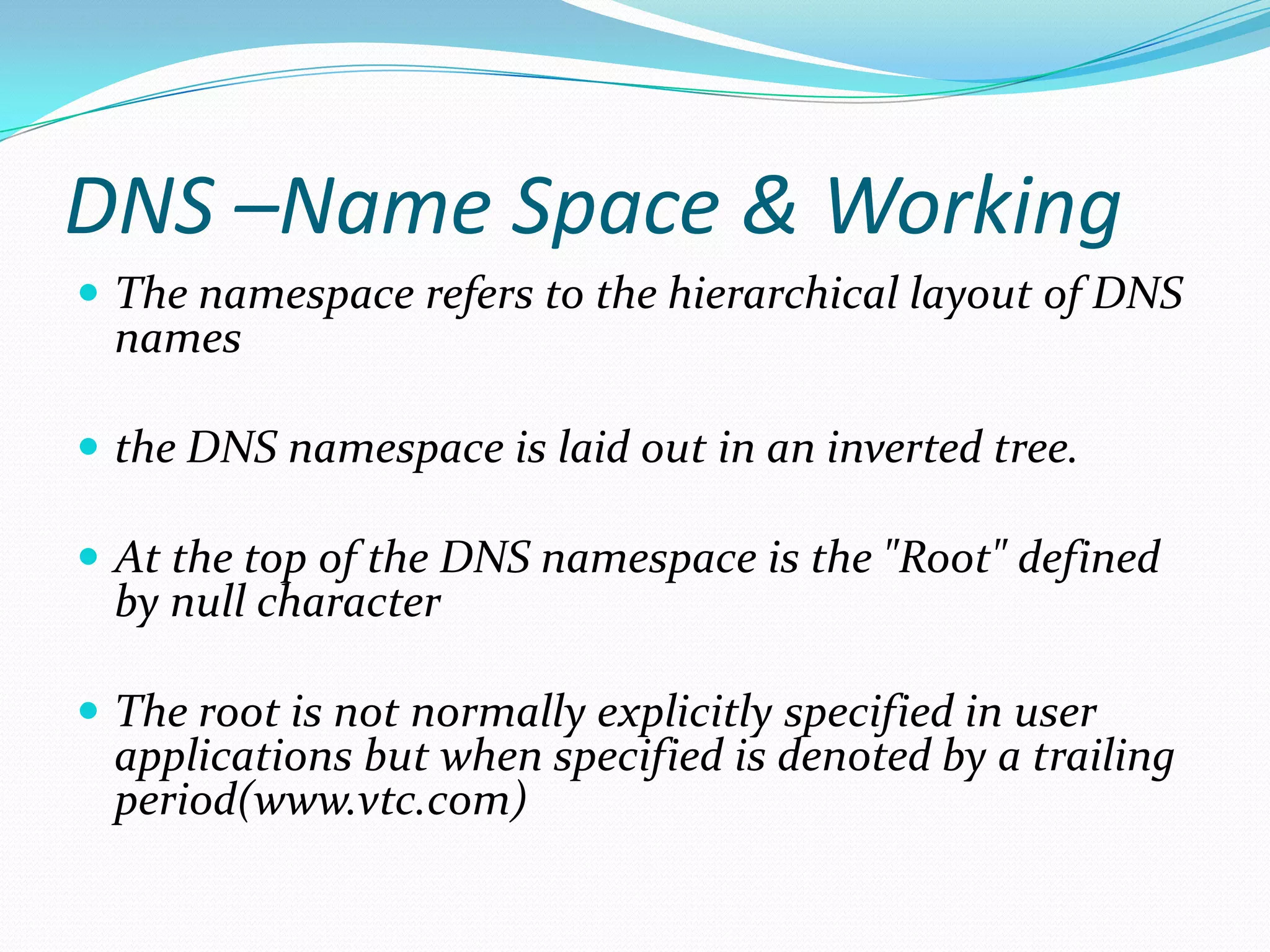
 In 1967, DNS did not exist.
 in 1971, Peggy Karp conceived of “host mnemonics” (RFC
226) and develop “HOSTS.txt”
 The first version of this file was distributed in 1972.
 The Domain Name System was conceived in RFC 799 in
1981 Written by Dr. David Mills.
 In 1987, the publication of RFC 1034 and RFC 1035 updated
the DNS specification.
DNS –Name Space & Working
 The namespace refers to the hierarchical layout of DNS
names
 the DNS namespace is laid out in an inverted tree.
 At the top of the DNS namespace is the "Root" defined
by null character
 The root is not normally explicitly specified in user
applications but when specified is denoted by a trailing
period(www.vtc.com)
DNS –Name Space & Working
 Below the root in the DNS namespace, are the top
level domains or TLDs.
 These TLDS are maintained by the Internet
corporation for assigned names and numbers, or
ICAN, for Internet use
 On a private network you can use any TLD you
want but it is bad practice in case you ever connect
your network to the internet.
DNS –Name Space & Working
 The remainder of the namespace is open for use
 You can register domain names beneath several of
the TLDs
An Example of Name-Space
DNS-Name Server
 A Server which handles DNS-Queries called
“Name-Server”.
 This server hold a list of all the IP addresses within its
network and a cache of IP addresses.
 When your computer requests an IP address, one of
three things happens.
DNS-Name Server
 If the requested IP address is registered locally.
 If the requested IP address is not registered locally ,but
someone within your organization has recently
requested the same IP address.
 If the requested IP address is not registered locally, and
you are the first person to request information about
this system in a certain period of time.
DNS ZONES
 Every domain name, which is a part of the DNS
system, has several DNS settings, also known as DNS
records. In order for these DNS records to be kept in
order, the DNS zone was created.
 Their are 2 types of zones:
1) A forward lookup zone
2) A reverse lookup zone
DNS ZONES
 A forward lookup zone is a DNS zone in which
hostname to IP address relations are stored. When a
computer requests the IP address of a specific
hostname, the forward lookup zone is queried and the
result is returned.
 A reverse lookup zone does just the opposite. When a
computer requests the hostname of an IP address, the
reverse lookup zone is queried and the result is
returned.
STEPS
It involves following steps:-
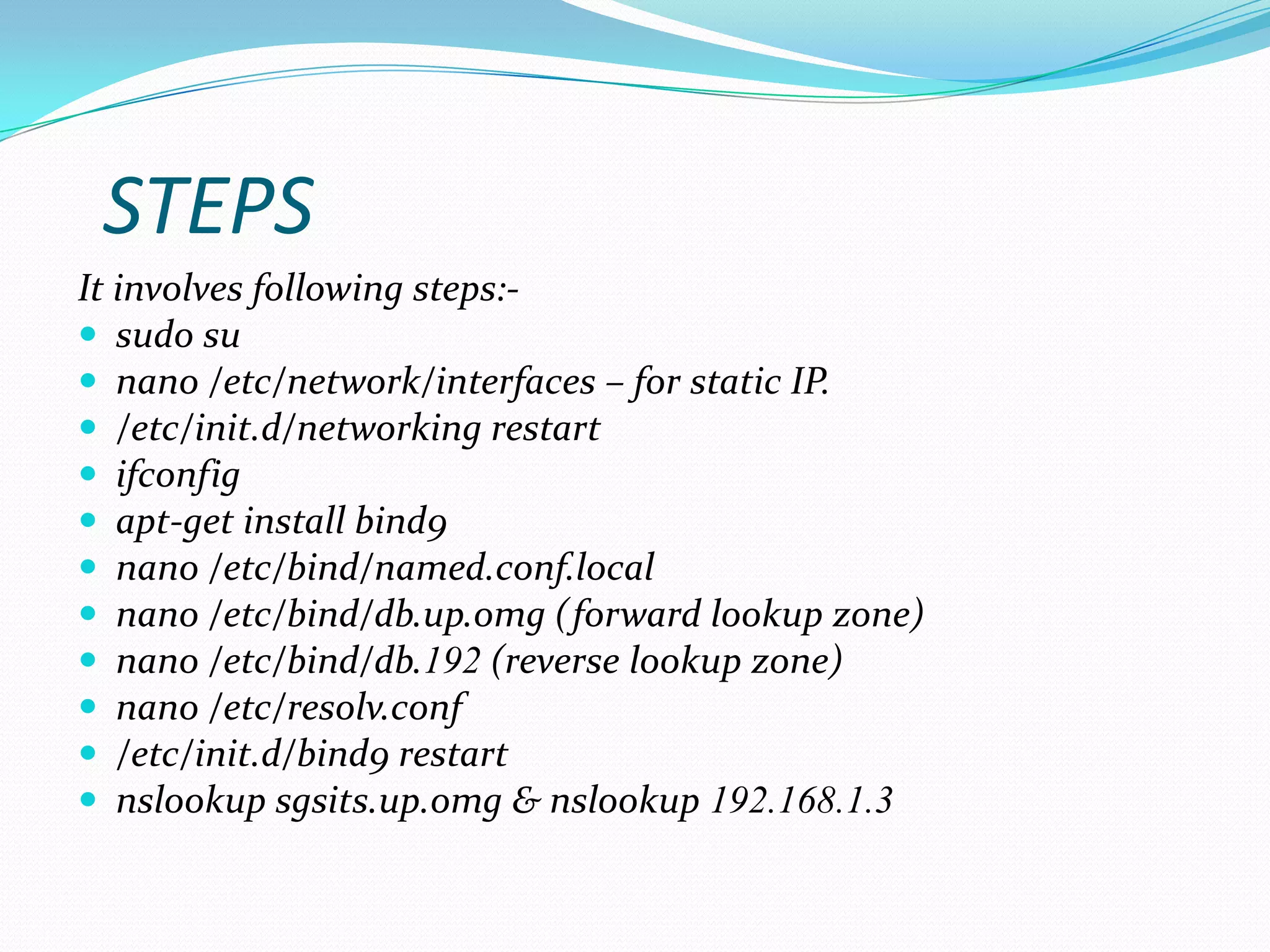
 sudo su
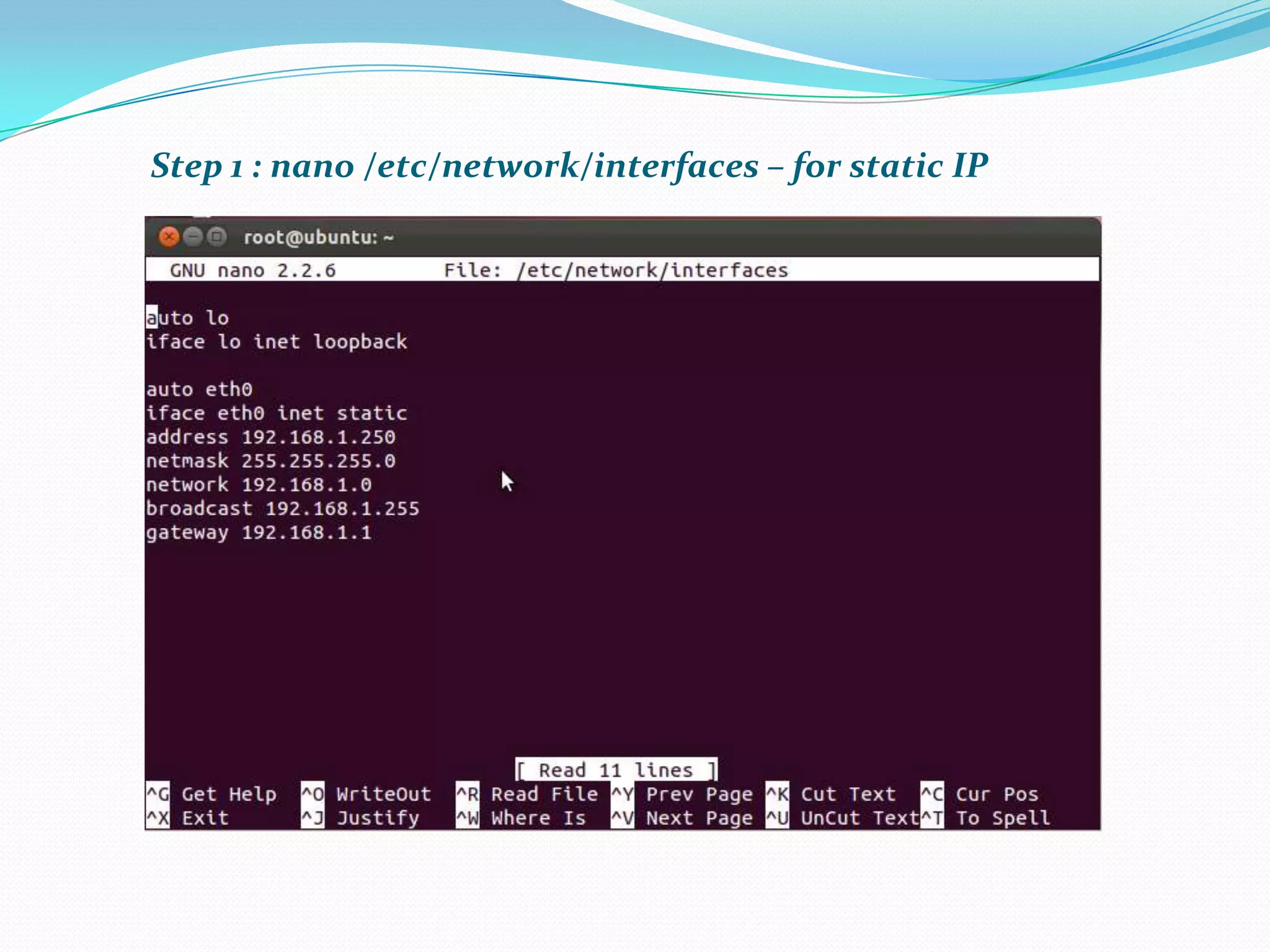
 nano /etc/network/interfaces – for static IP.
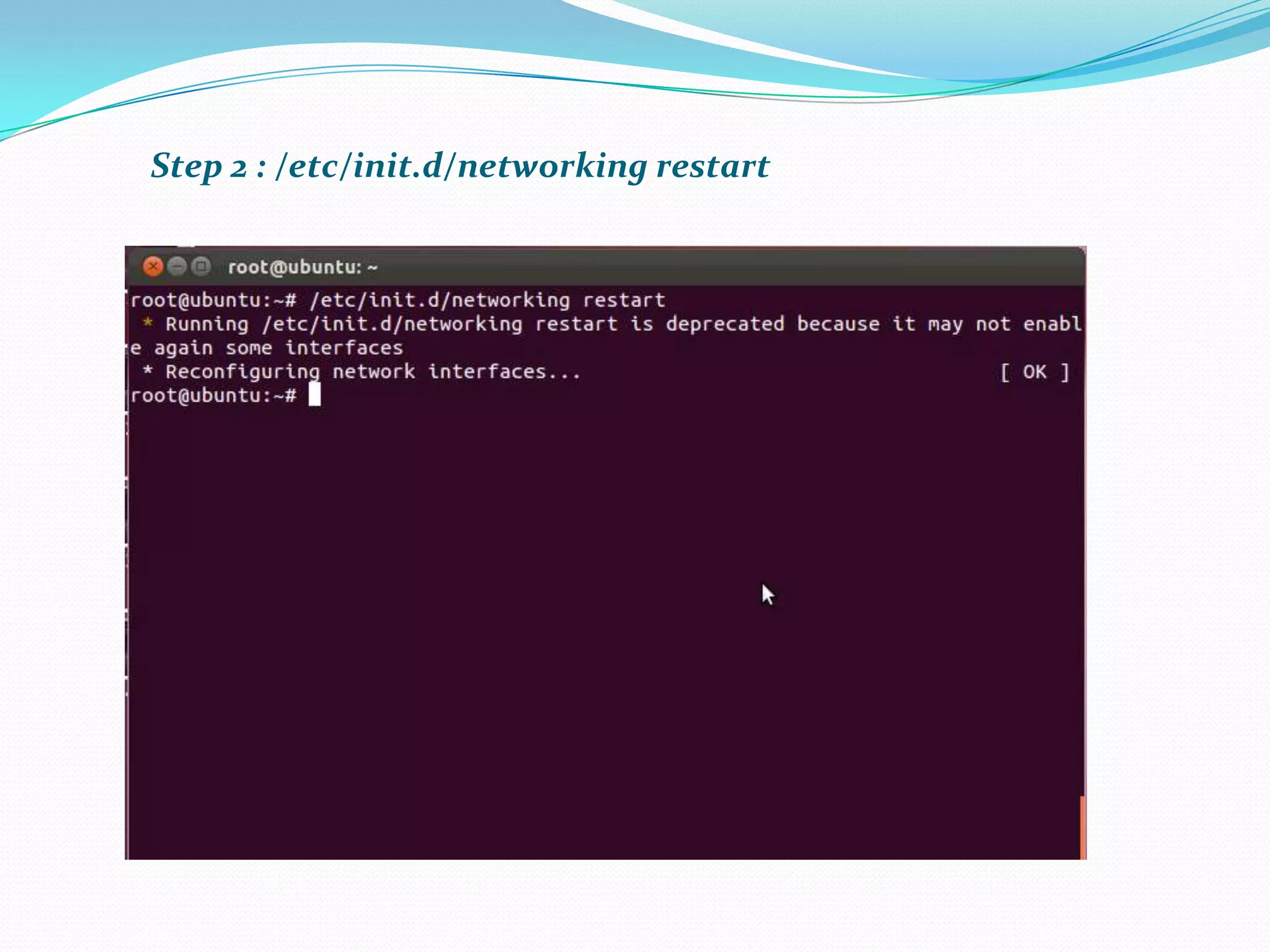
 /etc/init.d/networking restart
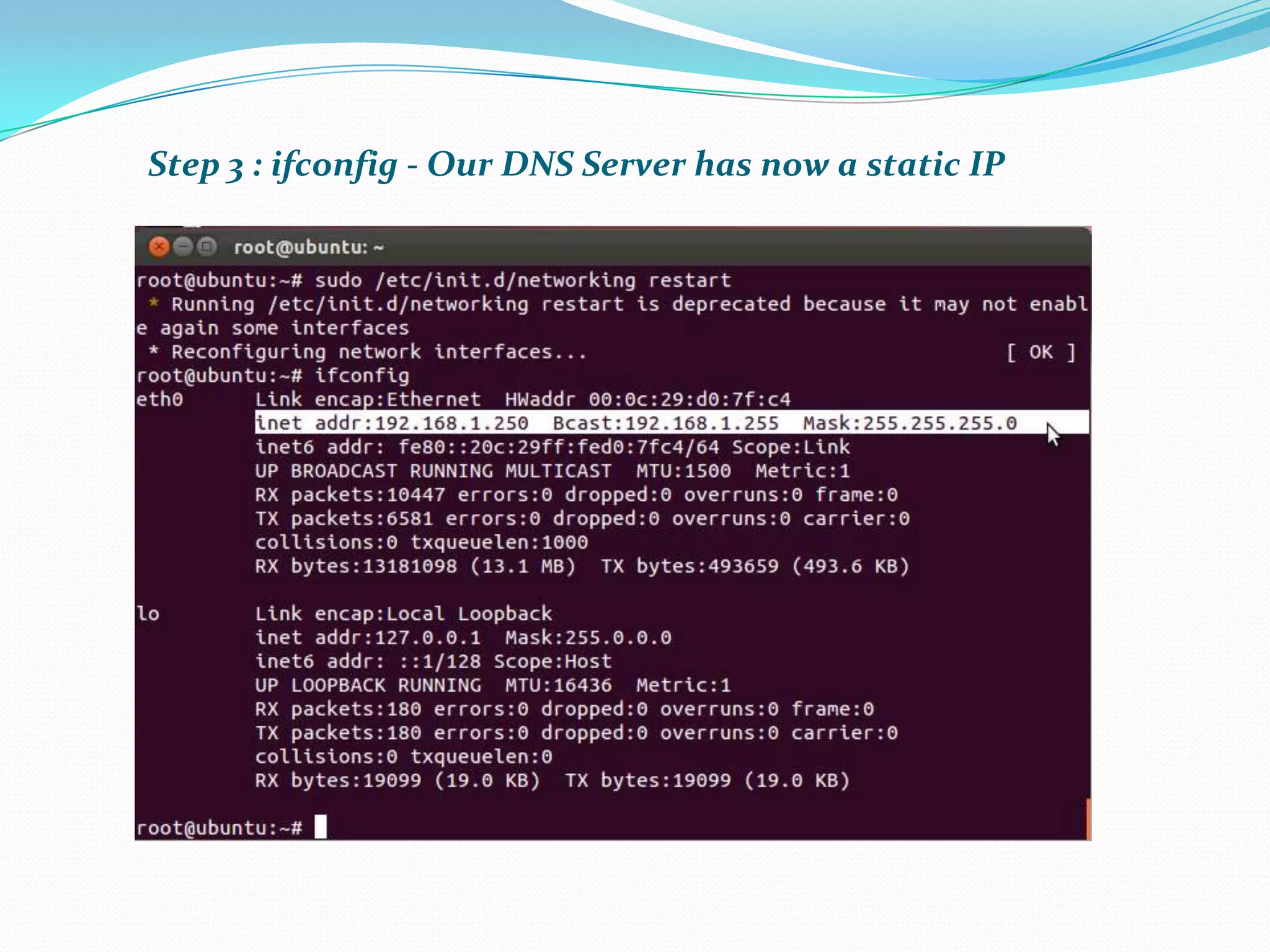
 ifconfig
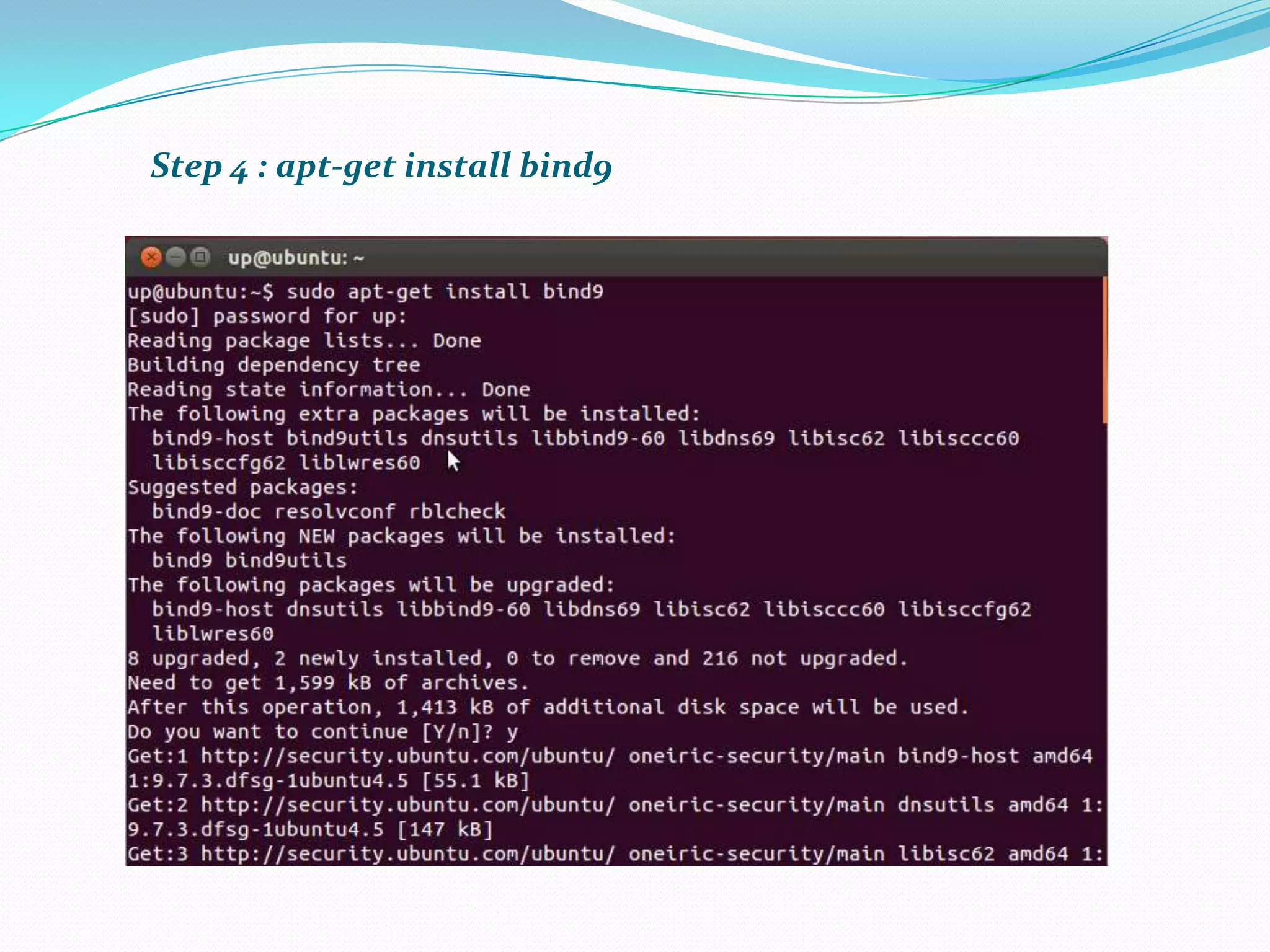
 apt-get install bind9
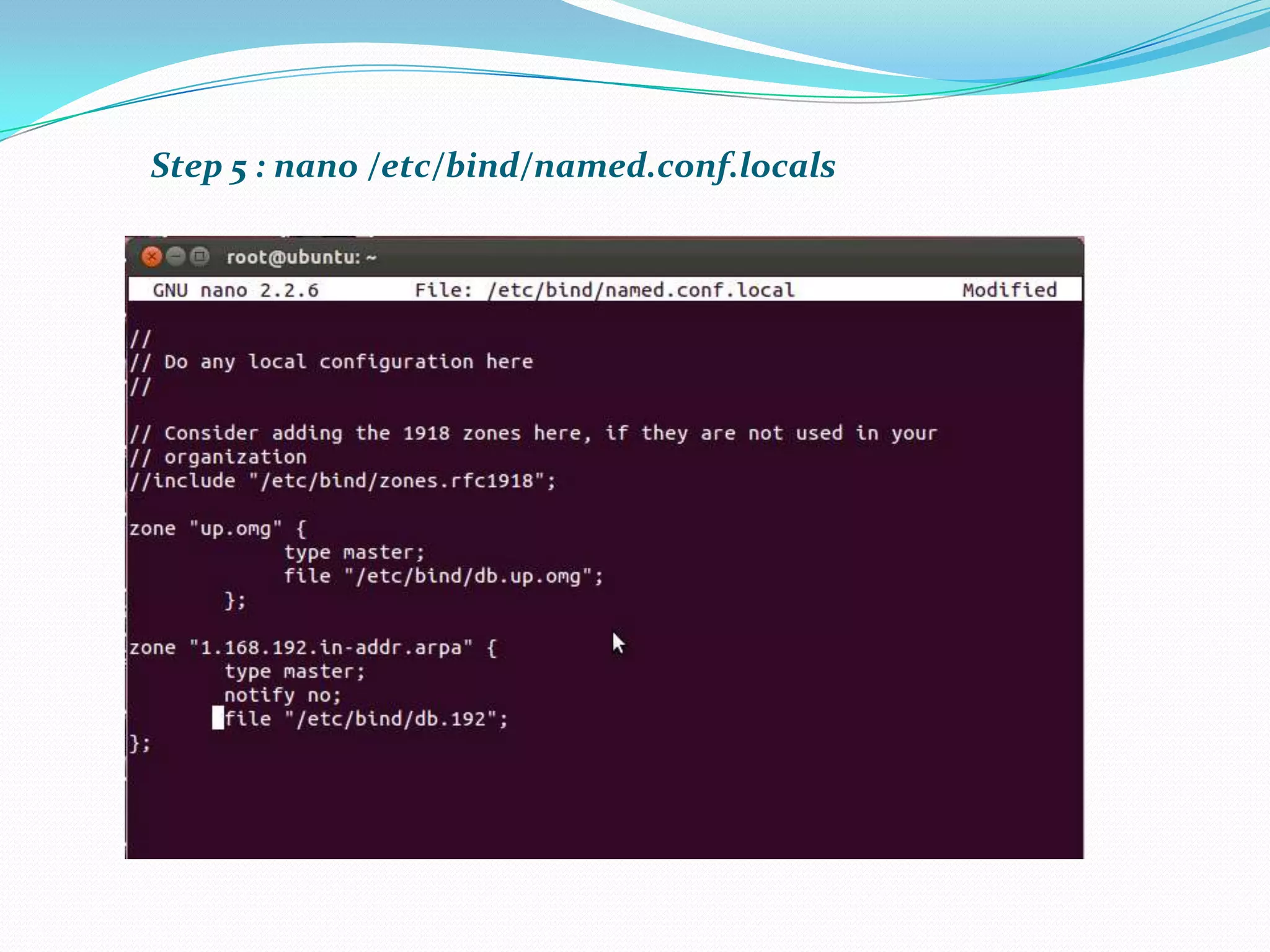
 nano /etc/bind/named.conf.local
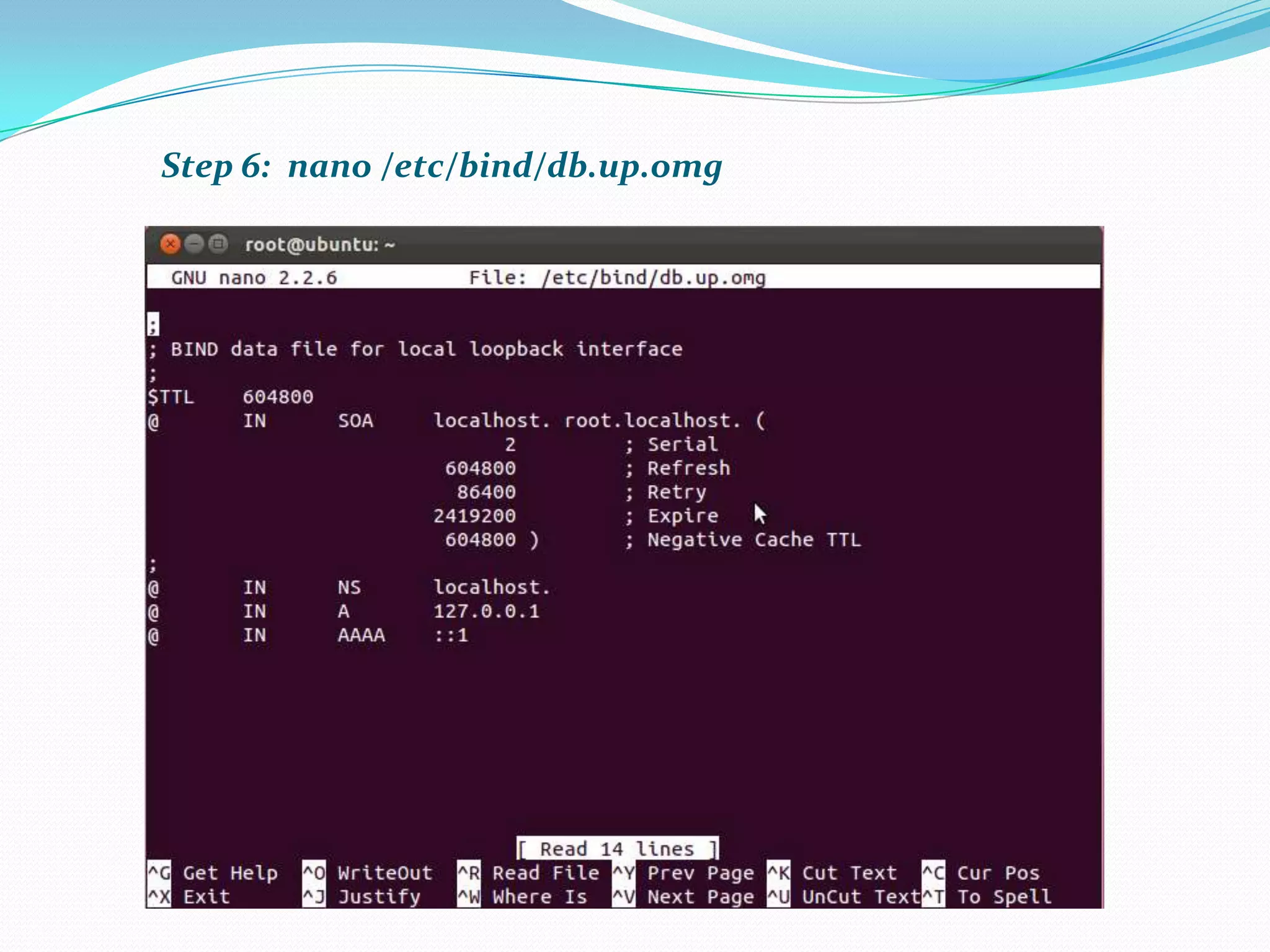
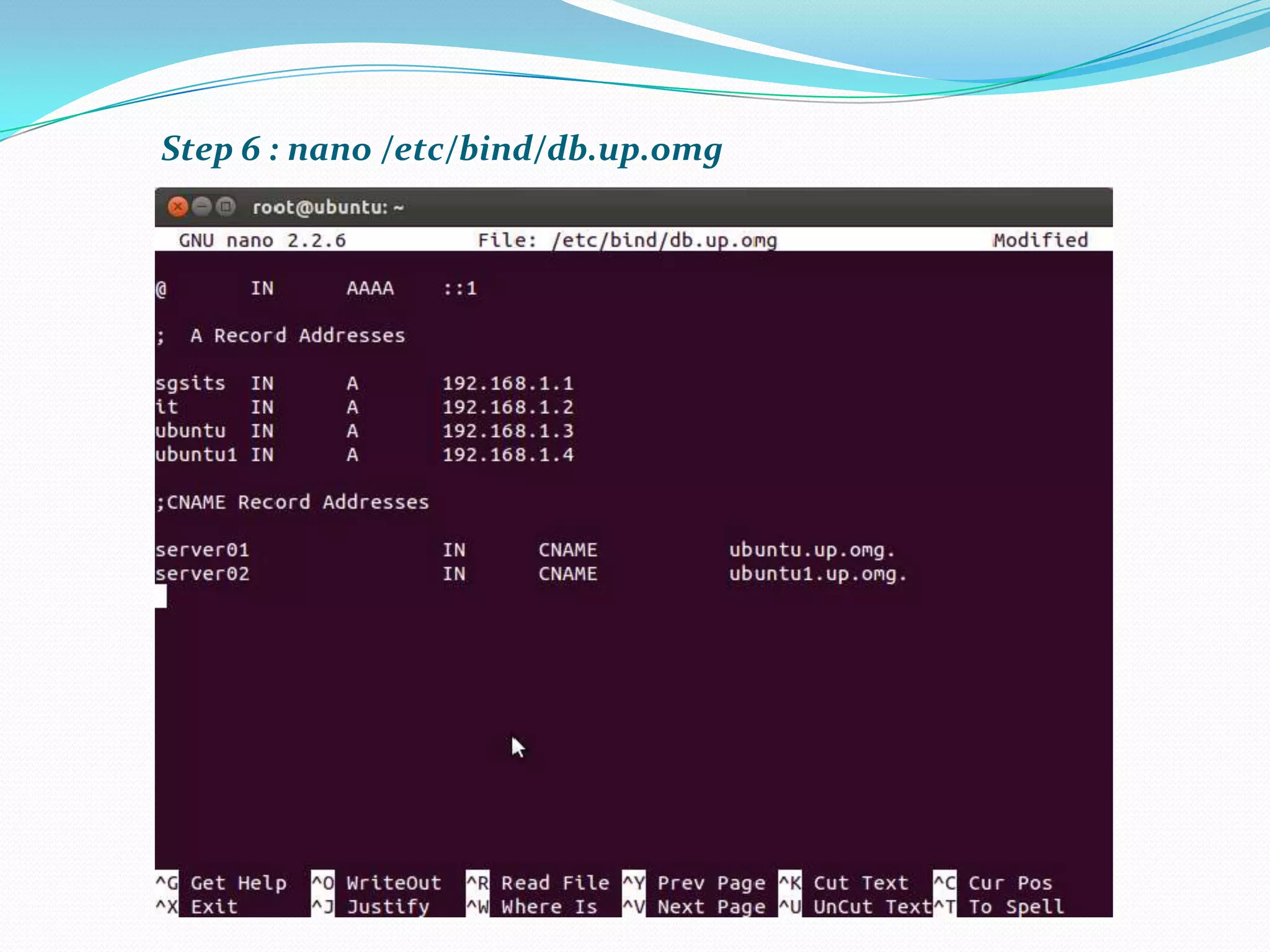
 nano /etc/bind/db.up.omg (forward lookup zone)
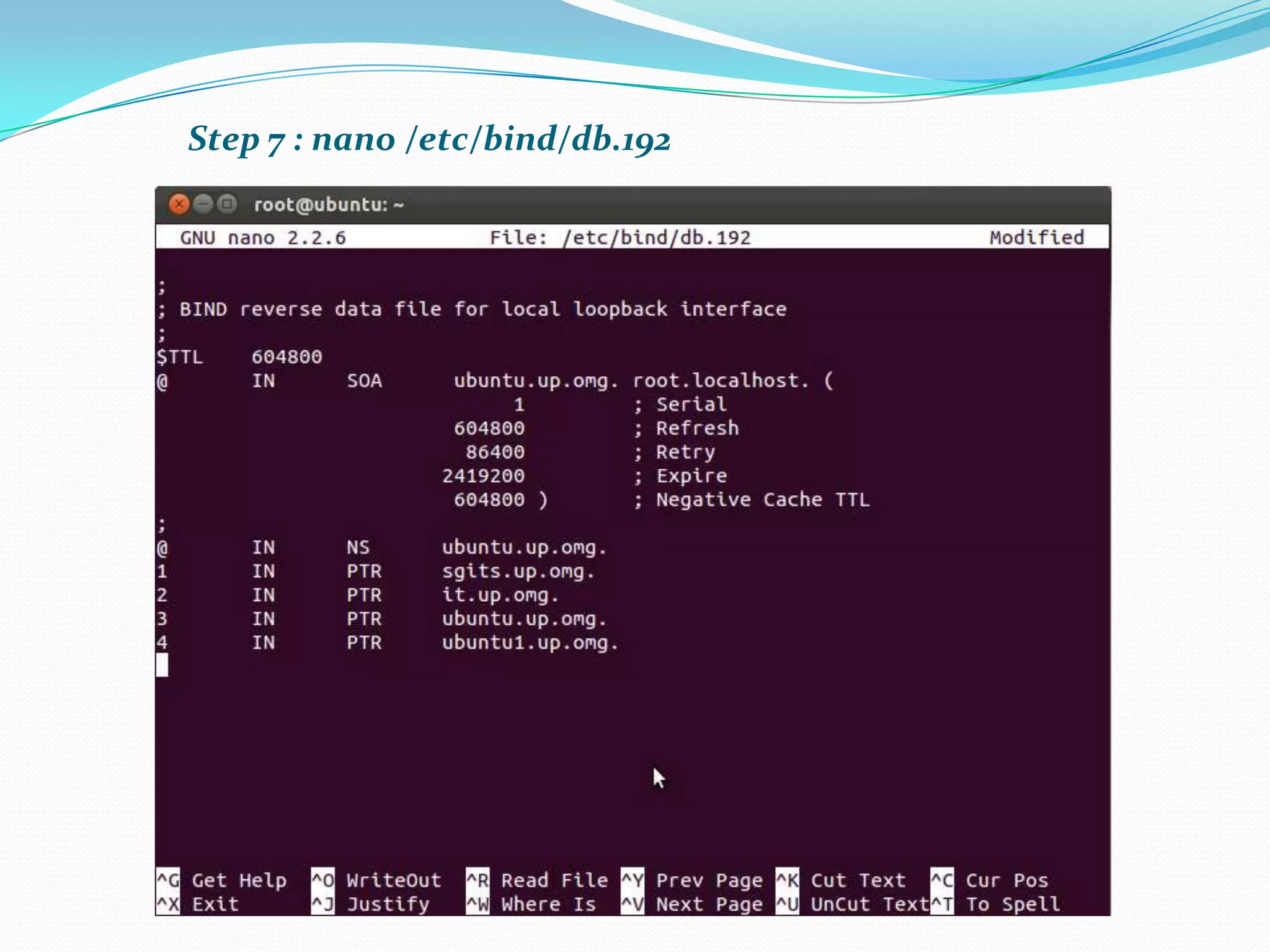
 nano /etc/bind/db.192 (reverse lookup zone)
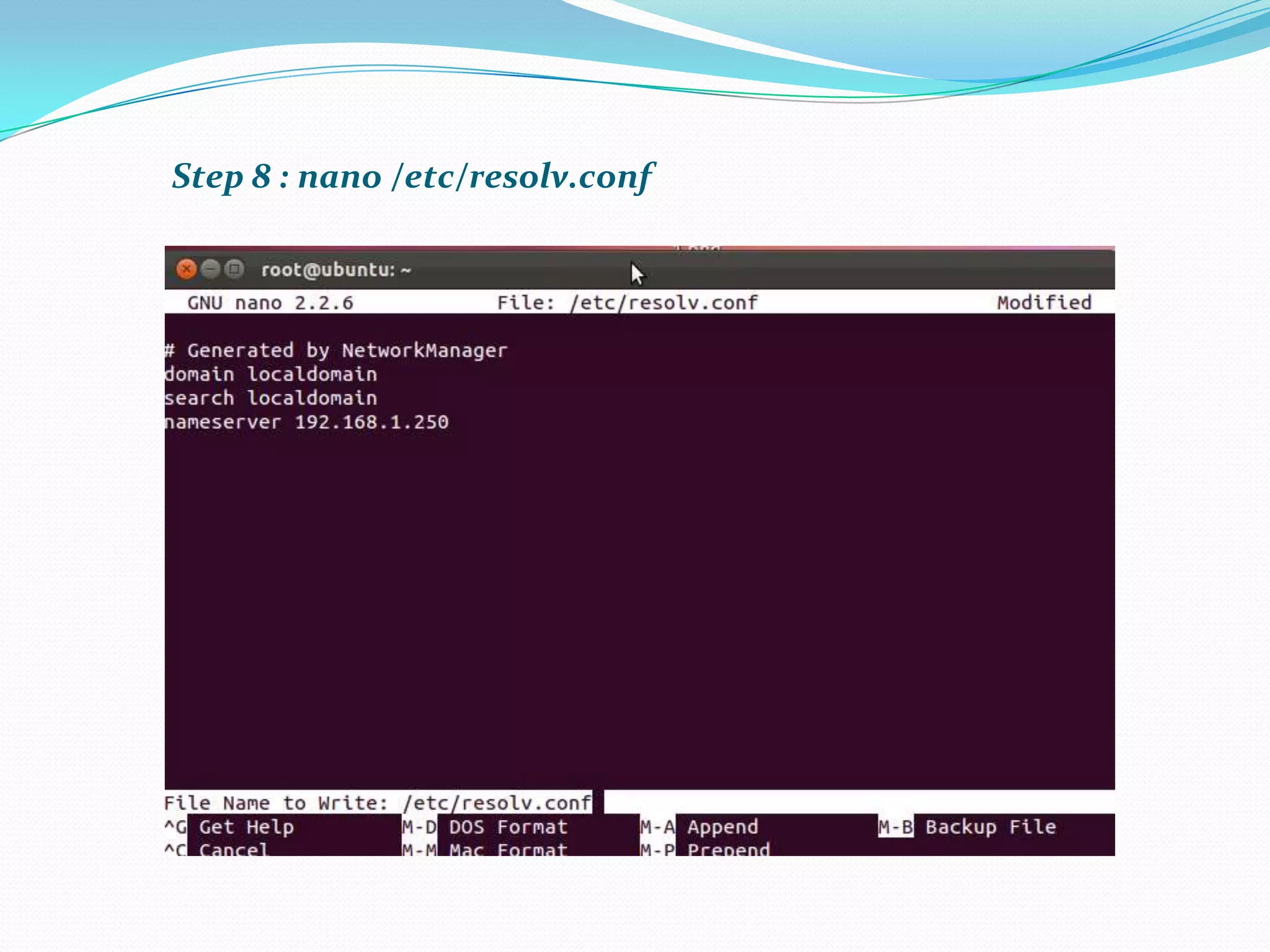
 nano /etc/resolv.conf
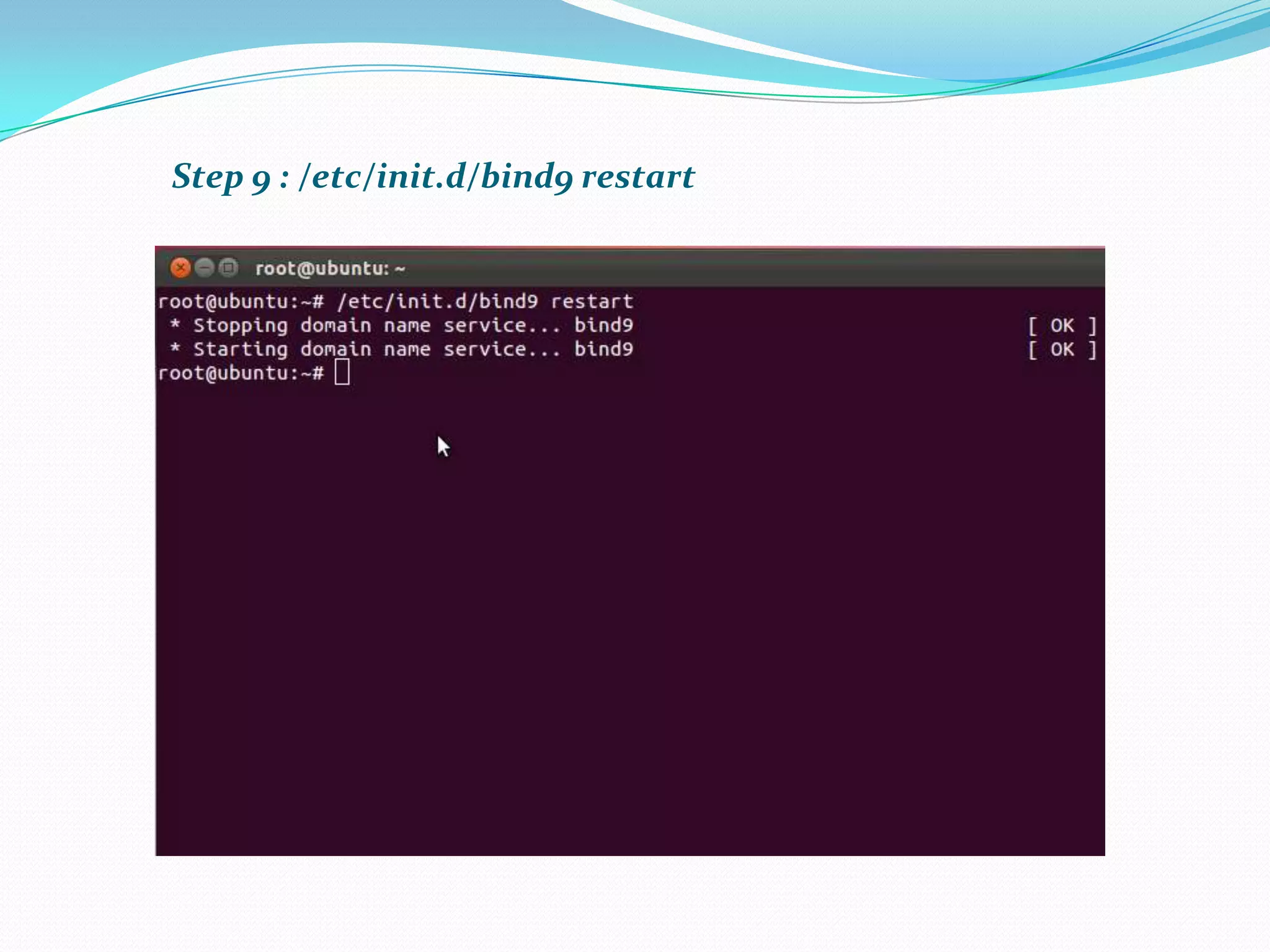
 /etc/init.d/bind9 restart
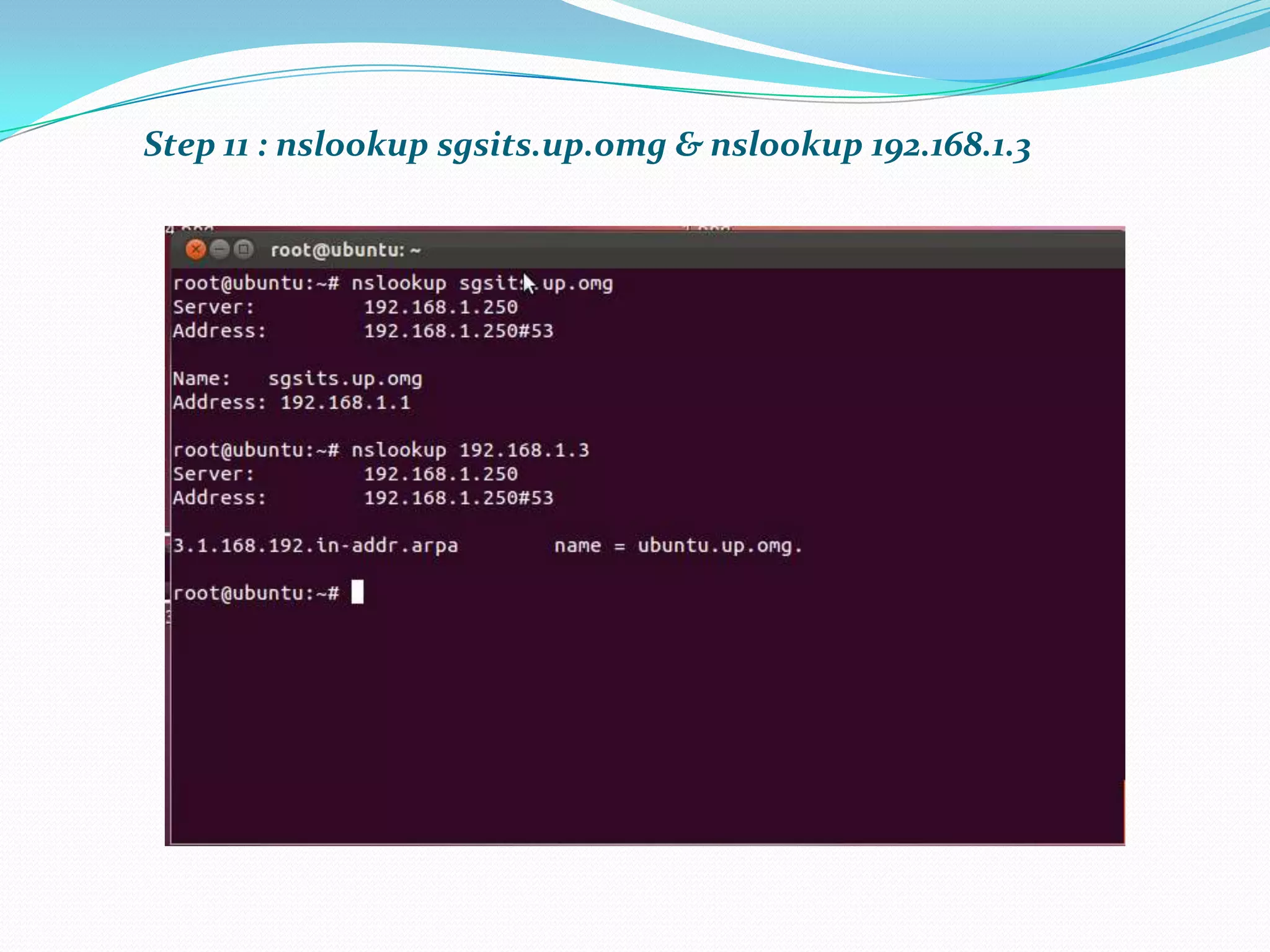
 nslookup sgsits.up.omg & nslookup 192.168.1.3
Step 1 : nano /etc/network/interfaces – for static IP
Step 2 : /etc/init.d/networking restart
Step 3 : ifconfig - Our DNS Server has now a static IP
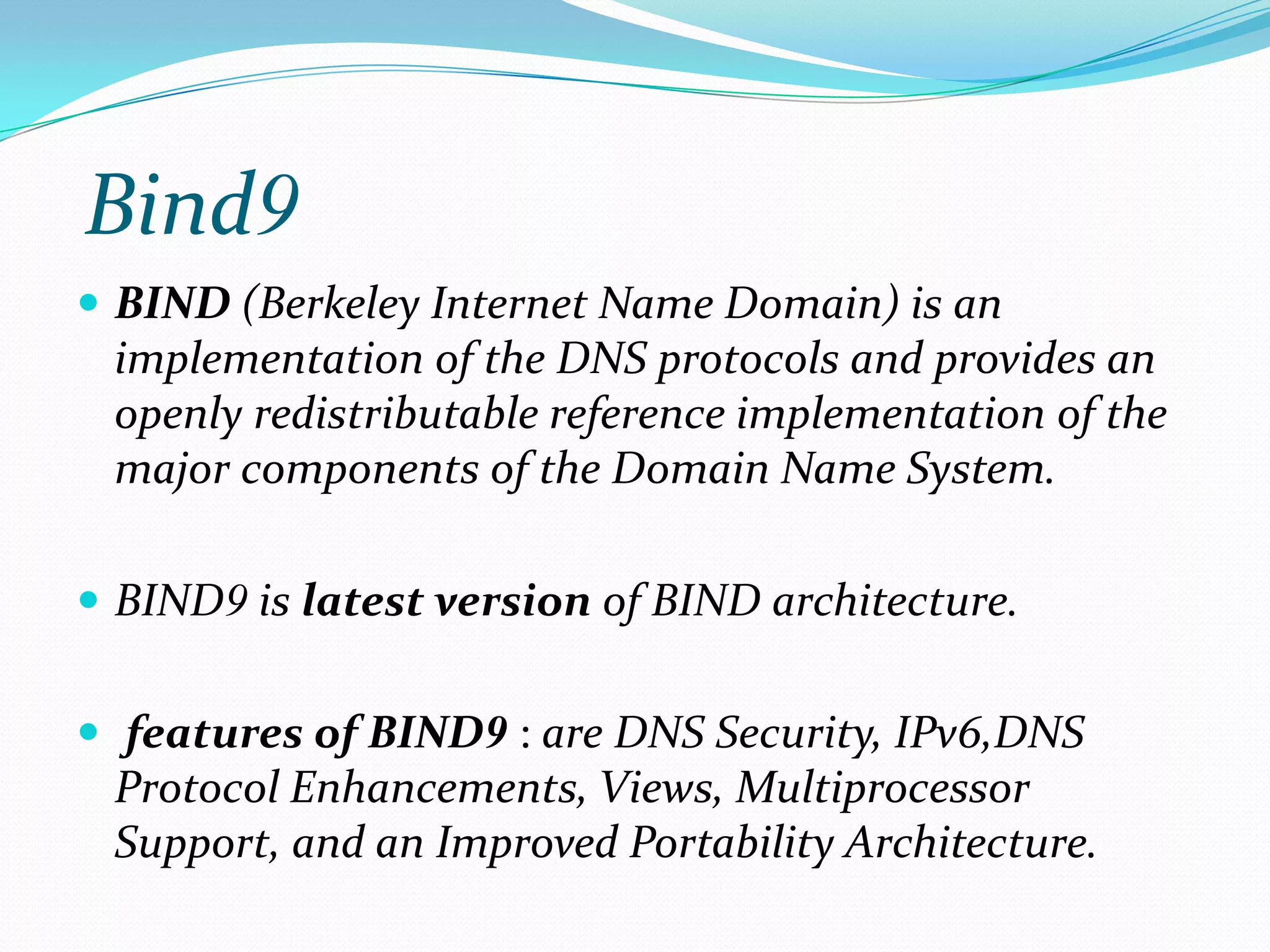
Bind9
 BIND (Berkeley Internet Name Domain) is an
implementation of the DNS protocols and provides an
openly redistributable reference implementation of the
major components of the Domain Name System.
 BIND9 is latest version of BIND architecture.
 features of BIND9 : are DNS Security, IPv6,DNS
Protocol Enhancements, Views, Multiprocessor
Support, and an Improved Portability Architecture.
Step 4 : apt-get install bind9
Step 5 : nano /etc/bind/named.conf.locals
Step 6: nano /etc/bind/db.up.omg
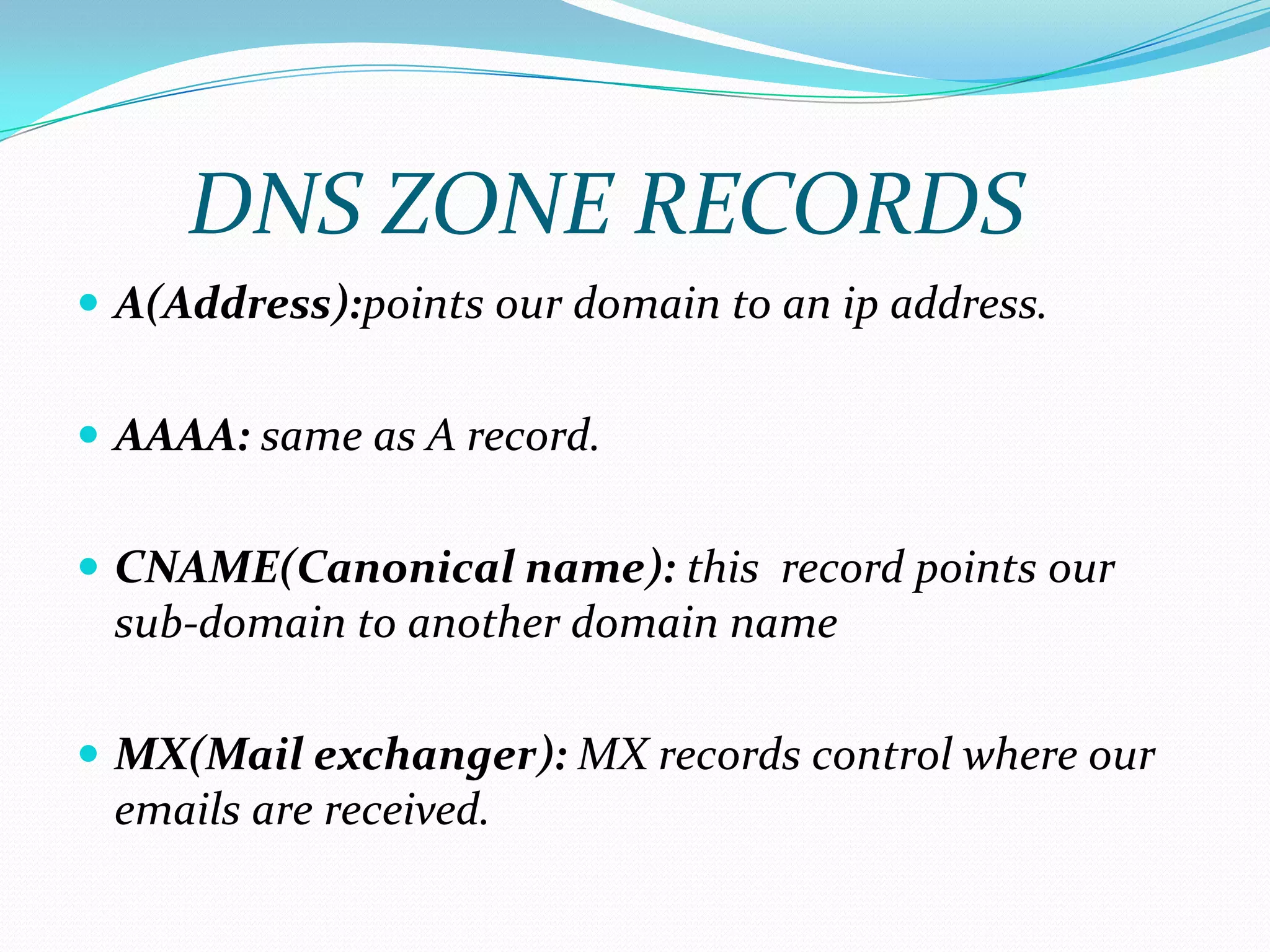
 A(Address):points our domain to an ip address.
 AAAA: same as A record.
 CNAME(Canonical name): this record points our
sub-domain to another domain name
 MX(Mail exchanger): MX records control where our
emails are received.
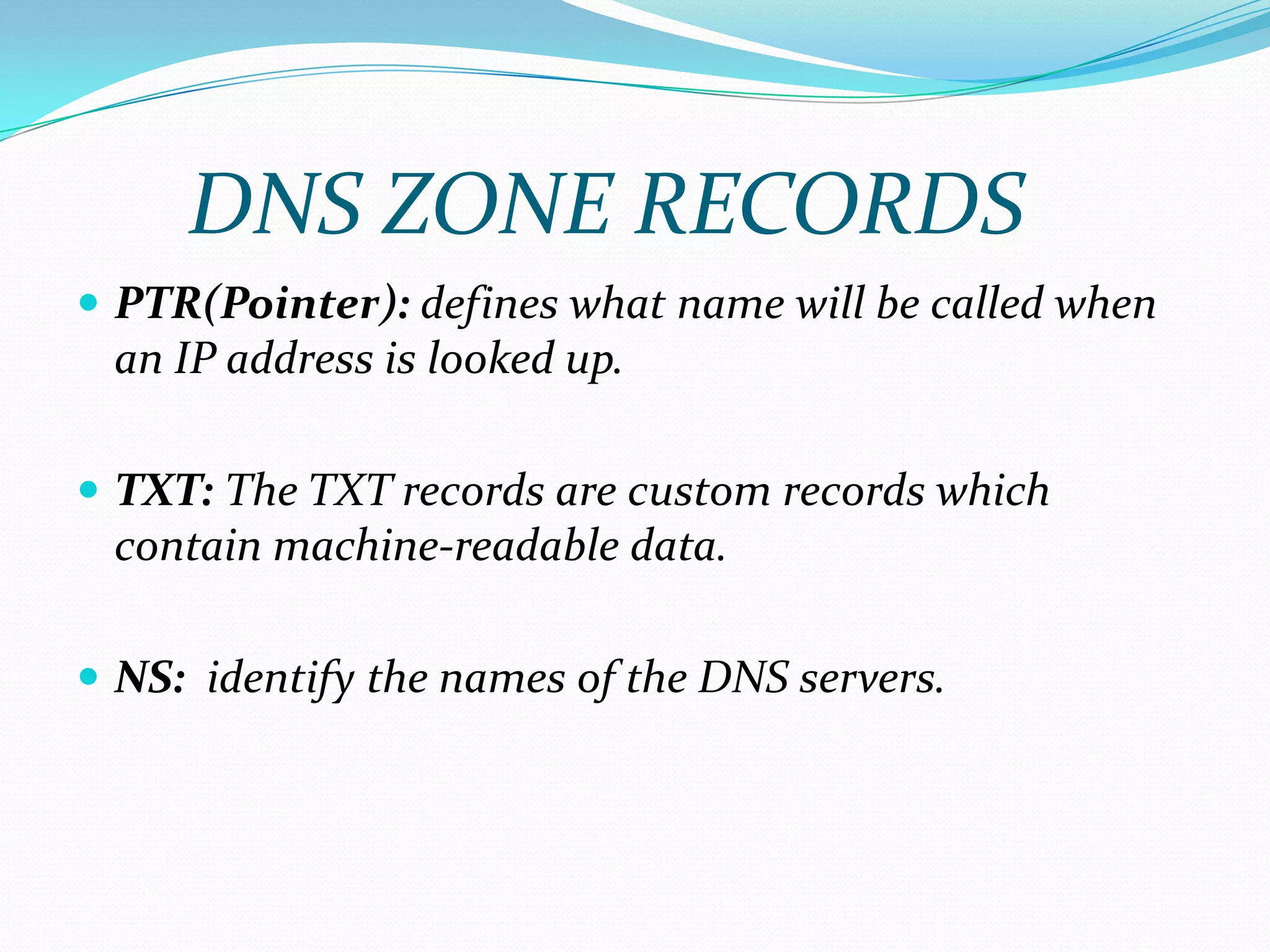
DNS ZONE RECORDS
 PTR(Pointer): defines what name will be called when
an IP address is looked up.
 TXT: The TXT records are custom records which
contain machine-readable data.
 NS: identify the names of the DNS servers.
DNS ZONE RECORDS
Step 6 : nano /etc/bind/db.up.omg
Step 7 : nano /etc/bind/db.192
Step 8 : nano /etc/resolv.conf
Step 9 : /etc/init.d/bind9 restart
Step 11 : nslookup sgsits.up.omg & nslookup 192.168.1.3
DNS Configuration

DNS Configuration

  • 1.
  • 2.
    CONTENTS:  Overview  History DNS-Name Space & Working  Example of DNS Name Space  DNS-Name Server  DNS-Zone  DNS-Configuration
  • 3.
    DNS-Overview  Domain NameSystem (DNS) is a database system that translates a computer's fully qualified domain name into an IP address.  For example Domain name www.amazon.com corresponding to IP address (207.171.166.48).  DNS serves as an electronic telephone book for a computer network.
  • 4.
    HISTORY OF DNS In 1967, DNS did not exist.  in 1971, Peggy Karp conceived of “host mnemonics” (RFC 226) and develop “HOSTS.txt”  The first version of this file was distributed in 1972.  The Domain Name System was conceived in RFC 799 in 1981 Written by Dr. David Mills.  In 1987, the publication of RFC 1034 and RFC 1035 updated the DNS specification.
  • 5.
    DNS –Name Space& Working  The namespace refers to the hierarchical layout of DNS names  the DNS namespace is laid out in an inverted tree.  At the top of the DNS namespace is the "Root" defined by null character  The root is not normally explicitly specified in user applications but when specified is denoted by a trailing period(www.vtc.com)
  • 6.
    DNS –Name Space& Working  Below the root in the DNS namespace, are the top level domains or TLDs.  These TLDS are maintained by the Internet corporation for assigned names and numbers, or ICAN, for Internet use  On a private network you can use any TLD you want but it is bad practice in case you ever connect your network to the internet.
  • 7.
    DNS –Name Space& Working  The remainder of the namespace is open for use  You can register domain names beneath several of the TLDs
  • 8.
    An Example ofName-Space
  • 9.
    DNS-Name Server  AServer which handles DNS-Queries called “Name-Server”.  This server hold a list of all the IP addresses within its network and a cache of IP addresses.  When your computer requests an IP address, one of three things happens.
  • 10.
    DNS-Name Server  Ifthe requested IP address is registered locally.  If the requested IP address is not registered locally ,but someone within your organization has recently requested the same IP address.  If the requested IP address is not registered locally, and you are the first person to request information about this system in a certain period of time.
  • 11.
    DNS ZONES  Everydomain name, which is a part of the DNS system, has several DNS settings, also known as DNS records. In order for these DNS records to be kept in order, the DNS zone was created.  Their are 2 types of zones: 1) A forward lookup zone 2) A reverse lookup zone
  • 12.
    DNS ZONES  Aforward lookup zone is a DNS zone in which hostname to IP address relations are stored. When a computer requests the IP address of a specific hostname, the forward lookup zone is queried and the result is returned.  A reverse lookup zone does just the opposite. When a computer requests the hostname of an IP address, the reverse lookup zone is queried and the result is returned.
  • 14.
    STEPS It involves followingsteps:-  sudo su  nano /etc/network/interfaces – for static IP.  /etc/init.d/networking restart  ifconfig  apt-get install bind9  nano /etc/bind/named.conf.local  nano /etc/bind/db.up.omg (forward lookup zone)  nano /etc/bind/db.192 (reverse lookup zone)  nano /etc/resolv.conf  /etc/init.d/bind9 restart  nslookup sgsits.up.omg & nslookup 192.168.1.3
  • 15.
    Step 1 :nano /etc/network/interfaces – for static IP
  • 16.
    Step 2 :/etc/init.d/networking restart
  • 17.
    Step 3 :ifconfig - Our DNS Server has now a static IP
  • 18.
    Bind9  BIND (BerkeleyInternet Name Domain) is an implementation of the DNS protocols and provides an openly redistributable reference implementation of the major components of the Domain Name System.  BIND9 is latest version of BIND architecture.  features of BIND9 : are DNS Security, IPv6,DNS Protocol Enhancements, Views, Multiprocessor Support, and an Improved Portability Architecture.
  • 19.
    Step 4 :apt-get install bind9
  • 20.
    Step 5 :nano /etc/bind/named.conf.locals
  • 21.
    Step 6: nano/etc/bind/db.up.omg
  • 22.
     A(Address):points ourdomain to an ip address.  AAAA: same as A record.  CNAME(Canonical name): this record points our sub-domain to another domain name  MX(Mail exchanger): MX records control where our emails are received. DNS ZONE RECORDS
  • 23.
     PTR(Pointer): defineswhat name will be called when an IP address is looked up.  TXT: The TXT records are custom records which contain machine-readable data.  NS: identify the names of the DNS servers. DNS ZONE RECORDS
  • 24.
    Step 6 :nano /etc/bind/db.up.omg
  • 25.
    Step 7 :nano /etc/bind/db.192
  • 26.
    Step 8 :nano /etc/resolv.conf
  • 27.
    Step 9 :/etc/init.d/bind9 restart
  • 28.
    Step 11 :nslookup sgsits.up.omg & nslookup 192.168.1.3