1


Rapid Prototyping
      with
       Solr
                 presented by
Erik Hatcher, Technical Staff, Lucid Imagination


                                                       1
Abstract

   Got data?  Let's make it searchable!  This interactive
   presentation will demonstrate getting documents into
   Solr quickly, provide some tips in adjusting Solr's
   schema to match your needs better, and finally showcase
   your data in a flexible search user interface.  We'll
   see how to rapidly leverage faceting, highlighting,
   spell checking, and debugging.  Even after all that,
   there will be enough time left to outline the next
   steps in developing your search application and taking
   it to production.


                                                             2

                                                                 2
Why prototype?
   Demonstrate Solr can handle your needs
   Buy-in
   "Prototyping: faster than teaching a 9-year-old
    Ju-Jitsu"
   It's quick, easy, AND FUN!
   The User Interface is the app


                                                      3

                                                          3
Got Data?
   Files?
       Solr Cell

   Databases?
       Data Import Handler

   Feeds (Atom/RSS/XML)?
       Data Import Handler

   3rd party repositories?
       Lucene Connectors Framework
       custom indexing scripts using a Solr API

   CSV!!!
     CSV upload handler
                                                   4

                                                       4
UI
   Solritas (VelocityResponseWriter)
   http://localhost:8983/solr/itas
   Documentation:
       http://wiki.apache.org/solr/VelocityResponseWriter


                                                             5

                                                                 5
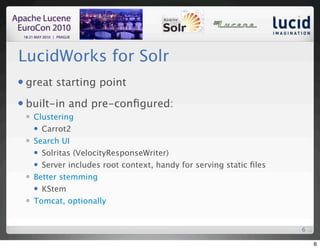
LucidWorks for Solr
   great starting point
   built-in and pre-configured:
       Clustering
         Carrot2

       Search UI
         Solritas (VelocityResponseWriter)

         Server includes root context, handy for serving static files

       Better stemming
         KStem

       Tomcat, optionally


                                                                        6

                                                                            6
~/LucidWorks: start.sh
2010-05-21 08:53:49.595::INFO: Logging to STDERR via
org.mortbay.log.StdErrLog
2010-05-21 08:53:49.764::INFO: jetty-6.1.3
May 21, 2010 8:53:50 AM org.apache.solr.core.SolrResourceLoader
locateSolrHome
INFO: JNDI not configured for solr (NoInitialContextEx)
May 21, 2010 8:53:50 AM org.apache.solr.core.SolrResourceLoader
locateSolrHome
INFO: using system property solr.solr.home: /Users/erikhatcher/
LucidWorks/lucidworks/jetty/../solr
May 21, 2010 8:53:50 AM org.apache.solr.core.SolrResourceLoader <init>
INFO: Solr home set to '/Users/erikhatcher/LucidWorks/lucidworks/
jetty/../solr/'
.
.
.
May 21, 2010 8:53:51 AM org.apache.solr.core.SolrCore registerSearcher
INFO: [] Registered new searcher Searcher@21fb3211 main


                                                                         7

                                                                             7
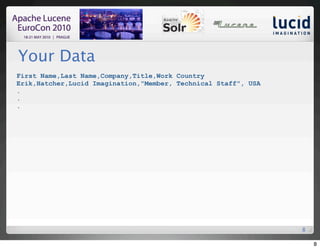
Your Data
First Name,Last Name,Company,Title,Work Country
Erik,Hatcher,Lucid Imagination,"Member, Technical Staff", USA
.
.
.


                                                                8

                                                                    8
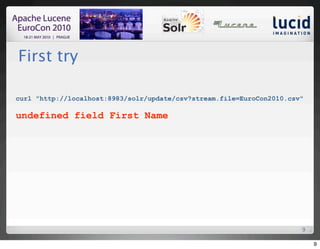
First try

curl "http://localhost:8983/solr/update/csv?stream.file=EuroCon2010.csv"

undefined field First Name


                                                                       9

                                                                           9
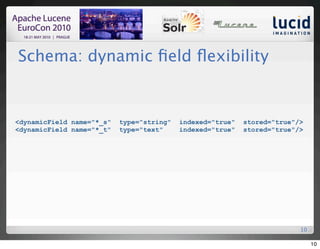
Schema: dynamic field flexibility


<dynamicField name="*_s"   type="string"   indexed="true"   stored="true"/>
<dynamicField name="*_t"   type="text"     indexed="true"   stored="true"/>


                                                                          10

                                                                               10
Mapping to dynamic fields


curl "http://localhost:8983/solr/update/csv?
stream.file=EuroCon2010.csv&fieldnames=first_s,last_s,company_s,title_t,
country_s&header=true"

Document [null] missing required field: id


                                                                       11

                                                                            11
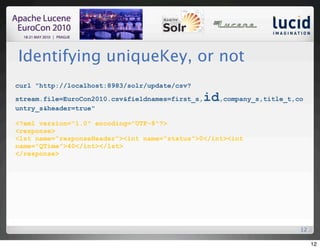
Identifying uniqueKey, or not
curl "http://localhost:8983/solr/update/csv?

stream.file=EuroCon2010.csv&fieldnames=first_s,   id,company_s,title_t,co
untry_s&header=true"

<?xml version="1.0" encoding="UTF-8"?>
<response>
<lst name="responseHeader"><int name="status">0</int><int
name="QTime">40</int></lst>
</response>


                                                                        12

                                                                             12
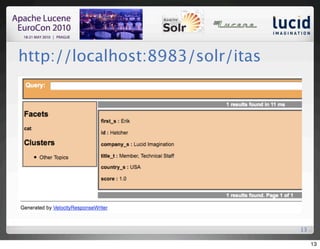
http://localhost:8983/solr/itas


                                  13

                                       13
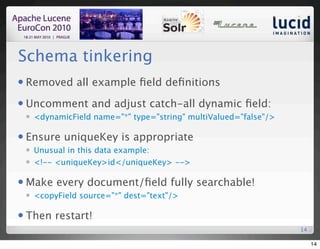
Schema tinkering
   Removed all example field definitions
   Uncomment and adjust catch-all dynamic field:
       <dynamicField name="*" type="string" multiValued="false"/>

   Ensure uniqueKey is appropriate
       Unusual in this data example:
       <!-- <uniqueKey>id</uniqueKey> -->

   Make every document/field fully searchable!
       <copyField source="*" dest="text"/>

   Then restart!
                                                                     14

                                                                          14
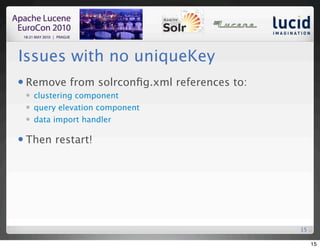
Issues with no uniqueKey
   Remove from solrconfig.xml references to:
       clustering component
       query elevation component
       data import handler

   Then restart!


                                               15

                                                    15
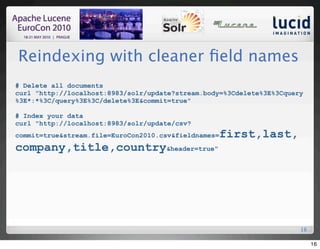
Reindexing with cleaner field names
# Delete all documents
curl "http://localhost:8983/solr/update?stream.body=%3Cdelete%3E%3Cquery
%3E*:*%3C/query%3E%3C/delete%3E&commit=true"

# Index your data
curl "http://localhost:8983/solr/update/csv?
commit=true&stream.file=EuroCon2010.csv&fieldnames=   first,last,
company,title,country&header=true"


                                                                       16

                                                                            16
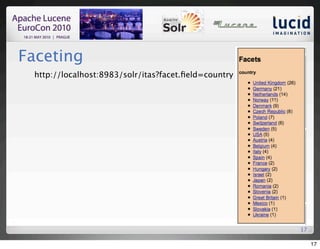
Faceting
 http://localhost:8983/solr/itas?facet.field=country


                                                      17

                                                           17
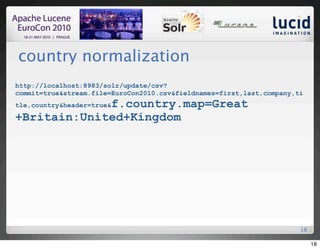
country normalization
http://localhost:8983/solr/update/csv?
commit=true&stream.file=EuroCon2010.csv&fieldnames=first,last,company,ti
             f.country.map=Great
tle,country&header=true&

+Britain:United+Kingdom


                                                                       18

                                                                            18
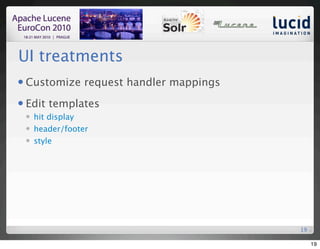
UI treatments
   Customize request handler mappings
   Edit templates
       hit display
       header/footer
       style


                                         19

                                              19
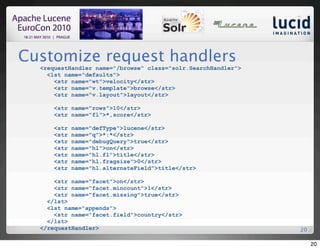
Customize request handlers
  <requestHandler name="/browse" class="solr.SearchHandler">
    <lst name="defaults">
      <str name="wt">velocity</str>
      <str name="v.template">browse</str>
      <str name="v.layout">layout</str>

     <str name="rows">10</str>
     <str name="fl">*,score</str>

     <str   name="defType">lucene</str>
     <str   name="q">*:*</str>
     <str   name="debugQuery">true</str>
     <str   name="hl">on</str>
     <str   name="hl.fl">title</str>
     <str   name="hl.fragsize">0</str>
     <str   name="hl.alternateField">title</str>

      <str name="facet">on</str>
      <str name="facet.mincount">1</str>
      <str name="facet.missing">true</str>
    </lst>
    <lst name="appends">
      <str name="facet.field">country</str>
    </lst>
  </requestHandler>                                            20

                                                                    20
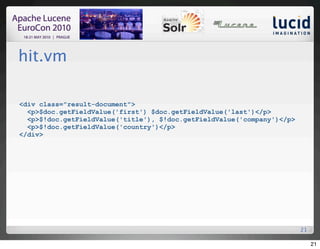
hit.vm

<div class="result-document">
  <p>$doc.getFieldValue('first') $doc.getFieldValue('last')</p>
  <p>$!doc.getFieldValue('title'), $!doc.getFieldValue('company')</p>
  <p>$!doc.getFieldValue('country')</p>
</div>


                                                                        21

                                                                             21
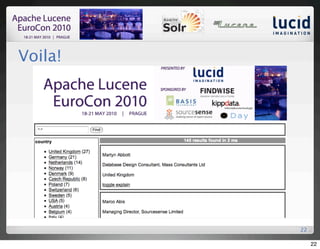
Voila!


         22

              22
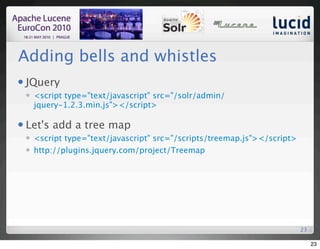
Adding bells and whistles
   JQuery
       <script type="text/javascript" src="/solr/admin/
        jquery-1.2.3.min.js"></script>

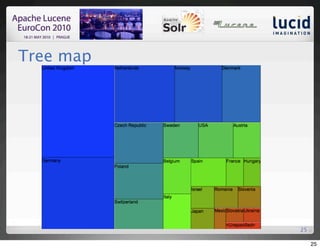
   Let's add a tree map
       <script type="text/javascript" src="/scripts/treemap.js"></script>
       http://plugins.jquery.com/project/Treemap


                                                                             23

                                                                                  23
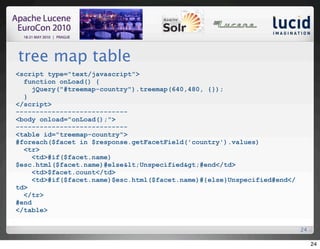
tree map table
<script type="text/javascript">
  function onLoad() {
     jQuery("#treemap-country").treemap(640,480, {});
  }
</script>
----------------------------
<body onload="onLoad();">
----------------------------
<table id="treemap-country">
#foreach($facet in $response.getFacetField('country').values)
  <tr>
     <td>#if($facet.name)
$esc.html($facet.name)#else&lt;Unspecified&gt;#end</td>
     <td>$facet.count</td>
     <td>#if($facet.name)$esc.html($facet.name)#{else}Unspecified#end</
td>
  </tr>
#end
</table>

                                                                          24

                                                                               24
Tree map


           25

                25
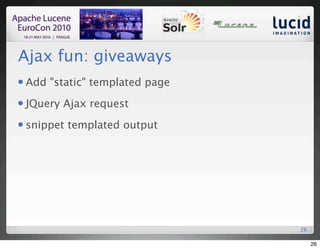
Ajax fun: giveaways
   Add "static" templated page
   JQuery Ajax request
   snippet templated output


                                  26

                                       26
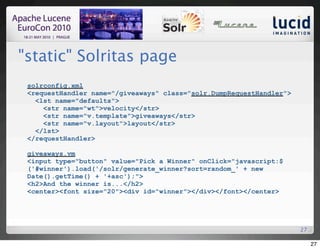
"static" Solritas page
 solrconfig.xml
 <requestHandler name="/giveaways" class="solr.DumpRequestHandler">
   <lst name="defaults">
     <str name="wt">velocity</str>
     <str name="v.template">giveaways</str>
     <str name="v.layout">layout</str>
   </lst>
 </requestHandler>

 giveaways.vm
 <input type="button" value="Pick a Winner" onClick="javascript:$
 ('#winner').load('/solr/generate_winner?sort=random_' + new
 Date().getTime() + '+asc');">
 <h2>And the winner is...</h2>
 <center><font size="20"><div id="winner"></div></font></center>


                                                                      27

                                                                           27
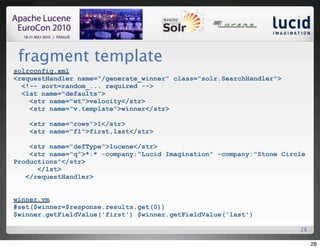
fragment template
solrconfig.xml
<requestHandler name="/generate_winner" class="solr.SearchHandler">
  <!-- sort=random_... required -->
  <lst name="defaults">
    <str name="wt">velocity</str>
    <str name="v.template">winner</str>

    <str name="rows">1</str>
    <str name="fl">first,last</str>

    <str name="defType">lucene</str>
    <str name="q">*:* -company:"Lucid Imagination" -company:"Stone Circle
Productions"</str>
      </lst>
   </requestHandler>


winner.vm
#set($winner=$response.results.get(0))
$winner.getFieldValue('first') $winner.getFieldValue('last')

                                                                       28

                                                                            28
And the winner is...


                       29

                            29
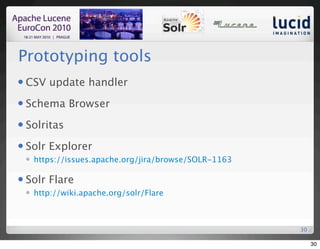
Prototyping tools
   CSV update handler
   Schema Browser
   Solritas
   Solr Explorer
       https://issues.apache.org/jira/browse/SOLR-1163

   Solr Flare
       http://wiki.apache.org/solr/Flare


                                                          30

                                                               30
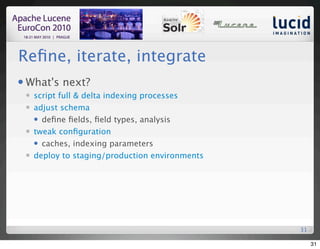
Refine, iterate, integrate
   What's next?
       script full & delta indexing processes
       adjust schema
         define fields, field types, analysis

       tweak configuration
         caches, indexing parameters

       deploy to staging/production environments


                                                    31

                                                         31
Test
   Performance
   Scalability
   Relevance
   Automate all of the above, start baselines and avoid
    regressions


                                                           32

                                                                32

Rapid Prototyping with Solr

  • 1.
    1 Rapid Prototyping with Solr presented by Erik Hatcher, Technical Staff, Lucid Imagination 1
  • 2.
    Abstract Got data?  Let's make it searchable!  This interactive presentation will demonstrate getting documents into Solr quickly, provide some tips in adjusting Solr's schema to match your needs better, and finally showcase your data in a flexible search user interface.  We'll see how to rapidly leverage faceting, highlighting, spell checking, and debugging.  Even after all that, there will be enough time left to outline the next steps in developing your search application and taking it to production. 2 2
  • 3.
    Why prototype?  Demonstrate Solr can handle your needs  Buy-in  "Prototyping: faster than teaching a 9-year-old Ju-Jitsu"  It's quick, easy, AND FUN!  The User Interface is the app 3 3
  • 4.
    Got Data?  Files?  Solr Cell  Databases?  Data Import Handler  Feeds (Atom/RSS/XML)?  Data Import Handler  3rd party repositories?  Lucene Connectors Framework  custom indexing scripts using a Solr API  CSV!!!  CSV upload handler 4 4
  • 5.
    UI  Solritas (VelocityResponseWriter)  http://localhost:8983/solr/itas  Documentation:  http://wiki.apache.org/solr/VelocityResponseWriter 5 5
  • 6.
    LucidWorks for Solr  great starting point  built-in and pre-configured:  Clustering  Carrot2  Search UI  Solritas (VelocityResponseWriter)  Server includes root context, handy for serving static files  Better stemming  KStem  Tomcat, optionally 6 6
  • 7.
    ~/LucidWorks: start.sh 2010-05-21 08:53:49.595::INFO:Logging to STDERR via org.mortbay.log.StdErrLog 2010-05-21 08:53:49.764::INFO: jetty-6.1.3 May 21, 2010 8:53:50 AM org.apache.solr.core.SolrResourceLoader locateSolrHome INFO: JNDI not configured for solr (NoInitialContextEx) May 21, 2010 8:53:50 AM org.apache.solr.core.SolrResourceLoader locateSolrHome INFO: using system property solr.solr.home: /Users/erikhatcher/ LucidWorks/lucidworks/jetty/../solr May 21, 2010 8:53:50 AM org.apache.solr.core.SolrResourceLoader <init> INFO: Solr home set to '/Users/erikhatcher/LucidWorks/lucidworks/ jetty/../solr/' . . . May 21, 2010 8:53:51 AM org.apache.solr.core.SolrCore registerSearcher INFO: [] Registered new searcher Searcher@21fb3211 main 7 7
  • 8.
    Your Data First Name,LastName,Company,Title,Work Country Erik,Hatcher,Lucid Imagination,"Member, Technical Staff", USA . . . 8 8
  • 9.
  • 10.
    Schema: dynamic fieldflexibility <dynamicField name="*_s" type="string" indexed="true" stored="true"/> <dynamicField name="*_t" type="text" indexed="true" stored="true"/> 10 10
  • 11.
    Mapping to dynamicfields curl "http://localhost:8983/solr/update/csv? stream.file=EuroCon2010.csv&fieldnames=first_s,last_s,company_s,title_t, country_s&header=true" Document [null] missing required field: id 11 11
  • 12.
    Identifying uniqueKey, ornot curl "http://localhost:8983/solr/update/csv? stream.file=EuroCon2010.csv&fieldnames=first_s, id,company_s,title_t,co untry_s&header=true" <?xml version="1.0" encoding="UTF-8"?> <response> <lst name="responseHeader"><int name="status">0</int><int name="QTime">40</int></lst> </response> 12 12
  • 13.
  • 14.
    Schema tinkering  Removed all example field definitions  Uncomment and adjust catch-all dynamic field:  <dynamicField name="*" type="string" multiValued="false"/>  Ensure uniqueKey is appropriate  Unusual in this data example:  <!-- <uniqueKey>id</uniqueKey> -->  Make every document/field fully searchable!  <copyField source="*" dest="text"/>  Then restart! 14 14
  • 15.
    Issues with nouniqueKey  Remove from solrconfig.xml references to:  clustering component  query elevation component  data import handler  Then restart! 15 15
  • 16.
    Reindexing with cleanerfield names # Delete all documents curl "http://localhost:8983/solr/update?stream.body=%3Cdelete%3E%3Cquery %3E*:*%3C/query%3E%3C/delete%3E&commit=true" # Index your data curl "http://localhost:8983/solr/update/csv? commit=true&stream.file=EuroCon2010.csv&fieldnames= first,last, company,title,country&header=true" 16 16
  • 17.
  • 18.
  • 19.
    UI treatments  Customize request handler mappings  Edit templates  hit display  header/footer  style 19 19
  • 20.
    Customize request handlers <requestHandler name="/browse" class="solr.SearchHandler"> <lst name="defaults"> <str name="wt">velocity</str> <str name="v.template">browse</str> <str name="v.layout">layout</str> <str name="rows">10</str> <str name="fl">*,score</str> <str name="defType">lucene</str> <str name="q">*:*</str> <str name="debugQuery">true</str> <str name="hl">on</str> <str name="hl.fl">title</str> <str name="hl.fragsize">0</str> <str name="hl.alternateField">title</str> <str name="facet">on</str> <str name="facet.mincount">1</str> <str name="facet.missing">true</str> </lst> <lst name="appends"> <str name="facet.field">country</str> </lst> </requestHandler> 20 20
  • 21.
    hit.vm <div class="result-document"> <p>$doc.getFieldValue('first') $doc.getFieldValue('last')</p> <p>$!doc.getFieldValue('title'), $!doc.getFieldValue('company')</p> <p>$!doc.getFieldValue('country')</p> </div> 21 21
  • 22.
    Voila! 22 22
  • 23.
    Adding bells andwhistles  JQuery  <script type="text/javascript" src="/solr/admin/ jquery-1.2.3.min.js"></script>  Let's add a tree map  <script type="text/javascript" src="/scripts/treemap.js"></script>  http://plugins.jquery.com/project/Treemap 23 23
  • 24.
    tree map table <scripttype="text/javascript"> function onLoad() { jQuery("#treemap-country").treemap(640,480, {}); } </script> ---------------------------- <body onload="onLoad();"> ---------------------------- <table id="treemap-country"> #foreach($facet in $response.getFacetField('country').values) <tr> <td>#if($facet.name) $esc.html($facet.name)#else&lt;Unspecified&gt;#end</td> <td>$facet.count</td> <td>#if($facet.name)$esc.html($facet.name)#{else}Unspecified#end</ td> </tr> #end </table> 24 24
  • 25.
    Tree map 25 25
  • 26.
    Ajax fun: giveaways  Add "static" templated page  JQuery Ajax request  snippet templated output 26 26
  • 27.
    "static" Solritas page solrconfig.xml <requestHandler name="/giveaways" class="solr.DumpRequestHandler"> <lst name="defaults"> <str name="wt">velocity</str> <str name="v.template">giveaways</str> <str name="v.layout">layout</str> </lst> </requestHandler> giveaways.vm <input type="button" value="Pick a Winner" onClick="javascript:$ ('#winner').load('/solr/generate_winner?sort=random_' + new Date().getTime() + '+asc');"> <h2>And the winner is...</h2> <center><font size="20"><div id="winner"></div></font></center> 27 27
  • 28.
    fragment template solrconfig.xml <requestHandler name="/generate_winner"class="solr.SearchHandler"> <!-- sort=random_... required --> <lst name="defaults"> <str name="wt">velocity</str> <str name="v.template">winner</str> <str name="rows">1</str> <str name="fl">first,last</str> <str name="defType">lucene</str> <str name="q">*:* -company:"Lucid Imagination" -company:"Stone Circle Productions"</str> </lst> </requestHandler> winner.vm #set($winner=$response.results.get(0)) $winner.getFieldValue('first') $winner.getFieldValue('last') 28 28
  • 29.
    And the winneris... 29 29
  • 30.
    Prototyping tools  CSV update handler  Schema Browser  Solritas  Solr Explorer  https://issues.apache.org/jira/browse/SOLR-1163  Solr Flare  http://wiki.apache.org/solr/Flare 30 30
  • 31.
    Refine, iterate, integrate  What's next?  script full & delta indexing processes  adjust schema  define fields, field types, analysis  tweak configuration  caches, indexing parameters  deploy to staging/production environments 31 31
  • 32.
    Test  Performance  Scalability  Relevance  Automate all of the above, start baselines and avoid regressions 32 32