Moinuddin Ahmed
                           -guided by
            Dr. Pushpak Bhattacharyya
                          IIT Bombay

7/15/2012                           1
Outline
  Solr
     Introduction
     Lucene vs. Solr
     Solr Features
     Indexing in Solr
     Querying in Solr
  Assamese Search Engine
     Monolingual Search
     Cross lingual Search
  Conclusions
  Future Work

7/15/2012                    2
What is Solr?
  Solr is an open source enterprise search platform from
     the Apache Lucene project.[1]

  Solr=Lucene + added features


  Allows for faster, more comprehensive searches on a
     large volume of data


7/15/2012                                                   3
Lucene vs Solr

  Lucene is a library while Solr is a web application that uses
     the Lucene library.

  Built on top of Lucene, Solr extends it with a set of robust
     features like-
        Hit highlighting
        Index replication
        Faceted searching
        Distributed searching etc..


7/15/2012                                                          4
Features
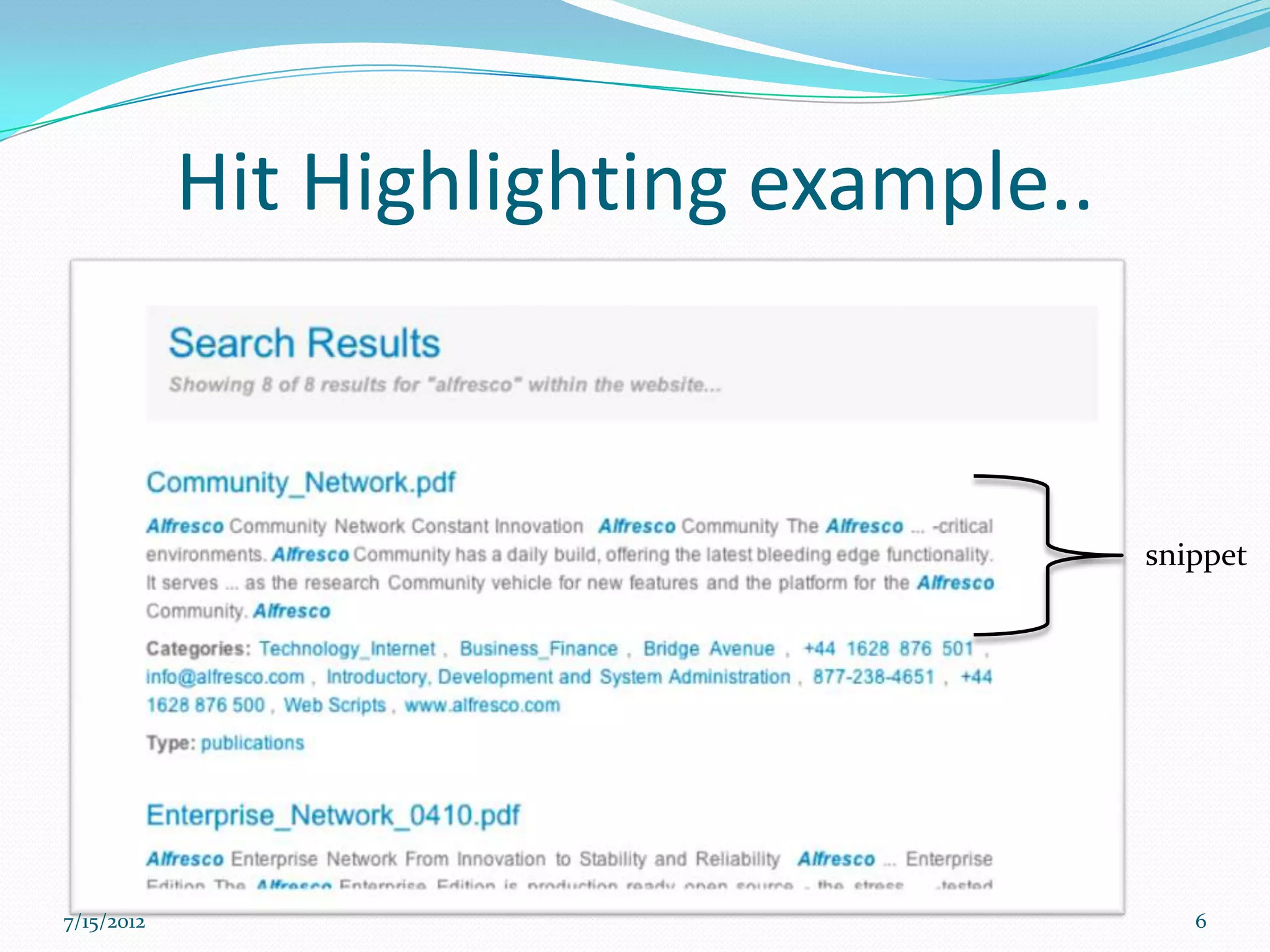
  Hit Highlighting - Shows a snippet of a document in the search
     results that surrounds the search terms.

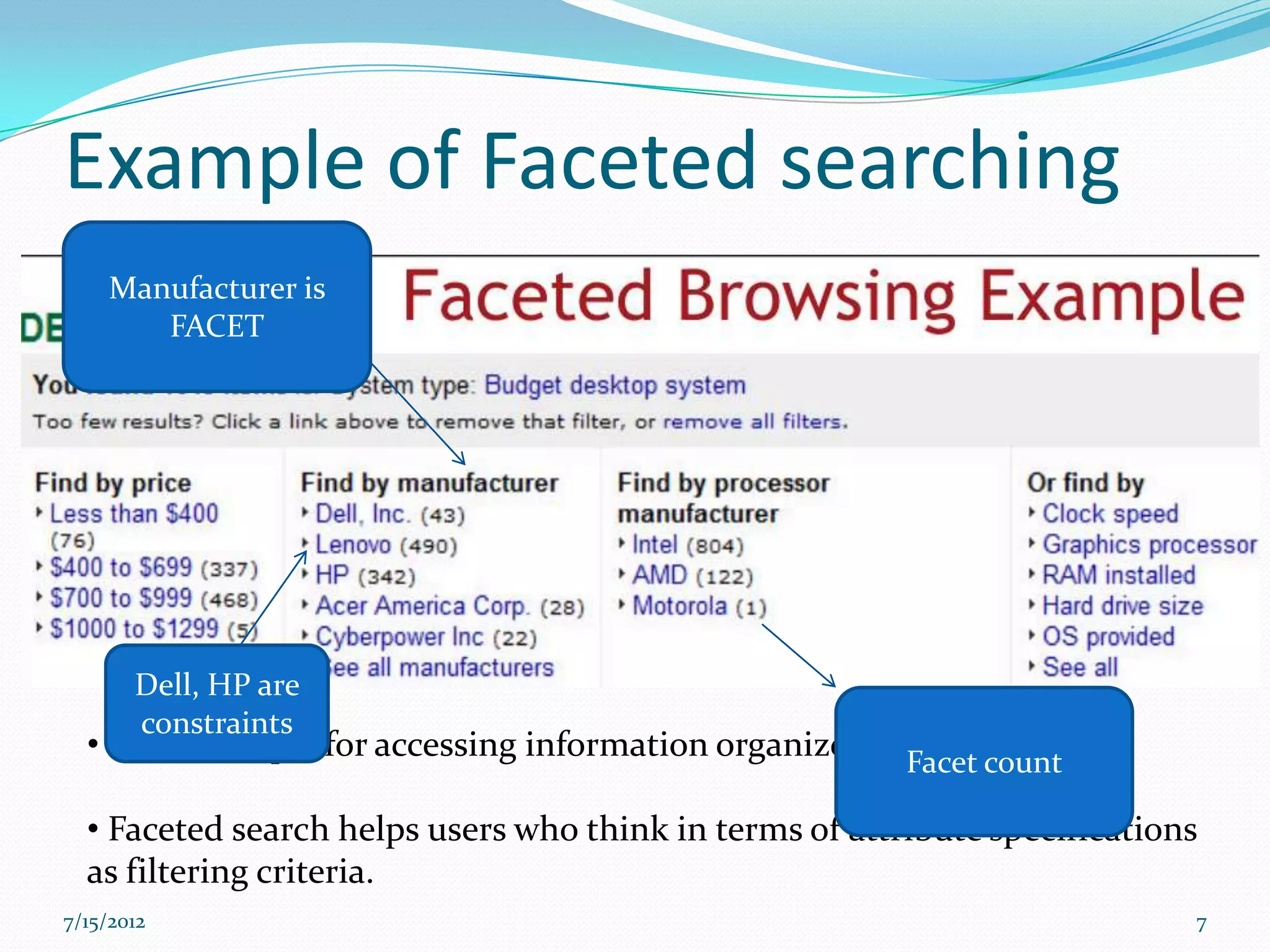
  Faceted Search – Clusters search results into drill-down
     categories. Users can then “categorize" by applying specific
     constraints to the search results.

  Distributed Searching: The presence of the shards parameter in a
     request will cause that request to be distributed across all shards in the
     list.

  Pass a number of optional request parameters to the request handler
     to control what information is returned

  External XML Configuration –Solr is flexible and adaptable using
     XML configuration
7/15/2012                                                                         5
Hit Highlighting example..


                                         snippet


7/15/2012                                   6
Example of Faceted searching
    Manufacturer is
       FACET


       Dell, HP are
       constraints
  • is a technique for accessing information organized   Facet count

  • Faceted search helps users who think in terms of attribute specifications
  as filtering criteria.
7/15/2012                                                                   7
Faceted searching contd..

  Imagine a situation, where the client wants to have the no. of
     companies in the cities where the companies were found by the query.

  One has to return the no. documents with same field value.


  the chosen facet value is used to construct a filter query which
     matches that value in the index


7/15/2012                                                                   8
Distributed Search


When an index becomes too large to fit on a single system, an index can be
split into multiple shards[2]

A single shard receives the query, distributes the query to other shards

Solr can query and merge results across those shards.

 7/15/2012                                                                    9
STARTING UP THE SOLR SERVER
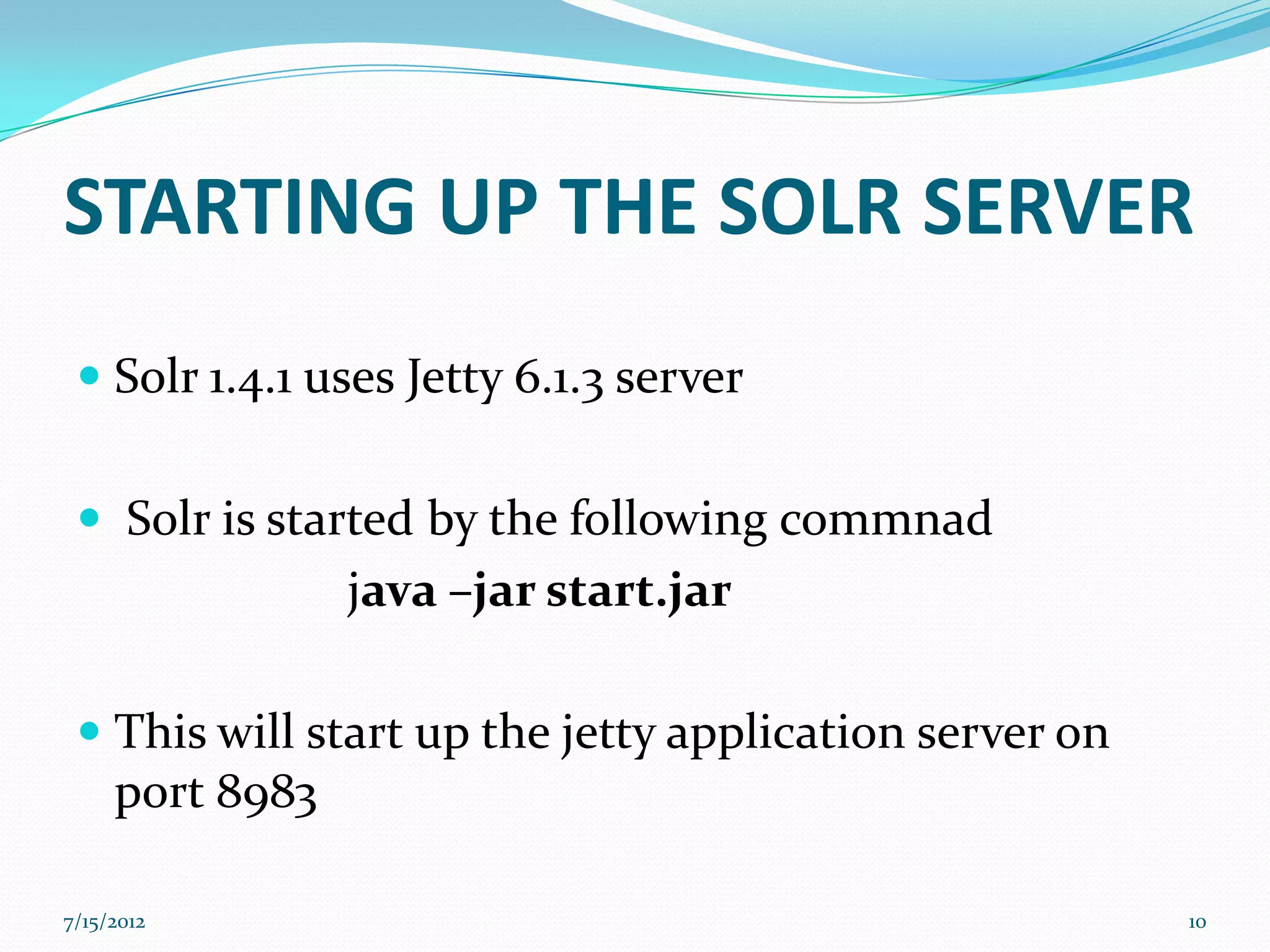
  Solr 1.4.1 uses Jetty 6.1.3 server


  Solr is started by the following commnad
               java –jar start.jar

  This will start up the jetty application server on
   port 8983

7/15/2012                                               10
INDEXING SOLR


7/15/2012                   11
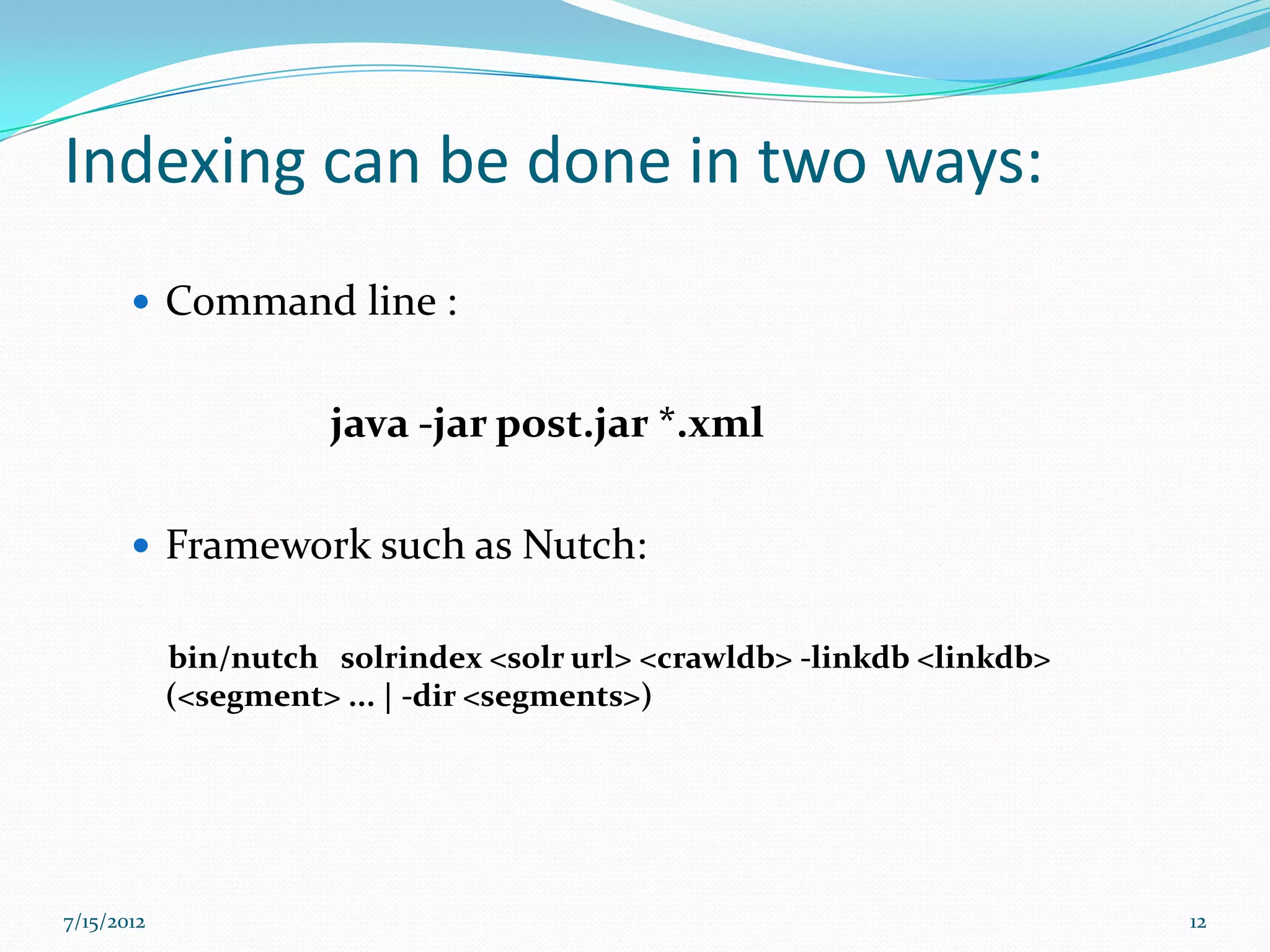
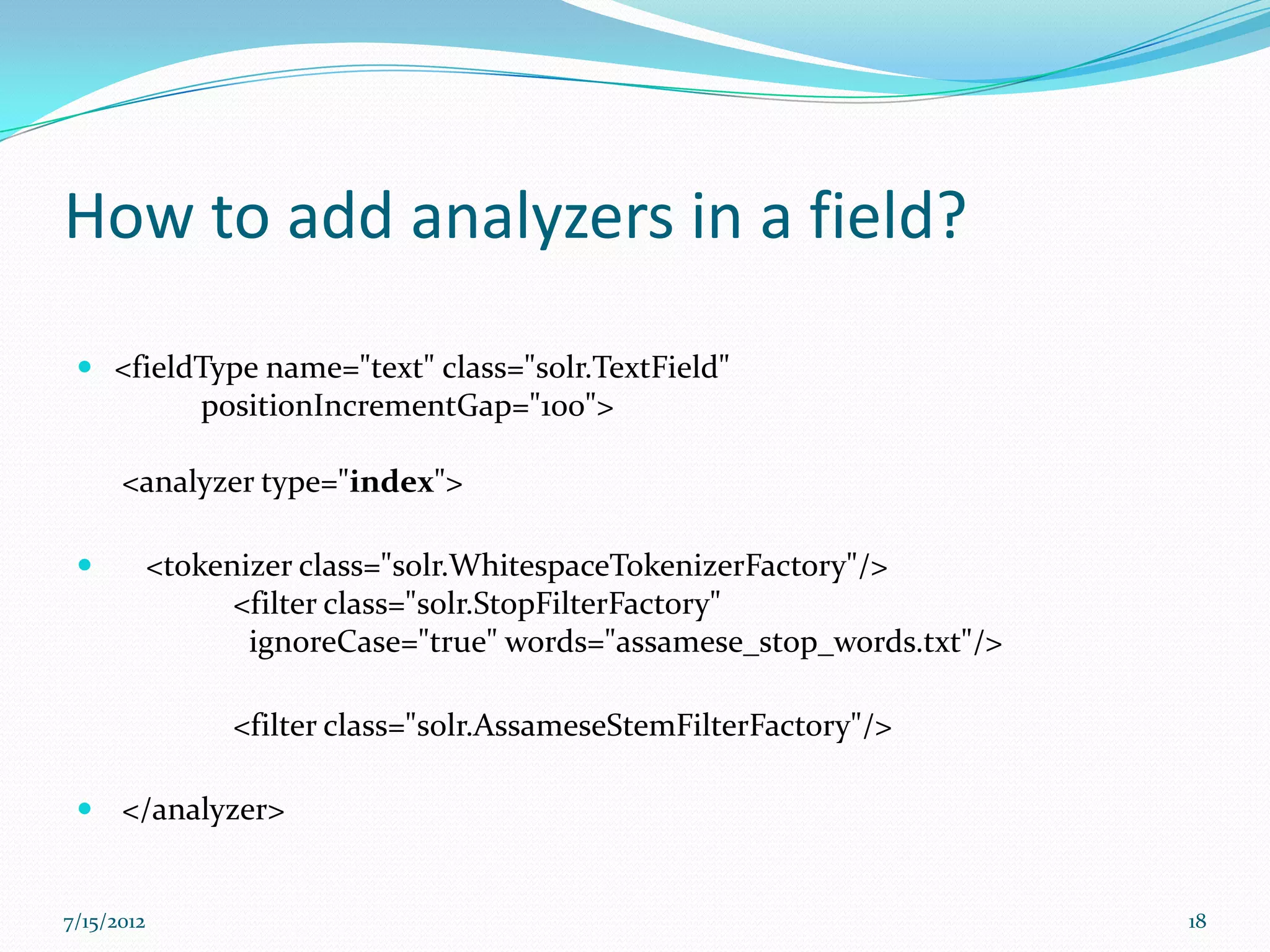
Indexing can be done in two ways:
        Command line :


                      java -jar post.jar *.xml

        Framework such as Nutch:


            bin/nutch solrindex <solr url> <crawldb> -linkdb <linkdb>
            (<segment> ... | -dir <segments>)


7/15/2012                                                               12
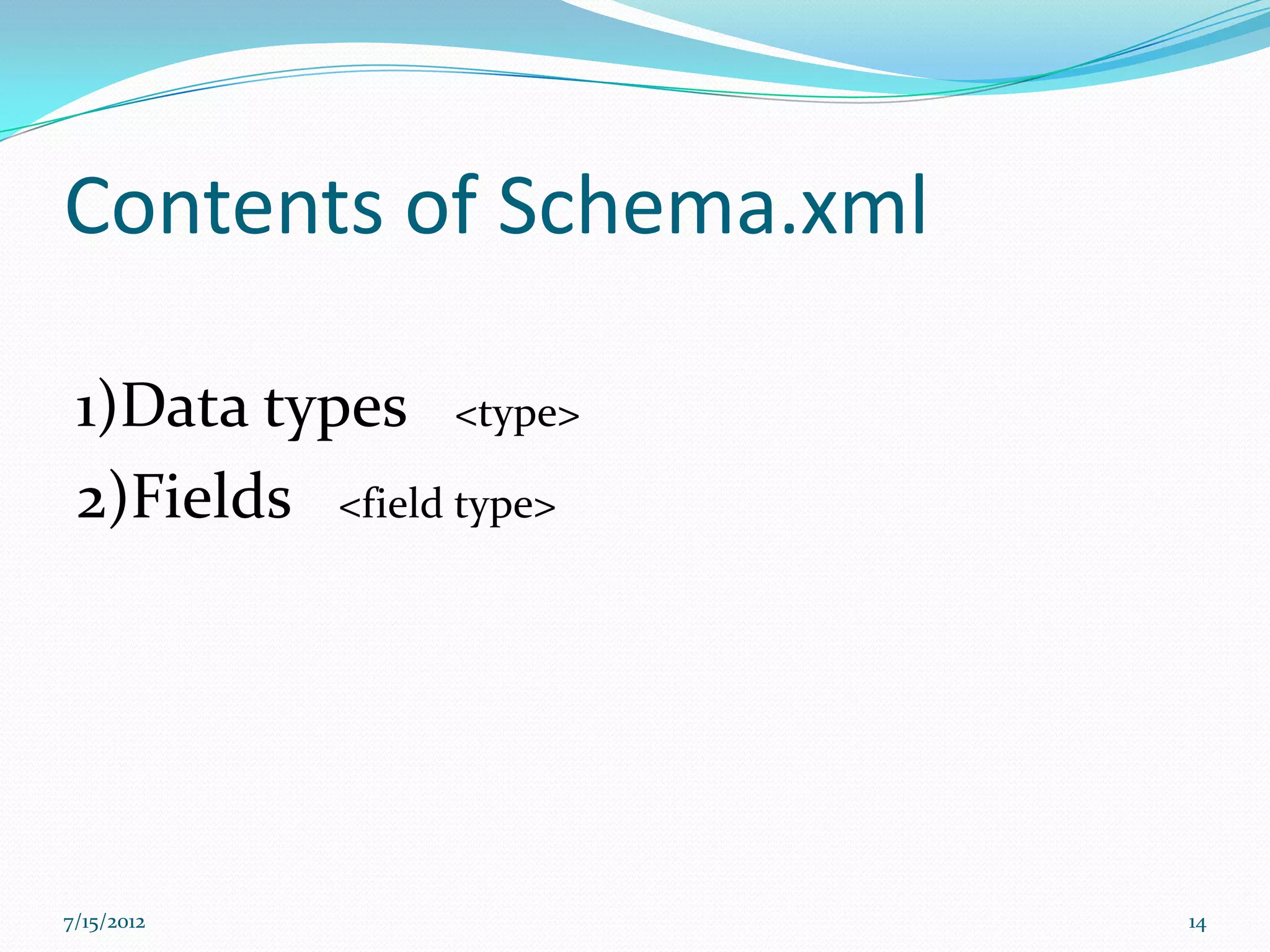
Schema.xml

  This file contains all of the details about which fields
     the documents can contain

  how those fields should be dealt with when adding
     documents to the index, or when querying those
     fields.


7/15/2012                                                     13
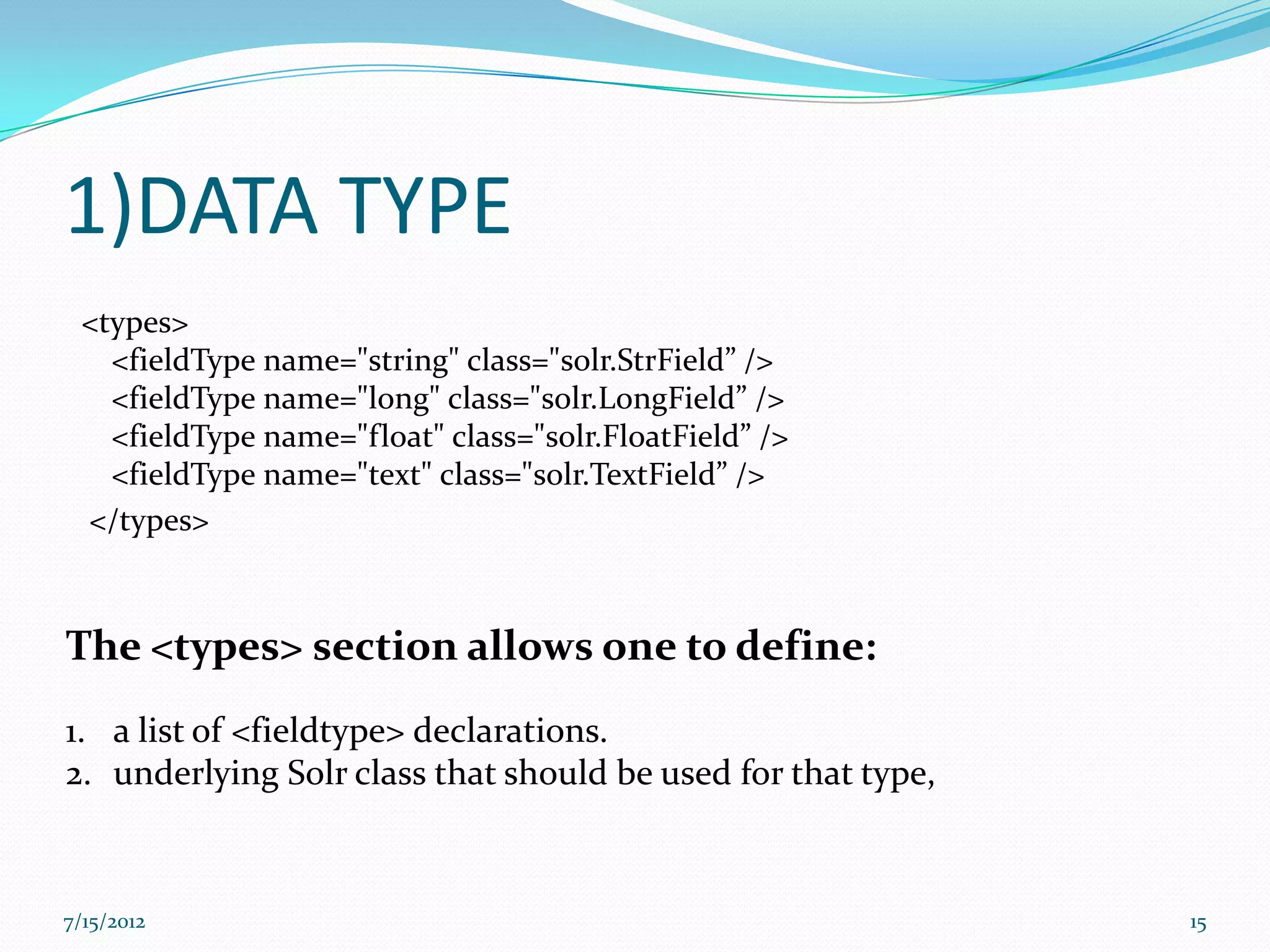
Contents of Schema.xml

 1)Data types <type>
 2)Fields <field type>


7/15/2012                14
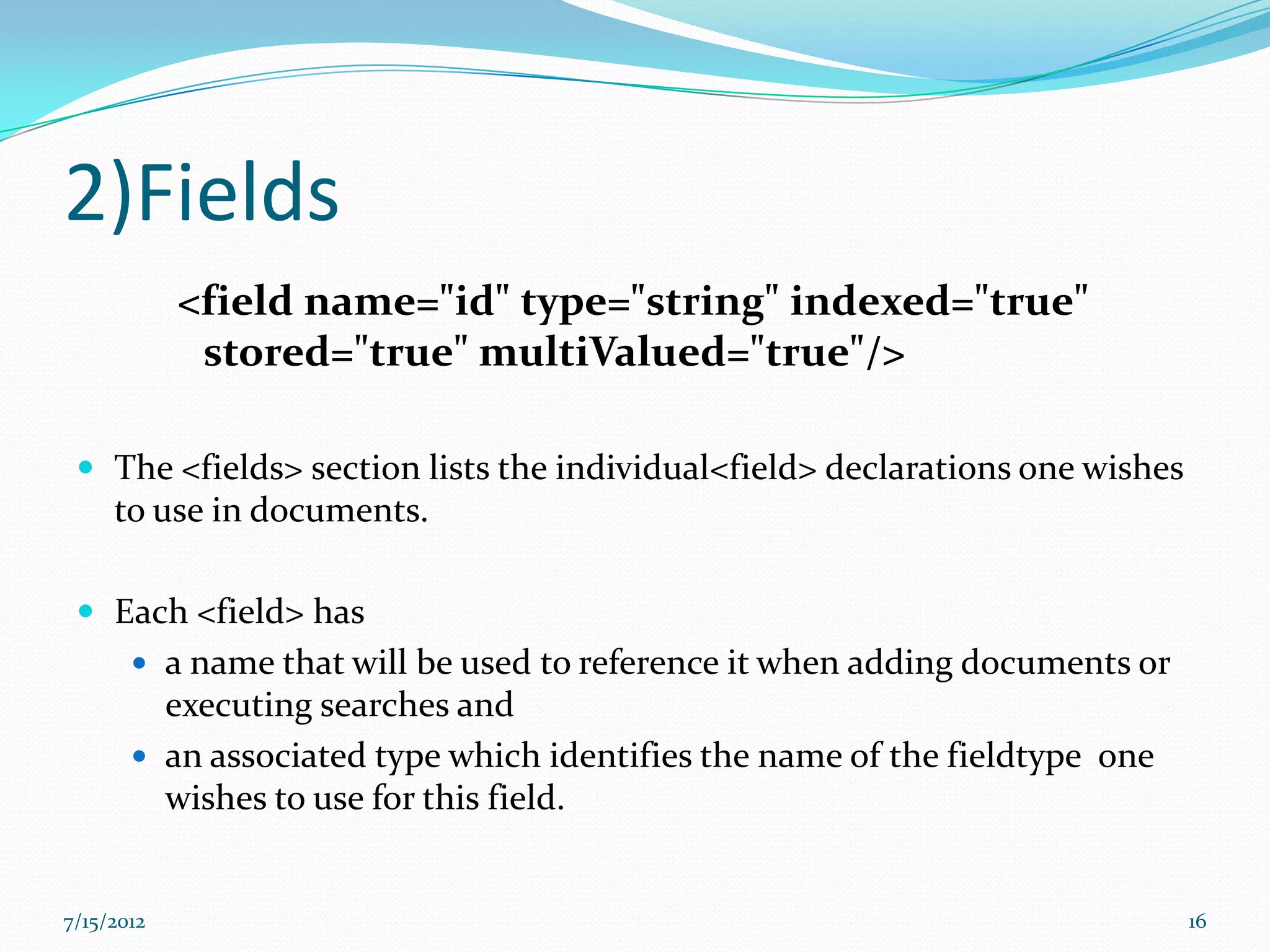
1)DATA TYPE
 <types>
   <fieldType name="string" class="solr.StrField” />
   <fieldType name="long" class="solr.LongField” />
   <fieldType name="float" class="solr.FloatField” />
   <fieldType name="text" class="solr.TextField” />
 </types>


The <types> section allows one to define:
1. a list of <fieldtype> declarations.
2. underlying Solr class that should be used for that type,


7/15/2012                                                     15
2)Fields
            <field name="id" type="string" indexed="true"
             stored="true" multiValued="true"/>

  The <fields> section lists the individual<field> declarations one wishes
     to use in documents.

  Each <field> has
        a name that will be used to reference it when adding documents or
         executing searches and
        an associated type which identifies the name of the fieldtype one
         wishes to use for this field.


7/15/2012                                                                     16
Some common options that fields can have are...

  default
        The default value for this field if none is provided while adding
      documents
  indexed=true|false
     True if this field should be "indexed". If (and only if) a field is
      indexed, then it is searchable, sortable, and facetable.
  stored=true|false
     True if the value of the field should be retrievable during a search
  multiValued=true|false
     True if this field may contain multiple values per document, i.e. if it
      can appear multiple times in a document


7/15/2012                                                                       17
How to add analyzers in a field?
  <fieldType name="text" class="solr.TextField"
         positionIncrementGap="100">

      <analyzer type="index">

           <tokenizer class="solr.WhitespaceTokenizerFactory"/>
                  <filter class="solr.StopFilterFactory"
                   ignoreCase="true" words="assamese_stop_words.txt"/>

                 <filter class="solr.AssameseStemFilterFactory"/>

  </analyzer>


7/15/2012                                                                18
Querying SOLR..
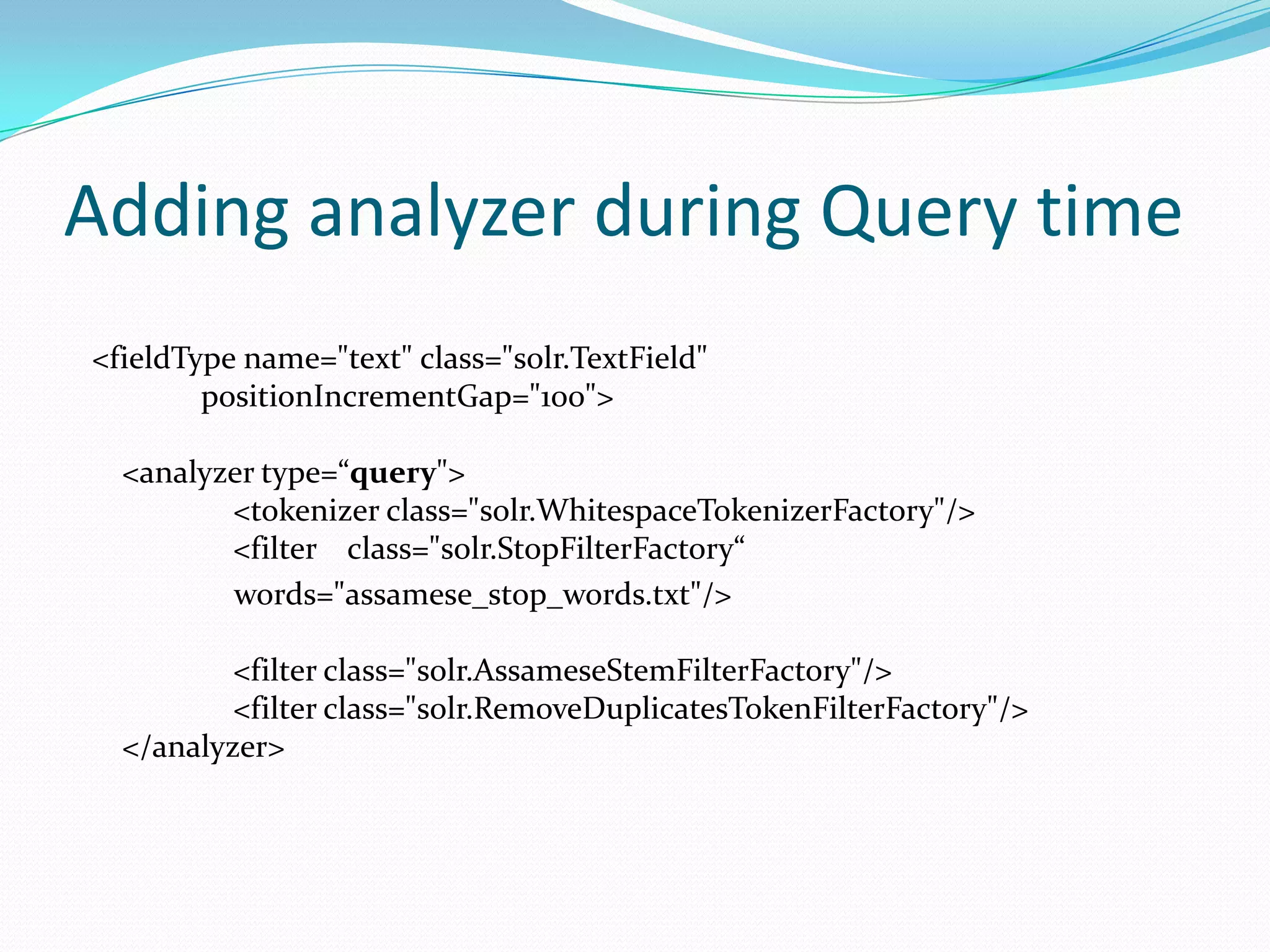
Adding analyzer during Query time
<fieldType name="text" class="solr.TextField"
        positionIncrementGap="100">

  <analyzer type=“query">
         <tokenizer class="solr.WhitespaceTokenizerFactory"/>
         <filter class="solr.StopFilterFactory“
         words="assamese_stop_words.txt"/>

          <filter class="solr.AssameseStemFilterFactory"/>
          <filter class="solr.RemoveDuplicatesTokenFilterFactory"/>
  </analyzer>
SOLR REQUEST HANDLER
 A SolrRequestHandler is a Solr Plugin that defines the logic
  executed for any request.[4]
 Can be implemented either in solrconfig.xml or directly
  in the url/user interface.

List of Request Handlers utilized
 StandardRequestHandler
 DisMaxRequestHandler
 LukeRequestHandler
 MoreLikeThisHandler
DismaxRequestHandler
 It is designed to process simple user entered phrases and search for the
  individual words across several fields using different weighting (boosts)
  based on the significance of each field. [4]

 Some parameters of DismaxRequestHandler:
 qf(query fields), fl(fields), pf(phrase fields), bq(boost query), etc.

  Example
 <requesthandler=dismax>
 <str name="fl">
           title,content,anchor,host,url
  </str>
 <str name="qf">
           url^3.0 anchor content^10.0 title^3.0 host^2.0
  </str>
</requesthandler>
Response Writers
 A QueryResponseWriter is a Solr Plugin that defines
 the response format for any request[3].

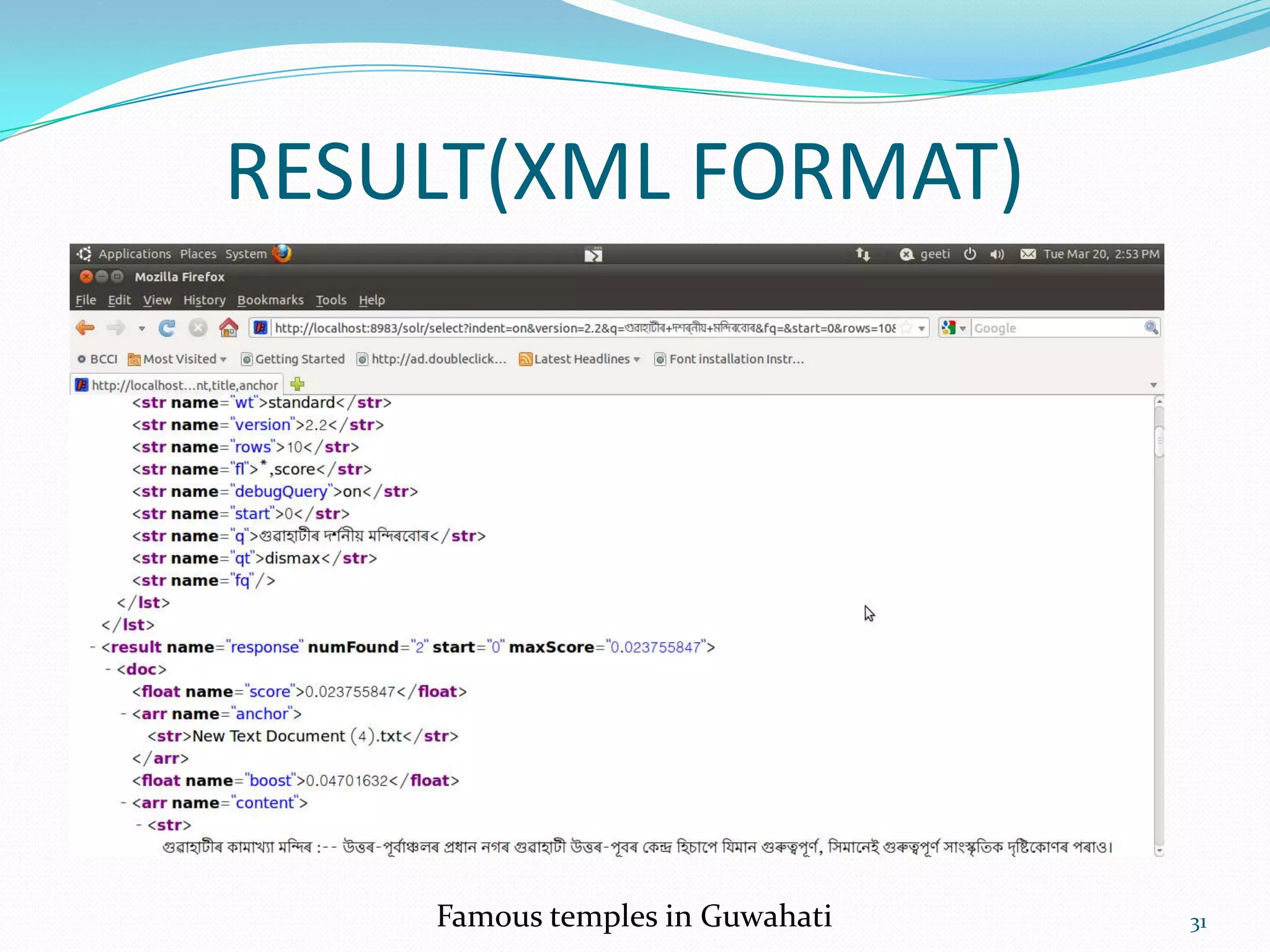
 Uses a default format XmlResponseFormat.


 Also has several others response formats like Xslt
XSLT RESPONSE WRITER..
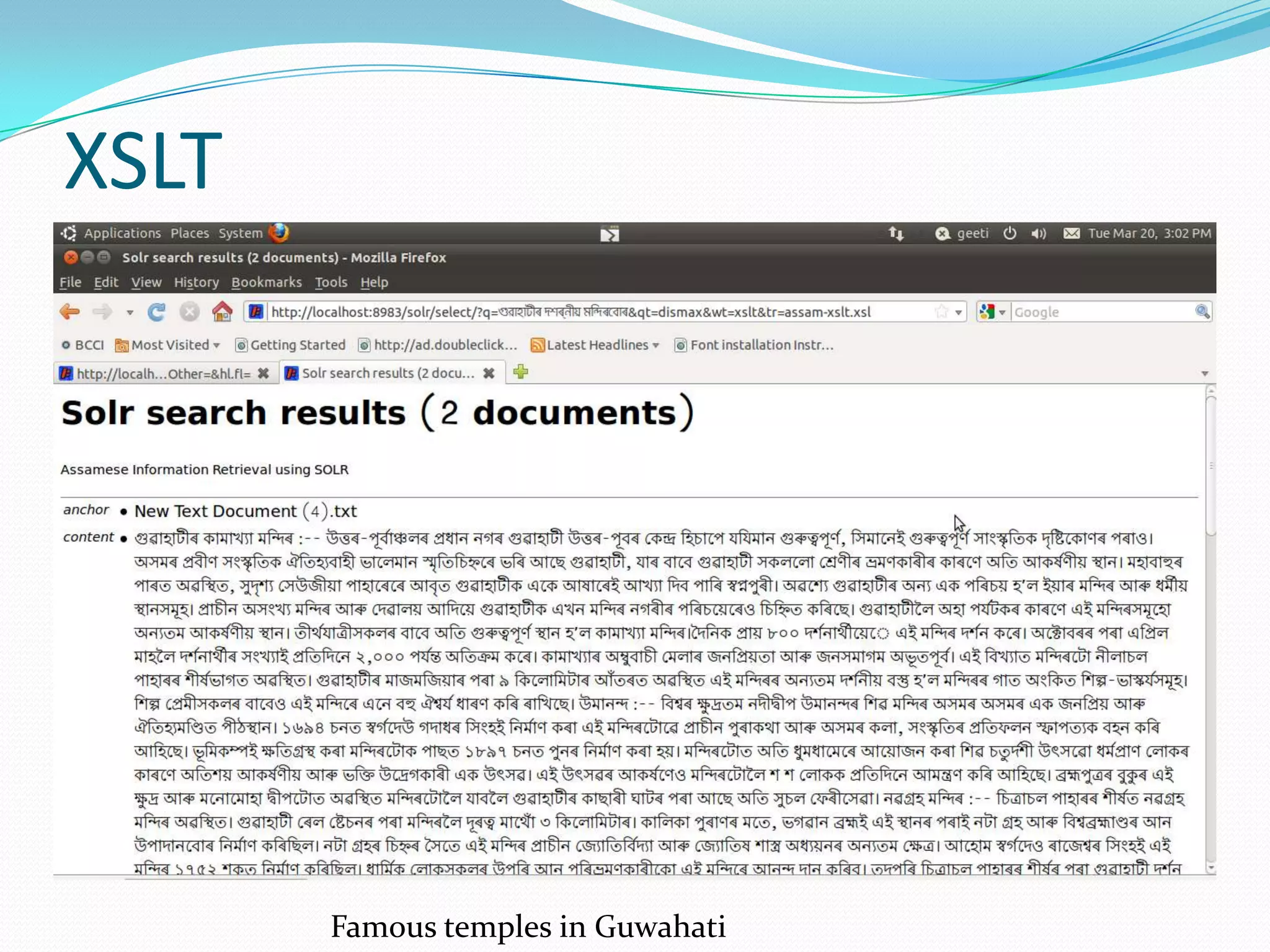
 The XSLT Response Writer captures the output of the XML
  Response Writer and applies an XSLT transform to it.[3]

 http://localhost:8983/solr/select/?q=‘user query’&wt=xslt&tr=example.xsl
 Parameters:
        Wt: writer used
        Tr: Selects the XSLT transformation to use, which must be found in
  Solr's conf/xslt directory.
 The Content-Type of the response is set according to the <xsl:output>
  statement in the XSLT transform, for example:
         <xsl:output media-type="text/html"/>
IMPLEMENTATION FOR ASSAMESE LANGUAGE
FIELDS IN SCHEMA.XML

 HOST
 SITE
 URL
 CONTENT
 TITLE
 LANG
 ID
 TIME
 TOPKWORDS
 DOMAIN


UNIQUE KEY: TIME(in milliseconds)
INDEXING
For Assamese monolingual search

Indexed around 500 Assamese text files and about 120URLS
upto depth 3.

For Cross Lingual search
Indexed a few English URL s.
Analyzers used…
• Assamese Stemmer
 suffix stripping (rule based) + dictionary look-up
 accuracy: 80%

• English Porter Stemmer


• Both Assamese and English uses Whitespace tokenizer.


• Stop words are removed in both languages.
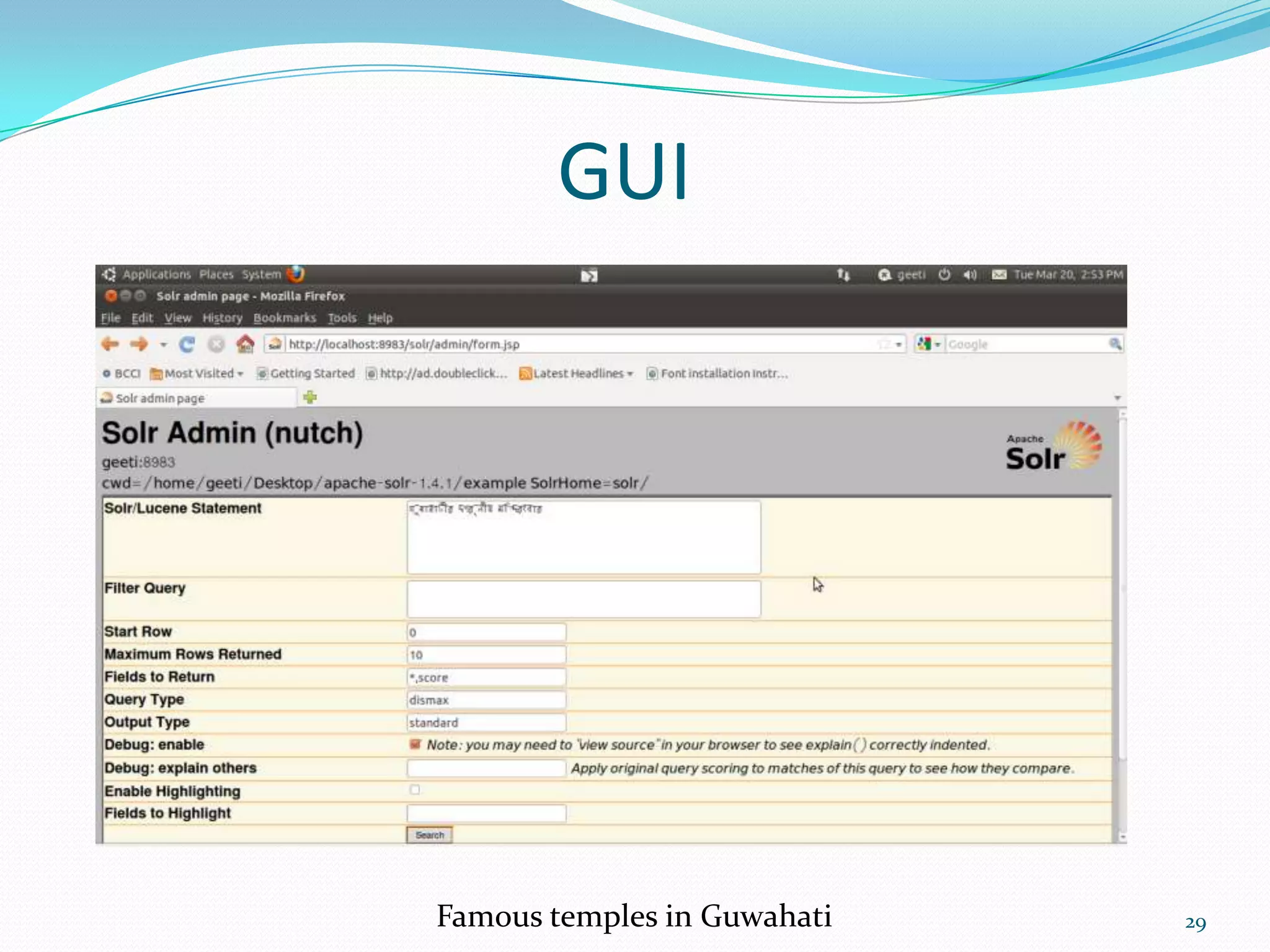
GUI


Famous temples in Guwahati   29
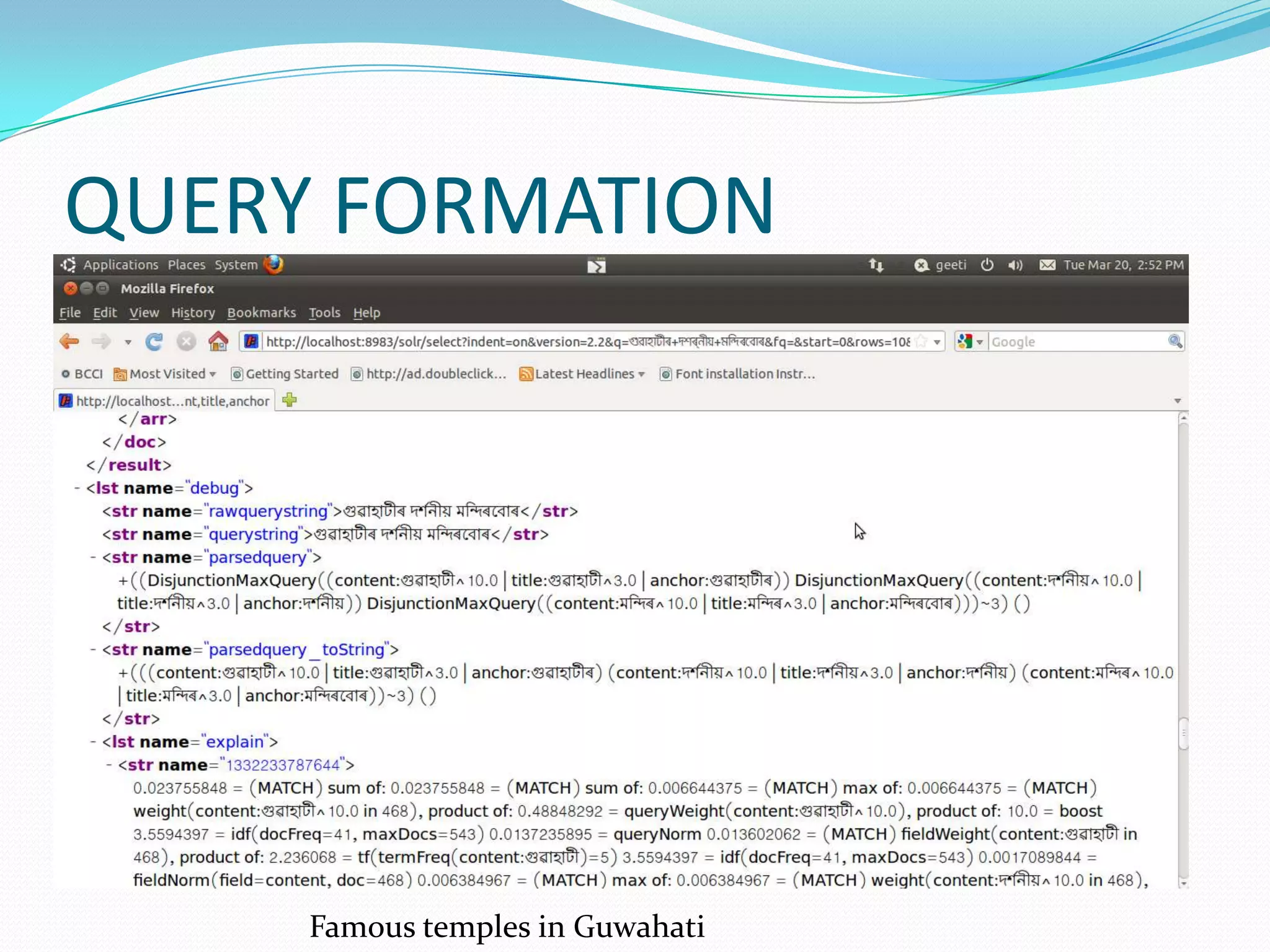
QUERY FORMATION


     Famous temples in Guwahati
RESULT(XML FORMAT)


    Famous temples in Guwahati   31
XSLT


       Famous temples in Guwahati
Future work..

 Parsing the query programmatically.


 Building the resources for adding the Translation and
 transliteration modules in the monolingual pipeline.
CONCLUSION
  As we now know Solr uses the Lucene search library
     and extends it with a set of robust features.

  Solr's powerful external configuration allows it to be
     tailored to almost any type of application

  So it is preferable to use Solr is if a programmer wants
     to embed its added functionalities into his own
     existing application.

7/15/2012                                                     34
REFERENCES
 1.   Author, Rafal Kuc, Packt Publishing, Apache Solr 1.4.1 Cookbook

 2. Author, David Smiley, Eric Pugh, Apache Solr 1.4 Enterprise Edition 2009


 3. Apache Lucene, http://lucene.apache.org/solr/ , Feb, 2012


 4. Scaling Solr and lucene, http://www.lucidimagination.com/content/scaling-
    lucene-and solr#article.highqueryvolume.solr, Feb, 2012


7/15/2012                                                                       35
THANK YOU


7/15/2012               36
HELLO

 If you guys found this, don’t forget
     to give my reference, it a healthy
     habit 

              • Moinuddin ahmed

7/15/2012                                 37

Assamese search engine using SOLR by Moinuddin Ahmed ( moin )

  • 1.
    Moinuddin Ahmed -guided by Dr. Pushpak Bhattacharyya IIT Bombay 7/15/2012 1
  • 2.
    Outline  Solr  Introduction  Lucene vs. Solr  Solr Features  Indexing in Solr  Querying in Solr  Assamese Search Engine  Monolingual Search  Cross lingual Search  Conclusions  Future Work 7/15/2012 2
  • 3.
    What is Solr?  Solr is an open source enterprise search platform from the Apache Lucene project.[1]  Solr=Lucene + added features  Allows for faster, more comprehensive searches on a large volume of data 7/15/2012 3
  • 4.
    Lucene vs Solr  Lucene is a library while Solr is a web application that uses the Lucene library.  Built on top of Lucene, Solr extends it with a set of robust features like-  Hit highlighting  Index replication  Faceted searching  Distributed searching etc.. 7/15/2012 4
  • 5.
    Features  HitHighlighting - Shows a snippet of a document in the search results that surrounds the search terms.  Faceted Search – Clusters search results into drill-down categories. Users can then “categorize" by applying specific constraints to the search results.  Distributed Searching: The presence of the shards parameter in a request will cause that request to be distributed across all shards in the list.  Pass a number of optional request parameters to the request handler to control what information is returned  External XML Configuration –Solr is flexible and adaptable using XML configuration 7/15/2012 5
  • 6.
    Hit Highlighting example.. snippet 7/15/2012 6
  • 7.
    Example of Facetedsearching Manufacturer is FACET Dell, HP are constraints • is a technique for accessing information organized Facet count • Faceted search helps users who think in terms of attribute specifications as filtering criteria. 7/15/2012 7
  • 8.
    Faceted searching contd..  Imagine a situation, where the client wants to have the no. of companies in the cities where the companies were found by the query.  One has to return the no. documents with same field value.  the chosen facet value is used to construct a filter query which matches that value in the index 7/15/2012 8
  • 9.
    Distributed Search When anindex becomes too large to fit on a single system, an index can be split into multiple shards[2] A single shard receives the query, distributes the query to other shards Solr can query and merge results across those shards. 7/15/2012 9
  • 10.
    STARTING UP THESOLR SERVER  Solr 1.4.1 uses Jetty 6.1.3 server  Solr is started by the following commnad java –jar start.jar  This will start up the jetty application server on port 8983 7/15/2012 10
  • 11.
  • 12.
    Indexing can bedone in two ways:  Command line : java -jar post.jar *.xml  Framework such as Nutch: bin/nutch solrindex <solr url> <crawldb> -linkdb <linkdb> (<segment> ... | -dir <segments>) 7/15/2012 12
  • 13.
    Schema.xml  Thisfile contains all of the details about which fields the documents can contain  how those fields should be dealt with when adding documents to the index, or when querying those fields. 7/15/2012 13
  • 14.
    Contents of Schema.xml 1)Data types <type> 2)Fields <field type> 7/15/2012 14
  • 15.
    1)DATA TYPE <types> <fieldType name="string" class="solr.StrField” /> <fieldType name="long" class="solr.LongField” /> <fieldType name="float" class="solr.FloatField” /> <fieldType name="text" class="solr.TextField” /> </types> The <types> section allows one to define: 1. a list of <fieldtype> declarations. 2. underlying Solr class that should be used for that type, 7/15/2012 15
  • 16.
    2)Fields <field name="id" type="string" indexed="true" stored="true" multiValued="true"/>  The <fields> section lists the individual<field> declarations one wishes to use in documents.  Each <field> has  a name that will be used to reference it when adding documents or executing searches and  an associated type which identifies the name of the fieldtype one wishes to use for this field. 7/15/2012 16
  • 17.
    Some common optionsthat fields can have are...  default  The default value for this field if none is provided while adding documents  indexed=true|false  True if this field should be "indexed". If (and only if) a field is indexed, then it is searchable, sortable, and facetable.  stored=true|false  True if the value of the field should be retrievable during a search  multiValued=true|false  True if this field may contain multiple values per document, i.e. if it can appear multiple times in a document 7/15/2012 17
  • 18.
    How to addanalyzers in a field?  <fieldType name="text" class="solr.TextField" positionIncrementGap="100"> <analyzer type="index">  <tokenizer class="solr.WhitespaceTokenizerFactory"/> <filter class="solr.StopFilterFactory" ignoreCase="true" words="assamese_stop_words.txt"/> <filter class="solr.AssameseStemFilterFactory"/>  </analyzer> 7/15/2012 18
  • 19.
  • 20.
    Adding analyzer duringQuery time <fieldType name="text" class="solr.TextField" positionIncrementGap="100"> <analyzer type=“query"> <tokenizer class="solr.WhitespaceTokenizerFactory"/> <filter class="solr.StopFilterFactory“ words="assamese_stop_words.txt"/> <filter class="solr.AssameseStemFilterFactory"/> <filter class="solr.RemoveDuplicatesTokenFilterFactory"/> </analyzer>
  • 21.
    SOLR REQUEST HANDLER A SolrRequestHandler is a Solr Plugin that defines the logic executed for any request.[4]  Can be implemented either in solrconfig.xml or directly in the url/user interface. List of Request Handlers utilized  StandardRequestHandler  DisMaxRequestHandler  LukeRequestHandler  MoreLikeThisHandler
  • 22.
    DismaxRequestHandler  It isdesigned to process simple user entered phrases and search for the individual words across several fields using different weighting (boosts) based on the significance of each field. [4]  Some parameters of DismaxRequestHandler: qf(query fields), fl(fields), pf(phrase fields), bq(boost query), etc. Example <requesthandler=dismax> <str name="fl"> title,content,anchor,host,url </str> <str name="qf"> url^3.0 anchor content^10.0 title^3.0 host^2.0 </str> </requesthandler>
  • 23.
    Response Writers  AQueryResponseWriter is a Solr Plugin that defines the response format for any request[3].  Uses a default format XmlResponseFormat.  Also has several others response formats like Xslt
  • 24.
    XSLT RESPONSE WRITER.. The XSLT Response Writer captures the output of the XML Response Writer and applies an XSLT transform to it.[3]  http://localhost:8983/solr/select/?q=‘user query’&wt=xslt&tr=example.xsl  Parameters: Wt: writer used Tr: Selects the XSLT transformation to use, which must be found in Solr's conf/xslt directory.  The Content-Type of the response is set according to the <xsl:output> statement in the XSLT transform, for example: <xsl:output media-type="text/html"/>
  • 25.
  • 26.
    FIELDS IN SCHEMA.XML HOST  SITE  URL  CONTENT  TITLE  LANG  ID  TIME  TOPKWORDS  DOMAIN UNIQUE KEY: TIME(in milliseconds)
  • 27.
    INDEXING For Assamese monolingualsearch Indexed around 500 Assamese text files and about 120URLS upto depth 3. For Cross Lingual search Indexed a few English URL s.
  • 28.
    Analyzers used… • AssameseStemmer suffix stripping (rule based) + dictionary look-up accuracy: 80% • English Porter Stemmer • Both Assamese and English uses Whitespace tokenizer. • Stop words are removed in both languages.
  • 29.
  • 30.
    QUERY FORMATION Famous temples in Guwahati
  • 31.
    RESULT(XML FORMAT) Famous temples in Guwahati 31
  • 32.
    XSLT Famous temples in Guwahati
  • 33.
    Future work..  Parsingthe query programmatically.  Building the resources for adding the Translation and transliteration modules in the monolingual pipeline.
  • 34.
    CONCLUSION  Aswe now know Solr uses the Lucene search library and extends it with a set of robust features.  Solr's powerful external configuration allows it to be tailored to almost any type of application  So it is preferable to use Solr is if a programmer wants to embed its added functionalities into his own existing application. 7/15/2012 34
  • 35.
    REFERENCES 1. Author, Rafal Kuc, Packt Publishing, Apache Solr 1.4.1 Cookbook 2. Author, David Smiley, Eric Pugh, Apache Solr 1.4 Enterprise Edition 2009 3. Apache Lucene, http://lucene.apache.org/solr/ , Feb, 2012 4. Scaling Solr and lucene, http://www.lucidimagination.com/content/scaling- lucene-and solr#article.highqueryvolume.solr, Feb, 2012 7/15/2012 35
  • 36.
  • 37.
    HELLO If youguys found this, don’t forget to give my reference, it a healthy habit  • Moinuddin ahmed 7/15/2012 37

Editor's Notes

  • #10 http://localhost:8983/solr/select?shards=localhost:8983/solr,localhost:7574/solr&amp;indent=true&amp;q=ipod+solr