MAKE YOUR GUI SHINE WITH AJAX SOLR
Troy D. Thomas Product Engineering Manager
Koorosh Vakhshoori Technical Architect
Make Your GUI Shine With AJAX Solr
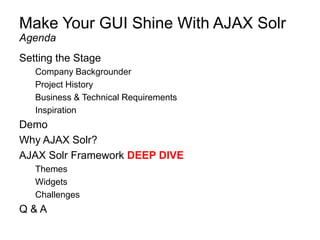
Setting the Stage
Company Backgrounder
Project History
Business & Technical Requirements
Inspiration
Demo
Why AJAX Solr?
AJAX Solr Framework DEEP DIVE
Themes
Widgets
Challenges
Q & A
Agenda
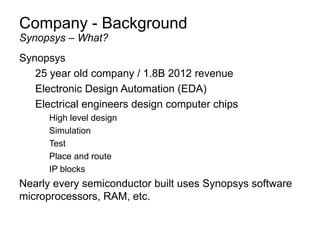
Company - Background
Synopsys
25 year old company / 1.8B 2012 revenue
Electronic Design Automation (EDA)
Electrical engineers design computer chips
High level design
Simulation
Test
Place and route
IP blocks
Nearly every semiconductor built uses Synopsys software
microprocessors, RAM, etc.
Synopsys – What?
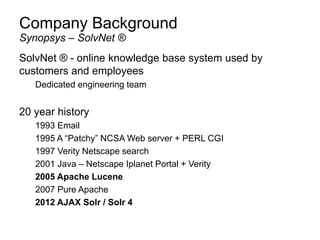
Company Background
SolvNet ® - online knowledge base system used by
customers and employees
Dedicated engineering team
20 year history
1993 Email
1995 A “Patchy” NCSA Web server + PERL CGI
1997 Verity Netscape search
2001 Java – Netscape Iplanet Portal + Verity
2005 Apache Lucene
2007 Pure Apache
2012 AJAX Solr / Solr 4
Synopsys – SolvNet ®
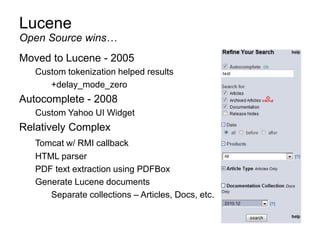
Lucene
Moved to Lucene - 2005
Custom tokenization helped results
+delay_mode_zero
Autocomplete - 2008
Custom Yahoo UI Widget
Relatively Complex
Tomcat w/ RMI callback
HTML parser
PDF text extraction using PDFBox
Generate Lucene documents
Separate collections – Articles, Docs, etc.
Open Source wins…
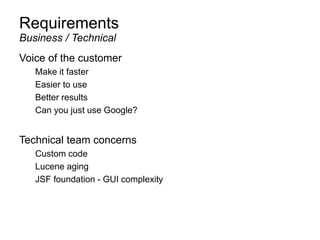
Requirements
Voice of the customer
Make it faster
Easier to use
Better results
Can you just use Google?
Technical team concerns
Custom code
Lucene aging
JSF foundation - GUI complexity
Business / Technical
Project Inspiration
Advanced Full-Text Search Capabilities
Optimized for High Volume Web Traffic
Standards Based Open Interfaces - XML,JSON and HTTP
Comprehensive HTML Administration Interfaces
Server statistics exposed over JMX for monitoring
Scalability - Efficient Replication to other Solr Search Servers
Flexible and Adaptable with XML configuration
Extensible Plugin Architecture
Solr Uses the Lucene Search Library and Extends it!
A Real Data Schema, with Numeric Types, Dynamic Fields, Unique Keys
Powerful Extensions to the Lucene Query Language
Faceted Search and Filtering
Advanced, Configurable Text Analysis
Highly Configurable and User Extensible Caching
Performance Optimizations
External Configuration via XML
An Administration Interface
Monitorable Logging
Fast Incremental Updates and Index Replication
Highly Scalable Distributed search with sharded index across multiple hosts
XML, CSV/delimited-text, and binary update formats
Easy ways to pull in data from databases and XML files from local disk and HTTP sources
Rich Document Parsing and Indexing (PDF, Word, HTML, etc) using Apache Tika
Multiple search indices
Apachecon 2010
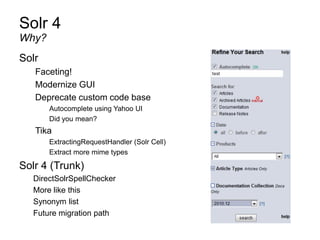
Solr 4
Solr
Faceting!
Modernize GUI
Deprecate custom code base
Autocomplete using Yahoo UI
Did you mean?
Tika
ExtractingRequestHandler (Solr Cell)
Extract more mime types
Solr 4 (Trunk)
DirectSolrSpellChecker
More like this
Synonym list
Future migration path
Why?
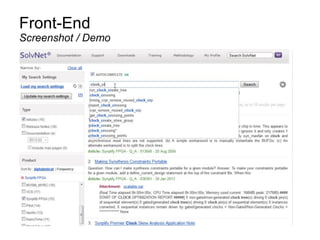
Front-End
Screenshot / Demo
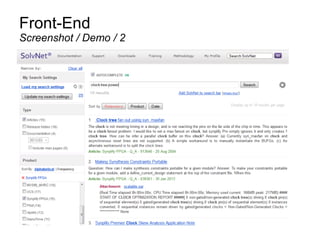
Front-End
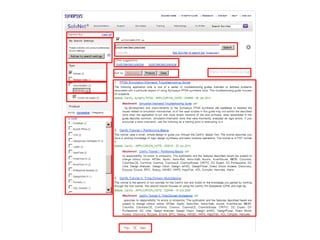
Screenshot / Demo / 2
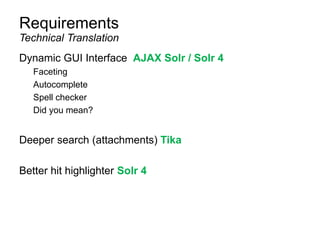
Requirements
Dynamic GUI Interface AJAX Solr / Solr 4
Faceting
Autocomplete
Spell checker
Did you mean?
Deeper search (attachments) Tika
Better hit highlighter Solr 4
Technical Translation
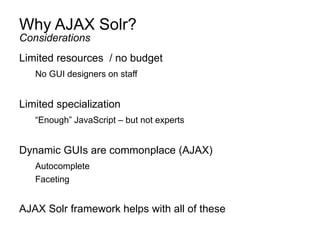
Why AJAX Solr?
Limited resources / no budget
No GUI designers on staff
Limited specialization
“Enough” JavaScript – but not experts
Dynamic GUIs are commonplace (AJAX)
Autocomplete
Faceting
AJAX Solr framework helps with all of these
Considerations
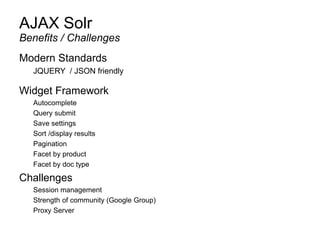
AJAX Solr
Modern Standards
JQUERY / JSON friendly
Widget Framework
Autocomplete
Query submit
Save settings
Sort /display results
Pagination
Facet by product
Facet by doc type
Challenges
Session management
Strength of community (Google Group)
Proxy Server
Benefits / Challenges
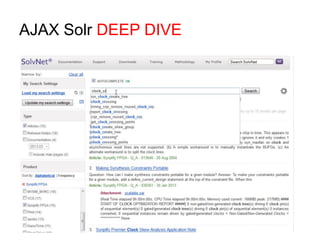
AJAX Solr DEEP DIVE
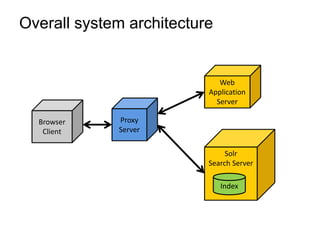
Solr
Search Server
Overall system architecture
Index
Browser
Client
Proxy
Server
Web
Application
Server
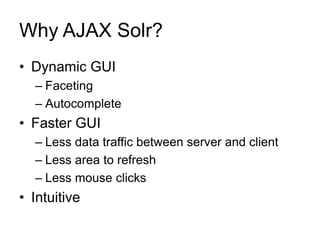
Why AJAX Solr?
• Dynamic GUI
– Faceting
– Autocomplete
• Faster GUI
– Less data traffic between server and client
– Less area to refresh
– Less mouse clicks
• Intuitive
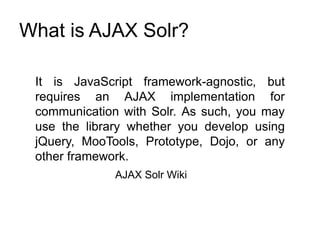
What is AJAX Solr?
It is JavaScript framework-agnostic, but
requires an AJAX implementation for
communication with Solr. As such, you may
use the library whether you develop using
jQuery, MooTools, Prototype, Dojo, or any
other framework.
AJAX Solr Wiki
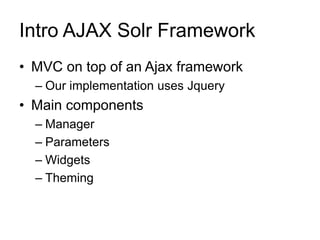
Intro AJAX Solr Framework
• MVC on top of an Ajax framework
– Our implementation uses Jquery
• Main components
– Manager
– Parameters
– Widgets
– Theming
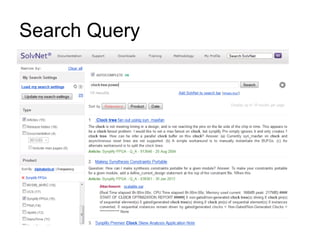
Search Query
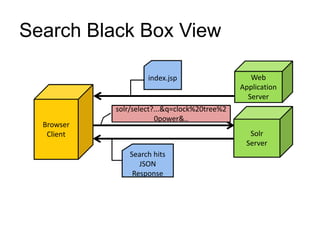
Search Black Box View
Browser
Client
index.jsp
solr/select?...&q=clock%20tree%2
0power&..
Web
Application
Server
Solr
Server
Search hits
JSON
Response
Search Results Response (JSON)
{
"responseHeader":{
"status":0,
"QTime":960,
"params":{
...
"facet":"true",
"facet.field":[... "{!ex=products}products"],
...
"fq":[... "{!tag=products}products:"Synplify FPGA""],
...
"q":"clock tree power",
...
"spellcheck":"true",
....}},
"response":{"numFound":12,"start":0,"maxScore":1.5953931,
"docs":[
{
...
"id":"913646",
...
"title":" Clock tree fan out using syn_maxfan",
...
"products":["Synplify FPGA"],
"teaser":"... Question: I have a design and I am targetting
Spartan devices. The clock is not meeting timing in a design,
..."},
...
},
"facet_counts":{
...
"facet_fields":{
...
"products":{
...
"Synplify FPGA":12,
...}},
....},
"highlighting":{
"913646":{
"title":[" <em>Clock</em> <em>tree</em> fan out using
syn_maxfan"],
"indexed_content":["The <em>clock</em> is not meeting
timing in a design,..."]},
...}},
"spellcheck":{
"suggestions":{}}}
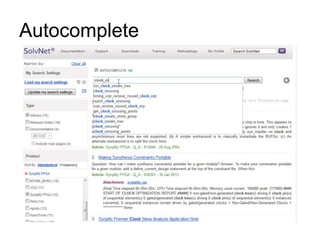
Autocomplete
Autocomplete Black box view
Browser
Client
solr/terms?...&terms.regex=.*[_-
]clo.*|^[+|.|%60|-]?clo.*&...
Solr
Server
autocomplete
JSON Response
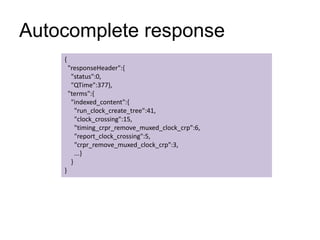
Autocomplete response
{
"responseHeader":{
"status":0,
"QTime":377},
"terms":{
"indexed_content":{
"run_clock_create_tree":41,
"clock_crossing":15,
"timing_crpr_remove_muxed_clock_crp":6,
"report_clock_crossing":5,
"crpr_remove_muxed_clock_crp":3,
...}
}
}
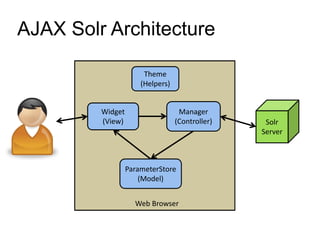
AJAX Solr Architecture
Web Browser
Widget
(View)
Manager
(Controller)
ParameterStore
(Model)
Solr
Server
Theme
(Helpers)
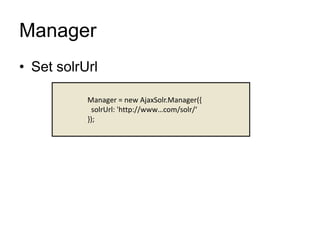
Manager
• Set solrUrl
Manager = new AjaxSolr.Manager({
solrUrl: 'http://www…com/solr/‘
});
Solr
Search Server
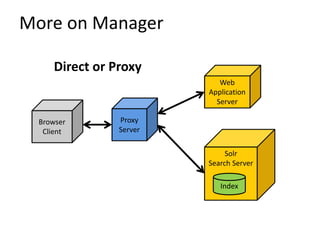
More on Manager
Index
Browser
Client
Proxy
Server
Web
Application
Server
Direct or Proxy
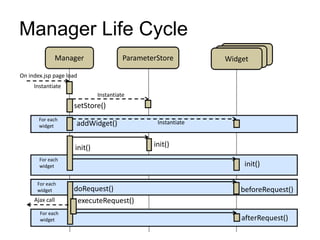
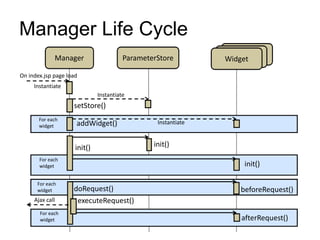
Manager Life Cycle
Manager ParameterStore WidgetWidgetWidget
On index.jsp page load
Instantiate
setStore()
Instantiate
InstantiateaddWidget()
For each
widget
init()
init()
init()
For each
widget
For each
widget doRequest() beforeRequest()
executeRequest()
For each
widget afterRequest()
Ajax call
ParameterStore
• Solr parameters
– Single: q, start
– Multi valued: fq
• Methods
– get, add, addByValue, …
Manager.store.addByValue('q', '*:*');
• Derived classes
– ParameterHashStore
– ParameterHistoryStore
– ParameterYUIStore
ParameterHashStore
• Esoteric Requirements
– Bookmarking
– Back button
– URL masking
Manager.setStore(new
AjaxSolr.ParameterHashStore());
Manager.store.exposed = [ 'fq', 'q', 'start', 'sort'];
Manager.init();
Widgets
• What is a Widget?
• AbstractWidget
– id, target
• Derived Widgets
– AbstractFacetWidget
– AbstractTextWidget
– AbstractSpellcheckWidget
– AbstractSpatialWidget
– PagerWidget
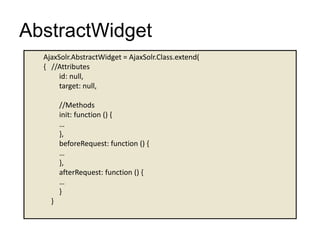
AbstractWidget
AjaxSolr.AbstractWidget = AjaxSolr.Class.extend(
{ //Attributes
id: null,
target: null,
//Methods
init: function () {
…
},
beforeRequest: function () {
…
},
afterRequest: function () {
…
}
}
Manager Life Cycle
Manager ParameterStore WidgetWidgetWidget
On index.jsp page load
Instantiate
setStore()
Instantiate
InstantiateaddWidget()
For each
widget
init()
init()
init()
For each
widget
For each
widget doRequest() beforeRequest()
executeRequest()
For each
widget afterRequest()
Ajax call
AbstractTextWidget
• The widget that manipulates
the ’q’ parameter
• Example implementations:
– TextWidget.q.js
– AutocompleteTermWidget.js
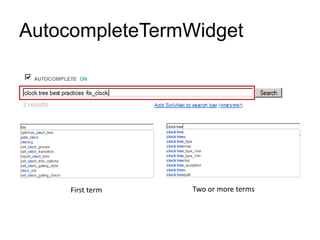
AutocompleteTermWidget
First term Two or more terms
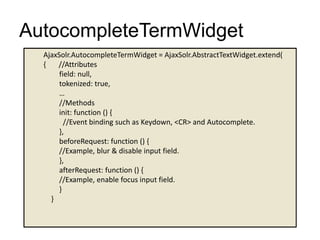
AutocompleteTermWidget
AjaxSolr.AutocompleteTermWidget = AjaxSolr.AbstractTextWidget.extend(
{ //Attributes
field: null,
tokenized: true,
…
//Methods
init: function () {
//Event binding such as Keydown, <CR> and Autocomplete.
},
beforeRequest: function () {
//Example, blur & disable input field.
},
afterRequest: function () {
//Example, enable focus input field.
}
}
AutocompleteTermWidget
• Suggestion algorithms
– First term: TermsComponent
– Second, third, etc. : facet.prefix
• Analytics
– Search query
– Autocomplete
ResultWidget
ResultWidget
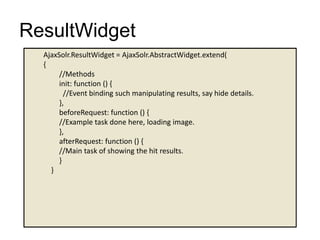
AjaxSolr.ResultWidget = AjaxSolr.AbstractWidget.extend(
{
//Methods
init: function () {
//Event binding such manipulating results, say hide details.
},
beforeRequest: function () {
//Example task done here, loading image.
},
afterRequest: function () {
//Main task of showing the hit results.
}
}
ResultWidget
• Function: Show the search results. Based
on tutorial example
• Extends AbstractWidget
• Analytics
– Total hit count
– Which filters and facets
– Selected content type
PagerWidget
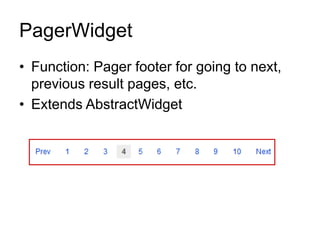
• Function: Pager footer for going to next,
previous result pages, etc.
• Extends AbstractWidget
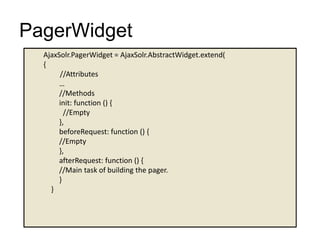
PagerWidget
AjaxSolr.PagerWidget = AjaxSolr.AbstractWidget.extend(
{
//Attributes
…
//Methods
init: function () {
//Empty
},
beforeRequest: function () {
//Empty
},
afterRequest: function () {
//Main task of building the pager.
}
}
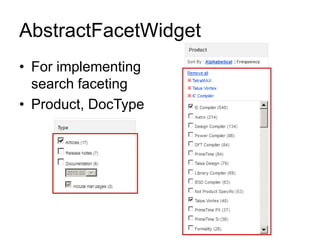
AbstractFacetWidget
• For implementing
search faceting
• Product, DocType
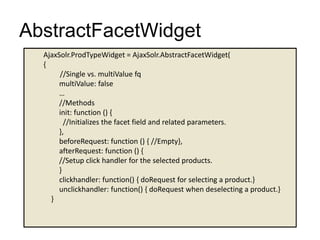
AbstractFacetWidget
AjaxSolr.ProdTypeWidget = AjaxSolr.AbstractFacetWidget(
{
//Single vs. multiValue fq
multiValue: false
…
//Methods
init: function () {
//Initializes the facet field and related parameters.
},
beforeRequest: function () { //Empty},
afterRequest: function () {
//Setup click handler for the selected products.
}
clickhandler: function() { doRequest for selecting a product.}
unclickhandler: function() { doRequest when deselecting a product.}
}
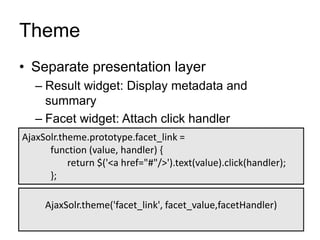
Theme
• Separate presentation layer
– Result widget: Display metadata and
summary
– Facet widget: Attach click handler
AjaxSolr.theme.prototype.facet_link =
function (value, handler) {
return $('<a href="#"/>').text(value).click(handler);
};
AjaxSolr.theme('facet_link', facet_value,facetHandler)
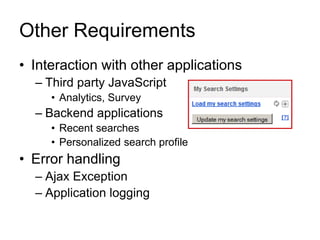
Other Requirements
• Interaction with other applications
– Third party JavaScript
• Analytics, Survey
– Backend applications
• Recent searches
• Personalized search profile
• Error handling
– Ajax Exception
– Application logging
Security concerns
• Coarse vs. Granular
– Proxy blocking
– Role based filter
• Session management
– Error handling
– Timeout
Debugging
• Browser side debugging
– Firebug on Firefox
– Chrome developer tools
• Raw Solr JSON/XML
– Learn it!
Performance Tuning
• Reduce Traffic between Server and
Browser
– Filter on server
– Minimize browser side computation
– Solr schema consideration
– Compress JavaScript & CSS
• Proxy Server Caching
– JavaScript, CSS
Housekeeping
• Jquery & Jquery-UI upkeep
• Browser compatibilities
– NO IE 6 support
– IE 10
– Plugins
Summary
• Make your GUI Shine with AJAX Solr
• Understanding of the Framework
• Best practices
• Challenge and possibilities
Acknowledgements
• AJAX Solr creator James McKinney
• Lucene / Solr community
• SolvNet Development team
References
• AJAX Solr Wiki
https://github.com/evolvingweb/ajax-solr/wiki
• Google group ‘ajax-solr’
https://groups.google.com/forum/?fromgroups#!
forum/ajax-solr
CONFERENCE PARTY
The Tipsy Crow: 770 5th Ave
Starts after Stump The Chump
Conference badge gets you in
TOMORROW
Breakfast starts at 7:30
Keynotes start at 8:30
CONTACT US

Make your gui shine with ajax solr

  • 1.
    MAKE YOUR GUISHINE WITH AJAX SOLR Troy D. Thomas Product Engineering Manager Koorosh Vakhshoori Technical Architect
  • 2.
    Make Your GUIShine With AJAX Solr Setting the Stage Company Backgrounder Project History Business & Technical Requirements Inspiration Demo Why AJAX Solr? AJAX Solr Framework DEEP DIVE Themes Widgets Challenges Q & A Agenda
  • 3.
    Company - Background Synopsys 25year old company / 1.8B 2012 revenue Electronic Design Automation (EDA) Electrical engineers design computer chips High level design Simulation Test Place and route IP blocks Nearly every semiconductor built uses Synopsys software microprocessors, RAM, etc. Synopsys – What?
  • 4.
    Company Background SolvNet ®- online knowledge base system used by customers and employees Dedicated engineering team 20 year history 1993 Email 1995 A “Patchy” NCSA Web server + PERL CGI 1997 Verity Netscape search 2001 Java – Netscape Iplanet Portal + Verity 2005 Apache Lucene 2007 Pure Apache 2012 AJAX Solr / Solr 4 Synopsys – SolvNet ®
  • 5.
    Lucene Moved to Lucene- 2005 Custom tokenization helped results +delay_mode_zero Autocomplete - 2008 Custom Yahoo UI Widget Relatively Complex Tomcat w/ RMI callback HTML parser PDF text extraction using PDFBox Generate Lucene documents Separate collections – Articles, Docs, etc. Open Source wins…
  • 6.
    Requirements Voice of thecustomer Make it faster Easier to use Better results Can you just use Google? Technical team concerns Custom code Lucene aging JSF foundation - GUI complexity Business / Technical
  • 7.
    Project Inspiration Advanced Full-TextSearch Capabilities Optimized for High Volume Web Traffic Standards Based Open Interfaces - XML,JSON and HTTP Comprehensive HTML Administration Interfaces Server statistics exposed over JMX for monitoring Scalability - Efficient Replication to other Solr Search Servers Flexible and Adaptable with XML configuration Extensible Plugin Architecture Solr Uses the Lucene Search Library and Extends it! A Real Data Schema, with Numeric Types, Dynamic Fields, Unique Keys Powerful Extensions to the Lucene Query Language Faceted Search and Filtering Advanced, Configurable Text Analysis Highly Configurable and User Extensible Caching Performance Optimizations External Configuration via XML An Administration Interface Monitorable Logging Fast Incremental Updates and Index Replication Highly Scalable Distributed search with sharded index across multiple hosts XML, CSV/delimited-text, and binary update formats Easy ways to pull in data from databases and XML files from local disk and HTTP sources Rich Document Parsing and Indexing (PDF, Word, HTML, etc) using Apache Tika Multiple search indices Apachecon 2010
  • 8.
    Solr 4 Solr Faceting! Modernize GUI Deprecatecustom code base Autocomplete using Yahoo UI Did you mean? Tika ExtractingRequestHandler (Solr Cell) Extract more mime types Solr 4 (Trunk) DirectSolrSpellChecker More like this Synonym list Future migration path Why?
  • 9.
  • 10.
  • 11.
    Requirements Dynamic GUI InterfaceAJAX Solr / Solr 4 Faceting Autocomplete Spell checker Did you mean? Deeper search (attachments) Tika Better hit highlighter Solr 4 Technical Translation
  • 12.
    Why AJAX Solr? Limitedresources / no budget No GUI designers on staff Limited specialization “Enough” JavaScript – but not experts Dynamic GUIs are commonplace (AJAX) Autocomplete Faceting AJAX Solr framework helps with all of these Considerations
  • 13.
    AJAX Solr Modern Standards JQUERY/ JSON friendly Widget Framework Autocomplete Query submit Save settings Sort /display results Pagination Facet by product Facet by doc type Challenges Session management Strength of community (Google Group) Proxy Server Benefits / Challenges
  • 14.
  • 15.
    Solr Search Server Overall systemarchitecture Index Browser Client Proxy Server Web Application Server
  • 16.
    Why AJAX Solr? •Dynamic GUI – Faceting – Autocomplete • Faster GUI – Less data traffic between server and client – Less area to refresh – Less mouse clicks • Intuitive
  • 17.
    What is AJAXSolr? It is JavaScript framework-agnostic, but requires an AJAX implementation for communication with Solr. As such, you may use the library whether you develop using jQuery, MooTools, Prototype, Dojo, or any other framework. AJAX Solr Wiki
  • 18.
    Intro AJAX SolrFramework • MVC on top of an Ajax framework – Our implementation uses Jquery • Main components – Manager – Parameters – Widgets – Theming
  • 19.
  • 20.
    Search Black BoxView Browser Client index.jsp solr/select?...&q=clock%20tree%2 0power&.. Web Application Server Solr Server Search hits JSON Response
  • 21.
    Search Results Response(JSON) { "responseHeader":{ "status":0, "QTime":960, "params":{ ... "facet":"true", "facet.field":[... "{!ex=products}products"], ... "fq":[... "{!tag=products}products:"Synplify FPGA""], ... "q":"clock tree power", ... "spellcheck":"true", ....}}, "response":{"numFound":12,"start":0,"maxScore":1.5953931, "docs":[ { ... "id":"913646", ... "title":" Clock tree fan out using syn_maxfan", ... "products":["Synplify FPGA"], "teaser":"... Question: I have a design and I am targetting Spartan devices. The clock is not meeting timing in a design, ..."}, ... }, "facet_counts":{ ... "facet_fields":{ ... "products":{ ... "Synplify FPGA":12, ...}}, ....}, "highlighting":{ "913646":{ "title":[" <em>Clock</em> <em>tree</em> fan out using syn_maxfan"], "indexed_content":["The <em>clock</em> is not meeting timing in a design,..."]}, ...}}, "spellcheck":{ "suggestions":{}}}
  • 22.
  • 23.
    Autocomplete Black boxview Browser Client solr/terms?...&terms.regex=.*[_- ]clo.*|^[+|.|%60|-]?clo.*&... Solr Server autocomplete JSON Response
  • 24.
  • 25.
    AJAX Solr Architecture WebBrowser Widget (View) Manager (Controller) ParameterStore (Model) Solr Server Theme (Helpers)
  • 26.
    Manager • Set solrUrl Manager= new AjaxSolr.Manager({ solrUrl: 'http://www…com/solr/‘ });
  • 27.
    Solr Search Server More onManager Index Browser Client Proxy Server Web Application Server Direct or Proxy
  • 28.
    Manager Life Cycle ManagerParameterStore WidgetWidgetWidget On index.jsp page load Instantiate setStore() Instantiate InstantiateaddWidget() For each widget init() init() init() For each widget For each widget doRequest() beforeRequest() executeRequest() For each widget afterRequest() Ajax call
  • 29.
    ParameterStore • Solr parameters –Single: q, start – Multi valued: fq • Methods – get, add, addByValue, … Manager.store.addByValue('q', '*:*'); • Derived classes – ParameterHashStore – ParameterHistoryStore – ParameterYUIStore
  • 30.
    ParameterHashStore • Esoteric Requirements –Bookmarking – Back button – URL masking Manager.setStore(new AjaxSolr.ParameterHashStore()); Manager.store.exposed = [ 'fq', 'q', 'start', 'sort']; Manager.init();
  • 31.
    Widgets • What isa Widget? • AbstractWidget – id, target • Derived Widgets – AbstractFacetWidget – AbstractTextWidget – AbstractSpellcheckWidget – AbstractSpatialWidget – PagerWidget
  • 33.
    AbstractWidget AjaxSolr.AbstractWidget = AjaxSolr.Class.extend( {//Attributes id: null, target: null, //Methods init: function () { … }, beforeRequest: function () { … }, afterRequest: function () { … } }
  • 34.
    Manager Life Cycle ManagerParameterStore WidgetWidgetWidget On index.jsp page load Instantiate setStore() Instantiate InstantiateaddWidget() For each widget init() init() init() For each widget For each widget doRequest() beforeRequest() executeRequest() For each widget afterRequest() Ajax call
  • 35.
    AbstractTextWidget • The widgetthat manipulates the ’q’ parameter • Example implementations: – TextWidget.q.js – AutocompleteTermWidget.js
  • 36.
  • 37.
    AutocompleteTermWidget AjaxSolr.AutocompleteTermWidget = AjaxSolr.AbstractTextWidget.extend( {//Attributes field: null, tokenized: true, … //Methods init: function () { //Event binding such as Keydown, <CR> and Autocomplete. }, beforeRequest: function () { //Example, blur & disable input field. }, afterRequest: function () { //Example, enable focus input field. } }
  • 38.
    AutocompleteTermWidget • Suggestion algorithms –First term: TermsComponent – Second, third, etc. : facet.prefix • Analytics – Search query – Autocomplete
  • 39.
  • 40.
    ResultWidget AjaxSolr.ResultWidget = AjaxSolr.AbstractWidget.extend( { //Methods init:function () { //Event binding such manipulating results, say hide details. }, beforeRequest: function () { //Example task done here, loading image. }, afterRequest: function () { //Main task of showing the hit results. } }
  • 41.
    ResultWidget • Function: Showthe search results. Based on tutorial example • Extends AbstractWidget • Analytics – Total hit count – Which filters and facets – Selected content type
  • 42.
    PagerWidget • Function: Pagerfooter for going to next, previous result pages, etc. • Extends AbstractWidget
  • 43.
    PagerWidget AjaxSolr.PagerWidget = AjaxSolr.AbstractWidget.extend( { //Attributes … //Methods init:function () { //Empty }, beforeRequest: function () { //Empty }, afterRequest: function () { //Main task of building the pager. } }
  • 44.
  • 45.
    AbstractFacetWidget AjaxSolr.ProdTypeWidget = AjaxSolr.AbstractFacetWidget( { //Singlevs. multiValue fq multiValue: false … //Methods init: function () { //Initializes the facet field and related parameters. }, beforeRequest: function () { //Empty}, afterRequest: function () { //Setup click handler for the selected products. } clickhandler: function() { doRequest for selecting a product.} unclickhandler: function() { doRequest when deselecting a product.} }
  • 46.
    Theme • Separate presentationlayer – Result widget: Display metadata and summary – Facet widget: Attach click handler AjaxSolr.theme.prototype.facet_link = function (value, handler) { return $('<a href="#"/>').text(value).click(handler); }; AjaxSolr.theme('facet_link', facet_value,facetHandler)
  • 47.
    Other Requirements • Interactionwith other applications – Third party JavaScript • Analytics, Survey – Backend applications • Recent searches • Personalized search profile • Error handling – Ajax Exception – Application logging
  • 48.
    Security concerns • Coarsevs. Granular – Proxy blocking – Role based filter • Session management – Error handling – Timeout
  • 49.
    Debugging • Browser sidedebugging – Firebug on Firefox – Chrome developer tools • Raw Solr JSON/XML – Learn it!
  • 50.
    Performance Tuning • ReduceTraffic between Server and Browser – Filter on server – Minimize browser side computation – Solr schema consideration – Compress JavaScript & CSS • Proxy Server Caching – JavaScript, CSS
  • 51.
    Housekeeping • Jquery &Jquery-UI upkeep • Browser compatibilities – NO IE 6 support – IE 10 – Plugins
  • 52.
    Summary • Make yourGUI Shine with AJAX Solr • Understanding of the Framework • Best practices • Challenge and possibilities
  • 53.
    Acknowledgements • AJAX Solrcreator James McKinney • Lucene / Solr community • SolvNet Development team
  • 54.
    References • AJAX SolrWiki https://github.com/evolvingweb/ajax-solr/wiki • Google group ‘ajax-solr’ https://groups.google.com/forum/?fromgroups#! forum/ajax-solr
  • 55.
    CONFERENCE PARTY The TipsyCrow: 770 5th Ave Starts after Stump The Chump Conference badge gets you in TOMORROW Breakfast starts at 7:30 Keynotes start at 8:30 CONTACT US