

Introduction to Solr
      erik . hatcher
            @


                       1
Abstract
•   Apache Solr serves search requests at the enterprises
    and the largest companies around the world. Built on
    top of the top-notch Apache Lucene library, Solr makes
    indexing and searching integration into your
    applications straightforward.

•   Solr provides faceted navigation, spell checking,
    highlighting, clustering, grouping, and other search
    features. Solr also scales query volume with replication
    and collection size with distributed capabilities. Solr can
    index rich documents such as PDF, Word, HTML, and
    other file types.


                                                                  2
About me...

• Co-author, “Lucene in Action”
• Commiter, Lucene and Solr
• Lucene PMC and ASF member
• Member of Technical Staff / co-founder,
  Lucid Imagination


                                            3
... works


    search platform


www.lucidimagination.com
                           4
What is Solr?
•   An open source search server

•   Indexes content sources, processes query requests, returns
    search results

•   Uses Lucene as the "engine", but adds full enterprise search
    server features and capabilities

•   A web-based application that processes HTTP requests and
    returns HTTP responses.

•   Initially started in 2004 and developed by CNET as an in-house
    project to add search capability for the company website.

•   Donated to ASF in 2006.


                                                                     5
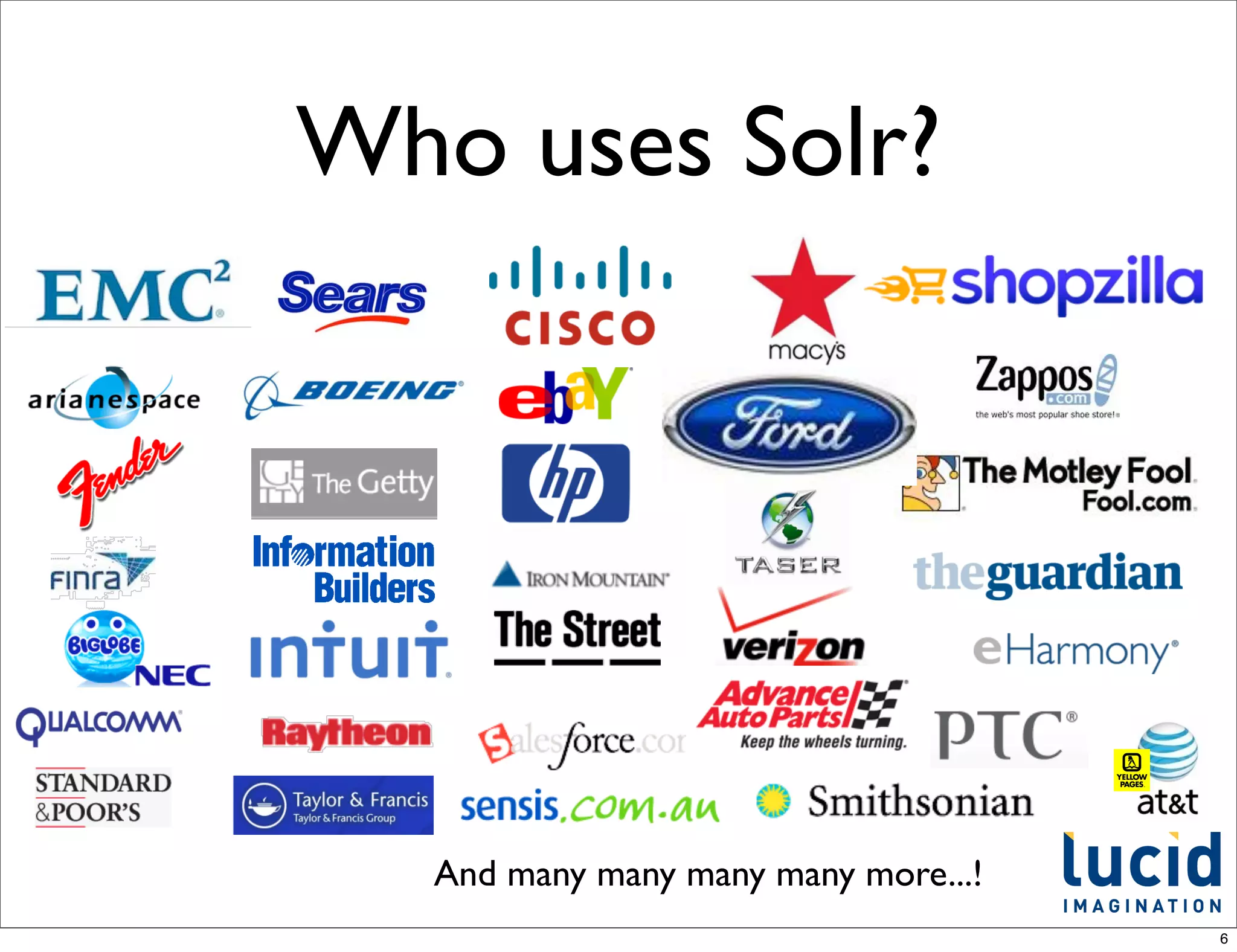
Who uses Solr?


  And many many many many more...!
                                     6
Which Solr version?
•   There’s more than one answer!

•   The current, released, stable version is 3.5

•   The development release is referred to as “trunk”.

    •   This is where the new, less tested work goes on

    •   Also referred to as 4.0

    •   LucidWorks Enterprise is built on a trunk
        snapshot + additional features.


                                                          7
What is Lucene?
•   An open source search library (not an application)

•   100% Java

•   Continuously improved and tuned for more than 10
    years

•   Compact, portable index representation

•   Programmable text analyzers, spell checking and
    highlighting

•   Not, itself, a crawler or a text extraction tool


                                                         8
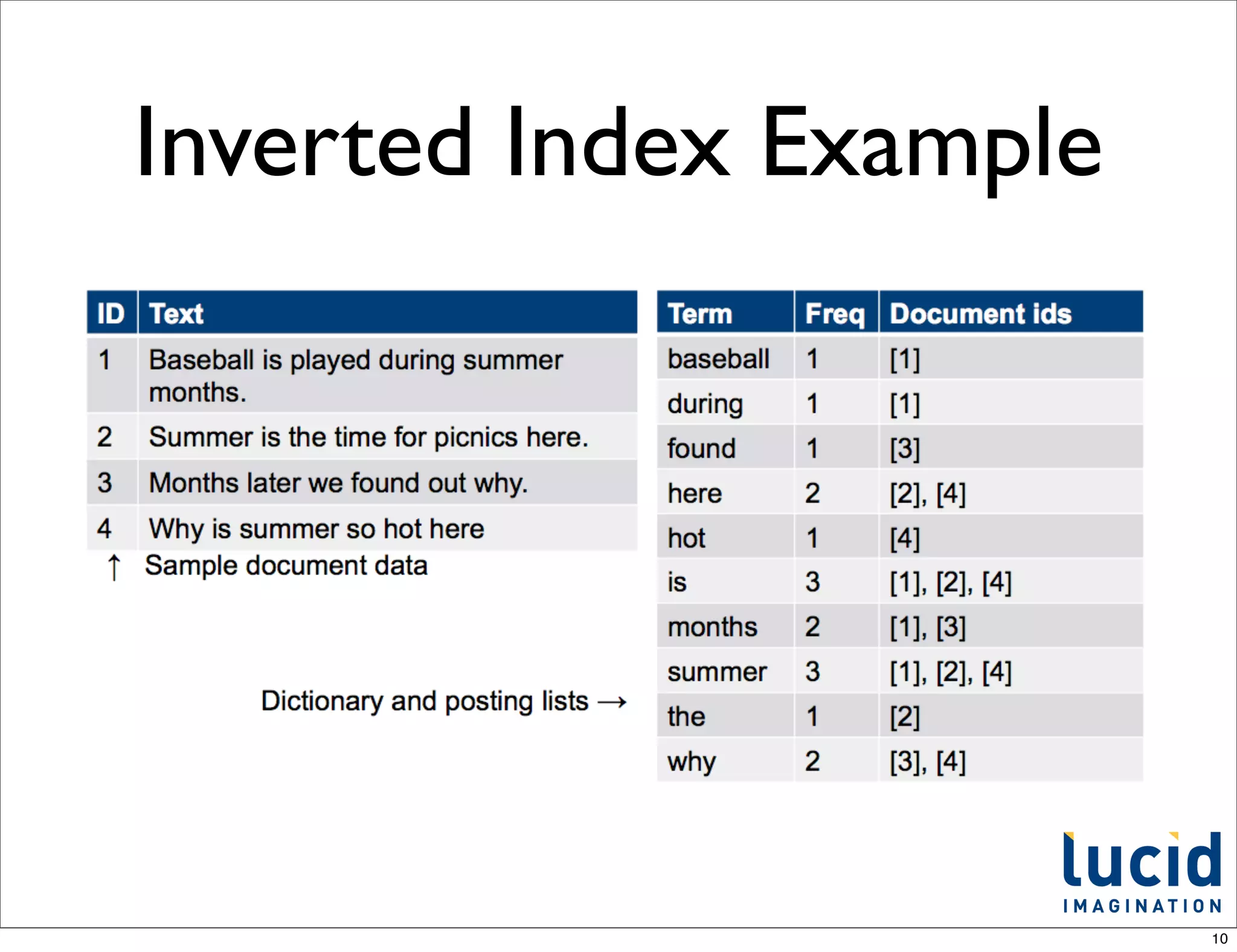
Inverted Index
•   Lucene stores input data in what is known as an
    inverted index

•   In an inverted index each indexed term points to a
    list of documents that contain the term

•   Similar to the index provided at the end of a book

•   In this case "inverted" simply means the list of terms
    point to documents

•   It is much faster to find a term in an index, than to
    scan all the documents


                                                             9
Inverted Index Example


                         10
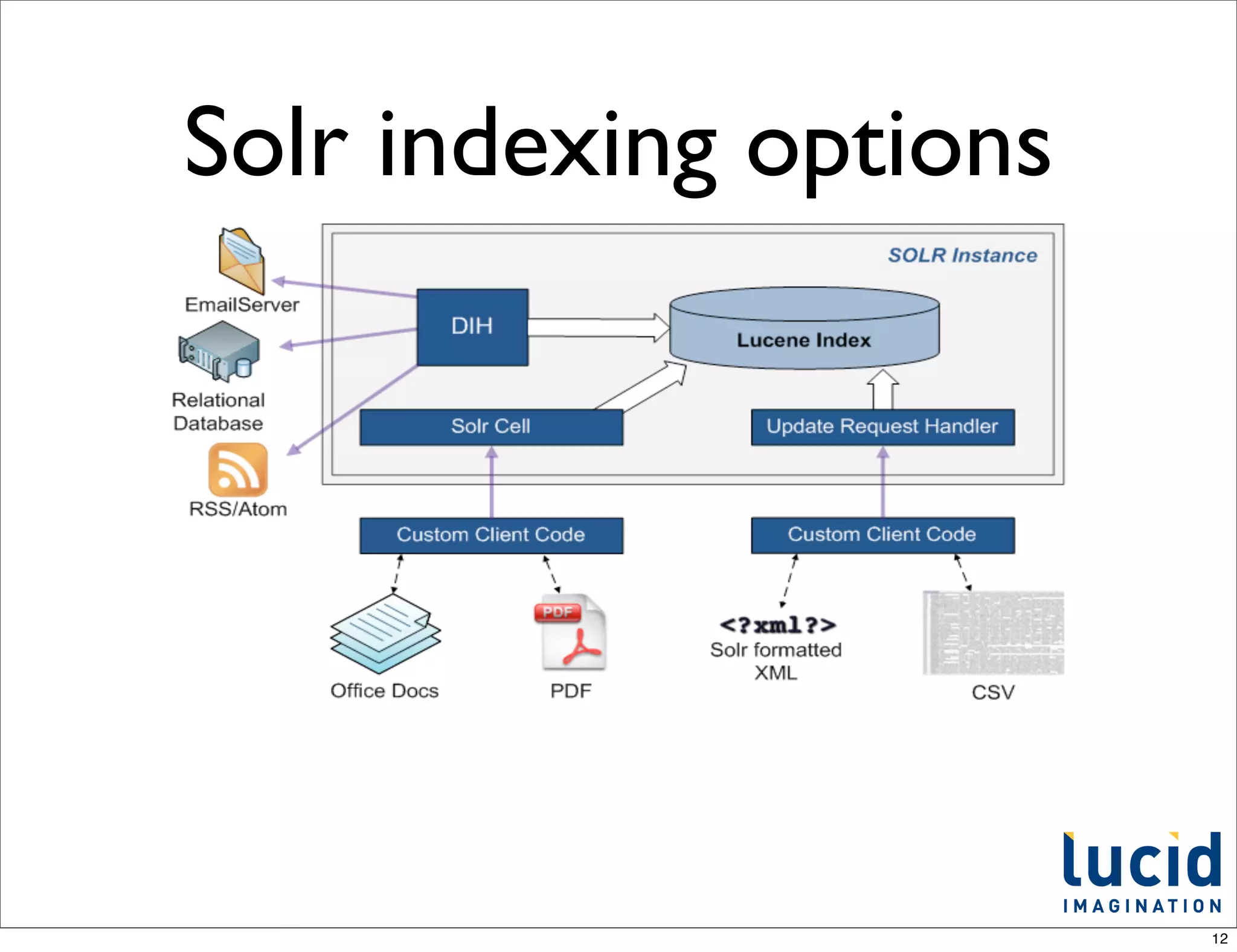
Ingestion
• API / Solr XML, JSON, and javabin/SolrJ
• CSV
• Relational databases
• File system
• Web crawl (using Nutch, or others)
• Others - XML feeds (e.g. RSS/Atom), e-mail
                                               11
Solr indexing options


                        12
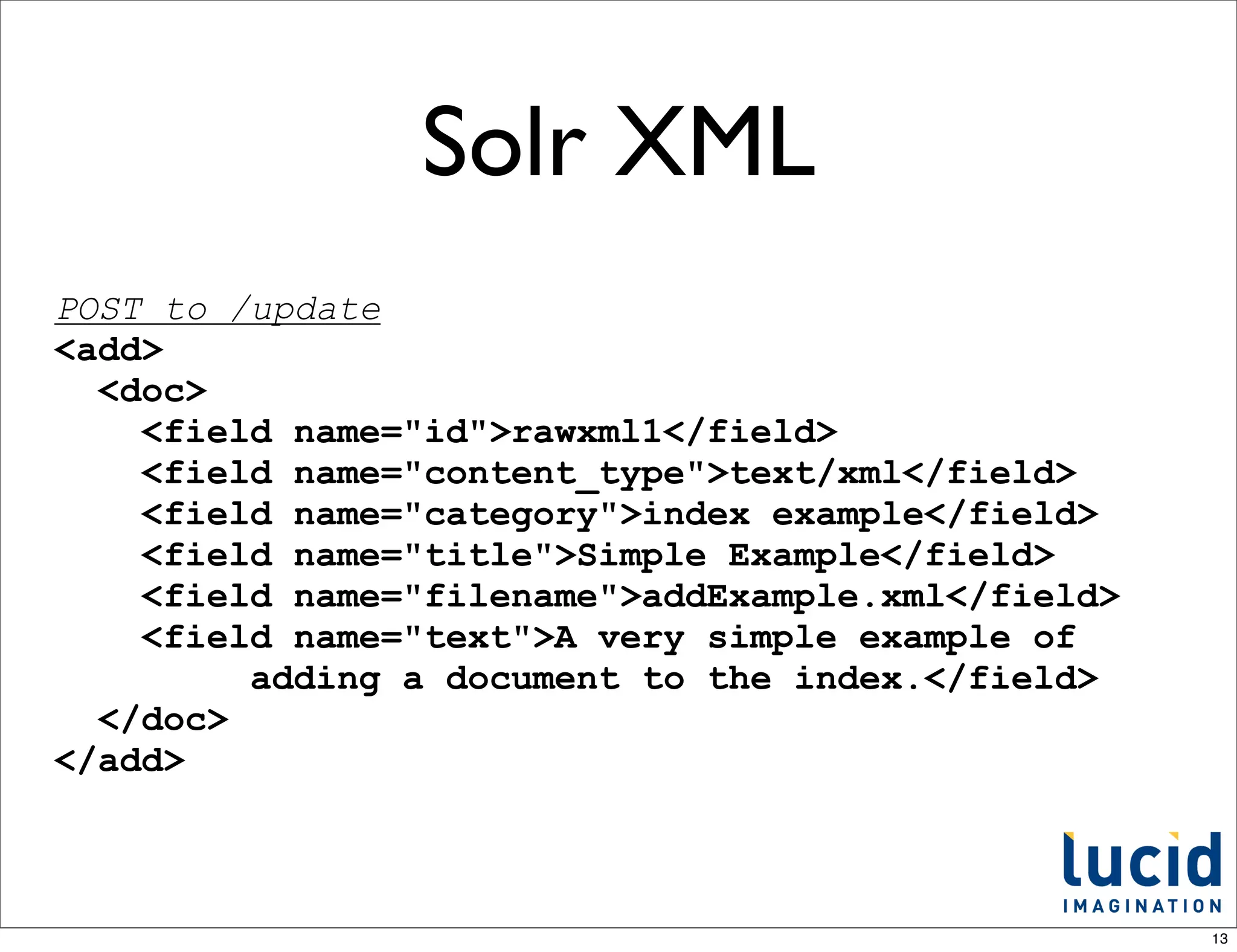
Solr XML
POST to /update
<add>
  <doc>
    <field name="id">rawxml1</field>
    <field name="content_type">text/xml</field>
    <field name="category">index example</field>
    <field name="title">Simple Example</field>
    <field name="filename">addExample.xml</field>
    <field name="text">A very simple example of
         adding a document to the index.</field>
  </doc>
</add>


                                                    13
Solr JSON

POST to /update/json
[
  {"id" : "TestDoc1", "title" : "test1"},
  {"id" : "TestDoc2", "title" : "another test"}
]


                                                  14
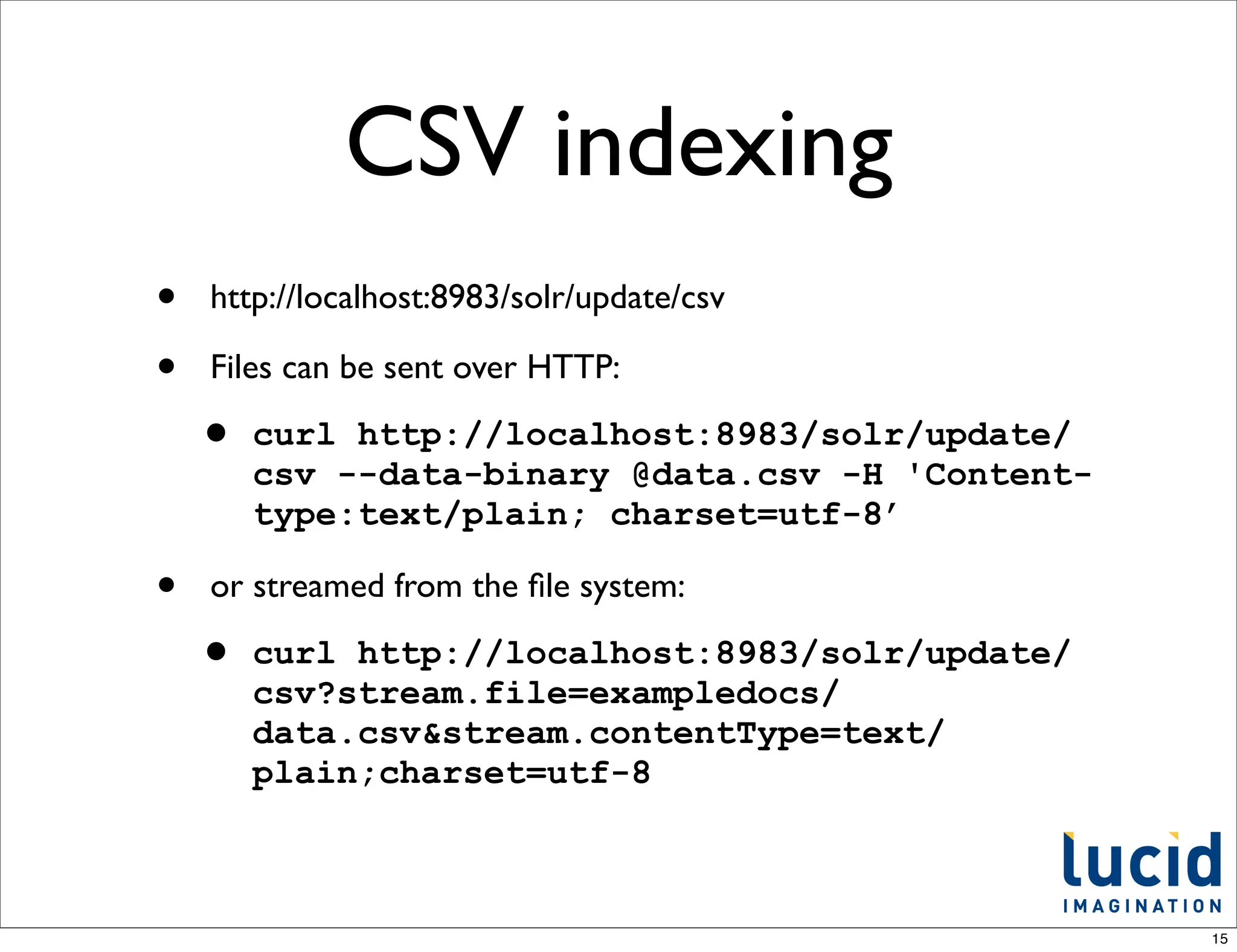
CSV indexing
•   http://localhost:8983/solr/update/csv

•   Files can be sent over HTTP:

    •   curl http://localhost:8983/solr/update/
        csv --data-binary @data.csv -H 'Content-
        type:text/plain; charset=utf-8’

•   or streamed from the file system:

    •   curl http://localhost:8983/solr/update/
        csv?stream.file=exampledocs/
        data.csv&stream.contentType=text/
        plain;charset=utf-8


                                                   15
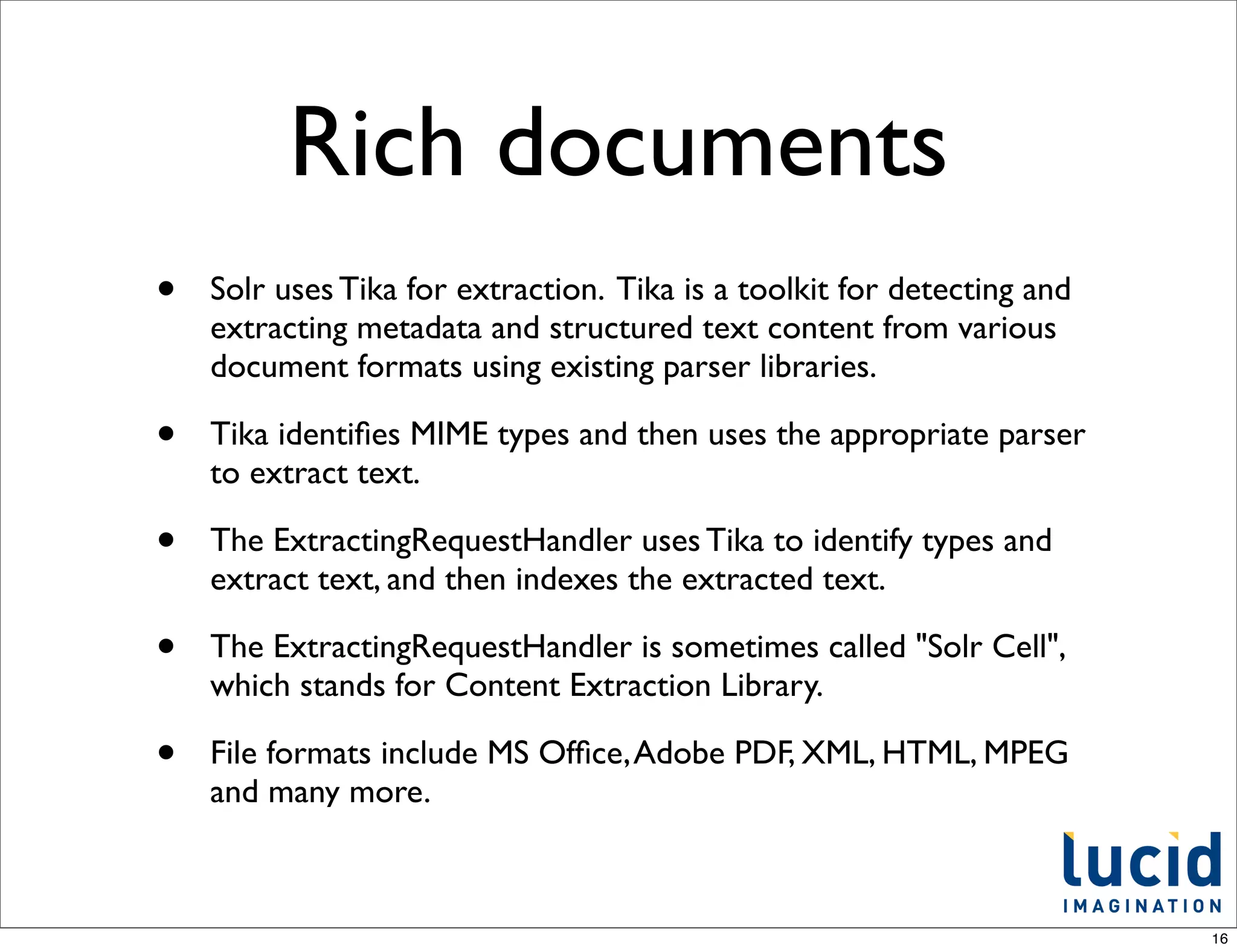
Rich documents
•   Solr uses Tika for extraction. Tika is a toolkit for detecting and
    extracting metadata and structured text content from various
    document formats using existing parser libraries.

•   Tika identifies MIME types and then uses the appropriate parser
    to extract text.

•   The ExtractingRequestHandler uses Tika to identify types and
    extract text, and then indexes the extracted text.

•   The ExtractingRequestHandler is sometimes called "Solr Cell",
    which stands for Content Extraction Library.

•   File formats include MS Office, Adobe PDF, XML, HTML, MPEG
    and many more.


                                                                         16
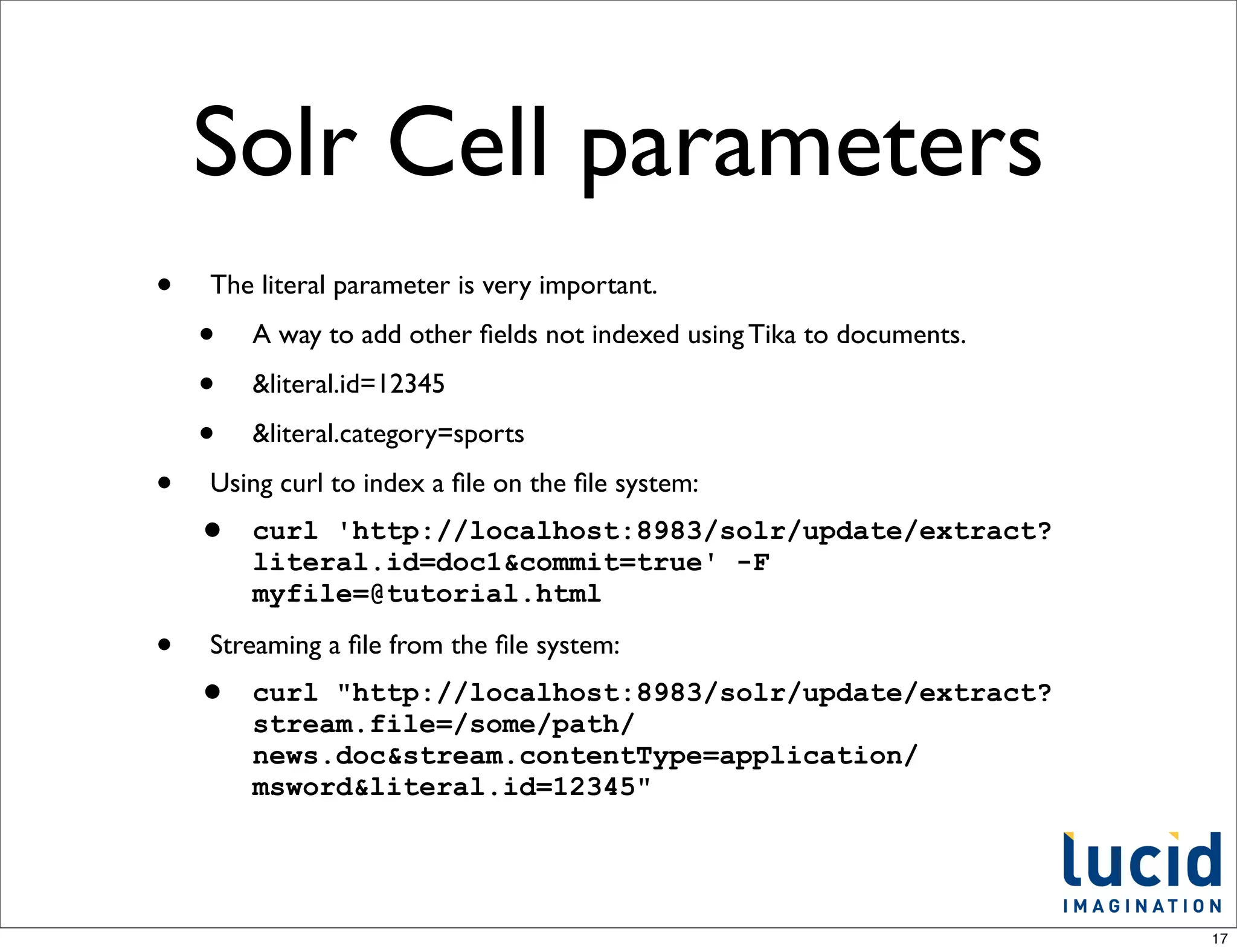
Solr Cell parameters
•   The literal parameter is very important.

    •   A way to add other fields not indexed using Tika to documents.

    •   &literal.id=12345

    •   &literal.category=sports

•   Using curl to index a file on the file system:
    •   curl 'http://localhost:8983/solr/update/extract?
        literal.id=doc1&commit=true' -F
        myfile=@tutorial.html

•   Streaming a file from the file system:
    •   curl "http://localhost:8983/solr/update/extract?
        stream.file=/some/path/
        news.doc&stream.contentType=application/
        msword&literal.id=12345"


                                                                        17
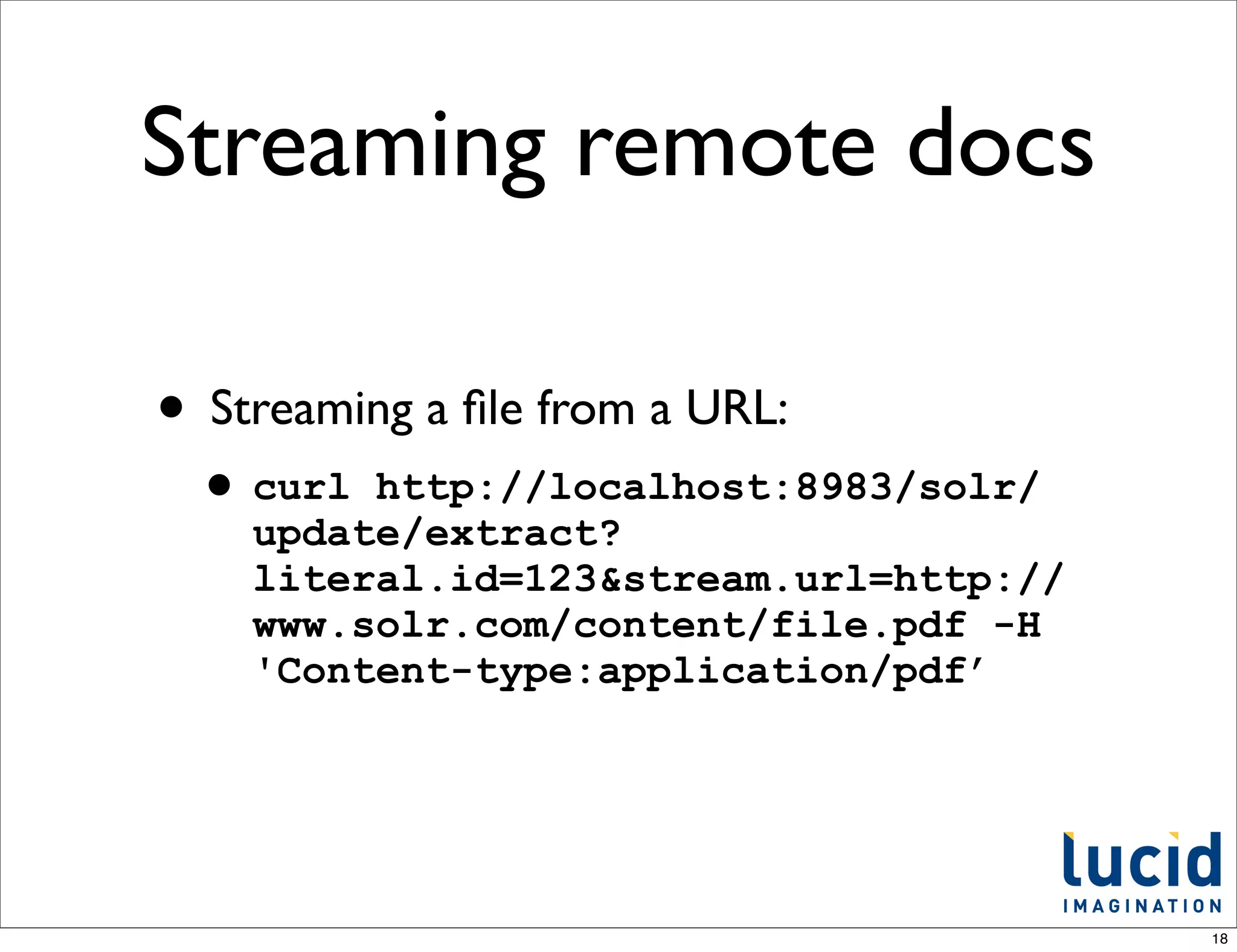
Streaming remote docs

• Streaming a file from a URL:
 • curl  http://localhost:8983/solr/
    update/extract?
    literal.id=123&stream.url=http://
    www.solr.com/content/file.pdf -H
    'Content-type:application/pdf’


                                        18
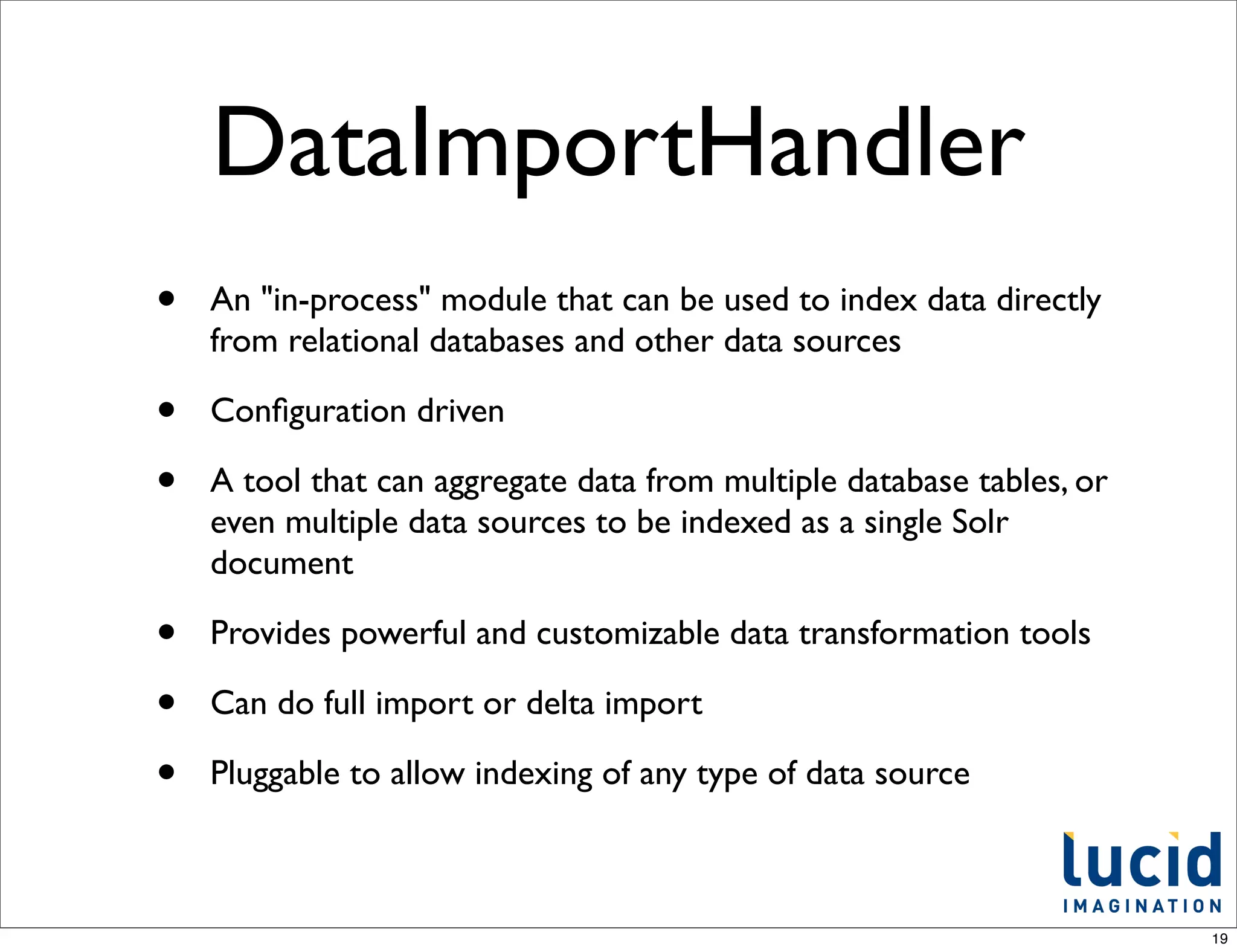
DataImportHandler
•   An "in-process" module that can be used to index data directly
    from relational databases and other data sources

•   Configuration driven

•   A tool that can aggregate data from multiple database tables, or
    even multiple data sources to be indexed as a single Solr
    document

•   Provides powerful and customizable data transformation tools

•   Can do full import or delta import

•   Pluggable to allow indexing of any type of data source


                                                                       19
DIH Examples

• Rich documents
• Relational database
• E-mail


                        20
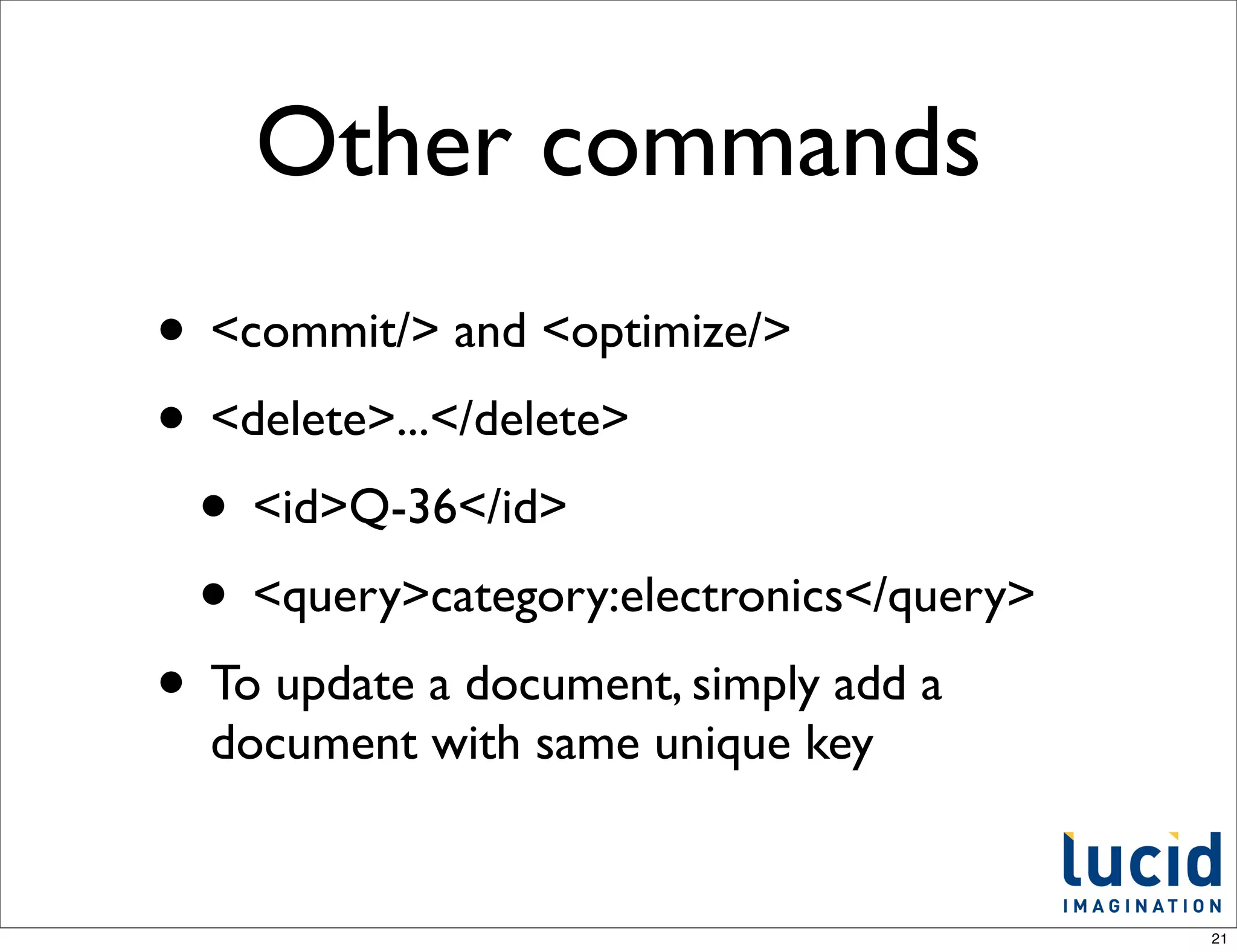
Other commands
• <commit/> and <optimize/>
• <delete>...</delete>
 • <id>Q-36</id>
 • <query>category:electronics</query>
• To update a document, simply add a
  document with same unique key


                                         21
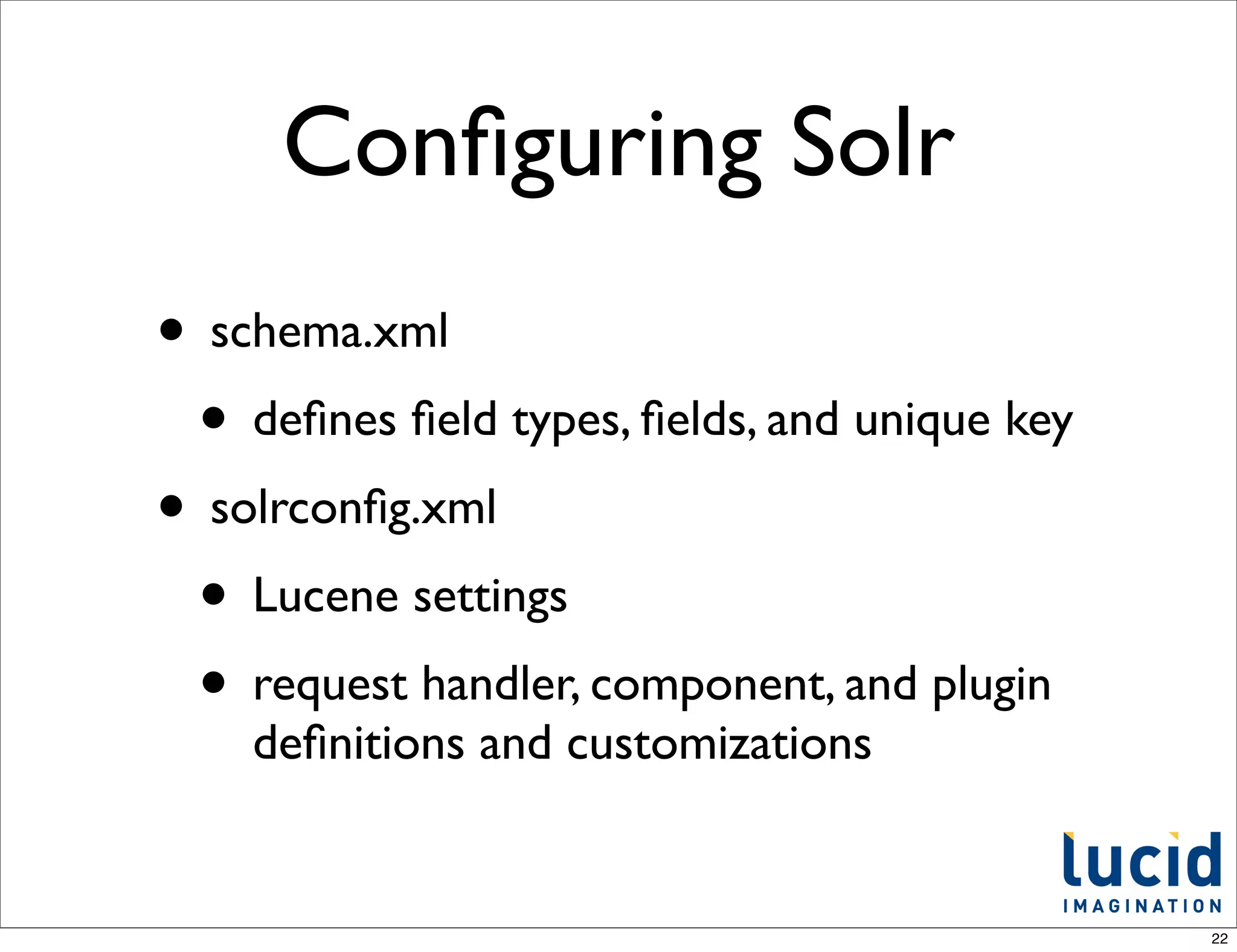
Configuring Solr
• schema.xml
 • defines field types, fields, and unique key
• solrconfig.xml
 • Lucene settings
 • request handler, component, and plugin
    definitions and customizations


                                              22
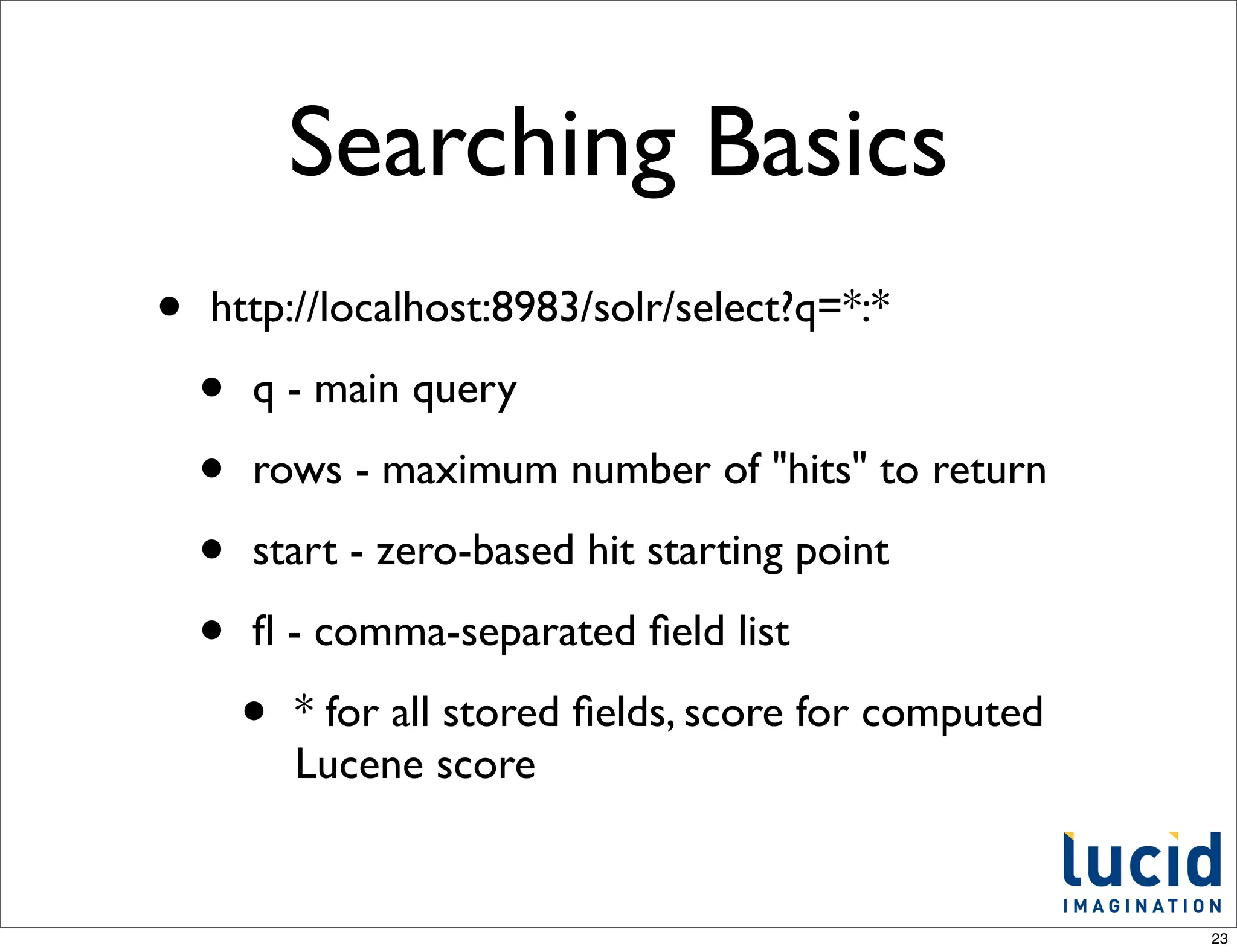
Searching Basics
•   http://localhost:8983/solr/select?q=*:*

    •   q - main query

    •   rows - maximum number of "hits" to return

    •   start - zero-based hit starting point

    •   fl - comma-separated field list

        •   * for all stored fields, score for computed
            Lucene score


                                                         23
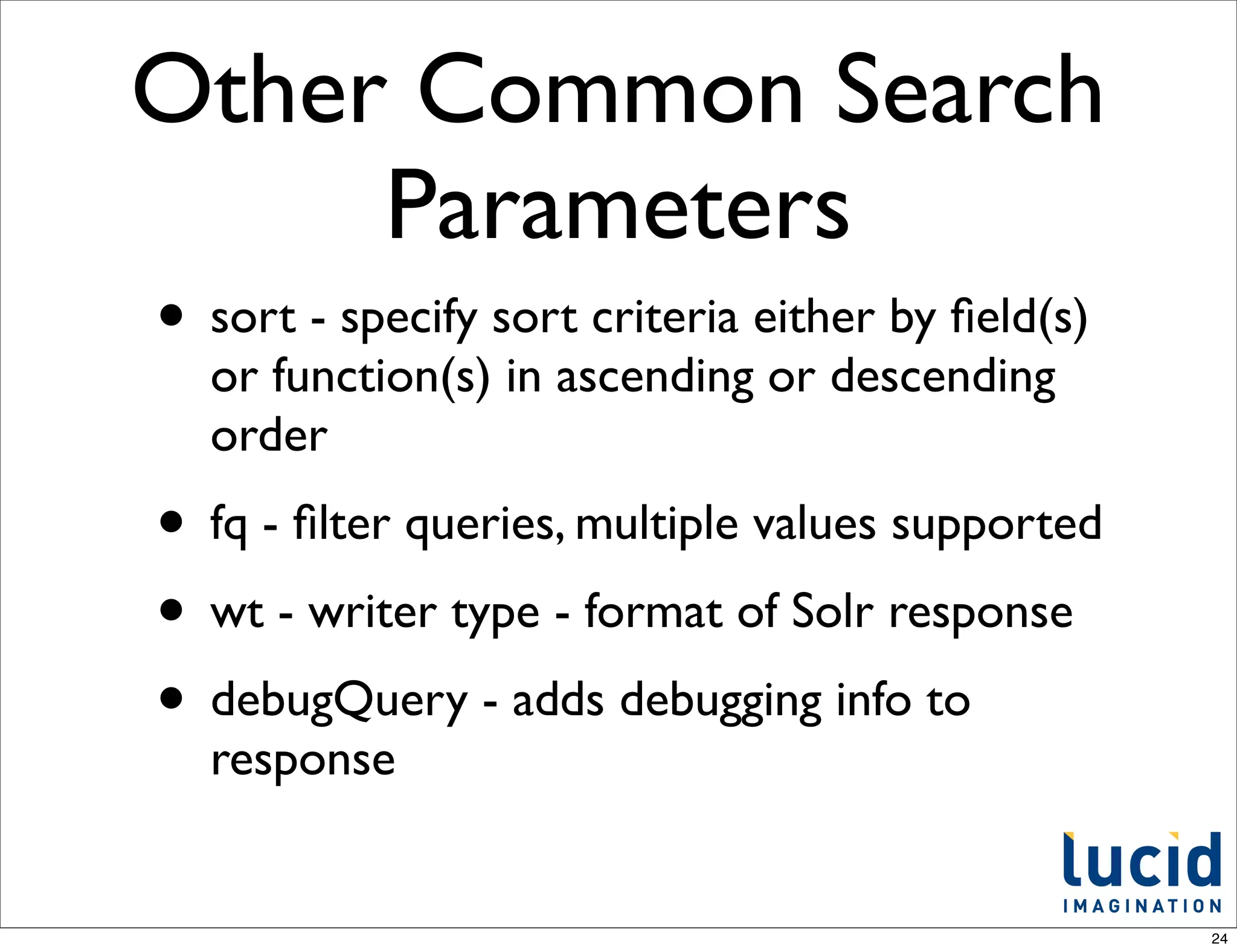
Other Common Search
     Parameters
• sort - specify sort criteria either by field(s)
  or function(s) in ascending or descending
  order
• fq - filter queries, multiple values supported
• wt - writer type - format of Solr response
• debugQuery - adds debugging info to
  response


                                                   24
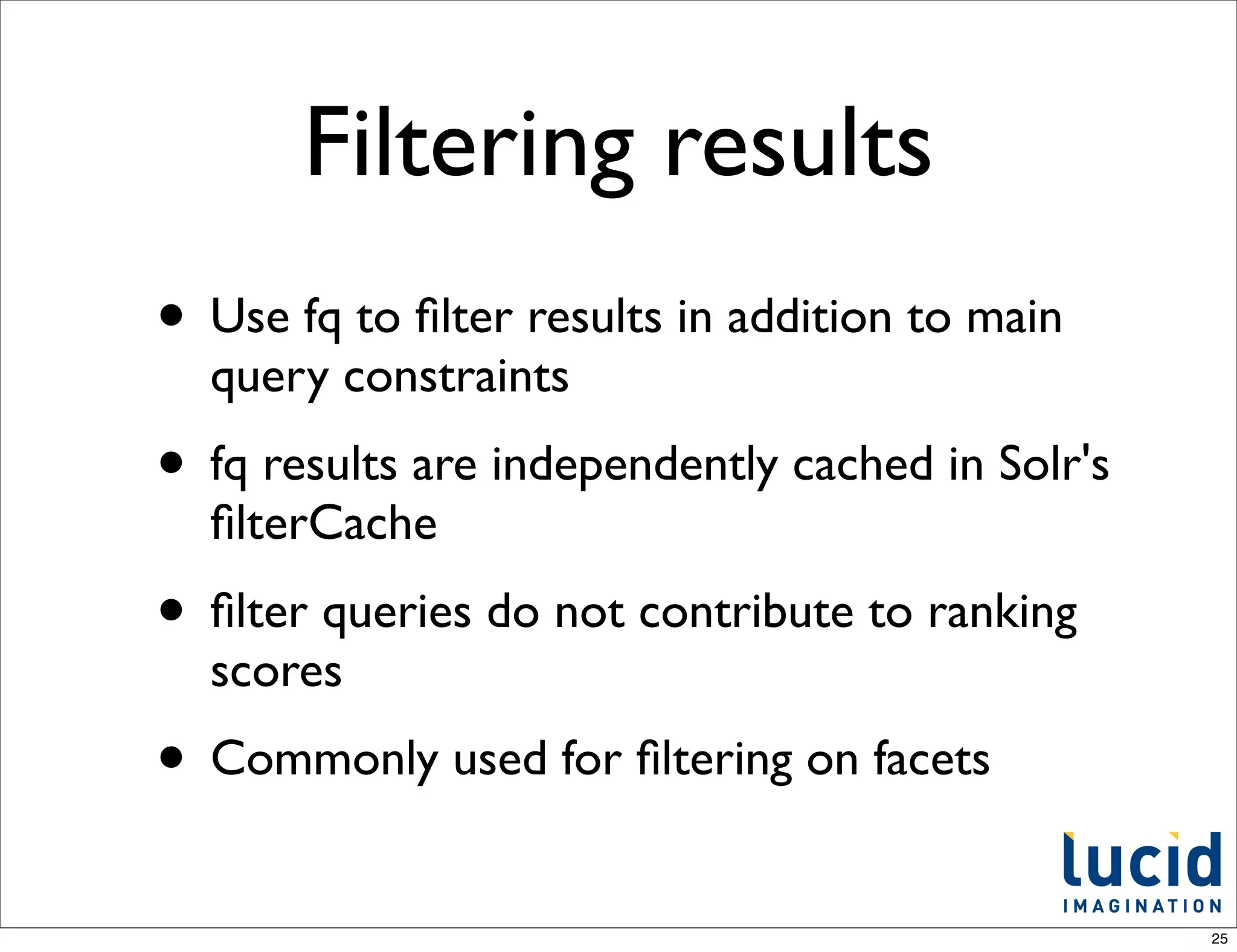
Filtering results
• Use fq to filter results in addition to main
  query constraints
• fq results are independently cached in Solr's
  filterCache
• filter queries do not contribute to ranking
  scores
• Commonly used for filtering on facets
                                                  25
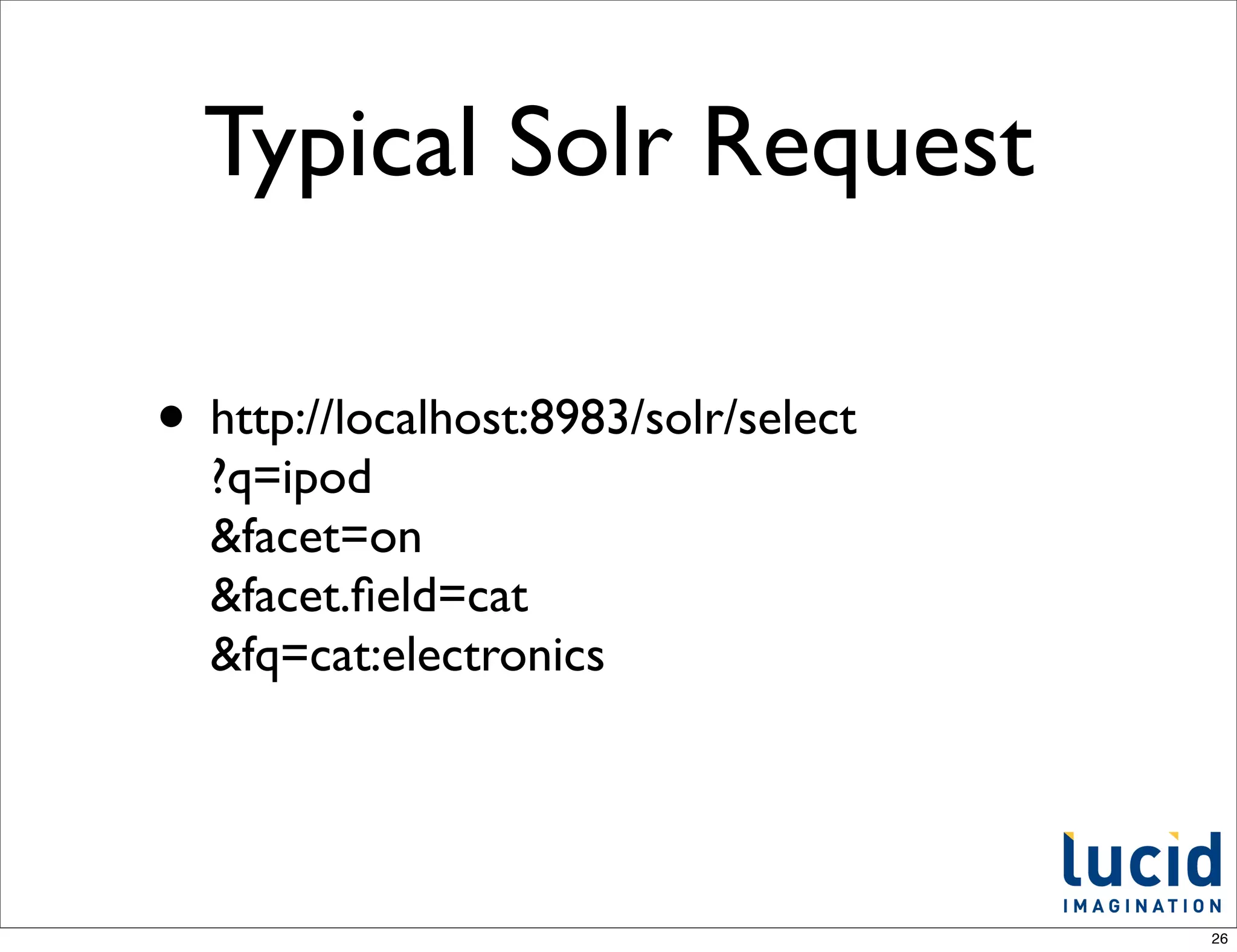
Typical Solr Request

• http://localhost:8983/solr/select
  ?q=ipod
  &facet=on
  &facet.field=cat
  &fq=cat:electronics


                                      26
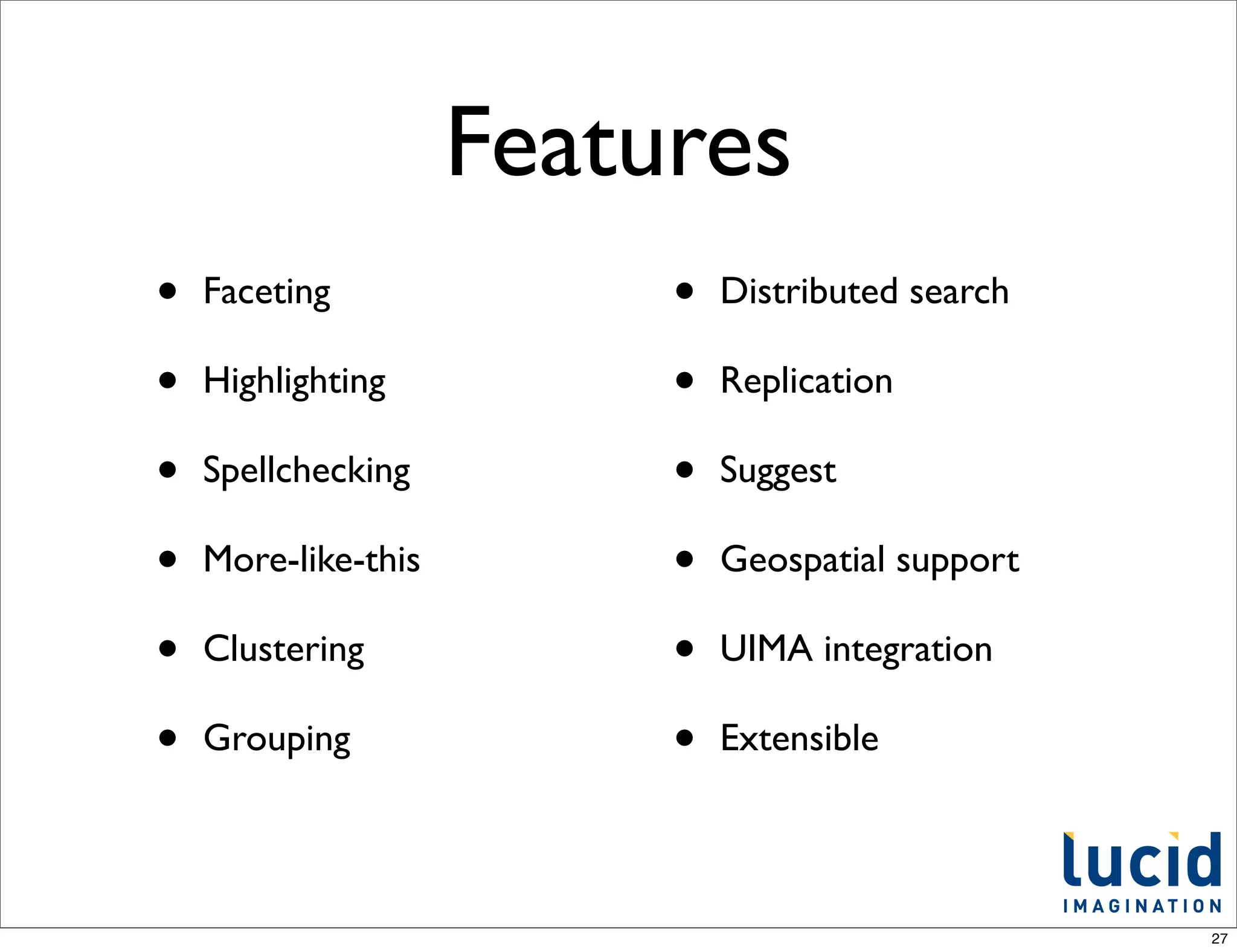
Features
•   Faceting              •   Distributed search

•   Highlighting          •   Replication

•   Spellchecking         •   Suggest

•   More-like-this        •   Geospatial support

•   Clustering            •   UIMA integration

•   Grouping              •   Extensible


                                                   27
Integration
• It's just HTTP
 • and CSV, JSON, XML, etc on the requests
    and responses
• Any language or environment can work
  with Solr easily
• Many libraries/layers exist on top

                                             28
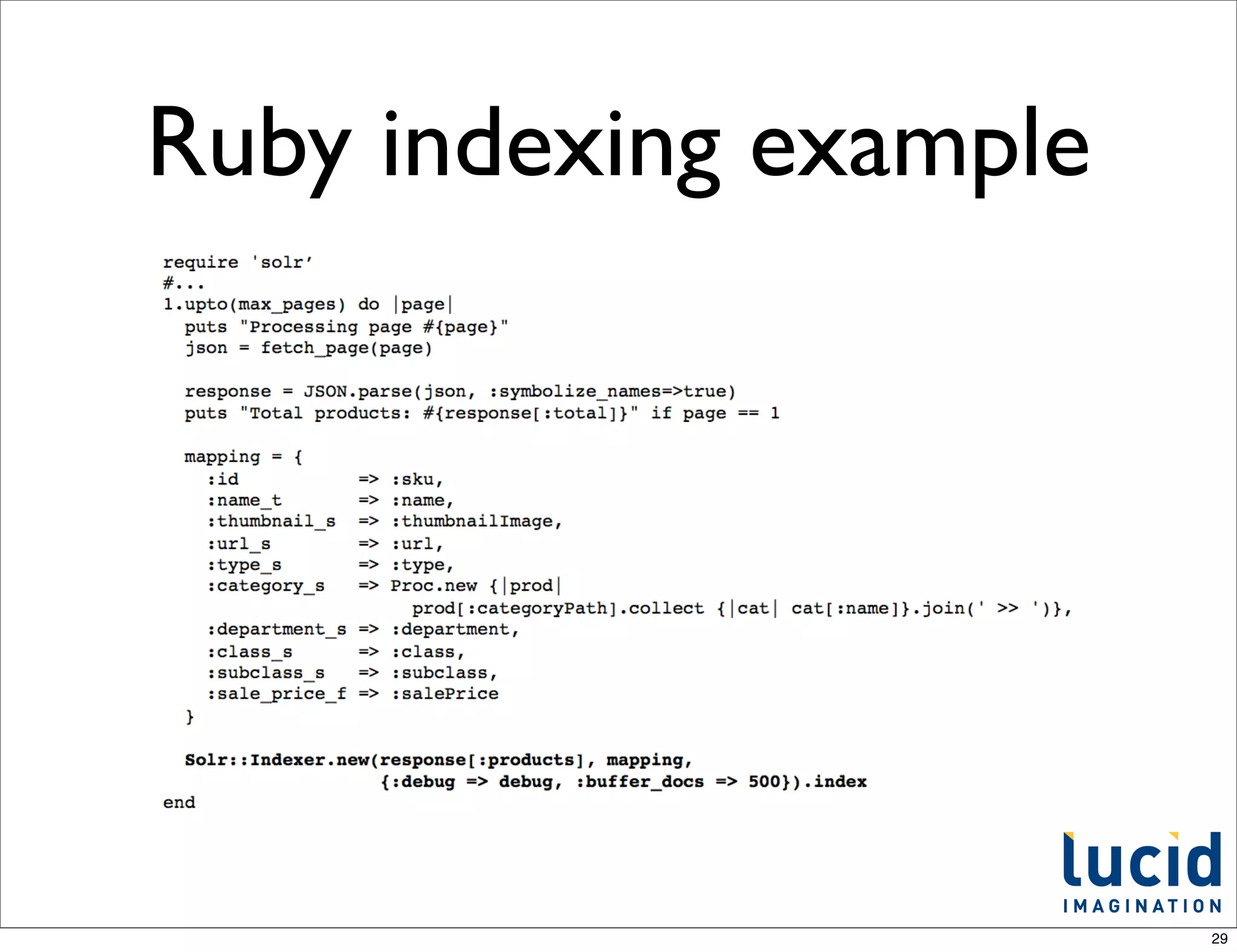
Ruby indexing example


                        29
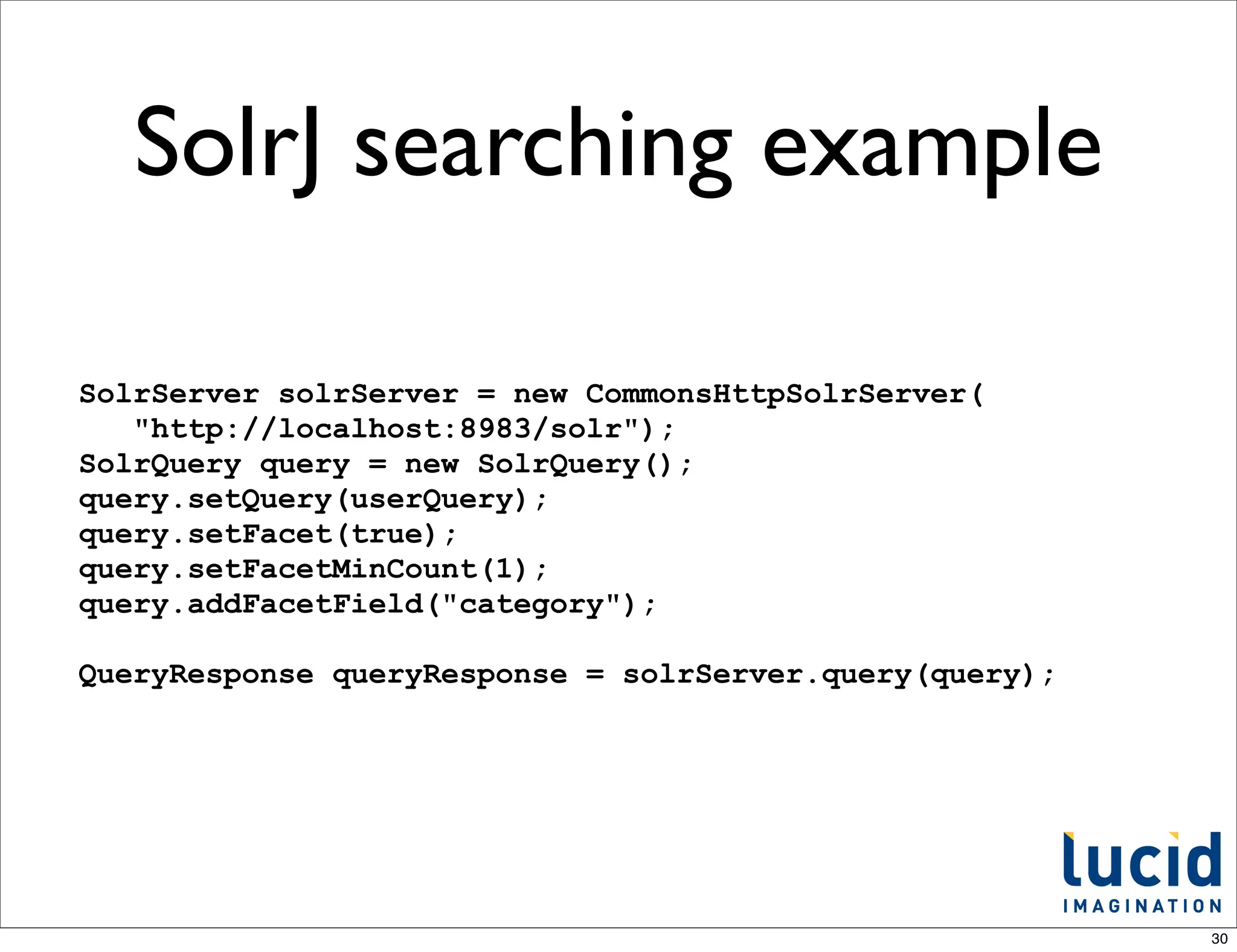
SolrJ searching example

SolrServer solrServer = new CommonsHttpSolrServer(
   "http://localhost:8983/solr");
SolrQuery query = new SolrQuery();
query.setQuery(userQuery);
query.setFacet(true);
query.setFacetMinCount(1);
query.addFacetField("category");

QueryResponse queryResponse = solrServer.query(query);


                                                         30
Devilish Details

• analysis: tokenization and token filtering
• query parsing
• relevancy tuning
• performance and scalability

                                              31
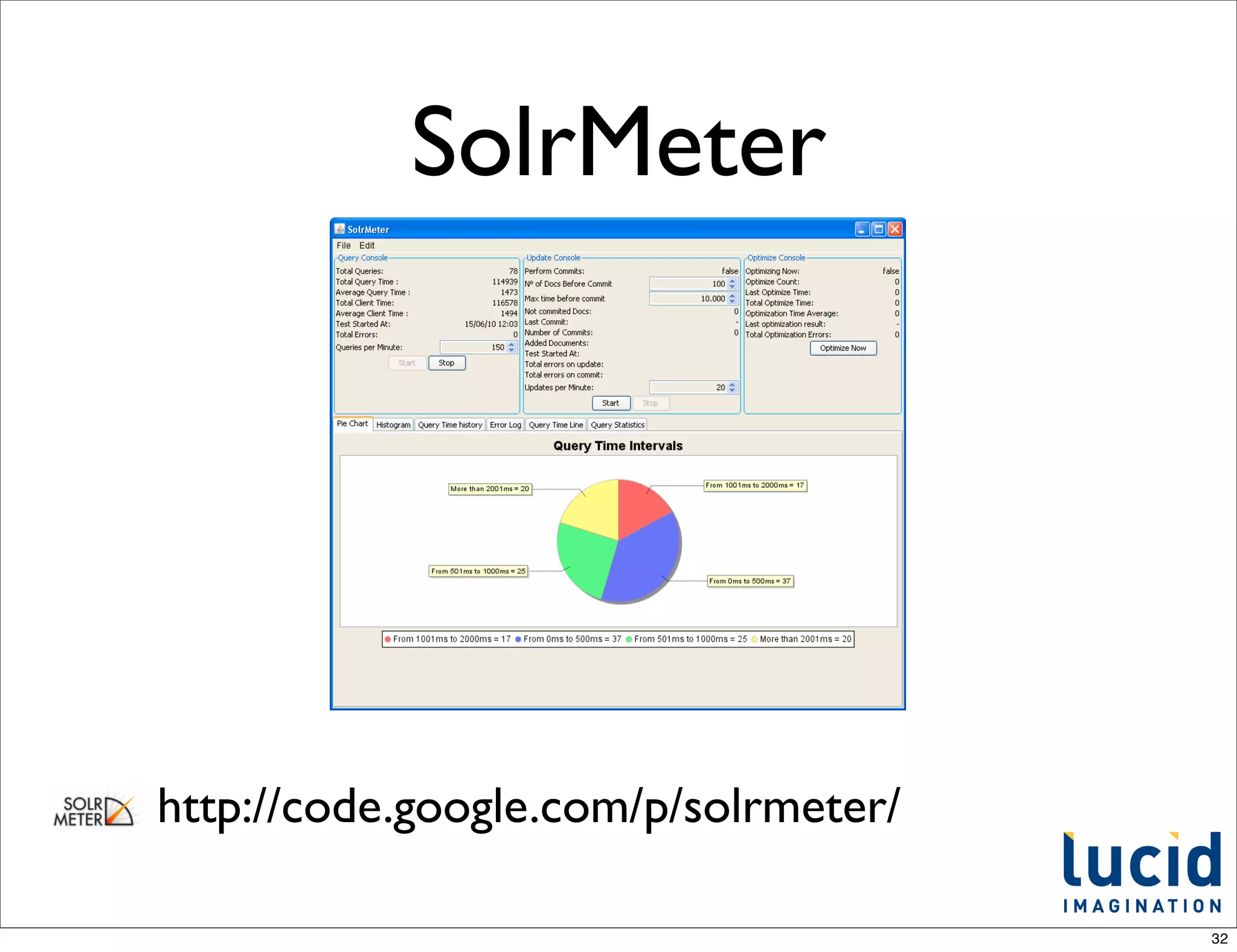
SolrMeter


http://code.google.com/p/solrmeter/

                                      32
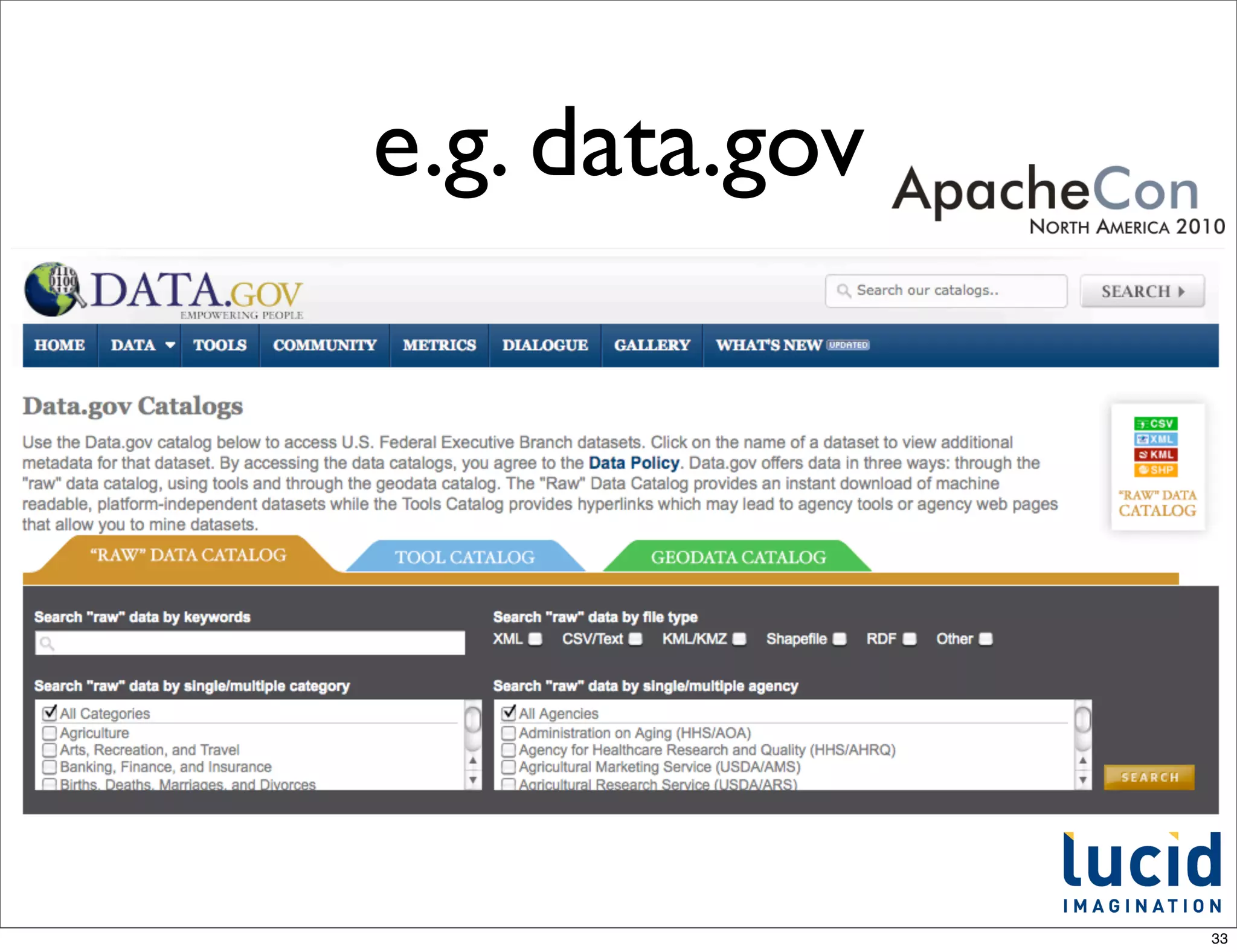
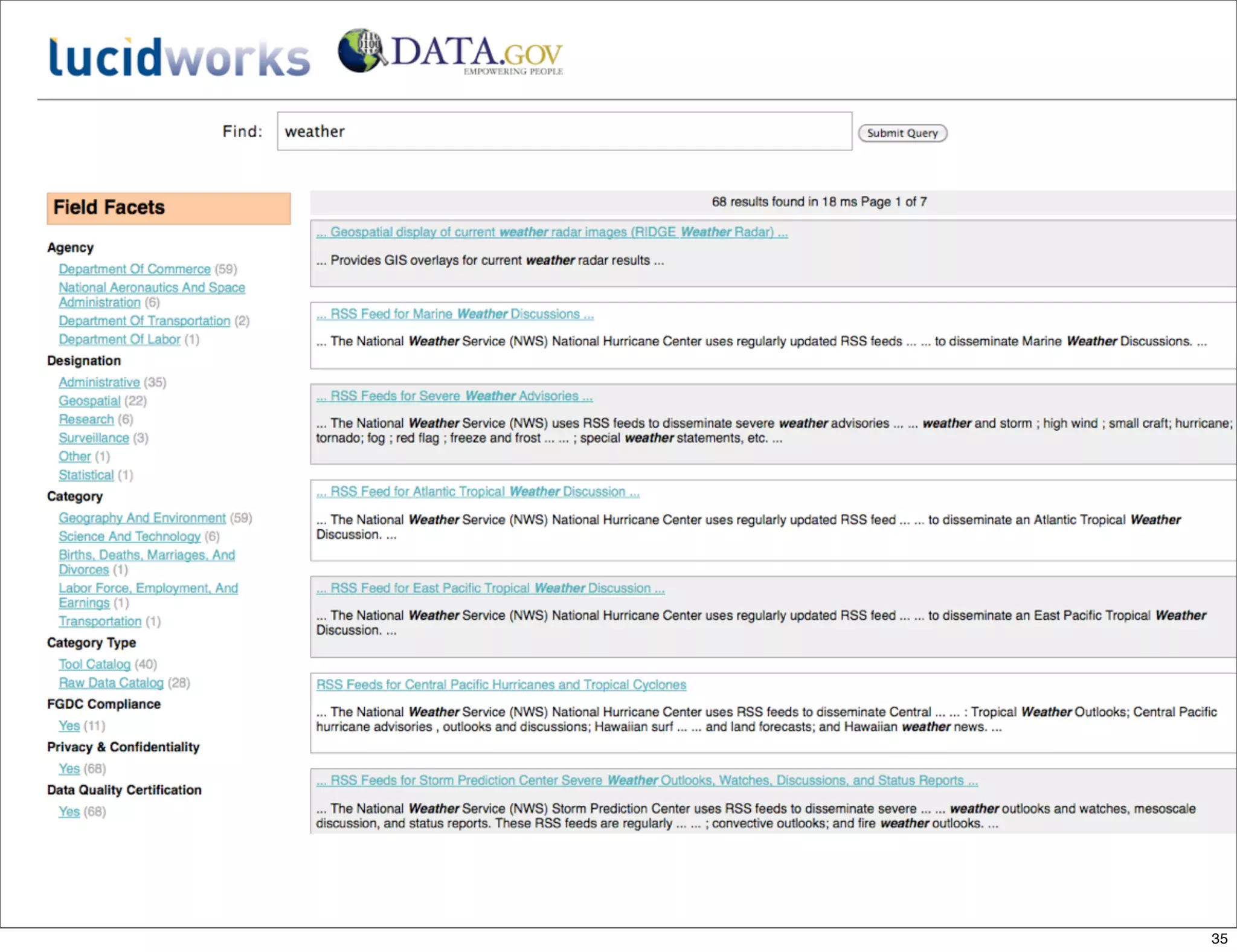
e.g. data.gov


                33
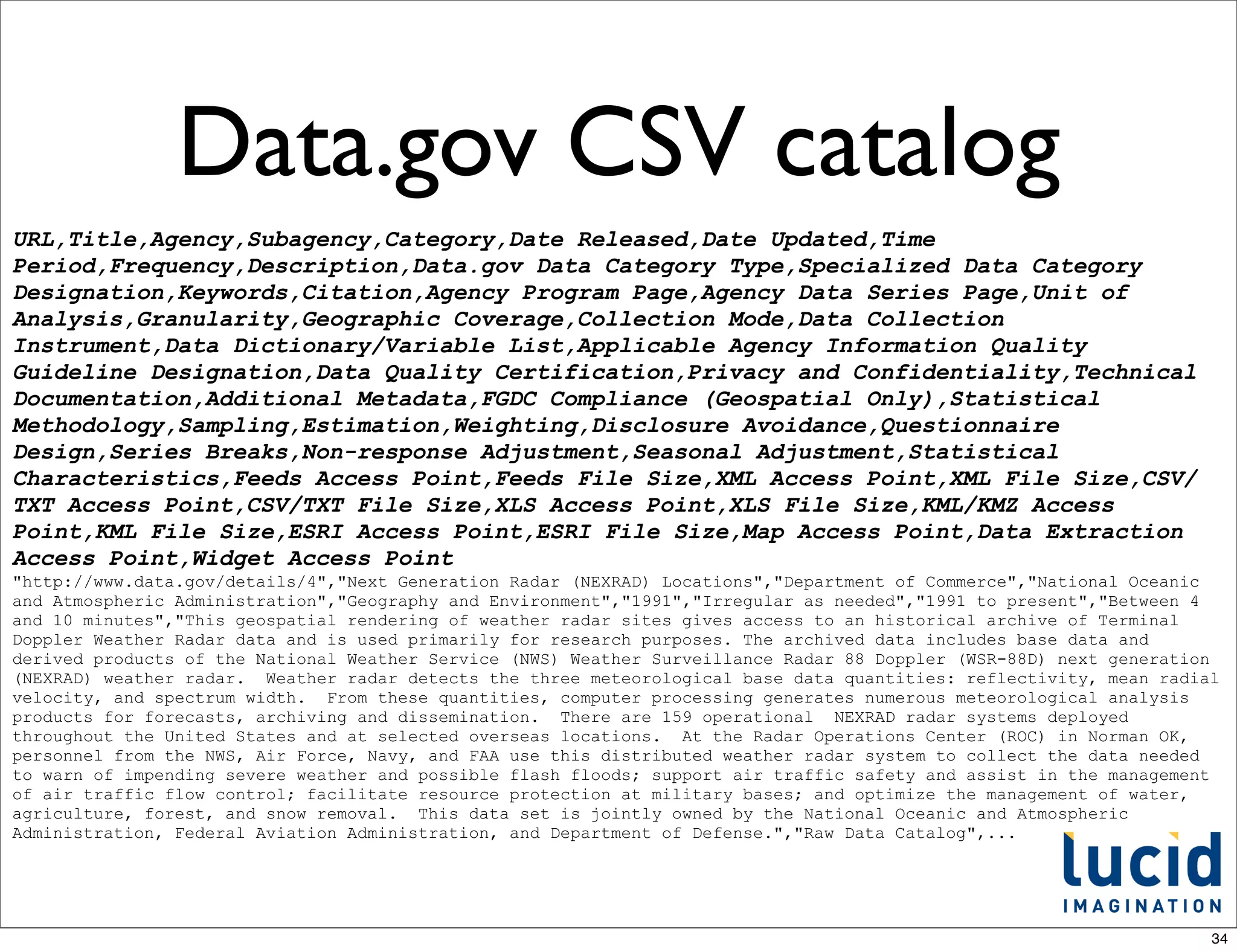
Data.gov CSV catalog
URL,Title,Agency,Subagency,Category,Date Released,Date Updated,Time
Period,Frequency,Description,Data.gov Data Category Type,Specialized Data Category
Designation,Keywords,Citation,Agency Program Page,Agency Data Series Page,Unit of
Analysis,Granularity,Geographic Coverage,Collection Mode,Data Collection
Instrument,Data Dictionary/Variable List,Applicable Agency Information Quality
Guideline Designation,Data Quality Certification,Privacy and Confidentiality,Technical
Documentation,Additional Metadata,FGDC Compliance (Geospatial Only),Statistical
Methodology,Sampling,Estimation,Weighting,Disclosure Avoidance,Questionnaire
Design,Series Breaks,Non-response Adjustment,Seasonal Adjustment,Statistical
Characteristics,Feeds Access Point,Feeds File Size,XML Access Point,XML File Size,CSV/
TXT Access Point,CSV/TXT File Size,XLS Access Point,XLS File Size,KML/KMZ Access
Point,KML File Size,ESRI Access Point,ESRI File Size,Map Access Point,Data Extraction
Access Point,Widget Access Point
"http://www.data.gov/details/4","Next Generation Radar (NEXRAD) Locations","Department of Commerce","National Oceanic
and Atmospheric Administration","Geography and Environment","1991","Irregular as needed","1991 to present","Between 4
and 10 minutes","This geospatial rendering of weather radar sites gives access to an historical archive of Terminal
Doppler Weather Radar data and is used primarily for research purposes. The archived data includes base data and
derived products of the National Weather Service (NWS) Weather Surveillance Radar 88 Doppler (WSR-88D) next generation
(NEXRAD) weather radar. Weather radar detects the three meteorological base data quantities: reflectivity, mean radial
velocity, and spectrum width. From these quantities, computer processing generates numerous meteorological analysis
products for forecasts, archiving and dissemination. There are 159 operational NEXRAD radar systems deployed
throughout the United States and at selected overseas locations. At the Radar Operations Center (ROC) in Norman OK,
personnel from the NWS, Air Force, Navy, and FAA use this distributed weather radar system to collect the data needed
to warn of impending severe weather and possible flash floods; support air traffic safety and assist in the management
of air traffic flow control; facilitate resource protection at military bases; and optimize the management of water,
agriculture, forest, and snow removal. This data set is jointly owned by the National Oceanic and Atmospheric
Administration, Federal Aviation Administration, and Department of Defense.","Raw Data Catalog",...


                                                                                                                     34
35
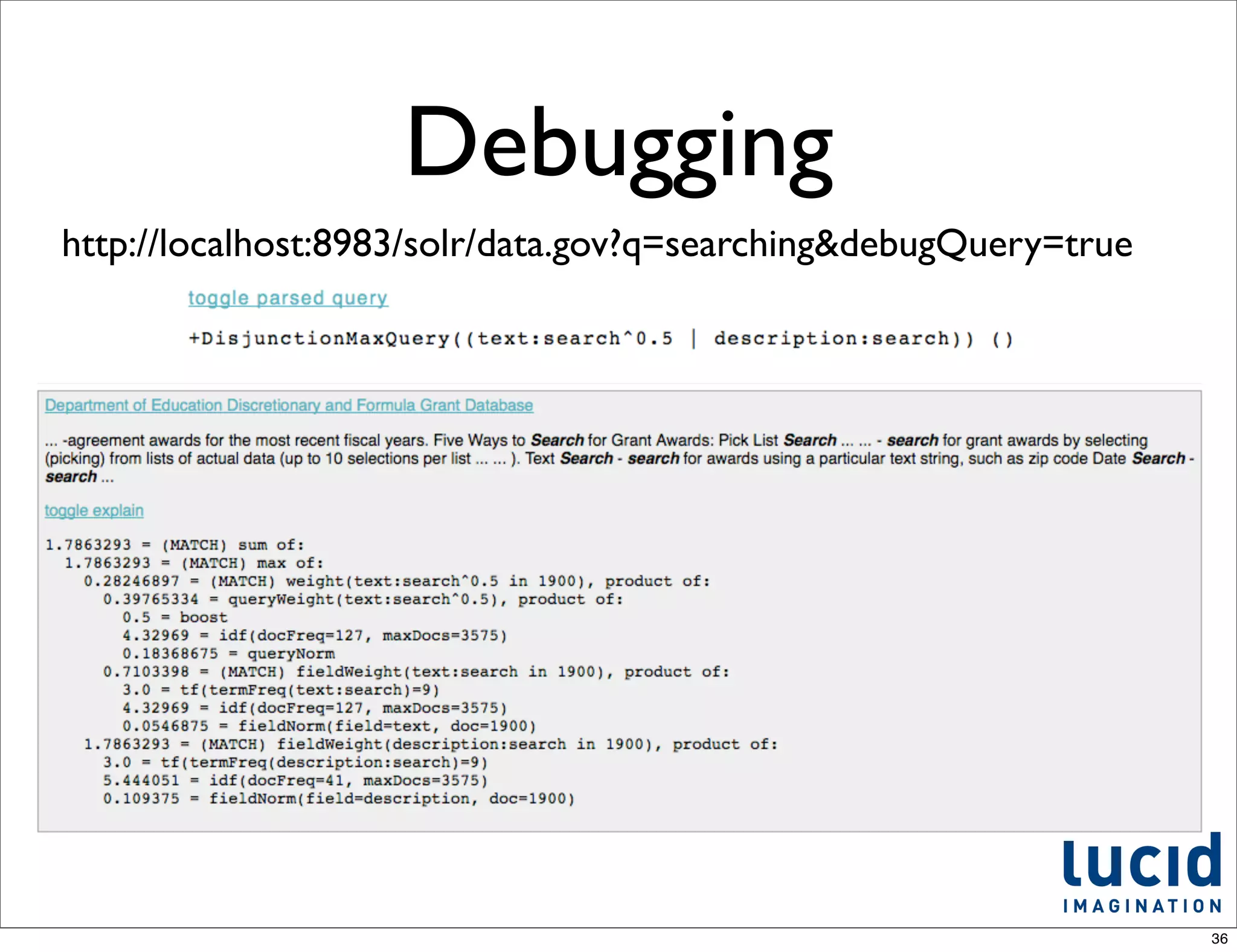
Debugging
http://localhost:8983/solr/data.gov?q=searching&debugQuery=true


                                                                  36
Custom pages


• Document detail page
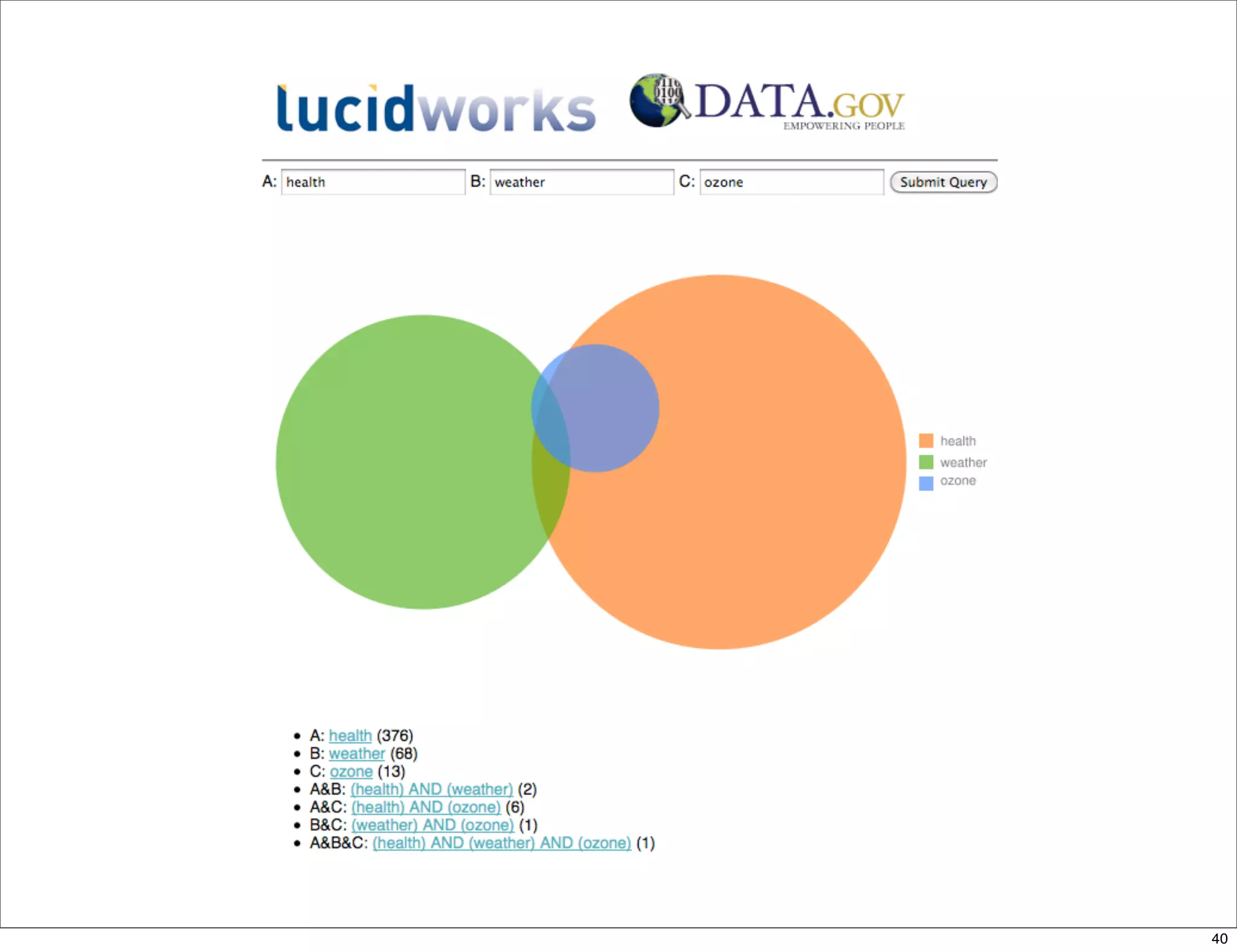
• Multiple query intersection comparison
  with Venn visualization


                                           37
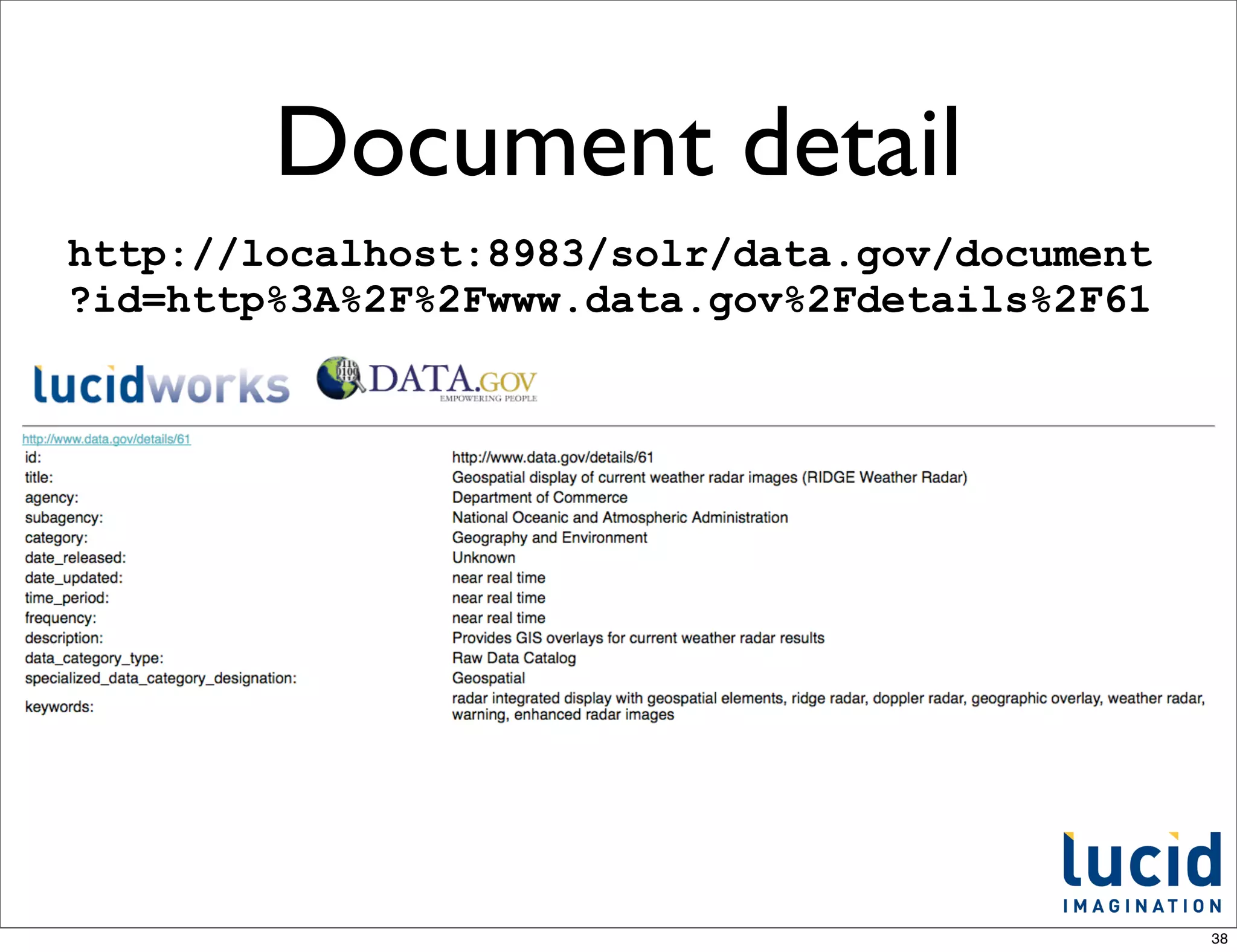
Document detail
http://localhost:8983/solr/data.gov/document
?id=http%3A%2F%2Fwww.data.gov%2Fdetails%2F61


                                               38
Query intersection

• Just showing off.... how easy it is to do
  something with a bit of visual impact
• Compare three independent queries,
  intersecting them in a Venn diagram
  visualization


                                              39
40
What now?
• Download Solr
• "install" it (unzip it)
• Start Solr: java -jar start.jar
• Ingest your data
• Iterate on schema & config
• Ship It!
                                    41
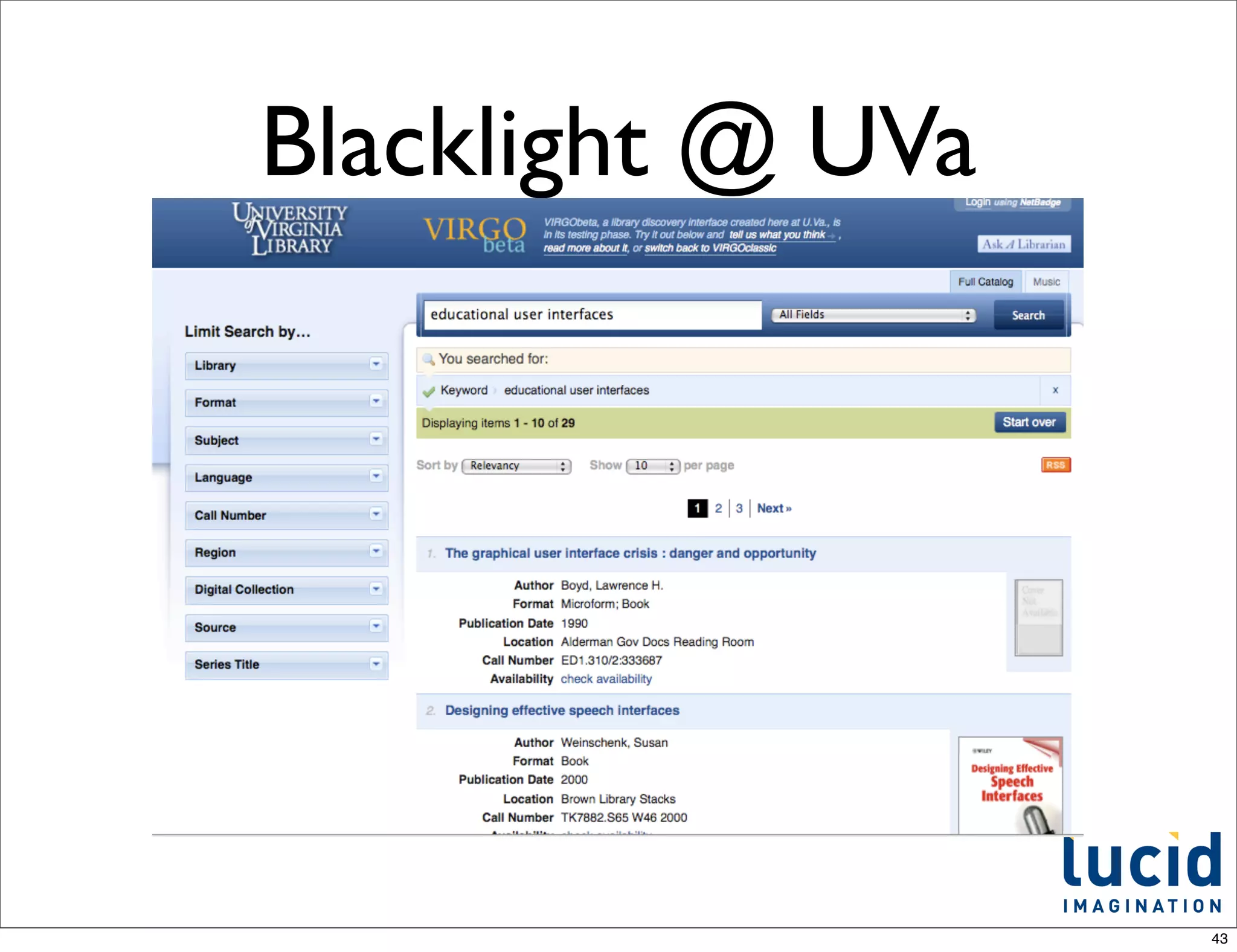
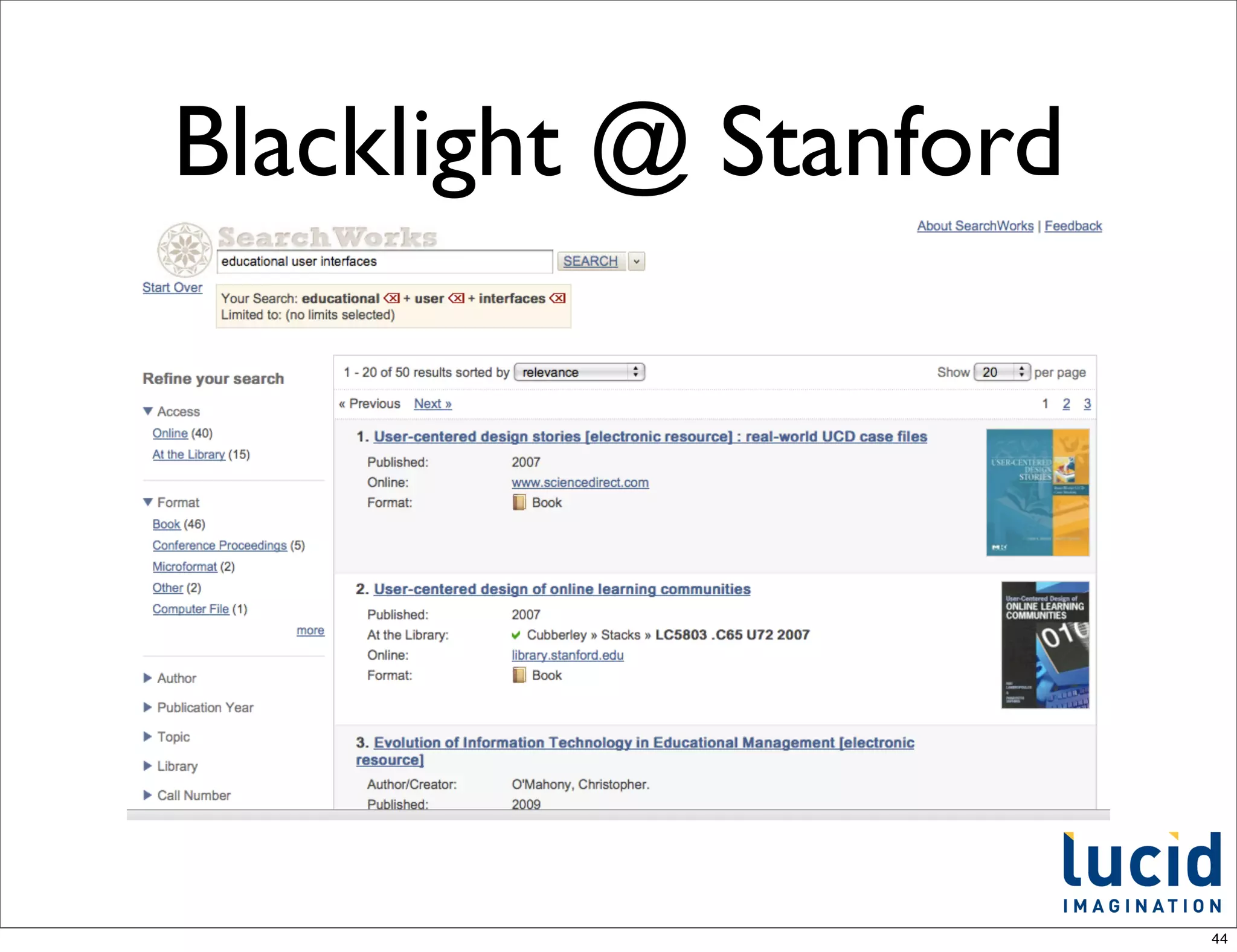
UI / prototyping


• Solritas - aka VelocityResponseWriter
• Blacklight - projectblacklight.org


                                          42
Blacklight @ UVa


                   43
Blacklight @ Stanford


                        44
For more information...
•   http://www.lucidimagination.com

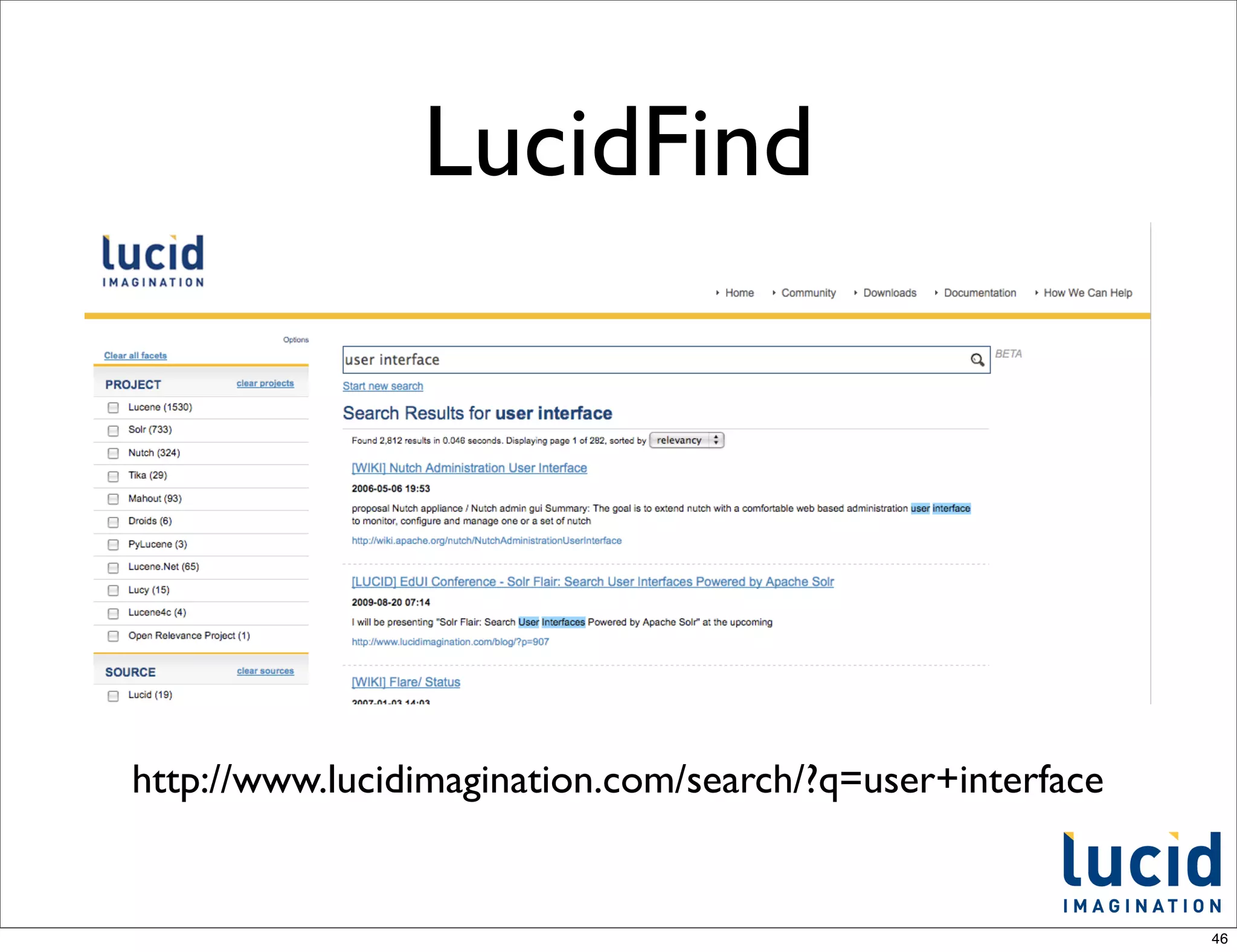
•   LucidFind

    •   search Lucene ecosystem: mailing lists, wikis, JIRA, etc

    •   http://search.lucidimagination.com

•   Getting started with LucidWorks Enterprise:

    •   http://www.lucidimagination.com/products/
        lucidworks-search-platform/enterprise

•   http://lucene.apache.org/solr - wiki, e-mail lists


                                                                   45
LucidFind


http://www.lucidimagination.com/search/?q=user+interface


                                                           46
Thank You!


             47

Introduction to Solr

  • 1.
    Introduction to Solr erik . hatcher @ 1
  • 2.
    Abstract • Apache Solr serves search requests at the enterprises and the largest companies around the world. Built on top of the top-notch Apache Lucene library, Solr makes indexing and searching integration into your applications straightforward. • Solr provides faceted navigation, spell checking, highlighting, clustering, grouping, and other search features. Solr also scales query volume with replication and collection size with distributed capabilities. Solr can index rich documents such as PDF, Word, HTML, and other file types. 2
  • 3.
    About me... • Co-author,“Lucene in Action” • Commiter, Lucene and Solr • Lucene PMC and ASF member • Member of Technical Staff / co-founder, Lucid Imagination 3
  • 4.
    ... works search platform www.lucidimagination.com 4
  • 5.
    What is Solr? • An open source search server • Indexes content sources, processes query requests, returns search results • Uses Lucene as the "engine", but adds full enterprise search server features and capabilities • A web-based application that processes HTTP requests and returns HTTP responses. • Initially started in 2004 and developed by CNET as an in-house project to add search capability for the company website. • Donated to ASF in 2006. 5
  • 6.
    Who uses Solr? And many many many many more...! 6
  • 7.
    Which Solr version? • There’s more than one answer! • The current, released, stable version is 3.5 • The development release is referred to as “trunk”. • This is where the new, less tested work goes on • Also referred to as 4.0 • LucidWorks Enterprise is built on a trunk snapshot + additional features. 7
  • 8.
    What is Lucene? • An open source search library (not an application) • 100% Java • Continuously improved and tuned for more than 10 years • Compact, portable index representation • Programmable text analyzers, spell checking and highlighting • Not, itself, a crawler or a text extraction tool 8
  • 9.
    Inverted Index • Lucene stores input data in what is known as an inverted index • In an inverted index each indexed term points to a list of documents that contain the term • Similar to the index provided at the end of a book • In this case "inverted" simply means the list of terms point to documents • It is much faster to find a term in an index, than to scan all the documents 9
  • 10.
  • 11.
    Ingestion • API /Solr XML, JSON, and javabin/SolrJ • CSV • Relational databases • File system • Web crawl (using Nutch, or others) • Others - XML feeds (e.g. RSS/Atom), e-mail 11
  • 12.
  • 13.
    Solr XML POST to/update <add> <doc> <field name="id">rawxml1</field> <field name="content_type">text/xml</field> <field name="category">index example</field> <field name="title">Simple Example</field> <field name="filename">addExample.xml</field> <field name="text">A very simple example of adding a document to the index.</field> </doc> </add> 13
  • 14.
    Solr JSON POST to/update/json [ {"id" : "TestDoc1", "title" : "test1"}, {"id" : "TestDoc2", "title" : "another test"} ] 14
  • 15.
    CSV indexing • http://localhost:8983/solr/update/csv • Files can be sent over HTTP: • curl http://localhost:8983/solr/update/ csv --data-binary @data.csv -H 'Content- type:text/plain; charset=utf-8’ • or streamed from the file system: • curl http://localhost:8983/solr/update/ csv?stream.file=exampledocs/ data.csv&stream.contentType=text/ plain;charset=utf-8 15
  • 16.
    Rich documents • Solr uses Tika for extraction. Tika is a toolkit for detecting and extracting metadata and structured text content from various document formats using existing parser libraries. • Tika identifies MIME types and then uses the appropriate parser to extract text. • The ExtractingRequestHandler uses Tika to identify types and extract text, and then indexes the extracted text. • The ExtractingRequestHandler is sometimes called "Solr Cell", which stands for Content Extraction Library. • File formats include MS Office, Adobe PDF, XML, HTML, MPEG and many more. 16
  • 17.
    Solr Cell parameters • The literal parameter is very important. • A way to add other fields not indexed using Tika to documents. • &literal.id=12345 • &literal.category=sports • Using curl to index a file on the file system: • curl 'http://localhost:8983/solr/update/extract? literal.id=doc1&commit=true' -F myfile=@tutorial.html • Streaming a file from the file system: • curl "http://localhost:8983/solr/update/extract? stream.file=/some/path/ news.doc&stream.contentType=application/ msword&literal.id=12345" 17
  • 18.
    Streaming remote docs •Streaming a file from a URL: • curl http://localhost:8983/solr/ update/extract? literal.id=123&stream.url=http:// www.solr.com/content/file.pdf -H 'Content-type:application/pdf’ 18
  • 19.
    DataImportHandler • An "in-process" module that can be used to index data directly from relational databases and other data sources • Configuration driven • A tool that can aggregate data from multiple database tables, or even multiple data sources to be indexed as a single Solr document • Provides powerful and customizable data transformation tools • Can do full import or delta import • Pluggable to allow indexing of any type of data source 19
  • 20.
    DIH Examples • Richdocuments • Relational database • E-mail 20
  • 21.
    Other commands • <commit/>and <optimize/> • <delete>...</delete> • <id>Q-36</id> • <query>category:electronics</query> • To update a document, simply add a document with same unique key 21
  • 22.
    Configuring Solr • schema.xml • defines field types, fields, and unique key • solrconfig.xml • Lucene settings • request handler, component, and plugin definitions and customizations 22
  • 23.
    Searching Basics • http://localhost:8983/solr/select?q=*:* • q - main query • rows - maximum number of "hits" to return • start - zero-based hit starting point • fl - comma-separated field list • * for all stored fields, score for computed Lucene score 23
  • 24.
    Other Common Search Parameters • sort - specify sort criteria either by field(s) or function(s) in ascending or descending order • fq - filter queries, multiple values supported • wt - writer type - format of Solr response • debugQuery - adds debugging info to response 24
  • 25.
    Filtering results • Usefq to filter results in addition to main query constraints • fq results are independently cached in Solr's filterCache • filter queries do not contribute to ranking scores • Commonly used for filtering on facets 25
  • 26.
    Typical Solr Request •http://localhost:8983/solr/select ?q=ipod &facet=on &facet.field=cat &fq=cat:electronics 26
  • 27.
    Features • Faceting • Distributed search • Highlighting • Replication • Spellchecking • Suggest • More-like-this • Geospatial support • Clustering • UIMA integration • Grouping • Extensible 27
  • 28.
    Integration • It's justHTTP • and CSV, JSON, XML, etc on the requests and responses • Any language or environment can work with Solr easily • Many libraries/layers exist on top 28
  • 29.
  • 30.
    SolrJ searching example SolrServersolrServer = new CommonsHttpSolrServer( "http://localhost:8983/solr"); SolrQuery query = new SolrQuery(); query.setQuery(userQuery); query.setFacet(true); query.setFacetMinCount(1); query.addFacetField("category"); QueryResponse queryResponse = solrServer.query(query); 30
  • 31.
    Devilish Details • analysis:tokenization and token filtering • query parsing • relevancy tuning • performance and scalability 31
  • 32.
  • 33.
  • 34.
    Data.gov CSV catalog URL,Title,Agency,Subagency,Category,DateReleased,Date Updated,Time Period,Frequency,Description,Data.gov Data Category Type,Specialized Data Category Designation,Keywords,Citation,Agency Program Page,Agency Data Series Page,Unit of Analysis,Granularity,Geographic Coverage,Collection Mode,Data Collection Instrument,Data Dictionary/Variable List,Applicable Agency Information Quality Guideline Designation,Data Quality Certification,Privacy and Confidentiality,Technical Documentation,Additional Metadata,FGDC Compliance (Geospatial Only),Statistical Methodology,Sampling,Estimation,Weighting,Disclosure Avoidance,Questionnaire Design,Series Breaks,Non-response Adjustment,Seasonal Adjustment,Statistical Characteristics,Feeds Access Point,Feeds File Size,XML Access Point,XML File Size,CSV/ TXT Access Point,CSV/TXT File Size,XLS Access Point,XLS File Size,KML/KMZ Access Point,KML File Size,ESRI Access Point,ESRI File Size,Map Access Point,Data Extraction Access Point,Widget Access Point "http://www.data.gov/details/4","Next Generation Radar (NEXRAD) Locations","Department of Commerce","National Oceanic and Atmospheric Administration","Geography and Environment","1991","Irregular as needed","1991 to present","Between 4 and 10 minutes","This geospatial rendering of weather radar sites gives access to an historical archive of Terminal Doppler Weather Radar data and is used primarily for research purposes. The archived data includes base data and derived products of the National Weather Service (NWS) Weather Surveillance Radar 88 Doppler (WSR-88D) next generation (NEXRAD) weather radar. Weather radar detects the three meteorological base data quantities: reflectivity, mean radial velocity, and spectrum width. From these quantities, computer processing generates numerous meteorological analysis products for forecasts, archiving and dissemination. There are 159 operational NEXRAD radar systems deployed throughout the United States and at selected overseas locations. At the Radar Operations Center (ROC) in Norman OK, personnel from the NWS, Air Force, Navy, and FAA use this distributed weather radar system to collect the data needed to warn of impending severe weather and possible flash floods; support air traffic safety and assist in the management of air traffic flow control; facilitate resource protection at military bases; and optimize the management of water, agriculture, forest, and snow removal. This data set is jointly owned by the National Oceanic and Atmospheric Administration, Federal Aviation Administration, and Department of Defense.","Raw Data Catalog",... 34
  • 35.
  • 36.
  • 37.
    Custom pages • Documentdetail page • Multiple query intersection comparison with Venn visualization 37
  • 38.
  • 39.
    Query intersection • Justshowing off.... how easy it is to do something with a bit of visual impact • Compare three independent queries, intersecting them in a Venn diagram visualization 39
  • 40.
  • 41.
    What now? • DownloadSolr • "install" it (unzip it) • Start Solr: java -jar start.jar • Ingest your data • Iterate on schema & config • Ship It! 41
  • 42.
    UI / prototyping •Solritas - aka VelocityResponseWriter • Blacklight - projectblacklight.org 42
  • 43.
  • 44.
  • 45.
    For more information... • http://www.lucidimagination.com • LucidFind • search Lucene ecosystem: mailing lists, wikis, JIRA, etc • http://search.lucidimagination.com • Getting started with LucidWorks Enterprise: • http://www.lucidimagination.com/products/ lucidworks-search-platform/enterprise • http://lucene.apache.org/solr - wiki, e-mail lists 45
  • 46.
  • 47.