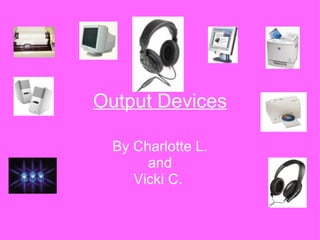
Output Devices By Charlotte L. and Vicki C.
Output Once the computer has processed all the information from the inputs then it must display or output the information in some way. This is when we use Output devices that enable us to see or hear the information stored in the computer.
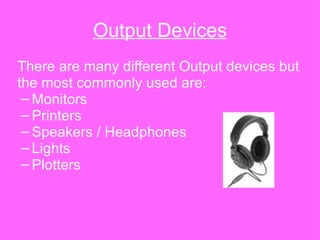
Output Devices There are many different Output devices but the most commonly used are: Monitors Printers Speakers / Headphones Lights Plotters
Monitors Monitors display the information on a screen. You can get 2 main types of monitors: CRT’s:  C athode  R ay  T ube monitors are fairly large and they are not as common as LCD’s nowadays. CRT’s work by using an electron gun situated at the end of the tube. LCD’s:  L iquid  C rystal  D isplay monitors are thin and are more commonly used. They work by using electronically charged crystals.
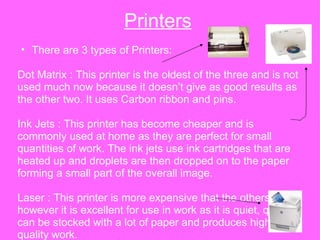
Printers There are 3 types of Printers: Dot Matrix : This printer is the oldest of the three and is not used much now because it doesn’t give as good results as the other two. It uses Carbon ribbon and pins. Ink Jets : This printer has become cheaper and is commonly used at home as they are perfect for small quantities of work. The ink jets use ink cartridges that are heated up and droplets are then dropped on to the paper forming a small part of the overall image. Laser : This printer is more expensive that the others however it is excellent for use in work as it is quiet, quick, can be stocked with a lot of paper and produces high-quality work.
Plotters These devices produce high quality lines diagrams on paper. Architects, Engineers and Scientist often use plotters.  The plotter uses a pen that can be lifted on and off the paper which is how this dev
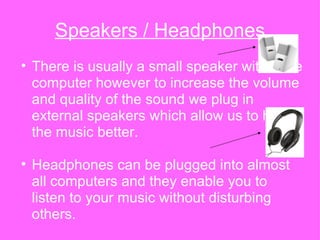
Speakers / Headphones There is usually a small speaker within the computer however to increase the volume and quality of the sound we plug in external speakers which allow us to hear the music better. Headphones can be plugged into almost all computers and they enable you to listen to your music without disturbing others.
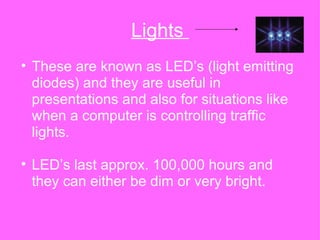
Lights  These are known as LED’s (light emitting diodes) and they are useful in presentations and also for situations like when a computer is controlling traffic lights.  LED’s last approx. 100,000 hours and they can either be dim or very bright.

Output Devices student

  • 1.
    Output Devices ByCharlotte L. and Vicki C.
  • 2.
    Output Once thecomputer has processed all the information from the inputs then it must display or output the information in some way. This is when we use Output devices that enable us to see or hear the information stored in the computer.
  • 3.
    Output Devices Thereare many different Output devices but the most commonly used are: Monitors Printers Speakers / Headphones Lights Plotters
  • 4.
    Monitors Monitors displaythe information on a screen. You can get 2 main types of monitors: CRT’s: C athode R ay T ube monitors are fairly large and they are not as common as LCD’s nowadays. CRT’s work by using an electron gun situated at the end of the tube. LCD’s: L iquid C rystal D isplay monitors are thin and are more commonly used. They work by using electronically charged crystals.
  • 5.
    Printers There are3 types of Printers: Dot Matrix : This printer is the oldest of the three and is not used much now because it doesn’t give as good results as the other two. It uses Carbon ribbon and pins. Ink Jets : This printer has become cheaper and is commonly used at home as they are perfect for small quantities of work. The ink jets use ink cartridges that are heated up and droplets are then dropped on to the paper forming a small part of the overall image. Laser : This printer is more expensive that the others however it is excellent for use in work as it is quiet, quick, can be stocked with a lot of paper and produces high-quality work.
  • 6.
    Plotters These devicesproduce high quality lines diagrams on paper. Architects, Engineers and Scientist often use plotters. The plotter uses a pen that can be lifted on and off the paper which is how this dev
  • 7.
    Speakers / HeadphonesThere is usually a small speaker within the computer however to increase the volume and quality of the sound we plug in external speakers which allow us to hear the music better. Headphones can be plugged into almost all computers and they enable you to listen to your music without disturbing others.
  • 8.
    Lights Theseare known as LED’s (light emitting diodes) and they are useful in presentations and also for situations like when a computer is controlling traffic lights. LED’s last approx. 100,000 hours and they can either be dim or very bright.