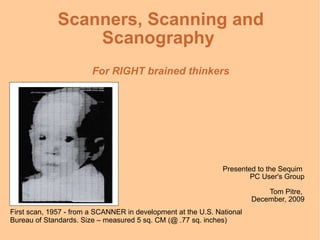
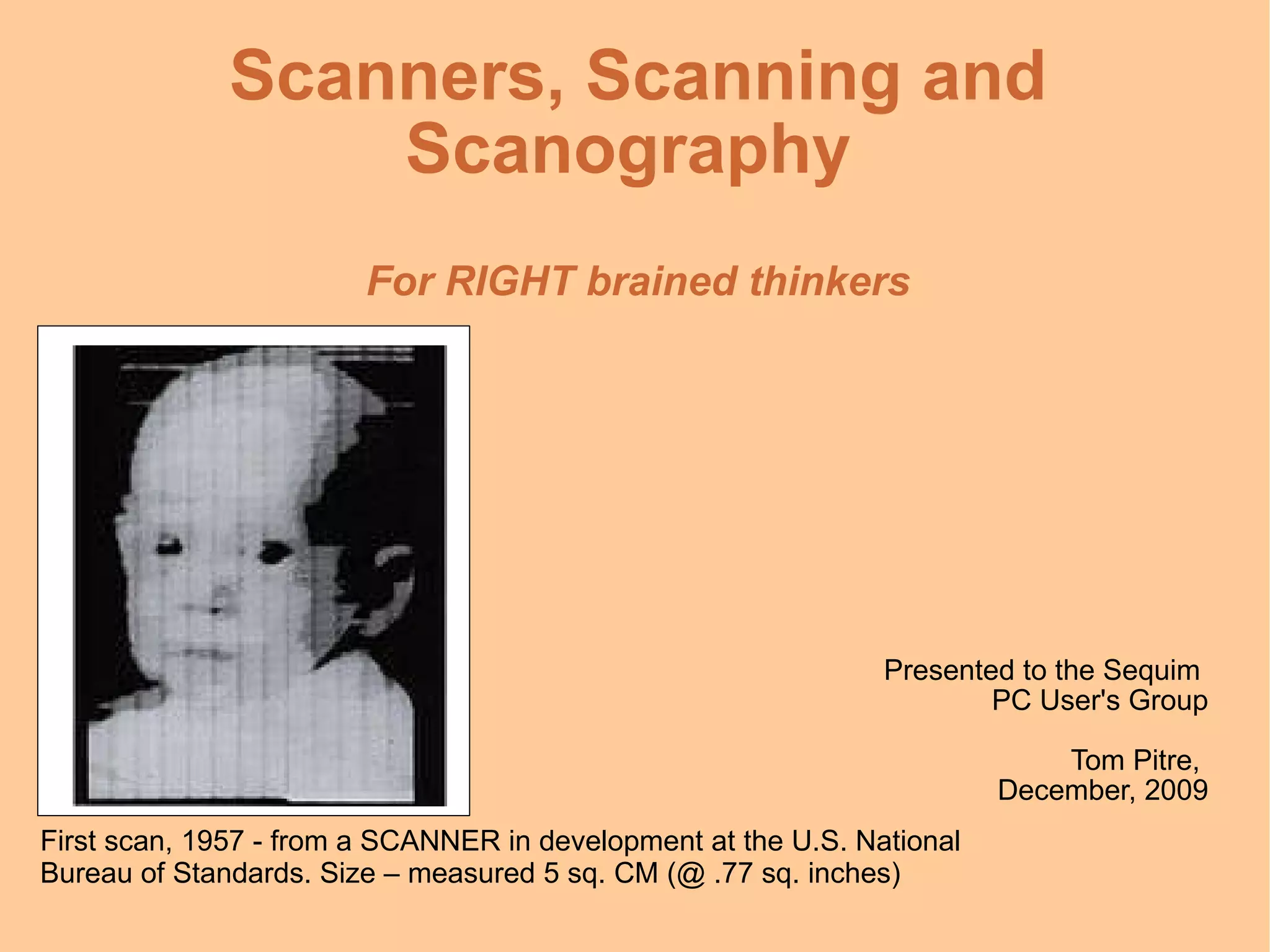
Scanners, Scanning and Scanography  For RIGHT brained thinkers Presented to the Sequim  PC User's Group Tom Pitre,  December, 2009 First scan, 1957 - from a SCANNER in development at the U.S. National Bureau of Standards. Size – measured 5 sq. CM (@ .77 sq. inches)
A Little Scanner Entertainment Scanner  plays music.  Follow the link above at home. http://www.youtube.com/v/jJgSraig-bU&hl=en&fs=1&
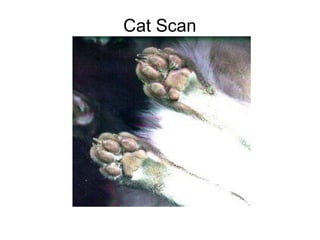
Cat Scan
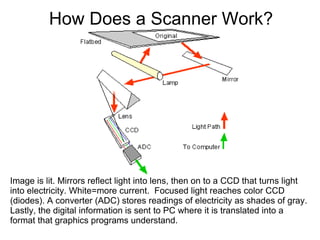
How Does a Scanner Work? Image is lit. Mirrors reflect light into lens, then on to a CCD that turns light into electricity. White=more current.  Focused light reaches color CCD (diodes). A converter (ADC) stores readings of electricity as shades of gray. Lastly, the digital information is sent to PC where it is translated into a format that graphics programs understand.
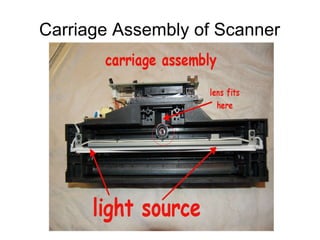
Carriage Assembly of Scanner
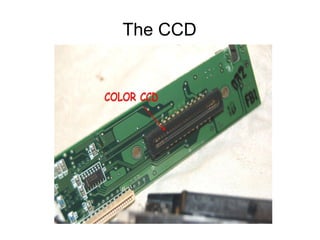
The CCD
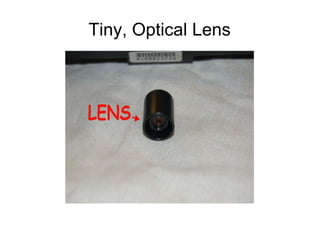
Tiny, Optical Lens
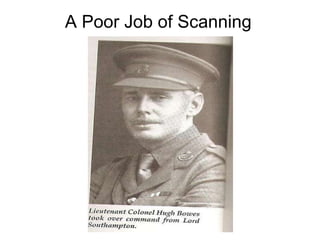
A Poor Job of Scanning
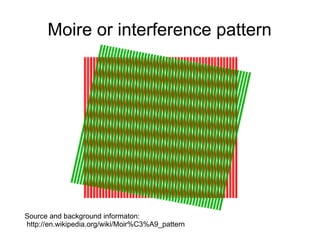
Moire or interference pattern Source and background informaton:  http://en.wikipedia.org/wiki/Moir%C3%A9_pattern
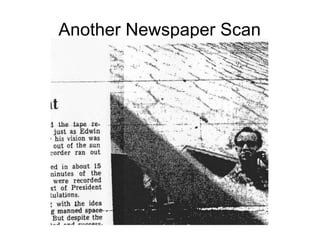
Another Newspaper Scan
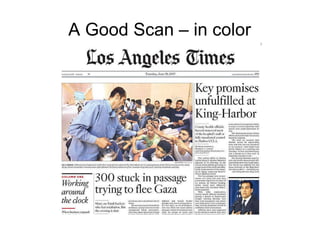
A Good Scan – in color
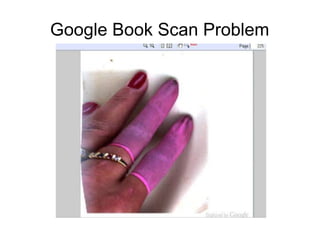
Google Book Scan Problem
Scanners used to: Scan  paper  – including documents, pictures, etc. in black and white, gray tones and color Scan  objects  – for ART and non-art use Used to send a “FAX”, via email To archive important documents (feeder) Convert image to editable text using  OCR  software As a design tool for graphics, drafting, etc.
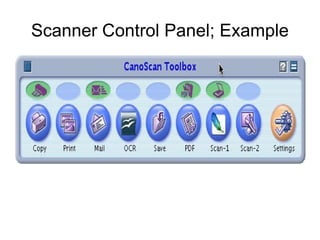
Scanner Control Panel; Example
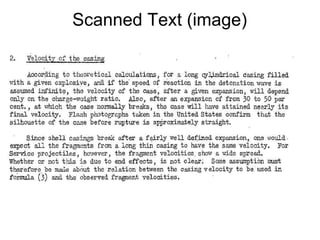
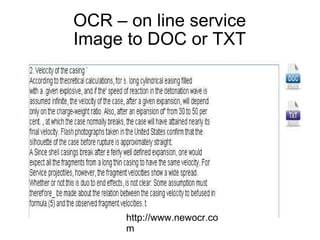
Scanned Text (image)
OCR – on line service Image to DOC or TXT http://www.newocr.com
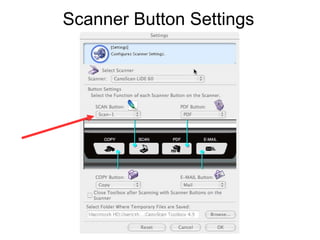
Scanner Button Settings
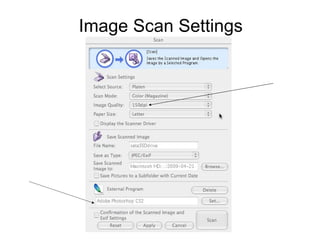
Image Scan Settings
More about Settings 300 dpi is nominal. To print, use 600 dpi.  Use 600 for CD/DVDs, museum archives. Computer screens are 96dpi, so use 96 dpi if it's for the for the PC. Save in  TIF  for quality.  JPGs  for photos and art,  GIFs  for line art, text and font images.  Use B&W for plain text,  Grayscale  for newspapers*, photos, pencil and text for print Dithering – smooths color – example follows.
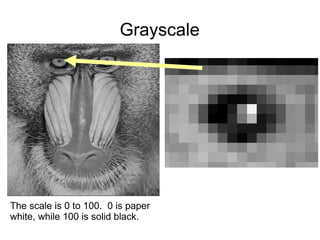
Grayscale The scale is 0 to 100.  0 is paper white, while 100 is solid black.
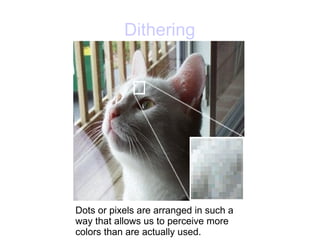
Dithering Dots or pixels are arranged in such a way that allows us to perceive more colors than are actually used.
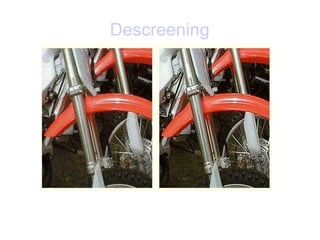
More about Scanning Newspapers Back up the clipping with BLACK paper to prevent “print through”. Iron the clipping so it's FLAT. Put dish towel on it and iron it. Some scanners have DESCREEN. Use it.  Some scan in color and convert to grayscale Scan in as TIF, manipulate image then save as .jpg
Descreening
Resolution – general “rule of thumb” For example, let's say you were scanning a 6" x 4" photo and printing to a 600 dpi color printer.  If you wanted the printout to be the same size as the original, you could scan at 150dpi (= 1/4 the resolution of the printer).
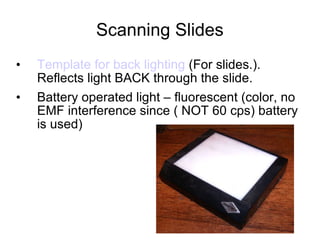
Scanning Slides Template for back lighting  (For slides.). Reflects light BACK through the slide. Battery operated light – fluorescent (color, no EMF interference since ( NOT 60 cps) battery is used)
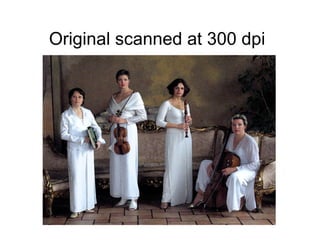
Original scanned at 300 dpi
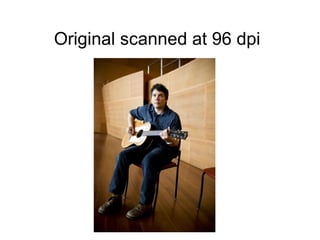
Original scanned at 96 dpi
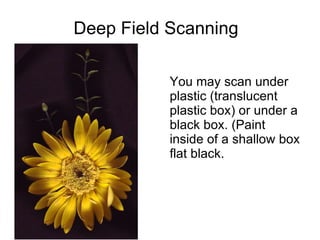
Deep Field Scanning You may scan under plastic (translucent plastic box) or under a black box. (Paint inside of a shallow box flat black.
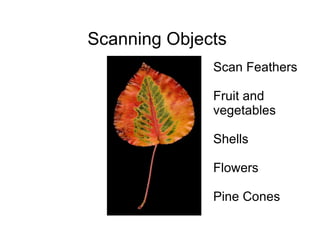
Scanning Objects Scan  Feathers Fruit and vegetables Shells Flowers Pine Cones
Scan Backgrounds and Large Images Use of tissue paper, rice paper, velvet or any texture or background that would add interest. Keep scan glass clean and protected Scan  large images and STICH together with software. Search GOOGLE for “panoramic” for samples, guides, etc.
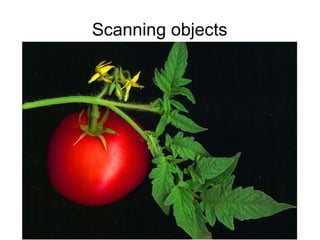
Scanning objects
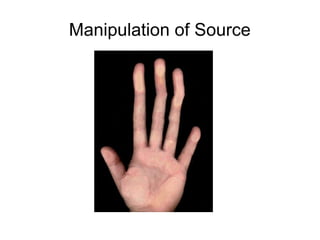
Manipulation of Source
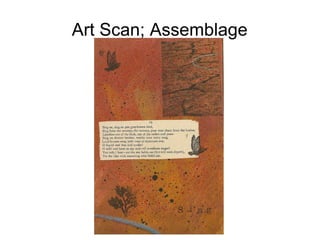
Art Scan; Assemblage
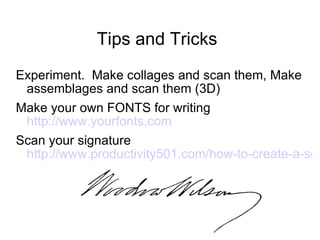
Tips and Tricks Experiment.  Make collages and scan them, Make assemblages and scan them (3D) Make your own FONTS for writing  http://www.yourfonts.com   Scan your signature  http://www.productivity501.com/how-to-create-a-scanned-signature/357/
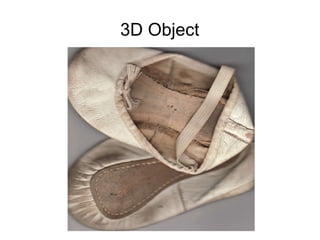
3D Object
Jump to Designing a Porch I used my scanner in 2002 to design a front porch for my house.  A portion of the slide presentation is shown here with explanation.
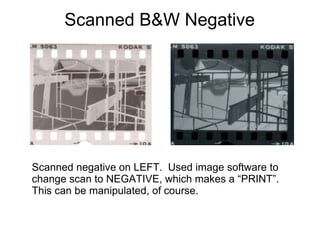
Scanned B&W Negative Scanned negative on LEFT.  Used image software to change scan to NEGATIVE, which makes a “PRINT”.  This can be manipulated, of course.
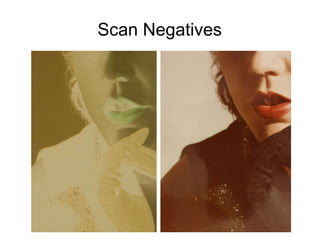
Scan Negatives
References http://www.scantips.com/ http://heritagecollector.com/support/Registered/GSuggestions/Class2Scanning.htm http://danandsherree.com/2005/10/07/basic_scanning_techniques.php http://www.web-wise-wizard.com/web-graphics-design/   (Image formats) http://www.newocr.com/  Image to TEXT
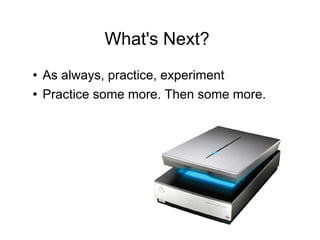
What's Next? As always, practice, experiment Practice some more. Then some more.
Credits Thanks to Richard at Nicola Engineering for color information. Thanks to Thomas at TutorVista for math conversions. Thanks to Jessica for recycled scanner parts. Thanks to WikiPedia for diagram. Presentation,  ©  2009, T. Pitre, Sequim.

Scanocity

  • 1.
    Scanners, Scanning andScanography For RIGHT brained thinkers Presented to the Sequim PC User's Group Tom Pitre, December, 2009 First scan, 1957 - from a SCANNER in development at the U.S. National Bureau of Standards. Size – measured 5 sq. CM (@ .77 sq. inches)
  • 2.
    A Little ScannerEntertainment Scanner plays music. Follow the link above at home. http://www.youtube.com/v/jJgSraig-bU&hl=en&fs=1&
  • 3.
  • 4.
    How Does aScanner Work? Image is lit. Mirrors reflect light into lens, then on to a CCD that turns light into electricity. White=more current. Focused light reaches color CCD (diodes). A converter (ADC) stores readings of electricity as shades of gray. Lastly, the digital information is sent to PC where it is translated into a format that graphics programs understand.
  • 5.
  • 6.
  • 7.
  • 8.
    A Poor Jobof Scanning
  • 9.
    Moire or interferencepattern Source and background informaton: http://en.wikipedia.org/wiki/Moir%C3%A9_pattern
  • 10.
  • 11.
    A Good Scan– in color
  • 12.
  • 13.
    Scanners used to:Scan paper – including documents, pictures, etc. in black and white, gray tones and color Scan objects – for ART and non-art use Used to send a “FAX”, via email To archive important documents (feeder) Convert image to editable text using OCR software As a design tool for graphics, drafting, etc.
  • 14.
  • 15.
  • 16.
    OCR – online service Image to DOC or TXT http://www.newocr.com
  • 17.
  • 18.
  • 19.
    More about Settings300 dpi is nominal. To print, use 600 dpi. Use 600 for CD/DVDs, museum archives. Computer screens are 96dpi, so use 96 dpi if it's for the for the PC. Save in TIF for quality. JPGs for photos and art, GIFs for line art, text and font images. Use B&W for plain text, Grayscale for newspapers*, photos, pencil and text for print Dithering – smooths color – example follows.
  • 20.
    Grayscale The scaleis 0 to 100. 0 is paper white, while 100 is solid black.
  • 21.
    Dithering Dots orpixels are arranged in such a way that allows us to perceive more colors than are actually used.
  • 22.
    More about ScanningNewspapers Back up the clipping with BLACK paper to prevent “print through”. Iron the clipping so it's FLAT. Put dish towel on it and iron it. Some scanners have DESCREEN. Use it. Some scan in color and convert to grayscale Scan in as TIF, manipulate image then save as .jpg
  • 23.
  • 24.
    Resolution – general“rule of thumb” For example, let's say you were scanning a 6" x 4" photo and printing to a 600 dpi color printer. If you wanted the printout to be the same size as the original, you could scan at 150dpi (= 1/4 the resolution of the printer).
  • 25.
    Scanning Slides Templatefor back lighting (For slides.). Reflects light BACK through the slide. Battery operated light – fluorescent (color, no EMF interference since ( NOT 60 cps) battery is used)
  • 26.
  • 27.
  • 28.
    Deep Field ScanningYou may scan under plastic (translucent plastic box) or under a black box. (Paint inside of a shallow box flat black.
  • 29.
    Scanning Objects Scan Feathers Fruit and vegetables Shells Flowers Pine Cones
  • 30.
    Scan Backgrounds andLarge Images Use of tissue paper, rice paper, velvet or any texture or background that would add interest. Keep scan glass clean and protected Scan large images and STICH together with software. Search GOOGLE for “panoramic” for samples, guides, etc.
  • 31.
  • 32.
  • 33.
  • 34.
    Tips and TricksExperiment. Make collages and scan them, Make assemblages and scan them (3D) Make your own FONTS for writing http://www.yourfonts.com Scan your signature http://www.productivity501.com/how-to-create-a-scanned-signature/357/
  • 35.
  • 36.
    Jump to Designinga Porch I used my scanner in 2002 to design a front porch for my house. A portion of the slide presentation is shown here with explanation.
  • 37.
    Scanned B&W NegativeScanned negative on LEFT. Used image software to change scan to NEGATIVE, which makes a “PRINT”. This can be manipulated, of course.
  • 38.
  • 39.
    References http://www.scantips.com/ http://heritagecollector.com/support/Registered/GSuggestions/Class2Scanning.htmhttp://danandsherree.com/2005/10/07/basic_scanning_techniques.php http://www.web-wise-wizard.com/web-graphics-design/ (Image formats) http://www.newocr.com/ Image to TEXT
  • 40.
    What's Next? Asalways, practice, experiment Practice some more. Then some more.
  • 41.
    Credits Thanks toRichard at Nicola Engineering for color information. Thanks to Thomas at TutorVista for math conversions. Thanks to Jessica for recycled scanner parts. Thanks to WikiPedia for diagram. Presentation, © 2009, T. Pitre, Sequim.