Submitted To

Submitted By
Input Devices
 

• Parts of Computer, which are used to feed
data and commands are called Input
Devices .
Some Input Devices are:
 Keyboard
 Mouse
 Joy Stick
 Scanner
 Touch Screen
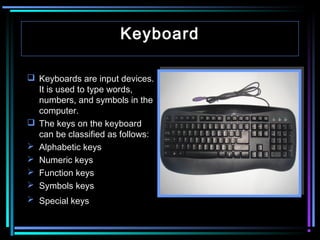
Keyboard
 Keyboards are input devices.
It is used to type words,
numbers, and symbols in the
computer.
 The keys on the keyboard
can be classified as follows:
 Alphabetic keys
 Numeric keys
 Function keys
 Symbols keys
 Special keys
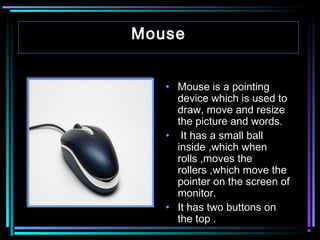
Mouse
• Mouse is a pointing
device which is used to
draw, move and resize
the picture and words.
• It has a small ball
inside ,which when
rolls ,moves the
rollers ,which move the
pointer on the screen of
monitor.
• It has two buttons on
the top .
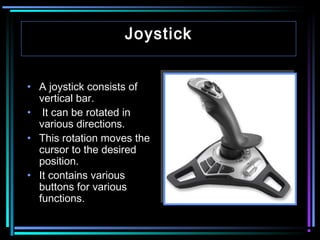
Joystick
• A joystick consists of
vertical bar.
• It can be rotated in
various directions.
• This rotation moves the
cursor to the desired
position.
• It contains various
buttons for various
functions.
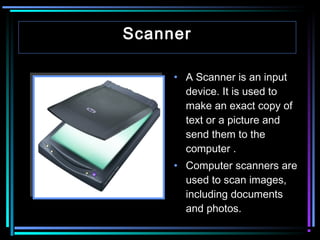
Scanner
• A Scanner is an input
device. It is used to
make an exact copy of
text or a picture and
send them to the
computer .
• Computer scanners are
used to scan images,
including documents
and photos.
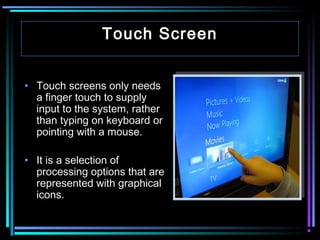
Touch Screen
• Touch screens only needs
a finger touch to supply
input to the system, rather
than typing on keyboard or
pointing with a mouse.
• It is a selection of
processing options that are
represented with graphical
icons.
Output Devices
• An output device is any
piece of computer
hardware equipment
used to communicate
the results of data
processing carried out
by an information
processing system
(such as a computer) to
the outside world.

The output devices are:
•
•
•
•
•
•

Monitor
Speaker
Headphone
Printer
Plotter
Projector
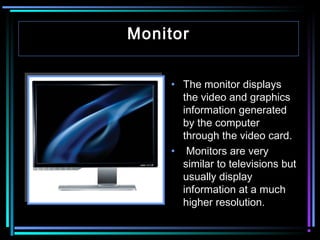
Monitor
• The monitor displays
the video and graphics
information generated
by the computer
through the video card.
• Monitors are very
similar to televisions but
usually display
information at a much
higher resolution.
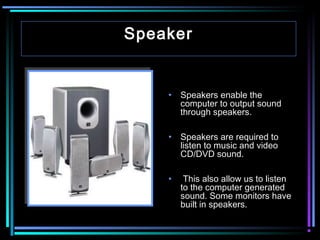
Speaker

•

Speakers enable the
computer to output sound
through speakers.

•

Speakers are required to
listen to music and video
CD/DVD sound.

•

This also allow us to listen
to the computer generated
sound. Some monitors have
built in speakers.
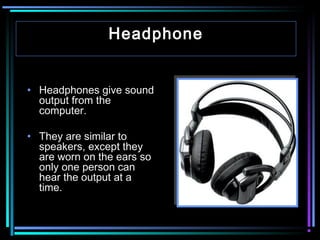
Headphone
• Headphones give sound
output from the
computer.
• They are similar to
speakers, except they
are worn on the ears so
only one person can
hear the output at a
time.
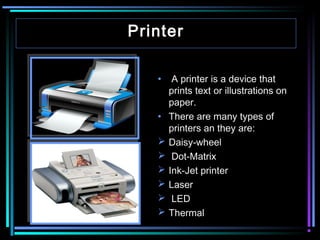
Printer
•  A printer is a device that
prints text or illustrations on
paper.
• There are many types of
printers an they are:
 Daisy-wheel
 Dot-Matrix
 Ink-Jet printer
 Laser
 LED
 Thermal
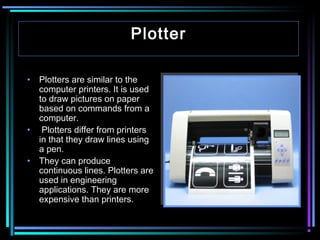
Plotter
 
• Plotters are similar to the
computer printers. It is used
to draw pictures on paper
based on commands from a
computer.
• Plotters differ from printers
in that they draw lines using
a pen.
• They can produce
continuous lines. Plotters are
used in engineering
applications. They are more
expensive than printers.
Projector
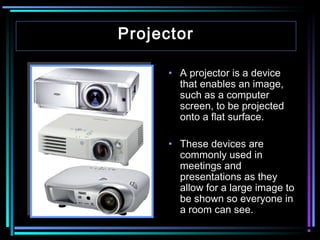
• A projector is a device
that enables an image,
such as a computer
screen, to be projected
onto a flat surface.
• These devices are
commonly used in
meetings and
presentations as they
allow for a large image to
be shown so everyone in
a room can see.

Input output

  • 1.
  • 2.
    Input Devices   • Partsof Computer, which are used to feed data and commands are called Input Devices . Some Input Devices are:  Keyboard  Mouse  Joy Stick  Scanner  Touch Screen
  • 3.
    Keyboard  Keyboards areinput devices. It is used to type words, numbers, and symbols in the computer.  The keys on the keyboard can be classified as follows:  Alphabetic keys  Numeric keys  Function keys  Symbols keys  Special keys
  • 4.
    Mouse • Mouse isa pointing device which is used to draw, move and resize the picture and words. • It has a small ball inside ,which when rolls ,moves the rollers ,which move the pointer on the screen of monitor. • It has two buttons on the top .
  • 5.
    Joystick • A joystickconsists of vertical bar. • It can be rotated in various directions. • This rotation moves the cursor to the desired position. • It contains various buttons for various functions.
  • 6.
    Scanner • A Scanneris an input device. It is used to make an exact copy of text or a picture and send them to the computer . • Computer scanners are used to scan images, including documents and photos.
  • 7.
    Touch Screen • Touchscreens only needs a finger touch to supply input to the system, rather than typing on keyboard or pointing with a mouse. • It is a selection of processing options that are represented with graphical icons.
  • 8.
    Output Devices • Anoutput device is any piece of computer hardware equipment used to communicate the results of data processing carried out by an information processing system (such as a computer) to the outside world. The output devices are: • • • • • • Monitor Speaker Headphone Printer Plotter Projector
  • 9.
    Monitor • The monitordisplays the video and graphics information generated by the computer through the video card. • Monitors are very similar to televisions but usually display information at a much higher resolution.
  • 10.
    Speaker • Speakers enable the computerto output sound through speakers. • Speakers are required to listen to music and video CD/DVD sound. • This also allow us to listen to the computer generated sound. Some monitors have built in speakers.
  • 11.
    Headphone • Headphones givesound output from the computer. • They are similar to speakers, except they are worn on the ears so only one person can hear the output at a time.
  • 12.
    Printer •  A printeris a device that prints text or illustrations on paper. • There are many types of printers an they are:  Daisy-wheel  Dot-Matrix  Ink-Jet printer  Laser  LED  Thermal
  • 13.
    Plotter   • Plotters aresimilar to the computer printers. It is used to draw pictures on paper based on commands from a computer. • Plotters differ from printers in that they draw lines using a pen. • They can produce continuous lines. Plotters are used in engineering applications. They are more expensive than printers.
  • 14.
    Projector • A projectoris a device that enables an image, such as a computer screen, to be projected onto a flat surface. • These devices are commonly used in meetings and presentations as they allow for a large image to be shown so everyone in a room can see.