OUTPUT
DEVICES
DEFINITION
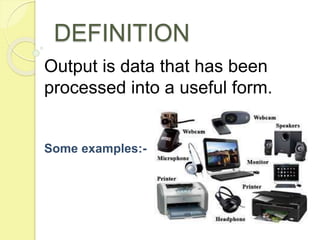
Output is data that has been
processed into a useful form.
Some examples:-
HARD COPY DEVICES
 Printed on paper or other permanent
media.
 Can be stored permanently.
 They are portable.
 Read or used without computer.
Printer
1232143333333
3333333444444
4444444444444
4444444444444
4444444444444
4444444423333
3333333334234
4444444444444
4444444444444
444444444
papersthe paper where built in 122334443 bc with crampholes in it.
Thr first paper was thyen papyrus
Fgjfghhhhhhhhhh hjdfhgjk fdighdf hg idhglkds I ighdiohgioernjv
Fdjghdf
PRINTER
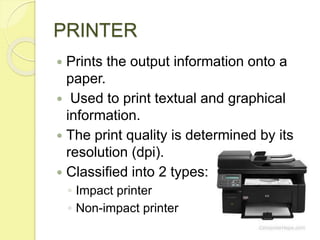
 Prints the output information onto a
paper.
 Used to print textual and graphical
information.
 The print quality is determined by its
resolution (dpi).
 Classified into 2 types:
◦ Impact printer
◦ Non-impact printer
IMPACT PRINTER
 Uses the typewriter
approach(physically striking a
typeface against a paper and inked
ribbon).
 Prints a character or a line at a time.
 They are cheap, therefore used for
bulk printing.
 Examples of impact printers:
◦ Dot Matrix Printers
◦ Daisy wheel printers
◦ Drum printers
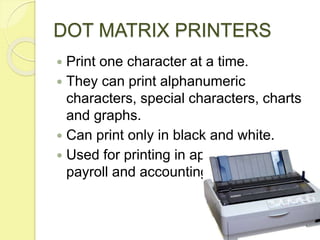
DOT MATRIX PRINTERS
 Print one character at a time.
 They can print alphanumeric
characters, special characters, charts
and graphs.
 Can print only in black and white.
 Used for printing in applications like
payroll and accounting.
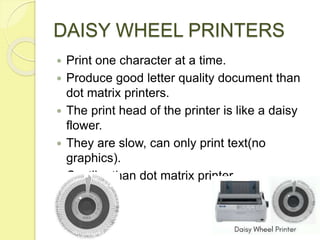
DAISY WHEEL PRINTERS
 Print one character at a time.
 Produce good letter quality document than
dot matrix printers.
 The print head of the printer is like a daisy
flower.
 They are slow, can only print text(no
graphics).
 Costlier than dot matrix printer.
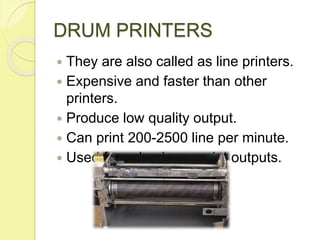
DRUM PRINTERS
 They are also called as line printers.
 Expensive and faster than other
printers.
 Produce low quality output.
 Can print 200-2500 line per minute.
 Used for voluminous print outputs.
NON-IMPACT PRINTERS
 Use electro-static chemicals and ink
jet technologies.
 Faster and quieter (less noisy).
 Produce high quality output.
 Used for printing text and graphics in
any color.
 Examples of non-impact printers:
◦ Ink-jet printers
◦ Laser printers
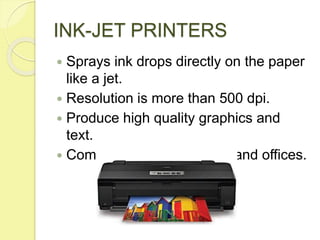
INK-JET PRINTERS
 Sprays ink drops directly on the paper
like a jet.
 Resolution is more than 500 dpi.
 Produce high quality graphics and
text.
 Commonly used in homes and offices.
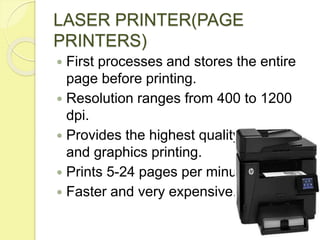
LASER PRINTER(PAGE
PRINTERS)
 First processes and stores the entire
page before printing.
 Resolution ranges from 400 to 1200
dpi.
 Provides the highest quality of text
and graphics printing.
 Prints 5-24 pages per minute.
 Faster and very expensive.
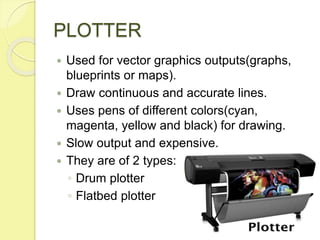
PLOTTER
 Used for vector graphics outputs(graphs,
blueprints or maps).
 Draw continuous and accurate lines.
 Uses pens of different colors(cyan,
magenta, yellow and black) for drawing.
 Slow output and expensive.
 They are of 2 types:
◦ Drum plotter
◦ Flatbed plotter
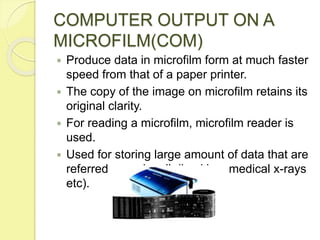
COMPUTER OUTPUT ON A
MICROFILM(COM)
 Produce data in microfilm form at much faster
speed from that of a paper printer.
 The copy of the image on microfilm retains its
original clarity.
 For reading a microfilm, microfilm reader is
used.
 Used for storing large amount of data that are
referred occasionally(backing, medical x-rays
etc).
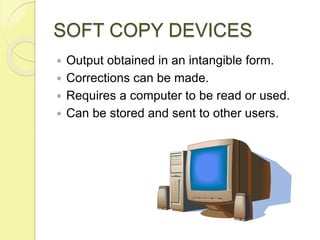
SOFT COPY DEVICES
 Output obtained in an intangible form.
 Corrections can be made.
 Requires a computer to be read or used.
 Can be stored and sent to other users.
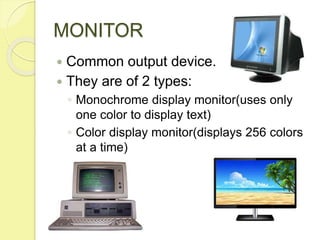
MONITOR
 Common output device.
 They are of 2 types:
◦ Monochrome display monitor(uses only
one color to display text)
◦ Color display monitor(displays 256 colors
at a time)
VISUAL DISPLAY
TERMINAL(VDT)
 A monitor and keyboard together are
known as VDT.
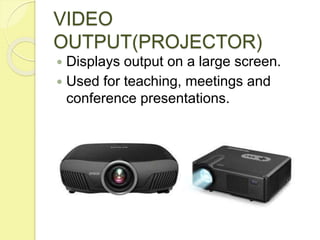
VIDEO
OUTPUT(PROJECTOR)
 Displays output on a large screen.
 Used for teaching, meetings and
conference presentations.
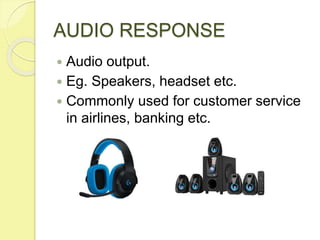
AUDIO RESPONSE
 Audio output.
 Eg. Speakers, headset etc.
 Commonly used for customer service
in airlines, banking etc.

Output devices

  • 1.
  • 2.
    DEFINITION Output is datathat has been processed into a useful form. Some examples:-
  • 3.
    HARD COPY DEVICES Printed on paper or other permanent media.  Can be stored permanently.  They are portable.  Read or used without computer. Printer 1232143333333 3333333444444 4444444444444 4444444444444 4444444444444 4444444423333 3333333334234 4444444444444 4444444444444 444444444 papersthe paper where built in 122334443 bc with crampholes in it. Thr first paper was thyen papyrus Fgjfghhhhhhhhhh hjdfhgjk fdighdf hg idhglkds I ighdiohgioernjv Fdjghdf
  • 4.
    PRINTER  Prints theoutput information onto a paper.  Used to print textual and graphical information.  The print quality is determined by its resolution (dpi).  Classified into 2 types: ◦ Impact printer ◦ Non-impact printer
  • 5.
    IMPACT PRINTER  Usesthe typewriter approach(physically striking a typeface against a paper and inked ribbon).  Prints a character or a line at a time.  They are cheap, therefore used for bulk printing.  Examples of impact printers: ◦ Dot Matrix Printers ◦ Daisy wheel printers ◦ Drum printers
  • 6.
    DOT MATRIX PRINTERS Print one character at a time.  They can print alphanumeric characters, special characters, charts and graphs.  Can print only in black and white.  Used for printing in applications like payroll and accounting.
  • 7.
    DAISY WHEEL PRINTERS Print one character at a time.  Produce good letter quality document than dot matrix printers.  The print head of the printer is like a daisy flower.  They are slow, can only print text(no graphics).  Costlier than dot matrix printer.
  • 8.
    DRUM PRINTERS  Theyare also called as line printers.  Expensive and faster than other printers.  Produce low quality output.  Can print 200-2500 line per minute.  Used for voluminous print outputs.
  • 9.
    NON-IMPACT PRINTERS  Useelectro-static chemicals and ink jet technologies.  Faster and quieter (less noisy).  Produce high quality output.  Used for printing text and graphics in any color.  Examples of non-impact printers: ◦ Ink-jet printers ◦ Laser printers
  • 10.
    INK-JET PRINTERS  Spraysink drops directly on the paper like a jet.  Resolution is more than 500 dpi.  Produce high quality graphics and text.  Commonly used in homes and offices.
  • 11.
    LASER PRINTER(PAGE PRINTERS)  Firstprocesses and stores the entire page before printing.  Resolution ranges from 400 to 1200 dpi.  Provides the highest quality of text and graphics printing.  Prints 5-24 pages per minute.  Faster and very expensive.
  • 12.
    PLOTTER  Used forvector graphics outputs(graphs, blueprints or maps).  Draw continuous and accurate lines.  Uses pens of different colors(cyan, magenta, yellow and black) for drawing.  Slow output and expensive.  They are of 2 types: ◦ Drum plotter ◦ Flatbed plotter
  • 13.
    COMPUTER OUTPUT ONA MICROFILM(COM)  Produce data in microfilm form at much faster speed from that of a paper printer.  The copy of the image on microfilm retains its original clarity.  For reading a microfilm, microfilm reader is used.  Used for storing large amount of data that are referred occasionally(backing, medical x-rays etc).
  • 14.
    SOFT COPY DEVICES Output obtained in an intangible form.  Corrections can be made.  Requires a computer to be read or used.  Can be stored and sent to other users.
  • 15.
    MONITOR  Common outputdevice.  They are of 2 types: ◦ Monochrome display monitor(uses only one color to display text) ◦ Color display monitor(displays 256 colors at a time)
  • 16.
    VISUAL DISPLAY TERMINAL(VDT)  Amonitor and keyboard together are known as VDT.
  • 17.
    VIDEO OUTPUT(PROJECTOR)  Displays outputon a large screen.  Used for teaching, meetings and conference presentations.
  • 18.
    AUDIO RESPONSE  Audiooutput.  Eg. Speakers, headset etc.  Commonly used for customer service in airlines, banking etc.