Lecture 11
Operating Systems
Network, Communication,
OSI
Lecturer: Sumaira Hussain
S.M.I University
Operating System
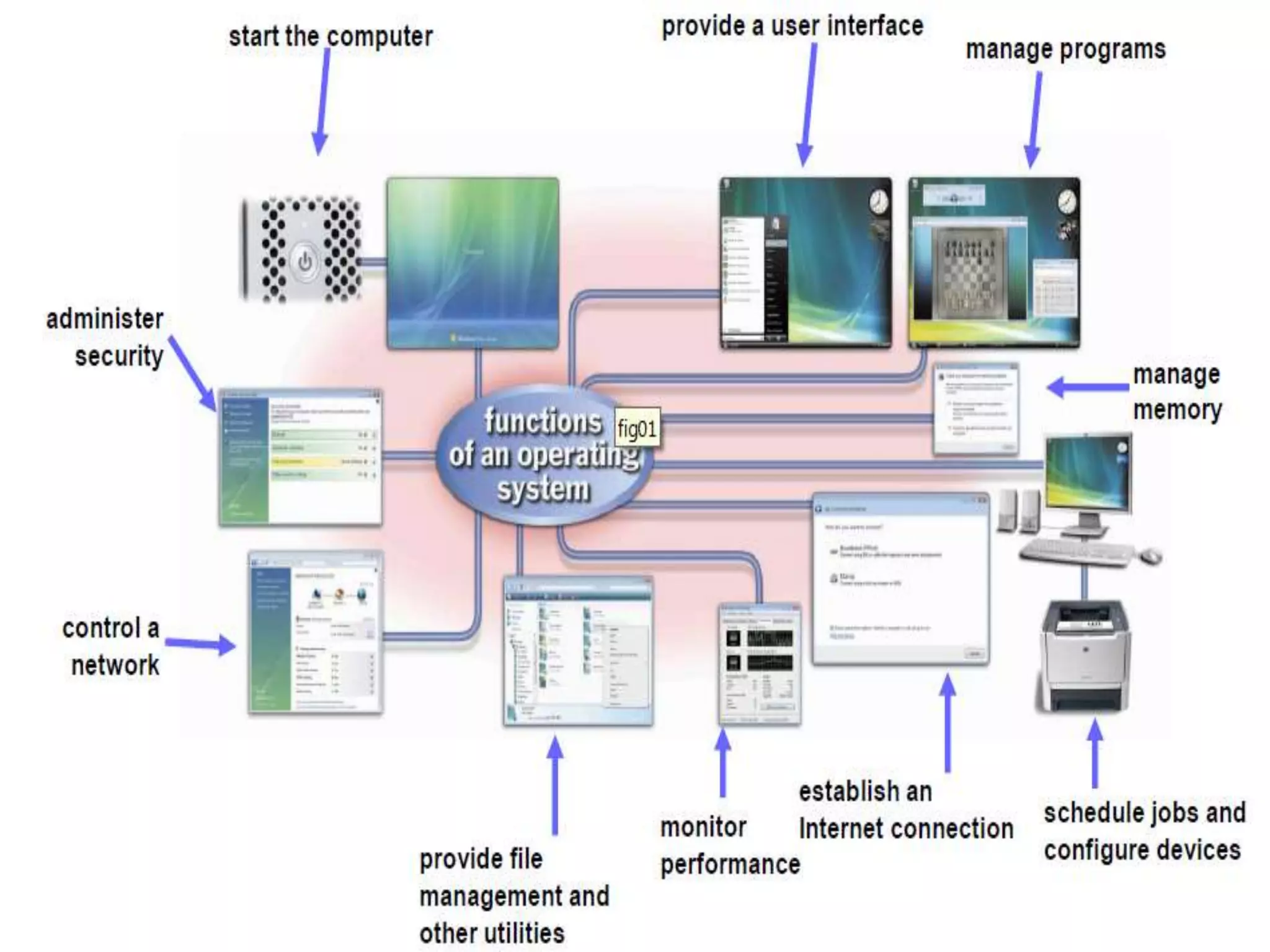
An operating system (OS) is software that
manages computer hardware and
software resources and provides common
services for computer programs
Core Tasks of an OS
Processor management
Memory management
Device management
Storage management
Application Interface
User Interface
Processor Management
The CPU executes each process a bit at a time. The
CPU's clock times the execution of a process, and
when a time limit is reached, then the clock signals the
CPU that it is time to switch to another process.
The CPU executes just one process, and the
processes that are ready and waiting for their turn at
execution are kept in a queue (a waiting line, like at
the post office) in primary storage.
Memory Management
Straight forward for a single-user, single tasking
Each app must have enough private memory in
which to execute
App can neither run into the private memory
space of another app, nor be run into by another
app
Different types of memory (e.g. main, cache) in
the system must be used properly, so that each
app can run most effectively
Storage Management
The OS manages storage through one of its
sub-modules, the File Manager
A file system is a collection of directories,
subdirectories, and files organized in a logical
order.
File manager maintains an index of the
filenames & where they are located on the disk.
File manager make it easy to find the required
file in a logical and timely fashion.
Device Management
Applications talk to devices through the
OS and OS talks to and manages devices
through Device Drivers
Example: When we print to a laser printer,
we do not need to know its details. All we
do is to tell the printer device driver about
what needs to be printed and it takes care
of the details
Application Interface
App developers do not need to know much about
the hardware, while they are developing their app
The OS provides all apps with a straight-forward
and consistent interface to the HW
Example: An app uses the OS to store data on the
disk drive. For that, the app does not need to know
about the exact physical characteristics of that drive;
it just tells the OS to do that through the app
interface, and the OS takes cares of all the details of
the task
User Interface
Users communicate with the computer using a consistent user
interface provided by the OS
This UI can be a command-line interface in which a user types in
the commands.
Example:
copy a:/file1.html c:/file1.html
Or, it can be a graphical UI, where Windows, Icons, Menus, and a
Pointing device (such as a mouse) is used to receive and display
information.
Example:
With the help of the mouse, drag file1.html from drive a to
drive c
Types of OS
Real-Time Operating System (RTOS)
Single-User, Single Task
Single-User, Multi-Tasking
Multi-User
Real Time Operating Systems
Used to run computers embedded in machinery, robots, scientific
instruments and industrial systems
Typically, it has little user interaction capability, and no end-user
utilities, since the system will be a "sealed box" when delivered for
use
Examples: Wind River, QNX, Real-time Linux, Real-time Windows
NT
An important part of an RTOS is managing the resources of the
computer so that a particular operation executes in precisely the
same amount of time every time it occurs
In a complex machine, having a part move more quickly just
because system resources are available may be just as
catastrophic as having it not move at all because the system
was busy
Single-User, Single Task
OS are designed to manage the computer so that
one user can effectively do one thing at a time
The Palm OS used in many palmtop computers
(PDA’s) is an example of a single-user, single-task OS
Single-User, Multi-Tasking
Most popular OS
Used by most all PC’s and Laptops
Examples: Windows, Mac OS, Linux
Lets a single user interact with several programs,
simultaneously
Multi-User
A multi-user OS allows many users to take
advantage of the computer's resources,
simultaneously
The OS must make sure that the requirements of
the various users are balanced, and that the
programs they are using each have sufficient and
separate resources so that a problem with one user
doesn't affect any of the other users
Examples: Linux, Unix, VMS and mainframe OS,
such as MVS
Computer Communications
Process in which two or more computers or devices
transfer data, instructions, and information
Uses of Computing
Communication
 Internet
 E-Mail
 Instant Messaging
 FTP
 Newsgroups Chat Rooms
 Web Folders Fax Machine or Computer Fax/Modem
 Video Conferencing
 Internet telephony (enables you to talk to other people over the
Internet Sometimes called Voice over IP )
 Internet printing (allows you to print to network printer from
anywhere in the world )
Computer Network
Multiple computers that are connected together
to share information and other resources
Components of Computer Networks
1. Computers
2. Network Interface Cards (NIC)
3. Hub
4. Cables
5. Routers
6. Protocol
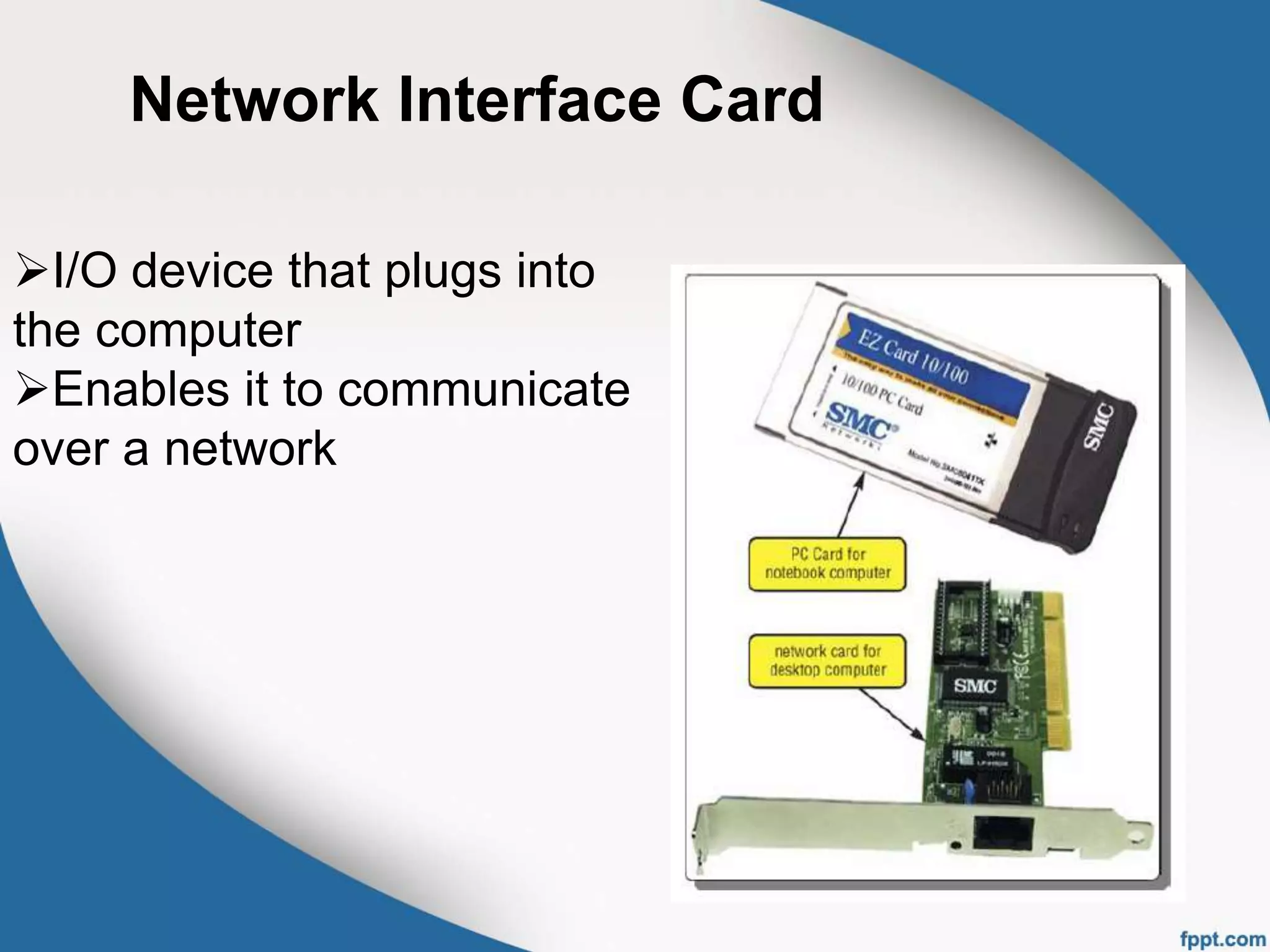
Network Interface Card
I/O device that plugs into
the computer
Enables it to communicate
over a network
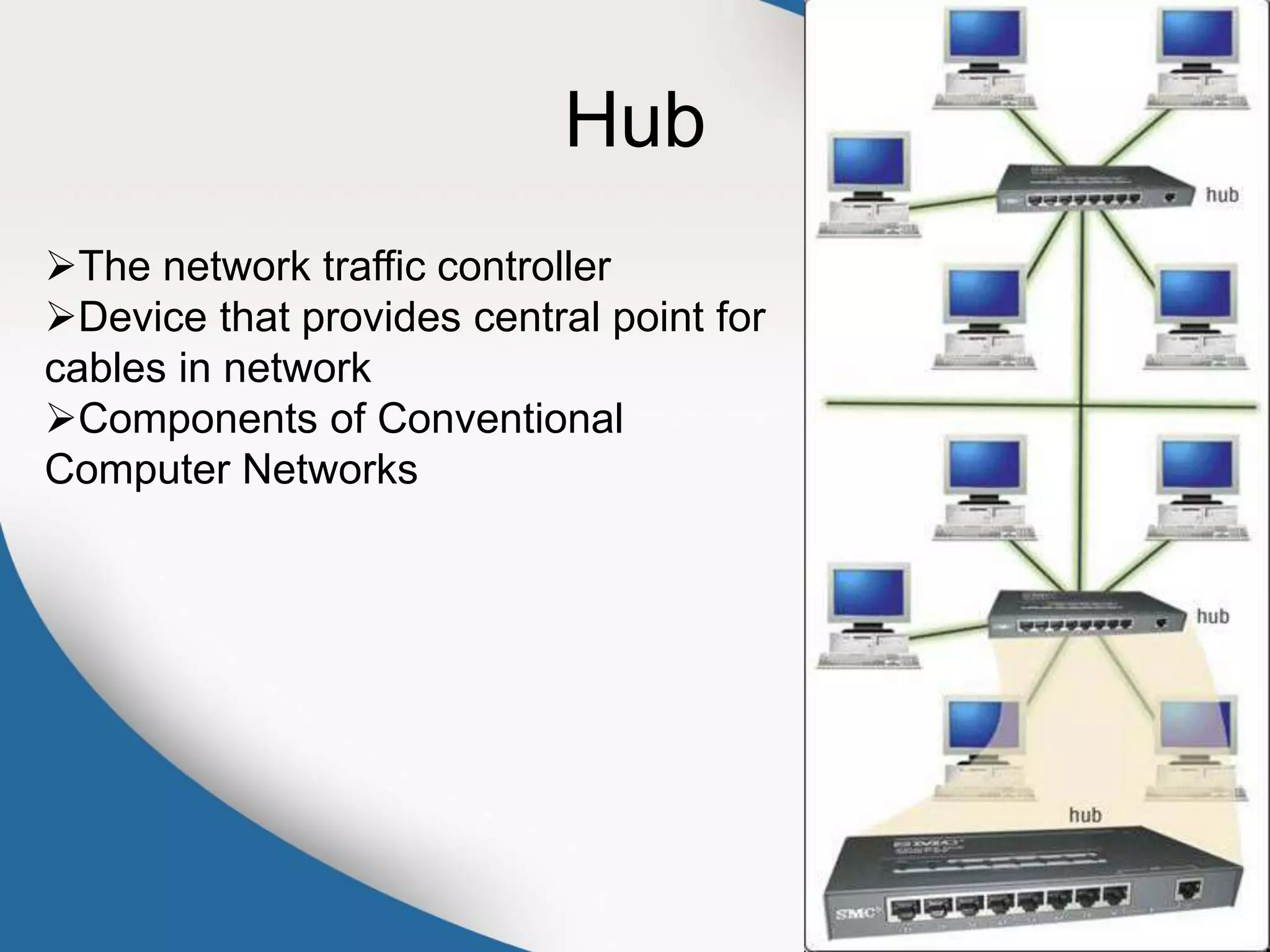
Hub
The network traffic controller
Device that provides central point for
cables in network
Components of Conventional
Computer Networks
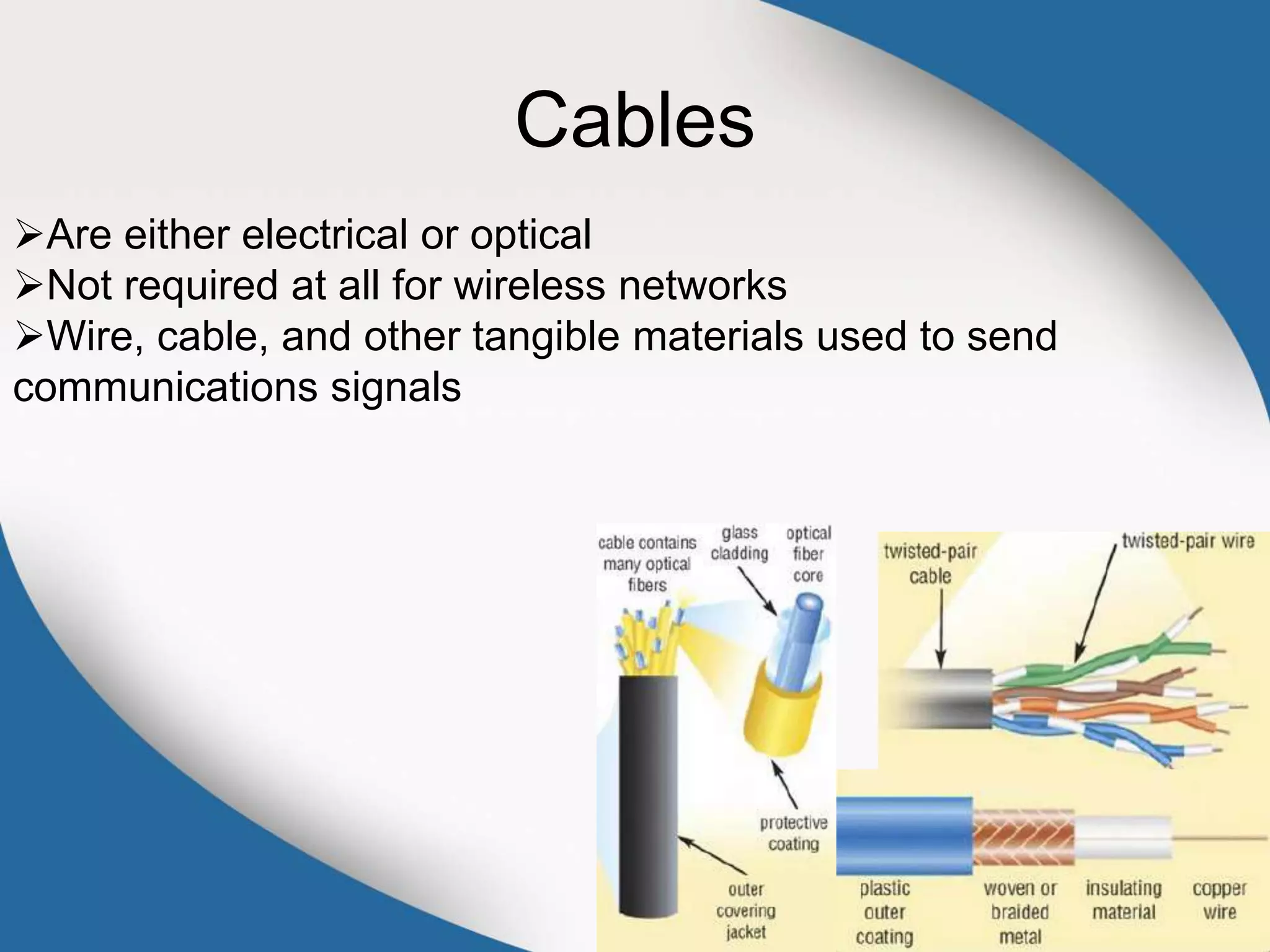
Cables
Are either electrical or optical
Not required at all for wireless networks
Wire, cable, and other tangible materials used to send
communications signals
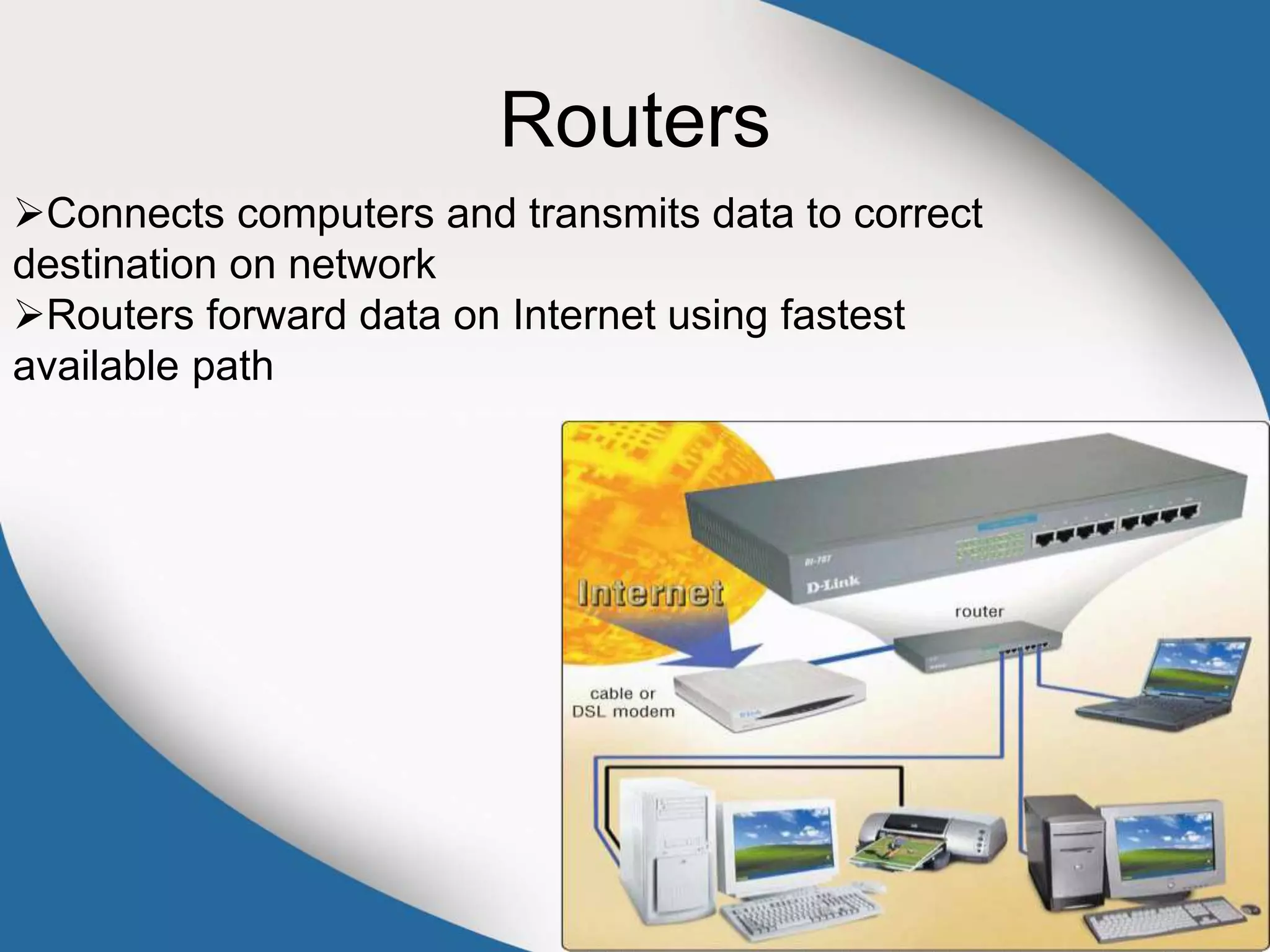
Routers
Connects computers and transmits data to correct
destination on network
Routers forward data on Internet using fastest
available path
Protocol
Rules governing communications over the network
Example:
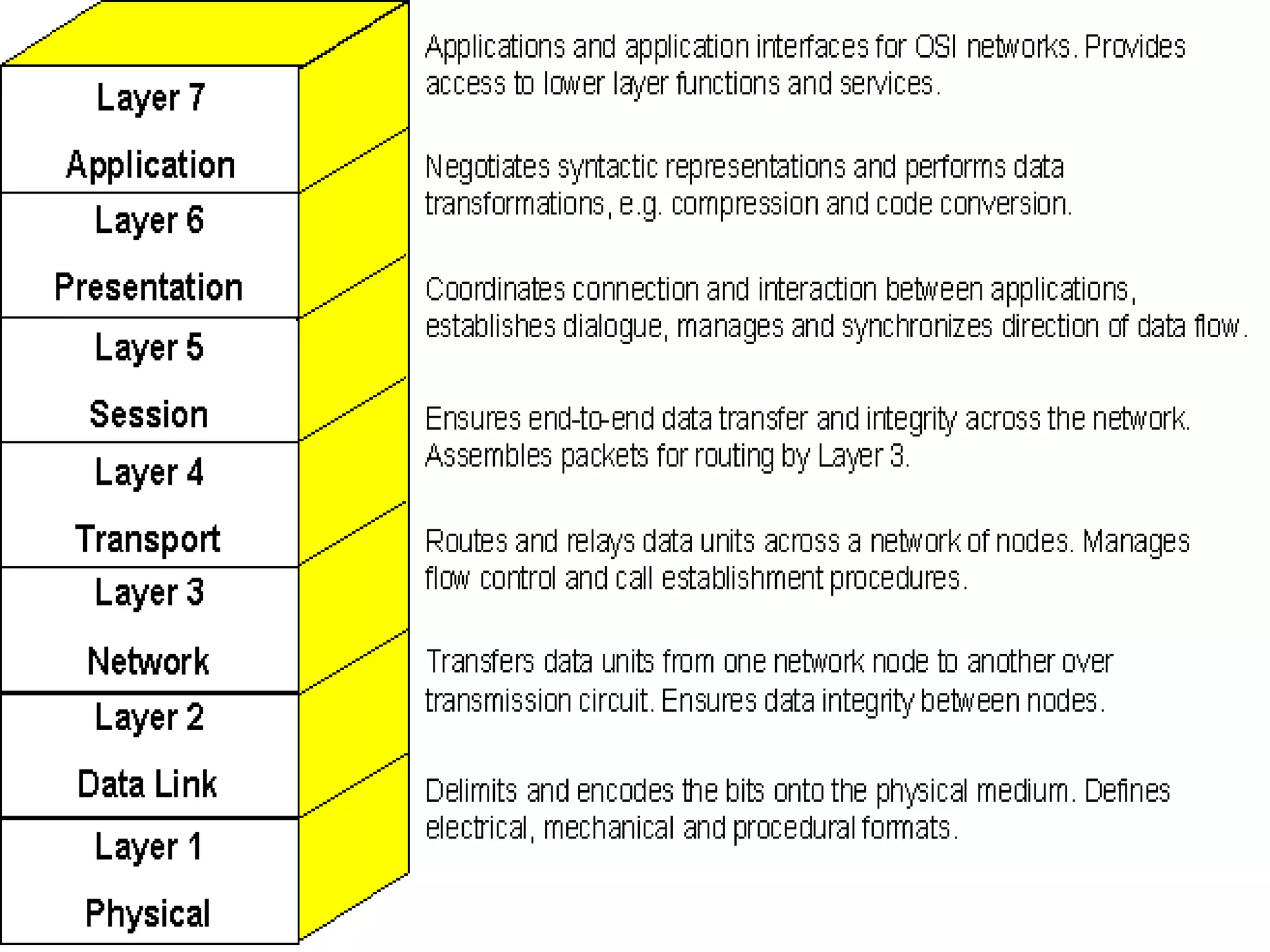
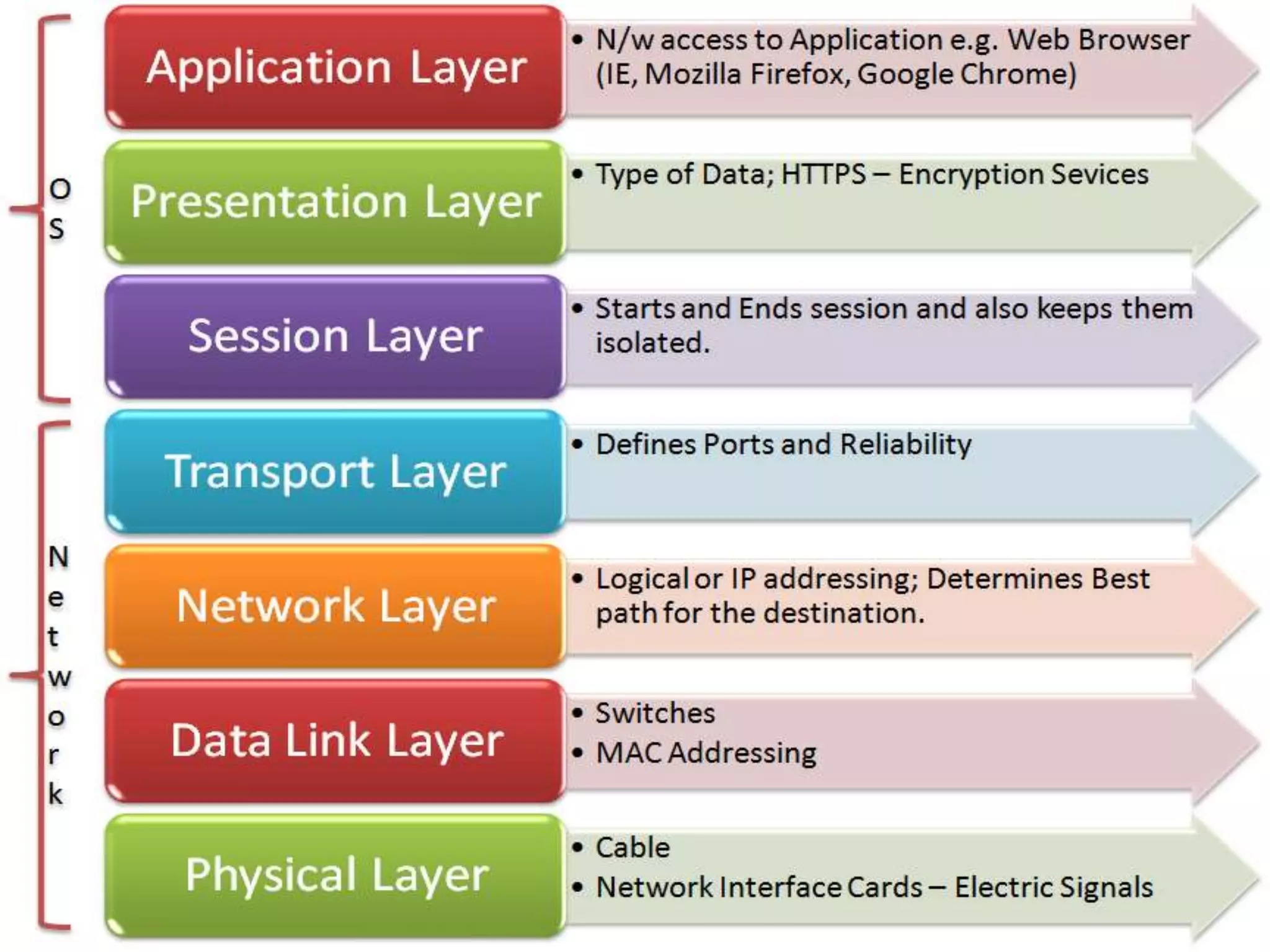
OSI Model
OSI Model
1)Application Layer
2)Presentation Layer
3)Session Layer
4)Transport Layer
5)Network Layer
6)Data Link Layer
7)Physical Layer
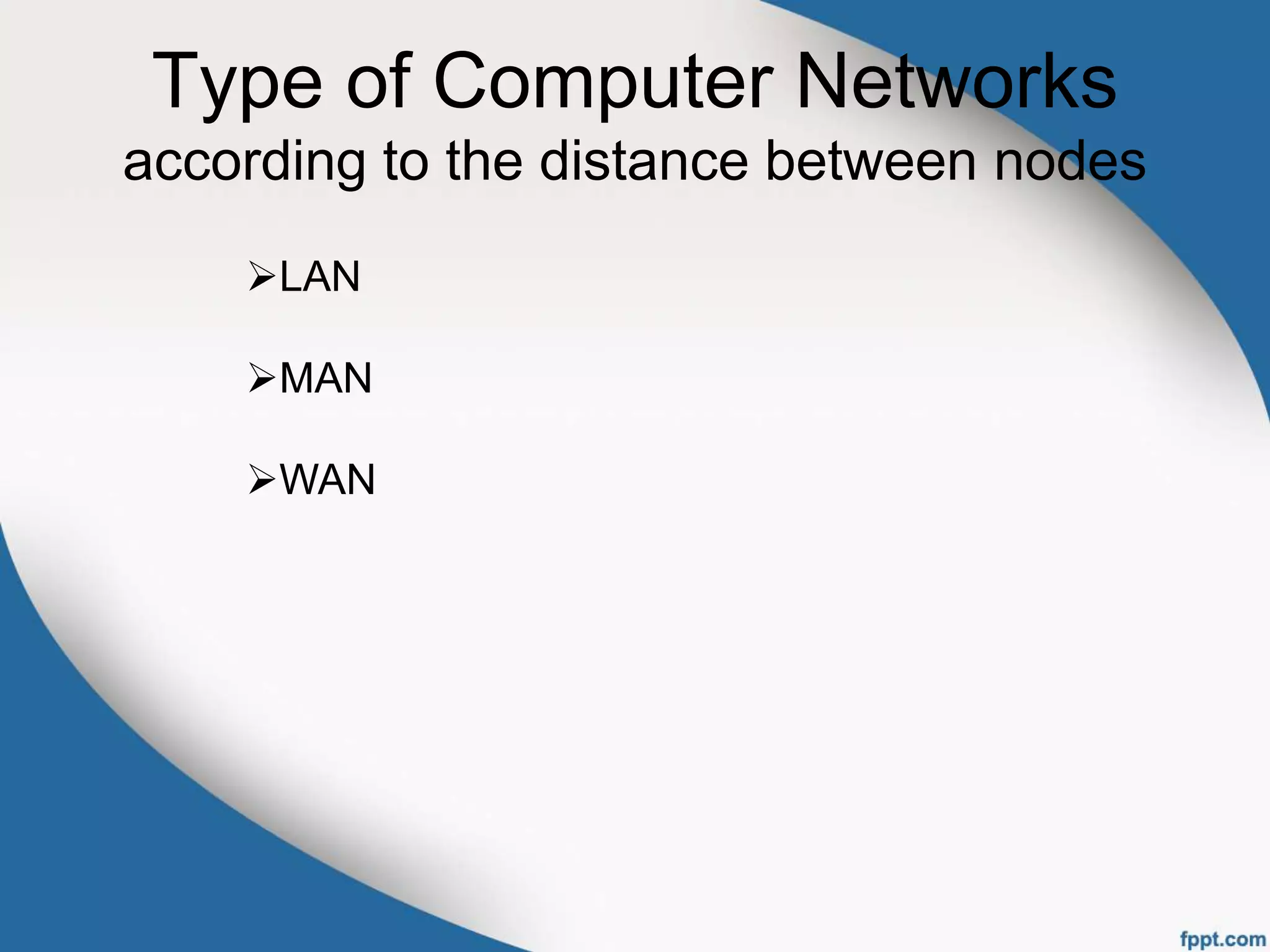
Type of Computer Networks
according to the distance between nodes
LAN
MAN
WAN
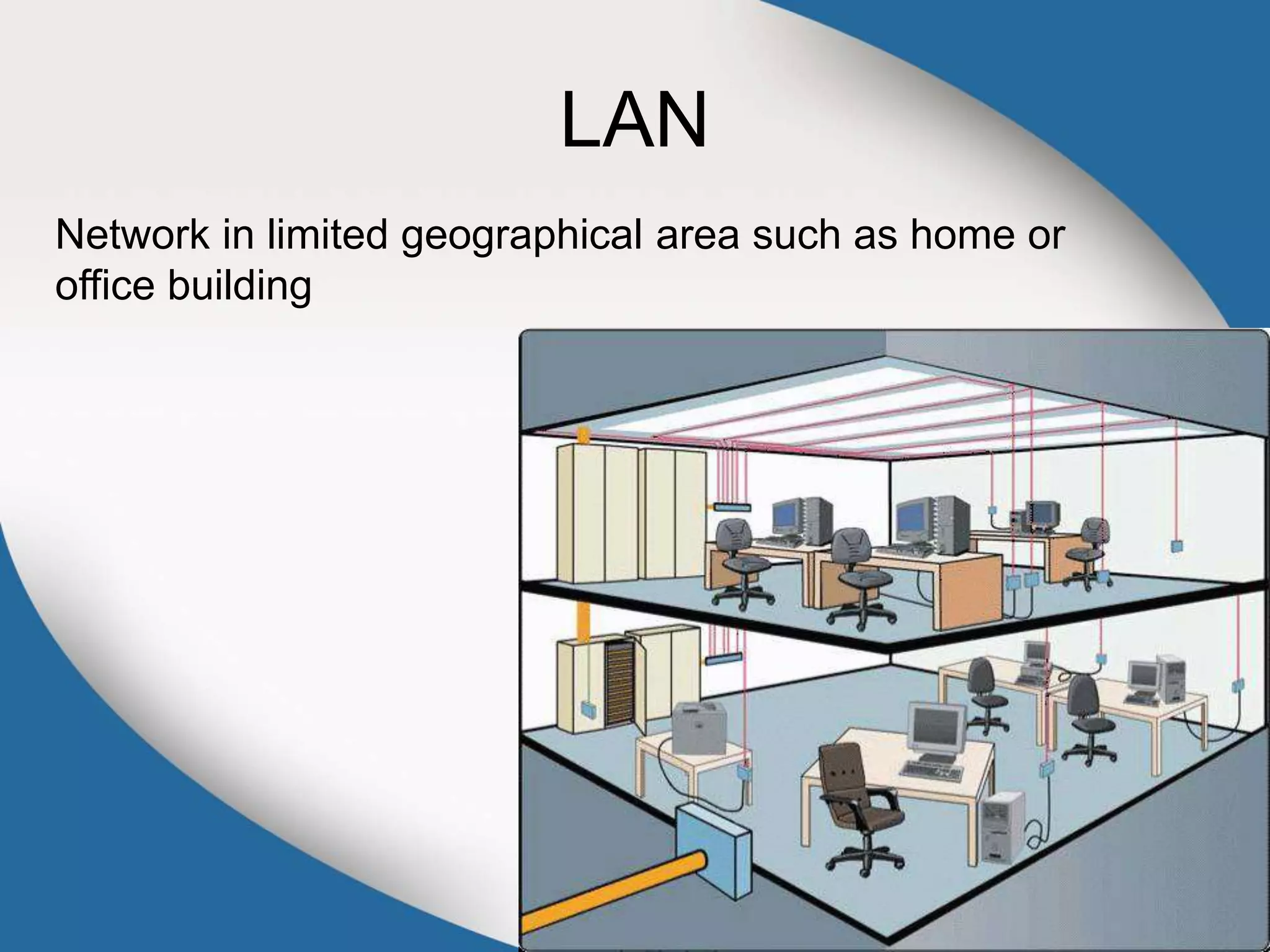
LAN
Network in limited geographical area such as home or
office building
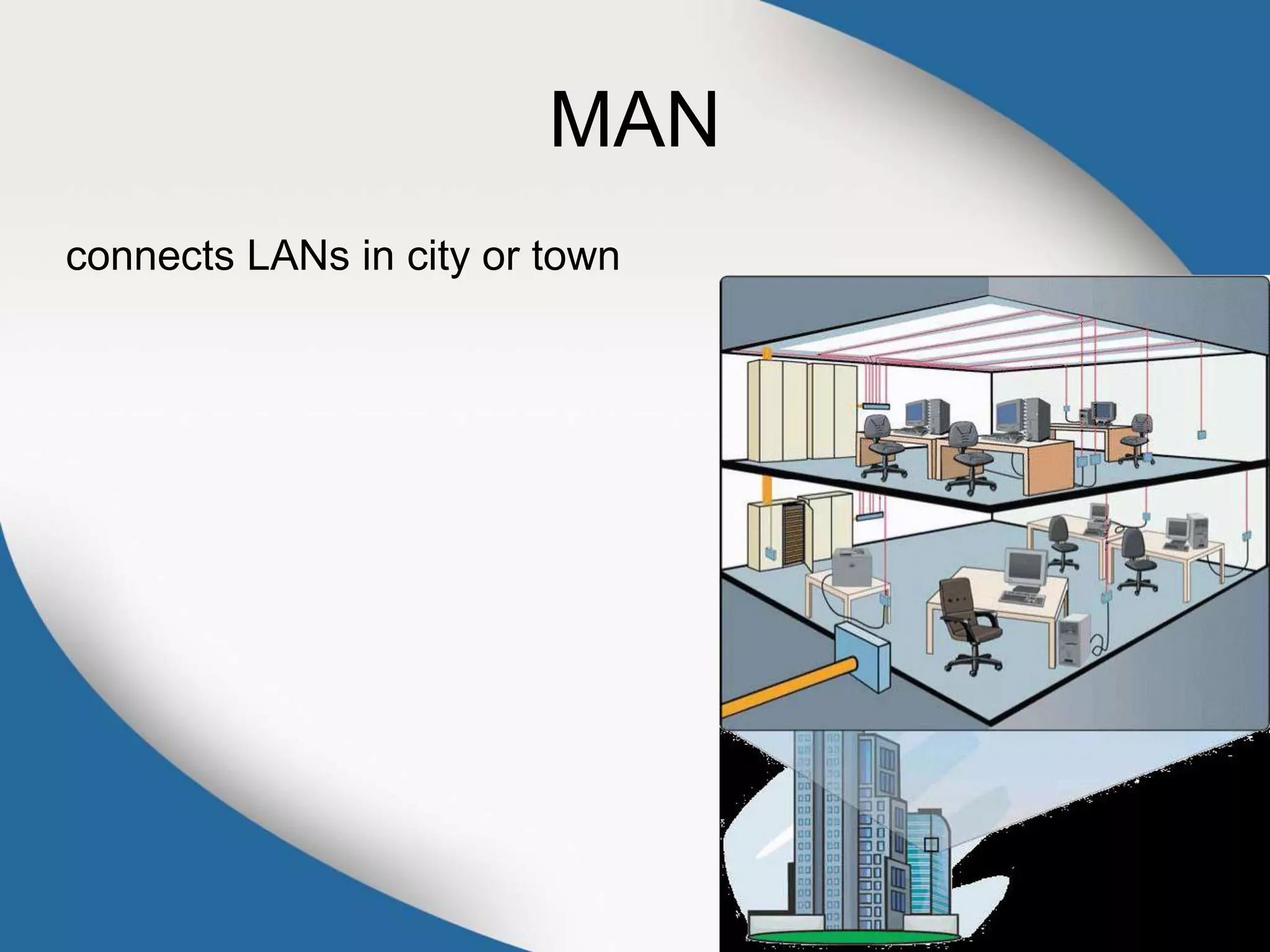
MAN
connects LANs in city or town
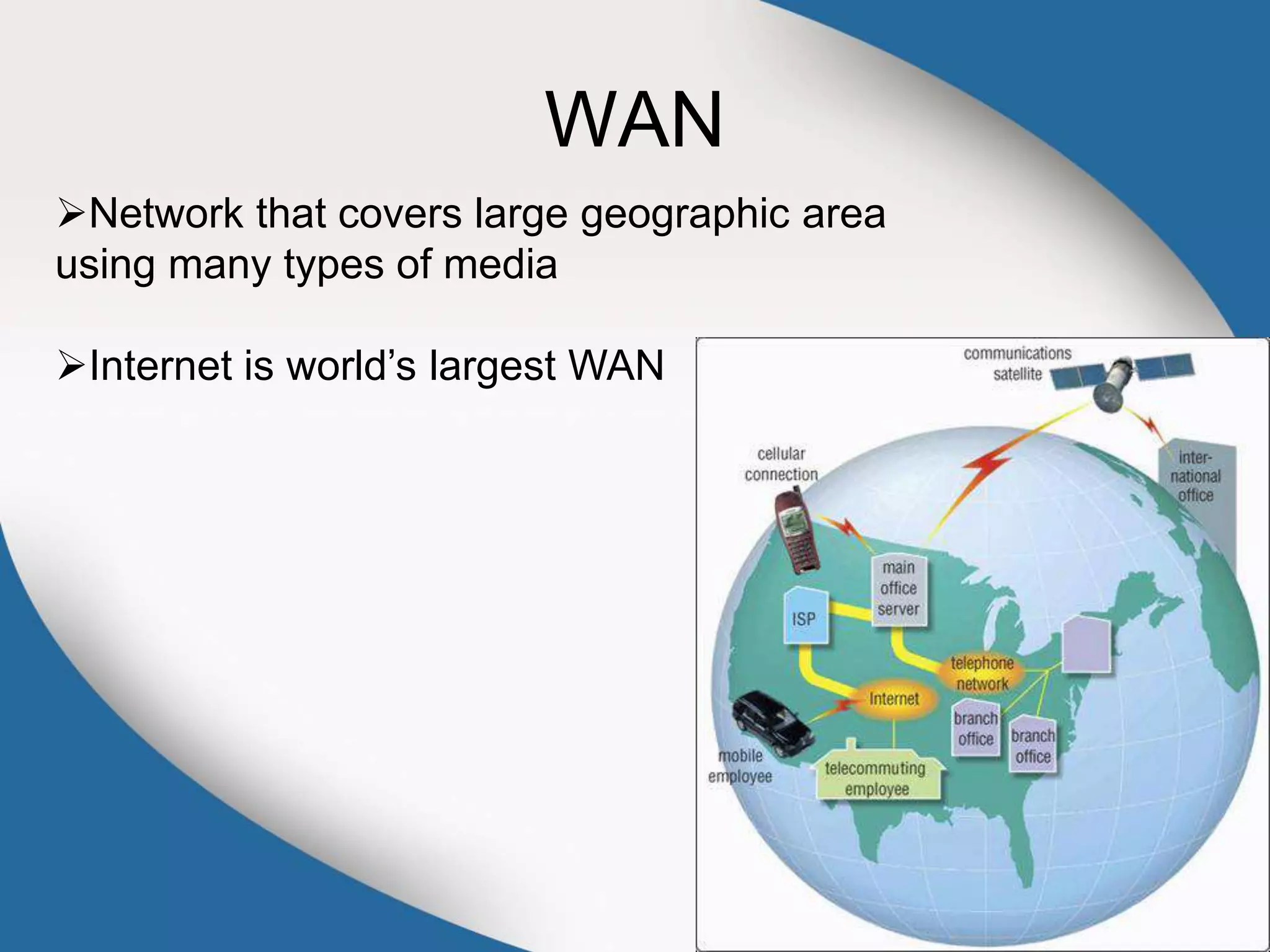
WAN
Network that covers large geographic area
using many types of media
Internet is world’s largest WAN
Network Topologies
Client-Server
Point to Point
Star
Bus
Ring
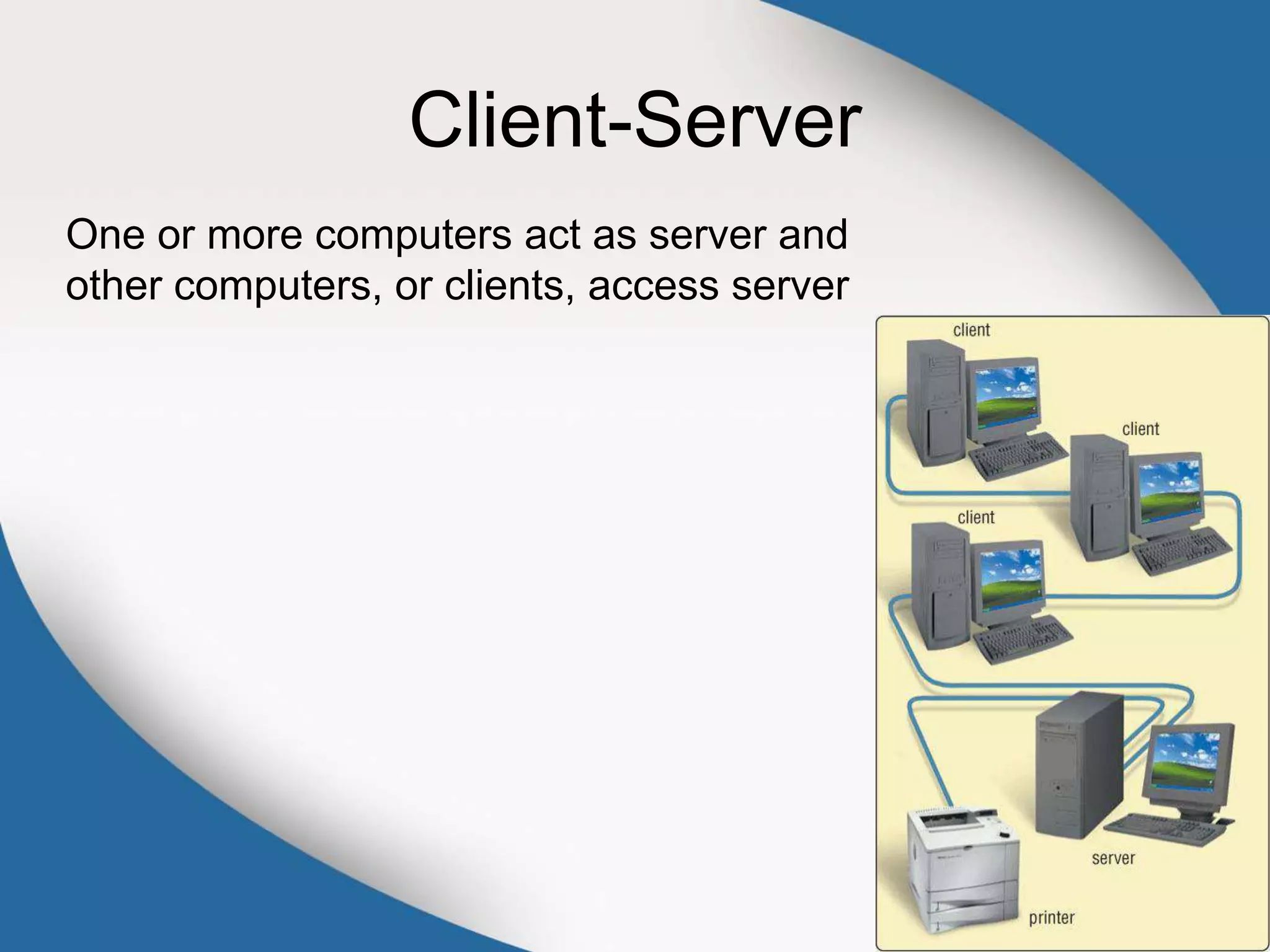
Client-Server
One or more computers act as server and
other computers, or clients, access server
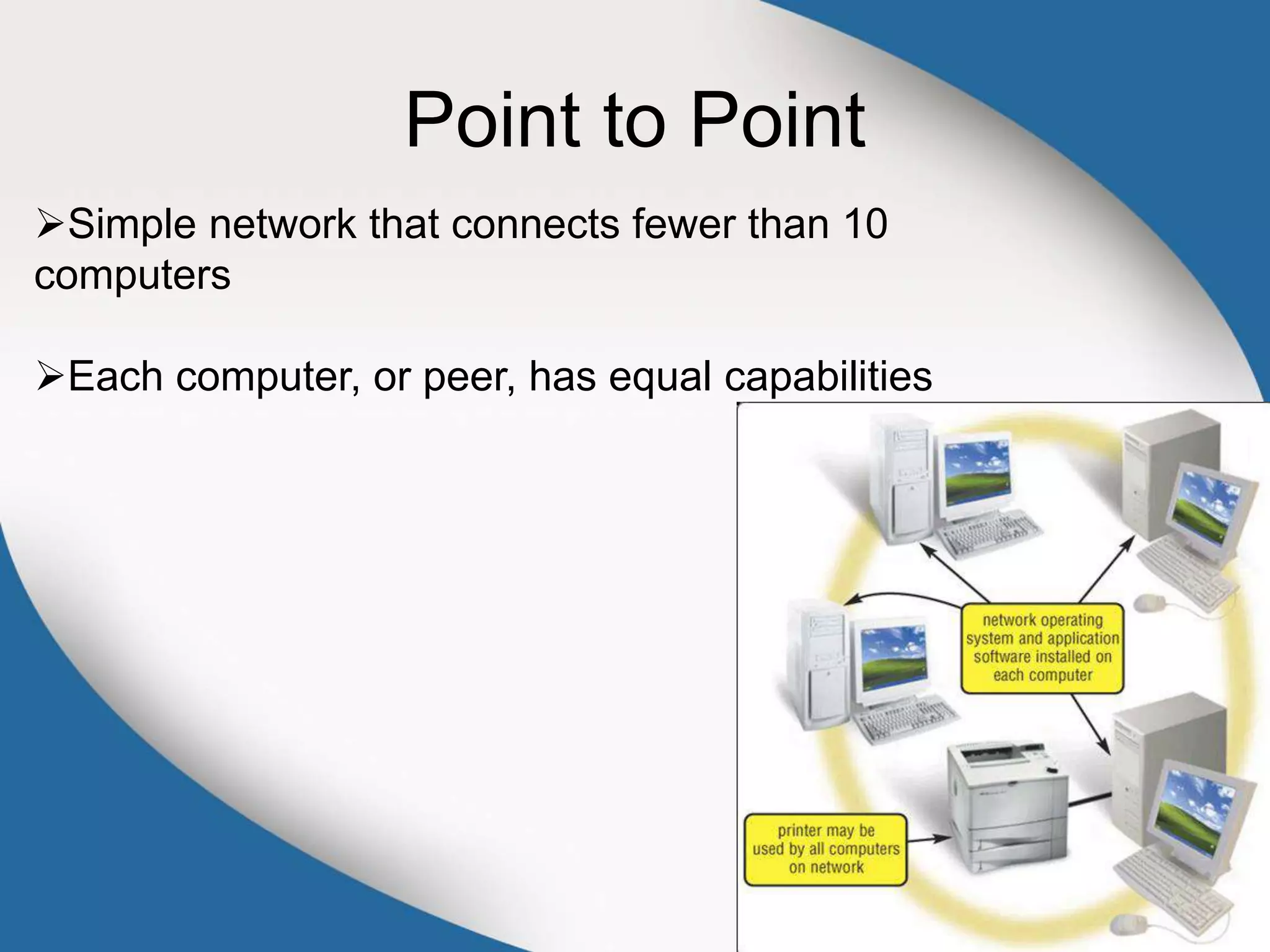
Point to Point
Simple network that connects fewer than 10
computers
Each computer, or peer, has equal capabilities
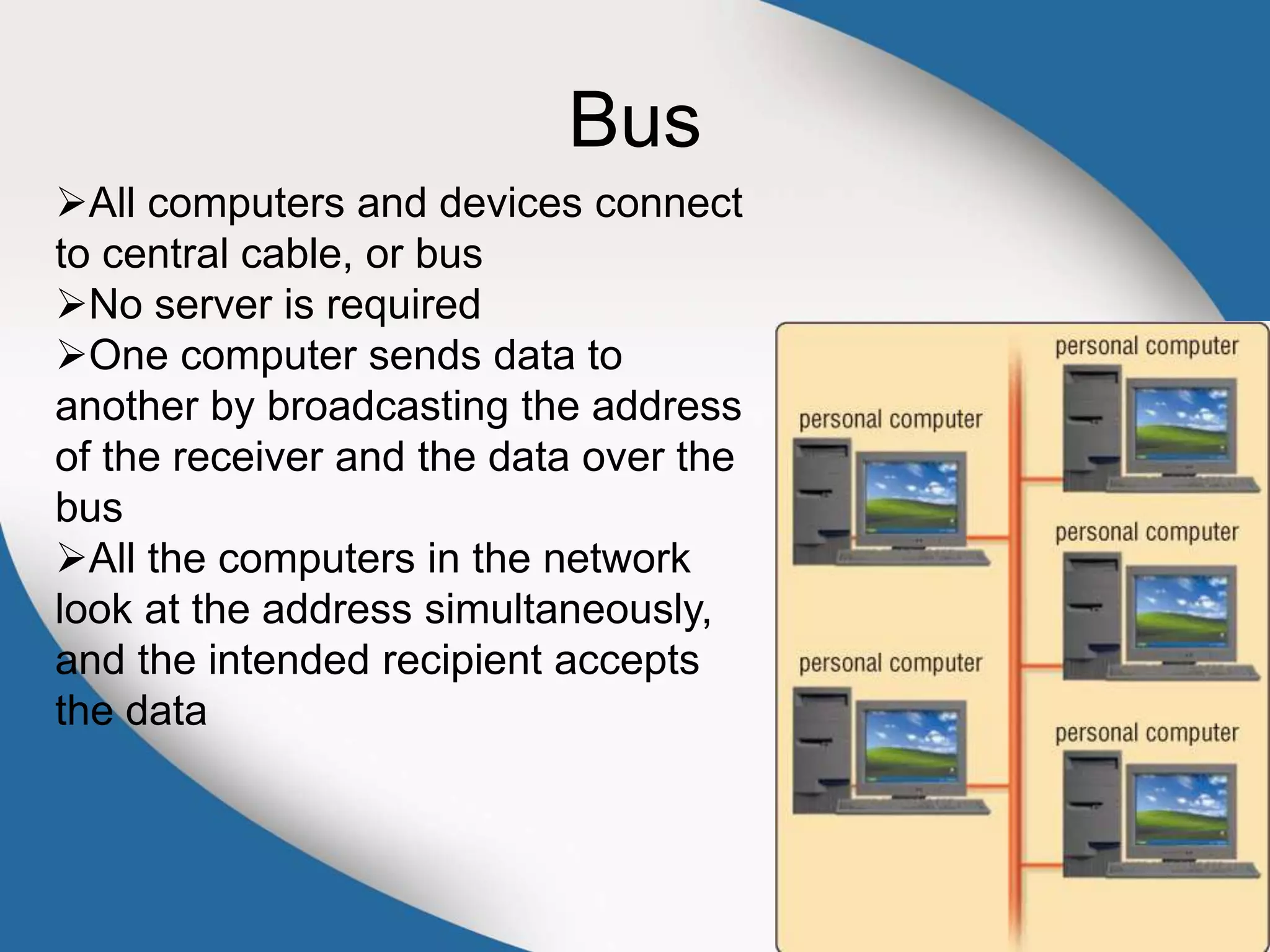
Bus
All computers and devices connect
to central cable, or bus
No server is required
One computer sends data to
another by broadcasting the address
of the receiver and the data over the
bus
All the computers in the network
look at the address simultaneously,
and the intended recipient accepts
the data
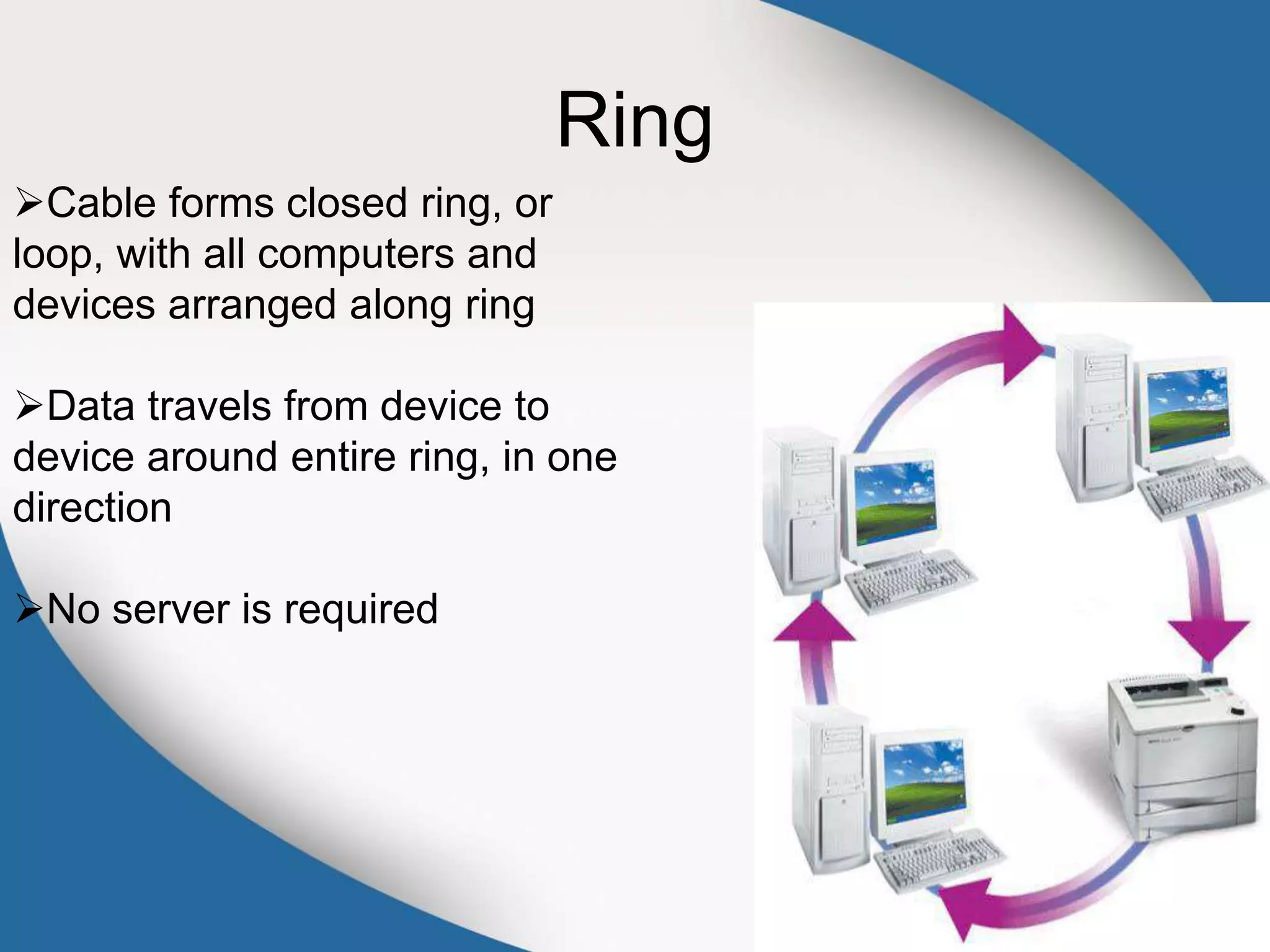
Ring
Cable forms closed ring, or
loop, with all computers and
devices arranged along ring
Data travels from device to
device around entire ring, in one
direction
No server is required
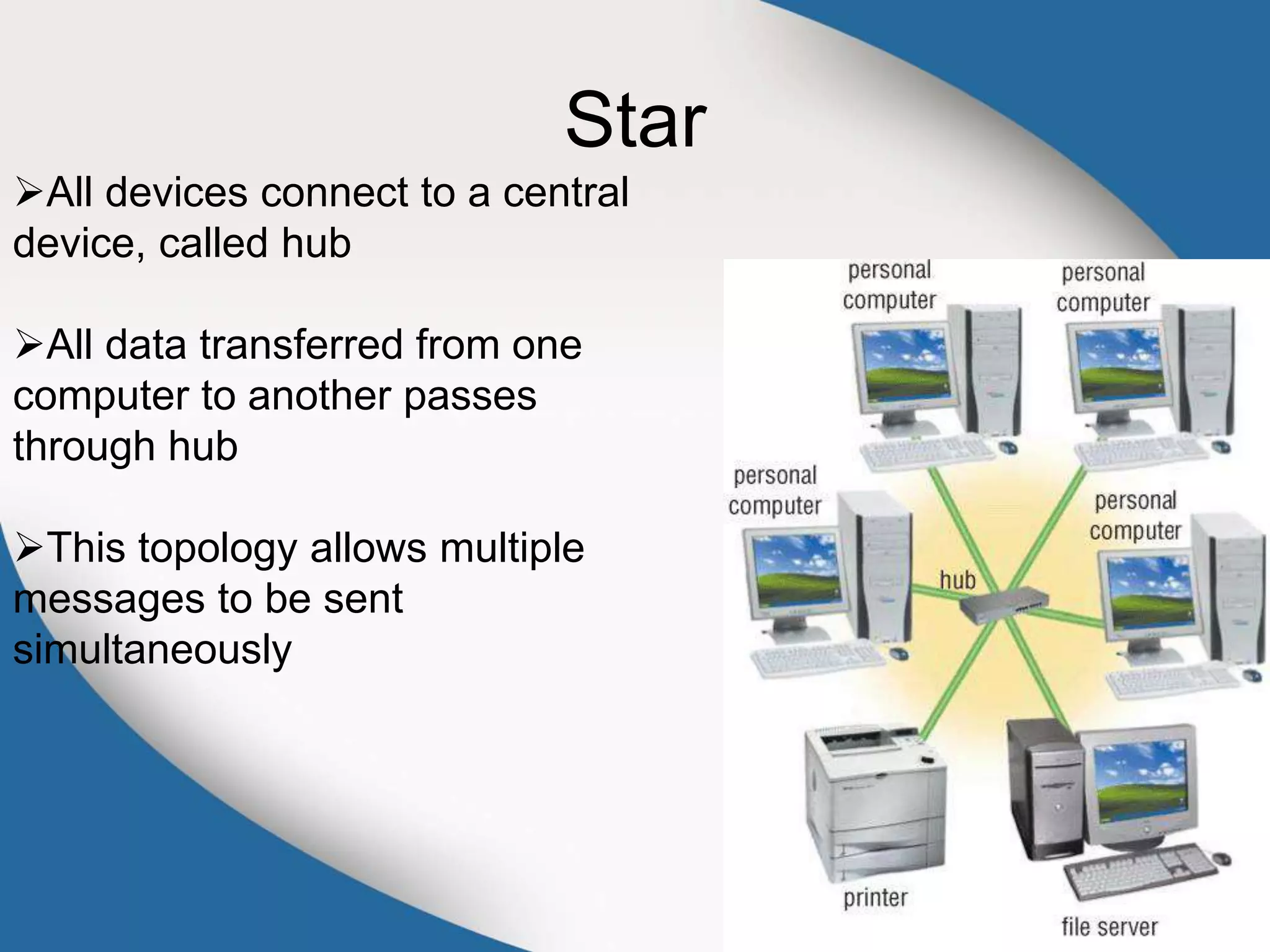
Star
All devices connect to a central
device, called hub
All data transferred from one
computer to another passes
through hub
This topology allows multiple
messages to be sent
simultaneously

Operating Systems Network, Communication, OSI

  • 1.
    Lecture 11 Operating Systems Network,Communication, OSI Lecturer: Sumaira Hussain S.M.I University
  • 2.
    Operating System An operatingsystem (OS) is software that manages computer hardware and software resources and provides common services for computer programs
  • 3.
    Core Tasks ofan OS Processor management Memory management Device management Storage management Application Interface User Interface
  • 5.
    Processor Management The CPUexecutes each process a bit at a time. The CPU's clock times the execution of a process, and when a time limit is reached, then the clock signals the CPU that it is time to switch to another process. The CPU executes just one process, and the processes that are ready and waiting for their turn at execution are kept in a queue (a waiting line, like at the post office) in primary storage.
  • 6.
    Memory Management Straight forwardfor a single-user, single tasking Each app must have enough private memory in which to execute App can neither run into the private memory space of another app, nor be run into by another app Different types of memory (e.g. main, cache) in the system must be used properly, so that each app can run most effectively
  • 7.
    Storage Management The OSmanages storage through one of its sub-modules, the File Manager A file system is a collection of directories, subdirectories, and files organized in a logical order. File manager maintains an index of the filenames & where they are located on the disk. File manager make it easy to find the required file in a logical and timely fashion.
  • 8.
    Device Management Applications talkto devices through the OS and OS talks to and manages devices through Device Drivers Example: When we print to a laser printer, we do not need to know its details. All we do is to tell the printer device driver about what needs to be printed and it takes care of the details
  • 9.
    Application Interface App developersdo not need to know much about the hardware, while they are developing their app The OS provides all apps with a straight-forward and consistent interface to the HW Example: An app uses the OS to store data on the disk drive. For that, the app does not need to know about the exact physical characteristics of that drive; it just tells the OS to do that through the app interface, and the OS takes cares of all the details of the task
  • 10.
    User Interface Users communicatewith the computer using a consistent user interface provided by the OS This UI can be a command-line interface in which a user types in the commands. Example: copy a:/file1.html c:/file1.html Or, it can be a graphical UI, where Windows, Icons, Menus, and a Pointing device (such as a mouse) is used to receive and display information. Example: With the help of the mouse, drag file1.html from drive a to drive c
  • 11.
    Types of OS Real-TimeOperating System (RTOS) Single-User, Single Task Single-User, Multi-Tasking Multi-User
  • 12.
    Real Time OperatingSystems Used to run computers embedded in machinery, robots, scientific instruments and industrial systems Typically, it has little user interaction capability, and no end-user utilities, since the system will be a "sealed box" when delivered for use Examples: Wind River, QNX, Real-time Linux, Real-time Windows NT An important part of an RTOS is managing the resources of the computer so that a particular operation executes in precisely the same amount of time every time it occurs In a complex machine, having a part move more quickly just because system resources are available may be just as catastrophic as having it not move at all because the system was busy
  • 13.
    Single-User, Single Task OSare designed to manage the computer so that one user can effectively do one thing at a time The Palm OS used in many palmtop computers (PDA’s) is an example of a single-user, single-task OS Single-User, Multi-Tasking Most popular OS Used by most all PC’s and Laptops Examples: Windows, Mac OS, Linux Lets a single user interact with several programs, simultaneously
  • 14.
    Multi-User A multi-user OSallows many users to take advantage of the computer's resources, simultaneously The OS must make sure that the requirements of the various users are balanced, and that the programs they are using each have sufficient and separate resources so that a problem with one user doesn't affect any of the other users Examples: Linux, Unix, VMS and mainframe OS, such as MVS
  • 15.
    Computer Communications Process inwhich two or more computers or devices transfer data, instructions, and information
  • 16.
    Uses of Computing Communication Internet  E-Mail  Instant Messaging  FTP  Newsgroups Chat Rooms  Web Folders Fax Machine or Computer Fax/Modem  Video Conferencing  Internet telephony (enables you to talk to other people over the Internet Sometimes called Voice over IP )  Internet printing (allows you to print to network printer from anywhere in the world )
  • 17.
    Computer Network Multiple computersthat are connected together to share information and other resources
  • 18.
    Components of ComputerNetworks 1. Computers 2. Network Interface Cards (NIC) 3. Hub 4. Cables 5. Routers 6. Protocol
  • 19.
    Network Interface Card I/Odevice that plugs into the computer Enables it to communicate over a network
  • 20.
    Hub The network trafficcontroller Device that provides central point for cables in network Components of Conventional Computer Networks
  • 21.
    Cables Are either electricalor optical Not required at all for wireless networks Wire, cable, and other tangible materials used to send communications signals
  • 22.
    Routers Connects computers andtransmits data to correct destination on network Routers forward data on Internet using fastest available path
  • 23.
    Protocol Rules governing communicationsover the network Example: OSI Model
  • 24.
    OSI Model 1)Application Layer 2)PresentationLayer 3)Session Layer 4)Transport Layer 5)Network Layer 6)Data Link Layer 7)Physical Layer
  • 27.
    Type of ComputerNetworks according to the distance between nodes LAN MAN WAN
  • 28.
    LAN Network in limitedgeographical area such as home or office building
  • 29.
  • 30.
    WAN Network that coverslarge geographic area using many types of media Internet is world’s largest WAN
  • 31.
  • 32.
    Client-Server One or morecomputers act as server and other computers, or clients, access server
  • 33.
    Point to Point Simplenetwork that connects fewer than 10 computers Each computer, or peer, has equal capabilities
  • 34.
    Bus All computers anddevices connect to central cable, or bus No server is required One computer sends data to another by broadcasting the address of the receiver and the data over the bus All the computers in the network look at the address simultaneously, and the intended recipient accepts the data
  • 35.
    Ring Cable forms closedring, or loop, with all computers and devices arranged along ring Data travels from device to device around entire ring, in one direction No server is required
  • 36.
    Star All devices connectto a central device, called hub All data transferred from one computer to another passes through hub This topology allows multiple messages to be sent simultaneously