Numba: Flexible analytics written in
Python
With	
  machine	
  code	
  speeds	
  while	
  potentially	
  releasing	
  the	
  GIL
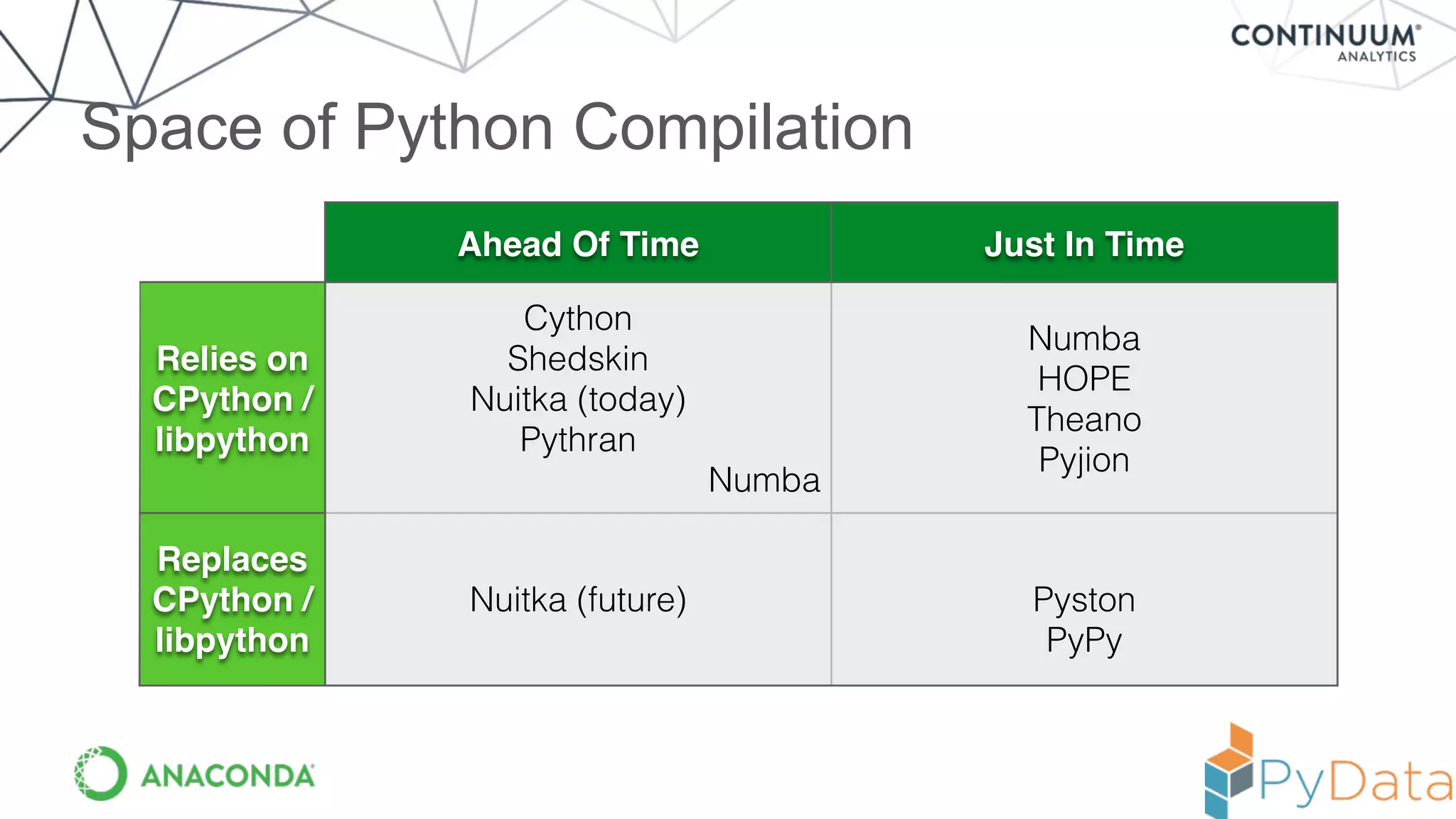
Space of Python Compilation
Ahead Of Time Just In Time
Relies on
CPython /
libpython
Cython
Shedskin
Nuitka (today)
Pythran
Numba
Numba
HOPE
Theano
Pyjion
Replaces
CPython /
libpython
Nuitka (future) Pyston
PyPy
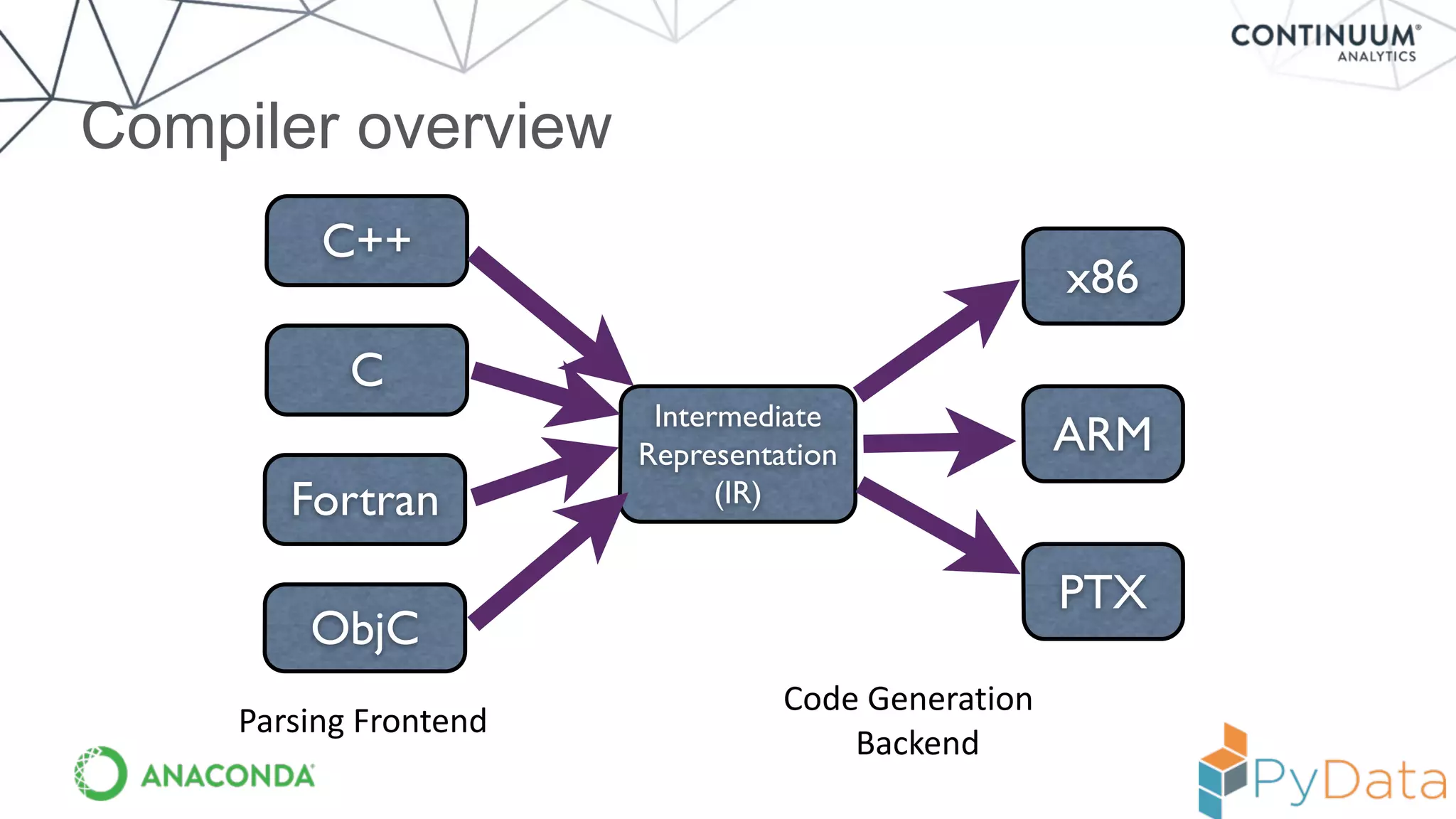
Compiler overview
Intermediate
Representation
(IR)
x86
C++
ARM
PTX
C
Fortran
ObjC
Code	
  Generation	
  	
  
Backend
Parsing	
  Frontend
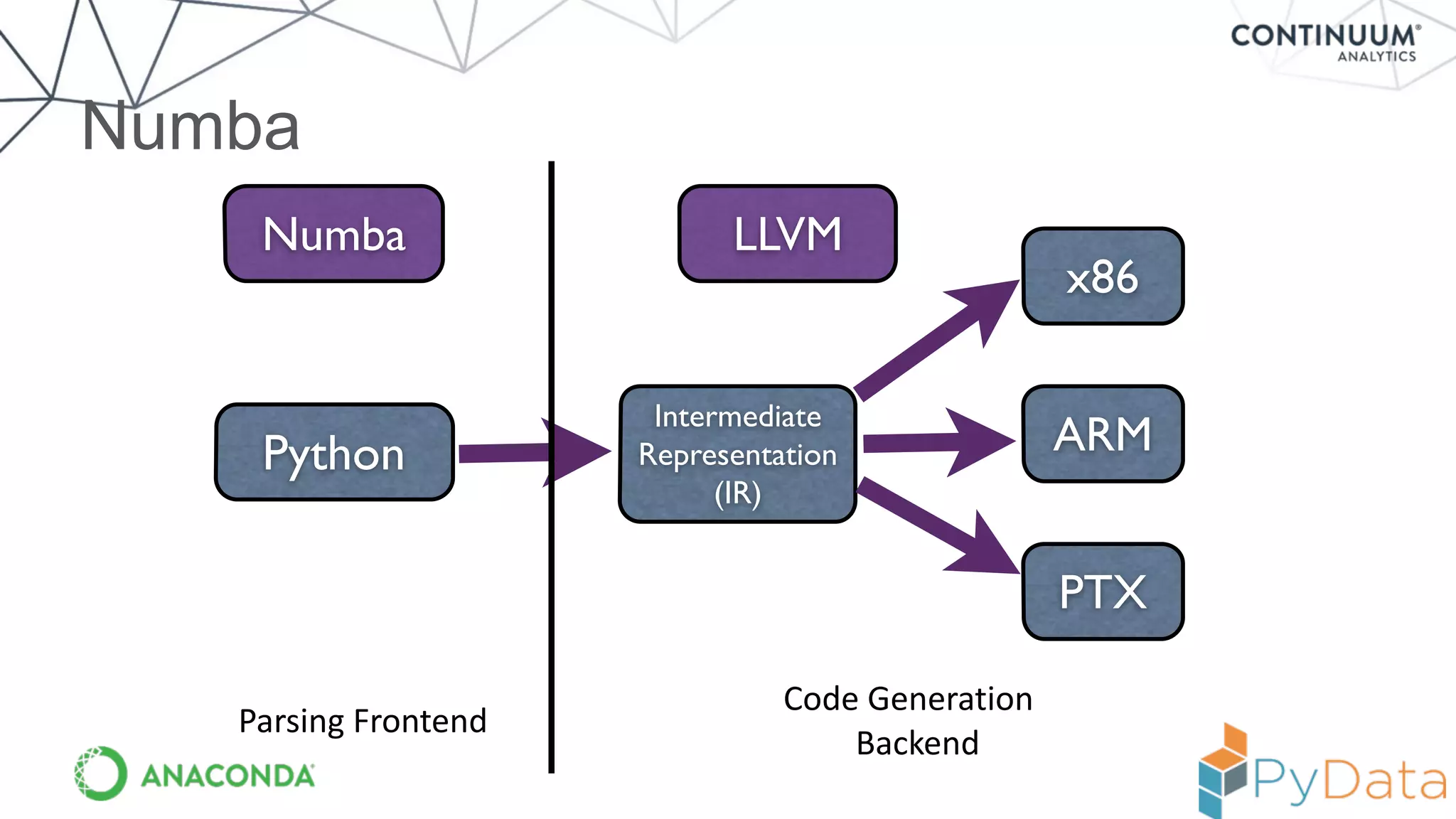
Numba
Intermediate
Representation
(IR)
x86
ARM
PTX
Python
LLVMNumba
Parsing	
  Frontend
Code	
  Generation	
  	
  
Backend
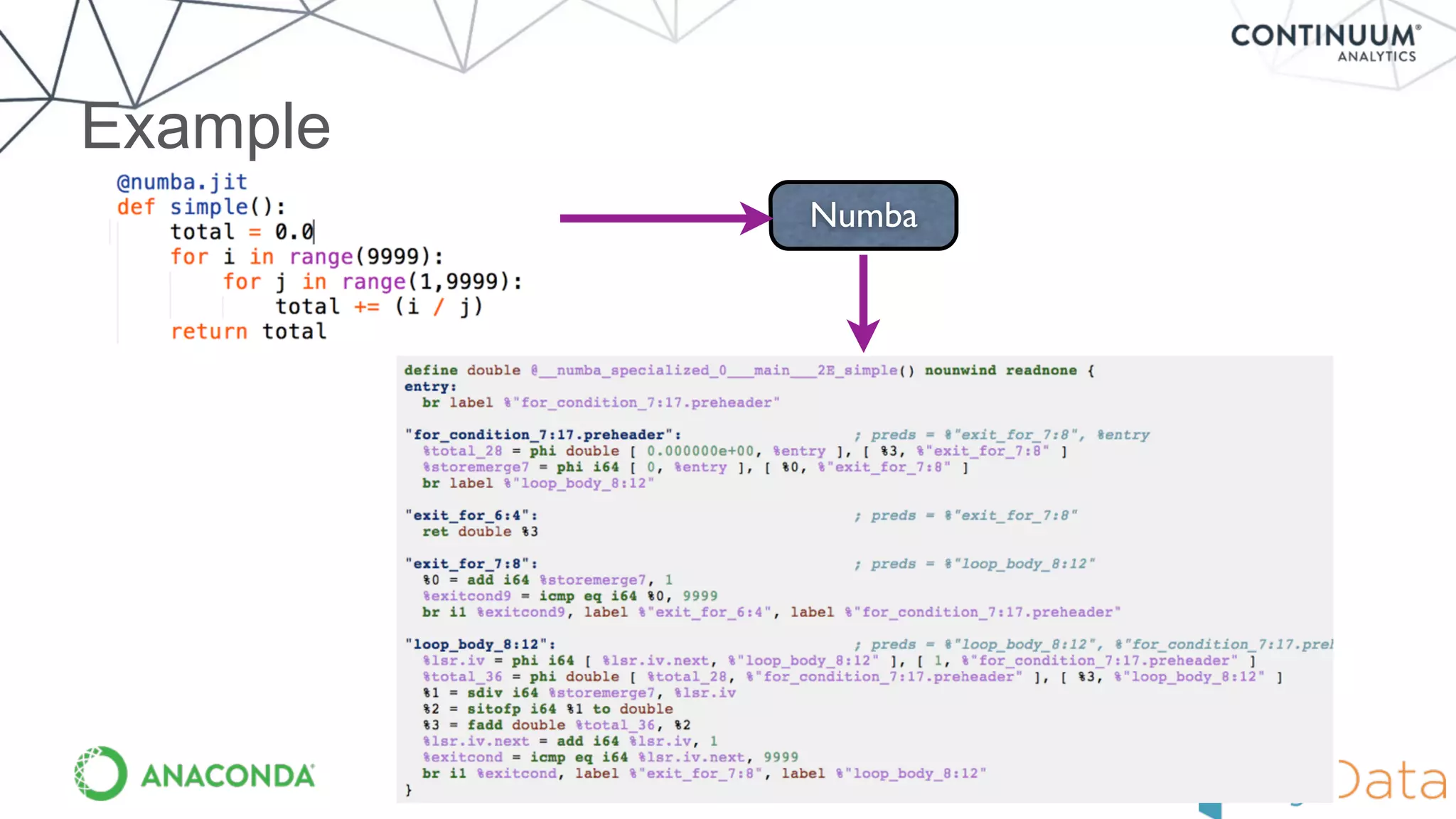
Example
Numba
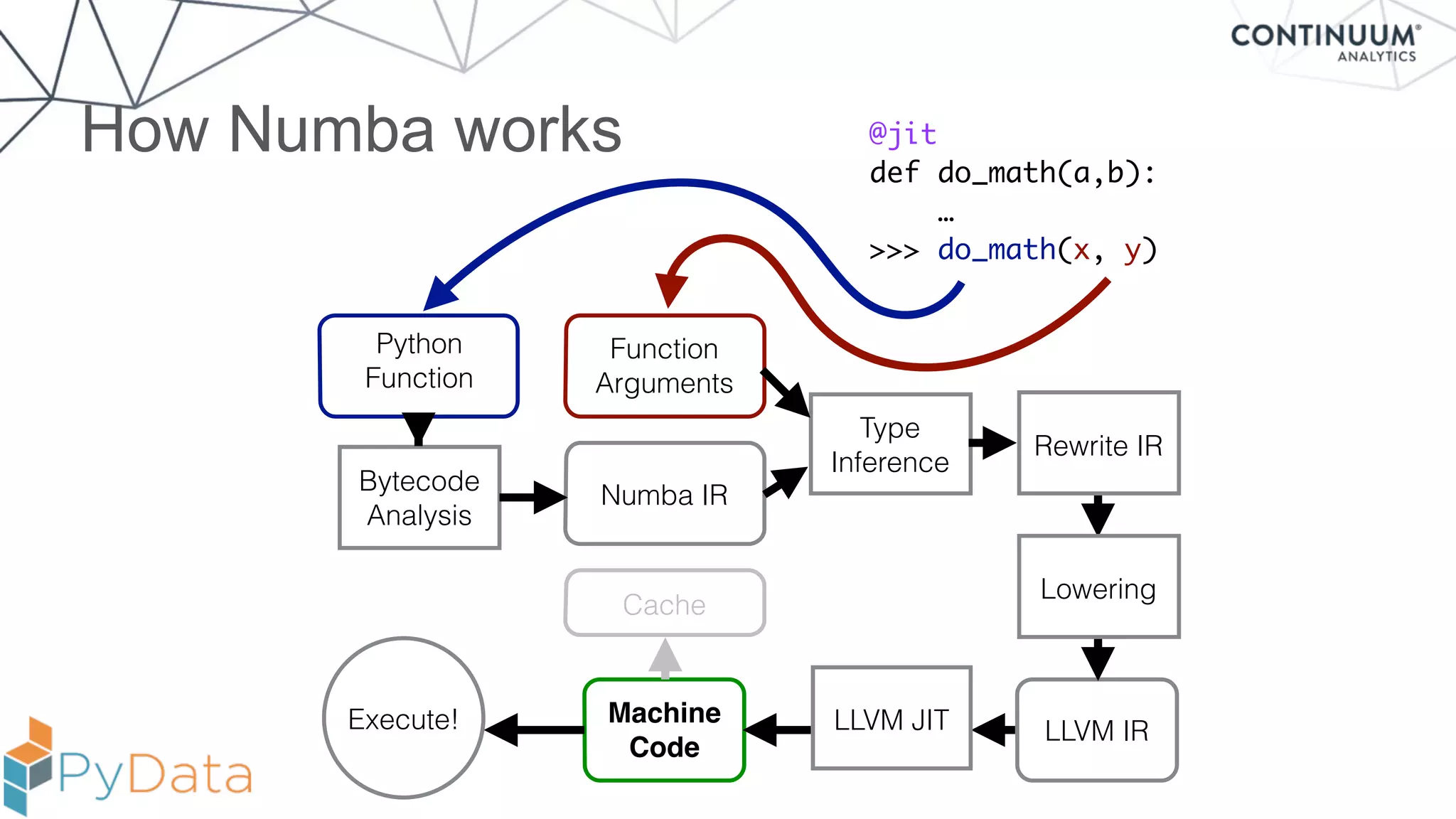
How Numba works
Bytecode
Analysis
Python
Function
Function
Arguments
Type
Inference
Numba IR
LLVM IR
Machine
Code
@jit
def do_math(a,b):
…
>>> do_math(x, y)
Cache
Execute!
Rewrite IR
Lowering
LLVM JIT
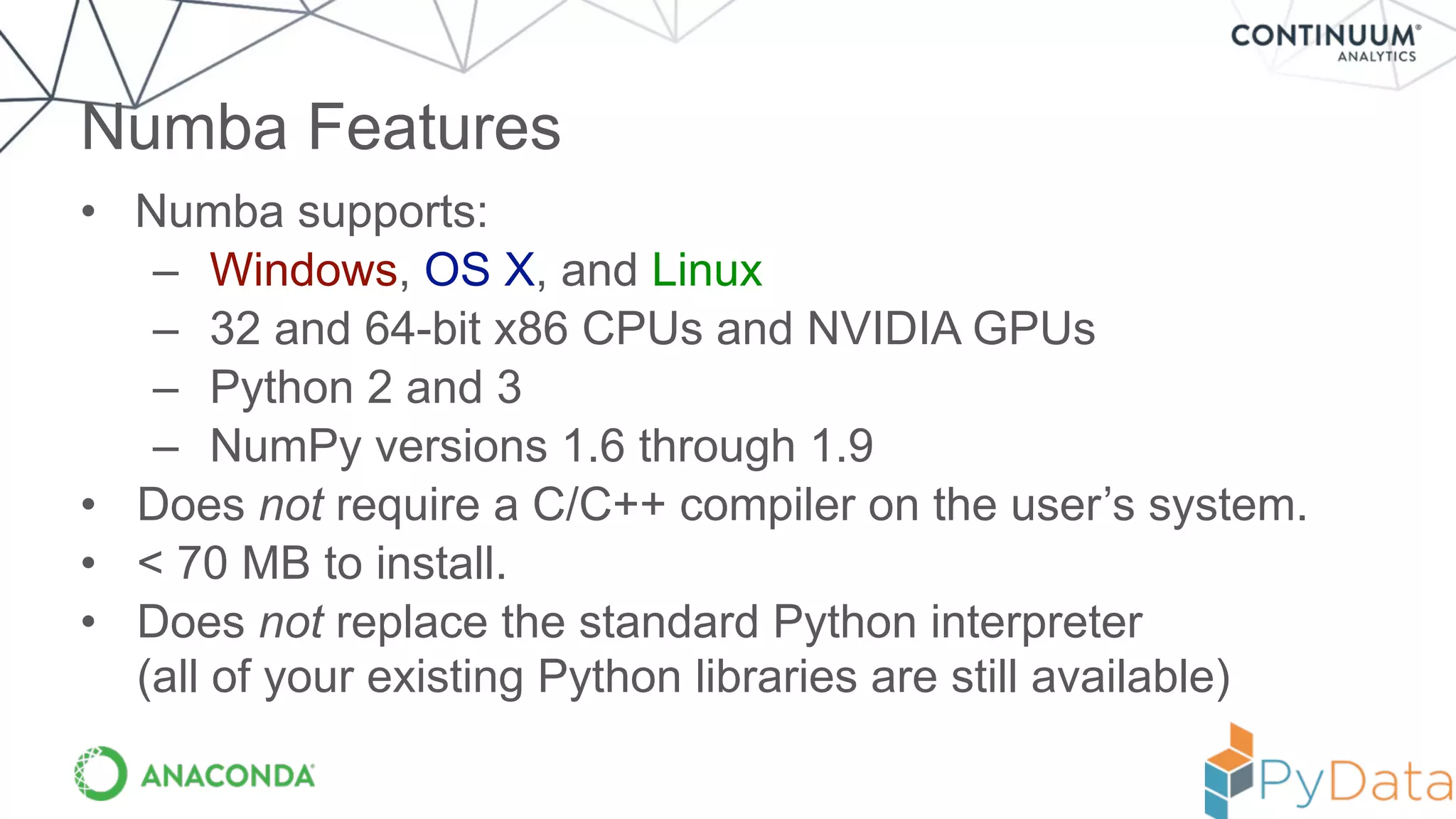
• Numba supports:
– Windows, OS X, and Linux
– 32 and 64-bit x86 CPUs and NVIDIA GPUs
– Python 2 and 3
– NumPy versions 1.6 through 1.9
• Does not require a C/C++ compiler on the user’s system.
• < 70 MB to install.
• Does not replace the standard Python interpreter

(all of your existing Python libraries are still available)
Numba Features
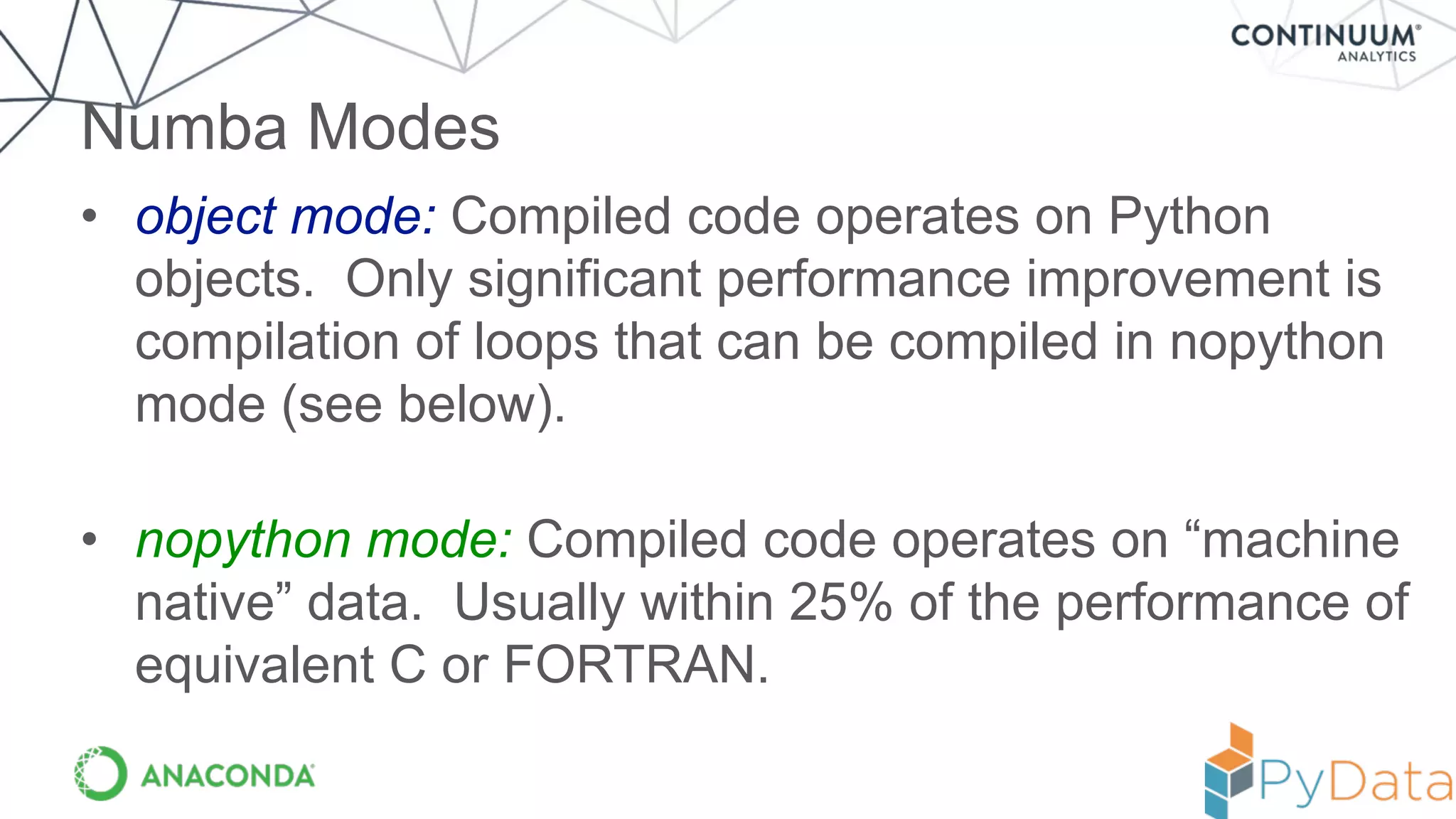
• object mode: Compiled code operates on Python
objects. Only significant performance improvement is
compilation of loops that can be compiled in nopython
mode (see below).
• nopython mode: Compiled code operates on “machine
native” data. Usually within 25% of the performance of
equivalent C or FORTRAN.
Numba Modes
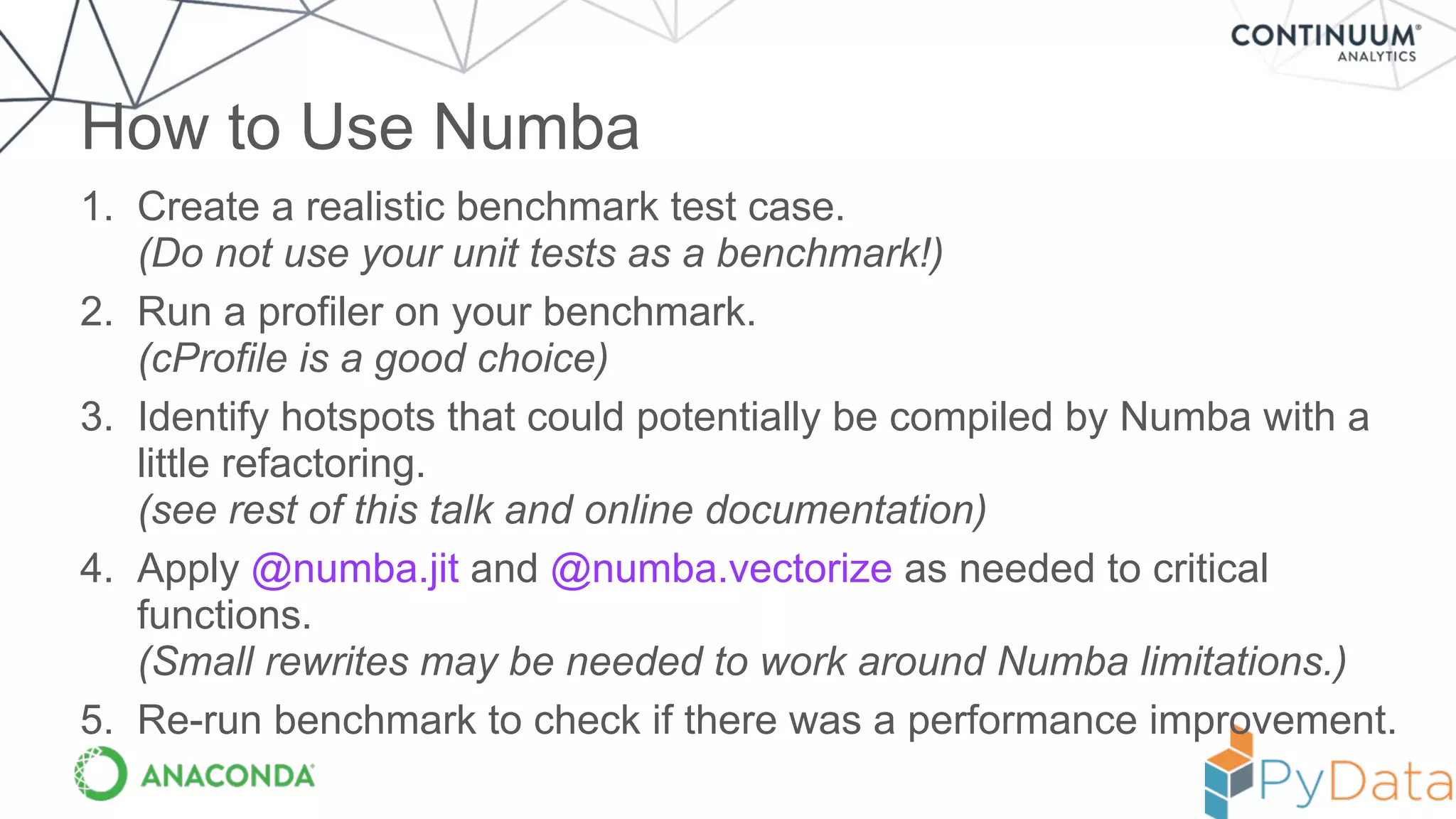
1. Create a realistic benchmark test case.

(Do not use your unit tests as a benchmark!)
2. Run a profiler on your benchmark.

(cProfile is a good choice)
3. Identify hotspots that could potentially be compiled by Numba with a
little refactoring.

(see rest of this talk and online documentation)
4. Apply @numba.jit and @numba.vectorize as needed to critical
functions. 

(Small rewrites may be needed to work around Numba limitations.)
5. Re-run benchmark to check if there was a performance improvement.
How to Use Numba
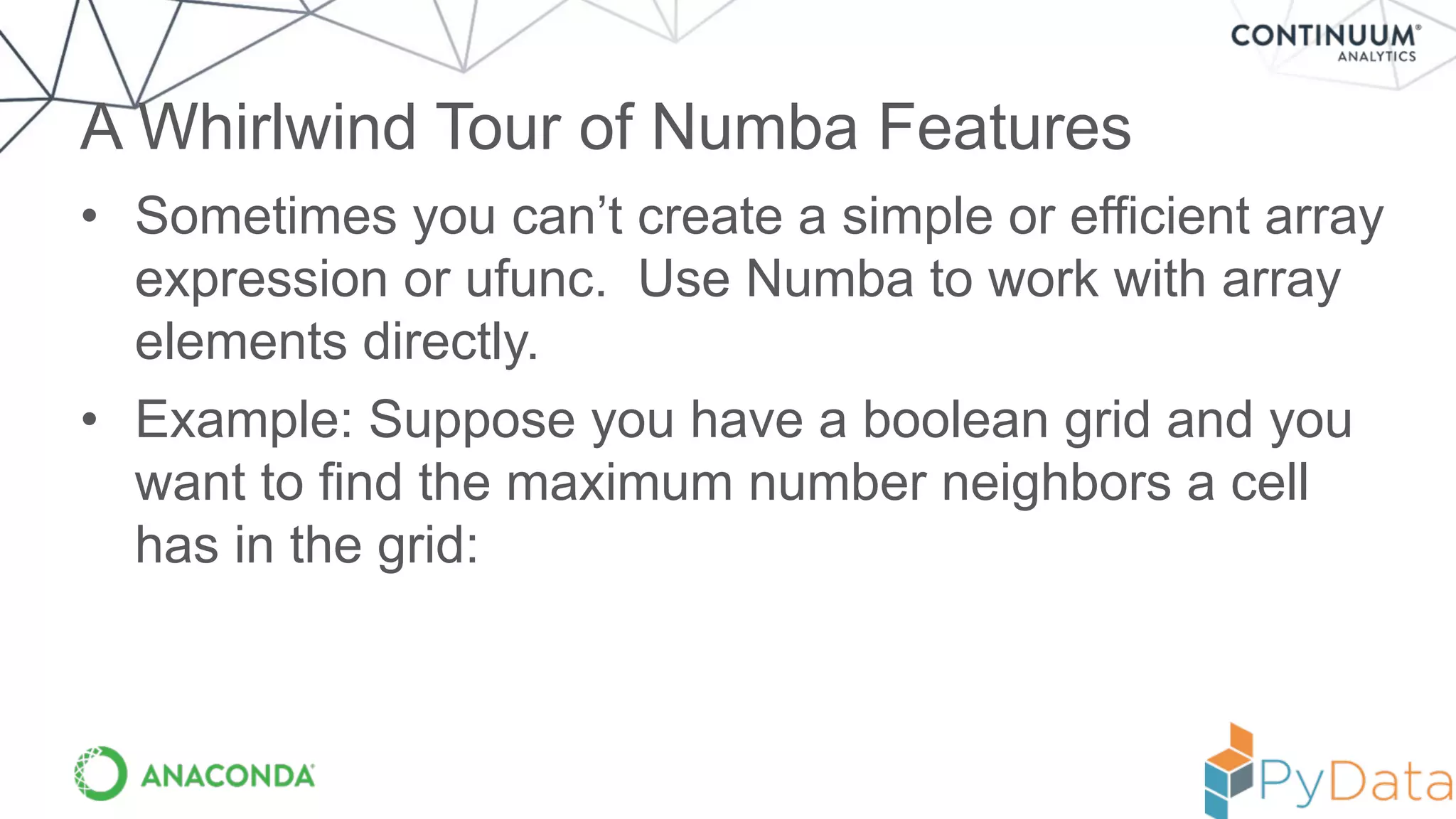
• Sometimes you can’t create a simple or efficient array
expression or ufunc. Use Numba to work with array
elements directly.
• Example: Suppose you have a boolean grid and you
want to find the maximum number neighbors a cell
has in the grid:
A Whirlwind Tour of Numba Features
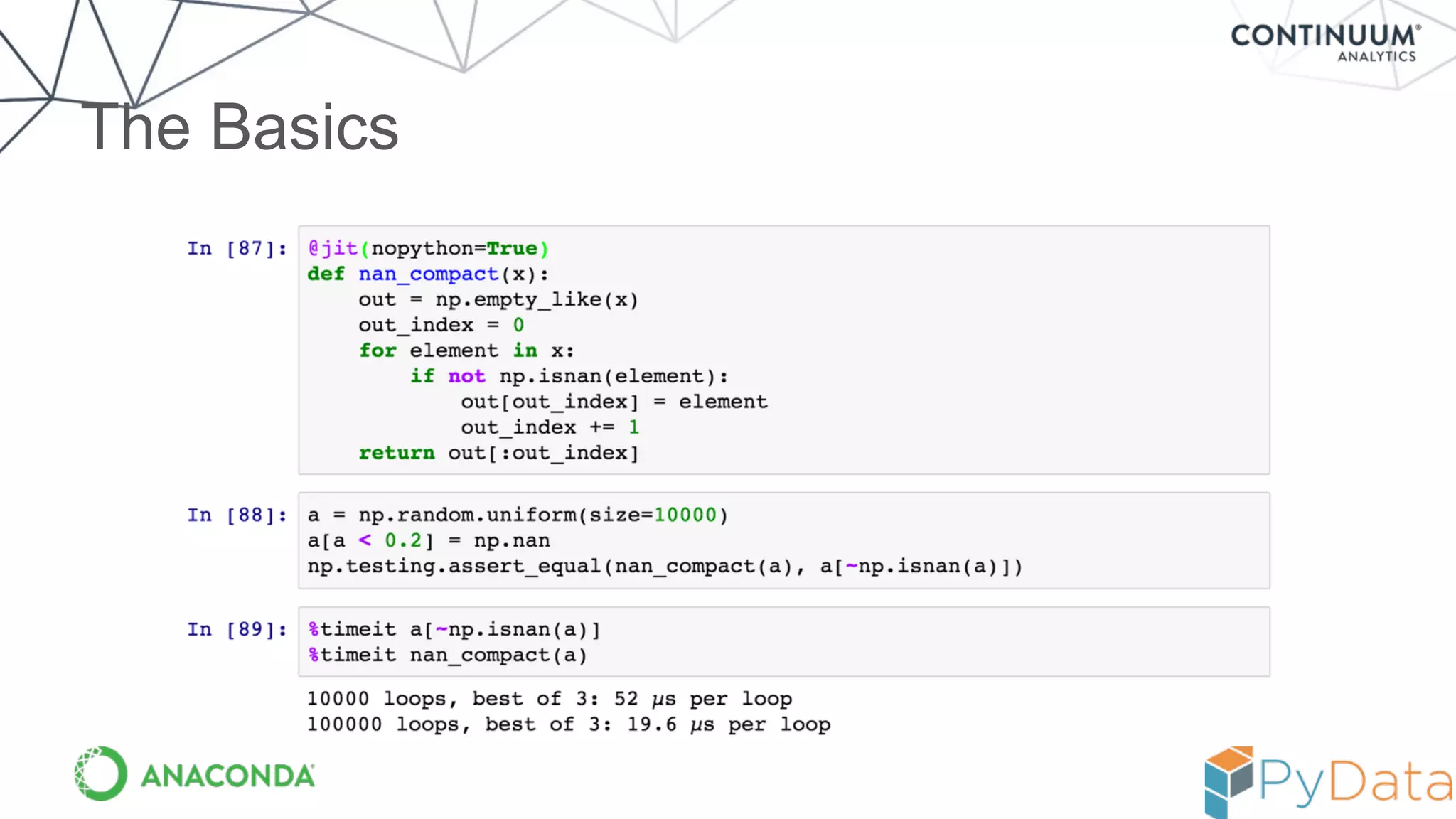
The Basics
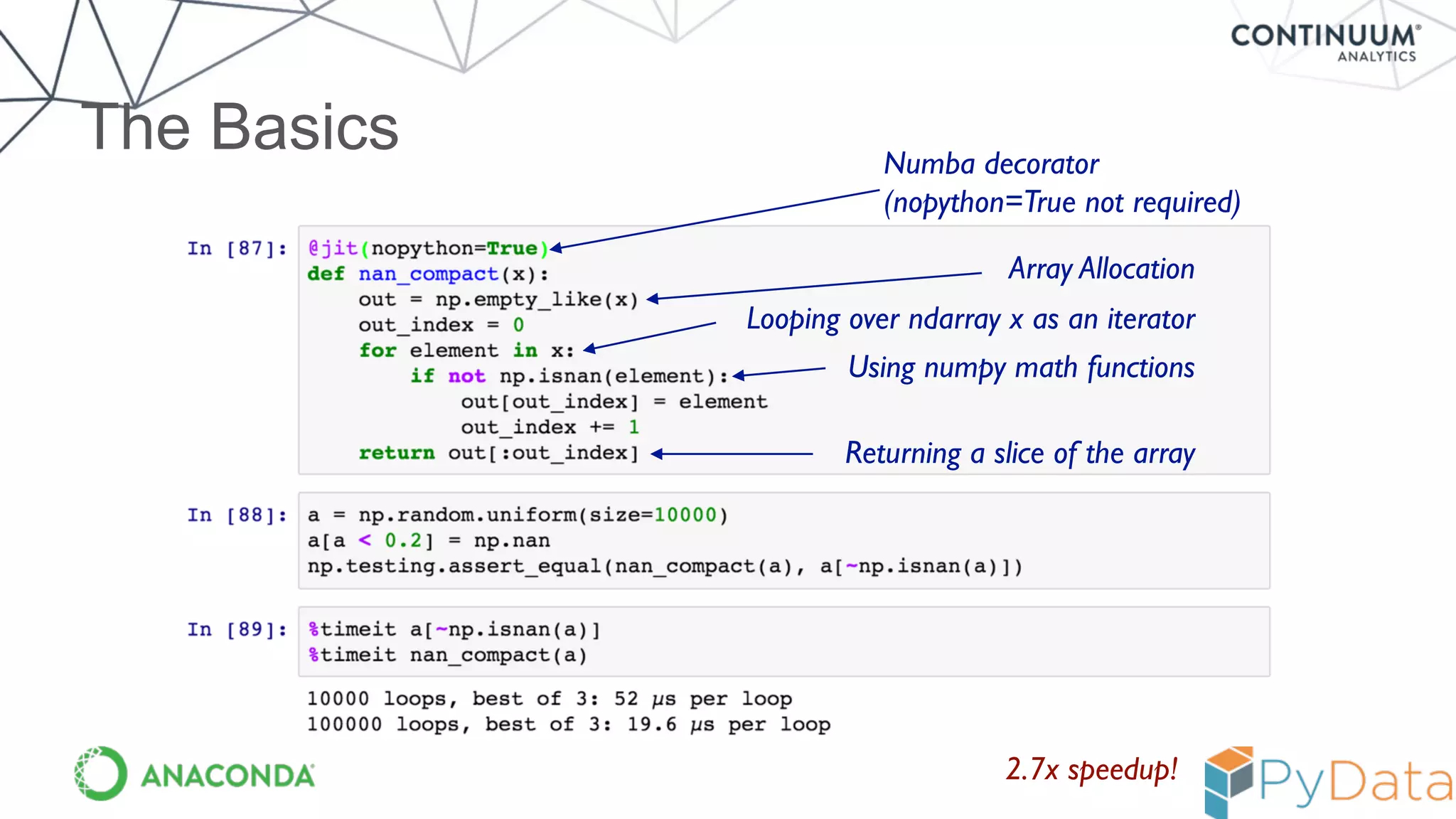
The Basics
Array Allocation
Looping over ndarray x as an iterator
Using numpy math functions
Returning a slice of the array
2.7x speedup!
Numba decorator

(nopython=True not required)
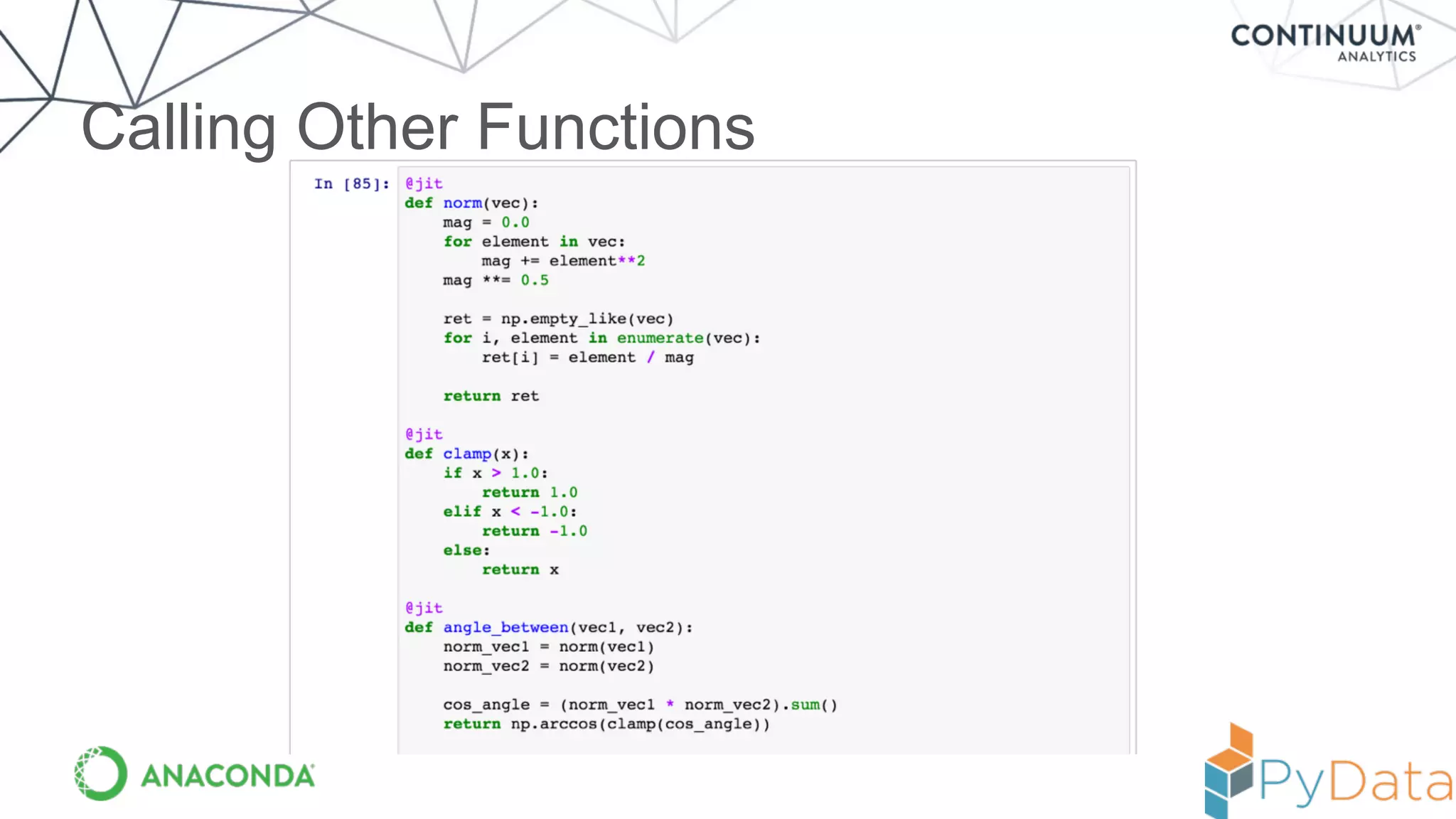
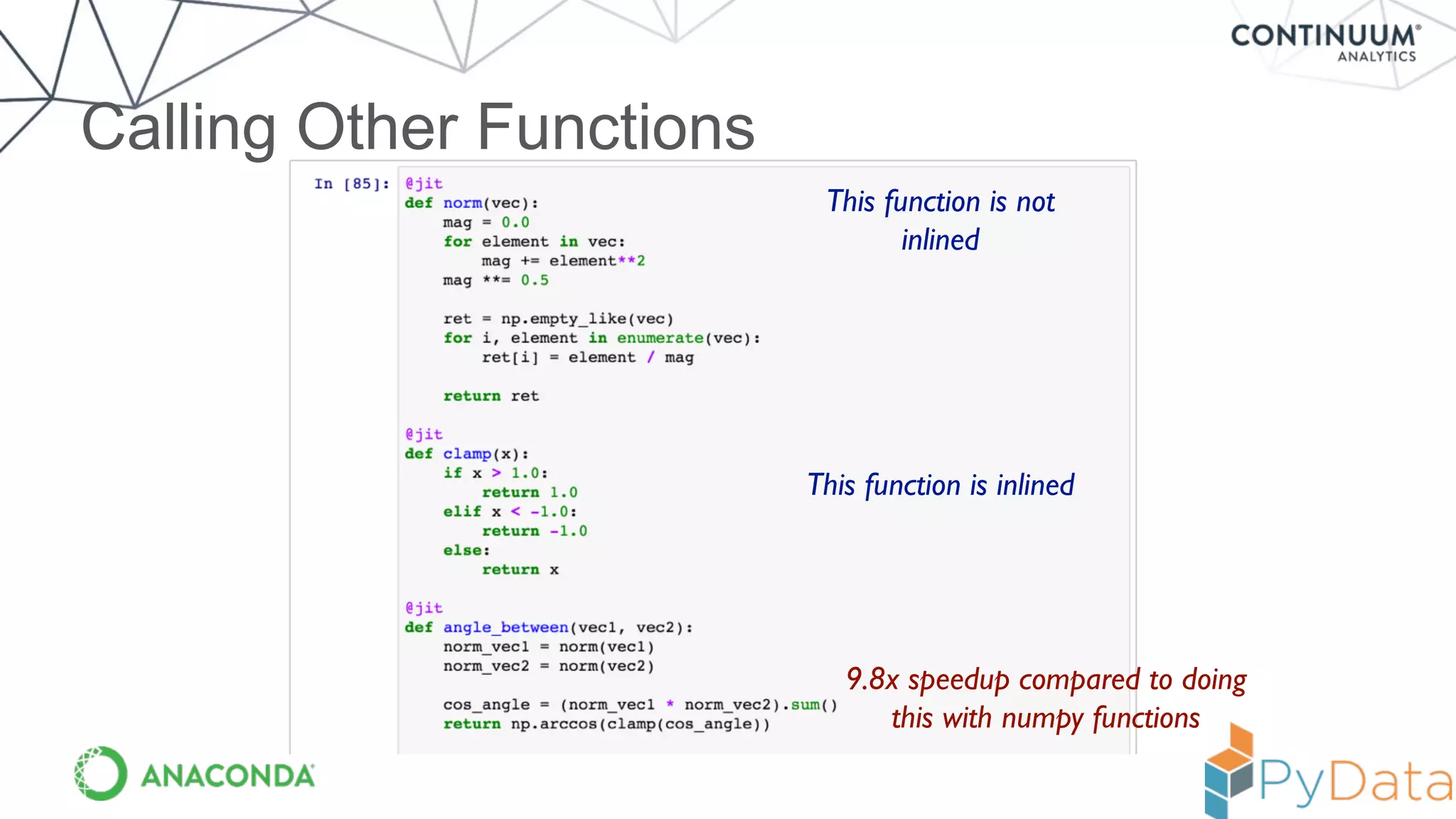
Calling Other Functions
This function is not
inlined
This function is inlined
9.8x speedup compared to doing
this with numpy functions
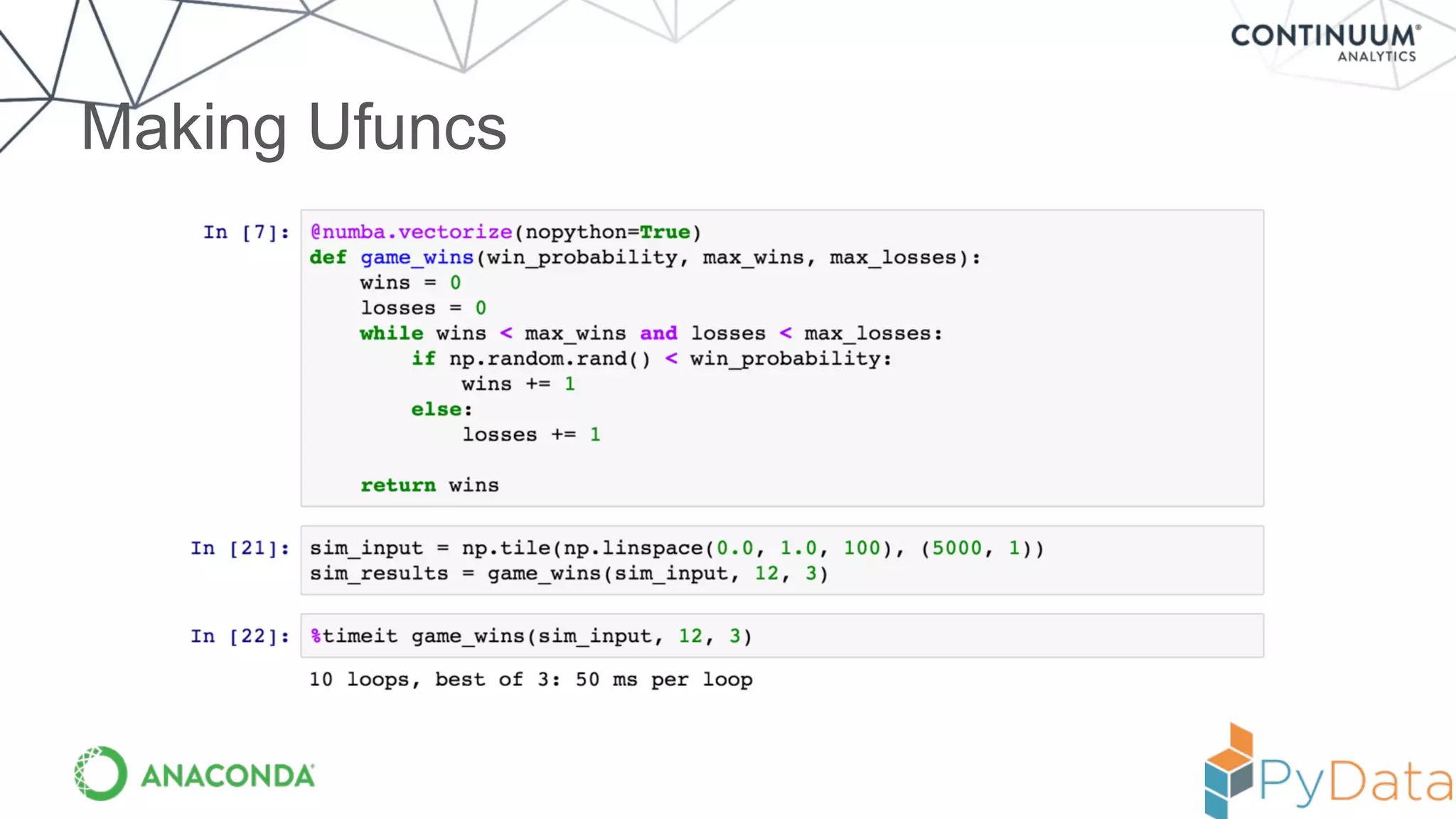
Making Ufuncs
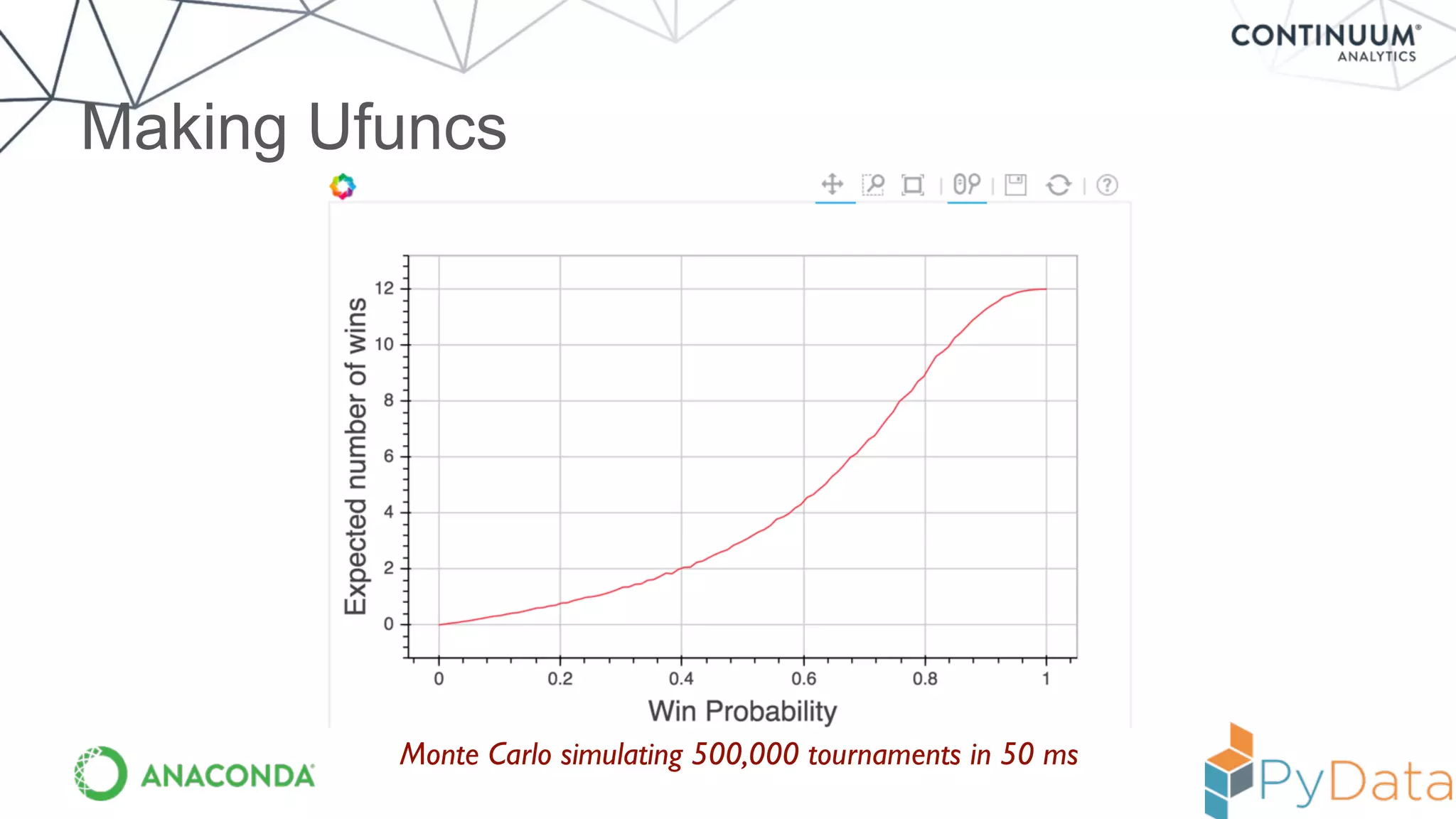
Making Ufuncs
Monte Carlo simulating 500,000 tournaments in 50 ms
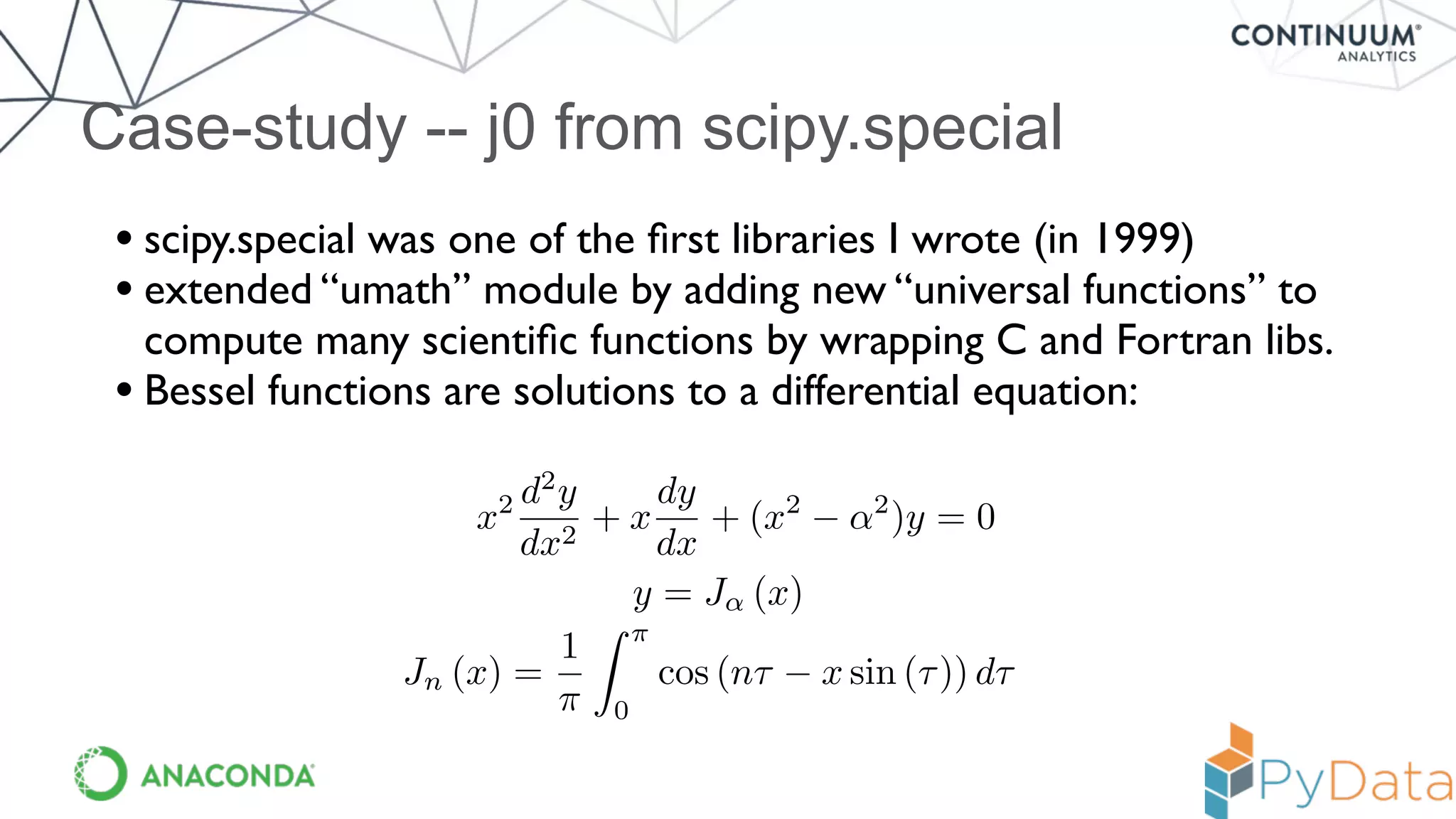
Case-study -- j0 from scipy.special
• scipy.special was one of the first libraries I wrote (in 1999)
• extended “umath” module by adding new “universal functions” to
compute many scientific functions by wrapping C and Fortran libs.
• Bessel functions are solutions to a differential equation:
x2 d2
y
dx2
+ x
dy
dx
+ (x2
↵2
)y = 0
y = J↵ (x)
Jn (x) =
1
⇡
Z ⇡
0
cos (n⌧ x sin (⌧)) d⌧
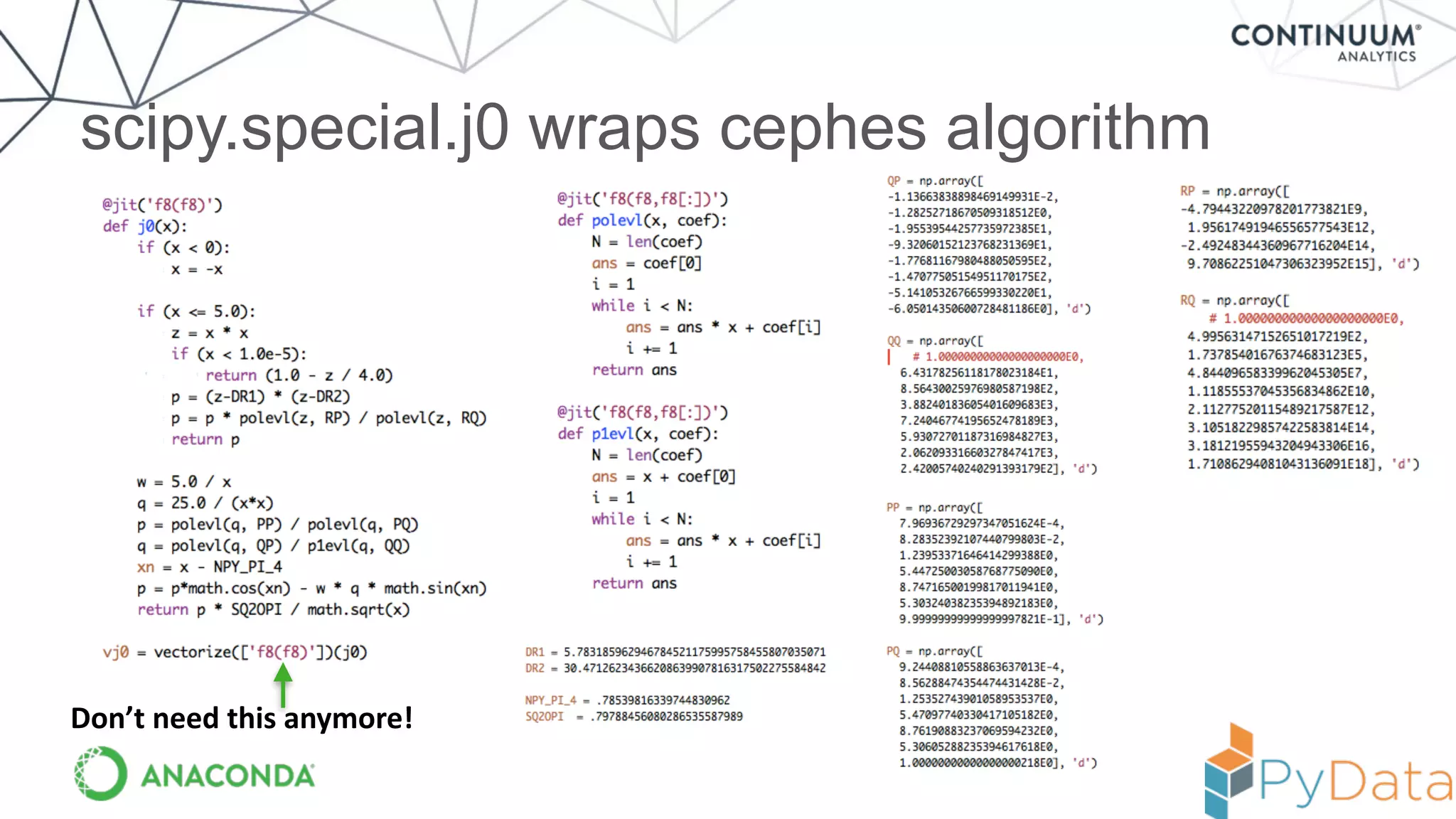
scipy.special.j0 wraps cephes algorithm
Don’t	
  need	
  this	
  anymore!
Result --- equivalent to compiled code
In [6]: %timeit vj0(x)
10000 loops, best of 3: 75 us per loop
In [7]: from scipy.special import j0
In [8]: %timeit j0(x)
10000 loops, best of 3: 75.3 us per loop
But! Now code is in Python and can be experimented with
more easily (and moved to the GPU / accelerator more easily)!
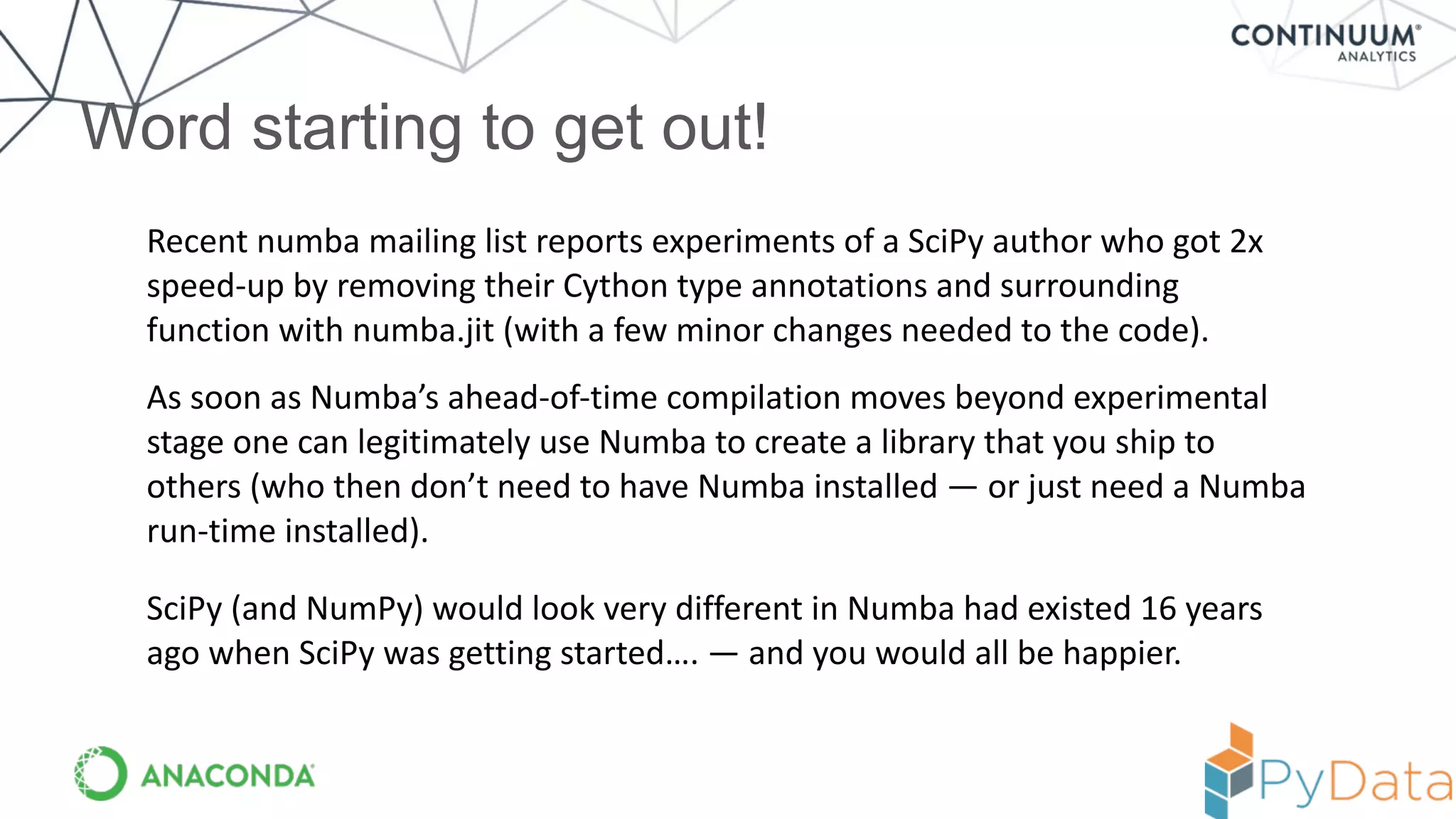
Word starting to get out!
Recent	
  numba	
  mailing	
  list	
  reports	
  experiments	
  of	
  a	
  SciPy	
  author	
  who	
  got	
  2x	
  
speed-­‐up	
  by	
  removing	
  their	
  Cython	
  type	
  annotations	
  and	
  surrounding	
  
function	
  with	
  numba.jit	
  (with	
  a	
  few	
  minor	
  changes	
  needed	
  to	
  the	
  code).
As	
  soon	
  as	
  Numba’s	
  ahead-­‐of-­‐time	
  compilation	
  moves	
  beyond	
  experimental	
  
stage	
  one	
  can	
  legitimately	
  use	
  Numba	
  to	
  create	
  a	
  library	
  that	
  you	
  ship	
  to	
  
others	
  (who	
  then	
  don’t	
  need	
  to	
  have	
  Numba	
  installed	
  —	
  or	
  just	
  need	
  a	
  Numba	
  
run-­‐time	
  installed).
SciPy	
  (and	
  NumPy)	
  would	
  look	
  very	
  different	
  in	
  Numba	
  had	
  existed	
  16	
  years	
  
ago	
  when	
  SciPy	
  was	
  getting	
  started….	
  —	
  and	
  you	
  would	
  all	
  be	
  happier.
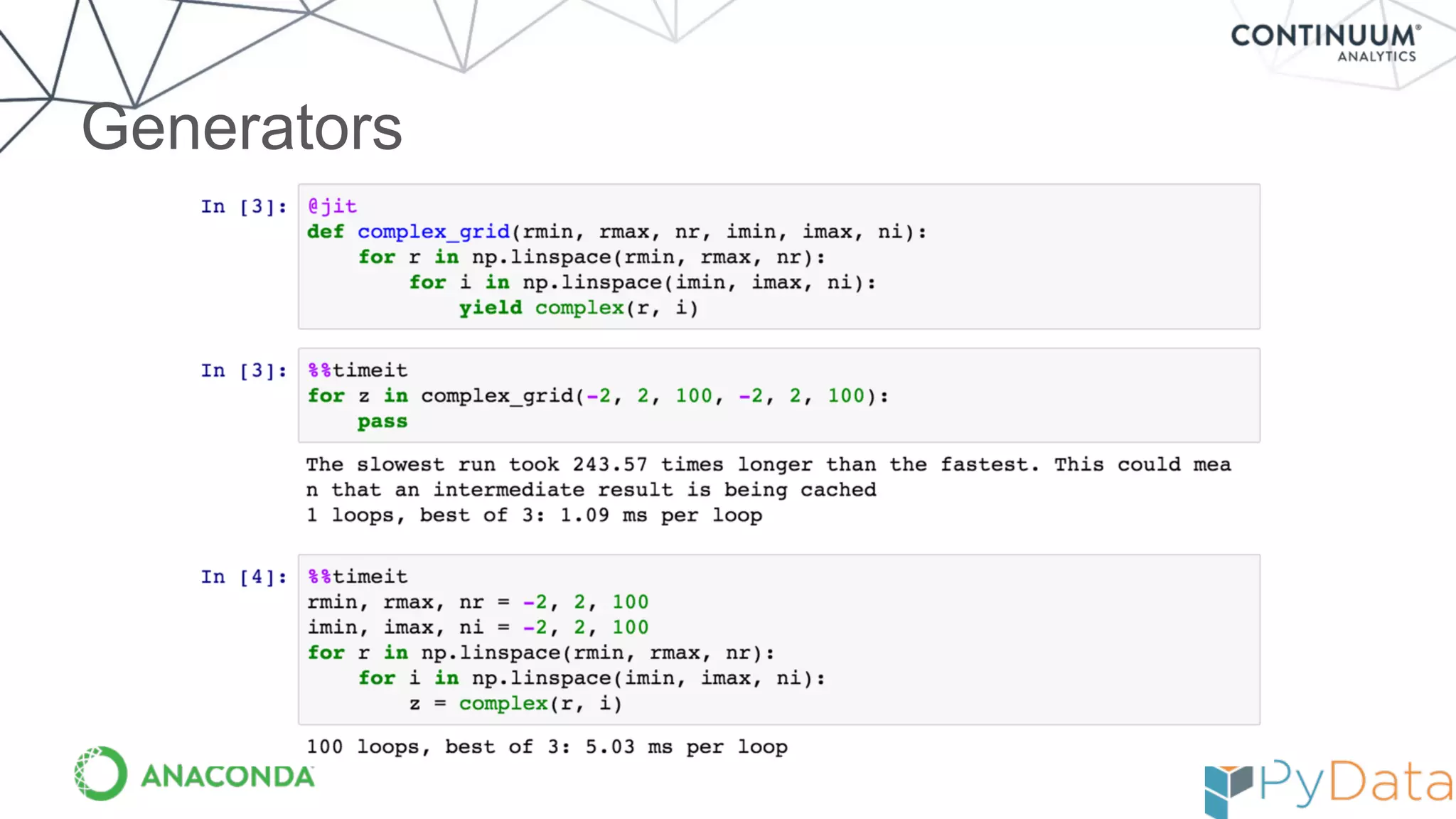
Generators
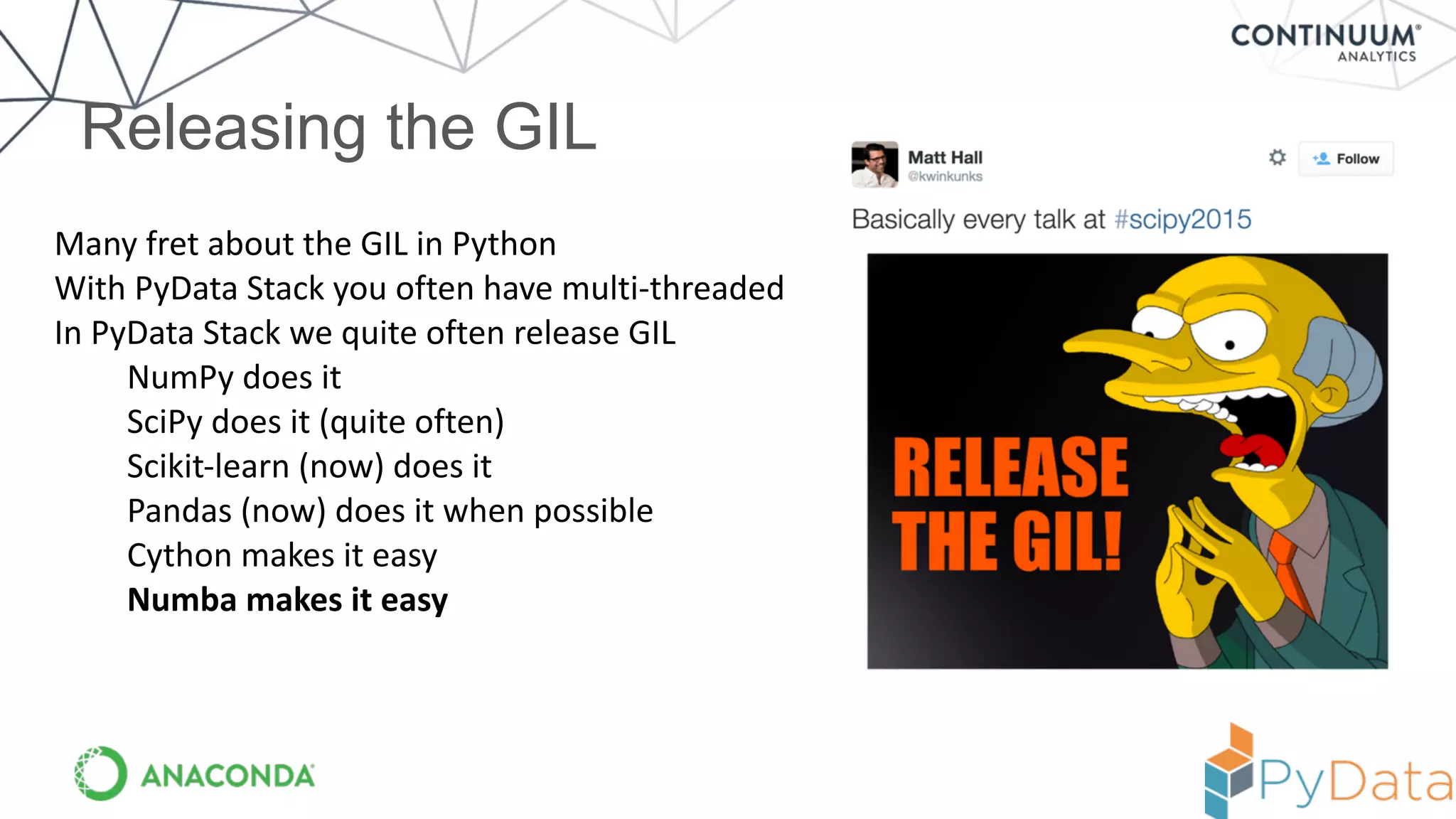
Releasing the GIL
Many	
  fret	
  about	
  the	
  GIL	
  in	
  Python	
  
With	
  PyData	
  Stack	
  you	
  often	
  have	
  multi-­‐threaded	
  
In	
  PyData	
  Stack	
  we	
  quite	
  often	
  release	
  GIL	
  
NumPy	
  does	
  it	
  
SciPy	
  does	
  it	
  (quite	
  often)	
  
Scikit-­‐learn	
  (now)	
  does	
  it	
  
Pandas	
  (now)	
  does	
  it	
  when	
  possible	
  
Cython	
  makes	
  it	
  easy	
  
Numba	
  makes	
  it	
  easy
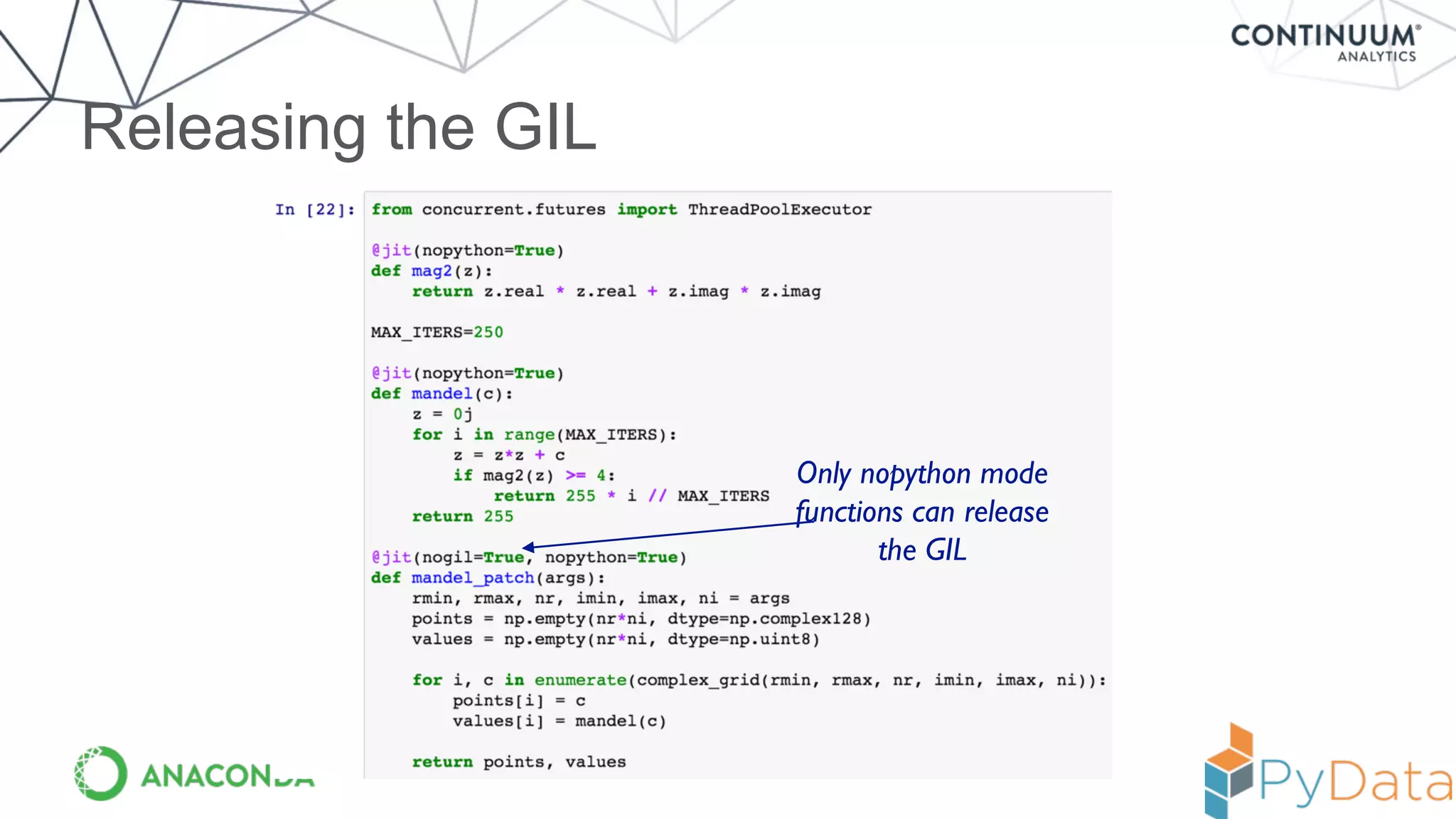
Releasing the GIL
Only nopython mode
functions can release
the GIL
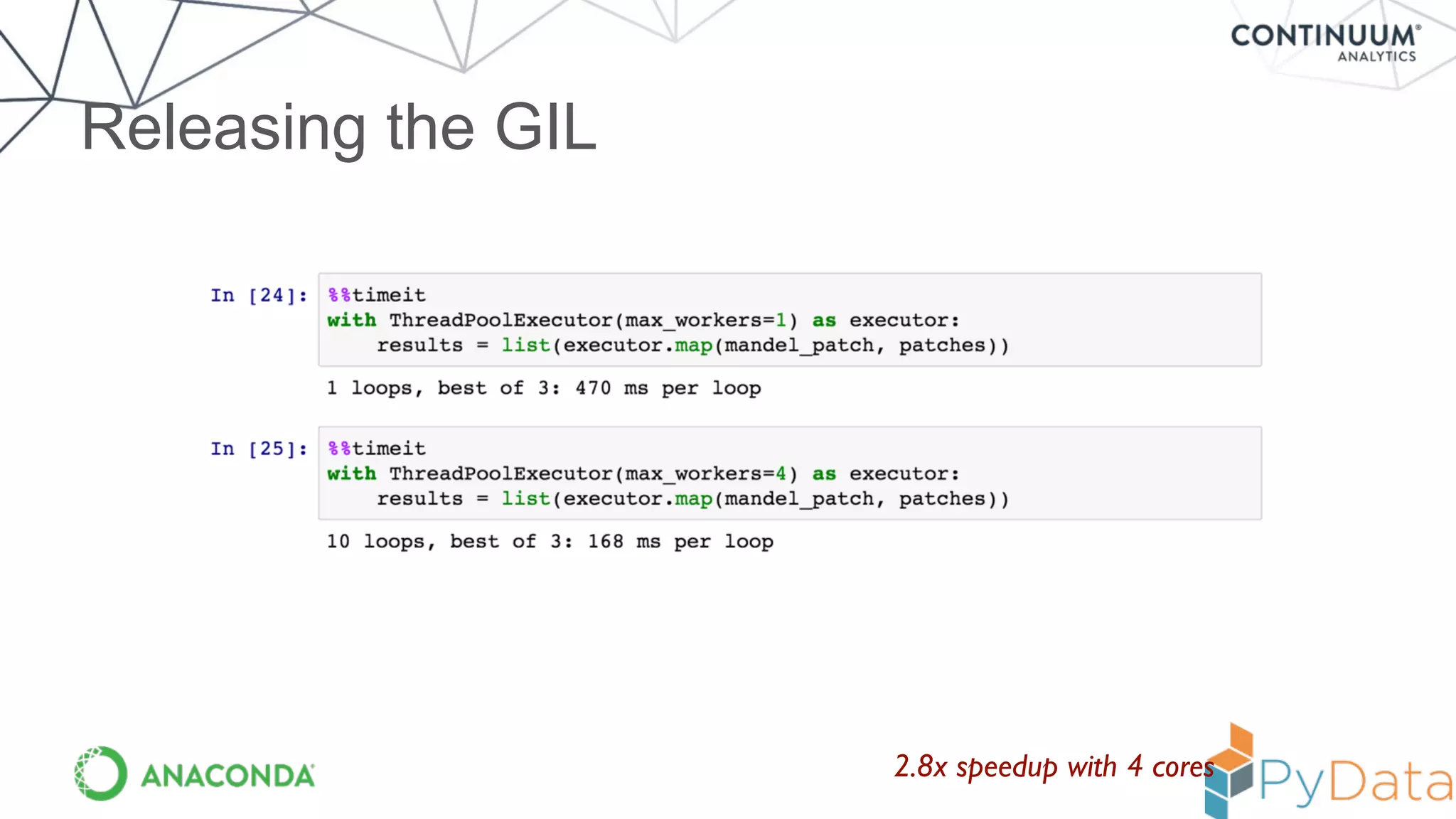
Releasing the GIL
2.8x speedup with 4 cores
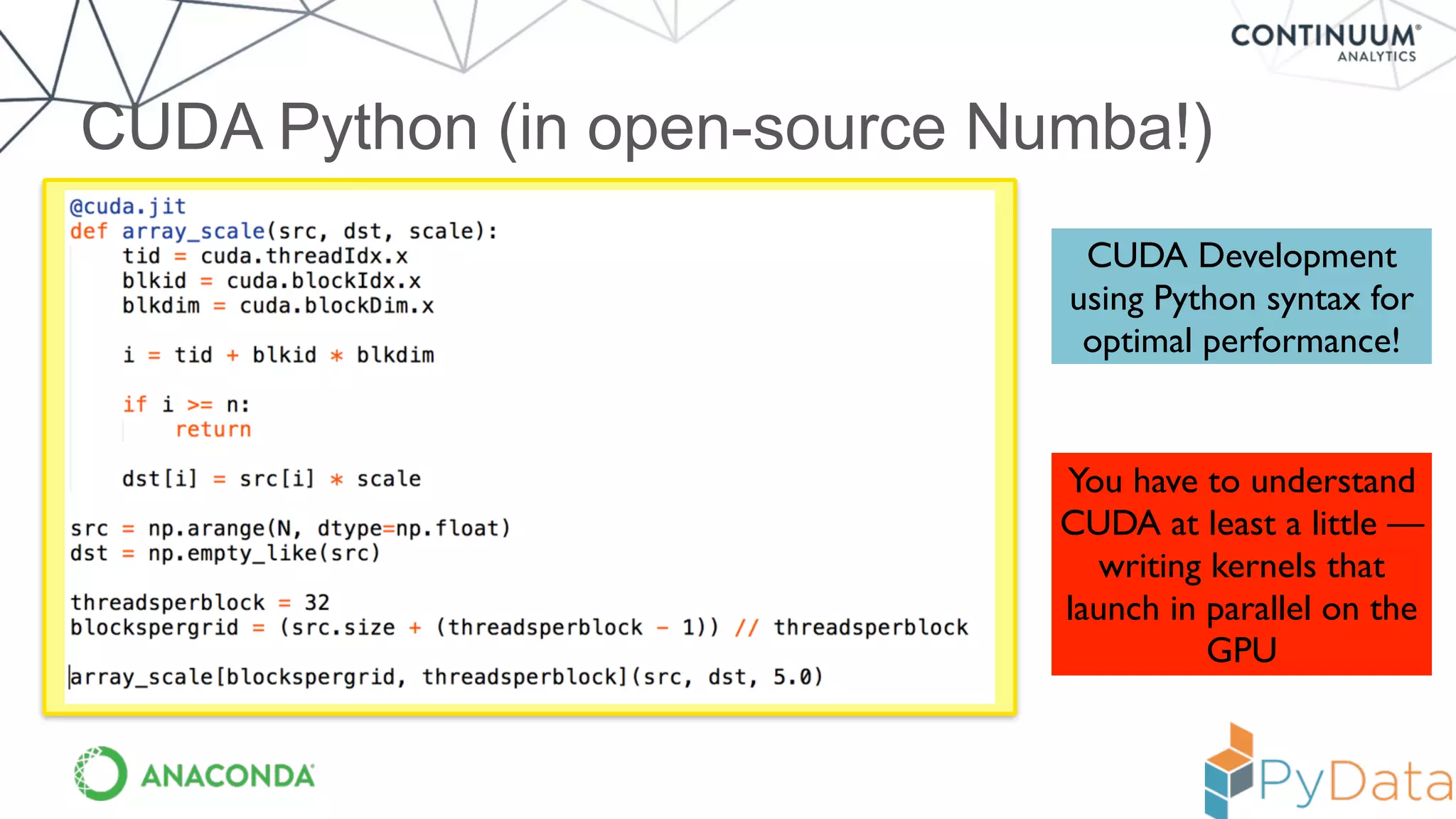
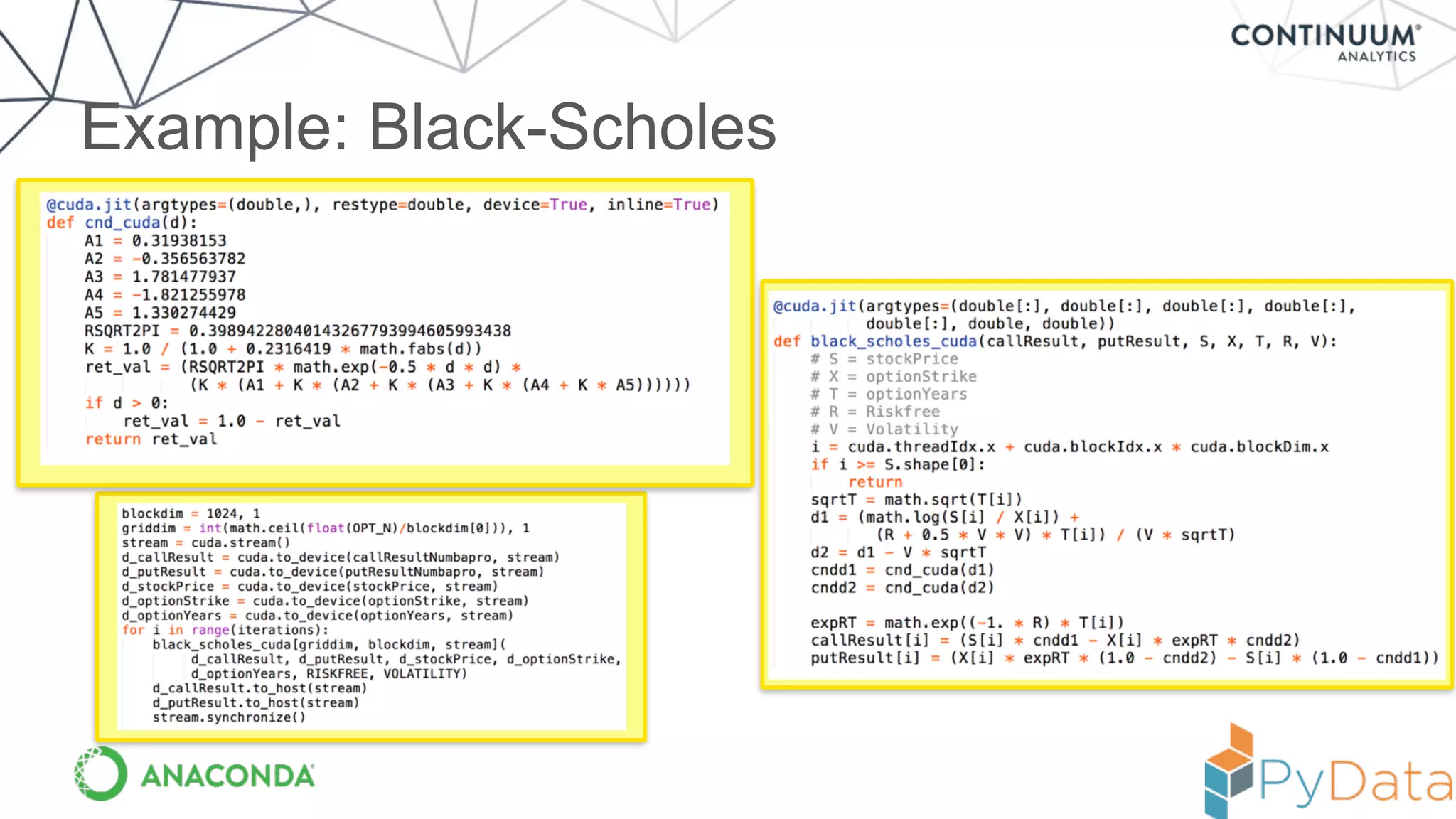
CUDA Python (in open-source Numba!)
CUDA Development
using Python syntax for
optimal performance!
You have to understand
CUDA at least a little —
writing kernels that
launch in parallel on the
GPU
Example: Black-Scholes
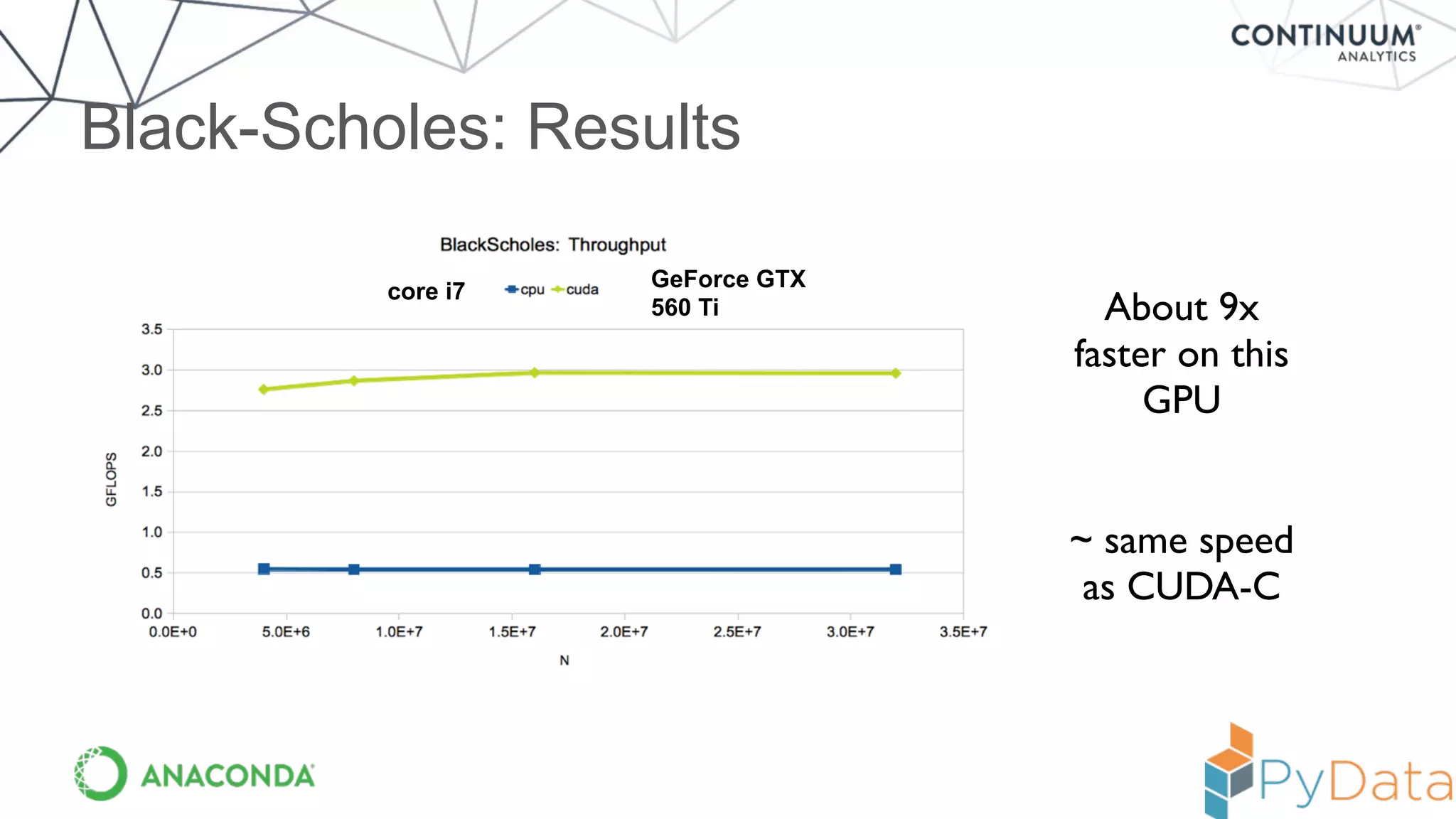
Black-Scholes: Results
core i7
GeForce GTX
560 Ti About 9x
faster on this
GPU
~ same speed
as CUDA-C
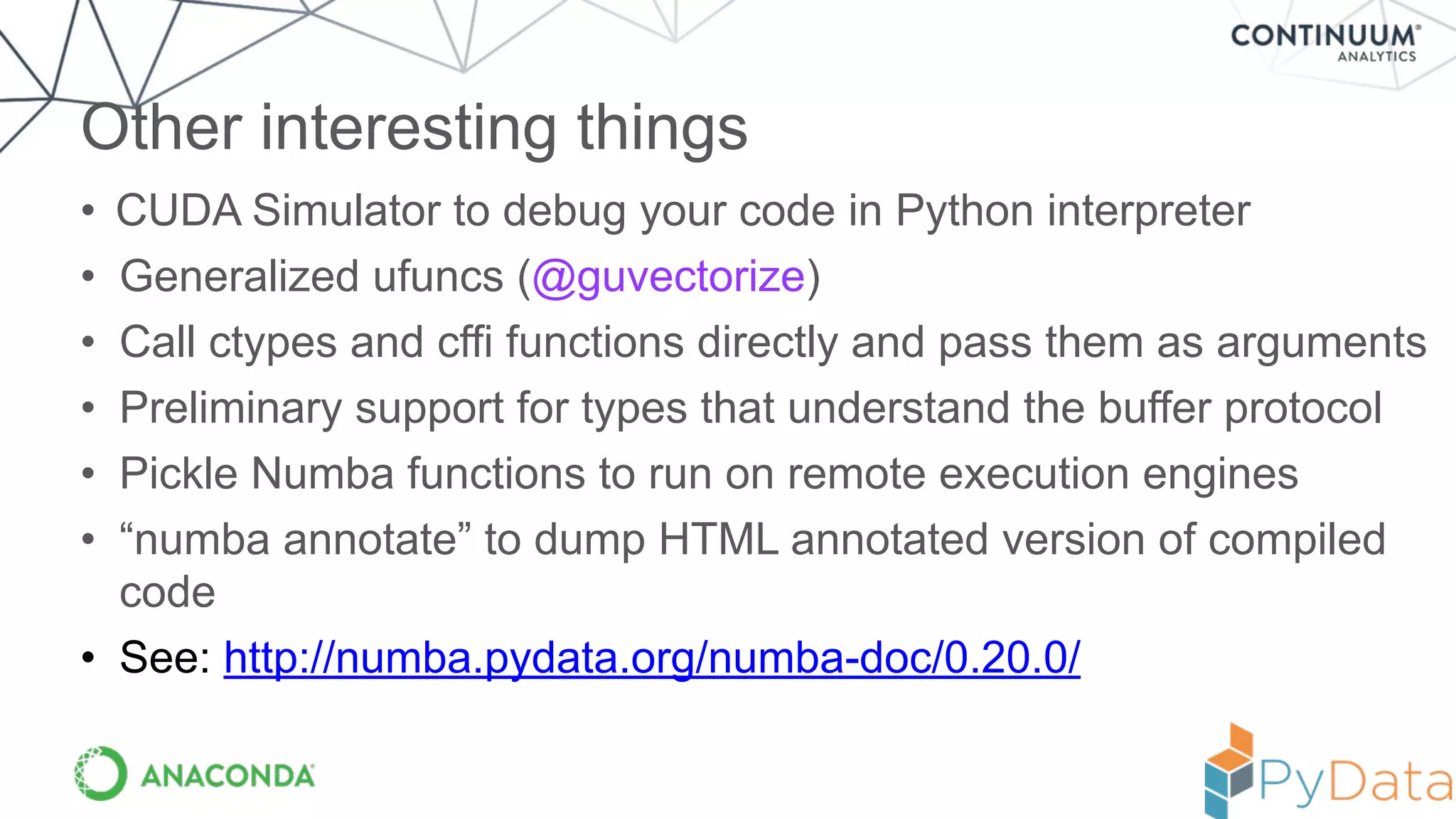
• CUDA Simulator to debug your code in Python interpreter
• Generalized ufuncs (@guvectorize)
• Call ctypes and cffi functions directly and pass them as arguments
• Preliminary support for types that understand the buffer protocol
• Pickle Numba functions to run on remote execution engines
• “numba annotate” to dump HTML annotated version of compiled
code
• See: http://numba.pydata.org/numba-doc/0.20.0/
Other interesting things
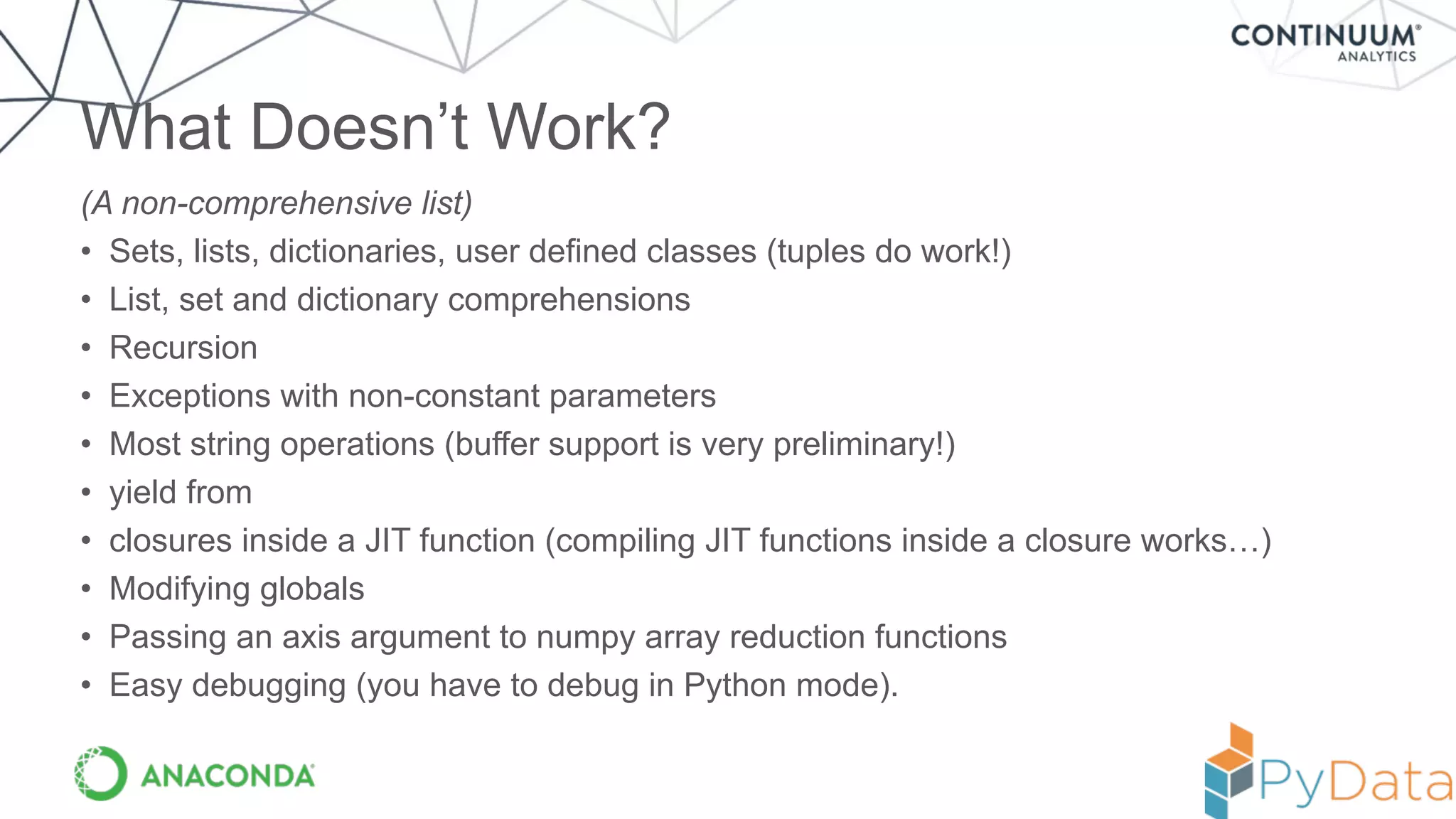
(A non-comprehensive list)
• Sets, lists, dictionaries, user defined classes (tuples do work!)
• List, set and dictionary comprehensions
• Recursion
• Exceptions with non-constant parameters
• Most string operations (buffer support is very preliminary!)
• yield from
• closures inside a JIT function (compiling JIT functions inside a closure works…)
• Modifying globals
• Passing an axis argument to numpy array reduction functions
• Easy debugging (you have to debug in Python mode).
What Doesn’t Work?
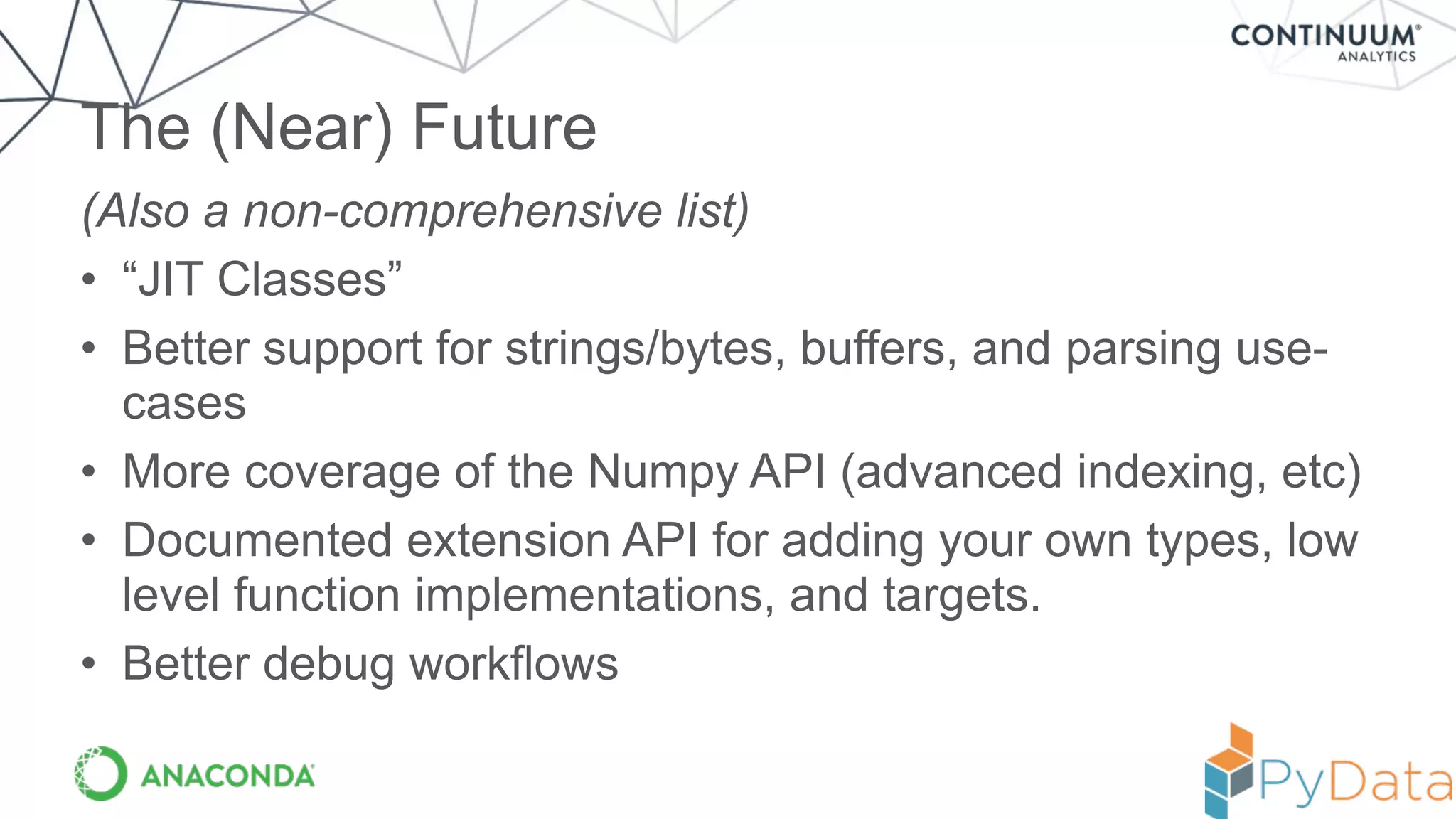
(Also a non-comprehensive list)
• “JIT Classes”
• Better support for strings/bytes, buffers, and parsing use-
cases
• More coverage of the Numpy API (advanced indexing, etc)
• Documented extension API for adding your own types, low
level function implementations, and targets.
• Better debug workflows
The (Near) Future
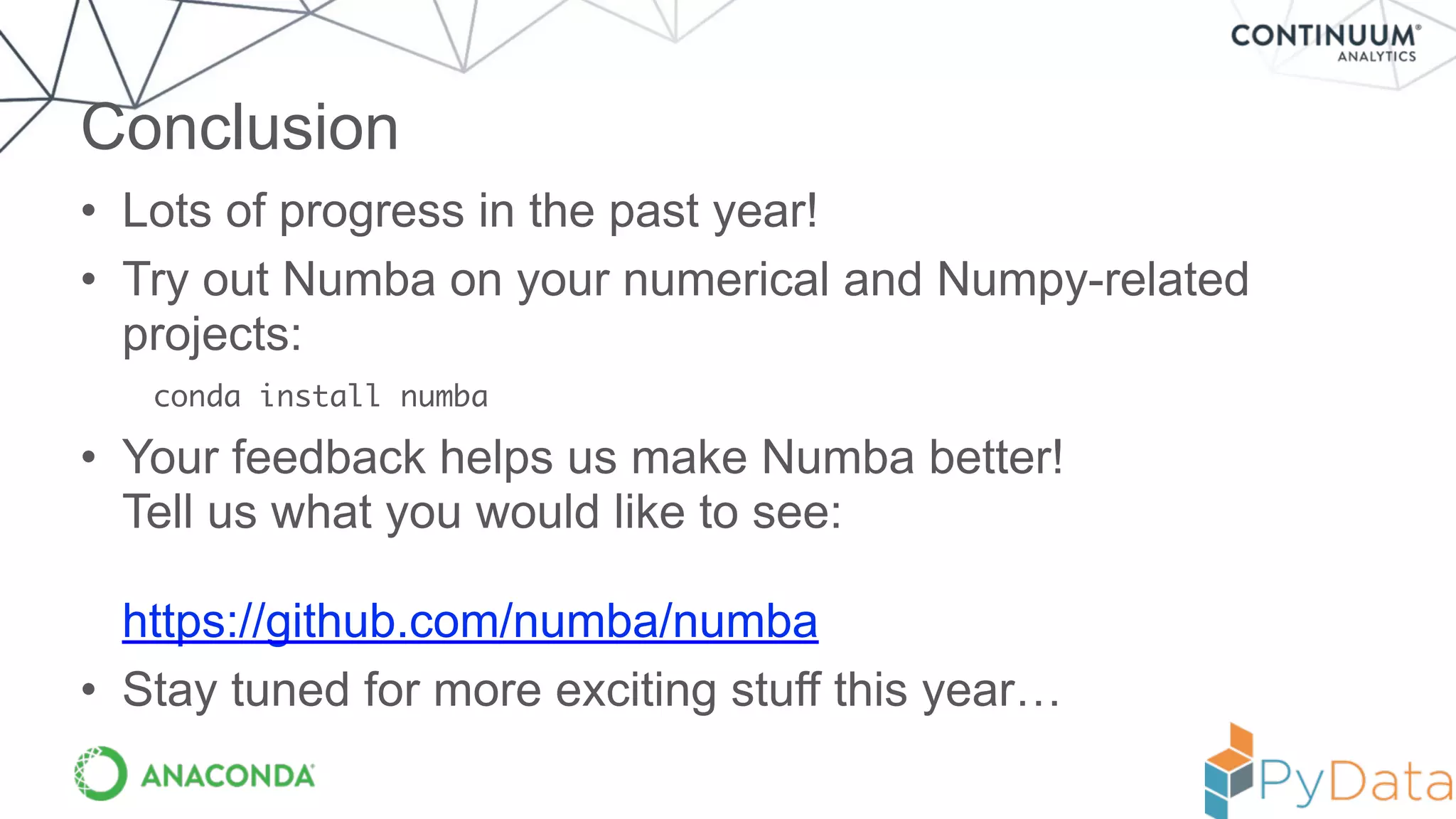
• Lots of progress in the past year!
• Try out Numba on your numerical and Numpy-related
projects:
conda install numba
• Your feedback helps us make Numba better!

Tell us what you would like to see:


https://github.com/numba/numba
• Stay tuned for more exciting stuff this year…
Conclusion
221	
  W.	
  6th	
  Street	
  
Suite	
  #1550	
  
Austin,	
  TX	
  78701	
  
+1	
  512.222.5440
info@continuum.io	
  
@ContinuumIO	
  
Thanks to Entire Numba team
and Numba users!Stan Seibert, Antoine Pitrou, Siu Kwan Lam, Jon Riehl,
Graham Markall, Oscar Villellas, Jay Borque and a host of
others…

Numba: Flexible analytics written in Python with machine-code speeds and avoiding the GIL- Travis Oliphant

  • 1.
    Numba: Flexible analyticswritten in Python With  machine  code  speeds  while  potentially  releasing  the  GIL
  • 2.
    Space of PythonCompilation Ahead Of Time Just In Time Relies on CPython / libpython Cython Shedskin Nuitka (today) Pythran Numba Numba HOPE Theano Pyjion Replaces CPython / libpython Nuitka (future) Pyston PyPy
  • 3.
  • 4.
  • 5.
  • 6.
    How Numba works Bytecode Analysis Python Function Function Arguments Type Inference NumbaIR LLVM IR Machine Code @jit def do_math(a,b): … >>> do_math(x, y) Cache Execute! Rewrite IR Lowering LLVM JIT
  • 7.
    • Numba supports: –Windows, OS X, and Linux – 32 and 64-bit x86 CPUs and NVIDIA GPUs – Python 2 and 3 – NumPy versions 1.6 through 1.9 • Does not require a C/C++ compiler on the user’s system. • < 70 MB to install. • Does not replace the standard Python interpreter
 (all of your existing Python libraries are still available) Numba Features
  • 8.
    • object mode:Compiled code operates on Python objects. Only significant performance improvement is compilation of loops that can be compiled in nopython mode (see below). • nopython mode: Compiled code operates on “machine native” data. Usually within 25% of the performance of equivalent C or FORTRAN. Numba Modes
  • 9.
    1. Create arealistic benchmark test case.
 (Do not use your unit tests as a benchmark!) 2. Run a profiler on your benchmark.
 (cProfile is a good choice) 3. Identify hotspots that could potentially be compiled by Numba with a little refactoring.
 (see rest of this talk and online documentation) 4. Apply @numba.jit and @numba.vectorize as needed to critical functions. 
 (Small rewrites may be needed to work around Numba limitations.) 5. Re-run benchmark to check if there was a performance improvement. How to Use Numba
  • 10.
    • Sometimes youcan’t create a simple or efficient array expression or ufunc. Use Numba to work with array elements directly. • Example: Suppose you have a boolean grid and you want to find the maximum number neighbors a cell has in the grid: A Whirlwind Tour of Numba Features
  • 11.
  • 12.
    The Basics Array Allocation Loopingover ndarray x as an iterator Using numpy math functions Returning a slice of the array 2.7x speedup! Numba decorator
 (nopython=True not required)
  • 13.
  • 14.
    Calling Other Functions Thisfunction is not inlined This function is inlined 9.8x speedup compared to doing this with numpy functions
  • 15.
  • 16.
    Making Ufuncs Monte Carlosimulating 500,000 tournaments in 50 ms
  • 17.
    Case-study -- j0from scipy.special • scipy.special was one of the first libraries I wrote (in 1999) • extended “umath” module by adding new “universal functions” to compute many scientific functions by wrapping C and Fortran libs. • Bessel functions are solutions to a differential equation: x2 d2 y dx2 + x dy dx + (x2 ↵2 )y = 0 y = J↵ (x) Jn (x) = 1 ⇡ Z ⇡ 0 cos (n⌧ x sin (⌧)) d⌧
  • 18.
    scipy.special.j0 wraps cephesalgorithm Don’t  need  this  anymore!
  • 19.
    Result --- equivalentto compiled code In [6]: %timeit vj0(x) 10000 loops, best of 3: 75 us per loop In [7]: from scipy.special import j0 In [8]: %timeit j0(x) 10000 loops, best of 3: 75.3 us per loop But! Now code is in Python and can be experimented with more easily (and moved to the GPU / accelerator more easily)!
  • 20.
    Word starting toget out! Recent  numba  mailing  list  reports  experiments  of  a  SciPy  author  who  got  2x   speed-­‐up  by  removing  their  Cython  type  annotations  and  surrounding   function  with  numba.jit  (with  a  few  minor  changes  needed  to  the  code). As  soon  as  Numba’s  ahead-­‐of-­‐time  compilation  moves  beyond  experimental   stage  one  can  legitimately  use  Numba  to  create  a  library  that  you  ship  to   others  (who  then  don’t  need  to  have  Numba  installed  —  or  just  need  a  Numba   run-­‐time  installed). SciPy  (and  NumPy)  would  look  very  different  in  Numba  had  existed  16  years   ago  when  SciPy  was  getting  started….  —  and  you  would  all  be  happier.
  • 21.
  • 22.
    Releasing the GIL Many  fret  about  the  GIL  in  Python   With  PyData  Stack  you  often  have  multi-­‐threaded   In  PyData  Stack  we  quite  often  release  GIL   NumPy  does  it   SciPy  does  it  (quite  often)   Scikit-­‐learn  (now)  does  it   Pandas  (now)  does  it  when  possible   Cython  makes  it  easy   Numba  makes  it  easy
  • 23.
    Releasing the GIL Onlynopython mode functions can release the GIL
  • 24.
    Releasing the GIL 2.8xspeedup with 4 cores
  • 25.
    CUDA Python (inopen-source Numba!) CUDA Development using Python syntax for optimal performance! You have to understand CUDA at least a little — writing kernels that launch in parallel on the GPU
  • 26.
  • 27.
    Black-Scholes: Results core i7 GeForceGTX 560 Ti About 9x faster on this GPU ~ same speed as CUDA-C
  • 28.
    • CUDA Simulatorto debug your code in Python interpreter • Generalized ufuncs (@guvectorize) • Call ctypes and cffi functions directly and pass them as arguments • Preliminary support for types that understand the buffer protocol • Pickle Numba functions to run on remote execution engines • “numba annotate” to dump HTML annotated version of compiled code • See: http://numba.pydata.org/numba-doc/0.20.0/ Other interesting things
  • 29.
    (A non-comprehensive list) •Sets, lists, dictionaries, user defined classes (tuples do work!) • List, set and dictionary comprehensions • Recursion • Exceptions with non-constant parameters • Most string operations (buffer support is very preliminary!) • yield from • closures inside a JIT function (compiling JIT functions inside a closure works…) • Modifying globals • Passing an axis argument to numpy array reduction functions • Easy debugging (you have to debug in Python mode). What Doesn’t Work?
  • 30.
    (Also a non-comprehensivelist) • “JIT Classes” • Better support for strings/bytes, buffers, and parsing use- cases • More coverage of the Numpy API (advanced indexing, etc) • Documented extension API for adding your own types, low level function implementations, and targets. • Better debug workflows The (Near) Future
  • 31.
    • Lots ofprogress in the past year! • Try out Numba on your numerical and Numpy-related projects: conda install numba • Your feedback helps us make Numba better!
 Tell us what you would like to see:
 
 https://github.com/numba/numba • Stay tuned for more exciting stuff this year… Conclusion
  • 32.
    221  W.  6th  Street   Suite  #1550   Austin,  TX  78701   +1  512.222.5440 info@continuum.io   @ContinuumIO   Thanks to Entire Numba team and Numba users!Stan Seibert, Antoine Pitrou, Siu Kwan Lam, Jon Riehl, Graham Markall, Oscar Villellas, Jay Borque and a host of others…