@jeremimucha | https://create.ml7/12/2019
Build your own NLP system!
Michal Mucha, PyData London 2019
@jeremimucha | https://create.ml
Welcome!
Get ready to experiment
Golden Rule for Today: Try First, Study Second
Connect & collaborate with those around you!
@jeremimucha | https://create.ml
About me
Data Science and Data Engineering - consulting and training
Academic research (mobile phone data, smart meter data)
Commercial projects (decision simulation, revenue modeling,
visualization, building apps, data strategy)
Husband and dad
❤ boxing, cycling, hiking in the mountains ⛰ and traveling
Call me #$ Michael or % Me how 🙃
@jeremimucha | https://create.ml
Welcome!
Get ready to experiment
Rule for today: try first, study second
Connect & collaborate with those around you!
@jeremimucha | https://create.ml
High level steps
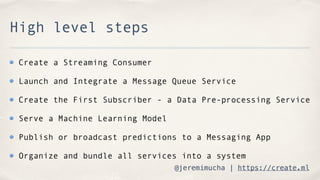
Create a Streaming Consumer
Launch and Integrate a Message Queue Service
Create the First Subscriber - a Data Pre-processing Service
Serve a Machine Learning Model
Publish or broadcast predictions to a Messaging App
Organize and bundle all services into a system
@jeremimucha | https://create.ml
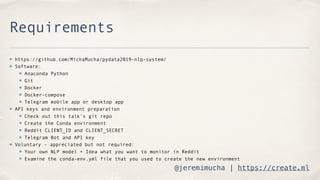
Requirements
https://github.com/MichaMucha/pydata2019-nlp-system/
Software:
Anaconda Python
Git
Docker
Docker-compose
Telegram mobile app or desktop app
API keys and environment preparation
Check out this talk’s git repo
Create the Conda environment
Reddit CLIENT_ID and CLIENT_SECRET
Telegram Bot and API key
Voluntary - appreciated but not required:
Your own NLP model + Idea what you want to monitor in Reddit
Examine the conda-env.yml file that you used to create the new environment
@jeremimucha | https://create.ml
Benefits of Conda environments
Easy, self contained recipes
Installs binaries without building, no need for
dependencies
Makes shipping and sharing easier
@jeremimucha | https://create.ml
Step 1 - consumer
Navigate to the repository
Launch `jupyter lab`
Open the directory “step1”
@jeremimucha | https://create.ml
Step 1.1 - spawn Redis
Nice and clean - one line and we’re done
Not wasting time on things we don’t want to do!
Getting all the benefit
@jeremimucha | https://create.ml
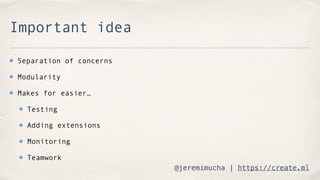
Important idea
Separation of concerns
Modularity
Makes for easier…
Testing
Adding extensions
Monitoring
Teamwork
@jeremimucha | https://create.ml
Step 2 - Preprocessing
Open the directory “step2” in lab
@jeremimucha | https://create.ml
Step 3 - NLP models
BYOM today
Assumption:
your model is all trained and tested,
developed and signed off by important executives
Ready to use in the real world
Open “step3” in lab
@jeremimucha | https://create.ml
Important resources
https://fast.ai
Excellent course + framework
Releases the genius within you
https://spacy.io
Fantastic piece of engineering
Very widely used, open source
@jeremimucha | https://create.ml
Step 4 - beyond my lab
@jeremimucha | https://create.ml
Step 4 - beyond my lab
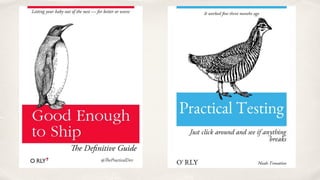
“Works on my machine” - o rly
ImportError - “just don’t move the files”
Another day another version
Dependency tracking
@jeremimucha | https://create.ml
Step 5 - Telegram
Go one extra step -
Make it easy for others to use your solutions!
Open “step5” in lab
@jeremimucha | https://create.ml
Step 6 - Orchestration
Making friends with the Operations team
Fast and easy prototyping
Configure and run sophisticated setups quickly
Build your own NLP system!
@jeremimucha | https://create.ml
Recap
What did you like most?
Write down three ideas to make it better!
Think of the one thing that you will take to your work
@jeremimucha | https://create.ml
Share your work!
Use your new knowledge to jumpstart your own solution
Please share what you built :)
Write a blog post!
Let’s stay in touch