Chapter 1
Network Fundamentals
    Networking Fundamentals and Media Services (NMS)
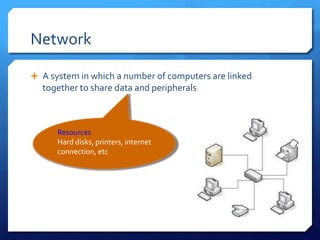
Network

 A system in which a number of computers are linked
  together to share data and peripherals


      Resources
      Hard disks, printers, internet
      connection, etc
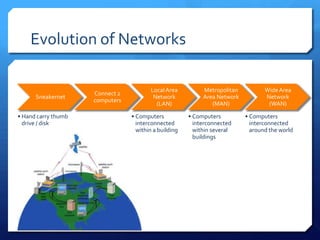
Evolution of Networks

                                        Local Area          Metropolitan          Wide Area
                     Connect 2
      Sneakernet                         Network            Area Network          Network
                     computers
                                          (LAN)                (MAN)               (WAN)

• Hand carry thumb               • Computers           • Computers         • Computers
  drive / disk                     interconnected        interconnected      interconnected
                                   within a building     within several      around the world
                                                         buildings
Why network?

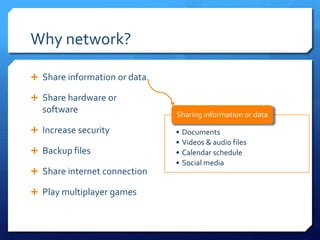
 Share information or data

 Share hardware or
  software                    Sharing information or data

 Increase security           •   Documents
                              •   Videos & audio files
 Backup files                •   Calendar schedule
                              •   Social media
 Share internet connection

 Play multiplayer games
Network security

 Logging out if you will be away from your workstation for
   more than 15 minutes

 Using unusual passwords (containing letters, number and
   special characters) and changing them regularly

 Using deceptive filenames for sensitive data

 Conducting audit trial to track network activities
Intranet vs Internet
Intranet
 Network to make information available to employees on the
  company’s internal network


Internet
 World-wide network of computers accessible to anyone who
  knows their Internet Protocol (IP) address - the IP address is a
  unique set of numbers (such as 209.33.27.100) that defines
  the computer's location.
Backup

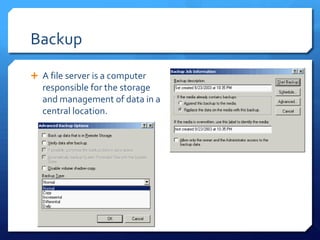
 A file server is a computer
   responsible for the storage
   and management of data in a
   central location.
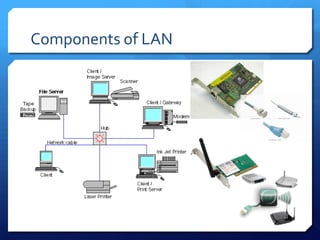
Components of LAN

 Computers
                                              Hosts
 Peripherals (Shared Resources)

 Network Interface Card (NIC)

 Networking media –> how the hosts communicate

 Network traffic control or Network Communication devices
Components of LAN
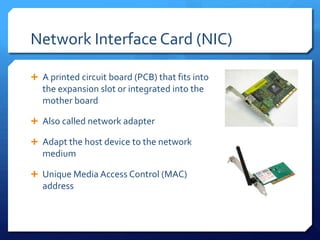
Network Interface Card (NIC)

 A printed circuit board (PCB) that fits into
   the expansion slot or integrated into the
   mother board

 Also called network adapter

 Adapt the host device to the network
   medium

 Unique Media Access Control (MAC)
   address
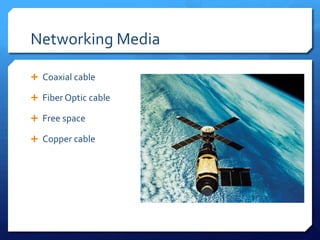
Networking Media

 Coaxial cable

 Fiber Optic cable

 Free space

 Copper cable
Networking Media

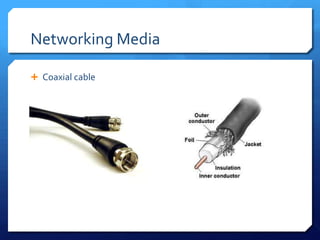
 Coaxial cable
Networking Media

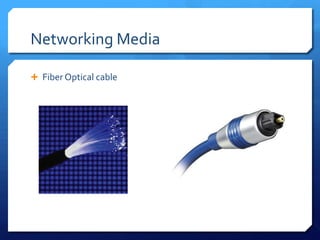
 Fiber Optical cable
Networking Media

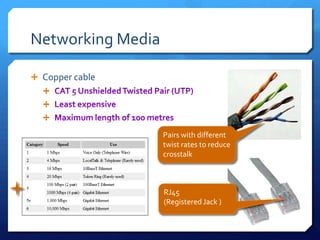
 Copper cable
  
  
  

                   Pairs with different
                   twist rates to reduce
                   crosstalk


                   RJ45
                   (Registered Jack )
Network traffic control or Network
Communication devices

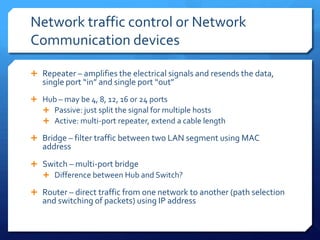
 Repeater – amplifies the electrical signals and resends the data,
   single port “in” and single port “out”
 Hub – may be 4, 8, 12, 16 or 24 ports
   Passive: just split the signal for multiple hosts
   Active: multi-port repeater, extend a cable length

 Bridge – filter traffic between two LAN segment using MAC
   address
 Switch – multi-port bridge
   Difference between Hub and Switch?

 Router – direct traffic from one network to another (path selection
   and switching of packets) using IP address
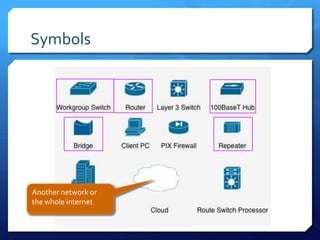
Symbols


Another network or
the whole internet
Q&A
 Work in groups of 1-3
                         students

                        Create a mindmap of this
                         topic

                        Prize for the best mindmap
Exercise 1 - mindmap
Chapter 1

Nms chapter 01

  • 1.
    Chapter 1 Network Fundamentals Networking Fundamentals and Media Services (NMS)
  • 2.
    Network  A systemin which a number of computers are linked together to share data and peripherals Resources Hard disks, printers, internet connection, etc
  • 3.
    Evolution of Networks Local Area Metropolitan Wide Area Connect 2 Sneakernet Network Area Network Network computers (LAN) (MAN) (WAN) • Hand carry thumb • Computers • Computers • Computers drive / disk interconnected interconnected interconnected within a building within several around the world buildings
  • 4.
    Why network?  Shareinformation or data  Share hardware or software Sharing information or data  Increase security • Documents • Videos & audio files  Backup files • Calendar schedule • Social media  Share internet connection  Play multiplayer games
  • 5.
    Network security  Loggingout if you will be away from your workstation for more than 15 minutes  Using unusual passwords (containing letters, number and special characters) and changing them regularly  Using deceptive filenames for sensitive data  Conducting audit trial to track network activities
  • 6.
    Intranet vs Internet Intranet Network to make information available to employees on the company’s internal network Internet  World-wide network of computers accessible to anyone who knows their Internet Protocol (IP) address - the IP address is a unique set of numbers (such as 209.33.27.100) that defines the computer's location.
  • 7.
    Backup  A fileserver is a computer responsible for the storage and management of data in a central location.
  • 8.
    Components of LAN Computers Hosts  Peripherals (Shared Resources)  Network Interface Card (NIC)  Networking media –> how the hosts communicate  Network traffic control or Network Communication devices
  • 9.
  • 10.
    Network Interface Card(NIC)  A printed circuit board (PCB) that fits into the expansion slot or integrated into the mother board  Also called network adapter  Adapt the host device to the network medium  Unique Media Access Control (MAC) address
  • 11.
    Networking Media  Coaxialcable  Fiber Optic cable  Free space  Copper cable
  • 12.
  • 13.
  • 14.
    Networking Media  Coppercable    Pairs with different twist rates to reduce crosstalk RJ45 (Registered Jack )
  • 15.
    Network traffic controlor Network Communication devices  Repeater – amplifies the electrical signals and resends the data, single port “in” and single port “out”  Hub – may be 4, 8, 12, 16 or 24 ports  Passive: just split the signal for multiple hosts  Active: multi-port repeater, extend a cable length  Bridge – filter traffic between two LAN segment using MAC address  Switch – multi-port bridge  Difference between Hub and Switch?  Router – direct traffic from one network to another (path selection and switching of packets) using IP address
  • 16.
  • 17.
  • 18.
     Work ingroups of 1-3 students  Create a mindmap of this topic  Prize for the best mindmap Exercise 1 - mindmap Chapter 1