Computer
Networking
Overview of Computer Network
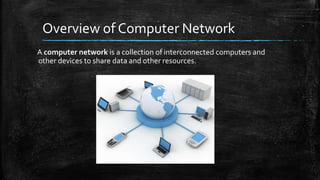
A computer network is a collection of interconnected computers and
other devices to share data and other resources.
Advantages of Computer network
Resource Sharing
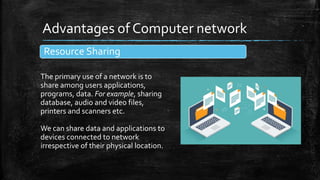
The primary use of a network is to
share among users applications,
programs, data. For example, sharing
database, audio and video files,
printers and scanners etc.
We can share data and applications to
devices connected to network
irrespective of their physical location.
Reliability of data
Reliability means backing up of
data, i.e., data can be copied and
stored on multiple computers.
In a network system, all
computers are connected to
each other, so the chances of
data getting lost are very less.
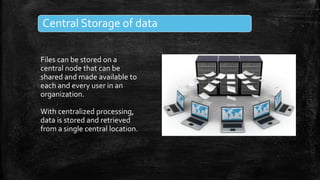
Central Storage of data
Files can be stored on a
central node that can be
shared and made available to
each and every user in an
organization.
With centralized processing,
data is stored and retrieved
from a single central location.
Types of Networks
A computer network may be small or big depending upon the numbers of
devices linked together.
Networks vary in size, they can be on a table, in a room, building, city,
country, across continents or around the world.
▪ PAN
▪ LAN
▪ MAN
▪ WAN
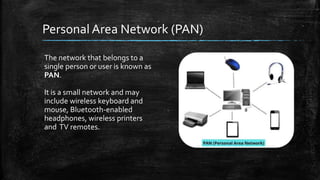
Personal Area Netw0rk (PAN)
The network that belongs to a
single person or user is known as
PAN.
It is a small network and may
include wireless keyboard and
mouse, Bluetooth-enabled
headphones, wireless printers
and TV remotes.
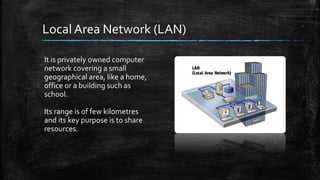
Local Area Network (LAN)
It is privately owned computer
network covering a small
geographical area, like a home,
office or a building such as
school.
Its range is of few kilometres
and its key purpose is to share
resources.
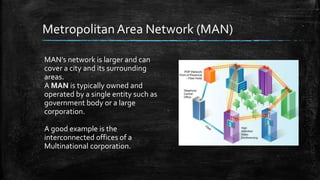
Metropolitan Area Network (MAN)
MAN’s network is larger and can
cover a city and its surrounding
areas.
A MAN is typically owned and
operated by a single entity such as
government body or a large
corporation.
A good example is the
interconnected offices of a
Multinational corporation.
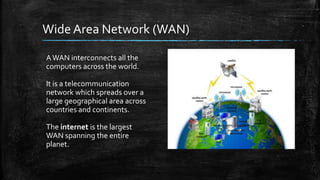
Wide Area Network (WAN)
AWAN interconnects all the
computers across the world.
It is a telecommunication
network which spreads over a
large geographical area across
countries and continents.
The internet is the largest
WAN spanning the entire
planet.
Transmission Media
All the computers or communicating devices in the network must be
connected to each other to communicate and share data and other
resources.
To connect to each other, there must be some medium over which the data
can travel from one computer to another.
This is termed as Transmission media or Channel.
Wired Network
Wireless Network
Wired Network/Media
Twisted Pair Cable
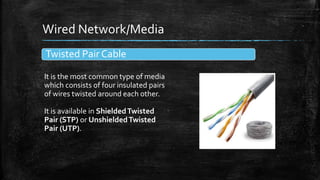
It is the most common type of media
which consists of four insulated pairs
of wires twisted around each other.
It is available in ShieldedTwisted
Pair (STP) or UnshieldedTwisted
Pair (UTP).
Coaxial Cable
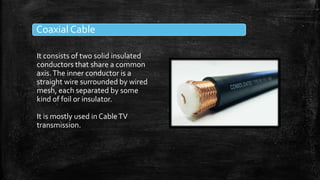
It consists of two solid insulated
conductors that share a common
axis.The inner conductor is a
straight wire surrounded by wired
mesh, each separated by some
kind of foil or insulator.
It is mostly used in CableTV
transmission.
Optical Fibre Cable
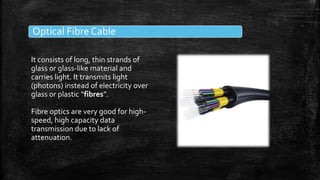
It consists of long, thin strands of
glass or glass-like material and
carries light. It transmits light
(photons) instead of electricity over
glass or plastic “fibres”.
Fibre optics are very good for high-
speed, high capacity data
transmission due to lack of
attenuation.
Wireless Media
RadioWaves
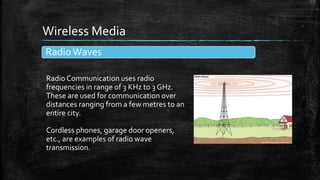
Radio Communication uses radio
frequencies in range of 3 KHz to 3 GHz.
These are used for communication over
distances ranging from a few metres to an
entire city.
Cordless phones, garage door openers,
etc., are examples of radio wave
transmission.
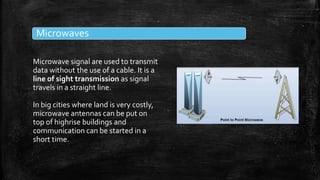
Microwaves
Microwave signal are used to transmit
data without the use of a cable. It is a
line of sight transmission as signal
travels in a straight line.
In big cities where land is very costly,
microwave antennas can be put on
top of highrise buildings and
communication can be started in a
short time.
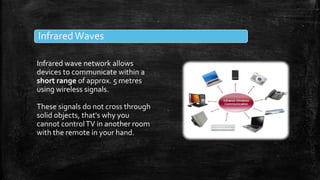
InfraredWaves
Infrared wave network allows
devices to communicate within a
short range of approx. 5 metres
using wireless signals.
These signals do not cross through
solid objects, that's why you
cannot controlTV in another room
with the remote in your hand.
Bluetooth
Bluetooth is a wireless technology
used for creating personal networks
operational within a range of 10
metres. It uses 2.4 GHz unlicensed
band.
It can connect upto eight devices
simultaneously, but data transfer
rate is slow (upto 1 Mbps).
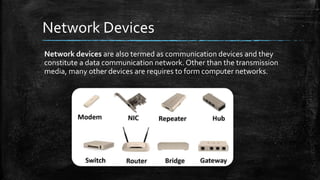
Network Devices
Network devices are also termed as communication devices and they
constitute a data communication network. Other than the transmission
media, many other devices are requires to form computer networks.
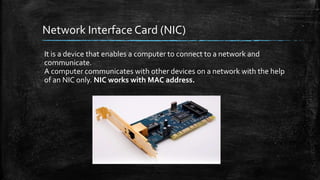
Network Interface Card (NIC)
It is a device that enables a computer to connect to a network and
communicate.
A computer communicates with other devices on a network with the help
of an NIC only. NIC works with MAC address.
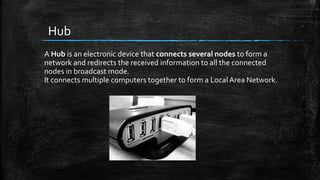
Hub
A Hub is an electronic device that connects several nodes to form a
network and redirects the received information to all the connected
nodes in broadcast mode.
It connects multiple computers together to form a Local Area Network.
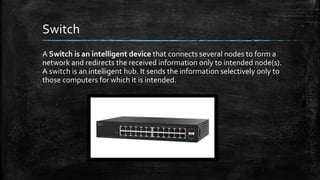
Switch
A Switch is an intelligent device that connects several nodes to form a
network and redirects the received information only to intended node(s).
A switch is an intelligent hub. It sends the information selectively only to
those computers for which it is intended.
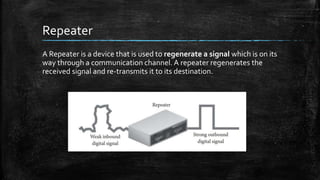
Repeater
A Repeater is a device that is used to regenerate a signal which is on its
way through a communication channel. A repeater regenerates the
received signal and re-transmits it to its destination.
Router
Routers are networking devices that forward data packets from the
source machine to the destination machine using the shortest path.
Routers work on IP addresses for connecting two or more LANs orWANs
using routing table.
Cloud Computing
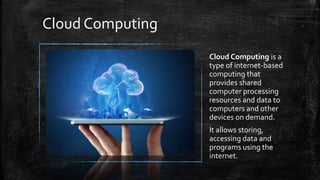
Cloud Computing is a
type of internet-based
computing that
provides shared
computer processing
resources and data to
computers and other
devices on demand.
It allows storing,
accessing data and
programs using the
internet.
Network Security
The digital world is changing
at a tremendous pace. New
communication technologies
open up new possibilities,
but by using them you also
expose yourself, and others
to various risks.
So, here are few methods to
protect yourself from these
threats.
Strong Password
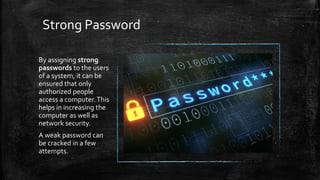
By assigning strong
passwords to the users
of a system, it can be
ensured that only
authorized people
access a computer.This
helps in increasing the
computer as well as
network security.
A weak password can
be cracked in a few
attempts.
Firewall
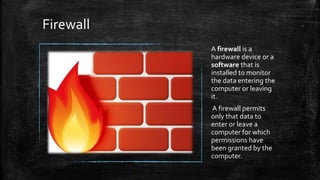
A firewall is a
hardware device or a
software that is
installed to monitor
the data entering the
computer or leaving
it.
A firewall permits
only that data to
enter or leave a
computer for which
permissions have
been granted by the
computer.
Computer networking

Computer networking

  • 1.
  • 2.
    Overview of ComputerNetwork A computer network is a collection of interconnected computers and other devices to share data and other resources.
  • 3.
    Advantages of Computernetwork Resource Sharing The primary use of a network is to share among users applications, programs, data. For example, sharing database, audio and video files, printers and scanners etc. We can share data and applications to devices connected to network irrespective of their physical location.
  • 4.
    Reliability of data Reliabilitymeans backing up of data, i.e., data can be copied and stored on multiple computers. In a network system, all computers are connected to each other, so the chances of data getting lost are very less.
  • 5.
    Central Storage ofdata Files can be stored on a central node that can be shared and made available to each and every user in an organization. With centralized processing, data is stored and retrieved from a single central location.
  • 6.
    Types of Networks Acomputer network may be small or big depending upon the numbers of devices linked together. Networks vary in size, they can be on a table, in a room, building, city, country, across continents or around the world. ▪ PAN ▪ LAN ▪ MAN ▪ WAN
  • 7.
    Personal Area Netw0rk(PAN) The network that belongs to a single person or user is known as PAN. It is a small network and may include wireless keyboard and mouse, Bluetooth-enabled headphones, wireless printers and TV remotes.
  • 8.
    Local Area Network(LAN) It is privately owned computer network covering a small geographical area, like a home, office or a building such as school. Its range is of few kilometres and its key purpose is to share resources.
  • 9.
    Metropolitan Area Network(MAN) MAN’s network is larger and can cover a city and its surrounding areas. A MAN is typically owned and operated by a single entity such as government body or a large corporation. A good example is the interconnected offices of a Multinational corporation.
  • 10.
    Wide Area Network(WAN) AWAN interconnects all the computers across the world. It is a telecommunication network which spreads over a large geographical area across countries and continents. The internet is the largest WAN spanning the entire planet.
  • 11.
    Transmission Media All thecomputers or communicating devices in the network must be connected to each other to communicate and share data and other resources. To connect to each other, there must be some medium over which the data can travel from one computer to another. This is termed as Transmission media or Channel. Wired Network Wireless Network
  • 12.
    Wired Network/Media Twisted PairCable It is the most common type of media which consists of four insulated pairs of wires twisted around each other. It is available in ShieldedTwisted Pair (STP) or UnshieldedTwisted Pair (UTP).
  • 13.
    Coaxial Cable It consistsof two solid insulated conductors that share a common axis.The inner conductor is a straight wire surrounded by wired mesh, each separated by some kind of foil or insulator. It is mostly used in CableTV transmission.
  • 14.
    Optical Fibre Cable Itconsists of long, thin strands of glass or glass-like material and carries light. It transmits light (photons) instead of electricity over glass or plastic “fibres”. Fibre optics are very good for high- speed, high capacity data transmission due to lack of attenuation.
  • 15.
    Wireless Media RadioWaves Radio Communicationuses radio frequencies in range of 3 KHz to 3 GHz. These are used for communication over distances ranging from a few metres to an entire city. Cordless phones, garage door openers, etc., are examples of radio wave transmission.
  • 16.
    Microwaves Microwave signal areused to transmit data without the use of a cable. It is a line of sight transmission as signal travels in a straight line. In big cities where land is very costly, microwave antennas can be put on top of highrise buildings and communication can be started in a short time.
  • 17.
    InfraredWaves Infrared wave networkallows devices to communicate within a short range of approx. 5 metres using wireless signals. These signals do not cross through solid objects, that's why you cannot controlTV in another room with the remote in your hand.
  • 18.
    Bluetooth Bluetooth is awireless technology used for creating personal networks operational within a range of 10 metres. It uses 2.4 GHz unlicensed band. It can connect upto eight devices simultaneously, but data transfer rate is slow (upto 1 Mbps).
  • 19.
    Network Devices Network devicesare also termed as communication devices and they constitute a data communication network. Other than the transmission media, many other devices are requires to form computer networks.
  • 20.
    Network Interface Card(NIC) It is a device that enables a computer to connect to a network and communicate. A computer communicates with other devices on a network with the help of an NIC only. NIC works with MAC address.
  • 21.
    Hub A Hub isan electronic device that connects several nodes to form a network and redirects the received information to all the connected nodes in broadcast mode. It connects multiple computers together to form a Local Area Network.
  • 22.
    Switch A Switch isan intelligent device that connects several nodes to form a network and redirects the received information only to intended node(s). A switch is an intelligent hub. It sends the information selectively only to those computers for which it is intended.
  • 23.
    Repeater A Repeater isa device that is used to regenerate a signal which is on its way through a communication channel. A repeater regenerates the received signal and re-transmits it to its destination.
  • 24.
    Router Routers are networkingdevices that forward data packets from the source machine to the destination machine using the shortest path. Routers work on IP addresses for connecting two or more LANs orWANs using routing table.
  • 25.
    Cloud Computing Cloud Computingis a type of internet-based computing that provides shared computer processing resources and data to computers and other devices on demand. It allows storing, accessing data and programs using the internet.
  • 26.
    Network Security The digitalworld is changing at a tremendous pace. New communication technologies open up new possibilities, but by using them you also expose yourself, and others to various risks. So, here are few methods to protect yourself from these threats.
  • 27.
    Strong Password By assigningstrong passwords to the users of a system, it can be ensured that only authorized people access a computer.This helps in increasing the computer as well as network security. A weak password can be cracked in a few attempts.
  • 28.
    Firewall A firewall isa hardware device or a software that is installed to monitor the data entering the computer or leaving it. A firewall permits only that data to enter or leave a computer for which permissions have been granted by the computer.