NETWORKS
AND T HE E FFE CTS OF US IN G
THE M
Teacher: Aseel Al Sinjilawi
LEARNING OBJECTIVES
Be able to describe the different types of networks
Be able to Identify the advantages and disadvantages of a network.
Be able to identify the different types of network devices, such as
NIC,Hubs, routersand switches
WHAT IS A COMPUTER NETWORK?
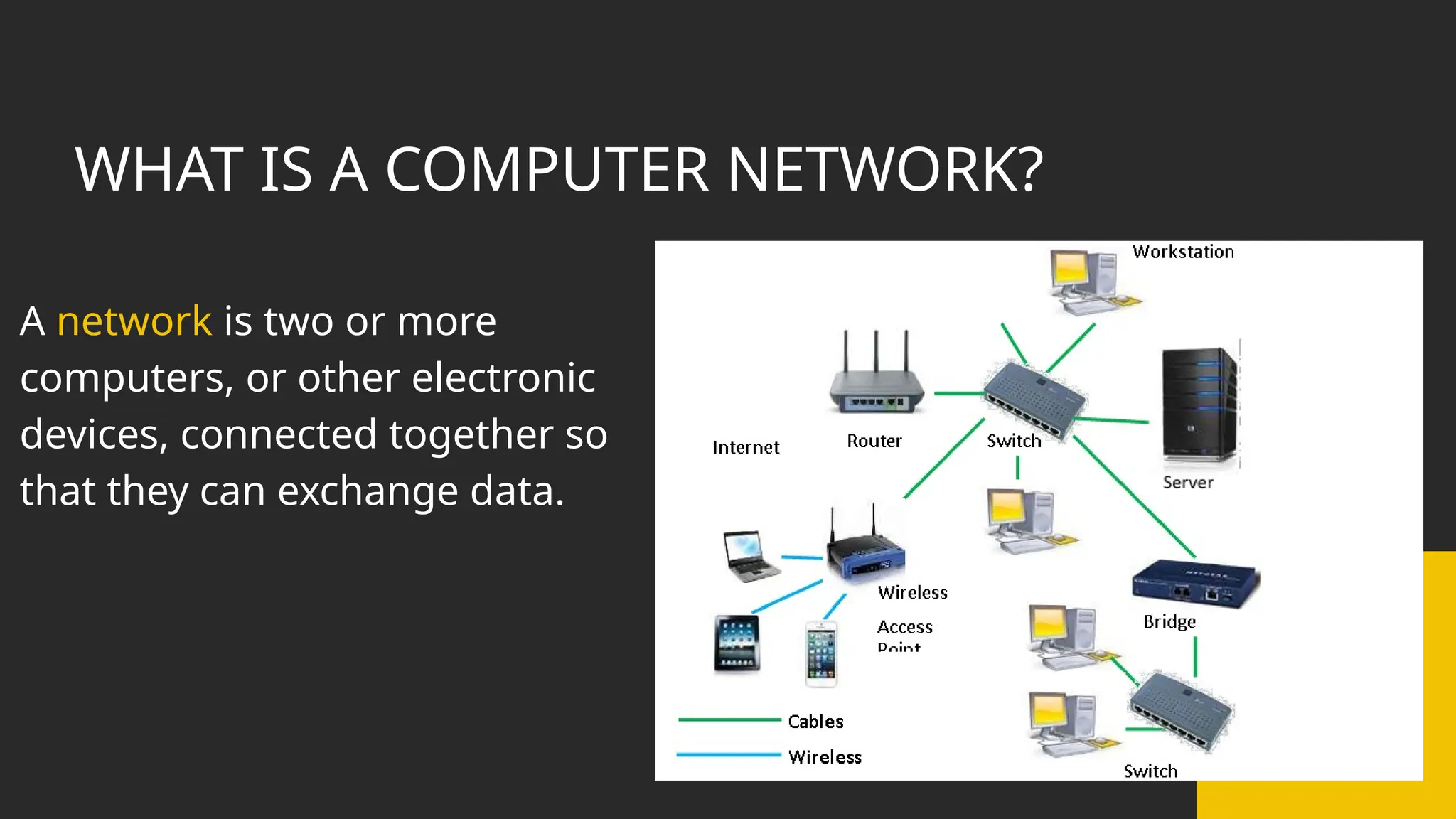
A network is two or more
computers, or other electronic
devices, connected together so
that they can exchange data.
Networks
•Communicate with other network
users (e-mail,video-conferencing,
etc.)
•Store data centrally (using a file
server)for ease of access and back-
up.
•Access to Remote Information
Advantages of
using
•Share resources such as printers
and Internet connections.
2
3
•Easily share files and
data.
5
4
1
Networks
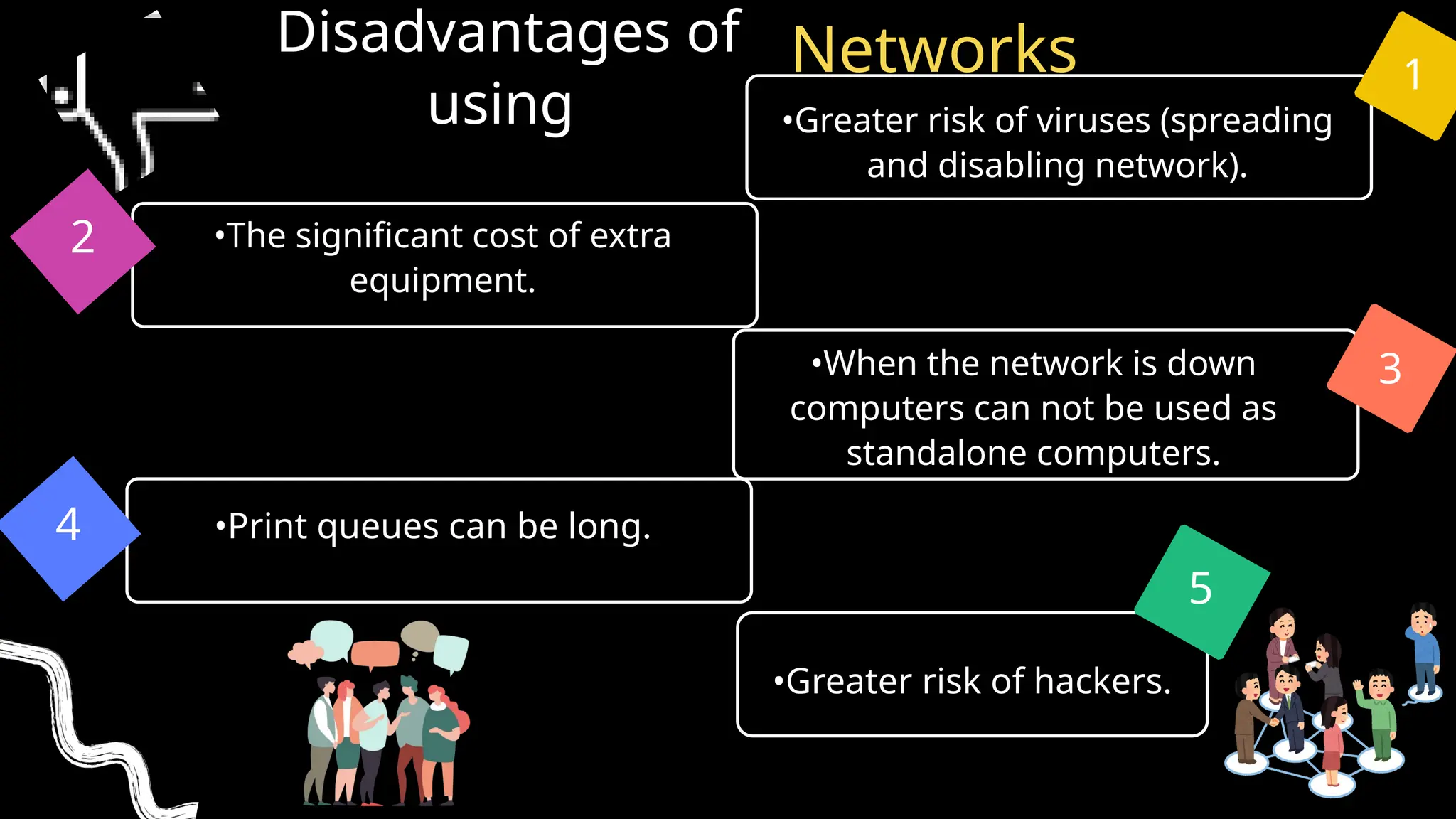
•Print queues can be long.
•Greater risk of viruses (spreading
and disabling network).
•When the network is down
computers can not be used as
standalone computers.
Disadvantages of
using
•The significant cost of extra
equipment.
2
3
•Greater risk of hackers.
5
4
1
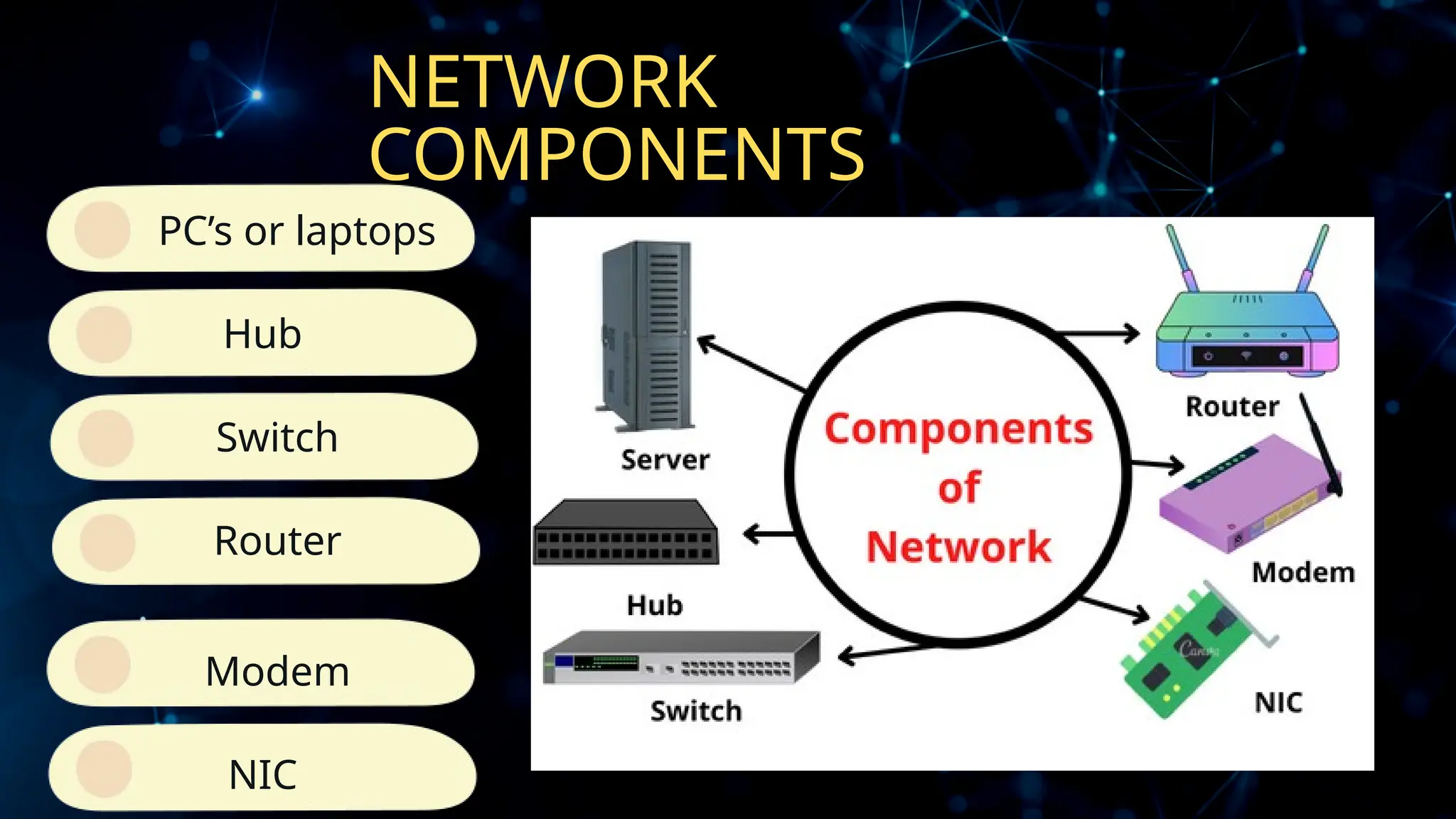
NETWORK
COMPONENTS
Hub
PC’s or laptops
Switch
Router
Modem
NIC
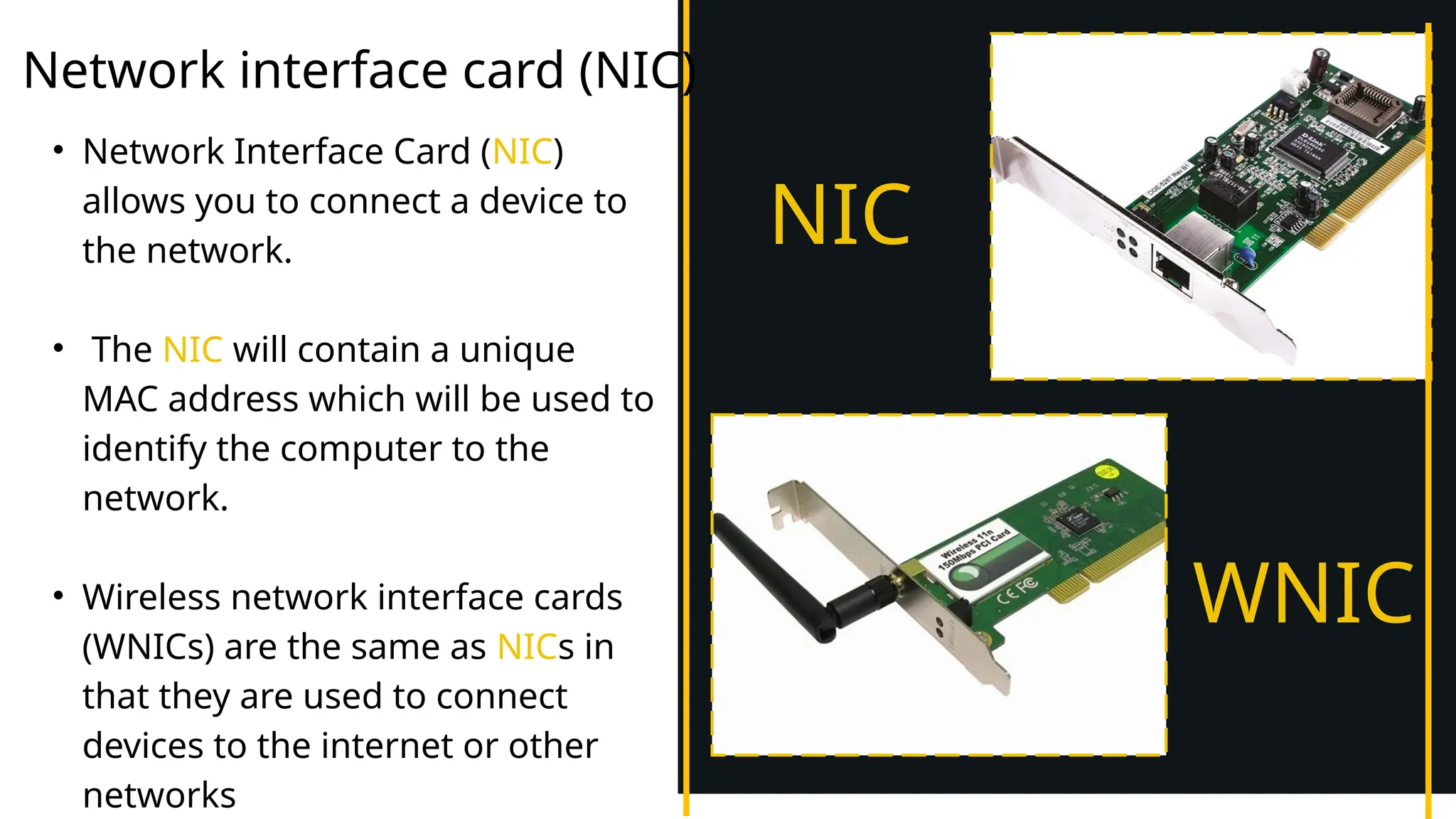
Network interface card (NIC)
• Network Interface Card (NIC)
allows you to connect a device to
the network.
• The NIC will contain a unique
MAC address which will be used to
identify the computer to the
network.
• Wireless network interface cards
(WNICs) are the same as NICs in
that they are used to connect
devices to the internet or other
networks
NIC
WNIC
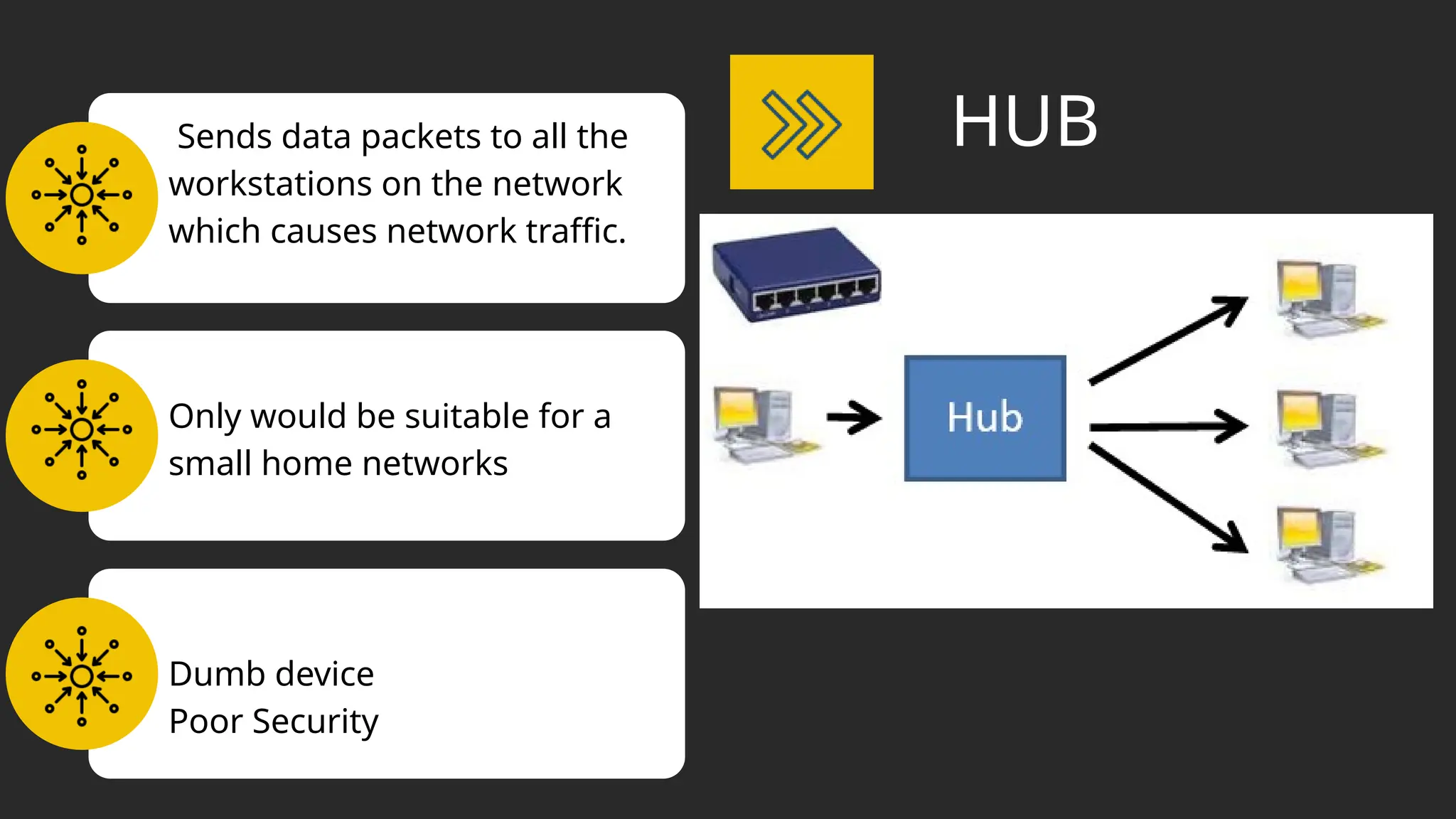
Sends data packets to all the
workstations on the network
which causes network traffic.
Only would be suitable for a
small home networks
Dumb device
Poor Security
HUB
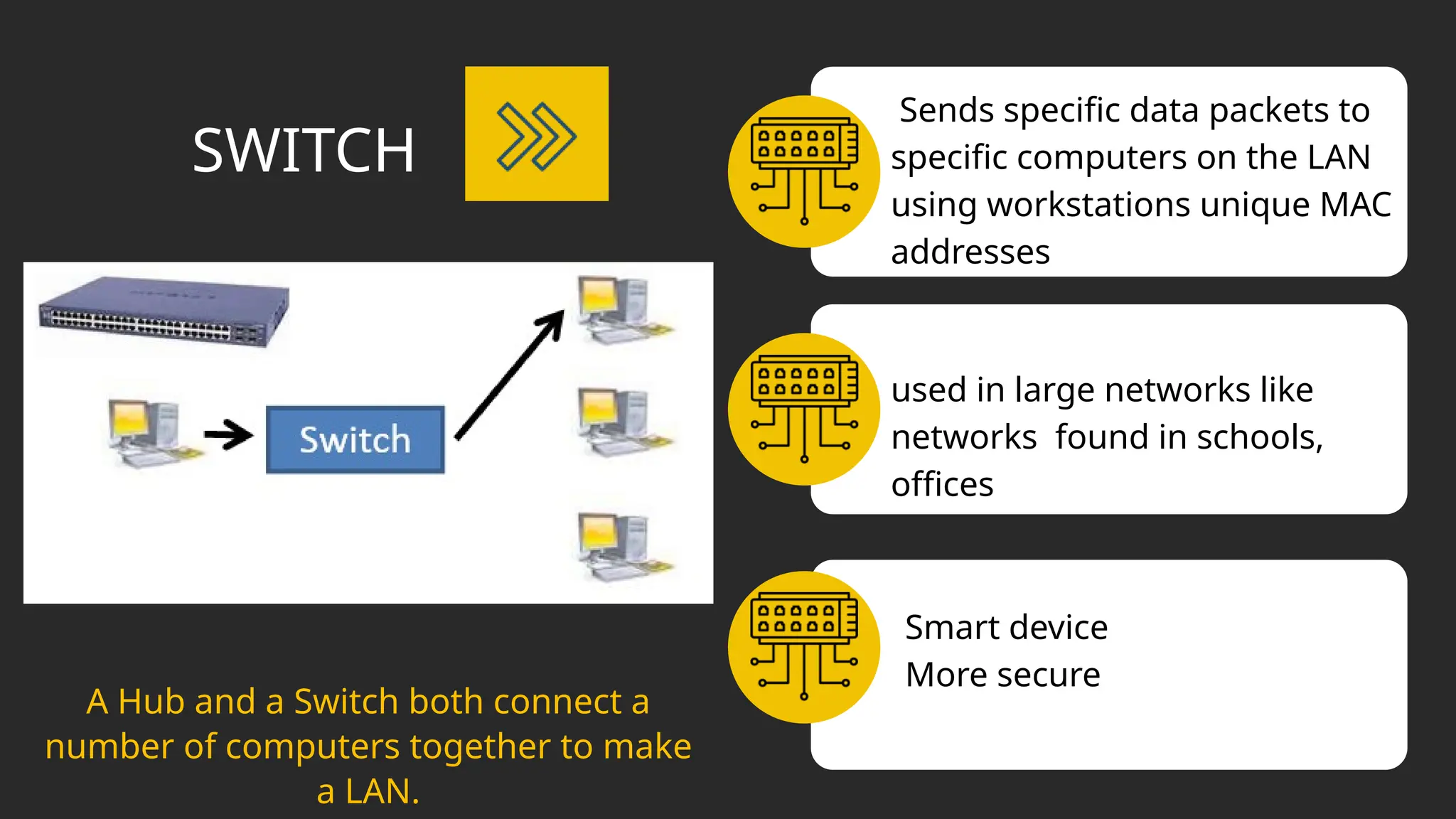
Sends specific data packets to
specific computers on the LAN
using workstations unique MAC
addresses
used in large networks like
networks found in schools,
offices
Smart device
More secure
SWITCH
A Hub and a Switch both connect a
number of computers together to make
a LAN.
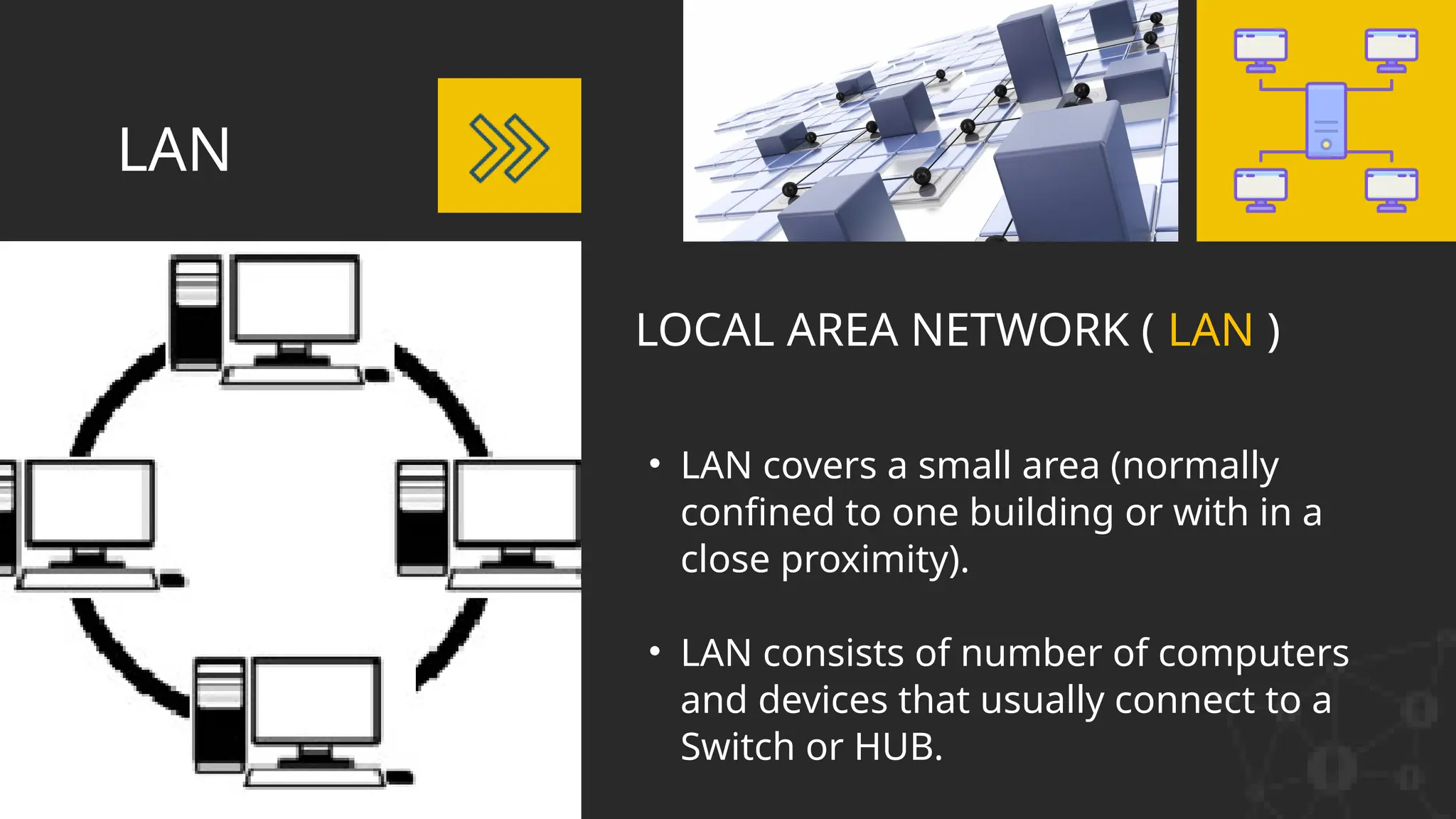
LOCAL AREA NETWORK ( LAN )
• LAN covers a small area (normally
confined to one building or with in a
close proximity).
• LAN consists of number of computers
and devices that usually connect to a
Switch or HUB.
LAN
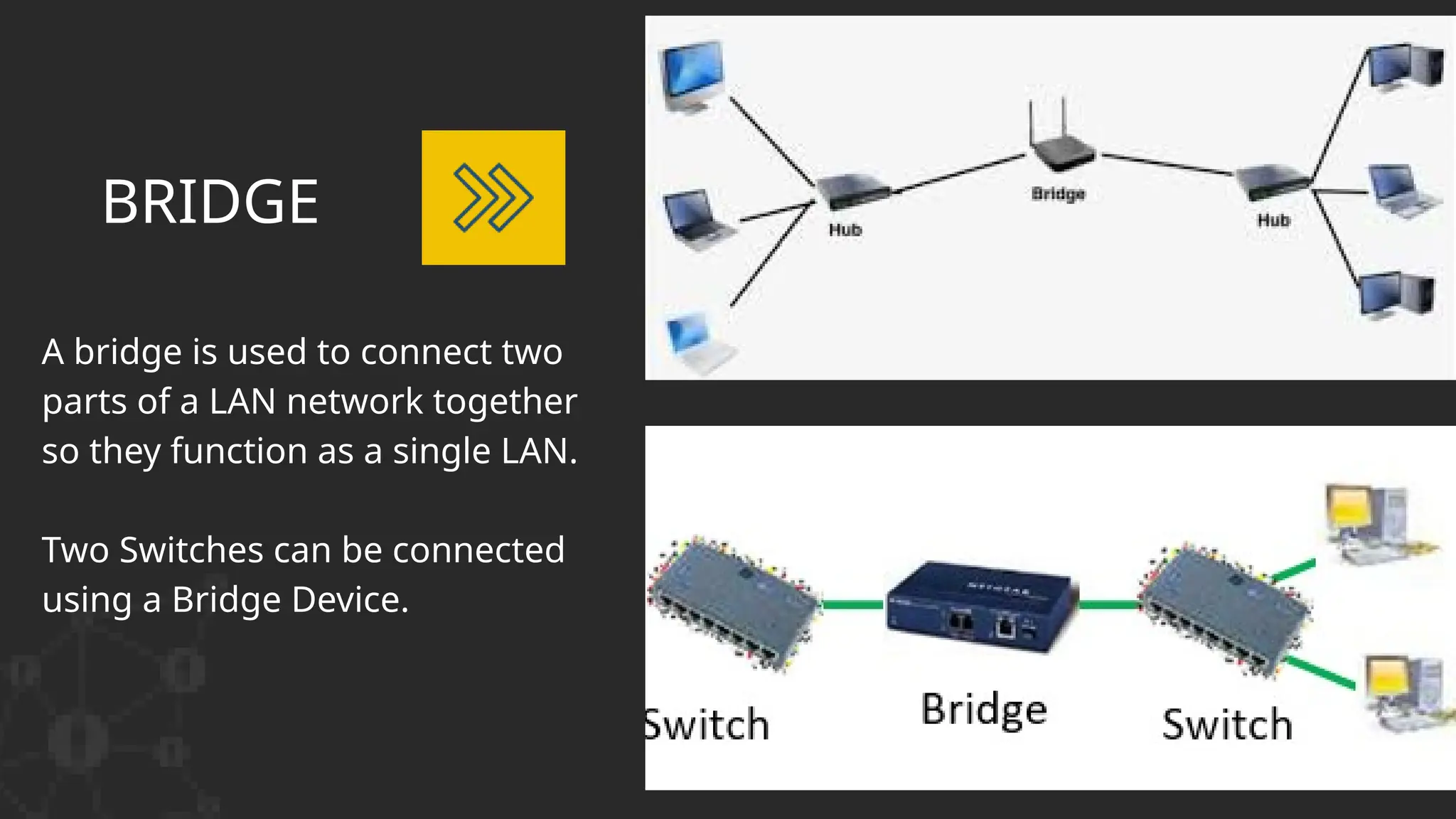
BRIDGE
A bridge is used to connect two
parts of a LAN network together
so they function as a single LAN.
Two Switches can be connected
using a Bridge Device.
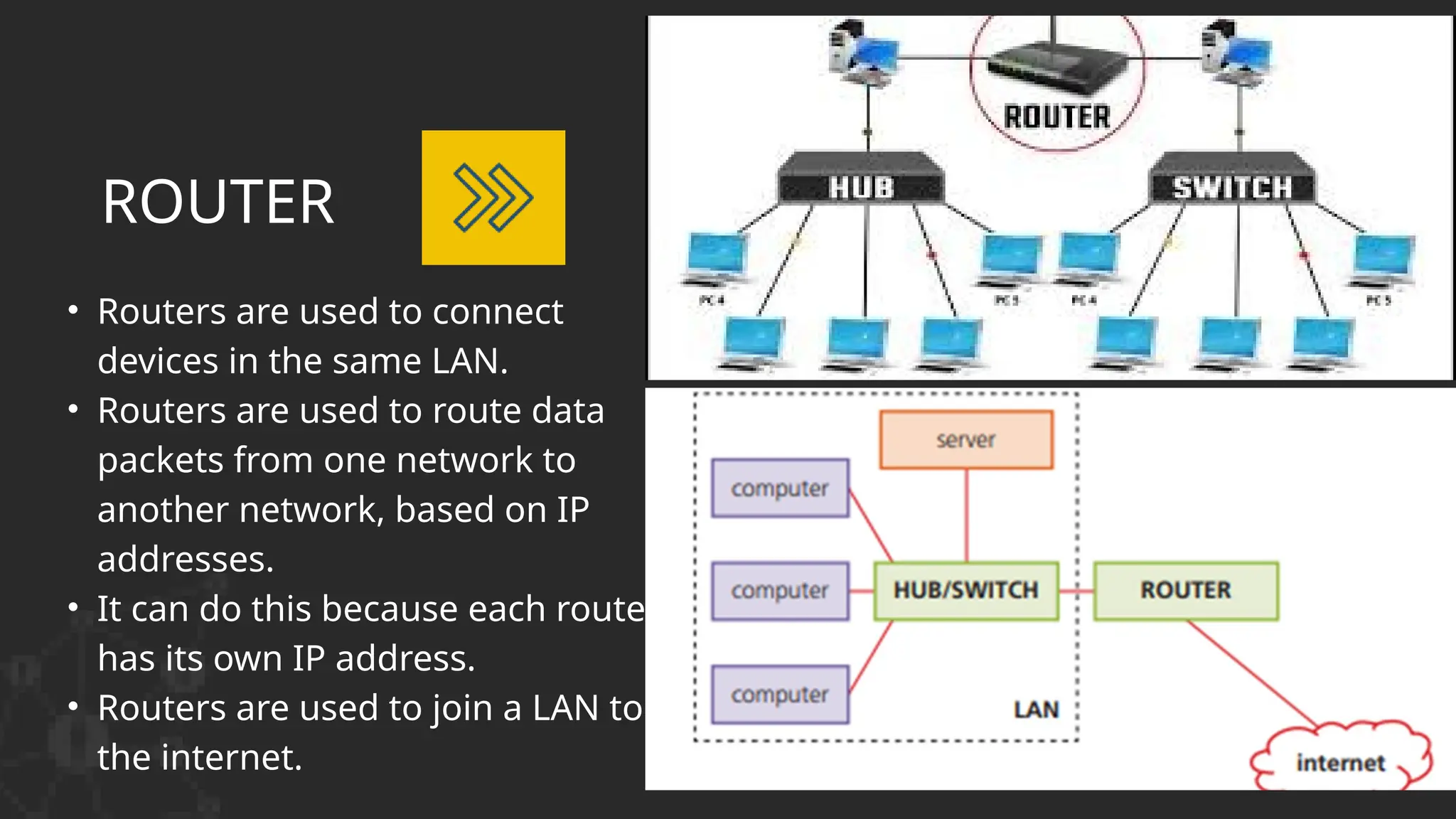
• Routers are used to connect
devices in the same LAN.
• Routers are used to route data
packets from one network to
another network, based on IP
addresses.
• It can do this because each router
has its own IP address.
• Routers are used to join a LAN to
the internet.
ROUTER
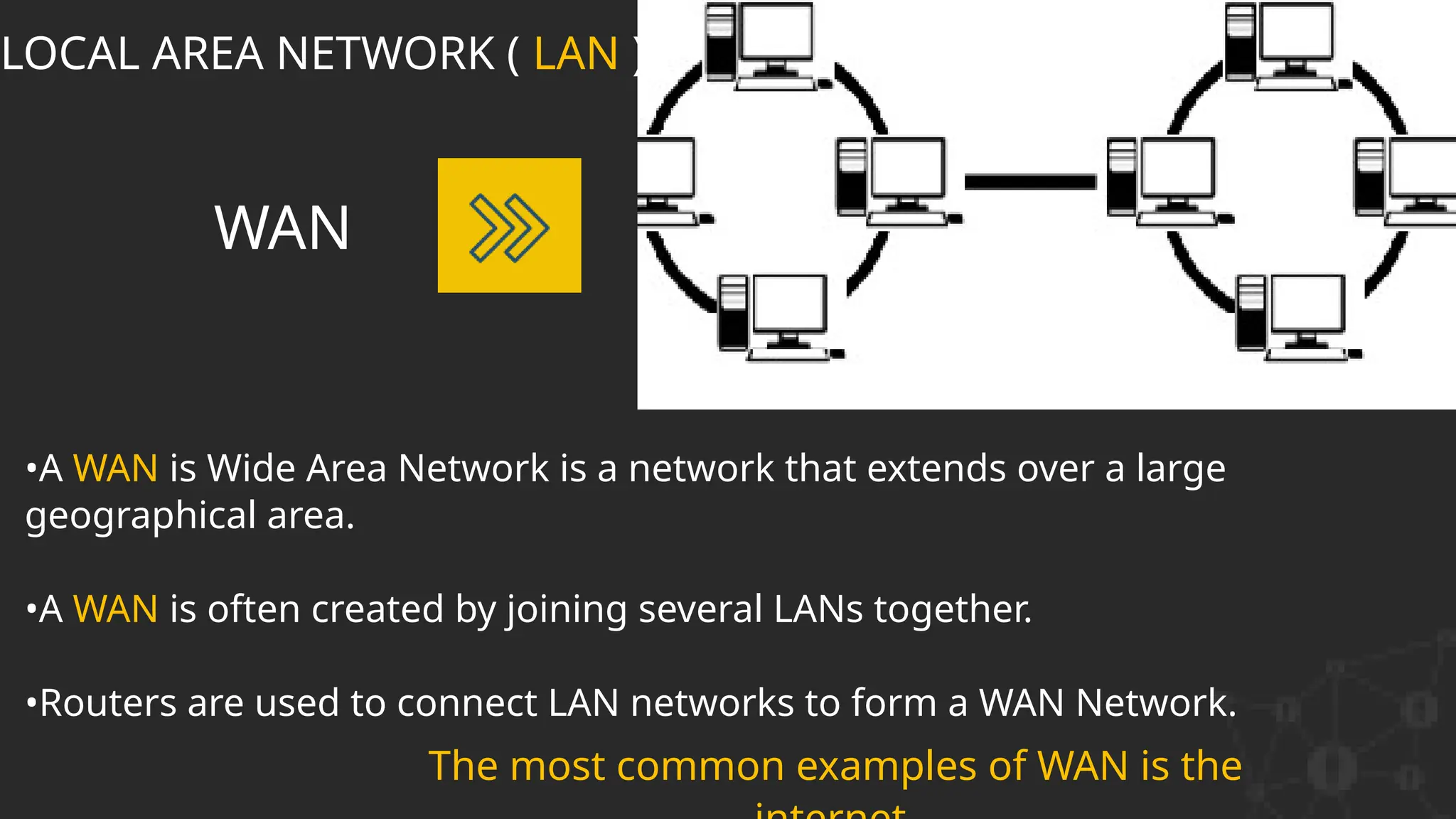
•A WAN is Wide Area Network is a network that extends over a large
geographical area.
•A WAN is often created by joining several LANs together.
•Routers are used to connect LAN networks to form a WAN Network.
WAN
LOCAL AREA NETWORK ( LAN )
The most common examples of WAN is the
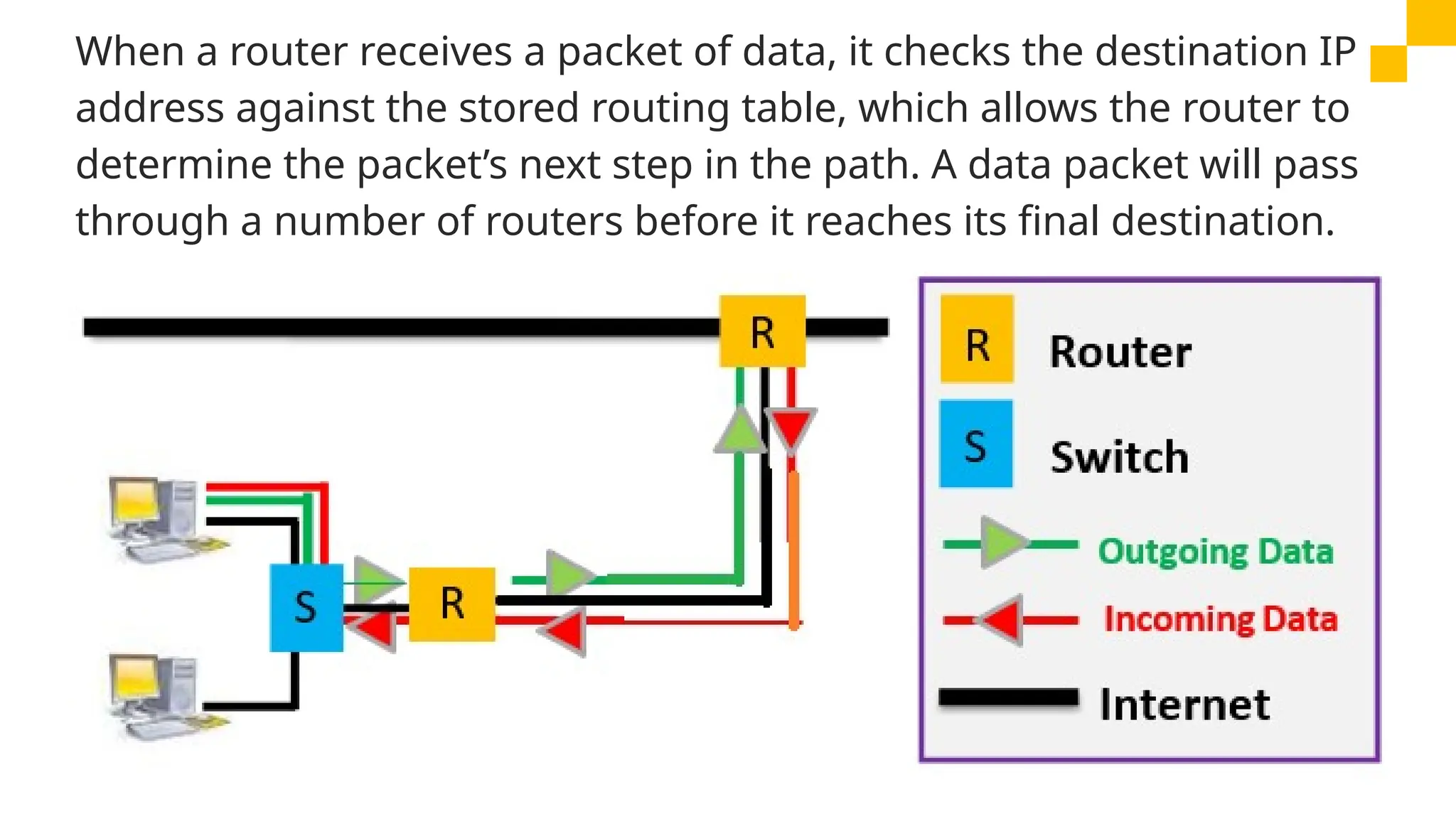
When a router receives a packet of data, it checks the destination IP
address against the stored routing table, which allows the router to
determine the packet’s next step in the path. A data packet will pass
through a number of routers before it reaches its final destination.
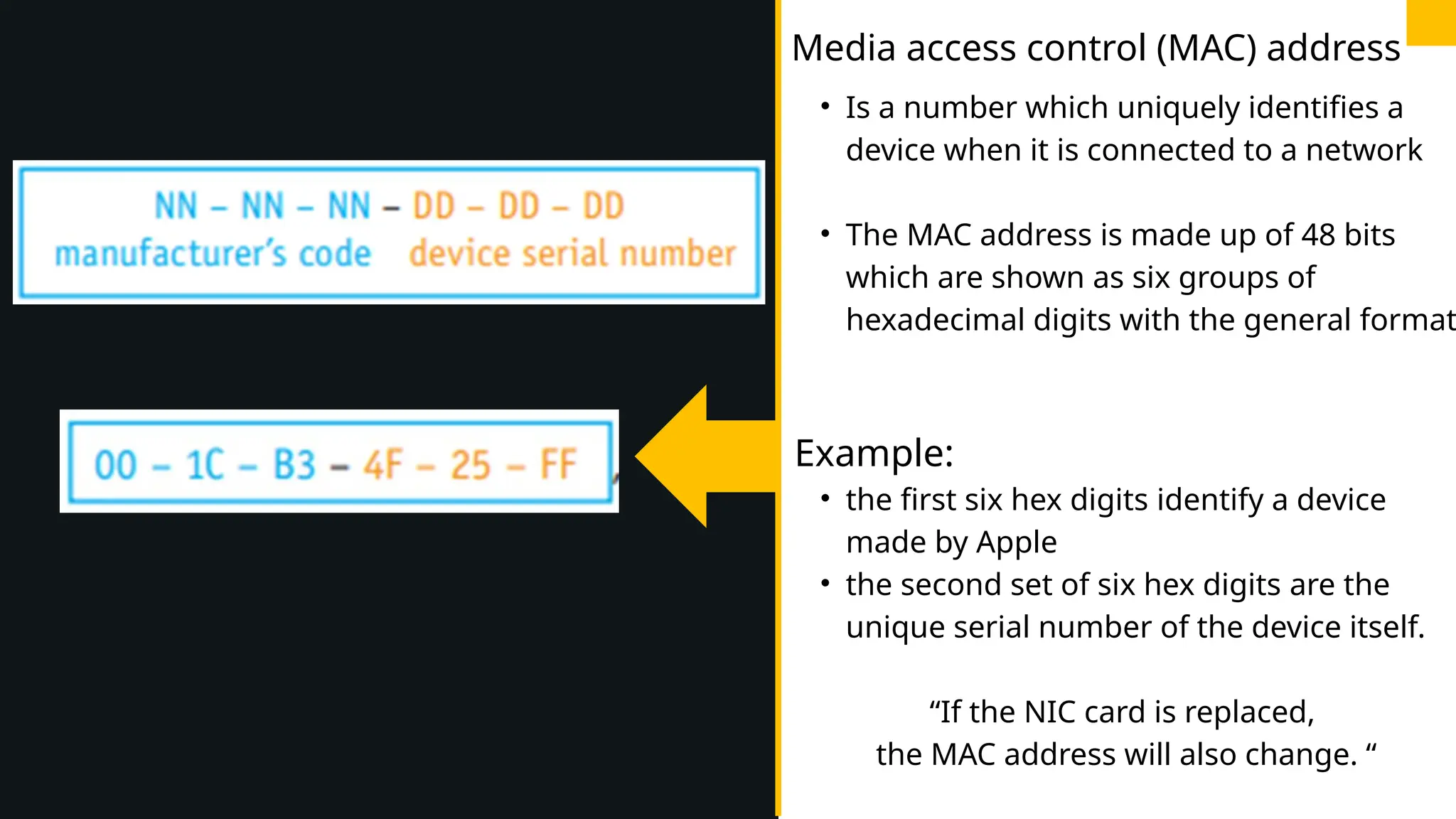
• Is a number which uniquely identifies a
device when it is connected to a network
• The MAC address is made up of 48 bits
which are shown as six groups of
hexadecimal digits with the general format
Example:
• the first six hex digits identify a device
made by Apple
• the second set of six hex digits are the
unique serial number of the device itself.
“If the NIC card is replaced,
the MAC address will also change. “
Media access control (MAC) address
MAC addresses are useful when trying
to identify network faults because they
never change, which makes it a more
reliable method of identifying data
senders and data receivers on a
network.
MAC
The MAC address is sometimes
referred to as the physical address
because it uniquely identifies a
device.
INTERNET PROTOCOL (IP) ADDRESSES
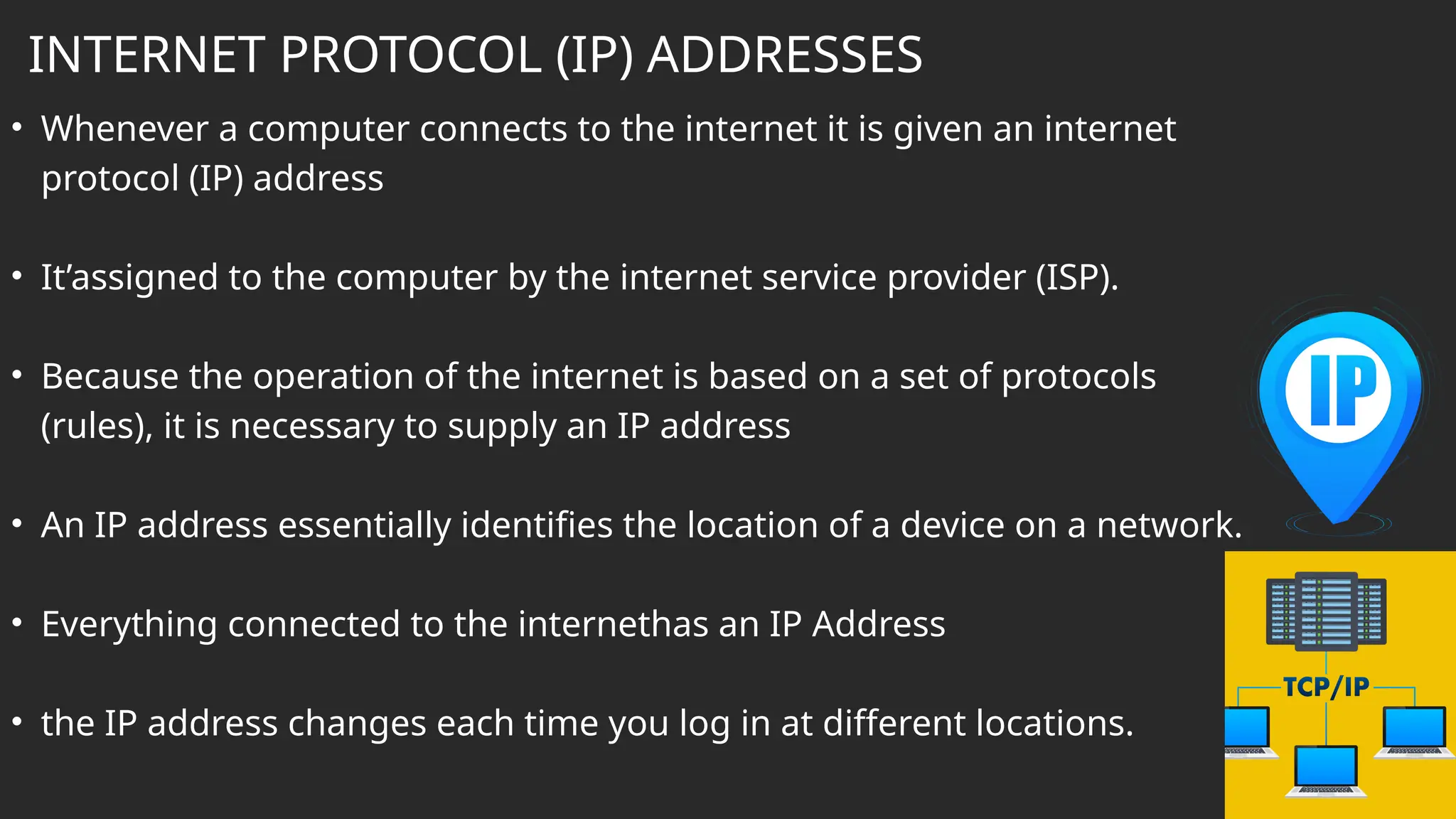
• Whenever a computer connects to the internet it is given an internet
protocol (IP) address
• It’assigned to the computer by the internet service provider (ISP).
• Because the operation of the internet is based on a set of protocols
(rules), it is necessary to supply an IP address
• An IP address essentially identifies the location of a device on a network.
• Everything connected to the internethas an IP Address
• the IP address changes each time you log in at different locations.
• Data is moved around networks in the form of data packets.
• Whenever a user sends some data, it is split up into a number of
packets and each packet is transmitted separately.
• Packets of data will usually have a header which contains:
1. the sender’s IP address
2. the receiver’s IP address
3. the sequence/identity number of the packet (this is to ensure that all the
packets can be reassembled into the correct order once they reach the
destination)
4. the packet size (this is to ensure the receiving station can check if all of the
packets have arrived intact)
5. how many data packets make up the whole message.
DATA PACKETS

Network ict igcse network olevel grade 9

  • 1.
    NETWORKS AND T HEE FFE CTS OF US IN G THE M Teacher: Aseel Al Sinjilawi
  • 2.
    LEARNING OBJECTIVES Be ableto describe the different types of networks Be able to Identify the advantages and disadvantages of a network. Be able to identify the different types of network devices, such as NIC,Hubs, routersand switches
  • 3.
    WHAT IS ACOMPUTER NETWORK? A network is two or more computers, or other electronic devices, connected together so that they can exchange data.
  • 4.
    Networks •Communicate with othernetwork users (e-mail,video-conferencing, etc.) •Store data centrally (using a file server)for ease of access and back- up. •Access to Remote Information Advantages of using •Share resources such as printers and Internet connections. 2 3 •Easily share files and data. 5 4 1
  • 5.
    Networks •Print queues canbe long. •Greater risk of viruses (spreading and disabling network). •When the network is down computers can not be used as standalone computers. Disadvantages of using •The significant cost of extra equipment. 2 3 •Greater risk of hackers. 5 4 1
  • 6.
  • 7.
    Network interface card(NIC) • Network Interface Card (NIC) allows you to connect a device to the network. • The NIC will contain a unique MAC address which will be used to identify the computer to the network. • Wireless network interface cards (WNICs) are the same as NICs in that they are used to connect devices to the internet or other networks NIC WNIC
  • 8.
    Sends data packetsto all the workstations on the network which causes network traffic. Only would be suitable for a small home networks Dumb device Poor Security HUB
  • 9.
    Sends specific datapackets to specific computers on the LAN using workstations unique MAC addresses used in large networks like networks found in schools, offices Smart device More secure SWITCH A Hub and a Switch both connect a number of computers together to make a LAN.
  • 10.
    LOCAL AREA NETWORK( LAN ) • LAN covers a small area (normally confined to one building or with in a close proximity). • LAN consists of number of computers and devices that usually connect to a Switch or HUB. LAN
  • 11.
    BRIDGE A bridge isused to connect two parts of a LAN network together so they function as a single LAN. Two Switches can be connected using a Bridge Device.
  • 12.
    • Routers areused to connect devices in the same LAN. • Routers are used to route data packets from one network to another network, based on IP addresses. • It can do this because each router has its own IP address. • Routers are used to join a LAN to the internet. ROUTER
  • 13.
    •A WAN isWide Area Network is a network that extends over a large geographical area. •A WAN is often created by joining several LANs together. •Routers are used to connect LAN networks to form a WAN Network. WAN LOCAL AREA NETWORK ( LAN ) The most common examples of WAN is the
  • 14.
    When a routerreceives a packet of data, it checks the destination IP address against the stored routing table, which allows the router to determine the packet’s next step in the path. A data packet will pass through a number of routers before it reaches its final destination.
  • 15.
    • Is anumber which uniquely identifies a device when it is connected to a network • The MAC address is made up of 48 bits which are shown as six groups of hexadecimal digits with the general format Example: • the first six hex digits identify a device made by Apple • the second set of six hex digits are the unique serial number of the device itself. “If the NIC card is replaced, the MAC address will also change. “ Media access control (MAC) address
  • 16.
    MAC addresses areuseful when trying to identify network faults because they never change, which makes it a more reliable method of identifying data senders and data receivers on a network. MAC The MAC address is sometimes referred to as the physical address because it uniquely identifies a device.
  • 17.
    INTERNET PROTOCOL (IP)ADDRESSES • Whenever a computer connects to the internet it is given an internet protocol (IP) address • It’assigned to the computer by the internet service provider (ISP). • Because the operation of the internet is based on a set of protocols (rules), it is necessary to supply an IP address • An IP address essentially identifies the location of a device on a network. • Everything connected to the internethas an IP Address • the IP address changes each time you log in at different locations.
  • 18.
    • Data ismoved around networks in the form of data packets. • Whenever a user sends some data, it is split up into a number of packets and each packet is transmitted separately. • Packets of data will usually have a header which contains: 1. the sender’s IP address 2. the receiver’s IP address 3. the sequence/identity number of the packet (this is to ensure that all the packets can be reassembled into the correct order once they reach the destination) 4. the packet size (this is to ensure the receiving station can check if all of the packets have arrived intact) 5. how many data packets make up the whole message. DATA PACKETS