

Client, Host, Server
 Server- applications or systems available to clients and
hosts
 Interconnects clients with hosts
 Host- is the main server
 Clients use what is provided by the server
Mainframe, Supercompute
rs
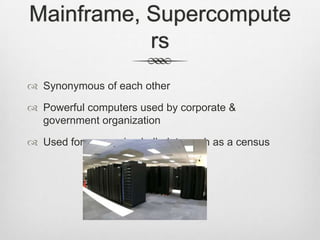
 Synonymous of each other
 Powerful computers used by corporate &
government organization
 Used for processing bulk data such as a census
Grid Computing, Distributed
Processing
 Grid computing- combination of computer resources
 Distributed processing- how the grid computing
works
Ethernet, Peer-to-peer
(P2P)
 Ethernet divides data into packets
 Each frame contains source and destination
addresses and error-checking data
 P2P is am application that distributes workloads
among peers
Local Area Network (LAN),
Wide Area Network (WAN)
 LAN is a computer network that interconnects
computers in a limited area
 WAN is a telecommunication network that covers a
broad area
 Businesses and governments use WANs to relay
data
Virtual LAN (VLAN), Wireless
LAN (WLAN)
 VLAN is a group of hosts with a common set of
requirements
 WLAN links two or more devices using one of
several wireless distribution methods
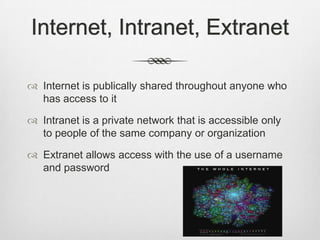
Internet, Intranet, Extranet
 Internet is publically shared throughout anyone who
has access to it
 Intranet is a private network that is accessible only
to people of the same company or organization
 Extranet allows access with the use of a username
and password
Virtual Private Network
 Uses public telecommunication
 Provides remote offices or traveling users access to
a central organized network
 Users have to be authenticated
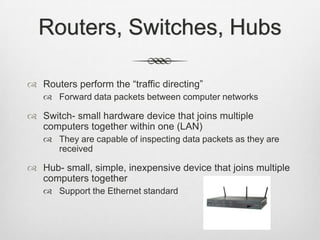
Routers, Switches, Hubs
 Routers perform the “traffic directing”
 Forward data packets between computer networks
 Switch- small hardware device that joins multiple
computers together within one (LAN)
 They are capable of inspecting data packets as they are
received
 Hub- small, simple, inexpensive device that joins multiple
computers together
 Support the Ethernet standard
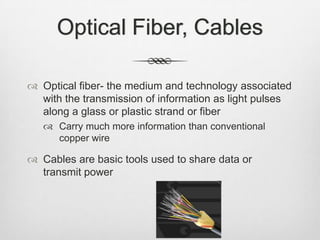
Optical Fiber, Cables
 Optical fiber- the medium and technology associated
with the transmission of information as light pulses
along a glass or plastic strand or fiber
 Carry much more information than conventional
copper wire
 Cables are basic tools used to share data or
transmit power
Wireless Fidelity (WiFi)
 Used to wirelessly connect electronic devices
 300-600 feet of range depending on strength
 Requires a wireless network or an internet hot spot
WiMax
 WiMAX is a wireless digital communications system
that is intended for wireless "metropolitan area
networks”
 It can provide broadband wireless access (BWA) up
to 30 miles for fixed stations, and 3-10 miles for
mobile stations
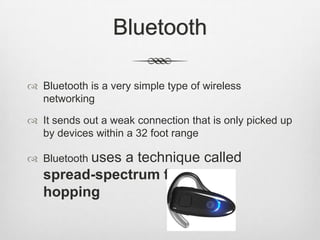
Bluetooth
 Bluetooth is a very simple type of wireless
networking
 It sends out a weak connection that is only picked up
by devices within a 32 foot range
 Bluetooth uses a technique called
spread-spectrum frequency
hopping
Network Operating System
(NOS) & Utility Software
 NOS is the software that runs on a server and
enables the server to manage data, users, etc
 Utility software is a kind of system software
designed to help analyze, configure, optimize and
maintain the computer
 Usually focuses on how the computer infrastructure
operates
 Utilities are often rather technical and targeted at
people with an advanced level of computer
knowledge
Storage Area Network (SAN) &
Redundant Array of Inexpensive Disks
(RAID)
 SAN is a dedicated network that provides access to
consolidated, block level data storage
 They are primarily used to make storage devices
 RAIDs are used for their higher reliability and data-
transfer rate, rather than for economic reasons
Introduction to Network
Administration
 A network administrator is a person who’s job is to
monitor, install, configure and repair network
equipment
 Also, in some companies a network admin can
involve themselves in fixing some of the computers
on the network.
Access Control
Gaining admission to a network requires both
Identification and Authentication.
Identification: State your identity.
Authentication: Prove it.
Authentication
 Network authentication is usually based off of having
one or more of the following:
 Something you know: a password, or possibly a PIN
 Something you have: a key, ID card
 Something you are: fingerprints, retinas/iris, voice
 Somewhere you are: proximity to a certain place
Authorization
 This is applied once a user has access to network.
 Authorization dictates what a “subject” can do to the
system once they have access
 “One-Note, Google Docs”
 Sometimes these are called “Permissions”
Accountability
 Just as the Authorization system tells you what you
can do, a system for Accountability monitors what
you did.
 These systems will monitor things like:
 Applications used
 Internet history
 Time spent on the network
Computers & Security
 Firewall: a device set up to deny access to a
network if a computer does not match a set of
requirements
 Proxy: a server used to access other computers
 License: gives a owner the right to use a network or
software (single user, multi-user, network-wide)
 Encryption: Information transformed using a cypher
that will seem useless unless one has a certain key
to have it make sense.
Physical Security
 Networks and mainframe data centers can also be
protected physically.
 Locks and doors
 Extra authentification requirements
 Surveillance
 Security Guards
 Ext…
Network Policies
 These are the rules, guidelines and constraints that
dictate how and what things can be done on a
network.
 These will also dictate how the network is protected
from corruption and is archived.
 A more physical policy used to protect data centers
is that of UPS (uninterruptable power supply)
Ethics
 Networks can also be used in more unethical
ways, such as spreading viruses, spam and other
hindrances
 Many people/companies/schools have network rules
that employees must follow while on their network
Protocols
 A set of rules that governs the communications
between computers on a network
 To communicate, two computers must speak the
same “language”
 Different network protocols allow any computer to
communicate around the world
Synchronous &
Asynchronous
 The two different ways used communicating over a
physical circuit
 Synchronous- This connection negotiation process
takes longer on a low error-rate, but is better with
systems that the transmission medium is not very
reliable
 Transmissions are synced by external clock
Synchronous & Asynchronous
Continued
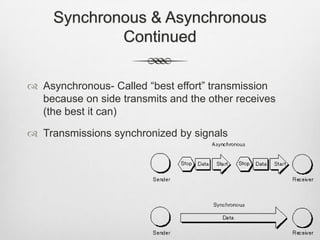
 Asynchronous- Called “best effort” transmission
because on side transmits and the other receives
(the best it can)
 Transmissions synchronized by signals
Remote Access
 People are able to access data or resources from a
remote location.
 Traditional remote access solutions used dial-up
technologies to allow employees to connect to an
office network via telephone networks connecting to
remote access servers
Bandwidth & Broadband
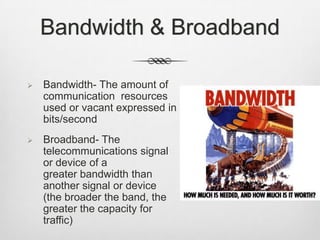
 Bandwidth- The amount of
communication resources
used or vacant expressed in
bits/second
 Broadband- The
telecommunications signal
or device of a
greater bandwidth than
another signal or device
(the broader the band, the
greater the capacity for
traffic)
Bit Rates
 The number of bits that are conveyed or processed
per unit of time
Networking Trends
Networking Trends
Networking Trends

Networking Trends

  • 2.
    Client, Host, Server Server- applications or systems available to clients and hosts  Interconnects clients with hosts  Host- is the main server  Clients use what is provided by the server
  • 3.
    Mainframe, Supercompute rs  Synonymousof each other  Powerful computers used by corporate & government organization  Used for processing bulk data such as a census
  • 4.
    Grid Computing, Distributed Processing Grid computing- combination of computer resources  Distributed processing- how the grid computing works
  • 5.
    Ethernet, Peer-to-peer (P2P)  Ethernetdivides data into packets  Each frame contains source and destination addresses and error-checking data  P2P is am application that distributes workloads among peers
  • 6.
    Local Area Network(LAN), Wide Area Network (WAN)  LAN is a computer network that interconnects computers in a limited area  WAN is a telecommunication network that covers a broad area  Businesses and governments use WANs to relay data
  • 7.
    Virtual LAN (VLAN),Wireless LAN (WLAN)  VLAN is a group of hosts with a common set of requirements  WLAN links two or more devices using one of several wireless distribution methods
  • 8.
    Internet, Intranet, Extranet Internet is publically shared throughout anyone who has access to it  Intranet is a private network that is accessible only to people of the same company or organization  Extranet allows access with the use of a username and password
  • 9.
    Virtual Private Network Uses public telecommunication  Provides remote offices or traveling users access to a central organized network  Users have to be authenticated
  • 10.
    Routers, Switches, Hubs Routers perform the “traffic directing”  Forward data packets between computer networks  Switch- small hardware device that joins multiple computers together within one (LAN)  They are capable of inspecting data packets as they are received  Hub- small, simple, inexpensive device that joins multiple computers together  Support the Ethernet standard
  • 11.
    Optical Fiber, Cables Optical fiber- the medium and technology associated with the transmission of information as light pulses along a glass or plastic strand or fiber  Carry much more information than conventional copper wire  Cables are basic tools used to share data or transmit power
  • 12.
    Wireless Fidelity (WiFi) Used to wirelessly connect electronic devices  300-600 feet of range depending on strength  Requires a wireless network or an internet hot spot
  • 13.
    WiMax  WiMAX isa wireless digital communications system that is intended for wireless "metropolitan area networks”  It can provide broadband wireless access (BWA) up to 30 miles for fixed stations, and 3-10 miles for mobile stations
  • 14.
    Bluetooth  Bluetooth isa very simple type of wireless networking  It sends out a weak connection that is only picked up by devices within a 32 foot range  Bluetooth uses a technique called spread-spectrum frequency hopping
  • 15.
    Network Operating System (NOS)& Utility Software  NOS is the software that runs on a server and enables the server to manage data, users, etc  Utility software is a kind of system software designed to help analyze, configure, optimize and maintain the computer  Usually focuses on how the computer infrastructure operates  Utilities are often rather technical and targeted at people with an advanced level of computer knowledge
  • 16.
    Storage Area Network(SAN) & Redundant Array of Inexpensive Disks (RAID)  SAN is a dedicated network that provides access to consolidated, block level data storage  They are primarily used to make storage devices  RAIDs are used for their higher reliability and data- transfer rate, rather than for economic reasons
  • 18.
    Introduction to Network Administration A network administrator is a person who’s job is to monitor, install, configure and repair network equipment  Also, in some companies a network admin can involve themselves in fixing some of the computers on the network.
  • 19.
    Access Control Gaining admissionto a network requires both Identification and Authentication. Identification: State your identity. Authentication: Prove it.
  • 20.
    Authentication  Network authenticationis usually based off of having one or more of the following:  Something you know: a password, or possibly a PIN  Something you have: a key, ID card  Something you are: fingerprints, retinas/iris, voice  Somewhere you are: proximity to a certain place
  • 21.
    Authorization  This isapplied once a user has access to network.  Authorization dictates what a “subject” can do to the system once they have access  “One-Note, Google Docs”  Sometimes these are called “Permissions”
  • 22.
    Accountability  Just asthe Authorization system tells you what you can do, a system for Accountability monitors what you did.  These systems will monitor things like:  Applications used  Internet history  Time spent on the network
  • 23.
    Computers & Security Firewall: a device set up to deny access to a network if a computer does not match a set of requirements  Proxy: a server used to access other computers  License: gives a owner the right to use a network or software (single user, multi-user, network-wide)  Encryption: Information transformed using a cypher that will seem useless unless one has a certain key to have it make sense.
  • 24.
    Physical Security  Networksand mainframe data centers can also be protected physically.  Locks and doors  Extra authentification requirements  Surveillance  Security Guards  Ext…
  • 25.
    Network Policies  Theseare the rules, guidelines and constraints that dictate how and what things can be done on a network.  These will also dictate how the network is protected from corruption and is archived.  A more physical policy used to protect data centers is that of UPS (uninterruptable power supply)
  • 26.
    Ethics  Networks canalso be used in more unethical ways, such as spreading viruses, spam and other hindrances  Many people/companies/schools have network rules that employees must follow while on their network
  • 28.
    Protocols  A setof rules that governs the communications between computers on a network  To communicate, two computers must speak the same “language”  Different network protocols allow any computer to communicate around the world
  • 29.
    Synchronous & Asynchronous  Thetwo different ways used communicating over a physical circuit  Synchronous- This connection negotiation process takes longer on a low error-rate, but is better with systems that the transmission medium is not very reliable  Transmissions are synced by external clock
  • 30.
    Synchronous & Asynchronous Continued Asynchronous- Called “best effort” transmission because on side transmits and the other receives (the best it can)  Transmissions synchronized by signals
  • 31.
    Remote Access  Peopleare able to access data or resources from a remote location.  Traditional remote access solutions used dial-up technologies to allow employees to connect to an office network via telephone networks connecting to remote access servers
  • 32.
    Bandwidth & Broadband Bandwidth- The amount of communication resources used or vacant expressed in bits/second  Broadband- The telecommunications signal or device of a greater bandwidth than another signal or device (the broader the band, the greater the capacity for traffic)
  • 33.
    Bit Rates  Thenumber of bits that are conveyed or processed per unit of time

Editor's Notes

  • #11 http://computer.howstuffworks.com/router.htmhttp://compnetworking.about.com/od/hardwarenetworkgear/g/bldef_switch.htmhttp://compnetworking.about.com/cs/internetworking/g/bldef_hub.htmhttp://www.cisco.com/en/US/products/hw/routers/products_category_buyers_guide.html
  • #12 http://searchtelecom.techtarget.com/definition/optical-fiberhttp://www.ehow.com/facts_5024530_definition-computer-cables.html http://www.opticalcable.info/spdif-optical-cable/
  • #13 http://www.howstuffworks.com/wireless-network.htmhttp://www.goingwimax.com/wimax-glossary/wi-fi-or-wlan-wireless-local-area-networks/
  • #14 http://www.wimax.com/general/what-is-wimax
  • #15 http://electronics.howstuffworks.com/bluetooth2.htm http://www.shopping.com/Motorola-Motorola-H350-Bluetooth-Headset-Blue-H350BLUE/info