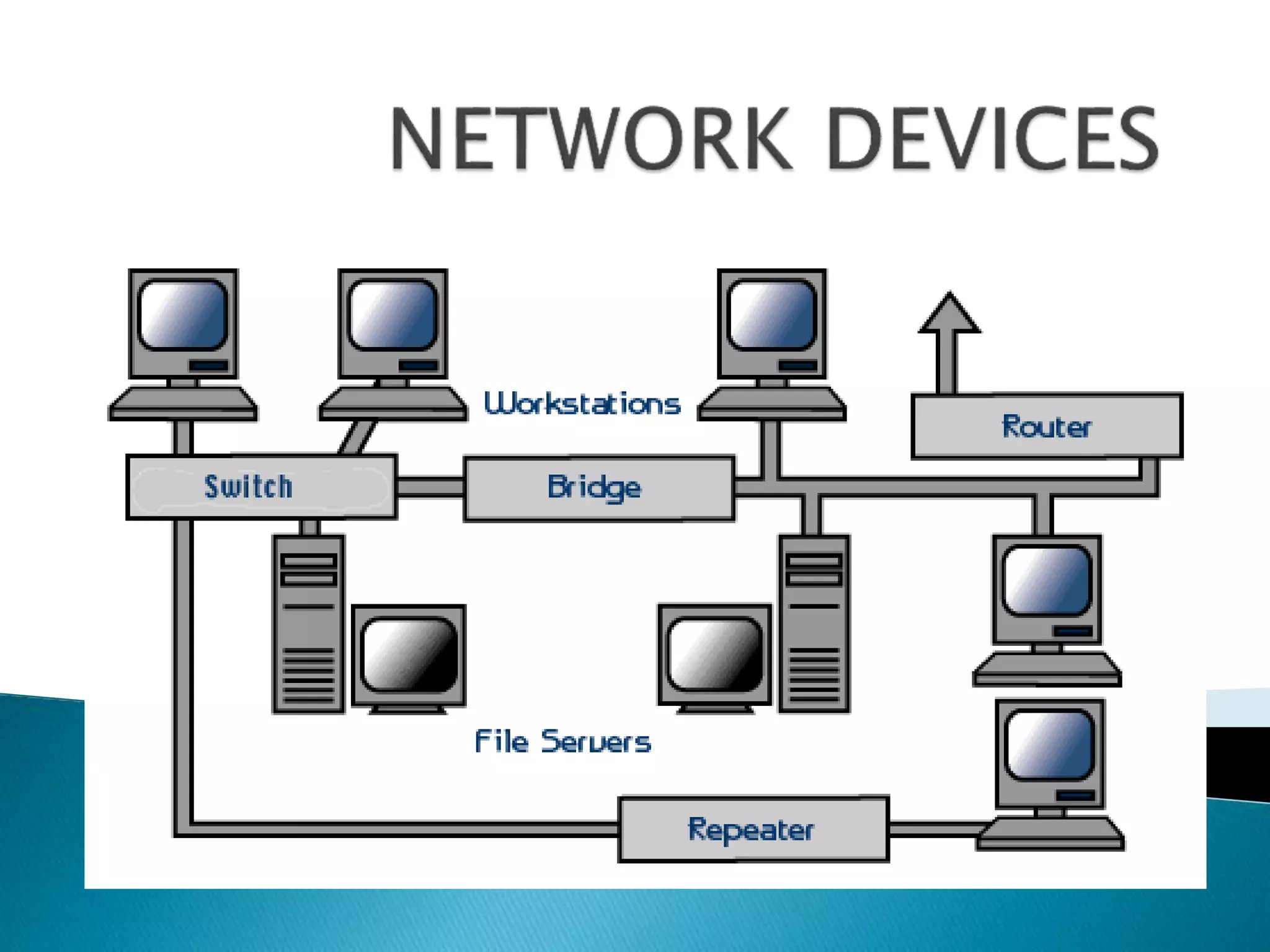
 HUB
 Repeater
 Switch
 Bridge
 Router
 Gateway
 NIC
 MODEM
 Networks using a Star topology require a
central point for the devices to connect.
 Originally this device was called a
concentrator since it consolidated the cable
runs from all network devices.
 The basic form of concentrator is the hub.
 The hub is a hardware device that contains
multiple, independent ports that match the
cable type of the network.
 Most common hubs interconnect UTP cable
with RJ-45 ends, although Coax BNC and
Fiber Optic BNC hubs also exist.
 Hubs offer an inexpensive option for
transporting data between devices.
 But hubs don't offer any form of intelligence.
 (not monitoring status and port activity)

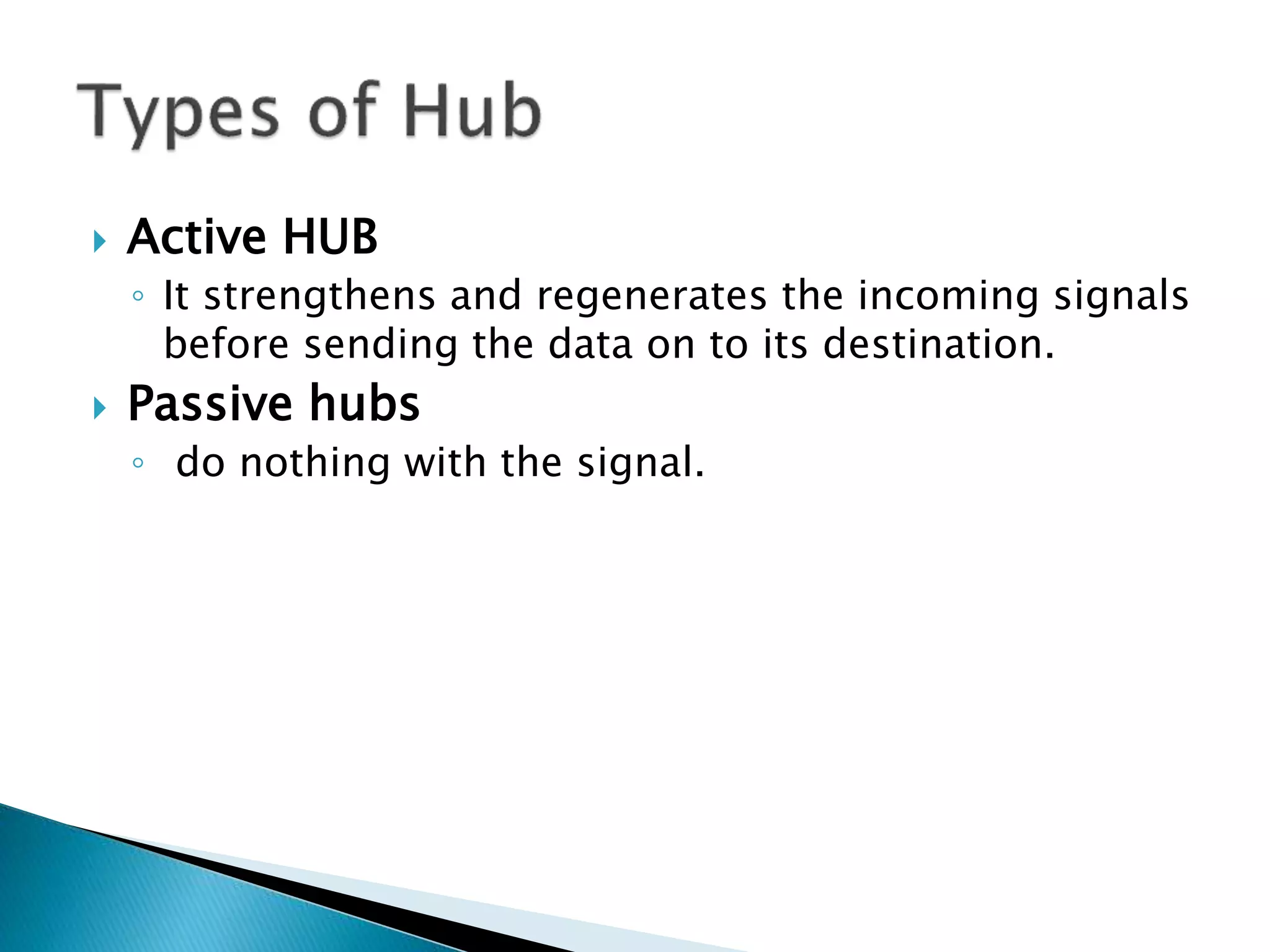
 Active HUB
◦ It strengthens and regenerates the incoming signals
before sending the data on to its destination.
 Passive hubs
◦ do nothing with the signal.
 Switches are a special type of hub.
 It offers an intelligence .
 It must be able to read the MAC address of
each frame it receives.
 This information allows switches to repeat
incoming data frames only to the computer
or computers to which a frame is addressed.
 This speeds up the network and reduces
congestion.
Switch Hub
As per the OSI model, a switches are
classified as Data Link Layer.
As per the OSI model, a hub is a
Physical Layer device, i.e. it operates at
Layer 1.
A switch is a more sophisticated
network device and is more expensive
than a hub.
A hub is a very simple device and is
comparatively much cheaper.
A switch is an intelligent device, it
transmits the data packets from the
source computer to only those network
computers to which the data packets
are originally intended.
A hub is a 'dumb' device to say the
least. It broadcasts the data packets to
each and every networked computer,
and not just the target computer.
There is optimum utilization of
network bandwidth in case of switches,
and bandwidth wastage is minimal.
Due to their broadcast mechanism of
data transmission, there is unnecessary
wastage of network bandwidth which
results in slow operation and data
transfer speeds.
Switches are full-duplex devices, i.e.
both, data transmission and reception
can take place simultaneously.
Hubs are half-duplex devices, i.e. both,
data transmission and reception cannot
take place simultaneously.
Network security is high Network security is low.
Difference between Switch and Hub
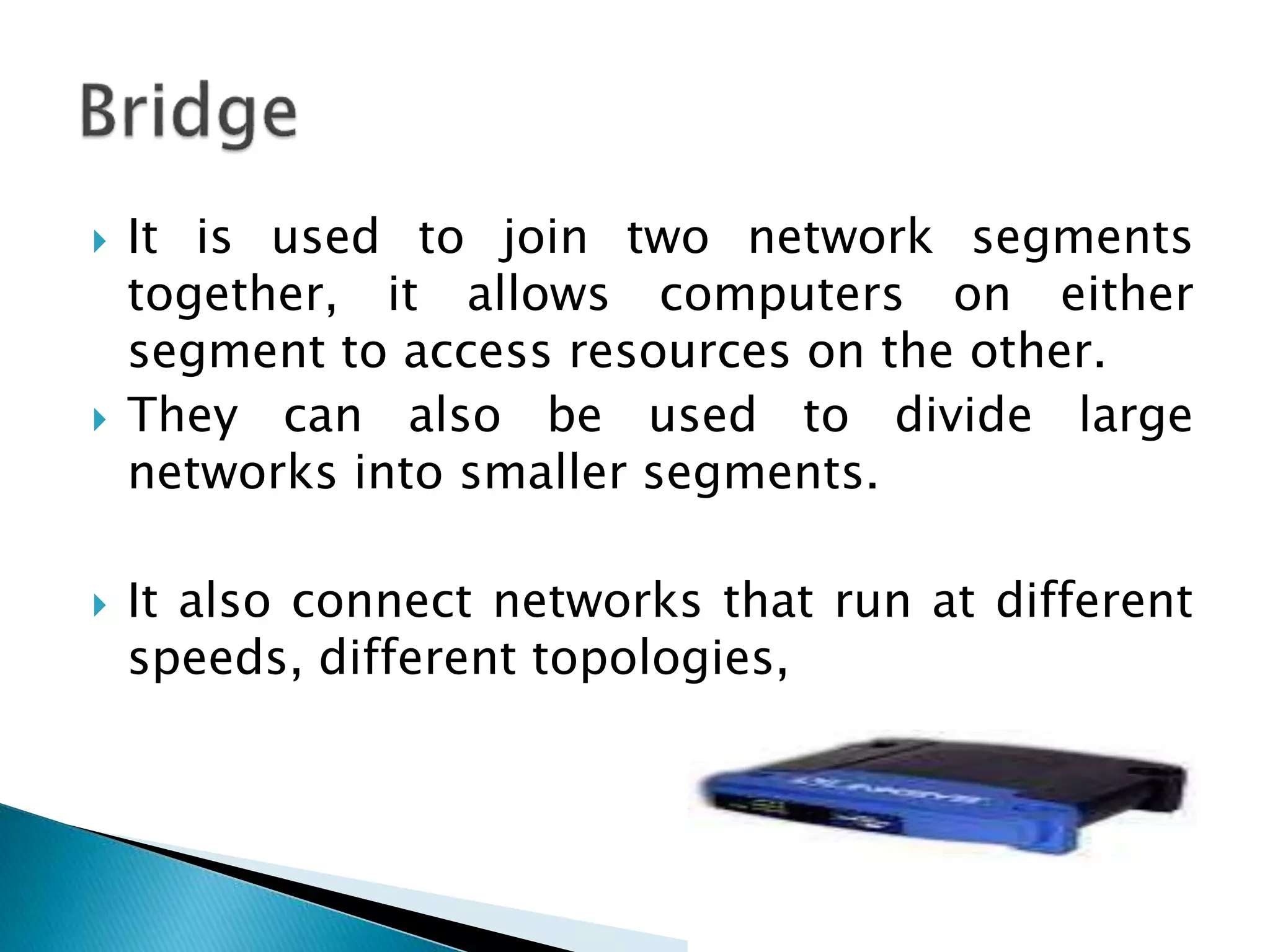
 It is used to join two network segments
together, it allows computers on either
segment to access resources on the other.
 They can also be used to divide large
networks into smaller segments.
 It also connect networks that run at different
speeds, different topologies,
 It is a networking devices used to extend
networks by forwarding packets from one
logical network to another.
 It mostly used in large internetworks.
 It move packets between networks using their
logical addresses (IP).
 They have better packet-routing and filtering
capabilities which results in routers costing
more than bridges.
 Routers contain internal tables of information
called routing tables that keep track of all
known network addresses and possible paths
throughout the internetwork.
 Routers route packets based on the available
paths.
 It work only if the configured network
protocol is a routable protocol.
Gateway is an internetworking
system capable of joining together
two networks that use different
base protocols. A network gateway
can be implemented completely in
software, completely in hardware,
or as a combination of both.
Depending on the types of
protocols they support.
 It is used to connect networks using different
protocols.
 In order to communicate with a host on another
network, an IP host must be configured with a
route to the destination network.
 If a configuration route is not found, the host
uses the gateway (default IP router) to transmit
the traffic to the destination host.
 If no default gateway is specified, communication
is limited to the local network.
 An Ethernet hub is also called a multiport
repeater.
 A repeater is a device that amplifies a signal
as it passes through it, to counteract the
effects of attenuation.
 When data enters the hub through any of its
ports, the hub amplifies the signal and
transmits it out through all of the other ports.
Network Interface Card
 The network interface card (NIC) provides the
physical connection between the network and
the computer.
 Most NICs are internal, with the card fitting
into an expansion slot inside the computer.
 Network interface cards are a major factor in
determining the speed and performance of a
network
NIC (ETHERNET) CARD Wireless NIC
 MODEM is a device containing both Modulator
and demodulator
 Function of MODEM is used to convert binary
signals into analog signals and vice-versa.
 MODEMs are used at each end of the
communication system . It is the interface
between these units
Router Switch
It is used to connect computers
belonging to one network with
another networks. Thus, a router
connects two or more different
networks.
A switch connects different
computers within one network.
Layer 3. (network layer) Layer 2 (Data Link Layer).
Routers are much more
sophisticated and intelligent
network devices, as compared to
switches.
In comparison with routers,
switches are less sophisticated and
less intelligent.
A router works on the principle of
IP addresses.
A switch works on the basis of
MAC addresses.
A router's inbuilt hardware makes
use of routing table to compute
the best possible path for routing
data packets across different
computer networks.
A switch does not perform any
such activities.
Routers have their own inbuilt
operating systems and they need
to be configured before use.
Switches do not require any prior
configuration and are usually
'ready-to-use'.
Difference between Router and Switch
Administration of Network
• PING
• TRACERT
• IPCONFIG
• IPCONFIG ALL
• IPCONFIG /RELEASE
• IPCONFIG /RENEW
PING
• Ping is a computer network administration
utility used to test the reachability of a host
on an Internet Protocol (IP) network.
• It is also used to measure the time for
messages sent from the originating host to
a destination computer.
TRACERT
• Tracert is a computer network command for
displaying the route (path) and measuring
transit delays of packets across an Internet
Protocol (IP) network.
IPCONFIG
• It is used to get your computers local
network IP address, subnet mask, and
default gateway.
Commands Functions
Ipconfig Display configuration
information.
Ipconfig /all Display full configuration
information.
Ipconfig /release Release the IP address.
Ipconfig /renew Renew the IP address.

Network devices

  • 3.
     HUB  Repeater Switch  Bridge  Router  Gateway  NIC  MODEM
  • 4.
     Networks usinga Star topology require a central point for the devices to connect.  Originally this device was called a concentrator since it consolidated the cable runs from all network devices.  The basic form of concentrator is the hub.
  • 6.
     The hubis a hardware device that contains multiple, independent ports that match the cable type of the network.  Most common hubs interconnect UTP cable with RJ-45 ends, although Coax BNC and Fiber Optic BNC hubs also exist.  Hubs offer an inexpensive option for transporting data between devices.  But hubs don't offer any form of intelligence.  (not monitoring status and port activity) 
  • 7.
     Active HUB ◦It strengthens and regenerates the incoming signals before sending the data on to its destination.  Passive hubs ◦ do nothing with the signal.
  • 8.
     Switches area special type of hub.  It offers an intelligence .  It must be able to read the MAC address of each frame it receives.  This information allows switches to repeat incoming data frames only to the computer or computers to which a frame is addressed.  This speeds up the network and reduces congestion.
  • 9.
    Switch Hub As perthe OSI model, a switches are classified as Data Link Layer. As per the OSI model, a hub is a Physical Layer device, i.e. it operates at Layer 1. A switch is a more sophisticated network device and is more expensive than a hub. A hub is a very simple device and is comparatively much cheaper. A switch is an intelligent device, it transmits the data packets from the source computer to only those network computers to which the data packets are originally intended. A hub is a 'dumb' device to say the least. It broadcasts the data packets to each and every networked computer, and not just the target computer. There is optimum utilization of network bandwidth in case of switches, and bandwidth wastage is minimal. Due to their broadcast mechanism of data transmission, there is unnecessary wastage of network bandwidth which results in slow operation and data transfer speeds. Switches are full-duplex devices, i.e. both, data transmission and reception can take place simultaneously. Hubs are half-duplex devices, i.e. both, data transmission and reception cannot take place simultaneously. Network security is high Network security is low. Difference between Switch and Hub
  • 10.
     It isused to join two network segments together, it allows computers on either segment to access resources on the other.  They can also be used to divide large networks into smaller segments.  It also connect networks that run at different speeds, different topologies,
  • 11.
     It isa networking devices used to extend networks by forwarding packets from one logical network to another.  It mostly used in large internetworks.  It move packets between networks using their logical addresses (IP).  They have better packet-routing and filtering capabilities which results in routers costing more than bridges.
  • 12.
     Routers containinternal tables of information called routing tables that keep track of all known network addresses and possible paths throughout the internetwork.  Routers route packets based on the available paths.  It work only if the configured network protocol is a routable protocol.
  • 13.
    Gateway is aninternetworking system capable of joining together two networks that use different base protocols. A network gateway can be implemented completely in software, completely in hardware, or as a combination of both. Depending on the types of protocols they support.
  • 14.
     It isused to connect networks using different protocols.  In order to communicate with a host on another network, an IP host must be configured with a route to the destination network.  If a configuration route is not found, the host uses the gateway (default IP router) to transmit the traffic to the destination host.  If no default gateway is specified, communication is limited to the local network.
  • 15.
     An Ethernethub is also called a multiport repeater.  A repeater is a device that amplifies a signal as it passes through it, to counteract the effects of attenuation.  When data enters the hub through any of its ports, the hub amplifies the signal and transmits it out through all of the other ports.
  • 16.
    Network Interface Card The network interface card (NIC) provides the physical connection between the network and the computer.  Most NICs are internal, with the card fitting into an expansion slot inside the computer.  Network interface cards are a major factor in determining the speed and performance of a network
  • 17.
    NIC (ETHERNET) CARDWireless NIC
  • 18.
     MODEM isa device containing both Modulator and demodulator  Function of MODEM is used to convert binary signals into analog signals and vice-versa.  MODEMs are used at each end of the communication system . It is the interface between these units
  • 19.
    Router Switch It isused to connect computers belonging to one network with another networks. Thus, a router connects two or more different networks. A switch connects different computers within one network. Layer 3. (network layer) Layer 2 (Data Link Layer). Routers are much more sophisticated and intelligent network devices, as compared to switches. In comparison with routers, switches are less sophisticated and less intelligent. A router works on the principle of IP addresses. A switch works on the basis of MAC addresses. A router's inbuilt hardware makes use of routing table to compute the best possible path for routing data packets across different computer networks. A switch does not perform any such activities. Routers have their own inbuilt operating systems and they need to be configured before use. Switches do not require any prior configuration and are usually 'ready-to-use'. Difference between Router and Switch
  • 20.
    Administration of Network •PING • TRACERT • IPCONFIG • IPCONFIG ALL • IPCONFIG /RELEASE • IPCONFIG /RENEW
  • 21.
    PING • Ping isa computer network administration utility used to test the reachability of a host on an Internet Protocol (IP) network. • It is also used to measure the time for messages sent from the originating host to a destination computer.
  • 22.
    TRACERT • Tracert isa computer network command for displaying the route (path) and measuring transit delays of packets across an Internet Protocol (IP) network.
  • 23.
    IPCONFIG • It isused to get your computers local network IP address, subnet mask, and default gateway. Commands Functions Ipconfig Display configuration information. Ipconfig /all Display full configuration information. Ipconfig /release Release the IP address. Ipconfig /renew Renew the IP address.