INTERNET SECURITY
INSTR:-HC/RO TAPAN KUMAR KHILAR , FIT ,CTC (T&IT)
INTRODUCTION
Internet security refers to securing
communication over the internet . It includes
specific security protocols such as:-
1. Internet Security Protocol (IPSec)
2. Secure Socket layer(SSL)
Internet Security Protocol (IPSec)
It consists of a set of protocols designed by
internet Engineering Task Force(IETF).It
provides security at network level and helps to
create authenticated and confidential packets
for IP(Internet Protocol) layer.
Secure Socket layer(SSL)
It is a security protocol developed by Netscape
Communications Corporation . It provides
security at transport layer. It addresses the
following security issues:
Privacy
Integrity
Authentication
Threats
Internet security threats impact the network
,data security and other internet connected
systems.
Cyber criminals have evolved several techniques
to threat privacy and integrity of bank
accounts,business and organisations.
Following are some of the internet security
threats:-
Mobile worms,malware,spam,phishing etc.
SSL:- (SECURE SOCKETS LAYER)
1. It is a standard security technology for establishing an
encrypted link between a server and a client ,typically
a web server and a browser.
2. SSL allows sensitive information such as credit card
numbers ,social security numbers ,and login
credentials to be transmitted securely.
3. SSL protocols describes how algorithms should be
used ,in this case ,the SSL protocols determines
variables of the encryption for both the link and data
being transmitted.
4. Internet users have come to associate their online
security with the lock icon that comes with an SSL-
secured website or green address bar that comes
with an extended validation SSL-secured websites .
5. SSL-secured websites also begin with https rather
than http.
6. SSL certificates have a key pair:a public key and a
private key. These keys work together to establish
an encrypted connection.
7. The most important part of an SSL certificate is that
is digitally signed by a trusted CA (Certificate
Authority) like digicert.
CONTINUE……
WEB PROXY
1. A proxy server as a computer that acts as an intermediary
between the user’s computer and the internet.
2. It allows client computers to make indirect network connections
to other network services.
3. Proxy server uses for various purposes like
i- sharing internet connections on a local area network.
ii- hide our IP address.
iii- implement internet access control.
iv- access blocked websites etc.
4. A proxy server can acts as an intermediary to prevent from attack
and unexpected access.
5. To implement internet access control like authentication for
internet connection,bandwidth control,online time
control,internet web filter and content filter etc.
6. To bypass security restrictions and filters.
CONTINUE….
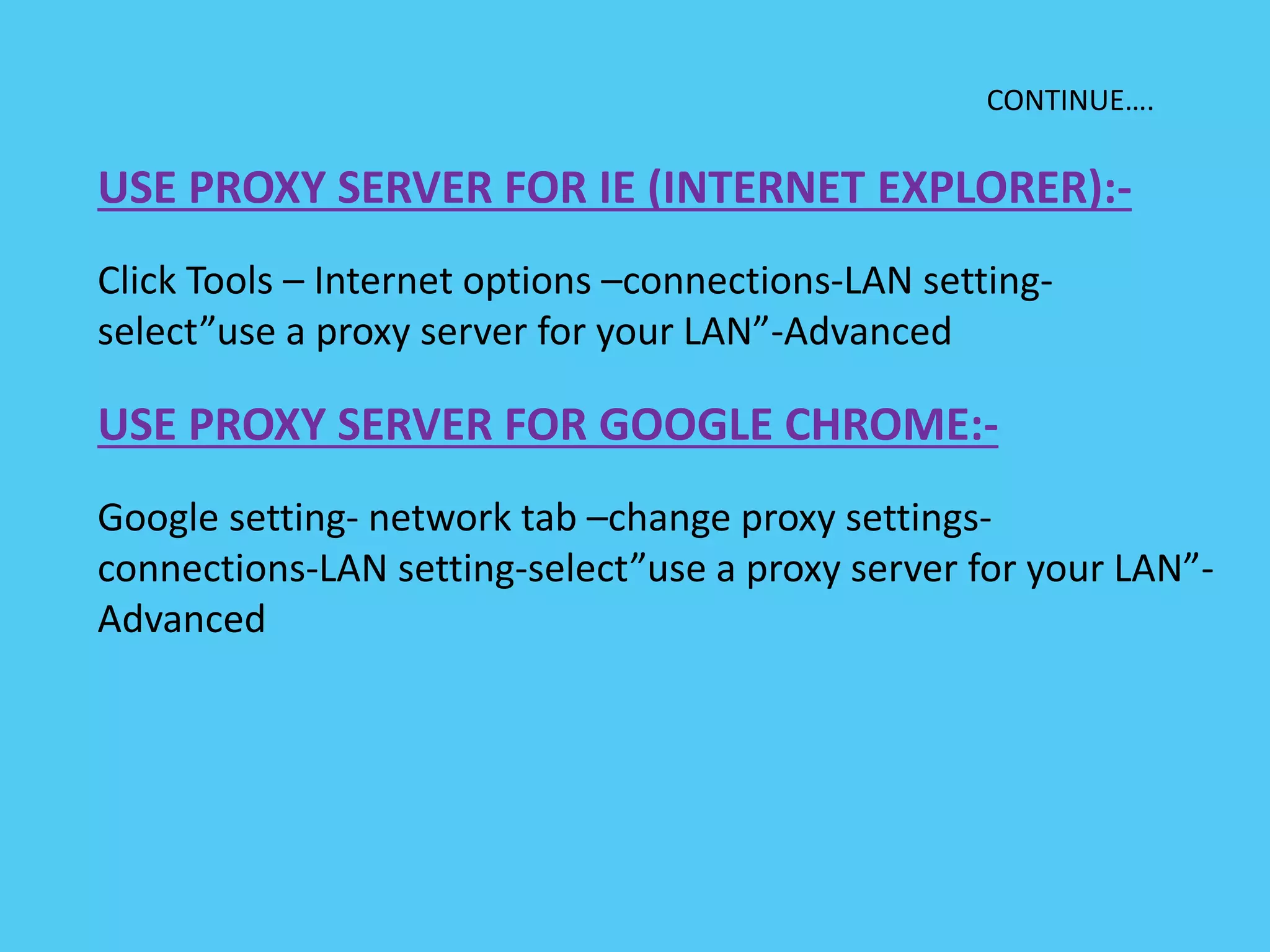
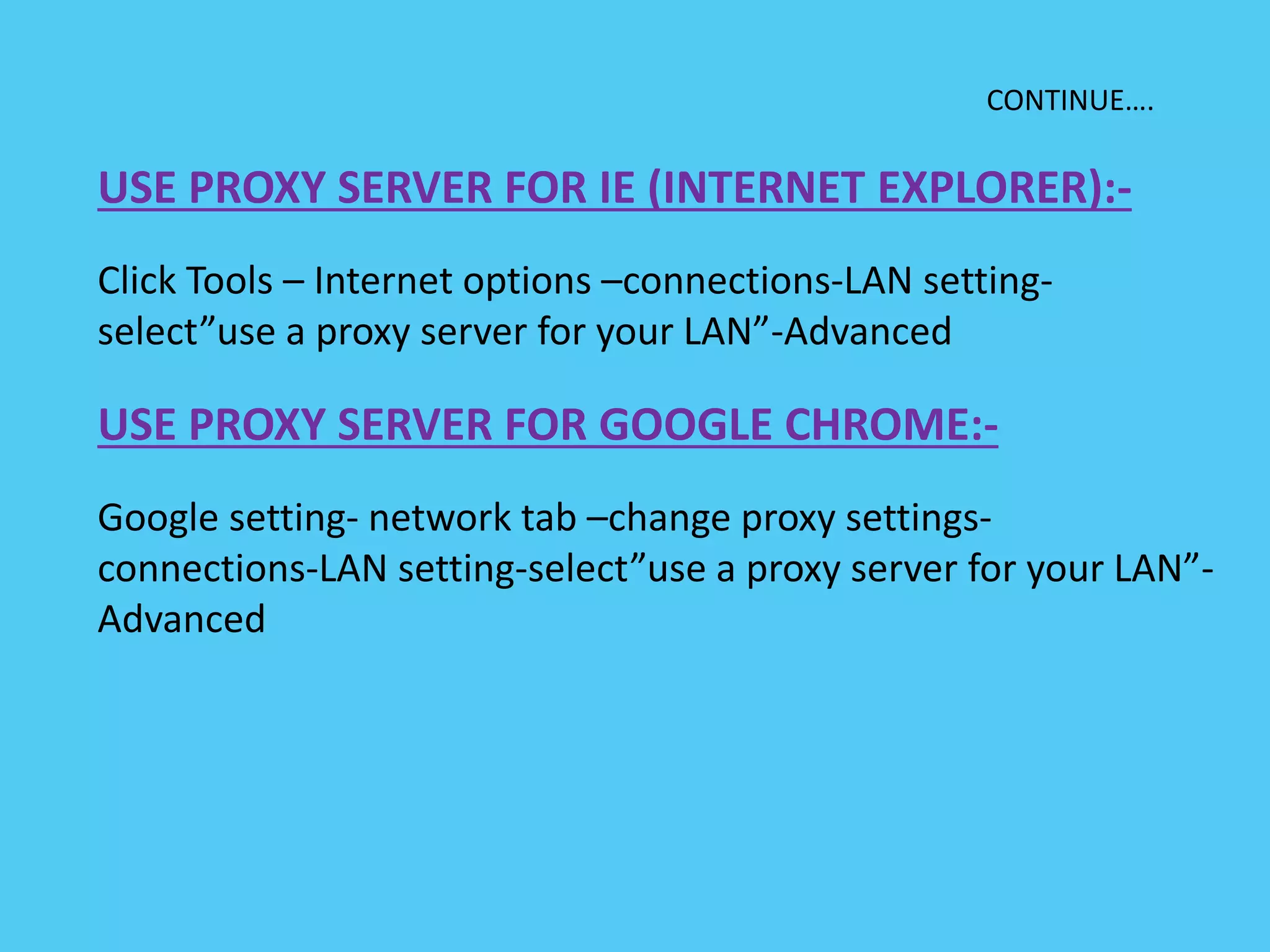
USE PROXY SERVER FOR IE (INTERNET EXPLORER):-
Click Tools – Internet options –connections-LAN setting-
select”use a proxy server for your LAN”-Advanced
USE PROXY SERVER FOR GOOGLE CHROME:-
Google setting- network tab –change proxy settings-
connections-LAN setting-select”use a proxy server for your LAN”-
Advanced
SSL:- (SECURE SOCKETS LAYER)
1. It is a standard security technology for establishing an
encrypted link between a server and a client ,typically
a web server and a browser.
2. SSL allows sensitive information such as credit card
numbers ,social security numbers ,and login
credentials to be transmitted securely.
3. SSL protocols describes how algorithms should be
used ,in this case ,the SSL protocols determines
variables of the encryption for both the link and data
being transmitted.
4. Internet users have come to associate their online
security with the lock icon that comes with an SSL-
secured website or green address bar that comes
with an extended validation SSL-secured websites .
5. SSL-secured websites also begin with https rather
than http.
6. SSL certificates have a key pair:a public key and a
private key. hese keys work together to establish an
encrypted connection.
7. The most important part of an SSL certificate is that
is digitally signed by a trusted CA (Certificate
Authority) like digicert.
CONTINUE……
WEB PROXY
1. A proxy server os a computer that acts as an intermediary
between the user’s computer and the internet.
2. It allows client computers to make indirect network connections
to other network services.
3. Proxy server uses for various purposes like
i- sharing internet connections on a local area network.
ii- hide our IP address.
iii- implement internet access control.
iv- access blocked websites etc.
4. A proxy server can acts as an intermediary to prevent from attack
and unexpected access.
5. To implement internet access control like authentication for
internet connection,bandwidth control,online time
control,internet web filter and content filter etc.
6. To bypass security restrictions and filters.
CONTINUE….
USE PROXY SERVER FOR IE (INTERNET EXPLORER):-
Click Tools – Internet options –connections-LAN setting-
select”use a proxy server for your LAN”-Advanced
USE PROXY SERVER FOR GOOGLE CHROME:-
Google setting- network tab –change proxy settings-
connections-LAN setting-select”use a proxy server for your LAN”-
Advanced
14
Firewalls
Effective means of protection a local
system or network of systems from
network-based security threats while
affording access to the outside world
via WAN`s or the Internet
Firewall Design
Principles
• The firewall is inserted between the
premises network and the Internet
• Aims:
– Establish a controlled link
– Protect the premises network from
Internet-based attacks
– Provide a single choke point
Firewall Characteristics
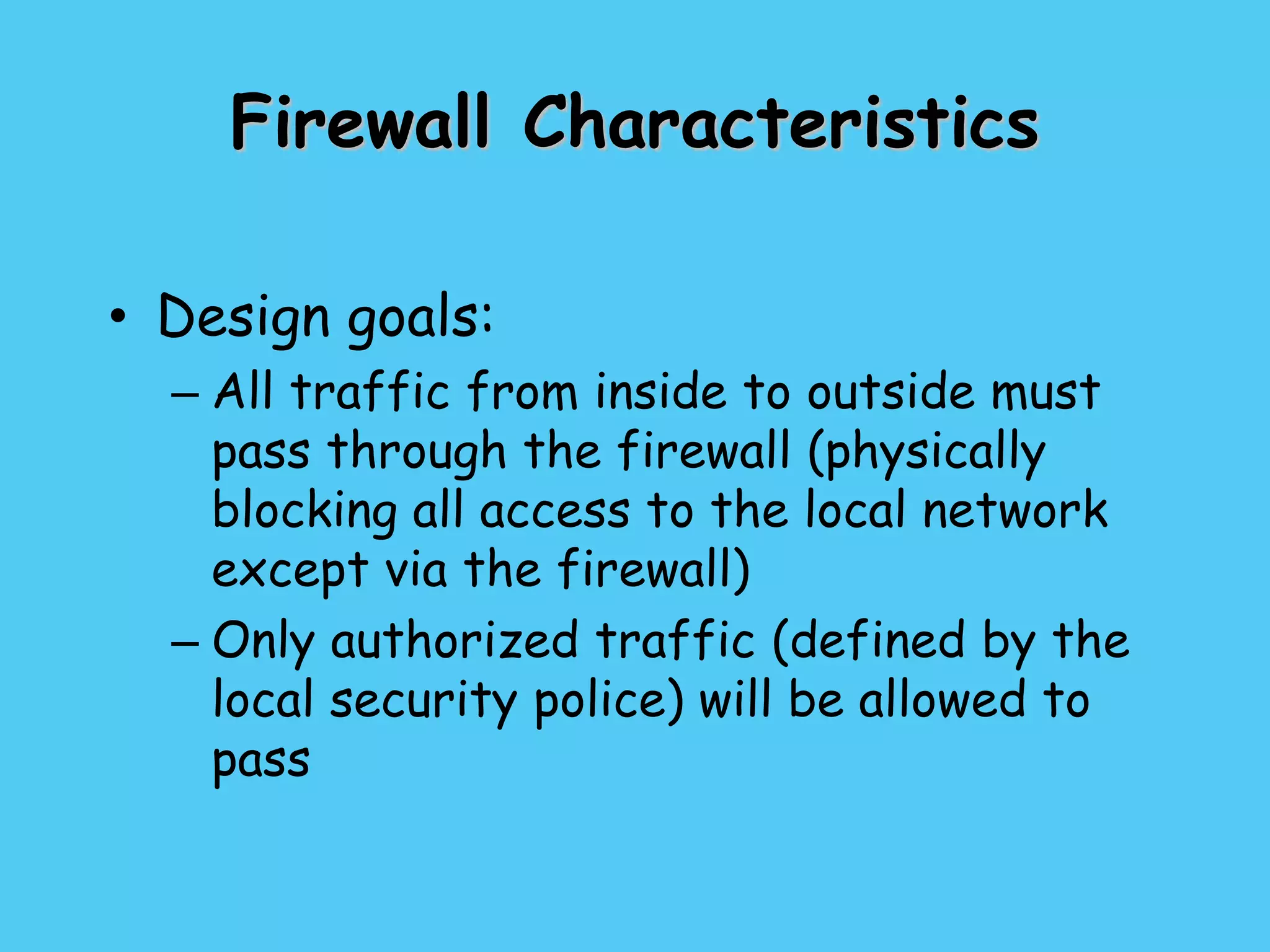
• Design goals:
– All traffic from inside to outside must
pass through the firewall (physically
blocking all access to the local network
except via the firewall)
– Only authorized traffic (defined by the
local security police) will be allowed to
pass
Firewall Characteristics
• Design goals:
– The firewall itself is immune to
penetration (use of trusted system with
a secure operating system)
Firewall Characteristics
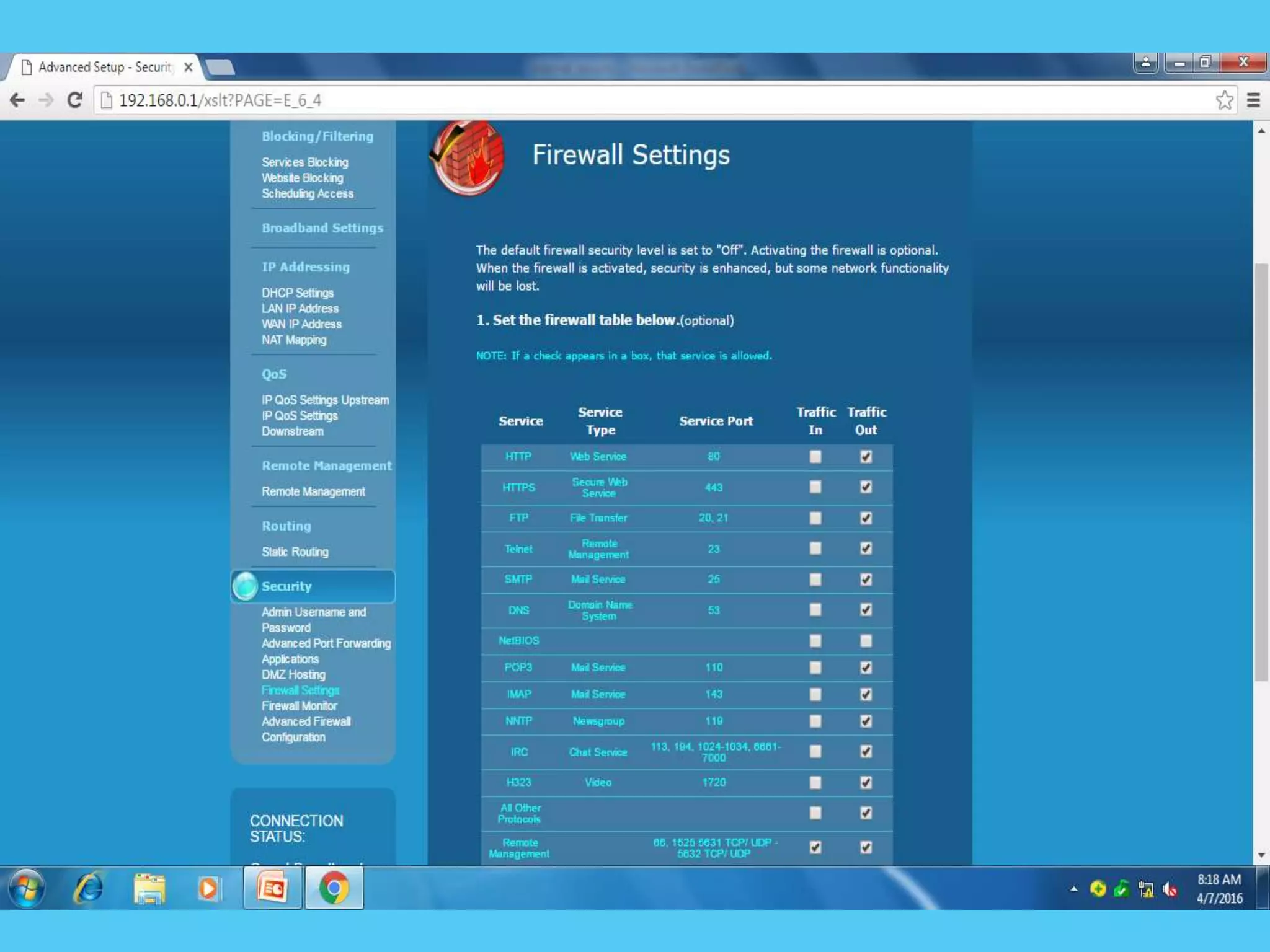
• Four general techniques:
• Service control
– Determines the types of Internet services
that can be accessed, inbound or outbound
• Direction control
– Determines the direction in which
particular service requests are allowed to
flow
Firewall Characteristics
• User control
– Controls access to a service according to
which user is attempting to access it
• Behavior control
– Controls how particular services are used
(e.g. filter e-mail)
Types of Firewalls
• Three common types of Firewalls:
– Packet-filtering routers
– Application-level gateways
• Application-level Gateway
Net filtering
Internet service providers (ISPs) that block material
containing pornography, or controversial religious, political,
or news-related content en route are often utilised by
parents who do not permit their children to access content
not conforming to their personal beliefs.
Content filtering software can, however, also be used to
block malware and other content that is or contains hostile,
intrusive, or annoying material including adware, spam,
computer viruses, worms, trojan horses, and spyware.
Filters can be implemented in many different ways: by
software on a personal computer, via network
infrastructure such as proxy servers, DNS servers, or
firewalls that provide Internet access.
Browser based filters .
Browser based content filtering solution is the most
lightweight solution to do the content filtering, and is
implemented via a third party browser extension.
E-mail filters
E-mail filters act on information contained in the mail
body, in the mail headers such as sender and subject, and
e-mail attachments to classify, accept, or reject messages.
Types of filtering
Client-side filters.
This type of filter is installed as software on each
computer where filtering is required.This filter can
typically be managed, disabled or uninstalled by
anyone who has administrator-level privileges on
the system.
Network-based filtering .
This type of filter is implemented at the transport
layer as a transparent proxy, or at the application
layer as a web proxy.Filtering software may include
data loss prevention functionality to filter outbound
as well as inbound information.
Search-engine filters
Many search engines, such as Google offer users the
option of turning on a safety filter. When this safety filter
is activated, it filters out the inappropriate links from all
of the search results. If users know the actual URL of a
website that features explicit or adult content, they have
the ability to access that content without using a search
engine. Engines like Lycos, Yahoo, and Bing offer
childoriented versions of their engines that permit only
children friendly websites.
IP filtering
To provide security, an IP router can allow or
disallow the flow of very specific types of IP
traffic. This capability, called IP packet filtering,
provides a way for the network administrator to
precisely define what IP traffic is received and
sent by the router. IP packet filtering is an
important element of connecting corporate
intranets to public networks like the Internet.
Common IP Filtering Techniques
• Route filtering
• Firewall filtering
• Email filtering
Communication with IPSec protocol
Why IPsec?
• Internet Protocol (IP) is not secure – IP
protocol was designed in the early stages of the
Internet where security was not an issue – All
hosts in the network are known • Possible
security issues – Source spoofing – Replay
packets – No data integrity or confidentiality
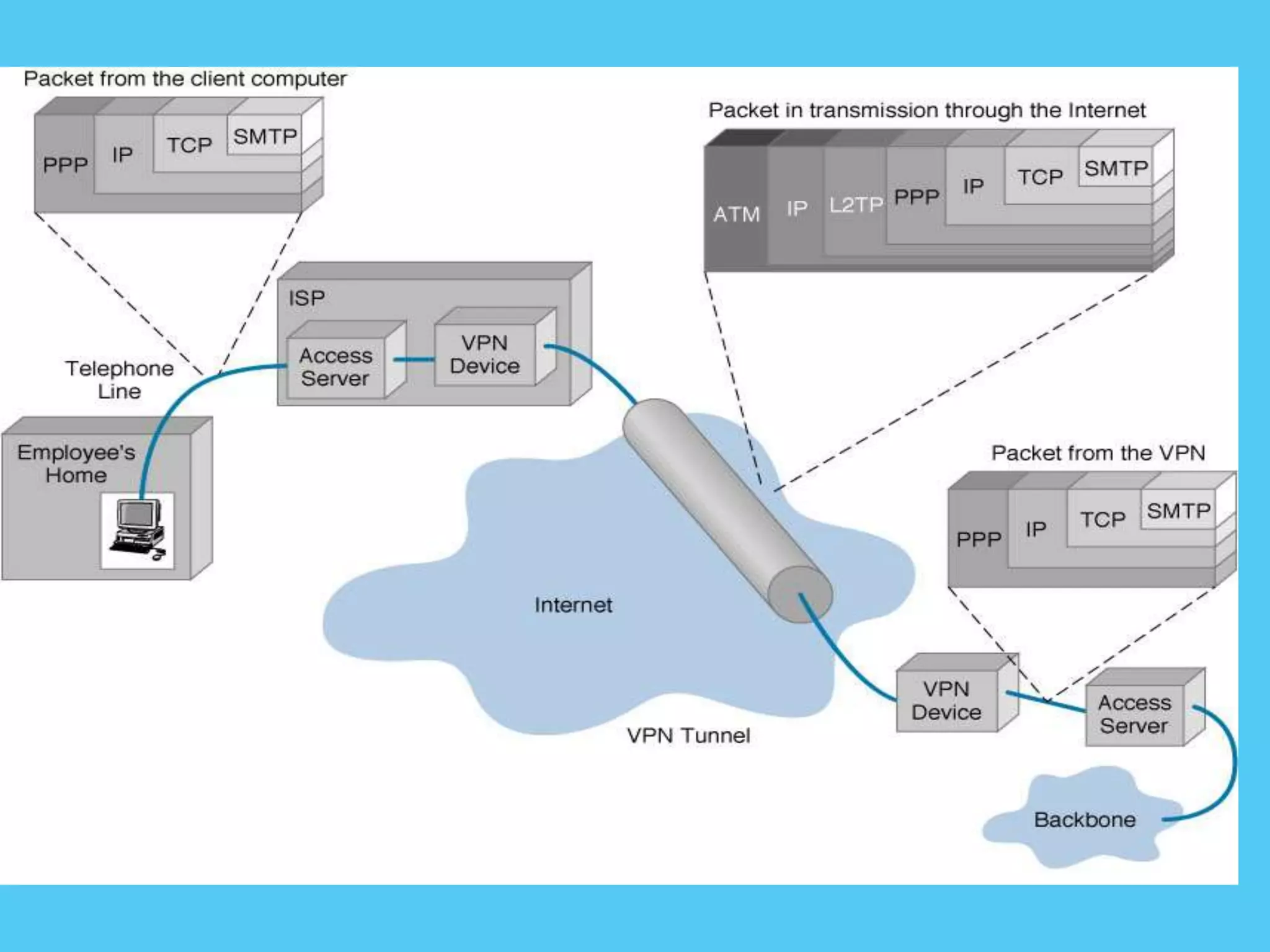
Internet Protocol Security (IPSec)
• Layer 3 protocol for remote access,
intranet, and extranet VPNs
–Internet standard for VPNs
–Provides flexible encryption and
message authentication/integrity
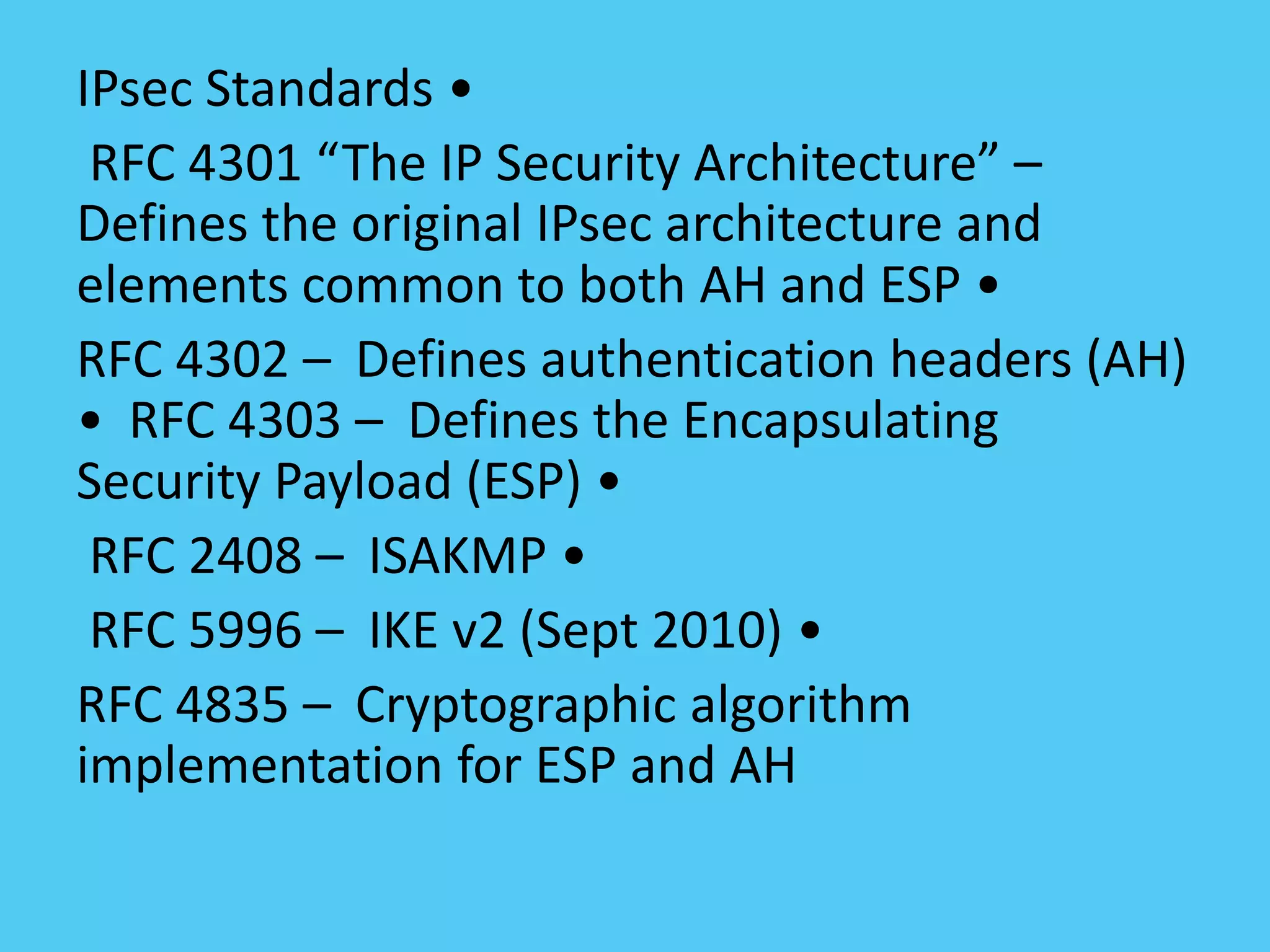
IPsec Standards •
RFC 4301 “The IP Security Architecture” –
Defines the original IPsec architecture and
elements common to both AH and ESP •
RFC 4302 – Defines authentication headers (AH)
• RFC 4303 – Defines the Encapsulating
Security Payload (ESP) •
RFC 2408 – ISAKMP •
RFC 5996 – IKE v2 (Sept 2010) •
RFC 4835 – Cryptographic algorithm
implementation for ESP and AH
Benefits of IPsec
• Confidentiality – By encrypting data
• Integrity – Routers at each end of a tunnel
calculates the checksum or hash value of the
data
•Authentication – Signatures and certificates –
All these while still maintaining the ability to
route through existing IP networks
• Anti-replay protection – Optional; the sender
must provide it but the recipient may ignore
• Key management – IKE – session negotiation
and establishment – Sessions are rekeyed or
deleted automatically – Secret keys are securely
established and authenticated – Remote peer is
authenticated through varying options
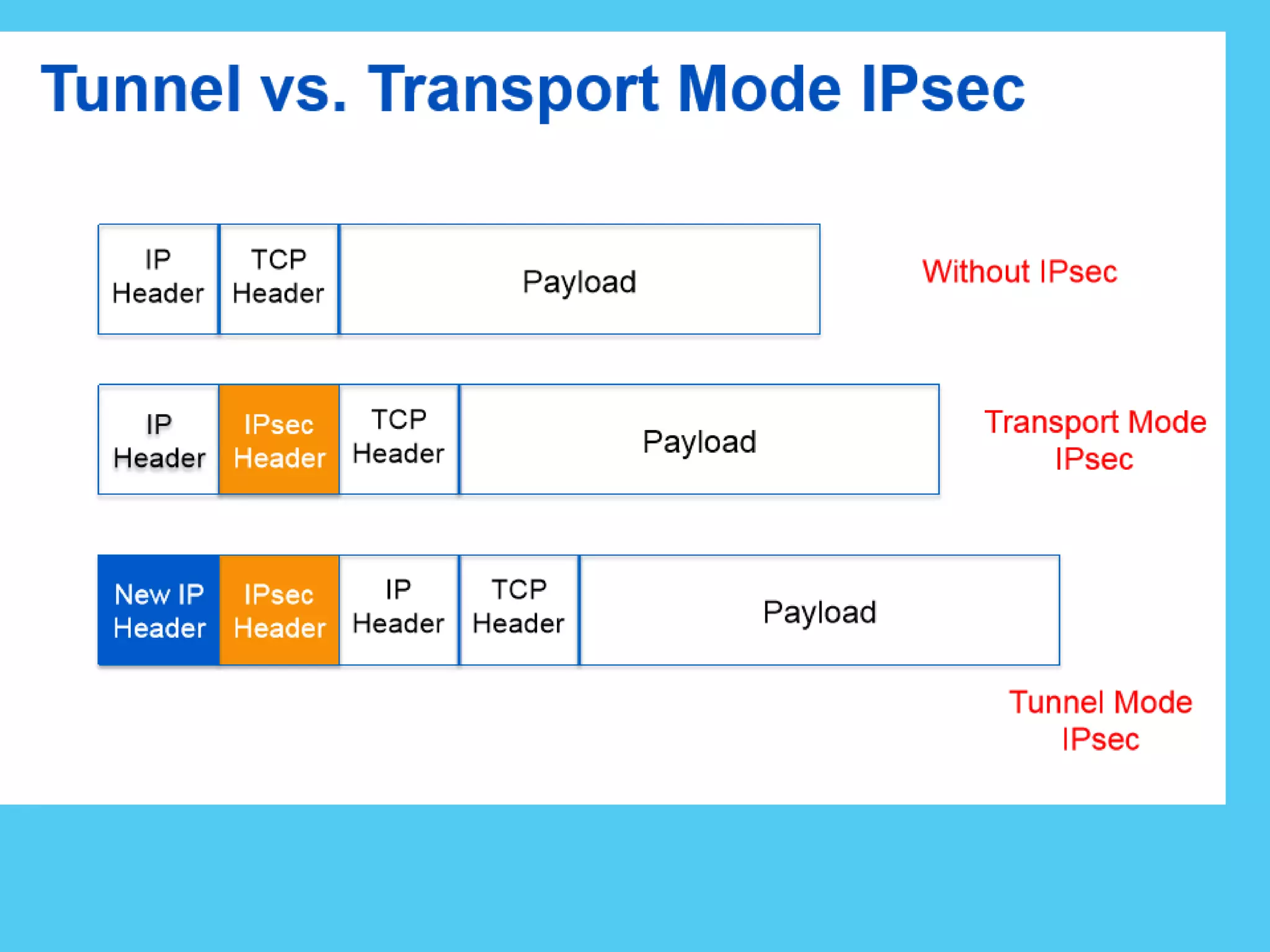
VPN Encapsulation of Packets
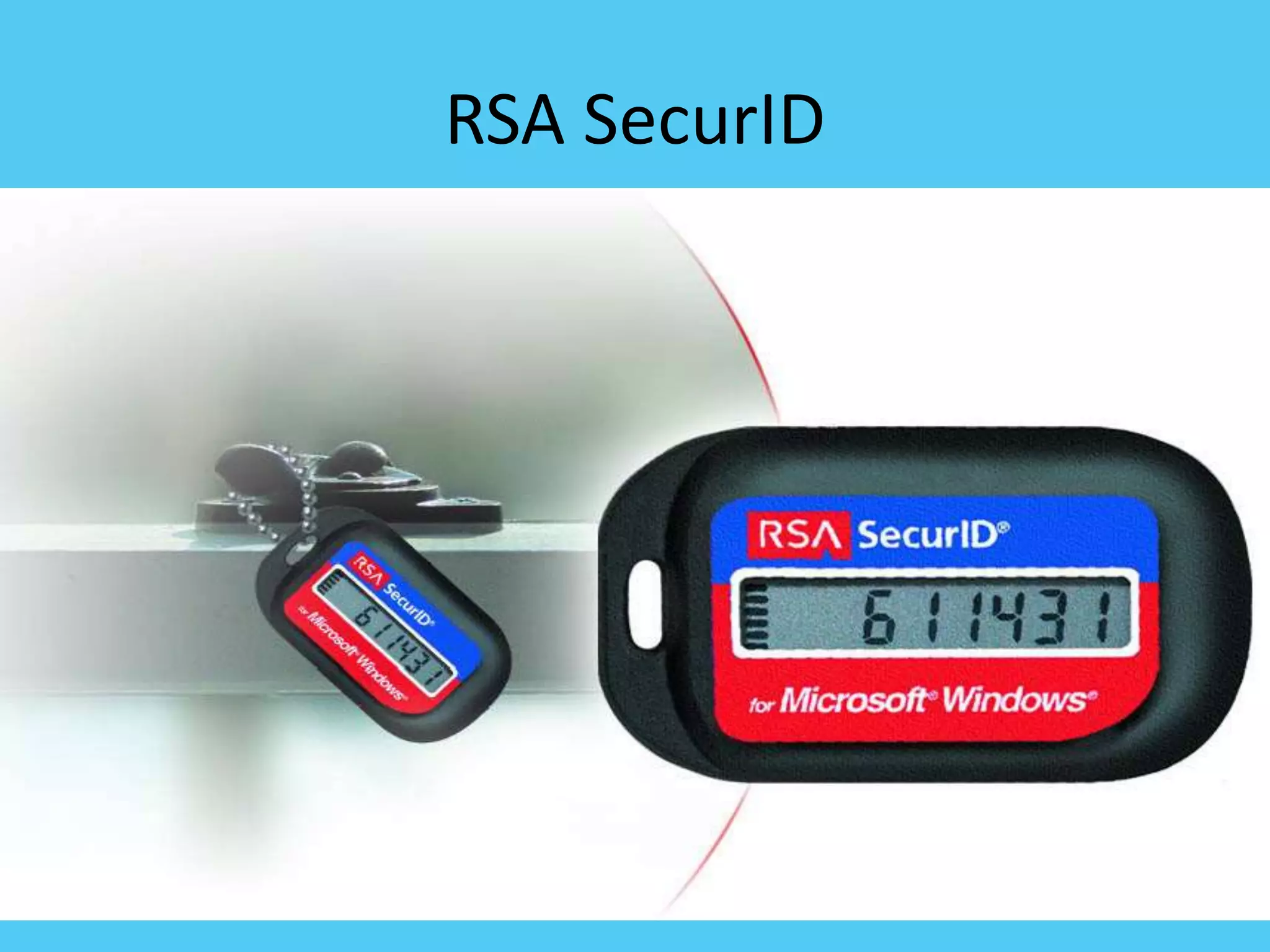
RSA SecurID
4/26/2020
Agenda
• Introduction
• Components
– Tokens
– Server
– Algorithm
• Weaknesses
• Comparison
• Conclusion
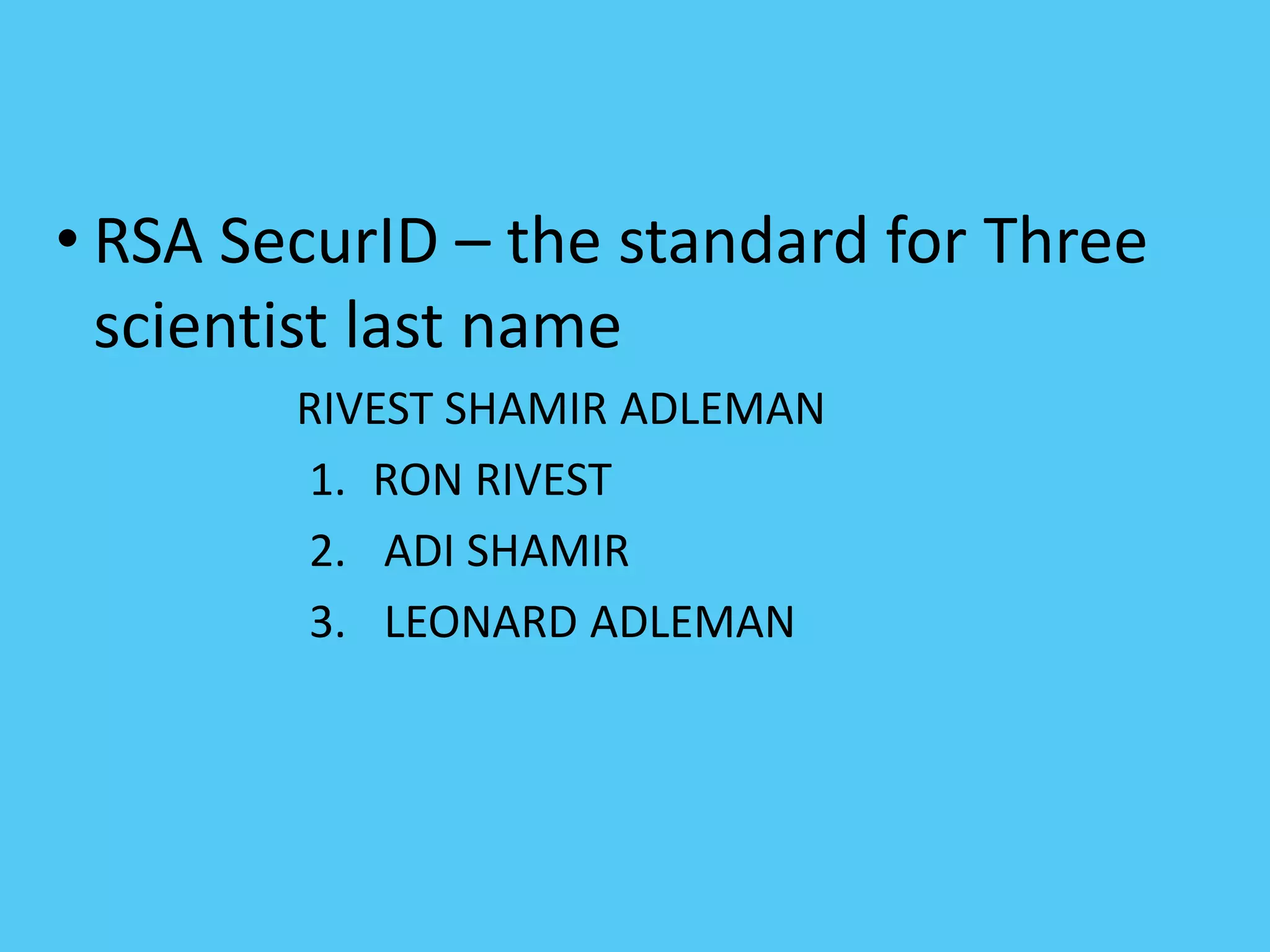
• RSA SecurID – the standard for Three
scientist last name
RIVEST SHAMIR ADLEMAN
1. RON RIVEST
2. ADI SHAMIR
3. LEONARD ADLEMAN
4/26/2020
Components of the SecurID® System
• Tokens
• Authentication Server
• Algorithm
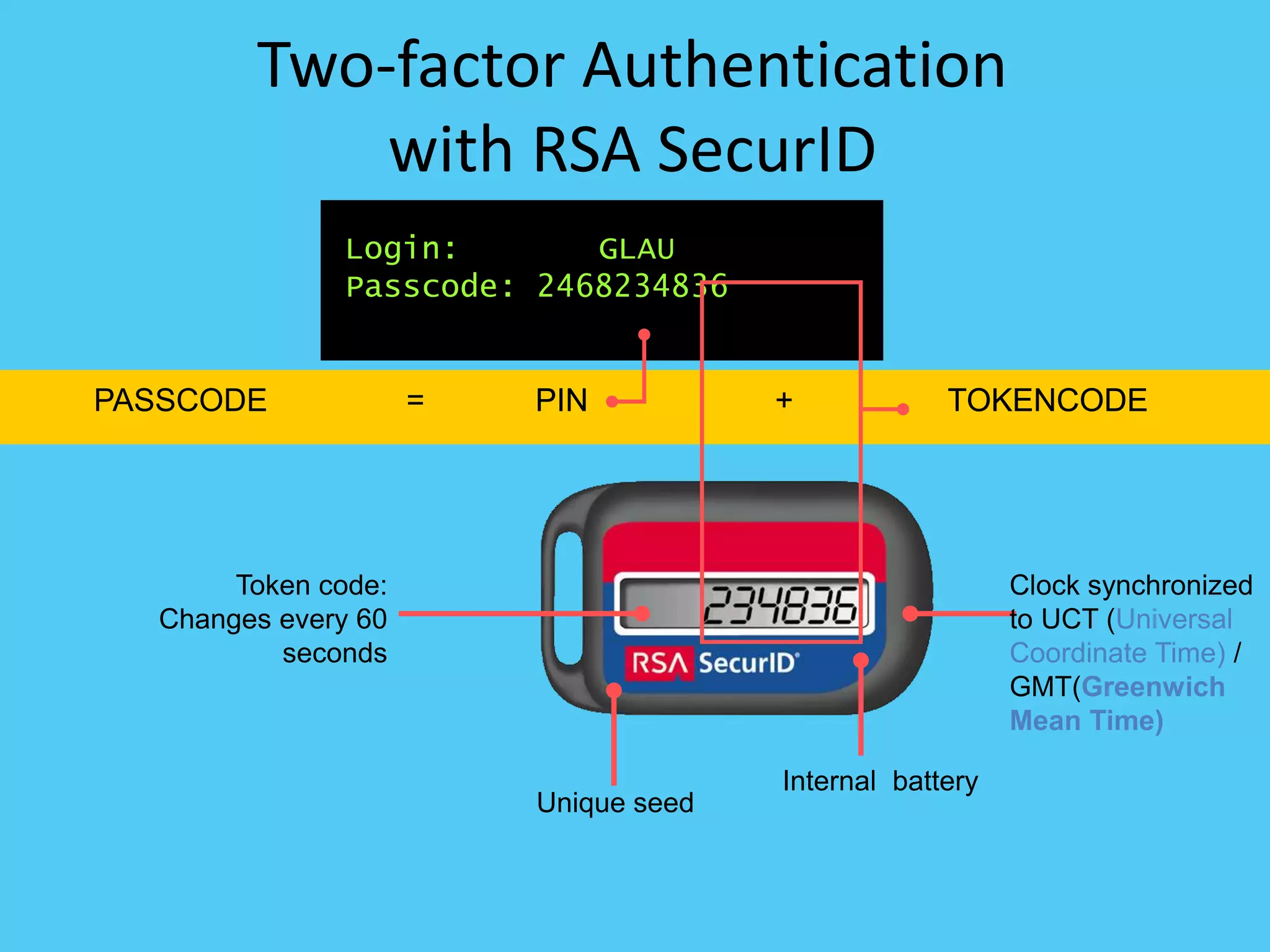
PASSCODE = +PIN TOKENCODE
Two-factor Authentication
with RSA SecurID
PIN TOKENCODE
Login: GLAU
Passcode: 2468234836
Token code:
Changes every 60
seconds
Unique seed
Internal battery
Clock synchronized
to UCT (Universal
Coordinate Time) /
GMT(Greenwich
Mean Time)
User enters Passcode
(PIN + token code)
User
Authenticated!
Authentication
Manager
Authentication
Agent
Calculates
passcode
RSA SecurID Authentication
Solution
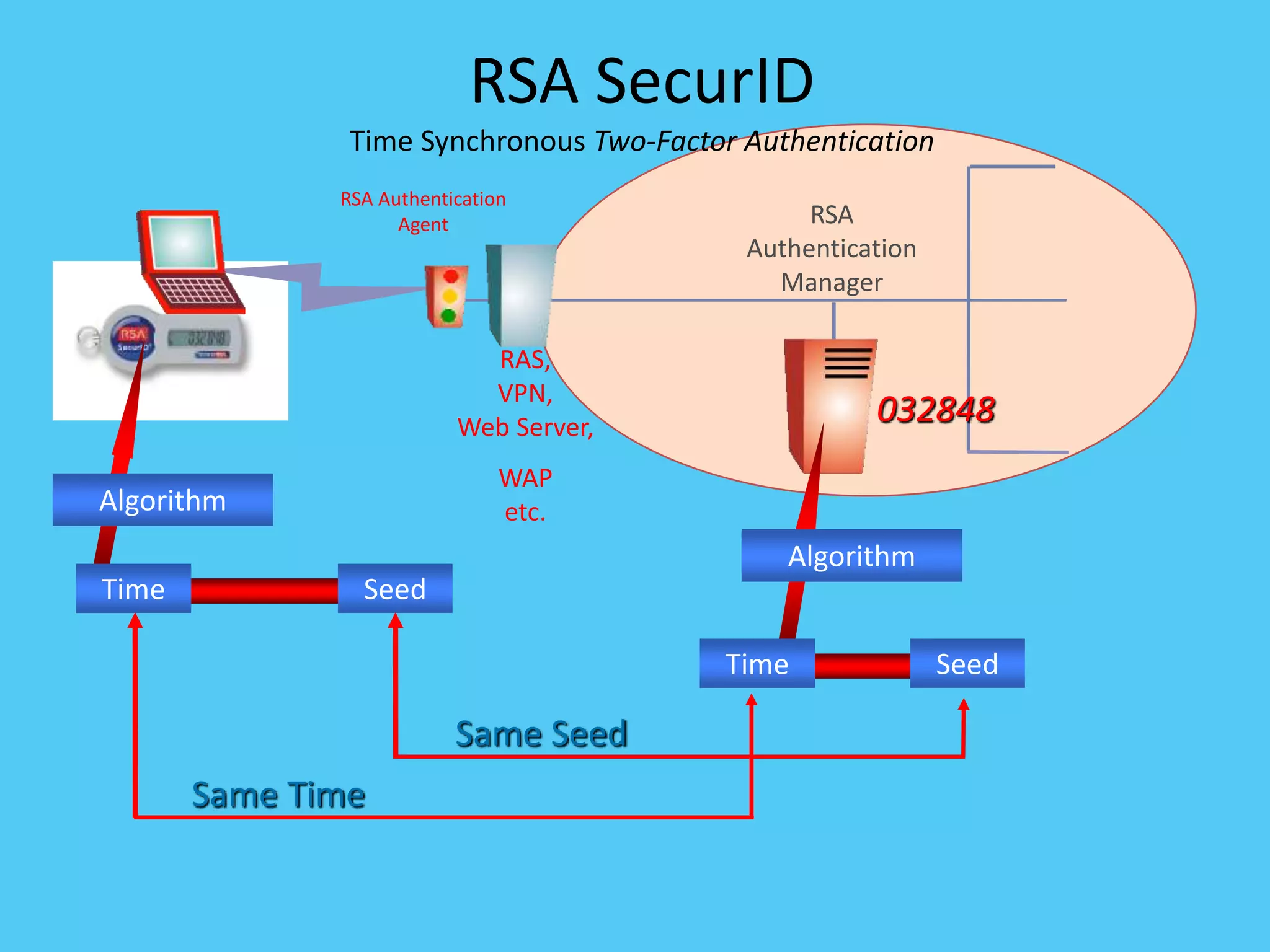
RSA SecurID
Time Synchronous Two-Factor Authentication
RSA
Authentication
Manager
RAS,
VPN,
Web Server,
WAP
etc.
RSA Authentication
Agent
SeedTime
Algorithm
SeedTime
032848
Algorithm
Same Seed
Same Time
4/26/2020
Components of the SecurID® System
• Authentication Server
–Maintains database of user assigned
tokens
–Generates pass code following the same
algorithm as the token
–Seed – similar to symmetric key
4/26/2020
Components of the SecurID® System
• Algorithm
–Brainard’s Hashing Algorithm
–AES Hashing Algorithm
4/26/2020
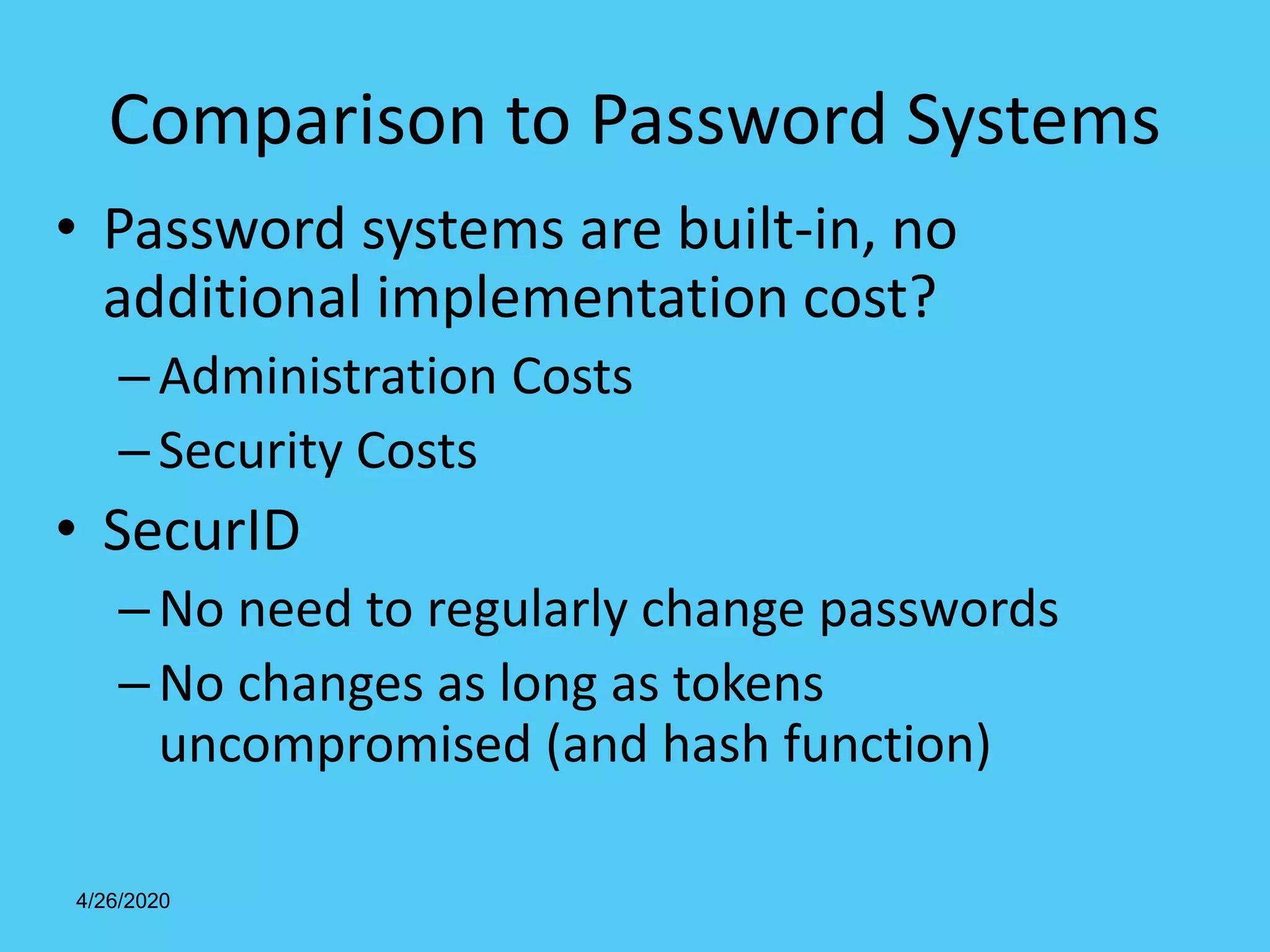
Comparison to Password Systems
• Password systems are built-in, no
additional implementation cost?
–Administration Costs
–Security Costs
• SecurID
–No need to regularly change passwords
–No changes as long as tokens
uncompromised (and hash function)

Internet security

  • 1.
    INTERNET SECURITY INSTR:-HC/RO TAPANKUMAR KHILAR , FIT ,CTC (T&IT)
  • 2.
    INTRODUCTION Internet security refersto securing communication over the internet . It includes specific security protocols such as:- 1. Internet Security Protocol (IPSec) 2. Secure Socket layer(SSL)
  • 3.
    Internet Security Protocol(IPSec) It consists of a set of protocols designed by internet Engineering Task Force(IETF).It provides security at network level and helps to create authenticated and confidential packets for IP(Internet Protocol) layer.
  • 4.
    Secure Socket layer(SSL) Itis a security protocol developed by Netscape Communications Corporation . It provides security at transport layer. It addresses the following security issues: Privacy Integrity Authentication
  • 5.
    Threats Internet security threatsimpact the network ,data security and other internet connected systems. Cyber criminals have evolved several techniques to threat privacy and integrity of bank accounts,business and organisations. Following are some of the internet security threats:- Mobile worms,malware,spam,phishing etc.
  • 6.
    SSL:- (SECURE SOCKETSLAYER) 1. It is a standard security technology for establishing an encrypted link between a server and a client ,typically a web server and a browser. 2. SSL allows sensitive information such as credit card numbers ,social security numbers ,and login credentials to be transmitted securely. 3. SSL protocols describes how algorithms should be used ,in this case ,the SSL protocols determines variables of the encryption for both the link and data being transmitted.
  • 7.
    4. Internet usershave come to associate their online security with the lock icon that comes with an SSL- secured website or green address bar that comes with an extended validation SSL-secured websites . 5. SSL-secured websites also begin with https rather than http. 6. SSL certificates have a key pair:a public key and a private key. These keys work together to establish an encrypted connection. 7. The most important part of an SSL certificate is that is digitally signed by a trusted CA (Certificate Authority) like digicert. CONTINUE……
  • 8.
    WEB PROXY 1. Aproxy server as a computer that acts as an intermediary between the user’s computer and the internet. 2. It allows client computers to make indirect network connections to other network services. 3. Proxy server uses for various purposes like i- sharing internet connections on a local area network. ii- hide our IP address. iii- implement internet access control. iv- access blocked websites etc. 4. A proxy server can acts as an intermediary to prevent from attack and unexpected access. 5. To implement internet access control like authentication for internet connection,bandwidth control,online time control,internet web filter and content filter etc. 6. To bypass security restrictions and filters.
  • 9.
    CONTINUE…. USE PROXY SERVERFOR IE (INTERNET EXPLORER):- Click Tools – Internet options –connections-LAN setting- select”use a proxy server for your LAN”-Advanced USE PROXY SERVER FOR GOOGLE CHROME:- Google setting- network tab –change proxy settings- connections-LAN setting-select”use a proxy server for your LAN”- Advanced
  • 10.
    SSL:- (SECURE SOCKETSLAYER) 1. It is a standard security technology for establishing an encrypted link between a server and a client ,typically a web server and a browser. 2. SSL allows sensitive information such as credit card numbers ,social security numbers ,and login credentials to be transmitted securely. 3. SSL protocols describes how algorithms should be used ,in this case ,the SSL protocols determines variables of the encryption for both the link and data being transmitted.
  • 11.
    4. Internet usershave come to associate their online security with the lock icon that comes with an SSL- secured website or green address bar that comes with an extended validation SSL-secured websites . 5. SSL-secured websites also begin with https rather than http. 6. SSL certificates have a key pair:a public key and a private key. hese keys work together to establish an encrypted connection. 7. The most important part of an SSL certificate is that is digitally signed by a trusted CA (Certificate Authority) like digicert. CONTINUE……
  • 12.
    WEB PROXY 1. Aproxy server os a computer that acts as an intermediary between the user’s computer and the internet. 2. It allows client computers to make indirect network connections to other network services. 3. Proxy server uses for various purposes like i- sharing internet connections on a local area network. ii- hide our IP address. iii- implement internet access control. iv- access blocked websites etc. 4. A proxy server can acts as an intermediary to prevent from attack and unexpected access. 5. To implement internet access control like authentication for internet connection,bandwidth control,online time control,internet web filter and content filter etc. 6. To bypass security restrictions and filters.
  • 13.
    CONTINUE…. USE PROXY SERVERFOR IE (INTERNET EXPLORER):- Click Tools – Internet options –connections-LAN setting- select”use a proxy server for your LAN”-Advanced USE PROXY SERVER FOR GOOGLE CHROME:- Google setting- network tab –change proxy settings- connections-LAN setting-select”use a proxy server for your LAN”- Advanced
  • 14.
    14 Firewalls Effective means ofprotection a local system or network of systems from network-based security threats while affording access to the outside world via WAN`s or the Internet
  • 15.
    Firewall Design Principles • Thefirewall is inserted between the premises network and the Internet • Aims: – Establish a controlled link – Protect the premises network from Internet-based attacks – Provide a single choke point
  • 16.
    Firewall Characteristics • Designgoals: – All traffic from inside to outside must pass through the firewall (physically blocking all access to the local network except via the firewall) – Only authorized traffic (defined by the local security police) will be allowed to pass
  • 17.
    Firewall Characteristics • Designgoals: – The firewall itself is immune to penetration (use of trusted system with a secure operating system)
  • 18.
    Firewall Characteristics • Fourgeneral techniques: • Service control – Determines the types of Internet services that can be accessed, inbound or outbound • Direction control – Determines the direction in which particular service requests are allowed to flow
  • 19.
    Firewall Characteristics • Usercontrol – Controls access to a service according to which user is attempting to access it • Behavior control – Controls how particular services are used (e.g. filter e-mail)
  • 20.
    Types of Firewalls •Three common types of Firewalls: – Packet-filtering routers – Application-level gateways
  • 21.
  • 28.
    Net filtering Internet serviceproviders (ISPs) that block material containing pornography, or controversial religious, political, or news-related content en route are often utilised by parents who do not permit their children to access content not conforming to their personal beliefs. Content filtering software can, however, also be used to block malware and other content that is or contains hostile, intrusive, or annoying material including adware, spam, computer viruses, worms, trojan horses, and spyware.
  • 29.
    Filters can beimplemented in many different ways: by software on a personal computer, via network infrastructure such as proxy servers, DNS servers, or firewalls that provide Internet access. Browser based filters . Browser based content filtering solution is the most lightweight solution to do the content filtering, and is implemented via a third party browser extension. E-mail filters E-mail filters act on information contained in the mail body, in the mail headers such as sender and subject, and e-mail attachments to classify, accept, or reject messages. Types of filtering
  • 30.
    Client-side filters. This typeof filter is installed as software on each computer where filtering is required.This filter can typically be managed, disabled or uninstalled by anyone who has administrator-level privileges on the system. Network-based filtering . This type of filter is implemented at the transport layer as a transparent proxy, or at the application layer as a web proxy.Filtering software may include data loss prevention functionality to filter outbound as well as inbound information.
  • 31.
    Search-engine filters Many searchengines, such as Google offer users the option of turning on a safety filter. When this safety filter is activated, it filters out the inappropriate links from all of the search results. If users know the actual URL of a website that features explicit or adult content, they have the ability to access that content without using a search engine. Engines like Lycos, Yahoo, and Bing offer childoriented versions of their engines that permit only children friendly websites.
  • 32.
    IP filtering To providesecurity, an IP router can allow or disallow the flow of very specific types of IP traffic. This capability, called IP packet filtering, provides a way for the network administrator to precisely define what IP traffic is received and sent by the router. IP packet filtering is an important element of connecting corporate intranets to public networks like the Internet.
  • 33.
    Common IP FilteringTechniques • Route filtering • Firewall filtering • Email filtering
  • 34.
    Communication with IPSecprotocol Why IPsec? • Internet Protocol (IP) is not secure – IP protocol was designed in the early stages of the Internet where security was not an issue – All hosts in the network are known • Possible security issues – Source spoofing – Replay packets – No data integrity or confidentiality
  • 35.
    Internet Protocol Security(IPSec) • Layer 3 protocol for remote access, intranet, and extranet VPNs –Internet standard for VPNs –Provides flexible encryption and message authentication/integrity
  • 36.
    IPsec Standards • RFC4301 “The IP Security Architecture” – Defines the original IPsec architecture and elements common to both AH and ESP • RFC 4302 – Defines authentication headers (AH) • RFC 4303 – Defines the Encapsulating Security Payload (ESP) • RFC 2408 – ISAKMP • RFC 5996 – IKE v2 (Sept 2010) • RFC 4835 – Cryptographic algorithm implementation for ESP and AH
  • 37.
    Benefits of IPsec •Confidentiality – By encrypting data • Integrity – Routers at each end of a tunnel calculates the checksum or hash value of the data •Authentication – Signatures and certificates – All these while still maintaining the ability to route through existing IP networks
  • 38.
    • Anti-replay protection– Optional; the sender must provide it but the recipient may ignore • Key management – IKE – session negotiation and establishment – Sessions are rekeyed or deleted automatically – Secret keys are securely established and authenticated – Remote peer is authenticated through varying options
  • 41.
  • 42.
  • 43.
    4/26/2020 Agenda • Introduction • Components –Tokens – Server – Algorithm • Weaknesses • Comparison • Conclusion
  • 44.
    • RSA SecurID– the standard for Three scientist last name RIVEST SHAMIR ADLEMAN 1. RON RIVEST 2. ADI SHAMIR 3. LEONARD ADLEMAN
  • 45.
    4/26/2020 Components of theSecurID® System • Tokens • Authentication Server • Algorithm
  • 46.
    PASSCODE = +PINTOKENCODE Two-factor Authentication with RSA SecurID PIN TOKENCODE Login: GLAU Passcode: 2468234836 Token code: Changes every 60 seconds Unique seed Internal battery Clock synchronized to UCT (Universal Coordinate Time) / GMT(Greenwich Mean Time)
  • 47.
    User enters Passcode (PIN+ token code) User Authenticated! Authentication Manager Authentication Agent Calculates passcode RSA SecurID Authentication Solution
  • 48.
    RSA SecurID Time SynchronousTwo-Factor Authentication RSA Authentication Manager RAS, VPN, Web Server, WAP etc. RSA Authentication Agent SeedTime Algorithm SeedTime 032848 Algorithm Same Seed Same Time
  • 49.
    4/26/2020 Components of theSecurID® System • Authentication Server –Maintains database of user assigned tokens –Generates pass code following the same algorithm as the token –Seed – similar to symmetric key
  • 50.
    4/26/2020 Components of theSecurID® System • Algorithm –Brainard’s Hashing Algorithm –AES Hashing Algorithm
  • 51.
    4/26/2020 Comparison to PasswordSystems • Password systems are built-in, no additional implementation cost? –Administration Costs –Security Costs • SecurID –No need to regularly change passwords –No changes as long as tokens uncompromised (and hash function)