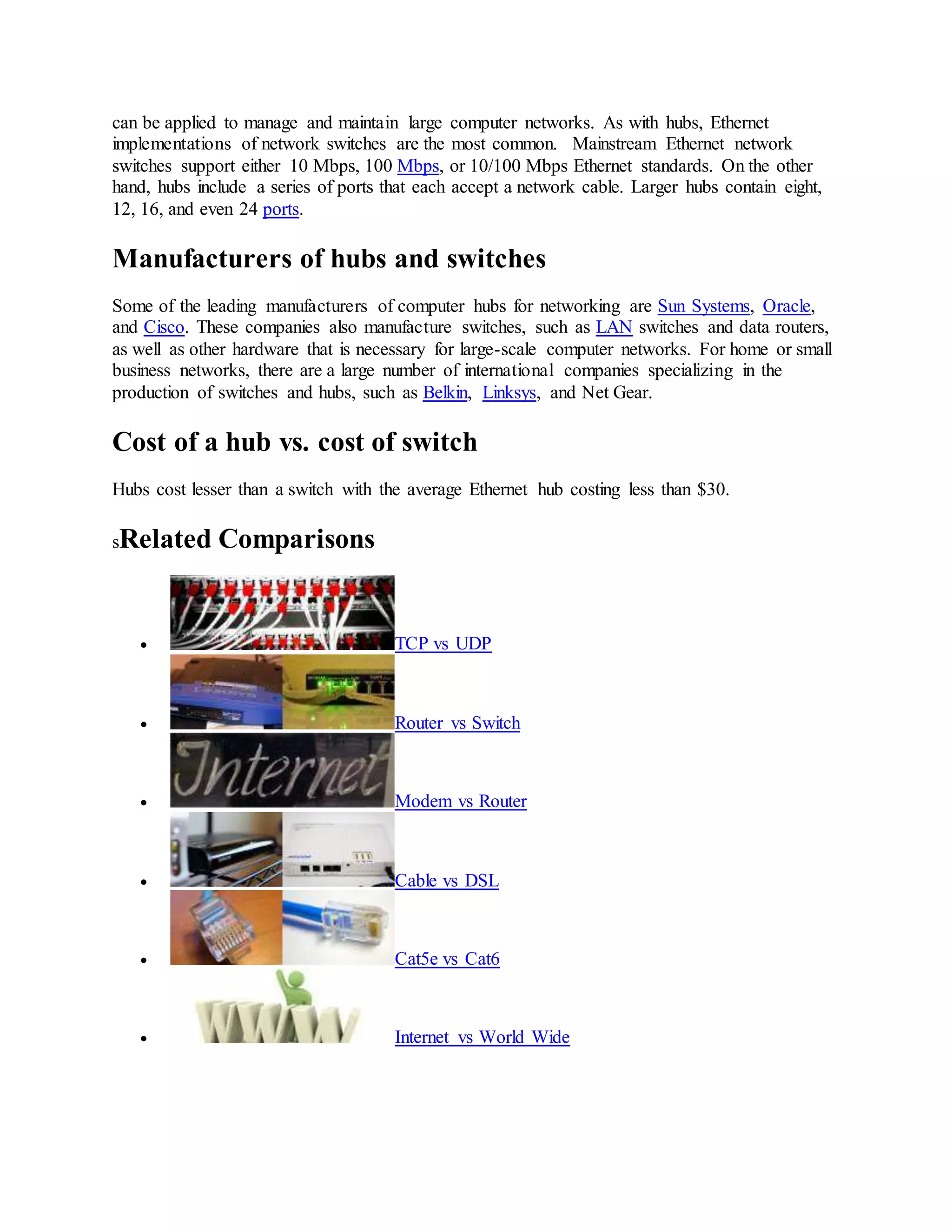
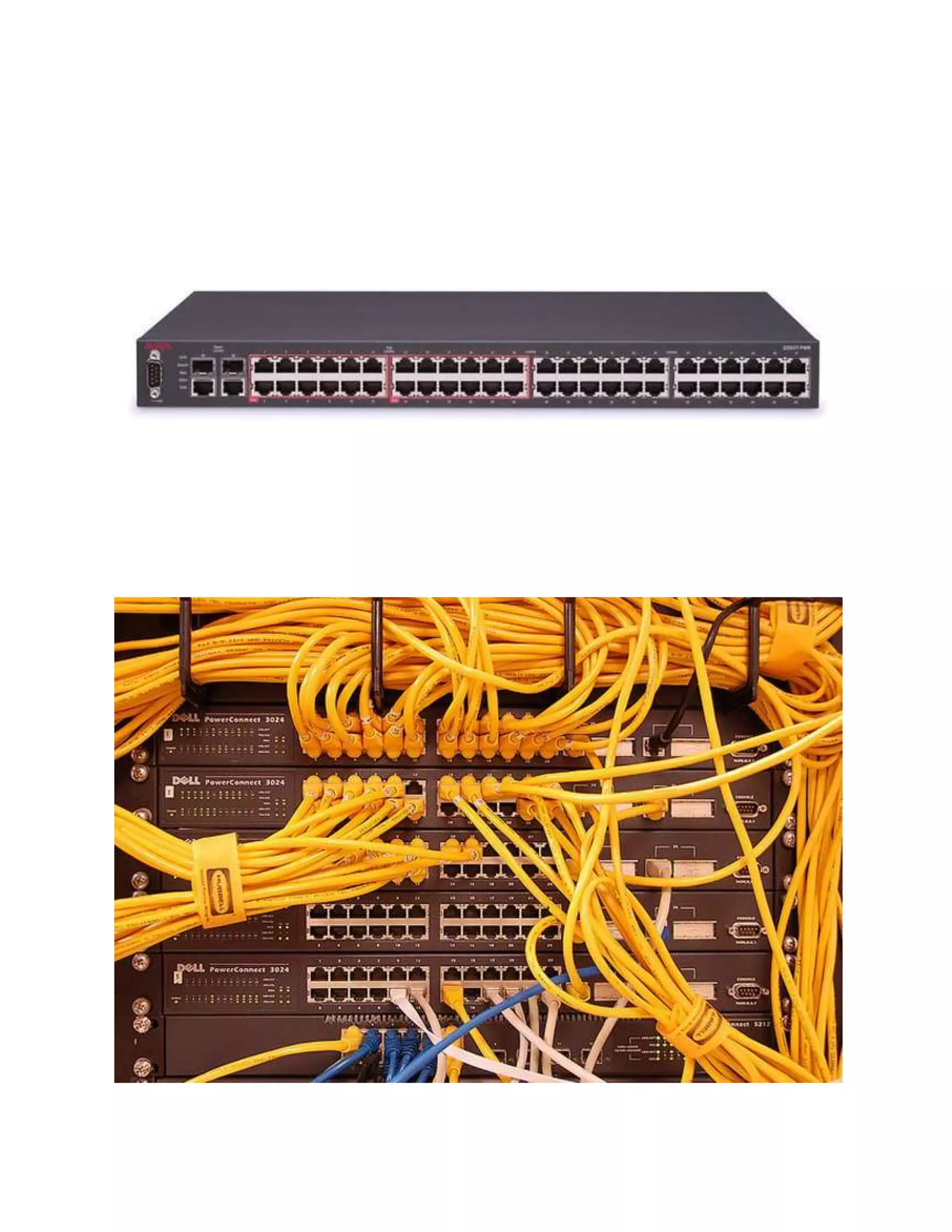
A Hub is a networking device that allows one to connect multiple PCs to a single network. Hubs
may be based on Ethernet, Firewire, or USB connections. A switch is a control unit that turns the
flow of electricity on or off in a circuit. It may also be used to route information patterns in
streaming electronic data sent over networks. In the context of a network, a switch is a computer
networking device that connects network segments.
Comparison chart
Hub versus Switch comparison chart
Hub Switch
Layer
Physical layer. Hubs are
classified as Layer 1
devices per the OSI
model.
Data Link Layer. Network switches operate at
Layer 2 of the OSI model.
Function
To connect a network of
personal computers
together, they can be
joined through a central
hub.
Allow to connect multiple device and port can be
manage, Vlan can create security also can apply
Data
Transmission
form
Electrical signal or bits Frame (L2 Switch) Frame & Packet (L3 switch)
Ports 4/12 ports Switch is multi port Bridge. 24/48 ports
Transmission
Type
Hubs always perform
frame flooding; may be
unicast, multicast or
broadcast
First broadcast; then unicast & multicast as
needed.
Device Type
Passive Device (Without
Software)
Active Device (With Software) & Networking
device
Used in (LAN,
MAN, WAN)
LAN LAN
Table
A network hub cannot
learn or store MAC
address.
Switches use content accessible memory CAM
table which is typically accessed by ASIC
(Application Specific integrated chips).
Transmission
Mode
Half duplex Half/Full duplex
Broadcast
Domain
Hub has one Broadcast
Domain.
Switch has one broadcast domain [unless VLAN
implemented]
Definition
An electronic device that
connects many network
device together so that
A network switch is a computer networking device
that is used to connect many devices together on a
computer network. A switch is considered more
Hub versus Switch comparison chart
Hub Switch
devices can exchange
data
advanced than a hub because a switch will on send
msg to device that needs or request it
Speed 10Mbps 10/100 Mbps, 1 Gbps
Address used for
data tramsmission
Uses MAC address Uses MAC address
Collisions
Collisions occur
commonly in setups
using hubs.
No collisions occur in a full-duplex switch.
Spanning-Tree No Spanning-Tree Many Spanning-tree Possible
Manufacturers
Sun Systems, Oracle and
Cisco
Cisco and D-link Juniper
Differences in performance of hubs and switches
A switch is effectively a higher-performance alternative to a hub. People tend to benefit from a
switch over a hub if their home network has four or more computers, or if they want to use their
home network for applications that generate significant amounts of network traffic, like
multiplayer games or heavy music file sharing. Technically speaking, hubs operate using a
broadcast model and switches operate using a virtual circuit model. When four computers are
connected to a hub, for example, and two of those computers communicate with each other, hubs
simply pass through all network traffic to each of the four computers. Switches, on the other
hand, are capable of determining the destination of each individual traffic element (such as an
Ethernet frame) and selectively forwarding data to the one computer that actually needs it. By
generating less network traffic in delivering messages, a switch performs better than a hub on
busy networks.
In the following video, hubs, switches, and routers are compared.
Function of a switch vs. a hub
A switch is used to connect various network segments. A network switch is a small hardware
device that joins multiple computers together within one local area network (LAN).
A Hub connects multiple Ethernet devices together, making them act as a single segment.
Connections to hubs and switches
Networking hubs are currently available with USB, Ethernet, Firewire, and Wireless
connections. Most popular amongst them is still Ethernet, which requires a special networking
card on the PC, or an Ethernet connection built into the motherboard. Switches are also available
for networks in USB, Ethernet, Firewire, and Wireless, and simple switches like an on/off button
can be applied to manage and maintain large computer networks. As with hubs, Ethernet
implementations of network switches are the most common. Mainstream Ethernet network
switches support either 10 Mbps, 100 Mbps, or 10/100 Mbps Ethernet standards. On the other
hand, hubs include a series of ports that each accept a network cable. Larger hubs contain eight,
12, 16, and even 24 ports.
Manufacturers of hubs and switches
Some of the leading manufacturers of computer hubs for networking are Sun Systems, Oracle,
and Cisco. These companies also manufacture switches, such as LAN switches and data routers,
as well as other hardware that is necessary for large-scale computer networks. For home or small
business networks, there are a large number of international companies specializing in the
production of switches and hubs, such as Belkin, Linksys, and Net Gear.
Cost of a hub vs. cost of switch
Hubs cost lesser than a switch with the average Ethernet hub costing less than $30.
sRelated Comparisons
 TCP vs UDP
 Router vs Switch
 Modem vs Router
 Cable vs DSL
 Cat5e vs Cat6
 Internet vs World Wide
Different of network devices

Different of network devices

  • 1.
    A Hub isa networking device that allows one to connect multiple PCs to a single network. Hubs may be based on Ethernet, Firewire, or USB connections. A switch is a control unit that turns the flow of electricity on or off in a circuit. It may also be used to route information patterns in streaming electronic data sent over networks. In the context of a network, a switch is a computer networking device that connects network segments. Comparison chart Hub versus Switch comparison chart Hub Switch Layer Physical layer. Hubs are classified as Layer 1 devices per the OSI model. Data Link Layer. Network switches operate at Layer 2 of the OSI model. Function To connect a network of personal computers together, they can be joined through a central hub. Allow to connect multiple device and port can be manage, Vlan can create security also can apply Data Transmission form Electrical signal or bits Frame (L2 Switch) Frame & Packet (L3 switch) Ports 4/12 ports Switch is multi port Bridge. 24/48 ports Transmission Type Hubs always perform frame flooding; may be unicast, multicast or broadcast First broadcast; then unicast & multicast as needed. Device Type Passive Device (Without Software) Active Device (With Software) & Networking device Used in (LAN, MAN, WAN) LAN LAN Table A network hub cannot learn or store MAC address. Switches use content accessible memory CAM table which is typically accessed by ASIC (Application Specific integrated chips). Transmission Mode Half duplex Half/Full duplex Broadcast Domain Hub has one Broadcast Domain. Switch has one broadcast domain [unless VLAN implemented] Definition An electronic device that connects many network device together so that A network switch is a computer networking device that is used to connect many devices together on a computer network. A switch is considered more
  • 2.
    Hub versus Switchcomparison chart Hub Switch devices can exchange data advanced than a hub because a switch will on send msg to device that needs or request it Speed 10Mbps 10/100 Mbps, 1 Gbps Address used for data tramsmission Uses MAC address Uses MAC address Collisions Collisions occur commonly in setups using hubs. No collisions occur in a full-duplex switch. Spanning-Tree No Spanning-Tree Many Spanning-tree Possible Manufacturers Sun Systems, Oracle and Cisco Cisco and D-link Juniper Differences in performance of hubs and switches A switch is effectively a higher-performance alternative to a hub. People tend to benefit from a switch over a hub if their home network has four or more computers, or if they want to use their home network for applications that generate significant amounts of network traffic, like multiplayer games or heavy music file sharing. Technically speaking, hubs operate using a broadcast model and switches operate using a virtual circuit model. When four computers are connected to a hub, for example, and two of those computers communicate with each other, hubs simply pass through all network traffic to each of the four computers. Switches, on the other hand, are capable of determining the destination of each individual traffic element (such as an Ethernet frame) and selectively forwarding data to the one computer that actually needs it. By generating less network traffic in delivering messages, a switch performs better than a hub on busy networks. In the following video, hubs, switches, and routers are compared. Function of a switch vs. a hub A switch is used to connect various network segments. A network switch is a small hardware device that joins multiple computers together within one local area network (LAN). A Hub connects multiple Ethernet devices together, making them act as a single segment. Connections to hubs and switches Networking hubs are currently available with USB, Ethernet, Firewire, and Wireless connections. Most popular amongst them is still Ethernet, which requires a special networking card on the PC, or an Ethernet connection built into the motherboard. Switches are also available for networks in USB, Ethernet, Firewire, and Wireless, and simple switches like an on/off button
  • 3.
    can be appliedto manage and maintain large computer networks. As with hubs, Ethernet implementations of network switches are the most common. Mainstream Ethernet network switches support either 10 Mbps, 100 Mbps, or 10/100 Mbps Ethernet standards. On the other hand, hubs include a series of ports that each accept a network cable. Larger hubs contain eight, 12, 16, and even 24 ports. Manufacturers of hubs and switches Some of the leading manufacturers of computer hubs for networking are Sun Systems, Oracle, and Cisco. These companies also manufacture switches, such as LAN switches and data routers, as well as other hardware that is necessary for large-scale computer networks. For home or small business networks, there are a large number of international companies specializing in the production of switches and hubs, such as Belkin, Linksys, and Net Gear. Cost of a hub vs. cost of switch Hubs cost lesser than a switch with the average Ethernet hub costing less than $30. sRelated Comparisons  TCP vs UDP  Router vs Switch  Modem vs Router  Cable vs DSL  Cat5e vs Cat6  Internet vs World Wide