HC/RO.Tapan Kumar Khilar
 Introduction
 Elements of cyber security
 Types of cyber attack
 Safety tips
Introduction
 Cyber security or information technology security
are the techniques of protecting computers,networks,
programs and data from unauthorized access or attack.
 Network security includes activities to protect the
usability, reliability, integrity and safety of the
network.
Elements of cyber security
 Mobile security
 End-user education
 Application security
 Network security
 Information security
Mobile security
The term mobile security is a broad one that covers
everything from protecting mobile devices from
malware threats to reducing risks and
securing mobile devices and their data in the case of
theft, unauthorized access or accidental loss of
the mobile device.
End-User Education
 In information technology the term end user is used
to distinguish the person for whom a hardware or
software product is designed.
 Our end-users are the first line of defense against
cyber security attacks (like phishing scams).
Application security
 Application security describes security measures at
the application level that aim to prevent data or code
within the app from being stolen or hijacked.
 Application security may include hardware, software,
and procedures that identify or
minimize security vulnerabilities.
Network security
 Network security consists of the policies and
practices adopted to prevent and monitor
unauthorized access, misuse, modification, or denial
of a computer network and network-accessible
resources.
 Network security is involved in organizations,
enterprises, and other types of institutions.
Information security
 Information systems security does not just deal with
computer information, but also protecting data and
information in all of its forms, such as telephone
conversations.
 COMPUSEC + COMSEC + TEMPEST = INFOSEC
Where COMPUSEC is computer systems security,
COMSEC is communications security, and TEMPEST is
compromising emanations.
Types of cyber attack
 Malware
 Ransom ware
 Mobile Security Threats
 Social engineering
 Fishing
 Man-in-the-middle attack.
Malware
A malware attack is a type of cyber attack in
which malware or malicious software performs
activities on the victim's computer system, usually
without his/her knowledge.
Nowadays, people use words like malware,
spyware, and ransom ware a lot more than the
word "virus." ... Computer viruses operate via
similar means.
Ransomware
Ransomware: a type of malware that involves an
attacker locking the victim's computer system files
typically through encryption and demanding a payment
to decrypt and unlock them.
Mobile Security Threats
 Data Leakage
 Network Spoofing(Unsecured Wi-Fi)
 Social engineering
 Spyware
 Improper Session Handling
 Malicious Apps
Security Measures You Can Take
 Install Some Security App on Your Device.
 Create Strong Passwords and unlock patterns
 Keep Software Up-to-Date.
 Understand app permissions before accepting them.
 Check Bank Statements and Mobile Charges.
 Wipe data on your old phone before you donate, resell
or recycle it.
 Report stolen phones.
 Watch out for pirated apps.
Social engineering
 Social engineering is the practice of obtaining
confidential information by manipulation of
legitimate users.
 A social engineer will commonly use the telephone
or Internet to trick a person into revealing sensitive
information or getting them to do something that is
against typical policies.
Thereare two types of Social Engineeringattacks
 Technical attacks
 Non-technical attacks.
“Technical attacks are those attacks that deceive the user into
believing that the application in use is truly providing them with
security which is not the factalways.”
Example:- Phishing
Common bait
Vishing
Spam mail
Popup Window
Interesting Software
Phishing
Phishing is the process of crafting
emails that appear to be from a
trusted source and typically invite
the recipient to either supply
confidential information or click on
amalicious link or attachment.
Fake Mail Online
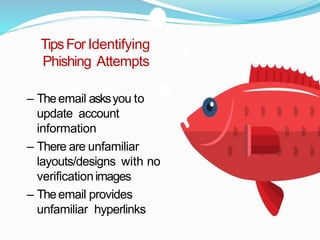
TipsFor Identifying
Phishing Attempts
– Theemail asksyou to
update account
information
– There are unfamiliar
layouts/designs with no
verificationimages
– Theemail provides
unfamiliar hyperlinks
Example
Common Bait
• “Sweet Deals”
– Free Stuff
– Limited Time
Offers
– PackageDelivery
• Help Me, Help
You!
– T
echSupport
Vishing It is the practice of leveraging Voice over Internet
Protocol (VoIP) technology to trick private personal and
financial information from the public for the purpose of
financial reward. This term is a combination of "voice" and
phishing. Vishing exploits the public's trust in telephone
services.
 Spam Mails E-mails that offer friendships, diversion, gifts
and various free pictures and information take advantage of
the anonymity and camaraderie of the Internet to plant
malicious code.
 Popup Window The attacker's rogue program generates a
pop up window, saying that the application connectivity was
dropped due to network problems, and now the user needs to
reenter his id and password to continue with his session.
 Interesting Software In this case the victim is convinced to
download and install a very useful program or application
which might be 'window dressed' .
The non- technicalattacks
Non-technical approach are perpetrated purely through
deception; i.e. by taking advantage of the victim's human
behavior weaknesses.
 Pretexting / Impersonation
 Dumpster Diving
 Spying and Eavesdropping
 Acting as a Technical Expert
 Support Staff
 Pretexting / Impersonation: This is the act of creating
and using an invented scenario (the pretext) to persuade a
target to release information. It's more than a simple lie as
it most often involves some prior research or set up and
makes use of pieces of known information (e.g. date of
birth, mother's maiden name, billing address etc.) to
establish legitimacy in the mind.
 Dumpster Diving: If the junk mail contains personal
identification information, a 'dumpster diver' can use it in
carrying out an identity theft. A hacker can retrieve
confidential Information from the hard disk of a
computer as there are numerous ways to retrieve
information from disks, even if the user thinks the data
has been 'deleted' from the disk.
 Spying and Eavesdropping: A clever spy can determine
the id and password by observing a user typing it in (Shoulder
Surfing). All that needs to be done is to be there behind the
user and be able to see his fingers on the keyboard.
 Acting as a Technical Expert: This is the case where an
intruder pretends to be a support technician working on a
network problem requests the user to let him access the
workstation and 'fix' the problem.
 Support Staff: Here a hacker may pose as a member of a
facility support staff and do the trick. A man dressed like the
cleaning crew, walks into the work area, carrying cleaning
equipment. In the process of appearing to clean your desk
area, he can snoop around and get valuable information - such
as passwords, or a confidential file that you have forgotten to
lock up.
Man-in-the-middle attack
Man-in-the-middle attack (MITM) is an attack where
the attacker secretly relays and possibly alters the
communications between two parties who believe that
they are directly communicating with each other.
 Use antivirus software.
 Insert firewalls
 Uninstall unnecessary software
 Eight characters is not enough. Practice good password
management.
 Lock it up. Never leave your devices unattended. ...
 Practice safe clicking.
 Share less sensitive information.
 Important software like browser, payment wallet apps
should be updated regularly
 Avoid opening links of lotteries, prizes, gifts, discounts
 Never give your full name or address to strangers
Continued..
 Cut Out The “Middle Man”.
 Stay On Top Of Your Accounts.
 Back It Up. ...
 Beware Of Browsing.
 While using third party computers or mobiles for
browsing use the private/incognito mode
 While using third party computers, use an on-screen
keyboard while entering important details
 While logging in to any site, check the URL (the one in
the address bar), it should be exactly the same as the
site you want to log in to .
cyber security.pptx
cyber security.pptx

cyber security.pptx

  • 1.
  • 2.
     Introduction  Elementsof cyber security  Types of cyber attack  Safety tips
  • 3.
    Introduction  Cyber securityor information technology security are the techniques of protecting computers,networks, programs and data from unauthorized access or attack.  Network security includes activities to protect the usability, reliability, integrity and safety of the network.
  • 8.
    Elements of cybersecurity  Mobile security  End-user education  Application security  Network security  Information security
  • 10.
    Mobile security The termmobile security is a broad one that covers everything from protecting mobile devices from malware threats to reducing risks and securing mobile devices and their data in the case of theft, unauthorized access or accidental loss of the mobile device.
  • 11.
    End-User Education  Ininformation technology the term end user is used to distinguish the person for whom a hardware or software product is designed.  Our end-users are the first line of defense against cyber security attacks (like phishing scams).
  • 12.
    Application security  Applicationsecurity describes security measures at the application level that aim to prevent data or code within the app from being stolen or hijacked.  Application security may include hardware, software, and procedures that identify or minimize security vulnerabilities.
  • 13.
    Network security  Networksecurity consists of the policies and practices adopted to prevent and monitor unauthorized access, misuse, modification, or denial of a computer network and network-accessible resources.  Network security is involved in organizations, enterprises, and other types of institutions.
  • 14.
    Information security  Informationsystems security does not just deal with computer information, but also protecting data and information in all of its forms, such as telephone conversations.  COMPUSEC + COMSEC + TEMPEST = INFOSEC Where COMPUSEC is computer systems security, COMSEC is communications security, and TEMPEST is compromising emanations.
  • 15.
    Types of cyberattack  Malware  Ransom ware  Mobile Security Threats  Social engineering  Fishing  Man-in-the-middle attack.
  • 16.
    Malware A malware attackis a type of cyber attack in which malware or malicious software performs activities on the victim's computer system, usually without his/her knowledge. Nowadays, people use words like malware, spyware, and ransom ware a lot more than the word "virus." ... Computer viruses operate via similar means.
  • 17.
    Ransomware Ransomware: a typeof malware that involves an attacker locking the victim's computer system files typically through encryption and demanding a payment to decrypt and unlock them.
  • 19.
    Mobile Security Threats Data Leakage  Network Spoofing(Unsecured Wi-Fi)  Social engineering  Spyware  Improper Session Handling  Malicious Apps
  • 22.
    Security Measures YouCan Take  Install Some Security App on Your Device.  Create Strong Passwords and unlock patterns  Keep Software Up-to-Date.  Understand app permissions before accepting them.  Check Bank Statements and Mobile Charges.  Wipe data on your old phone before you donate, resell or recycle it.  Report stolen phones.  Watch out for pirated apps.
  • 23.
    Social engineering  Socialengineering is the practice of obtaining confidential information by manipulation of legitimate users.  A social engineer will commonly use the telephone or Internet to trick a person into revealing sensitive information or getting them to do something that is against typical policies.
  • 24.
    Thereare two typesof Social Engineeringattacks  Technical attacks  Non-technical attacks. “Technical attacks are those attacks that deceive the user into believing that the application in use is truly providing them with security which is not the factalways.” Example:- Phishing Common bait Vishing Spam mail Popup Window Interesting Software
  • 25.
    Phishing Phishing is theprocess of crafting emails that appear to be from a trusted source and typically invite the recipient to either supply confidential information or click on amalicious link or attachment.
  • 26.
  • 27.
    TipsFor Identifying Phishing Attempts –Theemail asksyou to update account information – There are unfamiliar layouts/designs with no verificationimages – Theemail provides unfamiliar hyperlinks
  • 28.
  • 31.
    Common Bait • “SweetDeals” – Free Stuff – Limited Time Offers – PackageDelivery • Help Me, Help You! – T echSupport
  • 34.
    Vishing It isthe practice of leveraging Voice over Internet Protocol (VoIP) technology to trick private personal and financial information from the public for the purpose of financial reward. This term is a combination of "voice" and phishing. Vishing exploits the public's trust in telephone services.  Spam Mails E-mails that offer friendships, diversion, gifts and various free pictures and information take advantage of the anonymity and camaraderie of the Internet to plant malicious code.  Popup Window The attacker's rogue program generates a pop up window, saying that the application connectivity was dropped due to network problems, and now the user needs to reenter his id and password to continue with his session.  Interesting Software In this case the victim is convinced to download and install a very useful program or application which might be 'window dressed' .
  • 37.
    The non- technicalattacks Non-technicalapproach are perpetrated purely through deception; i.e. by taking advantage of the victim's human behavior weaknesses.  Pretexting / Impersonation  Dumpster Diving  Spying and Eavesdropping  Acting as a Technical Expert  Support Staff
  • 38.
     Pretexting /Impersonation: This is the act of creating and using an invented scenario (the pretext) to persuade a target to release information. It's more than a simple lie as it most often involves some prior research or set up and makes use of pieces of known information (e.g. date of birth, mother's maiden name, billing address etc.) to establish legitimacy in the mind.  Dumpster Diving: If the junk mail contains personal identification information, a 'dumpster diver' can use it in carrying out an identity theft. A hacker can retrieve confidential Information from the hard disk of a computer as there are numerous ways to retrieve information from disks, even if the user thinks the data has been 'deleted' from the disk.
  • 39.
     Spying andEavesdropping: A clever spy can determine the id and password by observing a user typing it in (Shoulder Surfing). All that needs to be done is to be there behind the user and be able to see his fingers on the keyboard.  Acting as a Technical Expert: This is the case where an intruder pretends to be a support technician working on a network problem requests the user to let him access the workstation and 'fix' the problem.  Support Staff: Here a hacker may pose as a member of a facility support staff and do the trick. A man dressed like the cleaning crew, walks into the work area, carrying cleaning equipment. In the process of appearing to clean your desk area, he can snoop around and get valuable information - such as passwords, or a confidential file that you have forgotten to lock up.
  • 40.
    Man-in-the-middle attack Man-in-the-middle attack(MITM) is an attack where the attacker secretly relays and possibly alters the communications between two parties who believe that they are directly communicating with each other.
  • 41.
     Use antivirussoftware.  Insert firewalls  Uninstall unnecessary software  Eight characters is not enough. Practice good password management.  Lock it up. Never leave your devices unattended. ...  Practice safe clicking.  Share less sensitive information.  Important software like browser, payment wallet apps should be updated regularly  Avoid opening links of lotteries, prizes, gifts, discounts  Never give your full name or address to strangers
  • 42.
    Continued..  Cut OutThe “Middle Man”.  Stay On Top Of Your Accounts.  Back It Up. ...  Beware Of Browsing.  While using third party computers or mobiles for browsing use the private/incognito mode  While using third party computers, use an on-screen keyboard while entering important details  While logging in to any site, check the URL (the one in the address bar), it should be exactly the same as the site you want to log in to .

Editor's Notes

  • #12 Build your cybersecurity strategy around educating your end-users. Implement a cybersecurity policy and procedure document. Have cybersecurity tools in place to help prevent the potential for compromise.