Network Devices
Topics 
Introduction 
Repeater 
Router 
Brouter 
Hub 
Switches 
Bridge 
NIC 
Gateway
Introduction 
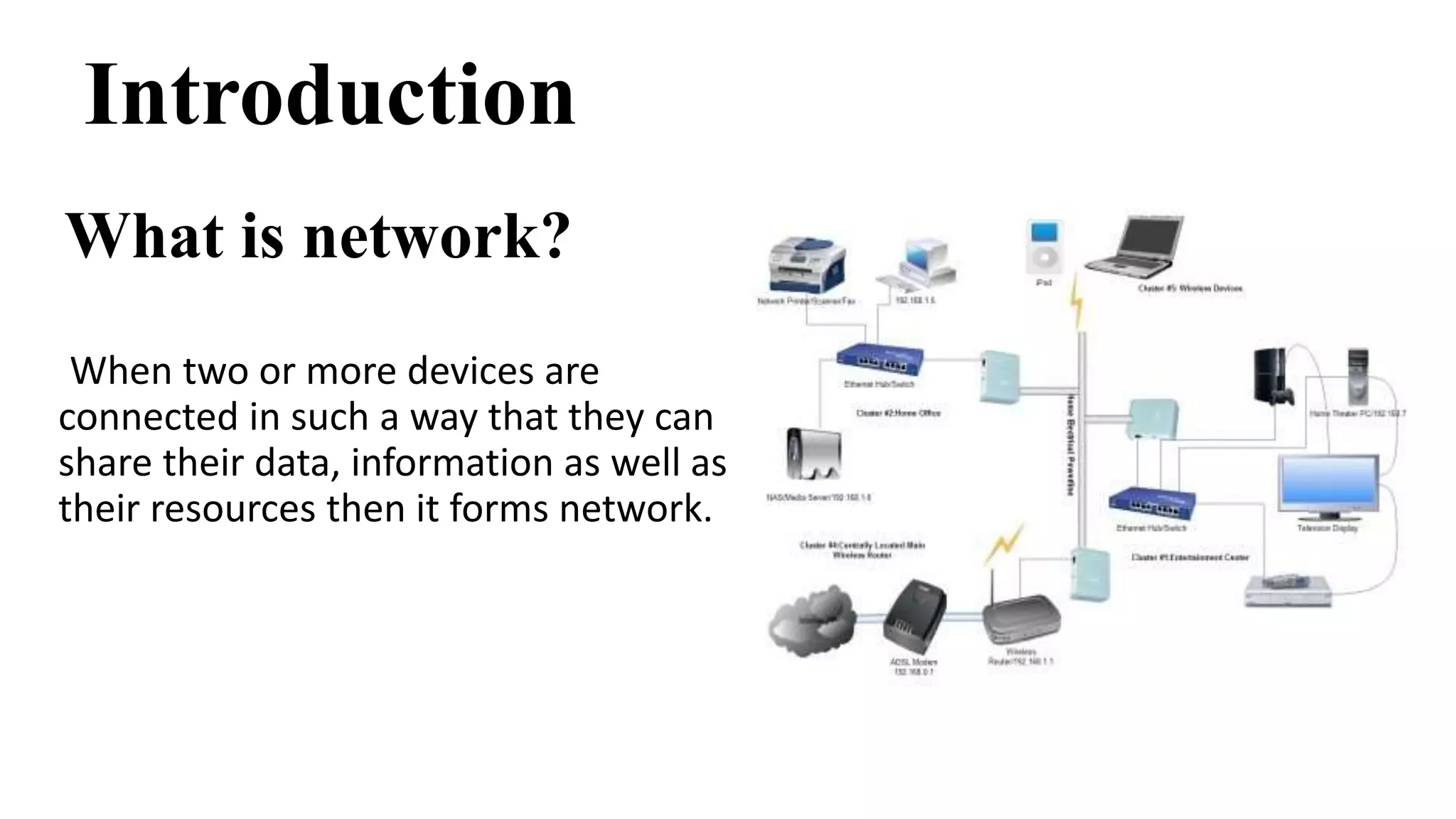
What is network? 
When two or more devices are 
connected in such a way that they can 
share their data, information as well as 
their resources then it forms network.
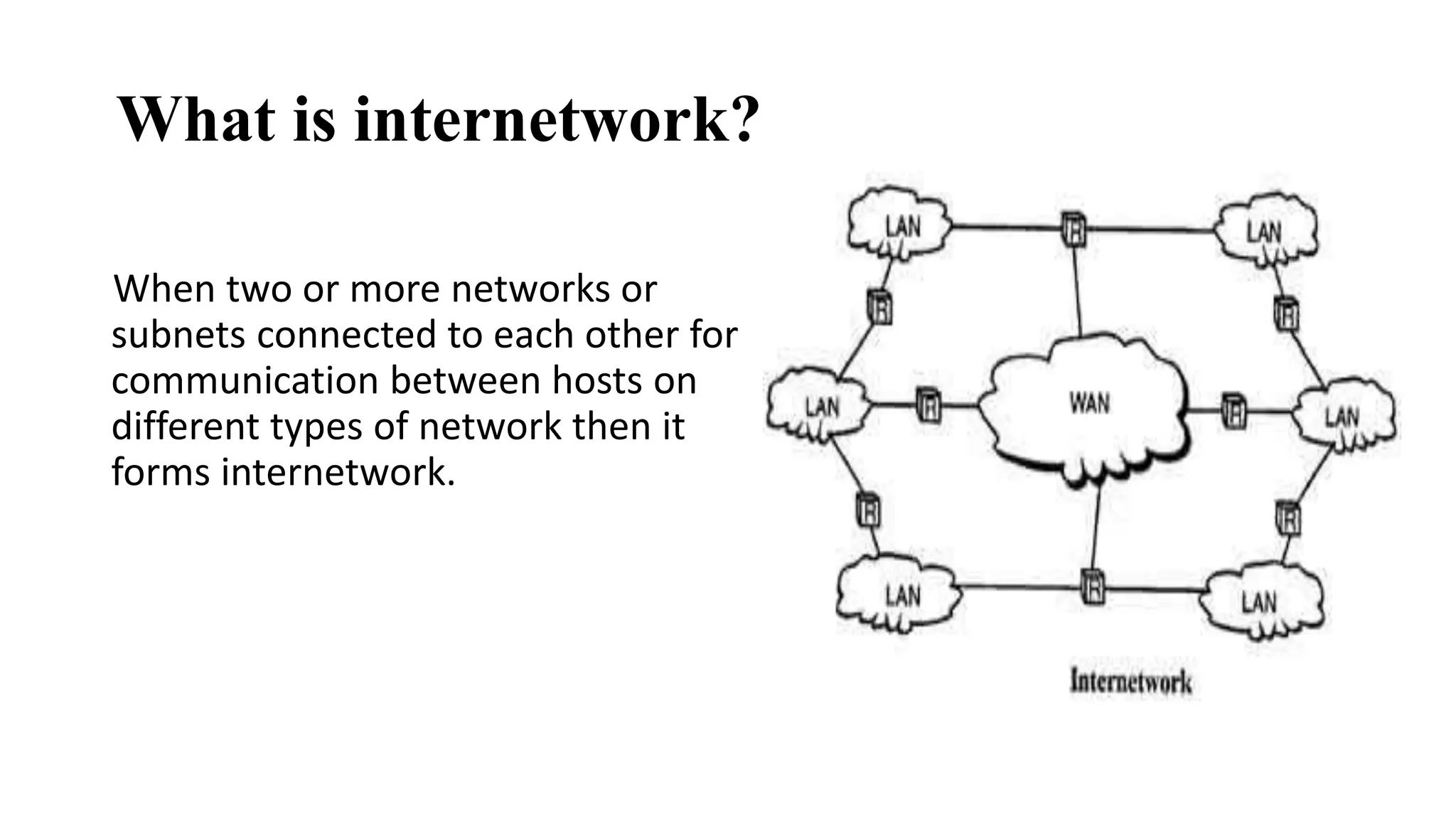
What is internetwork? 
When two or more networks or 
subnets connected to each other for 
communication between hosts on 
different types of network then it 
forms internetwork.
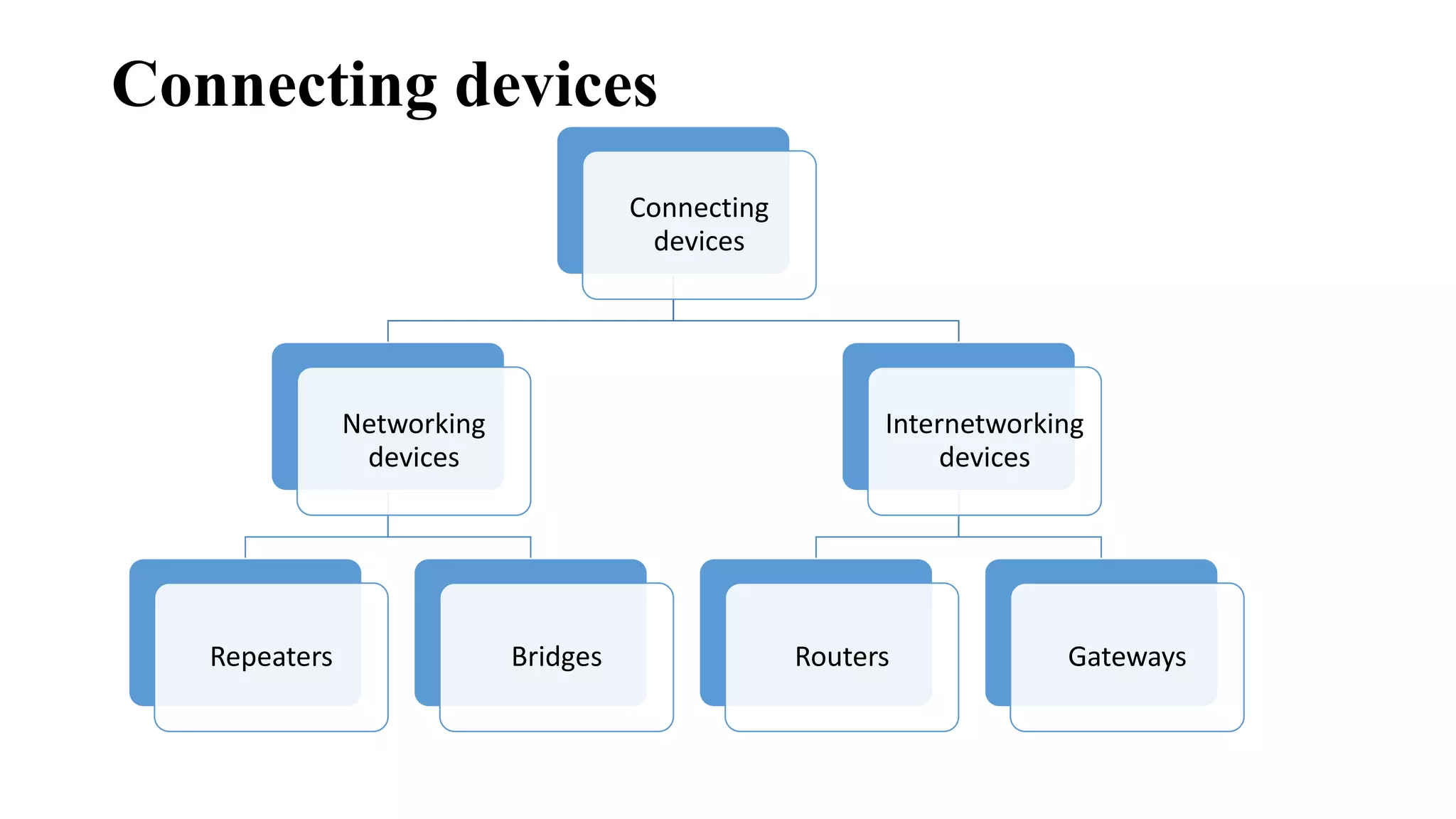
Connecting devices 
Connecting 
devices 
Networking 
devices 
Repeaters Bridges 
Internetworking 
devices 
Routers Gateways
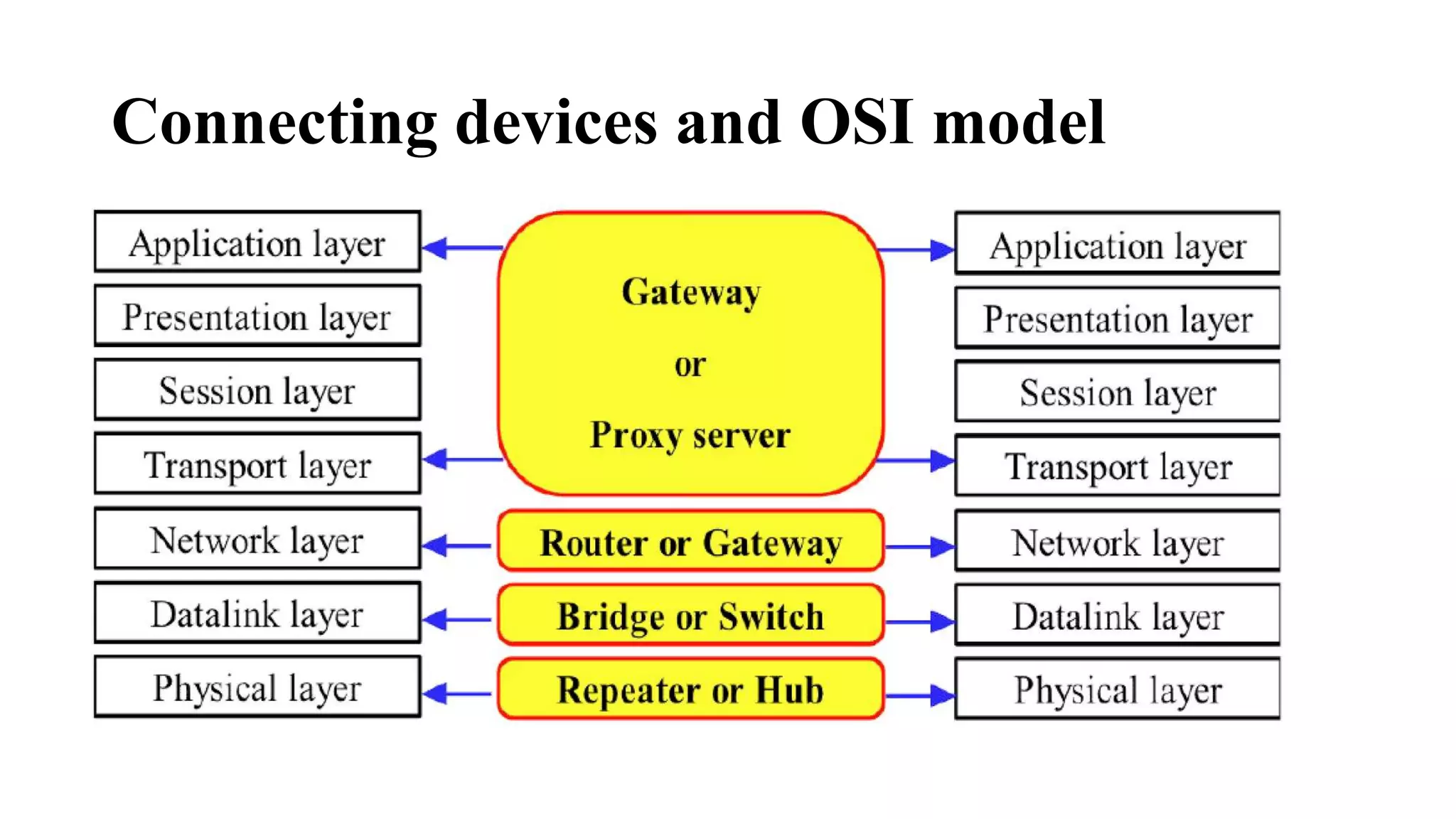
Connecting devices and OSI model
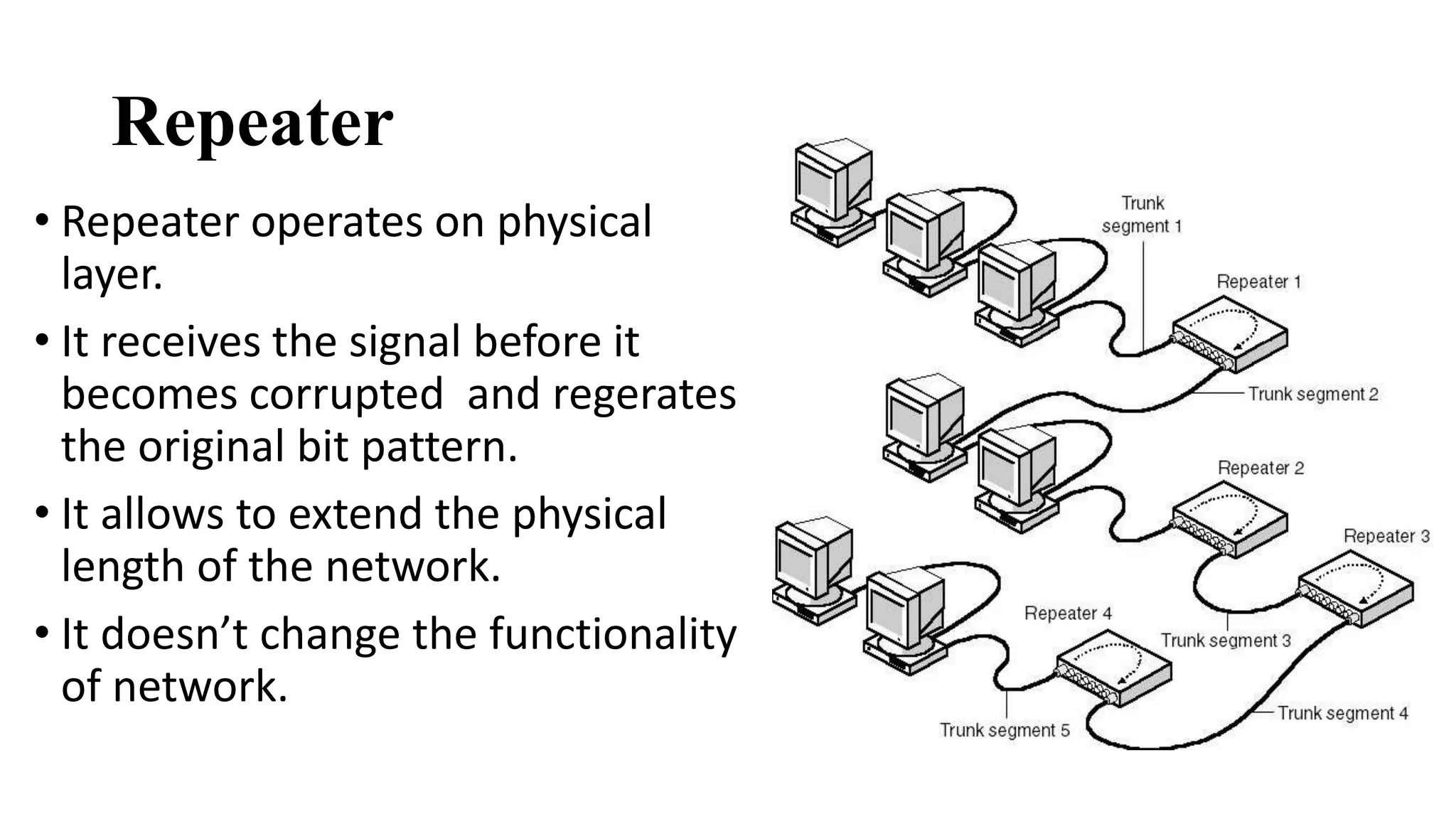
Repeater 
• Repeater operates on physical 
layer. 
• It receives the signal before it 
becomes corrupted and regerates 
the original bit pattern. 
• It allows to extend the physical 
length of the network. 
• It doesn’t change the functionality 
of network.
Has three basic functions: 
1.Receives a signal which it cleans up 
2.Re-times the signal to avoid collisions 
3.Transmits the signal on to the next segment
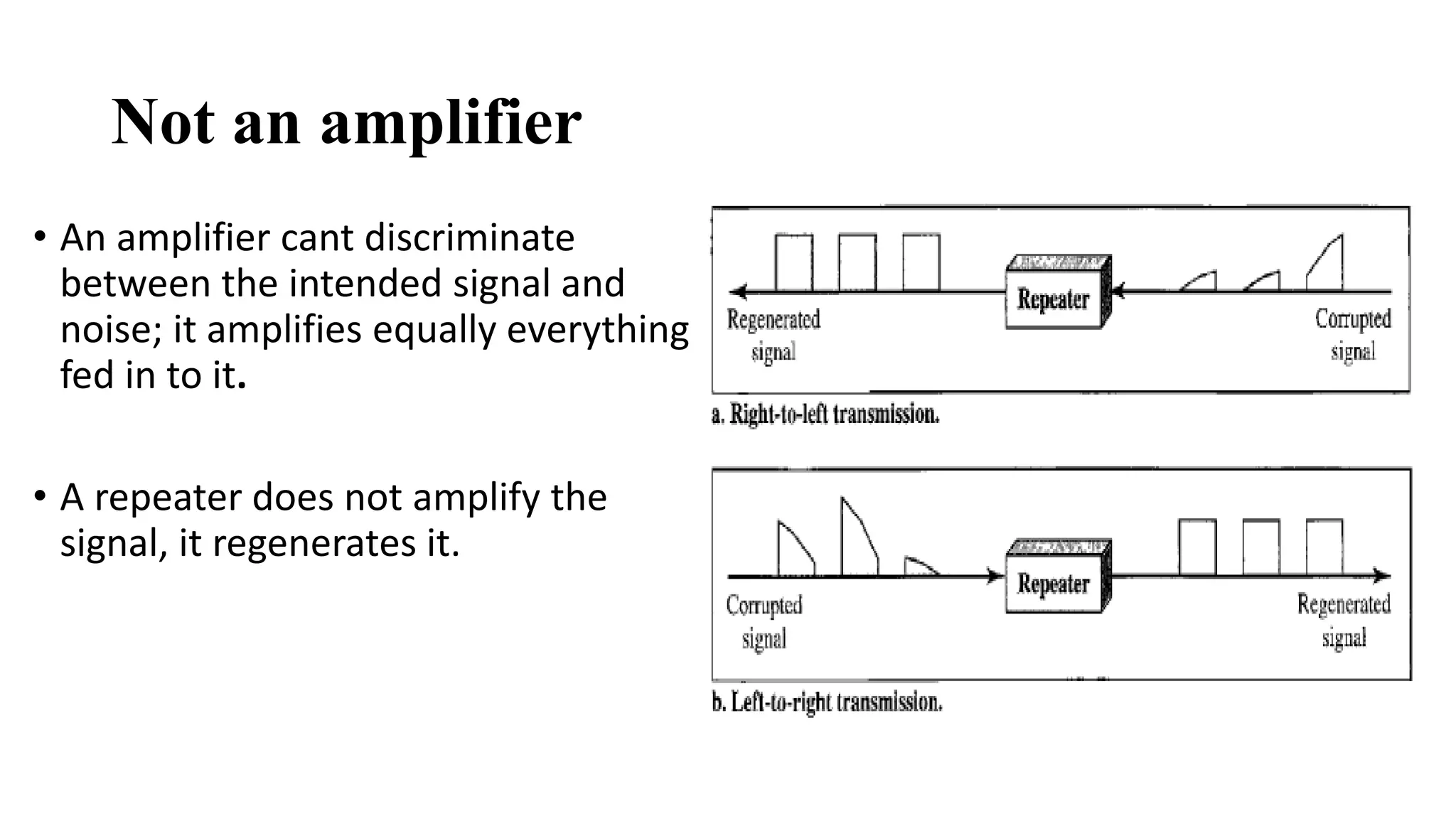
Not an amplifier 
• An amplifier cant discriminate 
between the intended signal and 
noise; it amplifies equally everything 
fed in to it. 
• A repeater does not amplify the 
signal, it regenerates it.
Advantages 
• Can connect different types of media 
• Can extend the network in terms of distance 
Disadvantages 
• Can not filter the data 
• Can not connect different network architectures
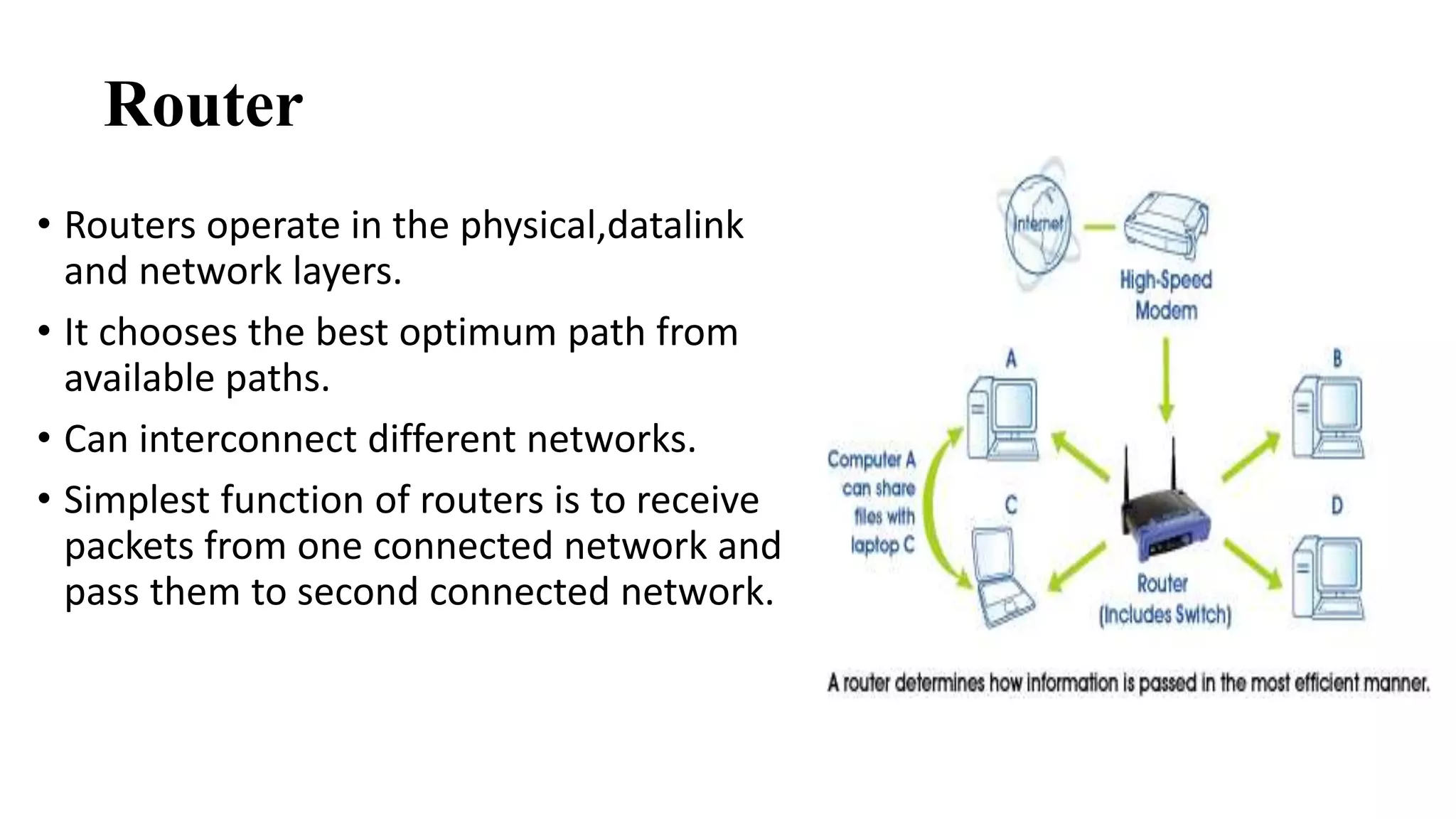
Router 
• Routers operate in the physical,datalink 
and network layers. 
• It chooses the best optimum path from 
available paths. 
• Can interconnect different networks. 
• Simplest function of routers is to receive 
packets from one connected network and 
pass them to second connected network.
Two primary functions: 
1.To determine the best path 
2.To share details of routes with other router. 
Routers consults with a routing table. 
Routing table 
• Routers forward packets to other network by maintaining 
information about other networks in a database called a routing 
table
Types of routers 
Static router 
Routes are manually configured by a network administrator. 
Dynamic router 
Adjust automatically to changes in network topology and 
informations it receives from other routers.
Routing concepts: 
Least-cost routing 
In this, decision is based on efficiency of network, cheapest and 
shortest path. 
Non-adaptive routing 
In non adaptive routing in which once a path way to destination 
has been selected, the router sends all packets for that 
destination along that one route. 
Adaptive routing 
In adaptive routing router send the packets depending on which 
route is most efficient at the moment.
Advantages 
• Can function in LAN or WAN 
• Connects differing media 
• Can determine best path or route 
Disadvantages 
• Expensive 
• Must use routable protocols 
• Slower than a bridge
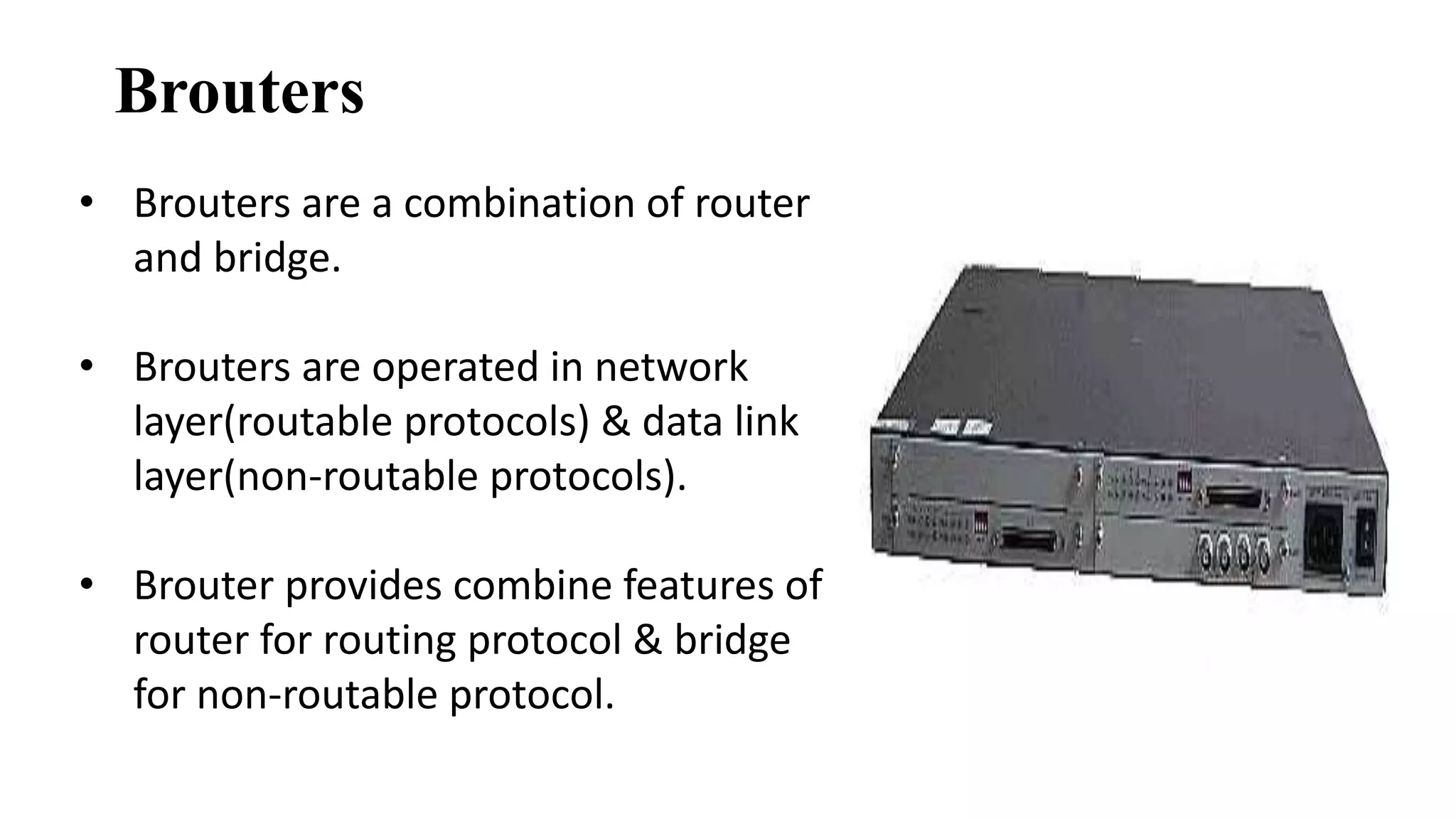
Brouters 
• Brouters are a combination of router 
and bridge. 
• Brouters are operated in network 
layer(routable protocols) & data link 
layer(non-routable protocols). 
• Brouter provides combine features of 
router for routing protocol & bridge 
for non-routable protocol.
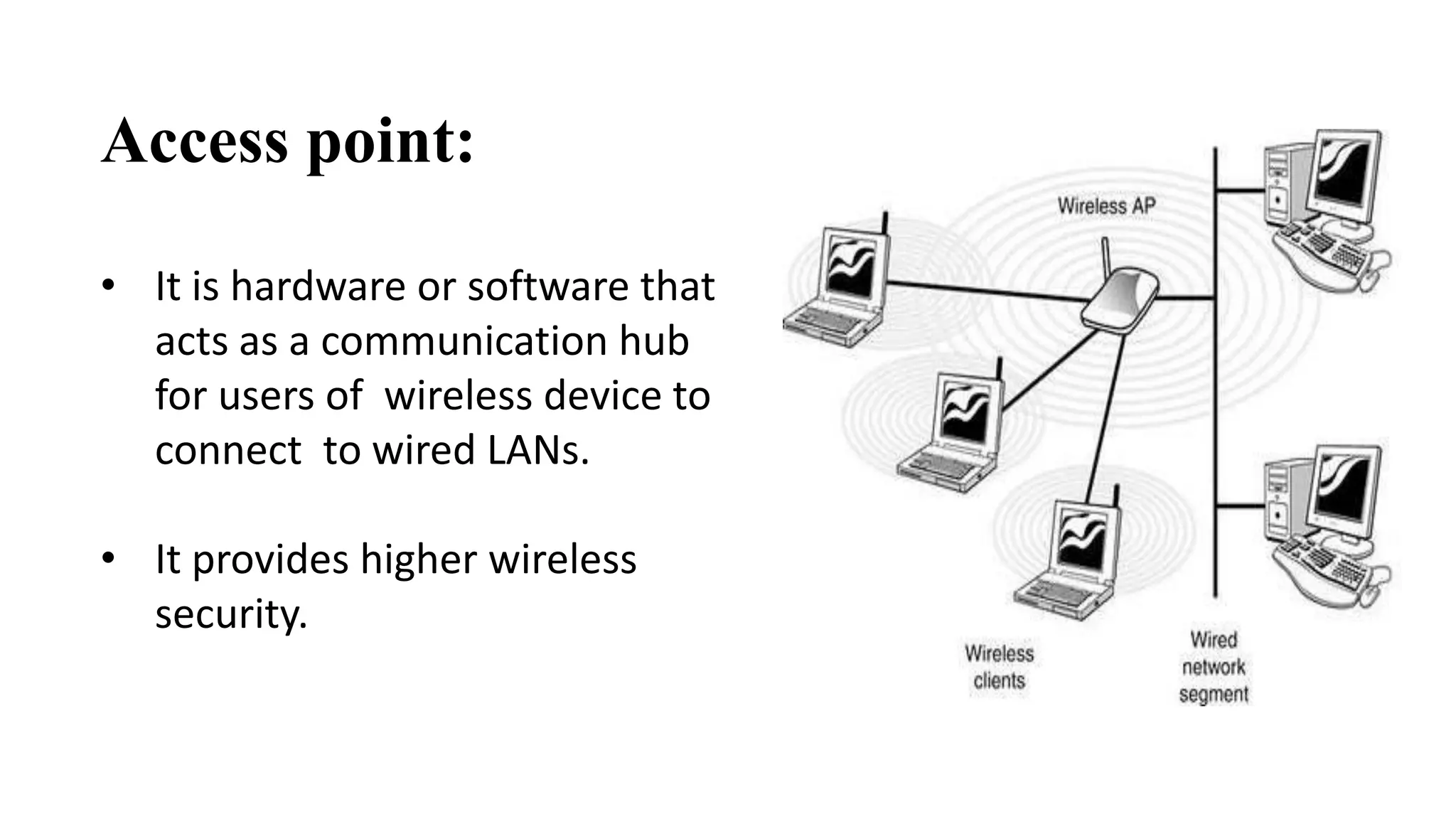
Access point: 
• It is hardware or software that 
acts as a communication hub 
for users of wireless device to 
connect to wired LANs. 
• It provides higher wireless 
security.
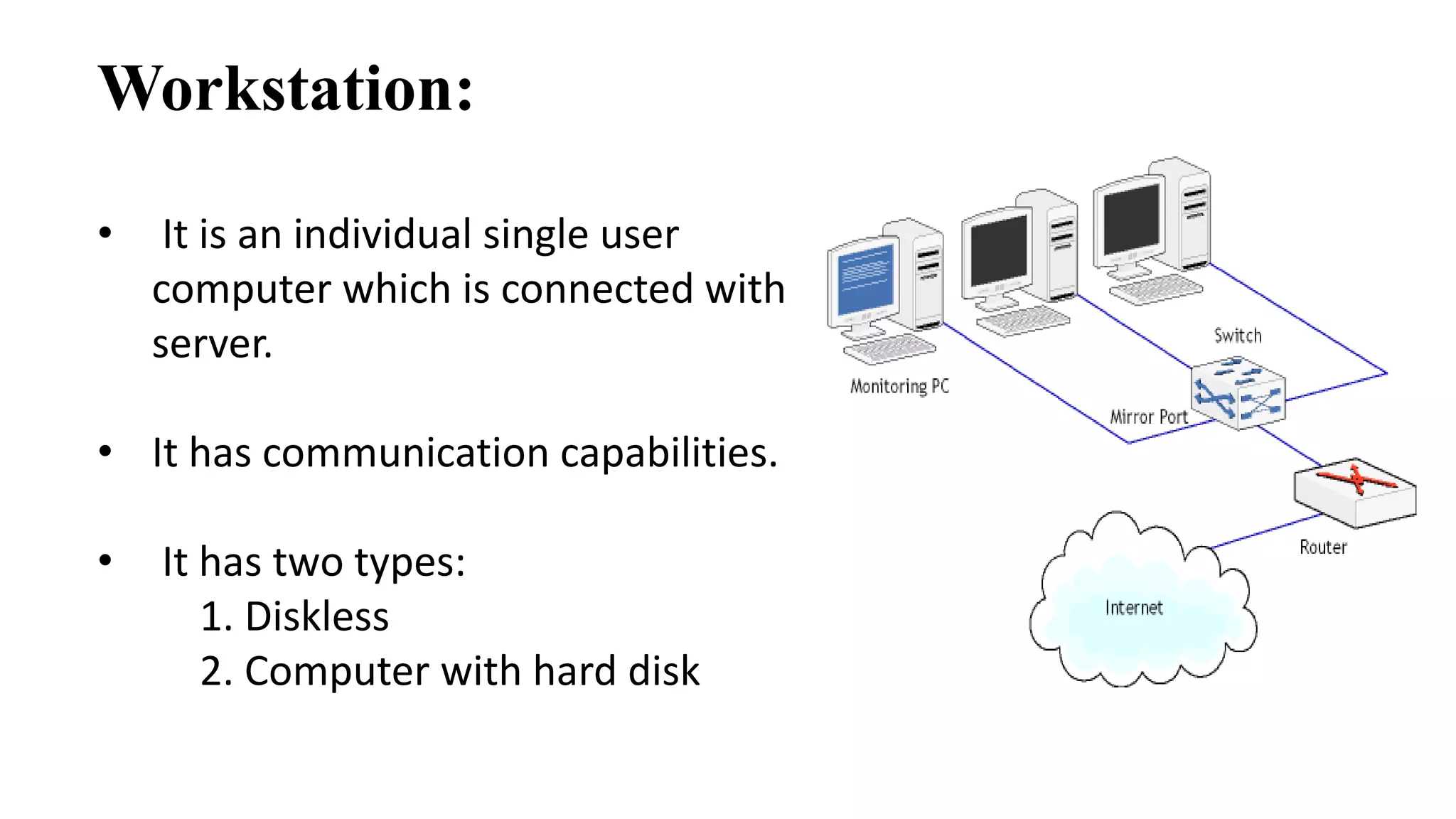
Workstation: 
• It is an individual single user 
computer which is connected with 
server. 
• It has communication capabilities. 
• It has two types: 
1. Diskless 
2. Computer with hard disk
Hubs 
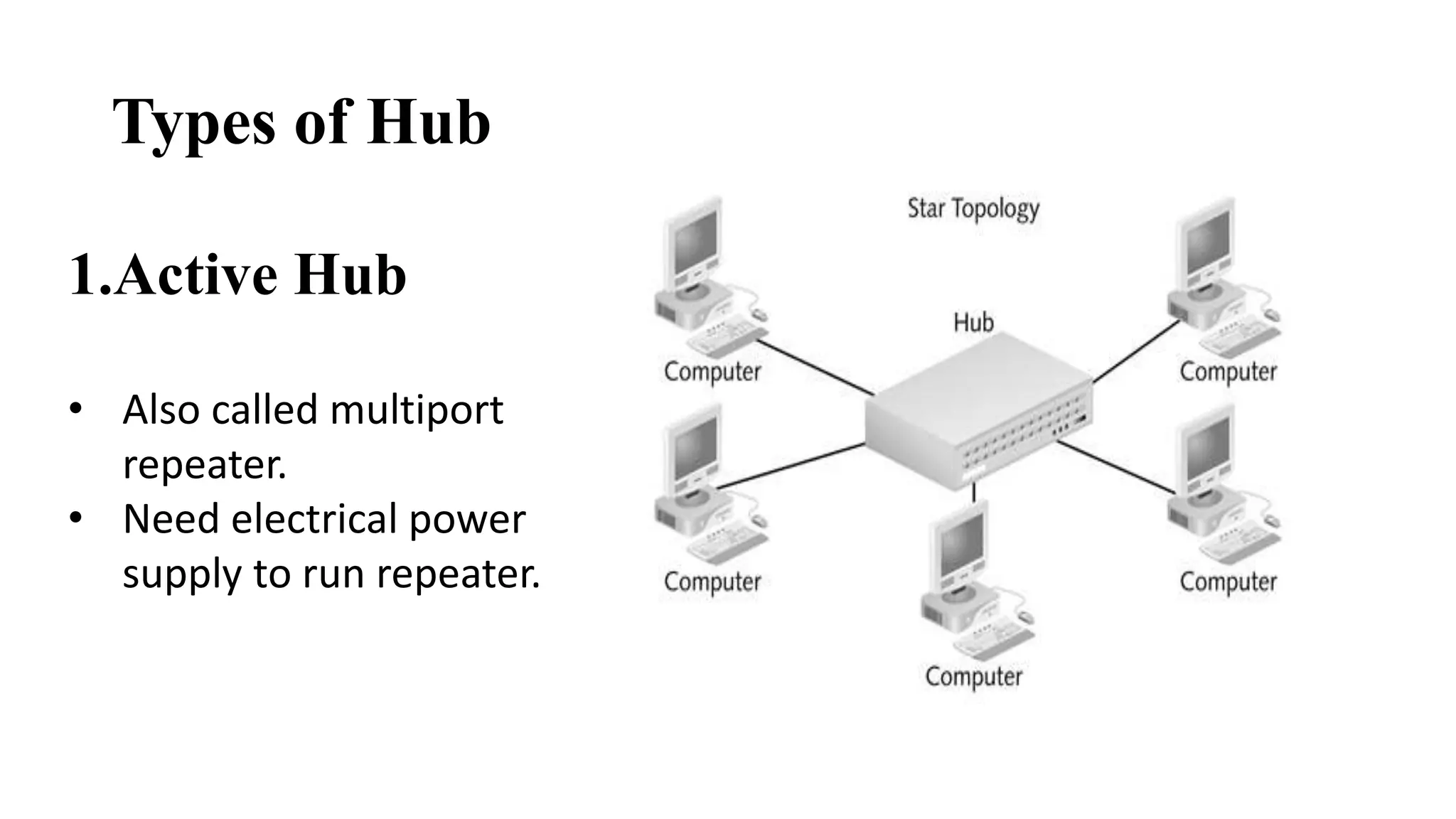
• A Hub interconnects two or more stations in a star topology. 
• Multiple inputs and output to all active devices at a time. 
• Enables high speed communication. 
• It uses different media types like co-axial, fiber optic, twisted 
pair. 
• Hub is operated in physical layer of the OSI model.
Types of Hub 
20 
1.Active Hub 
• Also called multiport 
repeater. 
• Need electrical power 
supply to run repeater.
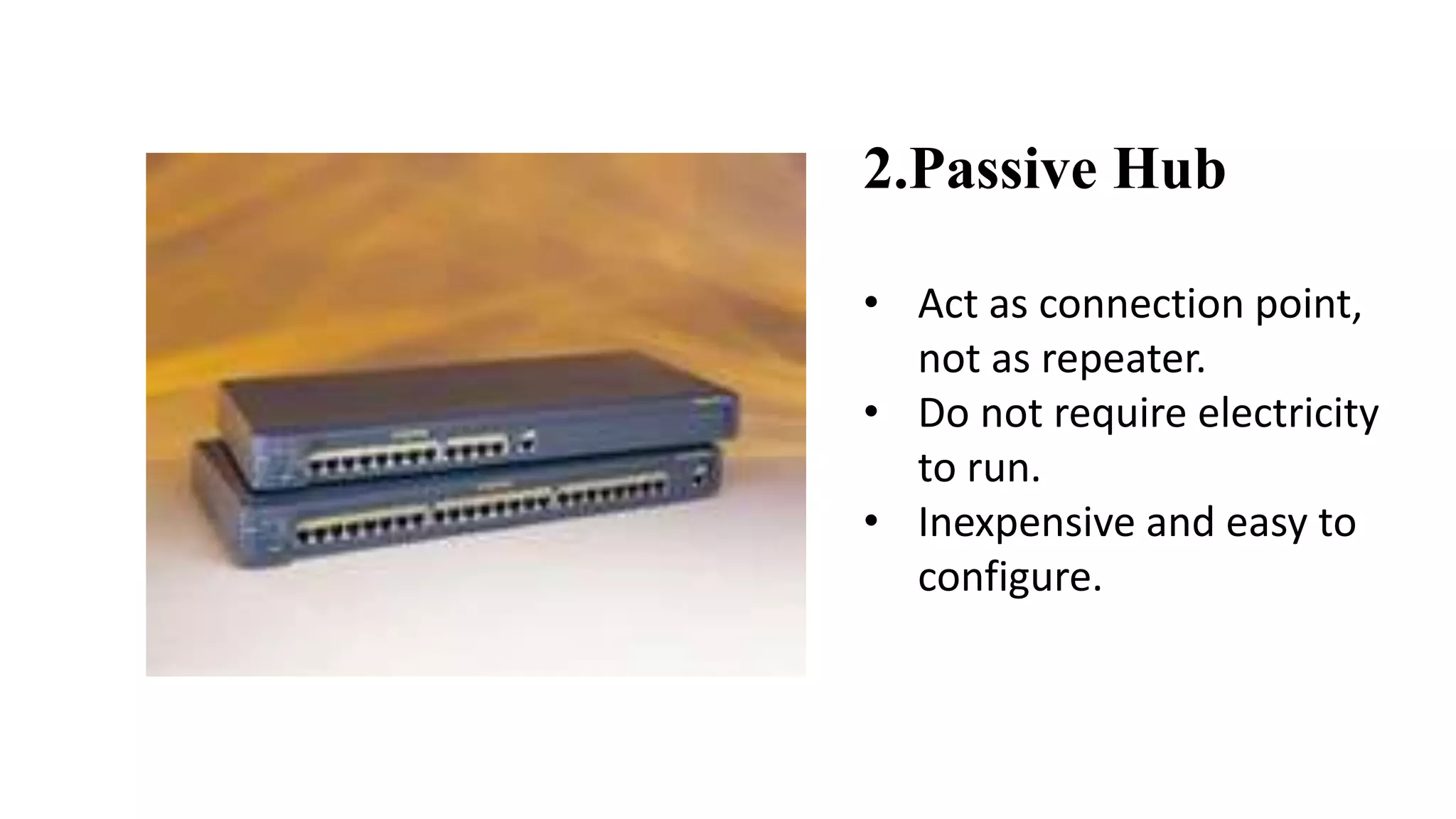
2.Passive Hub 
• Act as connection point, 
not as repeater. 
• Do not require electricity 
to run. 
• Inexpensive and easy to 
configure.
Advantages 
• Cheap 
• Can connect different media types 
Disadvantages 
• Bandwidth is shared by all hosts. 
• Time consuming. 
• Extends collision domain. 
• Passes packets to all connected segments.
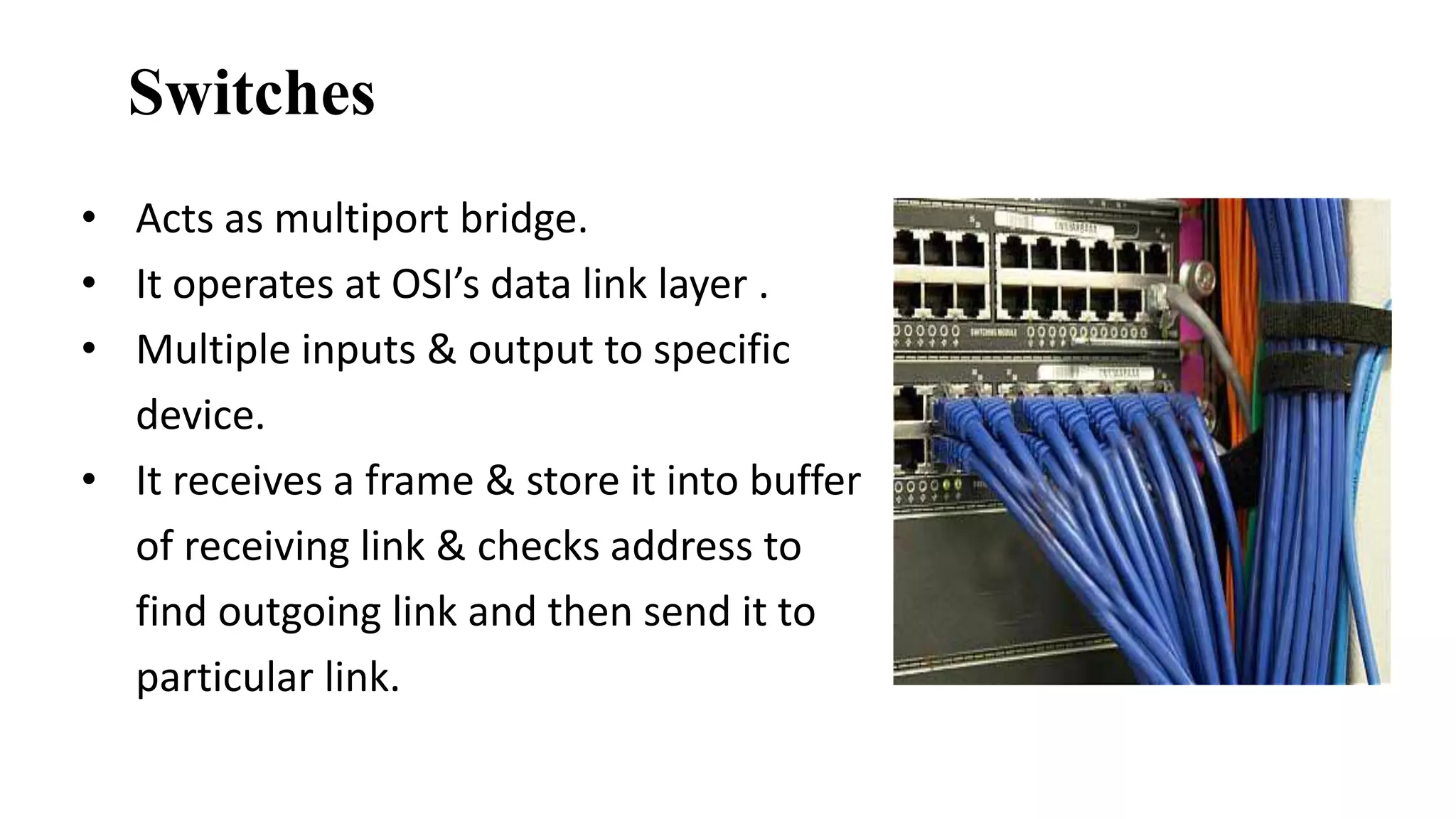
Switches 
• Acts as multiport bridge. 
• It operates at OSI’s data link layer . 
• Multiple inputs & output to specific 
device. 
• It receives a frame & store it into buffer 
of receiving link & checks address to 
find outgoing link and then send it to 
particular link.
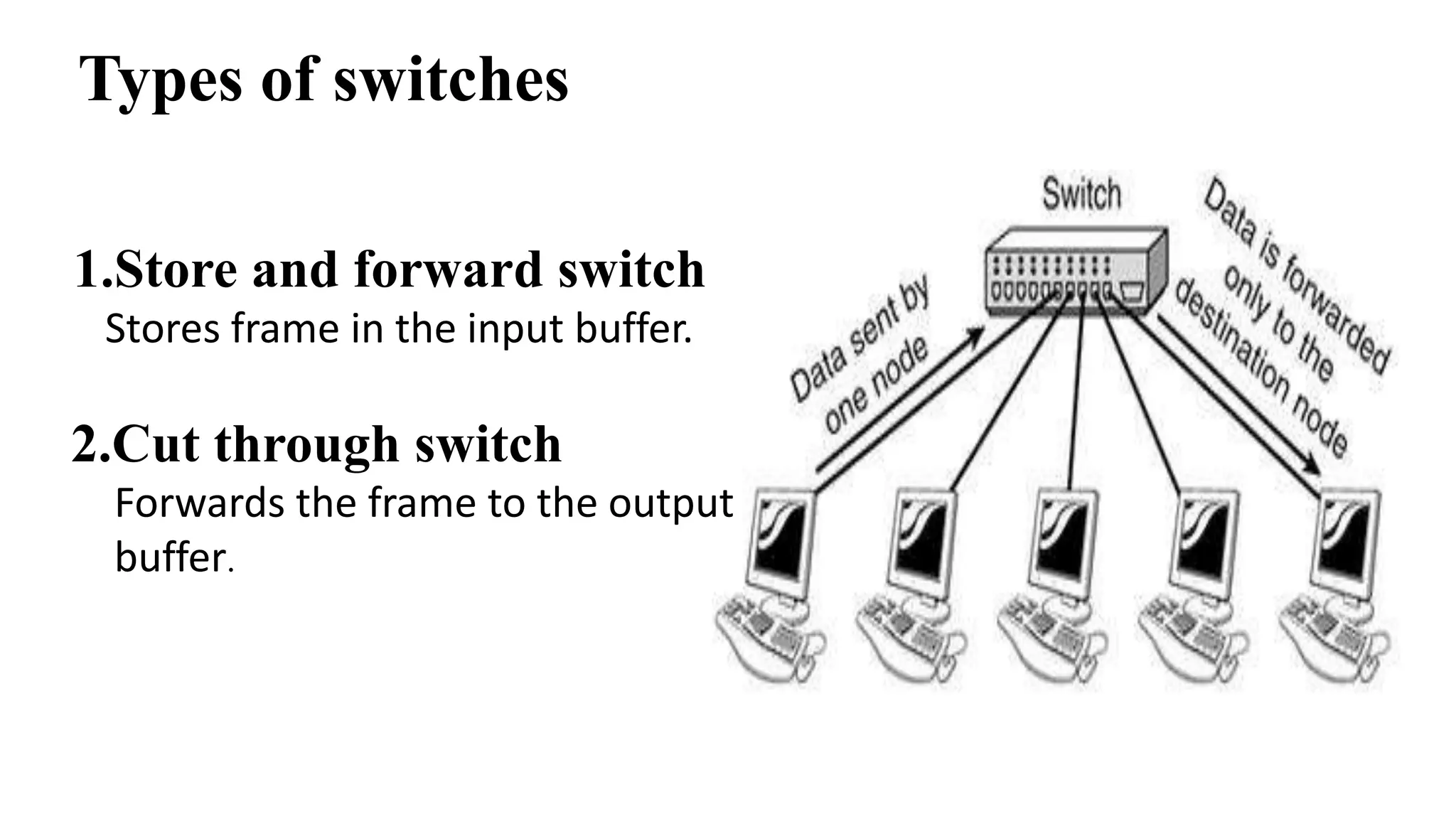
Types of switches 
1.Store and forward switch 
Stores frame in the input buffer. 
2.Cut through switch 
Forwards the frame to the output 
buffer.
Advantages 
• Limits the collision domain. 
• Can provide bridging. 
• Can be configured to limit broadcast domain. 
Disadvantages 
• More expensive. 
• Configuration of additional functions can be very complex.
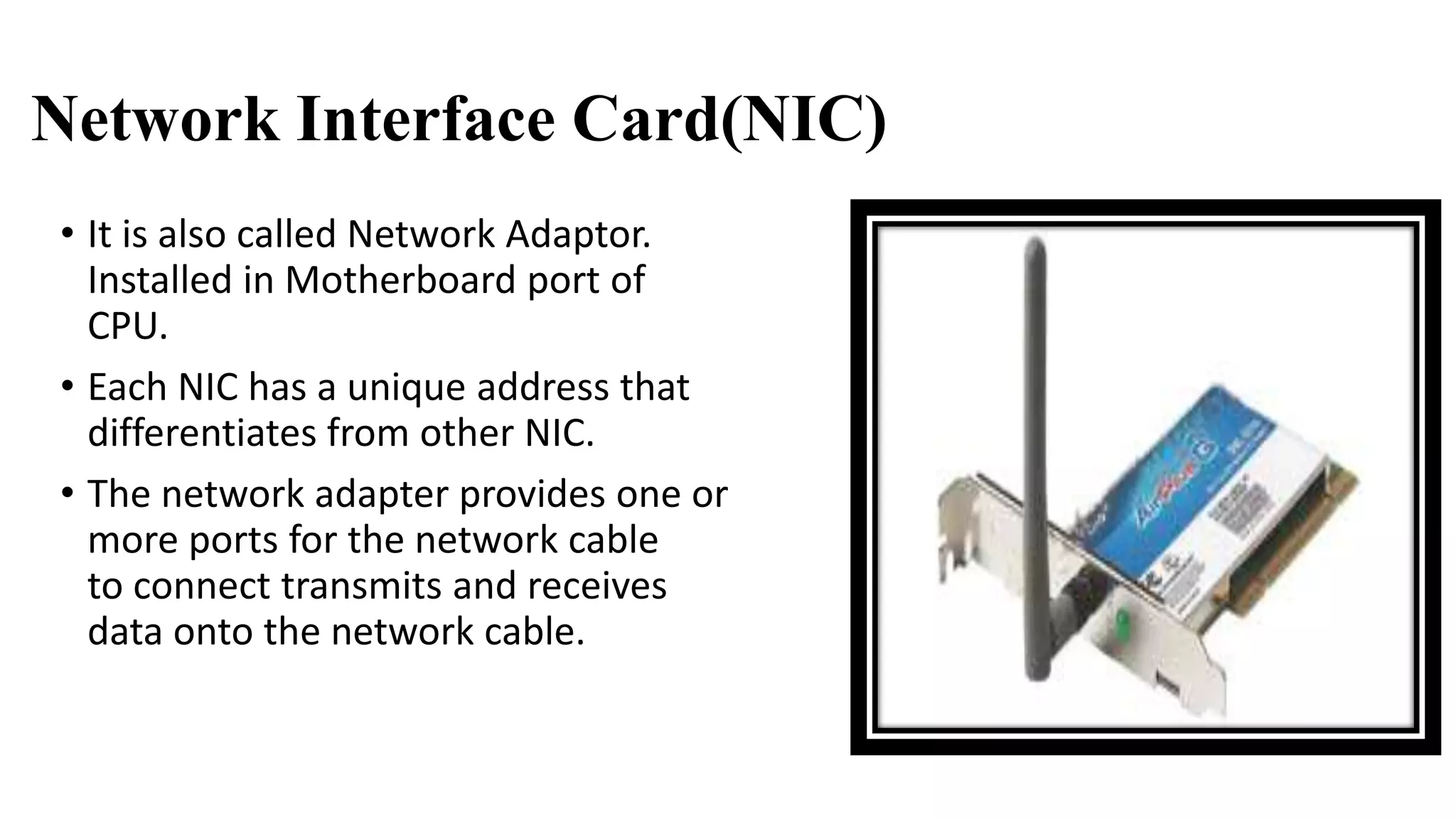
Network Interface Card(NIC) 
• It is also called Network Adaptor. 
Installed in Motherboard port of 
CPU. 
• Each NIC has a unique address that 
differentiates from other NIC. 
• The network adapter provides one or 
more ports for the network cable 
to connect transmits and receives 
data onto the network cable.
Types of NIC 
1.ARCNET Card 
• Transmission rate:2.6 mbps. 
• Eight Dual Inline Package(DIP) Switches. 
• The name driver for this card is TURBORXNET(TRXNET). 
• This type of NIC supports bus and star topology but usually 
implemented on star topology. 
• The cable used with ARCNET card is co-axial usually it is RG-62 and 
maximum length of cable is 20000 ft.
2. ETHERNET Card 
• Transmission rate:10 mbps. 
• Dual Inline Package (DIP) switches are not available. 
• This type of NIC supports bus and star topology but 
unlike ARCNET card is usually supports bus topology. 
• The cable use is RG-68 and node address between 0 
to 1023.
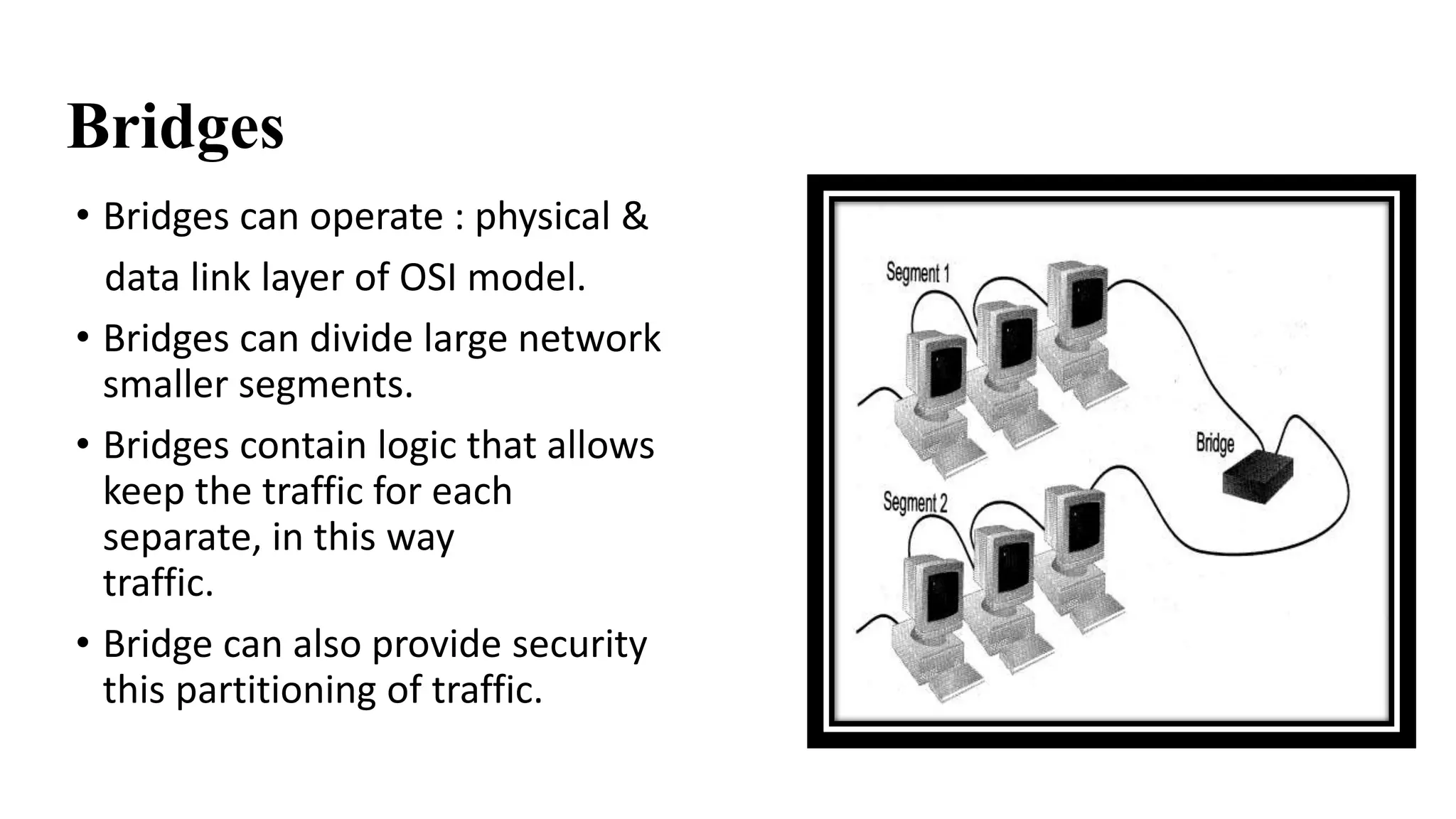
Bridges 
• Bridges can operate : physical & 
data link layer of OSI model. 
• Bridges can divide large network into 
smaller segments. 
• Bridges contain logic that allows them to 
keep the traffic for each segment 
separate, in this way they filter the 
traffic. 
• Bridge can also provide security through 
this partitioning of traffic.
How bridge work 
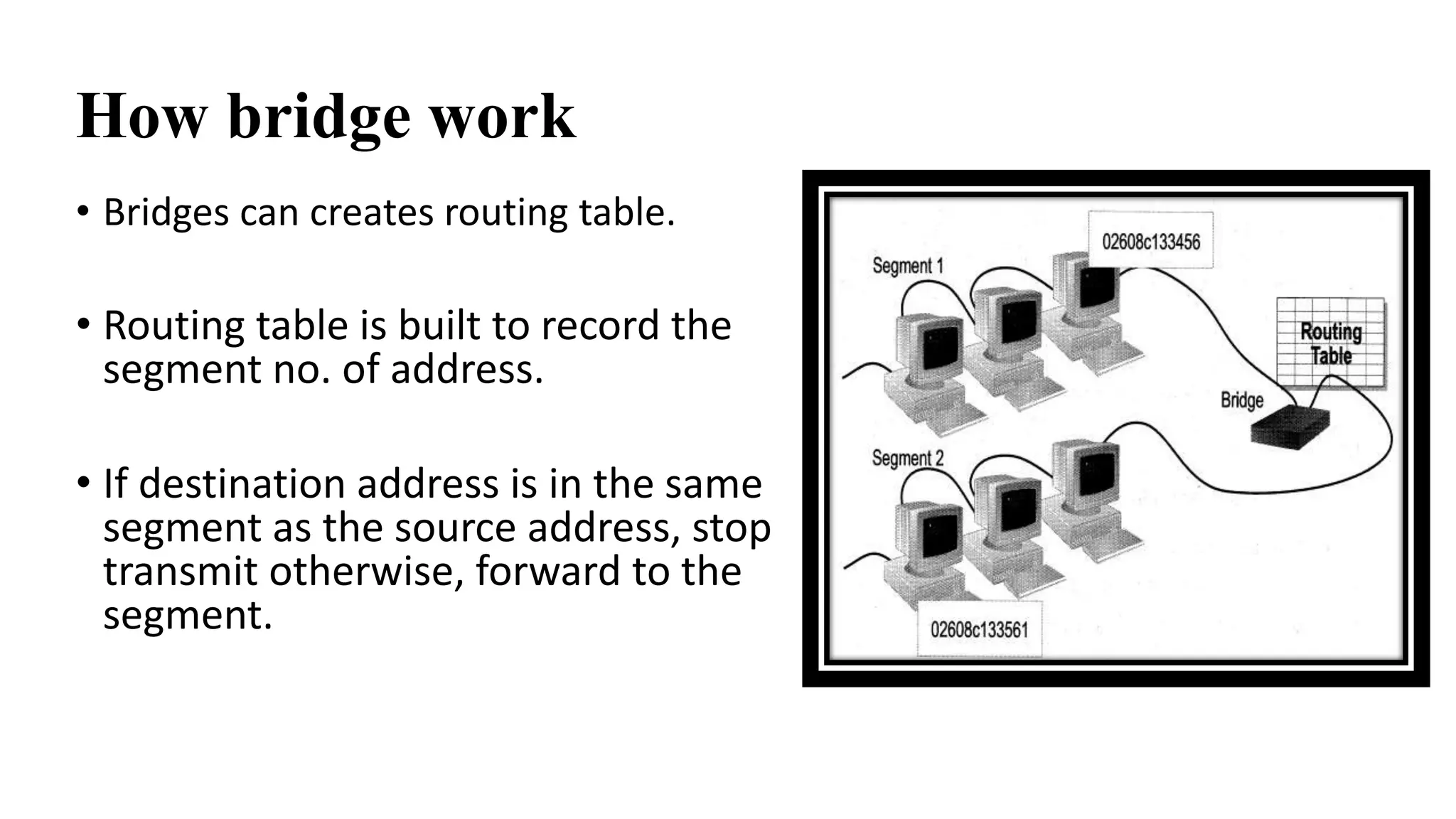
• Bridges can creates routing table. 
• Routing table is built to record the 
segment no. of address. 
• If destination address is in the same 
segment as the source address, stop 
transmit otherwise, forward to the other 
segment.
Types of bridges 
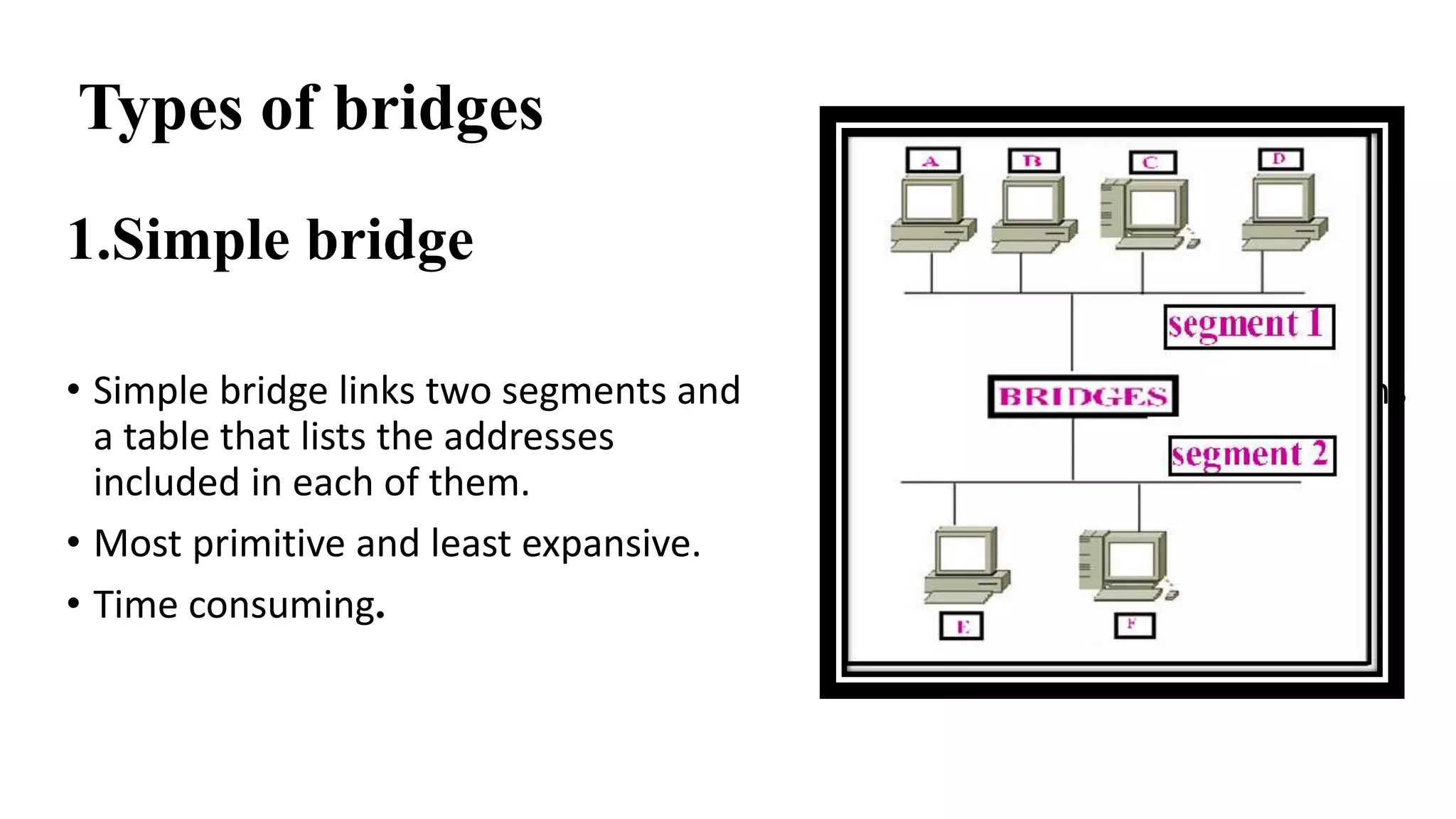
1.Simple bridge 
• Simple bridge links two segments and contains 
a table that lists the addresses of all stations 
included in each of them. 
• Most primitive and least expansive. 
• Time consuming.
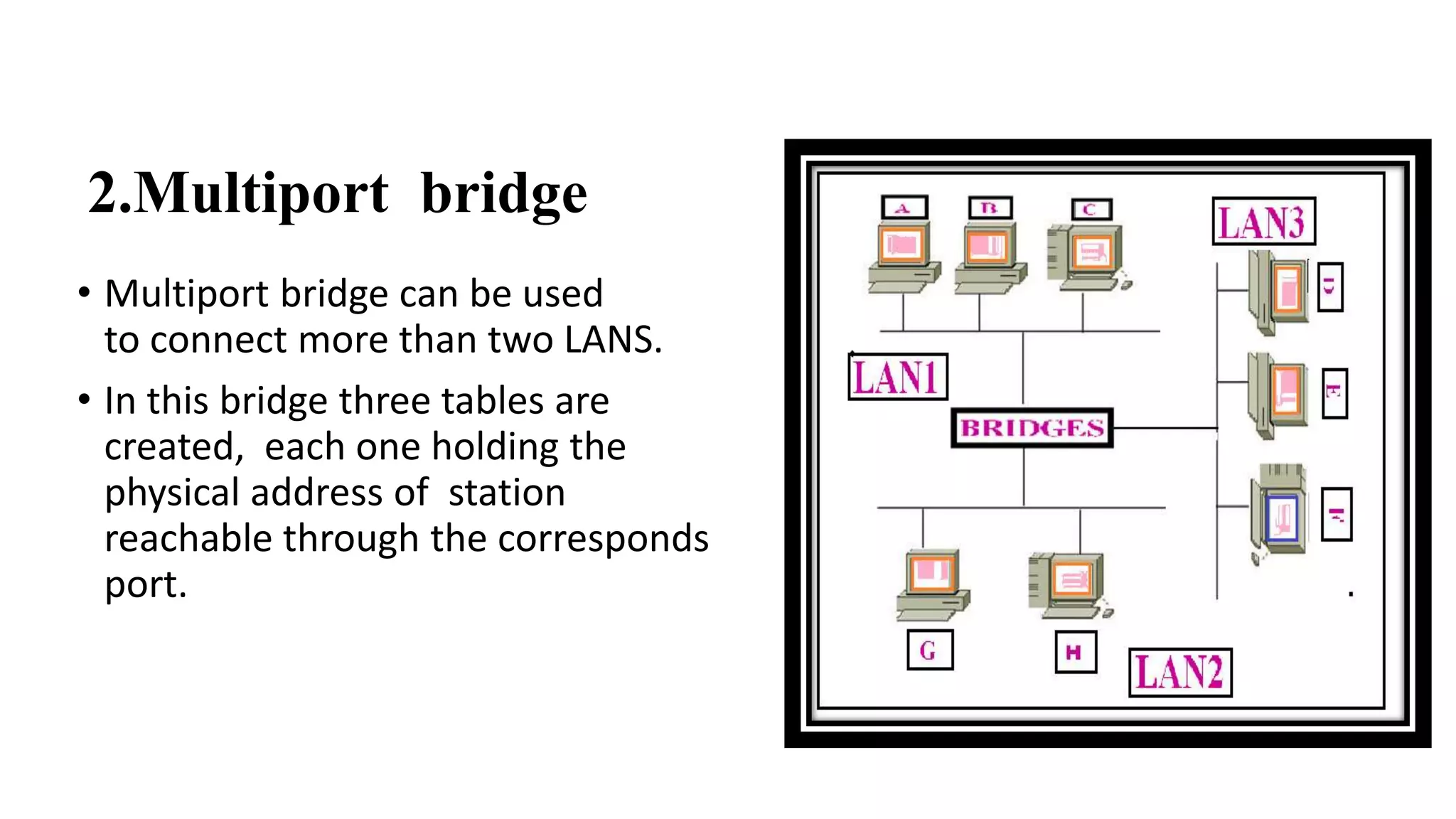
2.Multiport bridge 
• Multiport bridge can be used 
to connect more than two LANS. 
• In this bridge three tables are 
created, each one holding the 
physical address of station 
reachable through the corresponds 
port.
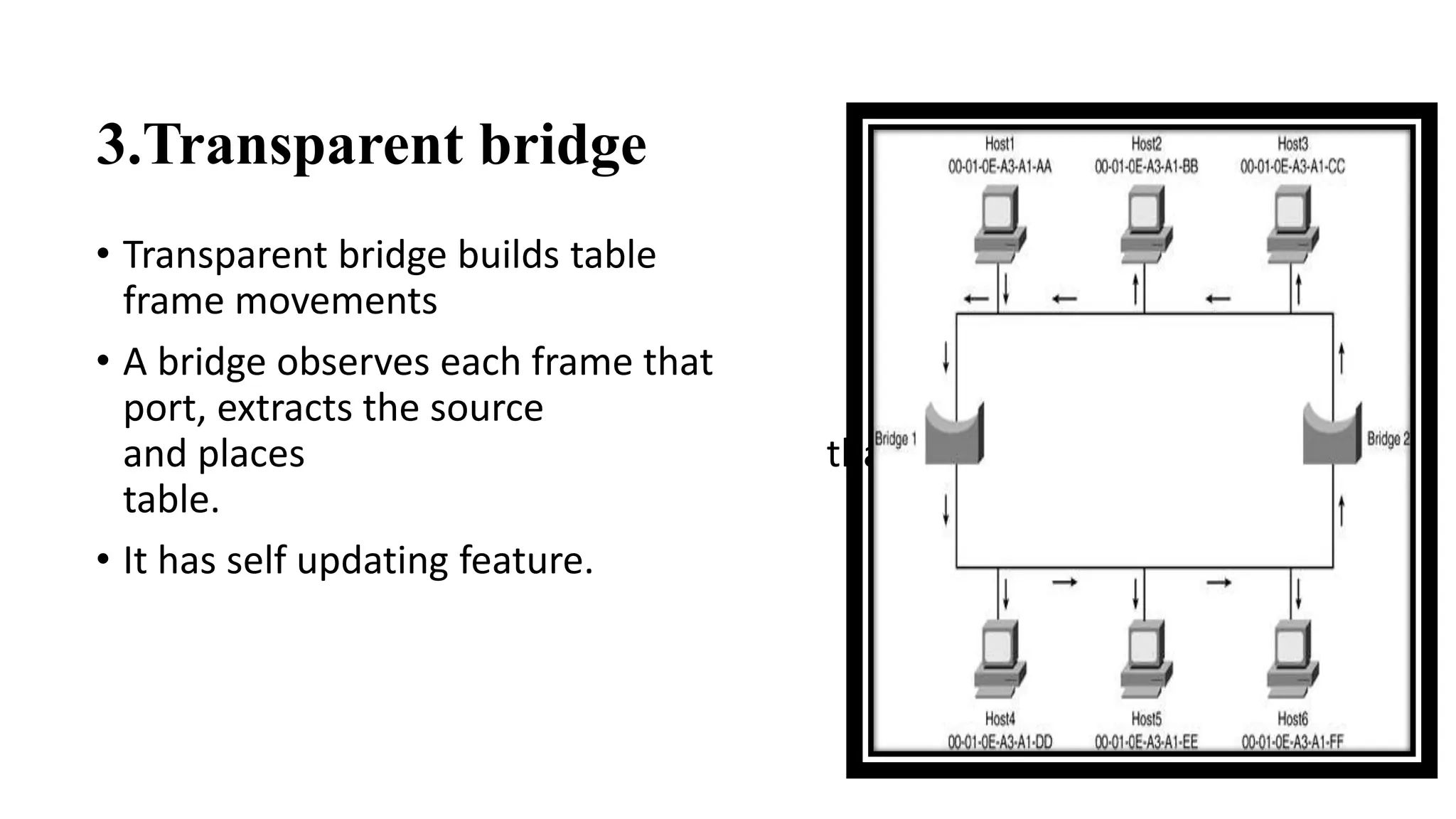
3.Transparent bridge 
• Transparent bridge builds table automatically by 
frame movements in network. 
• A bridge observes each frame that arrives at a 
port, extracts the source address from the frame, 
and places that address in the port’s routing 
table. 
• It has self updating feature.
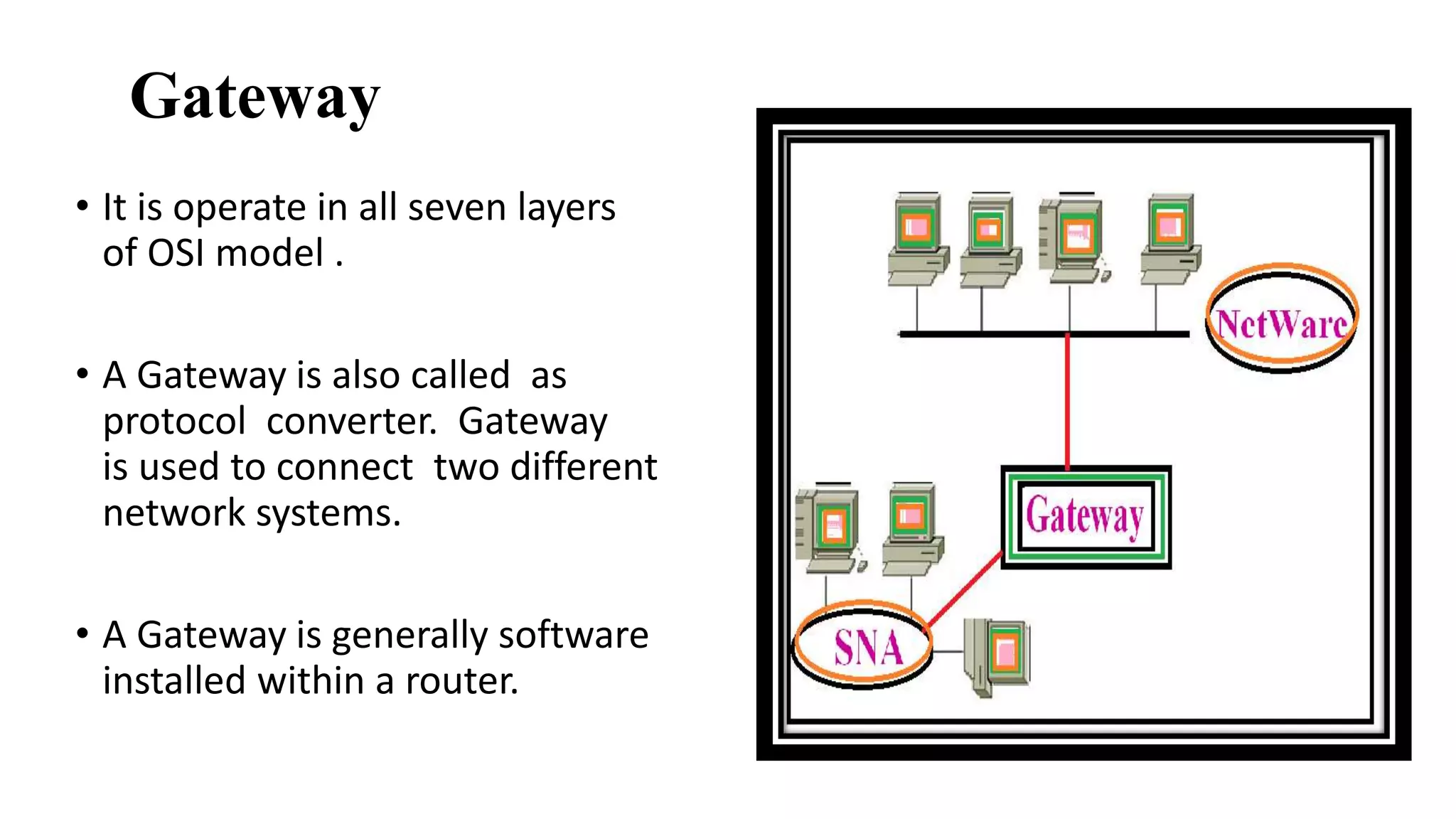
Gateway 
• It is operate in all seven layers 
of OSI model . 
• A Gateway is also called as 
protocol converter. Gateway 
is used to connect two different 
network systems. 
• A Gateway is generally software 
installed within a router.
• The gateway is device controls the flow of data between the two 
networks. 
• A gateway also connects one type of computer system with another. 
• Gateway must adjust data rate, size and format .

Network Devices

  • 1.
  • 2.
    Topics Introduction Repeater Router Brouter Hub Switches Bridge NIC Gateway
  • 3.
    Introduction What isnetwork? When two or more devices are connected in such a way that they can share their data, information as well as their resources then it forms network.
  • 4.
    What is internetwork? When two or more networks or subnets connected to each other for communication between hosts on different types of network then it forms internetwork.
  • 5.
    Connecting devices Connecting devices Networking devices Repeaters Bridges Internetworking devices Routers Gateways
  • 6.
  • 7.
    Repeater • Repeateroperates on physical layer. • It receives the signal before it becomes corrupted and regerates the original bit pattern. • It allows to extend the physical length of the network. • It doesn’t change the functionality of network.
  • 8.
    Has three basicfunctions: 1.Receives a signal which it cleans up 2.Re-times the signal to avoid collisions 3.Transmits the signal on to the next segment
  • 9.
    Not an amplifier • An amplifier cant discriminate between the intended signal and noise; it amplifies equally everything fed in to it. • A repeater does not amplify the signal, it regenerates it.
  • 10.
    Advantages • Canconnect different types of media • Can extend the network in terms of distance Disadvantages • Can not filter the data • Can not connect different network architectures
  • 11.
    Router • Routersoperate in the physical,datalink and network layers. • It chooses the best optimum path from available paths. • Can interconnect different networks. • Simplest function of routers is to receive packets from one connected network and pass them to second connected network.
  • 12.
    Two primary functions: 1.To determine the best path 2.To share details of routes with other router. Routers consults with a routing table. Routing table • Routers forward packets to other network by maintaining information about other networks in a database called a routing table
  • 13.
    Types of routers Static router Routes are manually configured by a network administrator. Dynamic router Adjust automatically to changes in network topology and informations it receives from other routers.
  • 14.
    Routing concepts: Least-costrouting In this, decision is based on efficiency of network, cheapest and shortest path. Non-adaptive routing In non adaptive routing in which once a path way to destination has been selected, the router sends all packets for that destination along that one route. Adaptive routing In adaptive routing router send the packets depending on which route is most efficient at the moment.
  • 15.
    Advantages • Canfunction in LAN or WAN • Connects differing media • Can determine best path or route Disadvantages • Expensive • Must use routable protocols • Slower than a bridge
  • 16.
    Brouters • Broutersare a combination of router and bridge. • Brouters are operated in network layer(routable protocols) & data link layer(non-routable protocols). • Brouter provides combine features of router for routing protocol & bridge for non-routable protocol.
  • 17.
    Access point: •It is hardware or software that acts as a communication hub for users of wireless device to connect to wired LANs. • It provides higher wireless security.
  • 18.
    Workstation: • Itis an individual single user computer which is connected with server. • It has communication capabilities. • It has two types: 1. Diskless 2. Computer with hard disk
  • 19.
    Hubs • AHub interconnects two or more stations in a star topology. • Multiple inputs and output to all active devices at a time. • Enables high speed communication. • It uses different media types like co-axial, fiber optic, twisted pair. • Hub is operated in physical layer of the OSI model.
  • 20.
    Types of Hub 20 1.Active Hub • Also called multiport repeater. • Need electrical power supply to run repeater.
  • 21.
    2.Passive Hub •Act as connection point, not as repeater. • Do not require electricity to run. • Inexpensive and easy to configure.
  • 22.
    Advantages • Cheap • Can connect different media types Disadvantages • Bandwidth is shared by all hosts. • Time consuming. • Extends collision domain. • Passes packets to all connected segments.
  • 23.
    Switches • Actsas multiport bridge. • It operates at OSI’s data link layer . • Multiple inputs & output to specific device. • It receives a frame & store it into buffer of receiving link & checks address to find outgoing link and then send it to particular link.
  • 24.
    Types of switches 1.Store and forward switch Stores frame in the input buffer. 2.Cut through switch Forwards the frame to the output buffer.
  • 25.
    Advantages • Limitsthe collision domain. • Can provide bridging. • Can be configured to limit broadcast domain. Disadvantages • More expensive. • Configuration of additional functions can be very complex.
  • 26.
    Network Interface Card(NIC) • It is also called Network Adaptor. Installed in Motherboard port of CPU. • Each NIC has a unique address that differentiates from other NIC. • The network adapter provides one or more ports for the network cable to connect transmits and receives data onto the network cable.
  • 27.
    Types of NIC 1.ARCNET Card • Transmission rate:2.6 mbps. • Eight Dual Inline Package(DIP) Switches. • The name driver for this card is TURBORXNET(TRXNET). • This type of NIC supports bus and star topology but usually implemented on star topology. • The cable used with ARCNET card is co-axial usually it is RG-62 and maximum length of cable is 20000 ft.
  • 28.
    2. ETHERNET Card • Transmission rate:10 mbps. • Dual Inline Package (DIP) switches are not available. • This type of NIC supports bus and star topology but unlike ARCNET card is usually supports bus topology. • The cable use is RG-68 and node address between 0 to 1023.
  • 29.
    Bridges • Bridgescan operate : physical & data link layer of OSI model. • Bridges can divide large network into smaller segments. • Bridges contain logic that allows them to keep the traffic for each segment separate, in this way they filter the traffic. • Bridge can also provide security through this partitioning of traffic.
  • 30.
    How bridge work • Bridges can creates routing table. • Routing table is built to record the segment no. of address. • If destination address is in the same segment as the source address, stop transmit otherwise, forward to the other segment.
  • 31.
    Types of bridges 1.Simple bridge • Simple bridge links two segments and contains a table that lists the addresses of all stations included in each of them. • Most primitive and least expansive. • Time consuming.
  • 32.
    2.Multiport bridge •Multiport bridge can be used to connect more than two LANS. • In this bridge three tables are created, each one holding the physical address of station reachable through the corresponds port.
  • 33.
    3.Transparent bridge •Transparent bridge builds table automatically by frame movements in network. • A bridge observes each frame that arrives at a port, extracts the source address from the frame, and places that address in the port’s routing table. • It has self updating feature.
  • 34.
    Gateway • Itis operate in all seven layers of OSI model . • A Gateway is also called as protocol converter. Gateway is used to connect two different network systems. • A Gateway is generally software installed within a router.
  • 35.
    • The gatewayis device controls the flow of data between the two networks. • A gateway also connects one type of computer system with another. • Gateway must adjust data rate, size and format .

Editor's Notes