NETWORK ESSENTIALS
Introduction to Networks Networking Benefits Roles of Computers in a Network  Types of Networks
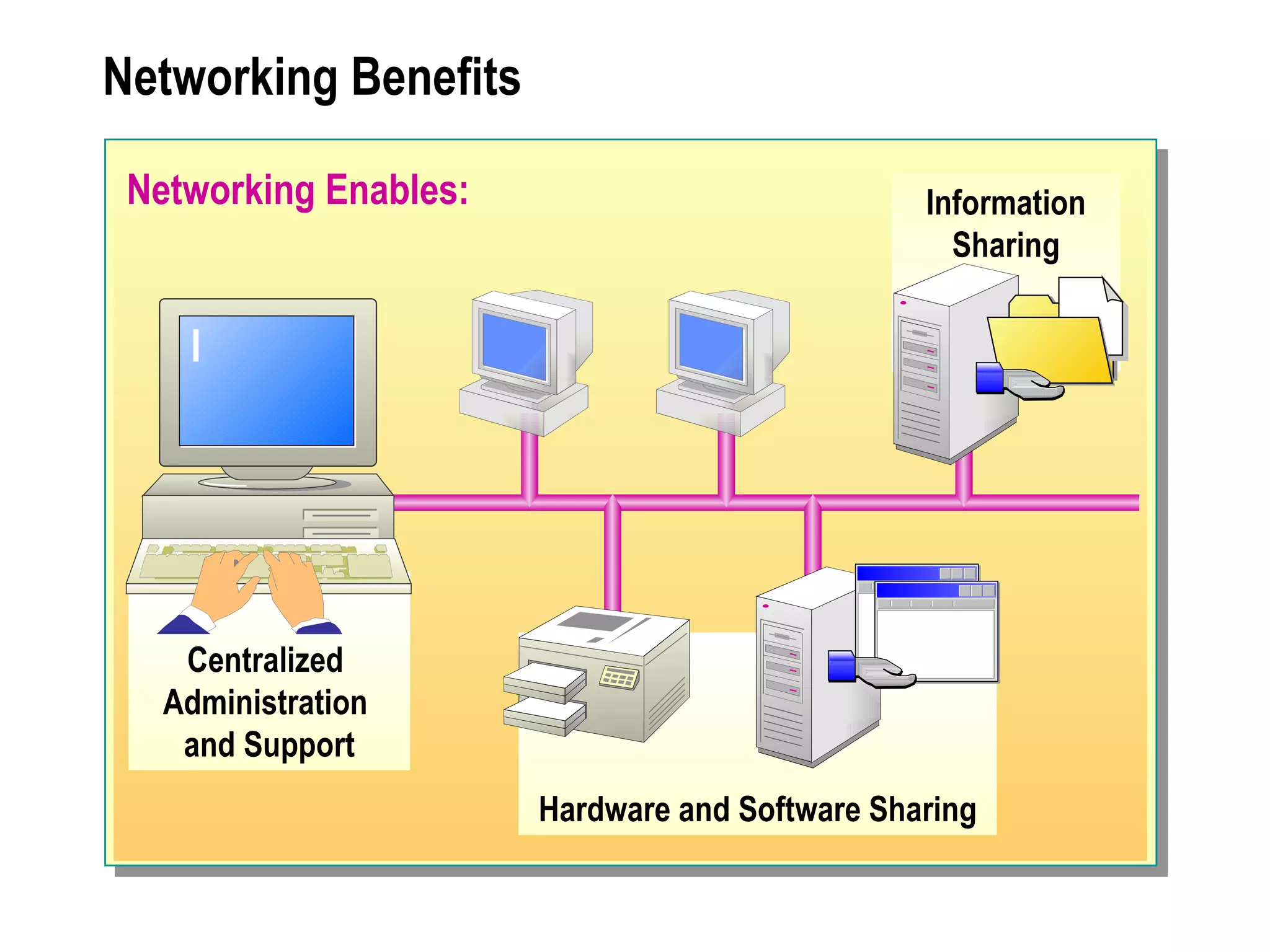
Networking Benefits Networking Enables: Information Sharing Hardware and Software Sharing Centralized  Administration  and Support
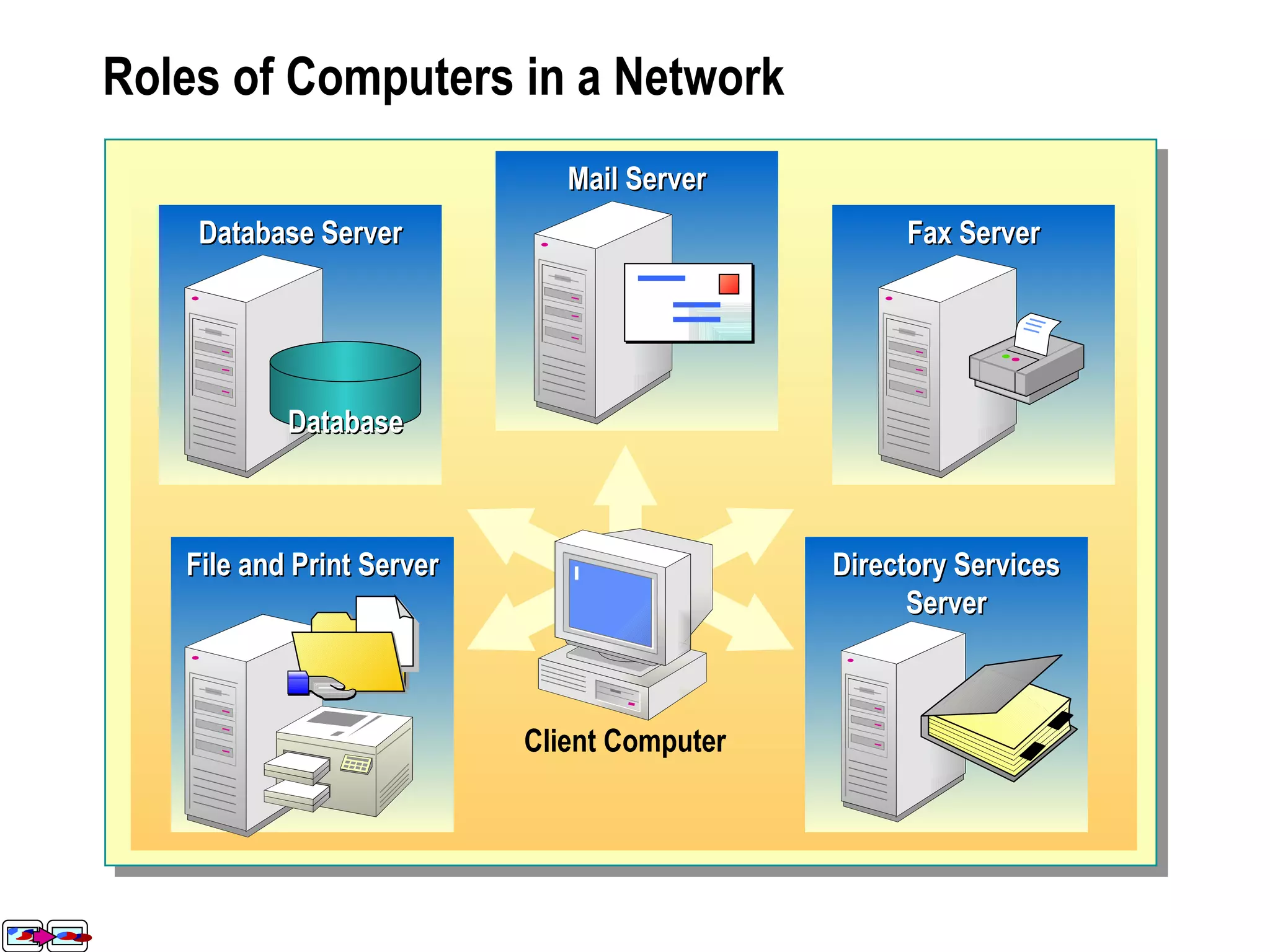
Roles of Computers in a Network File and Print Server Database Server Mail Server Fax Server Mail Server Database Server Database Fax Server File and Print Server Directory Services Server Client Computer Mail Server Database Server Database Fax Server File and Print Server
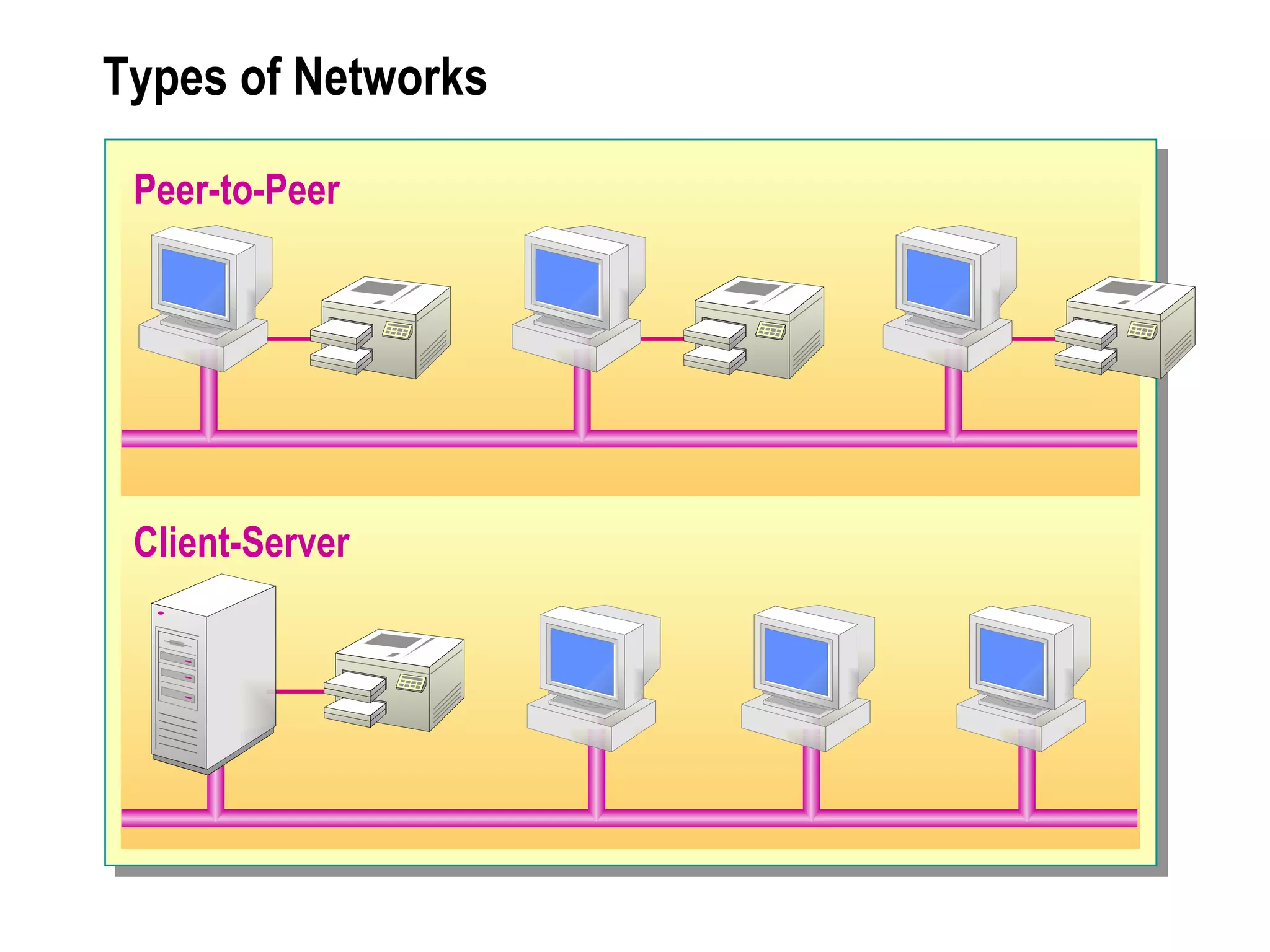
Types of Networks Peer-to-Peer Client-Server
Examining the Network
Overview Scope of Networks Basic Connectivity Components Network Topologies Network Technologies  Expanding the Network
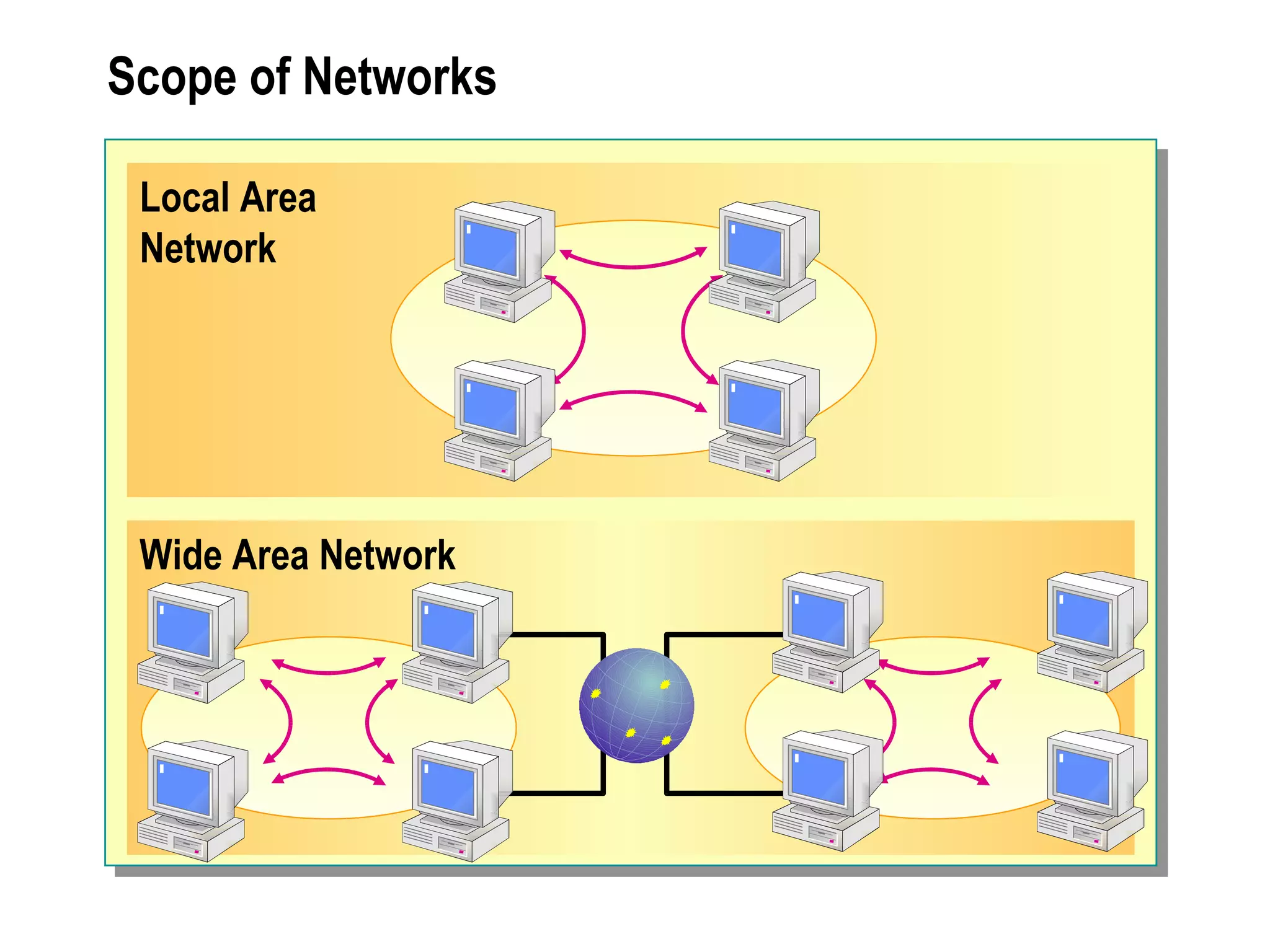
Scope of Networks Local Area  Network Wide Area Network
Basic Connectivity Components Network Adapters Network Cables Wireless Communication Devices
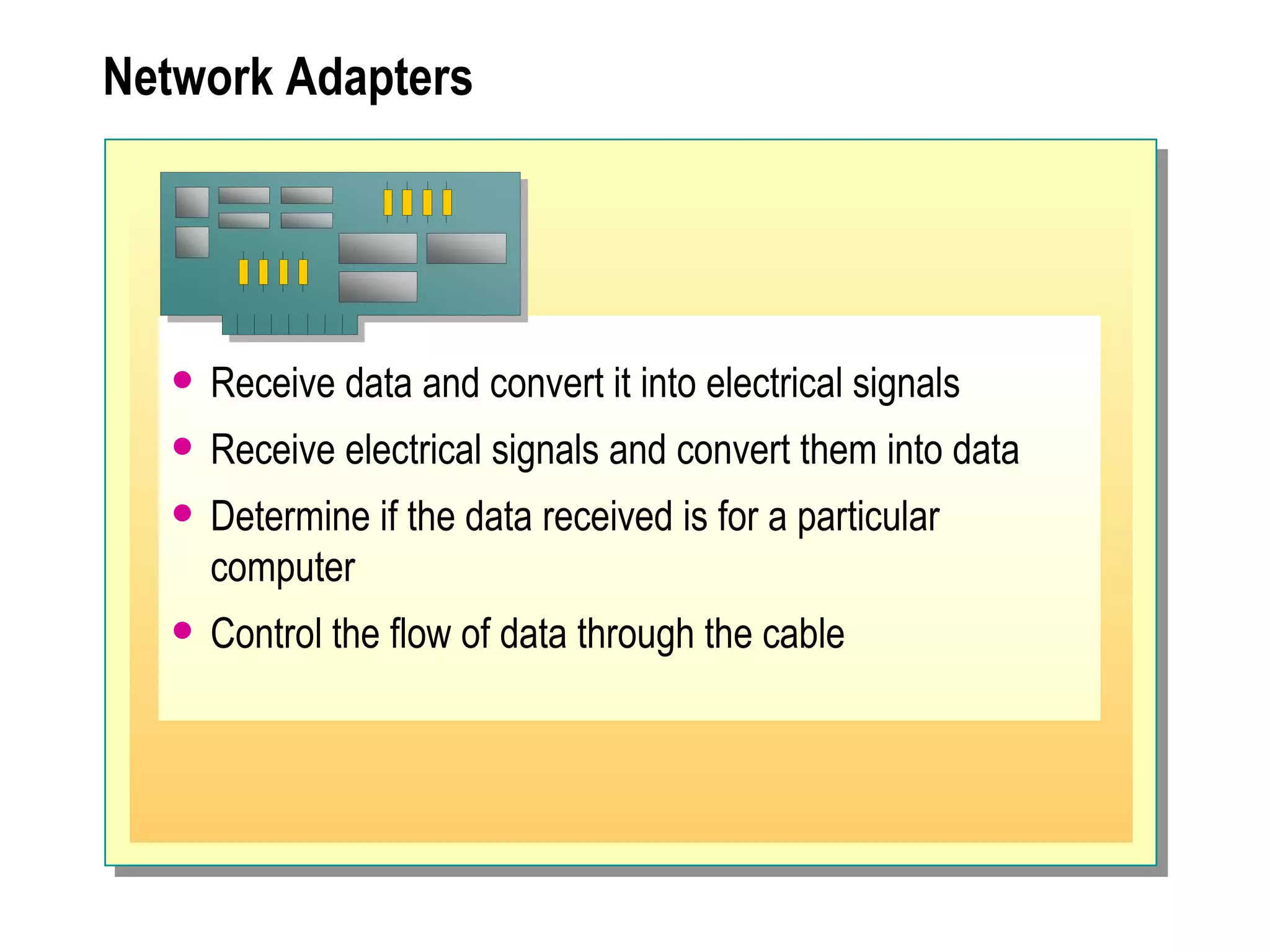
Network Adapters Receive data and convert it into electrical signals  Receive electrical signals and convert them into data Determine if the data received is for a particular computer Control the flow of data through the cable
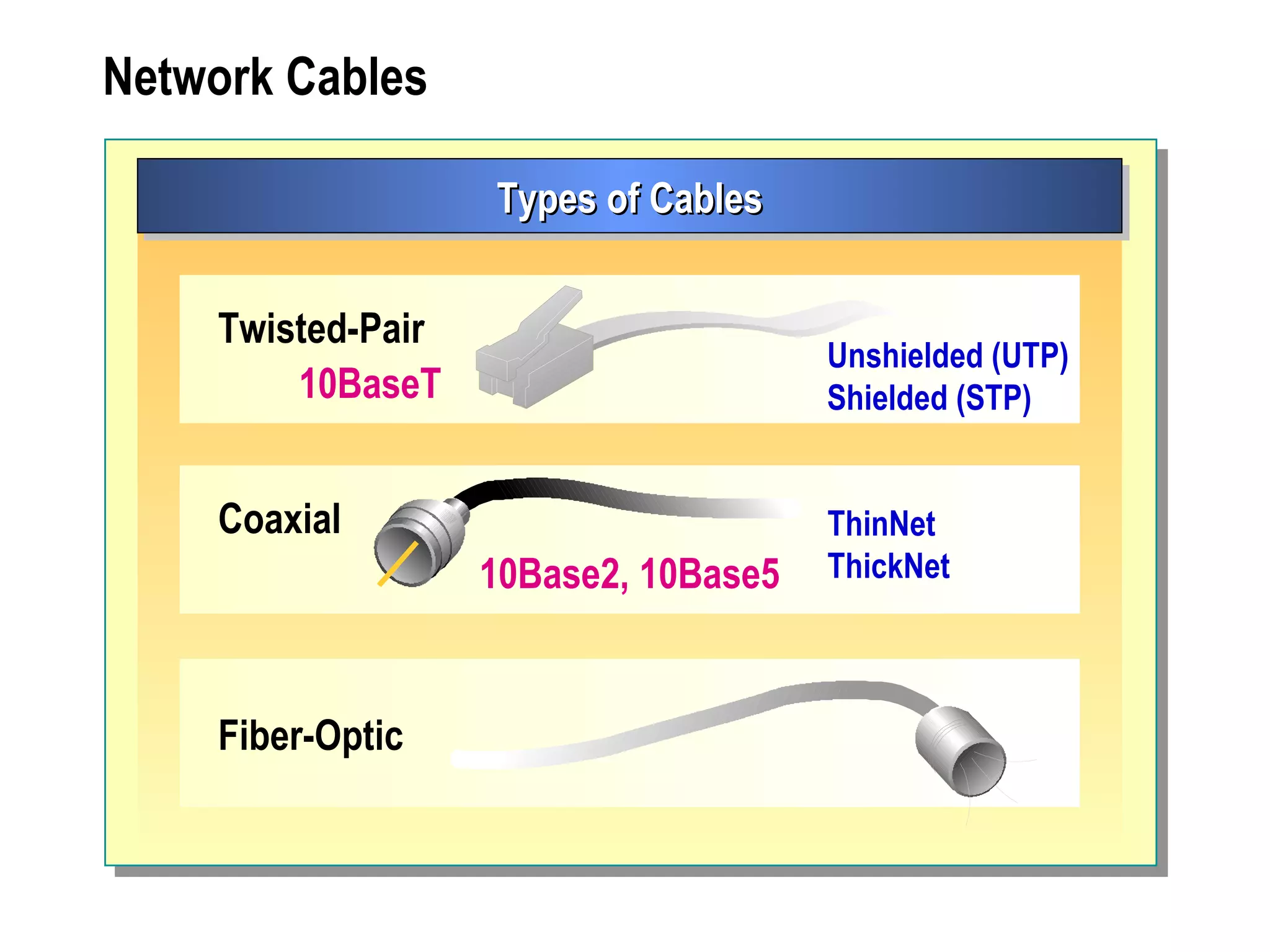
Network Cables Types of Cables Coaxial ThinNet ThickNet 10Base2, 10Base5 Fiber-Optic Twisted-Pair Unshielded (UTP) Shielded (STP) 10BaseT
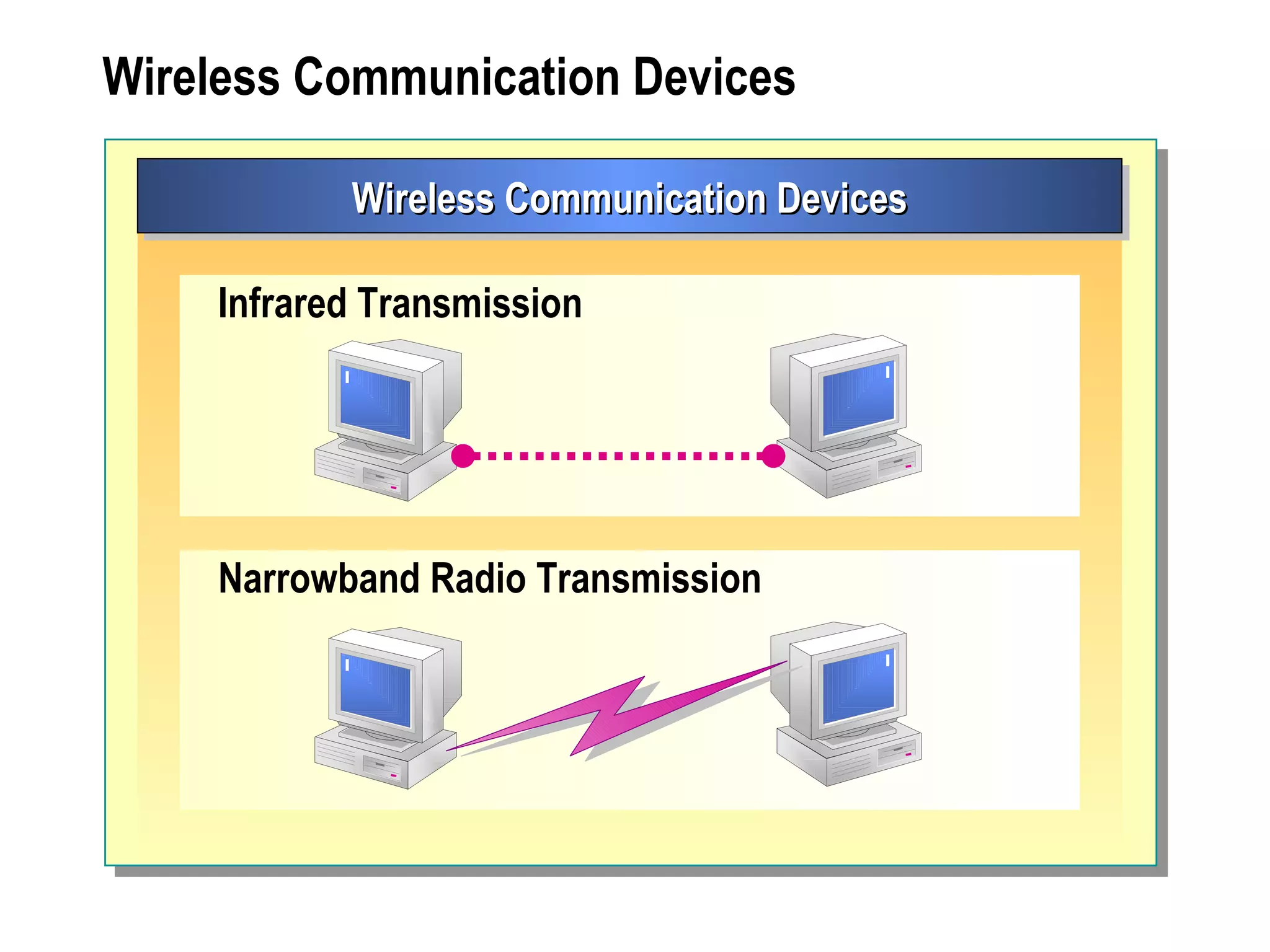
Wireless Communication Devices Wireless Communication Devices Narrowband Radio Transmission Infrared Transmission
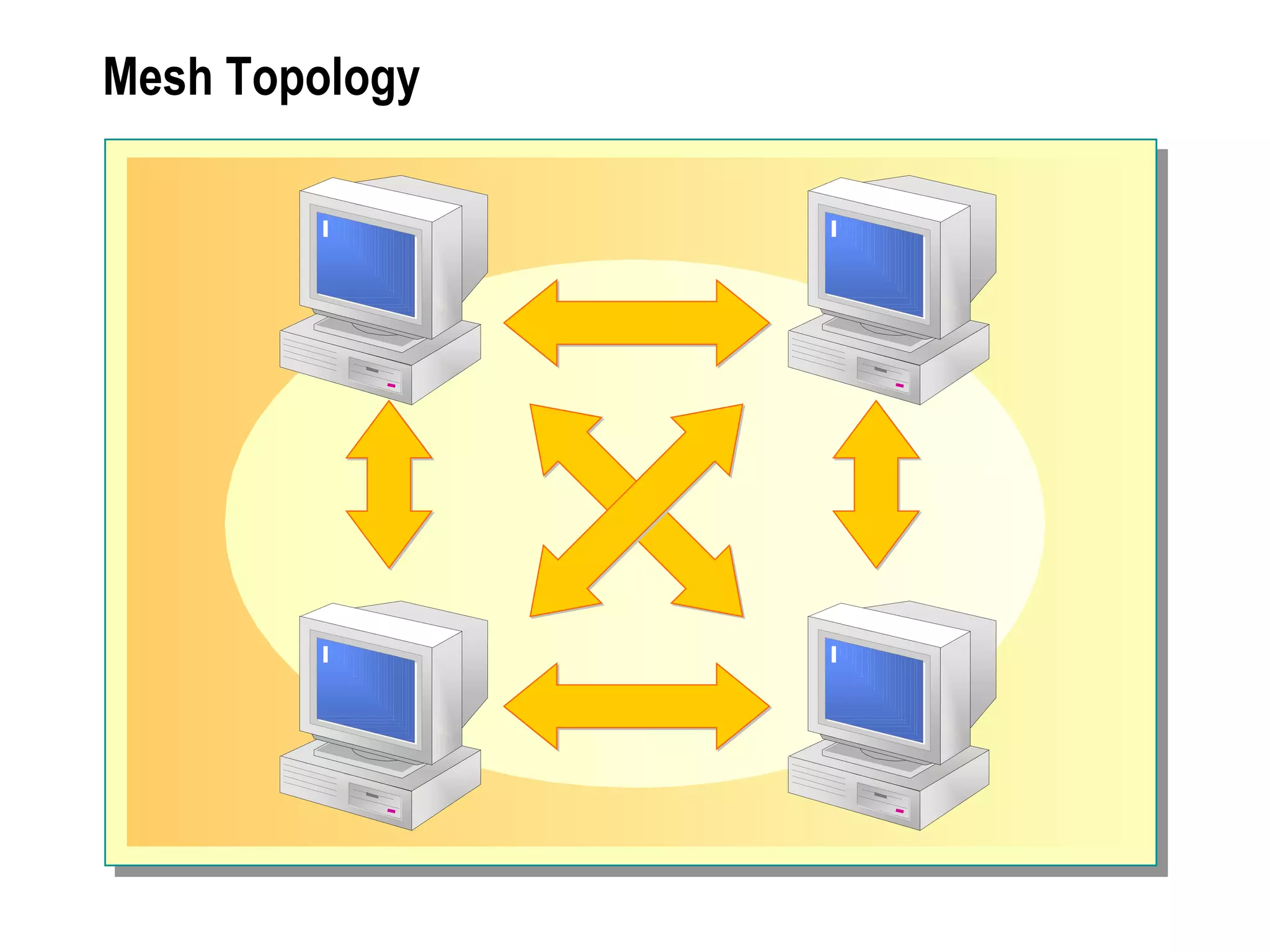
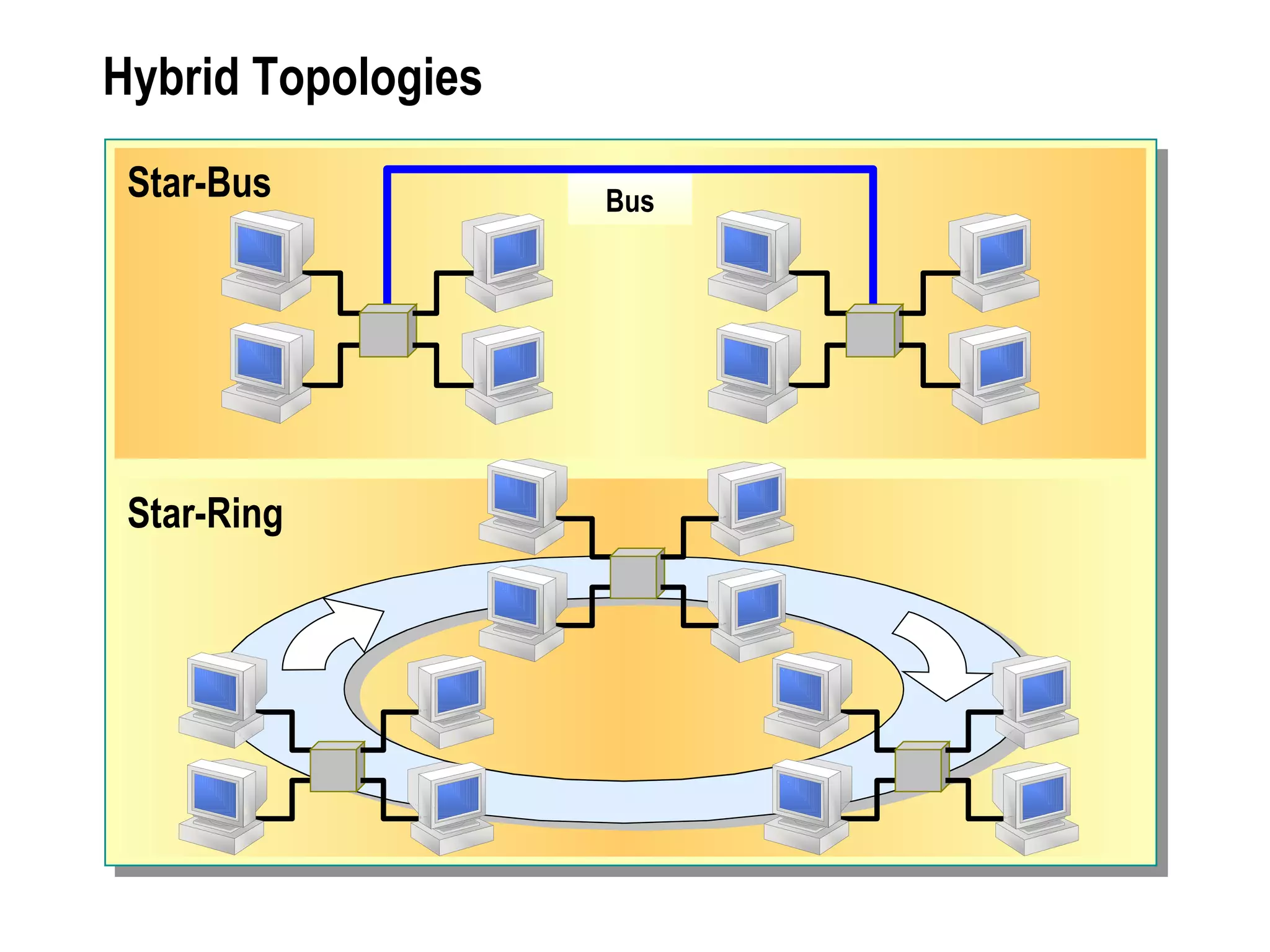
Network Topologies Bus Topology Star Topology Ring Topology Mesh Topology Hybrid Topologies
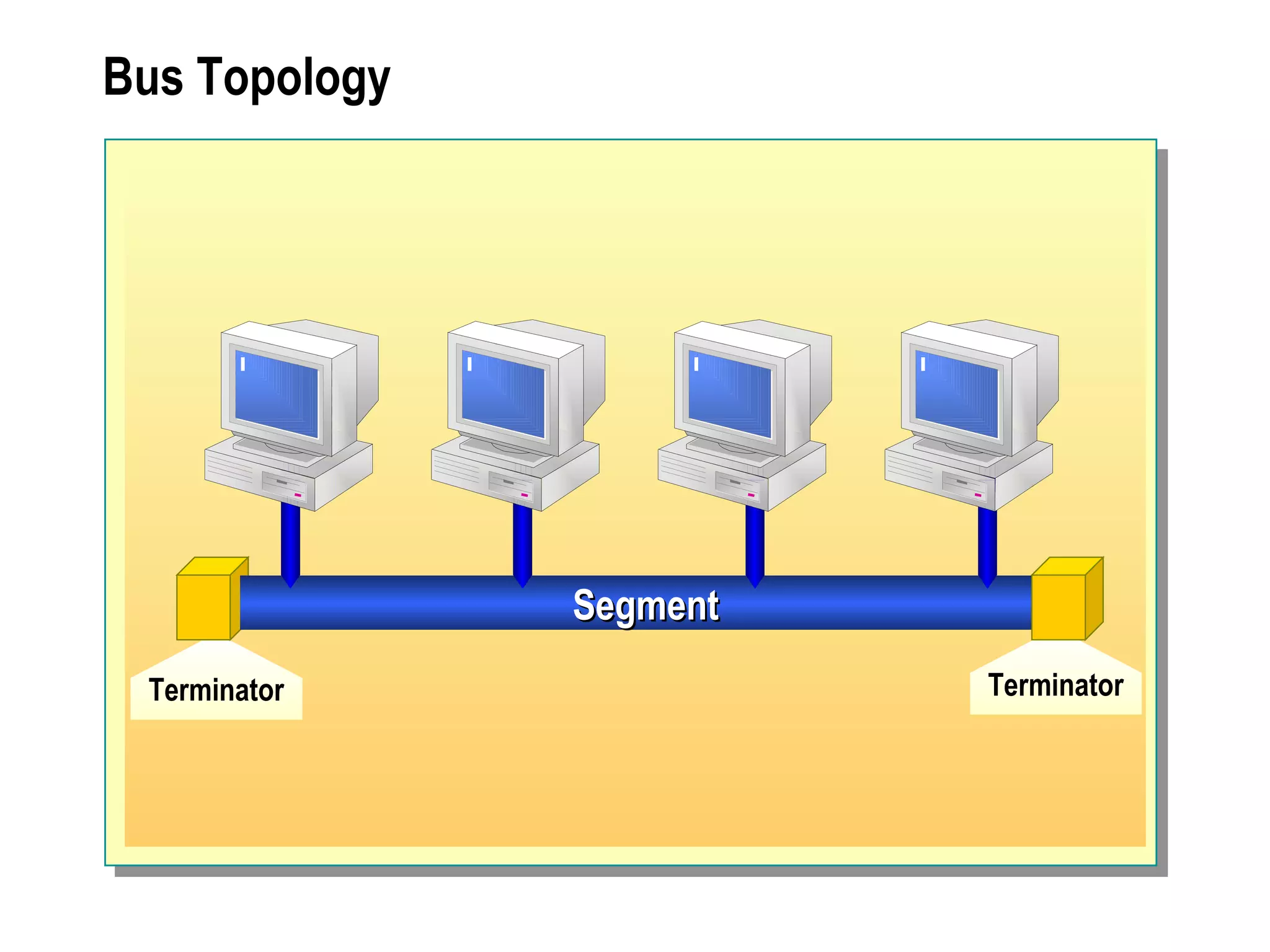
Bus Topology Terminator Segment Terminator
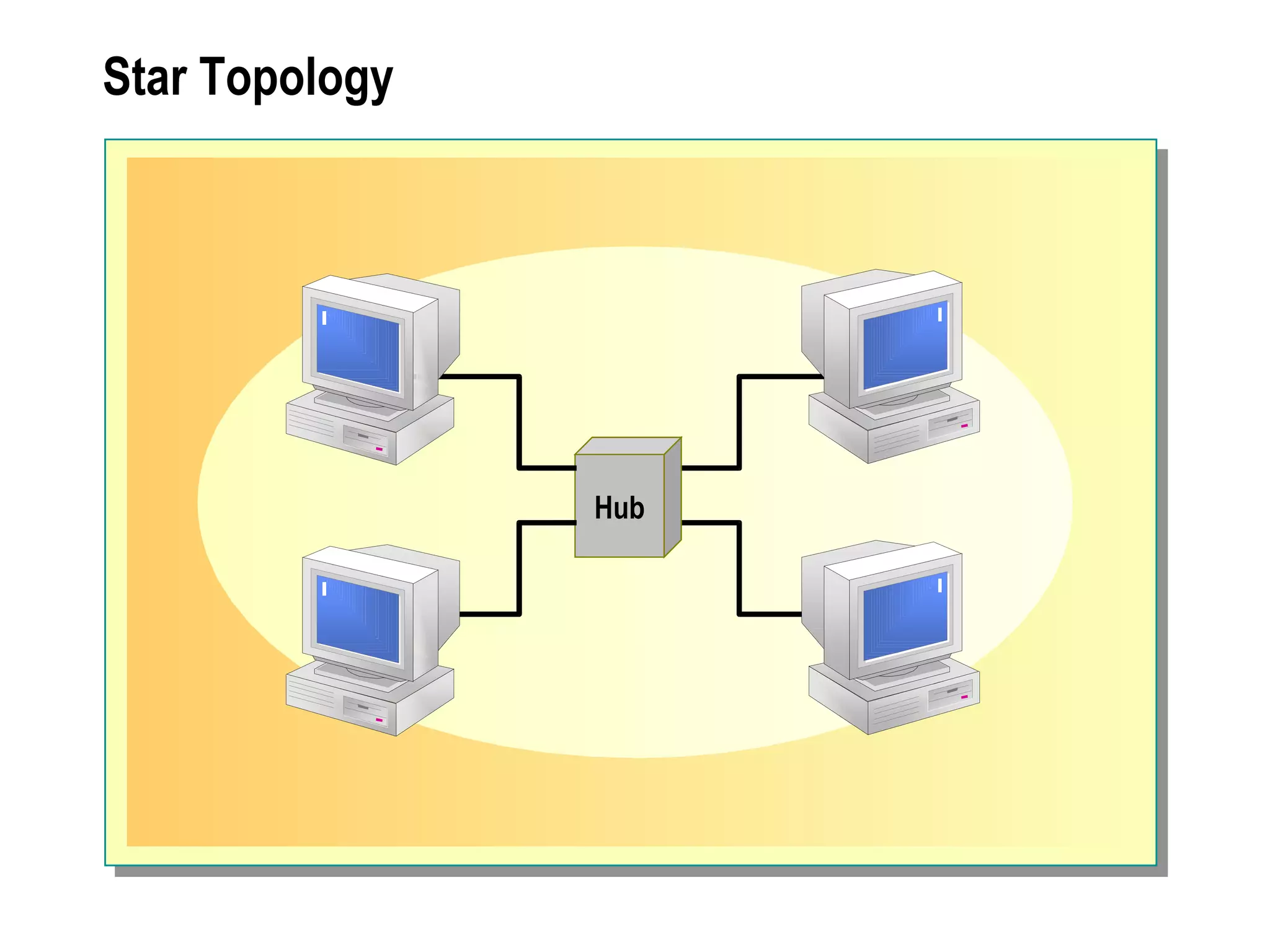
Star Topology Hub
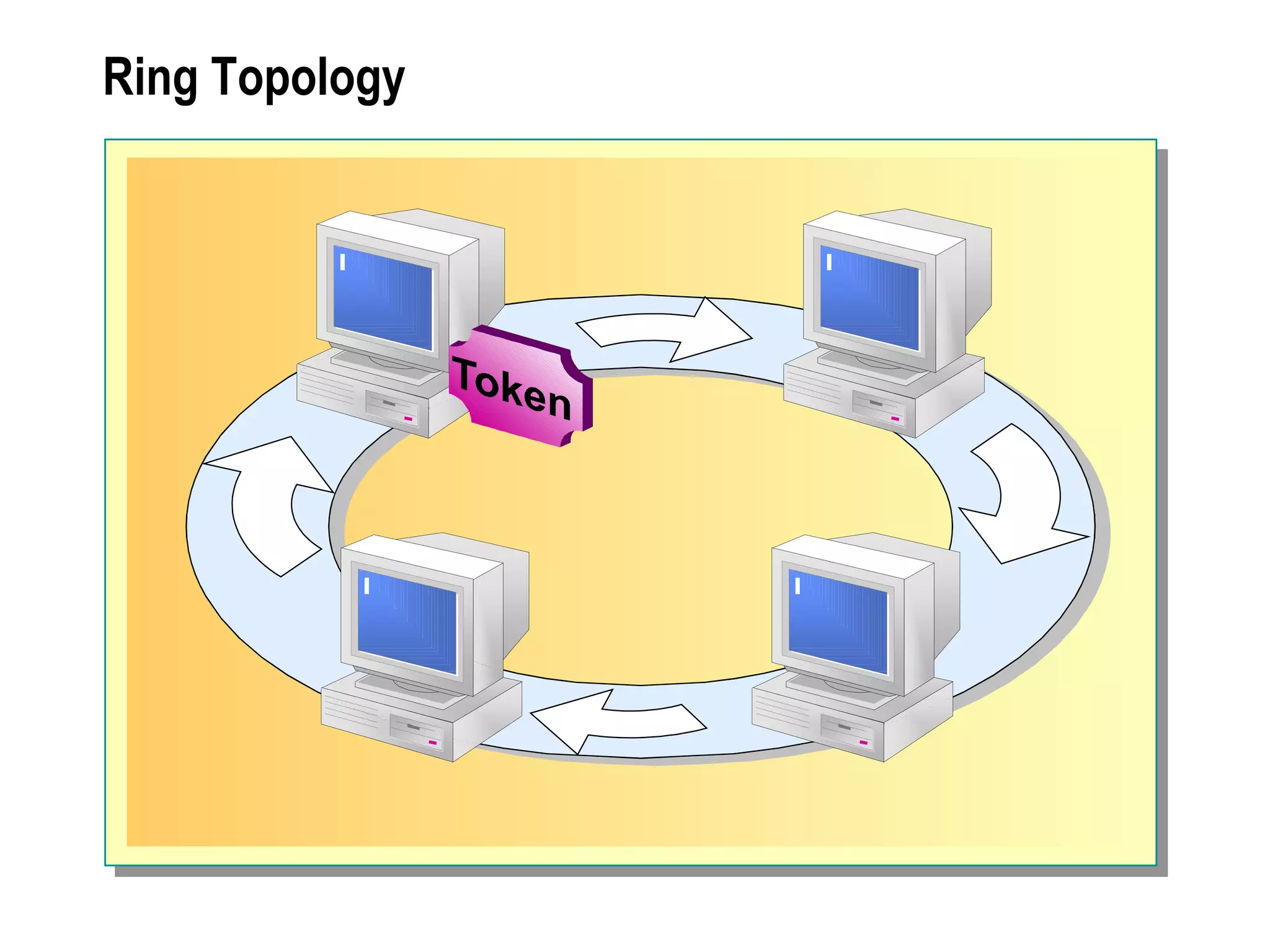
Ring Topology
Mesh Topology
Hybrid Topologies Star-Bus Bus Star-Ring
Network Technologies Ethernet Token Ring Asynchronous Transfer Mode (ATM) Fiber Distributed Data Interface (FDDI)
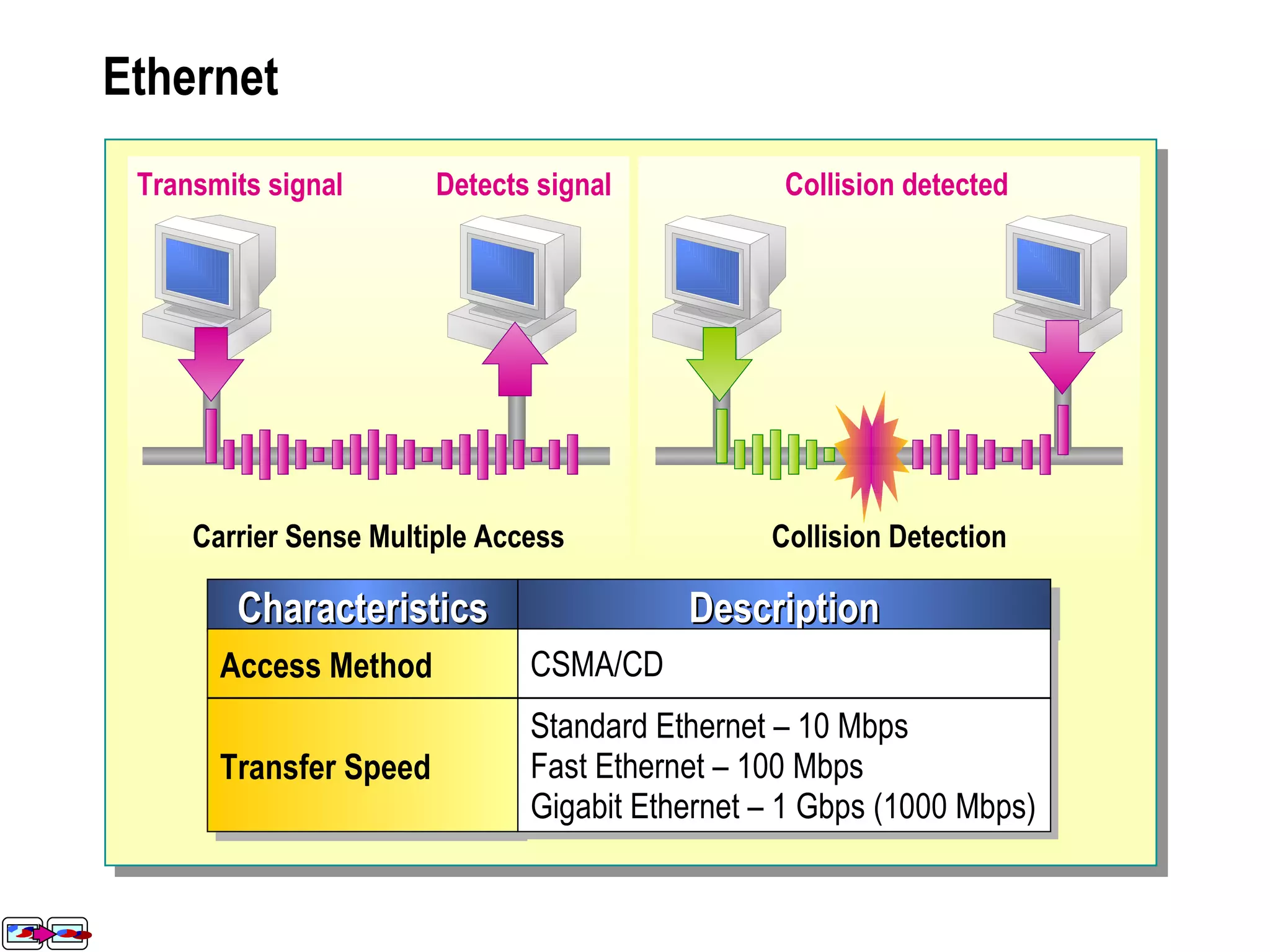
Ethernet Collision Detection Carrier Sense Multiple Access Detects signal Transmits signal Collision detected Characteristics Description Access Method CSMA/CD Transfer Speed Standard Ethernet – 10 Mbps Fast Ethernet – 100 Mbps Gigabit Ethernet – 1 Gbps (1000 Mbps)
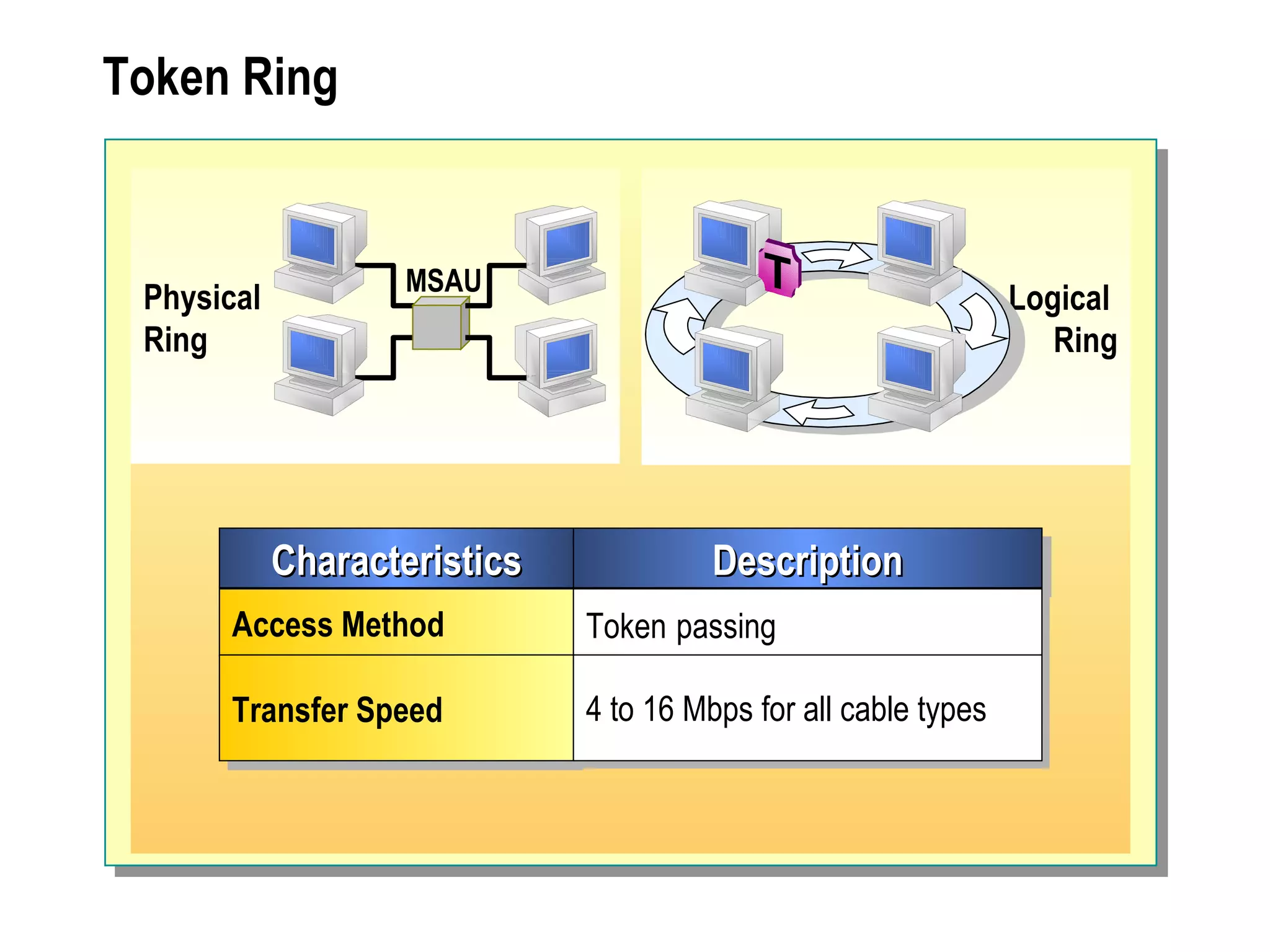
Token Ring Characteristics Description Access Method Token   passing Transfer Speed 4 to 16 Mbps for all cable types Physical  Ring Logical  Ring MSAU
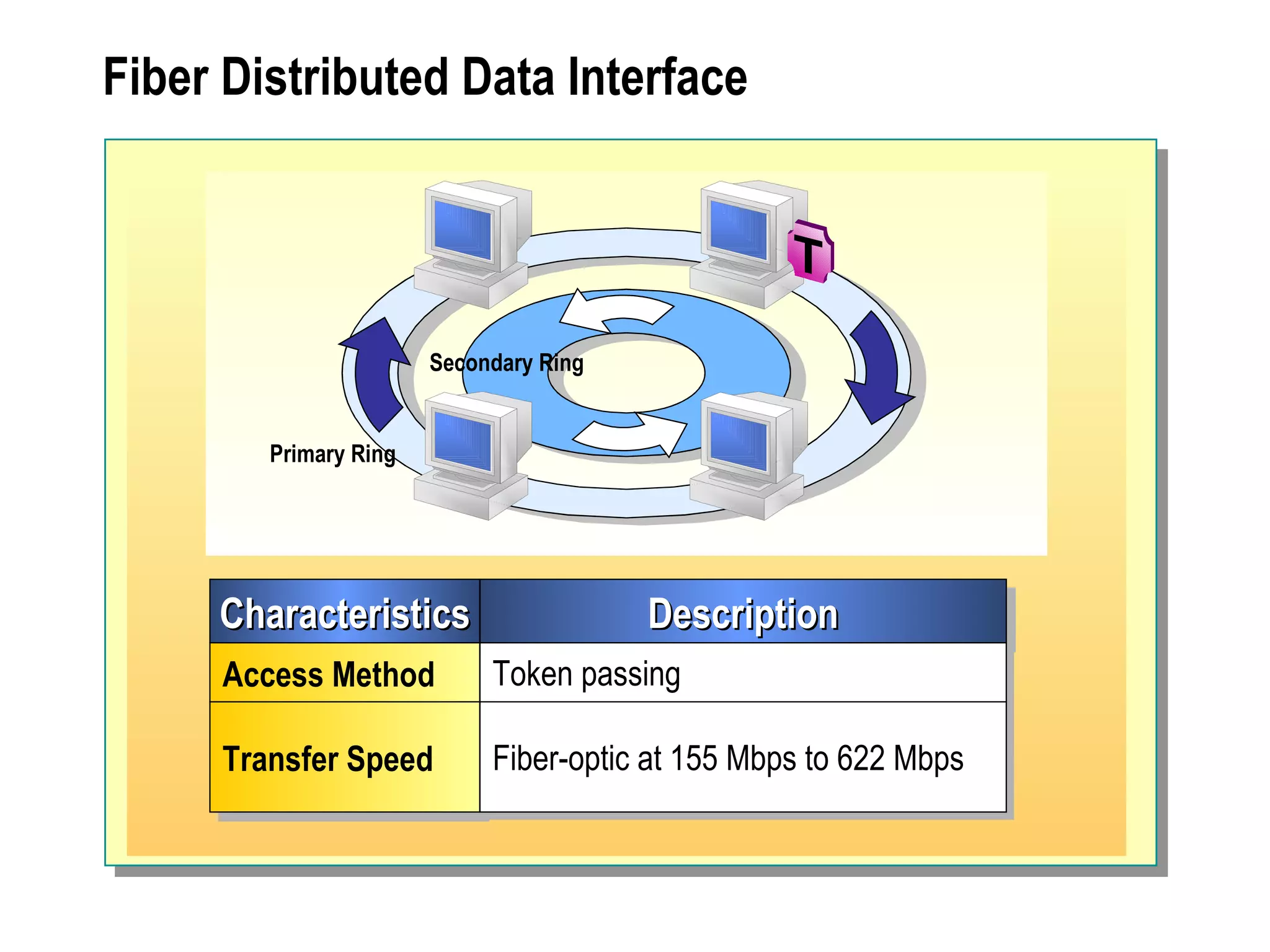
Fiber Distributed Data Interface Characteristics Description Access Method Token passing Transfer Speed Fiber-optic at 155 Mbps to 622 Mbps Primary Ring Secondary Ring
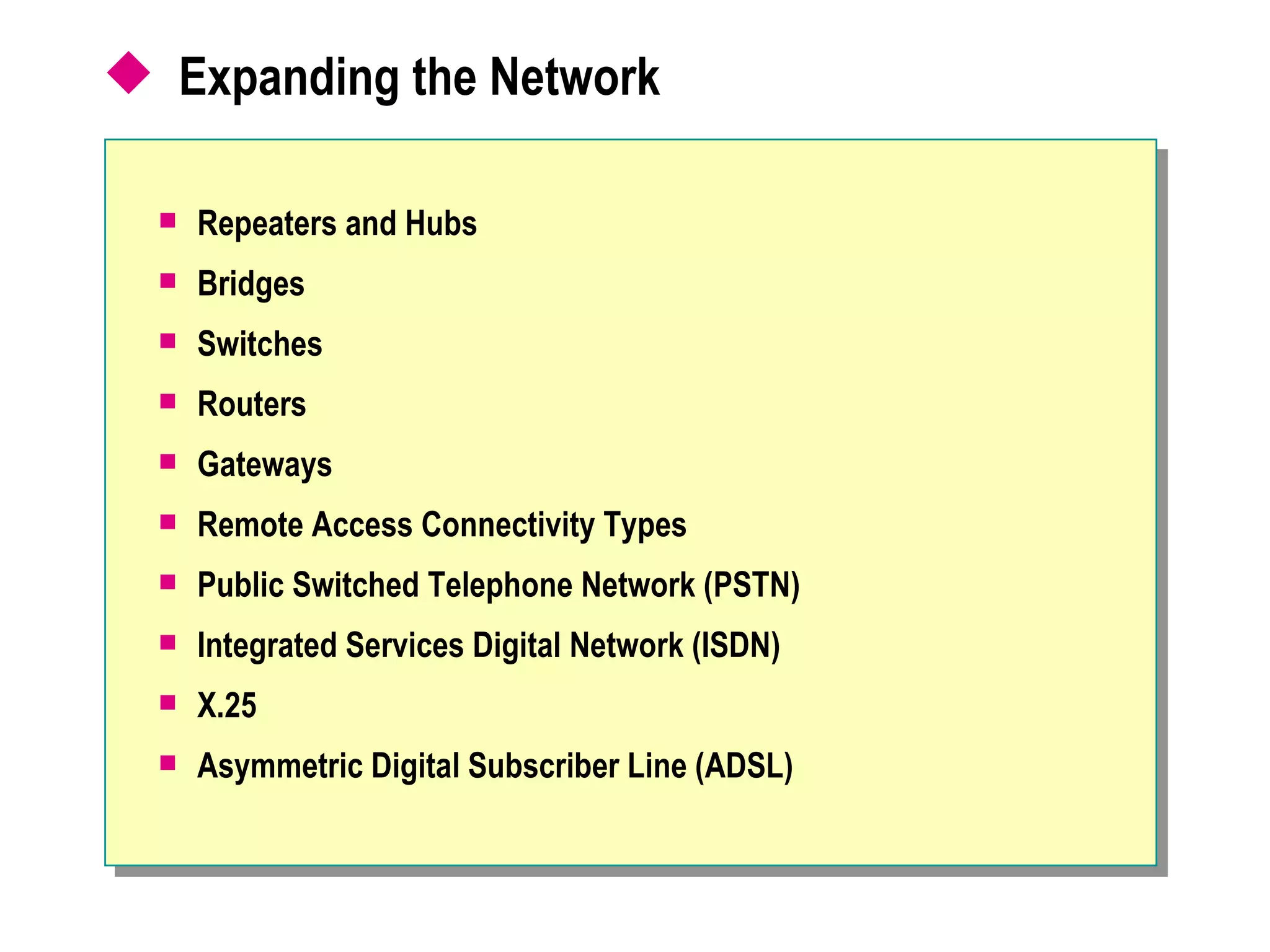
Expanding the Network  Repeaters and Hubs Bridges Switches Routers Gateways Remote Access Connectivity Types Public Switched Telephone Network (PSTN) Integrated Services Digital Network (ISDN) X.25 Asymmetric Digital Subscriber Line (ADSL)
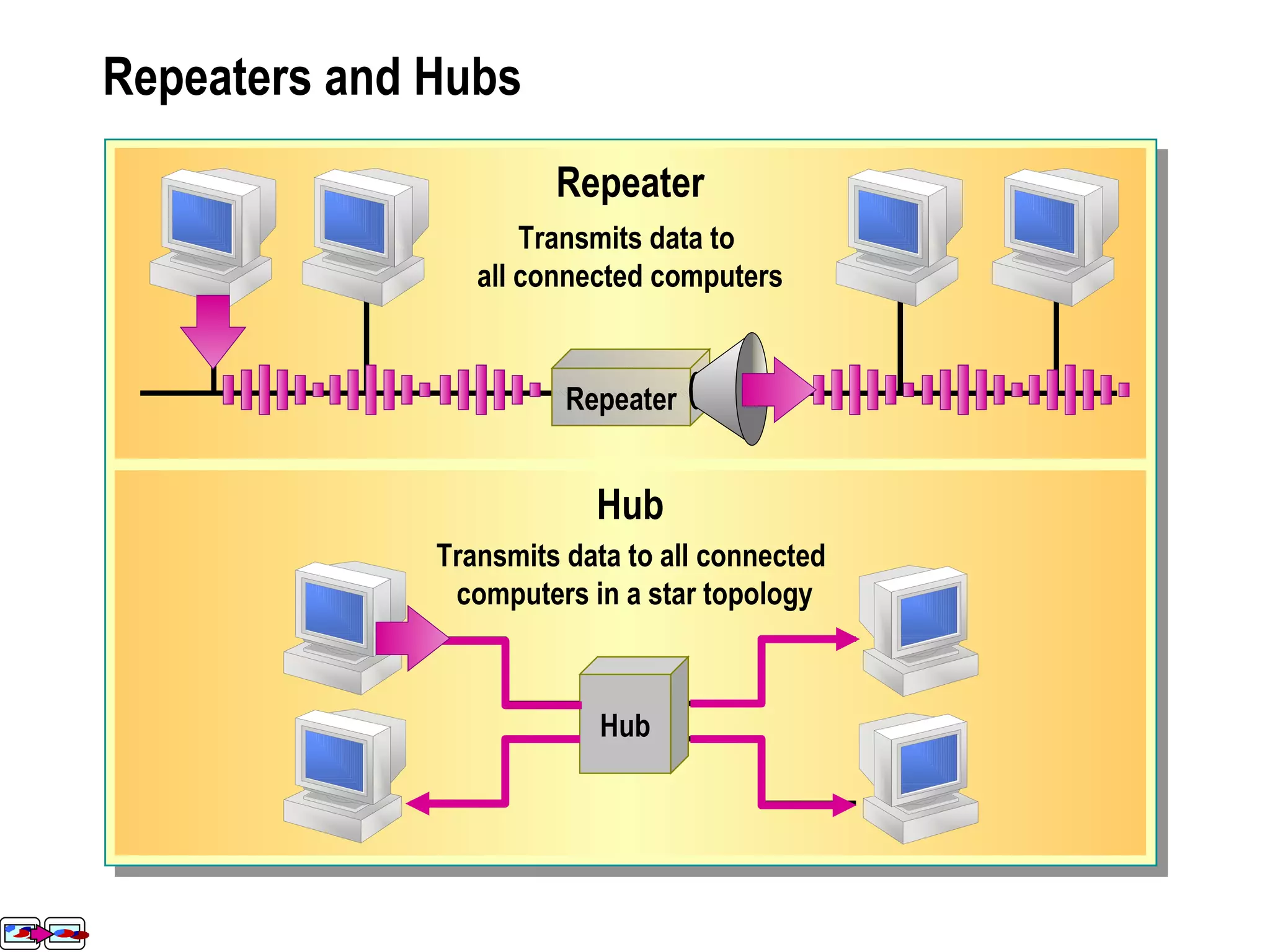
Repeaters and Hubs Repeater Hub Repeater Transmits data to  all connected computers Hub Transmits data to all connected computers in a star topology
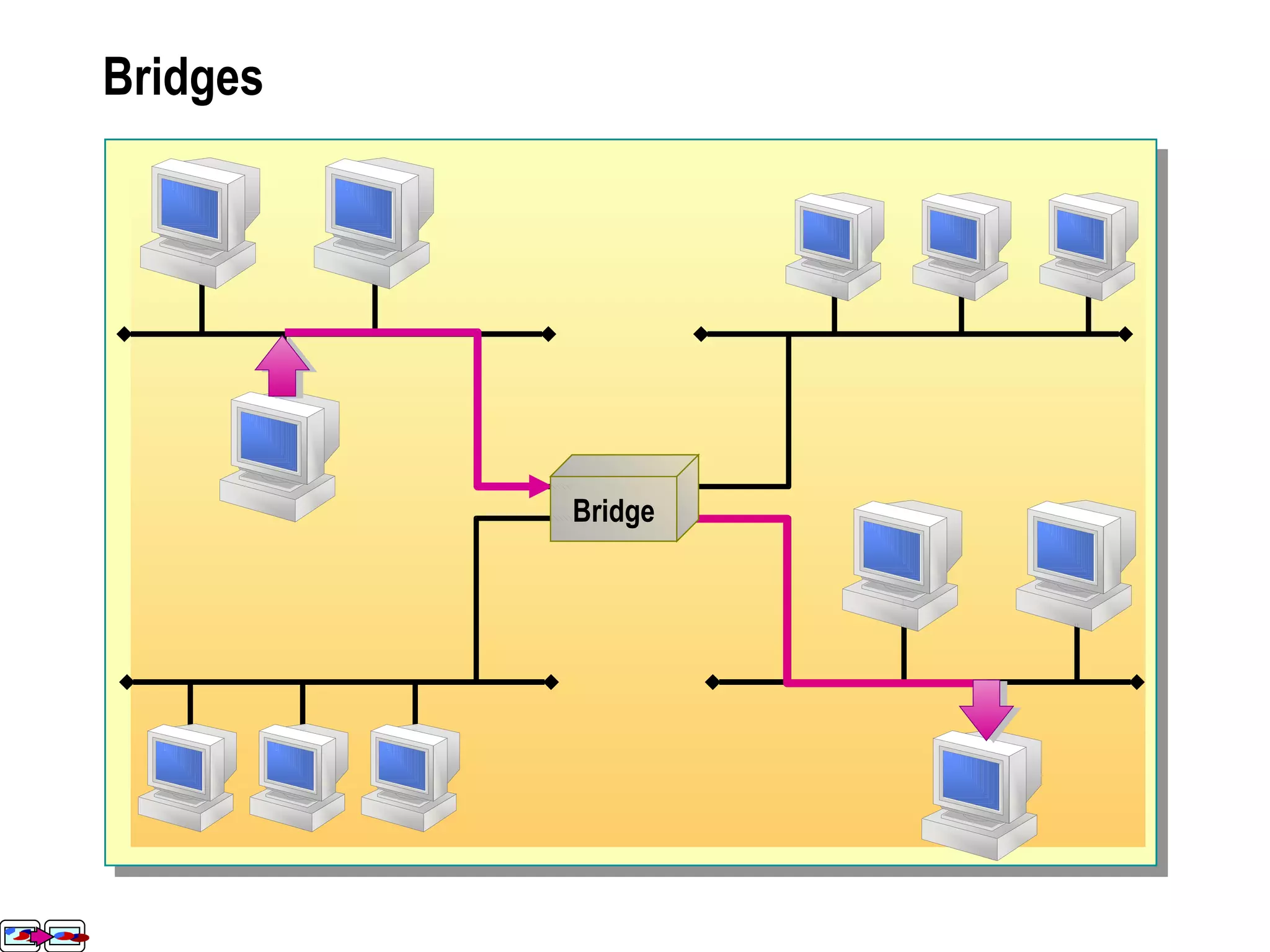
Bridges Bridge
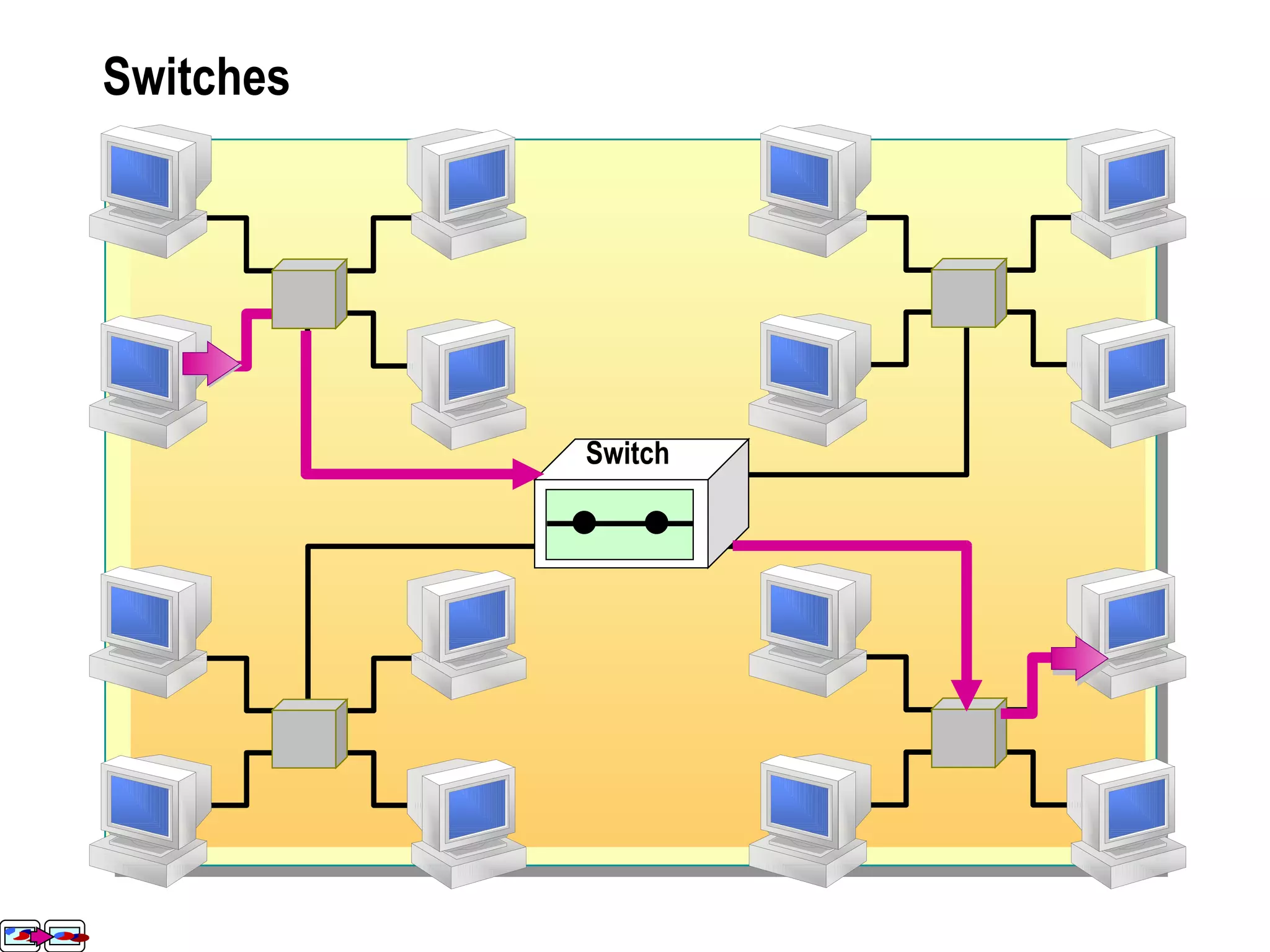
Switches Switch
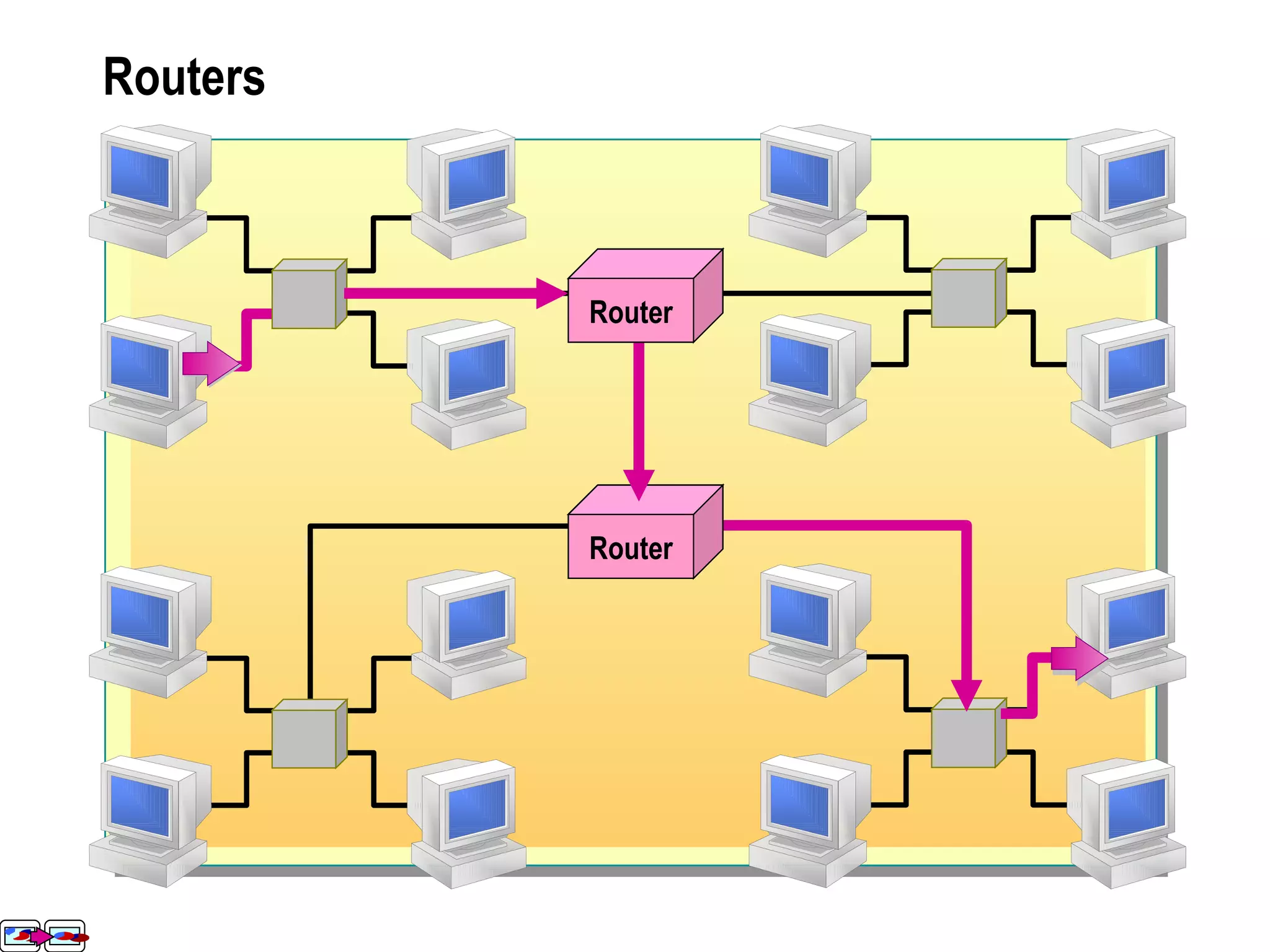
Routers Router Router Router Router
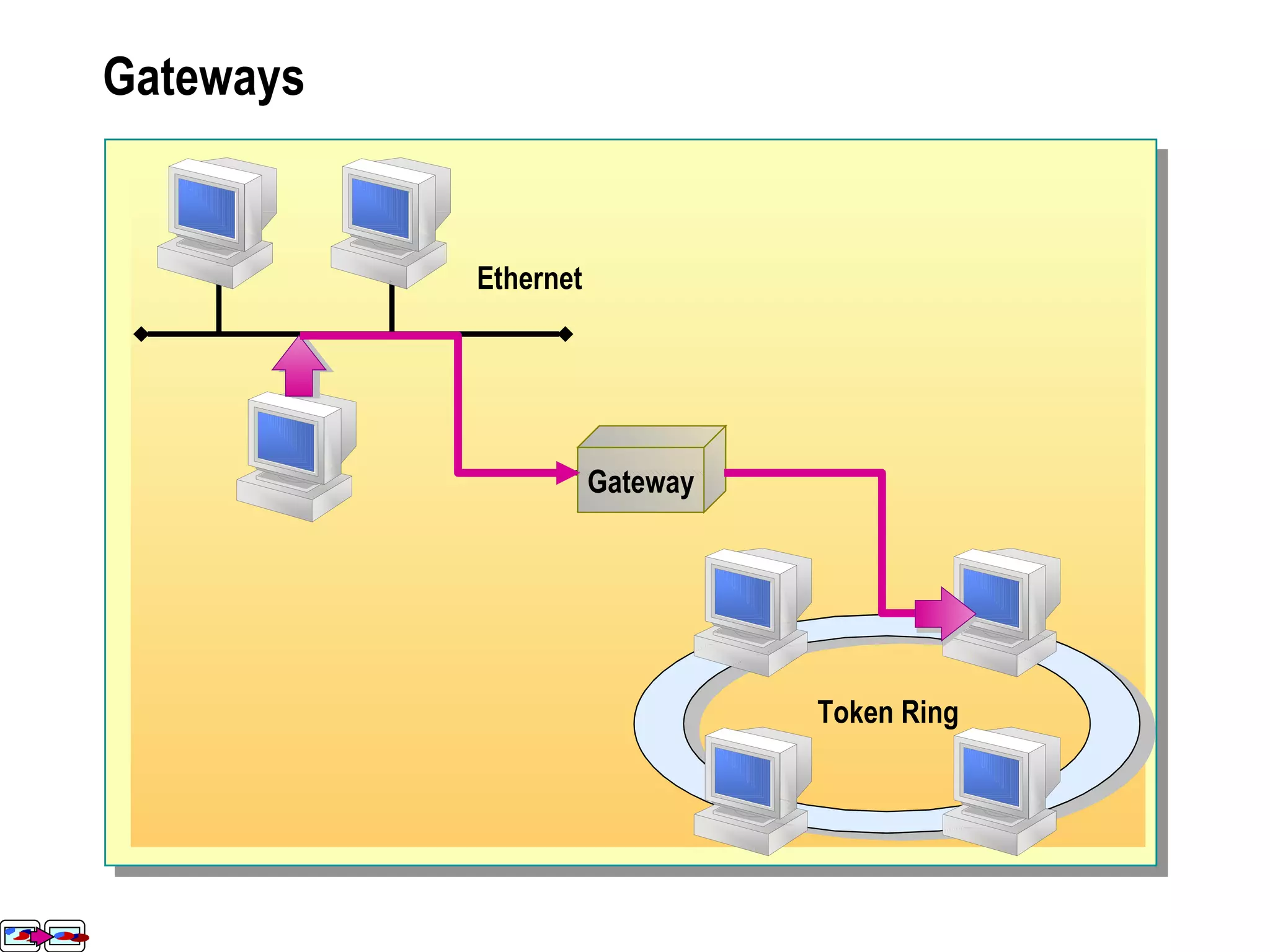
Gateways Gateway Ethernet Token Ring
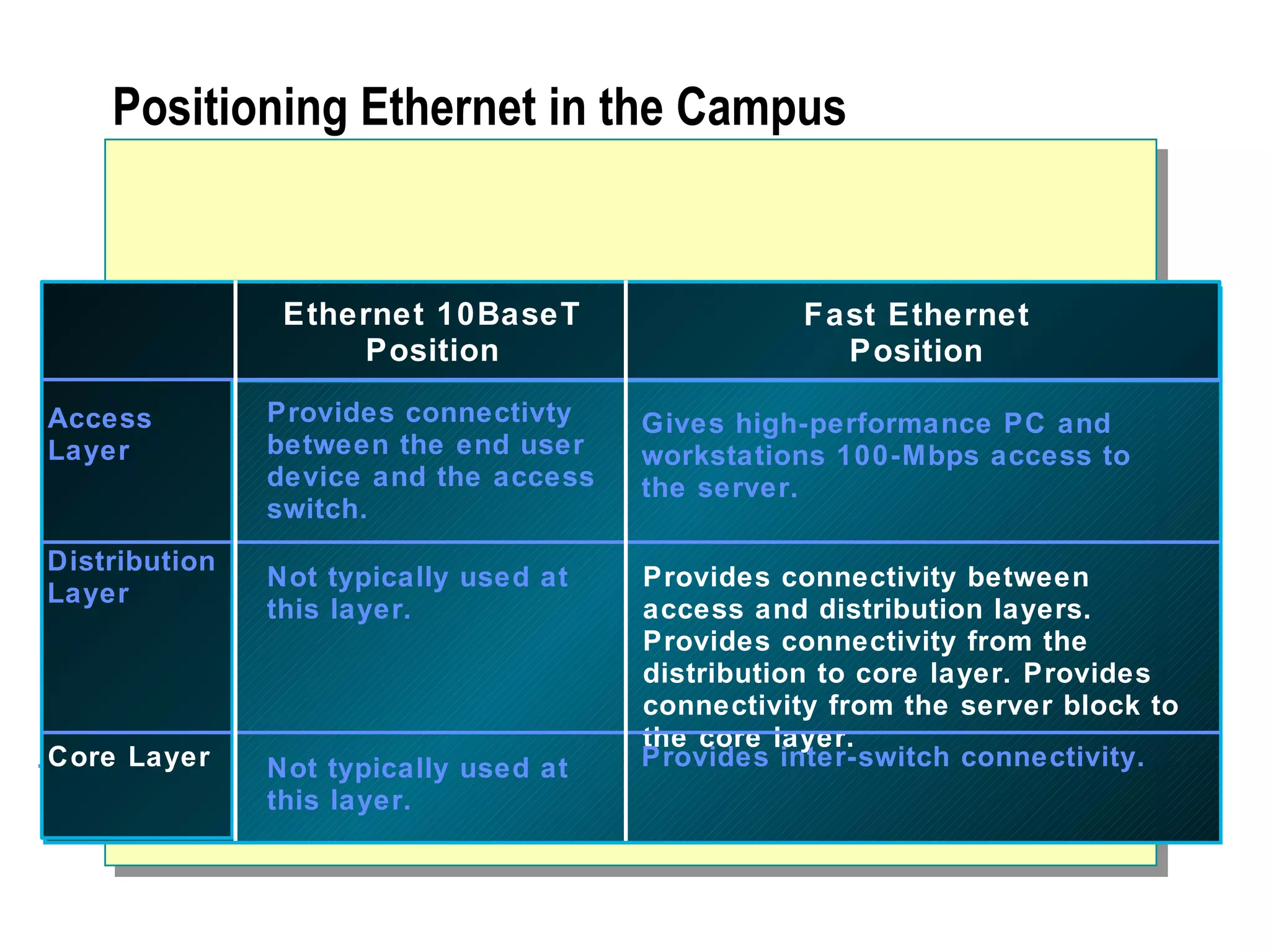
Positioning Ethernet in the Campus  Access Layer Distribution Layer Core Layer Ethernet 10BaseT Position Fast Ethernet Position Access Layer Distribution Layer Core Layer Provides connectivty between the end user device and the access switch. Not typically used at this layer. Gives high-performance PC and workstations 100-Mbps access to the server. Provides connectivity between access and distribution layers. Provides connectivity from the distribution to core layer. Provides connectivity from the server block to the core layer. Provides inter-switch connectivity. Not typically used at this layer.
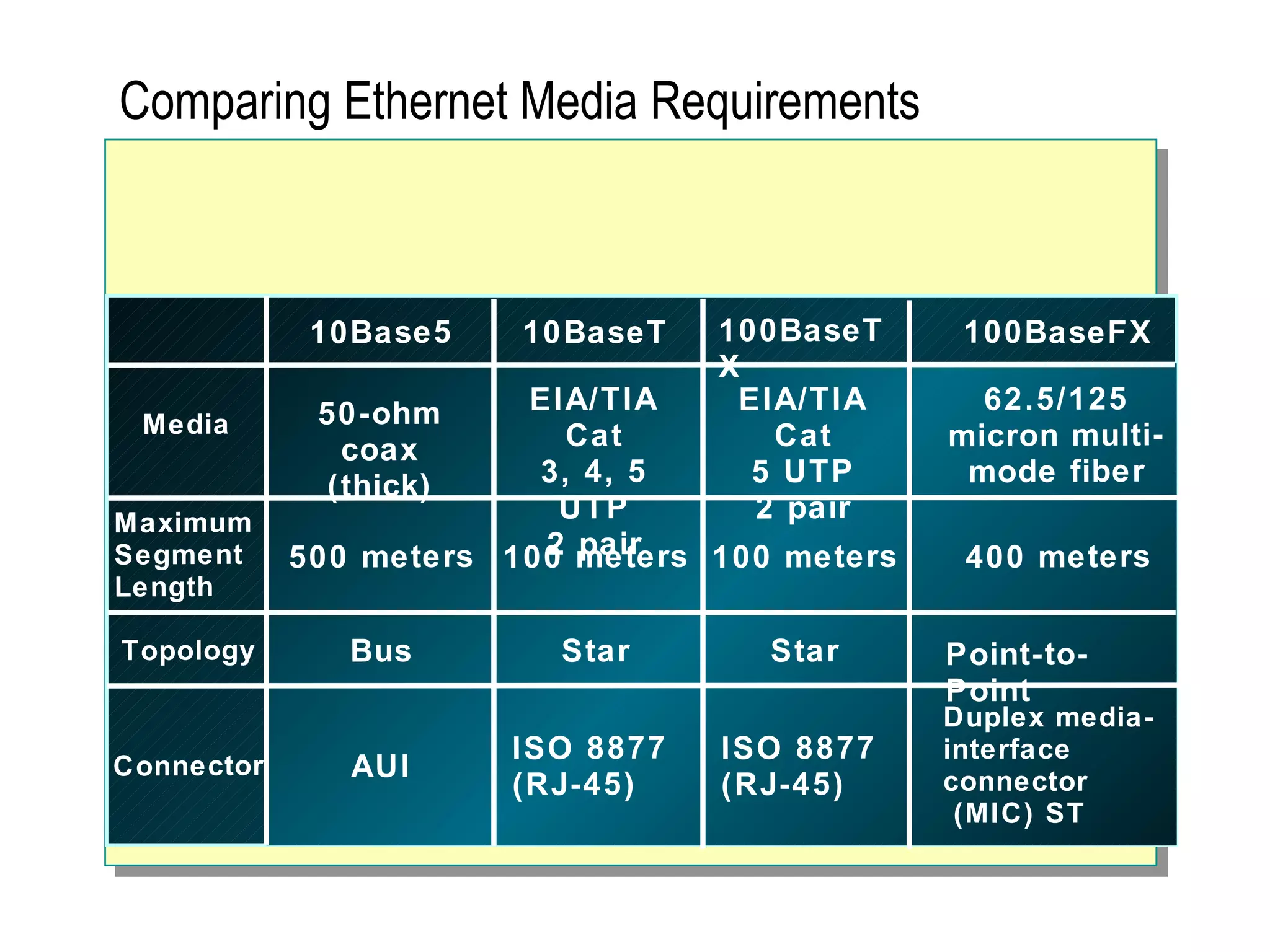
Comparing Ethernet Media Requirements 10Base5 100BaseTX 10BaseT 100BaseFX Media Maximum  Segment  Length Topology Connector 50-ohm coax (thick) 500 meters Bus 100 meters Star Star Point-to-Point EIA/TIA Cat 3, 4, 5 UTP 2 pair EIA/TIA Cat 5 UTP 2 pair 62.5/125 micron multi-mode fiber AUI ISO 8877  (RJ-45) Duplex media- interface connector (MIC) ST ISO 8877  (RJ-45) 400 meters 100 meters
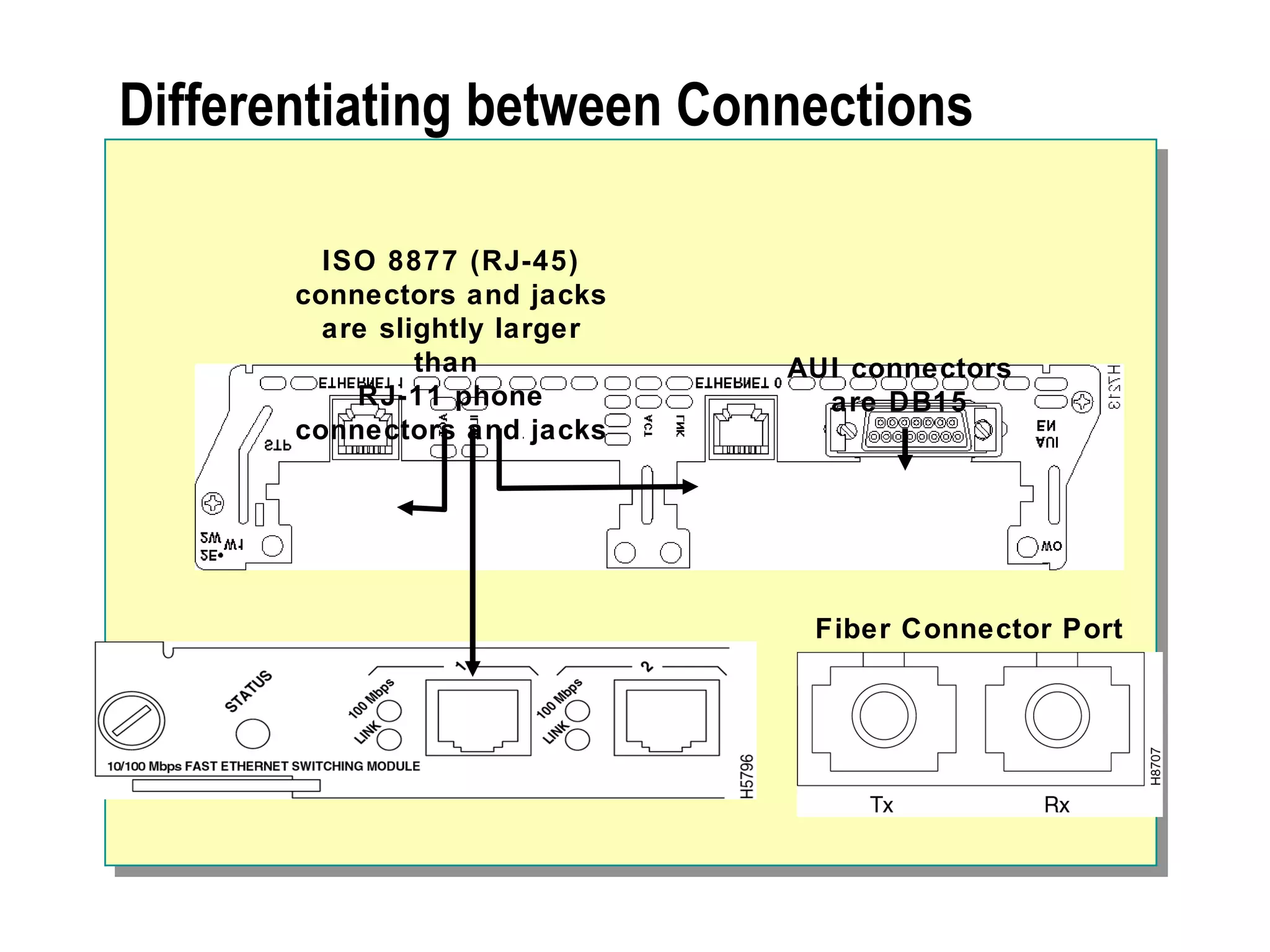
Differentiating between Connections AUI connectors are DB15 ISO 8877 (RJ-45) connectors and jacks are slightly larger than  RJ-11 phone connectors and jacks Fiber Connector Port

Network Essentials

  • 1.
  • 2.
    Introduction to NetworksNetworking Benefits Roles of Computers in a Network Types of Networks
  • 3.
    Networking Benefits NetworkingEnables: Information Sharing Hardware and Software Sharing Centralized Administration and Support
  • 4.
    Roles of Computersin a Network File and Print Server Database Server Mail Server Fax Server Mail Server Database Server Database Fax Server File and Print Server Directory Services Server Client Computer Mail Server Database Server Database Fax Server File and Print Server
  • 5.
    Types of NetworksPeer-to-Peer Client-Server
  • 6.
  • 7.
    Overview Scope ofNetworks Basic Connectivity Components Network Topologies Network Technologies Expanding the Network
  • 8.
    Scope of NetworksLocal Area Network Wide Area Network
  • 9.
    Basic Connectivity ComponentsNetwork Adapters Network Cables Wireless Communication Devices
  • 10.
    Network Adapters Receivedata and convert it into electrical signals Receive electrical signals and convert them into data Determine if the data received is for a particular computer Control the flow of data through the cable
  • 11.
    Network Cables Typesof Cables Coaxial ThinNet ThickNet 10Base2, 10Base5 Fiber-Optic Twisted-Pair Unshielded (UTP) Shielded (STP) 10BaseT
  • 12.
    Wireless Communication DevicesWireless Communication Devices Narrowband Radio Transmission Infrared Transmission
  • 13.
    Network Topologies BusTopology Star Topology Ring Topology Mesh Topology Hybrid Topologies
  • 14.
    Bus Topology TerminatorSegment Terminator
  • 15.
  • 16.
  • 17.
  • 18.
  • 19.
    Network Technologies EthernetToken Ring Asynchronous Transfer Mode (ATM) Fiber Distributed Data Interface (FDDI)
  • 20.
    Ethernet Collision DetectionCarrier Sense Multiple Access Detects signal Transmits signal Collision detected Characteristics Description Access Method CSMA/CD Transfer Speed Standard Ethernet – 10 Mbps Fast Ethernet – 100 Mbps Gigabit Ethernet – 1 Gbps (1000 Mbps)
  • 21.
    Token Ring CharacteristicsDescription Access Method Token passing Transfer Speed 4 to 16 Mbps for all cable types Physical Ring Logical Ring MSAU
  • 22.
    Fiber Distributed DataInterface Characteristics Description Access Method Token passing Transfer Speed Fiber-optic at 155 Mbps to 622 Mbps Primary Ring Secondary Ring
  • 23.
    Expanding the Network Repeaters and Hubs Bridges Switches Routers Gateways Remote Access Connectivity Types Public Switched Telephone Network (PSTN) Integrated Services Digital Network (ISDN) X.25 Asymmetric Digital Subscriber Line (ADSL)
  • 24.
    Repeaters and HubsRepeater Hub Repeater Transmits data to all connected computers Hub Transmits data to all connected computers in a star topology
  • 25.
  • 26.
  • 27.
    Routers Router RouterRouter Router
  • 28.
  • 29.
    Positioning Ethernet inthe Campus Access Layer Distribution Layer Core Layer Ethernet 10BaseT Position Fast Ethernet Position Access Layer Distribution Layer Core Layer Provides connectivty between the end user device and the access switch. Not typically used at this layer. Gives high-performance PC and workstations 100-Mbps access to the server. Provides connectivity between access and distribution layers. Provides connectivity from the distribution to core layer. Provides connectivity from the server block to the core layer. Provides inter-switch connectivity. Not typically used at this layer.
  • 30.
    Comparing Ethernet MediaRequirements 10Base5 100BaseTX 10BaseT 100BaseFX Media Maximum Segment Length Topology Connector 50-ohm coax (thick) 500 meters Bus 100 meters Star Star Point-to-Point EIA/TIA Cat 3, 4, 5 UTP 2 pair EIA/TIA Cat 5 UTP 2 pair 62.5/125 micron multi-mode fiber AUI ISO 8877 (RJ-45) Duplex media- interface connector (MIC) ST ISO 8877 (RJ-45) 400 meters 100 meters
  • 31.
    Differentiating between ConnectionsAUI connectors are DB15 ISO 8877 (RJ-45) connectors and jacks are slightly larger than RJ-11 phone connectors and jacks Fiber Connector Port

Editor's Notes

  • #30 Emphasize: The table in the figure, compares 10baseT and Fast Ethernet. It also describes where in the hierarchical model Ethernet and Fast Ethernet can be seen.
  • #31 Purpose: This figure further compares various Ethernet options.
  • #32 Purpose: This figure illustrates the different ports used in Ethernet. Emphasize: RJ-45 ports are common on Cisco platforms. Some devices also offer DB-15 interfaces for AUI. If the cable is fiber, the port will look different. Point each port out to the students. Note: If you have devices available that have the various ports, show the actual ports to your students.