
Popular Network
Devices-
Hub, Switch &
Router
Hub
 What is a hub?
They are cheap and simple devices that
can connect different computers together
but are little wasteful of bandwidth.
 How does it work?
When a computer sends information to a
hub it replicates the data to all other
interfaces.
It doesn’t know anything about the
packets and doesn’t bother figuring out
who should receive the data.
The receiver will get the message and the
other hosts will simply ignore if the
received field does not match its own
address.
How does a hub behave?
 Each incoming bit is replicated to all other interfaces. It can be called a bit
cloning machine- a bit comes in, clones come out.
 Though it is a simple & cheap way to create a network, it has some
shortcomings too-
 It causes a lot of unnecessary traffic.
 There is a huge waste of Bandwidth.
 For example- If there are 5 hosts in the network and packets need to be
exchanged between 2 hosts, the hub unnecessarily sends every packet to
other 3 hosts that are not interested.
The Switch- The hub’s smarter brother
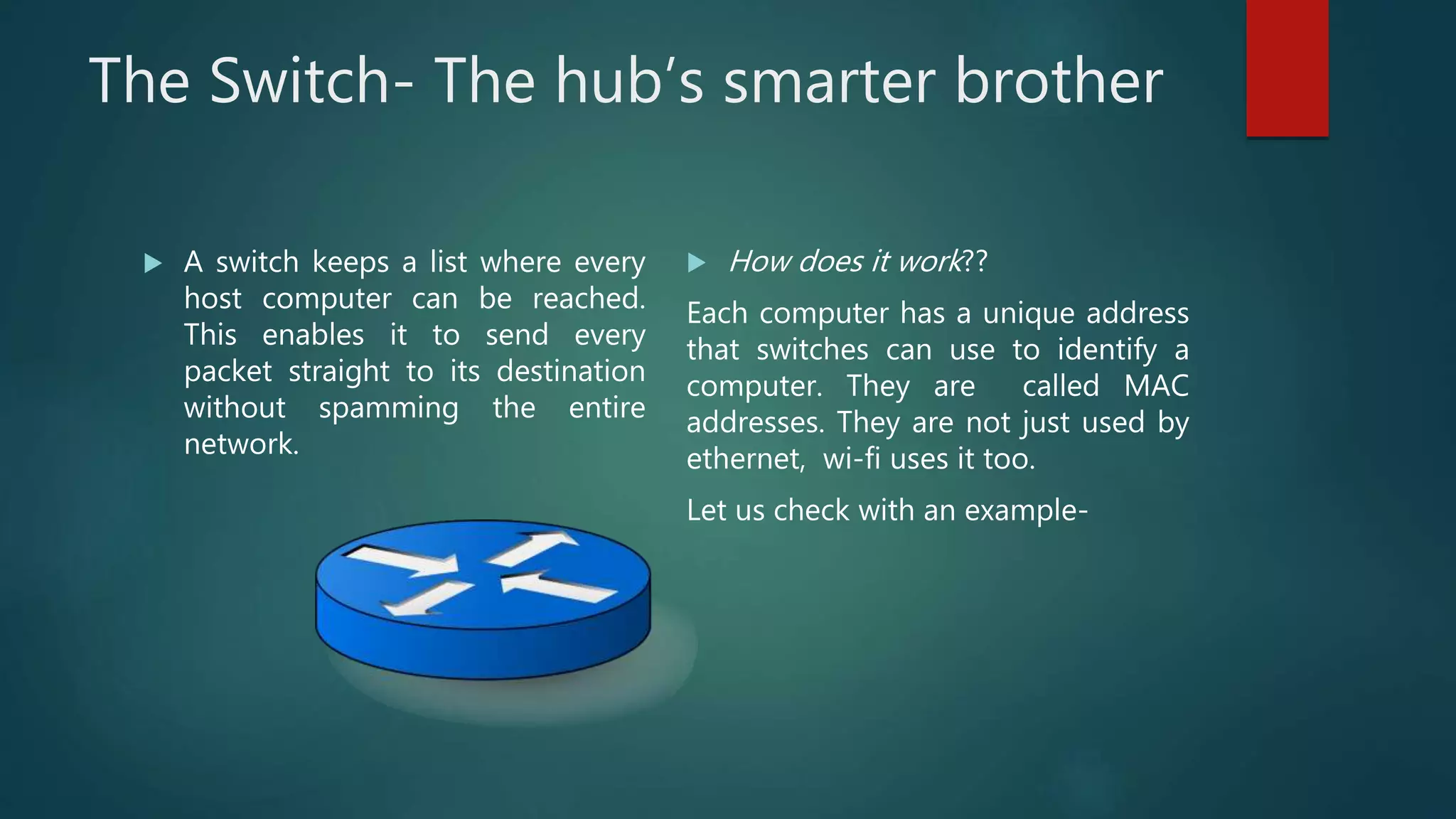
 A switch keeps a list where every
host computer can be reached.
This enables it to send every
packet straight to its destination
without spamming the entire
network.
 How does it work??
Each computer has a unique address
that switches can use to identify a
computer. They are called MAC
addresses. They are not just used by
ethernet, wi-fi uses it too.
Let us check with an example-
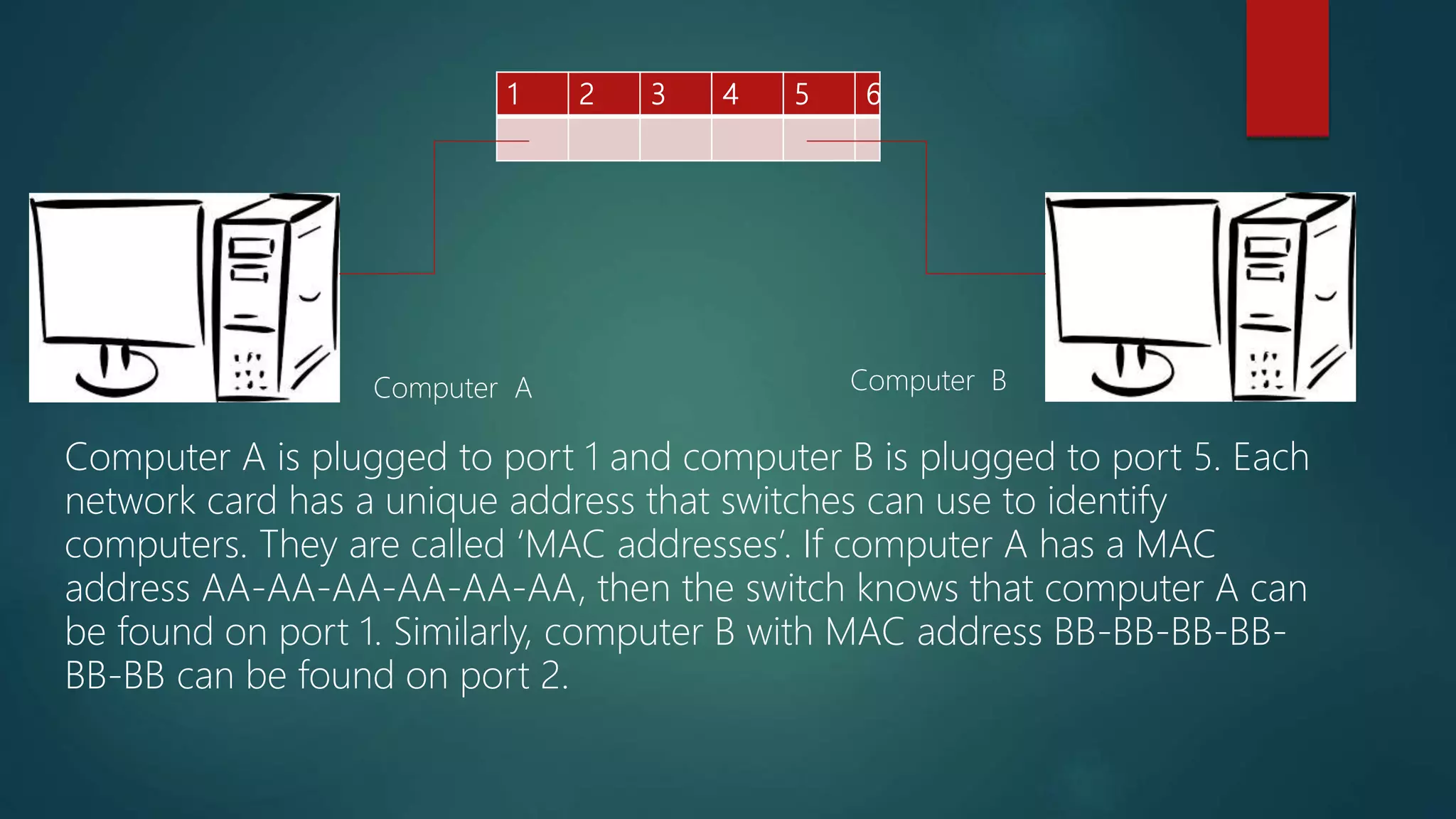
1 2 3 4 5 6
Computer A is plugged to port 1 and computer B is plugged to port 5. Each
network card has a unique address that switches can use to identify
computers. They are called ‘MAC addresses’. If computer A has a MAC
address AA-AA-AA-AA-AA-AA, then the switch knows that computer A can
be found on port 1. Similarly, computer B with MAC address BB-BB-BB-BB-
BB-BB can be found on port 2.
Computer A Computer B
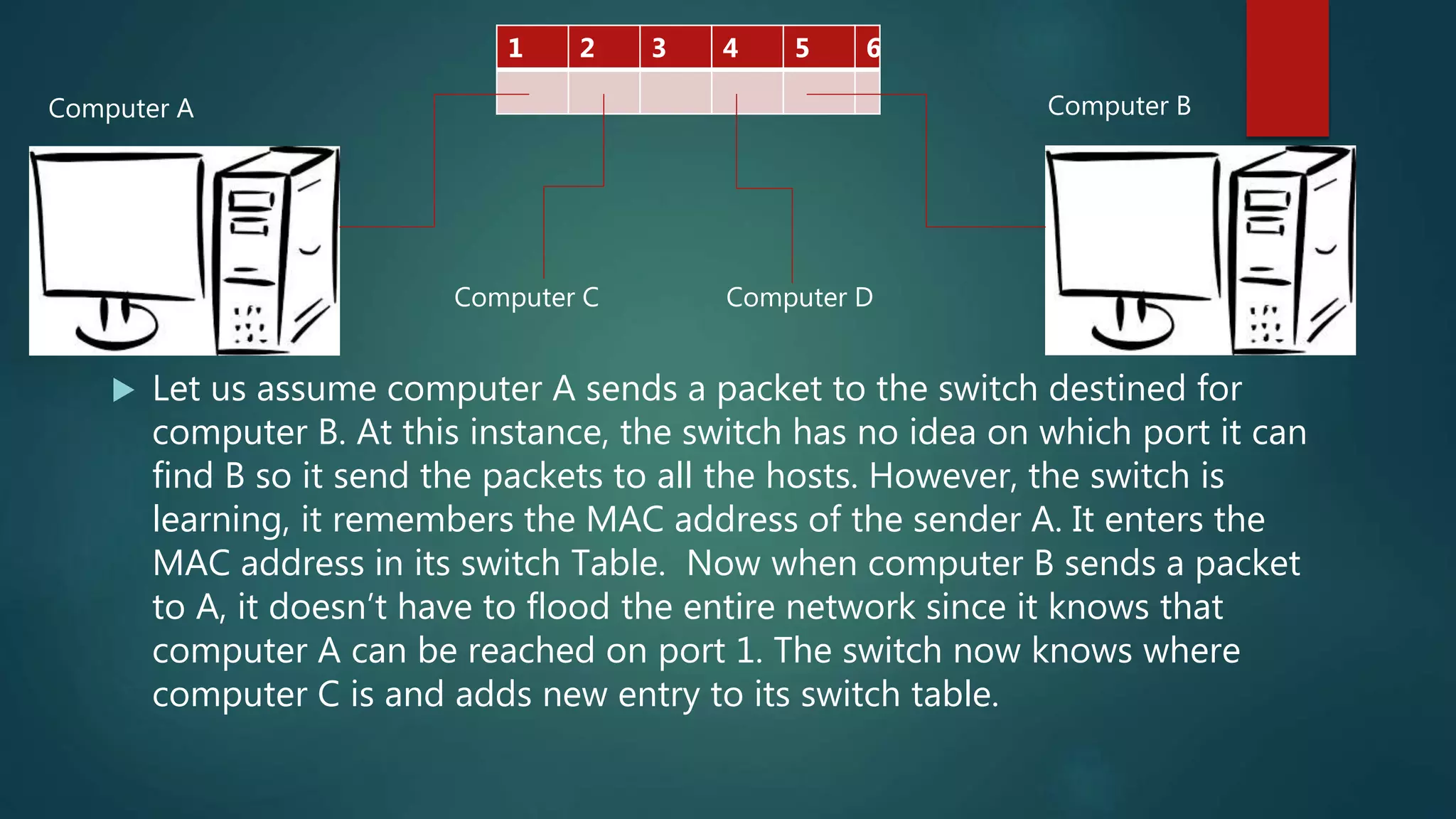
 Let us assume computer A sends a packet to the switch destined for
computer B. At this instance, the switch has no idea on which port it can
find B so it send the packets to all the hosts. However, the switch is
learning, it remembers the MAC address of the sender A. It enters the
MAC address in its switch Table. Now when computer B sends a packet
to A, it doesn’t have to flood the entire network since it knows that
computer A can be reached on port 1. The switch now knows where
computer C is and adds new entry to its switch table.
1 2 3 4 5 6
Computer C Computer D
Computer BComputer A
ROUTER- The glue that ties networks
together
 Hubs & switches are devices used to create networks but the router is a
device that allows communication between networks.
 For example- Say you want to send packets to the search engine from our
home laptop. Once you send your packet to the Internet provider, how
does it find its way to the search engine server. That’s the work of router.
 Once you send the packets to the Internet provider, routers make sure that
you packets are transferred from network to network.
 If all goes well i.e. you probably have your own router at your home too. It
forms a bridge between your own private network and the network of your
internet provider. Through the network of your internet you can reach the
rest of the internet
END
Thanks
For feedback, drop a mail at –
mahesh.naidu65@gmail.com
Mahesh Naidu
B.E., Electrical and Electronics
BITS, Pilani – Hyderabad Campus
For reference only

Popular network devices

  • 1.
  • 2.
    Hub  What isa hub? They are cheap and simple devices that can connect different computers together but are little wasteful of bandwidth.  How does it work? When a computer sends information to a hub it replicates the data to all other interfaces. It doesn’t know anything about the packets and doesn’t bother figuring out who should receive the data. The receiver will get the message and the other hosts will simply ignore if the received field does not match its own address.
  • 3.
    How does ahub behave?  Each incoming bit is replicated to all other interfaces. It can be called a bit cloning machine- a bit comes in, clones come out.  Though it is a simple & cheap way to create a network, it has some shortcomings too-  It causes a lot of unnecessary traffic.  There is a huge waste of Bandwidth.  For example- If there are 5 hosts in the network and packets need to be exchanged between 2 hosts, the hub unnecessarily sends every packet to other 3 hosts that are not interested.
  • 4.
    The Switch- Thehub’s smarter brother  A switch keeps a list where every host computer can be reached. This enables it to send every packet straight to its destination without spamming the entire network.  How does it work?? Each computer has a unique address that switches can use to identify a computer. They are called MAC addresses. They are not just used by ethernet, wi-fi uses it too. Let us check with an example-
  • 5.
    1 2 34 5 6 Computer A is plugged to port 1 and computer B is plugged to port 5. Each network card has a unique address that switches can use to identify computers. They are called ‘MAC addresses’. If computer A has a MAC address AA-AA-AA-AA-AA-AA, then the switch knows that computer A can be found on port 1. Similarly, computer B with MAC address BB-BB-BB-BB- BB-BB can be found on port 2. Computer A Computer B
  • 6.
     Let usassume computer A sends a packet to the switch destined for computer B. At this instance, the switch has no idea on which port it can find B so it send the packets to all the hosts. However, the switch is learning, it remembers the MAC address of the sender A. It enters the MAC address in its switch Table. Now when computer B sends a packet to A, it doesn’t have to flood the entire network since it knows that computer A can be reached on port 1. The switch now knows where computer C is and adds new entry to its switch table. 1 2 3 4 5 6 Computer C Computer D Computer BComputer A
  • 7.
    ROUTER- The gluethat ties networks together  Hubs & switches are devices used to create networks but the router is a device that allows communication between networks.  For example- Say you want to send packets to the search engine from our home laptop. Once you send your packet to the Internet provider, how does it find its way to the search engine server. That’s the work of router.  Once you send the packets to the Internet provider, routers make sure that you packets are transferred from network to network.  If all goes well i.e. you probably have your own router at your home too. It forms a bridge between your own private network and the network of your internet provider. Through the network of your internet you can reach the rest of the internet
  • 8.
    END Thanks For feedback, dropa mail at – mahesh.naidu65@gmail.com Mahesh Naidu B.E., Electrical and Electronics BITS, Pilani – Hyderabad Campus For reference only