MS EXCEL
FUNCTION
A. Sum Function
B. Product Function
C. Quotient Function
D. Average Function
 SUM
 Adds all the numbers in a range of cells.
 Syntax
 SUM(number1,number2, ...)
 Number1, number2, ... are 1 to 30 arguments for which you
want the total value or sum.
 Remarks
 Numbers, logical values, and text representations of
numbers that you type directly into the list of arguments are
counted. See the first and second examples following.
 If an argument is an array or reference, only numbers in that
array or reference are counted. Empty cells, logical values,
text, or error values in the array or reference are ignored.
See the third example following.
 Arguments that are error values or text that cannot be
translated into numbers cause errors.
 PRODUCT
 Multiplies all the numbers given as arguments and
returns the product.
 Syntax
 PRODUCT(number1,number2,...)
 Number1, number2, ... are 1 to 30 numbers that
you want to multiply.
 Remarks
 Arguments that are numbers, logical values, or text
representations of numbers are counted; arguments
that are error values or text that cannot be translated
into numbers cause errors.
 If an argument is an array or reference, only numbers
in the array or reference are counted. Empty cells,
logical values, text, or error values in the array or
reference are ignored.
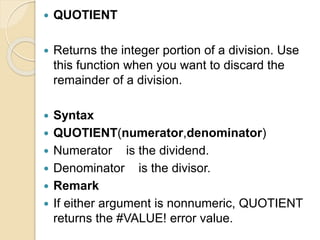
 QUOTIENT
 Returns the integer portion of a division. Use
this function when you want to discard the
remainder of a division.
 Syntax
 QUOTIENT(numerator,denominator)
 Numerator is the dividend.
 Denominator is the divisor.
 Remark
 If either argument is nonnumeric, QUOTIENT
returns the #VALUE! error value.
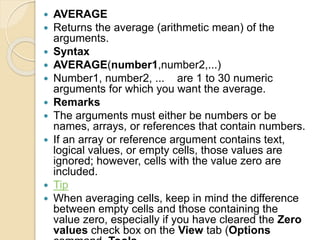
 AVERAGE
 Returns the average (arithmetic mean) of the
arguments.
 Syntax
 AVERAGE(number1,number2,...)
 Number1, number2, ... are 1 to 30 numeric
arguments for which you want the average.
 Remarks
 The arguments must either be numbers or be
names, arrays, or references that contain numbers.
 If an array or reference argument contains text,
logical values, or empty cells, those values are
ignored; however, cells with the value zero are
included.
 Tip
 When averaging cells, keep in mind the difference
between empty cells and those containing the
value zero, especially if you have cleared the Zero
values check box on the View tab (Options
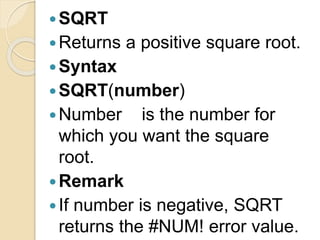
SQRT
Returns a positive square root.
Syntax
SQRT(number)
Number is the number for
which you want the square
root.
Remark
If number is negative, SQRT
returns the #NUM! error value.
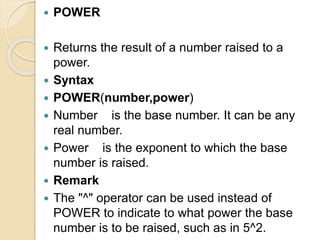
 POWER
 Returns the result of a number raised to a
power.
 Syntax
 POWER(number,power)
 Number is the base number. It can be any
real number.
 Power is the exponent to which the base
number is raised.
 Remark
 The "^" operator can be used instead of
POWER to indicate to what power the base
number is to be raised, such as in 5^2.
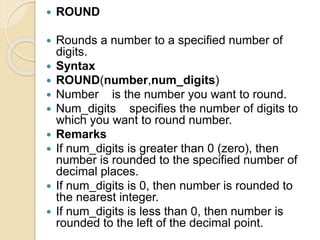
 ROUND
 Rounds a number to a specified number of
digits.
 Syntax
 ROUND(number,num_digits)
 Number is the number you want to round.
 Num_digits specifies the number of digits to
which you want to round number.
 Remarks
 If num_digits is greater than 0 (zero), then
number is rounded to the specified number of
decimal places.
 If num_digits is 0, then number is rounded to
the nearest integer.
 If num_digits is less than 0, then number is
rounded to the left of the decimal point.

MS Excel Function

  • 1.
    MS EXCEL FUNCTION A. SumFunction B. Product Function C. Quotient Function D. Average Function
  • 2.
     SUM  Addsall the numbers in a range of cells.  Syntax  SUM(number1,number2, ...)  Number1, number2, ... are 1 to 30 arguments for which you want the total value or sum.  Remarks  Numbers, logical values, and text representations of numbers that you type directly into the list of arguments are counted. See the first and second examples following.  If an argument is an array or reference, only numbers in that array or reference are counted. Empty cells, logical values, text, or error values in the array or reference are ignored. See the third example following.  Arguments that are error values or text that cannot be translated into numbers cause errors.
  • 3.
     PRODUCT  Multipliesall the numbers given as arguments and returns the product.  Syntax  PRODUCT(number1,number2,...)  Number1, number2, ... are 1 to 30 numbers that you want to multiply.  Remarks  Arguments that are numbers, logical values, or text representations of numbers are counted; arguments that are error values or text that cannot be translated into numbers cause errors.  If an argument is an array or reference, only numbers in the array or reference are counted. Empty cells, logical values, text, or error values in the array or reference are ignored.
  • 4.
     QUOTIENT  Returnsthe integer portion of a division. Use this function when you want to discard the remainder of a division.  Syntax  QUOTIENT(numerator,denominator)  Numerator is the dividend.  Denominator is the divisor.  Remark  If either argument is nonnumeric, QUOTIENT returns the #VALUE! error value.
  • 5.
     AVERAGE  Returnsthe average (arithmetic mean) of the arguments.  Syntax  AVERAGE(number1,number2,...)  Number1, number2, ... are 1 to 30 numeric arguments for which you want the average.  Remarks  The arguments must either be numbers or be names, arrays, or references that contain numbers.  If an array or reference argument contains text, logical values, or empty cells, those values are ignored; however, cells with the value zero are included.  Tip  When averaging cells, keep in mind the difference between empty cells and those containing the value zero, especially if you have cleared the Zero values check box on the View tab (Options
  • 6.
    SQRT Returns a positivesquare root. Syntax SQRT(number) Number is the number for which you want the square root. Remark If number is negative, SQRT returns the #NUM! error value.
  • 7.
     POWER  Returnsthe result of a number raised to a power.  Syntax  POWER(number,power)  Number is the base number. It can be any real number.  Power is the exponent to which the base number is raised.  Remark  The "^" operator can be used instead of POWER to indicate to what power the base number is to be raised, such as in 5^2.
  • 8.
     ROUND  Roundsa number to a specified number of digits.  Syntax  ROUND(number,num_digits)  Number is the number you want to round.  Num_digits specifies the number of digits to which you want to round number.  Remarks  If num_digits is greater than 0 (zero), then number is rounded to the specified number of decimal places.  If num_digits is 0, then number is rounded to the nearest integer.  If num_digits is less than 0, then number is rounded to the left of the decimal point.