Slide 1
© LINE Communications 2013
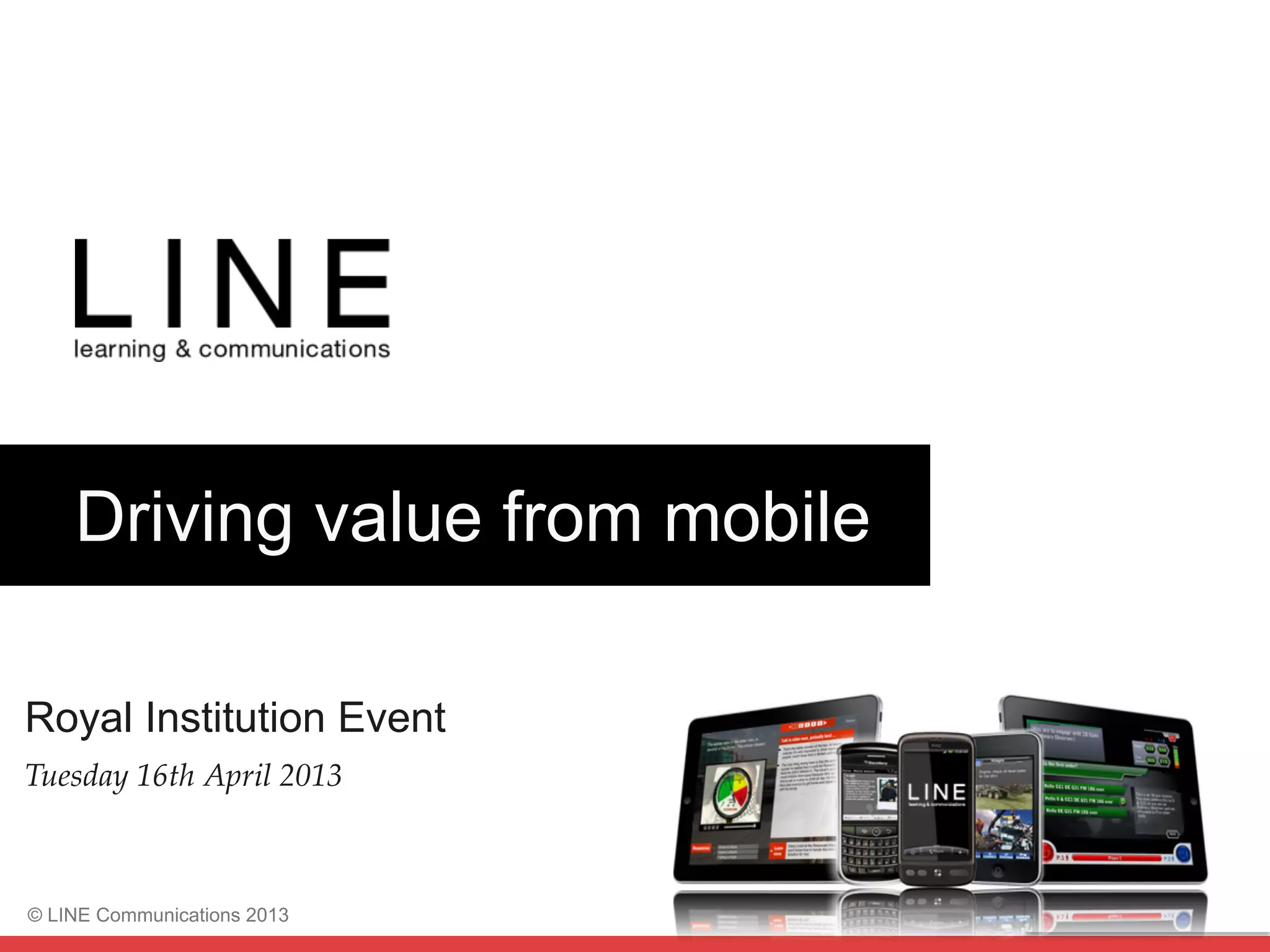
Driving value from mobile
Royal Institution Event
Tuesday 16th April 2013!
Slide 2
© LINE Communications 2013
Agenda for the day
¥  09:30 - Welcome and introductions, Piers Lea
¥  09:50 - Findings from TM Mobile Report, Laura Overton
¥  10:15 - 8 themes to improve bottom line, Steve Barden
¥  10:40 - From inspiration to impact, Katie Hart
¥  11:00 - Coffee break
¥  11:20 - From inspiration to impact, Katie Hart
¥  12:55 - Sum up, Piers Lea
¥  13:00 - Lunch
Slide 3
Mobile Learning
Results?
Slide 4
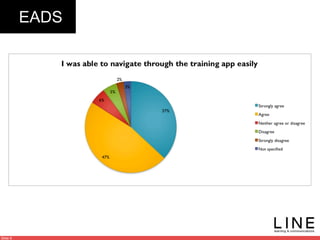
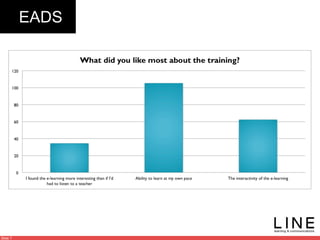
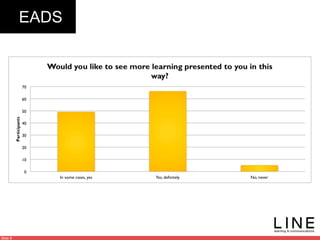
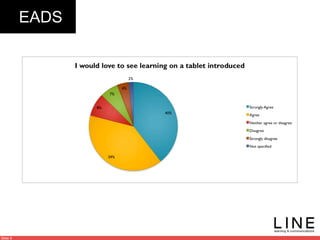
EADS 125 participants from 3 countries
France, Germany, UK
Slide 5
EADS
Slide 6
EADS
Slide 7
EADS
Slide 8
EADS
Slide 9
EADS
Slide 10
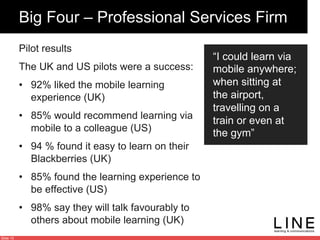
Big Four – Professional Services Firm
Pilot results
The UK and US pilots were a success:
•  92% liked the mobile learning
experience (UK)
•  85% would recommend learning via
mobile to a colleague (US)
•  94 % found it easy to learn on their
Blackberries (UK)
•  85% found the learning experience to
be effective (US)
•  98% say they will talk favourably to
others about mobile learning (UK)
“I could learn via
mobile anywhere;
when sitting at
the airport,
travelling on a
train or even at
the gym”
Slide 11
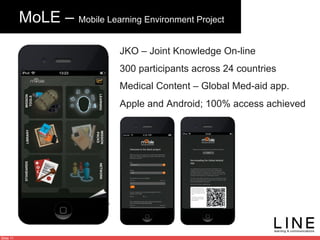
MoLE – Mobile Learning Environment Project
JKO – Joint Knowledge On-line
300 participants across 24 countries
Medical Content – Global Med-aid app.
Apple and Android; 100% access achieved
Slide 12
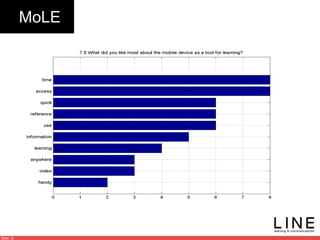
MoLE
Slide 13
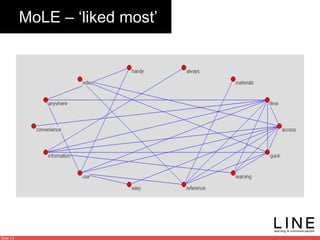
MoLE – ‘liked most’
Slide 14
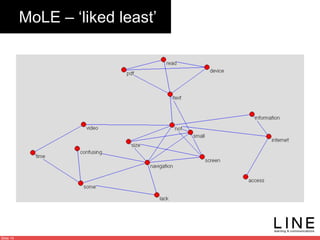
MoLE – ‘liked least’
Slide 15
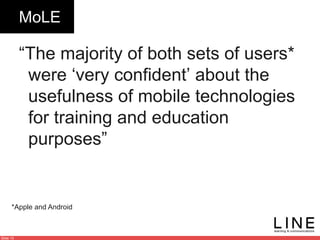
MoLE
“The majority of both sets of users*
were ‘very confident’ about the
usefulness of mobile technologies
for training and education
purposes”
*Apple and Android
Slide 16
Sonic
Mobile: 5 times better take-up than ‘traditional’ e-learning
Slide 17
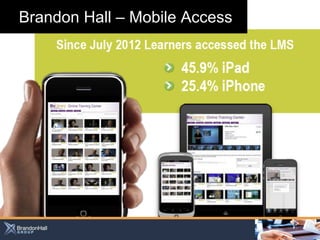
Brandon Hall – Mobile Access


6 secrets of m-learning success
Turning	
  mobile	
  learning	
  aspira0ons	
  into	
  
reality	


With	


16th	
  April	
  2012	
  
Laura	
  Overton	


Laura@towardsmaturity	
  org	


lauraoverton	
  
www.towardsmaturity.org
•  Why	
  should	
  mobile	
  capture	
  our	
  a@en0on?	
  
•  6	
  secrets	
  of	
  mobile	
  learning	
  success	
  
•  A	
  helping	
  hand	
  to	
  create	
  your	
  business	
  case	
  
www.towardsmaturity.org
Why is mobile capturing our
attention?
www.towardsmaturity.org
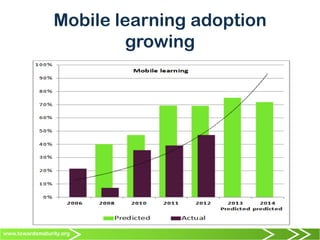
Mobile learning adoption
growing
www.towardsmaturity.org
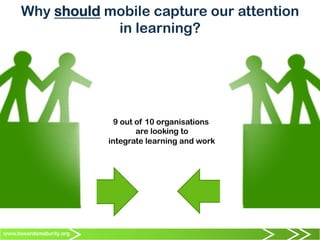
Why should mobile capture our attention
in learning?
9 out of 10 organisations
are looking to
integrate learning and work	


www.towardsmaturity.org
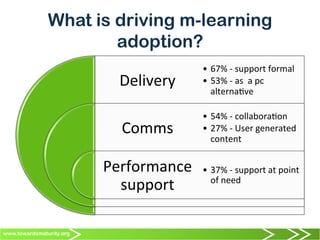
What is driving m-learning
adoption?
Delivery	
  
Comms	
  
Performance	
  
support	
  
•  67%	
  -­‐	
  support	
  formal	
  
•  53%	
  -­‐	
  as	
  	
  a	
  pc	
  
alterna0ve	
  
•  54%	
  -­‐	
  collabora0on	
  
•  27%	
  -­‐	
  User	
  generated	
  
content	
  	
  
•  37%	
  -­‐	
  support	
  at	
  point	
  
of	
  need	
  
www.towardsmaturity.org
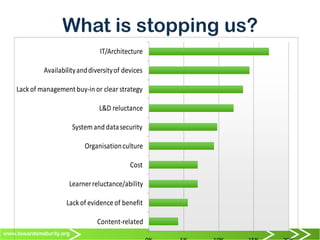
What is stopping us?
Content-­‐related
Lack	
  of	
  evidence	
  of	
  benefit
Learner	
  reluctance/ability
Cost
Organisation	
  culture
System	
  and	
  data	
  security
L&D	
  reluctance
Lack	
  of	
  management	
  buy-­‐in	
  or	
  clear	
  strategy
Availability	
  and	
  diversity	
  of	
  devices
IT/Architecture
www.towardsmaturity.org
SIX SECRETS OF SUCCESS
Walking	
  the	
  walk	
  (not	
  just	
  talking	
  the	
  talk)	
  
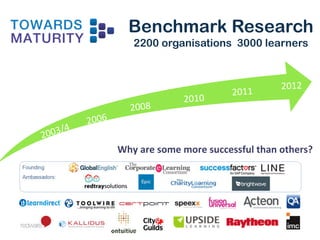
Benchmark Research
2200 organisations 3000 learners
2003/4	
2008	
2006	
2011	
  
2010	
2012	
Why	
  are	
  some	
  more	
  successful	
  than	
  others?	
  
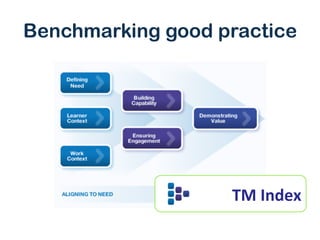
Benchmarking good practice
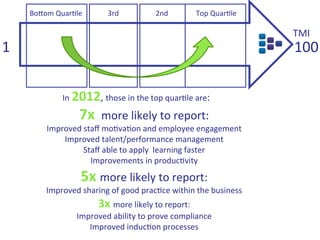
TM	
  Index	
  
1	
   100	
  
Top	
  Quar0le	
  Bo@om	
  Quar0le	
   3rd	
   2nd	
  
In	
  2012,	
  those	
  in	
  the	
  top	
  quar0le	
  are:	
  
7x	
  	
  more	
  likely	
  to	
  report:	
  
Improved	
  staff	
  mo0va0on	
  and	
  employee	
  engagement	
  
Improved	
  talent/performance	
  management	
  
Staff	
  able	
  to	
  apply	
  	
  learning	
  faster	
  
Improvements	
  in	
  produc0vity	
  	
  
5x	
  more	
  likely	
  to	
  report:	
  
Improved	
  sharing	
  of	
  good	
  prac0ce	
  within	
  the	
  business	
  
3x	
  more	
  likely	
  to	
  report:	
  
Improved	
  ability	
  to	
  prove	
  compliance	
  
Improved	
  induc0on	
  processes	
  
TMI	
  
www.towardsmaturity.org
WHAT CAN WE LEARN FROM THE
TOP LEARNING COMPANIES?
When	
  it	
  	
  comes	
  to	
  mobile	
  learning	
  
www.towardsmaturity.org
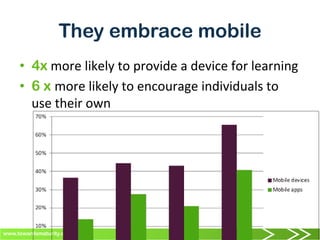
They embrace mobile
•  4x	
  more	
  likely	
  to	
  provide	
  a	
  device	
  for	
  learning	
  
•  6 x more	
  likely	
  to	
  encourage	
  individuals	
  to	
  
use	
  their	
  own	
  
www.towardsmaturity.org
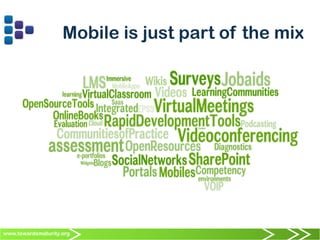
Mobile is just part of the mix
www.towardsmaturity.org
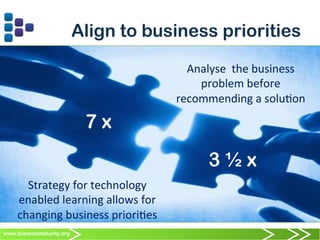
Align to business priorities
Don’t	
  take	
  your	
  eye	
  off	
  the	
  ball!	
  
Analyse	
  	
  the	
  business	
  	
  
problem	
  before	
  
recommending	
  a	
  solu0on	
  
Strategy	
  for	
  technology	
  
enabled	
  learning	
  allows	
  for	
  
changing	
  business	
  priori0es	
  
3 ½ x
7 x
www.towardsmaturity.org
Understand the learning landscape
Learner
Context
Tablets
Mobile
Social
www.towardsmaturity.org
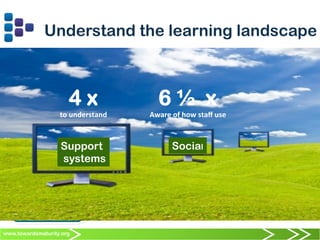
Understand the learning landscape
Learner
Context
Support
systems
Social
4 x
to	
  understand	
  	
  
6 ½ x
Aware	
  of	
  how	
  staff	
  use	
  
www.towardsmaturity.org
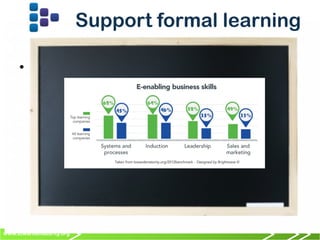
Support formal learning
•  	
  	
  
www.towardsmaturity.org
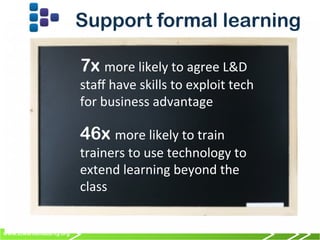
Support formal learning
7x more	
  likely	
  to	
  agree	
  L&D	
  
staff	
  have	
  skills	
  to	
  exploit	
  tech	
  
for	
  business	
  advantage	
  	
  
46x more	
  likely	
  to	
  train	
  
trainers	
  to	
  use	
  technology	
  to	
  
extend	
  learning	
  beyond	
  the	
  
class	
  
37	
  37	
  www.towardsmaturity.org 37	
  
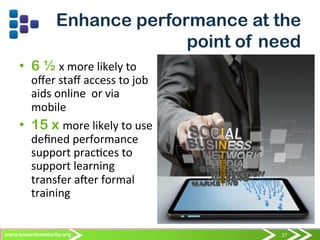
Enhance performance at the
point of need
•  6 ½ x	
  more	
  likely	
  to	
  
offer	
  staff	
  access	
  to	
  job	
  
aids	
  online	
  	
  or	
  via	
  
mobile	
  
•  15 x more	
  likely	
  to	
  use	
  
defined	
  performance	
  
support	
  prac0ces	
  to	
  
support	
  learning	
  
transfer	
  aber	
  formal	
  
training	
  
www.towardsmaturity.org
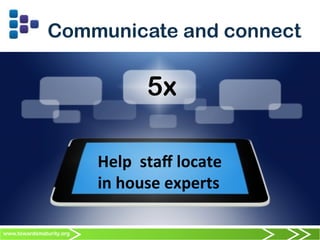
Communicate and connect
5x	
  	
  
Help	
  	
  staff	
  locate	
  
in	
  house	
  experts	
  
www.towardsmaturity.org
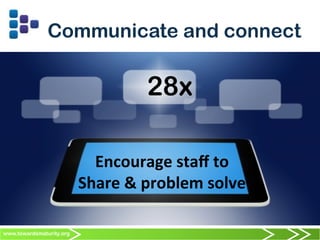
Communicate and connect
28x	
  	
  
Encourage	
  staff	
  to	
  	
  
Share	
  &	
  problem	
  solve	
  
www.towardsmaturity.org
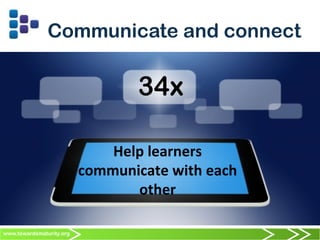
Communicate and connect
34x	
  	
  
Help	
  learners	
  
communicate	
  with	
  each	
  
other	
  
www.towardsmaturity.org
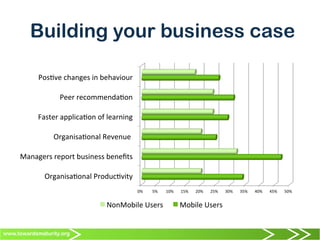
Building your business case
0%	
   5%	
   10%	
   15%	
   20%	
   25%	
   30%	
   35%	
   40%	
   45%	
   50%	
  
Organisa0onal	
  Produc0vity	
  
Managers	
  report	
  business	
  benefits	
  
Organisa0onal	
  Revenue	
  	
  
Faster	
  applica0on	
  of	
  learning	
  
Peer	
  recommenda0on	
  
Pos0ve	
  changes	
  in	
  behaviour	
  
NonMobile	
  Users	
   Mobile	
  Users	
  
www.towardsmaturity.org
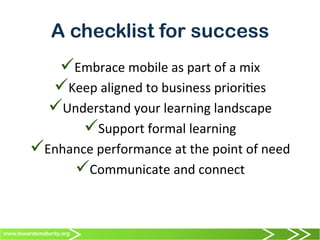
A checklist for success
ü Embrace	
  mobile	
  as	
  part	
  of	
  a	
  mix	
  
ü Keep	
  aligned	
  to	
  business	
  priori0es	
  
ü Understand	
  your	
  learning	
  landscape	
  
ü Support	
  formal	
  learning	
  
ü Enhance	
  performance	
  at	
  the	
  point	
  of	
  need	
  
ü Communicate	
  and	
  connect	
  
43	
  43	
  www.towardsmaturity.org 43	
  
Mobile learning – 6 secrets of
success
www.towardsmaturity.org	


lauraovertonn	
  
Slide 44
Driving value from mobile:
Getting the strategy right
Steve.Barden@LINE.co.uk
Royal Institution
16 April 2013
Slide 45 January 2013
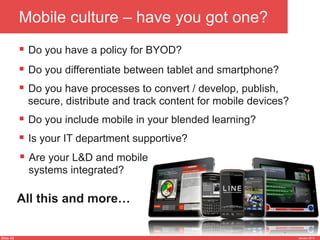
Mobile culture – have you got one?
§  Do you have a policy for BYOD?
§  Do you have processes to convert / develop, publish,
secure, distribute and track content for mobile devices?
§  Is your IT department supportive?
§  Do you include mobile in your blended learning?
§  Are your L&D and mobile
systems integrated?
§  Do you differentiate between tablet and smartphone?
All this and more…
Slide 46 January 2013
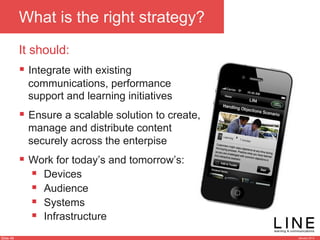
What is the right strategy?
It should:
§  Integrate with existing
communications, performance
support and learning initiatives
§  Ensure a scalable solution to create,
manage and distribute content
securely across the enterpise
§  Work for today’s and tomorrow’s:
§  Devices
§  Audience
§  Systems
§  Infrastructure
Slide 47 January 2013
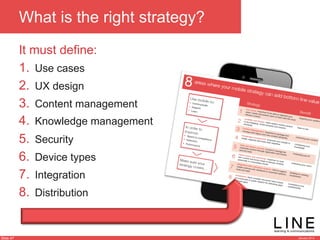
What is the right strategy?
1.  Use cases
2.  UX design
3.  Content management
4.  Knowledge management
5.  Security
6.  Device types
7.  Integration
8.  Distribution
It must define:
Slide 48 January 2013
Driving value from mobile:
Getting the App right
Steve.Barden@LINE.co.uk
Royal Institution
16 April 2013
Slide 49 January 2013
Define the business need
Benefit?
§ Speed to competence
§ Retention
§ Improved performance
What?
§ Communicate
§ Support
§ Learn
Why?
§ Reach
§ Impact
§ Timeliness
Slide 50 January 2013
Reach all markets
§  Regular updates during life of the app ensures ‘stickiness’
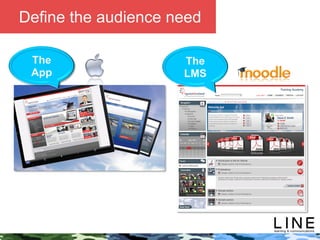
Slide 51 January 2013
The
App
The
LMS
Define the audience need
Slide 52 January 2013
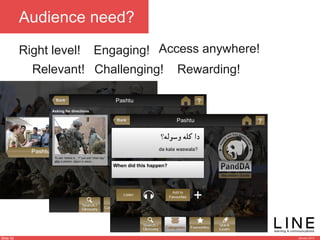
Right level!
Audience need?
Access anywhere!Engaging!
Rewarding!Challenging!Relevant!
Slide 53 January 2013
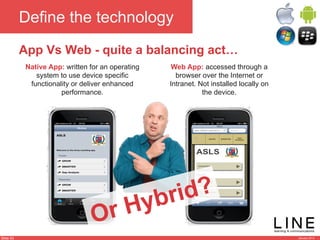
Define the technology
App Vs Web - quite a balancing act…
Native App: written for an operating
system to use device specific
functionality or deliver enhanced
performance.
Web App: accessed through a
browser over the Internet or
Intranet. Not installed locally on
the device.
Or Hybrid?
Slide 54 January 2013
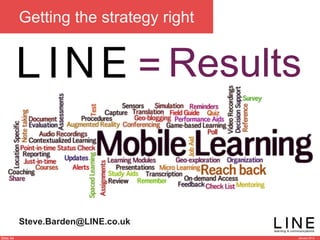
Getting the strategy right
Steve.Barden@LINE.co.uk
Results=
Slide 55 January 2013
© LINE Communications 2013
Agenda for the day
¥  09:30 - Welcome and introductions, Piers Lea
¥  09:50 - Findings from TM Mobile Report, Laura Overton
¥  10:15 - 8 themes to improve bottom line, Steve Barden
¥  10:40 - From inspiration to impact, Katie Hart
¥  11:00 - Coffee break
¥  11:20 - From inspiration to impact, Katie Hart
¥  12:55 - Sum up, Piers Lea
¥  13:00 - Lunch
Slide 56 January 2013
© LINE Communications 2013
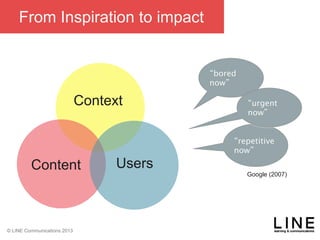
From Inspiration to impact
Context

Content Users
“bored
now”
“repetitive
now”
“urgent
now”
Google (2007)
Slide 57 January 2013
© LINE Communications 2013
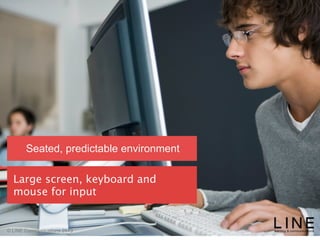
Seated, predictable environment
It’s a big jump from what we’ve
done before.
Slide 58 January 2013
© LINE Communications 2013
Seated, predictable environment
Large screen, keyboard and
mouse for input
Slide 59 January 2013
© LINE Communications 2013
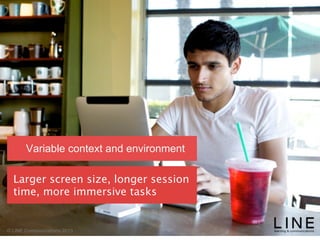
Variable context and environment
Larger screen size, longer session
time, more immersive tasks
Slide 60 January 2013
© LINE Communications 2013
Variable context and environment
UI takes up entire screen, difficult
to multi-task.
Slide 61 January 2013
© LINE Communications 2013
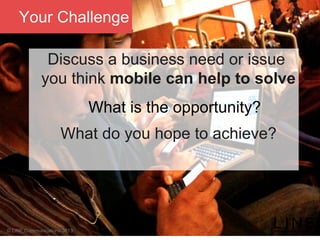
Your Challenge
Discuss a business need or issue
you think mobile can help to solve
What is the opportunity?
What do you hope to achieve?
Slide 62 January 2013
© LINE Communications 2013
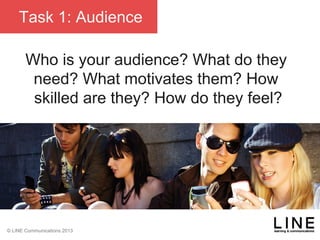
Task 1: Audience
Who is your audience? What do they
need? What motivates them? How
skilled are they? How do they feel?
Slide 63 January 2013
© LINE Communications 2013
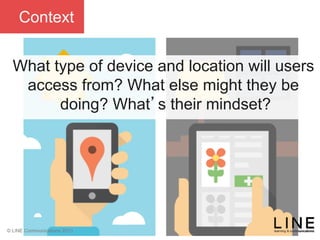
Context
What type of device and location will users
access from? What else might they be
doing? What’s their mindset?
Slide 64 January 2013
© LINE Communications 2013
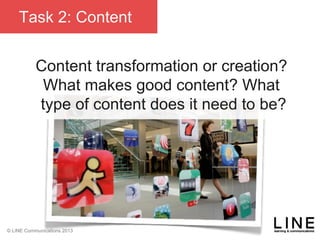
Task 2: Content
Content transformation or creation?
What makes good content? What
type of content does it need to be?
Slide 65 January 2013
© LINE Communications 2013
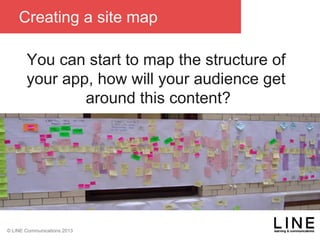
Creating a site map
You can start to map the structure of
your app, how will your audience get
around this content?
Slide 66 January 2013
© LINE Communications 2013
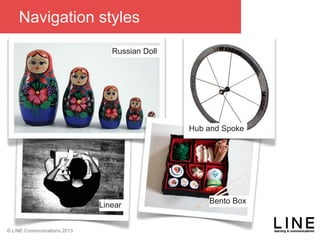
Navigation styles
Russian Doll
Hub and Spoke
Linear
Bento Box
Slide 67 January 2013
© LINE Communications 2013
Challenges and opportunities
•  What are the business challenges
and barriers to mobile delivery today?
•  What are the risks?
•  What are the known unknowns?
•  Are there any new opportunities that
we have learnt from today?
Slide 68 January 2013
© LINE Communications 2013
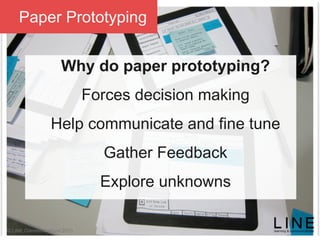
Paper Prototyping
Why do paper prototyping?
Forces decision making
Help communicate and fine tune
Gather Feedback
Explore unknowns
Slide 69 January 2013
© LINE Communications 2013
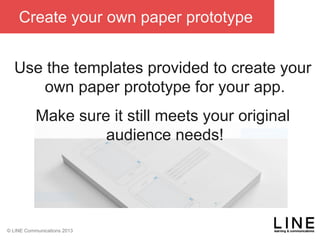
Create your own paper prototype
Use the templates provided to create your
own paper prototype for your app.
Make sure it still meets your original
audience needs!

Driving value from mobile: Getting the strategy right - Steve Barden, Laura Overton & Katie Hart

  • 1.
    Slide 1 © LINECommunications 2013 Driving value from mobile Royal Institution Event Tuesday 16th April 2013!
  • 2.
    Slide 2 © LINECommunications 2013 Agenda for the day ¥  09:30 - Welcome and introductions, Piers Lea ¥  09:50 - Findings from TM Mobile Report, Laura Overton ¥  10:15 - 8 themes to improve bottom line, Steve Barden ¥  10:40 - From inspiration to impact, Katie Hart ¥  11:00 - Coffee break ¥  11:20 - From inspiration to impact, Katie Hart ¥  12:55 - Sum up, Piers Lea ¥  13:00 - Lunch
  • 3.
  • 4.
    Slide 4 EADS 125participants from 3 countries France, Germany, UK
  • 5.
  • 6.
  • 7.
  • 8.
  • 9.
  • 10.
    Slide 10 Big Four– Professional Services Firm Pilot results The UK and US pilots were a success: •  92% liked the mobile learning experience (UK) •  85% would recommend learning via mobile to a colleague (US) •  94 % found it easy to learn on their Blackberries (UK) •  85% found the learning experience to be effective (US) •  98% say they will talk favourably to others about mobile learning (UK) “I could learn via mobile anywhere; when sitting at the airport, travelling on a train or even at the gym”
  • 11.
    Slide 11 MoLE –Mobile Learning Environment Project JKO – Joint Knowledge On-line 300 participants across 24 countries Medical Content – Global Med-aid app. Apple and Android; 100% access achieved
  • 12.
  • 13.
    Slide 13 MoLE –‘liked most’
  • 14.
    Slide 14 MoLE –‘liked least’
  • 15.
    Slide 15 MoLE “The majorityof both sets of users* were ‘very confident’ about the usefulness of mobile technologies for training and education purposes” *Apple and Android
  • 16.
    Slide 16 Sonic Mobile: 5times better take-up than ‘traditional’ e-learning
  • 17.
    Slide 17 Brandon Hall– Mobile Access
  • 18.
                                                                                                                                                    6 secrets of m-learning success Turning  mobile  learning  aspira0ons  into   reality     With           16th  April  2012   Laura  Overton     Laura@towardsmaturity  org     lauraoverton  
  • 19.
    www.towardsmaturity.org •  Why  should  mobile  capture  our  a@en0on?   •  6  secrets  of  mobile  learning  success   •  A  helping  hand  to  create  your  business  case  
  • 20.
    www.towardsmaturity.org Why is mobilecapturing our attention?
  • 21.
  • 22.
    www.towardsmaturity.org Why should mobilecapture our attention in learning? 9 out of 10 organisations are looking to integrate learning and work    
  • 23.
    www.towardsmaturity.org What is drivingm-learning adoption? Delivery   Comms   Performance   support   •  67%  -­‐  support  formal   •  53%  -­‐  as    a  pc   alterna0ve   •  54%  -­‐  collabora0on   •  27%  -­‐  User  generated   content     •  37%  -­‐  support  at  point   of  need  
  • 24.
    www.towardsmaturity.org What is stoppingus? Content-­‐related Lack  of  evidence  of  benefit Learner  reluctance/ability Cost Organisation  culture System  and  data  security L&D  reluctance Lack  of  management  buy-­‐in  or  clear  strategy Availability  and  diversity  of  devices IT/Architecture
  • 25.
    www.towardsmaturity.org SIX SECRETS OFSUCCESS Walking  the  walk  (not  just  talking  the  talk)  
  • 26.
    Benchmark Research 2200 organisations3000 learners 2003/4 2008 2006 2011   2010 2012 Why  are  some  more  successful  than  others?  
  • 27.
  • 28.
    1   100   Top  Quar0le  Bo@om  Quar0le   3rd   2nd   In  2012,  those  in  the  top  quar0le  are:   7x    more  likely  to  report:   Improved  staff  mo0va0on  and  employee  engagement   Improved  talent/performance  management   Staff  able  to  apply    learning  faster   Improvements  in  produc0vity     5x  more  likely  to  report:   Improved  sharing  of  good  prac0ce  within  the  business   3x  more  likely  to  report:   Improved  ability  to  prove  compliance   Improved  induc0on  processes   TMI  
  • 29.
    www.towardsmaturity.org WHAT CAN WELEARN FROM THE TOP LEARNING COMPANIES? When  it    comes  to  mobile  learning  
  • 30.
    www.towardsmaturity.org They embrace mobile • 4x  more  likely  to  provide  a  device  for  learning   •  6 x more  likely  to  encourage  individuals  to   use  their  own  
  • 31.
  • 32.
    www.towardsmaturity.org Align to businesspriorities Don’t  take  your  eye  off  the  ball!   Analyse    the  business     problem  before   recommending  a  solu0on   Strategy  for  technology   enabled  learning  allows  for   changing  business  priori0es   3 ½ x 7 x
  • 33.
    www.towardsmaturity.org Understand the learninglandscape Learner Context Tablets Mobile Social
  • 34.
    www.towardsmaturity.org Understand the learninglandscape Learner Context Support systems Social 4 x to  understand     6 ½ x Aware  of  how  staff  use  
  • 35.
  • 36.
    www.towardsmaturity.org Support formal learning 7xmore  likely  to  agree  L&D   staff  have  skills  to  exploit  tech   for  business  advantage     46x more  likely  to  train   trainers  to  use  technology  to   extend  learning  beyond  the   class  
  • 37.
    37  37  www.towardsmaturity.org37   Enhance performance at the point of need •  6 ½ x  more  likely  to   offer  staff  access  to  job   aids  online    or  via   mobile   •  15 x more  likely  to  use   defined  performance   support  prac0ces  to   support  learning   transfer  aber  formal   training  
  • 38.
    www.towardsmaturity.org Communicate and connect 5x     Help    staff  locate   in  house  experts  
  • 39.
    www.towardsmaturity.org Communicate and connect 28x     Encourage  staff  to     Share  &  problem  solve  
  • 40.
    www.towardsmaturity.org Communicate and connect 34x     Help  learners   communicate  with  each   other  
  • 41.
    www.towardsmaturity.org Building your businesscase 0%   5%   10%   15%   20%   25%   30%   35%   40%   45%   50%   Organisa0onal  Produc0vity   Managers  report  business  benefits   Organisa0onal  Revenue     Faster  applica0on  of  learning   Peer  recommenda0on   Pos0ve  changes  in  behaviour   NonMobile  Users   Mobile  Users  
  • 42.
    www.towardsmaturity.org A checklist forsuccess ü Embrace  mobile  as  part  of  a  mix   ü Keep  aligned  to  business  priori0es   ü Understand  your  learning  landscape   ü Support  formal  learning   ü Enhance  performance  at  the  point  of  need   ü Communicate  and  connect  
  • 43.
    43  43  www.towardsmaturity.org43   Mobile learning – 6 secrets of success www.towardsmaturity.org       lauraovertonn  
  • 44.
    Slide 44 Driving valuefrom mobile: Getting the strategy right Steve.Barden@LINE.co.uk Royal Institution 16 April 2013
  • 45.
    Slide 45 January2013 Mobile culture – have you got one? §  Do you have a policy for BYOD? §  Do you have processes to convert / develop, publish, secure, distribute and track content for mobile devices? §  Is your IT department supportive? §  Do you include mobile in your blended learning? §  Are your L&D and mobile systems integrated? §  Do you differentiate between tablet and smartphone? All this and more…
  • 46.
    Slide 46 January2013 What is the right strategy? It should: §  Integrate with existing communications, performance support and learning initiatives §  Ensure a scalable solution to create, manage and distribute content securely across the enterpise §  Work for today’s and tomorrow’s: §  Devices §  Audience §  Systems §  Infrastructure
  • 47.
    Slide 47 January2013 What is the right strategy? 1.  Use cases 2.  UX design 3.  Content management 4.  Knowledge management 5.  Security 6.  Device types 7.  Integration 8.  Distribution It must define:
  • 48.
    Slide 48 January2013 Driving value from mobile: Getting the App right Steve.Barden@LINE.co.uk Royal Institution 16 April 2013
  • 49.
    Slide 49 January2013 Define the business need Benefit? § Speed to competence § Retention § Improved performance What? § Communicate § Support § Learn Why? § Reach § Impact § Timeliness
  • 50.
    Slide 50 January2013 Reach all markets §  Regular updates during life of the app ensures ‘stickiness’
  • 51.
    Slide 51 January2013 The App The LMS Define the audience need
  • 52.
    Slide 52 January2013 Right level! Audience need? Access anywhere!Engaging! Rewarding!Challenging!Relevant!
  • 53.
    Slide 53 January2013 Define the technology App Vs Web - quite a balancing act… Native App: written for an operating system to use device specific functionality or deliver enhanced performance. Web App: accessed through a browser over the Internet or Intranet. Not installed locally on the device. Or Hybrid?
  • 54.
    Slide 54 January2013 Getting the strategy right Steve.Barden@LINE.co.uk Results=
  • 55.
    Slide 55 January2013 © LINE Communications 2013 Agenda for the day ¥  09:30 - Welcome and introductions, Piers Lea ¥  09:50 - Findings from TM Mobile Report, Laura Overton ¥  10:15 - 8 themes to improve bottom line, Steve Barden ¥  10:40 - From inspiration to impact, Katie Hart ¥  11:00 - Coffee break ¥  11:20 - From inspiration to impact, Katie Hart ¥  12:55 - Sum up, Piers Lea ¥  13:00 - Lunch
  • 56.
    Slide 56 January2013 © LINE Communications 2013 From Inspiration to impact Context Content Users “bored now” “repetitive now” “urgent now” Google (2007)
  • 57.
    Slide 57 January2013 © LINE Communications 2013 Seated, predictable environment It’s a big jump from what we’ve done before.
  • 58.
    Slide 58 January2013 © LINE Communications 2013 Seated, predictable environment Large screen, keyboard and mouse for input
  • 59.
    Slide 59 January2013 © LINE Communications 2013 Variable context and environment Larger screen size, longer session time, more immersive tasks
  • 60.
    Slide 60 January2013 © LINE Communications 2013 Variable context and environment UI takes up entire screen, difficult to multi-task.
  • 61.
    Slide 61 January2013 © LINE Communications 2013 Your Challenge Discuss a business need or issue you think mobile can help to solve What is the opportunity? What do you hope to achieve?
  • 62.
    Slide 62 January2013 © LINE Communications 2013 Task 1: Audience Who is your audience? What do they need? What motivates them? How skilled are they? How do they feel?
  • 63.
    Slide 63 January2013 © LINE Communications 2013 Context What type of device and location will users access from? What else might they be doing? What’s their mindset?
  • 64.
    Slide 64 January2013 © LINE Communications 2013 Task 2: Content Content transformation or creation? What makes good content? What type of content does it need to be?
  • 65.
    Slide 65 January2013 © LINE Communications 2013 Creating a site map You can start to map the structure of your app, how will your audience get around this content?
  • 66.
    Slide 66 January2013 © LINE Communications 2013 Navigation styles Russian Doll Hub and Spoke Linear Bento Box
  • 67.
    Slide 67 January2013 © LINE Communications 2013 Challenges and opportunities •  What are the business challenges and barriers to mobile delivery today? •  What are the risks? •  What are the known unknowns? •  Are there any new opportunities that we have learnt from today?
  • 68.
    Slide 68 January2013 © LINE Communications 2013 Paper Prototyping Why do paper prototyping? Forces decision making Help communicate and fine tune Gather Feedback Explore unknowns
  • 69.
    Slide 69 January2013 © LINE Communications 2013 Create your own paper prototype Use the templates provided to create your own paper prototype for your app. Make sure it still meets your original audience needs!