Mobile Learning Sarah Forbes [sforbes@utsc.utoronto.ca] (Library) Perry Sheppard [psheppard@utsc.utoronto.ca] (CTL) Faiz Visram [fvisram@utsc.utoronto.ca] (Student Helpdesk) Brian Sutherland [sutherland@utsc.utoronto.ca] (CTL)
Overview introduction, opportunities and challenges; Blackboard Mobile; UTL mobile, mobile-friendly library reference services & course data Google Android + Student Perspective iPhone and Applications UT Scarborough Demo App
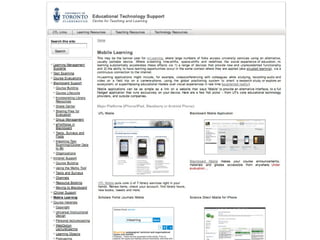
What is m-learning? Device centric – (alternative computing platforms) Blackberry; iPod/iPhone/iPad;Google Android Playstation/X-Box; Tablet PC; Netbook Alternative screen size Augmented sensing capabilities:, GPS, compass, accelerometer, camera, gestural (haptic) interface Extended telephony (cell connectivity, skype) User centric – once the internet is everywhere and always available, more just-in-time, situated learning, aka - the teachable moment [  http:// ctl.utsc.utoronto.ca/technology/m -learning  ]
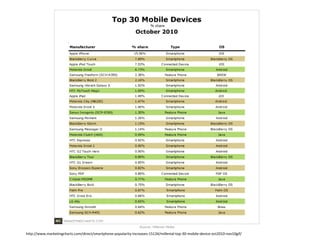
Usage http://www.marketingcharts.com/direct/smartphone-popularity-increases-15134/millenial-top-30-mobile-device-oct2010-nov10gif/
Opportunities Explore learning domains in new ways, leveraging prior experience with cell phones Interact with key university services (library and research services, learning management system, registrar) Campus wayfinding via GPS + compass Auto filtering and superimposing information using environmental contextual cues (GPS + compass + camera) Integration of disparate data sources through web services, e.g. real time sat nav stats for TTC through the open data initiative
Challenges Do the benefits of mobile computing outweigh the institutional effort of providing parallel, alternate services?  e.g. fee cut vs. mobile service A. Sometimes mobile service makes regular academic services work more efficiently.  B. Convenience/cool factor. Do internet systems provide the same level of functionality as mobile applications? A. Not always, but sometimes they provide additional functionality
Challenges (cont’d) How do we support students and Faculty, when there are so many devices, applications and systems? A. With some difficulty and imagination (borrowing!) B. Trust in time better standards will emerge in mobile devices, just like the evolution of web browsers.  C. Over time websites will auto-adjust for mobile devices, as the library and ref works sites do. D. Better sharing of support information, particularly between peers. (user forums, wikis, etc.)
 
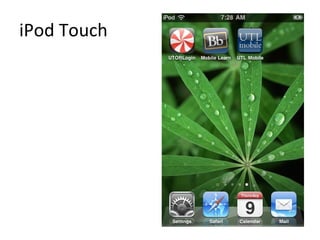
iPod Touch
 
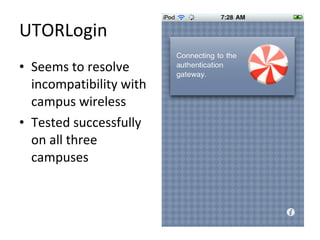
UTORLogin Seems to resolve incompatibility with campus wireless Tested successfully on all three campuses
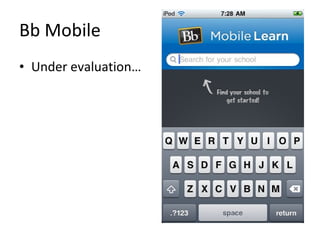
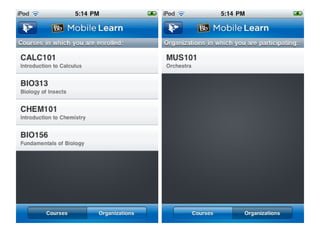
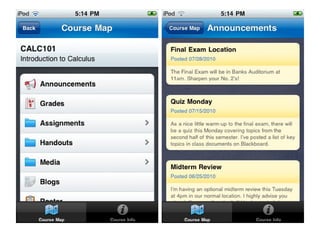
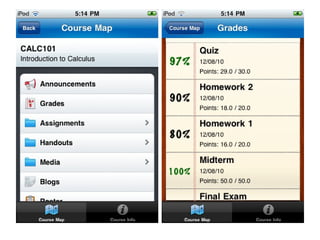
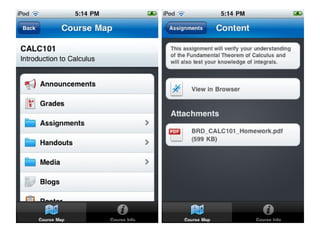
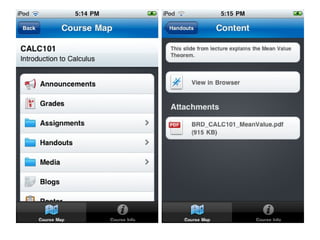
Bb Mobile Under evaluation…


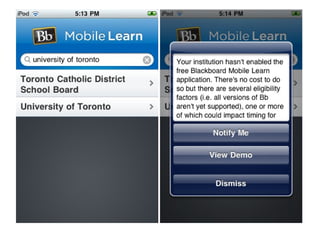
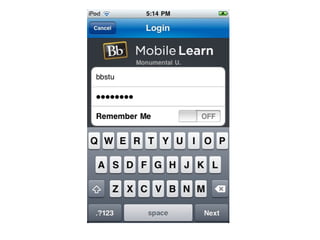
Blackboard Mobile Under review… Can the database support the load of this additional system? How can the help desks effectively support the users of ‘Blackboard Mobile’ Blackboard university license comes up for review in 1-2 years: >> or ||?
Free current data and live services Open Data Initiative http://www.toronto.ca/open/ Community information on tap OECD Factbook 2010 World Bank DataFinder 2.0
Sample application: ‘Layars’ iPhone/Android phone application [  http://www.layar.com  ] Real-time integration of GPS+compass+camera+web services Superimpose content on the camera view of your surroundings via a local web service [  Sample Application  ] on YouTube [new  Canadian Hospitals Layar  ] by B. Sutherland [ Tagline: “Here come the floaticons!” ]
UT Scarborough Layar Illustrates current distance to 20-30 points of interest on campus, via GPS Each point of interest can have actions, such as a dial number button, browse website button, play video, play audio, etc. Current information can be superimposed via connections to live data sources, e.g. current room schedule, ETA of next TTC bus, etc. Potential superposition of new campus buildings [a small intrapreneurial experiment]
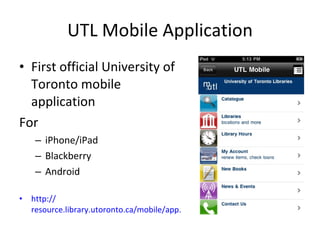
UTL Mobile Application First official University of Toronto mobile application For iPhone/iPad Blackberry Android http:// resource.library.utoronto.ca/mobile/app.html
Library Web Resources Some web sites recognize you are on a mobile device and provide you with an alternative version optimized for a small screen.  As web standards and publishing evolves for mobile platforms, web oriented content will probably evolve away from the “app” (installed software on the phone) that provides similar information back to the web browser.  Apps will become more specialized around the additional capabilities of phones. Sample links to mobile sites: [ http://m.utlib.ca ] – Main Library [ http://refworks.scholarsportal.info/mobile/ ] – RefWorks [ http://journals1.scholarsportal.info/mobile.xqy ] – Scholars Portal Journals
Thanks! Mobile Learning Sarah Forbes [sforbes@utsc.utoronto.ca] Perry Sheppard [psheppard@utsc.utoronto.ca] Faiz Visram [fvisram@utsc.utoronto.ca] Brian Sutherland [sutherland@utsc.utoronto.ca]

Mobile Learning or m-Learning

  • 1.
    Mobile Learning SarahForbes [sforbes@utsc.utoronto.ca] (Library) Perry Sheppard [psheppard@utsc.utoronto.ca] (CTL) Faiz Visram [fvisram@utsc.utoronto.ca] (Student Helpdesk) Brian Sutherland [sutherland@utsc.utoronto.ca] (CTL)
  • 2.
    Overview introduction, opportunitiesand challenges; Blackboard Mobile; UTL mobile, mobile-friendly library reference services & course data Google Android + Student Perspective iPhone and Applications UT Scarborough Demo App
  • 3.
    What is m-learning?Device centric – (alternative computing platforms) Blackberry; iPod/iPhone/iPad;Google Android Playstation/X-Box; Tablet PC; Netbook Alternative screen size Augmented sensing capabilities:, GPS, compass, accelerometer, camera, gestural (haptic) interface Extended telephony (cell connectivity, skype) User centric – once the internet is everywhere and always available, more just-in-time, situated learning, aka - the teachable moment [ http:// ctl.utsc.utoronto.ca/technology/m -learning ]
  • 4.
  • 5.
    Opportunities Explore learningdomains in new ways, leveraging prior experience with cell phones Interact with key university services (library and research services, learning management system, registrar) Campus wayfinding via GPS + compass Auto filtering and superimposing information using environmental contextual cues (GPS + compass + camera) Integration of disparate data sources through web services, e.g. real time sat nav stats for TTC through the open data initiative
  • 6.
    Challenges Do thebenefits of mobile computing outweigh the institutional effort of providing parallel, alternate services? e.g. fee cut vs. mobile service A. Sometimes mobile service makes regular academic services work more efficiently. B. Convenience/cool factor. Do internet systems provide the same level of functionality as mobile applications? A. Not always, but sometimes they provide additional functionality
  • 7.
    Challenges (cont’d) Howdo we support students and Faculty, when there are so many devices, applications and systems? A. With some difficulty and imagination (borrowing!) B. Trust in time better standards will emerge in mobile devices, just like the evolution of web browsers. C. Over time websites will auto-adjust for mobile devices, as the library and ref works sites do. D. Better sharing of support information, particularly between peers. (user forums, wikis, etc.)
  • 8.
  • 9.
  • 10.
  • 11.
    UTORLogin Seems toresolve incompatibility with campus wireless Tested successfully on all three campuses
  • 12.
    Bb Mobile Underevaluation…
  • 13.
  • 14.
  • 15.
  • 16.
  • 17.
  • 18.
  • 19.
  • 20.
    Blackboard Mobile Underreview… Can the database support the load of this additional system? How can the help desks effectively support the users of ‘Blackboard Mobile’ Blackboard university license comes up for review in 1-2 years: >> or ||?
  • 21.
    Free current dataand live services Open Data Initiative http://www.toronto.ca/open/ Community information on tap OECD Factbook 2010 World Bank DataFinder 2.0
  • 22.
    Sample application: ‘Layars’iPhone/Android phone application [ http://www.layar.com ] Real-time integration of GPS+compass+camera+web services Superimpose content on the camera view of your surroundings via a local web service [ Sample Application ] on YouTube [new Canadian Hospitals Layar ] by B. Sutherland [ Tagline: “Here come the floaticons!” ]
  • 23.
    UT Scarborough LayarIllustrates current distance to 20-30 points of interest on campus, via GPS Each point of interest can have actions, such as a dial number button, browse website button, play video, play audio, etc. Current information can be superimposed via connections to live data sources, e.g. current room schedule, ETA of next TTC bus, etc. Potential superposition of new campus buildings [a small intrapreneurial experiment]
  • 24.
    UTL Mobile ApplicationFirst official University of Toronto mobile application For iPhone/iPad Blackberry Android http:// resource.library.utoronto.ca/mobile/app.html
  • 25.
    Library Web ResourcesSome web sites recognize you are on a mobile device and provide you with an alternative version optimized for a small screen. As web standards and publishing evolves for mobile platforms, web oriented content will probably evolve away from the “app” (installed software on the phone) that provides similar information back to the web browser. Apps will become more specialized around the additional capabilities of phones. Sample links to mobile sites: [ http://m.utlib.ca ] – Main Library [ http://refworks.scholarsportal.info/mobile/ ] – RefWorks [ http://journals1.scholarsportal.info/mobile.xqy ] – Scholars Portal Journals
  • 26.
    Thanks! Mobile LearningSarah Forbes [sforbes@utsc.utoronto.ca] Perry Sheppard [psheppard@utsc.utoronto.ca] Faiz Visram [fvisram@utsc.utoronto.ca] Brian Sutherland [sutherland@utsc.utoronto.ca]