Mobile Moodle Inge de Waard / Carlos Kiyan
Presentation in 2 parts focusing on mLearning project sharing the smartphone/Moodle community
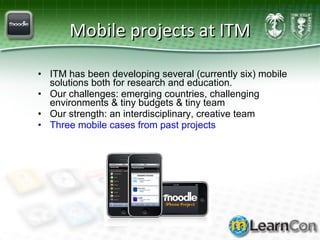
Mobile projects at ITM ITM has been developing several (currently six) mobile solutions both for research and education.  Our challenges: emerging countries, challenging environments & tiny budgets & tiny team Our strength: an interdisciplinary, creative team Three mobile cases from past projects
Part 1- The Peruvian mLearning project Aim of the project In 2008 the Institute of Tropical Medicine Alexander von Humboldt  (IMTAvH)  in Lima (=  the real craftsmen of this project ) and the Institute of Tropical Medicine  (ITM)  in Antwerp set up a mobile  educational platform for healthcare worker (HCW) training: downloading of the latest medical information knowledge sharing and data contribution
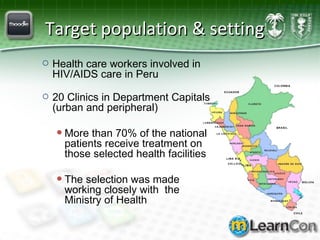
Target population & setting Health care workers involved in HIV/AIDS care in Peru 20 Clinics in Department Capitals (urban and peripheral) More than 70% of the national patients receive treatment on those selected health facilities The selection was made working closely with  the Ministry of Health
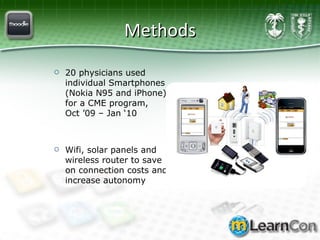
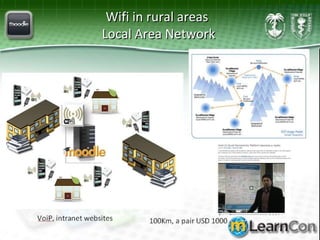
Methods 20 physicians used individual Smartphones (Nokia N95 and iPhone), for a CME program,  Oct ’09 – Jan ‘10 Wifi, solar panels and wireless router to save on connection costs and increase autonomy
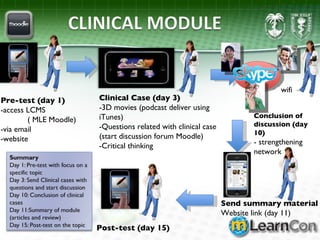
Pre-test (day 1) -access LCMS ( MLE Moodle) -via email  -website Clinical Case (day 3) -3D movies (podcast deliver using iTunes) -Questions related with clinical case (start discussion forum Moodle) -Critical thinking Conclusion of  discussion (day 10) - strengthening network Send summary material Website link (day 11) Post-test (day 15) wifi
Tools chapter
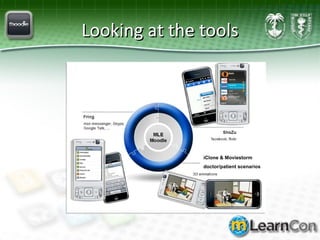
Looking at the tools iClone & Moviestorm doctor/patient scenarios
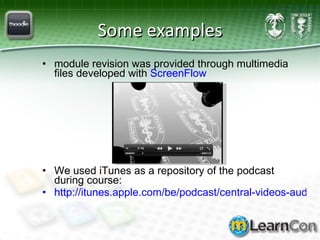
Some examples module revision was provided through multimedia files developed with  ScreenFlow We used iTunes as a repository of the podcast during course:  http://itunes.apple.com/be/podcast/central-videos-audios-reach/id332290043
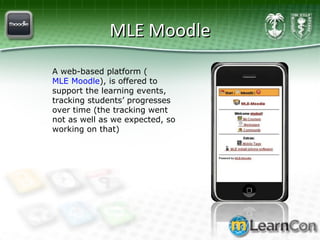
MLE Moodle A web-based platform ( MLE Moodle ), is offered to support the learning events, tracking students’ progresses over time (the tracking went not as well as we expected, so working on that)
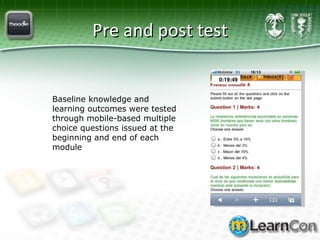
Pre and post test Baseline knowledge and learning outcomes were tested through mobile-based multiple choice questions issued at the beginning and end of each module
Mid-term evaluation chapter
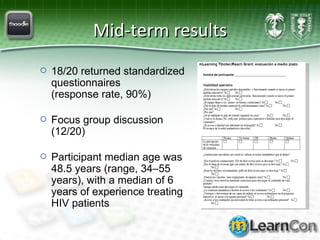
Mid-term results 18/20 returned standardized questionnaires  (response rate, 90%) Focus group discussion  (12/20) Participant median age was 48.5 years (range, 34–55 years), with a median of 6 years of experience treating HIV patients
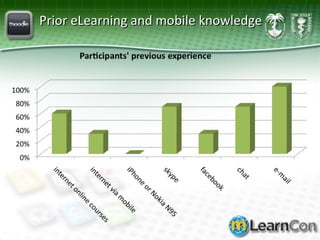
Prior eLearning and mobile knowledge
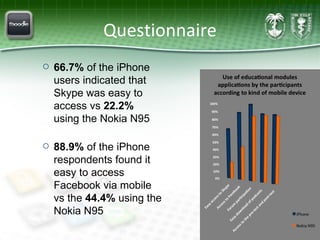
Questionnaire 66.7%  of the iPhone users indicated that Skype was easy to access vs  22.2%  using the Nokia N95 88.9%  of the iPhone respondents found it easy to access Facebook via mobile vs the  44.4%  using the Nokia N95
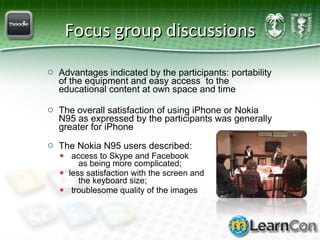
Focus group discussions Advantages indicated by the participants: portability of the equipment and easy access  to the educational content at own space and time   The overall satisfaction of using iPhone or Nokia N95 as expressed by the participants was generally greater for iPhone The Nokia N95 users described: access to Skype and Facebook    as being more complicated;  less satisfaction with the screen and    the keyboard size;  troublesome quality of the images
Actions taken (later reading) The actions we took in mLearning project were multiple, let me list 7: We looked at the latest mobile phones supported by the national telecom companies, and we compared their functionalities. These functionalities had to enable reading comfort; they had to permit installing certain applications (for picture exchange, keeping connected with peers). The devices needed to have multimedia possibilities as we aimed to address different learner skills (text, audio, video). The devices also needed to have enough memory to enable big multimedia files to be stored on them. Synchronization with computers was necessary to allow cheaper downloading of new clinical modules. And last but not least, because we were aiming to add mobile social media, these media needed to be accessible by the mobile devices. After purchasing the devices we started to compare mobile social media. Those media that could be accessed with both devices, and that offered a mobile design were chosen.  It was deemed necessary to use a mobile platform on which to store all the modules. So we started to look for mobile platforms that were both cheap and accessible. Mobile Moodle was chosen, as it offered the surplus of enabling ubiquitous learning in future projects, and because both institutes were using Moodle already as a learning platform.  At the same time content was being redeveloped: getting interactivity going, delivering both static (text) and multimedia content to cater to a variety of learner types, animations were made for patient/doctor conversation simulations. To enable easy podcast downloads, we started using iTunes for education.  A facebook page was set-up to allow easy peer-to-peer information exchange.  Training was given to the participants (2 days, 1 day per type of mobile device)
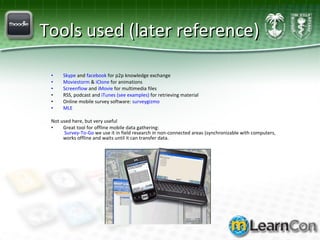
Tools used (later reference) Skype  and  facebook  for p2p knowledge exchange Moviestorm  &  iClone  for animations Screenflow  and  iMovie  for multimedia files RSS, podcast and  iTunes (see examples)  for retrieving material Online mobile survey software:  surveygizmo MLE Not used here, but very useful Great tool for offline mobile data gathering:   Survey-To-Go  we use it in field research in non-connected areas (synchronizable with computers, works offline and waits until it can transfer data.
Wifi in rural areas  Local Area Network
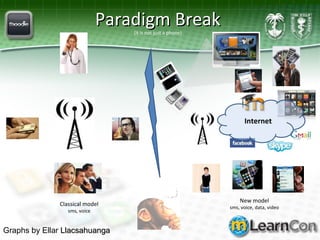
Paradigm Break (it is not just a phone) Classical model sms, voice New model sms, voice, data, video Internet Graphs by Ellar  Llacsahuanga
Part 2:  Sharing smartphone/Moodle community
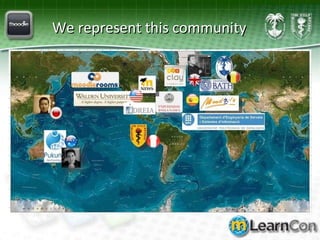
We represent this community
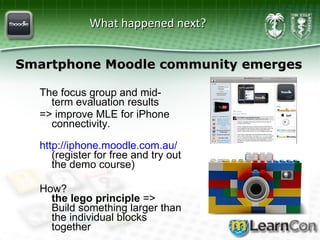
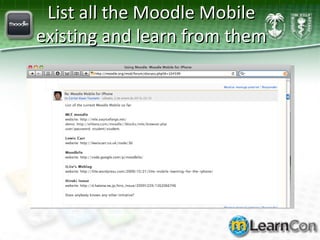
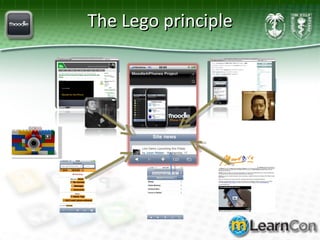
What happened next?  The focus group and mid-term evaluation results  => improve MLE for iPhone connectivity.  http:// iphone.moodle.com.au /   (register for free and try out the demo course) How?  the lego principle  => Build something larger than the individual blocks together Smartphone Moodle community emerges
List all the Moodle Mobile existing and learn from them
The Lego principle
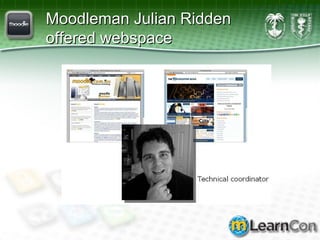
Moodleman Julian Ridden offered webspace
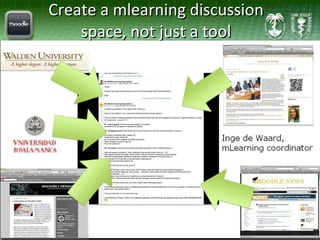
Create a mlearning discussion space, not just a tool
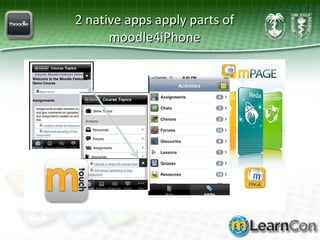
2 native apps apply parts of moodle4iPhone
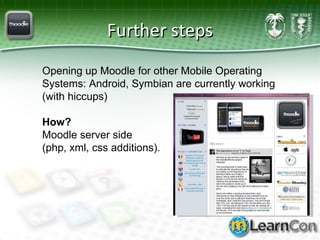
Further steps Opening up Moodle for other Mobile Operating Systems: Android, Symbian are currently working (with hiccups) How?   Moodle server side  (php, xml, css additions).
Current actions Cleaning the coding:  GIT  + community Going for native iPhone app  (native app => changes made based on Webkit (SDK) of mobile phones, this is in contrast with adapting a CMS on the server side)
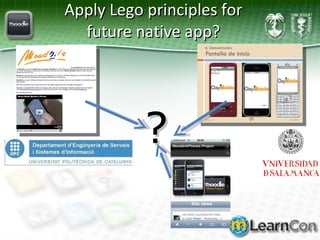
Apply Lego principles for future native app? ?
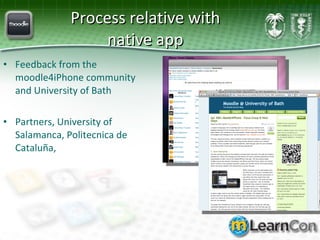
Process relative with native app Feedback from the moodle4iPhone community and University of Bath Partners, University of Salamanca,  Politecnica  de Cataluña,
Mobile Moodle Survey Your ideas count! Link to Mobile Moodle Ideas Survey
Live simulation demo
Whas’up???  Q and A (cartoon by Nick D Kim,  nearingzero.net )
Let’s meet all the collaborators Julian Ridden ( aka Moodleman ) for providing us with server space and iPhone/Moodle site, technical coordinator Hiroki Inoue  from Learning Design Japan,  Lewis Carr  British Moodle guru, design moodle4iPhone logo Ludo Marc Alier , Maria Jose Casany, Politecnica de Cataluña The team from  Brave New Code The team from  MoodleRooms Moodle Monthly The  University of Bath The  Walden University Franciso Jose Garcia Peñalvo, Miguel Angel Conde, Nazareth, Alicia Garcia Holgado  University of Salamanca  Idrea Universidad Peruana Cayetano Heredia Institute of Tropical Medicine Antwerp
This work is a result of the collaboration between the eLearning teams of ITM, Antwerp, Belgium and the IMTAvH, Lima, Peru B. Castillo Llaque, L. Fucay, D. Iglesias, V. Suarez, J. Echevarria Z., E. Llacsahuanga, M. Zolfo, L. Lynen, C. Kiyan and I. de Waard.  This project was supported by REACH-Tibotec 2008, Educational Grant   Thank you! And all the members of the moodle community
Contact E-mail:  [email_address]  &  [email_address]   Blog:  ignatiawebs.blogspot.com  (click the ‘mobile’ tag) Twitter:  http://twitter.com/Ignatia   http://twitter.com/ckiyan   Slideshare (ppt):   http://www.slideshare.net/ignatia linkedIn:  http://www.linkedin.com/in/ingedewaard http://be.linkedin.com/pub/carlos-kiyan/2/303/992

Mobile Moodle and mLearning project for mLearncon in San Diego

  • 1.
    Mobile Moodle Ingede Waard / Carlos Kiyan
  • 2.
    Presentation in 2parts focusing on mLearning project sharing the smartphone/Moodle community
  • 3.
    Mobile projects atITM ITM has been developing several (currently six) mobile solutions both for research and education. Our challenges: emerging countries, challenging environments & tiny budgets & tiny team Our strength: an interdisciplinary, creative team Three mobile cases from past projects
  • 4.
    Part 1- ThePeruvian mLearning project Aim of the project In 2008 the Institute of Tropical Medicine Alexander von Humboldt (IMTAvH) in Lima (= the real craftsmen of this project ) and the Institute of Tropical Medicine (ITM) in Antwerp set up a mobile educational platform for healthcare worker (HCW) training: downloading of the latest medical information knowledge sharing and data contribution
  • 5.
    Target population &setting Health care workers involved in HIV/AIDS care in Peru 20 Clinics in Department Capitals (urban and peripheral) More than 70% of the national patients receive treatment on those selected health facilities The selection was made working closely with the Ministry of Health
  • 6.
    Methods 20 physiciansused individual Smartphones (Nokia N95 and iPhone), for a CME program, Oct ’09 – Jan ‘10 Wifi, solar panels and wireless router to save on connection costs and increase autonomy
  • 7.
    Pre-test (day 1)-access LCMS ( MLE Moodle) -via email -website Clinical Case (day 3) -3D movies (podcast deliver using iTunes) -Questions related with clinical case (start discussion forum Moodle) -Critical thinking Conclusion of discussion (day 10) - strengthening network Send summary material Website link (day 11) Post-test (day 15) wifi
  • 8.
  • 9.
    Looking at thetools iClone & Moviestorm doctor/patient scenarios
  • 10.
    Some examples modulerevision was provided through multimedia files developed with ScreenFlow We used iTunes as a repository of the podcast during course: http://itunes.apple.com/be/podcast/central-videos-audios-reach/id332290043
  • 11.
    MLE Moodle Aweb-based platform ( MLE Moodle ), is offered to support the learning events, tracking students’ progresses over time (the tracking went not as well as we expected, so working on that)
  • 12.
    Pre and posttest Baseline knowledge and learning outcomes were tested through mobile-based multiple choice questions issued at the beginning and end of each module
  • 13.
  • 14.
    Mid-term results 18/20returned standardized questionnaires (response rate, 90%) Focus group discussion (12/20) Participant median age was 48.5 years (range, 34–55 years), with a median of 6 years of experience treating HIV patients
  • 15.
    Prior eLearning andmobile knowledge
  • 16.
    Questionnaire 66.7% of the iPhone users indicated that Skype was easy to access vs 22.2% using the Nokia N95 88.9% of the iPhone respondents found it easy to access Facebook via mobile vs the 44.4% using the Nokia N95
  • 17.
    Focus group discussionsAdvantages indicated by the participants: portability of the equipment and easy access to the educational content at own space and time The overall satisfaction of using iPhone or Nokia N95 as expressed by the participants was generally greater for iPhone The Nokia N95 users described: access to Skype and Facebook as being more complicated; less satisfaction with the screen and the keyboard size; troublesome quality of the images
  • 18.
    Actions taken (laterreading) The actions we took in mLearning project were multiple, let me list 7: We looked at the latest mobile phones supported by the national telecom companies, and we compared their functionalities. These functionalities had to enable reading comfort; they had to permit installing certain applications (for picture exchange, keeping connected with peers). The devices needed to have multimedia possibilities as we aimed to address different learner skills (text, audio, video). The devices also needed to have enough memory to enable big multimedia files to be stored on them. Synchronization with computers was necessary to allow cheaper downloading of new clinical modules. And last but not least, because we were aiming to add mobile social media, these media needed to be accessible by the mobile devices. After purchasing the devices we started to compare mobile social media. Those media that could be accessed with both devices, and that offered a mobile design were chosen.  It was deemed necessary to use a mobile platform on which to store all the modules. So we started to look for mobile platforms that were both cheap and accessible. Mobile Moodle was chosen, as it offered the surplus of enabling ubiquitous learning in future projects, and because both institutes were using Moodle already as a learning platform.  At the same time content was being redeveloped: getting interactivity going, delivering both static (text) and multimedia content to cater to a variety of learner types, animations were made for patient/doctor conversation simulations. To enable easy podcast downloads, we started using iTunes for education.  A facebook page was set-up to allow easy peer-to-peer information exchange.  Training was given to the participants (2 days, 1 day per type of mobile device)
  • 19.
    Tools used (laterreference) Skype and facebook for p2p knowledge exchange Moviestorm & iClone for animations Screenflow and iMovie for multimedia files RSS, podcast and iTunes (see examples) for retrieving material Online mobile survey software: surveygizmo MLE Not used here, but very useful Great tool for offline mobile data gathering: Survey-To-Go we use it in field research in non-connected areas (synchronizable with computers, works offline and waits until it can transfer data.
  • 20.
    Wifi in ruralareas Local Area Network
  • 21.
    Paradigm Break (itis not just a phone) Classical model sms, voice New model sms, voice, data, video Internet Graphs by Ellar Llacsahuanga
  • 22.
    Part 2: Sharing smartphone/Moodle community
  • 23.
  • 24.
    What happened next? The focus group and mid-term evaluation results => improve MLE for iPhone connectivity. http:// iphone.moodle.com.au / (register for free and try out the demo course) How? the lego principle => Build something larger than the individual blocks together Smartphone Moodle community emerges
  • 25.
    List all theMoodle Mobile existing and learn from them
  • 26.
  • 27.
    Moodleman Julian Riddenoffered webspace
  • 28.
    Create a mlearningdiscussion space, not just a tool
  • 29.
    2 native appsapply parts of moodle4iPhone
  • 30.
    Further steps Openingup Moodle for other Mobile Operating Systems: Android, Symbian are currently working (with hiccups) How? Moodle server side (php, xml, css additions).
  • 31.
    Current actions Cleaningthe coding: GIT + community Going for native iPhone app (native app => changes made based on Webkit (SDK) of mobile phones, this is in contrast with adapting a CMS on the server side)
  • 32.
    Apply Lego principlesfor future native app? ?
  • 33.
    Process relative withnative app Feedback from the moodle4iPhone community and University of Bath Partners, University of Salamanca, Politecnica de Cataluña,
  • 34.
    Mobile Moodle SurveyYour ideas count! Link to Mobile Moodle Ideas Survey
  • 35.
  • 36.
    Whas’up??? Qand A (cartoon by Nick D Kim, nearingzero.net )
  • 37.
    Let’s meet allthe collaborators Julian Ridden ( aka Moodleman ) for providing us with server space and iPhone/Moodle site, technical coordinator Hiroki Inoue from Learning Design Japan, Lewis Carr British Moodle guru, design moodle4iPhone logo Ludo Marc Alier , Maria Jose Casany, Politecnica de Cataluña The team from Brave New Code The team from MoodleRooms Moodle Monthly The University of Bath The Walden University Franciso Jose Garcia Peñalvo, Miguel Angel Conde, Nazareth, Alicia Garcia Holgado University of Salamanca Idrea Universidad Peruana Cayetano Heredia Institute of Tropical Medicine Antwerp
  • 38.
    This work isa result of the collaboration between the eLearning teams of ITM, Antwerp, Belgium and the IMTAvH, Lima, Peru B. Castillo Llaque, L. Fucay, D. Iglesias, V. Suarez, J. Echevarria Z., E. Llacsahuanga, M. Zolfo, L. Lynen, C. Kiyan and I. de Waard. This project was supported by REACH-Tibotec 2008, Educational Grant Thank you! And all the members of the moodle community
  • 39.
    Contact E-mail: [email_address] & [email_address] Blog: ignatiawebs.blogspot.com (click the ‘mobile’ tag) Twitter: http://twitter.com/Ignatia http://twitter.com/ckiyan Slideshare (ppt): http://www.slideshare.net/ignatia linkedIn: http://www.linkedin.com/in/ingedewaard http://be.linkedin.com/pub/carlos-kiyan/2/303/992

Editor's Notes

  • #21 WiLDNet: Design and Implementation of High Performance WiFi Based Long Distance Networks ∗Rabin Patra† ‡Sergiu Nedevschi†‡Sonesh Surana†Anmol Sheth§ Lakshminarayanan Subramanian¶Eric Brewer†‡ http://www.eslared.org.ve/articulos/Long%20Distance%20WiFi%20Trial.pdf