Looking at Academic Benefit and Technology Planning
Nancy Caramanico, Technology and Education Specialist
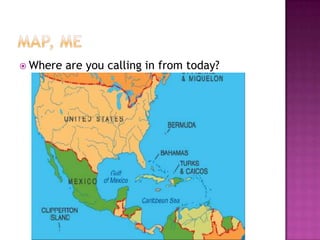
 Where   are you calling in from today?
 Welcome
 Research and Educational Technology Trends
 Leadership Looks at the Academic Benefit
 Windows 8 Features
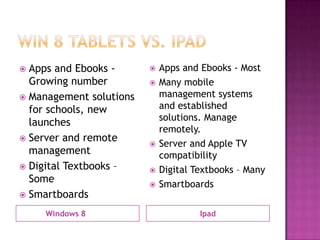
 Windows 8 Tablets vs. Ipads
 Examples of Use in Schools
 Technology Deployment Planning, Choosing and
  Peripherals
 Policies and Ownership Models
 Assessing Progress for Students, School
 Next Steps for Your School
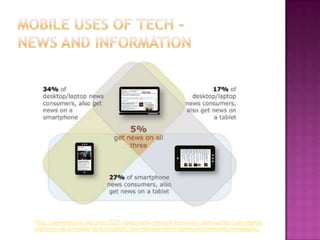
http://pewresearch.org/pubs/2222/news-media-network-television-cable-audioo-radio-digital-
platforms-local-mobile-devices-tablets-smartphones-native-american-community-newspapers
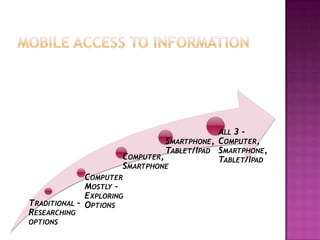
ALL 3 -
                                SMARTPHONE, COMPUTER,
                                TABLET/IPAD SMARTPHONE,
                      COMPUTER,             TABLET/IPAD
                      SMARTPHONE
              COMPUTER
              MOSTLY –
              EXPLORING
TRADITIONAL – OPTIONS
RESEARCHING
OPTIONS
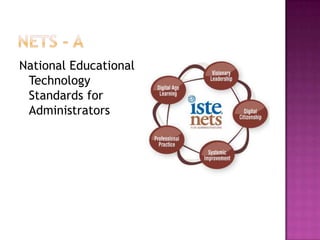
National Educational
 Technology
 Standards for
 Administrators
   Change is a Constant
   __How can we look out
    on the ‘Horizon’?
   __How can we heed the
    Research?
   __How does this apply
    to our Mission, Vision?
   __How can this
    information benefit
    your students, school?
   __How will you inspire
    and lead others toward
    a shared vision to
    support change?
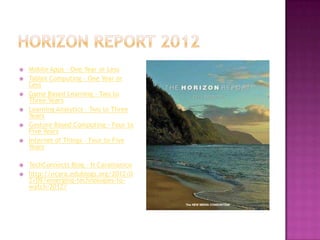
   Mobile Apps - One Year or Less
   Tablet Computing - One Year or
    Less
   Game Based Learning - Two to
    Three Years
   Learning Analytics - Two to Three
    Years
   Gesture Based Computing – Four to
    Five Years
   Internet of Things – Four to Five
    Years

   TechConnects Blog – N Caramanico
   http://ncara.edublogs.org/2012/0
    2/09/emerging-technologies-to-
    watch-2012/
 __What  instructional innovations are
  improving learning today?
 __What supports are in place for all learners?
 __How can we foster effective practice in
  our school?
 __How can we connect to digital learning
  ideas and collaborate with other schools,
  educators?
 Benefits
 Complete  redesign
 Innovative in terms of layout
 Connect to all devices
 Use the same operating system across
  devices
 Features:
 Intelbased CPU with always on Technology
 HDMI port, Memory port
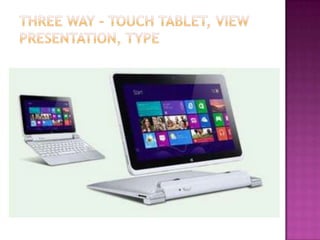
 Detachable keyboard
 Three Modes
 18 hour battery
 Wake from sleep 2.5 seconds, connect to
  cloud and wifi quickly
 Slim, light .35 inches thin
   Ipad vs. Win Tablet       Two Areas
   Mac vs. PC                Curriculum
   Reason for Purchasing?     Considerations
   What can be done on
                              IT Considerations
    tablet OR Ipad that
    can’t be done on
    current computer?
   Are you BYOD?
   Student Engagement
   To College, Work, Life
   Questions we consider
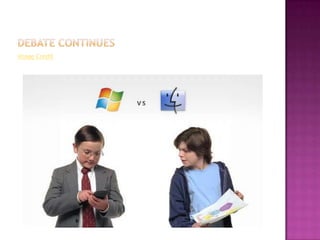
Image Credit
 Apps and Ebooks -         Apps and Ebooks - Most
  Growing number            Many mobile
 Management solutions       management systems
  for schools, new           and established
                             solutions. Manage
  launches
                             remotely.
 Server and remote
                            Server and Apple TV
  management                 compatibility
 Digital Textbooks –       Digital Textbooks – Many
  Some                      Smartboards
 Smartboards

     Windows 8                        Ipad
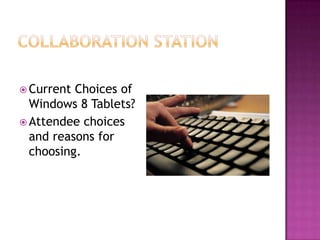
 Current Choices of
  Windows 8 Tablets?
 Attendee choices
  and reasons for
  choosing.
 Consumer Reports
 http://www.consumerreports.org/cro/tablet
  s.htm
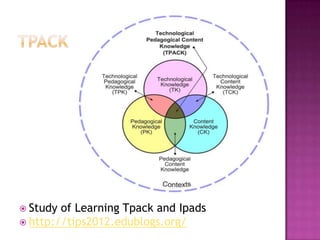
 Study of Learning Tpack and Ipads
 http://tips2012.edublogs.org/
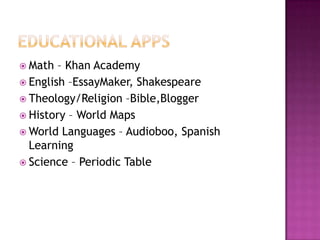
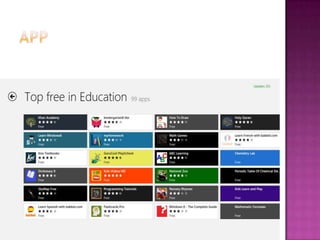
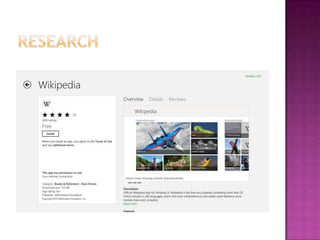
 Math  – Khan Academy
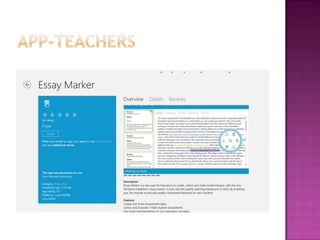
 English –EssayMaker, Shakespeare
 Theology/Religion –Bible,Blogger
 History – World Maps
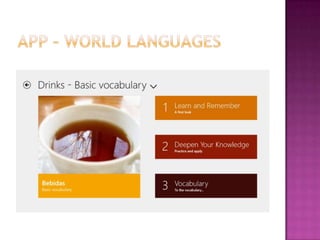
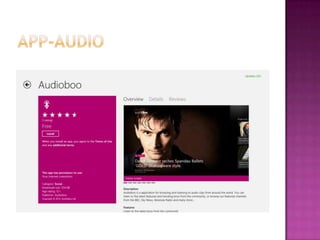
 World Languages – Audioboo, Spanish
  Learning
 Science – Periodic Table
 What  do you look for in apps? What
  functionality?
 What is most important to you
 Write it on the whiteboard
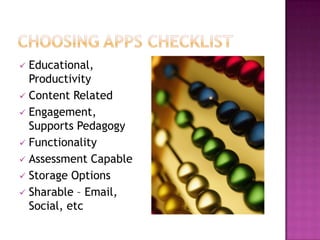
 Educational,
  Productivity
 Content Related
 Engagement,
  Supports Pedagogy
 Functionality
 Assessment Capable
 Storage Options
 Sharable – Email,
  Social, etc
 Bloom’sTaxonomy Apps, Kathy Schrock
http://www.schrockguide.net/bloomin-
  apps.html
Search Engine for Apps
https://www.quixey.com/
Vocabulary Review
 Over 3400 videos
 Track access
 Find track and text
App
  Skype

Online meetings
 Lesson   Ideas:
    Connect with another classroom
    Connect with an author
    Skype in to professional development
Apps
  Skitch


  Sky Drive
 Lessons:
    Social Studies – Have students collect and edit
     images for use if a project collage
    ILA – Have students create digital stories based
     on a writing projects
    Blurb Website
     http://www.blurb.com/mobile/home
Apps

 Stanford U
 Khan Academy (Web and Ipad)
 Kindle and more
    http://www.polleverywhere.com/#video

    Flipped Classroom http://www.knewton.com/flipped-classroom/

    http://www.youtube.com/watch?feature=player_embedded&v=2H4RkudFzlc#!
 __What   changes to policy do you need?
 __What changes to classroom procedures will
  be necessary?
 __What additional information literacy skills
  will students require?
 __ What Online Safety and Digital Citizenship
  resources can be used to enhance knowledge
  and practice?
•   Technology Plan
•   Make a
    Difference for
    Learning
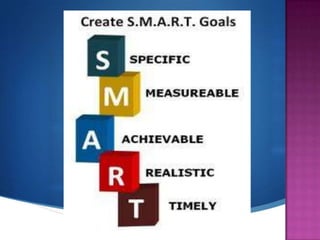
•   Smart Goals
 Beginning to Go Digital Checklist
 Network Readiness
 __Are you wireless?
 __Other network upgrades needed?
 __What about printing?
 __Display options?
 Beginning to Go Digital
 __Mission and vision correlations?
 __Academic correlations?
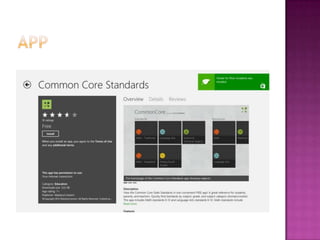
 __Standards correlations? Common Core,
  Other
 __Buy-in from faculty?
 __Professional Development Tie ins?
 __Buy in from School Community, Parents,
  Stakeholders?
 Pilots
     __Who will pilot?
     __What will they use? Tools? Pedagogy?
     __How will you evaluate?
         __What worked? Benefits
         __What did not? Challenges, Needs

         __How will you refine this?
     __How will you communicate results of pilot?
 Plan      Next Round of Implementation
 How have you piloted Windows Tablets?
 What successes can you share?
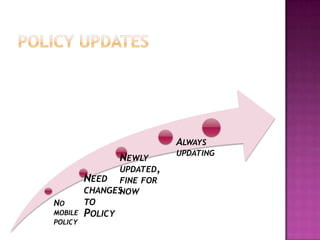
ALWAYS
                         UPDATING
             NEWLY
              UPDATED,
       NEED FINE FOR
       CHANGESNOW
NO     TO
MOBILE POLICY
POLICY
 School Owned Sets – Gwynedd
 School Owned One to One – Roman Catholic
 BYOD – Bring Your Own Device – New Canaan
 Student Owned and Purchased – St. Hubert’s


 Insurance
 __What   changes to policy do you need?
 __What changes to classroom procedures will
  be necessary?
 __What additional information literacy skills
  will students require?
 __ What Online Safety and Digital Citizenship
  resources can be used to enhance knowledge
  and practice?
 AUP  – Acceptable
  Use Policies
 Classroom
  Guidelines
 Parent
  Communications
 Insurance
  Info/Guidelines
 __How   can teachers and administrators learn
  using today’s technologies?
 __What professional development can be
  accessed? Both formal and informal?
 __How can leaders use technology in their
  professional practice?
 __What digital communications tools are
  being effectively used today for staying in
  touch w/staff, families and the broader
  school community?
   Objectives
   Activities
   Assessment

   What are effective lessons?
   How can technology be a meaningful component?
   What features of the tool can help students to
    demonstrate or enhance understanding?
   What apps should I look at which will help students to
    showcase mastery or enhance learning?
   How can we evaluate and assess progress?
   http://ncara.edublogs.org/2012/08/13/connected-
    educators-a-to-z-e-is-for-evaluation/
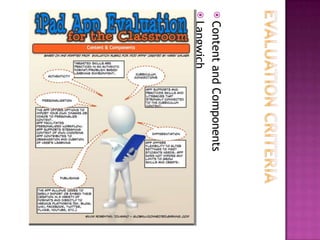
 Content   and Components
 Langwich
 How will you proceed?
 What information do you need to gather?
 http://blog.proqc.com/s-m-a-r-t-quality-
  planning-goal-setting/
 www.mashable.com
 www.Fasticon.com
 http://www.scribd.com/doc/94980508/iPad-
  App-Evaluation-for-the-Classroom
 http://jasonh1234.deviantart.com/art/PC-
  vs-Mac-Kids-v2-85030232
Nancy Caramanico, Instructional
Technology and Learning Specialist
www.caratechnology.net
Education Blog
http://ncara.edublogs.org
Nancy@caratechnology.net
Twitter @ncara

Win8 Tablets Leadership Perspective for Schools

  • 1.
    Looking at AcademicBenefit and Technology Planning Nancy Caramanico, Technology and Education Specialist
  • 2.
     Where are you calling in from today?
  • 3.
     Welcome  Researchand Educational Technology Trends  Leadership Looks at the Academic Benefit  Windows 8 Features  Windows 8 Tablets vs. Ipads  Examples of Use in Schools  Technology Deployment Planning, Choosing and Peripherals  Policies and Ownership Models  Assessing Progress for Students, School  Next Steps for Your School
  • 4.
  • 6.
    ALL 3 - SMARTPHONE, COMPUTER, TABLET/IPAD SMARTPHONE, COMPUTER, TABLET/IPAD SMARTPHONE COMPUTER MOSTLY – EXPLORING TRADITIONAL – OPTIONS RESEARCHING OPTIONS
  • 7.
    National Educational Technology Standards for Administrators
  • 8.
    Change is a Constant  __How can we look out on the ‘Horizon’?  __How can we heed the Research?  __How does this apply to our Mission, Vision?  __How can this information benefit your students, school?  __How will you inspire and lead others toward a shared vision to support change?
  • 9.
    Mobile Apps - One Year or Less  Tablet Computing - One Year or Less  Game Based Learning - Two to Three Years  Learning Analytics - Two to Three Years  Gesture Based Computing – Four to Five Years  Internet of Things – Four to Five Years  TechConnects Blog – N Caramanico  http://ncara.edublogs.org/2012/0 2/09/emerging-technologies-to- watch-2012/
  • 10.
     __What instructional innovations are improving learning today?  __What supports are in place for all learners?  __How can we foster effective practice in our school?  __How can we connect to digital learning ideas and collaborate with other schools, educators?
  • 11.
     Benefits  Complete redesign  Innovative in terms of layout  Connect to all devices  Use the same operating system across devices
  • 12.
     Features:  IntelbasedCPU with always on Technology  HDMI port, Memory port  Detachable keyboard  Three Modes  18 hour battery  Wake from sleep 2.5 seconds, connect to cloud and wifi quickly  Slim, light .35 inches thin
  • 14.
    Ipad vs. Win Tablet  Two Areas  Mac vs. PC  Curriculum  Reason for Purchasing? Considerations  What can be done on  IT Considerations tablet OR Ipad that can’t be done on current computer?  Are you BYOD?  Student Engagement  To College, Work, Life  Questions we consider
  • 15.
  • 16.
     Apps andEbooks -  Apps and Ebooks - Most Growing number  Many mobile  Management solutions management systems for schools, new and established solutions. Manage launches remotely.  Server and remote  Server and Apple TV management compatibility  Digital Textbooks –  Digital Textbooks – Many Some  Smartboards  Smartboards Windows 8 Ipad
  • 17.
     Current Choicesof Windows 8 Tablets?  Attendee choices and reasons for choosing.
  • 19.
     Consumer Reports http://www.consumerreports.org/cro/tablet s.htm
  • 21.
     Study ofLearning Tpack and Ipads  http://tips2012.edublogs.org/
  • 22.
     Math – Khan Academy  English –EssayMaker, Shakespeare  Theology/Religion –Bible,Blogger  History – World Maps  World Languages – Audioboo, Spanish Learning  Science – Periodic Table
  • 23.
     What do you look for in apps? What functionality?  What is most important to you  Write it on the whiteboard
  • 24.
     Educational, Productivity  Content Related  Engagement, Supports Pedagogy  Functionality  Assessment Capable  Storage Options  Sharable – Email, Social, etc
  • 25.
     Bloom’sTaxonomy Apps,Kathy Schrock http://www.schrockguide.net/bloomin- apps.html Search Engine for Apps https://www.quixey.com/
  • 28.
  • 34.
     Over 3400videos  Track access  Find track and text
  • 35.
    App  Skype Onlinemeetings  Lesson Ideas:  Connect with another classroom  Connect with an author  Skype in to professional development
  • 36.
    Apps  Skitch  Sky Drive  Lessons:  Social Studies – Have students collect and edit images for use if a project collage  ILA – Have students create digital stories based on a writing projects  Blurb Website http://www.blurb.com/mobile/home
  • 37.
    Apps  Stanford U Khan Academy (Web and Ipad)  Kindle and more  http://www.polleverywhere.com/#video  Flipped Classroom http://www.knewton.com/flipped-classroom/  http://www.youtube.com/watch?feature=player_embedded&v=2H4RkudFzlc#!
  • 38.
     __What changes to policy do you need?  __What changes to classroom procedures will be necessary?  __What additional information literacy skills will students require?  __ What Online Safety and Digital Citizenship resources can be used to enhance knowledge and practice?
  • 39.
    Technology Plan • Make a Difference for Learning • Smart Goals
  • 41.
     Beginning toGo Digital Checklist  Network Readiness  __Are you wireless?  __Other network upgrades needed?  __What about printing?  __Display options?
  • 42.
     Beginning toGo Digital  __Mission and vision correlations?  __Academic correlations?  __Standards correlations? Common Core, Other  __Buy-in from faculty?  __Professional Development Tie ins?  __Buy in from School Community, Parents, Stakeholders?
  • 43.
     Pilots  __Who will pilot?  __What will they use? Tools? Pedagogy?  __How will you evaluate?  __What worked? Benefits  __What did not? Challenges, Needs  __How will you refine this?  __How will you communicate results of pilot?  Plan Next Round of Implementation
  • 44.
     How haveyou piloted Windows Tablets?  What successes can you share?
  • 45.
    ALWAYS UPDATING NEWLY UPDATED, NEED FINE FOR CHANGESNOW NO TO MOBILE POLICY POLICY
  • 46.
     School OwnedSets – Gwynedd  School Owned One to One – Roman Catholic  BYOD – Bring Your Own Device – New Canaan  Student Owned and Purchased – St. Hubert’s  Insurance
  • 47.
     __What changes to policy do you need?  __What changes to classroom procedures will be necessary?  __What additional information literacy skills will students require?  __ What Online Safety and Digital Citizenship resources can be used to enhance knowledge and practice?
  • 48.
     AUP – Acceptable Use Policies  Classroom Guidelines  Parent Communications  Insurance Info/Guidelines
  • 49.
     __How can teachers and administrators learn using today’s technologies?  __What professional development can be accessed? Both formal and informal?  __How can leaders use technology in their professional practice?  __What digital communications tools are being effectively used today for staying in touch w/staff, families and the broader school community?
  • 50.
    Objectives  Activities  Assessment  What are effective lessons?  How can technology be a meaningful component?  What features of the tool can help students to demonstrate or enhance understanding?  What apps should I look at which will help students to showcase mastery or enhance learning?  How can we evaluate and assess progress?  http://ncara.edublogs.org/2012/08/13/connected- educators-a-to-z-e-is-for-evaluation/
  • 51.
     Content and Components  Langwich
  • 52.
     How willyou proceed?  What information do you need to gather?
  • 53.
     http://blog.proqc.com/s-m-a-r-t-quality- planning-goal-setting/  www.mashable.com  www.Fasticon.com  http://www.scribd.com/doc/94980508/iPad- App-Evaluation-for-the-Classroom  http://jasonh1234.deviantart.com/art/PC- vs-Mac-Kids-v2-85030232
  • 54.
    Nancy Caramanico, Instructional Technologyand Learning Specialist www.caratechnology.net Education Blog http://ncara.edublogs.org Nancy@caratechnology.net Twitter @ncara

Editor's Notes