www.RebeccaWardlow.com
Who Is Rebecca Wardlow? 
President & COO at 
SolideaMedical.com 
Social Media Expert 
Web Design & 
Development since 1998 
WordPress and Magento 
eCommerce Expert 
Proud mom of 5 children!
Why Should You Use LinkedIn 
There are approximately 
259,000,000 users 
The average yearly salary 
for users is over $100,000 
If you sold a product for 
$20 to 1% of the users on 
LinkedIn, you could earn 
$51,800,000 !
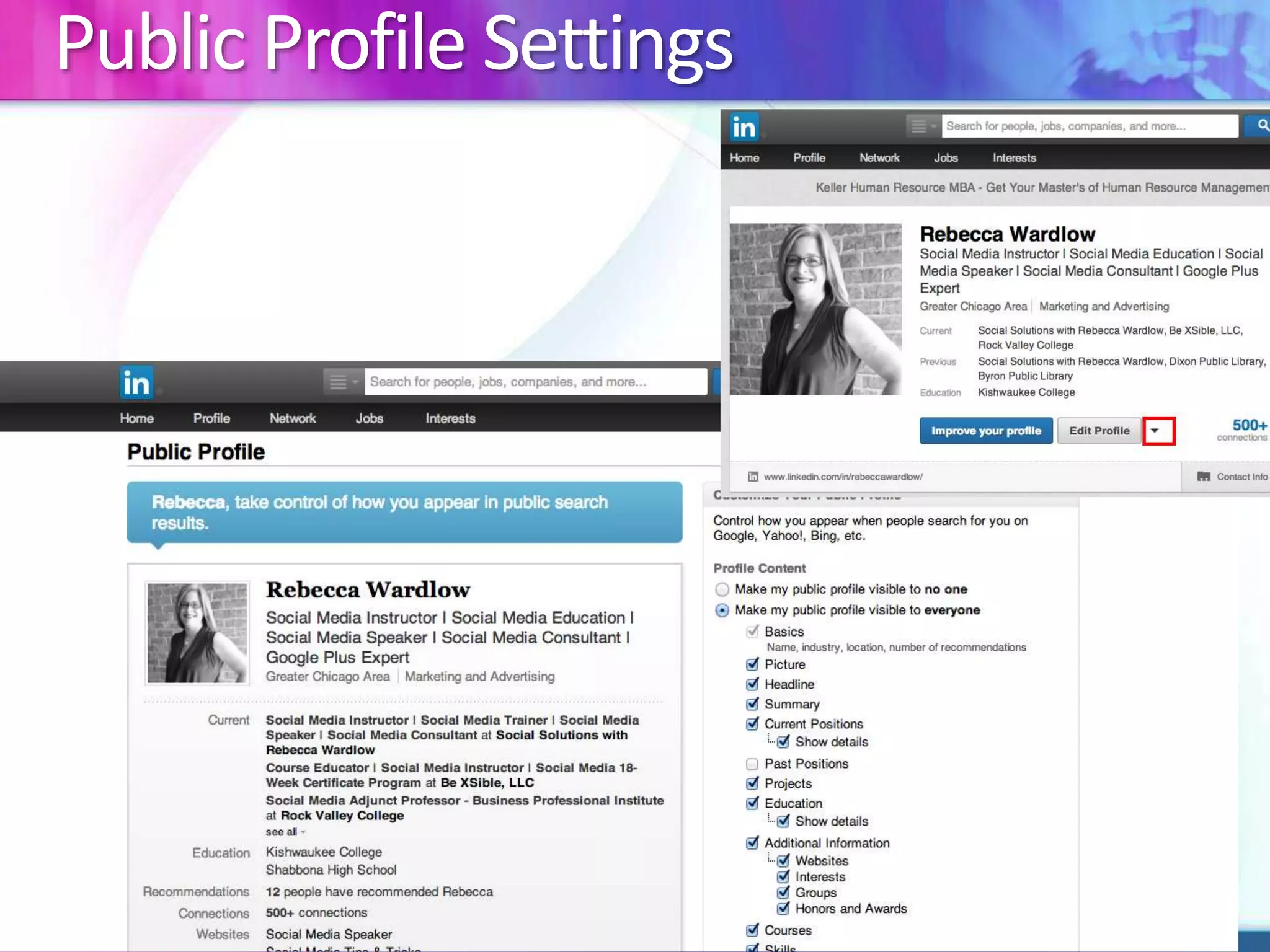
Public Profile Settings
Optimize Your LinkedIn Profile 
Do 
Use a current photo 
Use a professional 
headshot 
Use a recognizable 
picture 
Dress in appropriate 
attire 
Write in the first person 
Do Not 
Use a graphically 
enhanced photo 
Wear inappropriate attire 
Use a logo as a profile 
picture 
Use an older picture – 
keep it current
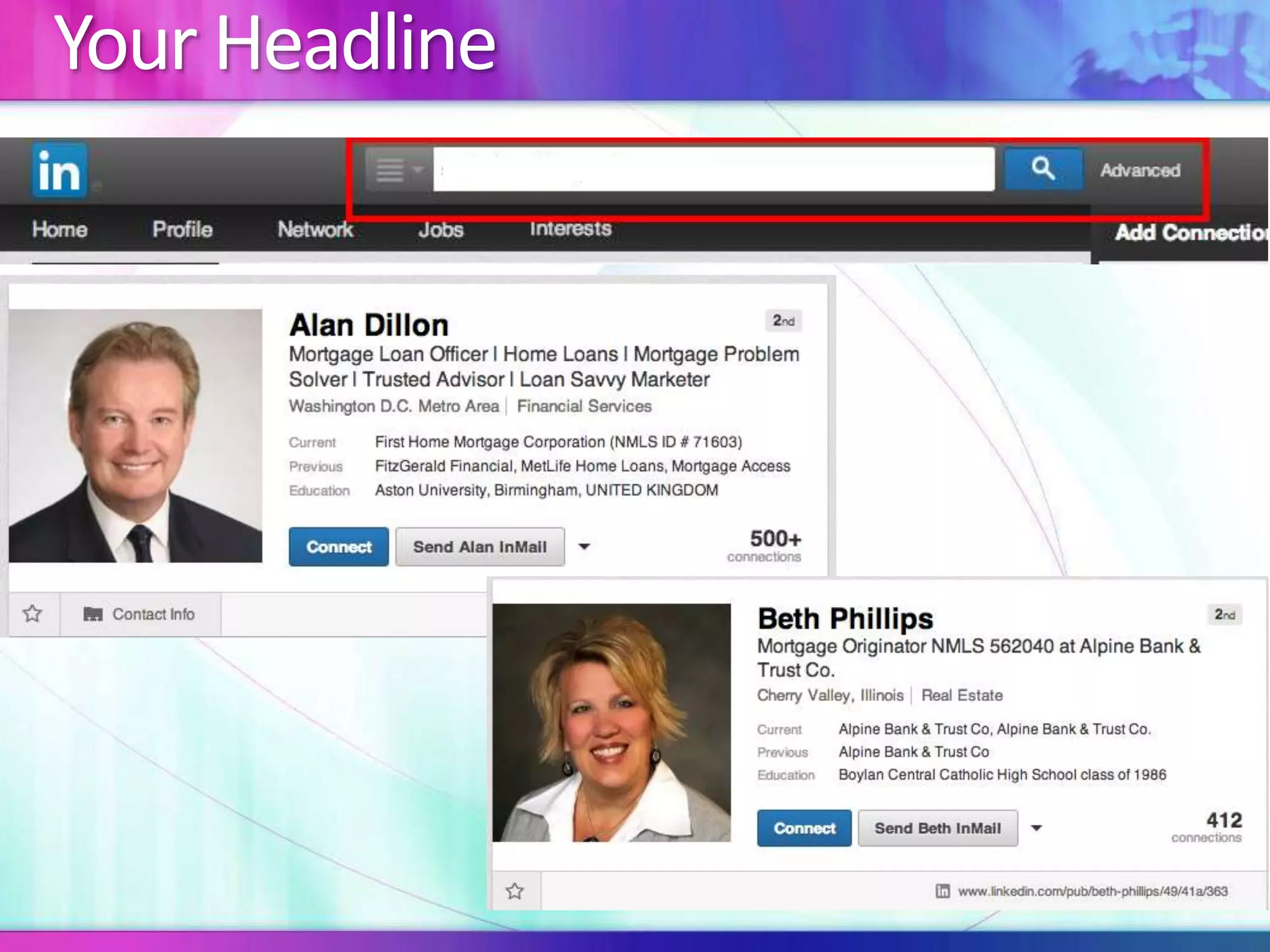
Your Headline
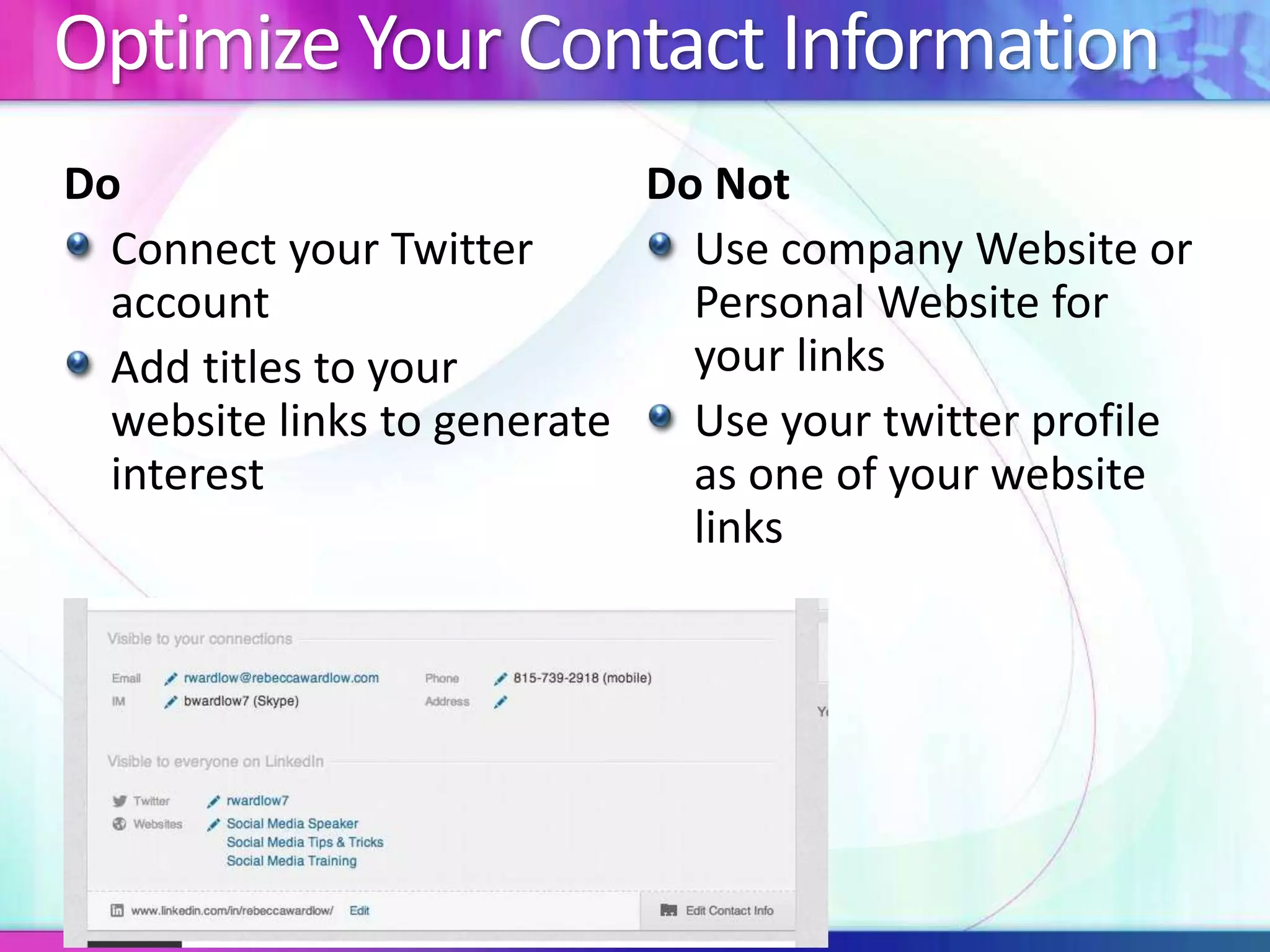
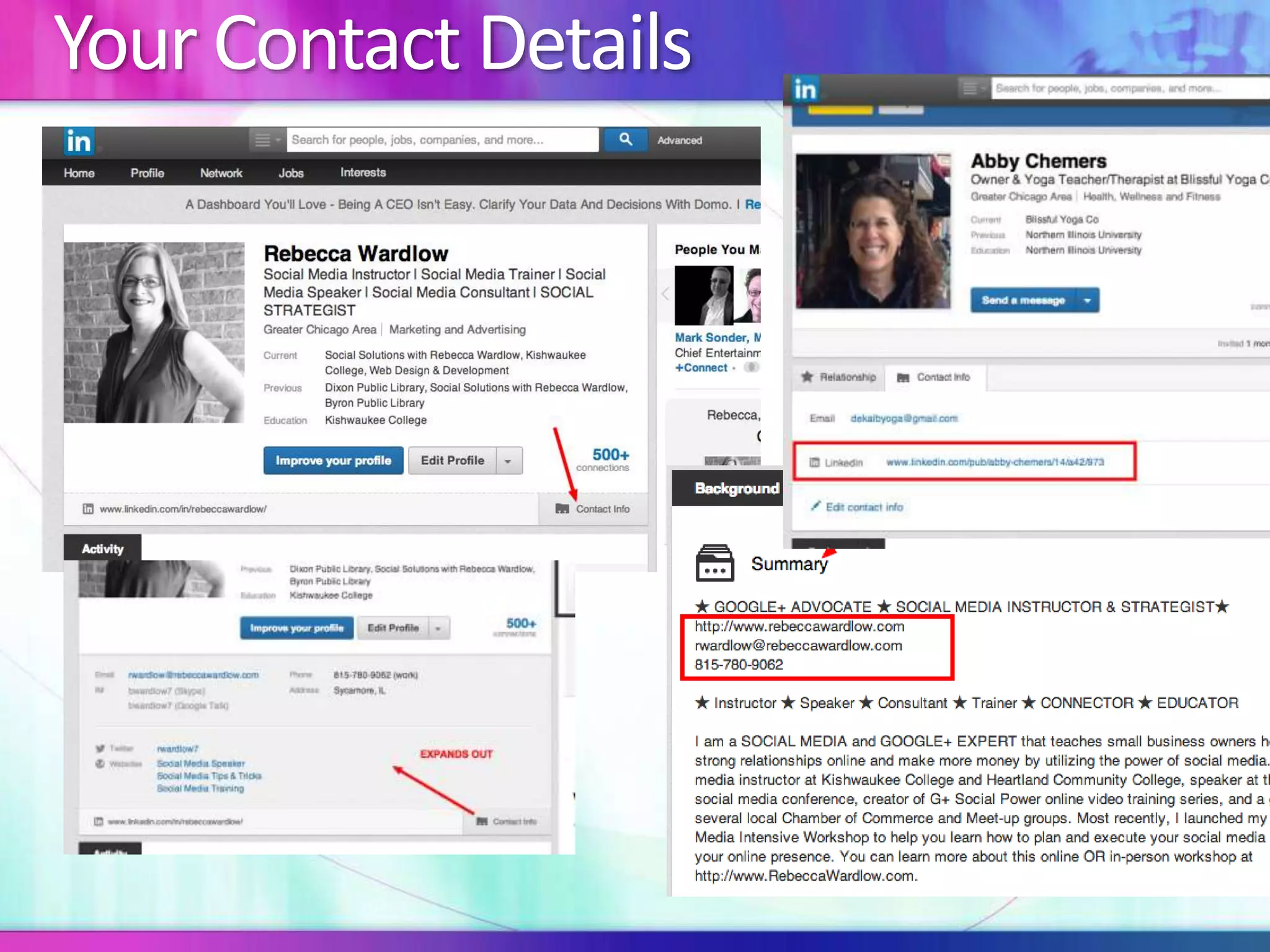
Optimize Your Contact Information 
Do 
Connect your Twitter 
account 
Add titles to your 
website links to generate 
interest 
Do Not 
Use company Website or 
Personal Website for 
your links 
Use your twitter profile 
as one of your website 
links
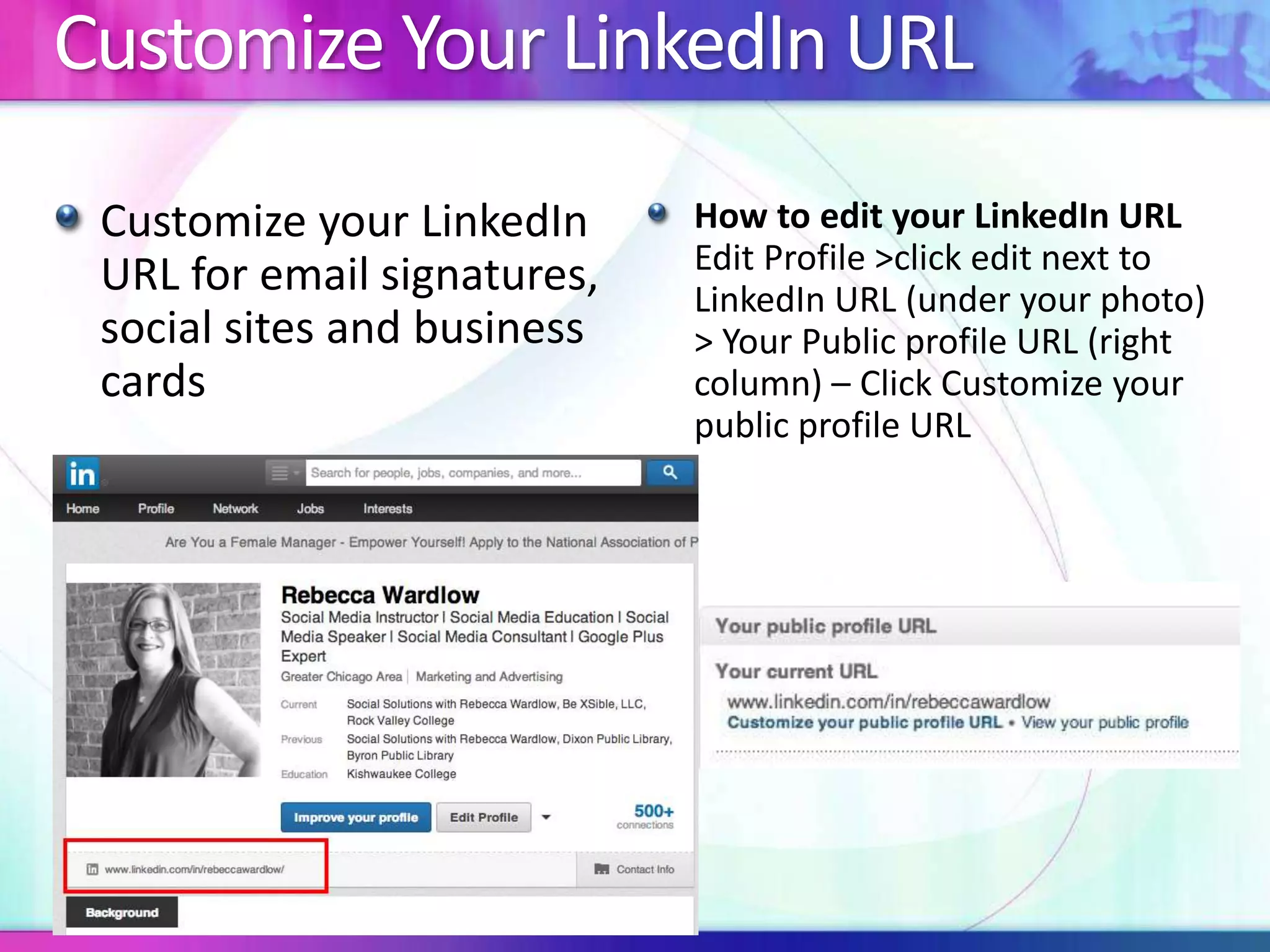
Customize Your LinkedIn URL 
Customize your LinkedIn 
URL for email signatures, 
social sites and business 
cards 
How to edit your LinkedIn URL 
Edit Profile >click edit next to 
LinkedIn URL (under your photo) 
> Your Public profile URL (right 
column) – Click Customize your 
public profile URL
Your Contact Details
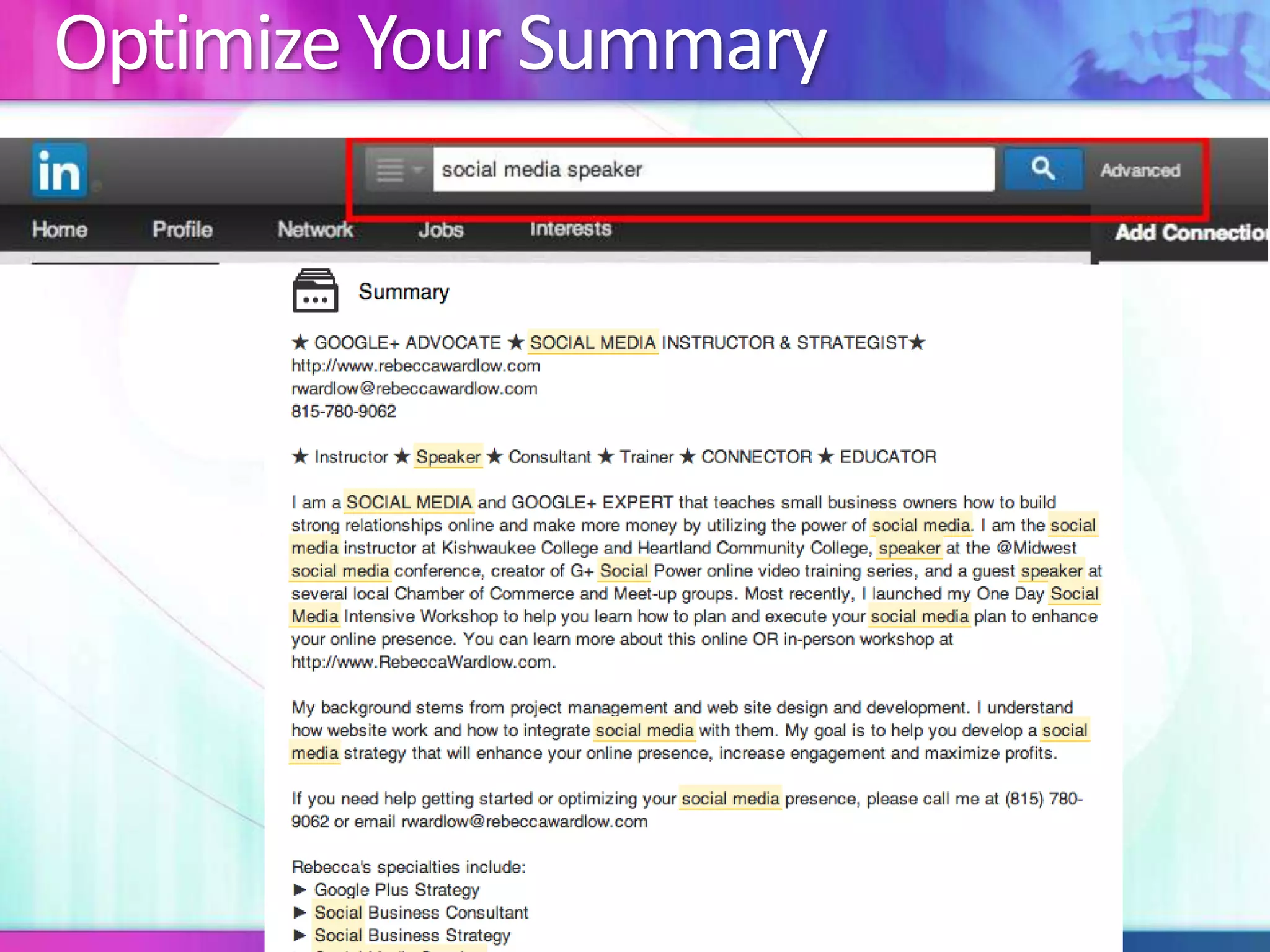
Optimize Your Summary
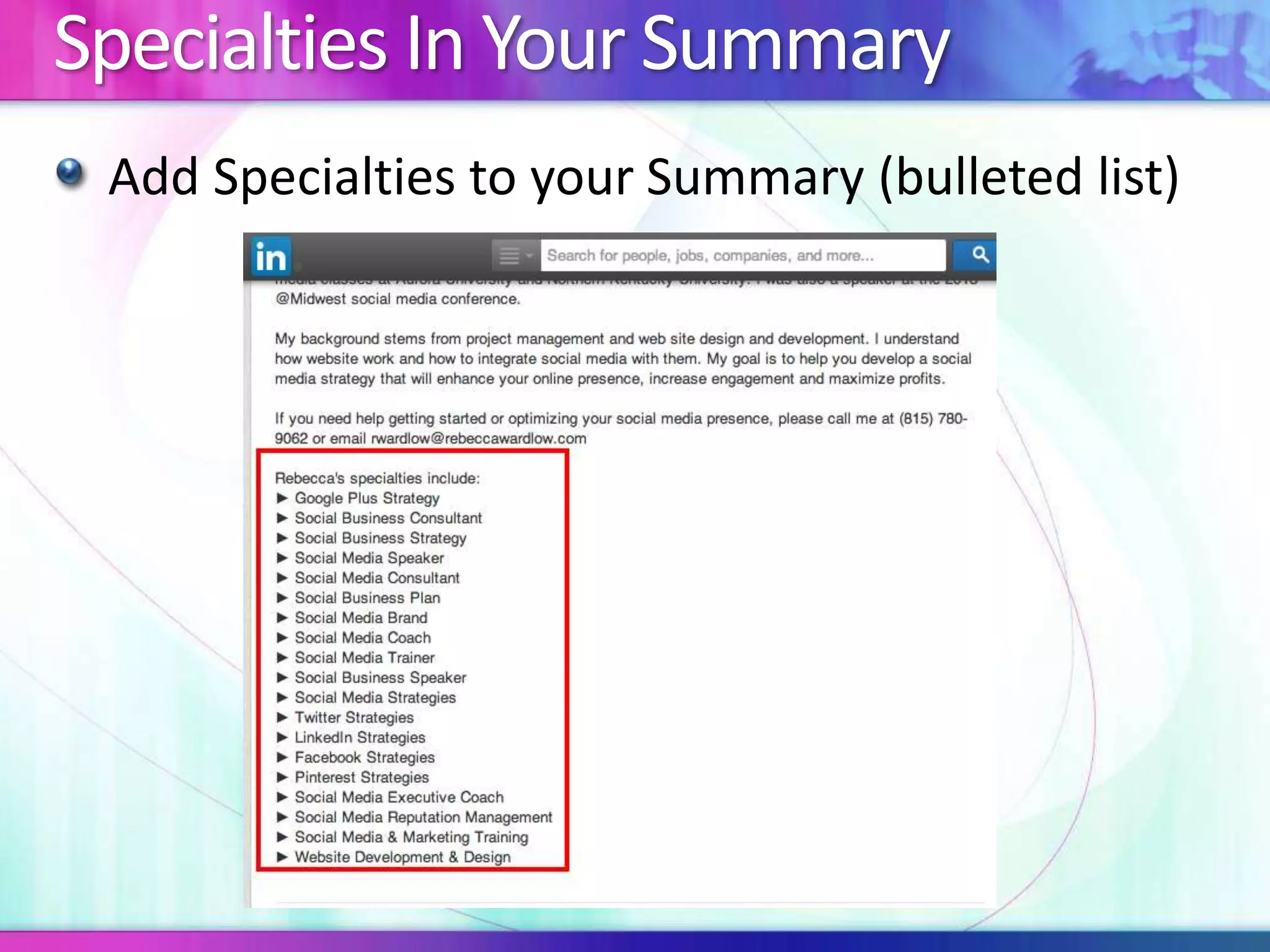
Specialties In Your Summary 
Add Specialties to your Summary (bulleted list)
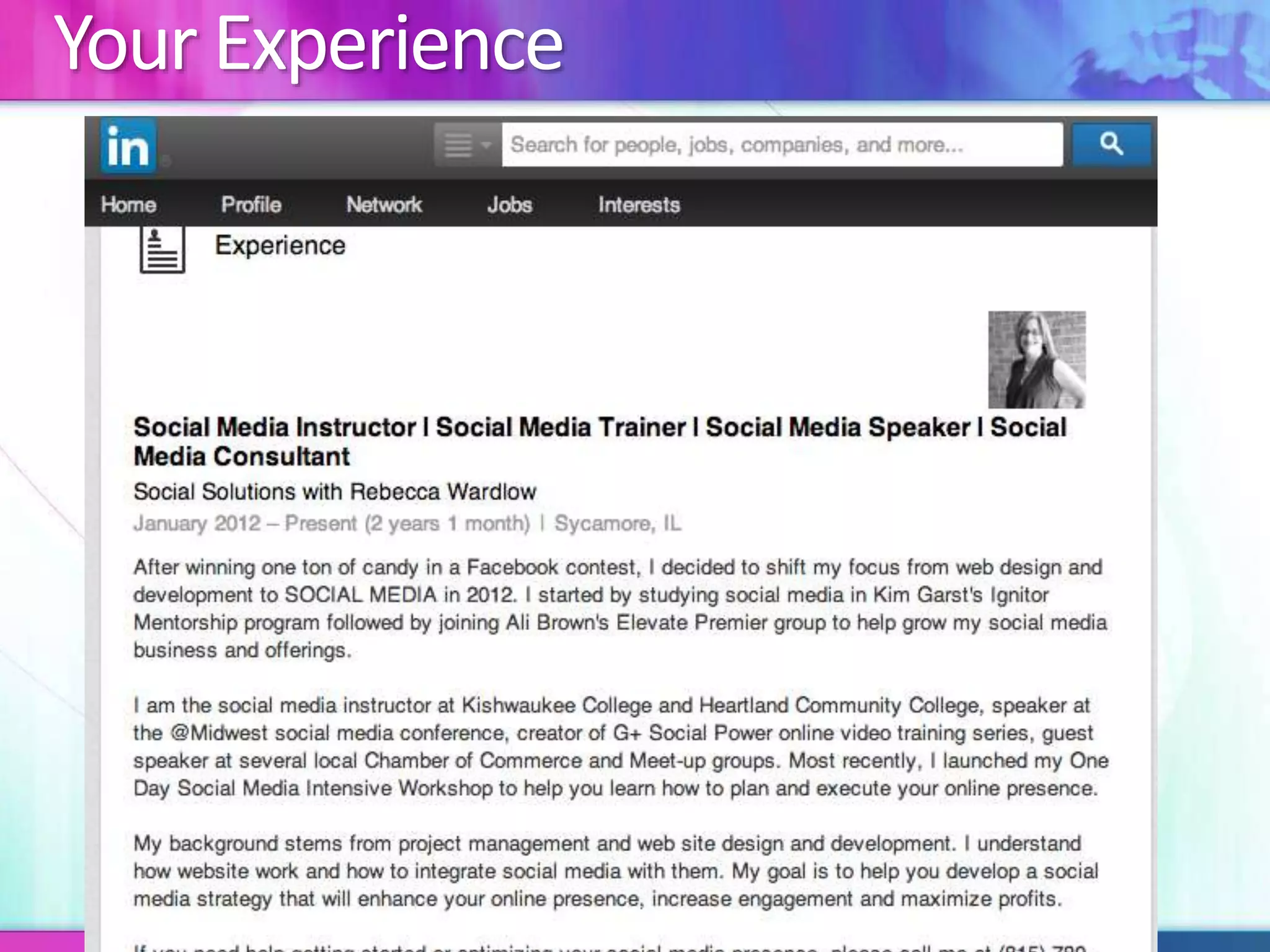
Your Experience
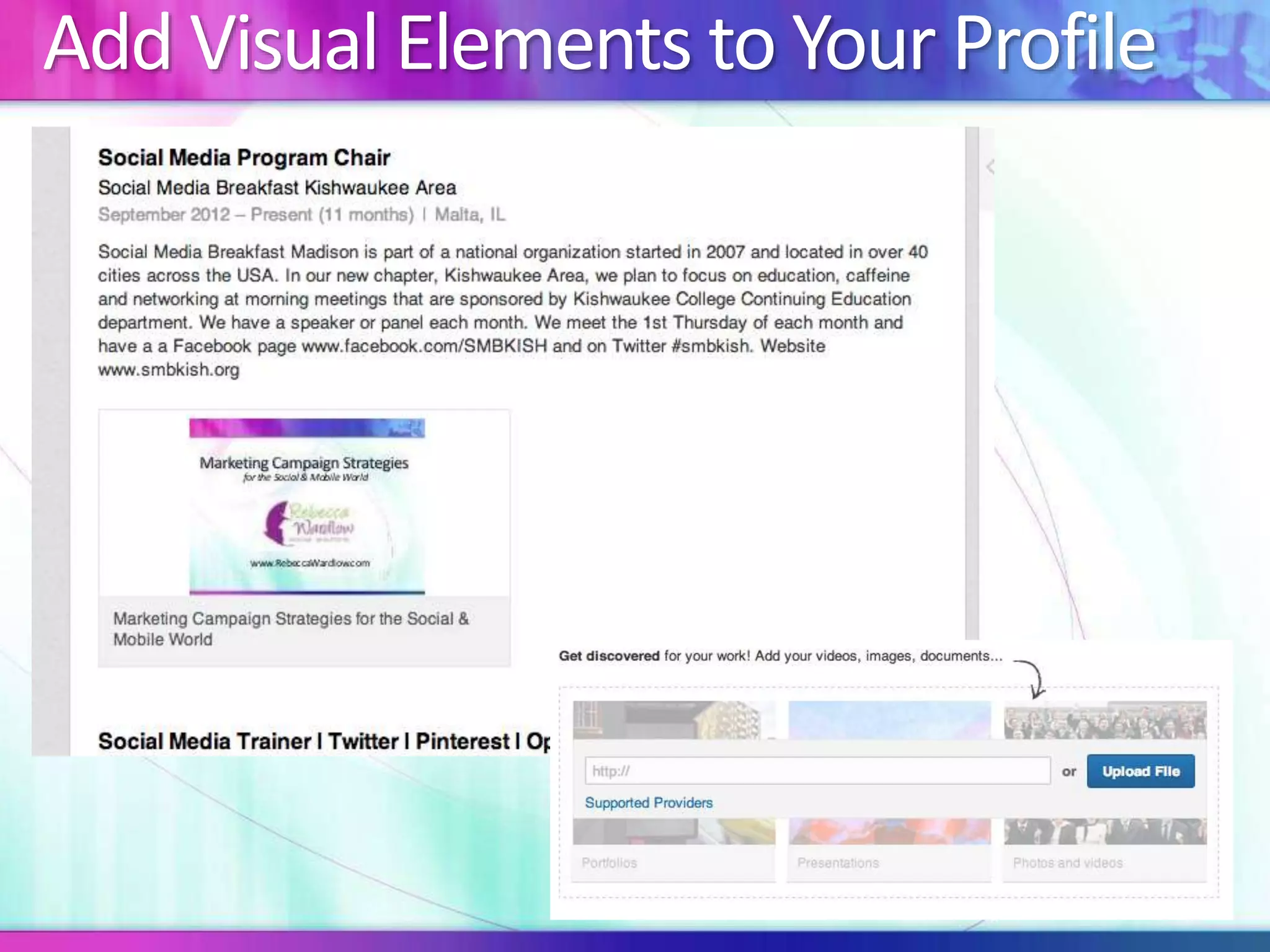
Add Visual Elements to Your Profile
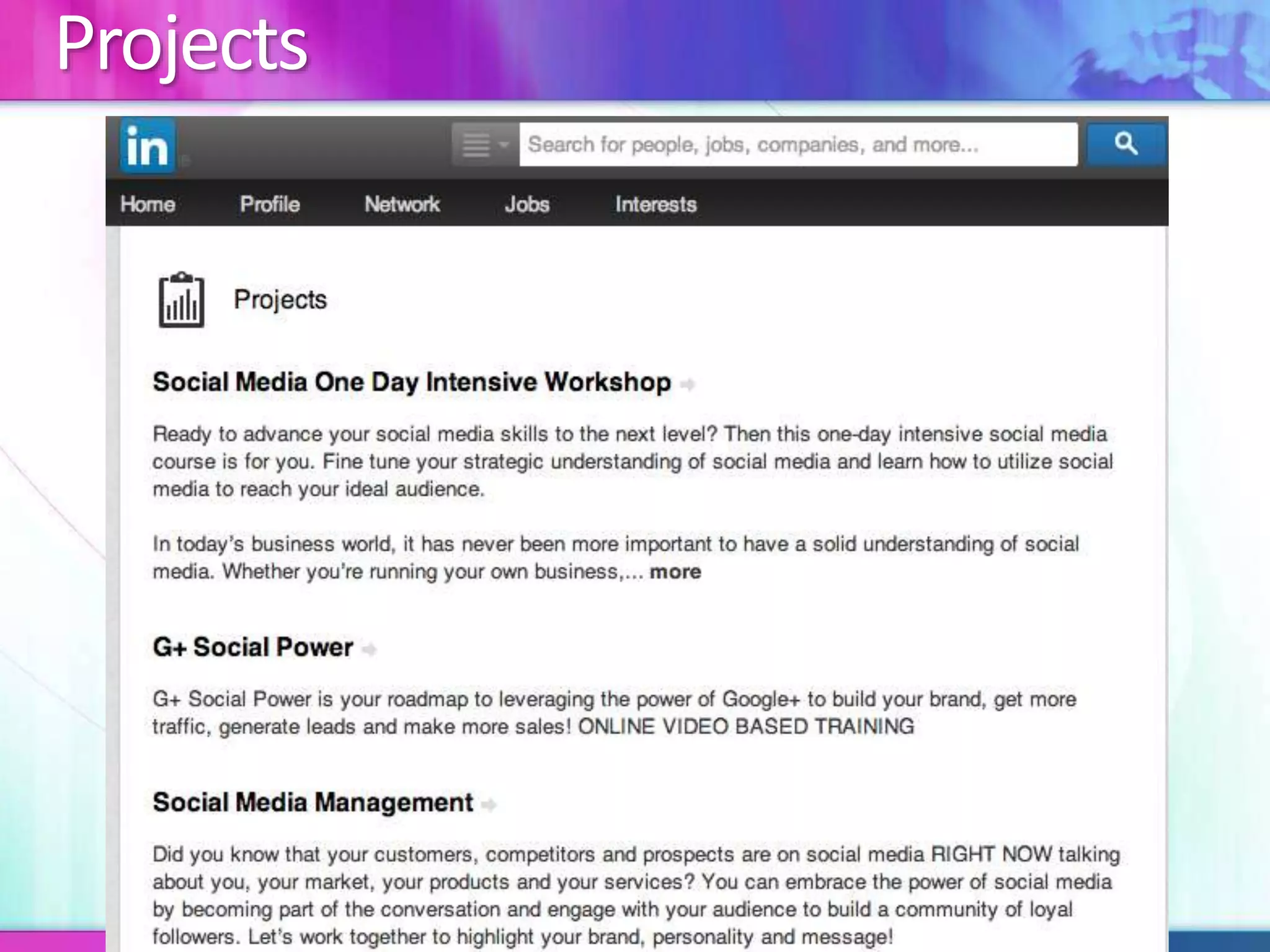
Projects
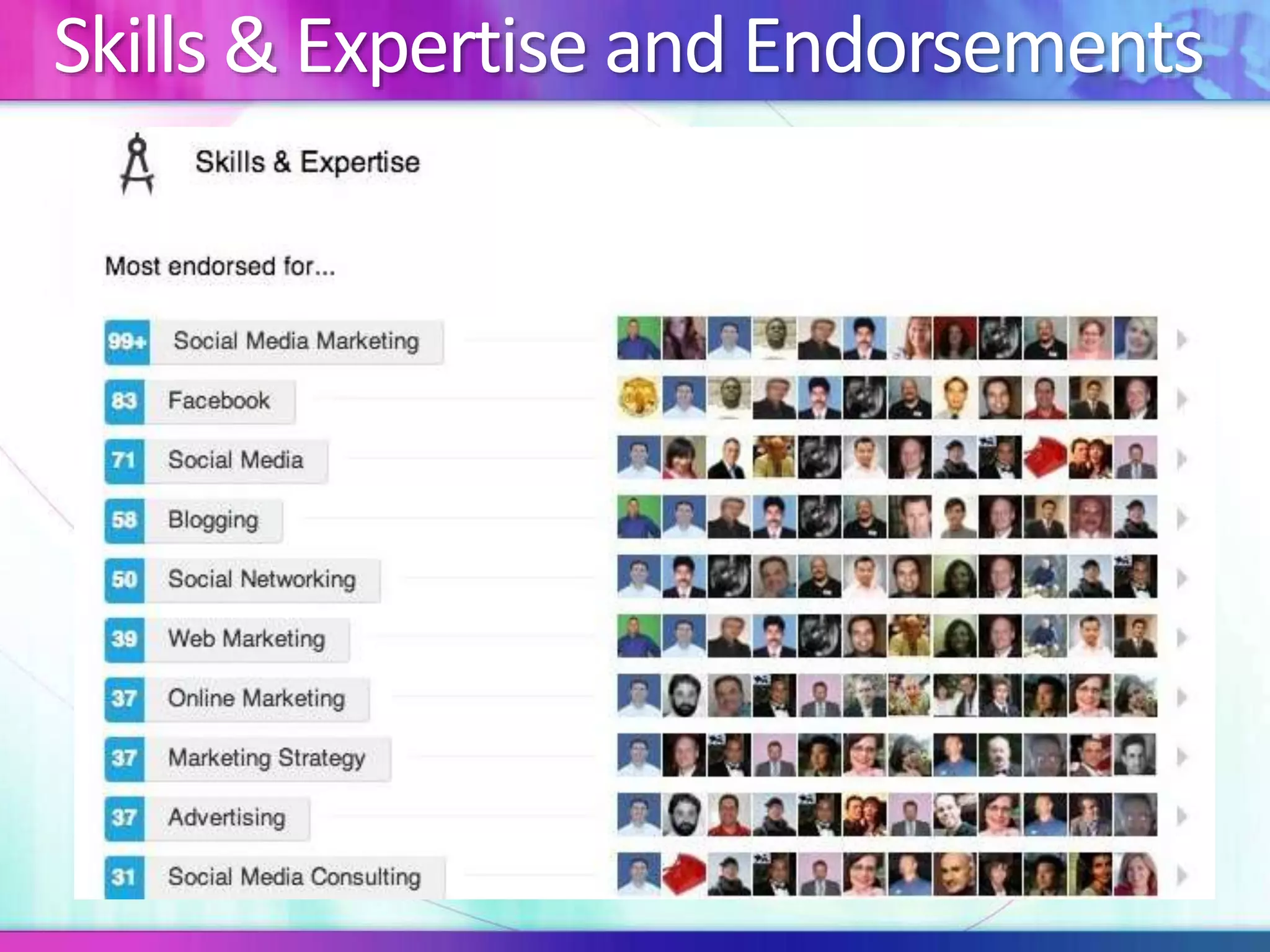
Skills & Expertise and Endorsements
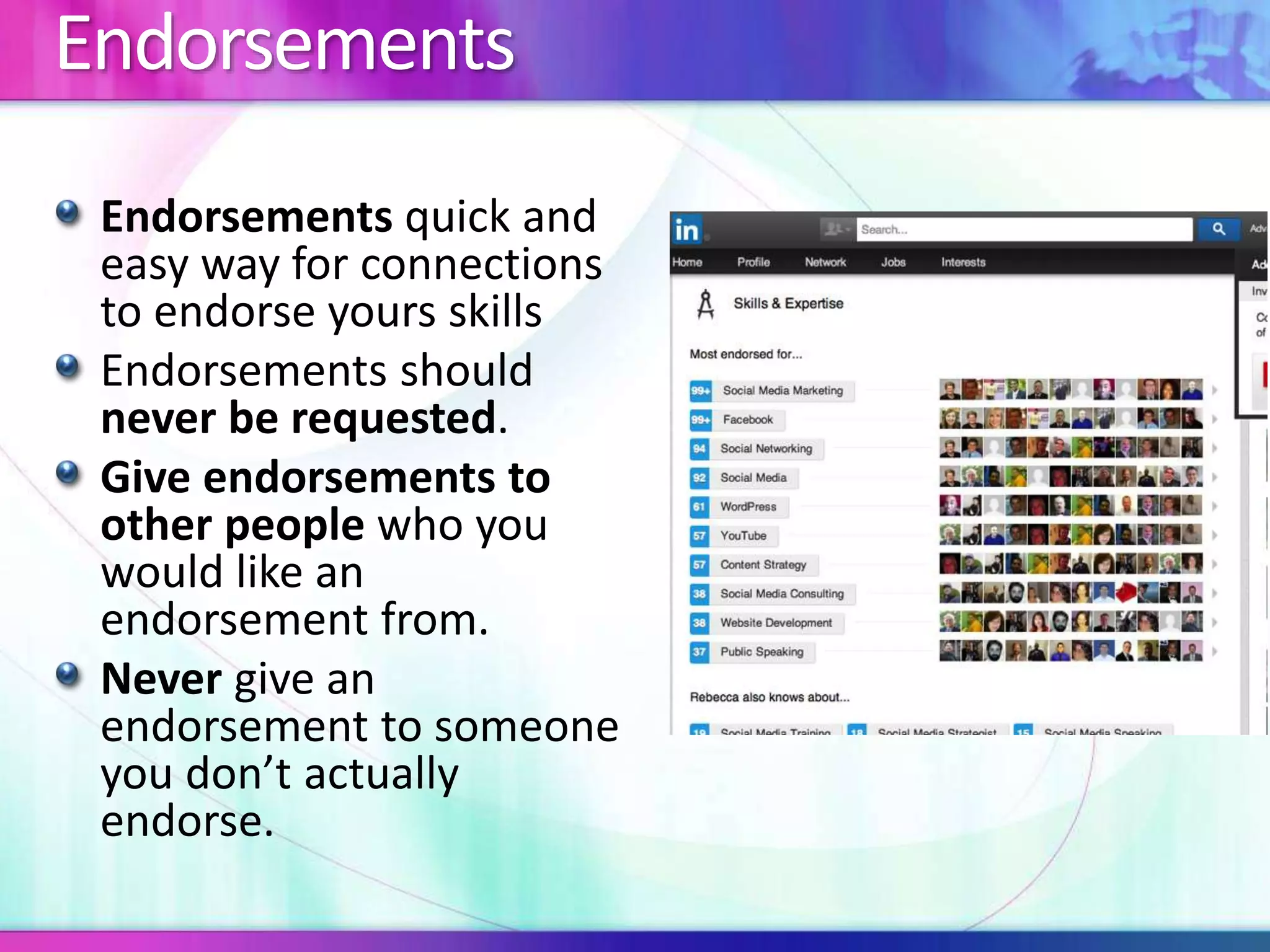
Endorsements 
Endorsements quick and 
easy way for connections 
to endorse yours skills 
Endorsements should 
never be requested. 
Give endorsements to 
other people who you 
would like an 
endorsement from. 
Never give an 
endorsement to someone 
you don’t actually 
endorse.
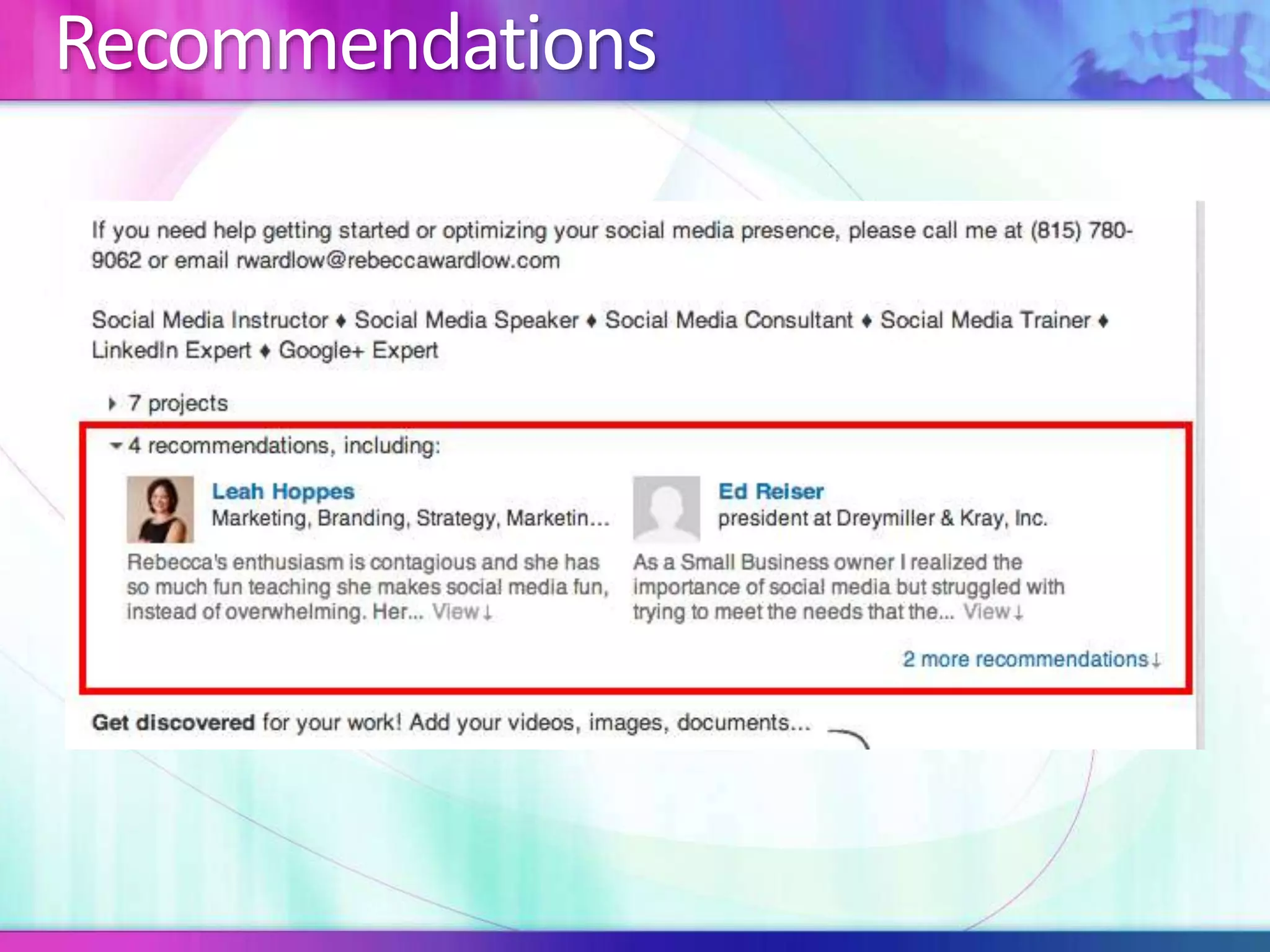
Recommendations
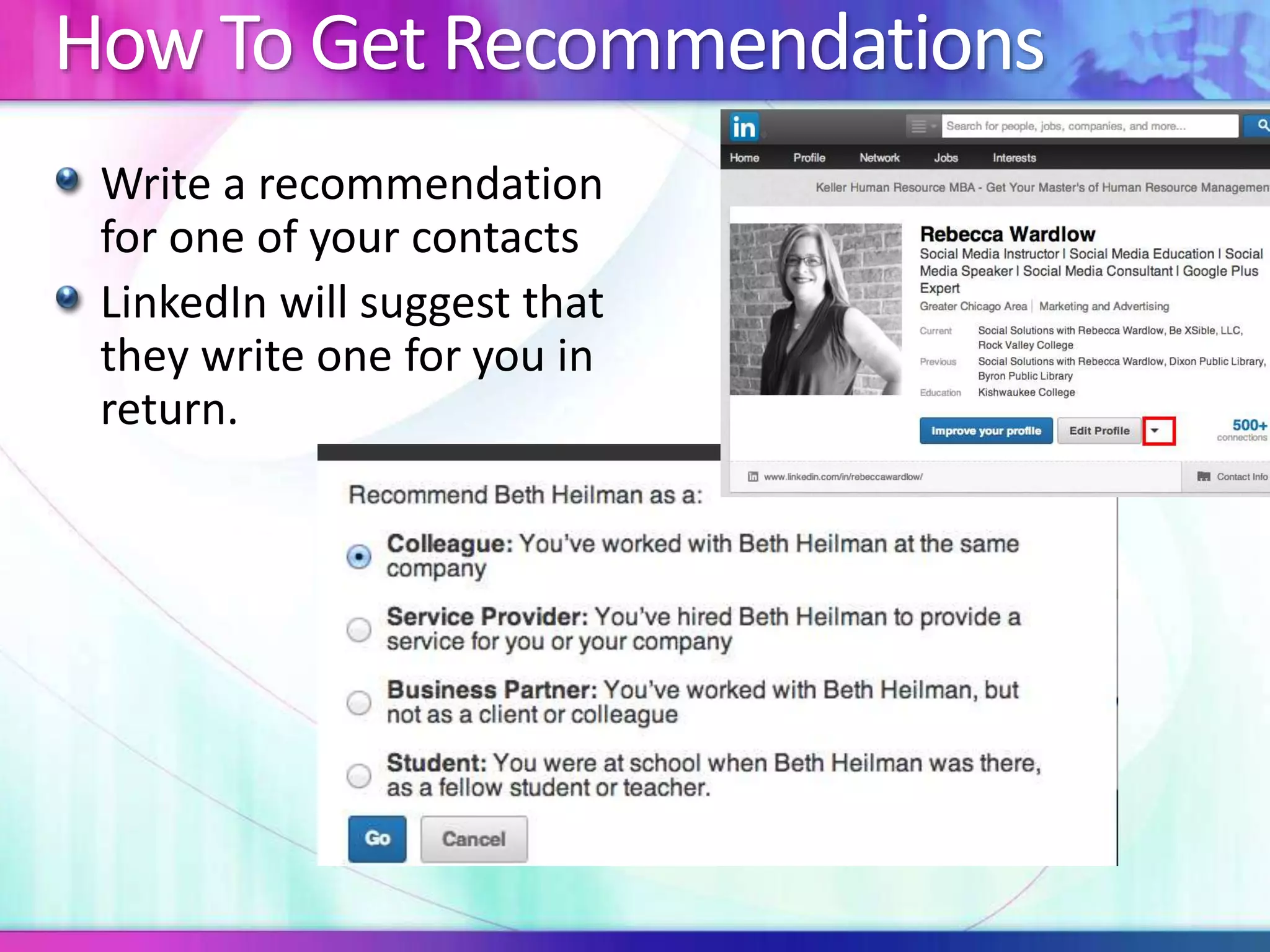
How To Get Recommendations 
Write a recommendation 
for one of your contacts 
LinkedIn will suggest that 
they write one for you in 
return.
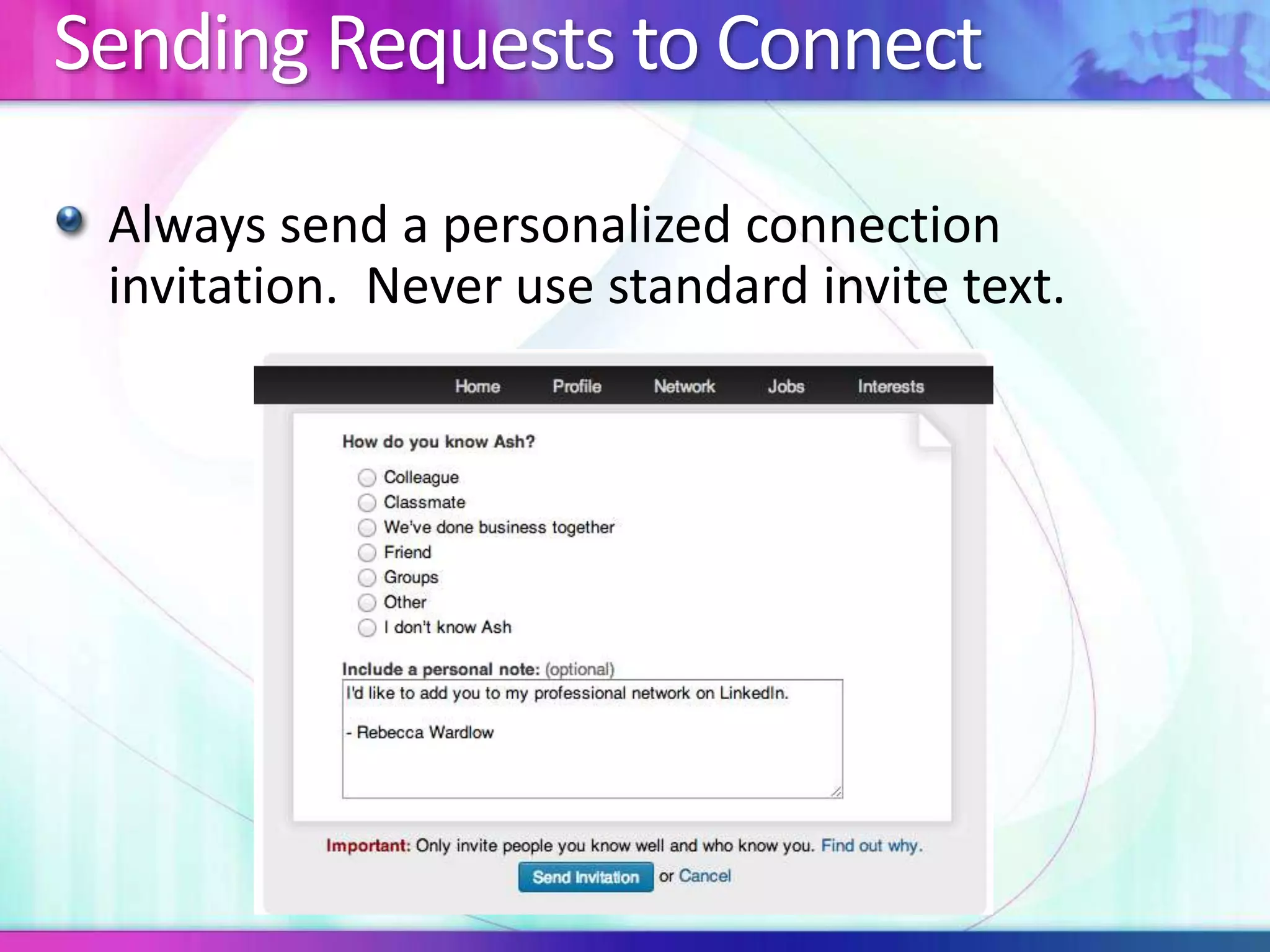
Sending Requests to Connect 
Always send a personalized connection 
invitation. Never use standard invite text.
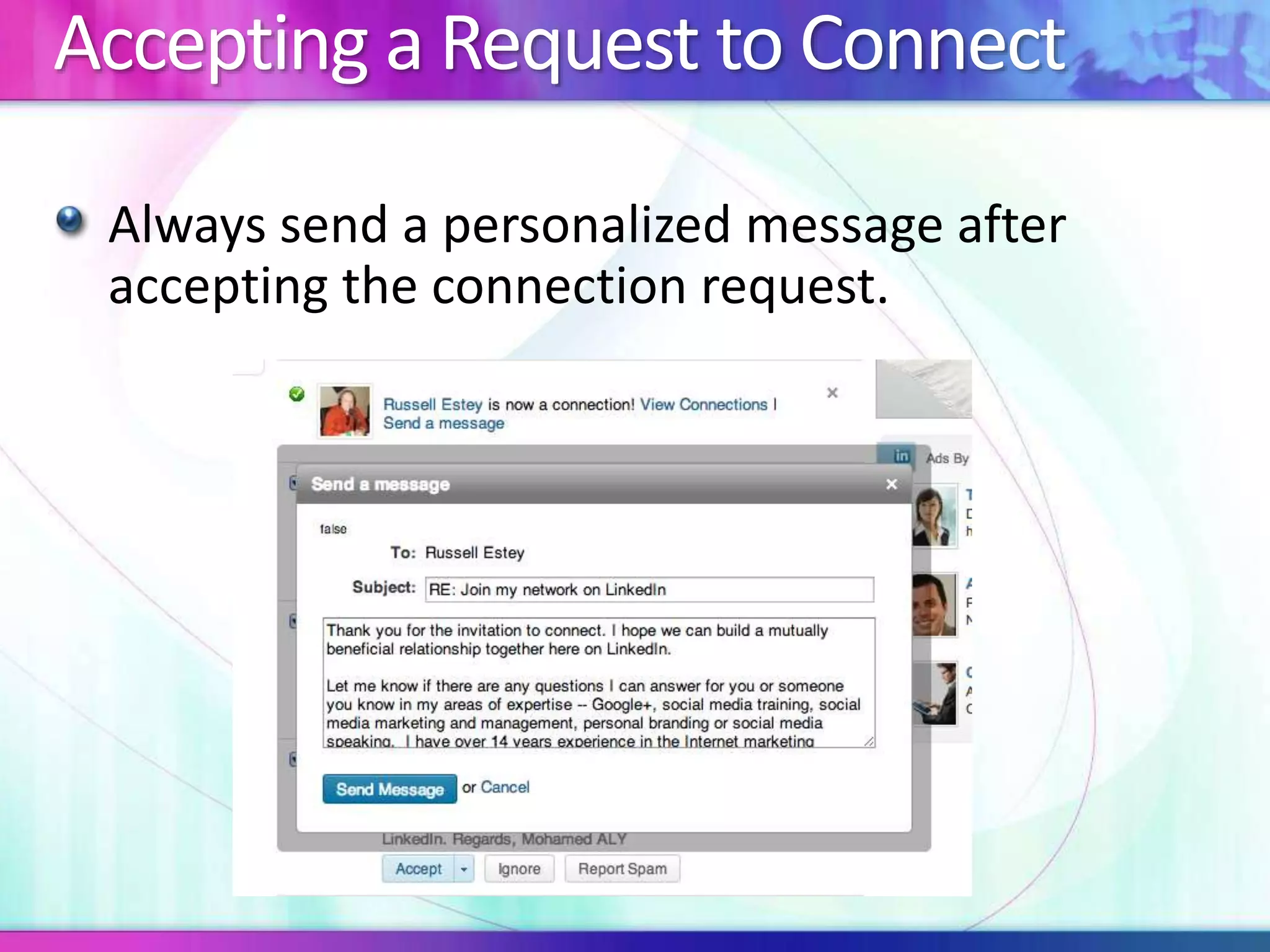
Accepting a Request to Connect 
Always send a personalized message after 
accepting the connection request.
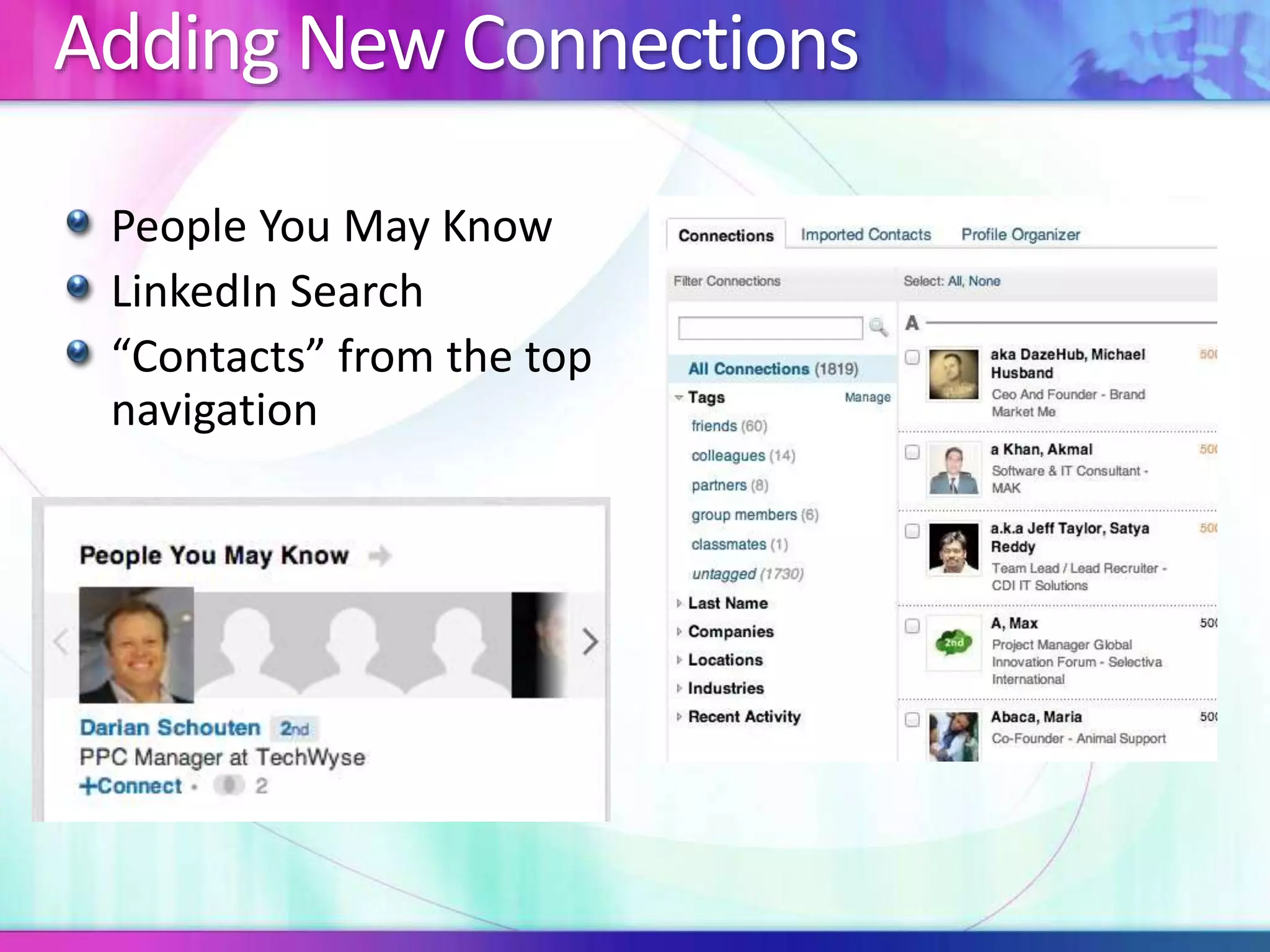
Adding New Connections 
People You May Know 
LinkedIn Search 
“Contacts” from the top 
navigation
First Degree Connections 
Message them whenever you can (but don’t waste 
their time) 
Ask them an expertise-request question via a message 
Create a LinkedIn question and direct it to a number of 
the first-degree connections you want to develop 
relationships with 
Connect with them and interact with them on Twitter 
Meet up with them in person for lunch, coffee or 
drinks 
Get close enough to friend them on Facebook
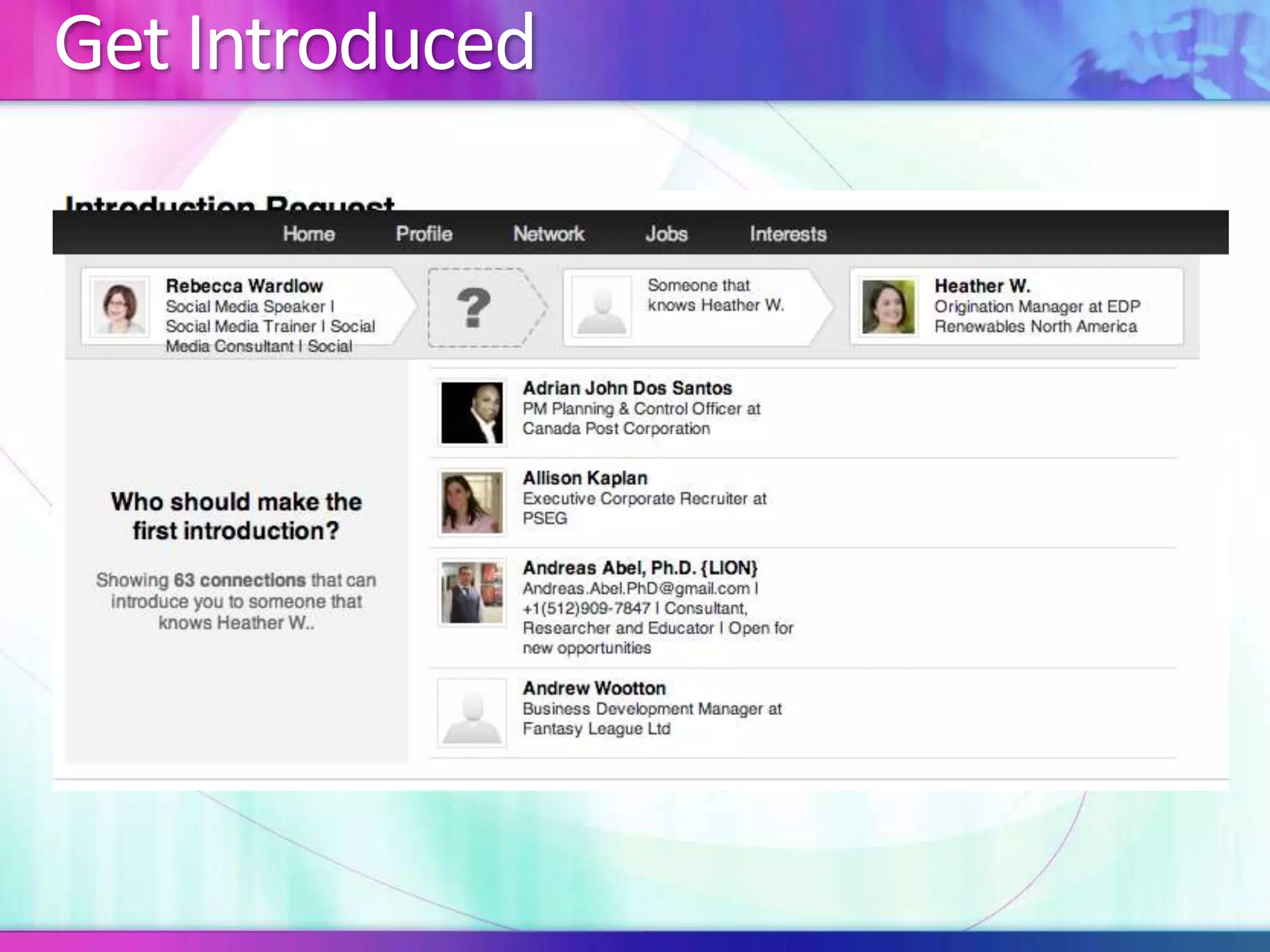
Get Introduced
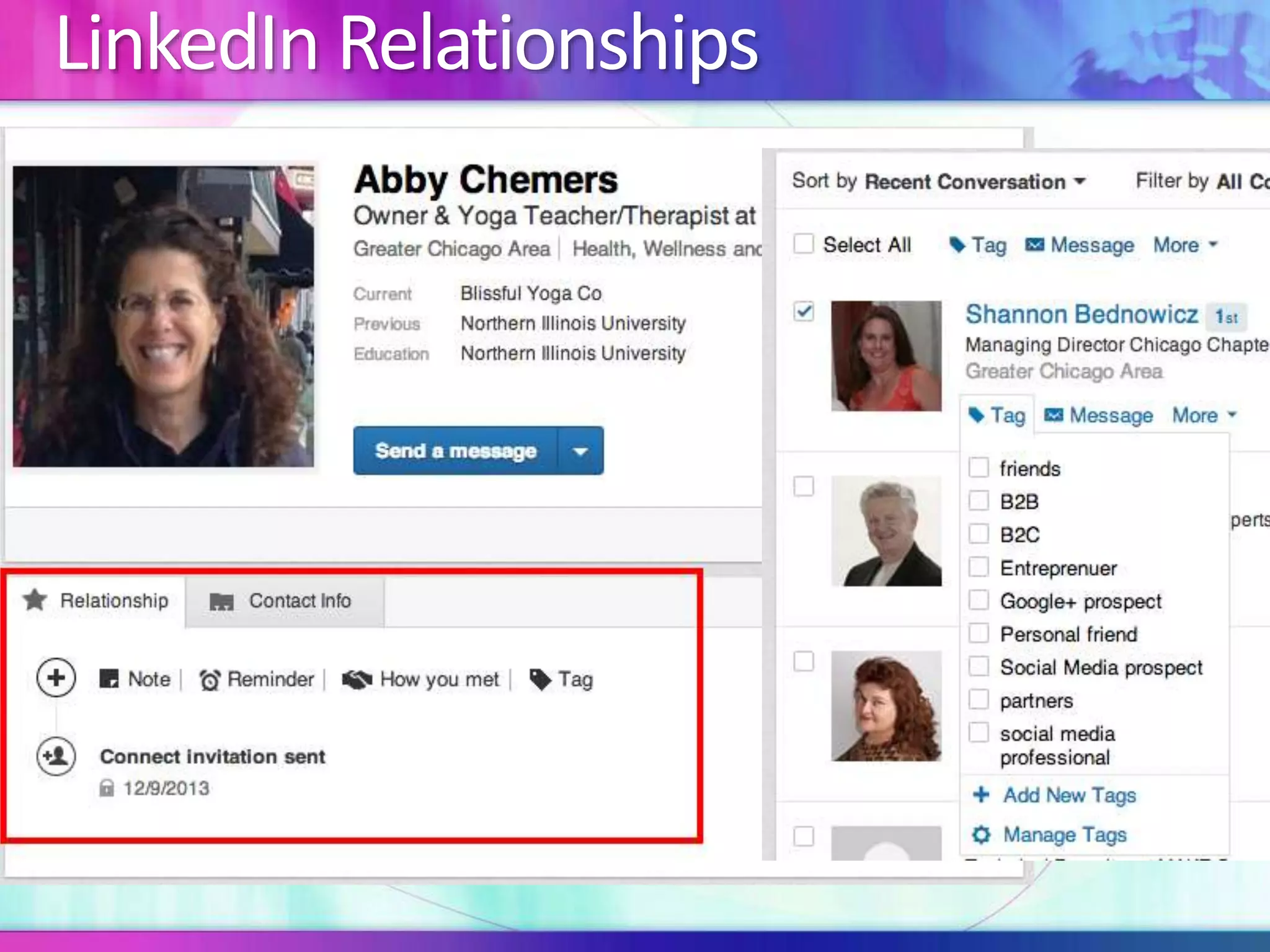
LinkedIn Relationships
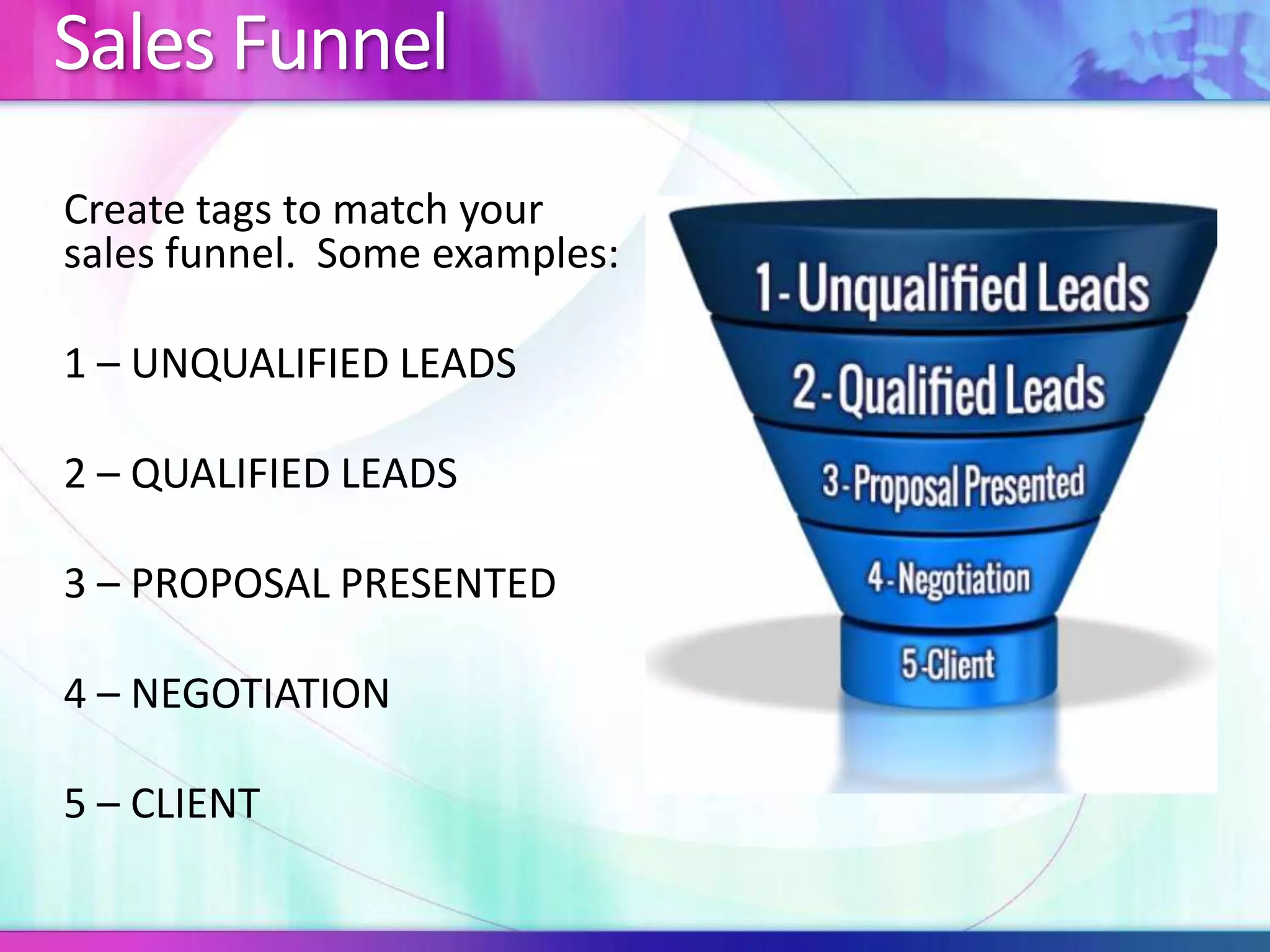
Sales Funnel 
Create tags to match your 
sales funnel. Some examples: 
1 – UNQUALIFIED LEADS 
2 – QUALIFIED LEADS 
3 – PROPOSAL PRESENTED 
4 – NEGOTIATION 
5 – CLIENT
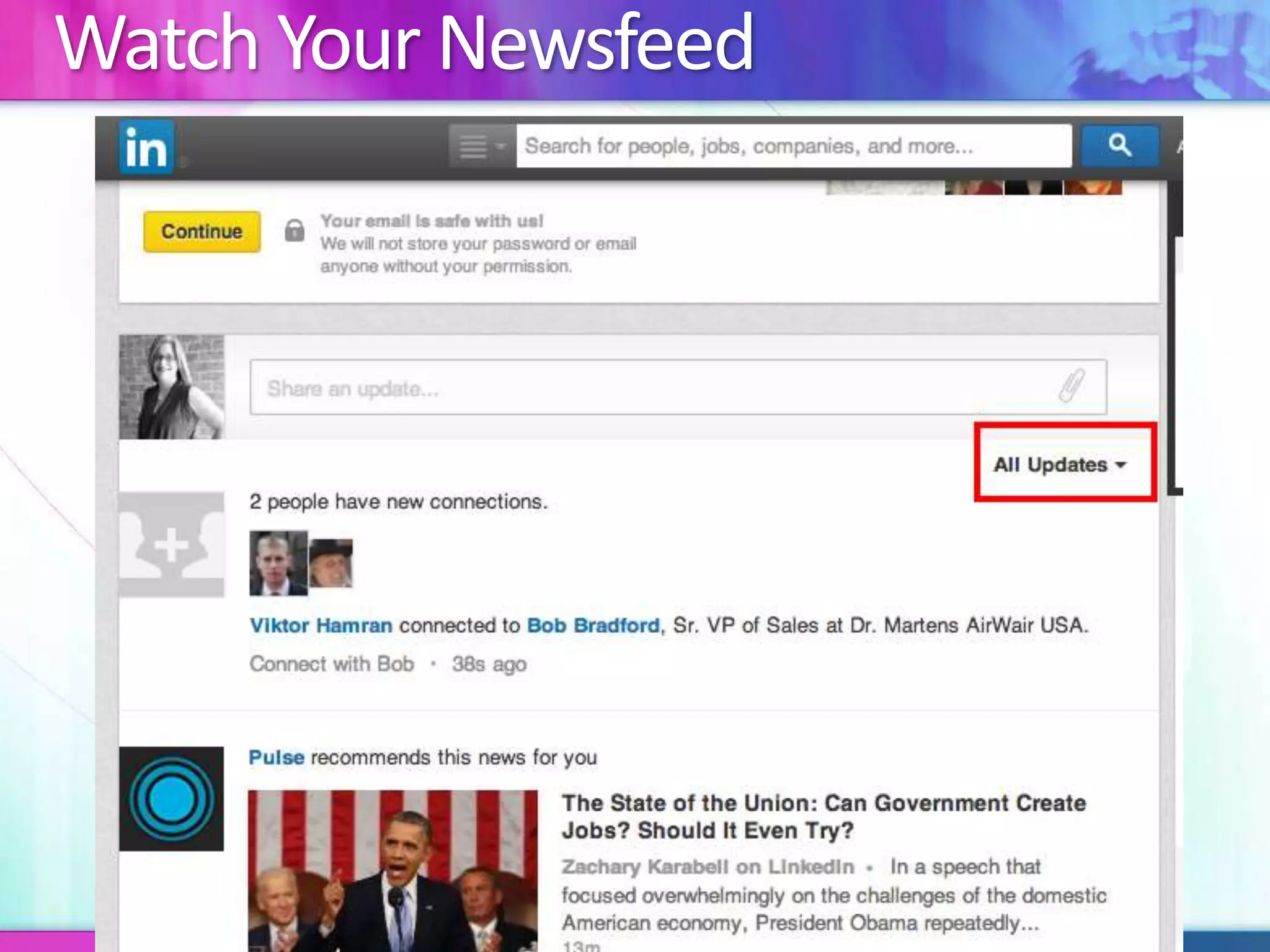
Watch Your Newsfeed
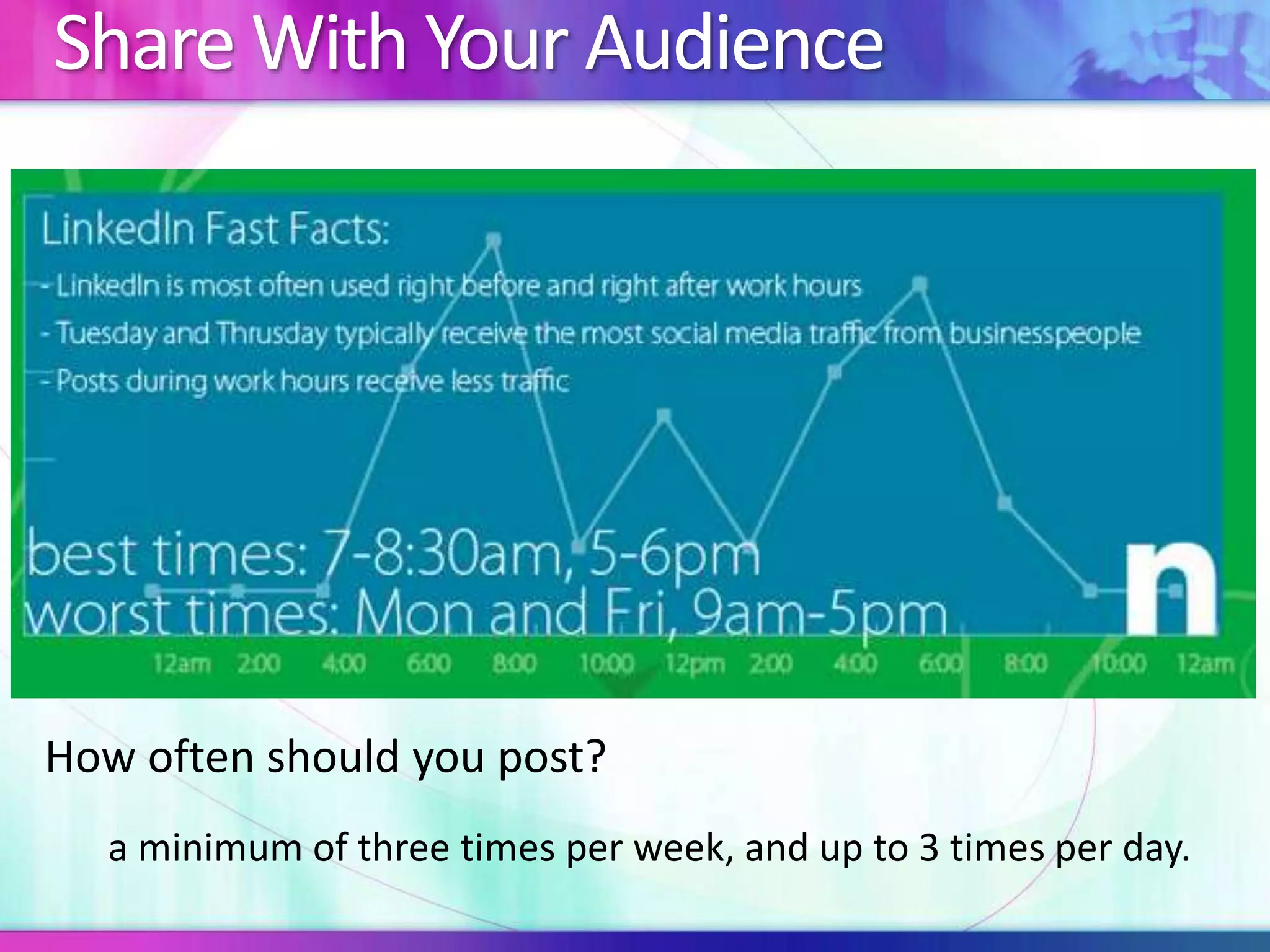
Share With Your Audience 
How often should you post? 
a minimum of three times per week, and up to 3 times per day.
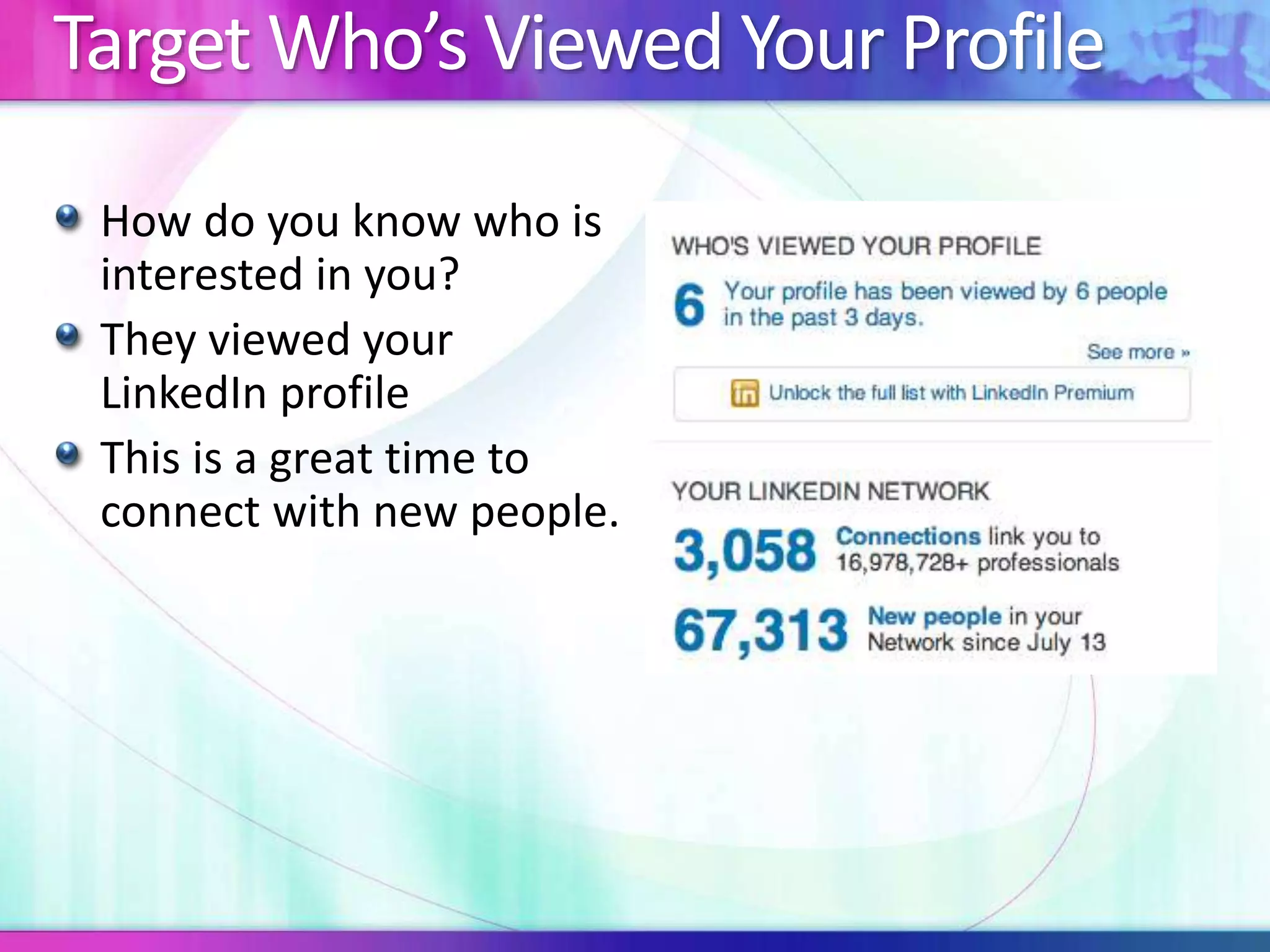
Target Who’s Viewed Your Profile 
How do you know who is 
interested in you? 
They viewed your 
LinkedIn profile 
This is a great time to 
connect with new people.
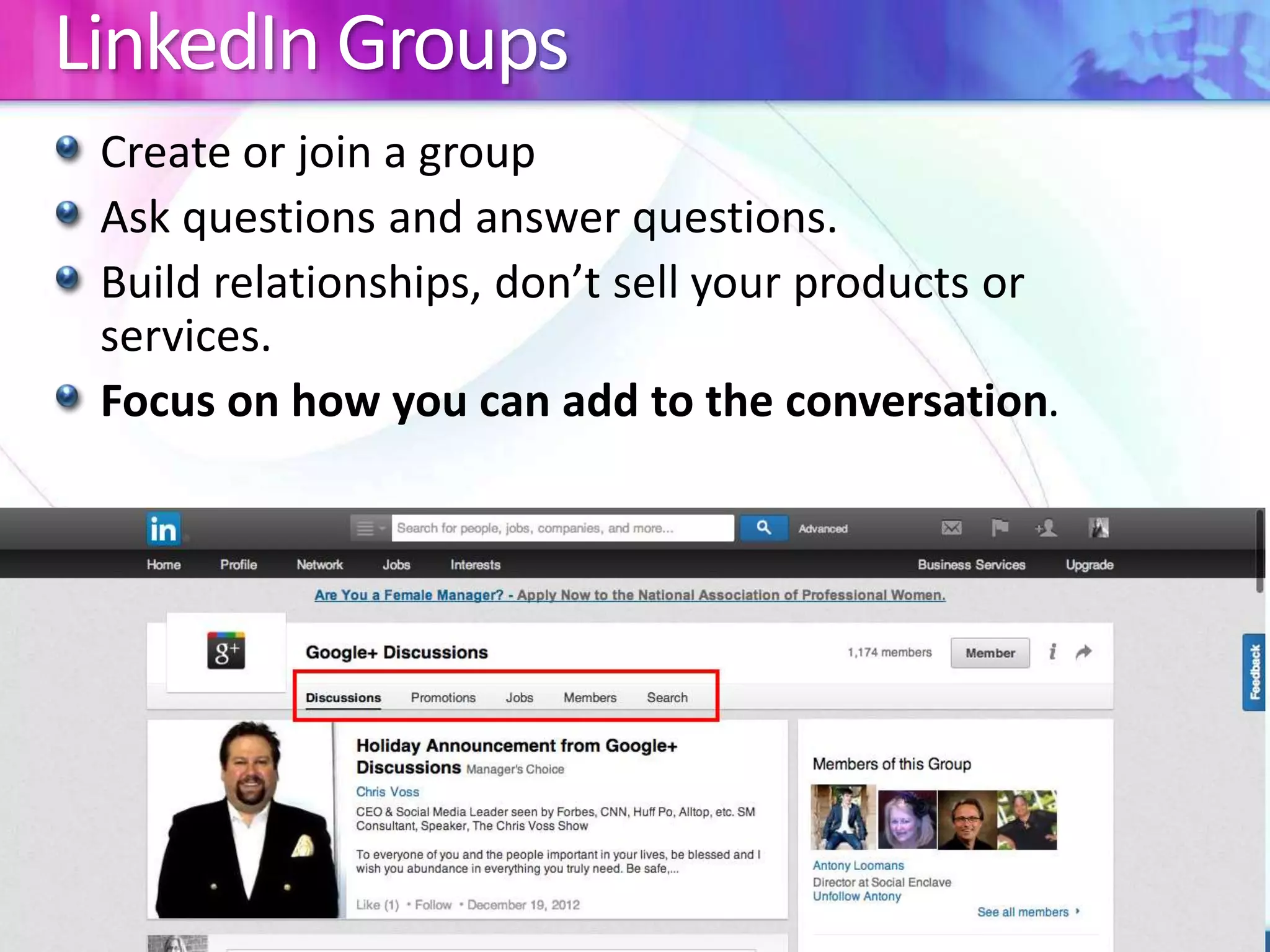
LinkedIn Groups 
Create or join a group 
Ask questions and answer questions. 
Build relationships, don’t sell your products or 
services. 
Focus on how you can add to the conversation.
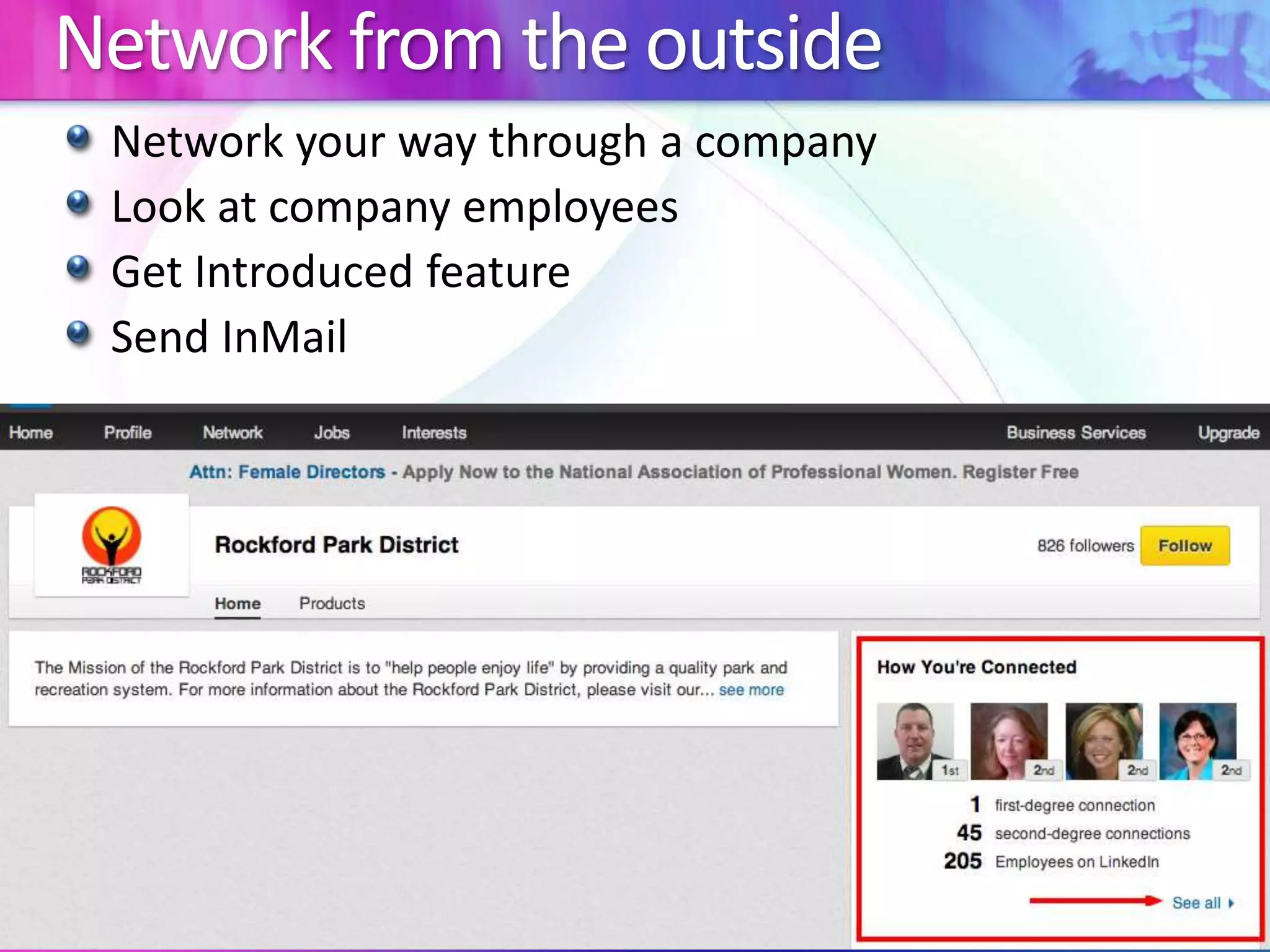
Network from the outside 
Network your way through a company 
Look at company employees 
Get Introduced feature 
Send InMail
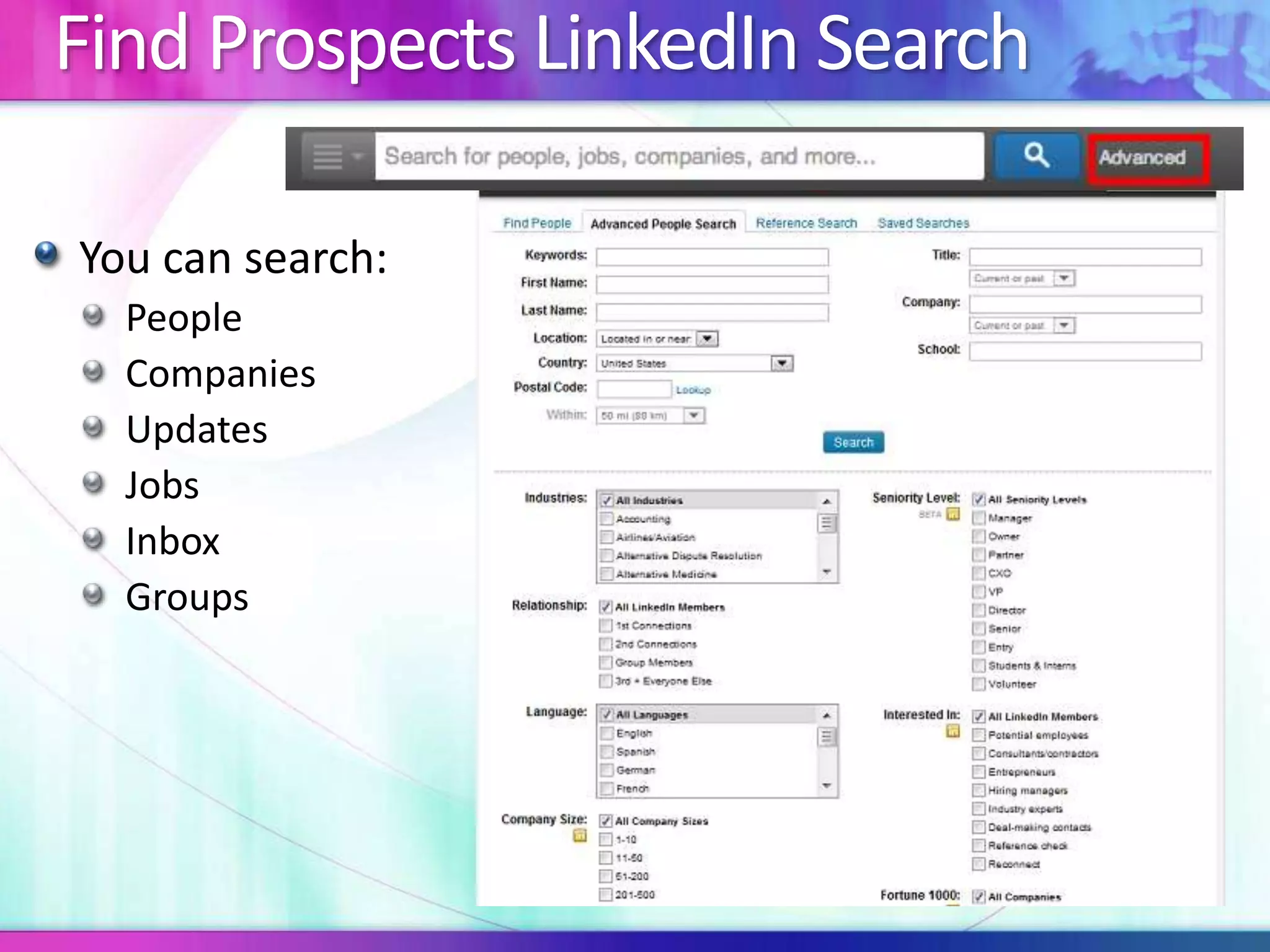
Find Prospects LinkedIn Search 
You can search: 
People 
Companies 
Updates 
Jobs 
Inbox 
Groups
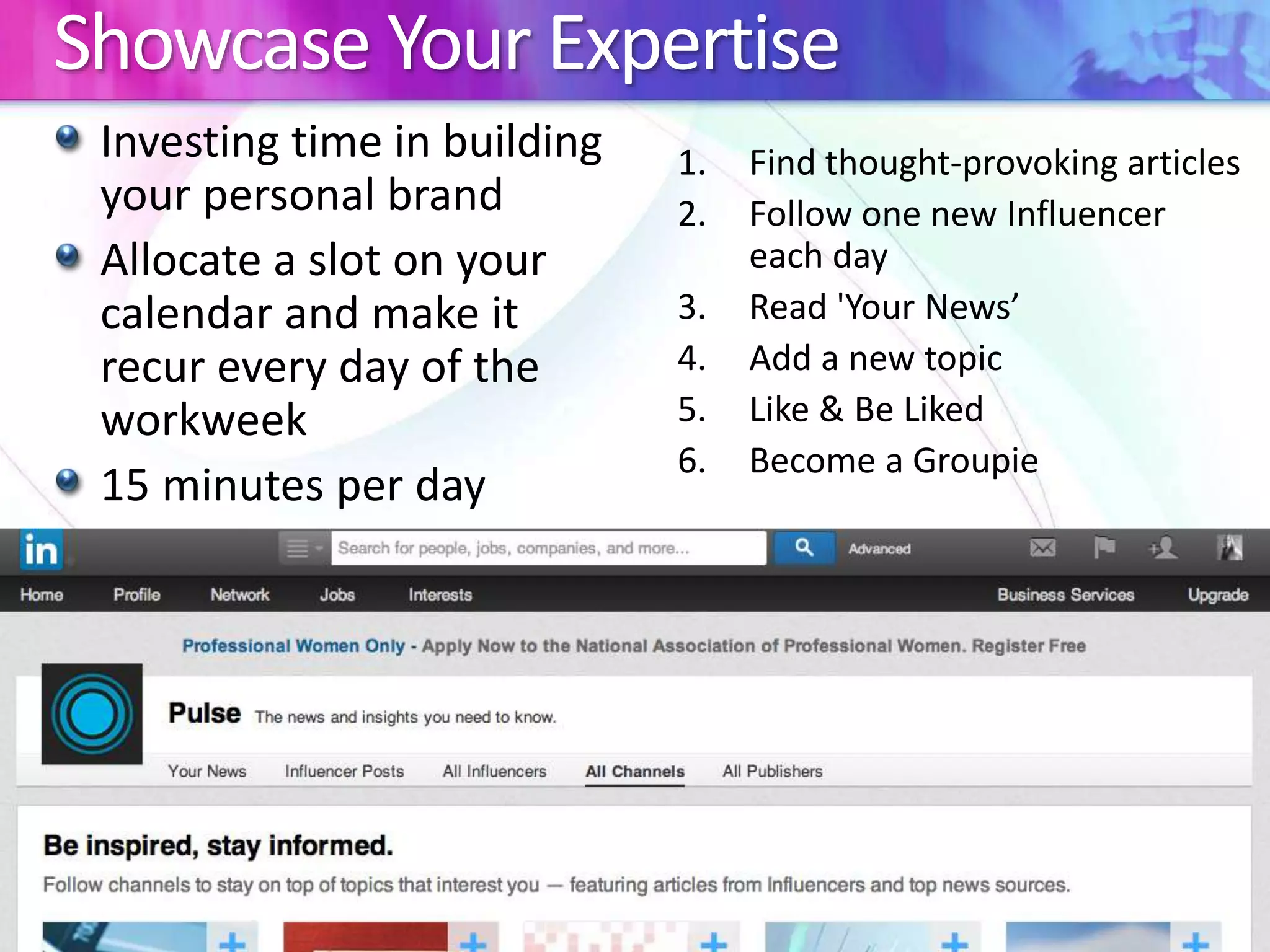
Showcase Your Expertise 
Investing time in building 
your personal brand 
Allocate a slot on your 
calendar and make it 
recur every day of the 
workweek 
15 minutes per day 
1. Find thought-provoking articles 
2. Follow one new Influencer 
each day 
3. Read 'Your News’ 
4. Add a new topic 
5. Like & Be Liked 
6. Become a Groupie

Meet up 9.24.14 Unlock the power of Linkedin

  • 1.
  • 2.
    Who Is RebeccaWardlow? President & COO at SolideaMedical.com Social Media Expert Web Design & Development since 1998 WordPress and Magento eCommerce Expert Proud mom of 5 children!
  • 3.
    Why Should YouUse LinkedIn There are approximately 259,000,000 users The average yearly salary for users is over $100,000 If you sold a product for $20 to 1% of the users on LinkedIn, you could earn $51,800,000 !
  • 4.
  • 5.
    Optimize Your LinkedInProfile Do Use a current photo Use a professional headshot Use a recognizable picture Dress in appropriate attire Write in the first person Do Not Use a graphically enhanced photo Wear inappropriate attire Use a logo as a profile picture Use an older picture – keep it current
  • 6.
  • 7.
    Optimize Your ContactInformation Do Connect your Twitter account Add titles to your website links to generate interest Do Not Use company Website or Personal Website for your links Use your twitter profile as one of your website links
  • 8.
    Customize Your LinkedInURL Customize your LinkedIn URL for email signatures, social sites and business cards How to edit your LinkedIn URL Edit Profile >click edit next to LinkedIn URL (under your photo) > Your Public profile URL (right column) – Click Customize your public profile URL
  • 9.
  • 10.
  • 11.
    Specialties In YourSummary Add Specialties to your Summary (bulleted list)
  • 12.
  • 13.
    Add Visual Elementsto Your Profile
  • 14.
  • 15.
    Skills & Expertiseand Endorsements
  • 16.
    Endorsements Endorsements quickand easy way for connections to endorse yours skills Endorsements should never be requested. Give endorsements to other people who you would like an endorsement from. Never give an endorsement to someone you don’t actually endorse.
  • 17.
  • 18.
    How To GetRecommendations Write a recommendation for one of your contacts LinkedIn will suggest that they write one for you in return.
  • 19.
    Sending Requests toConnect Always send a personalized connection invitation. Never use standard invite text.
  • 20.
    Accepting a Requestto Connect Always send a personalized message after accepting the connection request.
  • 21.
    Adding New Connections People You May Know LinkedIn Search “Contacts” from the top navigation
  • 22.
    First Degree Connections Message them whenever you can (but don’t waste their time) Ask them an expertise-request question via a message Create a LinkedIn question and direct it to a number of the first-degree connections you want to develop relationships with Connect with them and interact with them on Twitter Meet up with them in person for lunch, coffee or drinks Get close enough to friend them on Facebook
  • 23.
  • 24.
  • 25.
    Sales Funnel Createtags to match your sales funnel. Some examples: 1 – UNQUALIFIED LEADS 2 – QUALIFIED LEADS 3 – PROPOSAL PRESENTED 4 – NEGOTIATION 5 – CLIENT
  • 26.
  • 27.
    Share With YourAudience How often should you post? a minimum of three times per week, and up to 3 times per day.
  • 28.
    Target Who’s ViewedYour Profile How do you know who is interested in you? They viewed your LinkedIn profile This is a great time to connect with new people.
  • 29.
    LinkedIn Groups Createor join a group Ask questions and answer questions. Build relationships, don’t sell your products or services. Focus on how you can add to the conversation.
  • 30.
    Network from theoutside Network your way through a company Look at company employees Get Introduced feature Send InMail
  • 31.
    Find Prospects LinkedInSearch You can search: People Companies Updates Jobs Inbox Groups
  • 32.
    Showcase Your Expertise Investing time in building your personal brand Allocate a slot on your calendar and make it recur every day of the workweek 15 minutes per day 1. Find thought-provoking articles 2. Follow one new Influencer each day 3. Read 'Your News’ 4. Add a new topic 5. Like & Be Liked 6. Become a Groupie

Editor's Notes

  • #5 Arrow next to edit profile > Manage public profile settings
  • #6 Adding a profile photo makes your profile 7x more likely to be found In searches
  • #9 Looks more professional when it’s customized
  • #11 Use Keywords LinkedIn indexes keywords Keep your summary fresh. Updated content is important Include Contact details
  • #12 Edward Jones has an approved template for SKILLS Think KEYWORDS
  • #14 Portfolios Presentations Photos & Videos Can be added to Summary, Experience and Education Adding visual elements will drive traffic to source
  • #16 Skills & Expertise allows you to showcase your experience Endorsements allow your connections to quickly and easily certify or endorse yours skills
  • #17 Endorsements should be freely given! Never requested
  • #19 By giving someone a recommendation, they will feel inclined to recommend you.