Get Facebook For Your Business By Martyn Hodgson Get Facebook
Tuning In To Social Media Your Personal Profile Facebook Groups Creating a Business Page Developing a Business Page Monitoring Results Applying Facebook to Your Business Today's Workshop
Tuning In To Social Media
Your Business What Products / Services Do You Provide? How Do You Promote Your Business? Who Are Your Target Clients? Where Do They “Hang Out”?
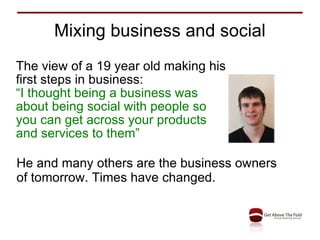
Mixing business and social The view of a 19 year old making his first steps in business:  “ I thought being a business was about being social with people so you can get across your products and services to them” He and many others are the business owners of tomorrow. Times have changed.
Reasons for using Facebook Building more followers Get found by people seeking your services Build a community round you / your brand Direct sales Connect with new customers Offers and discounts Customer service Provide extra value to existing customers Enable Reviews
Profiles, Pages and Groups Profile – for YOU Cornerstone of Facebook. You must have one. People like people through profiles Page – for a BUSINESS See it as a second website Your business brand or you as a public figure Group – for a GROUP or ASSOCIATION Where a collection of like-minded people meet Tap into strong collective passion
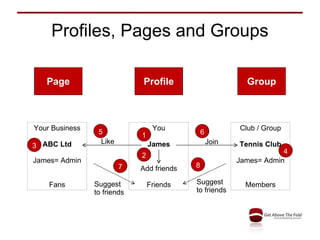
Profiles, Pages and Groups Page Profile Group Your Business ABC Ltd James= Admin Fans You James Add friends Friends Club / Group Tennis Club James= Admin Members Join Like Suggest to friends Suggest to friends 8 7 6 5 4 3 2 1
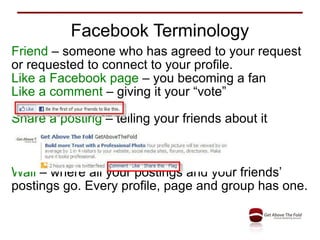
Facebook Terminology Friend  – someone who has agreed to your request or requested to connect to your profile. Like a Facebook page  – you becoming a fan Like a comment  – giving it your “vote” Share a posting  – telling your friends about it Wall  – where all your postings and your friends’ postings go. Every profile, page and group has one.
Gaining Social Media Influence Reciprocation – give and give Social proof - peer actions Liking builds passion Authority – perceived as expert
Rules of Compelling Content Created for a purpose Meets the needs of its audience Trustworthy Engaging Allows for interaction Speaks the language of your customers Finds where your target audience is Experiments a little Creates “hot triggers” Search optimised
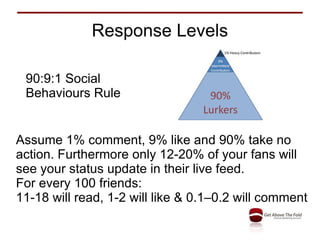
Response Levels Assume 1% comment, 9% like and 90% take no action. Furthermore only 12-20% of your fans will see your status update in their live feed. For every 100 friends: 11-18 will read, 1-2 will like & 0.1–0.2 will comment 90:9:1 Social Behaviours Rule
Your Social Media Persona Add content in a way that fits your personality. Sociable and chatty Regular short conversations. Too intense for many. Strong Twitter user. Researcher Sharing good content. Always relevant & of quality. Multiple networks. Thought leader Innovative ideas. Many others feed off it. Blogs.
5 Mistakes to Avoid Lack of focus, clarity & direction Time Sink Growing too fast Getting bogged down Spam-like activity
Integrate with other media Add link to your email signature Add Facebook badge to blog Add “Like” button to web pages Import blog feed into Facebook Broadcast to Twitter Connect to your slideshows – Slideshare Connect to your videos – YouTube Add your photos and tag friends
5 Items of Content to Create Putting aside the technical issues of how to do it, Decide on the 5 items of content your target audience would like and comment on Consider the message  Chose the channel – text / photo / video / event
Your Personal Profile
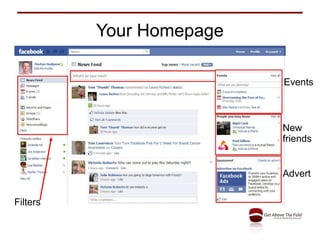
Your Homepage Advert New friends Events Filters
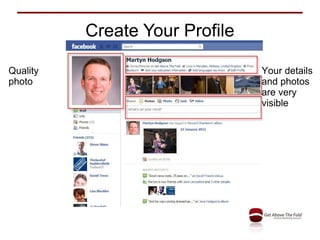
Create Your Profile Quality photo Your details and photos are very visible
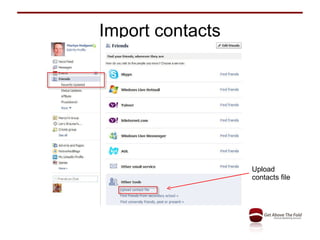
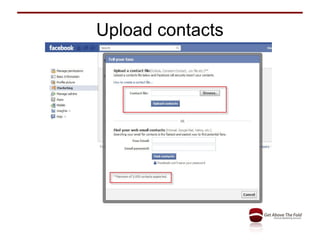
Import contacts Upload contacts file
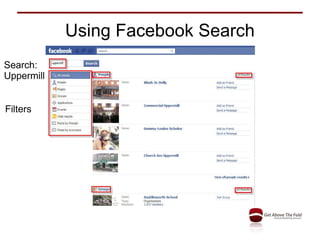
Using Facebook Search Search: Uppermill Filters
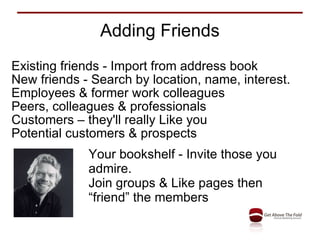
Adding Friends Existing friends - Import from address book New friends - Search by location, name, interest. Employees & former work colleagues Peers, colleagues & professionals Customers – they'll really Like you Potential customers & prospects Your bookshelf - Invite those you admire. Join groups & Like pages then “friend” the members
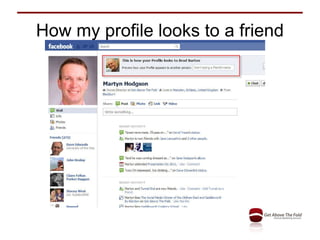
How my profile looks to a friend
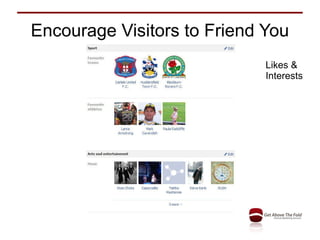
Encourage Visitors to Friend You Likes & Interests
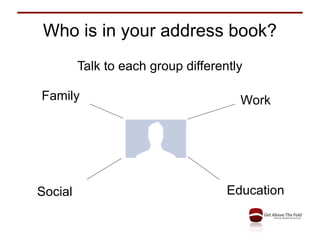
Who is in your address book? Talk to each group differently Family Work Education Social
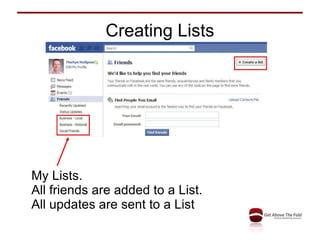
Creating Lists My Lists. All friends are added to a List. All updates are sent to a List
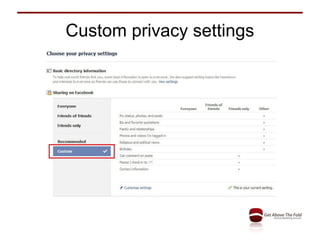
Custom privacy settings
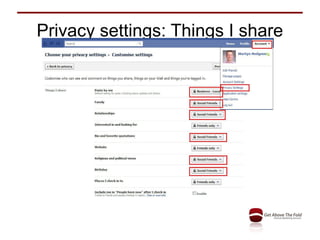
Privacy settings: Things I share
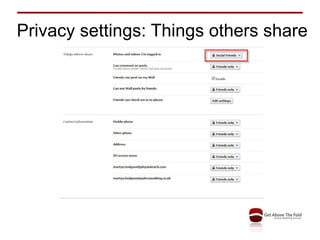
Privacy settings: Things others share
Facebook Groups
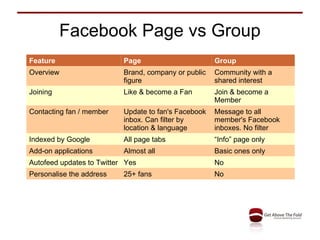
Facebook Page vs Group Feature Page Group Overview Brand, company or public figure Community with a shared interest Joining Like & become a Fan Join & become a Member Contacting fan / member Update to fan's Facebook inbox. Can filter by location & language Message to all member's Facebook inboxes. No filter Indexed by Google All page tabs “ Info” page only Add-on applications Almost all Basic ones only Autofeed updates to Twitter Yes No Personalise the address  25+ fans No
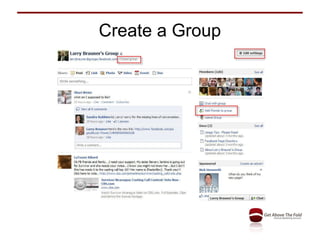
Value of a Facebook Group Tap into the passion of a community with a strong shared interest. The shared passion translates into trust in other areas – your business. A valuable tool for the group is creating an event. Groups can be for social or local interests, alumni or old company colleagues, non-profit or charitable and for networking groups.
Create a Group
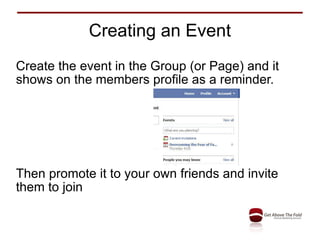
Creating an Event Create the event in the Group (or Page) and it shows on the members profile as a reminder. Then promote it to your own friends and invite them to join
Groups to Create Are there any Groups (or pages) you could create and manage in Facebook? They act as a portal to gather new fans for your own business Tribes e.g. 4Networking group / page Social Good e.g. your charity group / page Local – discussion group for local town
Creating a Business Page
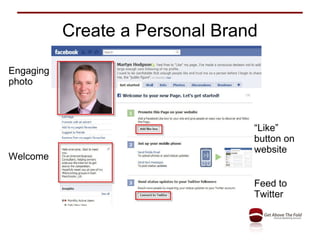
Create a Personal Brand Engaging photo Welcome “ Like” button on website Feed to Twitter
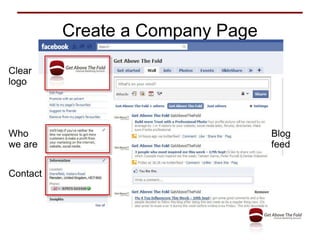
Create a Company Page Clear logo Who we are Contact Blog feed
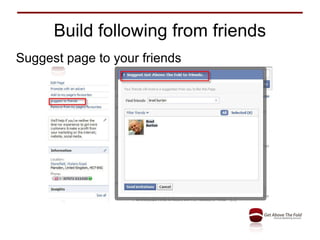
Build following from friends Suggest page to your friends
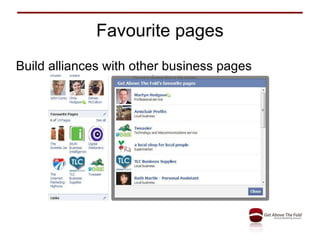
Favourite pages Build alliances with other business pages
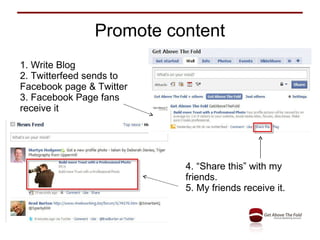
Promote content 1. Write Blog 2. Twitterfeed sends to Facebook page & Twitter 3. Facebook Page fans receive it 4. “Share this” with my friends.  5. My friends receive it.
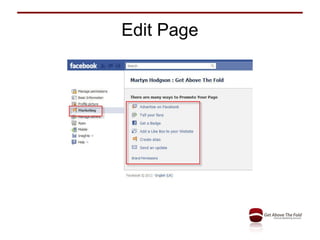
Edit Page
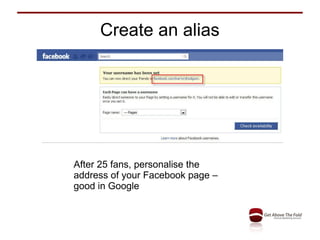
Create an alias After 25 fans, personalise the address of your Facebook page – good in Google
Upload contacts
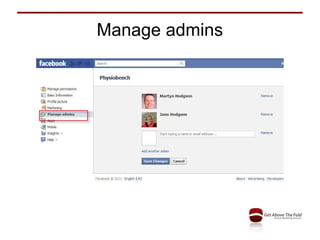
Manage admins
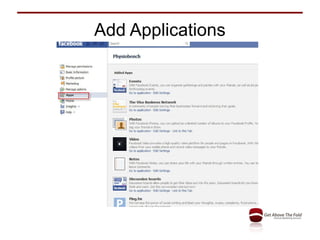
Add Applications
Developing a Business Page
10% off – call to action
Welcome page
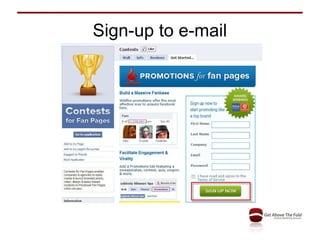
Sign-up to e-mail
Promotional photo Extended Profile 200 x 600
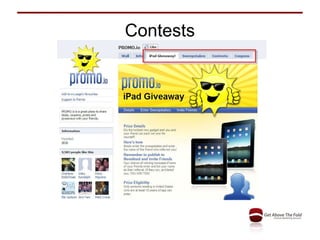
Contests
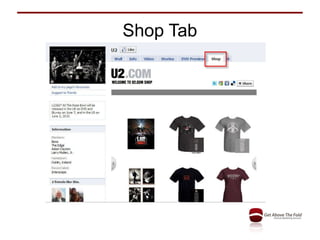
Shop Tab
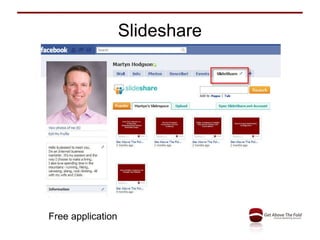
Slideshare Free application
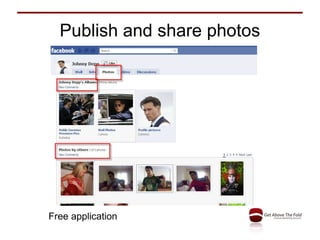
Publish and share photos Free application
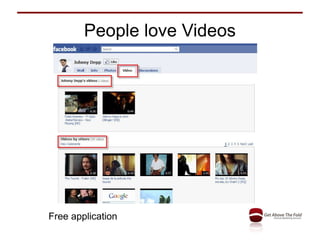
People love Videos Free application
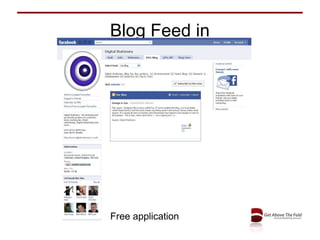
Blog Feed in Free application
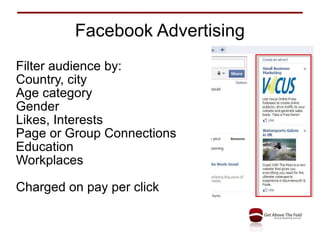
Facebook Advertising Filter audience by: Country, city Age category Gender Likes, Interests Page or Group Connections Education Workplaces Charged on pay per click
Monitoring Results
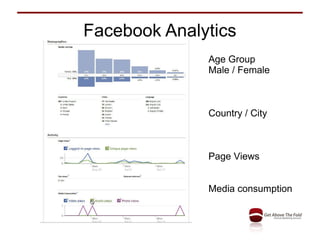
Facebook Analytics Age Group Male / Female Country / City Page Views Media consumption
Applying Facebook to Your Business
Your Plan to Follow on Facebook Who Are Your Target Audience? Are They In Facebook And How Will You Make Contact? What Activity To Attract Them? When Will You Do The Activity?
Thank you Martyn Hodgson Social Media Trainer 07971 611420 [email_address] B e my Facebook friend:  MartynJHodgson Like my Facebook page:  MartynHodgson.UK Recommend me on LinkedIn:  MartynHodgson

Get facebook for your business

  • 1.
    Get Facebook ForYour Business By Martyn Hodgson Get Facebook
  • 2.
    Tuning In ToSocial Media Your Personal Profile Facebook Groups Creating a Business Page Developing a Business Page Monitoring Results Applying Facebook to Your Business Today's Workshop
  • 3.
    Tuning In ToSocial Media
  • 4.
    Your Business WhatProducts / Services Do You Provide? How Do You Promote Your Business? Who Are Your Target Clients? Where Do They “Hang Out”?
  • 5.
    Mixing business andsocial The view of a 19 year old making his first steps in business: “ I thought being a business was about being social with people so you can get across your products and services to them” He and many others are the business owners of tomorrow. Times have changed.
  • 6.
    Reasons for usingFacebook Building more followers Get found by people seeking your services Build a community round you / your brand Direct sales Connect with new customers Offers and discounts Customer service Provide extra value to existing customers Enable Reviews
  • 7.
    Profiles, Pages andGroups Profile – for YOU Cornerstone of Facebook. You must have one. People like people through profiles Page – for a BUSINESS See it as a second website Your business brand or you as a public figure Group – for a GROUP or ASSOCIATION Where a collection of like-minded people meet Tap into strong collective passion
  • 8.
    Profiles, Pages andGroups Page Profile Group Your Business ABC Ltd James= Admin Fans You James Add friends Friends Club / Group Tennis Club James= Admin Members Join Like Suggest to friends Suggest to friends 8 7 6 5 4 3 2 1
  • 9.
    Facebook Terminology Friend – someone who has agreed to your request or requested to connect to your profile. Like a Facebook page – you becoming a fan Like a comment – giving it your “vote” Share a posting – telling your friends about it Wall – where all your postings and your friends’ postings go. Every profile, page and group has one.
  • 10.
    Gaining Social MediaInfluence Reciprocation – give and give Social proof - peer actions Liking builds passion Authority – perceived as expert
  • 11.
    Rules of CompellingContent Created for a purpose Meets the needs of its audience Trustworthy Engaging Allows for interaction Speaks the language of your customers Finds where your target audience is Experiments a little Creates “hot triggers” Search optimised
  • 12.
    Response Levels Assume1% comment, 9% like and 90% take no action. Furthermore only 12-20% of your fans will see your status update in their live feed. For every 100 friends: 11-18 will read, 1-2 will like & 0.1–0.2 will comment 90:9:1 Social Behaviours Rule
  • 13.
    Your Social MediaPersona Add content in a way that fits your personality. Sociable and chatty Regular short conversations. Too intense for many. Strong Twitter user. Researcher Sharing good content. Always relevant & of quality. Multiple networks. Thought leader Innovative ideas. Many others feed off it. Blogs.
  • 14.
    5 Mistakes toAvoid Lack of focus, clarity & direction Time Sink Growing too fast Getting bogged down Spam-like activity
  • 15.
    Integrate with othermedia Add link to your email signature Add Facebook badge to blog Add “Like” button to web pages Import blog feed into Facebook Broadcast to Twitter Connect to your slideshows – Slideshare Connect to your videos – YouTube Add your photos and tag friends
  • 16.
    5 Items ofContent to Create Putting aside the technical issues of how to do it, Decide on the 5 items of content your target audience would like and comment on Consider the message Chose the channel – text / photo / video / event
  • 17.
  • 18.
    Your Homepage AdvertNew friends Events Filters
  • 19.
    Create Your ProfileQuality photo Your details and photos are very visible
  • 20.
  • 21.
    Using Facebook SearchSearch: Uppermill Filters
  • 22.
    Adding Friends Existingfriends - Import from address book New friends - Search by location, name, interest. Employees & former work colleagues Peers, colleagues & professionals Customers – they'll really Like you Potential customers & prospects Your bookshelf - Invite those you admire. Join groups & Like pages then “friend” the members
  • 23.
    How my profilelooks to a friend
  • 24.
    Encourage Visitors toFriend You Likes & Interests
  • 25.
    Who is inyour address book? Talk to each group differently Family Work Education Social
  • 26.
    Creating Lists MyLists. All friends are added to a List. All updates are sent to a List
  • 27.
  • 28.
  • 29.
  • 30.
  • 31.
    Facebook Page vsGroup Feature Page Group Overview Brand, company or public figure Community with a shared interest Joining Like & become a Fan Join & become a Member Contacting fan / member Update to fan's Facebook inbox. Can filter by location & language Message to all member's Facebook inboxes. No filter Indexed by Google All page tabs “ Info” page only Add-on applications Almost all Basic ones only Autofeed updates to Twitter Yes No Personalise the address 25+ fans No
  • 32.
    Value of aFacebook Group Tap into the passion of a community with a strong shared interest. The shared passion translates into trust in other areas – your business. A valuable tool for the group is creating an event. Groups can be for social or local interests, alumni or old company colleagues, non-profit or charitable and for networking groups.
  • 33.
  • 34.
    Creating an EventCreate the event in the Group (or Page) and it shows on the members profile as a reminder. Then promote it to your own friends and invite them to join
  • 35.
    Groups to CreateAre there any Groups (or pages) you could create and manage in Facebook? They act as a portal to gather new fans for your own business Tribes e.g. 4Networking group / page Social Good e.g. your charity group / page Local – discussion group for local town
  • 36.
  • 37.
    Create a PersonalBrand Engaging photo Welcome “ Like” button on website Feed to Twitter
  • 38.
    Create a CompanyPage Clear logo Who we are Contact Blog feed
  • 39.
    Build following fromfriends Suggest page to your friends
  • 40.
    Favourite pages Buildalliances with other business pages
  • 41.
    Promote content 1.Write Blog 2. Twitterfeed sends to Facebook page & Twitter 3. Facebook Page fans receive it 4. “Share this” with my friends. 5. My friends receive it.
  • 42.
  • 43.
    Create an aliasAfter 25 fans, personalise the address of your Facebook page – good in Google
  • 44.
  • 45.
  • 46.
  • 47.
  • 48.
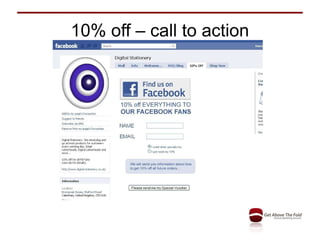
    10% off –call to action
  • 49.
  • 50.
  • 51.
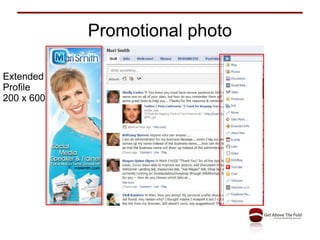
    Promotional photo ExtendedProfile 200 x 600
  • 52.
  • 53.
  • 54.
  • 55.
    Publish and sharephotos Free application
  • 56.
    People love VideosFree application
  • 57.
    Blog Feed inFree application
  • 58.
    Facebook Advertising Filteraudience by: Country, city Age category Gender Likes, Interests Page or Group Connections Education Workplaces Charged on pay per click
  • 59.
  • 60.
    Facebook Analytics AgeGroup Male / Female Country / City Page Views Media consumption
  • 61.
    Applying Facebook toYour Business
  • 62.
    Your Plan toFollow on Facebook Who Are Your Target Audience? Are They In Facebook And How Will You Make Contact? What Activity To Attract Them? When Will You Do The Activity?
  • 63.
    Thank you MartynHodgson Social Media Trainer 07971 611420 [email_address] B e my Facebook friend: MartynJHodgson Like my Facebook page: MartynHodgson.UK Recommend me on LinkedIn: MartynHodgson