



http://gplus.to/rwardlow7


                              By: Rebecca Wardlow, Social Biz Diva


How To Connect With Your Customers Using

Google+
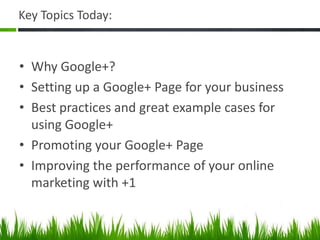
Key Topics Today:


• Why Google+?
• Setting up a Google+ Page for your business
• Best practices and great example cases for
  using Google+
• Promoting your Google+ Page
• Improving the performance of your online
  marketing with +1
“Google+ is Google itself.                We’re extending it across
all that we do – search, ads, Chrome, Android, Maps, YouTube – so
that each of those services contributes to our understanding of
who YOU are.”
                          Bradley Horowitz, VP products for Google+
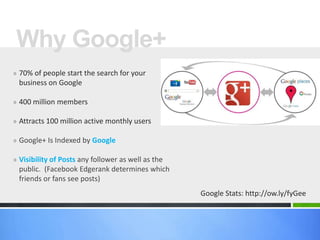
Why Google+
» 70% of people start the search for your
  business on Google

» 400 million members

» Attracts 100 million active monthly users

» Google+ Is Indexed by Google

» Visibility of Posts any follower as well as the
  public. (Facebook Edgerank determines which
  friends or fans see posts)
                                                    Google Stats: http://ow.ly/fyGee
Google
» Google owns the playground!

» Search results are affected by the people you
 are friends with on Google+

» Social connections hold more value than links

» Sites on Google+ are indexed quickly

» +1 links rank higher in search results

» Google+ & Search Integration
What Are We Covering?


 Setting Up     Best      Promoting
  Google+     Practices   Your Page
Build A Presence on
Google+


             Personal and Business Page
Setting Up A Google+ Profile
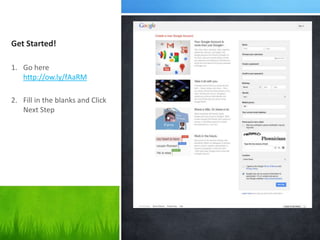
Get Started!

1. Go here
   http://ow.ly/fAaRM

2. Fill in the blanks and Click
   Next Step
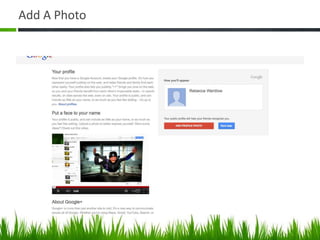
Add A Photo
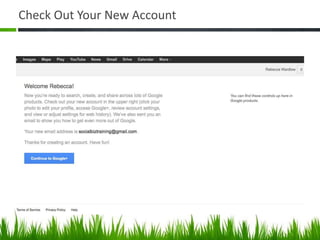
Check Out Your New Account
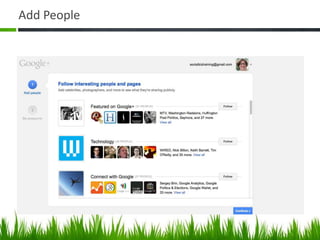
Add People
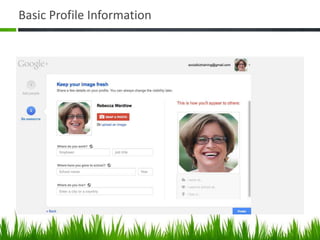
Basic Profile Information
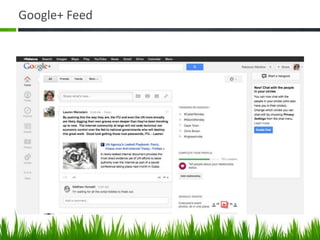
Google+ Feed
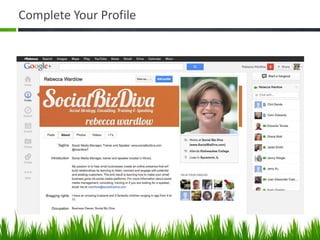
Complete Your Profile
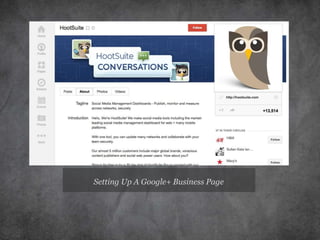
Setting Up A Google+ Business Page
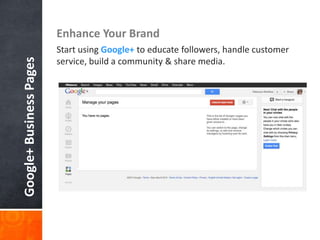
Enhance Your Brand
                         Start using Google+ to educate followers, handle customer
Google+ Business Pages

                         service, build a community & share media.
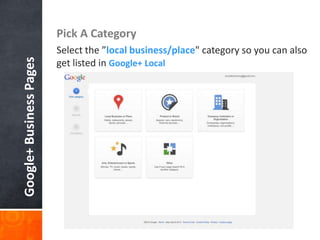
Pick A Category
                         Select the ”local business/place" category so you can also
Google+ Business Pages

                         get listed in Google+ Local
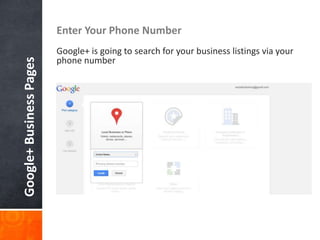
Enter Your Phone Number
                         Google+ is going to search for your business listings via your
                         phone number
Google+ Business Pages
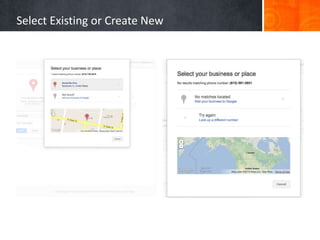
Select Existing or Create New
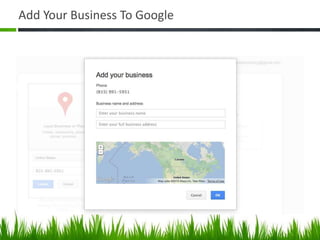
Add Your Business To Google
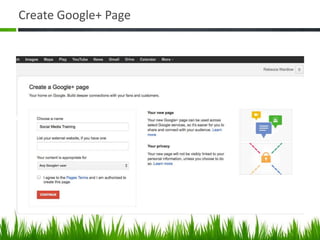
Create Google+ Page
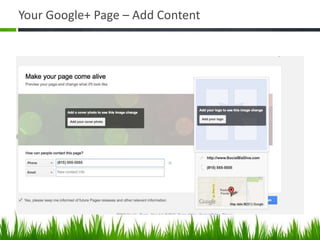
Your Google+ Page – Add Content
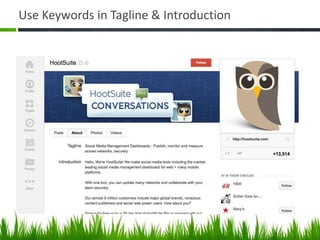
Use Keywords in Tagline & Introduction
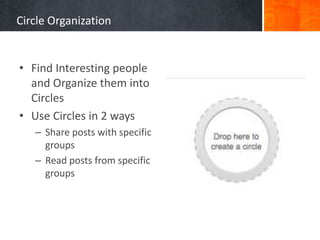
Circle Organization


• Find Interesting people
  and Organize them into
  Circles
• Use Circles in 2 ways
   – Share posts with specific
     groups
   – Read posts from specific
     groups
“Circles”


• Circles are flexible         • NOTE: Circling is
• You can completely delete      unilateral. You do not
  circles or redo them.          need to ask for or receive
• The people in your circle      permission to circle
  do not see the name of         someone.
  the circle you put them in   • Circles enable YOU to
• Click the “X” in upper         control who can read
  right corner of person’s       your posts.
  photo to remove them         • Circles can be shared with
                                 others.
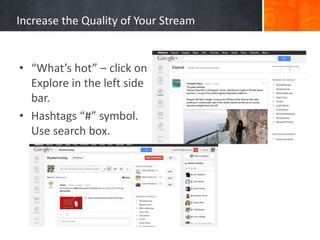
Increase the Quality of Your Stream


• “What’s hot” – click on
  Explore in the left side
  bar.
• Hashtags “#” symbol.
  Use search box.
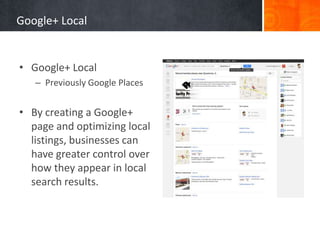
Google+ Local


• Google+ Local
   – Previously Google Places


• By creating a Google+
  page and optimizing local
  listings, businesses can
  have greater control over
  how they appear in local
  search results.
Best Practices and
Examples
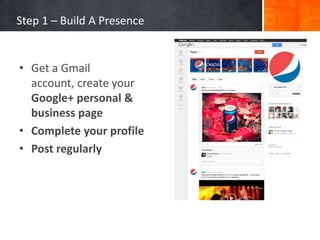
Step 1 – Build A Presence


• Get a Gmail
  account, create your
  Google+ personal &
  business page
• Complete your profile
• Post regularly
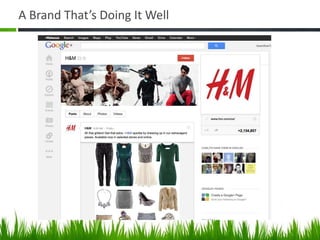
A Brand That’s Doing It Well
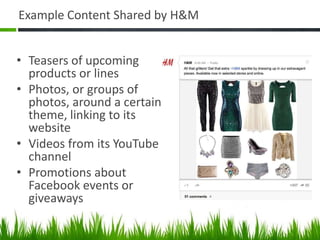
Example Content Shared by H&M


• Teasers of upcoming
  products or lines
• Photos, or groups of
  photos, around a certain
  theme, linking to its
  website
• Videos from its YouTube
  channel
• Promotions about
  Facebook events or
  giveaways
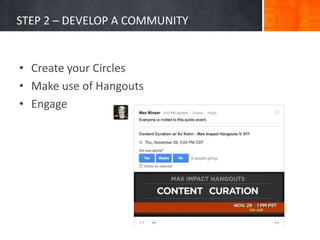
STEP 2 – DEVELOP A COMMUNITY


• Create your Circles
• Make use of Hangouts
• Engage
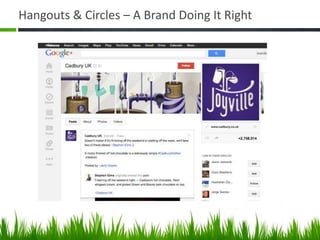
Hangouts & Circles – A Brand Doing It Right
Promoting Your Page
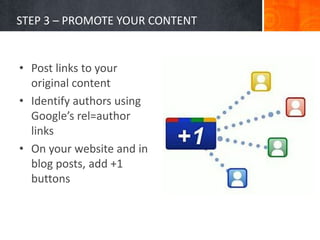
STEP 3 – PROMOTE YOUR CONTENT


• Post links to your
  original content
• Identify authors using
  Google’s rel=author
  links
• On your website and in
  blog posts, add +1
  buttons
Top 12 Ways to Grow on Google+


1. Complete Your Profile
2. Upload a Striking Cover Photo and Profile
   Photo
3. Assign Multiple Managers
4. Add Users to Your Circles
5. Add a Google+ Badge to Your Website
6. Post (Relevant) Content Regularly
Top 12 Ways to Grow on Google+


7. Ensure Rich Snippets Are Rendering Correctly
8. Utilize #Hashtags in Your Posts
9. Create Events
10. Host a Hangout
11. Submit a Page Verification Request
12. Set a Vanity URL (http://gplus.to/rwardlow7)
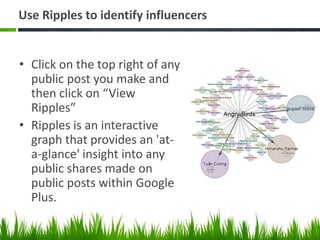
Use Ripples to identify influencers


• Click on the top right of any
  public post you make and
  then click on “View
  Ripples”
• Ripples is an interactive
  graph that provides an 'at-
  a-glance' insight into any
  public shares made on
  public posts within Google
  Plus.
More Google+ Tips


• Use Google+ Circles to to follow who you want
  to follow (customers, suppliers, industry
  leaders and influencers).
• Share information to entertain and interest
  your audience.
• Aim for a on-topic/off-topic ratio of 80/20
• See how other businesses are using it
Track Engagement
• Use All My+ to track your brand’s engagement
  on Google+
Be Active Without Wasting Time
Get it all done in 60 minutes or less.


15 minutes – Look for information outside Google+ that your circles
   would enjoy.
15 minutes – Engage in conversation on a post
10 minutes – Read posts by others and comment
10 minutes – Comment on your own posts
5 minutes – Share a new post
?
    But wait…
    There’s More!


                    Google+ Tools
How To Find People on Google+


• http://findpeopleonplus.com
• http://www.womenofgplus.com/
• http://www.recommendedusers.com/
Google+ Chrome Extension


• Do Share - makes sharing and scheduling
  content fast and easy http://ow.ly/fyFkd
• CircleCount – see follower history and the
  average number of shares and comments
Other Tools


• URL Shortener (http://gplus.to)
• Search Google+ public content
  (http://gplussearch.com)
• Google+ Website
  buttons, links, badges, snippets
  (https://developers.google.com/+/plugins/sha
  re/ )

How To Connect With Your Customers Using Google+

  • 1.
    http://gplus.to/rwardlow7 By: Rebecca Wardlow, Social Biz Diva How To Connect With Your Customers Using Google+
  • 2.
    Key Topics Today: •Why Google+? • Setting up a Google+ Page for your business • Best practices and great example cases for using Google+ • Promoting your Google+ Page • Improving the performance of your online marketing with +1
  • 4.
    “Google+ is Googleitself. We’re extending it across all that we do – search, ads, Chrome, Android, Maps, YouTube – so that each of those services contributes to our understanding of who YOU are.” Bradley Horowitz, VP products for Google+
  • 5.
    Why Google+ » 70%of people start the search for your business on Google » 400 million members » Attracts 100 million active monthly users » Google+ Is Indexed by Google » Visibility of Posts any follower as well as the public. (Facebook Edgerank determines which friends or fans see posts) Google Stats: http://ow.ly/fyGee
  • 6.
    Google » Google ownsthe playground! » Search results are affected by the people you are friends with on Google+ » Social connections hold more value than links » Sites on Google+ are indexed quickly » +1 links rank higher in search results » Google+ & Search Integration
  • 7.
    What Are WeCovering? Setting Up Best Promoting Google+ Practices Your Page
  • 8.
    Build A Presenceon Google+ Personal and Business Page
  • 9.
    Setting Up AGoogle+ Profile
  • 10.
    Get Started! 1. Gohere http://ow.ly/fAaRM 2. Fill in the blanks and Click Next Step
  • 11.
  • 12.
    Check Out YourNew Account
  • 13.
  • 14.
  • 15.
  • 16.
  • 17.
    Setting Up AGoogle+ Business Page
  • 18.
    Enhance Your Brand Start using Google+ to educate followers, handle customer Google+ Business Pages service, build a community & share media.
  • 19.
    Pick A Category Select the ”local business/place" category so you can also Google+ Business Pages get listed in Google+ Local
  • 20.
    Enter Your PhoneNumber Google+ is going to search for your business listings via your phone number Google+ Business Pages
  • 21.
  • 22.
  • 23.
  • 24.
    Your Google+ Page– Add Content
  • 25.
    Use Keywords inTagline & Introduction
  • 26.
    Circle Organization • FindInteresting people and Organize them into Circles • Use Circles in 2 ways – Share posts with specific groups – Read posts from specific groups
  • 27.
    “Circles” • Circles areflexible • NOTE: Circling is • You can completely delete unilateral. You do not circles or redo them. need to ask for or receive • The people in your circle permission to circle do not see the name of someone. the circle you put them in • Circles enable YOU to • Click the “X” in upper control who can read right corner of person’s your posts. photo to remove them • Circles can be shared with others.
  • 28.
    Increase the Qualityof Your Stream • “What’s hot” – click on Explore in the left side bar. • Hashtags “#” symbol. Use search box.
  • 29.
    Google+ Local • Google+Local – Previously Google Places • By creating a Google+ page and optimizing local listings, businesses can have greater control over how they appear in local search results.
  • 30.
  • 31.
    Step 1 –Build A Presence • Get a Gmail account, create your Google+ personal & business page • Complete your profile • Post regularly
  • 32.
    A Brand That’sDoing It Well
  • 33.
    Example Content Sharedby H&M • Teasers of upcoming products or lines • Photos, or groups of photos, around a certain theme, linking to its website • Videos from its YouTube channel • Promotions about Facebook events or giveaways
  • 34.
    STEP 2 –DEVELOP A COMMUNITY • Create your Circles • Make use of Hangouts • Engage
  • 35.
    Hangouts & Circles– A Brand Doing It Right
  • 36.
  • 37.
    STEP 3 –PROMOTE YOUR CONTENT • Post links to your original content • Identify authors using Google’s rel=author links • On your website and in blog posts, add +1 buttons
  • 38.
    Top 12 Waysto Grow on Google+ 1. Complete Your Profile 2. Upload a Striking Cover Photo and Profile Photo 3. Assign Multiple Managers 4. Add Users to Your Circles 5. Add a Google+ Badge to Your Website 6. Post (Relevant) Content Regularly
  • 39.
    Top 12 Waysto Grow on Google+ 7. Ensure Rich Snippets Are Rendering Correctly 8. Utilize #Hashtags in Your Posts 9. Create Events 10. Host a Hangout 11. Submit a Page Verification Request 12. Set a Vanity URL (http://gplus.to/rwardlow7)
  • 40.
    Use Ripples toidentify influencers • Click on the top right of any public post you make and then click on “View Ripples” • Ripples is an interactive graph that provides an 'at- a-glance' insight into any public shares made on public posts within Google Plus.
  • 41.
    More Google+ Tips •Use Google+ Circles to to follow who you want to follow (customers, suppliers, industry leaders and influencers). • Share information to entertain and interest your audience. • Aim for a on-topic/off-topic ratio of 80/20 • See how other businesses are using it
  • 42.
    Track Engagement • UseAll My+ to track your brand’s engagement on Google+
  • 43.
    Be Active WithoutWasting Time Get it all done in 60 minutes or less. 15 minutes – Look for information outside Google+ that your circles would enjoy. 15 minutes – Engage in conversation on a post 10 minutes – Read posts by others and comment 10 minutes – Comment on your own posts 5 minutes – Share a new post
  • 44.
    ? But wait… There’s More! Google+ Tools
  • 45.
    How To FindPeople on Google+ • http://findpeopleonplus.com • http://www.womenofgplus.com/ • http://www.recommendedusers.com/
  • 46.
    Google+ Chrome Extension •Do Share - makes sharing and scheduling content fast and easy http://ow.ly/fyFkd • CircleCount – see follower history and the average number of shares and comments
  • 47.
    Other Tools • URLShortener (http://gplus.to) • Search Google+ public content (http://gplussearch.com) • Google+ Website buttons, links, badges, snippets (https://developers.google.com/+/plugins/sha re/ )

Editor's Notes

  • #6 Google+ Is Indexed by GoogleUsing Google+ can help customers find your business faster and easierCreating a business page increases you visibilityGoogle+ offers a cleaner experienceEasier to share and rank other people’s posts and commentsVariety of sharing options (video, posts, photos)Personalized Circles. Follow who you want to follow and no one else.Google+ users are loyal60% of users logged in daily80% engage weeklyGoogle+ is growing90M+ usersThe entire purpose of a social network is to connect and share, Google+ makes this very simple if you understand the basics.
  • #10 Provide a detailed introduction, employment details, educational background, and places.Be sure to fill out all subheadings and sidebars as well. The text beneath your name, for instance, will serve as a meta description in searches Use targeted keywords.Include a +1 button on every page of your website, and encourage visitors to click it. The number of +1’s you receive is displayed to Google searchers even if they’re not logged into Google+.
  • #14 When you’ve circled approximately 50 people, Google+ gets really interested.
  • #17 cover photo is 940 pixels x 180 pixels.Profile pic 260 pixels x 260 pixels.Home = this is where the “stream” is. The stream of what people are saying (aka News feed)Profile = When you want to see what you’ve posted, click on this button. Think of your profile as your own blog or journalExplore = Fin out what’s new and interesting on Google+Events = Plan and invite people to your parties, meetings, and Google+ hangouts.Photos = your photo collections and those you have been tagged in.Circles = Organize and filter who you interact with. Circling on Google+ does not involve sending people a “friend” request. You circle people unilaterally without their permission, although they are notified when you circle them. Local = helps you find “recommended places” such as restaurants or hotels near you geographic locationGames = have control over when you see games, how you play them, and with whom you share your experiencesHangouts = enables you to have video chat sessions with up to ___ peopleThe three dots contain MORE buttons for Google+Pages, Local, Games, HangoutYou can DRAG N DROP any of these buttons to change their order.
  • #18 Provide a detailed introduction, employment details, educational background, and places.Be sure to fill out all subheadings and sidebars as well. The text beneath your name, for instance, will serve as a meta description in searches Use targeted keywords.Include a +1 button on every page of your website, and encourage visitors to click it. The number of +1’s you receive is displayed to Google searchers even if they’re not logged into Google+.
  • #20 What is Google+ Local?
  • #21 What is Google+ Local?
  • #24 By creating a Google+ page and optimizing local listings, businesses can have greater control over how they appear in local search results.
  • #25 Cover photo sizeLogo Size
  • #27 Start by creating your Google+ Circles, such as “Family”, “Friends” then create niche circles such as “Social Media”, “SEO”, “Blogging”
  • #32 Fill out your/your company profile’s “about” page, from tagline to website links. The idea here is to use your profile as a teaser or invitation, something that pulls viewers to your content online.Whether or not you post on a daily basis, your brand needs to be posting frequently to have an impact. Find content to post that is relevant to your audience, respond to their comments, and link to your own new content.
  • #33 Fashion retailer H&M, which has over 1.5 million followers on Google+, uses the network to “focus on inspiration,” according to the company’s Global Social Media Manager Miriam Tappert. How do they do it:Posting relevant news content every day
  • #34 It’s also interesting to note that the brand never posts without a link and/or photos, making every bit of its content eye-catching and attention-grabbing to its fans.
  • #35 Google+ offers an opportunity to connect with a tech-savvy demographic of potential clients. By adding users to your Circles, providing meaningful content, and engaging in the content others post, you form connections that can benefit your brand.Create your Circles: Circles are to Google+ what friends are to Facebook and following is to Twitter. Add users to your Circles (which can be modified according to your preferences) to create a community of sharing. The larger your Circles, the wider your scope of influence.Make use of Hangouts: If you’ve never used Hangouts, you’re missing out on one of Google+’s biggest opportunities for content marketers. Use Hangouts to record webinars or how-to guides, host Q&A sessions, host workshops, make announcements, and more.Engage: As a community, Google+ is about more than posting your own content — check out what users in your Circles are posting, and +1 (the Google+ equivalent of a Facebook “like”), or comment on those updates regularly.
  • #36 Using Hangouts and Circles, Cadbury turned itself into the European brand with the largest number of followers on Google+Examples of what Cadbury’s done with Hangouts:For the London 2012 Olympic & Paralympic Games: It created Hangouts featuring champions like freestyle swimmer Rebecca Adlington.When it reached 500K fans: The company hired an artist to create a “chocolate version” of the Google+ page to use as a Hangout. Content included chocolate recipes, pictures of chocolate sculptures, and promotional videos.Examples of what Cadbury’s done with Circles:Fan groupings: Fans are grouped by candy preference, with circles labeled “Crème Egg,” “Wispa,” and so on. Cadbury invites fans to add themselves to Circles by leaving comments on the brand’s page about which candy they like best. This encouraged involvement and personalized the page.Tasters’ Circle: Cadbury let select users participate in chocolate tastings with the company’s research and development team. Doing this not only allowed the brand to reward customer loyalty but also to gain information through an informal focus group that gave direct feedback.
  • #38 Marketing your content on Google+ does more than reach out to users — it also “markets” to search engines. Anytime you post content to Google+, Google immediately indexes it, giving you faster exposure. What’s more, your content is more likely to appear in your contacts’ online searches, thanks to personalized search.Post links to your original content: This will get it indexed and ranked by Google, so it can be brought up in regular and personalized search queries. Take my company, Straight North, for example.Identify authors: An easy way for the authors photo came up next to his/her article. That’s thanks to Google’s rel=author links. Have your writers implement something similar in order to identify themselves with their content online in search results. There are two ways to do this:Use a clear byline and verify that author’s email address with Google.Use this HTML in the author bio of the article: <a href=”[profile url]?rel=author”>Google</a>, replacing [profile url] with the link to the author’s Google+ profile pagePromote your Google+ conversations throughout your content marketing outposts: On your website and in blog posts, add +1 buttons so users can effectively like your content even while not directly on their Google+ accounts. This makes it easy to grow your presence, as it allows your community to come to you.
  • #39 Google+ relies almost entirely on organic growthComplete Your ProfileThis may seem like a no-brainer, but many brand pages do not have a complete “About” section on the profile. Fill out this section completely. Include a link to your business or organization’s website (this is important to receive Verified Page status – more on that later). Add a link to your blog as well. Most importantly: include keyword hyperlinks in the Introduction section.Cover Photo image makes an impression. The profile photo serves as an avatar when using Google+ as your brand – commenting on and +1-ing posts. Updates in users’ newsfeeds will be accompanied by your profile photo, so make sure it’s indicative of your brand.Multiple ManagersClick “Settings” right below where your fans are listed on the right-hand side, and then click the “Managers” tab.Add Users to Your CirclesA brand page can add any other brand page to a circle, regardless of whether that brand page has already done the same. However, a brand page cannot add a human user to a circle unless that user has added the brand page to a circle first. If you’re starting from scratch, begin by having your employees, clients and vendors add your brand page to their circles. Add a Google+ Badge to Your WebsiteA Google+ badge on your website will allow visitors to add your page directly into a circle right from your website.Post (Relevant) Content RegularlyThe best way to keep your audience engaged is to regularly post high-quality content that matters to them. We post daily about SEO and inbound marketing. Informative blog posts and videos typically see high engagement. Find out what your audience is interested in and give them what they want.
  • #40 Ensure Rich Snippets Are Rendering CorrectlyIt’s not enough to just post your content. You’ll want to make sure it looks as good as possible in users’ newsfeeds. The three biggest components that you’ll want optimized are the featured image, page title and meta description:Utilize #Hashtags in Your PostsDid you know that Google+ supports hashtags in the exact same fashion that Twitter does? It’s true! You can include hashtags to signify certain topics in your posts. This is a great way to increase the visibility of your content to users who may be interested in the topics you post about.Create EventsOne of my favorite features of Google+ is Events. Similarly to how Facebook events work, you can invite users to attend a meetup, conference or webinar. Users can search the database of scheduled public events, which represents an opportunity to get your brand in front of new users who haven’t yet added your brand page to their circles.HangoutsConsider also holding Hangouts, which are live video chats with other Google+ users. You can even record Hangouts right to YouTube for an easy piece of content that can be repurposed. Ideas to get started are: Customer service Hangouts which should be hosted at regular times so customers can ask questions and receive direct answers, product demos, live courses for training and even business seminars. Submit a Page Verification RequestHaving a verified page gives your brand more authority and instant credibility.About 1,000 should still do the trick. Other criteria include:Your Google+ page must be authorized by your commercial entity, organization, brand, or product.Your Google+ page’s profile must contain a link to your organization’s website.Your organization’s website must connect to your Google+ page, by adding the Google+ badge or by adding a snippet of code.Read more at http://www.business2community.com/google-plus/best-practices-for-achieving-critical-mass-on-your-google-brand-page-0283000#RgBjw3YkhKCWhOlk.99
  • #41 Your post must have been shared for any ripples to be created.