www.RebeccaWardlow.com
Who Is Rebecca?
Local Google+
Ambassador
Social Media
Speaker, Trainer &
Consultant
Teach social media
courses for Kishwaukee
College Continuing
Education
Web Design &
Development
eCommerce Project
Manager
Google+ eBook
(www.RebeccaWardlow.com)
Proud mom of 5 kids
What We Will Cover
Why LinkedIn is
Important
Optimize Your LinkedIn
Profile & Summary
Endorsements &
Recommendations
Grow Your Network
LinkedIn Sales Funnel
LinkedIn Groups
LinkedIn Company Pages
LinkedIn Search
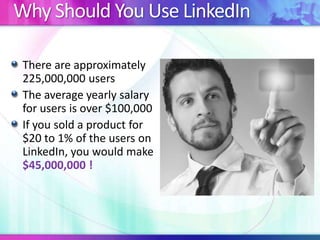
Why Should You Use LinkedIn
There are approximately
225,000,000 users
The average yearly salary
for users is over $100,000
If you sold a product for
$20 to 1% of the users on
LinkedIn, you would make
$45,000,000 !
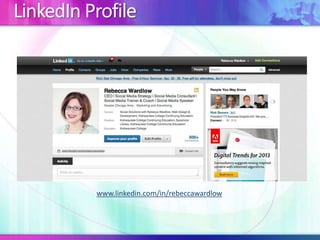
LinkedIn Profile
www.linkedin.com/in/rebeccawardlow
Optimize Your LinkedIn Profile
Do
Use a current photo
Use a professional
headshot
Use a recognizable
picture
Dress in appropriate
attire
Do Not
Use a graphically
enhanced photo
Wear inappropriate attire
Use a logo as a profile
picture
Use an older picture –
keep it current
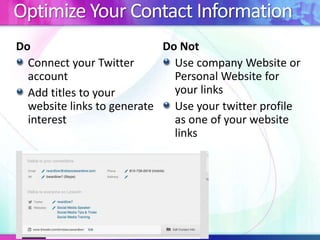
Optimize Your Contact Information
Do
Connect your Twitter
account
Add titles to your
website links to generate
interest
Do Not
Use company Website or
Personal Website for
your links
Use your twitter profile
as one of your website
links
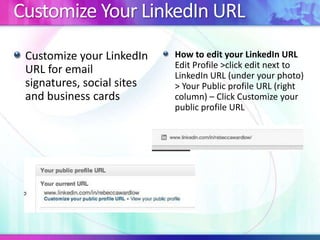
Customize Your LinkedIn URL
Customize your LinkedIn
URL for email
signatures, social sites
and business cards
How to edit your LinkedIn URL
Edit Profile >click edit next to
LinkedIn URL (under your photo)
> Your Public profile URL (right
column) – Click Customize your
public profile URL
Optimize Your LinkedIn Summary
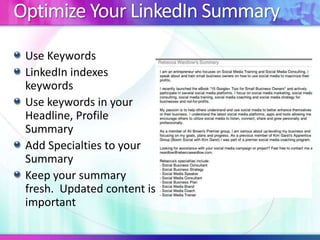
Use Keywords
LinkedIn indexes
keywords
Use keywords in your
Headline, Profile
Summary
Add Specialties to your
Summary
Keep your summary
fresh. Updated content is
important
Adding Visual Elements to Your Profile
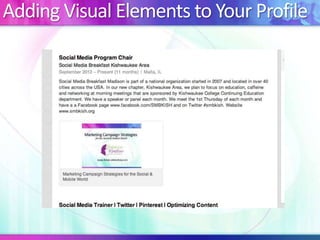
LinkedIn is not a visual
platform
Add visual elements to
your profile to give a
visual element
Summary, Experience, an
d Education.
Adding visual elements
will drive traffic to source
These visual elements
include:
Website links
Documents
Photos
videos
Skills & Expertise and Endorsements
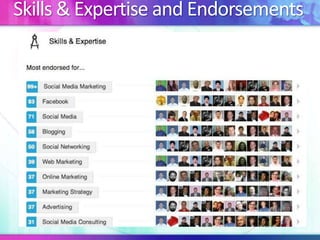
Endorsements
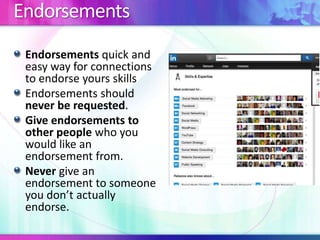
Endorsements quick and
easy way for connections
to endorse yours skills
Endorsements should
never be requested.
Give endorsements to
other people who you
would like an
endorsement from.
Never give an
endorsement to someone
you don’t actually
endorse.
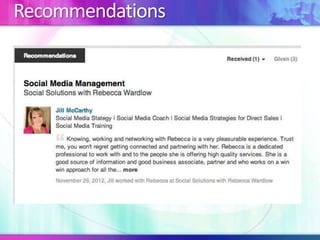
Recommendations
How to get Recommendations
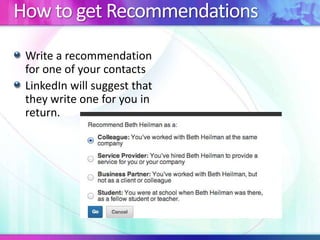
Write a recommendation
for one of your contacts
LinkedIn will suggest that
they write one for you in
return.
Grow Your Network
Sending Requests to Connect
Accepting a Request to Connect
Adding New Connections
Tools to Help Grow Your Network
TopLinked.com
Outlook Social Connector
LinkedIn Email Signature
LinkedIn Mobile App
LinkedIn Search Widget (Mac computers)
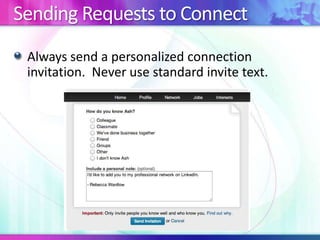
Sending Requests to Connect
Always send a personalized connection
invitation. Never use standard invite text.
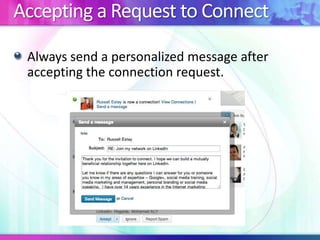
Accepting a Request to Connect
Always send a personalized message after
accepting the connection request.
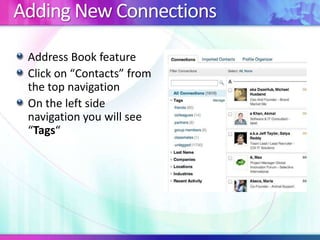
Adding New Connections
Address Book feature
Click on “Contacts” from
the top navigation
On the left side
navigation you will see
“Tags“
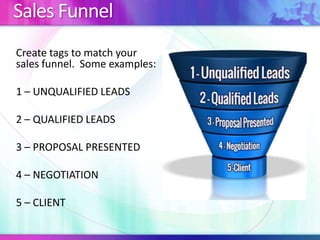
Sales Funnel
Create tags to match your
sales funnel. Some examples:
1 – UNQUALIFIED LEADS
2 – QUALIFIED LEADS
3 – PROPOSAL PRESENTED
4 – NEGOTIATION
5 – CLIENT
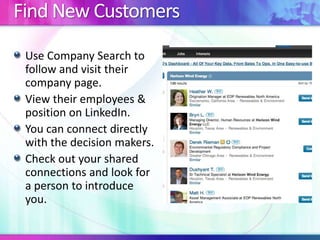
Find New Customers
Use Company Search to
follow and visit their
company page.
View their employees &
position on LinkedIn.
You can connect directly
with the decision makers.
Check out your shared
connections and look for
a person to introduce
you.
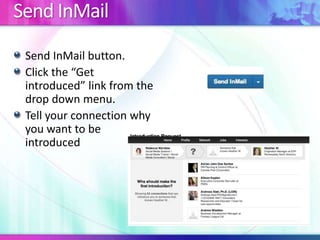
Send InMail
Send InMail button.
Click the “Get
introduced” link from the
drop down menu.
Tell your connection why
you want to be
introduced
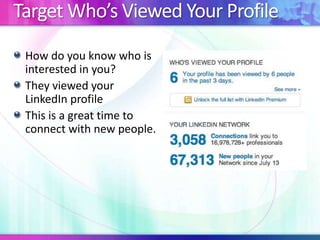
Target Who’s Viewed Your Profile
How do you know who is
interested in you?
They viewed your
LinkedIn profile
This is a great time to
connect with new people.
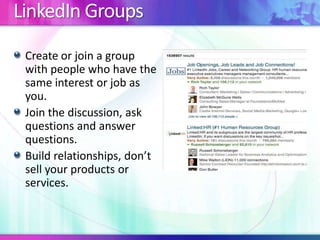
LinkedIn Groups
Create or join a group
with people who have the
same interest or job as
you.
Join the discussion, ask
questions and answer
questions.
Build relationships, don’t
sell your products or
services.
LinkedIn Company Pages
Company pages include:
Company Banner
Recent Updates
Current Employees
Job Listings
Custom Content
Employee Quotes
Company Intro
Product/Services Listing
Why Create a Company
Page?
Attract New Employees
Connect with Prospects
Expand Your Market
Reach
Search Engine
Optimization
Customer Testimonials
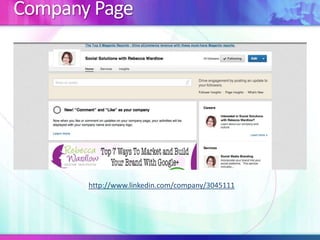
Company Page
http://www.linkedin.com/company/3045111
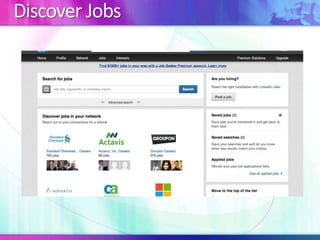
Discover Jobs
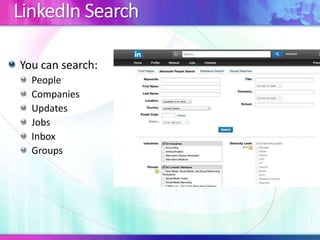
LinkedIn Search
You can search:
People
Companies
Updates
Jobs
Inbox
Groups
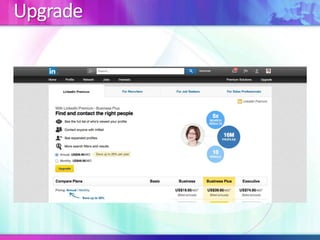
Upgrade
Survey
Your feedback is valuable! Please help us improve
our presentations and offerings. We appreciate
you taking the time to take this brief survey.
http://bit.ly/11IJwLt
Questions & Answers
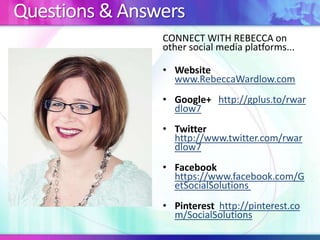
CONNECT WITH REBECCA on
other social media platforms...
• Website
www.RebeccaWardlow.com
• Google+ http://gplus.to/rwar
dlow7
• Twitter
http://www.twitter.com/rwar
dlow7
• Facebook
https://www.facebook.com/G
etSocialSolutions
• Pinterest http://pinterest.co
m/SocialSolutions

Unlock the Power of LinkedIn

  • 1.
  • 2.
    Who Is Rebecca? LocalGoogle+ Ambassador Social Media Speaker, Trainer & Consultant Teach social media courses for Kishwaukee College Continuing Education Web Design & Development eCommerce Project Manager Google+ eBook (www.RebeccaWardlow.com) Proud mom of 5 kids
  • 3.
    What We WillCover Why LinkedIn is Important Optimize Your LinkedIn Profile & Summary Endorsements & Recommendations Grow Your Network LinkedIn Sales Funnel LinkedIn Groups LinkedIn Company Pages LinkedIn Search
  • 4.
    Why Should YouUse LinkedIn There are approximately 225,000,000 users The average yearly salary for users is over $100,000 If you sold a product for $20 to 1% of the users on LinkedIn, you would make $45,000,000 !
  • 5.
  • 6.
    Optimize Your LinkedInProfile Do Use a current photo Use a professional headshot Use a recognizable picture Dress in appropriate attire Do Not Use a graphically enhanced photo Wear inappropriate attire Use a logo as a profile picture Use an older picture – keep it current
  • 7.
    Optimize Your ContactInformation Do Connect your Twitter account Add titles to your website links to generate interest Do Not Use company Website or Personal Website for your links Use your twitter profile as one of your website links
  • 8.
    Customize Your LinkedInURL Customize your LinkedIn URL for email signatures, social sites and business cards How to edit your LinkedIn URL Edit Profile >click edit next to LinkedIn URL (under your photo) > Your Public profile URL (right column) – Click Customize your public profile URL
  • 9.
    Optimize Your LinkedInSummary Use Keywords LinkedIn indexes keywords Use keywords in your Headline, Profile Summary Add Specialties to your Summary Keep your summary fresh. Updated content is important
  • 10.
    Adding Visual Elementsto Your Profile
  • 11.
    Adding Visual Elementsto Your Profile LinkedIn is not a visual platform Add visual elements to your profile to give a visual element Summary, Experience, an d Education. Adding visual elements will drive traffic to source These visual elements include: Website links Documents Photos videos
  • 12.
    Skills & Expertiseand Endorsements
  • 13.
    Endorsements Endorsements quick and easyway for connections to endorse yours skills Endorsements should never be requested. Give endorsements to other people who you would like an endorsement from. Never give an endorsement to someone you don’t actually endorse.
  • 14.
  • 15.
    How to getRecommendations Write a recommendation for one of your contacts LinkedIn will suggest that they write one for you in return.
  • 16.
    Grow Your Network SendingRequests to Connect Accepting a Request to Connect Adding New Connections Tools to Help Grow Your Network TopLinked.com Outlook Social Connector LinkedIn Email Signature LinkedIn Mobile App LinkedIn Search Widget (Mac computers)
  • 17.
    Sending Requests toConnect Always send a personalized connection invitation. Never use standard invite text.
  • 18.
    Accepting a Requestto Connect Always send a personalized message after accepting the connection request.
  • 19.
    Adding New Connections AddressBook feature Click on “Contacts” from the top navigation On the left side navigation you will see “Tags“
  • 20.
    Sales Funnel Create tagsto match your sales funnel. Some examples: 1 – UNQUALIFIED LEADS 2 – QUALIFIED LEADS 3 – PROPOSAL PRESENTED 4 – NEGOTIATION 5 – CLIENT
  • 21.
    Find New Customers UseCompany Search to follow and visit their company page. View their employees & position on LinkedIn. You can connect directly with the decision makers. Check out your shared connections and look for a person to introduce you.
  • 22.
    Send InMail Send InMailbutton. Click the “Get introduced” link from the drop down menu. Tell your connection why you want to be introduced
  • 23.
    Target Who’s ViewedYour Profile How do you know who is interested in you? They viewed your LinkedIn profile This is a great time to connect with new people.
  • 24.
    LinkedIn Groups Create orjoin a group with people who have the same interest or job as you. Join the discussion, ask questions and answer questions. Build relationships, don’t sell your products or services.
  • 25.
    LinkedIn Company Pages Companypages include: Company Banner Recent Updates Current Employees Job Listings Custom Content Employee Quotes Company Intro Product/Services Listing Why Create a Company Page? Attract New Employees Connect with Prospects Expand Your Market Reach Search Engine Optimization Customer Testimonials
  • 26.
  • 27.
  • 28.
    LinkedIn Search You cansearch: People Companies Updates Jobs Inbox Groups
  • 29.
  • 30.
    Survey Your feedback isvaluable! Please help us improve our presentations and offerings. We appreciate you taking the time to take this brief survey. http://bit.ly/11IJwLt
  • 31.
    Questions & Answers CONNECTWITH REBECCA on other social media platforms... • Website www.RebeccaWardlow.com • Google+ http://gplus.to/rwar dlow7 • Twitter http://www.twitter.com/rwar dlow7 • Facebook https://www.facebook.com/G etSocialSolutions • Pinterest http://pinterest.co m/SocialSolutions

Editor's Notes

  • #7 Adding a profile photo makes your profile 7x more likely to be found In searches
  • #9 Looks more professional when it’s customized
  • #10 Using keywords is the key to top search engine placement
  • #13 Skills & Expertise allows you to showcase your experienceEndorsements allow your connections to quickly and easily certify or endorse yours skills
  • #14 Endorsements should be freely given! Never requested
  • #16 By giving someone a recommendation, they will feel inclined to recommend you.
  • #20 There are millions of people on LinkedIn to connect and do business with, and the more efficient you can make the LinkedIn platform work, the more time you’ll have for growing your network and and profiting from it. Building relationships and closing business is what it’s all about, so the time to get organized is now before your number of connections gets too overwhelming. you can send bulk emails to everyone in a Tag category.Staying organized on LinkedIn will allow you to spend more time building relationships with your connections.
  • #21  Numbering these tags will keep the sales funnel stages together in order in your Tags list.
  • #22 Imagine, being just an email away from that C-level executive that carries the company checkbook and can make buying decisions, or imagine connecting with the HR manager or recruiter for a company you’re interested in working for that’s looking to fill positions. That’s exactly what LinkedIn does.
  • #23 “Think of it as asking for a no obligation favor.”
  • #25 no, I’m not talking about selling, but rather fostering relationships that eventually lead to business. Remember, we’re on a social networking site, so being social is imperative to your LinkedIn success, especially in groups.