
Getting Started with DataStax C#
Driver
Luke Tillman
Language Evangelist
@LukeTillman
Life as the .NET Language Evangelist
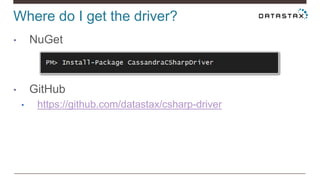
Where do I get the driver?
• NuGet
• GitHub
• https://github.com/datastax/csharp-driver
Bootstrapping the Driver
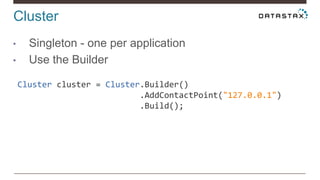
Cluster
• Singleton - one per application
• Use the Builder
Cluster cluster = Cluster.Builder()
.AddContactPoint("127.0.0.1")
.Build();
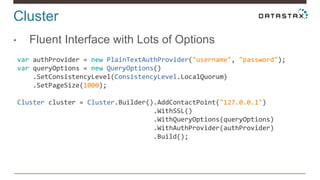
Cluster
• Fluent Interface with Lots of Options
var authProvider = new PlainTextAuthProvider("username", "password");
var queryOptions = new QueryOptions()
.SetConsistencyLevel(ConsistencyLevel.LocalQuorum)
.SetPageSize(1000);
Cluster cluster = Cluster.Builder().AddContactPoint("127.0.0.1")
.WithSSL()
.WithQueryOptions(queryOptions)
.WithAuthProvider(authProvider)
.Build();
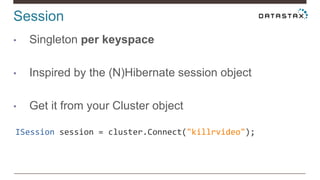
Session
• Singleton per keyspace
• Inspired by the (N)Hibernate session object
• Get it from your Cluster object
ISession session = cluster.Connect("killrvideo");
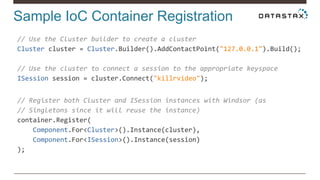
Sample IoC Container Registration
// Use the Cluster builder to create a cluster
Cluster cluster = Cluster.Builder().AddContactPoint("127.0.0.1").Build();
// Use the cluster to connect a session to the appropriate keyspace
ISession session = cluster.Connect("killrvideo");
// Register both Cluster and ISession instances with Windsor (as
// Singletons since it will reuse the instance)
container.Register(
Component.For<Cluster>().Instance(cluster),
Component.For<ISession>().Instance(session)
);
Creating Statements
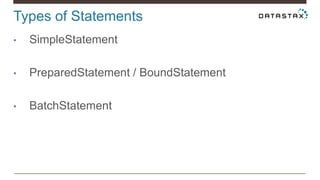
Types of Statements
• SimpleStatement
• PreparedStatement / BoundStatement
• BatchStatement
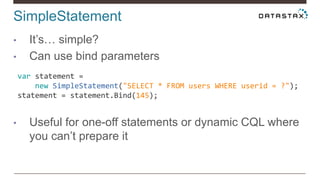
SimpleStatement
• It’s… simple?
• Can use bind parameters
• Useful for one-off statements or dynamic CQL where
you can’t prepare it
var statement =
new SimpleStatement("SELECT * FROM users WHERE userid = ?");
statement = statement.Bind(145);
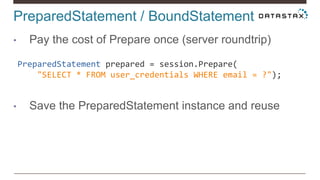
PreparedStatement / BoundStatement
• Pay the cost of Prepare once (server roundtrip)
• Save the PreparedStatement instance and reuse
PreparedStatement prepared = session.Prepare(
"SELECT * FROM user_credentials WHERE email = ?");
PreparedStatement / BoundStatement
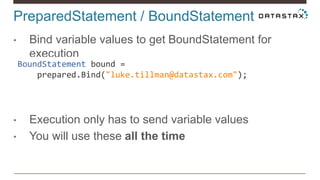
• Bind variable values to get BoundStatement for
execution
• Execution only has to send variable values
• You will use these all the time
BoundStatement bound =
prepared.Bind("luke.tillman@datastax.com");
BatchStatement
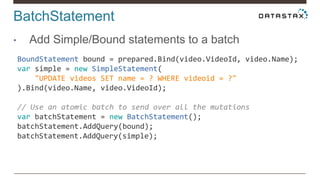
• Add Simple/Bound statements to a batch
BoundStatement bound = prepared.Bind(video.VideoId, video.Name);
var simple = new SimpleStatement(
"UPDATE videos SET name = ? WHERE videoid = ?"
).Bind(video.Name, video.VideoId);
// Use an atomic batch to send over all the mutations
var batchStatement = new BatchStatement();
batchStatement.AddQuery(bound);
batchStatement.AddQuery(simple);
BatchStatement
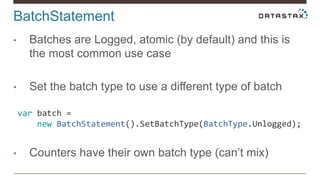
• Batches are Logged, atomic (by default) and this is
the most common use case
• Set the batch type to use a different type of batch
• Counters have their own batch type (can’t mix)
var batch =
new BatchStatement().SetBatchType(BatchType.Unlogged);
Statements – You’ve Got Options
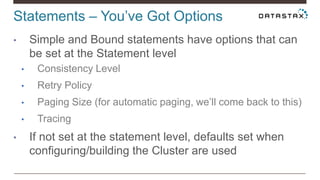
• Simple and Bound statements have options that can
be set at the Statement level
• Consistency Level
• Retry Policy
• Paging Size (for automatic paging, we’ll come back to this)
• Tracing
• If not set at the statement level, defaults set when
configuring/building the Cluster are used
Statements – You’ve Got Options
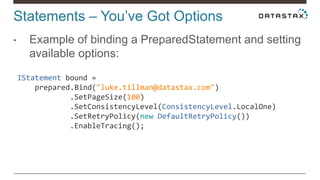
• Example of binding a PreparedStatement and setting
available options:
IStatement bound =
prepared.Bind("luke.tillman@datastax.com")
.SetPageSize(100)
.SetConsistencyLevel(ConsistencyLevel.LocalOne)
.SetRetryPolicy(new DefaultRetryPolicy())
.EnableTracing();
Executing Statements and Getting the
Results
Executing Statements
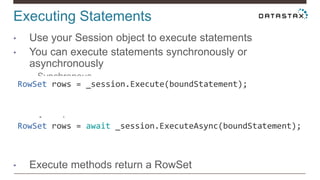
• Use your Session object to execute statements
• You can execute statements synchronously or
asynchronously
• Synchronous
• Asynchronous
• Execute methods return a RowSet
RowSet rows = await _session.ExecuteAsync(boundStatement);
RowSet rows = _session.Execute(boundStatement);
RowSet
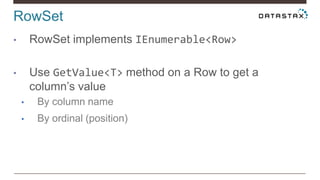
• RowSet implements IEnumerable<Row>
• Use GetValue<T> method on a Row to get a
column’s value
• By column name
• By ordinal (position)
RowSet
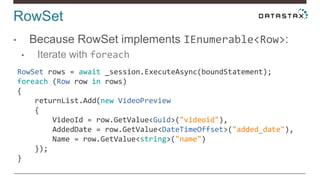
• Because RowSet implements IEnumerable<Row>:
• Iterate with foreach
RowSet rows = await _session.ExecuteAsync(boundStatement);
foreach (Row row in rows)
{
returnList.Add(new VideoPreview
{
VideoId = row.GetValue<Guid>("videoid"),
AddedDate = row.GetValue<DateTimeOffset>("added_date"),
Name = row.GetValue<string>("name")
});
}
RowSet
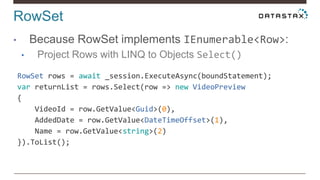
• Because RowSet implements IEnumerable<Row>:
• Project Rows with LINQ to Objects Select()
RowSet rows = await _session.ExecuteAsync(boundStatement);
var returnList = rows.Select(row => new VideoPreview
{
VideoId = row.GetValue<Guid>(0),
AddedDate = row.GetValue<DateTimeOffset>(1),
Name = row.GetValue<string>(2)
}).ToList();
RowSet
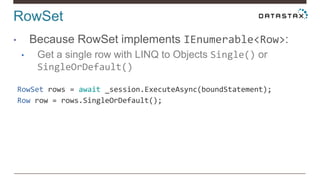
• Because RowSet implements IEnumerable<Row>:
• Get a single row with LINQ to Objects Single() or
SingleOrDefault()
RowSet rows = await _session.ExecuteAsync(boundStatement);
Row row = rows.SingleOrDefault();
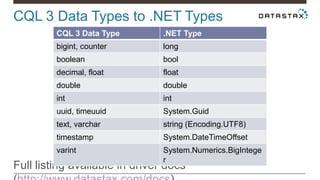
CQL 3 Data Types to .NET Types
Full listing available in driver docs
CQL 3 Data Type .NET Type
bigint, counter long
boolean bool
decimal, float float
double double
int int
uuid, timeuuid System.Guid
text, varchar string (Encoding.UTF8)
timestamp System.DateTimeOffset
varint System.Numerics.BigIntege
r
Driver 2.0 Features
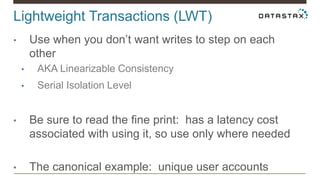
Lightweight Transactions (LWT)
• Use when you don’t want writes to step on each
other
• AKA Linearizable Consistency
• Serial Isolation Level
• Be sure to read the fine print: has a latency cost
associated with using it, so use only where needed
• The canonical example: unique user accounts
Lightweight Transactions (LWT)
• Returns a column called [applied] indicating
success/failure
• Different from the relational world where you might
expect an Exception (i.e.
var statement = new SimpleStatement("INSERT INTO user_credentials (email,
password) VALUES (?, ?) IF NOT EXISTS");
statement = statement.Bind("user1@killrvideo.com", "Password1!");
RowSet rows = await _session.ExecuteAsync(statement);
var userInserted = rows.Single().GetValue<bool>("[applied]");
Automatic Paging
• The Problem: Loading big result sets into memory is
a recipe for disaster (OutOfMemoryExceptions, etc.)
• Better to load and process a large result set in pages
(chunks)
• Doing this manually with Cassandra prior to 2.0 was
a pain
Automatic Paging
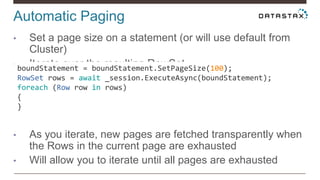
• Set a page size on a statement (or will use default from
Cluster)
• Iterate over the resulting RowSet
• As you iterate, new pages are fetched transparently when
the Rows in the current page are exhausted
• Will allow you to iterate until all pages are exhausted
boundStatement = boundStatement.SetPageSize(100);
RowSet rows = await _session.ExecuteAsync(boundStatement);
foreach (Row row in rows)
{
}
Typical Paging in a Web Application
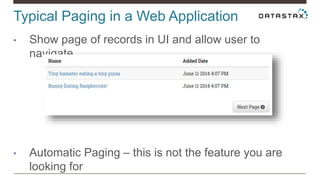
• Show page of records in UI and allow user to
navigate
• Automatic Paging – this is not the feature you are
looking for
Where To Go From Here
LINQ to CQL
• Comes in the NuGet package as
Cassandra.Data.Linq
• Has support for all CRUD operations
• Start by decorating the objects you’ll be querying
with Table, Column, and PartitionKey attributes
LINQ to CQL
[Table("user_credentials")]
public class UserCredentials
{
[Column("email")]
[PartitionKey]
public string EmailAddress { get; set; }
[Column("password")]
public string Password { get; set; }
[Column("userid")]
public Guid UserId { get; set; }
}
LINQ to CQL
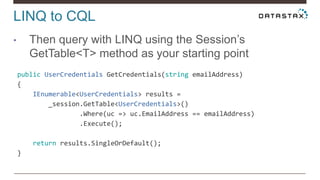
• Then query with LINQ using the Session’s
GetTable<T> method as your starting point
public UserCredentials GetCredentials(string emailAddress)
{
IEnumerable<UserCredentials> results =
_session.GetTable<UserCredentials>()
.Where(uc => uc.EmailAddress == emailAddress)
.Execute();
return results.SingleOrDefault();
}
ADO.NET Support
• Available in the NuGet package as Cassandra.Data
• Allows you to use your “favorite” ADO.NET objects
like DbConnection, DbCommand, etc. to query
Cassandra
• My recommendation? Avoid it.
• Cassandra concepts don’t always map well to
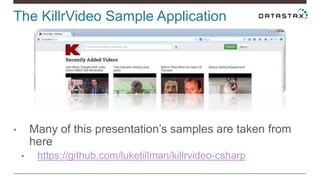
The KillrVideo Sample Application
• Many of this presentation’s samples are taken from
here
• https://github.com/luketillman/killrvideo-csharp
What Next?
• Data Modeling, Data Modeling, Data Modeling
• Planet Cassandra (http://www.planetcassandra.org)
• Links to videos, drivers, documentation, tutorials, etc.
Follow me on Twitter for updates: @LukeTillman

Cassandra Day NY 2014: Getting Started with the DataStax C# Driver

  • 1.
    Getting Started withDataStax C# Driver Luke Tillman Language Evangelist @LukeTillman
  • 2.
    Life as the.NET Language Evangelist
  • 3.
    Where do Iget the driver? • NuGet • GitHub • https://github.com/datastax/csharp-driver
  • 4.
  • 5.
    Cluster • Singleton -one per application • Use the Builder Cluster cluster = Cluster.Builder() .AddContactPoint("127.0.0.1") .Build();
  • 6.
    Cluster • Fluent Interfacewith Lots of Options var authProvider = new PlainTextAuthProvider("username", "password"); var queryOptions = new QueryOptions() .SetConsistencyLevel(ConsistencyLevel.LocalQuorum) .SetPageSize(1000); Cluster cluster = Cluster.Builder().AddContactPoint("127.0.0.1") .WithSSL() .WithQueryOptions(queryOptions) .WithAuthProvider(authProvider) .Build();
  • 7.
    Session • Singleton perkeyspace • Inspired by the (N)Hibernate session object • Get it from your Cluster object ISession session = cluster.Connect("killrvideo");
  • 8.
    Sample IoC ContainerRegistration // Use the Cluster builder to create a cluster Cluster cluster = Cluster.Builder().AddContactPoint("127.0.0.1").Build(); // Use the cluster to connect a session to the appropriate keyspace ISession session = cluster.Connect("killrvideo"); // Register both Cluster and ISession instances with Windsor (as // Singletons since it will reuse the instance) container.Register( Component.For<Cluster>().Instance(cluster), Component.For<ISession>().Instance(session) );
  • 9.
  • 10.
    Types of Statements •SimpleStatement • PreparedStatement / BoundStatement • BatchStatement
  • 11.
    SimpleStatement • It’s… simple? •Can use bind parameters • Useful for one-off statements or dynamic CQL where you can’t prepare it var statement = new SimpleStatement("SELECT * FROM users WHERE userid = ?"); statement = statement.Bind(145);
  • 12.
    PreparedStatement / BoundStatement •Pay the cost of Prepare once (server roundtrip) • Save the PreparedStatement instance and reuse PreparedStatement prepared = session.Prepare( "SELECT * FROM user_credentials WHERE email = ?");
  • 13.
    PreparedStatement / BoundStatement •Bind variable values to get BoundStatement for execution • Execution only has to send variable values • You will use these all the time BoundStatement bound = prepared.Bind("luke.tillman@datastax.com");
  • 14.
    BatchStatement • Add Simple/Boundstatements to a batch BoundStatement bound = prepared.Bind(video.VideoId, video.Name); var simple = new SimpleStatement( "UPDATE videos SET name = ? WHERE videoid = ?" ).Bind(video.Name, video.VideoId); // Use an atomic batch to send over all the mutations var batchStatement = new BatchStatement(); batchStatement.AddQuery(bound); batchStatement.AddQuery(simple);
  • 15.
    BatchStatement • Batches areLogged, atomic (by default) and this is the most common use case • Set the batch type to use a different type of batch • Counters have their own batch type (can’t mix) var batch = new BatchStatement().SetBatchType(BatchType.Unlogged);
  • 16.
    Statements – You’veGot Options • Simple and Bound statements have options that can be set at the Statement level • Consistency Level • Retry Policy • Paging Size (for automatic paging, we’ll come back to this) • Tracing • If not set at the statement level, defaults set when configuring/building the Cluster are used
  • 17.
    Statements – You’veGot Options • Example of binding a PreparedStatement and setting available options: IStatement bound = prepared.Bind("luke.tillman@datastax.com") .SetPageSize(100) .SetConsistencyLevel(ConsistencyLevel.LocalOne) .SetRetryPolicy(new DefaultRetryPolicy()) .EnableTracing();
  • 18.
    Executing Statements andGetting the Results
  • 19.
    Executing Statements • Useyour Session object to execute statements • You can execute statements synchronously or asynchronously • Synchronous • Asynchronous • Execute methods return a RowSet RowSet rows = await _session.ExecuteAsync(boundStatement); RowSet rows = _session.Execute(boundStatement);
  • 20.
    RowSet • RowSet implementsIEnumerable<Row> • Use GetValue<T> method on a Row to get a column’s value • By column name • By ordinal (position)
  • 21.
    RowSet • Because RowSetimplements IEnumerable<Row>: • Iterate with foreach RowSet rows = await _session.ExecuteAsync(boundStatement); foreach (Row row in rows) { returnList.Add(new VideoPreview { VideoId = row.GetValue<Guid>("videoid"), AddedDate = row.GetValue<DateTimeOffset>("added_date"), Name = row.GetValue<string>("name") }); }
  • 22.
    RowSet • Because RowSetimplements IEnumerable<Row>: • Project Rows with LINQ to Objects Select() RowSet rows = await _session.ExecuteAsync(boundStatement); var returnList = rows.Select(row => new VideoPreview { VideoId = row.GetValue<Guid>(0), AddedDate = row.GetValue<DateTimeOffset>(1), Name = row.GetValue<string>(2) }).ToList();
  • 23.
    RowSet • Because RowSetimplements IEnumerable<Row>: • Get a single row with LINQ to Objects Single() or SingleOrDefault() RowSet rows = await _session.ExecuteAsync(boundStatement); Row row = rows.SingleOrDefault();
  • 24.
    CQL 3 DataTypes to .NET Types Full listing available in driver docs CQL 3 Data Type .NET Type bigint, counter long boolean bool decimal, float float double double int int uuid, timeuuid System.Guid text, varchar string (Encoding.UTF8) timestamp System.DateTimeOffset varint System.Numerics.BigIntege r
  • 25.
  • 26.
    Lightweight Transactions (LWT) •Use when you don’t want writes to step on each other • AKA Linearizable Consistency • Serial Isolation Level • Be sure to read the fine print: has a latency cost associated with using it, so use only where needed • The canonical example: unique user accounts
  • 27.
    Lightweight Transactions (LWT) •Returns a column called [applied] indicating success/failure • Different from the relational world where you might expect an Exception (i.e. var statement = new SimpleStatement("INSERT INTO user_credentials (email, password) VALUES (?, ?) IF NOT EXISTS"); statement = statement.Bind("user1@killrvideo.com", "Password1!"); RowSet rows = await _session.ExecuteAsync(statement); var userInserted = rows.Single().GetValue<bool>("[applied]");
  • 28.
    Automatic Paging • TheProblem: Loading big result sets into memory is a recipe for disaster (OutOfMemoryExceptions, etc.) • Better to load and process a large result set in pages (chunks) • Doing this manually with Cassandra prior to 2.0 was a pain
  • 29.
    Automatic Paging • Seta page size on a statement (or will use default from Cluster) • Iterate over the resulting RowSet • As you iterate, new pages are fetched transparently when the Rows in the current page are exhausted • Will allow you to iterate until all pages are exhausted boundStatement = boundStatement.SetPageSize(100); RowSet rows = await _session.ExecuteAsync(boundStatement); foreach (Row row in rows) { }
  • 30.
    Typical Paging ina Web Application • Show page of records in UI and allow user to navigate • Automatic Paging – this is not the feature you are looking for
  • 31.
    Where To GoFrom Here
  • 32.
    LINQ to CQL •Comes in the NuGet package as Cassandra.Data.Linq • Has support for all CRUD operations • Start by decorating the objects you’ll be querying with Table, Column, and PartitionKey attributes
  • 33.
    LINQ to CQL [Table("user_credentials")] publicclass UserCredentials { [Column("email")] [PartitionKey] public string EmailAddress { get; set; } [Column("password")] public string Password { get; set; } [Column("userid")] public Guid UserId { get; set; } }
  • 34.
    LINQ to CQL •Then query with LINQ using the Session’s GetTable<T> method as your starting point public UserCredentials GetCredentials(string emailAddress) { IEnumerable<UserCredentials> results = _session.GetTable<UserCredentials>() .Where(uc => uc.EmailAddress == emailAddress) .Execute(); return results.SingleOrDefault(); }
  • 35.
    ADO.NET Support • Availablein the NuGet package as Cassandra.Data • Allows you to use your “favorite” ADO.NET objects like DbConnection, DbCommand, etc. to query Cassandra • My recommendation? Avoid it. • Cassandra concepts don’t always map well to
  • 36.
    The KillrVideo SampleApplication • Many of this presentation’s samples are taken from here • https://github.com/luketillman/killrvideo-csharp
  • 37.
    What Next? • DataModeling, Data Modeling, Data Modeling • Planet Cassandra (http://www.planetcassandra.org) • Links to videos, drivers, documentation, tutorials, etc. Follow me on Twitter for updates: @LukeTillman