By: Courtney Dick and Michael
Sensenbaugh
Overview & Description
• LinkedIn is a social networking website for
people in professional occupations trying to
expand their network
• Helps job seekers find job openings, make new
connections, and build their career
• Allows an individual to find coworkers or
acquaintances based on past jobs, their high
school, participation in a volunteer event, or
by groups they are involved in
What Makes It Unique?
• Social Media Platforms like Facebook, Twitter,
and Instagram are directed towards connecting
with friends, colleagues, and family.
• LinkedIn profiles are unique because they are
used to advance your career, they resemble
"online resumes"
• The platform relates to professional affiliations,
work experiences, skills, and previous job titles.
• It also allows users to showcase their personal
achievements and projects right on their
webpage.
Who Uses LinkedIn?
• 12 million small business professionals
• Executives from all Fortune 500 companies
• 1.3 million small business owners
• 5.5 million high tech managers
• 1.5 million C-level executives
• 50% of Fortune 100 companies hire through
LinkedIn
• The average member is a college-educated 43-
year-old making $107,000
History
• Date founded: December 2002
– BUT, not launched until May 5, 2003
• Reid Hoffman recruited a team of old
colleagues from previous jobs at SocialNet and
PayPal
• By year 2004, LinkedIn had grown to over 1
million users
• Currently has over 225 million users, and is
growing by a rate of 2 users per second
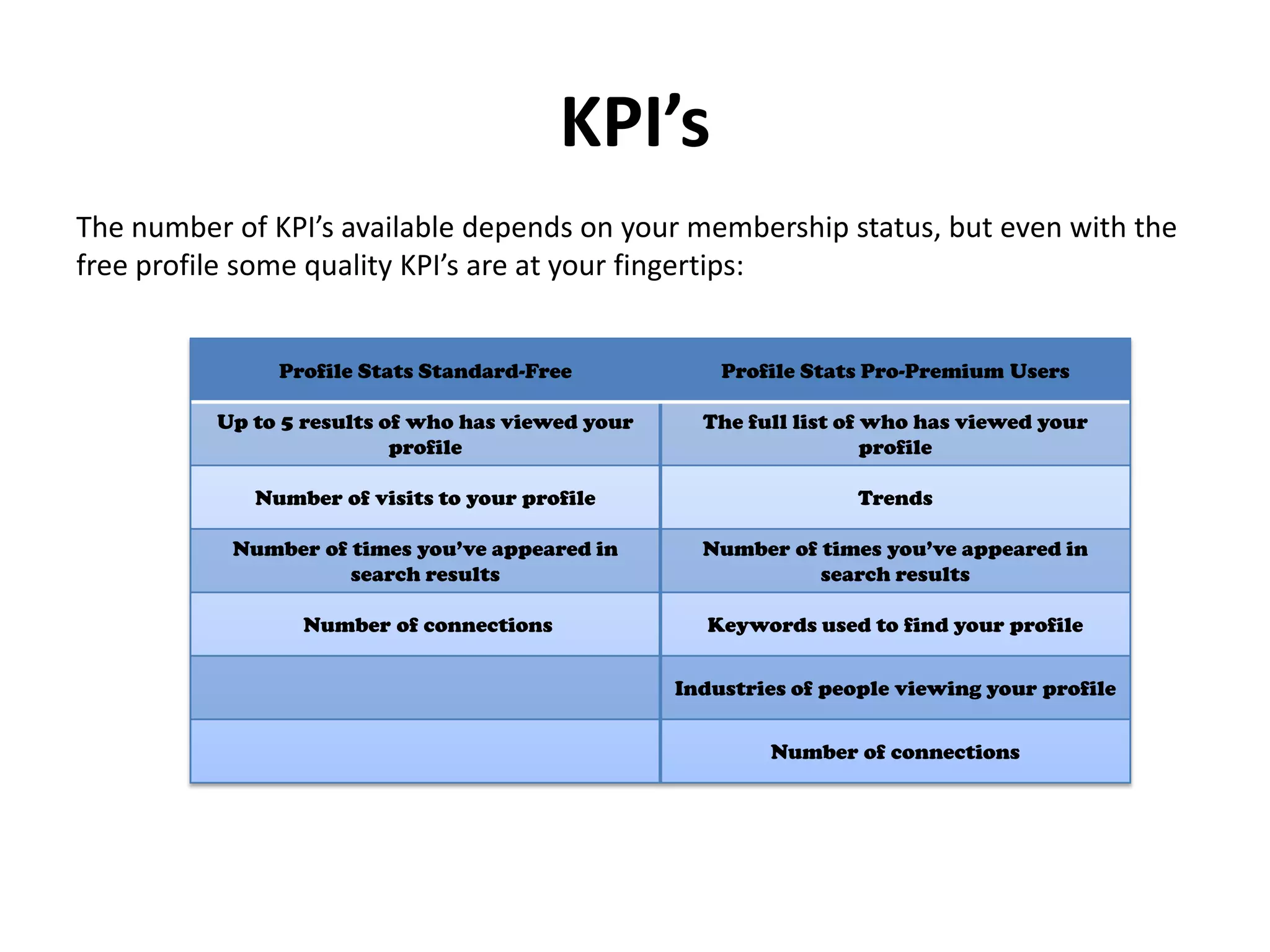
KPI’s
Profile Stats Standard-Free Profile Stats Pro-Premium Users
Up to 5 results of who has viewed your
profile
The full list of who has viewed your
profile
Number of visits to your profile Trends
Number of times you’ve appeared in
search results
Number of times you’ve appeared in
search results
Number of connections Keywords used to find your profile
Industries of people viewing your profile
Number of connections
The number of KPI’s available depends on your membership status, but even with the
free profile some quality KPI’s are at your fingertips:
Tips
• Users are urged to use their FULL legal name
• Use recent photos to keep number of fake
profiles down
• Stay away from logos or cartoons as photo
• Steer clear of profiles lacking photos,
summaries, few or no connections, etc.
• Do not use company name as title for personal
profile
Tips Video
Marketing/Advertising Opportunities
• Sponsored Updates Program
– Allows a company to define a particular target
audience based on location, connections, job title,
school, skills, and more
– Allows you to set campaign budget based on a cost-
per-click (CPC) method
– Companies bid for particular advertising spots, and
pay that amount each time their ad is clicked
– The program also allows companies to set a campaign
budget, which will take away the ad when it has been
reached
Examples
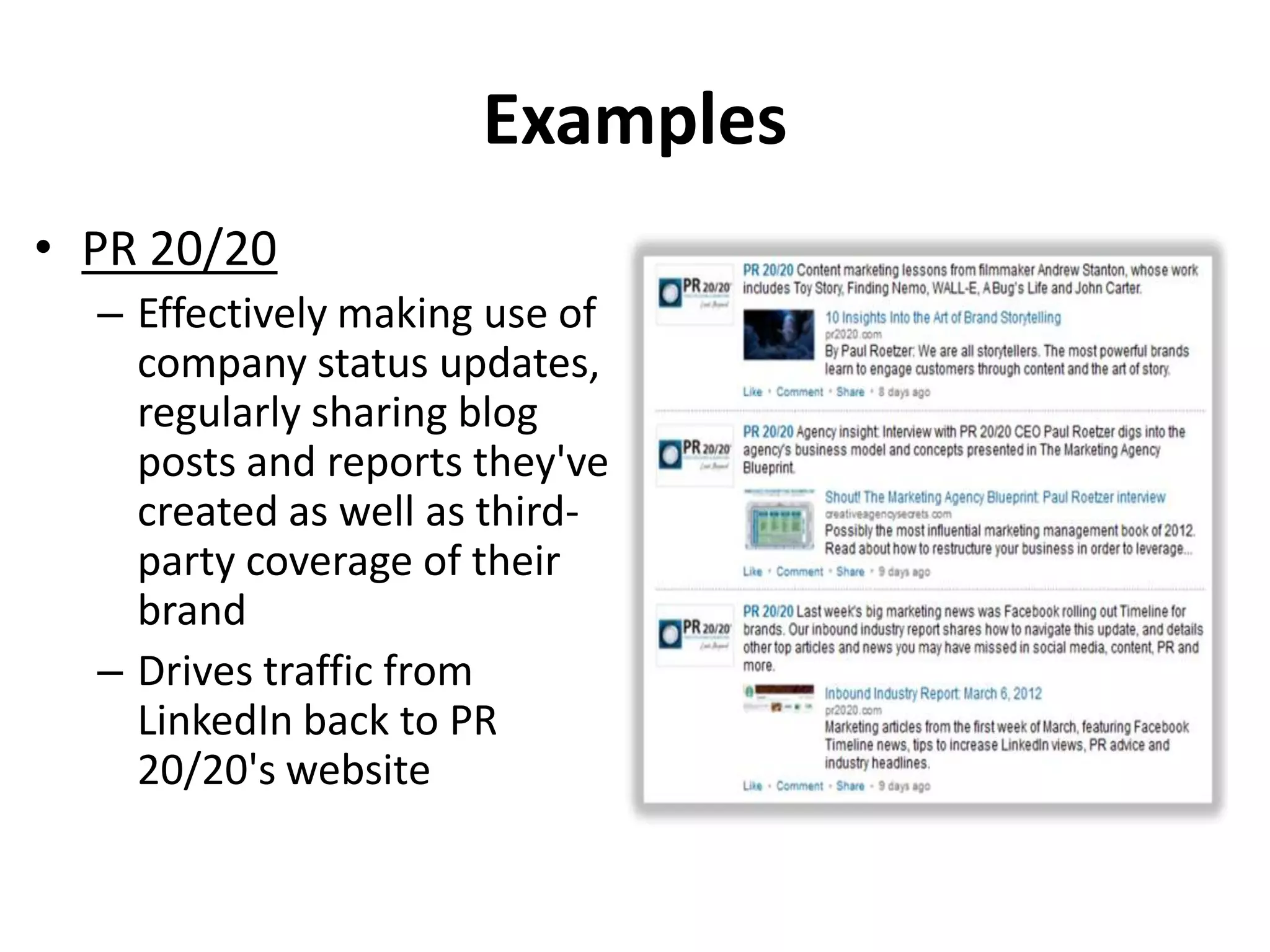
• PR 20/20
– Effectively making use of
company status updates,
regularly sharing blog
posts and reports they've
created as well as third-
party coverage of their
brand
– Drives traffic from
LinkedIn back to PR
20/20's website
Examples
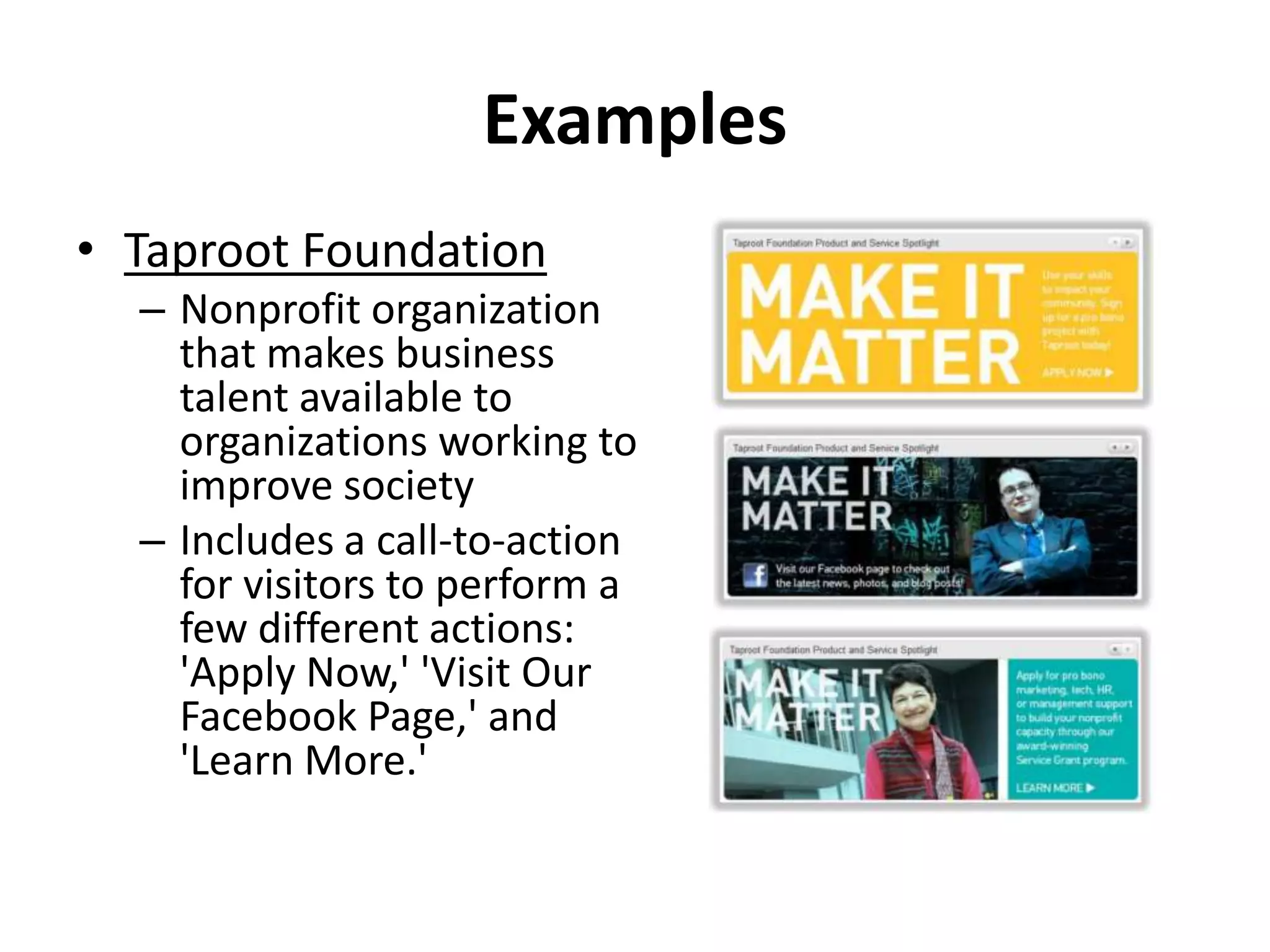
• Taproot Foundation
– Nonprofit organization
that makes business
talent available to
organizations working to
improve society
– Includes a call-to-action
for visitors to perform a
few different actions:
'Apply Now,' 'Visit Our
Facebook Page,' and
'Learn More.'
Future Impact
• Individuals will use their profiles as a personal
tool in order to market themselves.
• Could potentially drive job board only sites
out of business (Monster, CareerBuilder, etc.)
• Companies will continue to market
themselves and interact with potential
customers/employees
Your Career Starts Here
UPATES!
1. Status updates re-located
2. New publishing platform
3. LinkedIn Signal no longer available
4. LinkedIn Today retired
5. LinkedIn Pulse news and mobile app
6. Profile organizer retired
7. LinkedIn contacts introduced
8. Ability to filter emails removed
9. Products and Services retired
10. Showcase pages introduced
References
• http://blog.hubspot.com/blog/tabid/6307/bid/31889/13-
Brands-Using-LinkedIn-Company-Page-Features-the-Right-
Way.aspx
• http://help.linkedin.com/app/home
• http://www.forbes.com/sites/greatspeculations/2013/12/12/l
inkedin-opportunities-threats-part-1/
• http://ourstory.linkedin.com/
• I’m On LinkedIn – Now What? By Jason Alba

Linkedin

  • 1.
    By: Courtney Dickand Michael Sensenbaugh
  • 2.
    Overview & Description •LinkedIn is a social networking website for people in professional occupations trying to expand their network • Helps job seekers find job openings, make new connections, and build their career • Allows an individual to find coworkers or acquaintances based on past jobs, their high school, participation in a volunteer event, or by groups they are involved in
  • 3.
    What Makes ItUnique? • Social Media Platforms like Facebook, Twitter, and Instagram are directed towards connecting with friends, colleagues, and family. • LinkedIn profiles are unique because they are used to advance your career, they resemble "online resumes" • The platform relates to professional affiliations, work experiences, skills, and previous job titles. • It also allows users to showcase their personal achievements and projects right on their webpage.
  • 4.
    Who Uses LinkedIn? •12 million small business professionals • Executives from all Fortune 500 companies • 1.3 million small business owners • 5.5 million high tech managers • 1.5 million C-level executives • 50% of Fortune 100 companies hire through LinkedIn • The average member is a college-educated 43- year-old making $107,000
  • 5.
    History • Date founded:December 2002 – BUT, not launched until May 5, 2003 • Reid Hoffman recruited a team of old colleagues from previous jobs at SocialNet and PayPal • By year 2004, LinkedIn had grown to over 1 million users • Currently has over 225 million users, and is growing by a rate of 2 users per second
  • 6.
    KPI’s Profile Stats Standard-FreeProfile Stats Pro-Premium Users Up to 5 results of who has viewed your profile The full list of who has viewed your profile Number of visits to your profile Trends Number of times you’ve appeared in search results Number of times you’ve appeared in search results Number of connections Keywords used to find your profile Industries of people viewing your profile Number of connections The number of KPI’s available depends on your membership status, but even with the free profile some quality KPI’s are at your fingertips:
  • 7.
    Tips • Users areurged to use their FULL legal name • Use recent photos to keep number of fake profiles down • Stay away from logos or cartoons as photo • Steer clear of profiles lacking photos, summaries, few or no connections, etc. • Do not use company name as title for personal profile
  • 8.
  • 9.
    Marketing/Advertising Opportunities • SponsoredUpdates Program – Allows a company to define a particular target audience based on location, connections, job title, school, skills, and more – Allows you to set campaign budget based on a cost- per-click (CPC) method – Companies bid for particular advertising spots, and pay that amount each time their ad is clicked – The program also allows companies to set a campaign budget, which will take away the ad when it has been reached
  • 10.
    Examples • PR 20/20 –Effectively making use of company status updates, regularly sharing blog posts and reports they've created as well as third- party coverage of their brand – Drives traffic from LinkedIn back to PR 20/20's website
  • 11.
    Examples • Taproot Foundation –Nonprofit organization that makes business talent available to organizations working to improve society – Includes a call-to-action for visitors to perform a few different actions: 'Apply Now,' 'Visit Our Facebook Page,' and 'Learn More.'
  • 12.
    Future Impact • Individualswill use their profiles as a personal tool in order to market themselves. • Could potentially drive job board only sites out of business (Monster, CareerBuilder, etc.) • Companies will continue to market themselves and interact with potential customers/employees
  • 13.
  • 14.
    UPATES! 1. Status updatesre-located 2. New publishing platform 3. LinkedIn Signal no longer available 4. LinkedIn Today retired 5. LinkedIn Pulse news and mobile app 6. Profile organizer retired 7. LinkedIn contacts introduced 8. Ability to filter emails removed 9. Products and Services retired 10. Showcase pages introduced
  • 15.
    References • http://blog.hubspot.com/blog/tabid/6307/bid/31889/13- Brands-Using-LinkedIn-Company-Page-Features-the-Right- Way.aspx • http://help.linkedin.com/app/home •http://www.forbes.com/sites/greatspeculations/2013/12/12/l inkedin-opportunities-threats-part-1/ • http://ourstory.linkedin.com/ • I’m On LinkedIn – Now What? By Jason Alba