
“Its all about filling in the
 gaps “
• http://www.youtube.com/watch?v=IzT3JVUGU
  zM
“If you’re a business professional and you don’t
  have a powerful LinkedIn presence, you are
  missing valuable opportunities. “
About LinkedIn
      Strong world-wide reach

Business to business sales opportunity

     Professional audience focus

      Highly trusted by Google

       Built to be SEO friendly
About LinkedIn
       115 million active users world-wide

Users 97 times more likely to have college or post-
                 grad degree

  LinkedIn is the number 2 most popular social
                 media network

 Nearly 2 billion people searches on LinkedIn in
                      2010
About LinkedIn
  70% of people use LinkedIn for job hunting

   80% of people use LinkedIn as a primary
               recruitment tool

40% of Fortune 100 companies use LinkedIn for
                  recruiting
A platform of Confidence

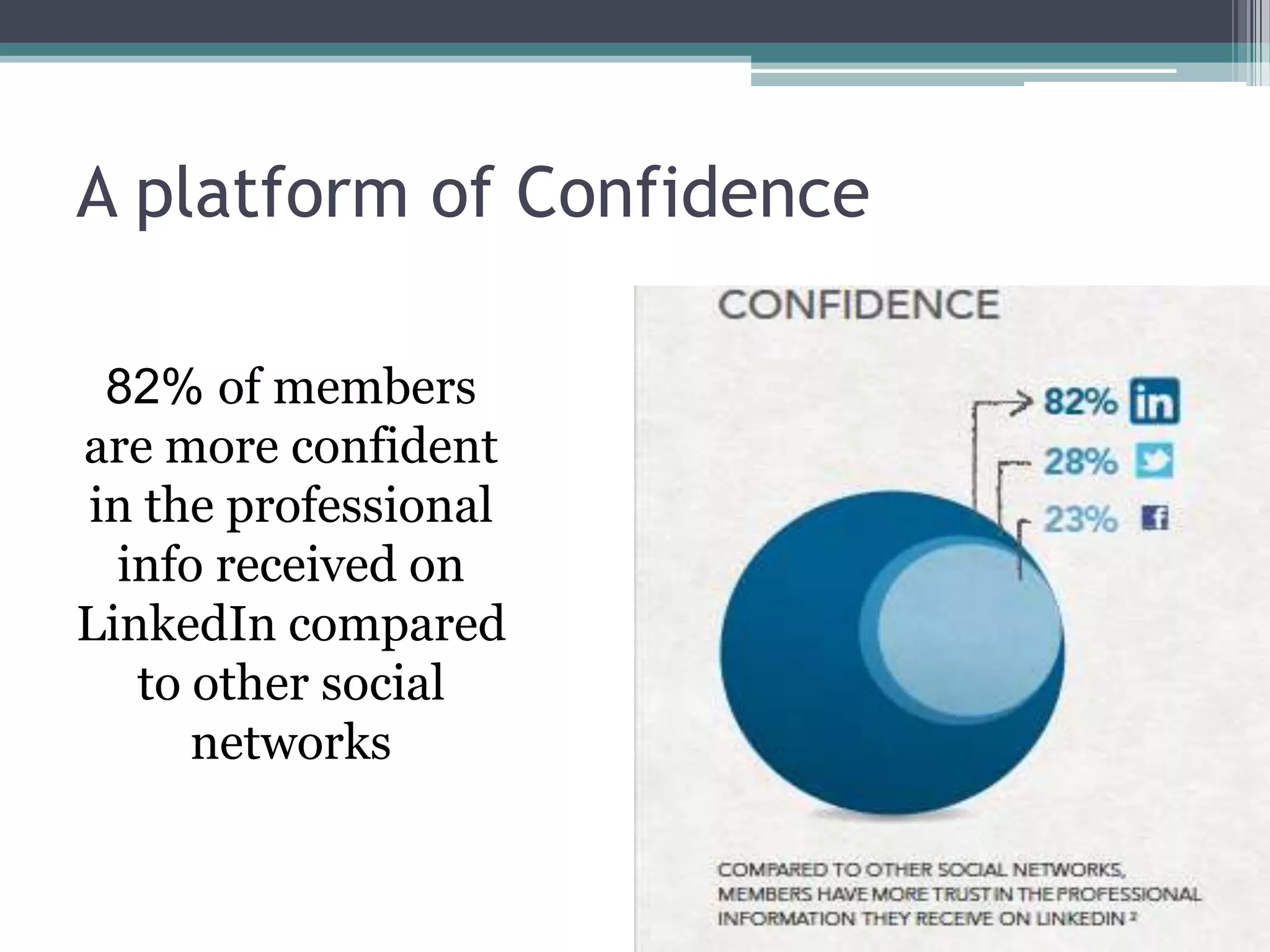
 82% of members
are more confident
in the professional
  info received on
LinkedIn compared
   to other social
      networks
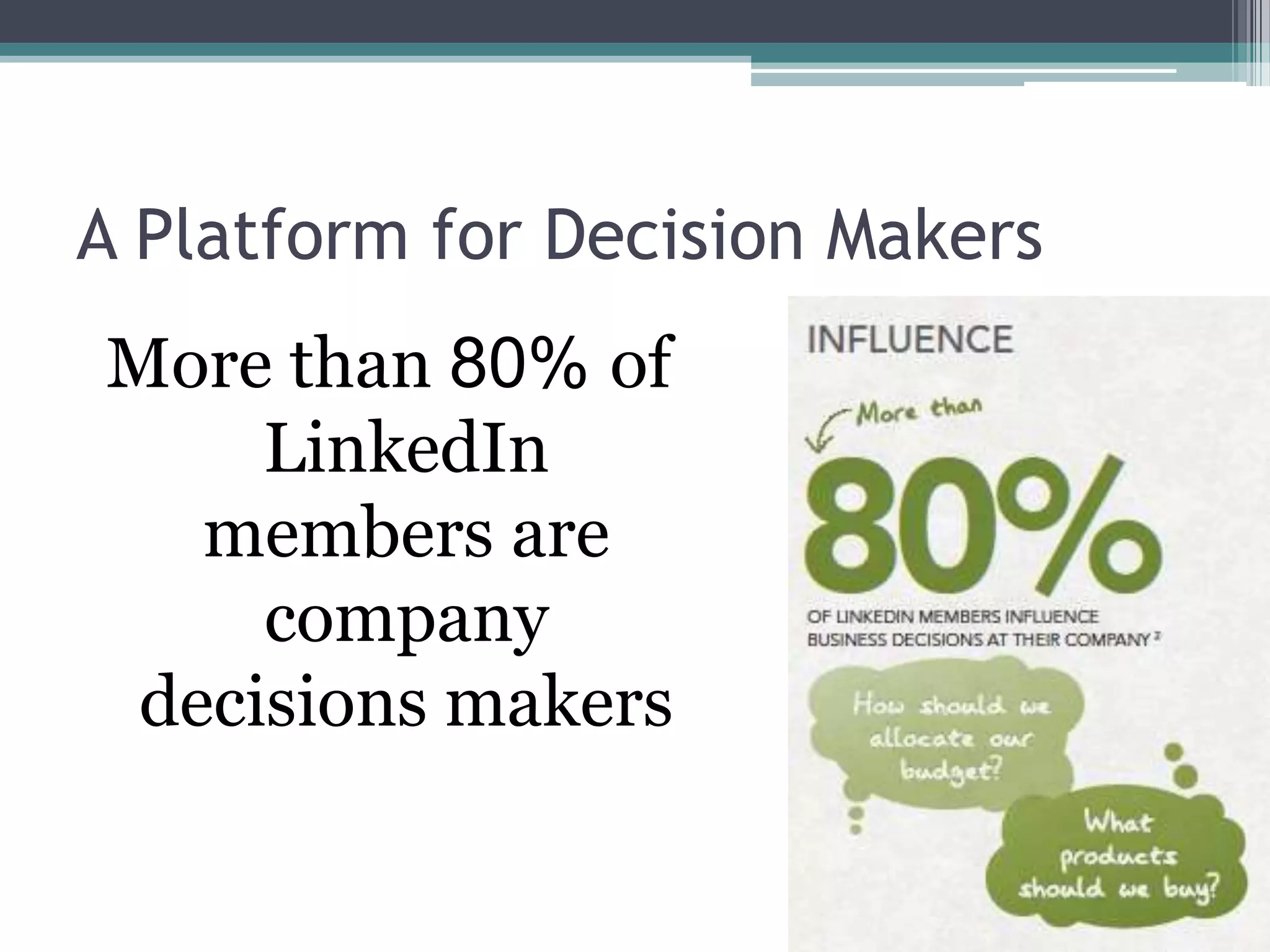
A Platform for Decision Makers
More than 80% of
     LinkedIn
   members are
     company
 decisions makers
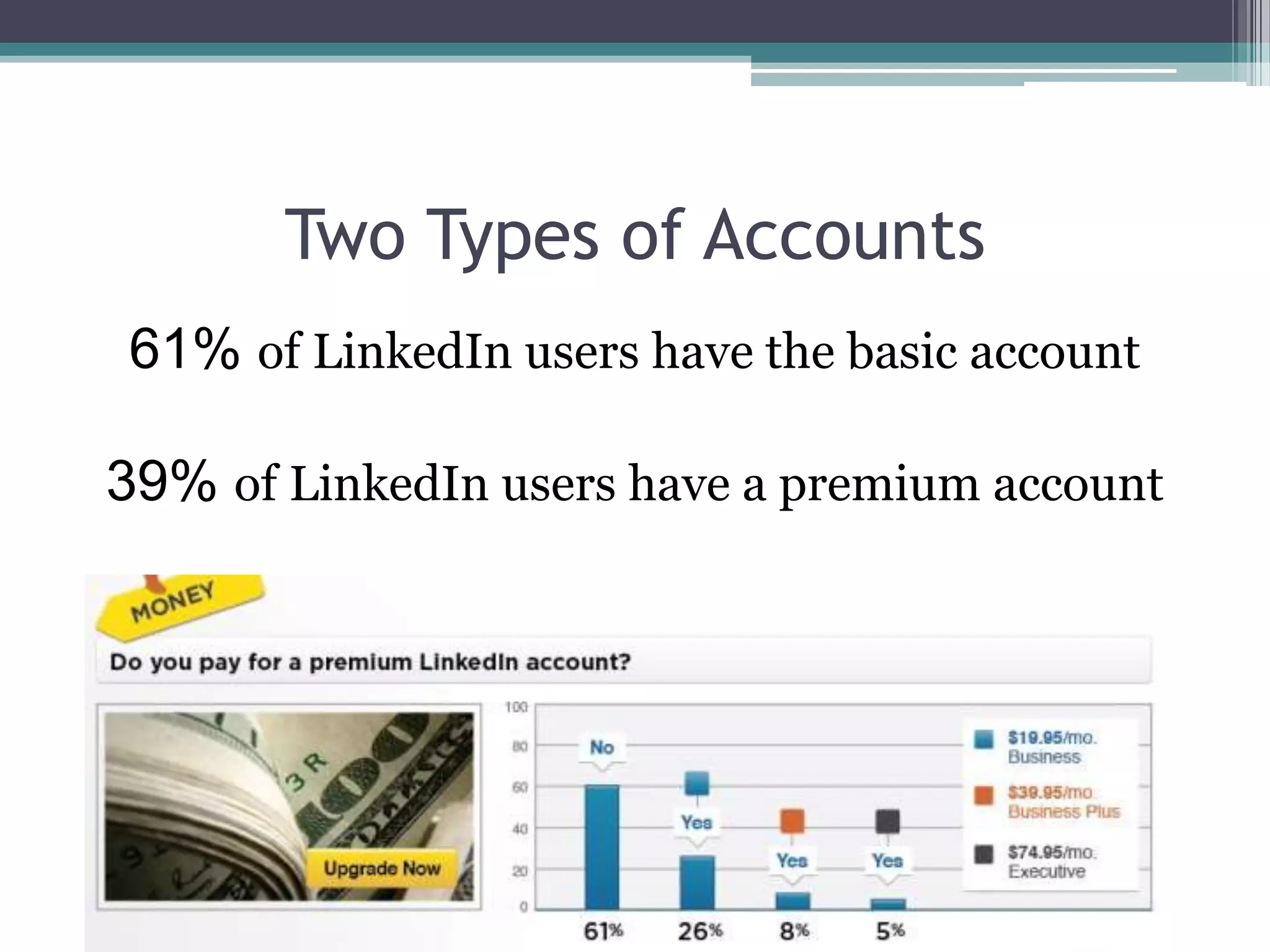
Two Types of Accounts
61% of LinkedIn users have the basic account

39% of LinkedIn users have a premium account
So lets get started


  Step 1
Establish a
Foundation
“You must first establish a
 foundation in order to
 begin building your
 influence...”
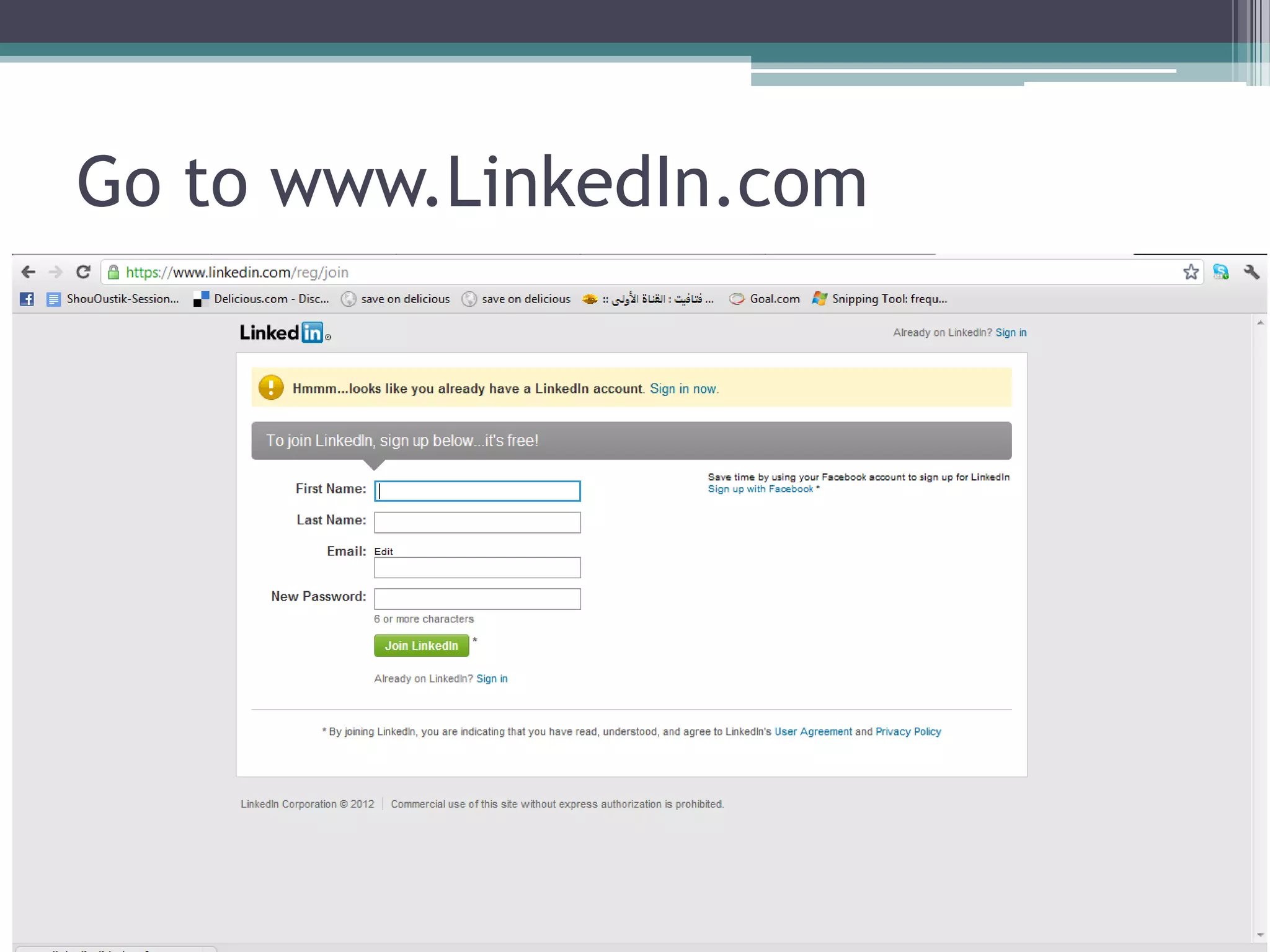
Go to www.LinkedIn.com
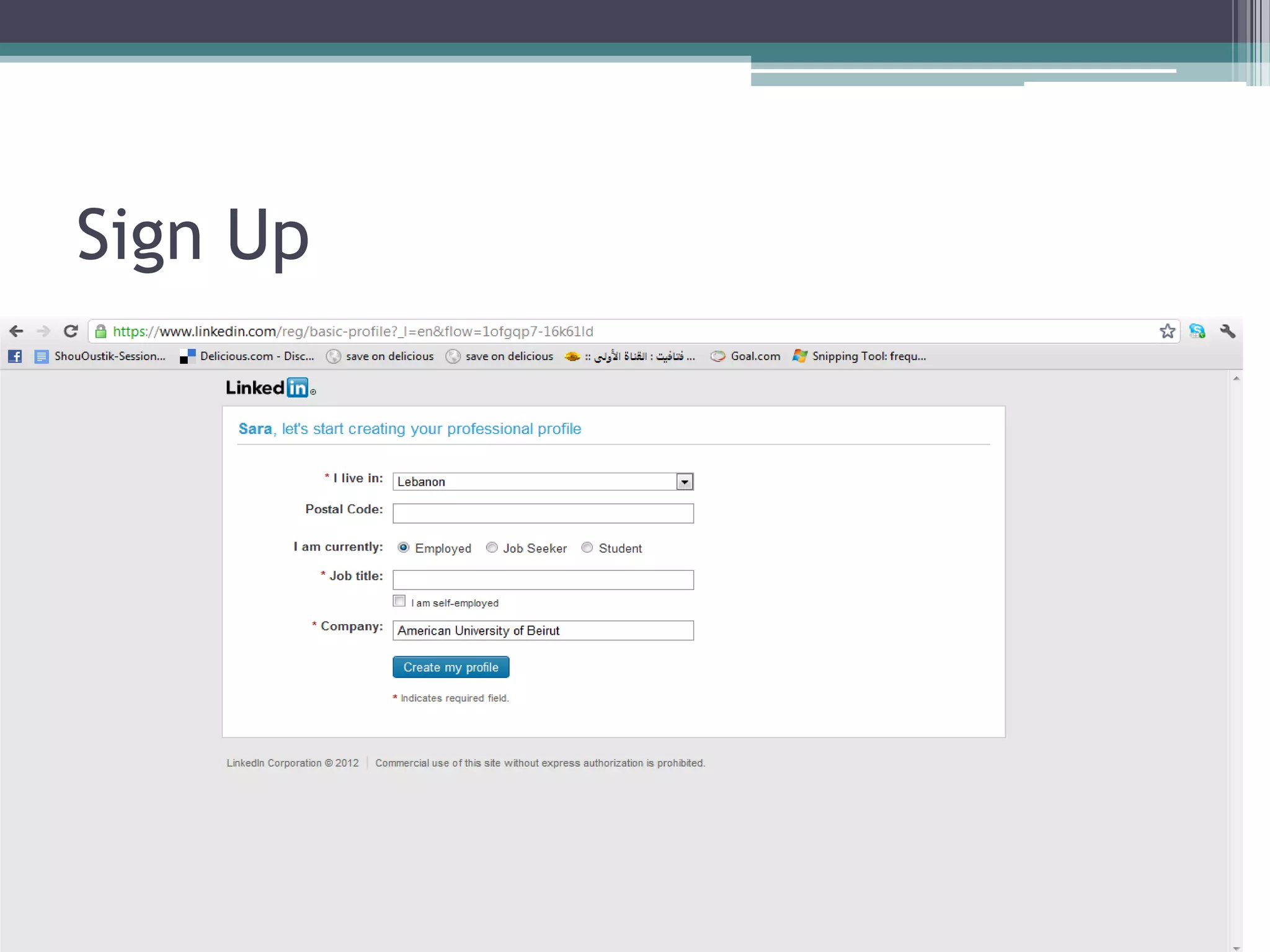
Sign Up
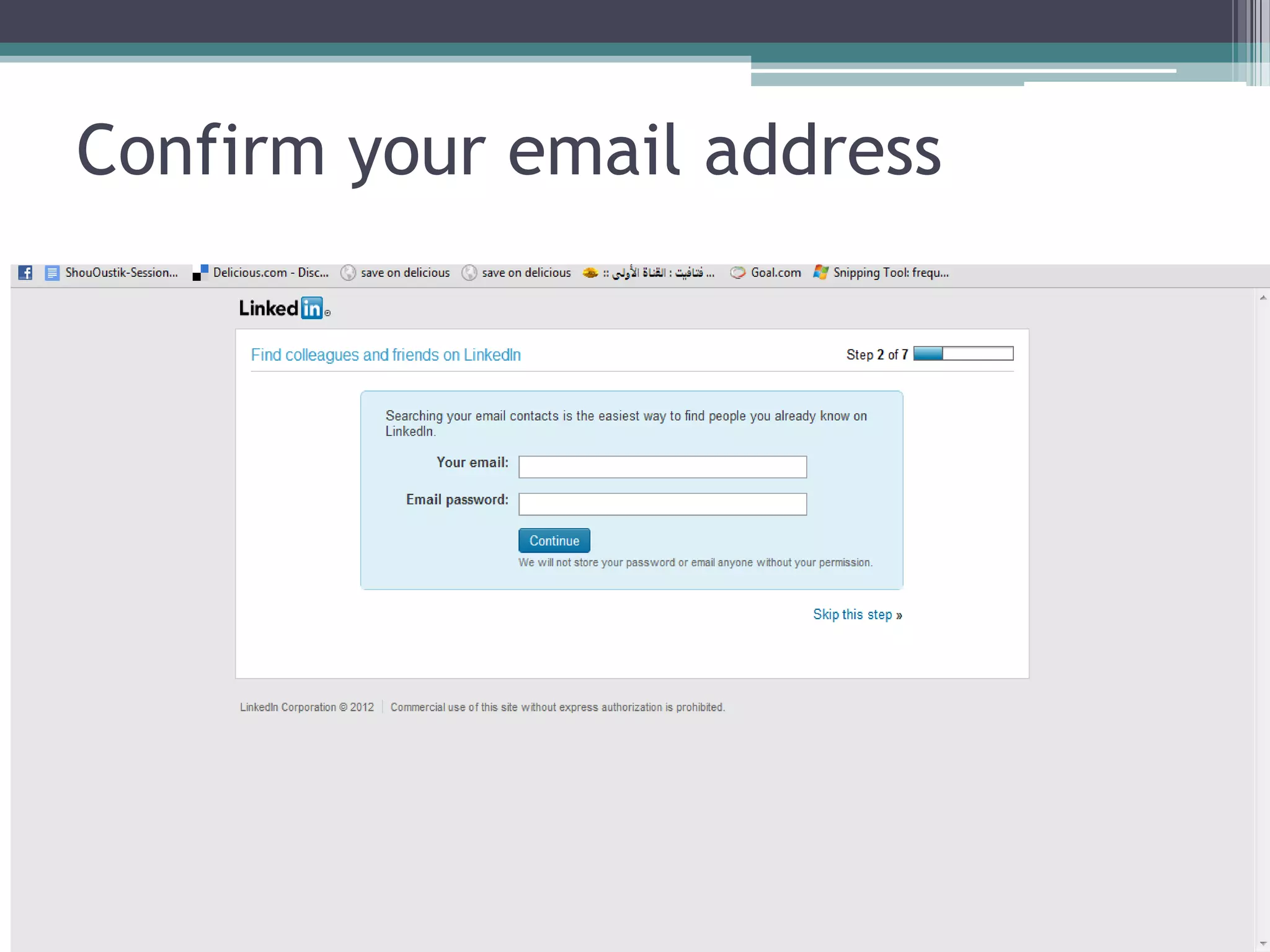
Confirm your email address
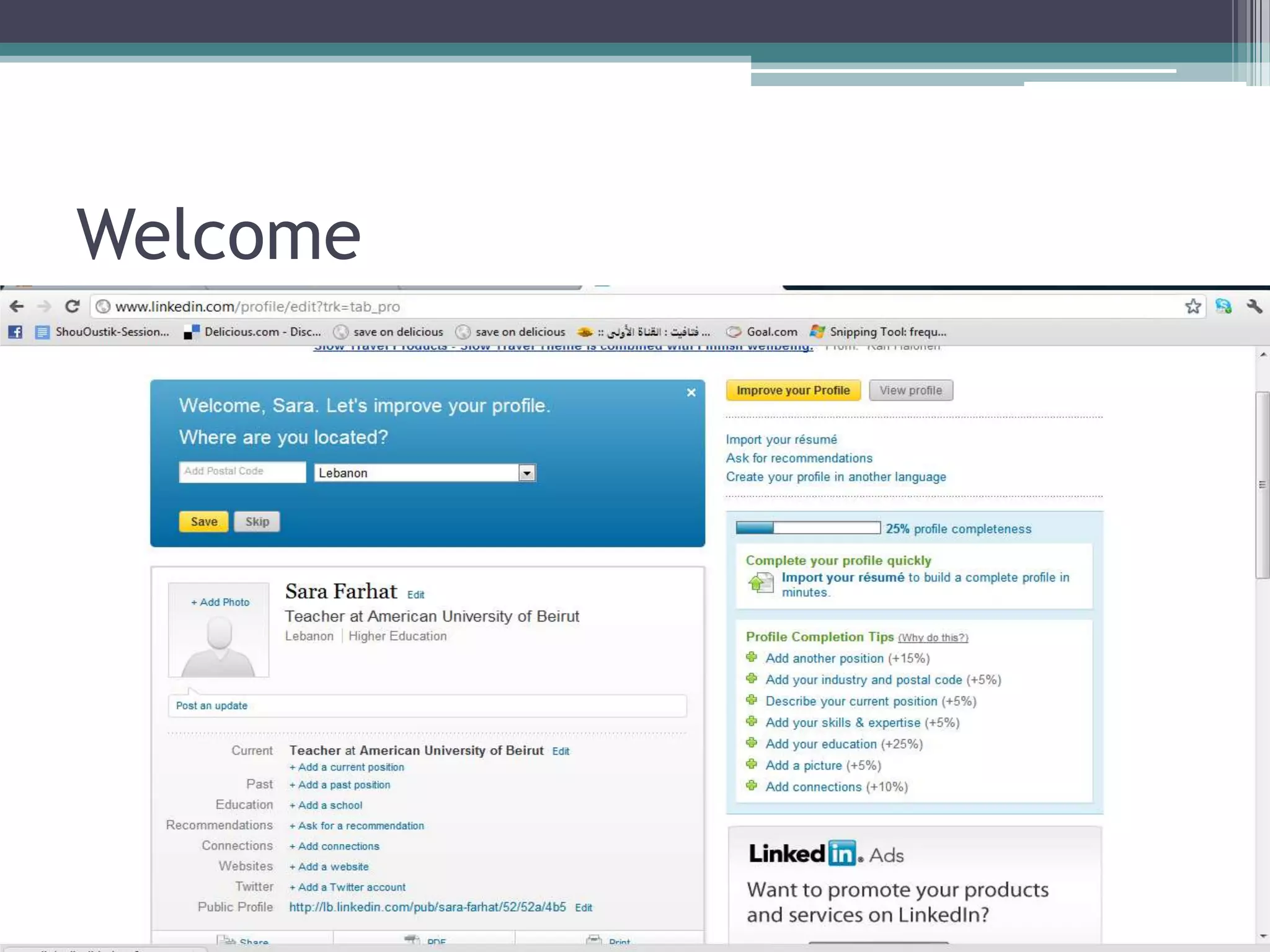
Welcome
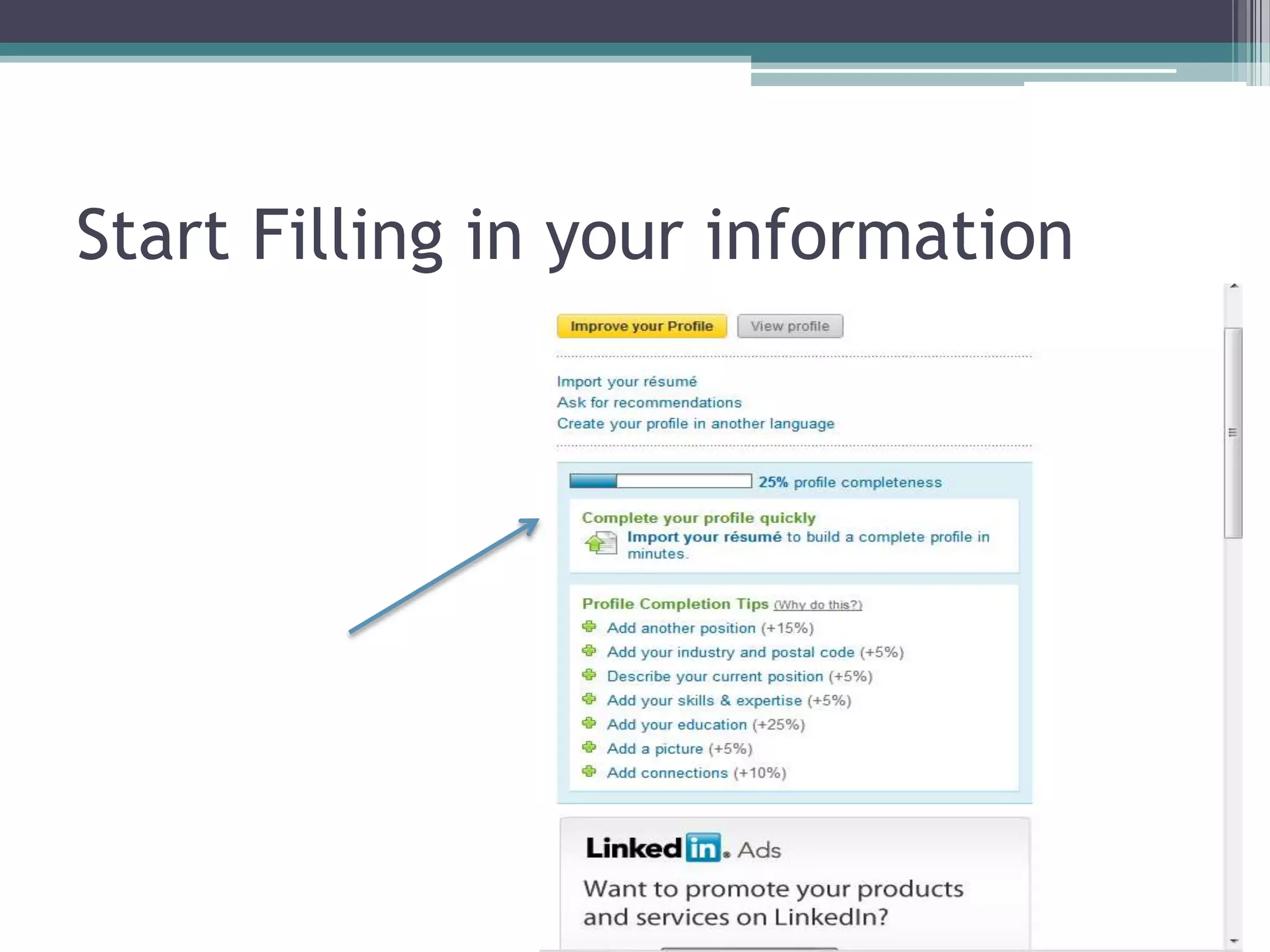
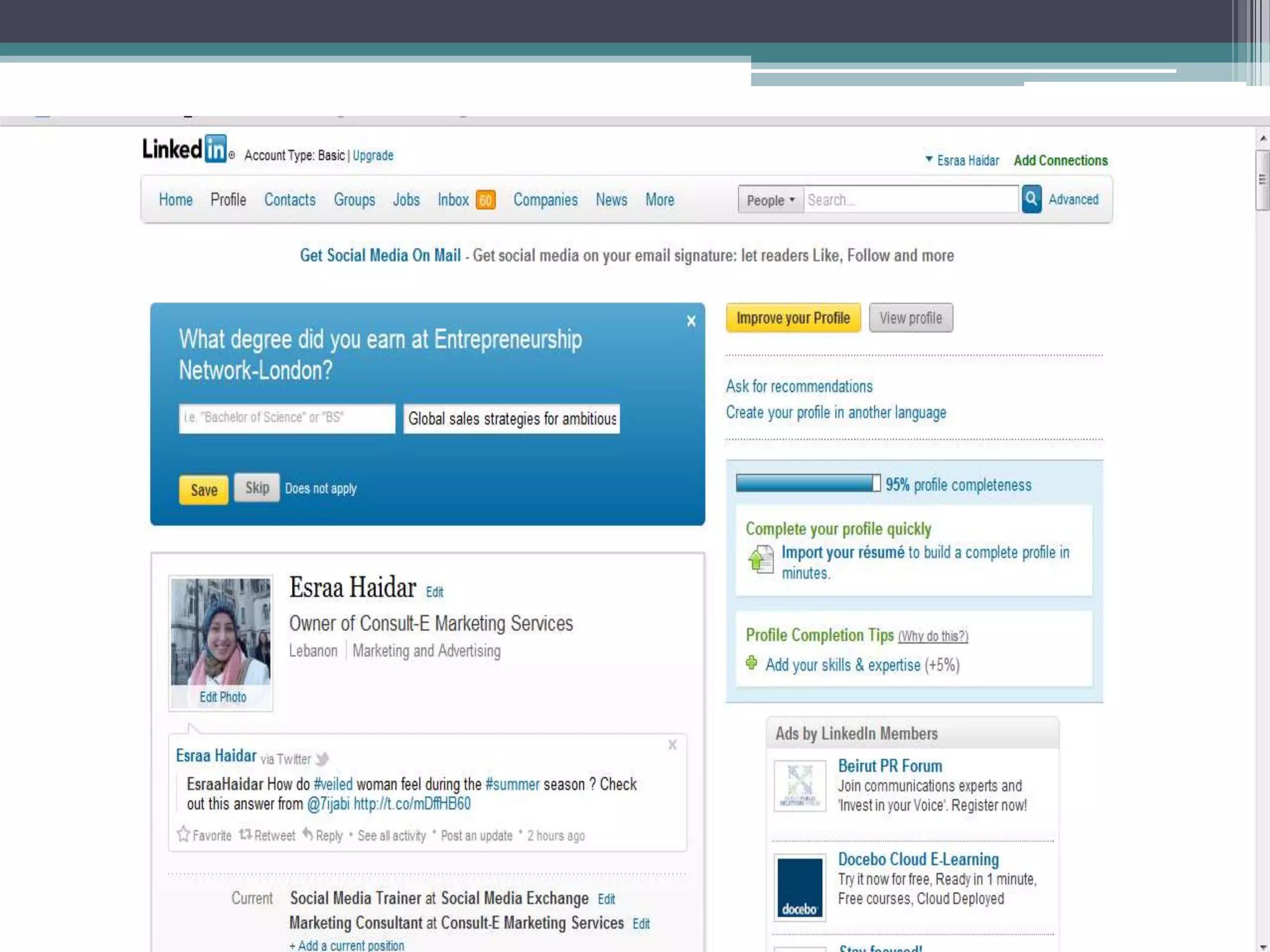
Start Filling in your information
LinkedIn suggests that having a
 completed profile provides you with
 a 40% greater chance for networking
  success, and they make it easy for
you to understand how to achieve that
          100% completion.
Checklist to Achieve A
  powerful And complete profile
• Upload a professional image

• Create a Compelling headline

• You only have 120 characters at the top of your profile to
  describe what you do to the world and grab their attention.

• Use brief, descriptive, compelling keywords so the right
  professionals on LinkedIn can discover you.
Checklist
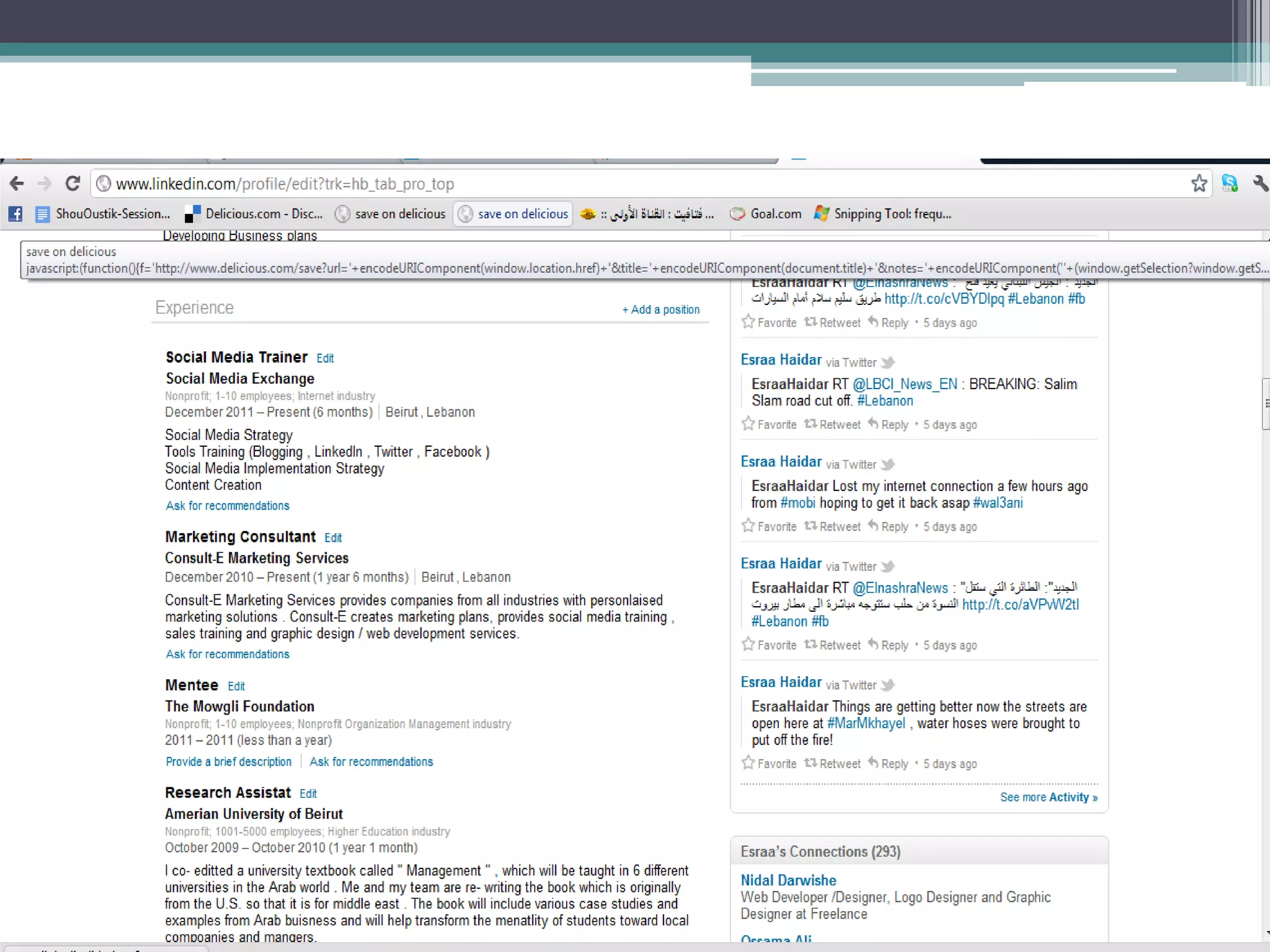
• List Your Current position and at Least two past
  positions

• Use descriptive keywords that you quoted in your
  headline if possible

• Be sure to describe your role for each position.
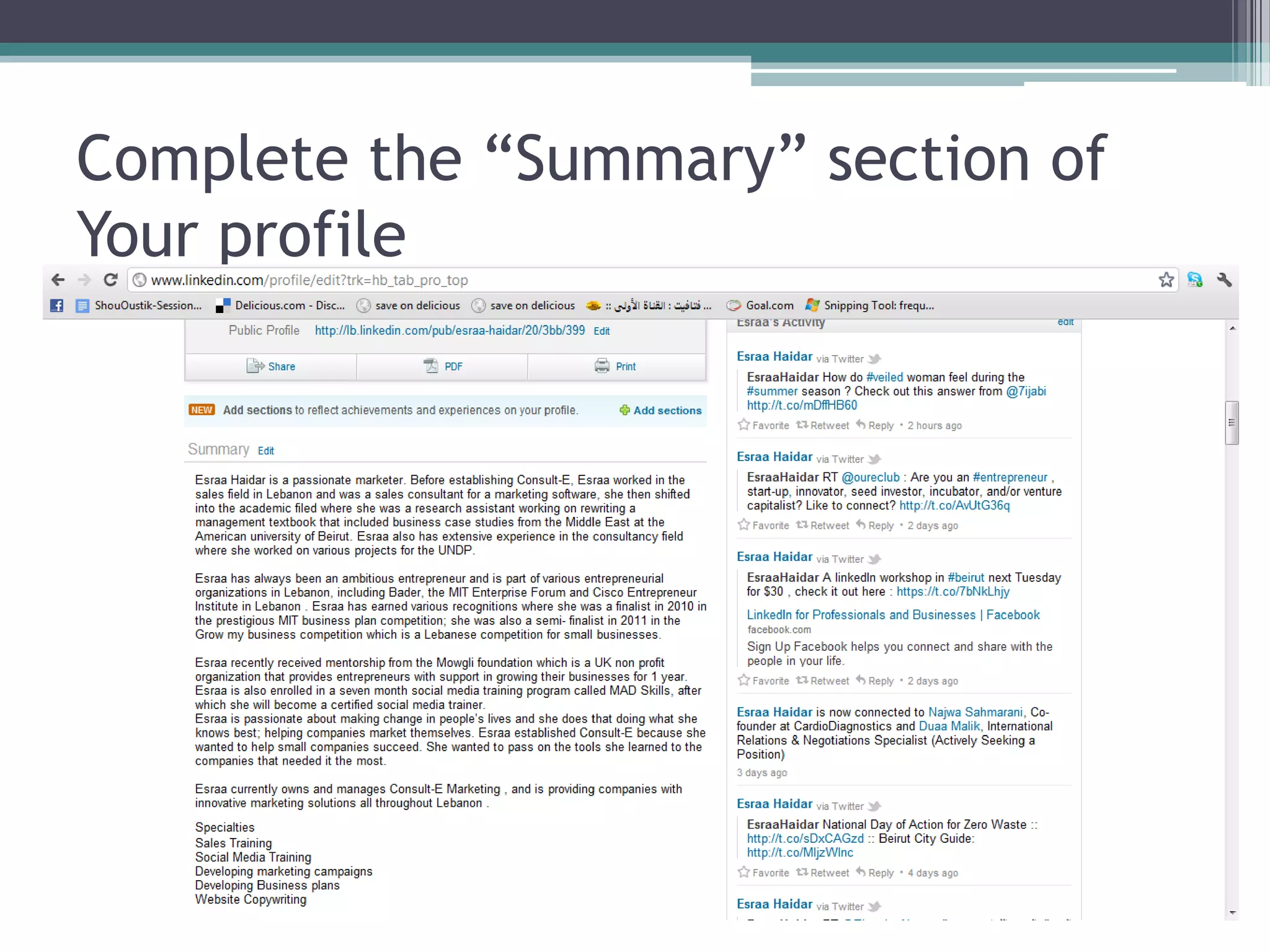
Complete the “Summary” section of
Your profile
Hint
• This is your chance to really describe who you
  are and how you help people.

• Write your summary in the third person.

• Otherwise, you’ll be using the letter “I” quite a
  bit, which can be off-putting.
Checklist for your profile
• Complete the “specialties” section of Your profile

• Utilize customer-focused keywords, as these are the
  terms that will help you show up in search results
  within LinkedIn.

• Brainstorm words and phrases that people in your
  target markets might search for to find someone
  with your background, experience, and service
  offering.
Get Recommended
• Give recommendations First

• Request recommendations that can be displayed
  on your profile.

• The best way to receive recommendations is to
  first give them!
Hint
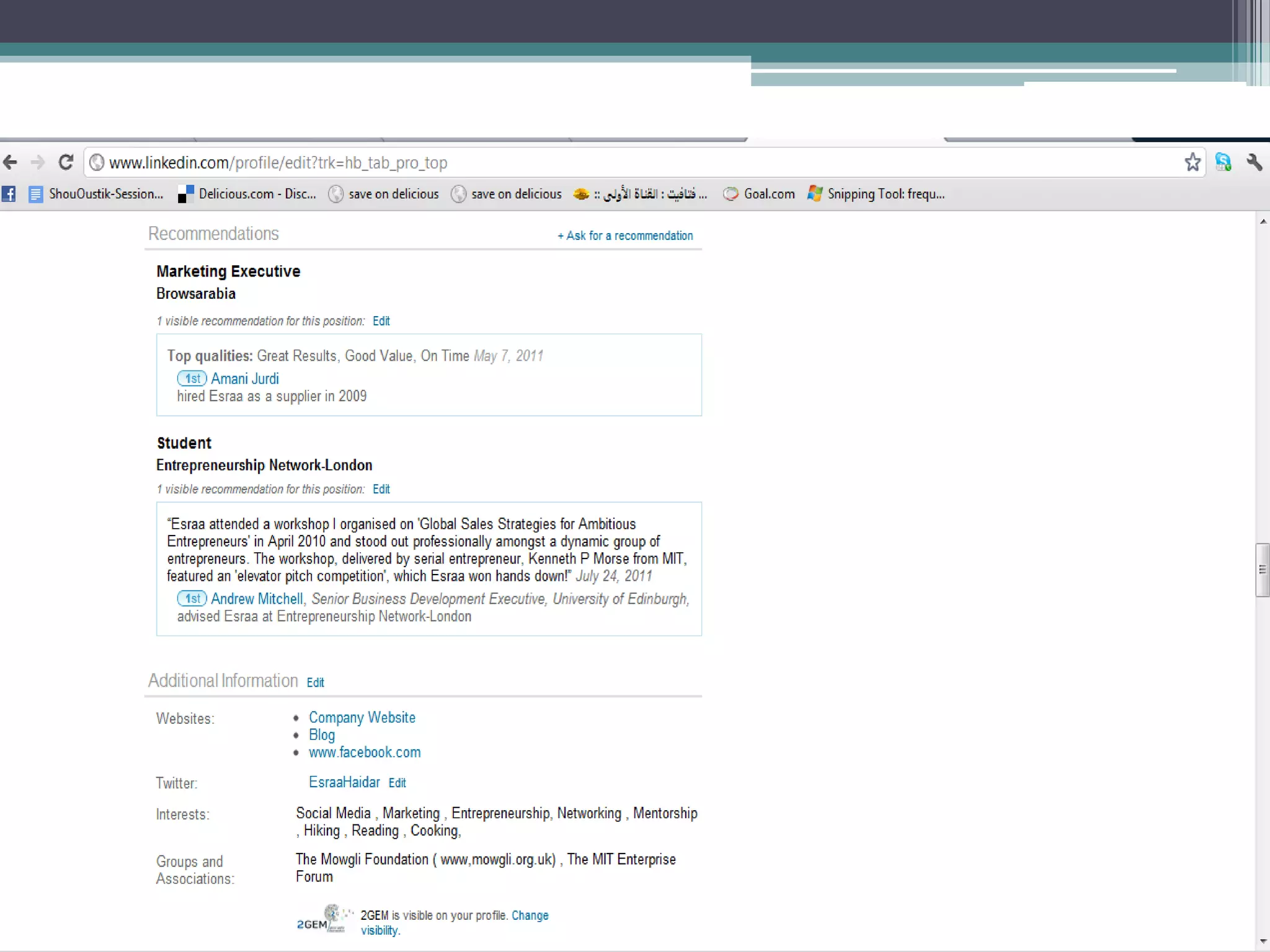
• You will need at least three recommendations in
  order for LinkedIn to label your profile
  “completed.”

• Complete the “interests” and “groups and
  associations”

• Each of these terms will be hyper-linked and will
  take you to other users in the network who share
  these interest
Step 2
Optimize your profile
   to get found by
       contacts
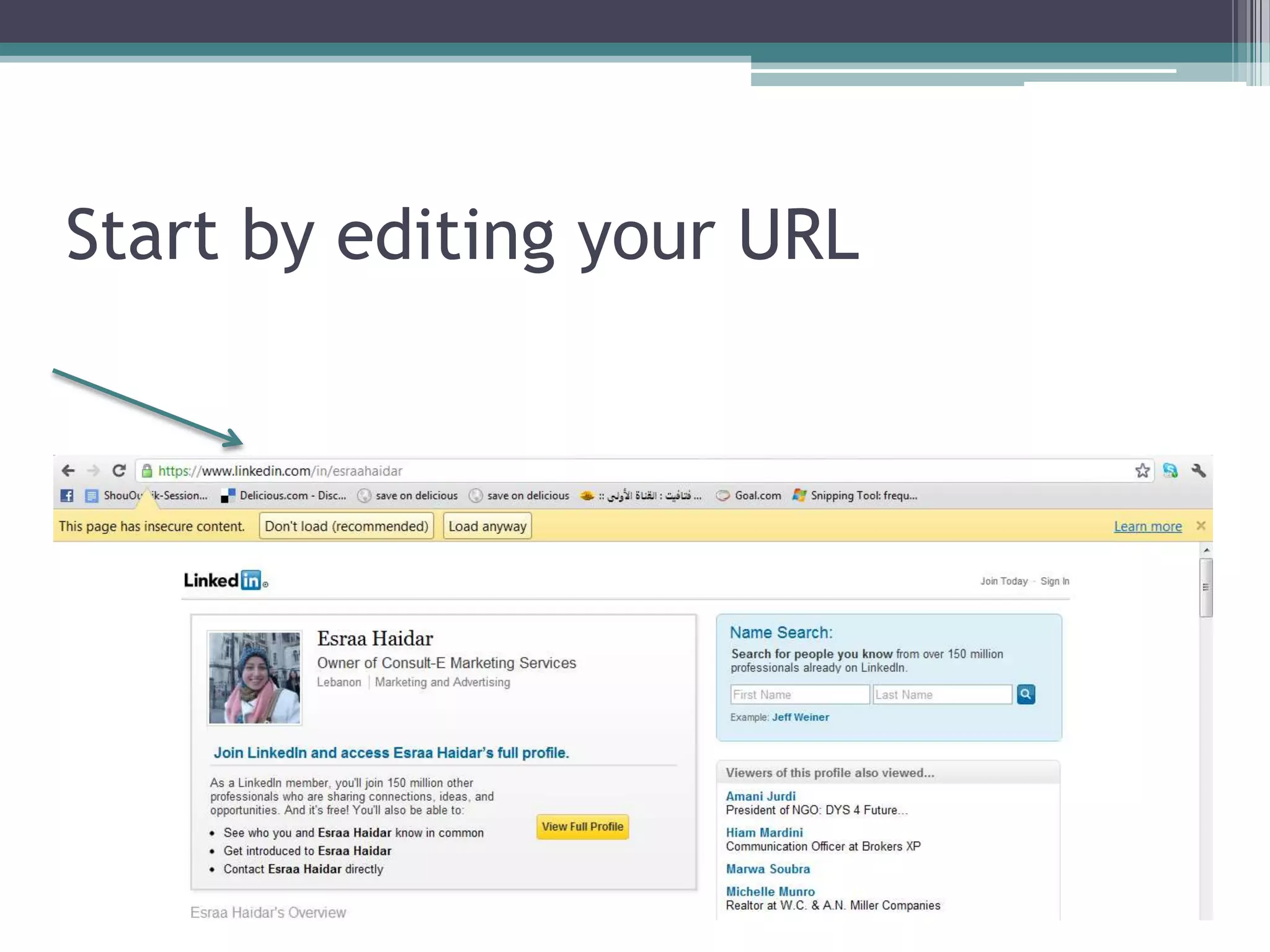
Start by editing your URL
Then add your website
• Customize Your “website” Listings


• Describe them with relevant terms

• Avoid “ my website”
Add your Twitter Account
• Include a Link to Your twitter profile

• You can have more than one twitter account
  listed.

• Give folks an additional method to use to
  connect with you!
Make it Visible
• make Your entire LinkedIn profile publicly
  Visible to everyone

• You want other professionals on LinkedIn to be
  able to find you and contact you anytime.

• Being invisible won’t help you build your
  network.
Step 3

Building Your LinkedIn
       Network
“ LinkedIn helps you find
 valuable people and informs
 you of the mutual connections
 you have with them. “
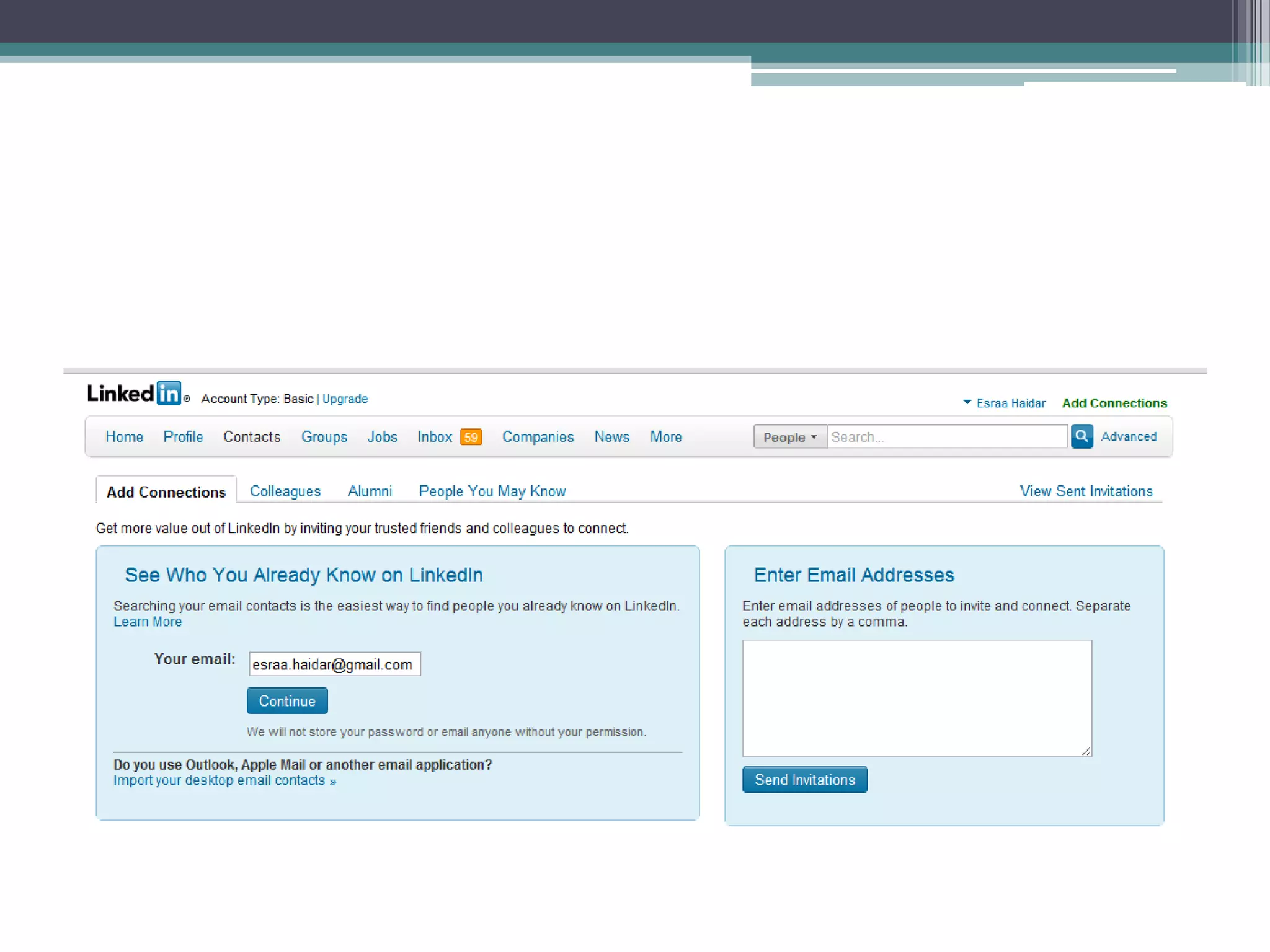
Get Connected
• Connect with Your direct, First degree network

• Upload your contacts from outlook, webmail like

 Hotmail, gmail, yahoo.

• Add previous Colleagues and Classmates to Your network

• Introduce yourself
Step 4

 How to Use LinkedIn to
  market Your Business
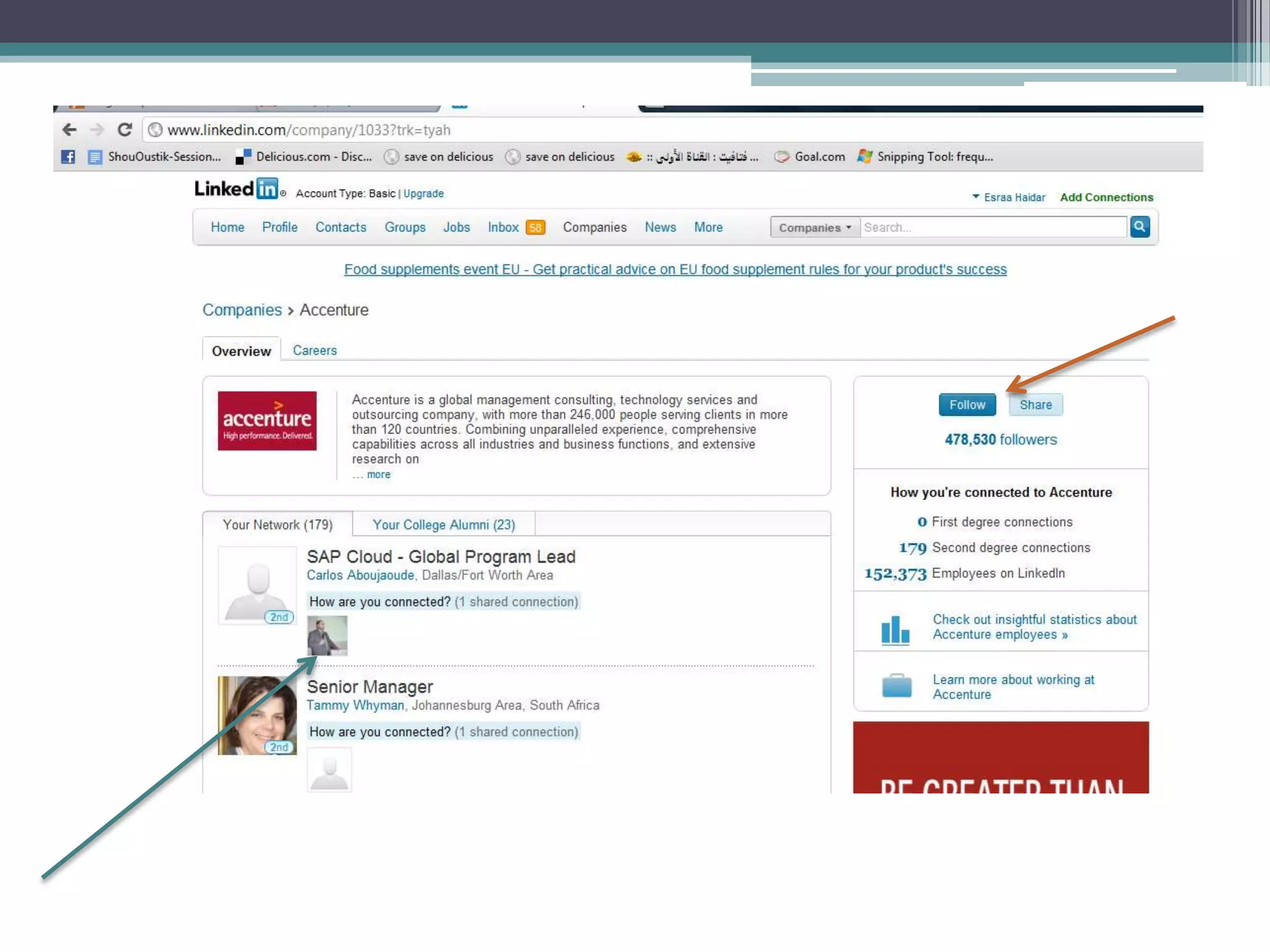
Create your company profile
• Setting up your company page on LinkedIn

• Add keywords within the specialty section
• Make sure that any keywords for which you want
  your company to be found are here.
Tips for your company profile
• Pick Your Industry

• List Your Location/multiple locations

• Link to Your Blog rss

• Enter your corporate blog’s rss feed to showcase
  your latest blog entries.
Tips for your company profile
• Post status Updates

• Make an effort to post regular status updates on
  your page,
LinkedIn Groups

        More Dynamic
 A platform for conversation
  Creating Announcements
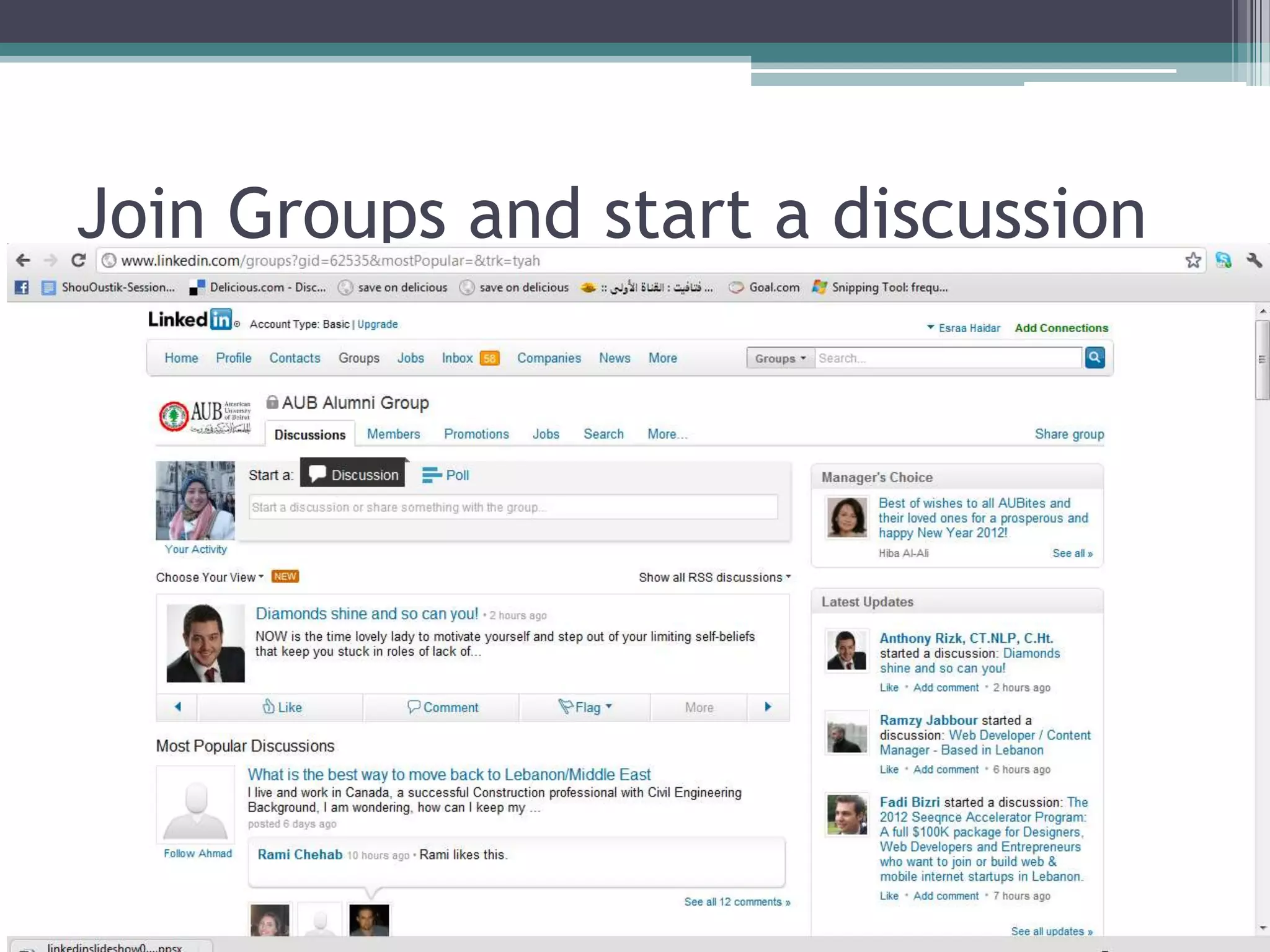
Join Groups and start a discussion
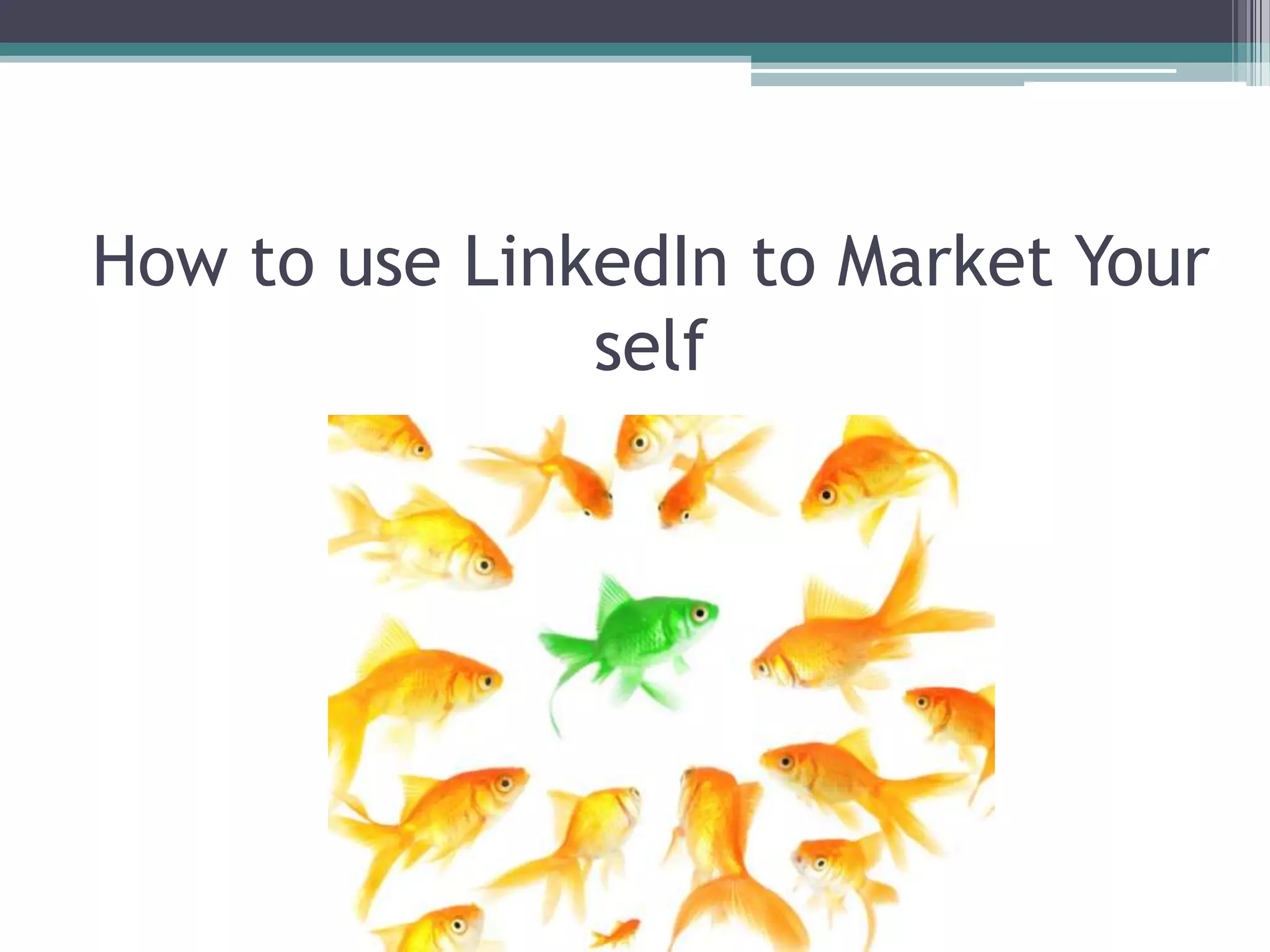
How to use LinkedIn to Market Your
               self
Quick Tips
• Give Before asking For Favors

• Make recommendations.

• Connect with everyone

• It pains me to see when people only have fewer than 100

  connections

• Use advanced applications to promote Your own Content

• Make Your interactions personal
Quick Tips
• Create a Call-to-Action
• Instead of having them say “my blog,” make
• it say “contact me Here” or “download my free
  report.”
• Whatever your goal, tell them to contact you or
  do something in a way that best meets your
  needs
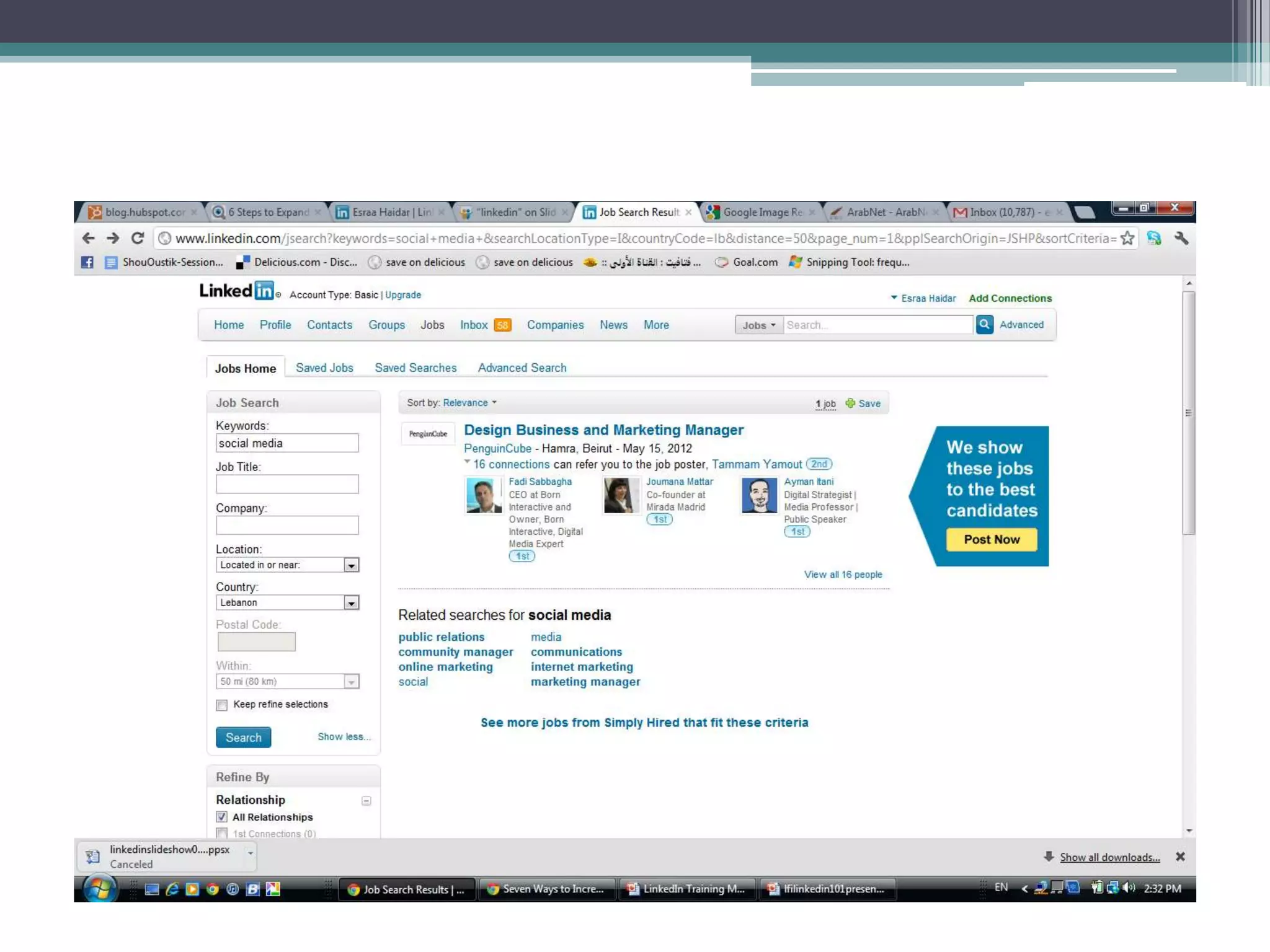
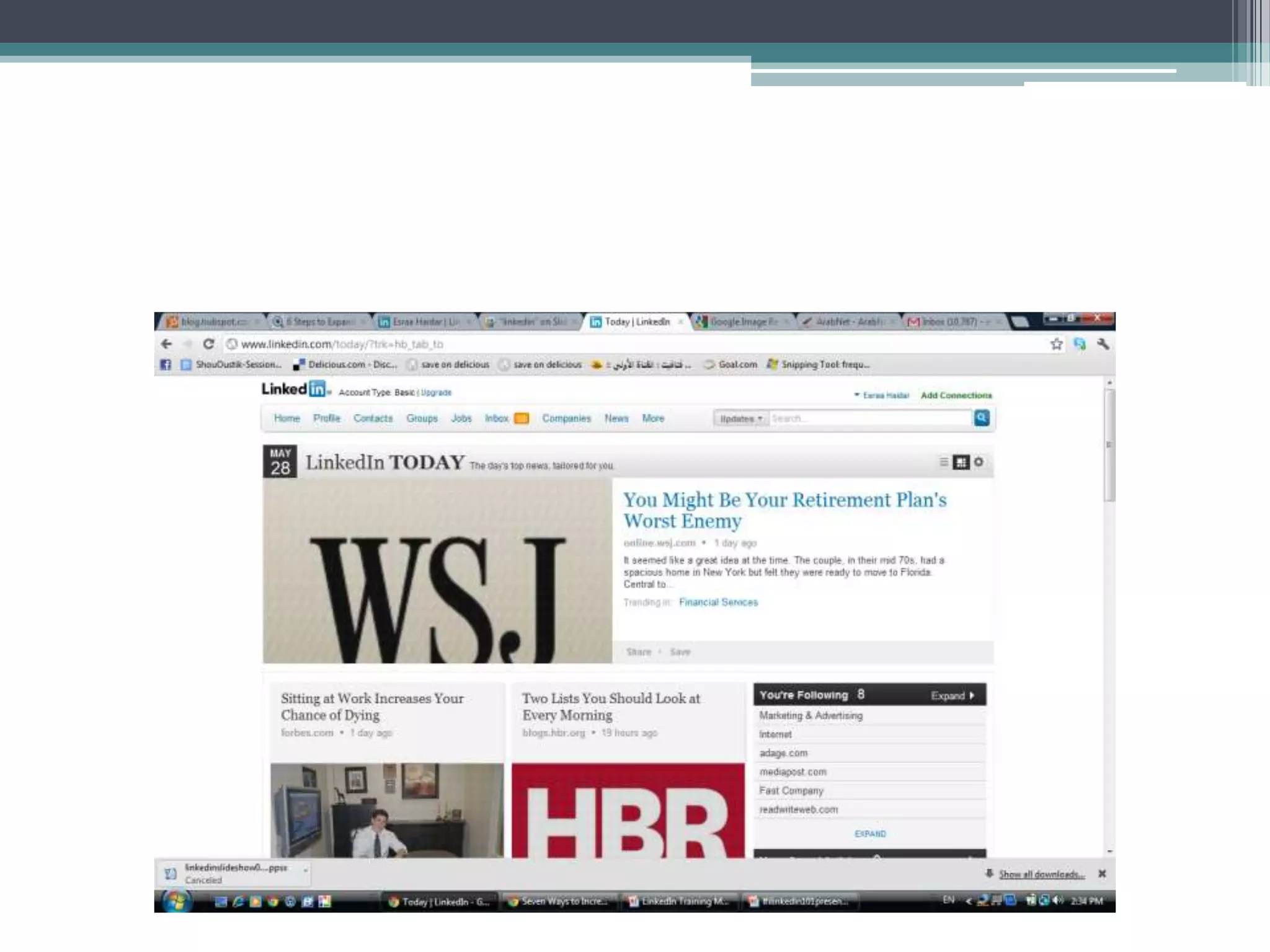
Additional Features
•   Job posts
•   Answers
•   Events
•   News
•   Ads
Interesting Case studies
• Evan stumbled upon his dream job on LinkedIn.
  For fun he did a random search for “Advertising
  Sales Director”.
• A position at TravelZoo was advertised
  and applying, interviewing and receiving the
  job, Evan was able to get back into an industry
  he loves mainly due to his LinkedIn profile.
Case study 2
• Steve Weinstein is the Manager of Marketing
  Communications at Cooper Power Systems. He
  landed this job because a recruiter from his
  current employer found him on LinkedIn. Steve
  interviewed and got the job due to LinkedIn. You
  never know who’s looking at your profile.
Case Study 3
• Linked Group makes a difference for children in
  Bangalore, South India. An employee from Ernst
  & Young had visited a poverty stricken school in
  Bangalore and decided she wanted to do
  something to help. A LinkedIn group was
  created to foster a discussion on how to help.
  One member suggested creating a “Wish List” on
  Amazon. Members of the LinkedIn group then
  proceeded to buy books for the children.
Case Study 4
• The Weather Channel recently closed a deal to
  acquire sites Lakerentals.com and Coastrentals.com.
  How?
• They were contacted by the people behind Lake
  Rentals and Coast Rentals via Inmail on LinkedIn.
  The opportunity was made aware by having the
  profile visible on LinkedIn. The tag-line “LinkedIn
  makes professional connections visible” rings true.
  It makes companies visible thus creating unforeseen
  opportunities.

LinkedIn 101

  • 2.
    “Its all aboutfilling in the gaps “
  • 3.
  • 4.
    “If you’re abusiness professional and you don’t have a powerful LinkedIn presence, you are missing valuable opportunities. “
  • 6.
    About LinkedIn Strong world-wide reach Business to business sales opportunity Professional audience focus Highly trusted by Google Built to be SEO friendly
  • 7.
    About LinkedIn 115 million active users world-wide Users 97 times more likely to have college or post- grad degree LinkedIn is the number 2 most popular social media network Nearly 2 billion people searches on LinkedIn in 2010
  • 8.
    About LinkedIn 70% of people use LinkedIn for job hunting 80% of people use LinkedIn as a primary recruitment tool 40% of Fortune 100 companies use LinkedIn for recruiting
  • 9.
    A platform ofConfidence 82% of members are more confident in the professional info received on LinkedIn compared to other social networks
  • 10.
    A Platform forDecision Makers More than 80% of LinkedIn members are company decisions makers
  • 11.
    Two Types ofAccounts 61% of LinkedIn users have the basic account 39% of LinkedIn users have a premium account
  • 12.
    So lets getstarted Step 1 Establish a Foundation
  • 13.
    “You must firstestablish a foundation in order to begin building your influence...”
  • 14.
  • 15.
  • 16.
  • 17.
  • 18.
    Start Filling inyour information
  • 20.
    LinkedIn suggests thathaving a completed profile provides you with a 40% greater chance for networking success, and they make it easy for you to understand how to achieve that 100% completion.
  • 21.
    Checklist to AchieveA powerful And complete profile • Upload a professional image • Create a Compelling headline • You only have 120 characters at the top of your profile to describe what you do to the world and grab their attention. • Use brief, descriptive, compelling keywords so the right professionals on LinkedIn can discover you.
  • 22.
    Checklist • List YourCurrent position and at Least two past positions • Use descriptive keywords that you quoted in your headline if possible • Be sure to describe your role for each position.
  • 23.
    Complete the “Summary”section of Your profile
  • 24.
    Hint • This isyour chance to really describe who you are and how you help people. • Write your summary in the third person. • Otherwise, you’ll be using the letter “I” quite a bit, which can be off-putting.
  • 25.
    Checklist for yourprofile • Complete the “specialties” section of Your profile • Utilize customer-focused keywords, as these are the terms that will help you show up in search results within LinkedIn. • Brainstorm words and phrases that people in your target markets might search for to find someone with your background, experience, and service offering.
  • 27.
    Get Recommended • Giverecommendations First • Request recommendations that can be displayed on your profile. • The best way to receive recommendations is to first give them!
  • 28.
    Hint • You willneed at least three recommendations in order for LinkedIn to label your profile “completed.” • Complete the “interests” and “groups and associations” • Each of these terms will be hyper-linked and will take you to other users in the network who share these interest
  • 30.
    Step 2 Optimize yourprofile to get found by contacts
  • 31.
  • 32.
    Then add yourwebsite • Customize Your “website” Listings • Describe them with relevant terms • Avoid “ my website”
  • 33.
    Add your TwitterAccount • Include a Link to Your twitter profile • You can have more than one twitter account listed. • Give folks an additional method to use to connect with you!
  • 34.
    Make it Visible •make Your entire LinkedIn profile publicly Visible to everyone • You want other professionals on LinkedIn to be able to find you and contact you anytime. • Being invisible won’t help you build your network.
  • 35.
    Step 3 Building YourLinkedIn Network
  • 36.
    “ LinkedIn helpsyou find valuable people and informs you of the mutual connections you have with them. “
  • 37.
    Get Connected • Connectwith Your direct, First degree network • Upload your contacts from outlook, webmail like Hotmail, gmail, yahoo. • Add previous Colleagues and Classmates to Your network • Introduce yourself
  • 39.
    Step 4 Howto Use LinkedIn to market Your Business
  • 40.
    Create your companyprofile • Setting up your company page on LinkedIn • Add keywords within the specialty section • Make sure that any keywords for which you want your company to be found are here.
  • 42.
    Tips for yourcompany profile • Pick Your Industry • List Your Location/multiple locations • Link to Your Blog rss • Enter your corporate blog’s rss feed to showcase your latest blog entries.
  • 43.
    Tips for yourcompany profile • Post status Updates • Make an effort to post regular status updates on your page,
  • 44.
    LinkedIn Groups More Dynamic A platform for conversation Creating Announcements
  • 45.
    Join Groups andstart a discussion
  • 46.
    How to useLinkedIn to Market Your self
  • 47.
    Quick Tips • GiveBefore asking For Favors • Make recommendations. • Connect with everyone • It pains me to see when people only have fewer than 100 connections • Use advanced applications to promote Your own Content • Make Your interactions personal
  • 48.
    Quick Tips • Createa Call-to-Action • Instead of having them say “my blog,” make • it say “contact me Here” or “download my free report.” • Whatever your goal, tell them to contact you or do something in a way that best meets your needs
  • 49.
    Additional Features • Job posts • Answers • Events • News • Ads
  • 52.
    Interesting Case studies •Evan stumbled upon his dream job on LinkedIn. For fun he did a random search for “Advertising Sales Director”. • A position at TravelZoo was advertised and applying, interviewing and receiving the job, Evan was able to get back into an industry he loves mainly due to his LinkedIn profile.
  • 53.
    Case study 2 •Steve Weinstein is the Manager of Marketing Communications at Cooper Power Systems. He landed this job because a recruiter from his current employer found him on LinkedIn. Steve interviewed and got the job due to LinkedIn. You never know who’s looking at your profile.
  • 54.
    Case Study 3 •Linked Group makes a difference for children in Bangalore, South India. An employee from Ernst & Young had visited a poverty stricken school in Bangalore and decided she wanted to do something to help. A LinkedIn group was created to foster a discussion on how to help. One member suggested creating a “Wish List” on Amazon. Members of the LinkedIn group then proceeded to buy books for the children.
  • 55.
    Case Study 4 •The Weather Channel recently closed a deal to acquire sites Lakerentals.com and Coastrentals.com. How? • They were contacted by the people behind Lake Rentals and Coast Rentals via Inmail on LinkedIn. The opportunity was made aware by having the profile visible on LinkedIn. The tag-line “LinkedIn makes professional connections visible” rings true. It makes companies visible thus creating unforeseen opportunities.